RSS
 

Posts Tagged ‘painting’

Review: Light Painting Brushes – Tools for Creativity

20 Jul

If you enjoy light painting photography, I think this review of tools from Light Painting Brushes (LPB) will interest you. All photographers know that light is essential to taking a successful photograph. At night, when light is limited, light painting can be a fun and artistic form of photography that may stretch a shutter-bug’s creativity by creating light, solely for the purpose of photographing light. If you are new to light painting please read my article – Beginner’s Guide to Light Painting for some ideas to get started.
Light-Painting-Brushes-10

Also, Light Painting Brushes has a great online presence, full of ideas, examples and tutorials. Check out this example of the great tutorial video available:

There are two main types of light painting:

  1. Off-camera painting, by which a light source, unseen to the camera’s view, is used to illuminate a scene or objects so as to make them appear out of the dark in an image. Here the light is only showing the subject and is not part of the image.
  2. Secondly, on-camera painting, in which the light source is seen by the camera and is a subject to be photographed. So here the light IS the subject.

The tools I am reviewing in this article are used for on-camera light painting. With Light Painting Brushes, most of the tools are used to add a graffiti-type light to a scene. This can be lots of fun (especially in social situations) and the creative options are endless! Listed here are the items from Light Painting Brushes that I will be reviewing in this article. (Spoiler alert. they are really cool!)

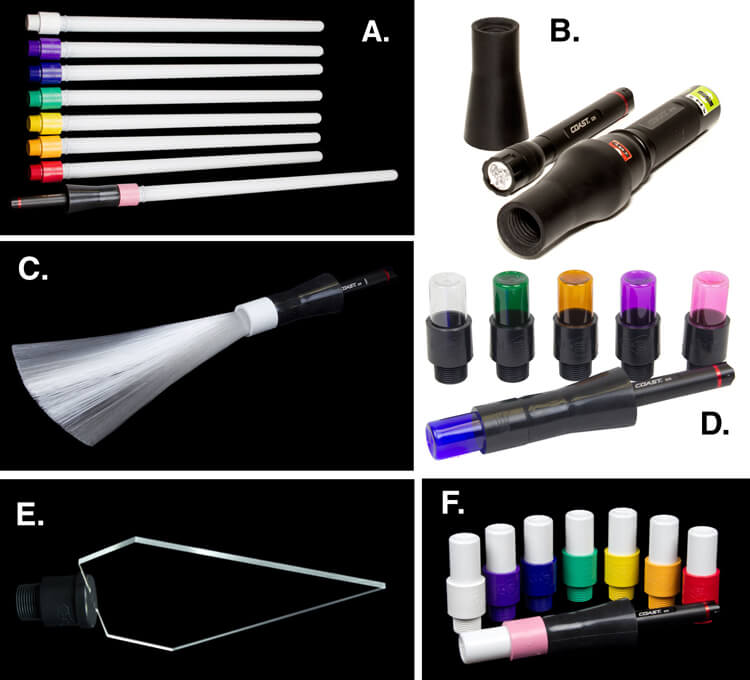
  • Universal Connectors
  • Set of 8 Opaque Light Writers
  • Set of 6 Translucent Light Writers
  • White Fiber Optic
  • Black Fiber Optic
  • Plexiglass Diamond
  • 22″ Light Sword
Light-Painting-Brushes-Tools

A. – Light Sword, B. – Universal Connectors, C. – White Fiber Optic, D. – Translucent Light Writers, E. – Plexiglass Diamond, F. Opaque Light Writers

Universal Connectors

The universal connector is the glue that literally holds this whole system together. Made of a durable rubber, the universal connector allows any flashlight with a diameter of .975″ to 1.5″ to connect to any of Light Painting Brushes’ tools. The end of the universal connector appears to be threaded, but don’t try to screw the brushes into the connector. The thread’s function is to just grip the brush and hold it tightly it in place.Light-Painting-Brush-Universal-Connector-2-750px
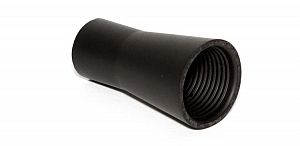
Flashlights will easily insert into the other end, but never hold the whole thing by just the flashlight, as the brush may slide out. Instead, hold it by the universal connector. The universal connector may also be used to connect a “brush” of one’s own making, such as a pop bottle, to a light source (your flashlight).

Opaque Light Writers (Set of 8)

Use the universal connector to connect these opaque colored lights to your light source. The set is available in eight hues including white, purple, blue, green, yellow, orange, red, and pink. The opaque color makes them excellent tools for light writing, drawing or graffiti, and creative uses limited only by one’s own imagination. Because of the opaque colors of these light brushes, a very crisp drawing or writing source results. After some practice with this tool, I am sure some very detailed light drawings can be captured within a photograph.

Translucent Light Writers (Set of 6)
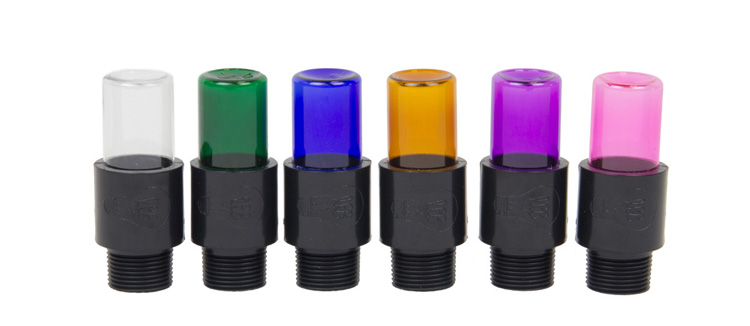
Light_Painting_Brushes_Translucent_Light_Writer_Set-750px

These attachments are very similar to the opaque light painting brushes, but because they are translucent the lights create a more textured effect than the opaque lights. Another tool for artistic expression lighting up the night!

White Fiber Optic
Light-Painting-Brushes-9

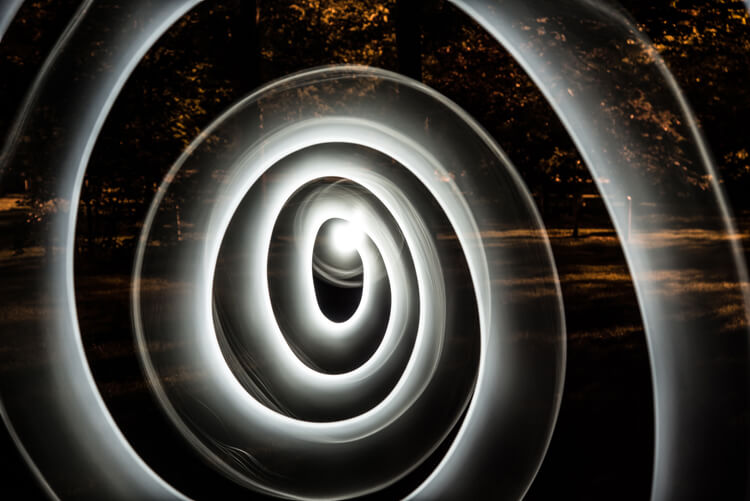
Spiral design created using the White Fiber Optic brush

The fiber optic brush connected to a light source really makes some awesome wispy lines. The white light has great depth as the whole strand of the brush lights up. This tool really gave me the feeling that I was actually painting with light! The white fiber optics is so much fun to use, creating some great effects and can be used for many light painting applications.

Black Fiber Optic
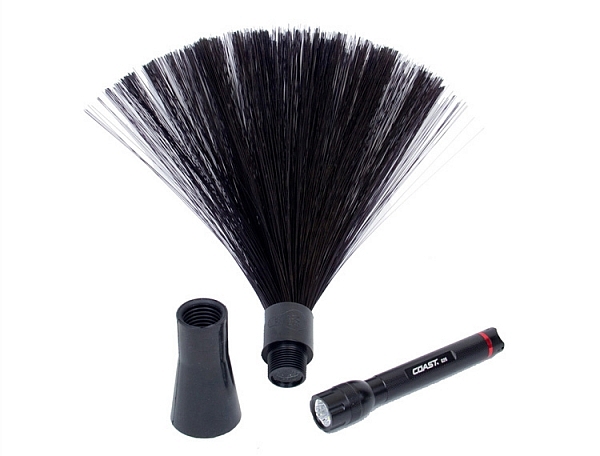
Light-Painting-Brushes-Black-Fiber-Optic-02-750px

The black fiber optic tool only lights up the ends of the brush, great for use in portraits. However, I feel it has a more limited use for other types of light painting, since it puts out a lesser amount of light.

Plexiglass Diamond
Light-Painting-Brushes-11

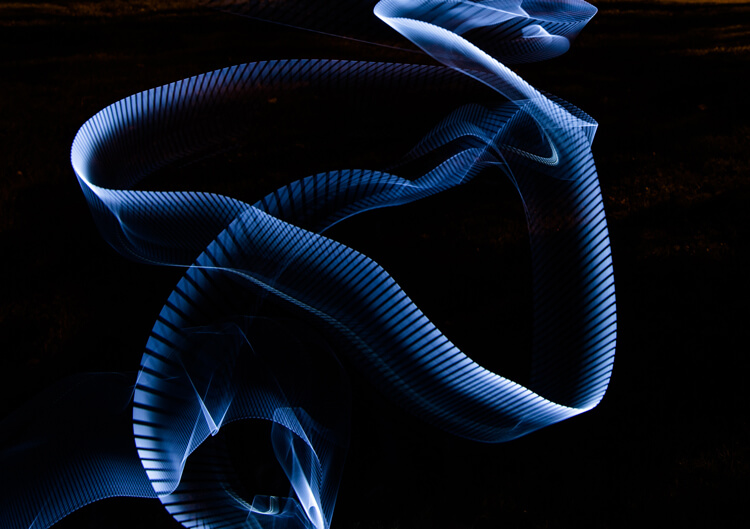
Abstract design created using the Plexiglass Diamond brush

The 9” Plexiglass Diamond shines light out through the cut edges, creating interesting and unique textures when waved about as the image is being shot. This tool is great for light graffiti, portraits, and abstract designs. It is my favorite tool of all the ones I’ve reviewed in this article!

22″ Light Sword
22in-Light-Swords-Illuminated-750px

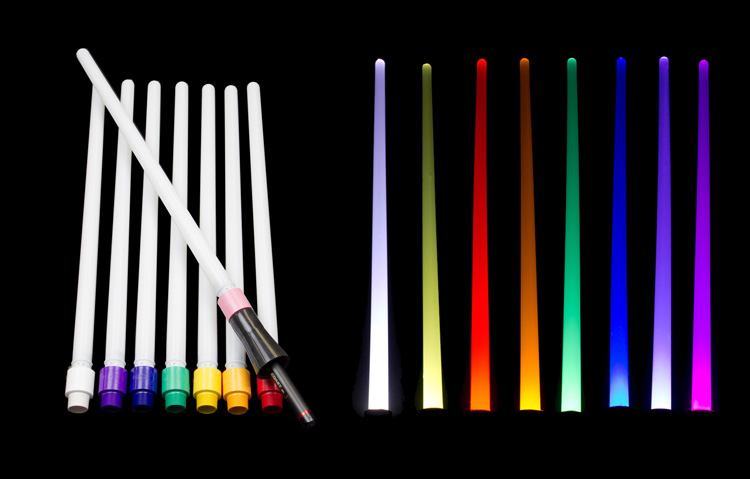
These tools create a very wide path of light, and are available in 8 different colors: blue, green, orange, pink, purple, red, yellow and white. The colored swords cause some stunning effects, but while the white sword can make some nice strokes of light, in my opinion its results are not as exciting as the colors.
Light-Painting-Brushes-8

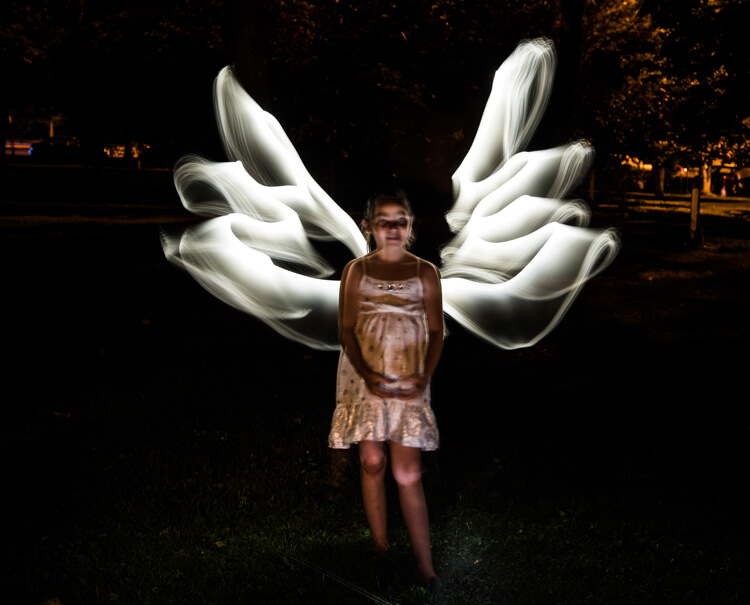
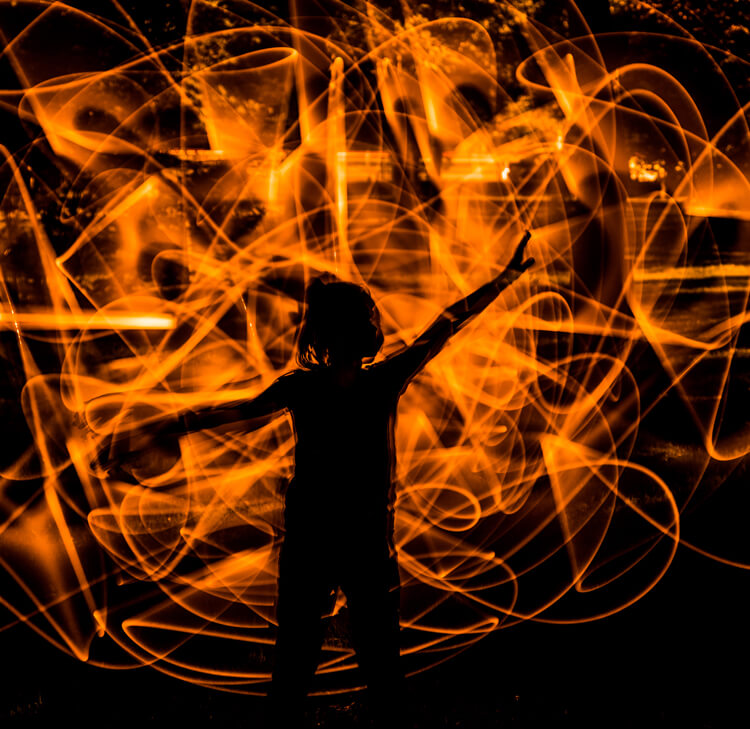
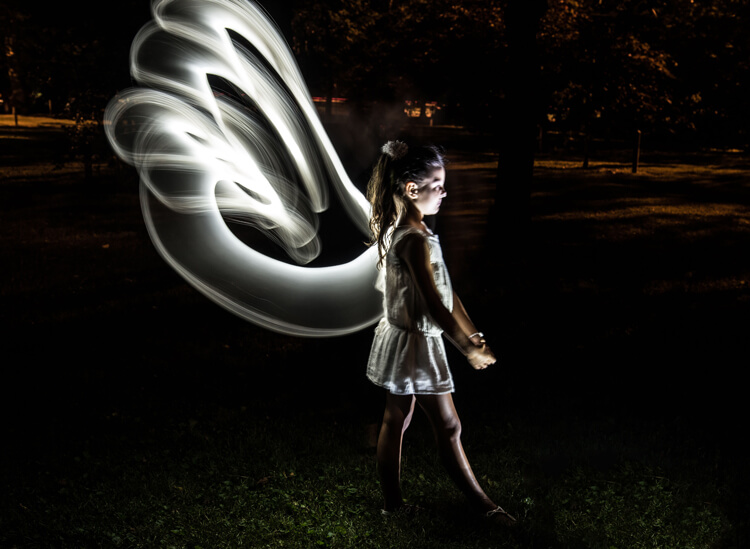
This silhouetted image of a girl was created using the orange 22″ sword brush

Tips:

  • To remain as invisible as possible when trying to photograph a light painting, wear dark colored clothing, keep moving, and avoid holding the light source too close to your body.
  • Speed of motion can make a big difference with many of these tools: the slower the motion, the more vibrant and textured the effect; the faster the motion, the smoother but fainter the effect.

First impressions
Light-Painting-Brushes-7

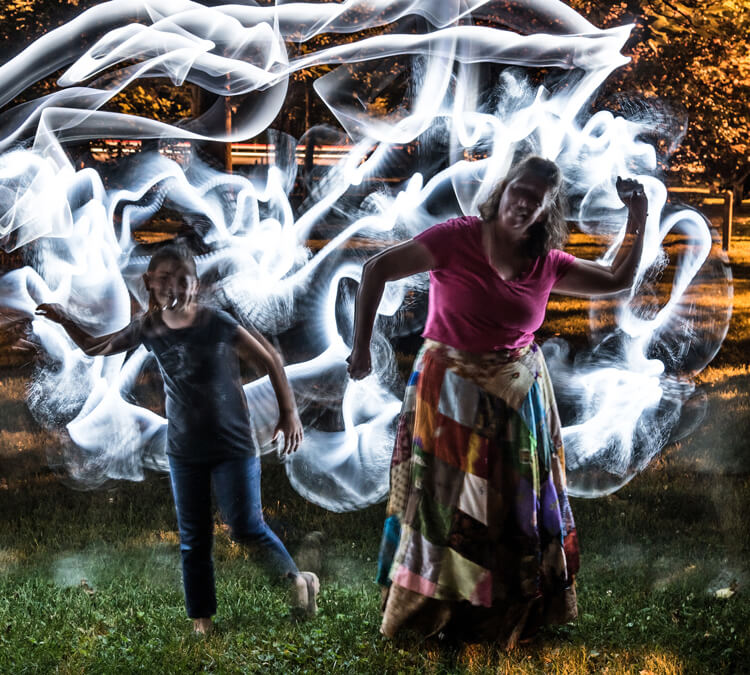
I recently had the privilege to lead a light painting workshop with some local photographers, so I introduced the Light Painting Brush system to them during our course. The following feedback comes from a few of the participants:

  • “I felt like a kid, amazed and surprised with all the images we shot and with the numerous options we used to create and express ourselves as we played with the Light Painting Brushes. My favorite was the colored ones because they made things and shapes look like I was using chalk, and the colors were great in the pictures! It helped me to express and to imagine numerous things. I just wish we’d had two more hours!”
  • “Several lighting methods were demonstrated, but my favorite was using light painting brushes to create an angel figure out of a beautiful little girl.”
  • “My favorite was the white fiber optic, as it made a really pretty effect and I felt I could be more creative with it.”
  • “I was very impressed with the quality and the different possibilities of the light painting tools! I love that it gives you the ability to add your own personal unique touch to a photo!”

The brushes were easy to use, even for beginners, and cast a new “light” giving night photography a new perspective and dream like world.
Light-Painting-Brushes-13


Conclusion

Whether you are an experienced light painter or just wanting to give this technique a try for the first time, these tools from Light Painting Brushes are a fantastic addition to your accessory arsenal. They are designed by light painters who create and use their products. If you watch their tutorials online you’ll see that they have a passion to create tools that are to be used to create works of art in Light Painting.

Here’s another really cool thing you can do with these tools – make a spirograph!

The Universal Connector is the essential tool for using the actual brushes. I really like the unique textures and shaping possibilities of my two personal favorite brushes, the White Fiber Optics and the Plexiglass Diamond. My previous experience with light painting has mostly been of the off-camera type, but after using these Light Painting Brushes my interest has really been piqued to pursue on-camera light painting.

googletag.cmd.push(function() {
tablet_slots.push( googletag.defineSlot( “/1005424/_dPSv4_tab-all-article-bottom_(300×250)”, [300, 250], “pb-ad-78623” ).addService( googletag.pubads() ) ); } );

googletag.cmd.push(function() {
mobile_slots.push( googletag.defineSlot( “/1005424/_dPSv4_mob-all-article-bottom_(300×250)”, [300, 250], “pb-ad-78158” ).addService( googletag.pubads() ) ); } );

The post Review: Light Painting Brushes – Tools for Creativity by Bruce Wunderlich appeared first on Digital Photography School.
Digital Photography School

 
Comments Off on Review: Light Painting Brushes – Tools for Creativity

Posted in Photography


How to Create Beautiful Light Painting Images With an Illuminated Hoop

12 Jul

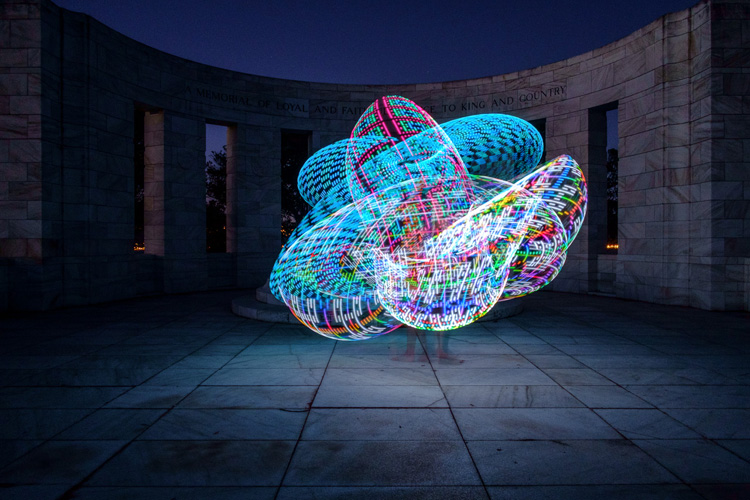
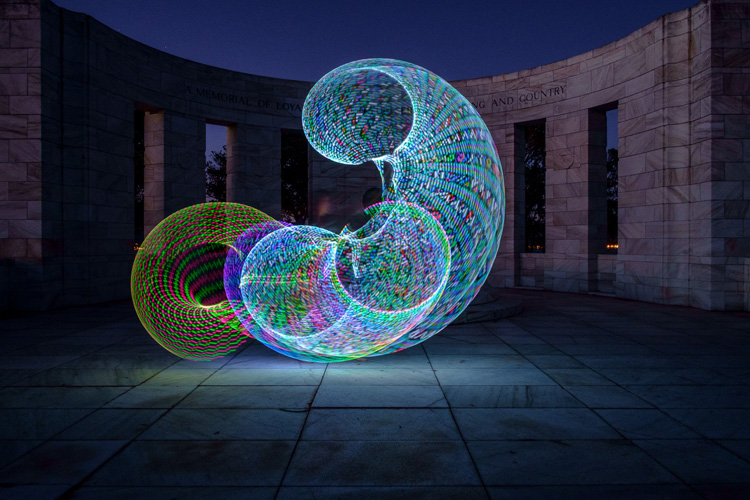
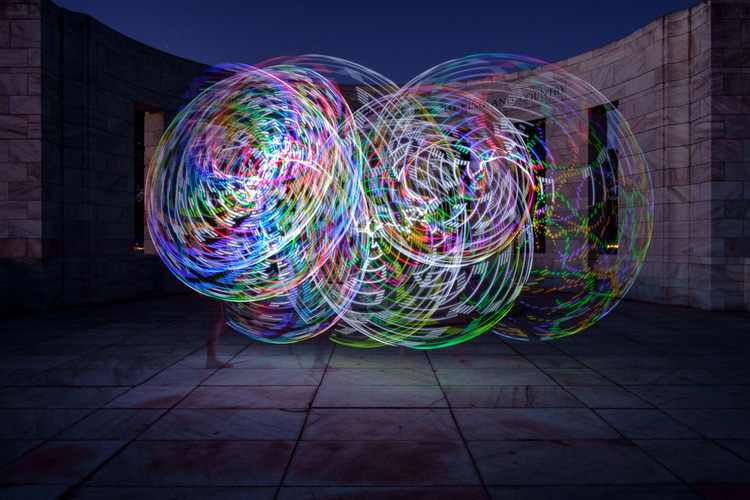
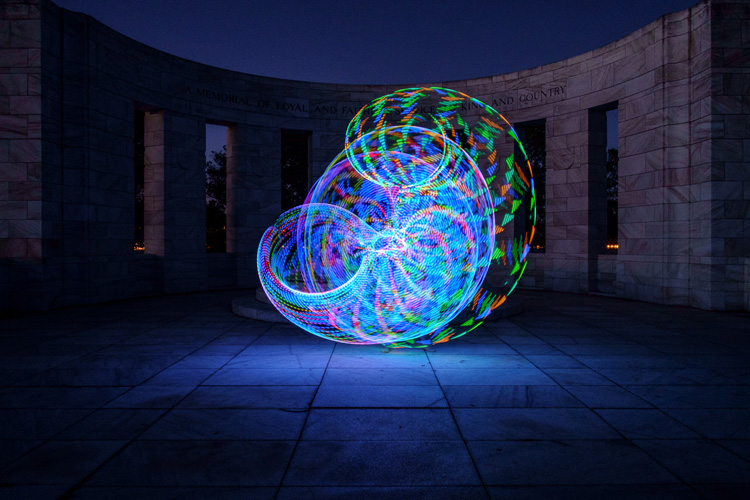
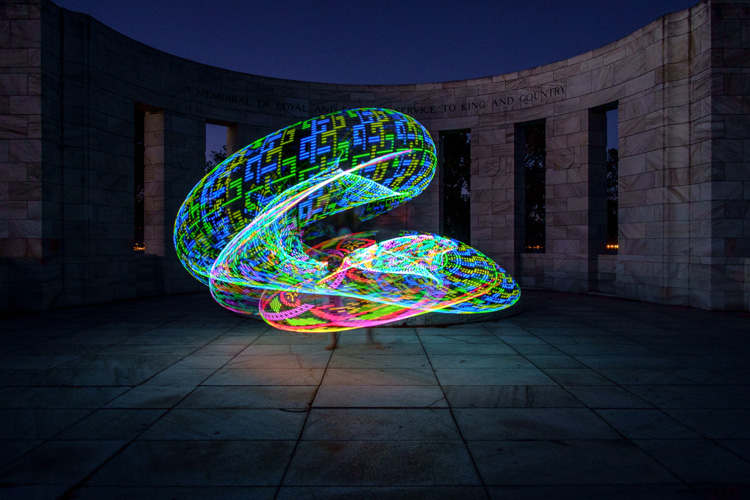
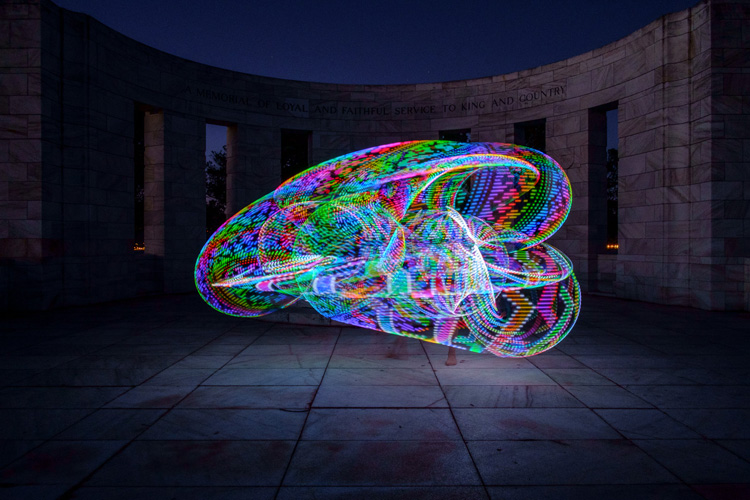
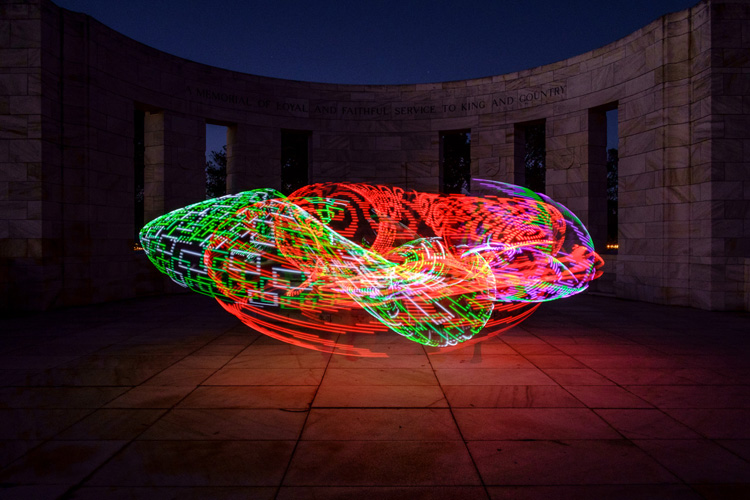
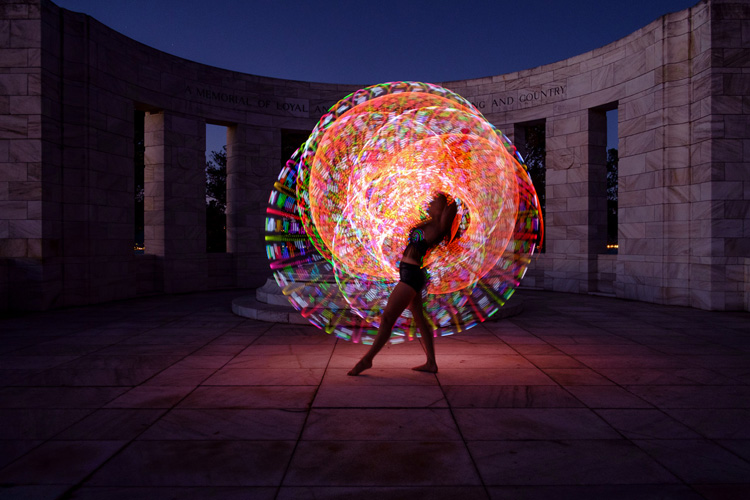
Early last year I collaborated with a friend who is a professional circus performer and hula hooper to create the unique images that you see in this article.

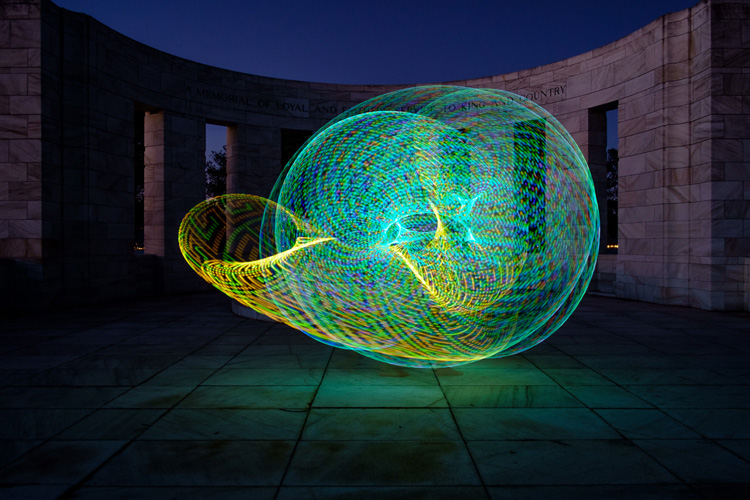
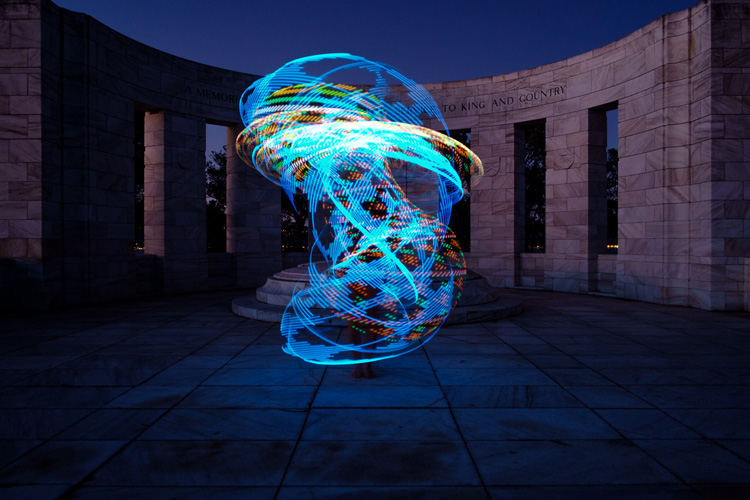
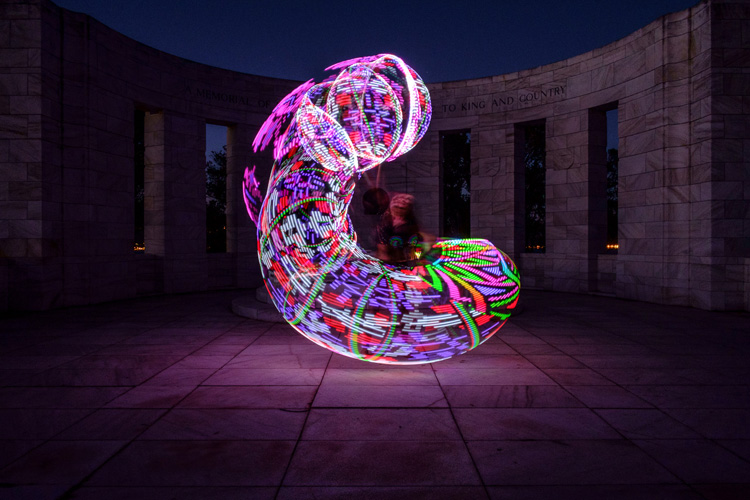
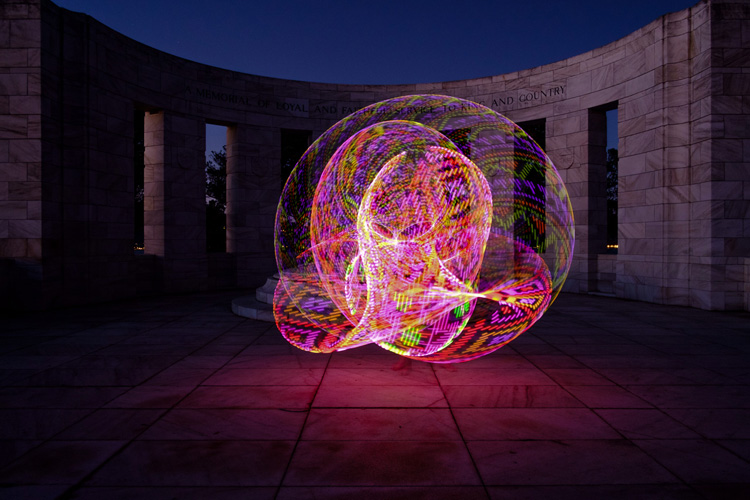
There are lots of good light painting photos around, but the factor that sets these ones apart is that my friend Tess used something called a FutureHoop – a transparent hula hoop that has built-in lights that can be programmed to flash in different colors and patterns. It helps that Tess is a trained dancer and hooper, so she was able to create some beautiful patterns with the FutureHoop.

painting with light

You can try this technique yourself – if not with a FutureHoop then with any number of colored light tubes or similar devices that are available (or make your own). Do a search on Amazon to see what you can find, and use your imagination to reveal their potential.

Whatever you end up using for your painting with light experiments, there are a number of things you need to consider to get the best results. Take care of these and you should be able to create some strong images.

Choose a Location

painting-with-light-7

Pick a good location. You need a dramatic background that complements the painting with light technique you choose to use. For these photos we went to Massey Memorial, built in remembrance of a past New Zealand Prime Minister on a hill in Wellington. I knew it would be a great place to take the photos because the marble pillars form a dramatic background. There was also plenty of room for Tess to move and dance with the FutureHoop.

Take the practicalities into consideration when choosing a background. For example, beaches often make good locations for painting with light photos, but you need to make sure your model can walk around safely in the near dark without tripping over rocks (or falling into the sea). Incidentally, isolated beaches are also a great place to try steel wool spinning, another form of painting with light.

painting with light

Pick a model

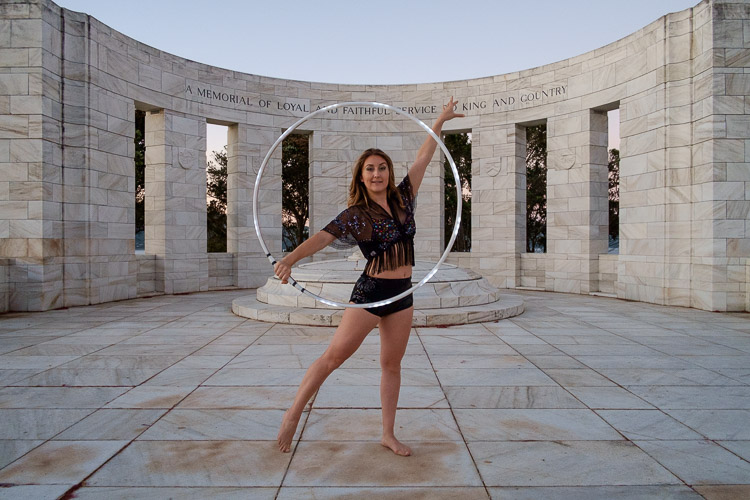
Pick the right model. Tess is a professional performer and I couldn’t have created these photos without her. She had the appropriate costume, including an illuminated bra that can also be programmed to give different color displays.

Her training also meant that she could strike professional poses. The following photo demonstrates this perfectly. Look at the arch of her back, the way her feet are positioned, and how the toes on her left foot are pointed. You can even see the flashing bra.

painting with light

The other thing that helped is that Tess thought about the patterns she would use on FutureHoop, and how she would move the hoop before the shoot. That helped us nail the shoot the first time.

Ask your model to practice, and be prepared to reshoot if necessary. It is possible that you won’t create your best images during the first attempt. During the shoot, look at the photos on the camera’s LCD screen and see what works and what doesn’t. Then you can suggest things that your model can try, or ask her to do something again if you didn’t quite time the photo correctly. Use feedback to refine the images and work towards something beautiful.

painting-with-light-15

Time of Day

Choose the right time of day. The best time for painting with light is twilight, as it is dark enough for the lights to show, but there is still enough ambient light to subtly illuminate the background, and maintain some color in the sky.

The only difficulty with twilight is that the light fades rapidly, so you have to keep up by changing the exposure settings as you go along. The photos you take earlier on in the shoot, will be different from the ones you take later, as the light is fading. The ratio between the light from the FutureHoop (or whatever devices you are using), which stays constant, and the ambient light, which is fading, changes.

painting with light

painting with light

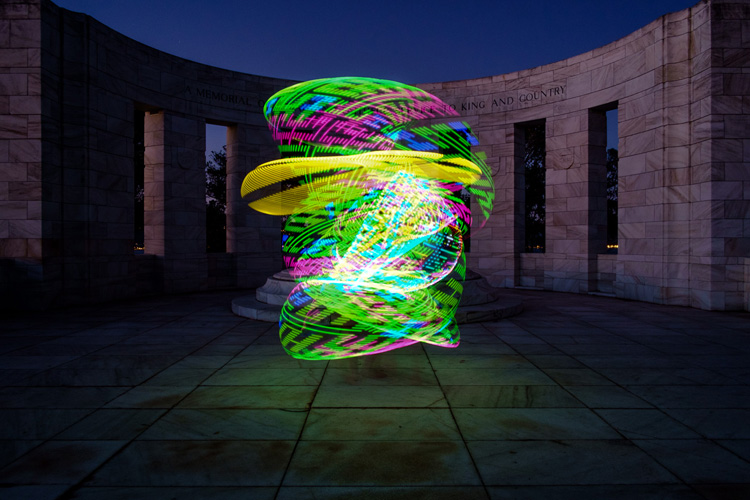
The two photos above show the difference. The first was taken early in the evening, the second one when it was nearly dark. The pillars in the background in the first are lit by the light of the setting sun. The FutureHoop seems much brighter in the second because the ambient light levels are lower. Note that I darkened the background of the first image in Lightroom to match that of the second one.

This photo shows Tess warming up at the start of the shoot. It was still too bright as this stage for the painting with light photos – you can barely see the light of the FutureHoop.

painting with light

If you shoot at night the exposure should remain constant, but the sky will lack color. On the other hand, the light from the device your model is using could light up the background beautifully if it is close enough. So there may be advantages to working at night, rather than twilight, but in most cases the light during twilight will be better.

Technique and Camera Settings

Get your technique right. You need slow shutter speeds to take this type of photo, so a good tripod to support the camera and a cable release are necessities. I used shutter speeds between two and four seconds for these photos – you may need longer exposures depending on how long it takes your model to move the device you are using through the air. Tess moved quite fast, so the shorter shutter speeds we used worked better.

painting-with-light-16

Set your camera to Manual mode so that the exposure remains constant throughout the series (the moving lights will confuse your camera’s light meter in an automatic exposure mode). It is easy enough to open the aperture, or raise the ISO, if you need to as the light fades.

Use the Raw format to give you maximum leeway in post-processing. Shooting Raw simplifies the shoot greatly as you don’t have to worry about settings such as color profile until you sit down to process the photos.

In this shoot, once the camera was set up, I kept the aperture at f/8 or f/11 and raised the ISO as the light faded. I set the White Balance to Daylight so I could see the natural colors of the FutureHoop and the ambient light. Using auto White Balance may result in some strange color casts as the camera tries to compensate for the colored lights.

painting-with-light-14

Above all, have fun. If you both enjoy the process you create better images. If your model enjoys it she will want to collaborate with you on future ideas. Below are a few more images from our shoot – enjoy and hopefully they give you some ideas.

painting-with-light-6

painting-with-light-13

painting-with-light-12

painting-with-light-11

painting-with-light-10

painting-with-light-9

painting-with-light-8

Any questions? Let us know in the comments and I’ll do my best to answer.

And if you’d like to learn more about the basics of photography, then please check out my ebook Mastering Photography: A Beginner’s Guide to Using Digital Cameras.

googletag.cmd.push(function() {
tablet_slots.push( googletag.defineSlot( “/1005424/_dPSv4_tab-all-article-bottom_(300×250)”, [300, 250], “pb-ad-78623” ).addService( googletag.pubads() ) ); } );

googletag.cmd.push(function() {
mobile_slots.push( googletag.defineSlot( “/1005424/_dPSv4_mob-all-article-bottom_(300×250)”, [300, 250], “pb-ad-78158” ).addService( googletag.pubads() ) ); } );

The post How to Create Beautiful Light Painting Images With an Illuminated Hoop by Andrew S. Gibson appeared first on Digital Photography School.

Digital Photography School

 
Comments Off on How to Create Beautiful Light Painting Images With an Illuminated Hoop

Posted in Photography


Painting in VR: Kingspray Graffiti Simulator & Google Tilt Brush

24 May

[ By WebUrbanist in Art & Drawing & Digital. ]

graffiti simulator

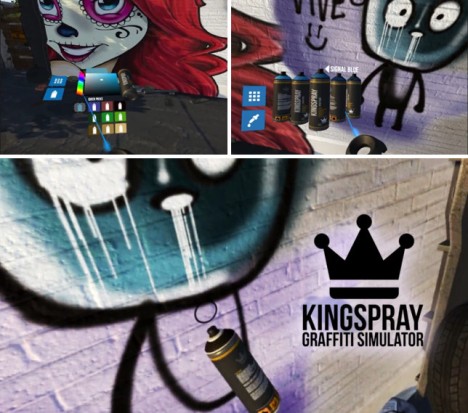
Virtual reality is not just about interacting with people at distance, or engaging with static worlds designed by others – it can also be a place where users are invited to create their own works of art and design. Games and apps like the two featured here (in videos below) are opening up new digital worlds for creatives to explore and shape.

graffiti simulator experience

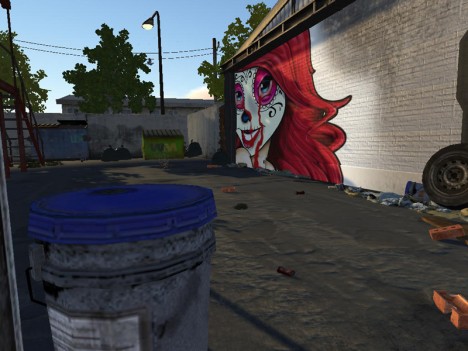
The Kingspray Graffiti Simulator, currently in development, gives players a palette and can of spray paint, adding realism through trips and spraying effects. Walking around the simulated world, artists can paint over and re-tag, then walk around to view other works and step back to enjoy the view.

tilt brush artworks

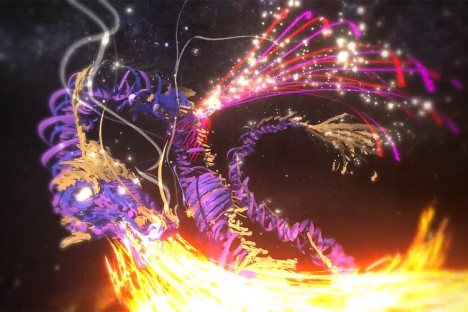
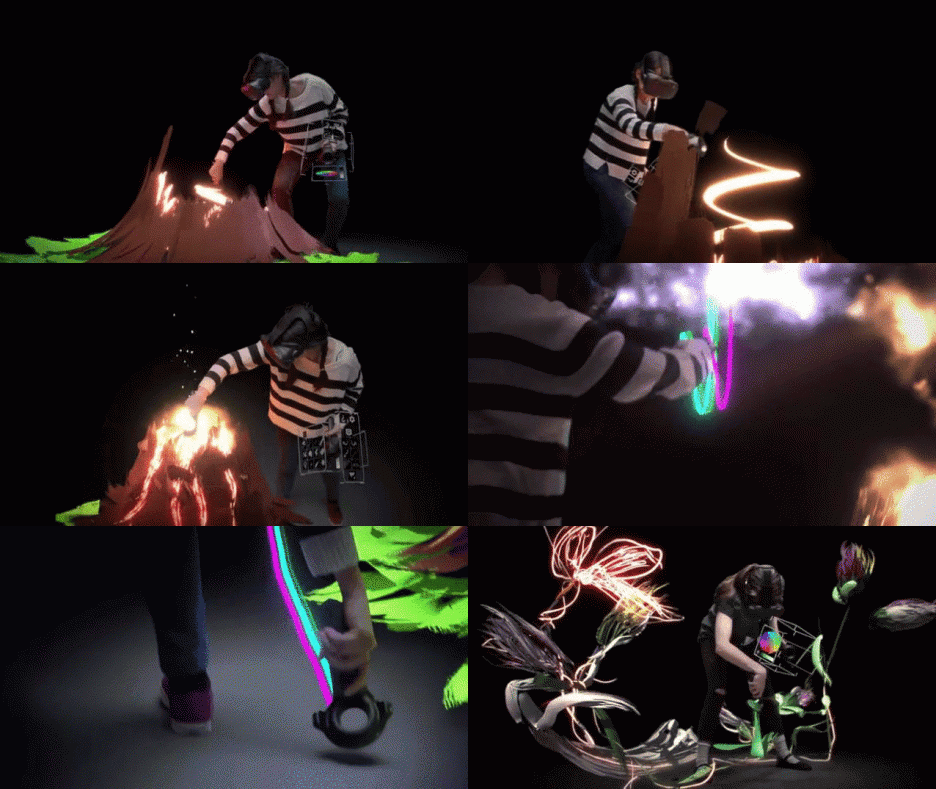
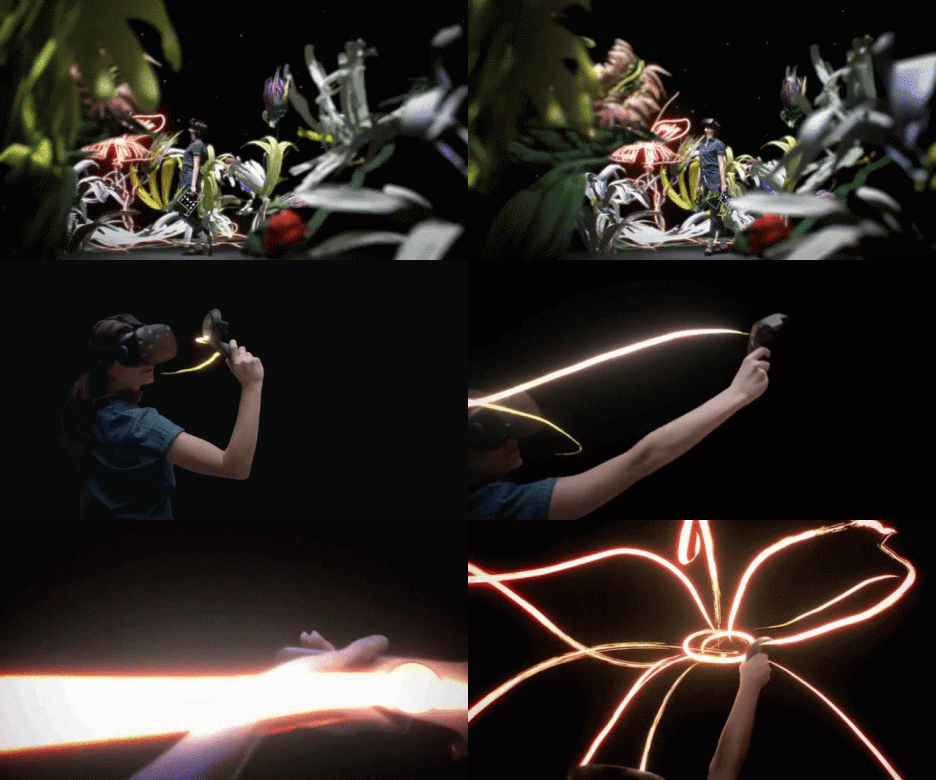
The Tilt Brush app from Google lets users sketch and draw in three dimensions. While the Graffiti Simulator places you in 3D space painting 2D surfaces, the Tilt brush actually lets you paint in space all around you. In turn, the finished pieces can be experienced from various perspectives by the artist and viewers invited to share the experience.

3d art

light painting

“Tilt Brush, at its core, is a virtual reality painting application. It creates something anyone can use, intuitively, for kids, artists, and absolutely anyone,” say the app’s developers. “Within the first 30 or 45 seconds, anyone can start VR painting and making marks in space all around them… It allows everyone to see how powerful VR is and how transformative it will be.”

Share on Facebook


[ By WebUrbanist in Art & Drawing & Digital. ]

[ WebUrbanist | Archives | Galleries | Privacy | TOS ]


WebUrbanist

 
Comments Off on Painting in VR: Kingspray Graffiti Simulator & Google Tilt Brush

Posted in Creativity


How to do Light Painting Photography Art with Endless Possibilities

19 Apr

Wikipedia defines light painting as “A photographic technique in which exposures are made by moving a hand-held light source while taking a long exposure photograph, either to illuminate a subject or to shine a point of light directly at the camera.” In essence, with a basic DSLR, a tripod, and a light source of some kind, you have endless possibilities to create unique images. This technique is a way to unleash your imagination and inner artist – this article will show you how to do it.

Photo 7c (750x501)

When I realized this artistry had endless possibilities and creativity, I was in. Who wouldn’t be, right? Light painting always amazes me as to how you can create beautiful photos by simply capturing light. I started doing light painting for fun, but then it became a very therapeutic regime for me. If I was having a tough or bad day I would grab my gear, wait for it to get dark, and start painting.

Some basics before you begin:

  • You don’t need any fancy equipment.
  • Wear dark clothes if you don’t want to be seen in the image.
  • Typical camera settings for long exposure light painting are: Manual Mode, aperture f/3.5-5.6, exposure 10-30 seconds, ISO 100-125, lens 18-55mm.
  • Bring a friend. While you can do light painting solo (and I often do), it’s a lot more fun with a buddy.

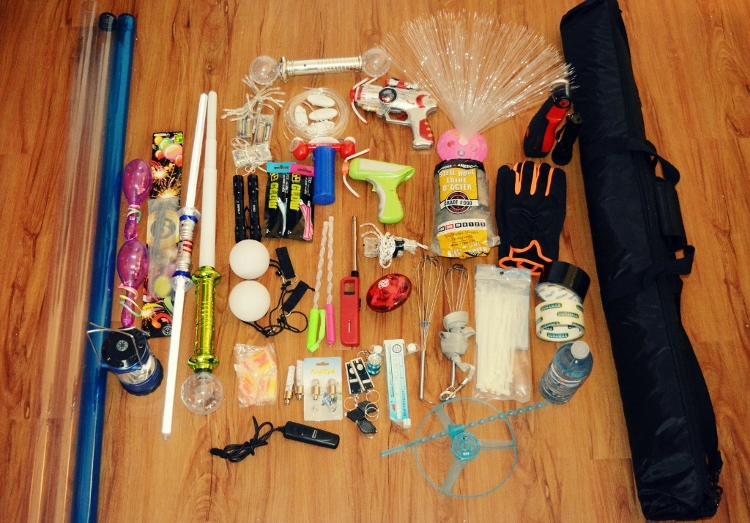
Beginner DIY light painting tools you can make

I bought all of my supplies from the dollar store, ebay, or home depot. In my kit, I currently have:

  • Basic DSLR + wireless remote (optional) + tripod
  • Flashlights (all different sizes)
  • Mini keychain flashlights
  • Glow sticks
  • LED battery operated fairy lights (variety of colors)
  • Hoola-hoops (regular and small)
  • Sparklers (variety of sizes) + a lighter
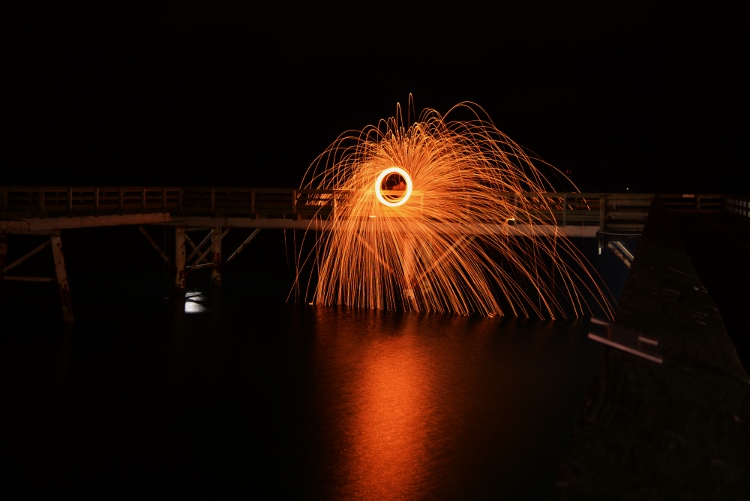
  • Steel wool kit (wire whisk, dog leash, gloves, lighter, steel wool grade #000)
  • A variety of light sabres and flashing rave toys

Photo 1 750x523

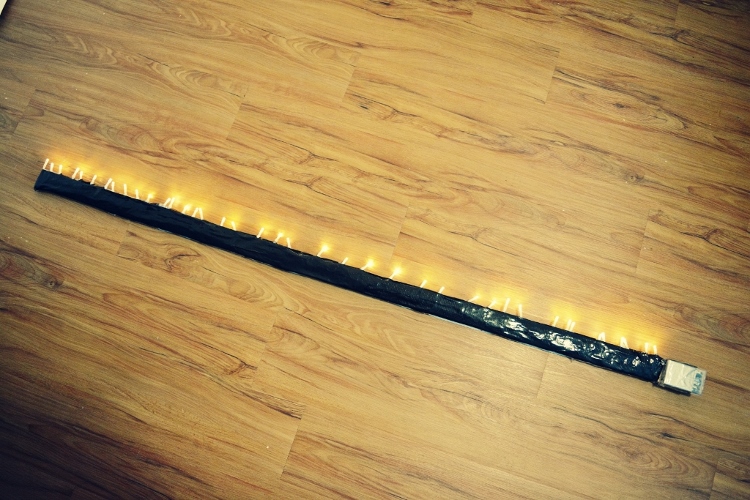
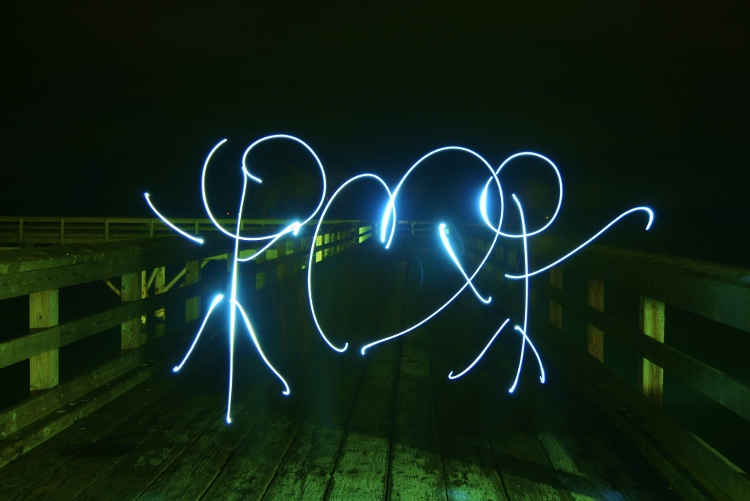
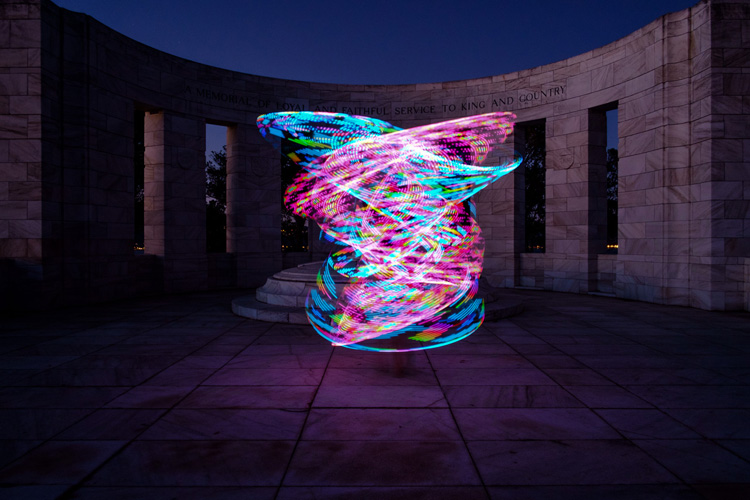
The first two tools that I ever made were a light stick and a light hoola-hoop. They both serve me well. For the light stick you need a piece of wood (any size you want, mine is 57×2″), tape, and one string of battery operated fairy lights.

Lay out your lights next to your piece of wood and tape them on. Viola! A home-made light stick. If you use white lights, you can tint your photo with your basic windows photo gallery editor. I have two, one with white lights and one with multi-colored lights.

Photo 2 750x500

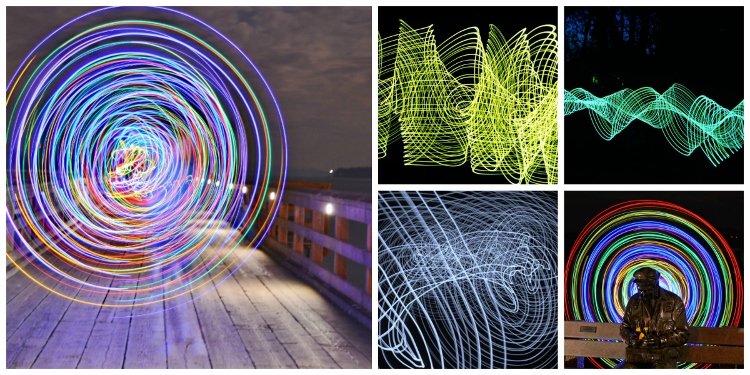
Here are some of my top photos using just a light stick.

Photo 3 750x375

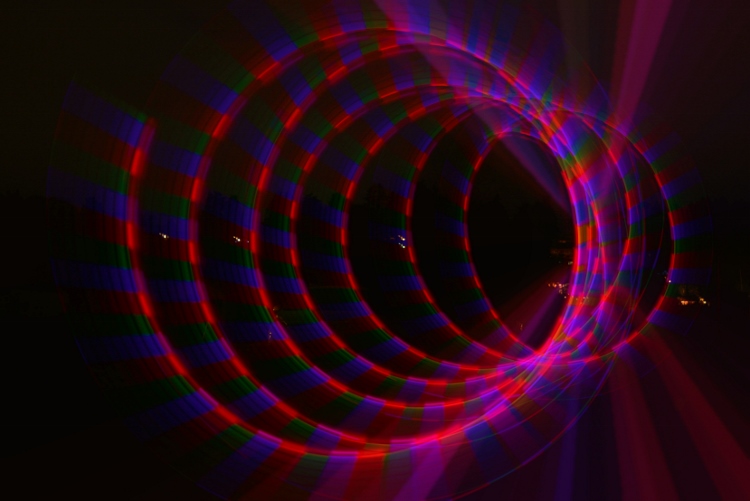
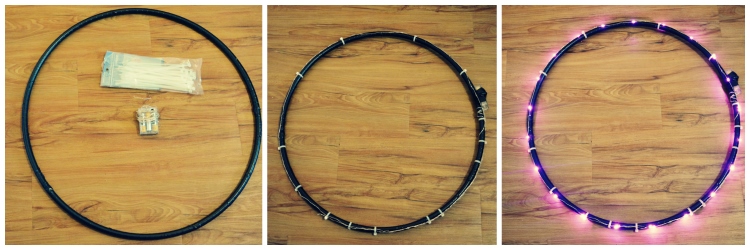
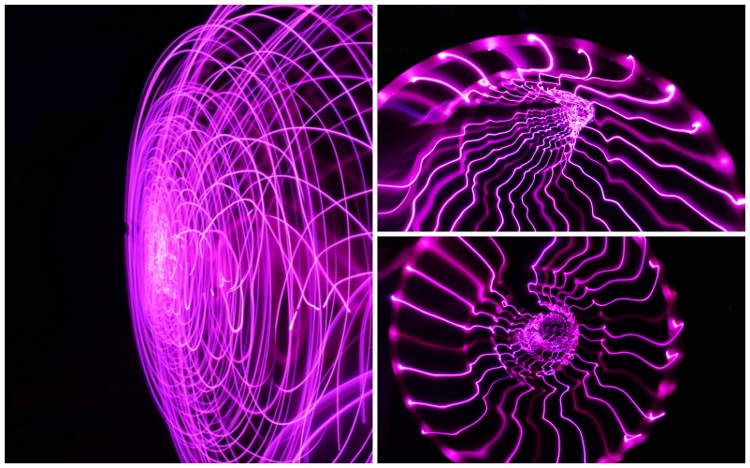
For the second tool I made, the light hoola hoop you need: a hoop, one string of battery operated fairy lights (approximately eight feet long or less, depending on how big your hoop is) and some tape or zip ties. Tape or zip tie your lights around your hoola-hoop. Bam!

Photo 4a 750x250

Photo 4b 750x468

Advanced light painting tools (The Pixelstick)

For those of you who have had experience with light painting, you might be asking, what’s next? Well, that’s where the Pixel Stick from Bitbanger Labs comes in. I recently purchased one on sale from Photojojo.com (thank you Boxing Day sales!).

Each one of pixelstick’s 200 LEDs acts like a pixel on a screen, displaying your image one vertical line at a time as you walk. These vertical lines, when captured by a long exposure, combine to recreate your image in mid-air leaving pixelstick (and the person using it) invisible. – according to Bitbanger Labs.

Let’s just say, it’s the ultimate light painting artist’s tool. It takes a bit of practice to get used to, but once you have, you can create some pretty incredible photos. Here are a few of my favorite pictures that I was able to do with the pixelstick.

Photo 5 750x375

Ideas for light painting from abstract to using your city as inspiration

You can pretty much light paint anywhere however, please be respectful of your environment. Never damage, negatively impact, or harm a location in pursuit of light painting.

Having the right background or location can give your picture the right ambience, and add some dimension and feel to your photo. My preference is to use a black background most times so I usually find an empty dark field, but sometimes it’s nice to incorporate your surroundings.

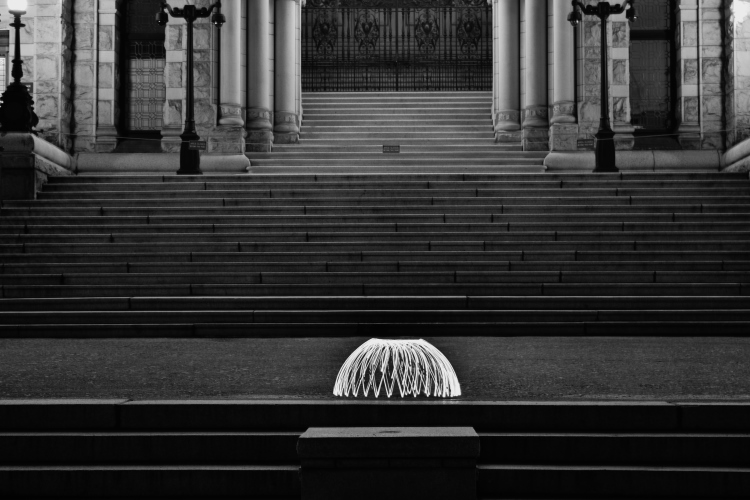
Photo 6 750x395

Photo 7a

Photo 7b
Photo 7d

Photo 8 750x500

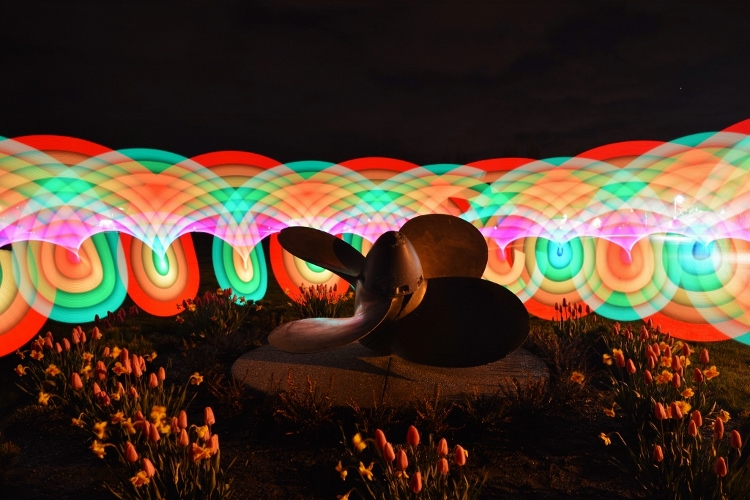
As you can see in this photo, I used a local anchor to center my picture around.

Inspiring light painting artists

When I was getting into the light painting community, I came across some great resources and artists that you may not know about.

  • Light Painting World Alliance
  • Light Painting Photography
  • Rob Tourney Visuals
  • Darius Twin
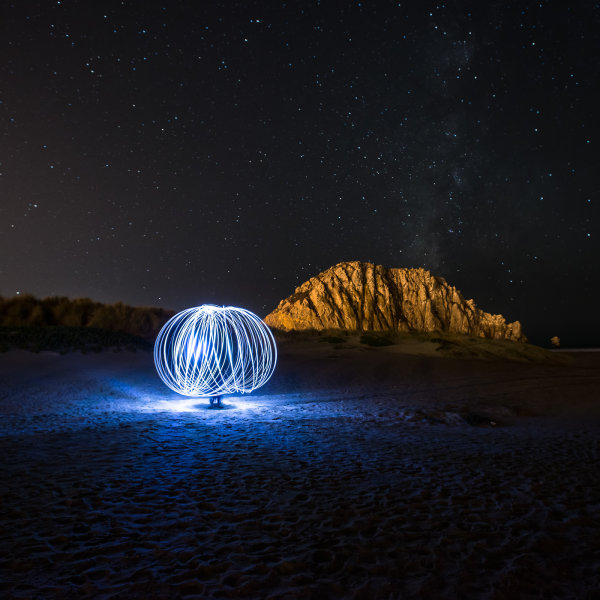
  • Denis Smith creator of the ball of light

So now that you know about light painting photography why not go out there and create some unique images yourself? Up for the challenge?

See more light painting articles here on dPS:

  • How to Make Unique Portraits Using Light Painting
  • Beginner’s Guide to Light Painting
  • Light Painting Part One – the Photography
  • Light Painting Part Two – Photoshop
  • How to Build an LED Light and Make an Orb
  • Fire Spinning with Steel Wool – A Special Effects Tutorial

googletag.cmd.push(function() {
tablet_slots.push( googletag.defineSlot( “/1005424/_dPSv4_tab-all-article-bottom_(300×250)”, [300, 250], “pb-ad-78623” ).addService( googletag.pubads() ) ); } );

googletag.cmd.push(function() {
mobile_slots.push( googletag.defineSlot( “/1005424/_dPSv4_mob-all-article-bottom_(300×250)”, [300, 250], “pb-ad-78158” ).addService( googletag.pubads() ) ); } );

The post How to do Light Painting Photography Art with Endless Possibilities by Jennifer Dowd appeared first on Digital Photography School.

Digital Photography School

 
Comments Off on How to do Light Painting Photography Art with Endless Possibilities

Posted in Photography


Art of Photography: NYC Blizzard Photo Looks Like a Painting

01 Feb

[ By WebUrbanist in Art & Photography & Video. ]

blizzard photo painting art

As roads closed and kids turned staircases into sledding hills and snowboarding slopes across East Coast cities during Jonas, one photographer stopped to shoot a few pictures that turned out looking like modern-day impressionist paintings.

winter storm photo nyc

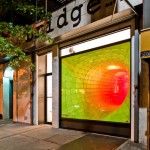
Photographer Michele Palazzo managed to capture not only the swirling snow around the structure, but an installation of snowflakes inside mirroring the exterior weather. Despite Sprint and Apple logos, hallmarks of the present age, there is something timeless about the composition.

winter storm photos

According to Colossal, “the snowflakes you see in the window of the Flatiron are part of a paper origami installation by Chelsea Hrynick Browne in the Prow Artspace. The cloudy atmosphere and gusty winds creates patterns that appear uncannily like brush strokes. You can see more of Palazzo’s shots from the morning of January 23rd on EyeEm.” (See more storm photos, thumbnails above, over at the EyeEm Blog).

Share on Facebook


[ By WebUrbanist in Art & Photography & Video. ]

[ WebUrbanist | Archives | Galleries | Privacy | TOS ]


WebUrbanist

 
Comments Off on Art of Photography: NYC Blizzard Photo Looks Like a Painting

Posted in Creativity


How to Make Unique Portraits Using Light Painting

19 Jul

Using the surprisingly simple technique of light painting you can create a wide variety of portrait styles using only a small flashlight as your light source. I should warn you though, light painting of all kinds can be highly addictive. Once you start, you may not be able to stop.

Light painted portrait

Light painted portrait

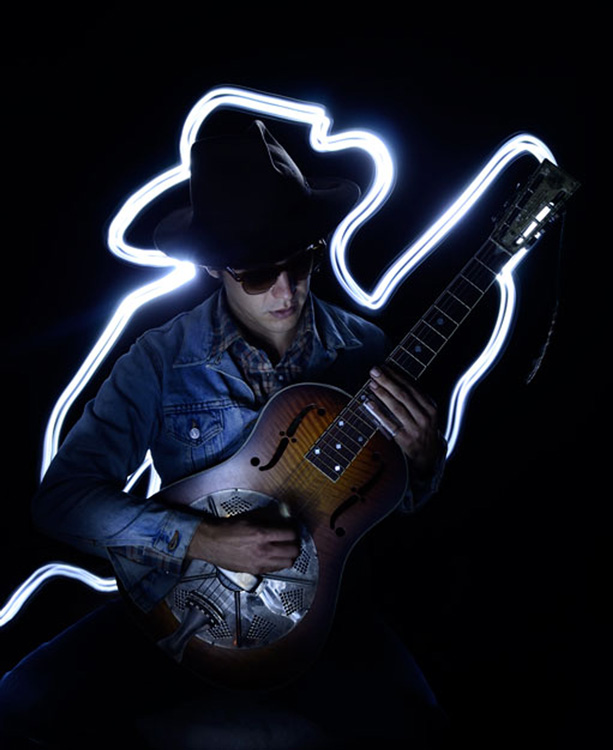
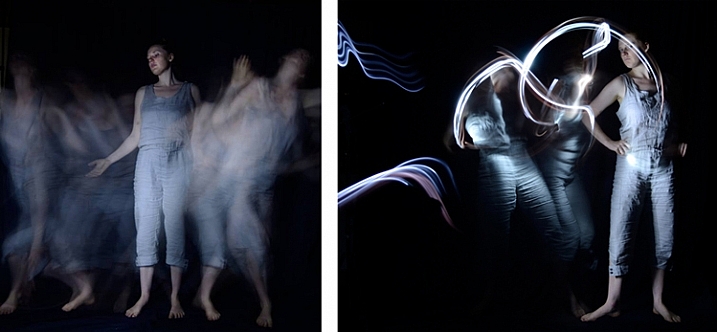
One of the main things to understand with light painting is that the camera sensor only reads light, if there isn’t any light hitting the person shining the flashlight, they simply do not show up in the image. This allows you to move around in front of the camera while the shutter is open, and gives you ultimate control of what areas of your subject are lit. This is great for portraiture, especially in situations where you might have a complicated background, or one where you only want to light certain sections.

light painting a portrait

Below is a list of what you will need for any light painting, and a guide on how to use the technique specifically for portraiture. For a more detailed information on light painting have a look at this two part tutorial .

What you will need:

A hand held light source. Any cheap flashlight or LED light will do, you can even use your mobile phone.

Tools of the light painting trade

Any small LED or flashlight will do, even your mobile phone.

For light painting a portrait subject a directional beam of light is best, non-directional (or diffused) light will illuminate you as well. Different flashlights give off different types of light. Some have blue cast, which isn’t great for portraiture so you might want to experiment with your white balance, or add a warming filter in post-processing. You can also add color to your light source with cellophane (colored gels) or colored sheer fabric.

Tripod and camera settings

Light painting needs a long exposure, so you will need your camera set up on a tripod. Setting your shutter speed somewhere between 10 and 30 seconds is a good place to start, then play around from there. Your ISO should be at its lowest to avoid the grain (noise) caused by a long exposure.

The cover of darkness

You’ll need a completely dark room or studio, or you can shoot outside at night. If shooting outside, you’ll have to be careful of incidental light, such as street or car lights, overexposing your image. But these things can be used to your advantage in creating interesting backgrounds for your portrait subject.

Light painting a portrait outdoors

Light painting a portrait outdoors

Ready, set, light paint

Have your portrait subject in position and turn all lights out. Shine your light source on your portrait subject to help you get focus. You’ll want to focus on the face, so it’s possibly best to have your subject close their eyes before you shine your light directly into their face.

Note: to keep the focus locked when you press the shutter button, you will either need to switch it to Manual Focus or use back button focus.

Then click the shutter, and try not to trip over anything in the dark as you move in toward your subject. How close you get to your subject depends on your light source strength, how fast you move it, and the effect you are after. You’ll have to experiment, but for a small LED, a few inches from your subject is a good starting point. Keep the torch (flashlight) moving constantly, and pointed away from the lens.

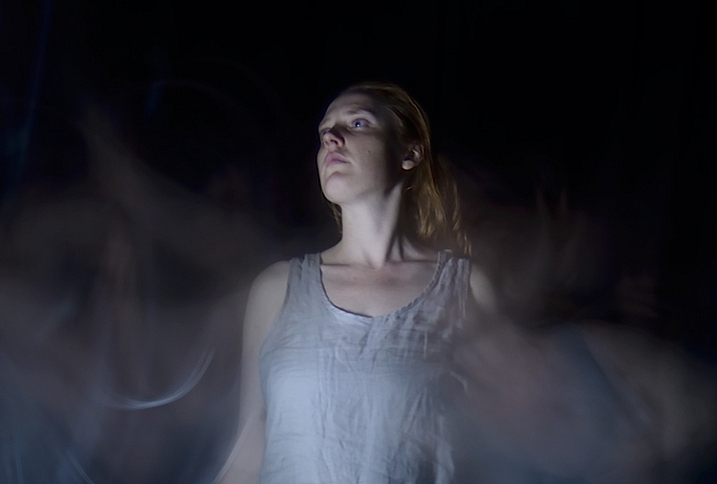
Getting sharp images of people when you are using long exposures usually doesn’t work so well due to people’s inability to sit perfectly still. With light painting, you are only exposing a small part of them at a time, and only for a brief moment, so while it can be a bit tricky with fidgety subjects, for the most part you will be able to get sharp images. Sometimes a bit of motion blur can also be effective.

Making the most of motion blur

Making the most of motion blur

Help your subject stay still during the exposure by letting them know when you release the shutter, and when you are about to shine your light on them. They’ll be in the dark, literally, so they won’t know what you are doing.

Have them take a deep breath in and out just as, or after, you release the shutter. Don’t have them hold their breath, you don’t want them to look strained. Start your light painting with the face so they don’t have to hold their head still for your entire exposure.

Letting your portrait subject have a look at your camera preview can help them to understand what you are trying to do. If they are unfamiliar with the technique, it can seem a bit odd, all this waving a torch in their face in the dark.

You can set a flash to a slow sync so it fires off at the beginning of the exposure (or you can just set your flash to manual mode and fire it using the Test button), sharply lighting your subject, and then move in with your light source or have your model wave it around. Alternatively you can give a quick burst from a studio light.

Slow flash sync combined with light painting

While still technically a light painting portrait this method is more of portrait with some light painting added in as opposed to light painting the portrait subject themselves.

It will probably take you and your portrait subject a few attempts to get the hang of it, but once you’ve got the general idea, and have tested out how your light source plays on your subject, you can then experiment. Below are some ideas to try out.

Creating light trails

Adding light trails

Adding light trails

To get trails of light, shine the torch directly at the lens as you move it. You can move it anywhere, including in front of your subject.

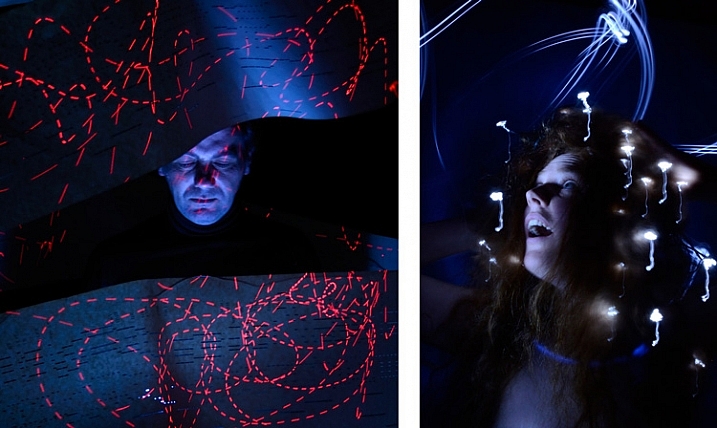
Multiple sources of light

portrait-light-painting08b

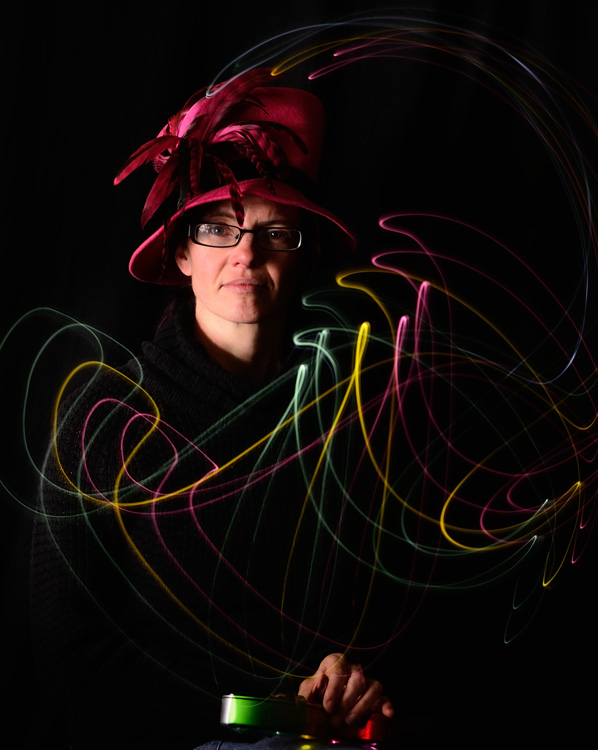
In the first image above I’ve used a small LED light to paint the face, and a laser pointer for the red patterns. The laser pointer shines in very short bursts creating the broken lines. In the second image on the right, I put fairy lights in the model’s hair. The subtle movement as I light painted the rest of the model caused the fairy lights to take on the wiggly forms.

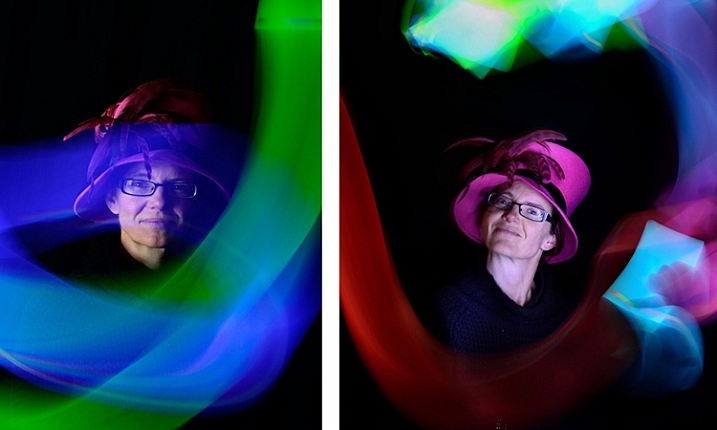
Using an iPad or tablet

portrait-light-painting09b

For this effect I downloaded an app for my tablet that lit the screen with a solid block of bright color. The colors could be changed with a slider, so with a few attempts I managed to get coordinated enough to change the colors as I moved the tablet around the subject.

Have fun with movement

portrait-light-painting11b

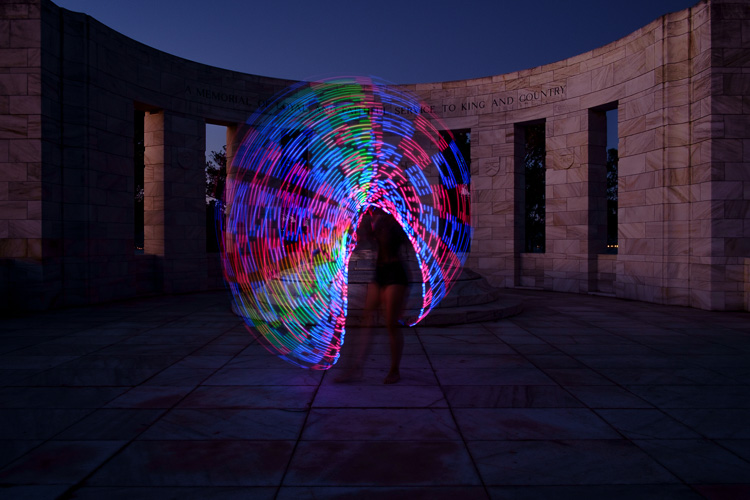
For both these images I shone the light over the model in one position, then had her move to the side and lit her again. As you can see, two fairly different effects using exactly the same process.

I confess I am thoroughly addicted to light painting portraits. I love that no two shots are alike, there’s plenty of room for getting creative and having happy accidents. You can use it for many styles of portraiture, and it costs basically nothing in lighting gear. So what are you waiting for? Grab a flashlight and get started! Share your results in the comments below.

googletag.cmd.push(function() {
tablet_slots.push( googletag.defineSlot( “/1005424/_dPSv4_tab-all-article-bottom_(300×250)”, [300, 250], “pb-ad-78623” ).addService( googletag.pubads() ) ); } );

googletag.cmd.push(function() {
mobile_slots.push( googletag.defineSlot( “/1005424/_dPSv4_mob-all-article-bottom_(300×250)”, [300, 250], “pb-ad-78158” ).addService( googletag.pubads() ) ); } );

The post How to Make Unique Portraits Using Light Painting by Lea Hawkins appeared first on Digital Photography School.

Digital Photography School

 
Comments Off on How to Make Unique Portraits Using Light Painting

Posted in Photography


Beginner’s Guide to Light Painting

13 Mar
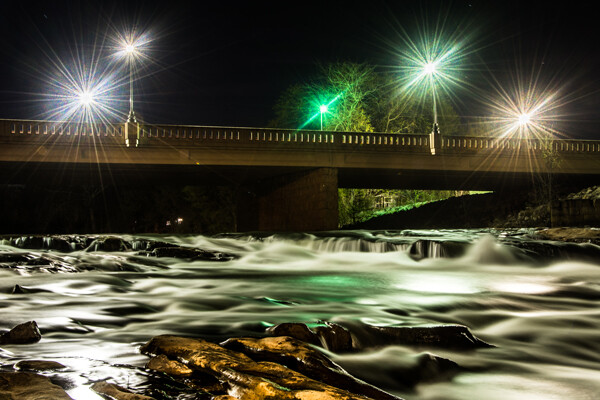
Mill Falls in Logan, Ohio. Main source of light for this scene was the street lights on the bridge over the river. The bridge was light painted with a high power spot light and some light was also add to the rocks in the foreground. Exposure was 69 seconds. Aperture was set at f/14 to maximize the star burst on the street lights. This image won the auther Bruce Wunderlich a photographers choice award in the 2014 Shoot the Hills photo contest.

Mill Falls in Logan, Ohio. The main source of light for this scene was the street lights on the bridge over the river. The bridge was light painted with a high-powered spotlight. Light was also add to the rocks in the foreground. Exposure was 69 seconds. Aperture was set at f/14 to maximize the starburst on the street lights. This image won me a Photographers Choice award in the 2014 Shoot the Hills photo contest.

What is light painting?

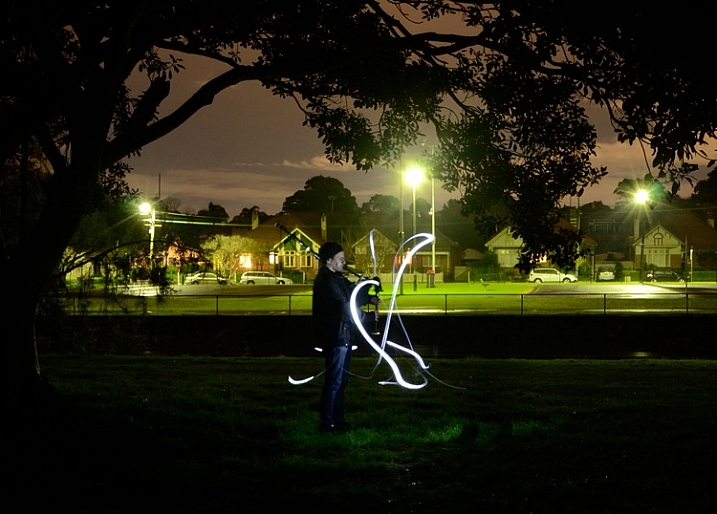
Light painting is an imaging technique that uses a moving light source to add light to an under-illuminated subject while taking a long-exposure photograph. A scene or object can be brought to life by painting with a beam of light!

You, the photographer, becomes an artist, and instead of just capturing an image as presented, with light painting you create the image that the camera is capturing. Light painting may take lots of patience and practice to perfect, but the results can be very rewarding. But let’s not make this sound too complicated – light painting is a lot like any low light photography, except in this scenario we are putting an outside light source in motion to enhance an image. Let’s take a look at some of the basics for light painting photography.

School_house_in_snow

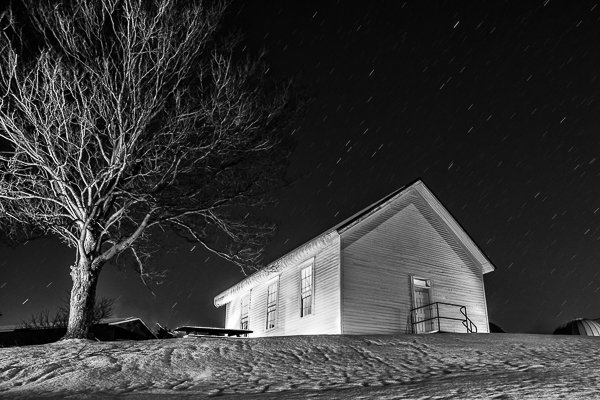
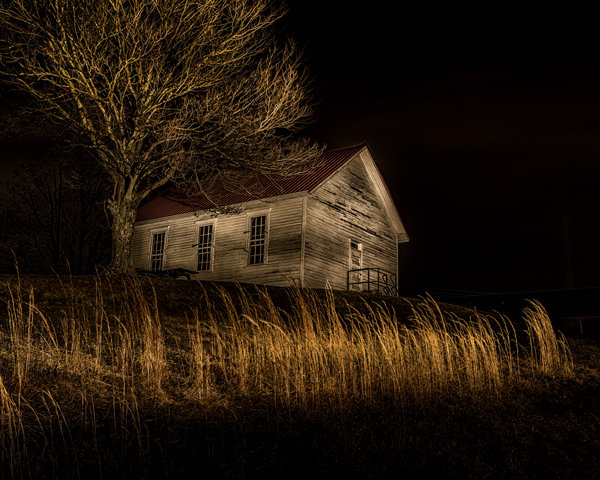
Schoolhouse in the snow – 170 second exposure, f/8, ISO 100. Notice the light coming from inside the school house, added from the outside by shining a flash light through windows on the back side of the building.


Tools

  • Camera – Any digital camera capable of manual settings (Bulb).
  • Tripod – One of the most important tools to produce light paintings is a sturdy tripod. In most cases your shutter is going to be open for several minutes and it is very important that your camera does not move during the exposure.
  • Shutter release – Either use a cable release or a remote shutter release to begin your exposure. If you don’t have either of these, use your camera’s timer function to initiate the shot. To light paint, it is very important that you never touch your camera or tripod to prevent vibrations during the exposure.
  • Stop watch – A stop watch or some other way of timing your exposures is helpful, since most of these exposures are going to require your camera set to Bulb.
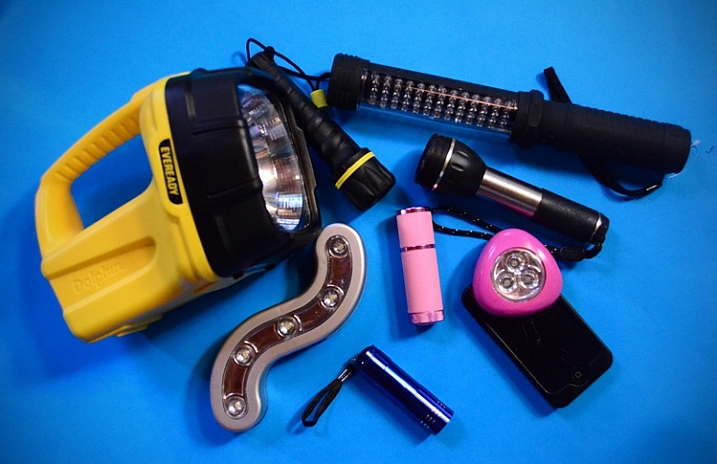
  • Light source – Many different types of lights can be used to do light painting. These light sources are your brushes and may include: flashlights, torch lights, lasers, glow sticks, flash or strobes, cell phones, or even candles. Just about anything that can produce light can be used as a brush to do light painting. Different light sources will produce different colors of light. For example, a LED light source will produce a cooler (blue) colored light, while a halogen source will produce a much warmer (orange) colored light.
  • Color gels –  Color gels can be used over your lights to alter the tint of your light and add color to your painting.
Exposure time 30 seconds at f/8

Exposure time 30 seconds at f/8

Camera Settings

  • Mode – Use the Manual mode setting, which allows you to set your shutter speed and aperture.
  • Image quality – Set your image quality to RAW, which allows you to capture as much information about your image as possible. (This is not a necessity if you are uncomfortable with shooting RAW, but is a recommendation.)
  • White Balance –  If you are wanting to balance your lighting to the light source, choose either the Incandescent or Tungsten setting. However, sometimes experimenting with other white balance settings can produce some interesting light effects. Daylight white balance is a good starting point if you want to use the color tones of your light sources. Auto White Balance is not recommended.
  • ISO – Set to a low ISO, such as 100.
  • F-stop or aperture – Stop down to f/8 or f/10, which allows you to get more depth of field and enables you to use a longer shutter speed.
  • Shutter speed – Set shutter speed to Bulb, so your actual shutter speed will be determined by the amount of ambient light in the scene.
  • LCD brightness – Lower the brightness of your LCD preview, because the normal setting is too bright at night and will make your image look bright when it is really under-exposed.
  • Histogram – Use your histogram to help check your exposure. If the histogram charts heavily over to the left, your image is going to be mostly dark.
  • Blinkies – Turn on your blinkies (highlight warning) to help you determine if your highlights are exposed properly. It is perfectly acceptable for your brightest highlights to have the blinkies if the rest of your image is properly exposed.
  • Image Stabilization – Set to Off. With your camera on a tripod, having image stabilization turned on can actually fool your camera or lens and cause blurring in your image.
  • Long exposure noise reduction – Recommended setting is Off. This setting can be set to On, but will cause your exposures to double while the camera takes a second black exposure to help remove noise. If your camera is set to a low ISO, the noise level will be low enough in most cases to make this setting unnecessary. Still, it is a good idea to check your noise level before you start, and some older cameras may require this setting to be On to get usable noise levels.
Still_life

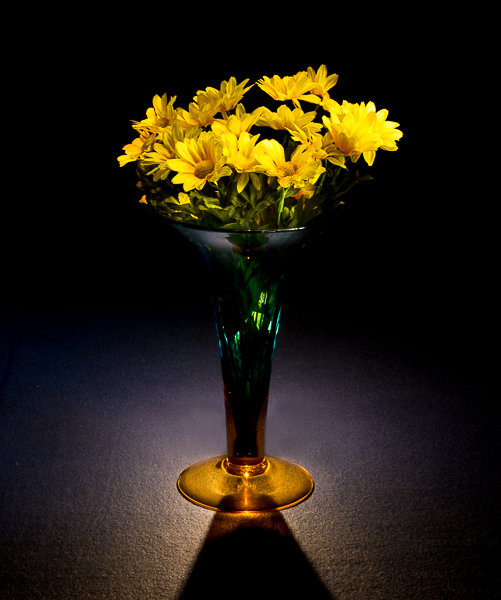
This vase was back lit with a candle and the flowers were painted with a small pen light. 30 second exposure, f/16 ISO 100.


Begin with ambient light

The first step before beginning any light painting is to determine the ambient light in your scene. Determining base exposures can be time consuming when you are experimenting with exposures that could be three to four minutes long. Here is a little trick that can help expedite this process.

  1. Set your ISO to six stops higher than the ISO you plan to use. Example, if you are planning to shoot at ISO 100, set your ISO to 6400.
  2. With your camera set at ISO 6400, experiment to find out how many seconds you will need to expose the ambient light of your scene. Every second of exposure at ISO 6400 is equal to one minute at ISO 100.
  3. So now set your ISO back to 100 and prepare to begin your exposure in minutes instead of seconds. Many cameras lowest ISO is 200 so 6 stops higher would be 12800, and if you cameras lowest ISO is 50, six stops higher would be 3200.
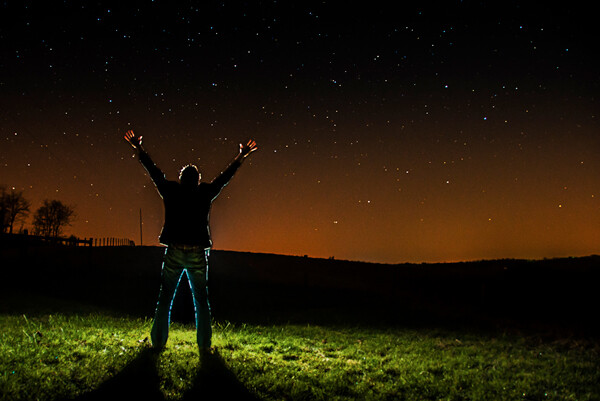
30 second exposure at ISO 800. In this image the ISO was increased to shorten the exposure to 30 second any exposure longer then that would cause a noticeable blur on the stars. Light Painting was applied from the front of the subject without letting the light shine directly back at the camera.

30 second exposure at ISO 800. In this image the ISO was increased to shorten the exposure to 30 second because any exposure longer then that would cause a noticeable blur on the stars. Light painting was applied from the front of the subject without letting the light shine directly back at the camera.

Focusing

Focusing your camera is an important step and in the dark it can sometimes be difficult to achieve. The simplest way to get your focus is to shine a light source to a spot in your scene that you have determined must be in focus. Using autofocus, place your focus point on the light and make sure your camera is focused on that point. Now change your camera from autofocus to manual and your focus will not change. But remember, if you move the camera you must turn your autofocus back and refocus. Back button focusing is another great way to achieve focus for light painting.

The Exposure

At this point, you have determined your exposure time and have your camera focused on your subject. It’s time to begin your exposure and start painting. Most cameras will allow you to set exposures of up to 30 seconds. For exposures over 30 seconds, set your shutter speed to Bulb. Use your cable release or remote to trigger your shutter open. Your shutter will remain open until you press the release again. Use your stop watch, or the timer on your phone, to time the exposure length.

1971 VW bus

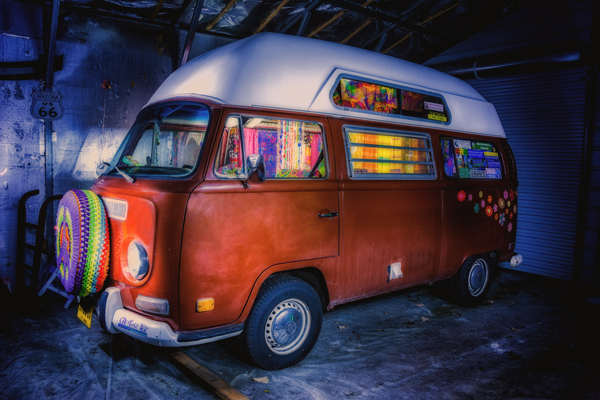
This vintage 1971 bus was painted using one LED flash light on the outside, with a second light used inside to light up the interior of the bus. White balance was set to Daylight, which cause the LED light to produce the cool blue cast around the bus.

Painting techniques

  • Paint from the sides – Don’t just stand behind your camera and wave your light around over your image. Painting flat surfaces from the side will allow you to bring out the textures of the surface.
  • Use lots of different angles – for instance, when painting the ground hold the beam low and pan the light over the ground. This will keep the ground from appearing flat and bring out all the details of the surface. Also, by adding light from many angles your resulting image will have an interesting three dimensional effect.
  • Don’t stand between the camera and your light source or you will show up as a silhouetted ghost in your image.
  • Wear dark non-reflecting clothing and keep moving. Again, you do not want to appear as a ghost in your image!
  • Don’t shine the light source back at the camera, or else you will create a bright spot in the image.
  • Use a flash light with a red filter when you need to check your camera to make adjustments. The red light will keep you from ruining your night vision.
  • Different surfaces are going to react to light differently. Wood surfaces may require more light than shiny surfaces such as metal or glass, as rougher surfaces absorb more light than smooth surfaces.
  • Keep your light moving. Move the beam in slow strokes to add light and make faster strokes in areas where less light is needed.
  • Paint in up-and-down or side-to-side strokes, just like one paints with real paint.
  •  You are more than likely not going to get the shot you want on the first try, and it may take multiple attempts to get an image that you are satisfied with. For this reason, try to keep track of how much light you add to each surface. Develop a plan so that you can make adjustments to each exposure until you get the image you have visualized.
Howard Ignatius

30 second exposure at f/5.6, ISO 1250 (to get the stars to show up). By Howard Ignatius

Be Creative

These are a few basic tips to help you get started with light painting. There is so much more you can do with this medium. Be creative and fearless about trying new things. Once you start to get the hang of light painting, there is no limit to the images you can create with your camera in the dark and a few creative light sources. Do you have any additional tricks or tips for light painting to share?

googletag.cmd.push(function() {
tablet_slots.push( googletag.defineSlot( “/1005424/_dPSv4_tab-all-article-bottom_(300×250)”, [300, 250], “pb-ad-78623” ).addService( googletag.pubads() ) ); } );

googletag.cmd.push(function() {
mobile_slots.push( googletag.defineSlot( “/1005424/_dPSv4_mob-all-article-bottom_(300×250)”, [300, 250], “pb-ad-78158” ).addService( googletag.pubads() ) ); } );

The post Beginner’s Guide to Light Painting by Bruce Wunderlich appeared first on Digital Photography School.

Digital Photography School

 
Comments Off on Beginner’s Guide to Light Painting

Posted in Photography


5 Easy but Amazing Light Painting Experiments for Beginners

04 Apr

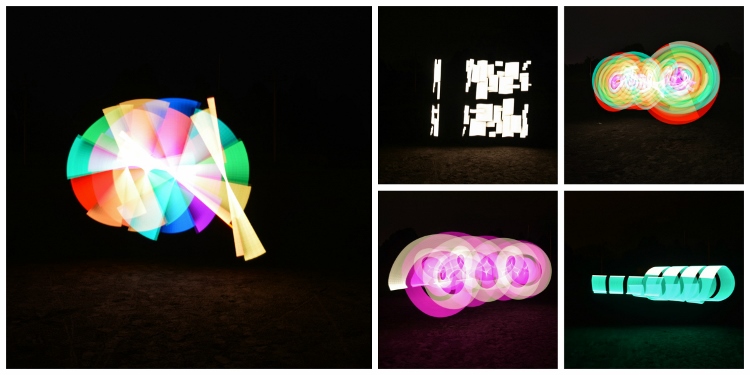
Light painting is a photographic technique using a hand-held light source to “paint” on the film or sensor of your camera. Essentially, you’re waving lights in front of your camera, and you never know what you’ve made until you’re done, so trial and error is required. If this sounds like fun, you’ll find five light painting experiments below you can Continue Reading

The post 5 Easy but Amazing Light Painting Experiments for Beginners appeared first on Photodoto.


Photodoto

 
Comments Off on 5 Easy but Amazing Light Painting Experiments for Beginners

Posted in Photography


High-Tech Pixelstick: Light Painting in the Palm of Your Hand

14 Nov

[ By WebUrbanist in Gadgets & Geekery & Technology. ]

animated rainbow art

A game-changing invention for the art of long-exposure illumination, Pixelstick takes light art to new levels, enabling beginner animators to participate and advanced artists to evolve their craft in amazing ways.

animated-street-art

animated-wall-art

animated-park-rainbows

Having already raised four times its $ 100,000 crowfunding goal on Kickstarter, the popularity of this incredible gadget speaks for itself – but no worries: you still have one month to back the project. Their short promotional video is a must-see illustration of the vast possibilities.

animated graffiti tags

The breadth of possibilities is breath-taking, from graffiti tags to animated rainbows (above), mesmerizing patterns to abstract compositions (below).

animated art patterns

The gadget’s creators point out that light painting dates back nearly 125 years yet the tools used to create it have evolved only on the side of cameras and not in terms of the actual methods of illumination.

animated light art stick

animated public stick art

The founders of Bitbanger Labs saw this market void as a worthy challenge and began experimenting with drafts and prototypes, slowly developing a handheld wonder with powerful features even they did not anticipate at the beginning.

Next Page – Click Below to Read More:
High Tech Pixelstick Light Painting In The Palm Of Your Hand

Share on Facebook


[ By WebUrbanist in Gadgets & Geekery & Technology. ]

[ WebUrbanist | Archives | Galleries | Privacy | TOS ]


WebUrbanist

 
Comments Off on High-Tech Pixelstick: Light Painting in the Palm of Your Hand

Posted in Creativity


Painting as Protest: Rainbow Stairs Spark Guerilla Reaction

30 Sep

[ By WebUrbanist in Art & Street Art & Graffiti. ]

painted steps art image

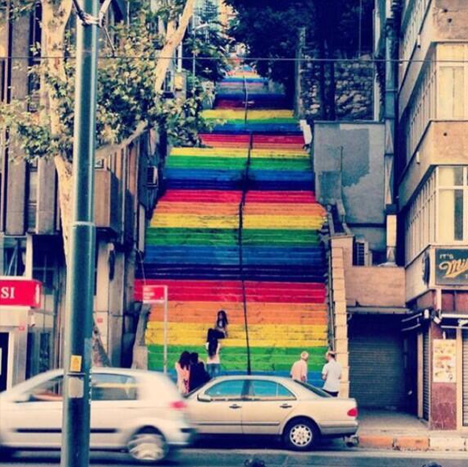
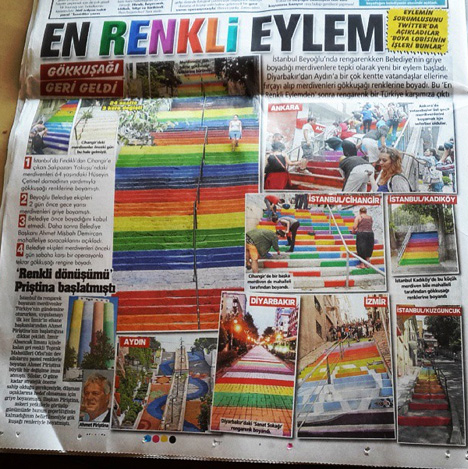
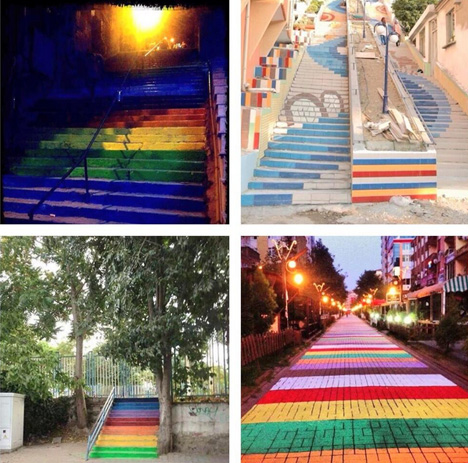
It started with a single person painting one public staircase, but when city workers of Istanbul, Turkey covered this brightly-colored street art with dull gray paint, citizen activists picked up brushes in rapid response. Thus escalated an isolated incident into a quiet but powerful city-wide campaign mixing politics, graffiti and beautification.

painted staircase silent protest

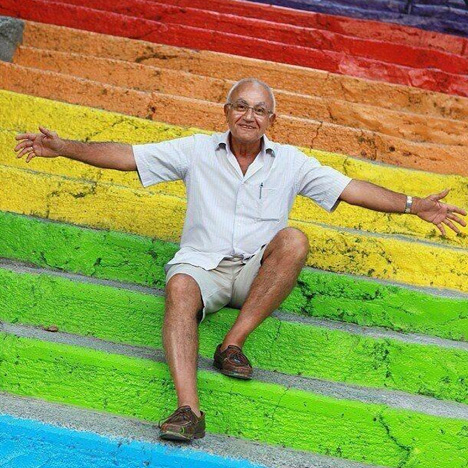
Aged 64,local  retired engineer Huseyin Cetinel spend reportedly $ 800 on paint simply to make the steps in his area more attractive – he notes that nature is colorful, and suggests simply that cities can be as well.
painting stairs newspaper story

As images of his work began to go viral online, many viewers saw it as a call for equal rights – a political statement. When the municipality painted the original stairs over (then initially denied doing so, adding to the confusion), that act was perhaps inevitably interpreted through a polarizing lens as well.
painted steps reaction political

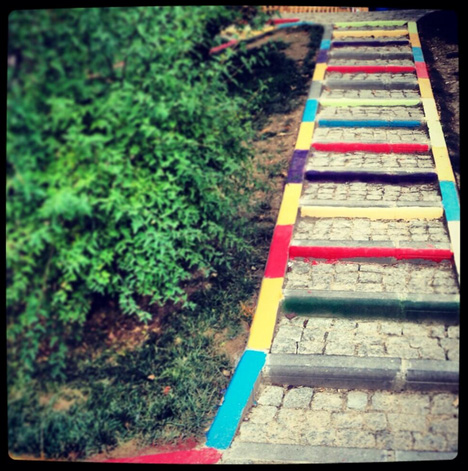
Twitter and Facebook were awash with calls to color other sets of stairs around the hilly city, and a quiet war fought with guerrilla art began … the city whitewashing (or gray-painting) newly-colored staircases as people kept on recoloring them, before finally agreeing to let the steps be painted as the citizens wished.

As interviewed by the New York Times, local financial adviser Nalan Ozgul sees a larger lesson in these events: “There has been some movement in the society, a social uprising together with the Gezi Park protests, and this is just an extension of that spirit. The fact that the government-run municipality first denied having painted over the stairs, then agreed to paint them back in color, shows how desperate and indecisive they are about their policies.”

painted art guerrila action

Alternatively, perhaps this strange story shows the everyday tensions between ordinary people and relentless bureaucracies as much as it says anything  about the activist citizens and imposing governments of a particular time and place, but the effects are certainly colorful no matter how you look at them (Images via Instagram photographer sumrue and Twitter users @durmusbeyin, @demishevich, @verbikerem and @ozgelu)

Share on Facebook


[ By WebUrbanist in Art & Street Art & Graffiti. ]

[ WebUrbanist | Archives | Galleries | Privacy | TOS ]


WebUrbanist

 
Comments Off on Painting as Protest: Rainbow Stairs Spark Guerilla Reaction

Posted in Creativity