RSS
 

Posts Tagged ‘Motion’

Cinetics announces new Lynx camera slider and motion control system

07 Mar

Cinetics has announced Lynx, its next generation camera slider and motion control system for photographers and filmmakers. It claims that Lynx is designed to set up and use quickly and easily, incorporates advanced motor control for very precise camera slides, pans, and tilts, and also allows users to program and operate the system through a mobile app.

The company is turning to Kickstarter for preorders, following successful Kickstarter campaigns for other products.

Lynx will be available in three kits: a Base Slider kit, which allows for manual moves, a Motorized Slider kit, which adds a slider motor and controller, and a Three Axis Slider kit, which adds motorized pan and tilt head.

A $ 499 Kickstarter pledge will secure you the Basic Slider Kit, a $ 999 pledge will get you the Motorized slider kit, and a $ 1499 pledge put you in line for the full Three Axis Slider kit. Final non-Kickstarter pricing was not announced.

$ (document).ready(function() { SampleGalleryV2({“containerId”:”embeddedSampleGallery_1450207459″,”galleryId”:”1450207459″,”isEmbeddedWidget”:true,”standalone”:false,”selectedImageIndex”:0,”startInCommentsView”:false,”isMobile”:false}) });

Press Release

Cinetics Announces Lynx: Camera Slider and Multi Axis Motor Control System That Masters Timelapse and Video Moves

Fourth Kickstarter Campaign Offers World Class Motion Control System Made Possible by Feedback and Support from Engaged Customer Base

Austin, TX. – March 07, 2017 – Cinetics, designers and manufacturers of lightweight and portable cinematic systems for videographers and filmmakers, is adding a next generation product to its arsenal of motion control, dolly, and tripod systems for photographers, filmmakers and videographers. Lynx™ is an ultra-smooth camera slider and multi axis motor control system that masters the art of timelapse and is capable of making precision video moves. Following the overwhelming success and community support of three previous Kickstarter campaigns, Cinetics will once again turn to Kickstarter for preorders of Lynx and offer its loyal community of photographers, filmmakers, and videographers a discount on the new system.

“Lynx is our 4th motion control project, and it’s our very best. It’s a compact camera slider built with input from an amazingly engaged customer base,” explains Justin Jensen, founder of Cinetics. “It’s a ready-to-run, three axis motion control kit that sets up quick and easily, is strong, fast and quiet, and can be driven by a mobile app. We are confident that Lynx will consistently perform as well as other, more expensive, compact motion control systems on the market.

Lynx is manufactured using the finest materials and incorporates the latest in motor control technology to enable precise, quick and quiet slides, pans and tilts. A beautifully-designed mobile app allows easy and intuitive remote system control while its joystick design and accelerometer controls take live camera movement to an entirely new level. Lynx is designed for fast and easy set up, can run preset programs or be configured creatively to perform complex moves for incredible cinematic results.

Lynx is available in three primary kits: Base Slider, Motorized Slider and Three Axis Slider.

The Lynx Base Slider allows users to create manual video moves. The motor control can be added to the slider at any time.

The Lynx Motorized Slider kit includes the manual slider plus the slider motor and controller for a complete linear motion control system.

The Lynx Three Axis Slider includes the complete Lynx motorized slider and motorized pan and tilt head.

Articles: Digital Photography Review (dpreview.com)

 
Comments Off on Cinetics announces new Lynx camera slider and motion control system

Posted in Uncategorized


Cinetics Lynx motion control system review

07 Mar

As an astronomer and visual artist, I use the arts to communicate science. My main way of doing this is through a series of Science & Symphony films that get presented with orchestras in concerts around the world. Since 2008 I have been shooting time-lapse sequences of the night sky and incorporating them into many of these films. My stills and sequences of observatories in Chile, the U.S., and the South Pole have also been featured in many science documentaries.

One way of giving time-lapse sequences a more cinematic look is by using a motion control system. These programmable systems move your camera with high precision as you shoot your scene. I have used several of them since 2008, so I was quite happy to preview this brand new system introduced by Cinetics. 

The Cinetics Lynx is a light, portable and compact (yet sturdy) system that lets you program precise three-axis moves for video, stop motion, and time-lapse sequences. Its main components (slider, motors and motion controller) have their own soft cases for easy portability. You can even carry the slider preassembled in its own case to save time when working in the field. The standard length of the slider is 24 inches (61 cm), but the system comes with an additional set of carbon fiber rails, stored in their own carrying case compartment, for a total extended length of 48 inches (122 cm). The total weight of the system is under 13 lb (5.9 kg).

The Lynx motion control system at its standard 24-in (61 cm) length. (Photo courtesy of Cinetics)

It’s apparent that a lot of thought was put into designing a system that takes only minutes —and a single hex key— to assemble. Extending the slider with the second set of rails and replacing the belt with a longer one takes approximately 5 minutes. The slider comes with a set of built-in legs to rest it on the ground or against a wall (when inclining it). The legs spread out at a series of pre-determined positions, which avoids having an uneven slider.

The motor units are very compact and each one requires a single screw to install. The motion controller can be attached to the pan motor via an ingenious snap-on attachment and the system battery is conveniently housed inside the motion controller. These two features avoid the need for installing additional support accessories and contribute to the simplicity and compactness of Lynx. 

Motion controller snapped onto the pan motor. (Photos courtesy of Cinetics) Pan and tilt motors with motion controller. 
Slider and adjustable legs. Slider motor.

When assembled to the 24 inch length, the system can easily be installed on a single tripod without the unit tipping over, even when the camera is at either end of the slider. My first test in the  studio was to see how the system behaved using a single but sturdy tripod/head configuration. I used a Gitzo systematic tripod and ball head with hydraulic lock.

Despite the sturdiness of the system, images taken at either extreme of the slider – when mounted on a single tripod – may need to be rotated slightly in order to align them. For a load of 5.7 lb (2.6 kg) the images needed to be rotated ±0.6 degrees with respect to an image taken at the center of the slider. This can be corrected in post-processing by key framing image rotation and letting software interpolate the rotation angles.

I extended the Lynx slider to its 48in. length and took it to the Chicago Lakefront to shoot for a new film I’m producing. With two Gitzo carbon fiber tripods easily attached, I leveled the slider, and proceeded to program the system. Lynx includes an Arca-Swiss style camera plate to quickly set your camera and, on the Cinetics website, you can choose from a comprehensive list of cables to control the shutter.

The Lynx system extended to 48 inches (122 cm) in length and supported by two Gitzo carbon fiber tripods. The leveling tripod on the left has an adjustable center column while the other one has a ball head. These make leveling or inclining the slider fairly easy. Location: Sundial Plaza, Adler Planetarium, Chicago

Once set up, it’s easy to program the motion controller. You simply slide the camera to the first position, adjust the pan and tilt as desired, and save the position as your first keyframe. Then, you slide it to the second position, adjust the pan and tilt, if necessary, and set your next keyframe. Once the beginning and ending keyframes are established, you can program the parameters for your time-lapse sequence, including duration between keyframes (time), shutter speed, and the interval between shots.

The Lynx motion control system at its standard 24-in length (61 cm). From L to R on the slider: slider motor, tilt motor, pan motor with controller snapped on and a Nikon D5 with an Arca-Swiss style camera plate.

The controller’s display shows you the total number of resulting shots. One thing that impressed me about the Lynx motion controller is that it not only lets you set up at least 5 keyframes, but it lets you program a different set of sequence parameters between each pair of keyframes! For example, you could program sets of keyframes in order to progressively change the exposure and interval times throughout a time-lapse – useful if you know that the lighting conditions are going to change during the sequence.

There are two motion modes available: shoot-move-shoot (S-M-S) mode and continuous mode. In S-M-S mode the camera is moved only between shots. In continuous mode, however, photographs can be taken as the system moves. This is useful for taking video or time-lapse sequences that incorporate motion blur. You also have the option of ramping up and down the motion speed when shooting video and time-lapse in continuous mode. (The S-M-S time-lapse mode has a built-in ramp, but unfortunately, it is not adjustable at this point.) Each segment of the programmed motion can have its own kind of motion. For example, you can have an S-M-S segment followed by one with continuous motion. 

Once you have programmed a motion you have the ability to save it as a preset for later recall. When you’re ready to start the sequence simply choose Run, step back, and voilà!

Finally, you also have the ability of continuing a sequence by reversing the motion (called bounce) as many times as you want. This is a great feature, but I wish it were possible to bounce the motion after a sequence has started, since this is something you might decide to do once shooting is in progress. Other systems let you do this, and also give you the ability to tell the camera to continue shooting even after it has reached the last keyframe.

Another thing I would like to see in a future software update is the ability to quickly preview the entire run in continuous mode. Even when the intent is to take a time-lapse sequence one could quickly preview the motion by shooting video and tweaking the motion, if necessary.

501 one-second exposures (F4, ISO 100 at 18mm) with an interval of 2 seconds during a total shooting time period of 16.7 minutes. Since these scenes were shot during the changing illumination conditions of the blue hour, the white balance and exposure values were keyframed and interpolated using Lightroom and LRTimelapse. All sequence images were taken with a Nikon D5 and Nikkor 14-24mm f/2.8 and rendered as 24-fps videos. (ISO 100, F4, at 18mm)

I decided to use the Lynx to take a time-lapse sequence by centering the field of view on Henry Moore’s sundial in Chicago, moving my camera from the left all the way to the right end (over a period of 17 minutes), while panning my camera to the left so I could keep the sundial at the center of the frame. The combination of slide and pan resulted in the illusion of the camera moving along an arc around the sundial when the displacement motion was actually along a line.

I then set up a time-lapse of Anish Kapoor’s Cloud Gate (the reflective sculpture nicknamed The Bean) in Millennium Park. Have in mind that the farther your main subject is from the camera, the harder it will be to notice parallax (the displacement in the apparent position of an object viewed along two different lines of sight).

The Lynx system extended to 48 inches (122 cm) in length and supported by two Gitzo carbon fiber tripods. Location: Millennium Park, Chicago

Nevertheless, for the particular composition I had in mind, I avoided getting too close to the sculpture. I slid and panned the camera to the right while tilting it up (in order to end up with less ground and more blue-hour sky) over a period of 20 minutes. Taking advantage of the dark blue that remained in the sky, I also placed the system right in front of Cloud Gate and simply tilted the camera up over a period of 8.4 minutes.

For the first sequence of Cloud Gate at Millennium in Chicago, I combined 604 one-second exposures with an interval of 2 seconds over a period of 20 minutes. I programmed Lynx to slide, pan, and tilt.  (D5 and Nikkor 14-24mm F2.8; ISO 125, F4, at 16mm).

For the second Cloud Gate sequence, I took 254 one-second exposures with an interval of 2 seconds over a period of 8.5 minutes, and simply tilted the camera upward (D5 and Nikkor 14-24mm F2.8; ISO 400, F4.5, at 16mm).

Note that the Lynx system can be used vertically or inclined, though when inclined you can only point the camera along the direction of the slider if you want to avoid an unleveled horizon. If, for example, you wanted to shoot perpendicular to the direction of an inclined sliding motion then you would need a leveling wedge (not included) to compose your shot.

One has the option of programming the Lynx motion controller via Bluetooth with a smartphone app. Having two options for programming the unit is very welcome but, surprisingly, I thought that programming the controller using the app was less straightforward and somewhat confusing, but the app’s GUI was re-designed after I tested it. There’s definitely room for improvement in future versions of the Lynx app. Having said that, I like that on the app one can control the exposure values to a fraction of a second and use the smartphone’s IMU (a combination of accelerometers and gyroscopes) to slide the cart.

In conclusion, the Lynx is a light, portable, and sturdy three-axis motion control system that can be set up very quickly. Its relatively light weight and compact design lets you carry it around in the field very easily, and its smooth and precise motion can be programmed with multiple keyframes. I can definitely recommend this motion control system and I look forward to future firmware and app updates.

Pros:

  • Light and compact
  • Quick and easy set up
  • Lets you program at least 5 keyframes, each with independent set of parameter values and motion modes
  • Ability to save presets

Cons:

  • Leveling wedge is not included

Updates I’d like to see:

  • Ability to preview motion in continuous mode
  • Ability to edit parameters in saved presets
  • Ability to adjust ramping on S-M-S time-lapse mode
  • During a sequence in progress, ability to decide what to do once the camera has reached the last keyframe

José Francisco Salgado, PhD is an Emmy-nominated astronomer, science photographer, visual artist, and public speaker who creates multimedia works that communicate science in engaging ways. His Science & Symphony films have been presented in 175 concerts and lectures in 15 countries.

José Francisco is a seasoned night sky and aurora photographer and filmmaker. If you would like to view, photograph, and learn about the Northern Lights then you can inquire about his Borealis Science & Photo Tours in Yellowknife, Canada.

You can follow him on: Flickr, Instagram, 500px, Facebook,  and Twitter

Articles: Digital Photography Review (dpreview.com)

 
Comments Off on Cinetics Lynx motion control system review

Posted in Uncategorized


Fog waves: photographer Nick Steinberg captures nature in motion

01 Jan

Fog Waves: Capturing Nature in Motion

Imperial Flow by Nick Steinberg

As you can see the fog kind of arcs up in that one spot. What amazes me most about fog is the fact that no two shots are ever the same. This is what I call, “subtlety of movement” where there are small windows of opportunity with fog as it evaporates, moves in, and undulates. This requires decisive action, tests your skills, and requires one to be “present” in the moment, and “ride” along with it.

Landscape and cityscape photographers have a love/hate relationship with the fog that inundates the San Francisco Bay area. It can make for some spectacular and moody photos, but it can also leave the area un-shootable – that is unless you seek higher ground. Nick Steinberg and other photographers in the Bay Area have formed a group that they call the “Fogaholics”.

The group consists of around 20 photographers that watch forecasts religiously and seek out the best foggy shooting conditions possible. When the fog rolls in, they make their way to Mt. Tamalpais, which sits at 2,572ft above sea level. This unique vantage point gives them the opportunity to photograph some amazingly beautiful conditions. With the help of an ND filter and exposure times sometimes exceeding two minutes, Nick is able to capture the fog waves as they make their way inland.

To see more of Nick’s work be sure to visit his website and Instagram.

Fog Waves: Capturing Nature in Motion

Fog Waves by Nick Steinberg

This was my original shot entitled fog waves. I couldn’t believe my eyes when I discovered how, when the fog was at the perfect height and density, it would create wave-like movements as it contoured the land. On this particular evening, not only did we have amazing fog flow, but a nice vibrant sky to match.

Fog Waves: Capturing Nature in Motion

Wavy Gravy by Nick Steinberg

I would say the fog on this summer evening was purely magical. It had the perfect consistency that was so delicious. You can even see the Transamerica pyramid sticking out of the fog in the distant San Francisco skyline. An evening to remember!

Fog Waves: Capturing Nature in Motion

Awake in Dream by Nick Steinberg

Mt. Tamalpais is one of my favorite places on earth! On this night I went up there on a whim. I didn’t expect much, but to my surprise, there wasn’t a single person in sight and the fog rolled in perfectly. It truly felt like I was in a dream world!

Fog Waves: Capturing Nature in Motion

Fire Waves by Nick Steinberg

Out of almost daily trips to Mt.Tam in the summer of 2016, I would say that this was by far the best flow i’d seen. Normally the rangers kick everyone out around sunset, but on this evening they came really late and allowed me to get some rare footage of fog coming in at twilight. What I loved about this one was the layers of fog coming through the trees. The beautiful and vibrant red sky was unfortunately lit up due to a nearby fire.

Fog Waves: Capturing Nature in Motion

Candy Land by Nick Steinberg

On this night I was going for a little different feel to add some foreground interest to the fog waves. I can’t help to think that the fog looked like fluffy marshmallows flowing across the land during my long exposure.

Fog Waves: Capturing Nature in Motion

Lunar Fog Waves by Nick Steinberg

On this evening me and about 4 friends decided to get some different vantage points by hiking “off the beaten trail” to get some moonlit fog flowing in. At first, the fog wasn’t flowing, but within no time it was spilling over and creating, “the wave.” While it was a pretty tough hike, it was by far one of the most magical experiences shooting up there that evening.

Fog Waves: Capturing Nature in Motion

Heaven on Earth by Nick Steinberg

There’s something about being up there and experiencing the fog flowing like this that is somewhat of a spiritual experience.

Fog Waves: Capturing Nature in Motion

Fog Sweep by Nick Steinberg

This is a little bit of a closer, intimate view of the fog waves flowing through the nearby town of Mill Valley and the little houses down there. I wonder if the people who live there understand how beautiful it is from above.

Fog Waves: Capturing Nature in Motion

Rip Curl by Nick Steinberg

Another close up, intimate view of the extreme fog waves as it contours the land. Shooting Fog is a study and each day is a little bit different flow. On this day, it was particularly active.

Fog Waves: Capturing Nature in Motion

Summer Waves by Nick Steinberg

A typical summer evening up on the mountain. By typical I mean amazing and magical!

Articles: Digital Photography Review (dpreview.com)

 
Comments Off on Fog waves: photographer Nick Steinberg captures nature in motion

Posted in Uncategorized


Miniature Cities in Motion: Tiny Animated Metropolis Made of Paper

15 Nov

[ By SA Rogers in Art & Sculpture & Craft. ]

paperholm

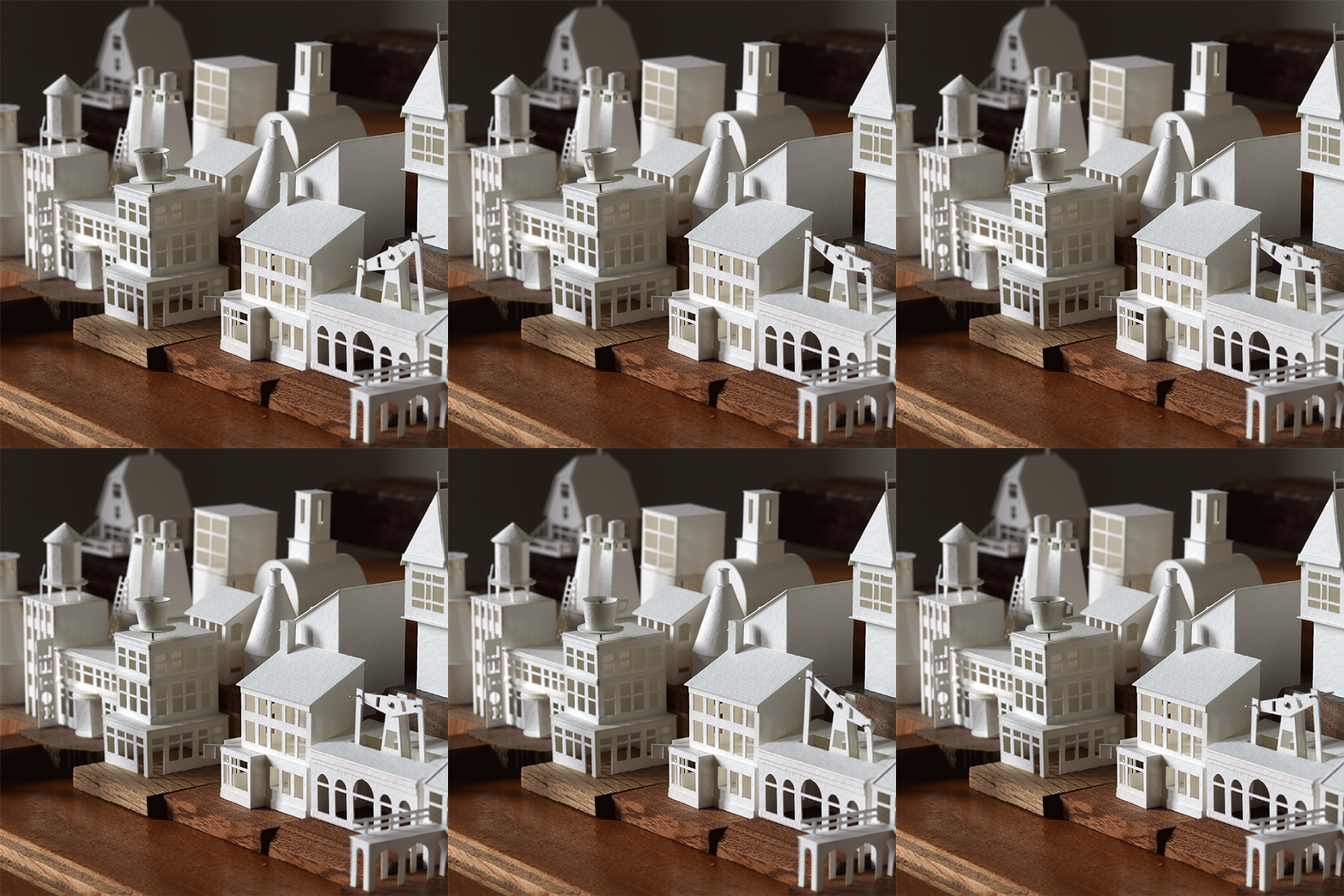
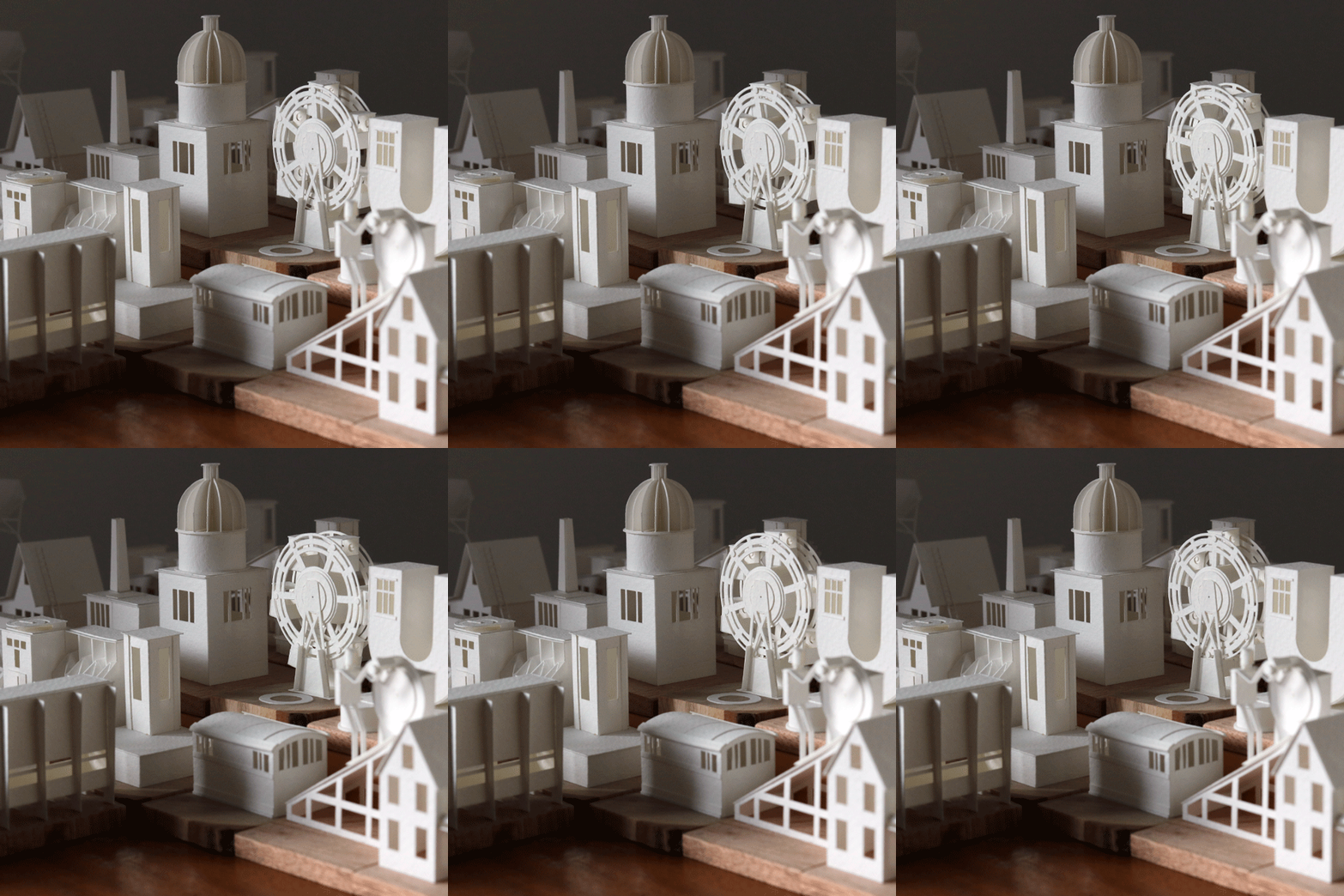
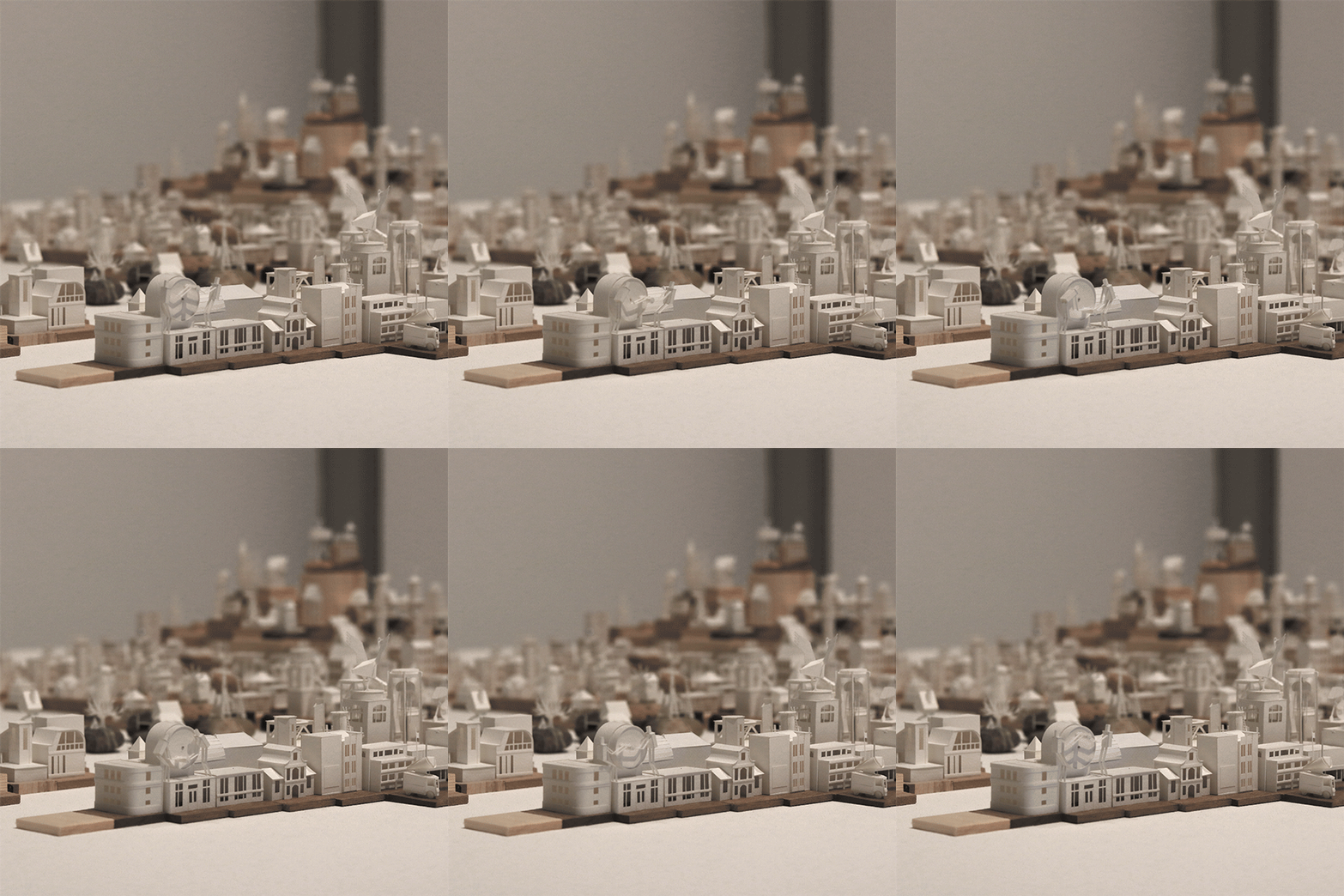
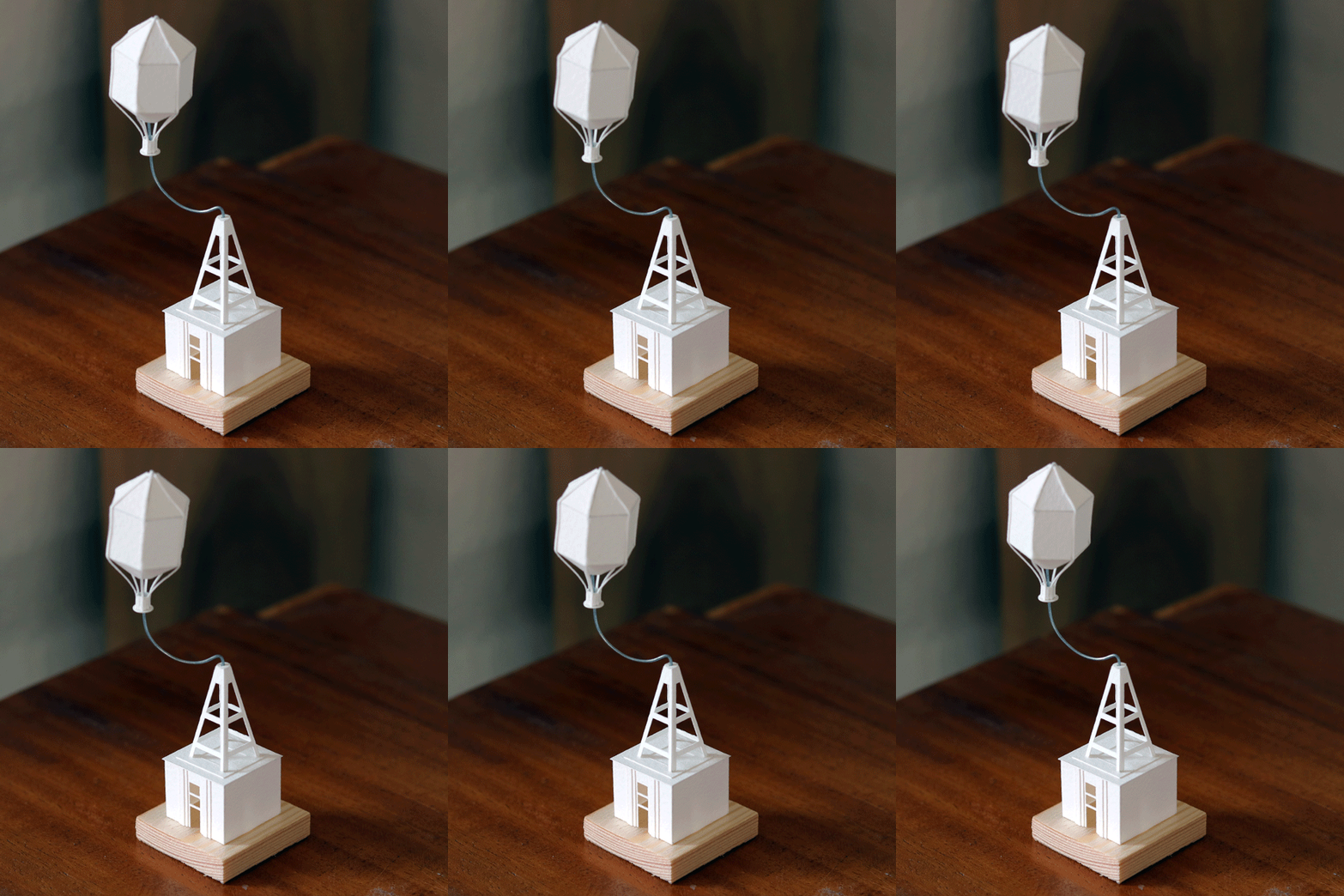
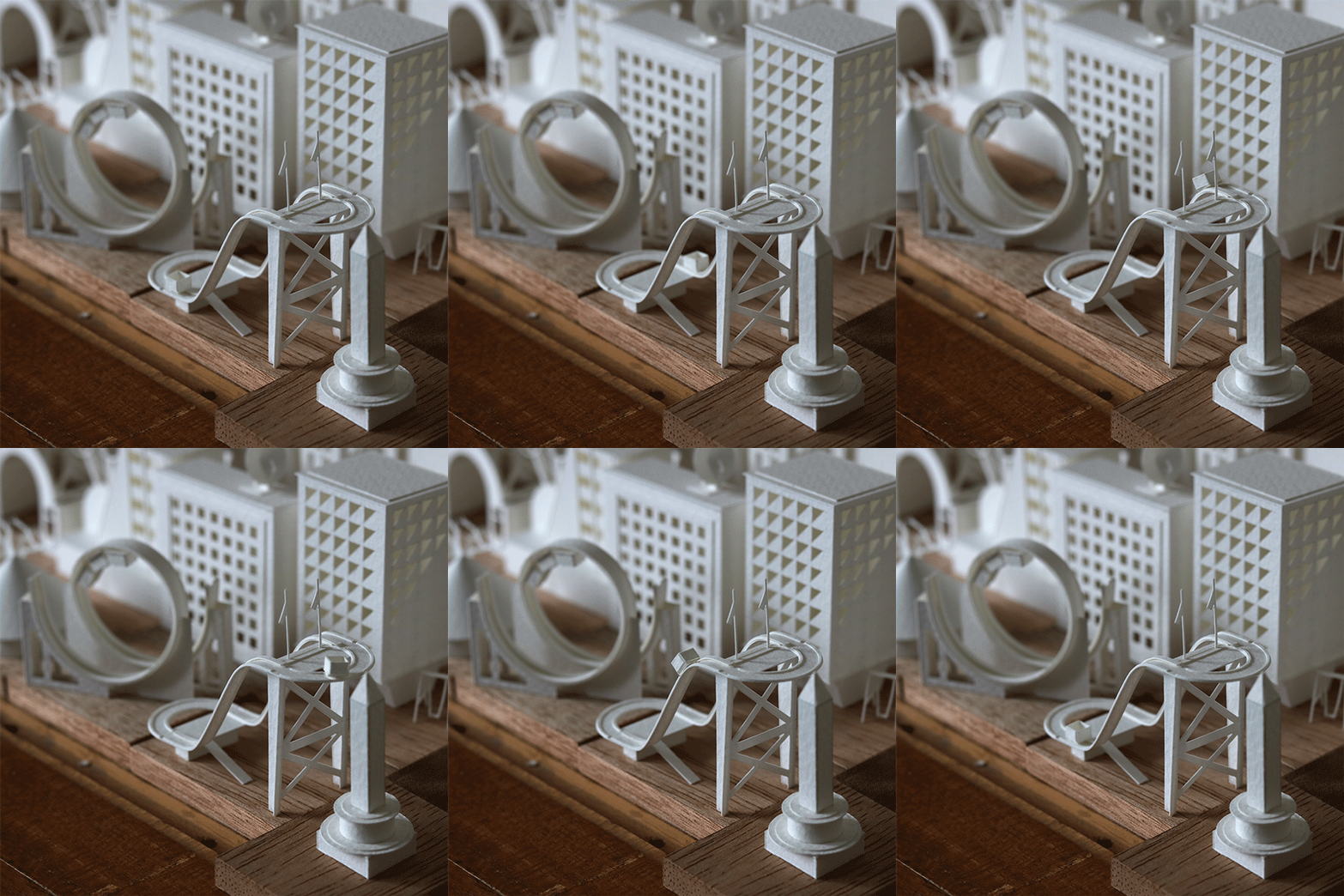
Diminutive flags wave in the wind, ferris wheels the size of clock gears turn, cranes rise and fall and tiny cars zoom around in this three-dimensional world made out of paper. Artist Charles Young has been working on his ‘Paperholm’ project for years, typically completing one miniature building every single day, mounting them to wood or stone and creating stop-motion animations from their moving parts.

paper-cities-1

paper-cities-3

paper-cities-4

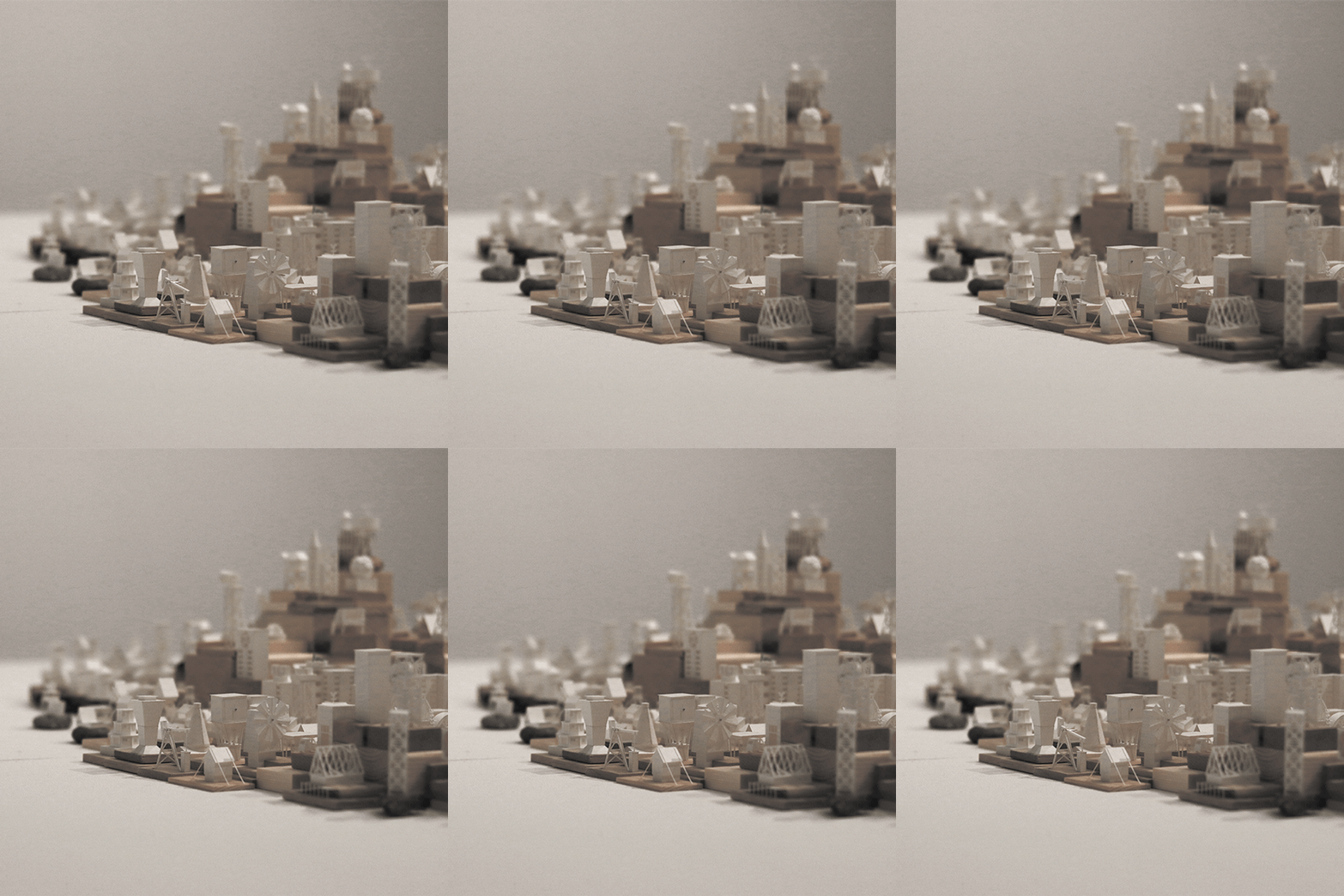
Today, Young has amassed over 635 paper buildings, rollercoasters, vehicles and other elements of his miniature cities, putting them together into an impressively well-organized whole. A graduate of the Edinburgh College of Art with both bachelor’s and master’s degrees in architecture, Young initially took on the 365-day project to explore architectural forms in paper, hand-cutting them from watercolor paper and assembling them with PVA glue.

paper-cities-5

paper-cities-7

The first time Young created an animated GIF of one of his creations, he just wanted to demonstrate how smoothly a particular element spun in a circle. This turned out to be a pretty cool way of showing them off. He sketches, cuts and assembles each structure in a single sitting.

paper-cities-2

paper-cities-6

The resulting city is gleaming white and surprisingly well realized considering its two-dimensional origins. Each element is individually documented on the Paperholm tumblr so you can see how it works, and then take in entire blocks of the tiny creations as a whole.

Share on Facebook


[ By SA Rogers in Art & Sculpture & Craft. ]

[ WebUrbanist | Archives | Galleries | Privacy | TOS ]


WebUrbanist

 
Comments Off on Miniature Cities in Motion: Tiny Animated Metropolis Made of Paper

Posted in Creativity


Add Motion to Your Fall Photography to Help it Stand Out

30 Sep

This tutorial brought to you by The New York Institute of Photography. NYIP is the largest and longest running online photography school in the world. Offering ten online photography classes to choose from, the school makes learning photography fun and accessible to aspiring artists on a global scale. Whether you are interested in a new career or are in pursuit of a hobby, NYIP students get the personal attention they need to achieve their goals. They have access to professional photographers as their teachers and mentors to guide them through the course and help them improve.

NYIP is a paid partner of dPS.

Motion fall photography01

If you are gearing up to capture foliage photos this fall, you may want to brainstorm some ways to adjust your typical compositional style in an effort to produce more unique shots within such a commonly photographed category. How to add some motion to your fall photography will help it stand out.

Add motion to fall photography

One interesting way to update a lackluster landscape is to display some motion in your image. People are more likely to be drawn to your pictures if you can effectively incite some feeling that may be attached to the subject you are shooting. Considering the topic of the changing seasons, including some motion is a fun way to invoke that feelings associate with a shift from summer to fall.

Motion fall photography02

Bulb

Many photographers, new and experienced alike, overlook the BULB mode feature on their cameras. Some aren’t entirely sure what it does and therefore tend to skip past it altogether while adjusting their shutter speeds. This year, take a closer look at this functionality and explore its potential for adding some spark to your seasonal shots.

When working in BULB mode, you will be able to use shutter speeds that are several minutes long. For example, by keeping the shutter open for a mere few seconds, you will have just the right amount of time to move your camera during the actual exposure, allowing you to create a dreamy effect many others are only able to achieve on a computer with the help of post-production tools.

Motion fall photography03

In practice, let’s say you are trying to capture a shot of two different sunflowers growing several feet away from each other in a field. Rather than stepping back to include both flowers in a static, motionless frame, this is a great opportunity to slow your shutter speed and get creative with some movement. To capture a fluid, wistful effect while including both plants in the shot, simply focus on one flower first, start your exposure, and then quickly move the camera to the second flower while the shutter is still open.

Motion fall photography04

Capture falling leaves

Falling leaves are another perfect subject to explore when experimenting with slower shutter speeds. This autumn, try heading to a local park or hiking trail on a windy day to try out these new techniques. Find a tree with some pretty foliage that you’d like to use as your subject. Set up your gear and wait for the right moment to capture the natural motion of the outdoors.

As a gust of wind blows a handful of leaves from the nearby tree, get creative with the ways in which you can capture that windy motion. One method could be to try zooming in and out mid-exposure. Another could be to get into manual focus mode. Start capturing your shot in focus, then abruptly twist out of focus at the end of the exposure. You could even physically start moving your camera while the shutter is still open.

Motion fall photography05

Fall décor

If you’re interested in capturing some similarly unique shots of Halloween decorations, you can employ the same aforementioned techniques in an effort to add a dragging, spooky motion effect to candles or outdoor lights. Again, with open shutter exposure of a few seconds, you can create a look much more compelling than an otherwise stationary image of a home’s exterior décor. When experimenting with creative compositions such as these, you can toss the typical rulebook aside and just focus on trying to produce something innovative and exciting.

Motion fall photography06

Moving water

If you’re traveling to a hiking trail in search of captivating foliage shots, make sure to keep your eye out for any opportunity to capture images of water as well. At a speed like 1/30th of a second, you can transform an ordinary waterfall shot into a compelling silky cascade with a flourishing fall backdrop. If you can’t locate a waterfall and are instead working with a more slower-moving subject like a stream or brook, you might want to try a speed a bit slower, such as 1/15th or 1/4th. In general, we recommend you try fluctuating between speeds of around ¼ and 1/60 until you find one that you’re comfortable with. Make sure to experiment with the exposure time to find your favorite water effects.

Motion fall photography07

Getting Started

Before you head out to try these new techniques this year, here’s a checklist of some last minute tips you might want to keep in mind.

Keep the camera steady

When you’re working with such slow exposure times, your shot is prone to be affected by even the slightest jostle of your camera. You might want to consider packing a tripod. If you don’t own one (or lugging one along isn’t practical for your excursion) try to find something outdoors like a boulder as a means for stabilizing your camera before you get started. If you can’t locate a helpful natural prop, you could also try using the 2-second timer and propping the camera up on your gear bag.

Waterfalls

When shooting waterfalls, if you want to capture a more even exposure without the often inevitable inclusion of heavy, distracting shadows, try to head out very early in the morning. If this doesn’t work with your schedule, a cloudy day is your next best option for avoiding this.

Raise the ISO

If you’re trying to photograph fall décor indoors but the exposure is repeatedly too dark, try cranking your ISO (and using a simple noise reduction software).

Blur the background

If you’re trying to focus on a foreground subject but struggling to effectively blur the background, try using the widest possible aperture, and the longest focal length of your lens. Slowly move your subject further and further away from the background as you capture your shot.

Motion fall photography08

By effectively employing these tips and displaying the motion of your subjects, you’ll be able to capture the essence of autumn in a uniquely captivating way.

This tutorial has been brought to you by The New York Institute of Photography. NYIP is the largest and longest running online photography school in the world. Offering ten online photography classes to choose from, the school makes learning photography fun and accessible to aspiring artists on a global scale. Whether you are interested in a new career or are in pursuit of a hobby, NYIP students get the personal attention they need to achieve their goals. They have access to professional photographers as their teachers and mentors to guide them through the course and help them improve.

NYIP is a paid partner of dPS.

Jacob Boller is the School Director at The New York Institute of Photography and has been in his role for the past decade. Jacob first fell in love with photography taking wildlife photos with his Grandfather and still uses that same Olympus 35mm from time to time. Jacob is honored to be the Director at NYIP, the largest and longest running online photography school in the world, and is proud that via the NYIP Online Learning Center, course updates are made as fast as the camera technology develops.

googletag.cmd.push(function() {
tablet_slots.push( googletag.defineSlot( “/1005424/_dPSv4_tab-all-article-bottom_(300×250)”, [300, 250], “pb-ad-78623” ).addService( googletag.pubads() ) ); } );

googletag.cmd.push(function() {
mobile_slots.push( googletag.defineSlot( “/1005424/_dPSv4_mob-all-article-bottom_(300×250)”, [300, 250], “pb-ad-78158” ).addService( googletag.pubads() ) ); } );

The post Add Motion to Your Fall Photography to Help it Stand Out by Jacob Boller appeared first on Digital Photography School.


Digital Photography School

 
Comments Off on Add Motion to Your Fall Photography to Help it Stand Out

Posted in Photography


Rollei Actioncam 430 comes with 4K resolution and Full-HD slow motion

22 Sep

Market leader GoPro launched its new action cam models at a Photokina event on Monday. Rollei already announced its latest top-end action camera about a month ago, but we just got the chance to look at the new device at the Rollei booth at Photokina.

The Actioncam 430 offers impressive camera specs and can record 4K video at 30 fps, 2K at 60 fps, 120 fps at Full-HD resolution and up to 200 fps at 720p, allowing for the recording of high definition slow-motion footage. In stills mode the Sony image sensor captures 12MP photographs and the lens covers an angle of view of 180 degrees. Images can be framed and reviewed on a 2″ TFT display with a 320 x 240 pixel resolution and a status display at the front keeps you informed about current shooting mode, remaining recording time and battery status. 

The Actioncam 430 can be remote-controlled via a mobile app and a wristband-style wireless remote, with a range of up to 15 meters, is included in the box as well. The Rollei is not waterproof but comes with a case that is recommended for depths of up to 40m/131ft. The camera is compatible with most GoPro accessories and available now in Europe for €249 (approximately $ 275). No information on availability in other regions has been announced yet.

Articles: Digital Photography Review (dpreview.com)

 
Comments Off on Rollei Actioncam 430 comes with 4K resolution and Full-HD slow motion

Posted in Uncategorized


Slow motion video shows glass shattering at 343,000 fps

21 Jul

YouTube channel ‘The Slow Mo Guys’ has posted a new video showcasing its fastest frame rate content to date: 343,915 fps, to be precise. The duo behind the channel, Dan and Gav, used a Phantom v2511 camera to record glass Pyrex dishes shattering with speeds starting at 28,546fps. At its fastest frame rate, the camera captured the glass shattering at a rate 13,756 times slower than real time.

At the fastest frame rate, the Phantom camera recorded for a duration of 5.1 seconds and during that time captured 19.5 hours’ worth of video footage. 

If you’re having trouble sleeping, you can check out the full 19+ hour slow-motion shatter video here. 

Via: Bokeh

Articles: Digital Photography Review (dpreview.com)

 
Comments Off on Slow motion video shows glass shattering at 343,000 fps

Posted in Uncategorized


Splash Photography: How to Capture Liquid Motion

13 May

Freezing motion using high-speed photography basically gives you magic powers!

It gives you the power to stop time and enables you to see what your eyes are otherwise unable to process.

Capturing these micro movements for a fascinating look into things happening too fast for our own vision to grasp, is simpler than you think.

We’re here to show you a simple setup for capturing the intricate and unique freeze frame drops created during a splash.

With a little patience and some help from a friend, you’ll be surprised at how easy they are to create.

(…)
Read the rest of Splash Photography: How to Capture Liquid Motion (585 words)


© laurel for Photojojo, 2016. |
Permalink |
No comment |
Add to
del.icio.us

Post tags:


Photojojo

 
Comments Off on Splash Photography: How to Capture Liquid Motion

Posted in Equipment


Buildings in Motion: 15 Most Mesmerizing Architecture Gifs

18 Apr

[ By Steph in Art & Drawing & Digital & Photography & Video. ]

architecture gif stampa 2

Architecture spins, zooms, slides, grows, shrinks and blooms like oversized artificial flowers in animated GIF form, with the effects originating from both fantasy motions that the real-life buildings don’t actually perform and functional movable parts. With these graphics we see architecture from a new perspective as it seems to take on a life of its own – and while watching elements of a building click into place from the sky like a game of Tetris is satisfying, it’s also really cool to see how transforming elements of real buildings work, like a massive sliding metal roof that covers or uncovers an all-glass house at the push of a button.

M.C. Escher and the Droste Effect

architecture gif escher

M.C. Escher’s drawing of a landscape. spotted inside a window (Prentententoonstelling or ‘Print Gallery’, 1956), serves as the basis of this Droste effect gif. The artist used a mathematical grid to create the twisted perspective in the original drawing, and then researchers at Leiden University reproduced it on a computer, adjusted the perspective and applied the zooming effect.

Rapid Perspective Shift
architecture gif perspective shift

This somewhat disorienting gif gives us an idea of what it would be like to zoom through a city in a flying car, quickly shifting our perspective of a single building’s corner several times.

8 Animated Architectural Images by Axel de Stampa

architecture gif stampa 4

architecture gif stampa 5

architecture gif stampa 6

architecture gif stampa 7

architecture gif stampa 9

architecture gif stampa 1

architecture gif stampa 2

architecture gif stampa 3

A series of structures by famous architecture firms like MVRDV and Herzog de Meuron come to life in these gifs by Paris-based architects Axel de Stampa and Sylvain Macaux. The Mirador Buidling by the former zooms into place on the ground like a life-sized game of Tetris, while the randomly stacked levels of the latter’s Vitra House appear and disappear. ‘Architecture Animée’ adds a fourth dimension to architecture by quickly applying changes that normally would only be seen with the passage of time.

Sliding Pergolas House
architecture gif pergolas house

We get to see just how the star feature of the ‘Sliding Pergolas House’ in Brazil by FGMF Arquitetos works in this fun gif. The movable roof elements make it possible to shelter some areas of the spacious courtyard while letting sun stream into others.

Next Page – Click Below to Read More:
Buildings In Motion 15 Most Mesmerizing Architecture Gifs

Share on Facebook


[ By Steph in Art & Drawing & Digital & Photography & Video. ]

[ WebUrbanist | Archives | Galleries | Privacy | TOS ]


WebUrbanist

 
Comments Off on Buildings in Motion: 15 Most Mesmerizing Architecture Gifs

Posted in Creativity


How to Create Better Photos by Adding a Sense of Motion

10 Sep

Photographing subjects in motion can be kind of tricky because of the very nature of photography as an art form: cameras capture still images, not moving pictures (unless you are Harry Potter and like to read the Daily Prophet).

Of course, one solution is to record a movie with your camera or phone, but even a movie is in itself a series of still images projected quickly, that only give the illusion of motion. Each individual frame is not moving, but put together it appears as though everything you see is changing. Another solution, and one I generally prefer, is to use some knowledge of composition to create a sense of motion in a single photograph. It’s not all that difficult, but these techniques do require a bit of knowledge, a lot of practice, and in the end your photos will be much more dynamic and interesting as a result.

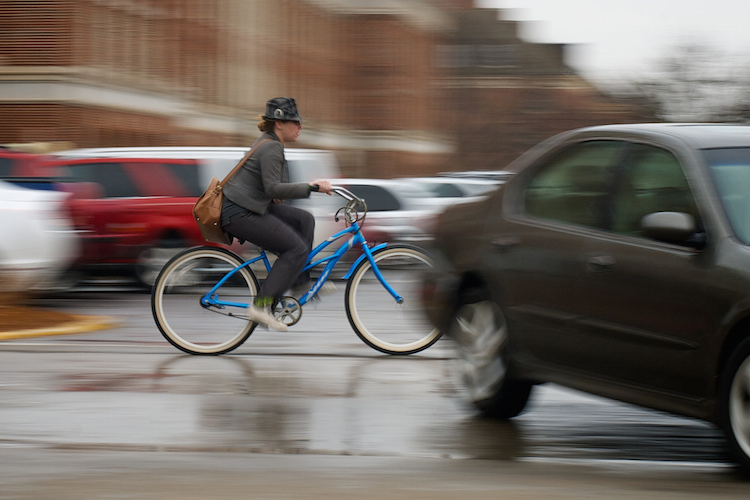
motion-and-composition-bike-car

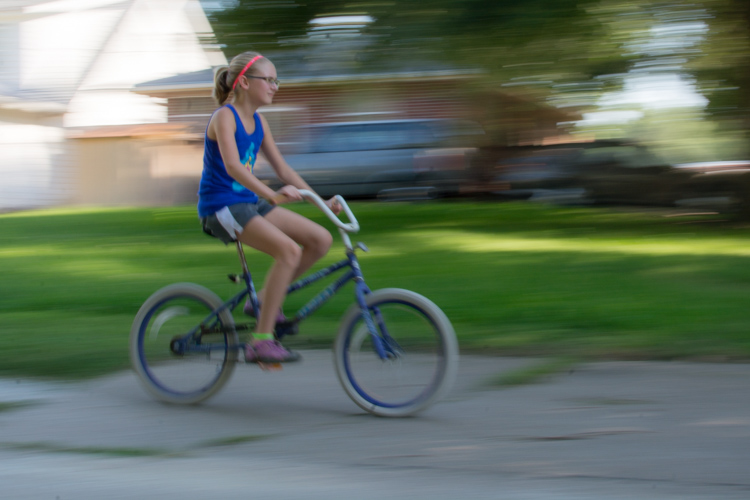
One of the most basic elements of composition is called the Rule of Thirds. It has to do with putting your subjects off-center in order to add more visual impact to your photos. It’s not a hard-and-fast rule, and some people swear by it while others reject it altogether, but understanding how it affects motion photography can go a long way towards giving your pictures an extra boost. To offer an example, take a look at the following image of my niece on her bike.

motion-and-composition-bike-center-panning-2

My niece on her bike. There’s clearly a sense of motion, but putting her in the center is not the best use of photographic compositional space.

This image involves a technique called panning, which helps create the illusion of motion by tracking a moving subject with your camera, while the shutter is open. But, take a look at how the girl is framed – she in the center of the image, and you can see her surroundings on all sides. It seems like a good picture at first, but take a look at how a simple compositional change can have a dramatic impact on the sense of motion created by the image.

motion-and-composition-bike-center-panning

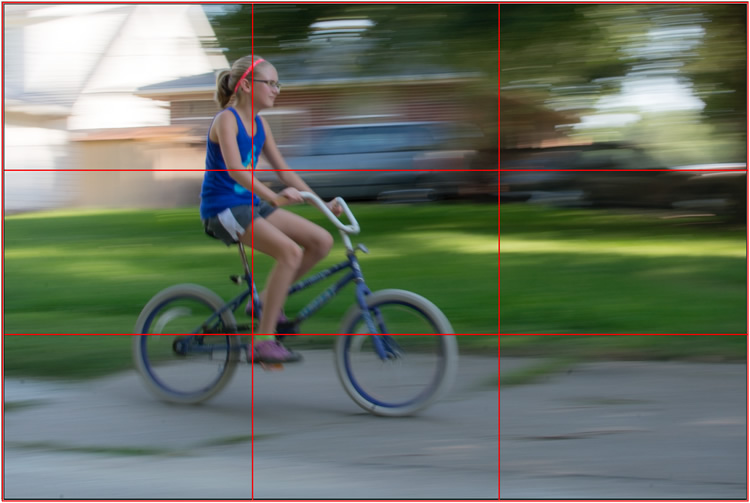
Putting the subject off-center shows not just that the girl is biking, but the space into which she is traveling.

I took this second picture using spot focus on my camera which allowed me to select which focusing point to use, and selected a point on the left side of the frame. Doing this placed my niece right along one of the vertical gridlines, if we look at this image as it relates to the classic Rule of Thirds:

motion-and-composition-bike-left-panning-grid

Both the girl, and her bicycle, line-up with the one-third dividing lines, which helps create a more pleasing and dynamic composition.

Aligning my subject on the left third of the image (and the horizontal center of the bike along the bottom third) has done a couple of things. First, it makes for a more pleasing image due to the off-center placement of my subject. It allows us to see more context overall, since she is on one side and not dominating the entire image. Second, the other goal this placement accomplishes has to do with motion – we see her not only biking, but biking to somewhere. By showing us where she is going, our minds essentially create a greater sense of movement because we can see more context.

This works almost any time you have an object in motion, whether you employ the panning technique or not. Simply placing your subject on one side of the image (often along one of the dividers according to the Rule of Thirds) such that it is moving in the direction of the rest of the image (put more space in front of the subject than behind), will help your photos will seem much more dynamic and interesting. It helps your viewers to get a sense that they were actually there with you at the moment of the picture.

If panning isn’t quite your thing, you can still employ some compositional techniques to create a greater sense of motion. Here’s a picture of my other niece riding her bike that I took from a standing position. I see pictures like this posted online quite a bit, and while they are not bad photos, a change to how they are composed can dramatically alter the visual impact.

motion-and-composition-bike-center-2

My other niece biking, taken from a standing position without much thought put into overall composition.

Again you see that she is in the center of the image (above), and while this picture is perfectly serviceable, there is a lot that can be done to create a greater sense of motion. Here’s another picture of the same scenario, but taken from ground level as she approached me down the alley.

motion-and-composition-bike-right-2

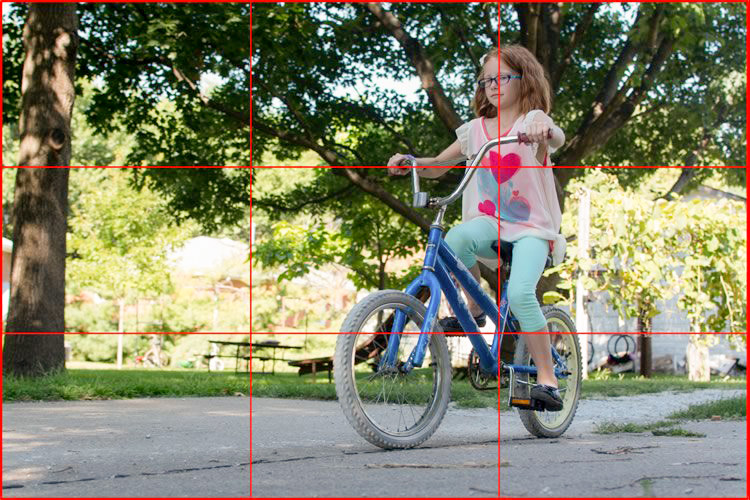
Altering my angle to be low to the ground, and putting the girl on the right-hand side, creates a much more dynamic photo. This was shot with a DSLR but could have easily been taken with any camera or even a mobile phone.

I had to lie on the ground to get this shot, but the results were well worth it. The low angle helps make the shot much more interesting, and the open space on the left side shows us the empty street that she will soon be riding on. This general framing is used all the time in photos of moving objects, and is a favorite of the advertising industry as well: you will often see pictures of sports cars not from the top and side (as in the first of these two bike photos) but from a low angle, and the front wheels turned away from the viewer, much more akin to the second photo. And sure enough, this image also conforms quite well to the good old-fashioned Rule of Thirds.

motion-and-composition-bike-right-grid-2

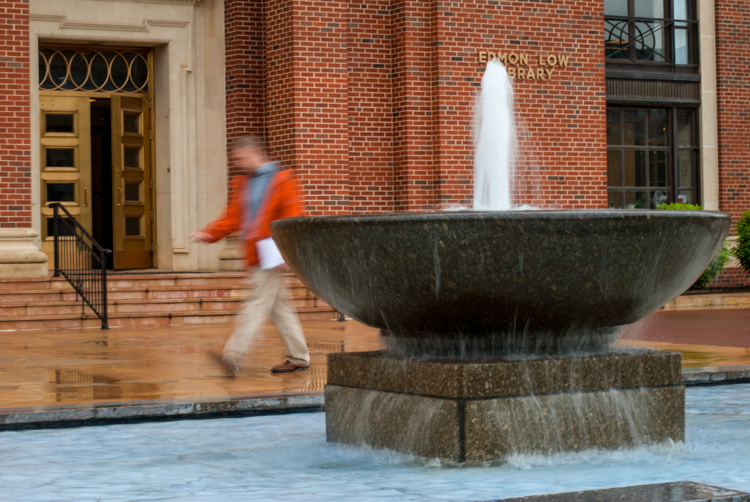
There are other ways to play with composition to create a sense of motion in photos; the Rule of Thirds is just the beginning. This photo of a man walking past a fountain violates the first rule about showing the subject on one side moving towards the rest of the image, but it works because we’re not so much interested in where he is going but what the entire scene is about.

motion-and-composition-fountain

Putting the subject on the left side of this photo creates a different mood and tone than if the man were on the right-hand side.

By using a longer shutter speed, and holding my camera still I was able to capture motion, not only in the man walking, but the water rolling off the fountain. If the position of the man and the fountain were reversed it might look as though he is walking into it. But as it is, the motion of my human subject is one part of the picture as a whole, and the falling water adds another dynamic layer to the image.

The placement of the man creates a bit of tension as well; he is clearly carrying something, and from the words on the wall it’s obvious that he is walking past a library. Is he a student that’s late for class? Is he walking fast to catch up to some friends who are out of the frame? Putting him on the right-hand side would make the image seem a bit more casual and informal. But, intentionally composing this shot so that he is about to walk out of the frame, imparts a different feeling on the viewer that can be very effective when used properly. Also note that both the fountain and the man line up roughly with the traditional Rule of Thirds grid, which helps create a more pleasing composition all around.

I should note that the reliance on the Rule of Thirds can become a crutch, and there are many creative ways to take motion-based images without it. What about you? What are some compositional tricks you have found to help create a sense of motion in your photographs? Do you have any favorite motion images to share? Leave your thoughts in the comments below.

googletag.cmd.push(function() {
tablet_slots.push( googletag.defineSlot( “/1005424/_dPSv4_tab-all-article-bottom_(300×250)”, [300, 250], “pb-ad-78623” ).addService( googletag.pubads() ) ); } );

googletag.cmd.push(function() {
mobile_slots.push( googletag.defineSlot( “/1005424/_dPSv4_mob-all-article-bottom_(300×250)”, [300, 250], “pb-ad-78158” ).addService( googletag.pubads() ) ); } );

The post How to Create Better Photos by Adding a Sense of Motion by Simon Ringsmuth appeared first on Digital Photography School.


Digital Photography School

 
Comments Off on How to Create Better Photos by Adding a Sense of Motion

Posted in Photography