 StickyAlbums is, at its heart, a tool for generating word-of-mouth referrals for professional photographers. As you will see in this review, the system is not set up for the casual photographer, as the free version is more of a means of introduction and trial than it is a full blown service, like gmail or Flickr.
StickyAlbums is a way to create a mobile portfolio of images, either in general or for a specific client. The creation of the portfolio takes place on stickyalbums.com and the viewing is optimized for mobile devices, such a tablets or smartphones. While the portfolios are known to be 100% compatible with iOS devices, not every single version of Android can be tested, although I was informed the app should work on just about any Droid phone or tablet.
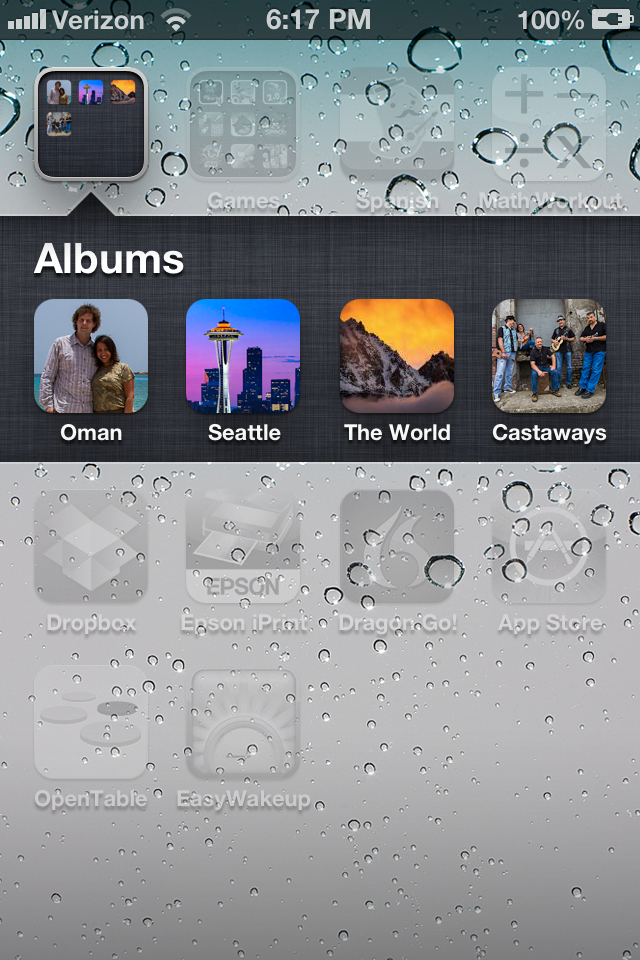 Albums are created by uploading images to stickyalbums.com, creating a couple of splash pages, some simple formats and then delivery to clients. Clients will receive a link which will ask them if they want to download the album, which will show up as an ‘app’ on the desktop of their mobile device. From there, clients can browse, zoom and share albums. The service has basic features, like stats for number of downloads, and is ready for prime time, while still under development and improvement based on customer feedback.
Getting Started
Let me start by pointing out the free version is good for one album of 12 images as a trial. If you want to skip this review and give it a try yourself, go to http://www.stickyalbums.com/pricing/. The next level up is a monthly subscription ($ 21/mo) which allows for use of youtube videos as well as images and lifetime hosting. The highest level offers everything the monthly subscription offers plus the option to use your own branding on albums, unlimited uploads, password protected albums and lifetime hosting of albums. It is appropriately called the “Professional” version and runs $ 189/year.

The basic process is this:
- Pick a number of images for the album you want to create. The album shouldn’t be much more than 10-40 images because there is a 50MB download limit for most devices.
- Resize the images to be 1600px on the long edge.
- Now gather some special images. These will be a logo (rectangular), desktop icon and two splash screen, or ‘loading’ images. The loading images can be of anything and created using Photoshop to include your logo as well.
- Start stepping through the album creation process where it will ask for your images, desktop icon, logo, email address, phone number, web address and loading pages.
- Create the album and share!
I found the process to be easy once I ran through it a couple of times. It helps that logos and other info (my website, email, etc…) can be stored on the site for easy entry when creating an album.
I’m not going to give a step-by-step tutorial here because they already have a well organized page that describes how to arrange files and use the service to create an album. That can be found here http://www.stickyalbums.com/create-your-branding-files/
In The Real World
 What it is like using StickyAlbums? With a recent upgrade to the site, it is easy and useful. Not that it wasn’t useful before, but some small issues with organizing images have been fixed and the ability to see basic stats (how many downloads) was added. The Professional version also allows for password protected albums.
How can you use StickyAlbums? If you are a pro, there are a number of ways. I have used it as a basic means to share images with clients, such as wedding clients, before and after delivery of final images. Brides with smartphones are an excellent market for this app as it place their wedding images in an easy to carry package to show friends. No need for your clients to save all the images and page through them inside their phone’s ‘Photos’ album. This product stands by itself as a desktop icon.
It can be used as a basic portfolio to send to connected clients. It can also be used as a promotional tool. For instance, let’s say you perform a studio shoot with a client, such as a high school senior. Inside the album you send to the senior and their parents you include 20 images from the shoot. Also included is an image you create in Photoshop that is a 20% off coupon for another shoot, complete with your phone number and email address, either for them or for a friend. Referrals are the lifeblood of many studio photographers and this app helps put your name and contact info right into the hands of your client when they are showing their friends how great they look during your studio shoot.
There is some downside to the app. It can become large, the downloads I mean. A lot of devices demand use of wifi if a download is more than 10MB and these albums can quickly become large with 20 images, even at 1600px and 72PPI. Clients will often need to accept an exception request on their phone allowing them to download the larger package and that’s an extra step for users not always familiar with the process.
On the plus side, there is no need to use the iTune Store or Google Play as the service uses HTML5 to deploy. This means no need to learn coding nor application to either service. Also, as the service will download images the first time a client clicks on their desktop icon and then caches it, opening after the first time is fairly quick for users. Even better, the albums can be updated by you on the website backend and the next time your client opens that album, it will grab the new images.
If you are a kids sports photographer, this can be a great tool. Imagine creating a ‘living’ album that starts off with an image of the teams season schedule. The next pictures are highlights from the latest game which can change each time you shoot the team. Or a “highlights reel” where you simply add new images of great catches or game wining shots and build the album as the season goes on. Even more so, you can create an album for each player on a basketball team, for instance, and then add photos of them in action each week simply by sorting by jersey number.
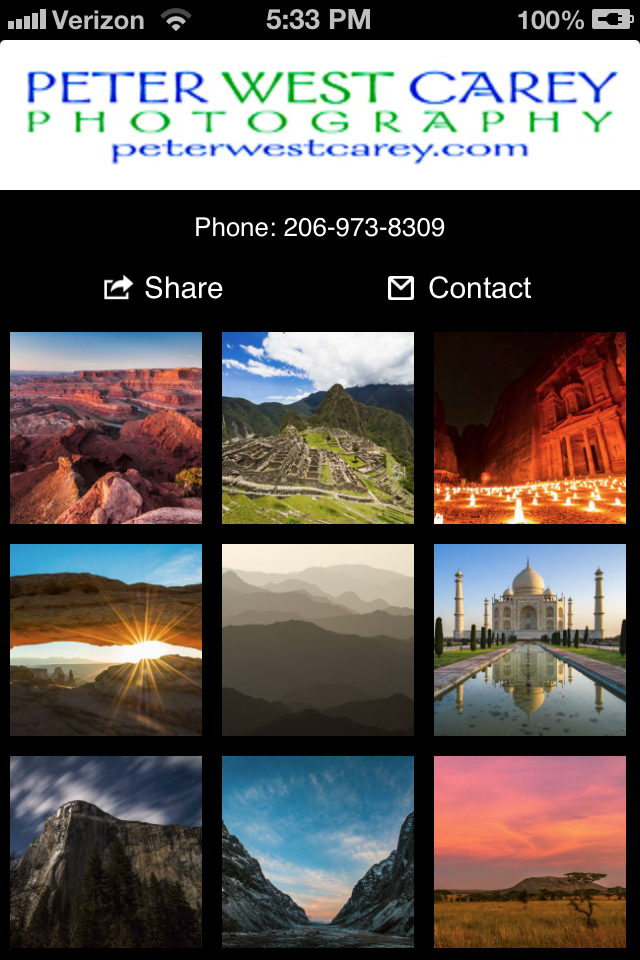 I have already used the service to deliver albums to previous wedding clients as a thank you and a friendly reminder that I still shoot weddings. It can also be used as an add-on for wedding photographers who want to charge for the download as an additional service. Many wedding photographers like to send a thank you on the one year anniversary of their clients’ weddings and this plays perfectly into that idea for connected clients.
Conclusion
With the Professional version of the site allowing for complete branding based with your company’s logo and contact info, StickyAlbums is an easy, out-of-the-box solution for photographers looking to get their images into the hands of their clients in a way clients will utilize over and over. The concept is simple; make it easy for your clients to show their friends how great of a photographer you are.
The app allows clients to share links via text message, email, Pinterest, Facebook or Twitter. It will also sense orientation and rotate images accordingly (tip: group your horizontal images together and your portrait images together so your clients don’t have to keep rotating their phone).
I like what I’ve found so far and plan on continue to use the service to help generate more referrals. I like that the images can not be copied directly (although any device allows screen shots).
If you would like to see a sample album, I have one of 30 images from my current ‘Best Of…” folder. Click on this link from your mobile device http://moblalbum.com/vlQw7rfYBo/gallery/30843 You can click on that link in a web browser from any machine and get a web-based version as well.
Post originally from: Digital Photography Tips.
Check out our more Photography Tips at Photography Tips for Beginners, Portrait Photography Tips and Wedding Photography Tips.
StickyAlbums Mobile Portfolios [REVIEW]


Digital Photography School


 If you love mobile device camera filters and special effects, you need not keep reading. This post takes a look at a new photo app for iOS (sorry Android users, it’s not ported there yet) devices that got me to switch off of using Photoshop Express, my previously preferred image editing app.
 While a fine, free app in its own right, what I find most lacking with Photoshop Express is the ability to control different areas of the image differently. It’s an all or nothing proposition, much unlike all of Adobe’s programs for desktop/laptop computers. I can’t bring up shadow detail or tone down highlights. I also can’t adjust the color temperature in shadows, something Adobe introduce in its latest version of Lightroom 4.0.
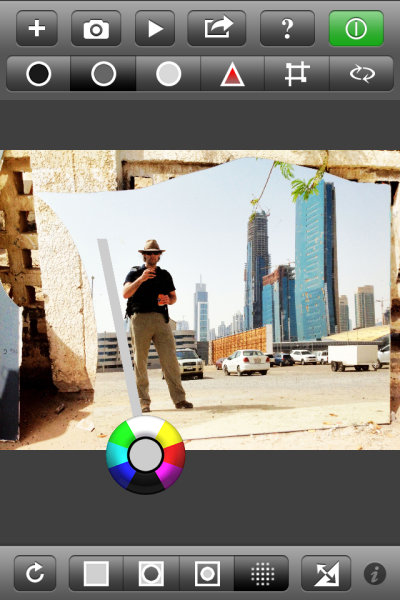
 The icons across the top allow users to adjust shadows, midtones and highlights. There is also “play” button where a range of changes will be shown as something of a movie and users can stop the show at any point when they see a rendition they like, without having to figure out all the enhancements to get there. Also on the top panel are tools to adjust saturation and to perform crops.
 Along the bottom are icons to select the whole image, edges or just the middle areas. Photographers can also paint an area they want to change with the circle tool and it’s this function that has me switching sides away from Adobe. I can paint in an area where I want to increase the brightness, but leave the rest of the image alone.
 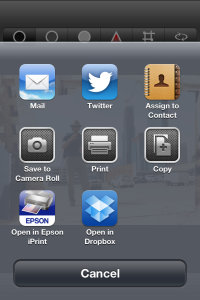 This is a more finite way to adjust than using only the Highlight tool at the top. I really like this feature and it is what I have been waiting for from Adobe.
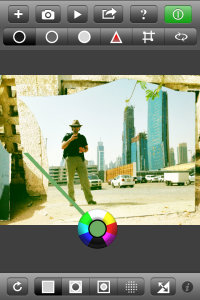 I haven’t had a lot of time to shoot with ColorTime, just about a week, but I certainly have a large amount of photos to edit on my phone. And that’s the joy in using this app. I have been wary of most apps as they rely heavily on filters and flat out changing the original image toward anything that is not what appeared before the camera. That’s not ColorTime.