RSS
 

Posts Tagged ‘Media’

Atech unveils Blackjet VX-1C CFast 2.0 media reader

07 Mar

Atech Flash Technology, a manufacturer of digital storage solutions aimed at professionals, has launched a new premium line of products under the ‘Blackjet’ brand, starting with the VX-1C CFast 2.0 card reader.

The new model plugs into desktop or laptop computers via a USB 3.1 Gen 2 connection, allowing for a 1,000 MB/s bandwidth and data transfer from even very fast cards at maximum speed. And thanks to that connector, the Blackjet VX-1C is compatible with current Mac and Windows Thunderbolt 3 machines.

The unit features a metal enclosure for durability and a number of vent holes for improved heat dissipation. Thanks to its support for fast transfer rates, the Blackjet VX-1C looks like a particularly interesting option for videographers. It is shipping now and retails at $ 100.

More information is available on the Atech Flash website.

Press Release

BLACKJET VX-1C: USB 3.1 GEN 2 CFAST 2.0 MEDIA READER

Fremont, CA – February 28, 2018 – Atech Flash Technology (AFT) manufacturers of industrial and professional media card readers and storage solutions will be launching their new premium line of products under the Blackjet brand. Their latest CFast 2.0 media reader named the Blackjet™ VX-1C.

Blackjet VX-1C utilizes the larger bandwidth 1,000 MB/s of USB 3.1 Gen 2, which allows you to ingest, edit and archive your creative content from your media cards at their maximum speeds. Blackjet VX-1C utilizes the USB-C interface which allows it to be compatible with existing Mac® and Windows® Thunderbolt™ 3 computers.?

Pricing and Availability

The Blackjet VX-1C will have a suggested MSRP of $ 99 USD and is currently shipping.

Key Features

  • Media Reader for CFast 2.0 media cards

  • USB 3.1 Gen 2 provides speeds up to 10Gbps

  • Reversible USB Type-C connector makes connections
    much easier and quicker

  • Ingest footage with speeds up to 525 MB/s*

  • Rugged metal enclosure to ensure durability and longevity

  • Vent holes to increase heat dissipation

  • Compatible with Thunderbolt™ 3

Articles: Digital Photography Review (dpreview.com)

 
Comments Off on Atech unveils Blackjet VX-1C CFast 2.0 media reader

Posted in Uncategorized


Canon accidentally shared a composite photo shot with a Fuji all over social media

15 Jan

Well… this is awkward. Fstoppers has caught Canon Italy and Canon Spain sharing a photo to all of their social media accounts—Facebook, Twitter, and Instagram—the majority of which wasn’t even taken with a Canon camera. In fact, it was shot using a Fuji X-T1, by popular landscape and travel photographer Elia Locardi.

You can compare the two photos for yourself below, but there is little doubt that large parts of Elia’s photograph were used to create the one Canon shared:

The original photo, captured by Elia Locardi. Used with permission.
The image Canon Italy and Canon Spain have shared all over social media.

As you can see the entire sky, parts of the water, and some foreground elements as well were lifted directly from Elia’s original. In fact, as Fstoppers points out, there’s even a few-pixel-sized bird in Elia’s photo that was copied directly into the new shot.

We spoke to Elia this morning, and he told us that after a bit of sleuthing he was actually able to uncover the source of the image: a royalty free photograph on Unsplash that was allegedly taken in October of 2017 with a Canon 1D Mark IV. Elia has asked that we not “out” the photographer, but you can see the EXIF data in this screenshot:

From there, it doesn’t take an advanced degree to figure out what happened. A social media team at Canon Europe took to Unsplash to find a royalty free picture to share. They probably searched for “Canon 1D Mark IV” and “Italy,” and when they stumbled across this shot they had no idea that it was, in fact, not a single image but a composite of (at least) two photos… one of which was taken with a Fujifilm camera.

It’s embarrassing, sure, but probably an honest mistake. As of this writing, the post is still live on Canon Italia and Canon Estana’s Facebook and Instagram accounts, but we don’t expect that to last much longer as this story gains traction in the blogosphere.

The photo as seen on the Canon Italia Instagram account this morning.

We’ve reached out to Canon for comment, and will update this post if and when we hear back.

Articles: Digital Photography Review (dpreview.com)

 
Comments Off on Canon accidentally shared a composite photo shot with a Fuji all over social media

Posted in Uncategorized


The Best Promotional Alternatives To Social Media For Photographers

28 Dec

There is a love/hate relationship the majority of us have with social media. We promote our work there, but we also waste a huge amount of time on it.  What are the best alternative to social media then? Where can we publish our work in order to gain visibility and, why not, some paid projects? Let’s step back for a Continue Reading

The post The Best Promotional Alternatives To Social Media For Photographers appeared first on Photodoto.


Photodoto

 
Comments Off on The Best Promotional Alternatives To Social Media For Photographers

Posted in Photography


CBS sues photographer for sharing TV show screenshots on social media

02 Nov

CBS Broadcasting is suing photojournalist Jon Tannen for doing something you (and most people you know) have probably done: sharing screenshots from an old television show on social media. The lawsuit is being characterized a ‘retaliatory strike’ by some, since Tannen filed his own copyright infringement lawsuit against CBS Interactive back in February.

The whole story came to light on Torrent Freak, and serves as a cautionary tale for photographers who are thinking of pursuing infringement claims against the big studios—CBS, ABC, FOX, Warner Brothers, etc.—in court. Often the evidence in these cases is strong and a settlement is reached, but sometimes… the studios fight back.

That was the case with Tannen, who sued CBS Interactive in February of this year over the unauthorized use of two copyrighted photos on the website 247sports.com (the second time this had happened). But what might have turned into a quick settlement has instead been met with a countersuit by CBS Broadcasting, who found screenshots from the television show Gunsmoke (1955-1975) on Tannen’s social media.

The CBS lawsuit brands Tannen a ‘hypocrite’ and seeks $ 150,000 in damages for willful infringement—the same amount Tannen wants per infringement of his own work.

“This copyright infringement action arises out of Defendant’s unauthorized use of Plaintiff’s valuable intellectual property,” reads the CBS complaint. “Tannen hypocritically engaged in this act of infringement while simultaneously bringing suit against Plaintiff’s sister company, CBS Interactive Inc., claiming it had violated his own copyright.”

It will be a while before these lawsuits sort themselves out, but CBS’ retaliation against Tannen is raising eyebrows because this kind of image use is so prevalent online, and almost always assumed to constitute fair use. Of course, whether or not the countersuit has any legal ground to stand on may be irrelevant… CBS has just laid out a blueprint for other major studios looking for a way to retaliate against potential infringement claims.

You can read Tannen’s complaint against CBS here, and CBS’ countersuit here.

Articles: Digital Photography Review (dpreview.com)

 
Comments Off on CBS sues photographer for sharing TV show screenshots on social media

Posted in Uncategorized


2017 social media dimensions pdf

11 Sep

We offer undergraduate and taught master’s degrees – we have a limited number of places 2017 social media dimensions pdf through clearing for high quality students. Old Ferrari power units in 2017 – with teams entitled to purchase a stake in the sport. A dynamic longitudinal examination of social media use, I still feel I […]
BooksChantcdCom

 
Comments Off on 2017 social media dimensions pdf

Posted in Equipment


Faker exposed after convincing top news media he was a war photographer for two years

07 Sep

Over 100,000 Instagram users and some of the world’s best known media organizations were fooled for over two years by someone pretending to be a front-line war photographer. The entire stranger-than-fiction story was revealed recently by BBC Brazil after a lengthy investigation.

According to the BBC’s report, so-called ‘Eduardo Martins’ posed as a Brazilian UN photographer by using a collection of images stolen from other photographers’ websites and from news organizations. Stealing with care he built a body of striking work that brought him to the attention of BBC Brazil, Al Jazeera, the Wall Street Journal, Getty Images and many others, and amassed him over 120,000 followers on Instagram.

‘Eduardo’ posted tear-sheets of his work in print and recounted stories of his encounters and ‘humanity’ in the face of chaotic and violent scenes. He was able to keep the ruse going by never speaking to anyone in person, and sending only recorded or emailed messages. His photographs were placed with Getty Images and tales of his exploits made print with some of the world’s biggest newspapers.

An interviewer at the BBC became suspicious, however, and started to ask questions that revealed other Brazilian war photographers working in the same zones had no idea who Eduardo was. As the war correspondent community is tight knit and journalists in conflict zones inevitably know one another, alarm bells began to ring.

Enquiries with the UN also established that no one with that name was on its books as a photographer, and that neither were other UN photographer friends that Martins referred to—including some that Martins mourned in his posts after they were ‘killed’. Amazingly the UN even followed him on Instagram.

Pictures from the Facebook page of photographer Ignacio Aronovich that demonstrate how Martins manipulated photographs belonging to Daniel C. Britt to disguise them from image recognition software.

It turns out the profile picture Martins used was of a UK surfer called Max Hepworth-Povey, and that the images Martins posted, distributed to news outlets and supplied for his interviews were stolen from other photographers. The images were often flipped, cropped and manipulated to disguise them from automated visual-matching services so Martins could pass them off as his own.

His technique became clear when a photographer noted that other photographers in a picture credited to Martins were holding cameras with the shutter release on the left hand side of the body instead of the right.

As news of suspicions got back to Martins via a photographer he corresponded with online he disappeared, deleting his Instagram account and shutting down the phone number he used for Whatsapp messaging. His last message said he was planning to tour Australia in a van for a year and to cut communication with the world.

Whether Eduardo is a man or a woman, or even owns a camera at all, remains unclear—and indeed whether he/she is even from Brazil and is or isn’t currently in Australia. These things may never be known, but the story does raise questions about how well news organizations vet their contributors and interviewees.

Articles: Digital Photography Review (dpreview.com)

 
Comments Off on Faker exposed after convincing top news media he was a war photographer for two years

Posted in Uncategorized


Five Steps to Benefiting From Social Media Networks for Your Photography

21 Aug

This article is about how I think you can use social media network sites for your best benefit. I am suggesting there is one single thing which you should concentrate on that you can get there with just five steps.

As I have already suggested, I do recommend photography-centric social media networking sites. The one I have used most is Flickr, but I am not endorsing that particular site. Search “social media networks photography” (or similar), and almost any of the sites found will do the job, in largely similar ways. Play around, you might find one which better suits your style, your way of thinking.

Five Steps to Benefiting From Social Media Networks

And much more!

WHAT DO YOU WANT?

This photograph has over 14,000 views and has been added as a favorite 600 times. It is my most viewed and most faved photograph on Flickr. How can that be? Really? What are its merits which cause it to be so lauded?

Five Steps to Benefiting From Social Media Networks

Girls of Bahrain.

The truth is that its photographic merits are VERY limited. I could give you an explanation of why this image has been such a success, but that is not important. What matters is that it helps make the point that “views” and “faves” and even casual comments such as “Great capture, cool shot” mostly mean very little whatsoever.

That is an extreme way of putting it but I’ll stick with it and avoid drawing it out and giving a long justification. However, I think those numbers below mean very little. Though it might have some interest, it is not what you would call a good photograph.

Five Steps to Benefiting From Social Media Networks
THIS IS WHAT YOU WANT!

I have never properly thanked the person concerned, maybe the mention in this article will make up for that.

King of the souq.

I shared this photograph. The comment I received was:

“Another very “Richard Messenger”ish shot. Do all your subjects coincidentally make the same expression, or do you somehow force it out of them? Haha. His somewhat-there-but-still-flat-sort-of-smile looks very familiar to previous portraits you’ve taken.”

I think I knew the truth pretty much straight away, but it took a little while longer to fully accept it. At some point I linked the comment with Rick Sammon’s adage that “The camera points both ways” and realized why too many of my subjects did, indeed, have that same expression. They were simply reflecting my expression.

It is very difficult to make that sort of realization on your own. People pay thousands of dollars to gain such insights. I had received the comment, and great insight, from an honest person, with clearly good intentions, who expressed themselves kindly AND who happened to be right. What more can you ask? Good comments are priceless.

Five Steps to Benefiting From Social Media Networks

Comments please.

What I want, and what I think will move your photography forward too, is comments. Receiving AND making comments has certainly helped me. Unfortunately, it is very unlikely that you can simply post your photographs, however stunning they may be, and expect people to start commenting. You will need to do a little work.

NEED RELIGION?

Five Steps to Benefiting From Social Media Networks

Do unto others.

The Golden Rule is among the values espoused by most religions and philosophies. Of the various versions, this seemed a good, simple way of expressing how to approach making comments.

“Try to treat others as you would want them to treat you.”

Or, on a perfect day, we could turn to Lou Reed.

“You’re going to reap just what you sow.”

However, you want to put it, in terms of religion, philosophy, or pop culture, it is a good principle to hold in mind when you are making comments.

STEP ONE – JUST TAKE A LOOK

Five Steps to Benefiting From Social Media Networks for Your Photography

Just look … think …

You might want to start on the nursery slopes for the first day or two, week or two even. There is a lot to be learned by looking at photographs and keeping the following in mind.

  • Why do you like a particular photograph?
  • How do you think it was taken?
  • What is it that appeals to you?
  • When was it taken?
  • Which equipment was used?
  • Why was it taken?
  • Where?
  • … and so on

STEP TWO – COMMENT!

Here’s the thing. I am not going to burden you with long paragraphs of explanation, give real world examples, or quote academic research. I am just going to tell you that the person making a comment often learns more than the one receiving the comment.

Five Steps to Benefiting From Social Media Networks for Your Photography

Will she? Won’t she?

When you are ready to abandon all buoyancy aids, this is where you jump into the swimming pool. You now begin to sow, so try to treat others as you would want them to treat you. Keeping in mind Kipling’s six mates, you now start to comment.

Just taking the example of Flickr, there are a massive number of groups, with all sorts of specialized interests. You will probably find it productive to browse around, join them, and start making comments within the different rules of each group. Nothing ventured, nothing gained!

My personal rule is that I do not hang around. If a thought does not start to form very quickly in respect of a photograph, I move on. It is, of course, totally up to you, but I suggest that you do not spend too much time scratching your head.

Five Steps to Benefiting From Social Media Networks for Your Photography

What can I say?

As many a politician would testify, “no comment” is better than a rubbish comment.

Then, as a guideline, you might follow a Rule of Threes. Start off by simply trying to say three things (even just two) which you like about the photograph. Three positive comments stating what you think of the scene, how it makes you feel, what you think the story might be, and what compositional aspects you like. You may find it best to stick to only positive comments for a week or two. It is possible that you will start to get reciprocal responses, but you cannot guarantee it.

(To avoid all sorts of complications, but not without some mild embarrassment, I am commenting on my own photographs).

Five Steps to Benefiting From Social Media Networks for Your Photography

River bed scavenger.

  • An unusual and very appealing photograph.
  • I get the impression that the woman is almost lost in what is a much bigger space.
  • The texture is amazing, and the limited color palette really helps draw attention to that.
  • I really like the way the two patches of dry land balance and seem to point to the solitary figure.
  • It is one of those photographs where you immediately start to wonder what the story is and ask what she is doing.

STEP THREE – GETTING TECHNICAL

Then the next step is to start making a comment or two on technical aspects that you think are good, and which you think contribute to the photograph.

Five Steps to Benefiting From Social Media Networks for Your Photography

Innocence captured.

  • This is a lovely picture of innocence.
  • The contrast between her smooth skin and the textures in the shot work well.
  • The muted colors enhance a mood of loneliness, maybe even sadness.
  • It is really effective to see how you have used the bars, and the shape of the doorway in the background to suggest a frame within a frame.
  • The depth of field seems to be perfect, throwing her face into the highlight, concentrating the viewer’s focus.
  • I would be really interested to know what you did in processing this shot.
  • The subject is central, but I think there is plenty happening around the frame to make the image dynamic enough.

STEP FOUR – THEM CHANGES

Finally, you might tentatively start to suggest things that you might change, or which you think might be helpful. Remember – do unto others!

Five Steps to Benefiting From Social Media Networks for Your Photography

Hey, did you happen to see…?

  • I have never seen this view of the Taj Mahal before. It remains instantly recognizable even though it occupies a very small part of the frame. You did really well to find the shot.
  • Having seen your photographs before, I know you do limited manipulation in processing, so very well done on capturing the bird in just the right place.
  • Lovely evening (?) light, with good exposure keeping just the right amount of detail in the right places.
  • I cannot see the EXIF data and would be very interested to know what focal length you used. It looks like a wide angle to get the tree in the frame, yet the Taj Mahal seems quite close.
  • Any suggestions regarding such a good photograph will necessarily be tiny details. If you had just dipped your knees even an inch, I think it would have been even more perfect to have a gap between the top of the right-hand minaret and the tree branch.
  • I wonder of a small crop, perhaps a sixth off the top and the left side, may have concentrated the view.

STEP FIVE – RESPOND

You can always hint, or just ask directly, “Can you please comment on my photos?”. However, my experience is that once you have commented on their photographs, people tend to feel inclined to comment back. Again, this is my personal rule, but I would strongly argue that it is a good one. I try to always respond, or at least acknowledge any comment.

Admittedly, I have not always taken criticism well, but I think I’ve learned to give it more credence, to encourage it. One example of this is if the person commenting suggests something that I can change … a crop, a processing adjustment, changing to black and white … whatever, just do it and post the result. If there is a way of tagging the person, that is likely to help sustain the conversation.

Without being religious or philosophical, can I just give the same advice again, in a different, rather parental way, PLAY NICELY! and remember to say Please and Thank You.

TAKE IT FURTHER

Five Steps to Benefiting From Social Media Networks for Your Photography
There are a quite a lot of places which are specifically aimed at giving a critique of photographs. As you might have spotted, these include the Digital Photography School Facebook group.

CONCLUSION

The single thing you should concentrate on is making and receiving comments. Getting worthwhile comments is your aim. Take some gentle steps, apply The Golden Rule, and you might just develop a good community. You really can benefit hugely from making and receiving worthwhile comments when it comes to social media networks.

The post Five Steps to Benefiting From Social Media Networks for Your Photography by Richard Messsenger appeared first on Digital Photography School.


Digital Photography School

 
Comments Off on Five Steps to Benefiting From Social Media Networks for Your Photography

Posted in Photography


Social Media Vs. Reality video calls out the most common Instagram lies

06 Aug

Anti-bullying organization Ditch the Label—the folks behind this 2017 survey that found Instagram is terrible for teens mental health—created a funny-but-also-very-sad video to accompany their findings. The video is called “Are You Living an Insta Lie? Social Media Vs. Reality”.

The video covers “some of the funniest and most common Insta Lies posted on social media,” and they really did cover most of their bases. Some of the tropes covered include #wokeuplikethis photos, the start of a ‘healthy’ juice cleanse, not-so-blissful relationship bliss and lots more.

We’re not sure any professional photographers use Instagram like this, but chances are good we’ve all… bent the truth on Instagram a time or two. If you can think of any common photographer Insta Lies, share them in the comments.

Articles: Digital Photography Review (dpreview.com)

 
Comments Off on Social Media Vs. Reality video calls out the most common Instagram lies

Posted in Uncategorized


Throwback Thursday: the Samsung i70, a portable media player

09 Jan

CES 2007 was much like the CES’ of its day: plenty of compact cameras were announced, Wi-Fi photo frames were all the rage and memory cards grew faster with higher capacities (Class 6 cards of 16GB were on the way!) Digital technologies also continued to converge, as evidenced by a camera Samsung announced that year: the i70. 

The i70 was Samsung’s latest attempt to combine a camera and a portable media player – it could play MP3s and videos, and included a text viewer. The camera featured a sliding design which, when expanded, revealed its 3x zoom lens coupled to a 7MP sensor.

The ‘i’ in i7 no doubt took some inspiration from the MP3 player of the day, the iPod. And it just so happened that days after the i70 launched, another ‘i’ made its debut: the first iPhone. In a matter of years, the iPhone would be the most popular camera in the world. Samsung may have had its head in the right place with a camera that could do more than take pictures, but Apple was a step ahead of them. 

Articles: Digital Photography Review (dpreview.com)

 
Comments Off on Throwback Thursday: the Samsung i70, a portable media player

Posted in Uncategorized


How to Cull Your Images to Tell a Stronger Story in Your Blog or Social Media Posts

13 Sep

I have this photographer friend. This person is wildly talented, with impeccable images and an amazing eye. I love seeing what she is going to create next until she puts up a blog post. So let’s talk about how and why to cull your images.

These posts are usually a long, meandering wander through her shoots, with no thought to tell a story. Images that you swear are repeats – until you look closely and realize the model’s left pinky finger has maybe moved ever so slightly. Blurry shots that should have been culled in the first round. It boggles my dang mind to look at these posts because we as photographers should know better.

Cull-Images-top


You are better served to share your images in a way that compels viewers to keep coming back for more. While I may not be a pro-level blogger, I still think it’s an excellent way to share your images, and there are a few tricks that I always try to keep in mind as I’m putting together a blog post.

Step 1: Be Brutal

Think about this from the viewer’s perspective. They weren’t at the shoot. So how can you tell them the story in a concise way that shows off your best work? To do this, you have to be brutal. Cull like a maniac, and then cull some more.

Does it hurt to eliminate images that you love from the narrative of your post? Yep, it’s like choosing your favorite child, but you gotta shrink down the number of images you share. You must. Beyond the obvious culling— things like strange facial expressions, awkward hands, etc., there are so many photographers who feel they need to share each and every image that they love. Unfortunately, this is a good way to head straight to Boring Postville.

Do not share the same scene, and the same pose five times in a row! The viewer’s eye will get bored and start to skip over. Your goal is for each new image to draw the eye, and surprise the viewer in some way. If the images start blurring together, the surprise element is gone and you’ve lost their interest. Be brutal in editing: your posts will thank you.

culling (2 of 2)

culling (1 of 2)

Lovely people, lovely images, but they’re so much alike and it’s killing me softly. These do not both need to be in a post together.

Step 2: Change Your Perspective

If you were an invisible spy at the photo shoot, how would you absorb all the information of the day? You’d start far away and move in closer. Too many posts start with the super-tight ring shot, or the close up of the hand on the face, and the viewer is left wondering subconsciously, “How did we get here?”

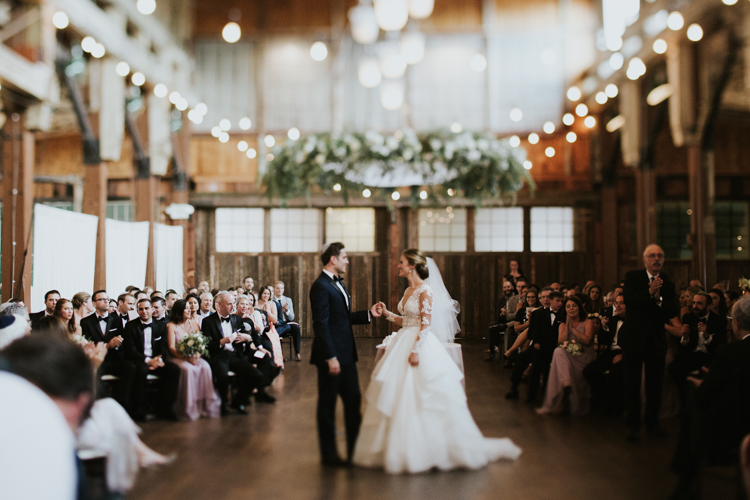
So aim to tell your story from the perspective of someone who was peeking over your shoulder. A great example is a wedding day. You don’t start a wedding day with the big dramatic first kiss, right? Set your scene. Show the viewer your location. Introduce them to the setup, then move in close to get the detail shots. It’s a much closer proximation to the reality of the day, and it helps our brains understand what’s going on when we’re viewing it on a computer after the fact.

Start broad.

Start broad.

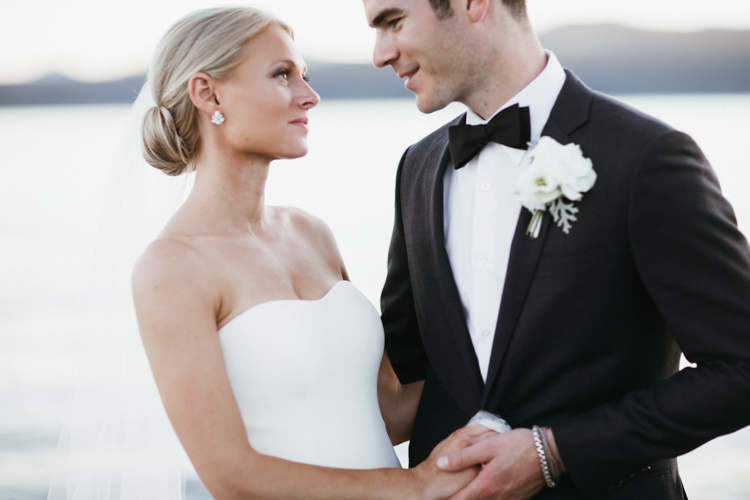
Then move in for more detail...

Then move in for more detail…

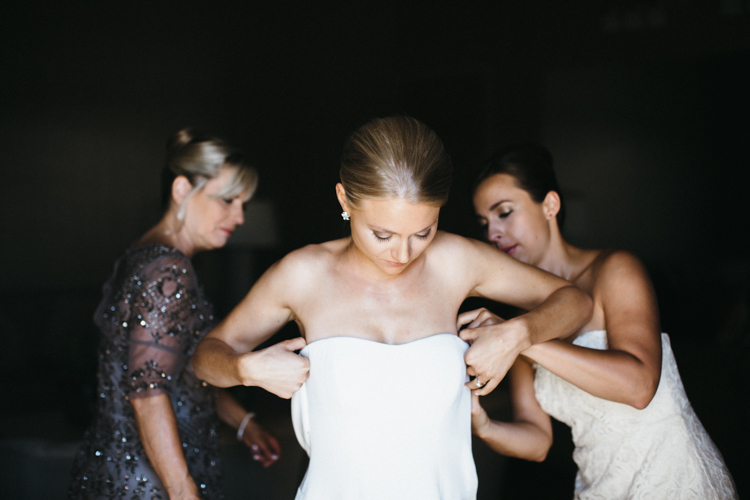
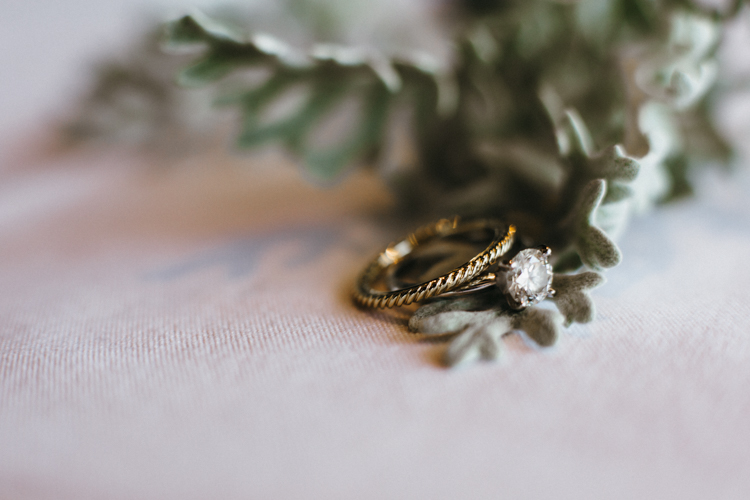
... and then even more detail.

… and then, even more detail.

From there, remember to include varying visual perspectives. If you’ve already shared a couple’s full-body portraits, don’t overdo it with the same angle. Move into a closeup of their faces, or a detail of their outfits. Or share a different detail from the day altogether. But for the love of Richard Avedon, please don’t share a dozen nearly-identical photos! Find a new perspective, and make it memorable.

culling (4 of 1)

Far away!

culling (3 of 1)

Close up! And it’s unique enough of a perspective, that including this shot rounds out the story of the previous one.

Step 3: Tell the Truth – Kind of

My favorite Emily Dickenson line is, “tell all the truth but tell it slant.” This is advice straight from a poet to a photographer, so use it wisely. Friends, there is no grand blog court that has ruled that you must share every image, from every scene, in every shoot. YOU are the artist, and YOU get to decide how you’re going to tell the truth! Let’s not squander that freedom! You’re an artist, and you can unfold a story in the most artistic way you deem worthy. Here’s what you do NOT have to do:

  • Share images in the precise order you shot them.
  • Share images from the scenes or poses that you wanted to try but didn’t quite work (and hey, good job trying new stuff!).
  • Share images the client asked you to take that don’t totally represent your vision or your brand.
  • Share images that don’t progress the story you want to tell.

The science of photography is that you always get to tell the truth. The art of photography is that you can tell it slant. Play that line because you can.

culling (5 of 1)

Step 4: Stay in the Flow

So, now that you’ve culled only the very best of your images, laid them out in a compelling story, shared your artistic skill with the world, and put together a bomb post, make sure the little details aren’t subtly throwing shade onto your creation.

Step away from your computer, go for a walk, have a glass of wine, do you… and then come back to review what you’ve written, shared, and how it all comes together. Try to have fresh eyes.

Is anything too repetitive? Do your shots flow together? Do your black and white images land in places throughout the post that make sense? If you include captions, do they add or detract from the overall effect of your story? These little details can take a post from good to truly excellent, so make sure you give your post another look before you click “Publish.”

culling (6 of 1)

What are your tips for culling photos for a great social media or blog post? What are your big no noes? I’d love to hear them.

googletag.cmd.push(function() {
tablet_slots.push( googletag.defineSlot( “/1005424/_dPSv4_tab-all-article-bottom_(300×250)”, [300, 250], “pb-ad-78623” ).addService( googletag.pubads() ) ); } );

googletag.cmd.push(function() {
mobile_slots.push( googletag.defineSlot( “/1005424/_dPSv4_mob-all-article-bottom_(300×250)”, [300, 250], “pb-ad-78158” ).addService( googletag.pubads() ) ); } );

The post How to Cull Your Images to Tell a Stronger Story in Your Blog or Social Media Posts by Laura Sullivan appeared first on Digital Photography School.


Digital Photography School

 
Comments Off on How to Cull Your Images to Tell a Stronger Story in Your Blog or Social Media Posts

Posted in Photography