RSS
 

Posts Tagged ‘Magic’

Autonomous Trap: Artist Uses Ritual Magic to Capture Driverless Cars

28 Mar

[ By WebUrbanist in Art & Installation & Sound. ]

car trap

Somewhere between pagan magic, modern science and quirky satire, this installation project uses salt circles but also the logic of traffic lines to lure in and ensnare unsuspecting autonomous vehicles.

salt trap car

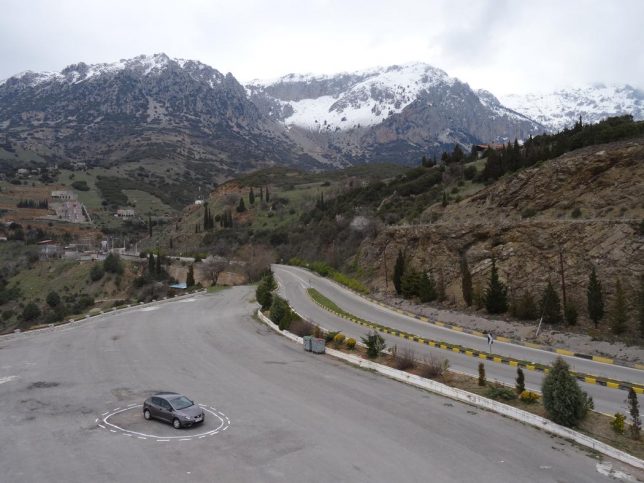
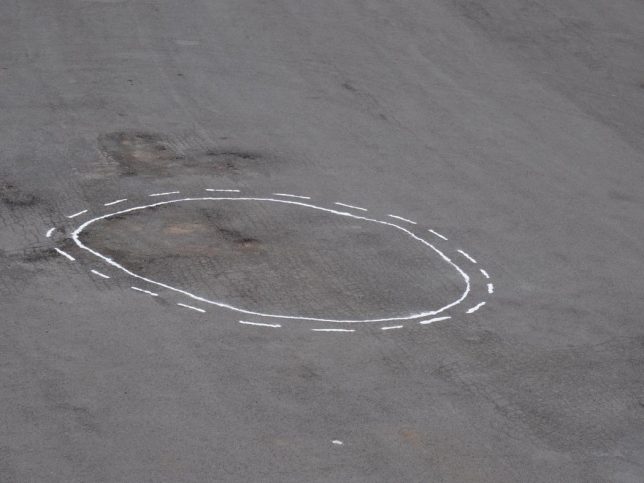
James Bridle‘s Autonomous Trap 001 employs familiar street markings found on divided highways – per the rules of the road, cars can cross over the dotted line but not back over the solid line. It sounds a bit absurd, but consider: driverless cars with various degrees of autonomy are already hitting the streets, and these do rely on external signals to determine their course. As these technologies gain traction, it is entirely likely that serious attempts will be made to spoof and deceive their machine vision algorithms.

“What you’re looking at is a salt circle, a traditional form of protection—from within or without—in magical practice,” explains Bridle. “In this case it’s being used to arrest an autonomous vehicle—a self-driving car, which relies on machine vision and processing to guide it. By quickly deploying the expected form of road markings—in this case, a No Entry glyph—we can confuse the car’s vision system into believing it’s surrounded by no entry points, and entrap it.”

autonomous vehicle trap magic

“The scene evokes a world of narratives involving the much-hyped technology of self-driving cars,” writes Beckett Mufson of Vice. “It could be mischievous hackers disrupting a friend’s self-driving ride home; the police seizing a dissident’s getaway vehicle; highway robbers trapping their prey; witches exorcizing a demon from their hatchback.” It has elements of cultural commentary that stem from acute awareness of real conditions, bordering on the absurd but also quite sobering.

mountain pass

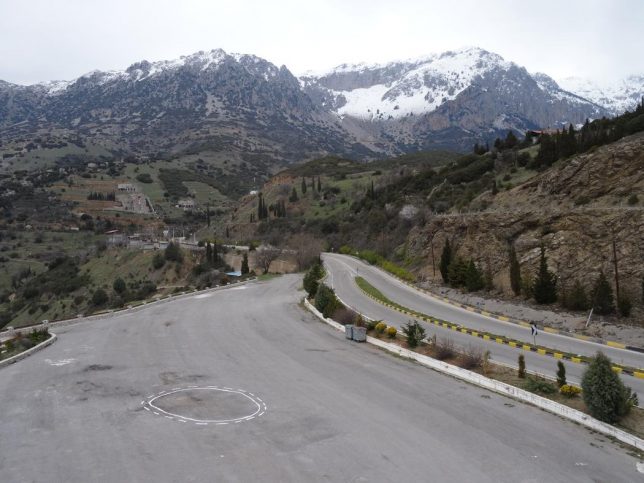
In fact, Bridle made his trap while training his own DIY self-driving car software near Mount Parnassus in Central Greece. “Parnassus feels like an appropriate location,” he says, because “as well as [having] quite spectacular scenery and [being] wonderful to drive and hike around, it’s the home of the Muses in mythology, as well as the site of the Delphic Oracle. The ascent of Mount Parnassus is, in esoteric terms, the journey towards knowledge and art.” Meanwhile, Bridle continues to work on other pieces related to contemporary technology, tackling subjects from machine vision and artificial intelligence to militarized tech and big data.

Share on Facebook


[ By WebUrbanist in Art & Installation & Sound. ]

[ WebUrbanist | Archives | Galleries | Privacy | TOS ]


WebUrbanist

 
Comments Off on Autonomous Trap: Artist Uses Ritual Magic to Capture Driverless Cars

Posted in Creativity


How to Create Magic in Your Photos with the Pixelstick

26 Jan

Who doesn’t want special super powers? Popular culture is awash these days with characters with added extras. To date, these include wizards with magic wands, Jedi’s with light sabers, and now there are photographers with pixelsticks! That’s right, welcome to the future because the pixelstick is here and it’s going to change the way you do photography if you embrace it. The pixelstick enables you to make amazing light paintings in camera, so let’s take a look at it and see why it’s an essential purchase for those who like creative photography.
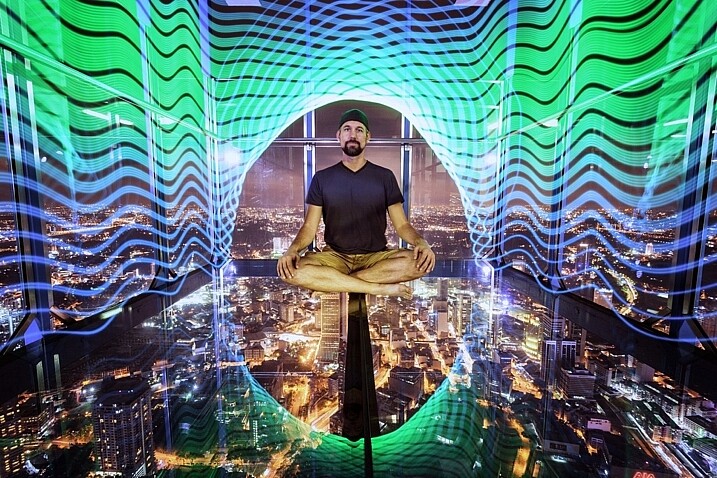
The light from the pixelstick perfectly framed my friend and fellow DPS write, Pete DeMarco.

The light from the pixelstick perfectly framed my friend and fellow DPS writer, Pete DeMarco.

What is light painting?

Light painting is a technique you can use to create fascinating images. To do it you need to photograph at night, use long exposure, and have a light source. You can divide light painting into two types, those that you do in front of the camera, and those you do with the camera.

  1. Light painting with the camera: Using the camera to light paint is called kinetic light painting and involves techniques such as zoom bursts, or camera rotation.
  2. Lighting painting in front of the camera: You can also move lit or glowing objects in front of the camera during a long exposure, to paint the scene in front of the camera.

In many cases the first time you do any light painting it will be to spell your name using sparklers or a flashlight. The next step if you became more serious would usually be making light orbs, and other light painting shapes with things like fairy lights. Now there is the pixelstick, which makes light painting both easier to do, and more sophisticated.
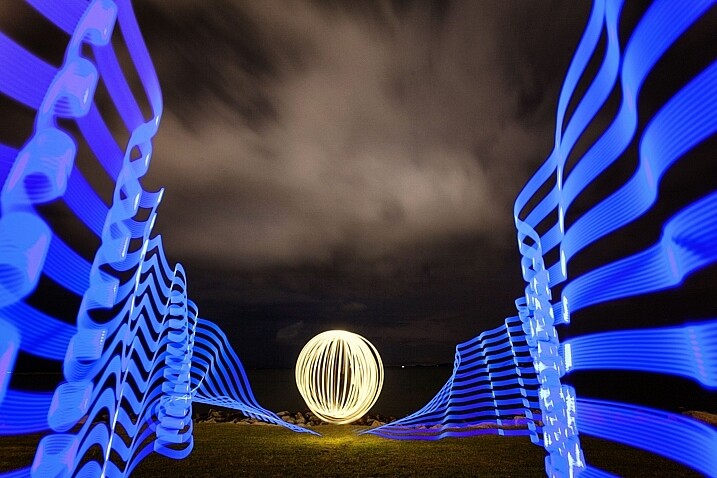
Light orbs are a lot of fun to create, it's even more fun to light paint with the pixelstick as well.

Light orbs are a lot of fun to create and it’s even more fun to light paint with the pixelstick as well.

The game changer, introducing the pixelstick

The pixelstick is the result of the inevitable evolution of light painting, and the advancement of technology. The pixelstick is a product designed and produced by bitbanger labs, following a successful Kickstarter fundraising campaign. The neat thing about the pixelstick is that you can program it to create any light pattern you want, in fact, you can even use it to create light painted pictures.
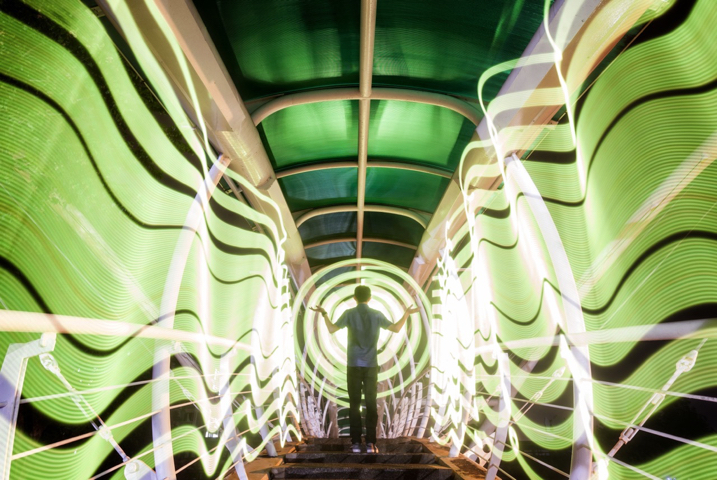
How to Create Magic in Your Photos with the Pixelstick

This is possible through importing BMP files onto an SD card, which can then be slotted into the pixelstick’s operating system. You have control of many useful aspects, brightness of the light, the speed of the pattern transmission, repeat firing of the pattern, white balance, and delayed fire, are some of the useful functions.
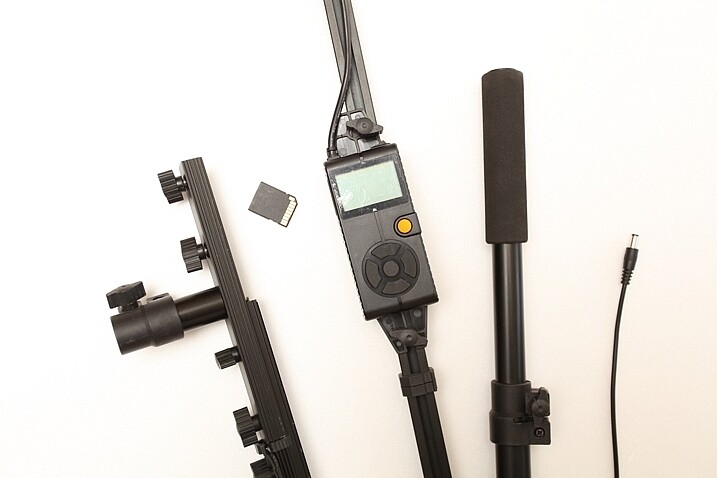
The pixelstick comes with a controller that you can change the light painting with.

The pixelstick comes with a controller that you can use to change the light painting design.

Vital stats, what you need to know about the pixelstick

The pixelstick at full length is great for light painting, but not so good for traveling. It’s fortunate that the design allows you to break it down to half its length, and store it in the bag. But, the length is still too long for hand luggage on a plane, which presents a problem if you plan on using it in more exotic locales. The essential information about the pixelstick and what comes with it are:

  • Comprised of a strip of 200 RGB LED lights, allowing for a combination of 16 million colors.
  • Has an aluminum case housing, to protect the LEDs from damage.
  • Full-length 187cm (73.5 inches), and a storage length of 109cm (43 inchses).
  • Weight is 1.8kg (4 pounds).
  • The device uses 8 AA batteries.
  • There is a control center with a battery pouch that attaches to the stick, with cables to connect everything together.
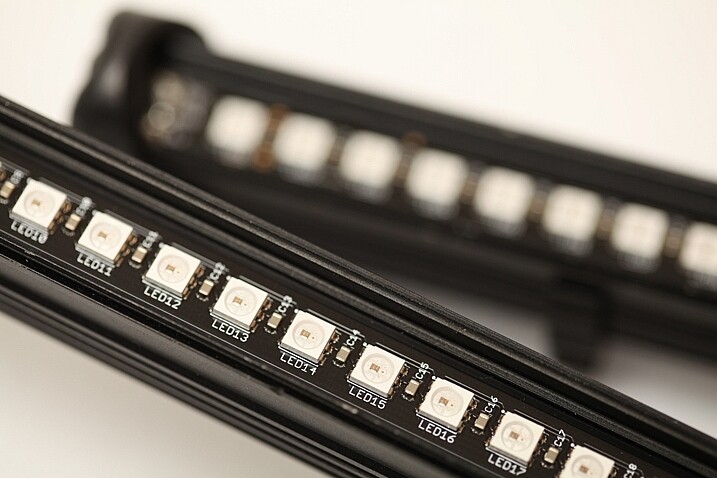
The 200 LED lights on the pixelstick come enclosed in a light weight metal case, this protects them from damage.

The 200 LED lights come enclosed in a light-weight metal case which protects them from any damage.

How to do light painting

Light painting is a long exposure technique, which you’ll need a tripod to achieve. You can follow the steps set out below, or for a more detailed guide check out: Beginner’s Guide to Light Painting .

  1. Choose a location and time of day that will be dark. You need to be able to expose for at least 10 seconds in most cases, so locations with less ambient light are ideal.
  2. Dress in black clothes, this will minimize the chance of you showing up in the photo.
  3. Place your camera on a tripod, and compose your scene. As you’re light painting, make sure there is enough space within the composition set aside for the design. In other words, plan where and how big the light design will be, then make sure it will all be contained inside the frame.
  4. Take the light source into the scene you composed, turn it on, and leave it in front of the camera.
  5. Turn on your camera’s LiveView function, and focus on the light source using manual focus (use the + or zoom button to show a magnified view which will make it easier for you to focus). Leave the camera in manual focus to make sure your focus point remains the same.
  6. Set the camera’s self-timer to 10 seconds, and begin the countdown. If you have a remote shutter release you may prefer to use that to trigger their camera.
  7. While the camera is counting down, move into position in front of the camera with your light source in hand.
  8. Just before the shutter releases, begin your light painting pattern.
  9. Carry out any light painting you wish to do. Then, once you have finished painting, turn off your light source and move out of the frame.
  10. Go back to your camera and wait for the exposure to finish. Check your result and repeat if necessary.
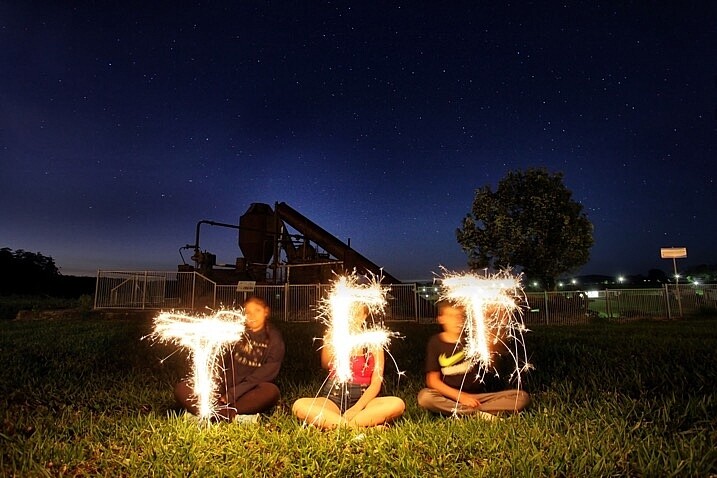
A lot of people have fun using sparklers to create light paintings. These can look nice, the pixelstick takes you to the next level.

A lot of people have fun using sparklers to create light paintings. These look nice, but the pixelstick takes it to the next level.

Using the pixelstick to create abstract light paintings

There are many different types of light sources, the pixelstick is just one example. However, these effects can also be achieved by using something as simple as a kid’s toy light saber. The focal point of your image is going to be the light painting itself, or perhaps an architectural feature that you’ll emphasize with light.
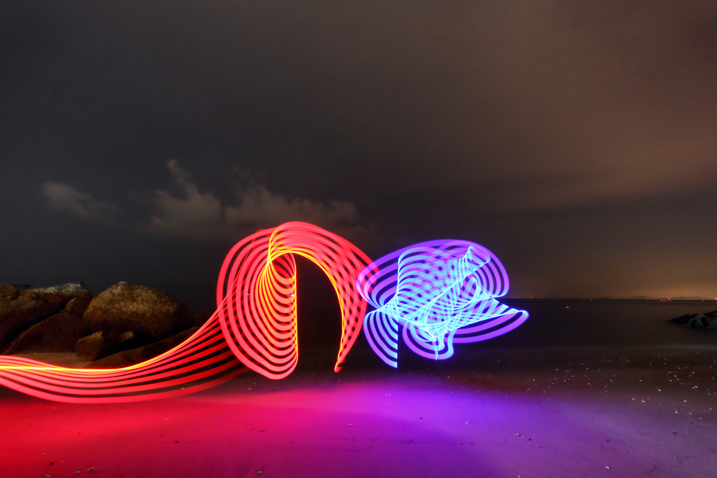
How to Create Magic in Your Photos with the Pixelstick

The main thing is to keep it simple, with the light flowing through the scene. If you over-elaborate and make too many movements then it’s the digital equivalent of scribbling on a piece of paper, and it usually doesn’t turn out well. So when you’re making abstract light paintings, keep these things in mind:

  1. Keep the line flowing. You probably know leading lines work well in photos, and light painting is a great way of introducing some into your frame. Have a plan for the direction the line will flow in your frame, and how it will lead the viewer’s eye to the point of interest.
  2. Use repetition. Having a pattern in your frame and repeating it makes a nice light painting. Repetition often works well for photographs, and the control you have with the pixelstick allows you to do this more easily.
  3. Keep it simple. There is a temptation to overcook (do too much) a light painting. With practice, you’ll find the strongest scenes use a more minimalist approach. A simple rotation of the pixelstick or light saber is often all that’s needed.

The pixelstick is really good for abstract work. The preset light patterns that come with the stick will help get you going quickly.
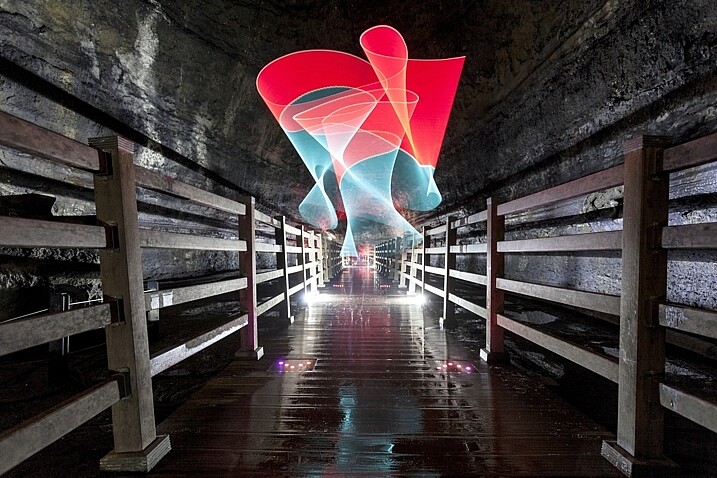
The most effective light paintings can often be when things are kept simple.How to Create Magic in Your Photos with the Pixelstick

The most effective light paintings happen when things are kept simple.

The pixelstick for portraits

The pixelstick can be used to frame a model, and/or create leading lines towards the subject making it a powerful tool for portrait photographers. The difficulty you will encounter when shooting long exposures with a model is freezing them so they’re sharp. The pixelstick itself isn’t any better than other light painting tools you can use, but the following tips can help.
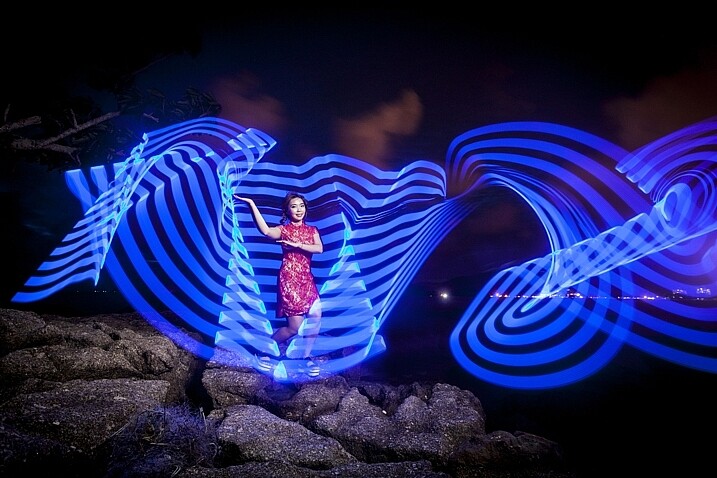
In this photo a Jinbei 600 flash was used to light the model, while the pixelstick produced the light painting.

In this photo, a Jinbei 600 flash was used to light the model, while the pixelstick produced the light painting around her.

  • Keep the exposures short. The shorter the exposure, the less chance there is your model will move. This will mean shorter, simpler light paintings.
  • Use strobes to light the model. Using a strobe (flash) to light your model means that any movement in the model is less likely to show.
  • Ask the model to hold still. This is easier said than done, but if your model can hold really still for 20 seconds, then you can create longer more complicated light paintings.
  • Have the model face away from the camera. Any movement of the model’s face will show in the image. So, having the model face away from the camera helps it look less obvious.

Where the pixelstick really works well is how you make it interact with your model. This may mean that the colors in the light painting contrast with the color of the model’s clothes. Or maybe you can make the model appear to be holding some of the painted light. The creative potential of light painting combined with a model is vast, so you should have fun.
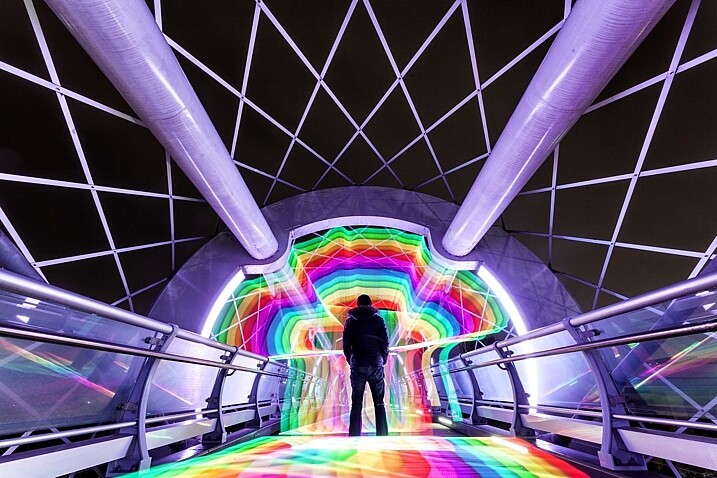
Asking the model to face away from the camera makes it much easier to mask any movements there may have been. How to Create Magic in Your Photos with the Pixelstick

Asking the model to face away from the camera makes it much easier to mask any movements there may have been during a long exposure.

Light painting for product photography

The customization available with the pixelstick makes it a fantastic choice for product photography. One of the main niche genres is car photography, where the ribbon lines or checkered flag designs can be used.

This technique is similar to photographing a model, only your product won’t move, which allows for longer exposures. You can program in the name of the product, or even the company’s logo. The pixelstick really beats other types of light painting hands down, as the light design can be made to specifically match the product or branding.
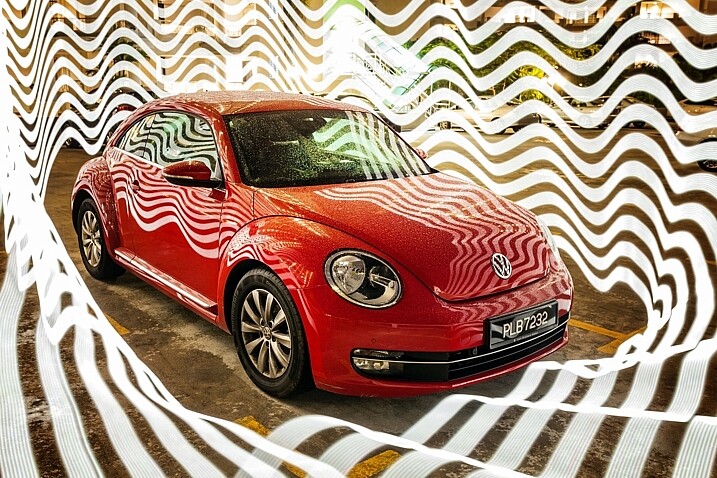
Cars are great subject for light painting of all forms, the pixelstick gives you even more scope to experiment.

Cars are great subjects for light painting of all forms. The pixelstick provides more options for experimenting.

Personalizing your light design

The ribbon presets, and the downloadable BMP files that come with pixelstick provide a lot of creative variety. But the real fun starts once you begin to add your own designs into the pixelstick. It’s this feature more than any other that gives this tool its power. The creativity is really infinite so here are a few ideas for you:

  • Find images through creative commons of national flags.
  • Edit the color scheme of some of the downloadable patterns that pixelstick provides.
  • Photograph textures shots of leaf beds or brick walls and use them to light paint.
  • Use your own landscape photos.
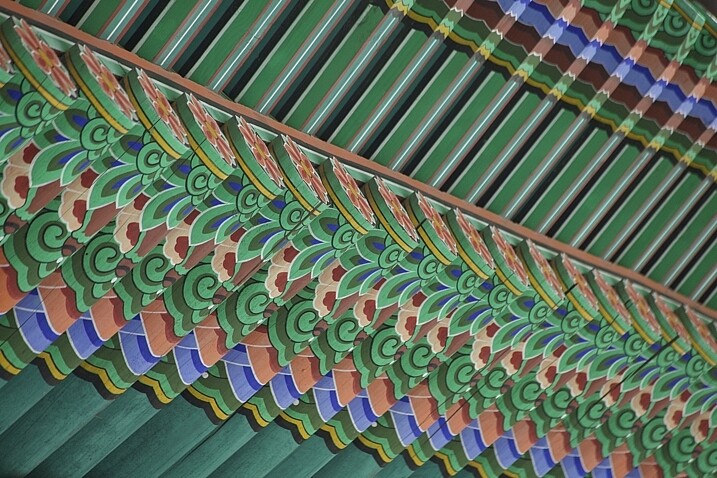
The texture and patterns of traditional Korean roofing looks beautiful, and made for a great light painting pattern.

The texture and pattern of this traditional Korean roof made for a great light painting pattern.

Converting your files for use with the pixelstick could not be easier. Pixelstick has a drag and drop service on their website where you can do this easily. Alternatively, you could design and edit your image with Photoshop. Your image needs to be sized to 200 pixels high, with the length being as long as you desire. Once this is done the file needs to be flipped counter clockwise and saved as a BMP file. When creating a new file, any black areas will appear as blank (no light) when the light painting occurs.
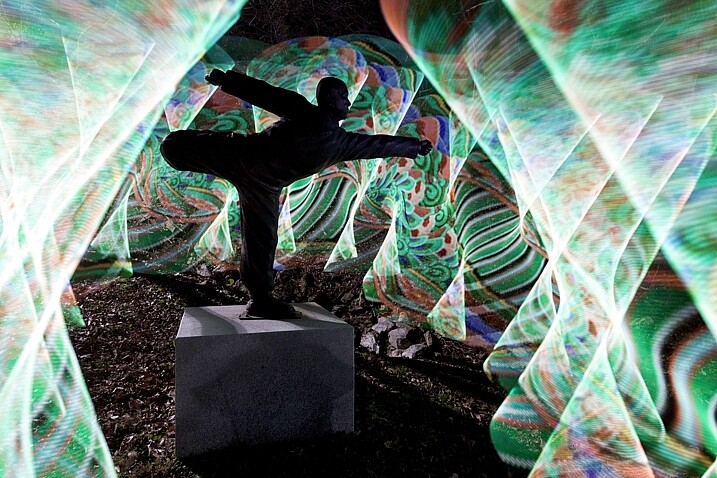
In this photo the statue of a buddhist grandmaster has been light painted around using traditional Korean patterns as the light source.

In this photo, the area around the statue of a Buddhist grandmaster has been light painted using the traditional Korean pattern I created (above) as the light source.

Vibrant videos with the pixelstick

The pixelstick’s scope of creativity goes beyond still photography, and it can do amazing things for animation. You are going to create a stop motion video with the pixelstick, and use a series of long exposure photos to make this. Think of an animation flipbook, only this is the digital version of that.

Steps to create an animated GIF

Animating a single scene with the pixelstick could not be easier. Follow these steps to make an animated gif (like the one below) or perhaps a short video. You don’t need a pixelstick to create this type of animation of course, but you have a lot more options at your fingertips if you do.
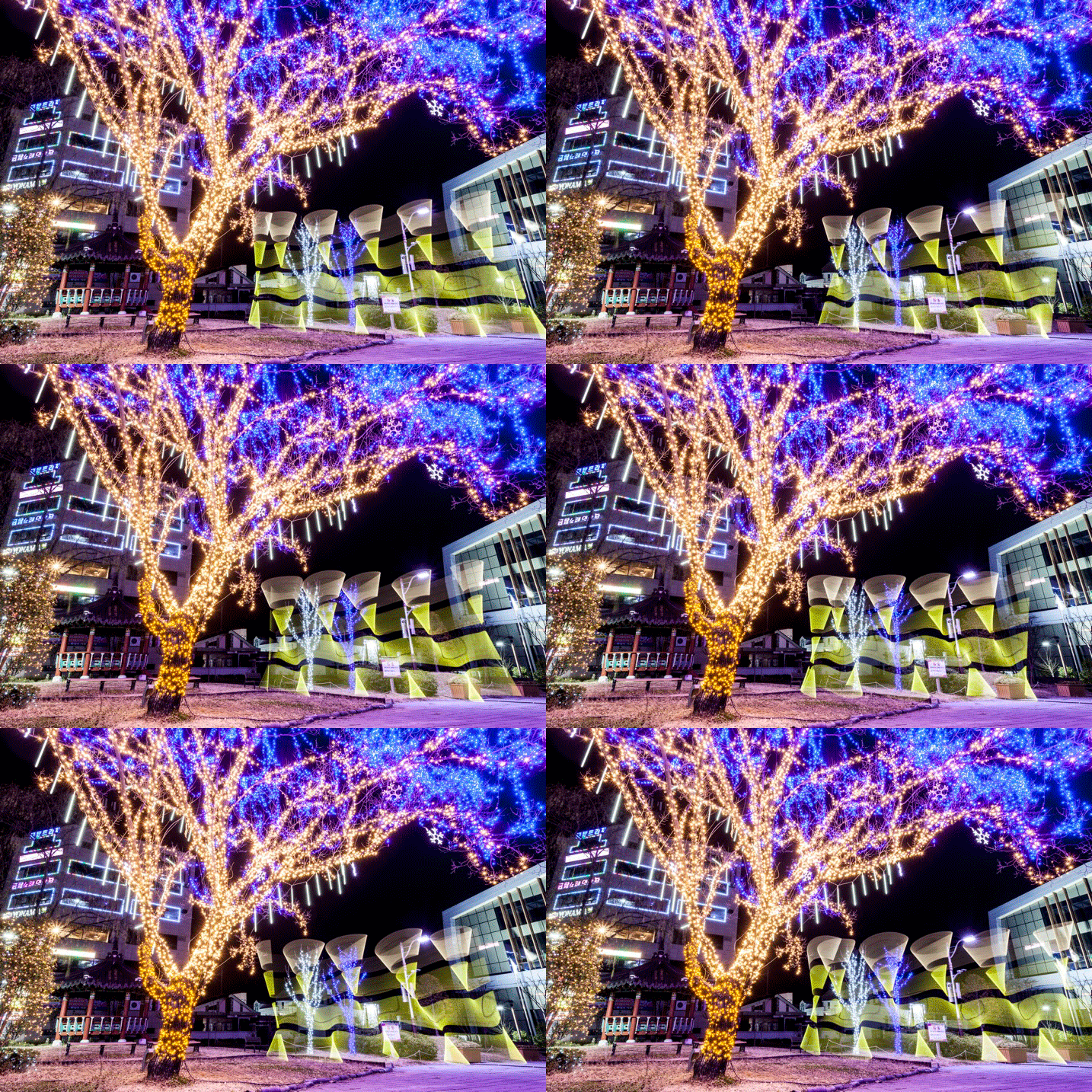
The pixelstick can also be used for make smaller gif animations. The creative potential here is huge.

The pixelstick can also be used for make smaller gif animations. The creative potential here is huge.

  1. Set your camera on a tripod, and ensure it doesn’t move.
  2. Compose your scene, and decide where your light painting animation will occur.
  3. Use a remote cable shutter release, this will prevent any movement of the camera.
  4. Allow a long enough exposure for you to complete the light painting.
  5. Begin the exposure, and move into the frame to start and complete the light painting.
  6. Repeat the exposure and the same light painting at least 10 times.
  7. Take your camera home, and import the photos to your computer.
  8. You now need to import the files to photoshop. To do this go to file>scripts>load files into stack.
  9. Open the timeline window, and select “create frame animation”. This will import one frame into your animation.
  10. On the right-hand side of the timeline window click the menu option, and select “create frames from layers”. Now reverse the order of the frames.
  11. Hit play and remove any frames that interrupt the flow of your animation.
  12. The file is now ready, export it as a gif file.

Stop-motion videos

Creating a longer stop-motion video is very similar to making an animation, in essence, you’re just making an extended version. As opposed to repeating a light painting many times, you may well simply move through a scene when making this type of video.

It’s better to use a dedicated stop-motion app for making this type of video, with stop-motion studios for windows, and istopmotion for mac being a couple examples of options.

pixelstick

One frame from the series used to make the stop-motion video below.

Conclusion

The pixelstick really is a magical tool. You can create spellbinding images that will wow your friends if you decide to purchase one. The size of the stick is something of a double-edged sword, thought. It allows for bigger more dramatic light paintings, but it is also harder to transport, even when broken down into its carry bag. Is the pixelstick worth dropping the extra cash on, versus a cheaper D.I.Y. light stick? If you’re serious about improving your light painting, then yes it’s worth the money in my opinion.

The ability to customize the type of light emitted gives you so much control. Doing this with a DIY light-stick would take many hours, and in many cases would be impossible to replicate what the pixelstick does. At around $ 350, you could spend more money on other photography gear without getting the same level of creative energy you get from this tool. Whether you’re interested in still photos or animation, this will quickly become a vital part of your setup.
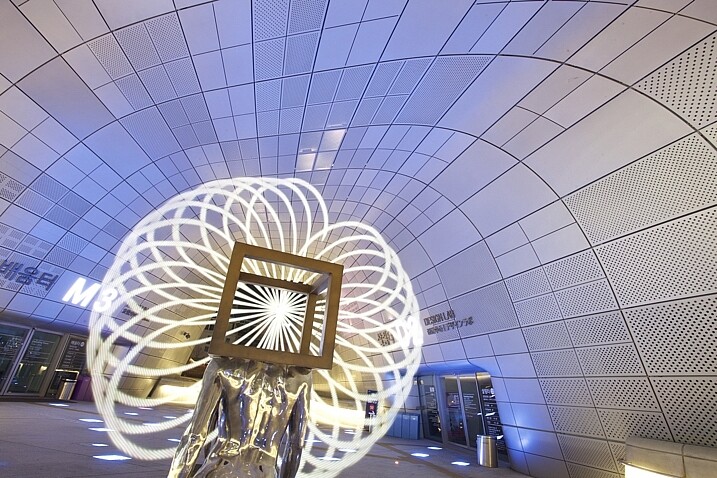
The way you make light interact with it's surrounds can be highly effective.

The way you make light interact with the surroundings can be highly effective.
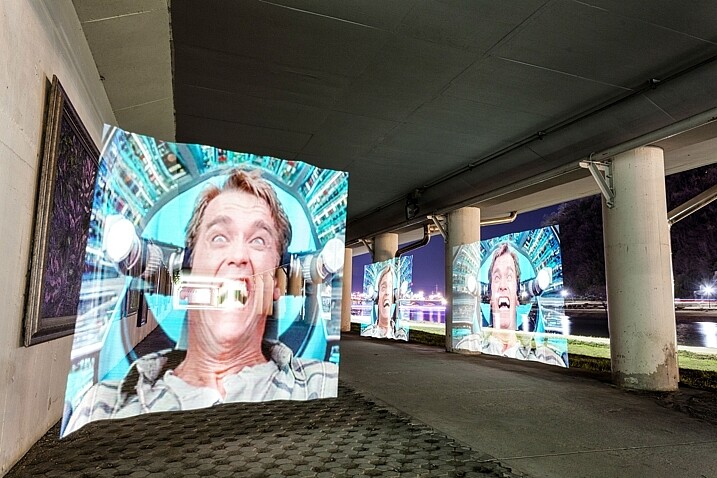
The light paintings the pixelstick is capable of are highly sophisticated.
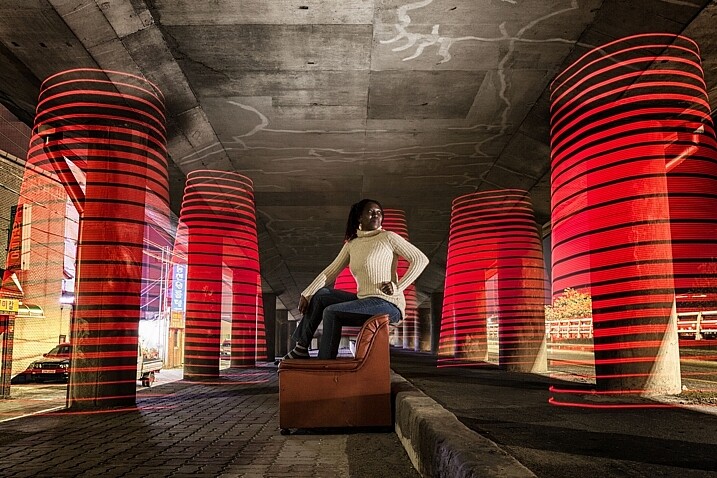
The light paintings the pixelstick is capable of are highly sophisticated.

In this image the pixelstick was used to add repetition to the scene, and an otherworldly feel.

In this image, the pixelstick was used to add repetition to the scene, and create an otherworldly feel.
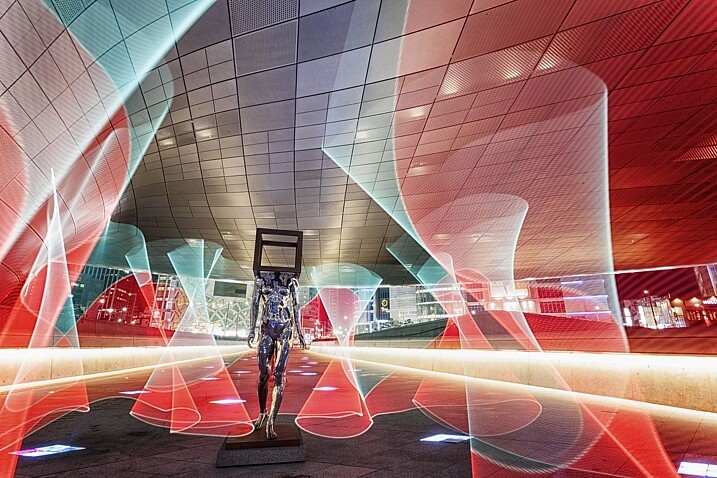
The flow and lines that you can create with the pixelstick make the photo stand out much more.
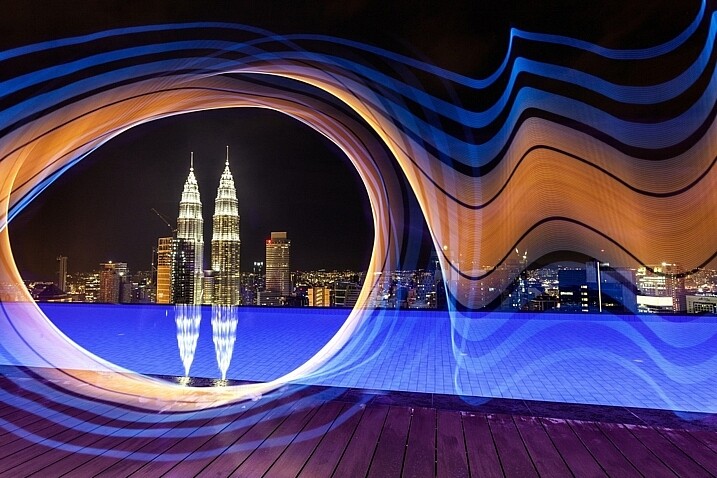
The flow and lines that you can create with the pixelstick make the photo stand out much more.

The petronas towers in Kuala Lumpur are framed using light from the pixelstick, adding a lot of interest to this photo.
The Petronas towers in Kuala Lumpur are framed using light from the pixelstick, adding a lot of interest to this photo.

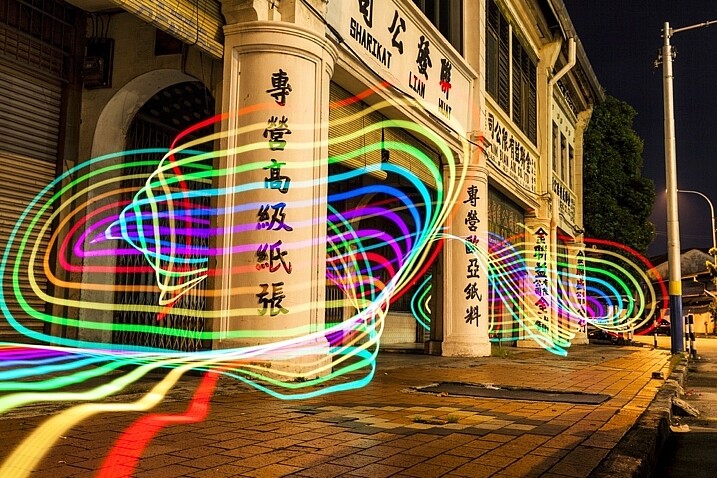
The light weaves in and out of the pillars, adding direction to this photo.

The light weaves in and out of the pillars, adding direction to this photo.

googletag.cmd.push(function() {
tablet_slots.push( googletag.defineSlot( “/1005424/_dPSv4_tab-all-article-bottom_(300×250)”, [300, 250], “pb-ad-78623” ).addService( googletag.pubads() ) ); } );

googletag.cmd.push(function() {
mobile_slots.push( googletag.defineSlot( “/1005424/_dPSv4_mob-all-article-bottom_(300×250)”, [300, 250], “pb-ad-78158” ).addService( googletag.pubads() ) ); } );

The post How to Create Magic in Your Photos with the Pixelstick by Simon Bond appeared first on Digital Photography School.


Digital Photography School
 
Comments Off on How to Create Magic in Your Photos with the Pixelstick

Posted in Photography


Magic Lantern proof-of-concept shows in-camera DNG shooting

04 Jan

Magic Lantern, the free software add-on for some Canon cameras, may one day offer in-camera DNG shooting, at least per a proof-of-concept that has appeared on the company’s forums. The proof-of-concept comes from forum administrator ‘a1ex,’ who details a way in which he got Magic Lantern to produce an in-camera lossless 14-bit DNG file that Adobe’s dng_validate accepts. Although most high-end Canon cameras shoot Raw, files are recorded in Canon’s proprietary .CRW and .CR2 formats.

This proof-of-concept is not a feature currently offered by Magic Lantern, so current users will not be able to access it, and there is no indication at this time whether the software will ever add this feature.

Magic Lantern forum user ‘Danne’ went on to provide sample DNG images taken using this encoder mod; a direct download is available here.

Via: PetaPixel

Articles: Digital Photography Review (dpreview.com)

 
Comments Off on Magic Lantern proof-of-concept shows in-camera DNG shooting

Posted in Uncategorized


Attach a 1000 Watt LED panel to a drone and magic happens

20 Oct

Drone photography has become hugely popular in the past few years and people are finding new, creative ways to utilize drones. Photographer Daniel Riley attached a 1000 Watt LED light panel to his Freefly Alta-8 Drone and filmed the entire process. The results have us impressed – take a look for yourself.

Articles: Digital Photography Review (dpreview.com)

 
Comments Off on Attach a 1000 Watt LED panel to a drone and magic happens

Posted in Uncategorized


‘Dark Magic’: Recording video of the Perseid Meteor Shower with the Canon ME20F-SH

13 Sep

Ben Canales of Oregon-based Uncage the Soul video production company has a few nice things to say about the Canon ME20F-SH. ‘It’s pretty much borderline dark magic,’ he tells DPR over email. I’ve gotten in touch with him to ask about the video you see above, a short film following 20 high schoolers studying the Perseids Meteor Shower as part of a summer astronomy camp. He used the camera and a Sigma 20mm F1.4 DG Art to record the kids as they joined the annual Oregon Star Party, a camp of more than 600 astronomers.

Canales has been on a quest for several years to find the ultimate low-light tool: something that would allow him to capture video of the night sky without using stop motion or time-lapse. ‘A couple years ago I got fixated on the question of “When will we be able to record video of the stars?” I saw the continual progress of sensor quality in my long exposures, and figured it wasonly a matter of time before ISO performance gets so good the shutter speed can be taken down to video frame rates.’

Naturally, he took interest in Sony’s a7S and a7S II, using them for a few low light projects. He calls the A7S series a game changer, ‘but its usable ISO ceiling was somewhere between 50k and 100k… We were close, but not yet close enough to shooting video of the stars. We were past the stop motion look, but the video just looked… kinda crappy.’

‘Hands down – nothing can currently touch this camera’s ability to shoot in low light. Trust me. I’ve obsessively tried them all.’

Then came the Canon ME20F-SH in late July 2015. It boasts pixels measuring 19?m – 5.5X larger than what’s found on high-end DSLRs and is capable of recording video at 75 Db – equivalent to more than ISO 4 million. Canales got ahold of one and found headed away from the city lights to test it out. His review? ‘Hands down – nothing can currently touch this camera’s ability to shoot in low light. Trust me. I’ve obsessively tried them all.’

In recording the video above, Canales found he could work with up to what equates to a 350-400k equivalent ISO. He hopes that with more experimentation he can push it even further. 

So what are some of the challenges of filming in almost total darkness? For one… well, the darkness. ‘Focus is tough,’ Canales says. ‘You need the lens completely wide open to get enough light, so operating in the dark with night vision continually being destroyed by the monitor, and then trying not to fall on the things around me while moving around… it gets comical.’

You’ve also got to work against your natural sleep rhythms. ‘The sleep deprivation and working in time of day we’re normally asleep is the biggest challenge. I made many stupid mistakes simply from exhaustion. But… that’s also the part of this pursuit I enjoy.’

‘We’ve seen this image before, but only in green night vision. To see these scenes resolved in color boggles the mind.’

And then there’s an all-too-familiar problem: curious and excited fellow photographers who want to know just what the heck you’re working with. ‘This thing begs for attention around people,’ Canales learned quickly.

‘Anyone who looks over my shoulder and sees the screen has no choice but to be stunned. We’ve seen this image before, but only in green night vision. To see these scenes resolved in color boggles the mind. We don’t have a baselines for this being possible. I actually had a hard time keeping the Q&A informal interviews with the video subjects not be interrupted by “Dude! How are you doing that!?” ‘

What do you think? Does this technology open up new possibilities for astro-videography? Tell us in the comments below. You can also see more of Uncage the Soul’s work on Vimeo.

Articles: Digital Photography Review (dpreview.com)

 
Comments Off on ‘Dark Magic’: Recording video of the Perseid Meteor Shower with the Canon ME20F-SH

Posted in Uncategorized


SLR Magic announces 35mm and 75mm CINE primes for FE-mount

04 Jun

$ (document).ready(function() { SampleGalleryV2({“containerId”:”embeddedSampleGallery_5065293709″,”galleryId”:”5065293709″,”isEmbeddedWidget”:true,”standalone”:false,”selectedImageIndex”:0,”startInCommentsView”:false,”isMobile”:false}) });

SLR Magic has announced two new E-mount prime lenses aimed at videographers and filmmakers. The CINE 35mm F1.2 and CINE 75mm F1.4 lenses provide fast maximum apertures, include geared barrels for use with follow focus rigs, and are compatible with FE full frame cameras.

The two lenses have several features in common, including manual diaphragm with 13 aperture blades that stop down to F16, 52mm filter threads with non-rotating front elements, a black anodized finish.

Both lenses have a retail price of $ 499 and SLR Magic says they should be available from dealers by August. The company will have hands on demos available at the CINE GEAR 2016 show from June 3-4 in Los Angeles.


Press release:

NEW: THE SLR Magic CINE 35mm F1.2 and SLR Magic CINE 75mm F1.4

Hong Kong, China (June 3, 2016) – SLR Magic extends it’s FE-mount lineup with the SLR Magic CINE 35mm F1.2 wide angle lens and SLR Magic CINE 75mm F1.4 telephoto lens. The products will be officially introduced during upcoming CINE GEAR 2016 show in Los Angeles.

The field of view of the SLR Magic CINE 35mm F1.2 and SLR Magic CINE 75mm F1.4 opens up many new creative composition opportunities, particularly in the fields of portrait, interior, architectural and landscape cinematography and photography.

We place our highest priority in the development on our lenses to fulfill the demands of professional cinematographers and photographers. The design and build of the the SLR Magic CINE 35mm F1.2 and SLR Magic CINE 75mm F1.4 is solid and reliable.

THE SLR Magic CINE 35mm F1.2 (MSRP: $ 499 US/ $ 3,299 RMB) and SLR Magic CINE 75mm F1.4 (MSRP: $ 499 US/ $ 3,299 RMB) will be available from authorised SLR Magic dealers by August, 2016.

The SLR Magic CINE 35mm F1.2 and SLR Magic CINE 75mm F1.4 will be first presented at CINE GEAR 2016 show. There would be a demo at the ATOMOS booth in (Stage 16) during the show held in Paramount Studios in Los Angeles from 3rd to 4th of June 2016.

Technical Data

SLR Magic CINE 35mm F1.2

  • Lens Type: Fast standard lens
  • Compatible Cameras: FE-mount and E-mount cameras
  • Optical Design: 9 elements in 8 groups
  • Distance Settings:
  • Distance range: 0.3m to ?, combined scale meter/feet
  • Aperture: Manually controlled diaphragm, 13 aperture blades , Lowest value 16
  • Filter Mount: Internal thread for 52mm filter; filter mount does not rotate.
  • Surface Finish: Black anodized
  • Dimensions: 
  • Length to bayonet mount: approx. 77.40mm (approx. 3.05in)
  • Largest diameter: approx. 64.73mm (approx. 2.55in)
  • Weight: approx. 535g (approx. 18.87oz)

SLR Magic CINE 75mm F1.4

  • Lens Type: Fast standard lens
  • Compatible Cameras: FE-mount and E-mount cameras
  • Optical Design: 6 elements in 6 groups
  • Distance Settings: 
  • Distance range: 0.70m to ?, combined scale meter/feet
  • Aperture: Manually controlled diaphragm, 13 aperture blades , Lowest value 16
  • Filter Mount: Internal thread for 52mm filter; filter mount does not rotate.
  • Surface Finish: Black anodized
  • Dimensions: 
  • Length to bayonet mount: approx. 78.68mm (approx. 3.09in)
  • Largest diameter: approx. 64.67mm (approx. 2.55in)
  • Weight: approx. 455g (approx. 16.05oz)

Articles: Digital Photography Review (dpreview.com)

 
Comments Off on SLR Magic announces 35mm and 75mm CINE primes for FE-mount

Posted in Uncategorized


23 Dazzling Dawn Images with Magic Light

01 Apr

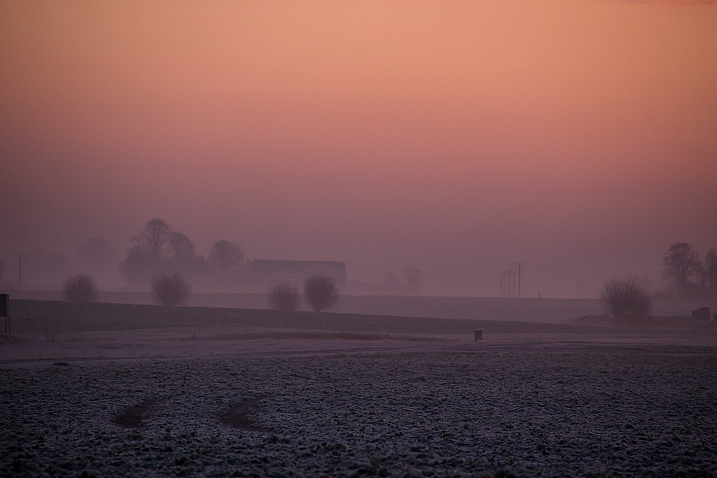
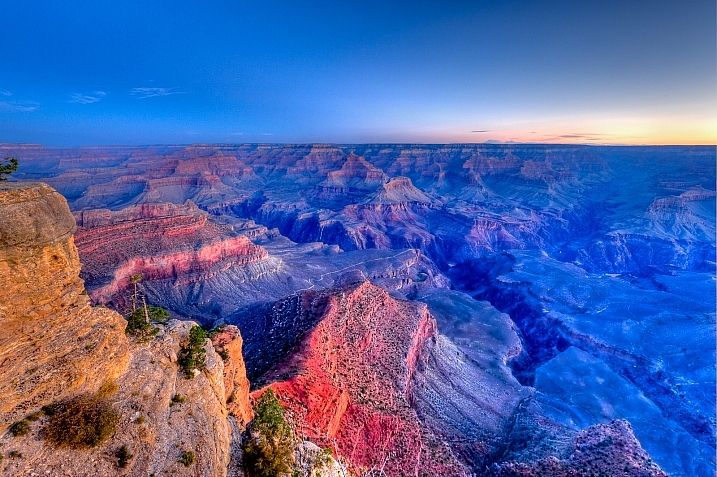
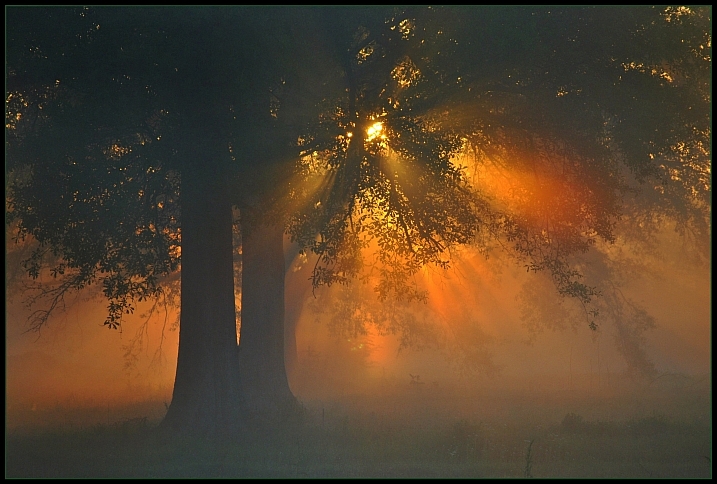
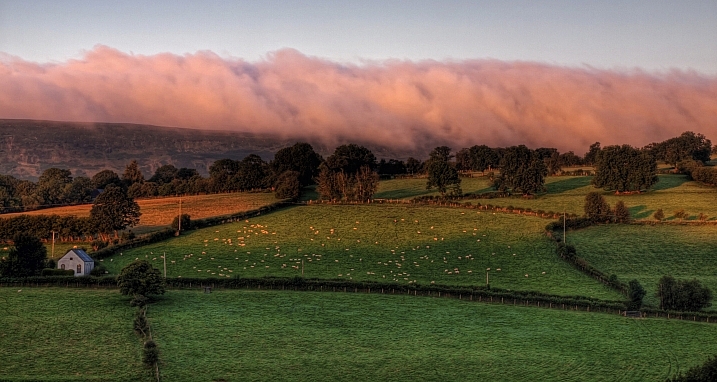
The time of day you shoot at can make a huge difference to the images you capture. Often photographers are shooting at the coveted golden hour – early morning or late evening – when the sun is low and the light is special.

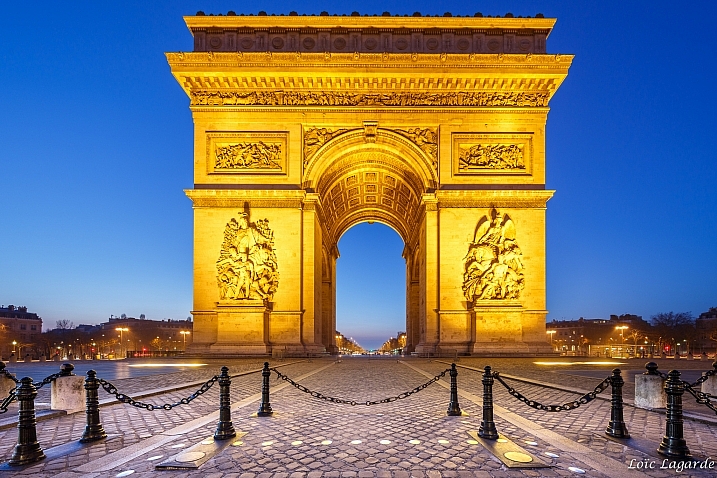
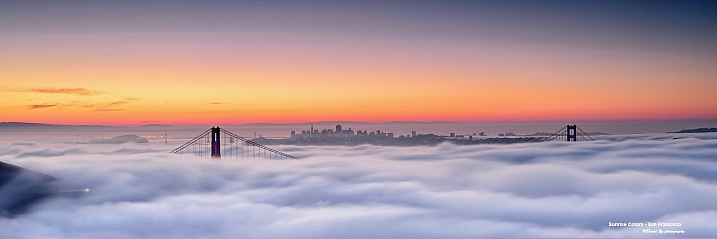
Here is a set of dazzling dawn images that use this magic golden hour light.

Timothy Neesam

By Timothy Neesam

James Jordan

By James Jordan

Guy Mayer

By Guy Mayer

William Warby

By William Warby

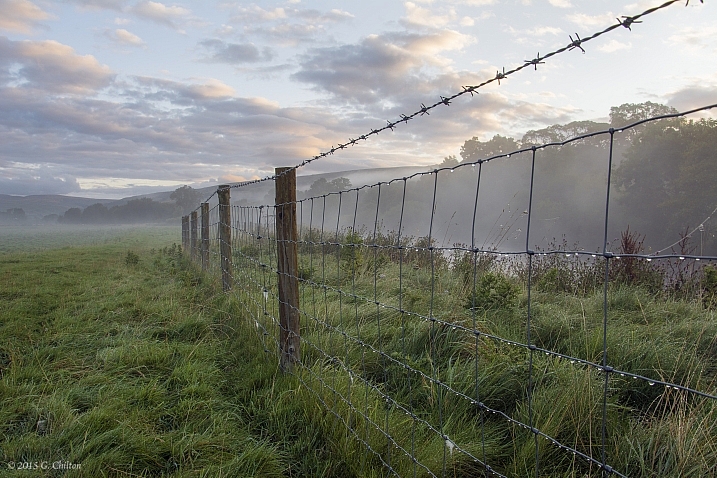
Gideon Chilton

By Gideon Chilton

Susanne Nilsson

By Susanne Nilsson

Howard Ignatius

By Howard Ignatius

Kylie_Jaxxon

By Kylie_Jaxxon

Loco Steve

By Loco Steve

Neil Howard

By Neil Howard

Thomas Hawk

By Thomas Hawk

Enric Martinez

By Enric Martinez

Nicolas Raymond

By Nicolas Raymond

Chuddlesworth

By chuddlesworth

Loïc Lagarde

By Loïc Lagarde

Nicki Mannix

By Nicki Mannix

Bobby Giggz

By Bobby Giggz

David Yu

By David Yu

Sarah Horrigan

By Sarah Horrigan

Mike Warot

By Mike Warot

Susanne Nilsson

By Susanne Nilsson

James Jordan

By James Jordan

Susanne Nilsson

By Susanne Nilsson

RobinTphoto

By RobinTphoto

googletag.cmd.push(function() {
tablet_slots.push( googletag.defineSlot( “/1005424/_dPSv4_tab-all-article-bottom_(300×250)”, [300, 250], “pb-ad-78623” ).addService( googletag.pubads() ) ); } );

googletag.cmd.push(function() {
mobile_slots.push( googletag.defineSlot( “/1005424/_dPSv4_mob-all-article-bottom_(300×250)”, [300, 250], “pb-ad-78158” ).addService( googletag.pubads() ) ); } );

The post 23 Dazzling Dawn Images with Magic Light by Darlene Hildebrandt appeared first on Digital Photography School.


Digital Photography School
 
Comments Off on 23 Dazzling Dawn Images with Magic Light

Posted in Photography


SLR Magic announces anamorphic lenses for filmmakers

10 Feb

SLR Magic, a company known for making affordable optics and accessories for filmmakers, has announced a new set of anamorphic cinema lenses that can be adapted to a variety of lens mounts. The PL mount ANAMORPHOT-CINE line of lenses includes the 35mm T2.4, the 50mm T2.8 and the 70mm T4, all of which can be adapted for Canon EF, Nikon F, Micro Four Thirds and Sony E-mount.

Anamorphic lenses are frequently used by filmmakers to capture wide-screen aspect ratios commonly associated with a more cinematic look. This is accomplished by squeezing the image horizontally onto the sensor or film to capture a wider horizontal angle of view. The image is later ‘de-squeezed’ either in post processing or by a special lens attached to a projector. 

Digital filmmakers sometimes mimic the anamorphic effect by cropping off the top and the bottom of the frame in post processing to create a wider aspect ratio, however this effectively results in throwing away much of the data captured by the sensor. Additionally, anamorphic lenses are directly responsible for some of the looks often associated with cinematic productions, such as horizontal lens flare and elongated bokeh. The ANAMORPHOT-CINE lenses have a 1.33x squeeze factor, making it possible to create a 2.35:1 image from a 16:9 sensor.

The ANAMORPHOT-CINE lenses also provide an alternative to anamorphic adapters that are often used to create an anamorphic image using a standard lens.

The new lenses will be available for demo at the BVE Expo in London from February 23-25. Pricing is yet to be announced.

Press release:

NEW: The SLR Magic Anamorphot-CINE 1.33x PL lens set

Hong Kong, China (Feb 9th, 2016) – SLR Magic is proud to announce the SLR Magic ANAMORPHOT-CINE 1.33x PL lens set for filmmakers which could be adapted to EF/F/mFT/E-mount via adapter.

As a commitment to the film industry, SLR Magic developed the SLR Magic ANAMORPHOT-CINE lenses to deliver the classic contrast, distortion, chromatic, color aberration, and flare characteristics of vintage anamorphic lenses, but with the convenience of a matched lens set without the hassle of aligning and matching lenses to the already popular SLR Magic Rangefinder with Anamorphot adapter combination.

To achieve the much loved scope aspect ratio, which gives a very pleasant, epic effect, filmmakers must crop off the top and bottom of standard 16:9 footage when using spherical lenses with modern digital cameras. As a result, 25% or more sensor/negative information is discarded.

This 1.33x anamorphic lens help filmmakers to maximize their image quality by preventing this loss of vertical resolution. The unique 1.33x squeeze factor uses the entire 16:9 sensor/negative area to achieve the desired 2.35:1 aspect ratio. The SLR Magic ANAMORPHOT-CINE 1.33x does this by compressing a 33% wider field of view to fit the width of the 16:9 sensor/negative without compressing image height. 

The SLR Magic ANAMORPHOT-CINE 1.33x create a unique “artifact” such as horizontal lens flare, commonly referred to as anamorphic streaks, and may create slightly elongated bokeh. Over the history of cinema, these same stylish effects have contributed to the cinematic “look” of epic motion picture photography. Characteristics that shape this anamorphic “look” come from “front-mounted” anamorphic designs such as the SLR Magic Anamorphot while “rear-mounted” anamorphic designs have more suppressed anamorphic characteristics.

Lenses would be on demo at the BVE Expo in London, UK from February 23-25 in the Atomos booth K30

Technical Data:

  • SLR Magic ANAMORPHOT-CINE 35mm T2.4
  • SLR Magic ANAMORPHOT-CINE 50mm T2.8
  • SLR Magic ANAMORPHOT-CINE 70mm T4
  • Lens Type: Anamorphic lens
  • Squeeze factor: 1.33x
  • Objective front filter thread: ?82
  • Mount: Titanium PL compatible with optional SLR Magic EF/F/mFT/E-mount
  • Titanium adapter.
  • Lens Coating: Multi Coated
  • Close Focus: 3’6
  • Weight (oz./g): 38.8/1,100
  • Length (cm): 13.5
  • Diameter (cm): 10
  • Image Circle: S35 for 35mm T2.4, FF for 50mm T2.8 and 70mm T4

Articles: Digital Photography Review (dpreview.com)

 
Comments Off on SLR Magic announces anamorphic lenses for filmmakers

Posted in Uncategorized


Twitter QA: The Magic Lamp

07 Jan

I get Twitter upstreams pretty often, and enjoy seeing photos from Strobist readers and answering questions when possible. I don't do full-blown critiques or portfolio reviews because of time restraints and an utter lack of any qualification to judge other photographers on my part. But a pic and a Q? Sure, I'm down for that.

Reader Mans Duffani, from Benghazi, Libya tweeted the above photo—a beautiful portrait—to me. It's a great example of a strong photo that could have been made even better if Mans had taken a moment while shooting to consider the image from front to back. Read more »
Strobist

 
Comments Off on Twitter QA: The Magic Lamp

Posted in Photography


Magic Circle: Laser-Cut Paper Sculptures Inspired by Nature

01 Dec

[ By Steph in Art & Sculpture & Craft. ]

paper bacteria 1

An artist known for spending untold hours painstakingly hand-cutting tiny paper sculptures inspired by diatoms, bacteria, viruses, coral and other natural structures has augmented his process with the precision of lasers. Rogan Brown submerges himself in careful study of the tiniest of living things, such as the microbes and pathogens mimicked in his series ‘Outbreak.’ With ‘Magic Circle,’ Brown places collections of these cut-outs into a large circular display measuring about 40 inches across.

paper bacteria 4

paper bacteria 2

In his paper cuts, Brown “explores the boundaries between observational study and artistic interpretation, existing somewhere between scientific accuracy and pure, unbridled imagination.” While previous works have focused mostly on one type of microscopic organisms at a time, ‘Magic Circle’ brings a variety of them together in one piece.

paper bacteria 3

paper bacteria 6

paper bacteria 7

“This piece is part of a new series of works that mixes hand and laser cutting to create an incredibly detailed and varied visual texture making multiple references: coral, bacteria, pathogens, diatoms, etc… each motif is however completely fictive and imagined; it is this interplay between the imagination and the ‘real’ world that fascinates me, reality is transformed and estranged through the creative process which paradoxically makes the finished work more real and unique.”

paper bacteria 8

paper bacteria 9

‘Magic Circle’ will be on display at Miami’s Aqua Art Fair, December 2nd through 6th. See more impressively intricate paper cuts in a range of styles, from dizzyingly complex patterns to tapestries that span several stories of a gallery.

Share on Facebook


[ By Steph in Art & Sculpture & Craft. ]

[ WebUrbanist | Archives | Galleries | Privacy | TOS ]


WebUrbanist

 
Comments Off on Magic Circle: Laser-Cut Paper Sculptures Inspired by Nature

Posted in Creativity