RSS
 

Posts Tagged ‘Lights’

How to Photograph the Northern Lights or Aurora Borealis

16 Aug

Tips for seeing and photographing the Northern Lights:

Northern Lights, also known as Aurora Borealis, might be one of the most fascinating phenomena to photograph during the night. Watching the sky turn green, blue, pink and even red, is something that will change you forever. After seeing The Lady in Green countless times, I still find myself shouting in awe when she’s elegantly dancing in the sky.
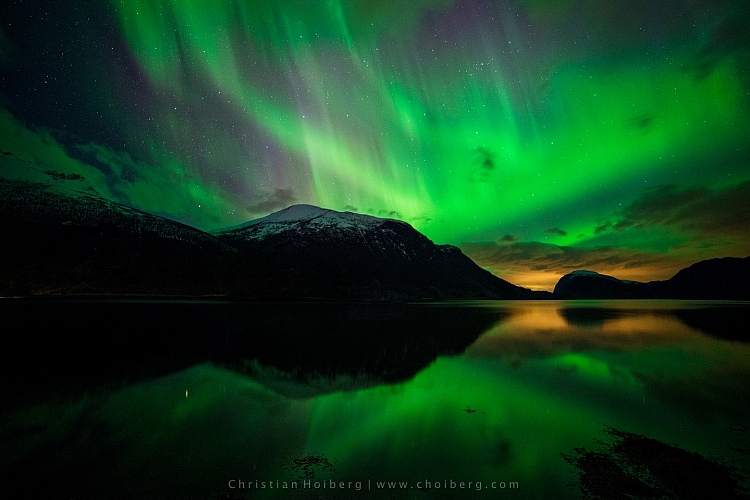
Innfjorden-Aurora-Horizontal-Reflections

Seeing, and photographing, the Northern Lights aren’t something you can do all over the world. The truth is that even if you’ve booked a flight to northern Norway or Iceland, there’s no guarantee that you will see the northern lights at all.

How to see the Northern Lights

Be in the Northern Hemisphere

Unfortunately, the Northern Lights aren’t visible all over the world. As the name might indicate, they are a phenomenon visible in the northern hemisphere. Places such as northern Norway, Iceland and Alaska are typical areas where people travel to witness the Aurora Borealis.
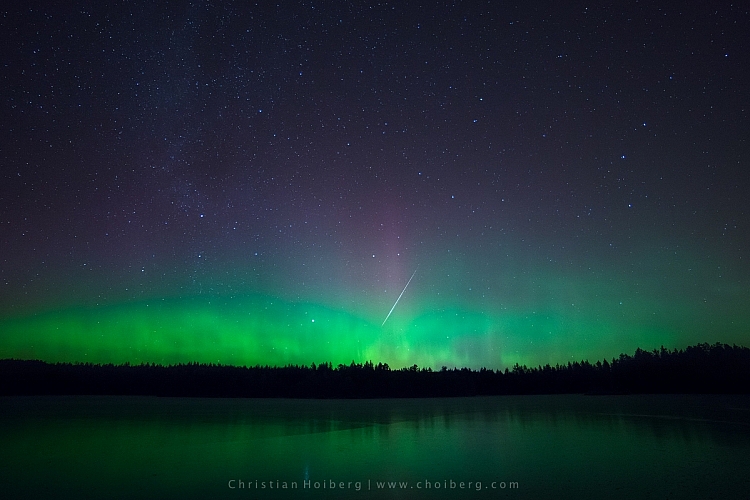
Lauarvann-Aurora-Metorite

That being said, during extreme solar storms your might be able to see the phenomenon further south too, but not as powerful as in the north.

So, the first step in seeing the Northern Lights is to travel to the north. Remember that the Aurora Borealis is a night phenomenon and since summers in the north have up to 24 hours of sun, you should plan your visit for late fall or winter.

Get away from light pollution

It’s nearly impossible to see the Northern Lights if you’re standing in the downtown of any larger city with light pollution. Yes, it is possible; if the KP Index (the strength indicator for Northern Lights) is at its highest. However, to increase the chances of seeing, and capturing a good shot of the Northern Lights, you should get away from light pollution, and find a location where you can clearly see the stars.
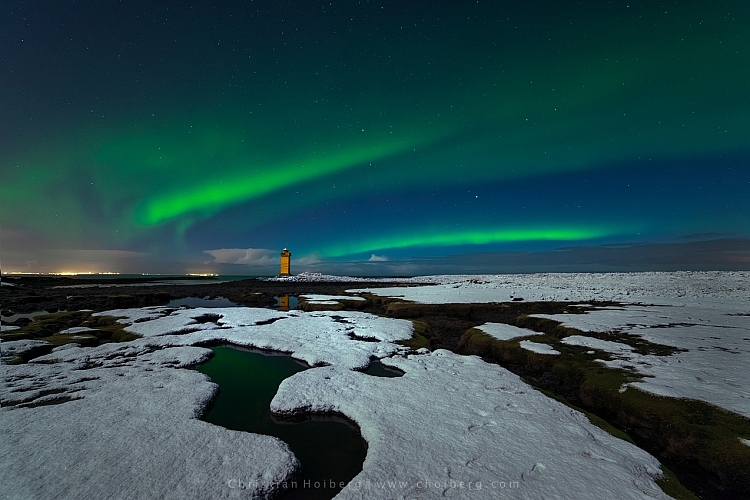
vatnsleysustrandar-aurora-borealis

I have lived in a small town not far away from Oslo, Norway for most of my life. Yet, it wasn’t until a few years ago I realized that even here in southern Norway we can see the Northern Lights. In fact, it happens more often than you realize.

There are a few different tools you can use to see what area close to you is dark enough to see the stars, and possibly the Northern Lights. Dark Sky is a great website for this exact purpose, and it shows a detailed map of the light pollution.

How to photograph the Northern Lights

Now that you know where, and how to discover the Aurora Borealis, let’s see how you can capture it with your camera.

Use a tripod and remote shutter release

Since you will be photographing in the dark you’ll be working with long exposures (long shutter speeds), and it’s therefore essential that you use a tripod to ensure you get a correctly exposed image that is still of usable quality.
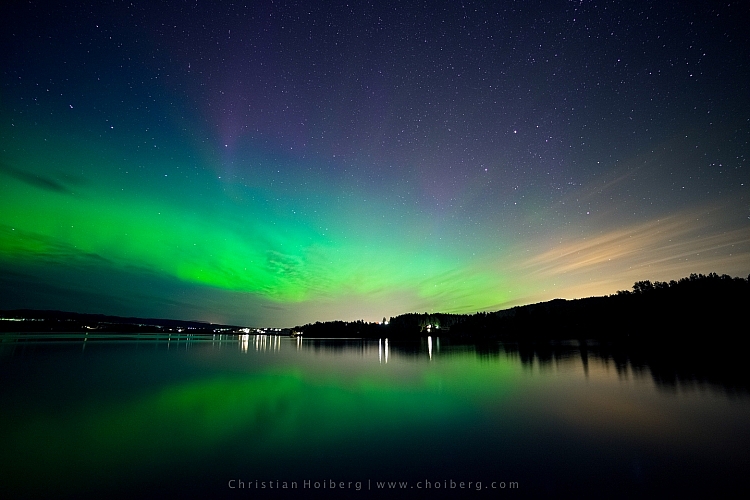
fiskumvannet-northern-lights

You should also consider using a remote shutter when you’re photographing the Northern Lights. This removes any chance for vibration caused by pressing the shutter. Optionally, you could use the 2-second timer, but sometimes you want to capture the image at that exact moment with no delay.

Use a wide angle lens at a large aperture

When photographing the Northern Lights you want to use a wide angle lens. This lets you capture both the landscape and the sky in one shot. When the Northern Lights are strong you’ll also notice that they stretch all over the sky and it’s impossible to capture all of it in one image, unless you use a wide angle.
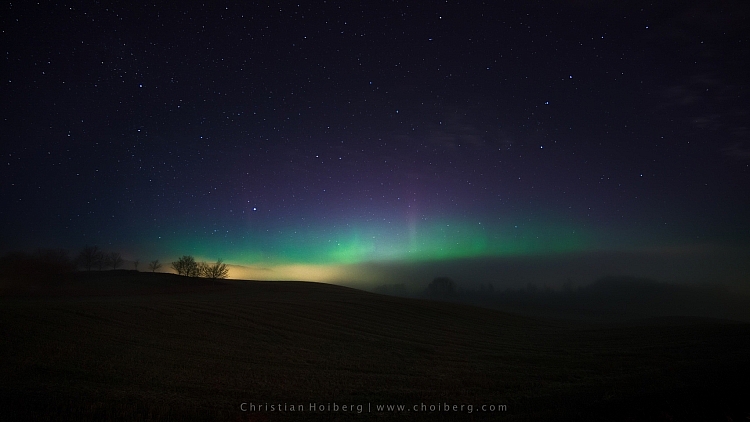
northern-lights-hedenstad

During nighttime photography you want to use an open aperture such as f/2.8 to allow enough light to reach the sensor. When using my 14mm I more or less always have it at f/2.8, as I rarely use it at any other time than during the night.

Set the shutter speed according to the KP Index

The shutter speed depends on the strength of the Northern Lights. I’ve experienced when one second at ISO 400 has blown out the green (I’ve never seen the Aurora as powerful as that since) but then it can be barely visible at ISO 3200 and a shutter speed of 20 seconds at other times.

You should also keep in mind the movement of the Northern Lights. If they area quickly changing shape, a long exposure might blur them out too much, and you’ll lose detail. It’s better in that instance to increase the ISO, and lower the shutter speed, so you freeze the motion and capture all its textures.
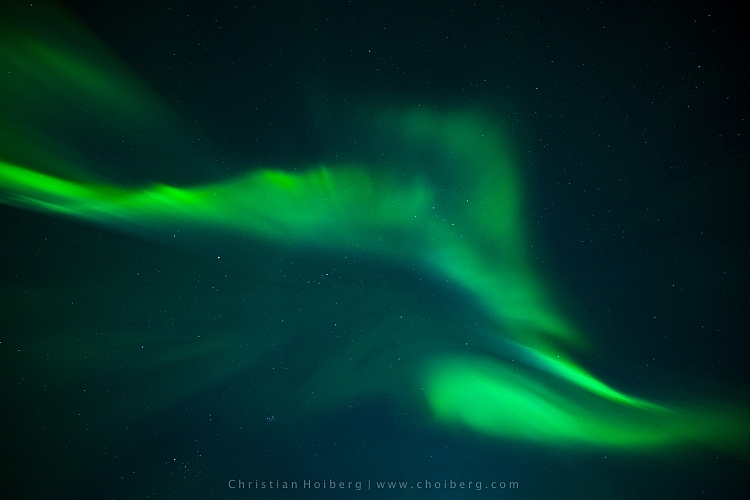
corona-aurora

Another factor you should keep in mind when you choose the shutter speed is the movement of stars. If you go beyond 25 seconds you’ll start seeing small startrails. Sometimes this can give an interesting effect, but if you want to have a sharp and crisp image, be sure to use 25 seconds or less as your shutter speed.

Set a cool white balance (3000-4000K)

I’ve experienced that the ideal white balance is somewhere between 3000-4000 Kelvin when photographing at night. This results in a cooler, and more natural look in the dark sky. If you go above 4000K you’ll also notice that the green in the Northern Lights gets a muddy look, which you want to avoid.

Avoid using Automatic White Balance and other preset modes such as cloudy. While these often do a great job during the day, they’re more of a gamble at night. You could get some okay results with AWB but generally you won’t.
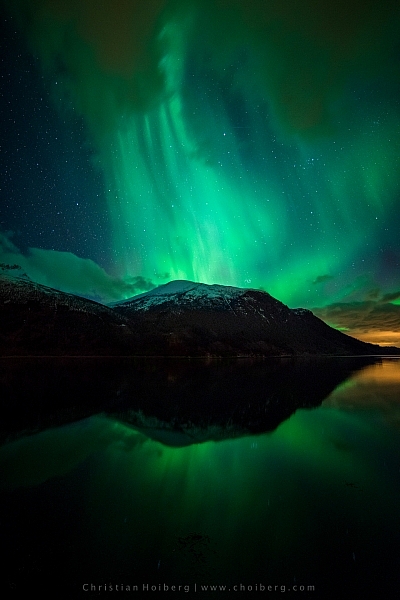
Innfjorden-aurora-vertical

Bring something warm to drink!

I had to include this last tip. Remember, when you’re photographing the Northern Lights that it’ll most likely be winter or late fall. That means that temperatures drop, and since you’ll be out during the night, there’s no sun to warm you.

Bringing a thermos with something warm to drink could be wise during these long winter nights. Especially if you’re planning to stay out for a while or even make a timelapse.

googletag.cmd.push(function() {
tablet_slots.push( googletag.defineSlot( “/1005424/_dPSv4_tab-all-article-bottom_(300×250)”, [300, 250], “pb-ad-78623” ).addService( googletag.pubads() ) ); } );

googletag.cmd.push(function() {
mobile_slots.push( googletag.defineSlot( “/1005424/_dPSv4_mob-all-article-bottom_(300×250)”, [300, 250], “pb-ad-78158” ).addService( googletag.pubads() ) ); } );

The post How to Photograph the Northern Lights or Aurora Borealis by Christian Hoiberg appeared first on Digital Photography School.

Digital Photography School

 
Comments Off on How to Photograph the Northern Lights or Aurora Borealis

Posted in Photography


Lighting 102: Combining Distance and Two Lights

02 Aug

By using a second light to ensure legibility in the shadows, we can place a "floor" on how low the tones will go on our subject. But we can also combine this with the fast falloff of a closely placed key light to get total control of a subject with an inherently tough dynamic range.Read more »
Strobist

 
Comments Off on Lighting 102: Combining Distance and Two Lights

Posted in Photography


How to Use Two LED Lights to Achieve Moody Portraits

02 Aug

Any kind of light is a must for photography. You just cannot photograph without light. There are various types of light that no doubt you are familiar with:

  • Natural light from the sun
  • Ambient light (could be natural or manmade)
  • Artificial light such as strobes, incandescent or tungsten, fluorescent, flash and LED lights
  • Infrared light

achieving-moody-portrait-2-LEDs-tips

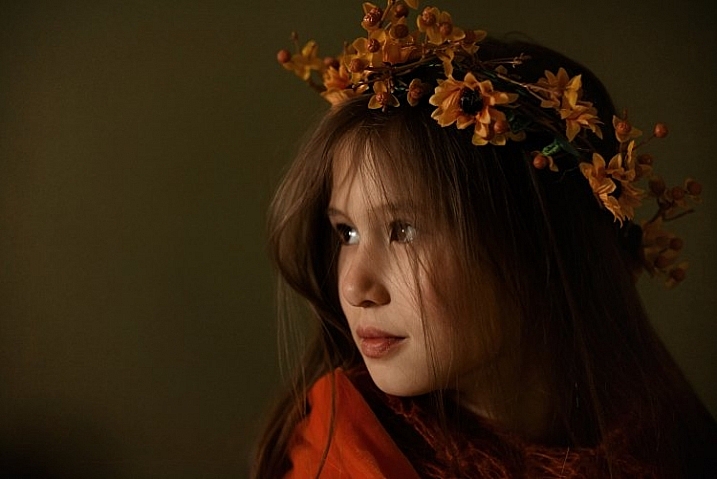
This article will give you tips for using two LED lights to achieve moody portraits.

Tip #1 – Modify your light

The best light is always modified. Even sunlight is better with a diffuser. Direct sunlight produces hard shadows and harsh light. Clouds soften and diffuse sunlight (by making it spread over a larger area). On a bright cloudless day, shooting in open shade minimizes the harshness, but still takes advantage of the beautiful natural light. Shooting in shadows, located next to reflective surfaces, also leverages any bounced natural light. These techniques are simply modifiers of natural and available light.

Modifiers are more obvious for artificial light. There is a plethora of choice when it comes to these: soft boxes, diffusers, reflectors, foam cores panels, umbrellas, flags to name a few.

The same is true for LEDs when it comes to the need for modifiers. There are many types of LED lights, including ones that you can adjust their brightness as well as colour temperature. But, just like the above, regardless of brightness intensity of the continuous light, it is essential to modify LEDs to get soft, pleasing, beautiful light -overall a better quality of light.

I’m going to show you a setup using modified LEDs to create moody portraits.

achieving-moody-portrait-2-LEDs-tips

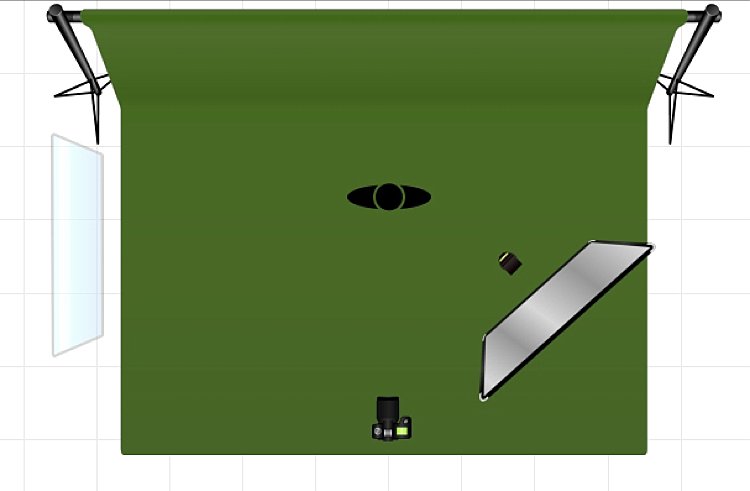
Using a window to camera left and an LED, bounced into a diffusion panel, to the right.


The main light I used here is the Magic Tube, the cheaper alternative to Westcott Ice Light. You can adjust the brightness of the light, and it comes with a tungsten gel if you need it. Apart from looking lightsaber Star Wars cool, the Magic Tube also comes with a charger that allows continuous charging while it is being used. So you can always have access to power by just plugging it in if the battery charge runs out.

You can also use window light and just one LED for this setup. Substitute the main light with your window light, but make sure you are diffusing the light coming from a window with a sheer voile, or fabric to soften it.

To diffuse the main light, I covered it with the Rogue Bender diffuser for the strip light. This is just a piece of rectangular translucent material which simply covers the light.

Tip #2 – Position your lights for contrast

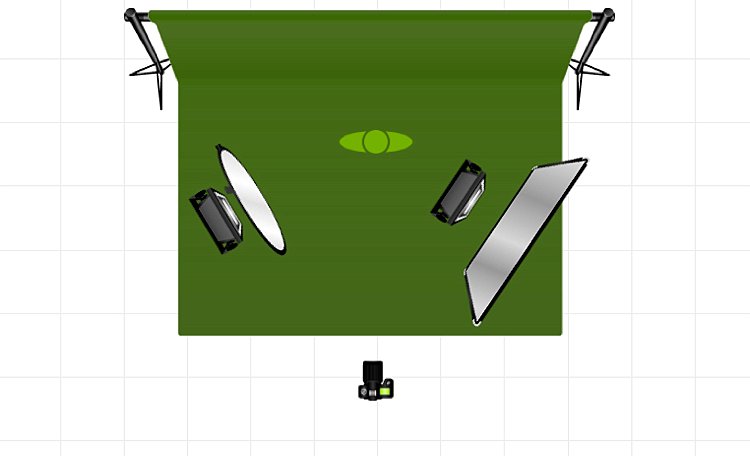
Position the main light at 45 degrees to the subject, up high to emulate light coming from a tall window. Use a diffusion panel or a piece of sheer fabric. The less opaque the fabric, the more diffuse your light will be. To further modify the Magic Tube after I have attached the Rogue Bender diffuser, I also used the diffusion (translucent part) panel of a 5-in-1 reflector and had an assistant hold the panel in front of the main light. Having these two diffusers together reduces the strength of the light, but also greatly softens its quality.

achieving-moody-portrait-2-LEDs-tips

The second light is also an LED, this time a small video light positioned to camera right, at 45 degrees, but at the same height as the subject. However, instead of using a diffuser to modify this light, you can turn it around so the light faces away from the subject, and put a reflector in place to bounce the light on. The subject (filling in the shadows) gets illuminated by the soft bounced light from the reflector.

achieving-moody-portrait-2-LEDs-tips

For a moody look it is essential to have both light and shadow in the portrait. You need to watch where the main light falls, and the shadow it’s creating. You want the shadowed area to still have some detail, instead of being completely black. The bounced light from the reflector takes care of this.

Tip #3 – Use a dark background

I tried the exact same setup, although the lights were positioned the opposite way, with the main light on camera right. This setup had a lighter background, in this case lightly patterned, and the results were far from moody. I did not want to shoot at a smaller aperture as I wanted to blur the pattern of the wallpaper in the background. I also wanted to emulate sunlight shining through a window illuminating a dark room, and this setup just did not work to achieve that look.

I’m sure if I had gridded the main LED to avoid spill into the light background, while increasing my shutter speed, the background would have gone darker, but I would have lost the soft and atmospheric look I was after. Compare this photo below to the one underneath it, and it’s pretty obvious the darker background is most definitely better at achieving the moody look.

tutorial-using-2-led-lights-for-portraits-photography

achieving-moody-portrait-2-LEDs-tips

I hope this article gave you new ideas to try. Do share other tips you have to achieve moody portraits!

googletag.cmd.push(function() {
tablet_slots.push( googletag.defineSlot( “/1005424/_dPSv4_tab-all-article-bottom_(300×250)”, [300, 250], “pb-ad-78623” ).addService( googletag.pubads() ) ); } );

googletag.cmd.push(function() {
mobile_slots.push( googletag.defineSlot( “/1005424/_dPSv4_mob-all-article-bottom_(300×250)”, [300, 250], “pb-ad-78158” ).addService( googletag.pubads() ) ); } );

The post How to Use Two LED Lights to Achieve Moody Portraits by Lily Sawyer appeared first on Digital Photography School.

Digital Photography School

 
Comments Off on How to Use Two LED Lights to Achieve Moody Portraits

Posted in Photography


Lights on! White theme extended to forums, now default for new visitors

25 Jun

You may have already noticed that following a few weeks of tweaking and bug squashing we’ve extended the new ‘light’ theme to the forums and deployed a new unified header that is shared between both dark and light versions of the site. The beta pop-up has been banished from the site and a new permanent ‘Reading Mode’ switch placed at the top right corner of the site.

Use the ‘Reading mode’ switch (top right of every page) to switch between black and white themes. Your choice is remembered.

White is the new black

As of the today the ‘light’ reading mode will be the default. If you want to switch to black and forget this ever happened, go ahead – your choice will be remembered.

DPR has had the same basic ‘look’ since it launched in 1998, and there’s no doubt that the white-on-black design has always been an instantly recognizable part of our identity – our brand. And we know – because you’ve told us through polls and comments – that many of our regular visitors and forum pros are very happy with the current design and have no appetite for change, hence the decision to offer this as an option, forever.

If you want to switch to black and forget this ever happened, go ahead – your choice will be remembered.

But we also know that a large number of our visitors found the old design visually off-putting and hard to read, and a switch to a more conventional ‘black on white’ design has been the single most requested change seen via our feedback system for at least ten years. So we decided to see if we could, in relatively short order, knock together a quick alternative with the emphasis on readability for those that struggle with white text on a black background. What you see today is the outcome of that experiment. Not a lot has changed – we flipped the colors and made the body font a little larger, but this is a new coat of paint, not a foundation-up rebuild.

White theme forum index White theme post view

We asked, you answered…

For those of you that managed to get this far down the page before scrolling straight to the comment section, I’d like to take this opportunity to thank the thousands of visitors who took the time to give us feedback on the new theme during the beta. I personally read every single feedback email, all the comments on the original news story announcing the beta, and as many forum posts as I could find. 

The feedback (after filtering out all the complaints about the pop-up asking for feedback and those that took the time to tell us they had no opinion) pretty much all fell into one of four buckets: those that loved the new design (most common words: ‘thanks!!’ and ‘finally!!’), those that prefer the old design (most common phrase ‘don’t fix what ain’t broke’), those that didn’t like either and had their own suggestions for background colors, and a few who hadn’t read the story or the pop up and were under the impression that we were going to replace the old design with the new one, which made them angry. Like, really angry.

I’m not complaining – we were really appreciative of ALL the feedback, and it informed many of the decisions we made and will make in future design changes. 

..and the results are in

Overall the feedback was split 63:37 in favor of the lighter theme, though in the last two weeks the gap widened to about 70:30 as we finessed the design and annoyed more people into giving us feedback (thanks Mr Pop-up!).

The most common themes we saw in favor of the darker theme were

  • The original color scheme sets DPR apart from most sites on the internet and is a fundamental part of our identity.
  • The new theme is too bright and is hard to read (quite a few people claimed it ‘burns my eyes’)
  • Photos look better on black and photo apps such as Lightroom have a similar theme.

We agree that generally color images look better on a dark background, so we didn’t re-skin galleries, challenges, slideshows or the expanded image view in forums.

Just to reiterate…we may be defaulting to the white theme… but the dark theme is not going away. Ever.

It’s probably worth mentioning too, that in the month or so that we ran the beta we saw a significant difference between those using the white and black versions of the site, with those opting for the lighter theme spending almost twice as long and reading almost twice as many pages as those who stayed with the black theme. This is not conclusive proof (for reasons too longwinded to go into here), but it did confirm our long-held belief that the old theme was actually putting people off reading our content.

I hope you give the new ‘Reading mode’ a try – especially the forums, which we just launched. Please share your opinion of how we might make it better below.

Desktop users wondering where the switch for the ‘classic’ (yellow on gray) forum skin went – it’s at the bottom of every forum page (below the index of threads). Again, this setting is remembered between sessions (as long as you retain our cookies).

Just to reiterate, we may – for now – be defaulting to the white theme (because based on the feedback and the data it’s the right choice), but the dark theme is not going away. Ever*.

That’s all, folks.

*OK, it’s been pointed out to me that saying the black theme won’t ‘ever’ go away is quite a commitment, and maybe I should say ‘until no one is using it, or until the dying Sun consumes our planet, whichever comes sooner’.

Articles: Digital Photography Review (dpreview.com)

 
Comments Off on Lights on! White theme extended to forums, now default for new visitors

Posted in Uncategorized


How to Create Catch Lights in Your Natural Light Portraits

19 May

What is a catch light, and why you should have it in your portraits?

A very popular technique in portraiture – a catch light is a spark of light in your subject’s eyes. This spark will help you to draw your viewer’s attention to your subject’s eyes, making them full of life and, well, sparkling.

04
For this portrait, I made recently in Cienfuegos, Cuba, I used the light from the setting sun to create a catch light, even without having the subject looking up.

How to create a catch light in portraits?

To create a catch light, all you need is a source of bright light to reflect in your subject’s eyes. This source can be artificial, like a flash, or natural, like sunlight. In this article, I will focus on creating catch light in portraits using natural light.

Creating a catch light – indoor

To create a catch light in an indoor location, all you need to do is to make sure there is a visible source of light, which will be reflected in your subject’s eyes.

Position your subject near an open window or door, during daylight, and make sure there is a direct line between the source of light and the subject, without blocking objects like furniture. Your subject does not have to look directly into the source, as it might be too dazzling or uncomfortable. The important thing is that the light source must be visible as a reflection in the subject’s eyes.

01

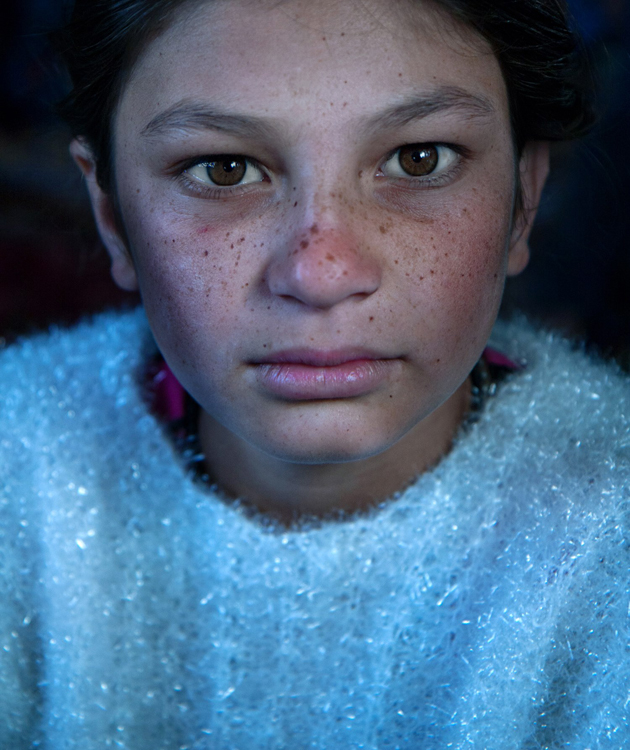
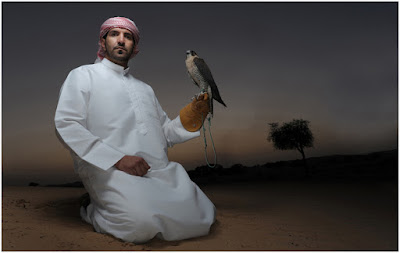
I met the lovely Nagina at her home in a small village of Roma people, outside Bukhara, Uzbekistan. Although she was only 10; she was very busy caring for her small brothers, along with few other neighbors’ children. She asked me to take her photo, and I was drawn to her gaze right away, choosing to go for a close-up portrait. The house was completely dark, except a large window, which was position at a 45-degree angle to her face, which created that catch light in her eyes.

Good to know: The closer your subject is to the light source (open window or door) the larger and more dominant the spark of catch light will seem.

Taking it to the next level: Think carefully about the location of your subject to the light source, as that will not only affect the size and visibility of the catchlight in the subject’s eyes, it will also control the entire Illumination of the subject’s face. To read more about how the direction of light will affect your portrait, check out: Understanding Natural Light Part 3: Direction of Light.

Creating a catch light – outdoors

For achieving the best results in an outdoor shooting, all you need to do is aim your subject to look at the largest light source – the sky. DO NOT instruct the subject to gaze at the sun, even for a brief moment, as it can lead to pain and damage to his or her eyes.

If you do not want to stage your subject, or if there is a language barrier, a great technique of aiming your subject’s gaze up, is by simply positioning yourself a bit above your subject. While they gaze it your lens, the sky (behind you) will reflect in their eyes. This is why I photograph many of my outdoor portraits at an angle, which is a bit higher than my subject.

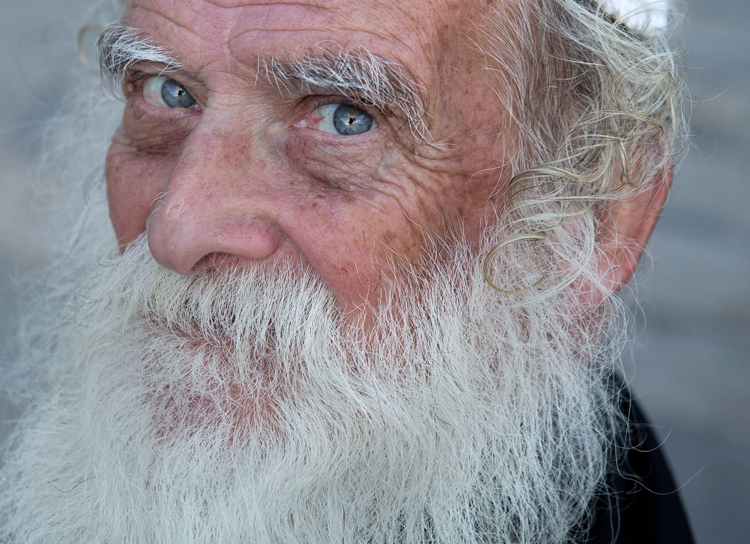
Mordecai is Jewish Orthodox, from the old city of Jerusalem. I was very surprised that he agreed to be photographed, even with joy. To give a spark to those amazing eyes I told him to look into my lens, while I positioned myself slightly higher than him, and the lovely skies of holy Jerusalem were reflected in his eyes.

02

Good to know: On a sunny day, I recommend positioning your subject in the shade, as gazing at sunny skies might be uncomfortable.

Taking it to the next level: If you want it or not, it is almost sure that apart from that spark of light, your own image (the photographer) will also be visible in the subject’s eyes. You can turn this fact into a creative portrait (of your subject) and a self-portrait (of yourself) in the same frame. Just do not forget to move the camera a bit, to let your face be visible. You can also use this technique for less narcissistic reasons, as with really tight close-up, as almost anything in front of your subject’s face will be reflected in his eyes. It is a wonderful technique for making a landscape shot, or an image of an iconic place, with a twist.

Creating a catch light – while using a reflector

Using reflectors in portrait photography is a wonderful technique (a more in-depth explanation about using reflectors in portrait photography, in this article: Reflectors: Your Secret Weapon for Amazing Portrait Photography), that can help you to create catch lights in almost any situation, indoor or outdoor, sunny or cloudy.

Not only do reflectors allow you to create that spark of catch light almost anywhere; but they will allow you much more control, over the intensity, color, and direction of that spark.

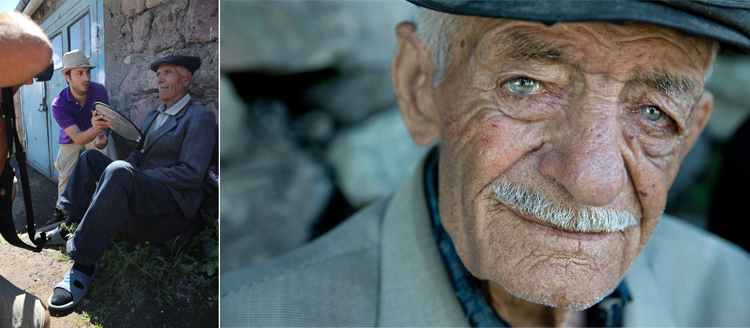
A pocket size silver reflector was the best tool for the job for this portrait, photographed in a very hot afternoon in Armenia.

03

Good to know: Reflectors come in many sizes and colors. For the best results, use a small pocket-sized silver reflector. Why? Because you do not need anything larger or heavier. Those small reflectors are the perfect weapon of choice, for creating a catch light in close-up portraits. Position the reflector just under the chin of your subject. You can hold the reflector with your left hand, or ask the subject to hold it.

Taking it to the next level: Although using a silver reflector will give you the most notable catch light, you can add warmth to the portrait by using a golden one, which will result in a golden catch light.

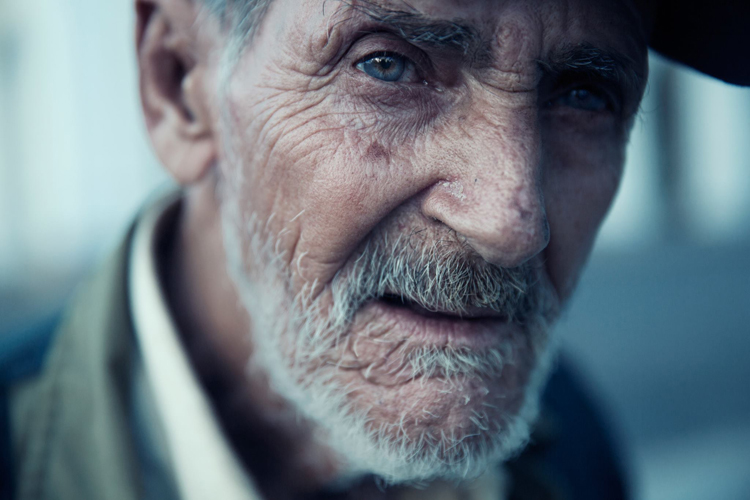
A mix of shade, slightly higher camera angle, and gaze upward toward the sky, helped create the catch light in these portraits photographed in India and Israel.

05

See how the eyes are alive in their portraits? The catch lights help add the sparkle you see there, and without them the portraits wouldn’t feel as alive, vibrant.

Now it’s your turn, show me your portraits with great catchlights. Please share in the comments below.

googletag.cmd.push(function() {
tablet_slots.push( googletag.defineSlot( “/1005424/_dPSv4_tab-all-article-bottom_(300×250)”, [300, 250], “pb-ad-78623” ).addService( googletag.pubads() ) ); } );

googletag.cmd.push(function() {
mobile_slots.push( googletag.defineSlot( “/1005424/_dPSv4_mob-all-article-bottom_(300×250)”, [300, 250], “pb-ad-78158” ).addService( googletag.pubads() ) ); } );

The post How to Create Catch Lights in Your Natural Light Portraits by Oded Wagenstein appeared first on Digital Photography School.

Digital Photography School

 
Comments Off on How to Create Catch Lights in Your Natural Light Portraits

Posted in Photography


Lights… Camera… Stinging nettles? Our Sony a6300 video shooting experience

01 Apr

The Sony a6300 has some of the most comprehensive video specs of a mass-market camera, so it seemed like a perfect excuse to embark on a video project. DPReview writer Richard Butler is a self-professed beginner when it comes to video, so he set out to see what he could do with the little Sony as he tested the camera’s video features. Find out about the his exploration of videography in our updated Sony a6300 first impressions, or just watch the mini-documentary above he shot, produced and directed.

Articles: Digital Photography Review (dpreview.com)

 
Comments Off on Lights… Camera… Stinging nettles? Our Sony a6300 video shooting experience

Posted in Uncategorized


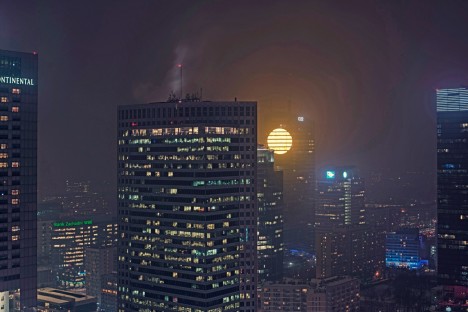
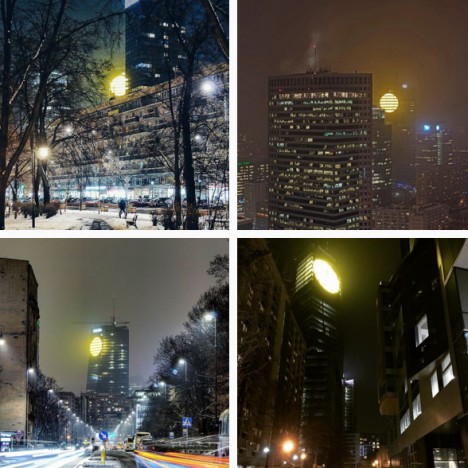
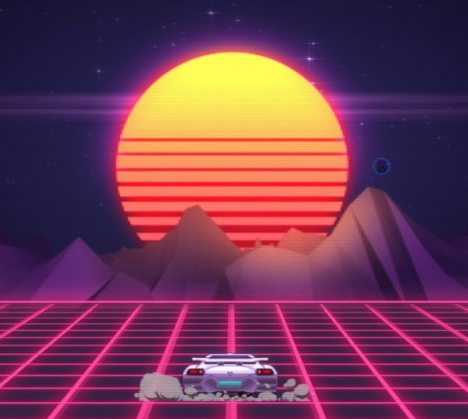
Cyberpunk Sunset: Artificial Sun Lights Up Warsaw Skyscraper

31 Jan

[ By WebUrbanist in Architecture & Offices & Commercial. ]

warsaw downturn fake cyberpunk sun

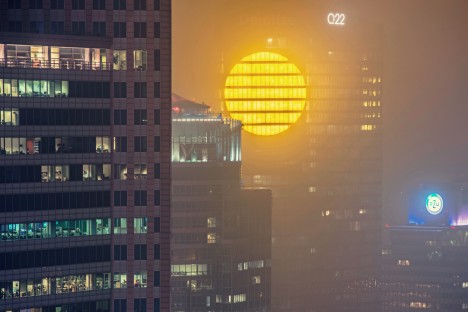
The developers behind a new tower rising in downtown Warsaw, Poland, have added a sunny surprise to the side of the building, aiming to brighten the moods of citizens during dark and cold months of winter construction.

polish skyscraper warsaw sun

A temporary installation, set to stay in place until the floors are occupied, was made to “brighten up the lives of people during this depressing winter time, when the days are short and you miss the sun.” It was intentionally lit on Blue Monday, thought to be the most depressing day of the year.

warsaw artificial sunlight installation

The 42-story Q22 tower is a neomodern office building developed by Polish firm Echo Investment and designed by APA Kury?owicz & Associates with collaboration from Buro Happold Polska.

80s cyberpunk

Intentionally or otherwise, the entire project evokes images of retro gaming graphics and vintage cyberpunk films like Bladerunner, in a way (perhaps depressingly) reminding residents of just how much winter they still have lying in wait.

Share on Facebook


[ By WebUrbanist in Architecture & Offices & Commercial. ]

[ WebUrbanist | Archives | Galleries | Privacy | TOS ]


WebUrbanist

 
Comments Off on Cyberpunk Sunset: Artificial Sun Lights Up Warsaw Skyscraper

Posted in Creativity


Secrets to Shooting the Northern Lights

15 Jan

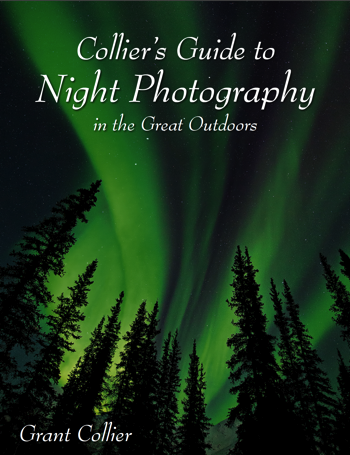
One sale now 32% OFF at Snapndeals: Collier’s Guide to Night Photography in the Great Outdoors eBook. Now only until January 26th, 2016


Of all the phenomena you can view in the night sky, the Northern Lights may be the most spectacular. The lights are created by charged particles from the sun, interacting with gaseous particles in our atmosphere. These lights also appear in the southern hemisphere, where they are known as the Southern Lights. Another name for both is the Aurora Borealis.

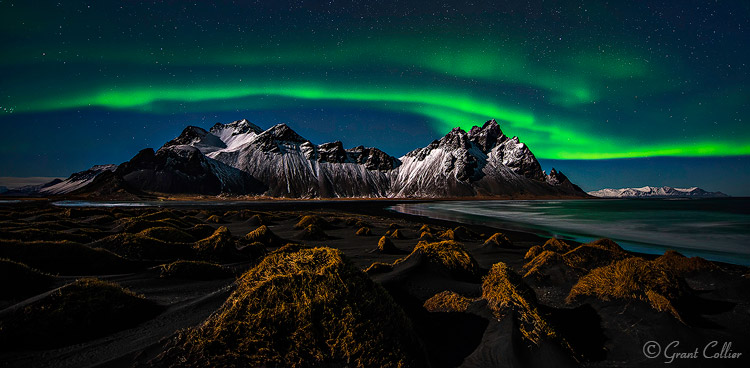
Grant Collier Northern Lights 1

Vesturhorn Mountain, Iceland – 14mm lens, f/2.8, for 10 seconds at ISO 1600

How to find Northern Lights

You can view a forecast for the Northern Lights online here. This website gives you a general idea of where the Northern Lights will be visible on any given night. For example, if you are in the northern continental United States, you might be able to see the Northern Lights if the forecast is 5 or higher. However, to get the best chance of viewing the Northern Lights, you’ll need to travel even farther north. To discover the best locations, try to find a day when the forecast on the above website is a 1 or 2. Anywhere within the bright green circle is a prime viewing spot for the Northern Lights. Some places that are somewhat easier to access in prime viewing areas are Wiseman, Alaska; Yellowknife, Canada; Iceland and northern Norway.

What lens to use

When shooting the Northern Lights, it is very helpful to use a fast lens that has an aperture of f/2.8 or wider. These lenses can let more light into the camera, which will yield higher quality images at night. A good option is the Rokinon 14mm f/2.8, which costs round $ 300. This is an ultra-wide angle lens, which is important when photographing something as expansive as the Northern Lights. Another option is the Nikkor 14-24mm f/2.8. This is a phenomenal lens, but it does cost almost $ 2,000.

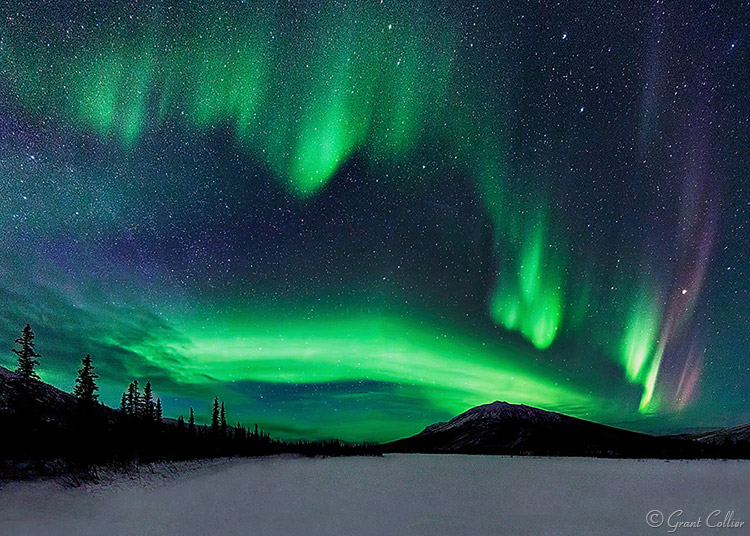
Grant Collier Northern Lights 2

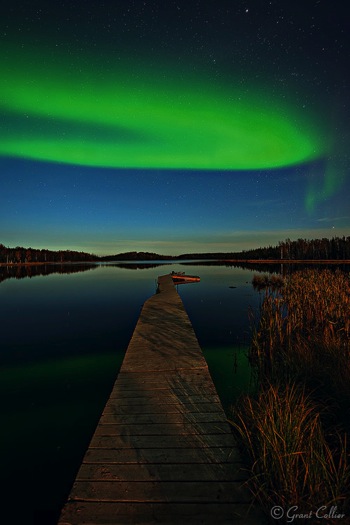
Wiseman, Alaska – 14mm lens, f/2.8, 15 seconds, ISO 6400.

Camera settings and exposure

You’ll typically need to use the widest aperture on the lens, and for shutter speed, you’ll normally want to use exposures between 10-15 seconds. If the lights are moving rapidly in the sky, they can start to blur too much with longer exposures. If the Northern Lights aren’t moving rapidly, you can get away with exposures of 20-30 seconds. You should use the highest native ISO on your camera that doesn’t cause the highlights to be overexposed (a native ISO is one that is represented by a number, as opposed to letters, like H1 or H2). Be careful, though because when the Northern Lights become really bright, it is possible to overexpose the shot.

I recommend underexposing the images a little, so that you won’t risk blowing out the highlights, if the lights suddenly brighten. You’ll want to frequently check your histogram to make sure you’re not coming close to clipping the highlights. If you are, you’ll need to lower the ISO or exposure length.

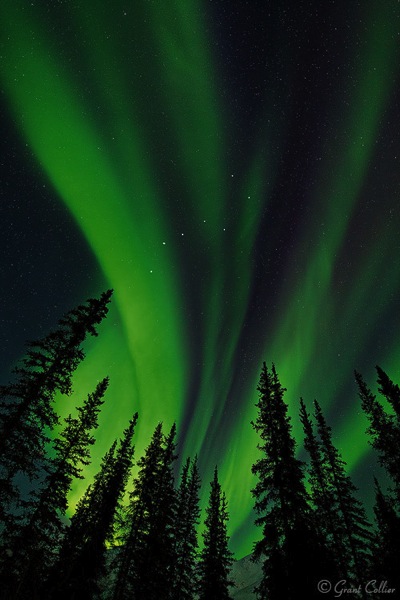
Grant Collier Northern Lights 3

Wiseman, Alaska – 14mm lens, f/2.8, 8 seconds, ISO 6400.

Stitching images

The Northern Lights can fill up most of the sky, and even ultra-wide angle lenses may only capture a portion of the display. To overcome this problem, you can create stitched images to capture more of the scene. A stitched image is one where you take multiple shots, each comprising a small part of the scene you want to photograph. You then later use computer software, like Lightroom or Image Composite Editor (Windows only), to stitch these images together, to produce an image of the whole scene. The great thing about stitched images is that they will also produce larger images with more detail, and less noise.

If the aurora is bright and moving fast, you’ll typically want to use a very wide lens, like 14mm, to create a single-row stitched panorama. You’ll have to take all of the images pretty quickly, otherwise, the aurora can move so much that the images won’t stitch together seamlessly. If the aurora is relatively dim, it doesn’t tend to move as fast. In this situation, it’s possible to do multi-row stitched panoramas with up to 20 images. These large stitched images can help minimize noise, which is more noticeable when the aurora is fainter. I recommend a 24mm lens to capture such images.

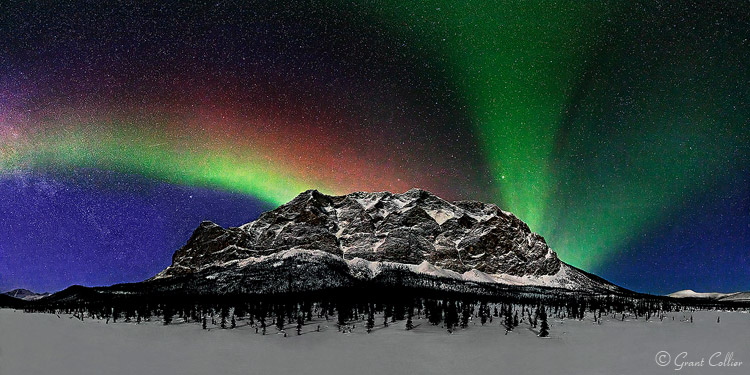
Grant Collier Northern Lights 8

Supapak Mountain, Alaska – 24mm lens, f/2.8, 10 seconds, ISO 6400, 9 images stitched together.

When to look for the lights

The best time of the year to photograph the Northern Lights is near the spring and autumn equinoxes, in March and September. The Northern Lights tend to be somewhat more active during those months than others. Never plan a trip to photograph the Northern Lights between late-April and early-August. During this time, it isn’t dark for very long, if at all, at the far northern latitudes. If you plan a trip in December or January, it will be dark much of the day, if not all of the day. However, it can be bitterly cold during this time, so spring and autumn is still preferable for all but the most adventurous photographers.

Grant Collier Northern Lights 5

Yellowknife, Canada – 15mm lens, f/2.8, 30 seconds, ISO 1600.

Grant Collier Northern Lights 7

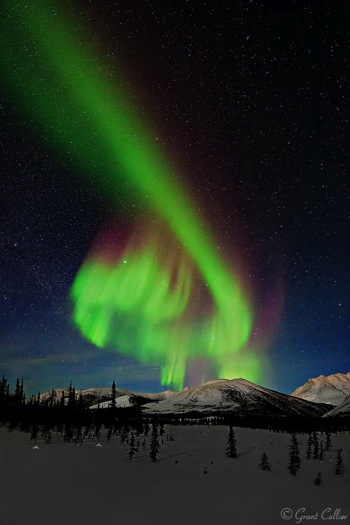
Brooks Range, Alaska – 14mm lens, f/2.8, 10 seconds, ISO 6400.

Other considerations

Since it can be so cold when shooting the Northern Lights, it’s possible that your lens will fog up over the course of the night. Lenses fog up much faster when they are taken from a warm location to a cold one. One way to prevent this is to keep your camera equipment cold, by storing it in the trunk of your vehicle rather than in a warm room. You will, however, want to store your batteries in a warm location, as cold batteries do not last as long as warm ones, so this can help maximize battery life. Another option to prevent a lens from fogging up is to attach hand warmers to the side of it using rubber bands to help keep it warm.

Grant Collier Northern Lights 6

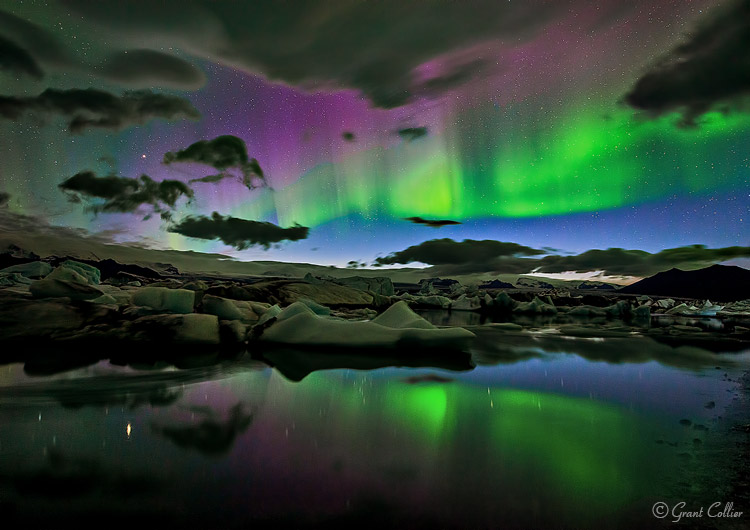
Jokulsarlon Lagoon, Iceland – 19mm lens, f/2.8, 20 seconds, ISO 3200.

You can shoot the Northern Lights under almost any moon phase. The aurora will be brighter under no moon, but any foreground in your shot will likely be rendered as a dark silhouette. Under a full moon, the foreground will be well-illuminated and the aurora will be fainter, but this may not matter. The Northern Lights are often so bright that they will be easily visible under a full moon. My favorite time to shoot the Northern Lights is under a moon that is 20%-50% illuminated. It will be dark enough to see the stars and aurora a little better than under a full moon, and you’ll still be able to render a lot of detail in the foreground. In order to be able to shoot under a variety of conditions, I recommend planning a trip so that you arrive near a new moon, and leave near a full moon.

Grant Collier Northern Lights 4

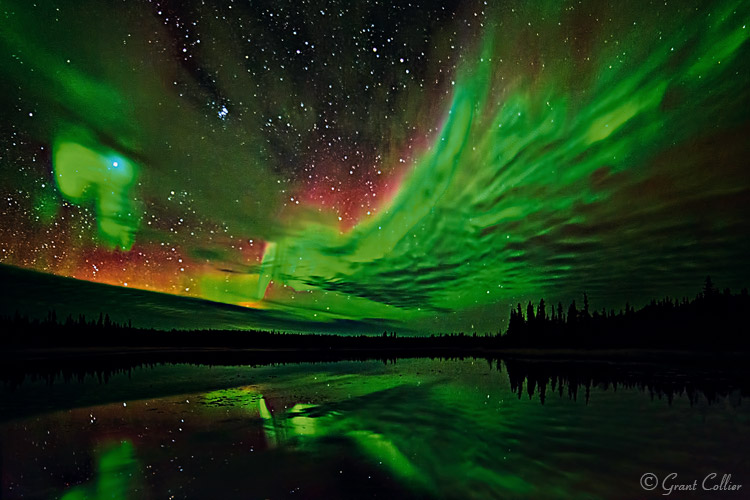
Yellowknife, Canada – 14mm lens, f/2.8, 15 seconds, ISO 6400.

Practice near home first

One mistake I’ve seen photographers make is to go on an expensive trip to see the Northern Lights without having done any night photography beforehand. They come away with subpar images that are out of focus, or improperly exposed. Unless you live in an area where you can see the Northern Lights, I recommend becoming proficient in night photography before paying for an expensive trip to see the aurora. Photographing the Northern Lights is more difficult than photographing most other night scenes. The lights can move fast and may not appear for very long, so you need to be able to make the most of your time when the lights are out. If you practice with easier subjects beforehand, you should be able to come away some great images!


Screen Shot 2015 12 27 at 5 15 21 PMOne sale now 32% OFF at Snapndeals: Collier’s Guide to Night Photography in the Great Outdoors eBook. Now only until January 26th, 2016


googletag.cmd.push(function() {
tablet_slots.push( googletag.defineSlot( “/1005424/_dPSv4_tab-all-article-bottom_(300×250)”, [300, 250], “pb-ad-78623” ).addService( googletag.pubads() ) ); } );

googletag.cmd.push(function() {
mobile_slots.push( googletag.defineSlot( “/1005424/_dPSv4_mob-all-article-bottom_(300×250)”, [300, 250], “pb-ad-78158” ).addService( googletag.pubads() ) ); } );

The post Secrets to Shooting the Northern Lights by Grant Collier appeared first on Digital Photography School.

Digital Photography School

 
Comments Off on Secrets to Shooting the Northern Lights

Posted in Photography


Weekly Photography Challenge – Holiday Lights

19 Dec
Tracy Sigler

By Tracy Sigler

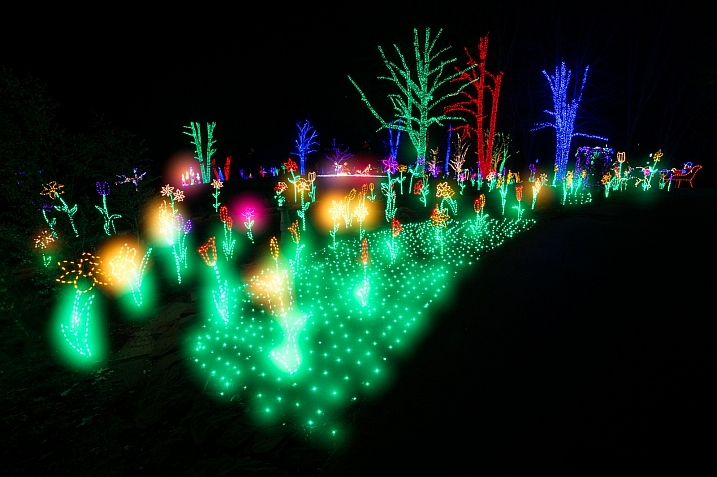
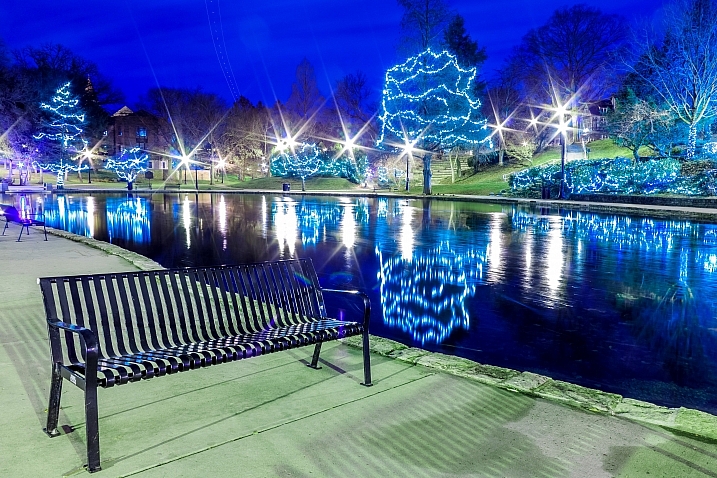
Photography of lights at night can be fun. There are many things you do and techniques to enhance photos of lights:

  • Shoot at an aperture of f/11 or smaller to make star points on the light sources
  • Use long exposures to shoot light trails
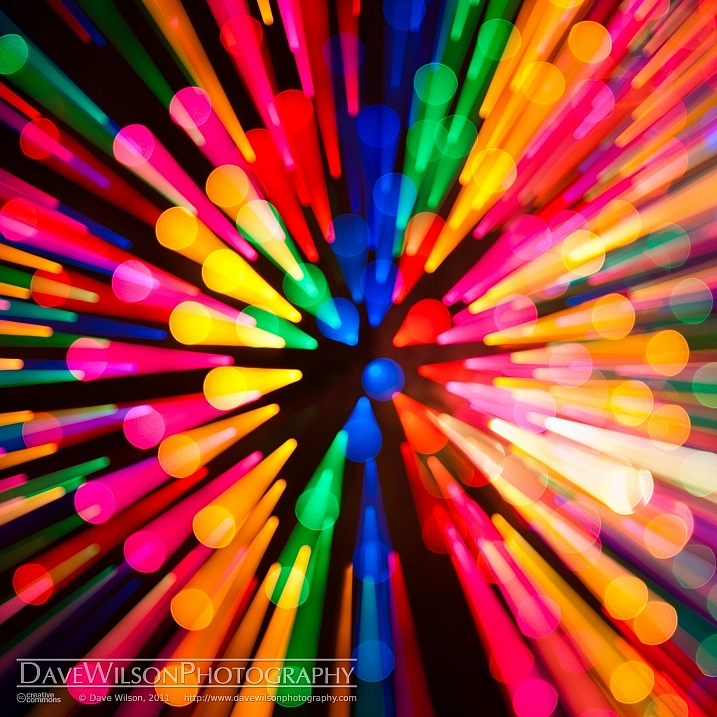
  • Use a zoom technique to create a unique effect
  • Or just shoot them straight up at night

Weekly Photography Challenge – Holiday Lights

Your job this week is to photograph some lights. If there are no decorations near where you live try some car trails, or street lights. Just try some shooting in the dark, or a new technique you haven’t tried before.

Mike Schaffner

By Mike Schaffner

Chris

By Chris

Powershotpix

By powershotpix

Share your images below:

Simply upload your shot into the comment field (look for the little camera icon in the Disqus comments section) and they’ll get embedded for us all to see or if you’d prefer upload them to your favourite photo sharing site and leave the link to them. Show me your best images in this week’s challenge. Sometimes it takes a while for an image to appear so be patient and try not to post the same image twice.

DAVID MELCHOR DIAZ

By DAVID MELCHOR DIAZ

Counse

By Counse

Olivier Noirhomme

By Olivier Noirhomme

Jeff Krause

By Jeff Krause

Johan Hansson

By Johan Hansson

googletag.cmd.push(function() {
tablet_slots.push( googletag.defineSlot( “/1005424/_dPSv4_tab-all-article-bottom_(300×250)”, [300, 250], “pb-ad-78623” ).addService( googletag.pubads() ) ); } );

googletag.cmd.push(function() {
mobile_slots.push( googletag.defineSlot( “/1005424/_dPSv4_mob-all-article-bottom_(300×250)”, [300, 250], “pb-ad-78158” ).addService( googletag.pubads() ) ); } );

The post Weekly Photography Challenge – Holiday Lights by Darlene Hildebrandt appeared first on Digital Photography School.

Digital Photography School

 
Comments Off on Weekly Photography Challenge – Holiday Lights

Posted in Photography


25 Glitzy Holiday Lights Photos to Sparkle up Your Day

18 Dec

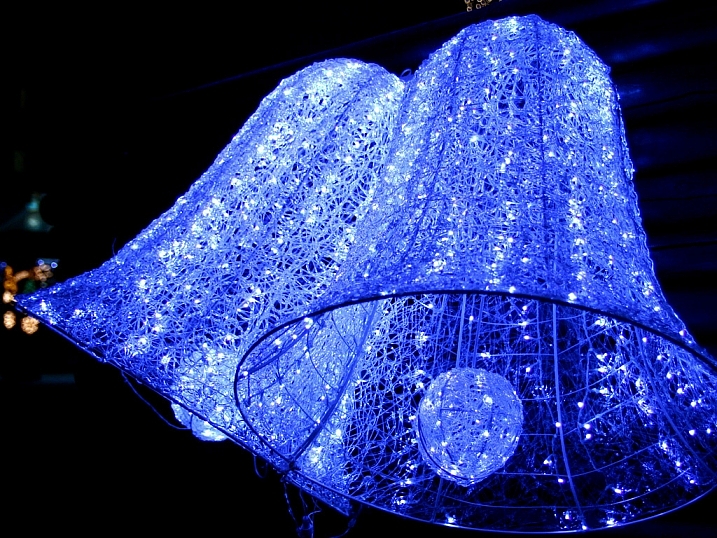
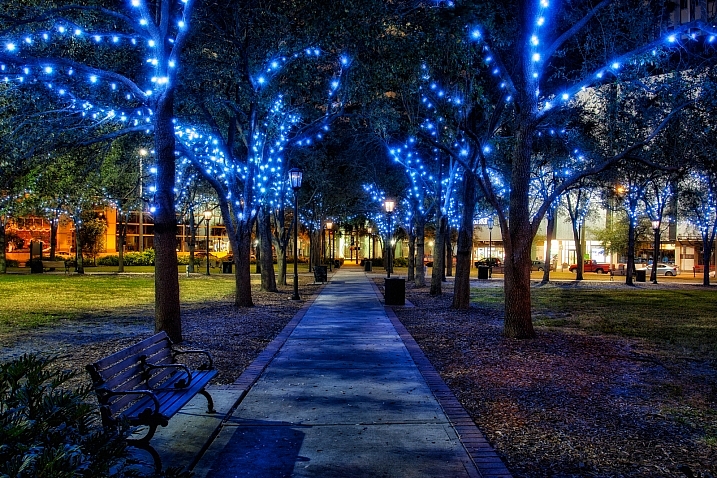
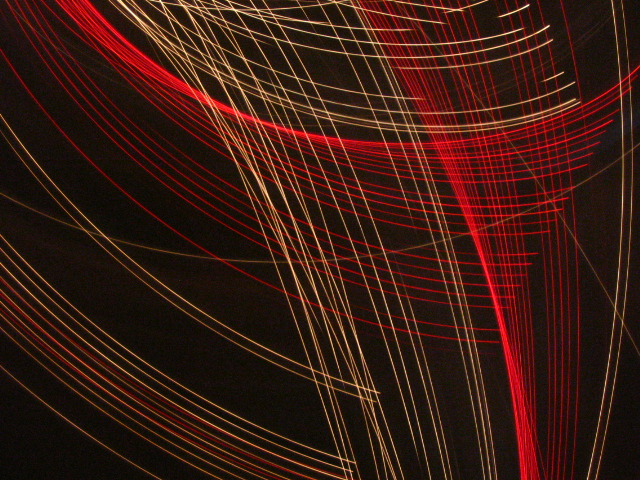
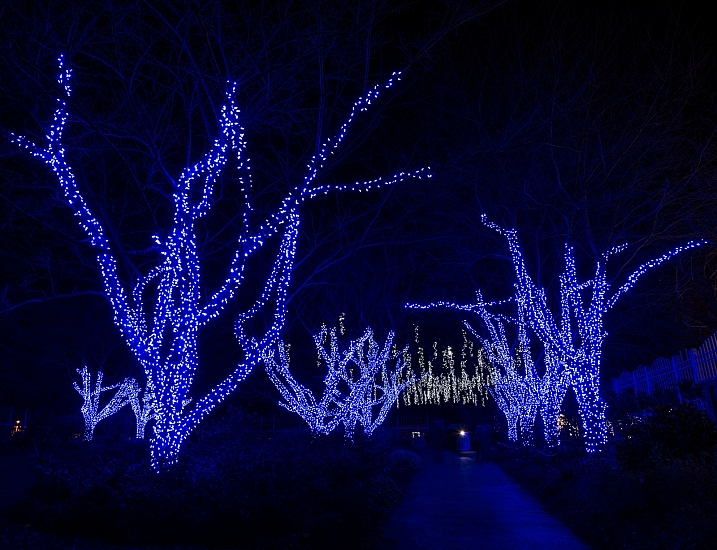
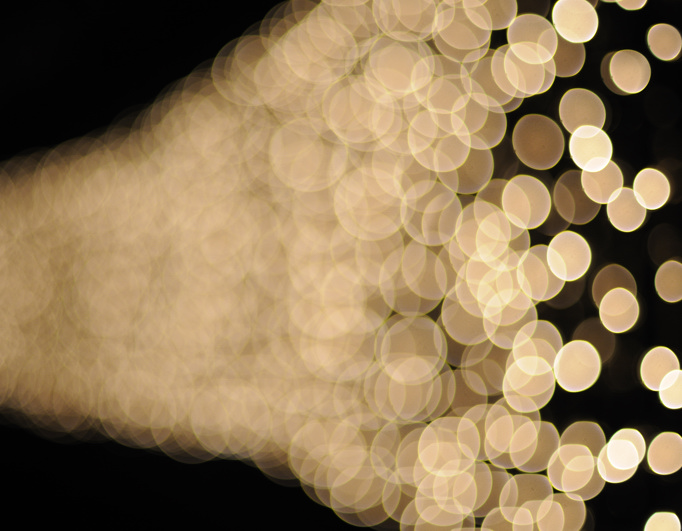
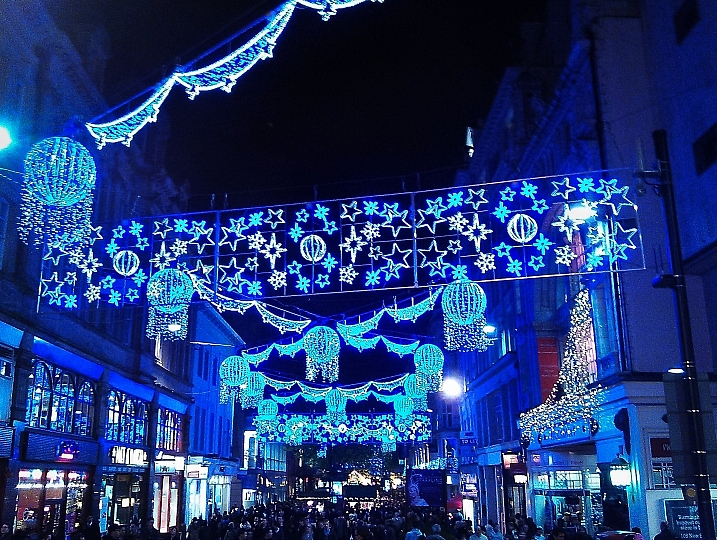
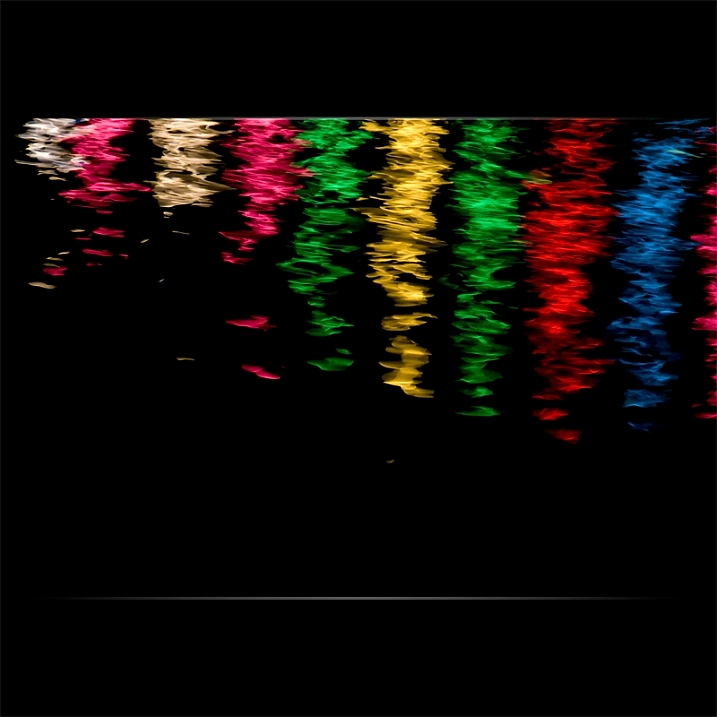
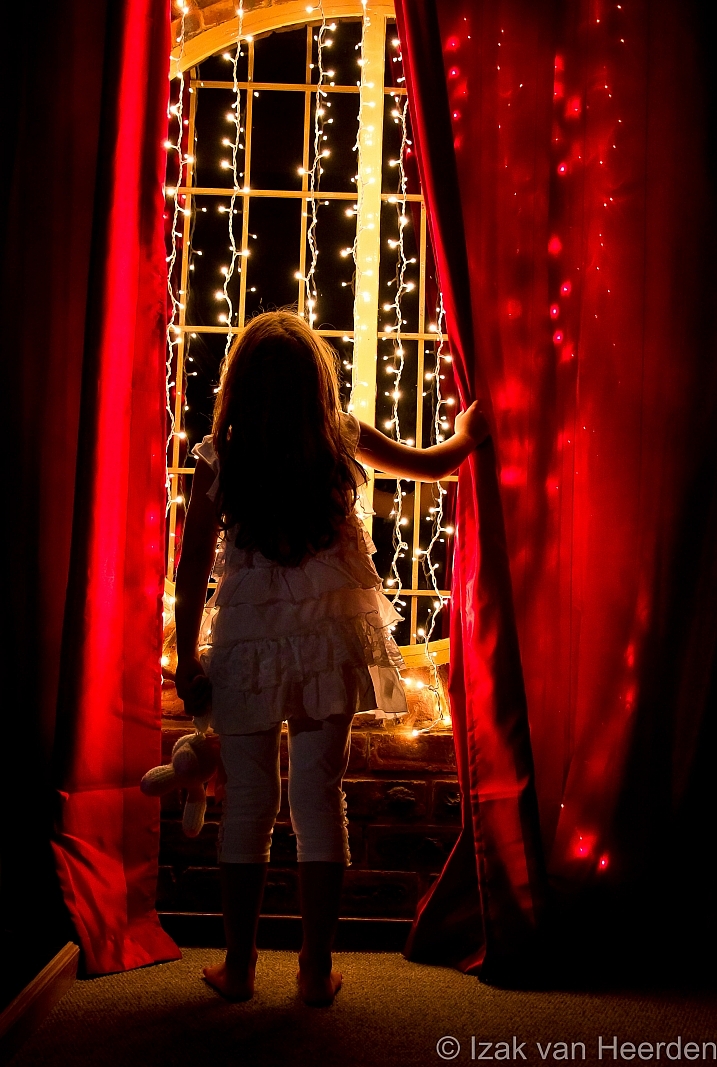
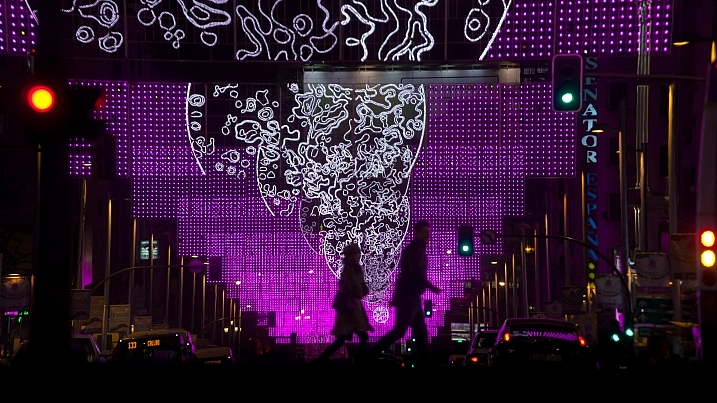
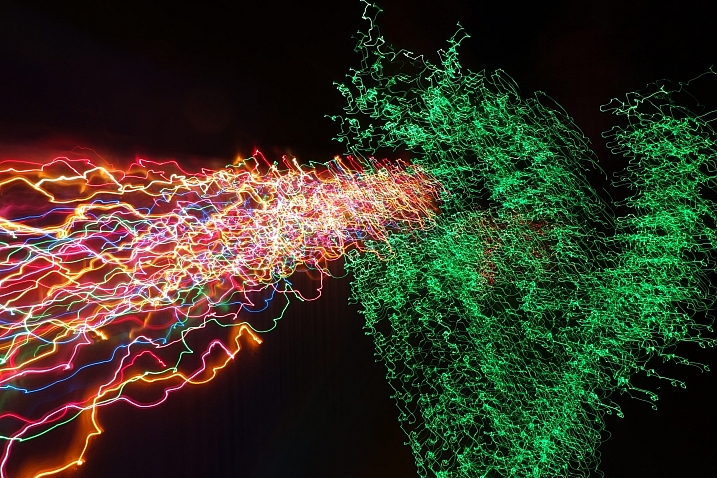
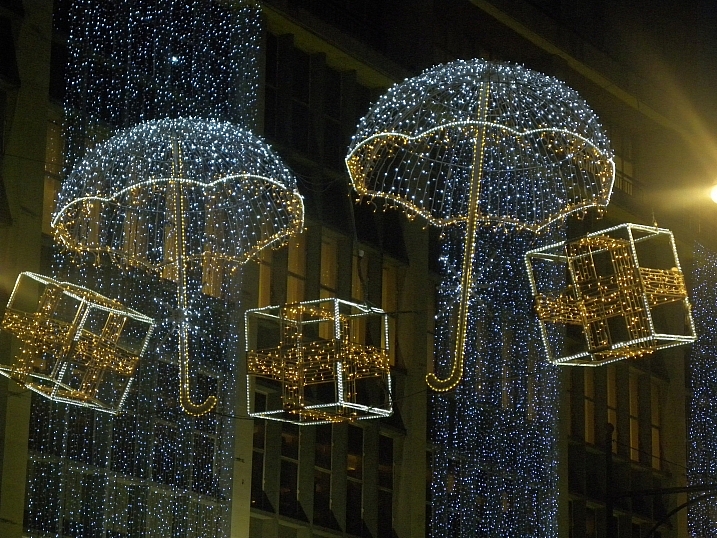
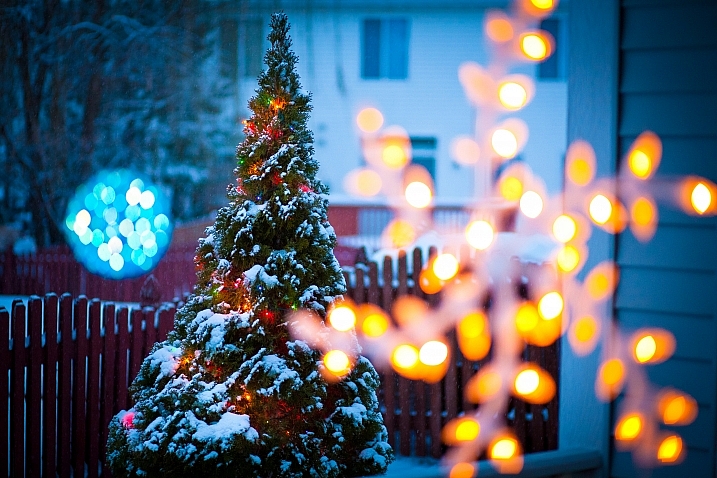
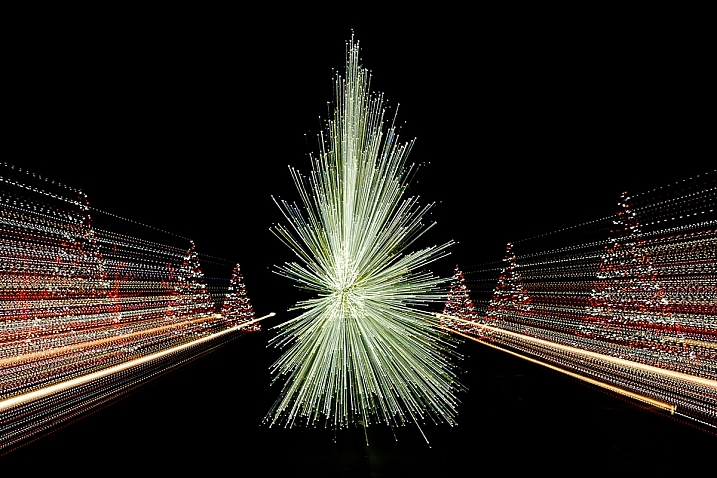
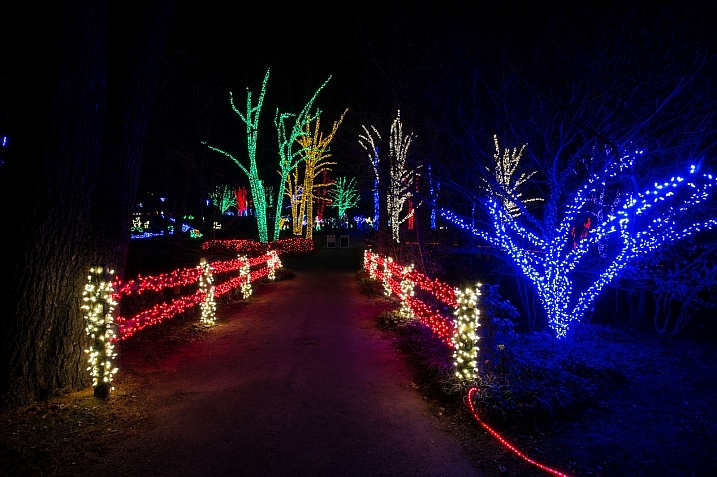
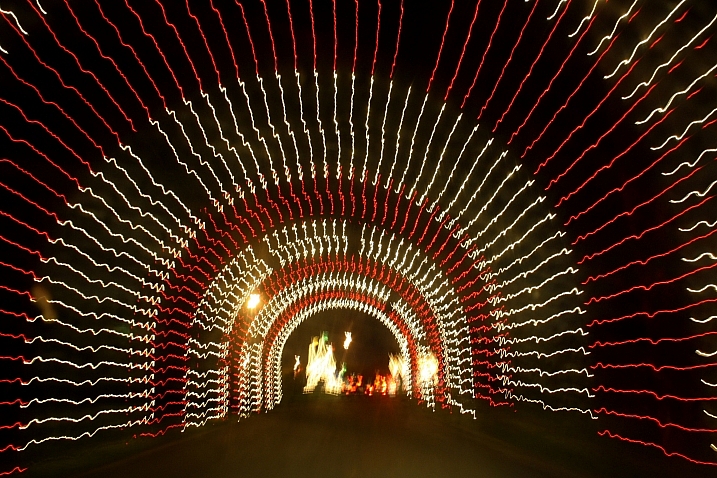
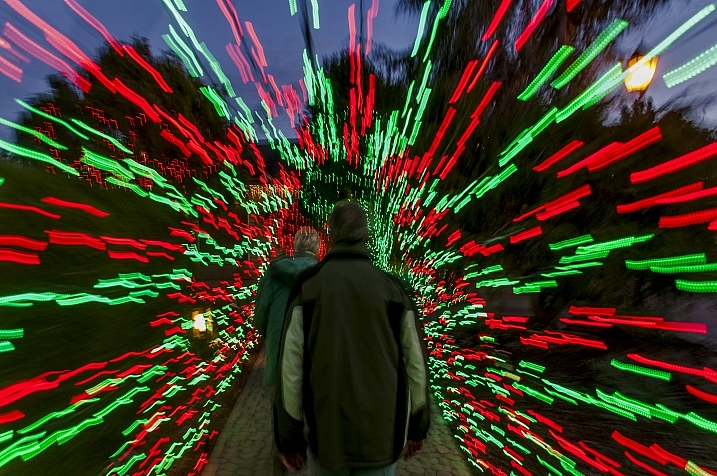
Holiday time is almost upon us, however you celebrate. Regardless of location, it seems we all like to glam up a little and decorate. Let’s look at these glitzy holiday lights photos, including some abstract and zooming techniques:

Ginny

By Ginny

Howard Ignatius

By Howard Ignatius

Dave Wilson

By Dave Wilson

Always Shooting

By Always Shooting

Billy Wilson

By Billy Wilson

Kkmarais

By kkmarais

Robert Couse-Baker

By Robert Couse-Baker

Frank Farm

By Frank Farm

Maf04

By maf04

Matthew Paulson

By Matthew Paulson

André Mellagi

By André Mellagi

Howard Ignatius

By Howard Ignatius

James Morley

By James Morley

Nathan Reading

By Nathan Reading

Marco Ghitti

By Marco Ghitti

Vitorcius

By Vitorcius

Hernán Piñera

By Hernán Piñera

Kevin Dooley

By Kevin Dooley

Gorfor

By gorfor

Aurimas

By Aurimas

MissTessmacher

By MissTessmacher

Howard Ignatius

By Howard Ignatius

Dawn Ashley

By Dawn Ashley

Mike

By Mike

Tulane Public Relations

By Tulane Public Relations

googletag.cmd.push(function() {
tablet_slots.push( googletag.defineSlot( “/1005424/_dPSv4_tab-all-article-bottom_(300×250)”, [300, 250], “pb-ad-78623” ).addService( googletag.pubads() ) ); } );

googletag.cmd.push(function() {
mobile_slots.push( googletag.defineSlot( “/1005424/_dPSv4_mob-all-article-bottom_(300×250)”, [300, 250], “pb-ad-78158” ).addService( googletag.pubads() ) ); } );

The post 25 Glitzy Holiday Lights Photos to Sparkle up Your Day by Darlene Hildebrandt appeared first on Digital Photography School.

Digital Photography School

 
Comments Off on 25 Glitzy Holiday Lights Photos to Sparkle up Your Day

Posted in Photography