RSS
 

Posts Tagged ‘lighting’

Lighting Tutorial: The Science Behind Light

05 Jul

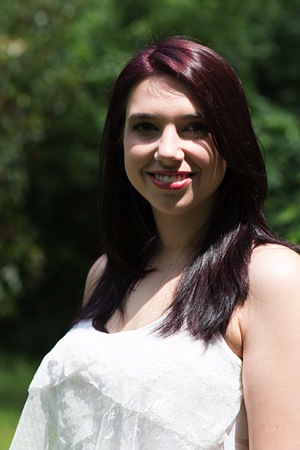
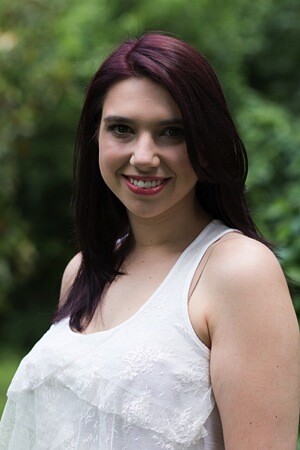
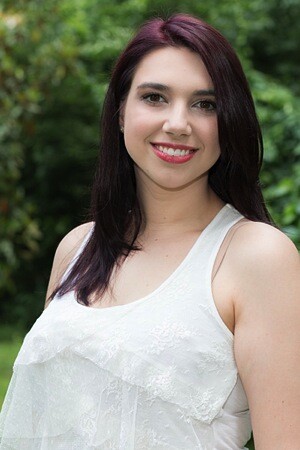
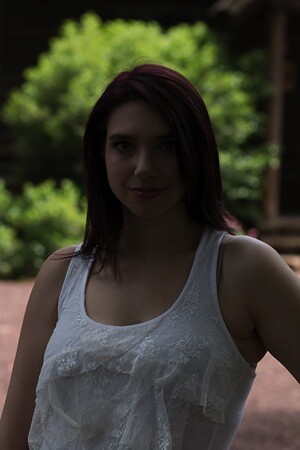
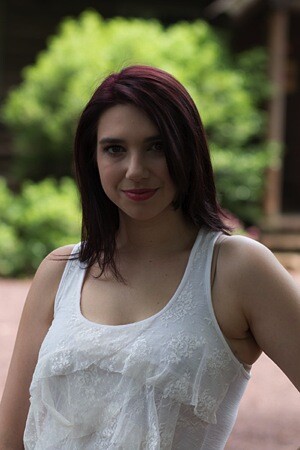
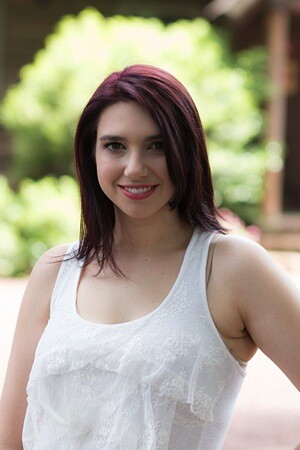
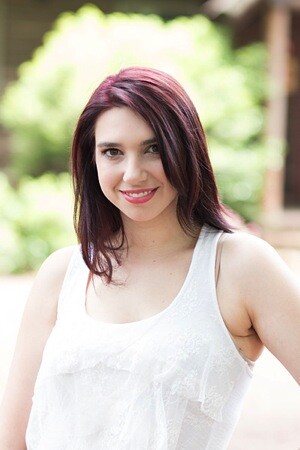
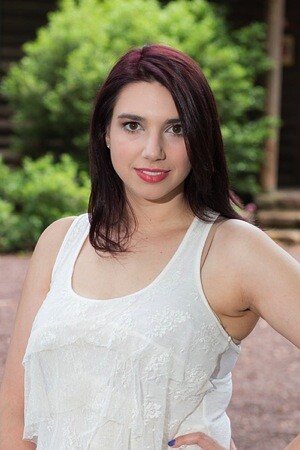
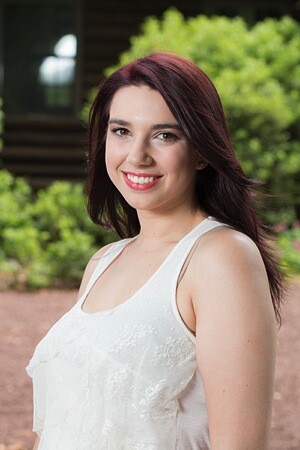
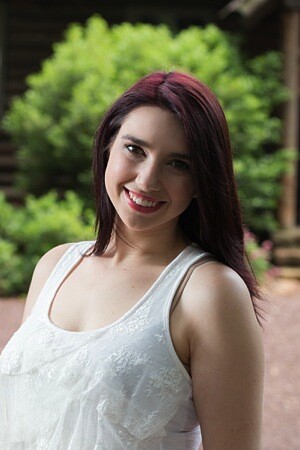
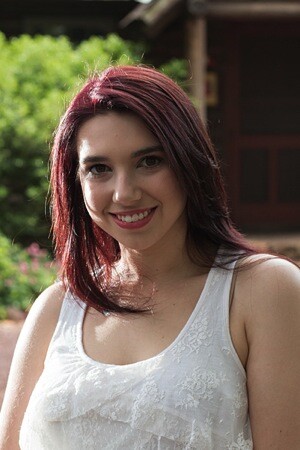
Alana Tyler Slutsky image from Surrealia series as featured on Fashion Photography Blog (FashionPhotograpyBlog.com)

Light : The Science of it All

Hey FashionPhotographyBlog.com readers. Happy Independence Day!

Today we are going to be talking about:

Light. Learn to understand it, learn to see it and the better you’ll be able to manipulate it. After all, the whole science behind photography is based on the principles of light. Stick it out through these next three days and things will get a lot more interesting. Before you can learn to manipulate light (or if you’re a curious person like me,) it’s good to understand the “how” and “why” behind it.

So, welcome to the science of light.

(I know this is the boring part, just stick with me…)

Light and Color Science:

The human eye is only sensitive to the visible spectrum of the electromagnetic spectrum.  White light contains all colors.  We learned this when Newton split white light with a prism.

Electromagnetic Spectrum Chart

Electromagnetic Spectrum

Color Prism By Pink Floyd

(Thanks Pink Floyd)

Additive Primaries – Red, Green, Blue

When you add equal parts of the additive primaries together (Red, Green, and Blue), you create white light.  RGB is the color method used in today’s digital world.  Mixing just two of the additive primaries will result with one of the subtractive primaries.

RGB Color Light Chart

Subtractive Primaries – Cyan, Magenta, Yellow

The subtractive primaries absorb their compliments (RGB) and subtract them from white light.  CMYK is the color model for printing (K referring to Black).  When subtractive primaries are mixed, they subtract brightness from white, resulting in Black.

CMYK Color Light Chart

Each additive color has a subtractive color that is its compliment.

Red – Cyan

Green – Magenta

Blue – Yellow

Before you can learn to modify and use light, you need to understand how it works! The first things to be conscious of are the qualities of light which include direction, contrast, color, brightness, diffused, and specular.

Direction is where the light is coming from.  This controls the relationship between light and shadow.  Direction can also be understood as the position or placement of the light.

Contrast is the relationship between light and shade.

Color is the color temperature or actual color of the light source.  (We’ll get into this in a minute.)

Brightness is the intensity of the light.

Diffused light is a softer light typically produced by a larger light source.

Specular light, in short, is light from a source that is not modified. Most of you guys will refer to this as “harsh” or “hard” light.

How can you tell if something is diffused or specular?  Look where the shadow meets the lighted areas.  If the transition is gradual, it is diffused. If the transition is knife edge its specular.  Aka – Does the shadow end very abruptly? Think of high noon light and how the shadows cast by the sun are very crisp.  This is specular light.

Shadow Transition Examples

Pay attention to the transitions at the edge of the shadows

Source

The size of a light source (as relative to your subject) will greatly effect the type of light produced.  A small source will produce hard light, hard edges and harder shadows.  A large light source will produce a shadowless or softer light with softer shadows.

Distance also effects your light.  A light close to your subject will create a softer light, whereas the same light when placed farther away will create a harder light.  Think of the sun!  It’s far away, appears quite small but produces an extremely harsh light/shade relationship unless there are clouds to diffuse the light.  When the sky is overcast, it acts as a giant soft box for the sun.

We’ll dive a little further into distance and light tomorrow.

Until then –

Alana

IMAGE SOURCE:

Feature image & image 1: photography by Alana Tyler Slutsky from her Surrealia series. To view the rest of the photos from this series visit her website.

Image 2, 3, 4 & 5: Alana Tyler Slutsky

Image 6:  150m.com


Fashion Photography Blog

 
Comments Off on Lighting Tutorial: The Science Behind Light

Posted in Uncategorized


Using Off-camera Flash to Fix Lighting Problems for Outdoor Portraits

23 Jun

Model holding flash better

When you’re taking pictures of family and friends outdoors, you are often not in control of the light, and that can lead to poor portraits.

A few of the possible problems include:

  • Raccoon eyes – deep shadows in the eye sockets (and other the nose) caused by bright overhead sunlight or light overcast skies
  • Bright background obscuring the subject’s face – although some cameras automatically compensate for it, if you’re shooting in the shade and there’s a really bright background, that can mislead your camera into underexposing the image, leaving your subject’s face too dark.
  • No control over direction of the light – the sun is here, and you are there. You can move around the person you’re photographing to get better light, but then you may lose the desired background.

With a wireless flash, these problems can be overcome, and it’s surprisingly easy. Canon’s Rebel line, D-series DSLRs and advanced G-series compact cameras let you control off-camera flash wirelessly, which opens up many possibilities when it comes to changing the quality and quantity of light that you use to photograph someone outdoors.

Raccoon eyes – below (left) is a typical portrait shot under direct midday sunlight with our model, Leanne. The sun, almost directly overhead, casts deep shadows over eye sockets, below the nose and chin, and wherever hair blocks the light. Gear: Canon EOS 70D, 85mm f/1.8 USM Canon lens. Exposure: 1/320 second at f/4.5, ISO 100.

Raccoon eyes before 600 Raccoon eyes after 600

Raccoon eyes fixed – (above right) the flash was mounted on the camera’s hot shoe and provided enough fill light to blow away the shadows, but the light is flat. Gear: same as above plus Canon 430 EX II Speedlight. Exposure: 1/250 second at f/10, ISO 100.

Raccoon eyes, cloudy skies (below left) the clouds move in and soften the light. Better, right? Well, sort of. Leanne’s eyes are still in the shadows. Gear: Canon EOS 70D, 85mm f/1.8 USM Canon lens. Exposure: 1/250th at f/3.5, ISO 100.

Raccoon lightcloud before 600 Raccoon lightcloud after 600

A lighter touch with light – (above right) in this case, less light was required to lighten the shadows, so I used the on-screen flash intensity control (on the Canon 70D, press Q and then touch the flash power icon to access this feature) and reduced the flash output. Determining the right amount of flash output is often a matter of trial and error. In this case, the default setting was too dark, +2 was too bright, but +1 was perfect. Gear: same as above plus Canon 430 EX II Speedlight. Exposure: 1/250th at f/7.1, ISO 100.

Balancing light when shooting in the shade

The ideal way to take a portrait in the shade without flash is to shoot with the bright area behind you (behind the camera). This will give you a wide light source and with nice, flattering light. However, you may not have this option, or you want to include interesting background elements that are, alas, drenched in sunlight.

While an on-camera flash will add enough light, you can add more dimensionality and features to your subject’s face by taking the flash off the camera and moving it around. By combining ambient (existing) light with your off-camera flash, you introduce infinite creative portrait-taking possibilities.

(Not sure how to use wireless? Scroll down to read our primer)

It’s best to have what flash guru Joe McNally calls a “voice-activated light holder” (also known as a human being, a friend, relative or cooperative stranger) to move around and hold the flash wherever you need it. If it’s just you and your model, however, an inexpensive light stand and shoe-mount flash adapter, such as the Flashpoint Heavy Duty Lightstand and Adorama Universal Swivel Holder, will do the job. Total cost? Less than $ 50!

Fixing harsh backlighting without flash

Exposed for the background – in the photo below (left), the background is perfectly exposed but Leanne, standing in the shade of a large Maple tree, is in deep shadow. Gear: Canon 70D, 85mm f/1.8 Canon Lens mounted on a Velbon GEO E535D Carbon Fibre Tripod. Exposure: 1/320 second at f/4, ISO 100.

Exposed for background Exposed for openshade

Add one stop of exposure – (above right image) better, but Leanne’s face is still too dark. Gear: same as above. Exposure: 1/200th at f/3.2, ISO 100.

Spot meter on the subject – by taking a spot meter reading you can eliminate the misleading bright background from the exposure equation and get a pretty good exposure on the face (below left). But the eyes are still too dark, and the background is getting blown out. Gear: same as above. Exposure: 1/160th at f/2.8, ISO 100.

Exposedforface Exposed for shadows

Exposed for the eyes – now you can see Leanne’s eyes clearly (above right), but overall the image is too bright, especially the background. So let’s introduce a flash and balance things out. Gear: same as above. Exposure: 1/125th at f/2.5, ISO 100.

Adding flash to balance with the ambient light

Balanced light, image below left. Now the exposure is spot on! If you hold a flash up a foot or so above your camera while shooting, you should get this kind of light. The slight angle gives Leanne’s face a bit of dimensionality. Gear: Canon 70D, 85mm f/1.8 Canon Lens, Canon 430 EX II Speedlight flash mounted on Flashpoint Heavy Duty Lightstand via an Adorama Universal Swivel Holder. Exposure: 1/200th at f/5.6, ISO 100.

Balanced flash background Balanced flash 45degrees Left

Flash at a 45 degree angle (image above right). By moving the flash (now mounted on a light stand) further to the left of the camera and about a foot above eye-level you get this classic Loop pattern portrait lighting. Note how Leanne is turned slightly towards the light, and how the light falls off her left cheek, creating a more flattering, dimensional look. Same gear and exposure as above.

Flash at 90 degree angle (image below left). Now the flash is directly to camera left, and her face is divided into light and dark halves (also known as Split Lighting). This is a more dramatic look. Same gear and exposure as above.

Balanced flash 90degrees Left Backlit flash with refl

Backlighting (above right) – even though the sun was to the right of the camera, after placing the flash above and behind and slightly to camera left, it looks like she is backlit by the sun. These are the kinds of effects you can get by moving the light around. Same gear and exposure as above.

Add a reflector

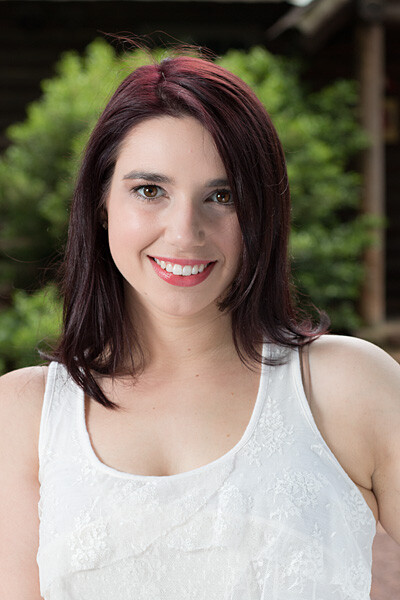
If one additional light source isn’t enough, you can easily, and inexpensively, add a second by using a reflector. The Glow 5-in-1 32-inch Reflector Kit, for $ 26, is a versatile option. This dramatically increases the possibilities for controlling and shaping the light, and bringing out the contours in your subject’s face.

One problem – running out of hands. The solution? Have your subject hold the reflector and compose a nice tight headshot.
Balanced flash 45 degree refl2

The reflector adds a new dimension. Here Leanne is holding a silver reflector to her left, which is bringing light back to her face in an approximately 2:1 lighting ratio (the reflected light is half that of the direct light from the flash). Notice how the more angular cross-light brings out her facial features. Same gear as above plus Glow 5-in-1 32-inch Reflector Kit. Exposure: 1/160th at f/7.1, ISO 100.

What if you take away the reflector and put a flash in the model’s hands?

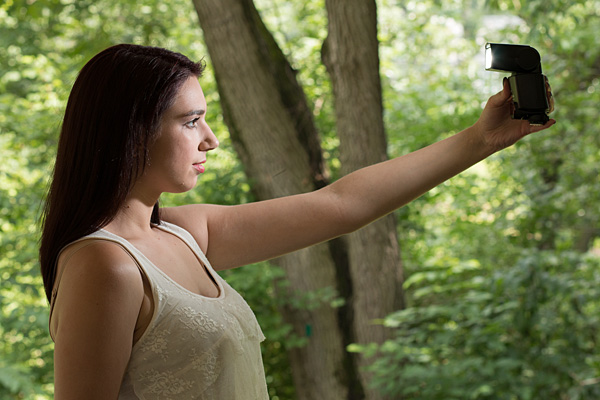
Model holding flash better

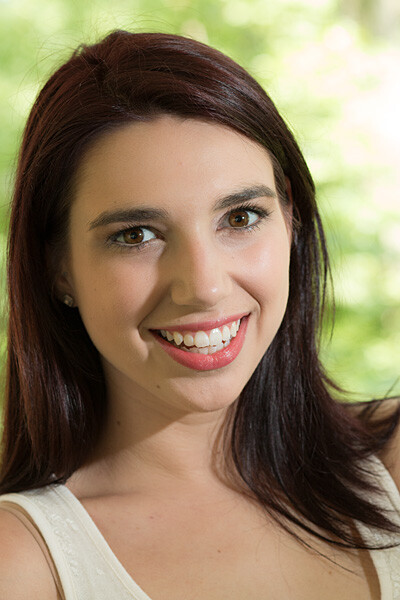
Flashie? In another setup, Leanne is holding the flash to her side as the sole light source. This is kind of like a “selfie” but with a flash.
Model holding flash vertical

She’s holding the light. In this tight headshot, Leanne is still holding the flash in the same position as above, but with a reflector to camera left adding light on the other side of her face.

Adding an umbrella

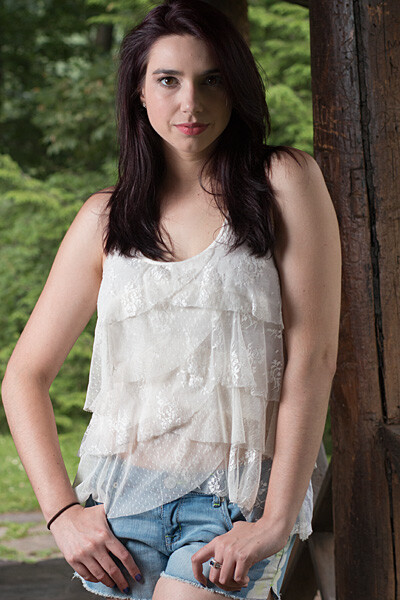
While a stand-alone flash (or one used in tandem with a reflector) is great for close shots, light falls off quickly and may not illuminate the person in a longer shot. To solve this, consider adding an umbrella to your arsenal. This will enlarge the light source and will result in more even illumination when shooting a full body or ¾ length portrait. Using an umbrella is worth an article of its own.
Umbrella sidelight modelfull

While a stand-alone flash (or one used in tandem with a reflector) placed near a subject can be great for close shots, it won’t evenly illuminate your portrait subject in a wider shot such as this one. Normally, the solution is to move the flash farther away, but in this scene, an outdoor porch, there was a wall immediately to the left of the camera. In this situation, bounce the flash off an umbrella. This will enlarge the light source to create more even illumination. Be sure to increase flash power approximately one stop to compensate for the light loss that results from bouncing the flash into the umbrella. (Using an umbrella is worth an article of its own!)

Step-by-step instructions on how to trigger Canon off-camera flash wirelessly

Here are the step-by-step directions for triggering a Canon 430 EX II wireless Canon flash from the Canon 70D. If you’re using another camera, check your manual for wireless flash instructions. Among other Canon systems, the directions will be similar.
flashsettings

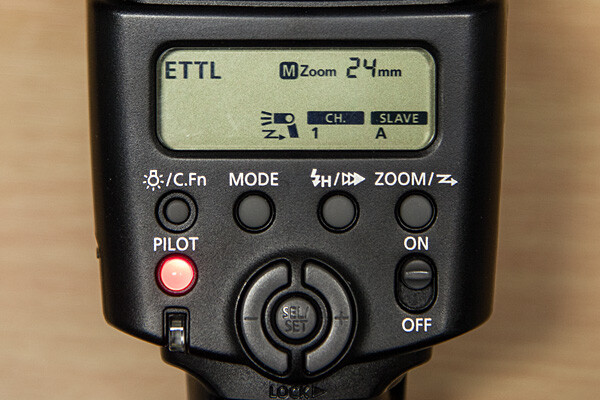
  1. Turn the flash on, then press and hold the Zoom button for a second or two. You’ll see a new flash icon and Ch 1 Slave A appear in the LCD screen (see photo above).
  2. Turn the camera on and pop up the flash
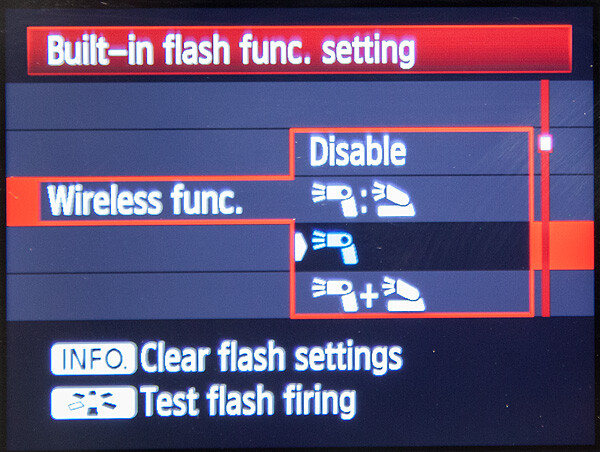
  3. Go to Menu; in the first tab (camera operation), choose Flash Control, then scroll down to Built-in flash function setting, select “Wireless Func.” and choose the middle setting of the single flash (see below) Note: Although the on-camera flash is flipped up, it will not fire during the exposure. Rather, it will flash a split-second before the exposure, which triggers the off-camera flash to fire during exposure, so your only source of flash illumination during exposure will be the off-camera flash.
canon-built-in-flash-function-setting

Hopefully you can take these off-camera flash tips and apply them in your photography to help you make better portraits outdoors. If you have any additional questions or tips please share in the comments below.

The post Using Off-camera Flash to Fix Lighting Problems for Outdoor Portraits by Mason Resnick appeared first on Digital Photography School.


Digital Photography School

 
Comments Off on Using Off-camera Flash to Fix Lighting Problems for Outdoor Portraits

Posted in Photography


How to use a Gobo to add Depth to Your Portraits with Subtractive Lighting

16 Jun

Mussell044FA

It’s our responsibility as photographers to use the interplay of light and shadow on our subjects to create the third dimension in our two-dimensional media. When the shadows are absent, we should do our best to craft the direction of natural light with tools that do this organically–tools that do not call attention to themselves.

One tool that I often see photographers using outdoors, typically in an attempt to counteract the effects of ambient light on a subject rather than simply crafting existing light, is flash fill. The problem, however, is that the use of flash fill outdoors (especially on-camera flash) frequently results in a very unnatural look and flat lighting—where all of the shadows are gone—which means that they lose the three-dimensional effect that we as artists seek to make our subjects look real. Very rarely is flash used in this manner subtle enough not to call attention to itself.

The answer is subtractive lighting

Subtractive lighting simply involves the blocking of unwanted natural light to create a natural three-dimensional quality to the lighting of people outside. The tools used to block unwanted light are called gobos or flags. Both terms are used in the world of cinematography, but are not used much the still photography world today.

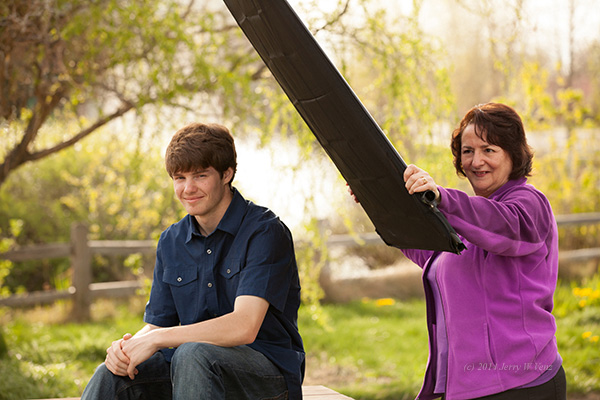
A flag is generally black, opaque, flat, and refers to something you could hold by hand or mount to a stand. As shown in the images below, this tool is used when you have placed your subject in a less than desirable, very open location with flat lighting.

Lopes102

Image with no gobo used

This is typically the lighting you’ll see with your subject out in the open. There’s strong light on both sides of his face, even though the sun is setting behind him. This is what’s referred to as flat lighting and it’s not very interesting.

In the next image you see how this can be corrected. Kathi, my wife and partner, is holding a 42″ flag close to the subject to create a dimensional shadow on the subject’s face.

Lopes112

Showing how the gobo is used

As you can see, just that simple modification of the natural light creates beautiful three-dimensionality.

Lopes106

Image with gobo used (notice the deeper shadow on his left cheek, camera right)

In this next example, we have our high school senior model, Jasmine, in the popular “Freak Alley” in downtown Boise. The sun is setting on camera left and is reflecting off a tall, distant, mirrored building to camera right. We blocked the direct sunlight on the left with our 42″ black flag, creating a nice shadow side on her face. Removing the much brighter sunlight coming from camera left (over 2 stops brighter than the reflected light on the right) also meant that I could open up the lens and slow down the shutter enough to record the dim light in the doorway behind her.

Mussell044FA

ISO 400, F/5.0 at 1/125th

If you don’t have a flag, you can accomplish similar results using a small natural light blocker, like a tree. This is where the generic term “gobo: (from go-between) comes into use. Gobos can be man-made things like buildings, houses, or a porch and they can also be something natural like a tree, forest, or hedges. Really, just about anything used to block light can be referred to as a gobo. The nice thing about a tree is that it can be in the picture, and act as a gobo to create the same type of lighting (called short lighting, where the shadowed side of the face is nearest the camera) that we used on Jasmine above.

Nick, in the image below, is a big athletic guy so I wanted to create some short lighting to trim down his face. To accomplish this, I leaned him into a small tree for its gobo effect which created a nice shadow on his face. The key to making this work is finding a tree with a small canopy. Since he must be very close to the tree for it to make a shadow on his face, the tree can’t have a big canopy or it will block the main light (the sky) and eliminate my nice deep background bokeh (those nice de-focused specular highlights, that will be a topic for a future article).

Connolly76

200mm lens, f/4.5 at 1/250th, ISO 400

Group portraits using subtractive lighting – more difficult but worth the effort

The hand held flag or small tree works great on individuals, but you need a much larger light blocker when photographing groups. To this end, scout your location for any large groups of trees, hedges, buildings, etc., which could serve as your gobo and help add three-dimensionality to your group portrait.

Again, to be effective, you must place your subject fairly close to the gobo so that you can see its effect (the shadow) on your subjects’ faces. Some photographers may have difficulty seeing this rather subtle effect with the naked eye, so I suggest to my students that they meter for the highlights on the subject’s face and take a test photo. It will be very obvious, when viewing the camera’s rear screen, if you have the shadows you’re looking for. How close, you ask, should the nearest member of your group be to the gobo? Usually about ten feet works for me. If you have a really big, tall tree line, then twenty feet may work beautifully.

In this last example, which was taken about two hours before sunset, the family was placed about fifteen feet away from a large stand of trees on the right. On the left, serving as the main light, is a large patch of clear blue sky with no sun in it. The only direct impact of the sun should be in creating backlight for the background.

Canode018

145mm lens, f/6.3 at 1/100th, ISO 400

Important caveat: Don’t stress if you can’t find the ideal location that will create the subtractive part of the natural lighting for groups, it’s not always possible. It’s perfectly acceptable to use soft, flat lighting when working with groups, especially large groups, one or two hours before sunset. Just make sure you have the other elements mentioned: keep the entire group in the shade, with the sun only touching the background, and that large patch of blue sky as your main light. We’ve used this technique to create many great portraits over the years.

Using true natural light, modified with the subtractive lighting technique, will produce superior portraits that will always look more natural than any flash technique. In addition, with the money you save not buying speed lights, soft-boxes, stands, weights, and radio triggers, you can invest in a really nice portrait lens. How’s that for a win-win?

If you have any other portrait lighting tips leave a comment below.

For more portrait lighting tips try out these articles:

  • Lighting Ratios to Make or Break your Portrait
  • 5 Reasons for Doing Natural Light Portraits
  • Let’s Talk About Light – 3 Types of Lighting Conditions and how to Use Them
  • Portraits – Lighting the Shot – a dPS ebook


The post How to use a Gobo to add Depth to Your Portraits with Subtractive Lighting by Jerry W Venz appeared first on Digital Photography School.


Digital Photography School

 
Comments Off on How to use a Gobo to add Depth to Your Portraits with Subtractive Lighting

Posted in Photography


6 Main Studio Lighting Methods to Master for Your Portraits

16 May

Understanding light is a concept that makes a good photographer, and an even greater skill to master is knowing how to recreate different light effects in the studio . Using lighting accessories like off-camera flashes or strobes, and studying how to trigger them from a different position than on top of the camera, will give an overall different aesthetic to Continue Reading

The post 6 Main Studio Lighting Methods to Master for Your Portraits appeared first on Photodoto.


Photodoto

 
Comments Off on 6 Main Studio Lighting Methods to Master for Your Portraits

Posted in Photography


Glow-in-the-Dark Highways: Free Lighting Hits the Streets

28 Apr

[ By WebUrbanist in Technology & Vehicles & Mods. ]

smart highway now reality

Proposed just two years ago, this alternative solar-powered passive streetlight system is now already a reality, deployed along motorways across the Netherlands. As one reporter put it after riding along the newly-transformed highways: “It looks like you are driving through a fairytale.”

sustainable_highway_2

smart highway changing lights

This is just the beginning of a Smart Highway approach designed to adapt surfaces to the needs of drivers. Constituent ideas include the display of relevant contextual information directly on roadways (including traffic and weather conditions) as well as direct wireless car charging.

smart highway side lights

smart highway road system

Other new ideas from Studio Roosegaarde include the possibility of turning street materials into smog attractors, reducing the spread of pollutants by pulling harmful particulates right out of the air. Despite the compelling design component, their creator describes these innovations as reforms rather than designs – ways of improving everyday life and personal safety.

Share on Facebook


[ By WebUrbanist in Technology & Vehicles & Mods. ]

[ WebUrbanist | Archives | Galleries | Privacy | TOS ]


WebUrbanist

 
Comments Off on Glow-in-the-Dark Highways: Free Lighting Hits the Streets

Posted in Creativity


Light Blaster [ For Special Effects Lighting ] a Review

20 Apr

Sometimes a new piece of camera equipment will let you do something better, faster, or cheaper. But sometimes it lets you do something wholly new, that nothing else can do, and it opens up a whole new world of creative opportunities. The Light Blaster is that kind of gear.

Light blaster 33 1024 resize

By combining a flash, a lens, and one of many different slides which you can buy or provide yourself, the Light Blaster lets you project an image into your scene or onto the subject. Like any new piece of equipment there’s a bit of a learning curve, but you can create effects that add to your photo in ways only possible with tricky DIY hacks until now.

How it works

The Light Blaster is a strong plastic shell that acts as a mount to hold the three key elements – lens, flash and slide – securely in place and in the correct relative positions. You provide a lens and a flash. The lens attaches to the front via an EOS bayonet mount (a Nikon adapter is available). There’s no lock, but it is held firmly. At the back you slide in your flash, which is held in place with a strong leather friction-secured strap, which is adjustable and held in place with velcro. Flashes of many sizes are accepted, and I tested with a Canon 580EX and a Lumopro 160.

In the centre of the Light Blaster there is a slot which accepts the provided caddy. The caddy holds the slide which is to be projected. You can use standard mounted 35mm slides or small plastic sheets about the size of a coloured gel you might put on the front of your flash. Just on that topic: you can gel the flash you’re using to give a colour tint to the projected image as well. The caddy is super easy to swap, although putting the slide in can be a wee bit fiddly. Topping off the well designed and sturdy construction is a metal tripod thread on the bottom in the thickest part of the plastic body so that you can securely mount the whole arrangement on a light stand.

Looking at the whole thing assembled, one might think it’s a bit precarious and that the lens or flash could be bumped and fall out, but that was not my experience at all. Everything felt sturdy and secure, and I didn’t mind picking up the light stand with everything attached and moving it around the set.

The Light Blaster also comes with a convenient case which safely holds everything, including a whole bunch of slides and an extra caddy in a small package with a fabric handle.

The Results

While I was testing out the Light Blaster I used it primarily in three different ways:

  1. Projecting onto the background
  2. Projecting onto a model
  3. Projecting into the air itself with the aid of a smoke machine

Here are some examples:

Creek 131110 078 X3 resize

Model: Mei Hikari

For this shot I projected a pair of wings onto a large wall behind the subject. It was dusk and low light, so the flash projection was easily visible, even though it’s a dark wall. The contrast was enhanced in post processing. The image projected ended up being about three meters wide. It took a few shots to get myself and the model lined up exactly right, since you can only see the projection on the camera screen. Have a look at the rest of the photos from this shoot here.

Creek 140319 236 X3 resize

Model: Graciously

I used the Light Blaster to project a simple circle of light onto the backdrop behind my model in this burlesque style shoot for a “stage” feel. While a snoot can restrict the light to a spot, only a focussed light can create the sharp clean edge I wanted, like a stage spotlight, or the Light Blaster. See more photos from this shoot.

Creek 140319 383 X3 resize

Model: Graciously

Later in the same shoot I fired up my smoke machine, and using a random geometric pattern on one of the effects slides, I created cool light beams through the smoke. The shafts of light you see wouldn’t be possible with a single light. It needs to be broken up in order to cast shadows into the smoke.

I NXG3q3z X3 resize

Here a photo of autumn leaves was projected directly onto the model and background, creating interesting layers of texture and shadow. I filled in the shadow of the model’s face with a tightly gridded flash to make his whole face visible. Projecting onto the model can be tricky to get right, but the results can be impressive. I want to experiment more with this technique. I think it is particularly well suited to art nude photography.

Any Problems?

There’s a couple of potential ‘gotchas’ when using the Light Blaster, which you’ll need to overcome and learn how to work with, but that’s true of any piece of gear in your kit.

Firstly, you’ll most likely want the projected image to be in focus, which is achieved by turning the focus ring on the attached lens, (make sure it’s in manual focus mode). Since the image is only visible when the flash fires, you’ll need to use a flashlight in place of the flash before you add the flash to the back. You’ll need the set to be quite dark or use a bright flashlight to see well enough to focus, and if you move the Light Blaster relative to the surface it’s being projected onto, you’ll need to take the flash out and re-focus.

As mentioned in the first example shot above, it can be tricky to get the best placement of the image, your model and yourself. You might need to take several shots and make small adjustments each time.

Because there’s a powerful flash shining through the slide, the blacks are never going to be truly black. Some of the light will still pass through the black ink or emulsion, so the contrast might not be as good as you’d like it to be. To address this issue, a brand new set of laser-cut metal “slides” has just been announced for the Light Blaster. This will give you absolutely solid blacks.

Conclusion

I had a great deal of fun testing this product, and I’m looking forward to using it in future shoots. With a good variety of effects slides available from the Light Blaster site, the ability to take any 35mm slide, and even home-printed acetate slides, there is literally unlimited creative potential. You can put any backdrop you like behind your subjects, and transport them to another world. Or you can use it in ways similar to what I have here. Have a look at the Light Blaster site for more example photos. For under $ 100, this is a super versatile creative tool to add to your kit.

Want more on special lighting techniques? Try these articles:

  • How to Create this “Fight Club” Inspired Portrait using One Light
  • Accent Lighting for Portraits
  • Studio Lighting: Building a Light Set-up
  • How the Shot was Done: SNK Police Cosplay

The post Light Blaster [ For Special Effects Lighting ] a Review by Neil Creek appeared first on Digital Photography School.


Digital Photography School

 
Comments Off on Light Blaster [ For Special Effects Lighting ] a Review

Posted in Photography


Behind the scenes: Small lighting, big results with Joe McNally

17 Apr

Screen_Shot_2014-04-16_at_12.26.16_PM.png

Nikon’s latest in a series of behind the scenes videos features photographer Joe McNally. An off-camera lighting wizard, McNally shares some useful tips from three different flash scenarios. No diffusion panel? No worries, McNally explains you can get the same results by placing a bed sheet between the flash and the subject. And as natural light began flowing through his studio, like any good photographer, McNally moved his model to make some pictures — without flash, this time. See video

News: Digital Photography Review (dpreview.com)

 
Comments Off on Behind the scenes: Small lighting, big results with Joe McNally

Posted in Uncategorized


Budget lighting: Flashpoint 180 Monolight review

01 Apr

Flashpoint-Monlight180-1.jpg

Adorama’s Flashpoint 180 Monolight is a battery-powered 180-watt strobe designed for on-location shooting in the middle of nowhere. The kit comes with everything needed to provide adequate fill light for scenes or soft key-light for portraits, minus the stand, which must be purchased separately. Despite its budget price tag, does the 180 Monolight have what it takes for professional use? Find out in our review

News: Digital Photography Review (dpreview.com)

 
Comments Off on Budget lighting: Flashpoint 180 Monolight review

Posted in Uncategorized


Let’s Talk About Light – 3 Types of Lighting Conditions and how to Use Them

27 Mar

What‘s all this talk about light?

About light photography 04

When I started my photography journey I remember every article (or so it felt like), blog or book I read talking about light. “Find the light!”, “SEE the light!”, “It’s all about the LIGHT!”, “Follow THE LIGHT!”… AHHHH WHAT’S ALL THIS TALK ABOUT LIGHT!!!

Sound familiar?

I soon became obsessed about light. I would stare at people as they were talking to me; daydreaming, watching how the light was falling on their faces. When I was out walking I would always be looking at the direction of light and the way it behaved at certain parts of the day. It seemed however, that the harder I looked for The Light, the less I was able to see it. I honestly thought I would never be able to see the light!

Then something happened. I can’t tell you exactly when, but after months of obsessing about light, I finally saw ‘it’; its beautiful, soft, illuminating quality and its ability to change the mood and style of a scene.

Light plays a huge part in my photography style and the soft, romantic images I create. There are so many different types that I could easily write a whole book about light alone. For now however, I’m going to focus on three types of lighting conditions and how I use them to their advantage.

Open shade

Open shade is that spot between the sun and shade. The shade can be created by a building, a tree, a wall, etc. When using open shade it’s important to ensure that you still have available light reflecting into the shaded area. Choosing areas that have white, or light pastel, walls or floors will also help create additional soft, illuminating light by reflecting light off their surfaces. The reflected light will bounce all over your model giving them a lovely soft, gentle and even glow.

About light photography 01

The above image was taken in open shade. Can you see the line in the bottom left of the frame that divides the light and shade area? I’ve placed my model just with in it, so that the light is still reflecting onto her. The limestone wall also acts as a reflective surface and bounces light back onto my model.

Another thing to consider when using open shade is the direction your model is facing. If facing in the wrong direction, open shade can leave your image looking dull and flat. Make sure to look at where the light is coming from and have your model facing it. Use reflective surfaces, or a reflector, to direct the light back towards your subject. By doing this, the light is still illuminating their face and you’re still getting those beautiful catch lights in their eyes. Open shade offers the flexibility to shoot any time of day. It’s a great tool to use when shooting in midday light, when the sun is high in the sky and is creating harsh shadows on your model.

About light photography 02

Overcast days

Overcast days are my favourite sort of days to shoot. It’s like shooting in open shade, but instead the open shade is everywhere! While it’s still important to look for where the light is coming from, overcast days don’t limit you to shaded areas. The clouds act as a giant diffuser or soft box, giving you gentle, even light.

When shooting on an overcast day, I always look at where the sun is. Even if I can’t see it behind the clouds, I make sure I know where it would be if the clouds weren’t there. There are plenty of mobile phone apps available that will tell you where the sun is situated at that specific moment in time. They will also usually tell you where the sun sets and rises, which is a great tool to help you plan your shoot in advance.

The image below was taken on a wet, grey, overcast day. I still wanted to make sure that my models face was illuminated by light. For this frame I made sure that the sun was behind me. Although I couldn’t see it through the clouds, I could still see its brightness lighting up the area in the sky. Although my model was facing directly towards the sun, he wasn’t squinting and there were no harsh shadows being cast. The clouds where acting as my soft box giving me beautiful even light.

About light photography 03 About light photography 07

When starting out, many photographers are put off shooting on cloudy, overcast days. On the surface, the light appears dull; but look a bit deeper and you’ll see its wonderful illuminating quality. Some of my favourite images have been captured on days like this.

About light photography 05 About light photography 06

Backlighting

About light photography 08Backlighting, if done properly, can create some beautiful atmospheric and dramatic images. It takes a lot of practice to nail a backlit shot, but I think it’s worth the effort.

There’s different ways of positioning the sun in your frame. You can have it directly behind your model, just outside the image or in the shot completely. Each one will create a different effect and will influence how much sun flare and haze is captured in your image.

When backlighting, your metering plays a huge part in how successful the image will be. Shooting in manual mode will help ensure that perfect shot. When shooting towards the sun, I always meter for the models face, usually just under the eye closest to me. I know that this might blow out some of the highlights in the background or areas around my model, but I like the added glow that this creates.

About light photography 09

Camera’s aren’t always too keen to shoot directly towards the sun. This is where having a lens hood comes in useful. However, sometimes even this isn’t enough and you’ll hear the whirring of your lens struggling to focus on your chosen spot. When this happens, try creating a small spot of shade for the camera by holding your left hand above the lens to bloke out the light. This usually does the trick but if not, the other option is to focus manually.

Some food for thought…

One of the best pieces of advice I ever got when starting out was to always look for the light first and the background second. It’s easy to be drawn into standing you models in front of something that looks pretty or interesting, but if the lighting in that location is poor, you’ll end up with a dull lifeless image, or a model that’s squinting and has harsh shadows on her face.

I’d love to know how you get on finding the light! Please share your comments and images below.

For more articles on lighting try these:

  • 6 Portrait Lighting Patterns Every Photographer Should Know
  • Setting the Mood with Low Key Lighting
  • Lighting Ratios to Make or Break your Portrait
  • 14 Amazing Portrait Recipes – a dPS eBook

The post Let’s Talk About Light – 3 Types of Lighting Conditions and how to Use Them by Daniela Beddall appeared first on Digital Photography School.


Digital Photography School

 
Comments Off on Let’s Talk About Light – 3 Types of Lighting Conditions and how to Use Them

Posted in Photography


2 Great Lighting Tutorials with Joe McNally

10 Mar

Joe McNally is a name you have likely heard before. He’s a National Geographic photographer and a master of lighting. He’s also seemingly fearless, or a little bit crazy – doing things like photographing from the very tip (and I do mean TIP as in climbed up tiny ladders on a harness tip) of the worlds tallest towers, and other hair raising stunts.

I’ve seen Joe teach live and he’s as entertaining as he is informative. If you ever have a chance to go to one of his seminars, do it! He’s engaging and you’ll go away having had a lot of fun and learning a ton. I promise.

For today’s video I have two lighting tutorials by Joe. The first is on comparing sizes of the light source and how it effects the final image. He goes from a regular on camera flash direct from camera, to off-camera, to adding diffusers and softboxes.  After each step he shows the resulting image. So if you are having a hard time grasping quality of light and how it is affected by the size of the light source – watch this, it should help.

Comparing sizes – small flash

So? Did you get some clarity from that? Hope so.

The second video has Joe deconstructing a recent shot he did, explaining how it achieved it using both the ambient light from the setting sun and flash.

Combining flash and ambient light at sunset

Want more on lighting and more from Joe – check out these books:

Want more on off-camera flash techniques:

  • Balancing Flash and Ambient Light Using an Incident Light Meter
  • Working with Off Camera Flash and TTL
  • How the Shot was Done: SNK Police Cosplay

The post 2 Great Lighting Tutorials with Joe McNally by Darlene Hildebrandt appeared first on Digital Photography School.


Digital Photography School

 
Comments Off on 2 Great Lighting Tutorials with Joe McNally

Posted in Photography