RSS
 

Posts Tagged ‘lighting’

Lighting 102: One More Thing

01 Aug

In Lighting 102, we have learned some of the basic physical controls that we can apply to light: angle, distance, size, restriction.

We've also learned how to identify and control the zones of light that fall onto our subjects: diffused highlight, specular highlight, diffused shadow, diffused highlight to shadow transfer.

But there is another control lever that is more complex, more powerful and more evocative than all of the ones listed above. Read more »
Strobist

 
Comments Off on Lighting 102: One More Thing

Posted in Photography


Lighting 102: The Two-Light Kit

31 Jul

If you are workng with one light, you already know that a single light can create many possibilities but also can force compromises. Do you place the light for the best modeling on someone's face? Or do you cheat it a bit to minimize those deep shadows you just created?Read more »
Strobist

 
Comments Off on Lighting 102: The Two-Light Kit

Posted in Photography


Fotodiox launches flicker-free LED100WB lighting heads with dimmable daylight output

11 Jun

Accessories and lighting manufacturer Fotodiox has introduced a new LED lighting head that it claims is flicker-free and suitable for high speed photography. The LED100WB head comes with a 5600k daylight balance and offers a more consistent color rendition than the company’s previous models. Fotodiox claims the heads have a CRI of >95 and while they only draw 100 watts they deliver dimmable output of more than 400 watts. The heads run cool so are ideal for a wide range of subject matter indoors and out, and will suit both stills and motion photographers.

The company claims the output is flicker-free so frame rates as high as 120fps can be used for slow motion video, and that the bulbs have a life of 30,000 hours. The bulbs can be dimmed via a knob on the top of the housing or by using a wireless remote control. Fotodiox claims that the advantage of using their LED heads over tungsten when dimming is that the LED’s retain their color temperature.

In a change from the company’s previous WA heads, which used a Bowens S mount for accessories, these new WB models take Alien Bee modifiers. The new heads are more compact than the WA heads, but they weigh the same and don’t offer a choice of temperature or power.

The heads are sold on their own with a power adapter, reflector dish, a diffuser sock for the dish and a stand. A three head kit that also features folding softboxes with speed rings and a rolling case that fits the whole kit. The single head costs $ 299.99 while the 3-head kit costs $ 999.99.

For more information visit the Fotodiox website.


Press release:

Fotodiox Pro Announces Compact, Powerful LED100WB for High Frame Rate Shooting

Fotodiox Pro, creator and distributor of several lines of specialty solutions for videography, cinematography and photography, has announced the LED100WB: a soft light with powerful luminance for photographers and filmmakers. Built upon Fotodiox Pro’s award-winning LED technology, the LED100WB features a compact form factor and draws a mere 100 watts while outputting the rough equivalent of a 400+ watt Tungsten light. A perfect tool for portraits, tabletop photography, video interviews, short films and even special effects like slow-motion and time-lapse capture, the LED100W is available now as a single light or three-light kit from FotodioxPro.com.

“The world is shooting in 4K, and we wanted to create something that would stand up to its amazing creative potential,” says Bohus Blahut, marketing director for Fotodiox Pro. “In addition to already being quite versatile and ready to use right out of the box, the LED100WB is a perfect light for exciting visuals like time-lapse and slow motion. Go ahead and bump frame rates up to 120fps – we’ve designed the LED100WB to provide powerful, beautiful, uniform soft light, with no flickering.”

The LED100WB features a quick-release front mount compatible with Alien Bee accessories; one simple twist allows the user to mount or remove a whole host of light modification accessories. Each LED100WB comes with a metal reflector, a diffuser and a portable folding 24” Softbox, making it easier than ever to start shooting in seconds. Adding to its great versatility is a decidedly compact form factor – perfect for more creative positioning on a shoot – as well as the option to add barndoors, round and strip softboxes, and creative reflectors to each purchase. For ultimate portability, the three-light kit includes three light stands inside a custom-fit, luggage-style rolling case.

To learn more about the LED100WB and Fotodiox Pro’s additional photography and filmmaking accessories, please visit FotodioxPro.com. View unboxing videos and product demonstrations via youtube.com/user/FotodioxInc.

Articles: Digital Photography Review (dpreview.com)

 
Comments Off on Fotodiox launches flicker-free LED100WB lighting heads with dimmable daylight output

Posted in Uncategorized


How to Take Low Key Lighting Portraits

07 May

Low key lighting when taking portraits is an effective technique that can leave you with some beautiful images.

Low key lighting portrait

In this video Gavin Hoey explains how to set up a low key lighting portrait in a small home or portable studio. It really is achievable with a relatively simple setup.

If you give some low key lighting portraits a go we’d LOVE to see your results in comments below.

Further Low Key Lighting Portrait Reading

Interested in learning more? Here’s some tutorials in our archives on low key lighting.

  • How to Create Dark Moody Low-Key Portraits with Minimal Gear
  • Get an Invisible Black Background to Your Portraits – Shooting Anywhere
  • Setting The Mood With Low Key Lighting
  • Low-Key Lighting for Dramatic Portraits
  • Low Key Lighting Portrait Example

googletag.cmd.push(function() {
tablet_slots.push( googletag.defineSlot( “/1005424/_dPSv4_tab-all-article-bottom_(300×250)”, [300, 250], “pb-ad-78623” ).addService( googletag.pubads() ) ); } );

googletag.cmd.push(function() {
mobile_slots.push( googletag.defineSlot( “/1005424/_dPSv4_mob-all-article-bottom_(300×250)”, [300, 250], “pb-ad-78158” ).addService( googletag.pubads() ) ); } );

The post How to Take Low Key Lighting Portraits by Darren Rowse appeared first on Digital Photography School.


Digital Photography School

 
Comments Off on How to Take Low Key Lighting Portraits

Posted in Photography


Elinchrom launches new EL-Skyport Plus system to include hotshoe flashes in wireless lighting networks

05 May

$ (document).ready(function() { SampleGalleryV2({“containerId”:”embeddedSampleGallery_9814466852″,”galleryId”:”9814466852″,”isEmbeddedWidget”:true,”standalone”:false,”selectedImageIndex”:0,”startInCommentsView”:false,”isMobile”:false}) });

Swiss studio flash manufacturer Elinchrom has launched the next generation of its Skyport wireless triggering system that allows photographers to include hotshoe flash units in their lighting set-ups. The EL-Skyport Plus system includes a newly designed transmitter that has a swivelling head that the company says helps to optimize reception, while the new receiver features a hotshoe mount for triggering ‘almost any’ brand of hotshoe flash.

The units work via 2.4Ghz radio communications, have a range of 656ft/200m and offer 16 channels with four groups.

The EL-Skyport Transmitter Plus costs $ 89.99 and the kit that includes the transmitter and the hotshoe receiver costs $ 139.99.

For more information visit the Elinchrom website.


Press release:

The Latest Evolution of the Skyport

Introducing the New EL-Skyport Plus System

The next generation Skyport is here and allows you to take full control of your flashes from the palm of your hands.

The EL-Skyport Plus follows the successful launch of the EL-Skyport Transmitter Plus HS for Canon® and Nikon®, for those shooters requiring Hi-Sync. The new EL-Skyport Plus system is compact and robust, using readily available AA batteries. The Skyport Plus offers an extended range of up to 656 feet (200 m) and controls the power of all Skyport enabled Elinchrom flash units. With eight individual frequencies and the choice of standard and speed protocols, there are 16 frequency options, each with four groups. The EL-Skyport Transmitter Plus is compatible with almost every camera. The transmitter head folds down for reduced profile and easier subject viewing while shooting.

Compatible with Most Flash Systems
The EL-Skyport Receiver Plus will trigger almost every flash system and features a built-in hot shoe to trigger speedlights, while enabling them to also be conveniently mounted onto a lighting stand.
When used in conjunction with a Skyport HS Plus Transmitter, most speedlights set at full power can also be incorporated into Hi-Sync applications (using high shutter sync speeds to freeze motion and control ambient light).

“Elinchrom has long prided itself on providing as much control as possible to its photographers. The new Skyport Plus continues that tradition by allowing shooters to take and maintain complete control no matter what they are shooting. When it comes to Living Light, no company does it better than Elinchrom.” said Jan Lederman, MAC Group President.

The Elinchrom Skyport Plus system is retro compatible with the existing Skyport Speed system, and forward compatible to the additional frequencies offered by the latest Elinchrom ELB and ELC units.

EL-Skyport Plus To Go Contents
* EL-Skyport Transmitter Plus contains:
* EL-Skyport Transmitter Plus
* 2.5 mm to PC sync cord
* Wrist strap
* 2-year warranty

EL-Skyport Universal Plus set contains:
* EL-Skyport Transmitter Plus
* EL-Skyport Receiver Plus
* 2.5 mm to PC sync cord
* 3.5 mm to 3.5 mm sync cord
* 3.5 mm to 6.35 mm adapter
* Wrist strap
* 2-year warranty

Articles: Digital Photography Review (dpreview.com)

 
Comments Off on Elinchrom launches new EL-Skyport Plus system to include hotshoe flashes in wireless lighting networks

Posted in Uncategorized


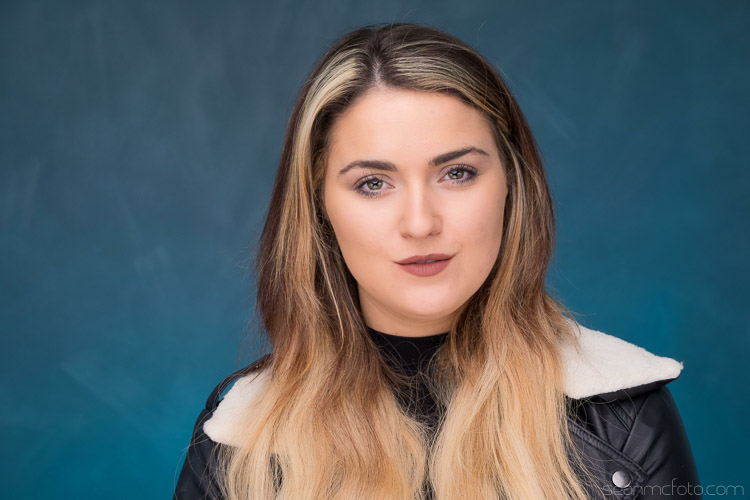
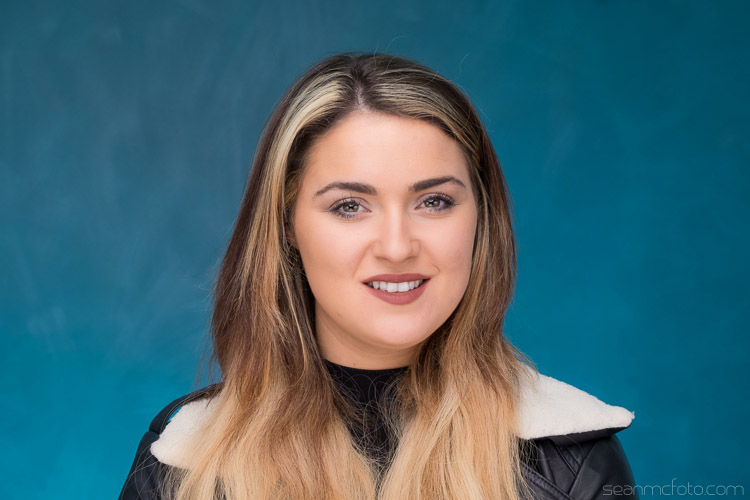
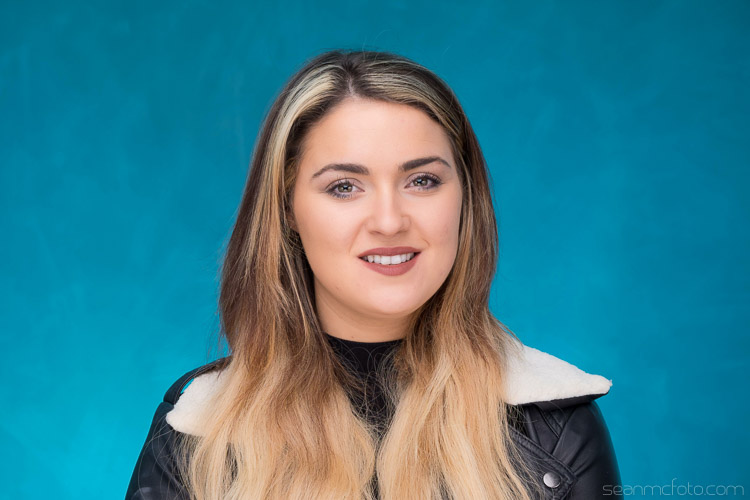
How to Use Lighting Gels to Change your Background Color

10 Apr

If there’s one thing that bugs me about shooting in studio, more than anything, it’s that you need to have tonnes of backgrounds, taking up loads of space. I’ve even gone as far as having a painter come in and create an interesting wall for me because I get bored with what I had. I’ve got over 15 backgrounds between paper, canvas, cloth, and even some vinyl castle doors.

Part of what I love about location work is the variety of backgrounds. Often you’re restricted to working in the the studio by the client, so that where this handy technique comes into it’s own.

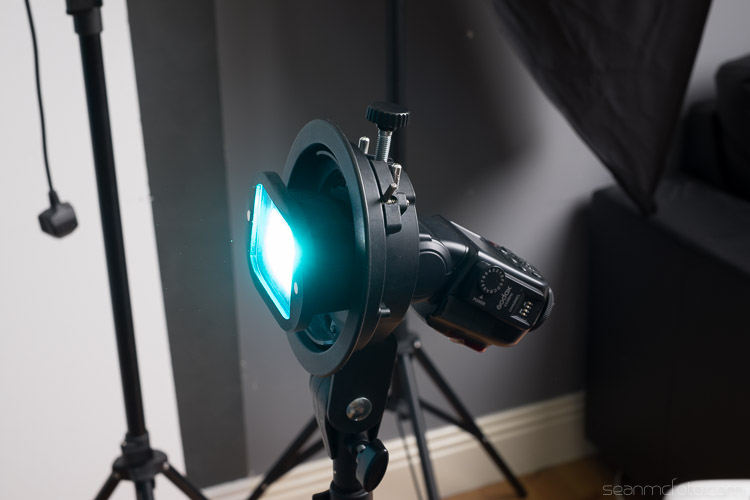
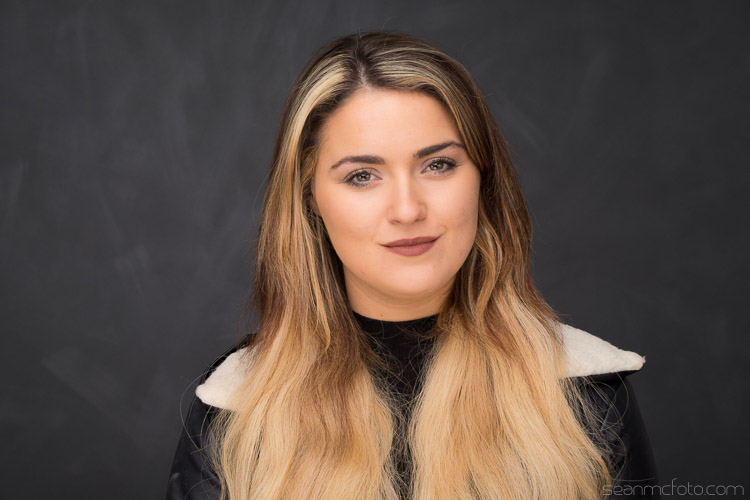
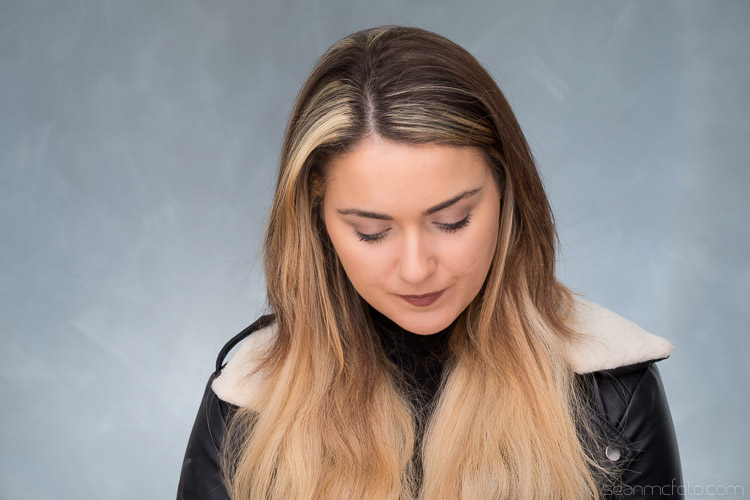
Changing-your-background-with-gels-magmod

I’ve been using gels in studio to add color to my subjects for years. A gel is a colored, transparent, sheet of heat resistant plastic. They look akin to the colored wrappers you get on some candies. They’re generally used in theatre to create mood, or emulate natural looks like moonlight, fire, etc. Gels were a big thing in photography in the 80s, and they’re making a comeback now thanks to photographers like Jake Hicks and Glenn Norwood. This article isn’t about their techniques, but it is about something I’ve started to do because of seeing their work.

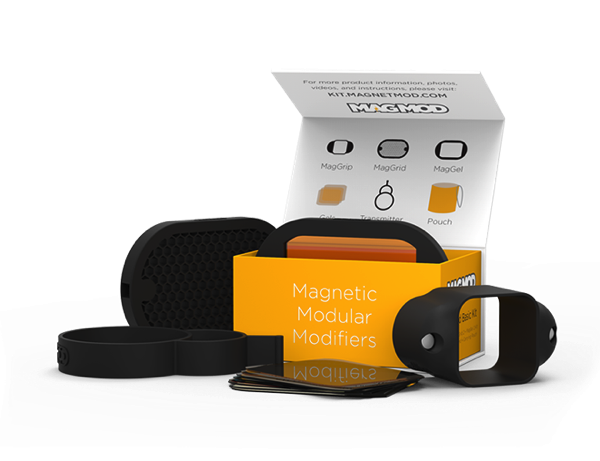
Shooting on location with speedlights mean that I’m always on the lookout for great tools that make life easy for set up. Using gels meant that when I saw the MagMod kit, I knew I had to get a set. MagMod uses strong magnets and rubber mouldings to create a grip that stretches over your speed light. It’s much neater than rubber bands or velcro. Accessories like the MagGrid, or the MagGel holder are simply held in place with internal magnets, and are easy to swap on and off as you need.

Basic Kit 1 1861968723

The really great thing that applies here, is that the gels they use are rigid, not flimsy and awkward to get in and out of a holder. The basic kit ships with a MagGrip, a MagGrid and a MagGel set with color correcting gels. I also bought the Creative Gel set, and that’s what I’m using to get different background colors in my studio. They’ve also just announced the new Artist set as well.

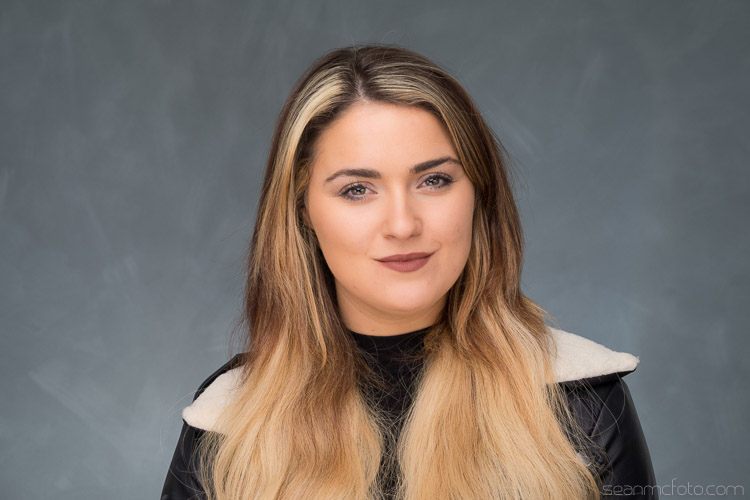
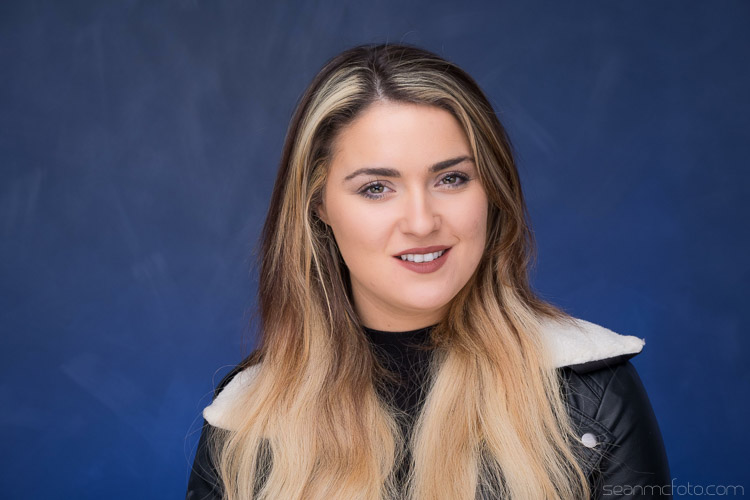
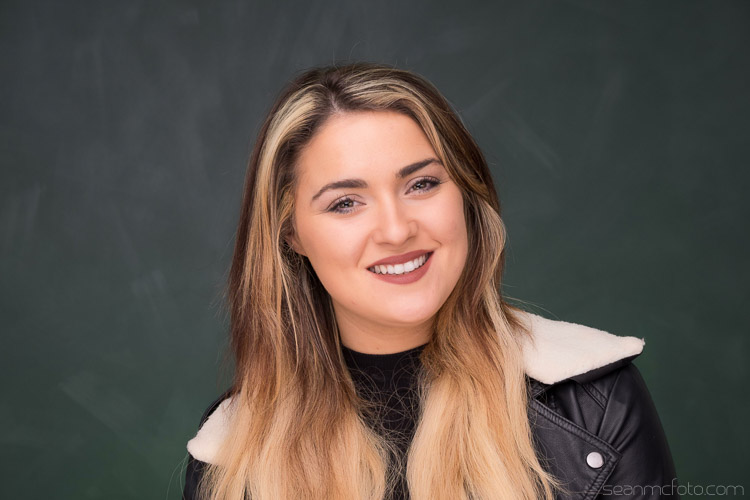
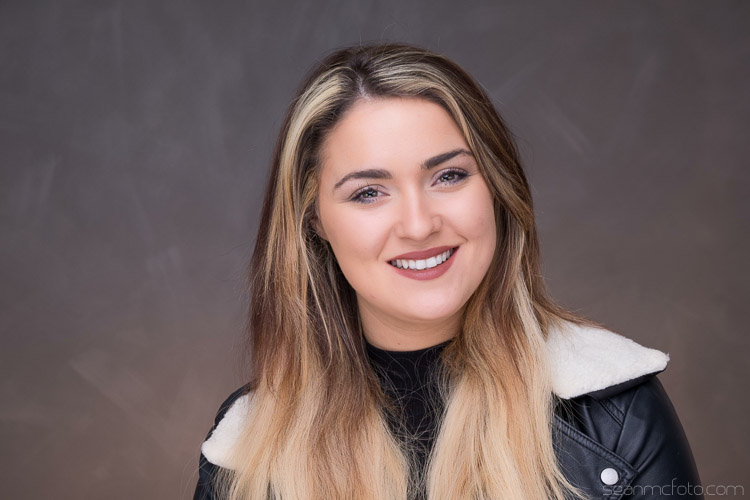
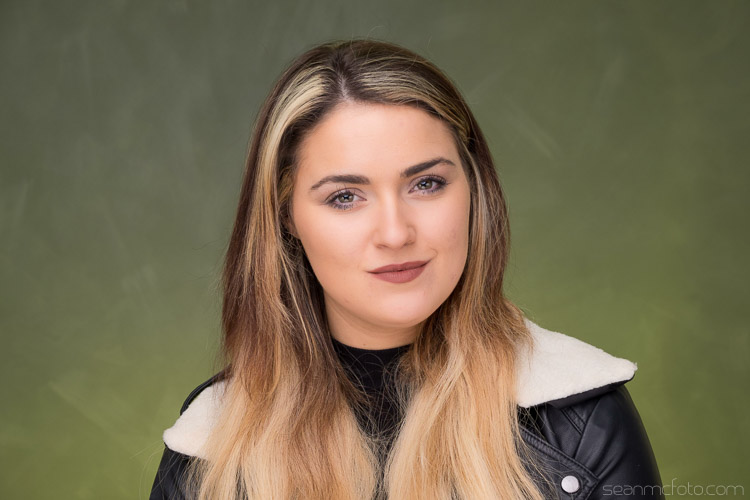
Let’s start with the basic back wall in my studio. It’s dark grey, with a light grey mottle over it as brush strokes.

Using Gels background 05

You should set the flash to get the amount of light you want on the background. Here is mine set to 1/4 power (below).

Using Gels background 04

Below it is at 1/8 power, which I think is better for getting the color to work.

Using Gels background 06

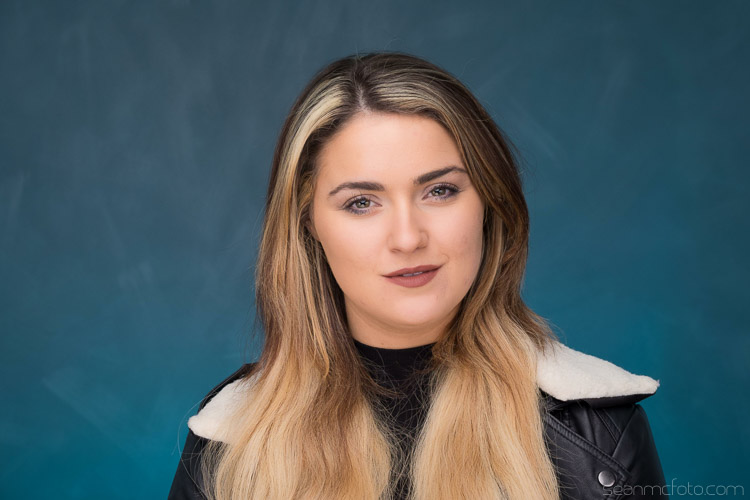
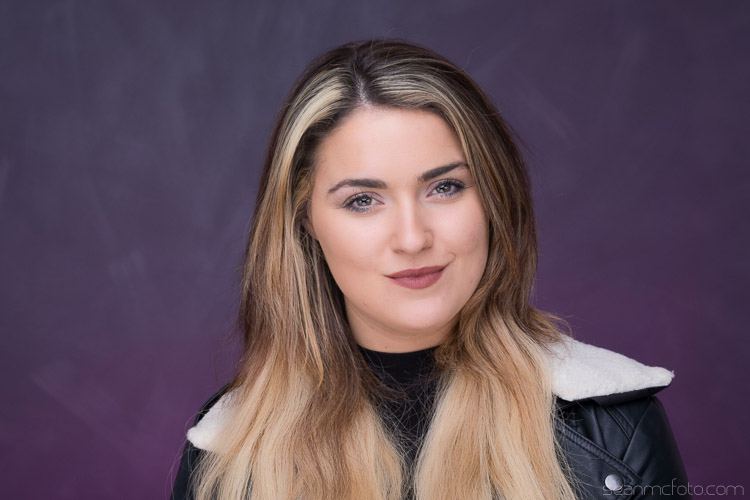
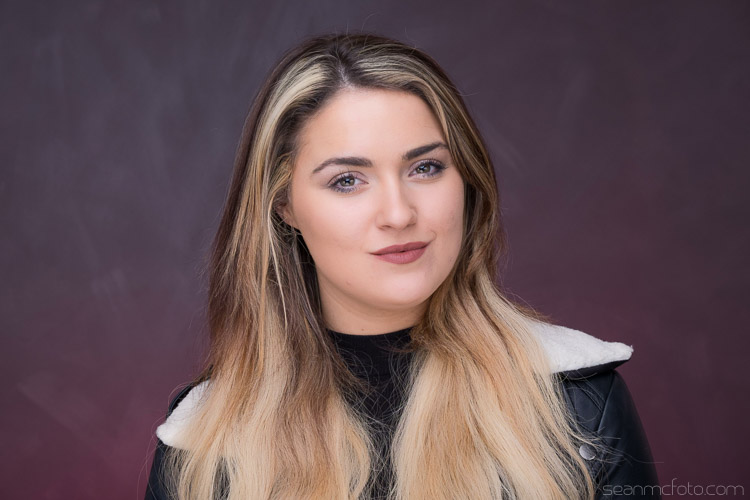
From here you can add the gels to change the color of the background. There are plenty of options for using gels, you can even just use gaffa tape with sheet gel-or even just a rubber band. Even using the MagGel set, it’s possible for you to cut out sections from gels sheets, and then trap this cutout between the empty MagGel holder and the MagGrip.


Let’s have a look at the different gels:

Using Gels background 07

Cyan

Using Gels background 08

Purple

Using Gels background 09

Red

Using Gels background 10

Blue

Using Gels background 12

Green

Using Gels background 13

Straw

Using Gels background 15

Yellow

As well as changing the color, you can also change the intensity of the light by varying your flash power.

Here’s how the the cyan gel looks at varying power, in one stop increments starting at 1/64 power up to full power.

Using Gels background 20

1/64 Power

Using Gels background 19

1/32 Power

Using Gels background 18

1/16 Power

Using Gels background 17

1/8 Power

Using Gels background 16

Quarter (1/4) Power

Using Gels background 21

Half (1/2) Power

Using Gels background 22

Full Power

As you can see, it’s possible to get a whole range of looks from just a few gels. By using the MagGrid, you can also create coloured spots of light, that fade out to the original background color. A neutral grey background is a great starting point because it takes the color well. White tends to be harder to add color to with gels (just looks washed out). You can also mix gels together to get other colors, just know that this will also absorb more light.

If you want to get started by just using gels sheets, check out Lee Filters or Rosco on Amazon. They both have sample packs with strips that just fit over the front of most current speed lights.

Have fun!

googletag.cmd.push(function() {
tablet_slots.push( googletag.defineSlot( “/1005424/_dPSv4_tab-all-article-bottom_(300×250)”, [300, 250], “pb-ad-78623” ).addService( googletag.pubads() ) ); } );

googletag.cmd.push(function() {
mobile_slots.push( googletag.defineSlot( “/1005424/_dPSv4_mob-all-article-bottom_(300×250)”, [300, 250], “pb-ad-78158” ).addService( googletag.pubads() ) ); } );

The post How to Use Lighting Gels to Change your Background Color by Sean McCormack appeared first on Digital Photography School.


Digital Photography School

 
Comments Off on How to Use Lighting Gels to Change your Background Color

Posted in Photography


Think Tank Photo launches largest rolling case for lighting

05 Apr

$ (document).ready(function() { SampleGalleryV2({“containerId”:”embeddedSampleGallery_0536172367″,”galleryId”:”0536172367″,”isEmbeddedWidget”:true,”standalone”:false,”selectedImageIndex”:0,”startInCommentsView”:false,”isMobile”:false}) });

Bag manufacturer Think Tank Photo has introduced a rolling case for lighting kit that it claims is the largest on the market. The Production Manager 50 is designed to hold a pair of studio-style heads with power packs, battery packs, dishes, umbrellas and even lighting stands. The case has internal dimensions of 38 x 125 x 25.4cm / 15.5 x 49.2 x 10in and comes with a collection of adjustable dividers so users can customize the layout of the interior. Zip-up pockets on the inside of the lid are designed to keep cables tidy, and straps on the exterior can be used to attach tripods and larger lighting stands.

The bag is made with ballistic nylon coated with a water-repellent agent that covers a rigid shell, and the shock-absorbing wheels are user replaceable should they get damaged. Think Tank Photo says that the idea of this big case is to make it easier for photographers to transport large amounts of kit in one load, and claims the Production Manager 50 can carry what it would normally require two assistants to manage.

The Think Tank Photo Production Manager 50 costs $ 599.75/£515. For more information see the Think Tank Photo website.


Press release:

Photographers Can Fit Lighting Equipment and Large Light Modifiers in One Rolling Bag with Think Tank Photo’s New Production Manager 50

Santa Rosa, Calif. – Think Tank Photo has released the largest rolling photography equipment case on the market, the Production Manager 50.  Designed to hold an immense amount of gear, including lighting equipment and large light modifiers, one photographer will now be able to transport what it used to take up to at least two assistants.  It is easy to move, carry, work out of, and stack among other gear.

This large rolling bag features stabilizing, wide-set, shock-absorbing wheels that roll smoothly and hold up under the toughest conditions, the ability to lock the main compartment and secure the bag with the included lock and cable, and a fully customizable interior with dividers to protect small and large lighting equipment including c-stands and large modifiers.

“Pro photographers usually travel by car or van to where they are going to shoot,” said Doug Murdoch, Think Tank’s CEO and Lead Designer. “Once a shoot is completed the set needs to be torn down and moved to the next location. Often times, there can be a time crunch where all the gear has to be loaded quickly. Carrying these bags up and down stairs and over rough terrain can be very cumbersome and often takes two people.  The Production Manager 50 makes this time-sensitive, cumbersome process easier and quicker.”

KEY ADDITIONAL FEATURES
* Large front zippered pocket for reflectors, umbrellas, extension cords, cables, etc.
* Attachments for lightstands or tripods on both sides (straps included)
* Rigid shell and stiffened dividers ensures gear protection
* Robust handles on four sides for easy loading and unloading by two people
* Heavy-duty aluminum side-frame protects axle from impact
* ID plate can be registered on the Think Tank site that may allow lost or stolen bag to be returned
* YKK RC Fuse zippers, 1680D ballistic nylon, and super-stick velex (interior) contribute to one of the most robust products on the market.
* Large interior mesh pockets for organizing pocket wizards, gels, cords, tape, batteries, and other accessories
* Ergonomic top handle for rolling or carrying by two people.
* Velex wrapped dividers for extra durability and longevity.
* Adjustable lid straps keep bag open and accessible
* Rear skid rails and custom wheel housings allow for loading and unloading from a vehicle with ease
* Business card holder for easy identification on top panel
* User replaceable wheels & hardware
* Seam-sealed rain cover included

MATERIALS
External: All fabric exterior treated with DWR while fabric underside is coated with PU for superior water resistance, 1680D ballistic nylon, YKK® RC Fuse (abrasion resistant) zippers, custom designed extra tall skid plates, replaceable custom-designed wheels, antique nickel plated metal hardware, nylon webbing, 3-ply bonded nylon thread

Internal: 210D silver-toned nylon, PU backed velex liner & dividers, 2x PU coated nylon 210T seam-sealed taffeta rain cover, closed cell foam & PE board stiffened dividers, belly-o mesh pockets, 3-ply bonded nylon thread

PRODUCT DIMENSIONS & WEIGHT 

Exterior Dimensions: 17.3” W x 53.1” H x 12.6” D (44 x 135 x 32 cm)
Interior Dimensions: 15.6” W x 49.2” H x 10” D (39.5 x 125 x 25 cm)
Weight:  20.7 – 29.8 lbs (9.4 – 13.5 kg)

Articles: Digital Photography Review (dpreview.com)

 
Comments Off on Think Tank Photo launches largest rolling case for lighting

Posted in Uncategorized


How to Build the Best On-Location Photography Lighting Kit

22 Mar

Digging around the Internet, there are tons of resources available for constructing the perfect studio lighting setup for photographers, but very little is written about the best travel photography lighting kits. As a result, this article is an entirely DIY approach, comprised of lots of sleuthing and trial and error, to create the ideal lighting kit, that’s compact and easy to travel with. Let’s start with the essentials: the lighting gear!

photography lighting equipment

Best Travel Photography Lights

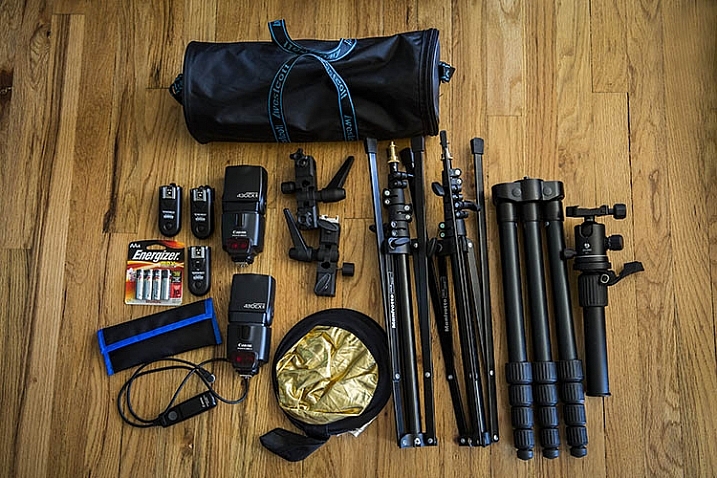
Compared to studio lights, you really can’t go wrong with speedlights when you’re looking for portability. As a Canon shooter, this means having a Canon 580EXII as my main light, and two Canon 430 EXII Speedlites as my secondary lights. A possible lightweight and travel-friendly alternate light source is the Westcott Ice Light, which offers continuous LED lighting, although in general it doesn’t quite have the oomph and output that speedlights do.

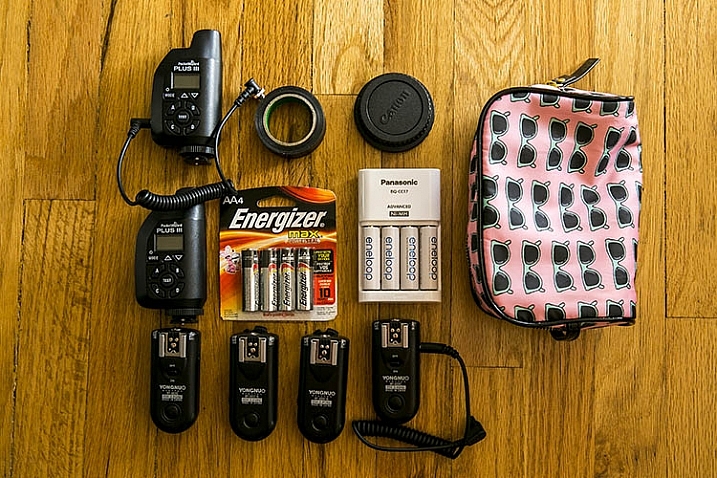
All flashes are powered by Panasonic Eneloop AA batteries, which have been a huge money-saver, thanks to the fact that they are rechargeable, and have all been extremely reliable to date. To sync all three speedlights, I have PocketWizards that I always carry as backups, but primarily rely on Yongnuo RF-603CII-C1 remote flash triggers for two reasons:

  1. They’re small and low-profile
  2. They’re incredibly cheap and affordable

Amazingly, the Yongnuos are also very reliable, and haven’t once failed in two years of constant usage.

Compact Light Stands

photography lighting equipment

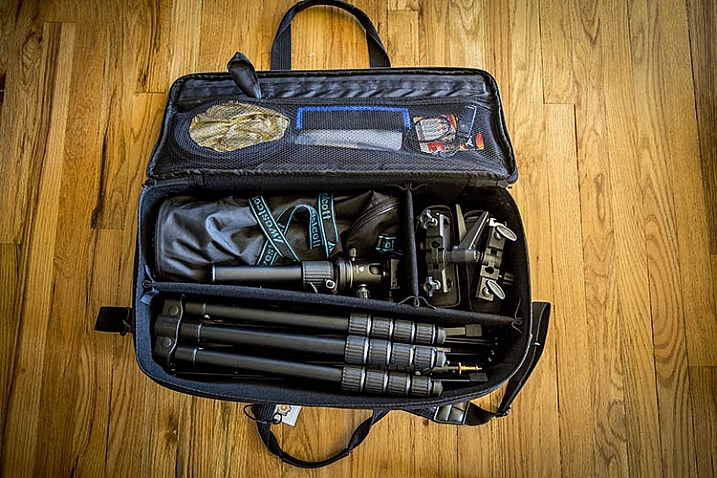
Next on the list are light stands in the form of Manfrotto 5001B Nano stands. Weighing in at just 2.2 pounds (1kg) each, these light stands fold down to a mere 19 inches (48cm), while still having a maximum height of 74.4 inches (1.9m). They aren’t the most stable or sturdy light stands out there, but they travel extremely well, and work just fine for simple speedlight setups. Two light stands gets their own umbrella adapter and accompanying umbrella, while one lucky stand is adorned with a Westcott Rapid Box lighting modifier.

Lighting Gear Extras

As with most photo shoots, you never quite know what extra accessories you might need when on location, so my lighting kit varies from shoot to shoot. Some common extras include a a Benro Travel Flat Tripod, Canon shutter release cable, mini gold/silver reflector, speedlight color gels, gaffer’s tape, spare batteries, and camera body and lens rear caps, in case of drops and spills (sad to say these have come in handy more than once).

Bonus tip: I recommend using a lightweight zippered women’s cosmetic bag to hold, and organize, your smaller items such as remote triggers, batteries, front and rear caps, etc. This is the easiest way to keep those items contained in one spot for easy access, with less chance of losing them while at a shoot.

photography lighting equipment

Lighting Gear Bags

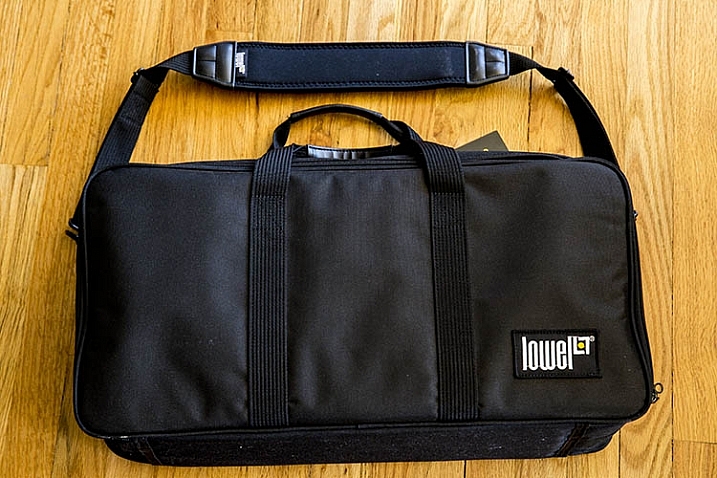
After a huge laundry list of items, you’re probably now wondering how to carry all of this stuff. Finding the perfect lighting gear bag was by far the most challenging part of assembling this DIY kit. But after lots of hunting, I found the best solution to be a Lowel Litebag, which come in a range of sizes.

With a thick and sturdy vinyl exterior and soft interior, this zippered bag has padded partitions that can be removed, or modified to suit a variety of needs. It has an adjustable, nicely padded shoulder strap and handles, making it easy to carry, even when heavy with equipment inside. It isn’t sufficiently padded to take a solid beating, but it will definitely protect your gear to a reasonable extent, without the added bulk and weight. Unfortunately, this bag isn’t the easiest to find, but it is incredibly solid, and holds all of the gear I mentioned above, with room for more!

photography lighting equipment

In Conclusion

As a traveling, or on-location photographer, it’s important to have a go-to travel photography lighting kit that is compact and flexible, while still keeping your gear safe from harm. If you’re searching for a flexible lighting kit, try out the above recommendations, and let me know what you think the comments below! Also, if you have another travel lighting kit setup, I’d love to hear about your own suggestions and modifications.

amzn_assoc_placement = “adunit0”;
amzn_assoc_enable_interest_ads = “true”;
amzn_assoc_tracking_id = “dpsgeneral-20”;
amzn_assoc_ad_mode = “auto”;
amzn_assoc_ad_type = “smart”;
amzn_assoc_marketplace = “amazon”;
amzn_assoc_region = “US”;
amzn_assoc_linkid = “6710d26f550e9793f41475ee806fee9e”;
amzn_assoc_emphasize_categories = “13900861”;
amzn_assoc_fallback_mode = {“type”:”search”,”value”:”digital cameras”};
amzn_assoc_default_category = “Photo”;

googletag.cmd.push(function() {
tablet_slots.push( googletag.defineSlot( “/1005424/_dPSv4_tab-all-article-bottom_(300×250)”, [300, 250], “pb-ad-78623” ).addService( googletag.pubads() ) ); } );

googletag.cmd.push(function() {
mobile_slots.push( googletag.defineSlot( “/1005424/_dPSv4_mob-all-article-bottom_(300×250)”, [300, 250], “pb-ad-78158” ).addService( googletag.pubads() ) ); } );

The post How to Build the Best On-Location Photography Lighting Kit by Suzi Pratt appeared first on Digital Photography School.


Digital Photography School

 
Comments Off on How to Build the Best On-Location Photography Lighting Kit

Posted in Photography


How to Create Awesome Portrait Lighting with a Paper Bag an Elastic Band and a Chocolate Donut

12 Feb
Paperbag main 717

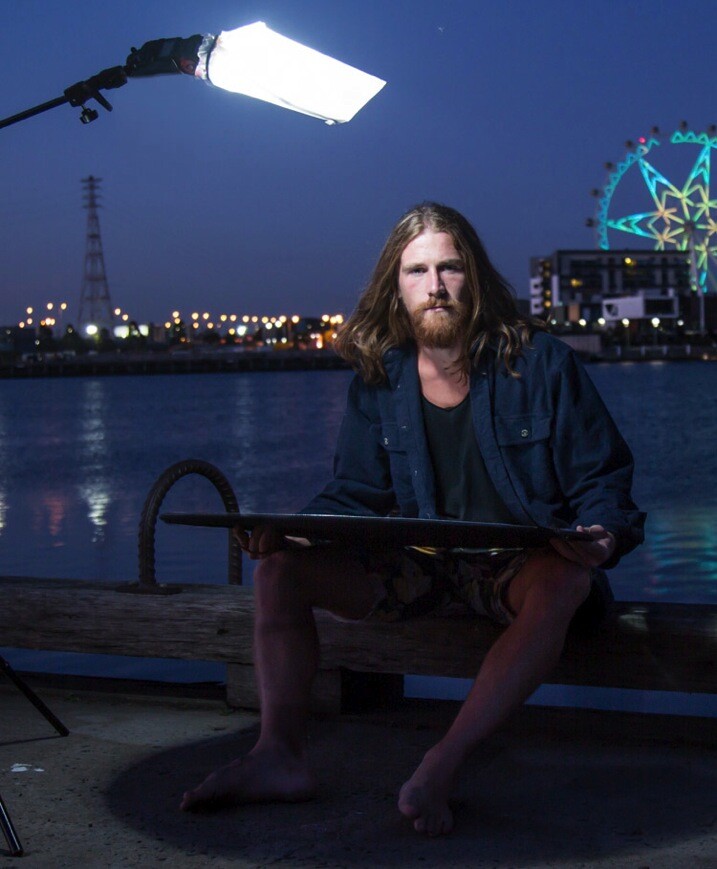
I photographed Luke Deslandes with a homemade modifier and a lighting kit that can be created for less than $ 200

One of my favourite TV series from the 90s was MacGyver, an action-adventure series about a US government secret agent with a fabulous mullet, who improvised and built complicated devices from household objects such as rubber bands, paper clips, pens and a Swiss Army knife.

The show was so incredibly popular that the term MacGyver made its way into the dictionary:

MacGyver (v): To make or repair (an object) in an improvised or inventive way, making use of whatever items are at hand:

  • He MacGyvered a makeshift jack with a log.
  • He has a shock of short red hair and a pair of rectangular-framed glasses, MacGyvered with duct tape.

The other week I was caught short on a night shoot because I’d misplaced my small softbox modifier, and needed to come up with a way to soften and control the from my speedlight to create portrait lighting.

I searched my entire kit and car, found nothing useful, then I asked myself, “What would Macgyver do?”. I rummaged through my bag and found a chocolate donut (Nutella filled, so good!) in a white paper bag, and a hair elastic which would be perfect substitutes for the softbox I’d forgotten to bring to the shoot.

The really cool thing about lighting is that the basic principles will work with any kind of light, regardless of budget, or the type of modifier used. So whether you’re working with a $ 150 lighting kit (similar to the one I used for these images) a $ 1,500 hit, or $ 15,000 one, the light will still react in the same way.
light-modifers

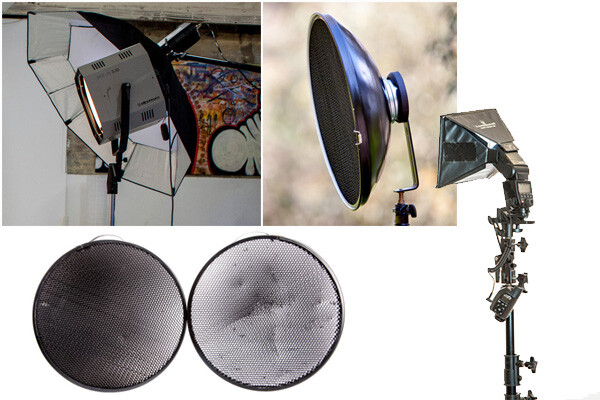
One of the best lessons I learned from working with film and television crews is that ordinary household objects can be used to shape and train light. I’ve seen soft light created using sheets of Perspex, calico, and even shower curtains. A light modifier is basically designed to do two things:

  1. It controls the shape of the flash
  2. It controls the quality of light coming from the flash
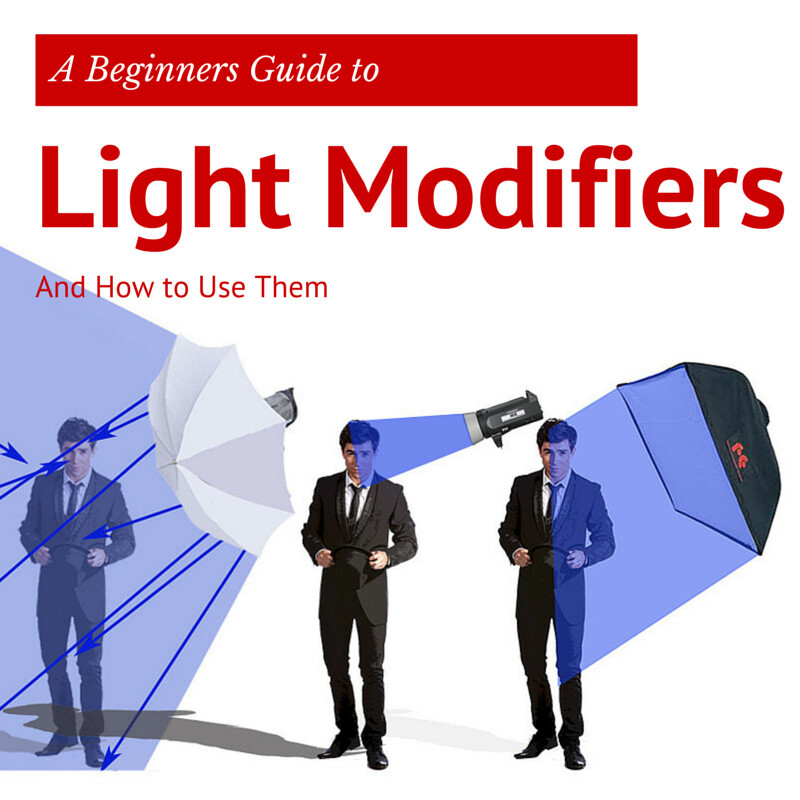
Light Shapers SQ copy

Some modifiers, like umbrellas, will spread the light over a large area and soften the quality of the light. Other modifiers like grid spots contain the light to a very small area and create a hard quality of light (click image above to read more).

The main differences between the high-end options, and MacGyvered lighting are: light quality, consistency, and build. A light modifier that has been cobbled together using found objects is not going to look pretty, and you may attract some odd looks from passers by. On a positive note, I believe a MacGyvered light modifier is a perfect way to get your head around how lighting works, and to vary your lighting styles without having to empty your bank account.

This is how I created my mini softbox using a paper bag, an elastic band, and a chocolate donut.

The Gear
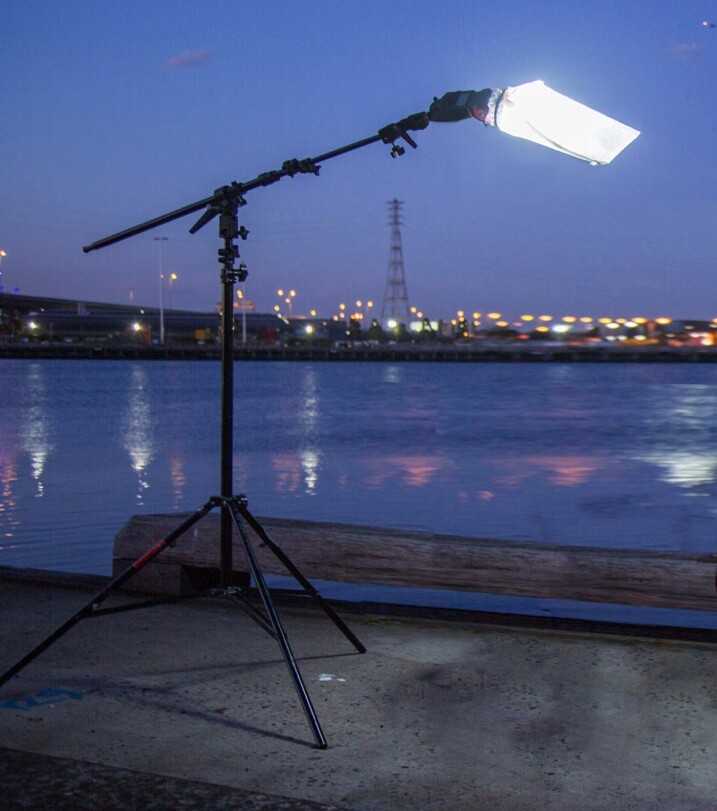
Boom 750
Booms are an awesome way to add light above your model, as they allow the freedom to work without stands getting in the way of your shot. Using a boom is also the best way to position the light exactly where you want it.

I’ve created this lightweight location boom by using a mini-boom arm on an umbrella bracket, attached to a light stand. Always remember to use a weight on the light stand, to avoid it tipping over in high winds. You can buy a sandbag, or MacGyver your own using two-litre drink bottles filled with water in a canvas bag.

A cheaper alternative to the boom is to use a light pole, and to ask a friend to hold it for you. If you are new to working with off-camera flash, I suggest you read one of my previous blog posts: A Beginner’s Guide to Working With Flash Off-Camera.It will walk you through the step-by-step technique of shooting with off-camera flash .

  • A Yongnuo YN-560II speedlight – under $ 80
  • Yongnuo RF-603N flash triggers $ 30
  • CowboyStudio umbrella mount bracket with swivel tilt bracket $ 16
  • LumoPro LP605 compact 7 foot stand with ground spikes $ 45
  • Sandbag $ 7
  • LumoPro mini-boom/reflector arm $ 40
  • Tripod
  • Nutella donut in a white paper bag – you can use plain donut but they are not as good! <$ 1
  • One Hair elastic <$ 1
  • Canon 5DMK111 (use your own camera)
  • Canon 24-105mm L series (use the lenses you have already)

The Way
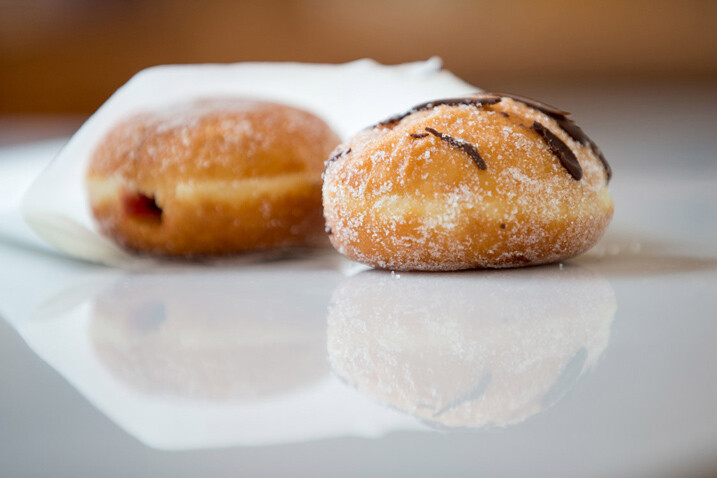
Paperbag 2 717

Carefully remove the donut from the bag, being careful not to get any Nutella smeared on the bag. Divide the donut into two equal portions. Offer one half to your model and eat the other half. If you can’t find Nutella donuts in your neck of the woods, you can substitute with any other pastry served in a white paper bag.

If you prefer a cleaner style of shooting, just ask for an extra bag when you buy your donut. You can also skip this part altogether, but it’s not as much fun, and just find a white paper bag similar to the one I’m using (see below). They vary in size and thickness so look for bags that are free of any advertising.
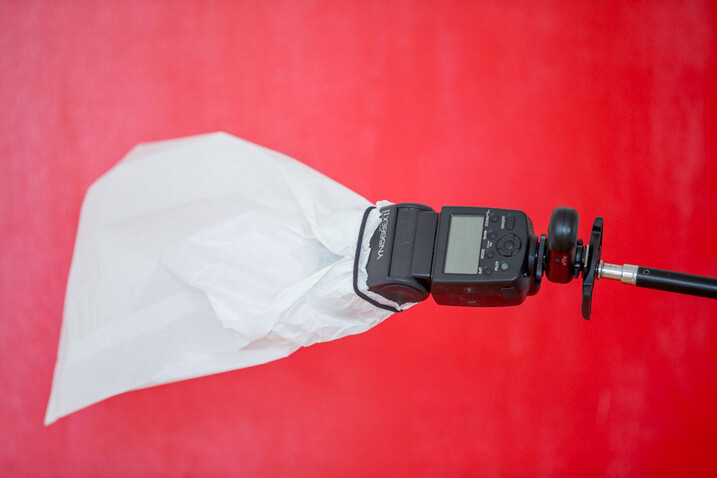
Paperbag 3 717

Place the bag over the flash and secure using the hair elastic. Electrical tape will also work, but it tends to leave a sticky residue on the flash.
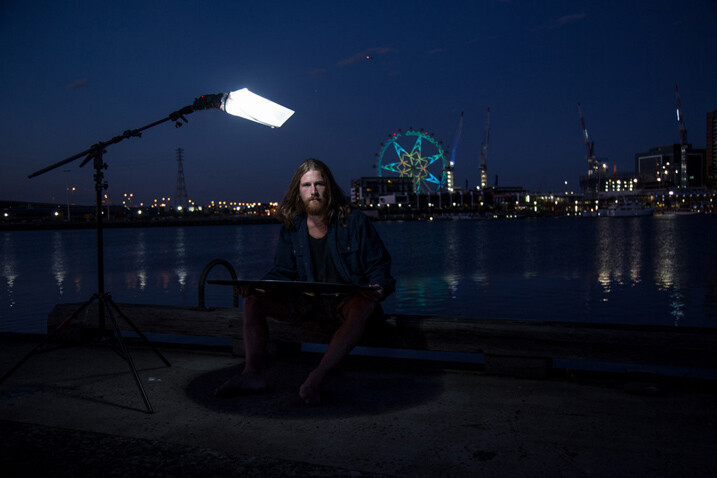
Paperbag 4 717

Position the light directly above, and slightly to one side, your model’s head. This lighting style is called loop lighting. I think it’s a flattering style because it leaves the face in partial shadow, and creates the illusion that the face is slimmer.

It’s called loop lighting because of the loop-shaped shadow the nose casts on the side of the model’s face. How prominent the shadow is, depends on how much fill light is used. I use this style of lighting for 80% of my studio and location shoots, as I believe it is one of the most natural-looking lighting techniques.
Paperbag 5

Adding Fill Light

Using one light from overhead looks great, and adds definition to the model’s bone structure. As I prefer a softer lighting style, I’ve also added a white reflector to my shot.

I placed the reflector on Luke’s (my model) lap because I was shooting very tight headshots. If I were shooting a ¾ or full-length portrait, I would position the reflector on the ground, just out of the shot. The reflector fills in the shadows caused by the flash overhead. You can modify the amount of fill light by how close you place the reflector in relation to your light source. The closer the reflector is to the light, the more evenly lit your portrait will look. If you prefer more contrast or mood to your lighting, move the reflector further away from the light or don’t use one at all.
Paperbag_6-717

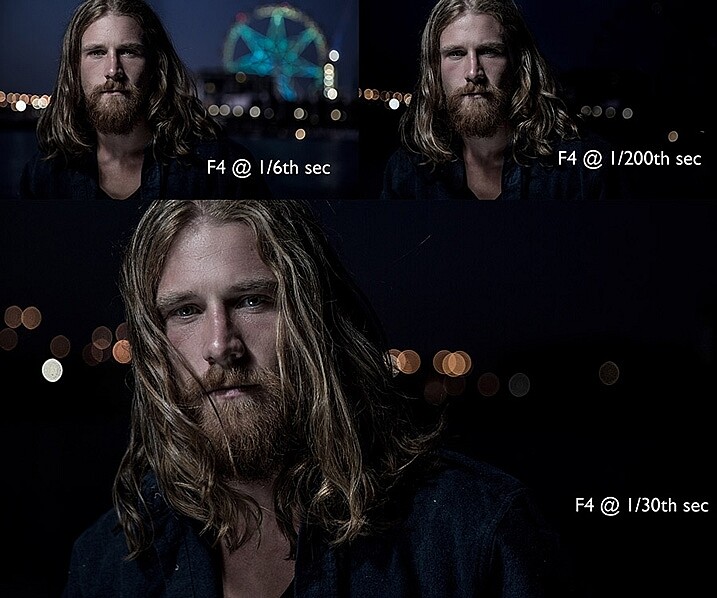
Changing the shutter speed controls how much ambient light there is in the image. To create a brighter background, I selected a shutter speed of 1/6th second. Shooting at 1/200th of a second removes most of the ambient light and creates a moodier image. I wanted to create the goldilocks effect, not too heavy, and not too light, but just right.

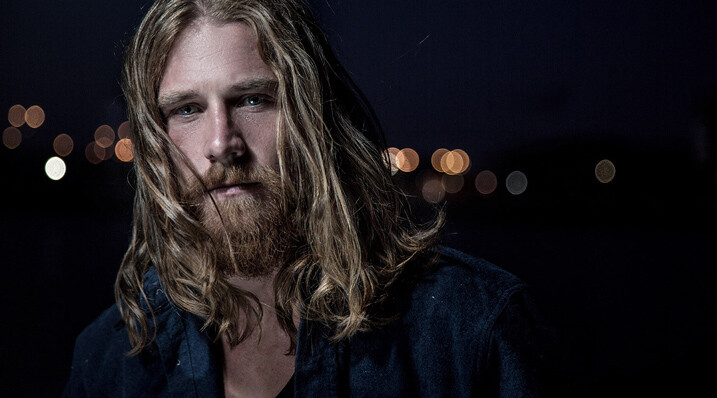
The Final Image
Paperbag final 717

Here are a few more awesome Macgyver lighting hacks that my podcast listeners have shared with me.

Ping pong balls and empty toilet rolls
Brett Ferguson 01

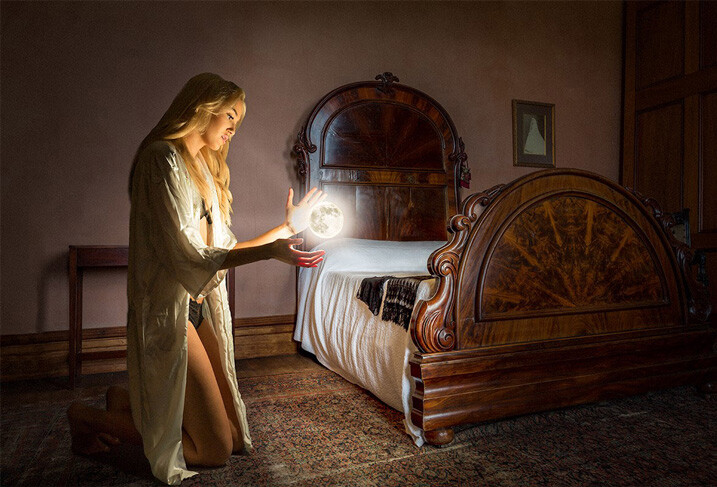
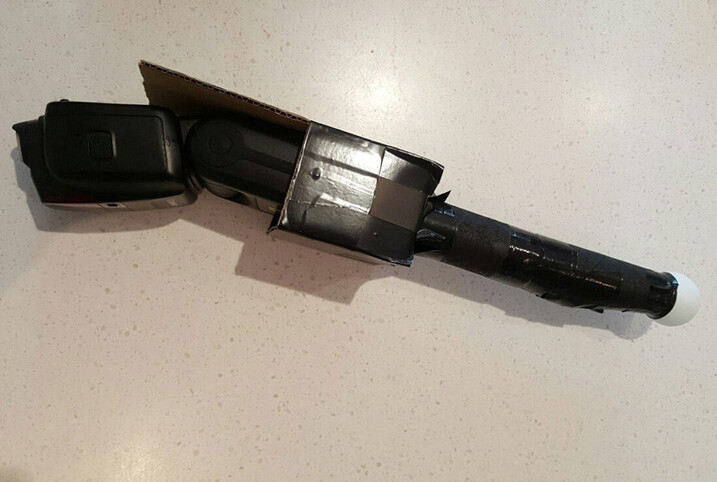
This gorgeous image by Brett Ferguson was created with a light modifier Macgyvered together with a ping pong ball and empty toilet rolls.
Brett Ferguson 02

Hey Gina Milicia, here is a Macgyver light modifier for you. I needed a spot light source to light the model in a convincing way. It was really important to have a soft glow, and realistic shadows, to emulate what the moon would look like. I used a ping pong ball at the end of two empty toilet rolls and then rigged some cardboard to hold the flash. The flash head fits in nicely, and the centre of the toilet rolls are white, allowing it light up to the ball. This image (edited) was shot at 47mm on a 24-70mm f2.8L II lens on a Canon 5D3 at 1/80th, f/3.5 and ISO 500.

You can see a larger version of the finished image at www.brettferguson.com.au.

The Pringles gridspot
GlennDube 717

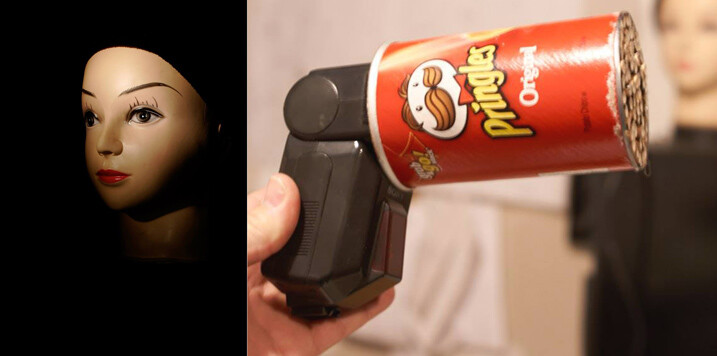
Photographer Glen Dube has Macgyvered this brilliant grid spot using a Pringles container and straws.

This is basically just a Pringles can, with the bottom cut out and replaced by straws, hot glued in place. But I found coloured straws tainted the light, luckily my wife found some paper straws that have a nice bright white inside. The end of the can you get the chips out slides right over all the flashes I have, except this really old Vivitar that has the zoom function on the outside. Pringles has been helpful in providing a variety of lengths of cans for us.

The length (and diameter) of the straws determines the size of the spot and there are even online calculators. I found the flashes zoom function has little effect but the calculators are accurate for determining the spot sizes. The paper straws let you have a sharper fall off (as the plastic straws are translucent and spill light outside the circle). I used 60mm straws, which at 1 meter (3′) gives me a 180MM (7.1″) diameter spot that gets wider the farther away the light is from the subject.

Pop-up flash modifier
Andrej Valko 717

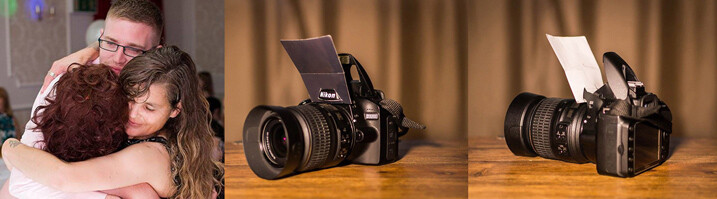
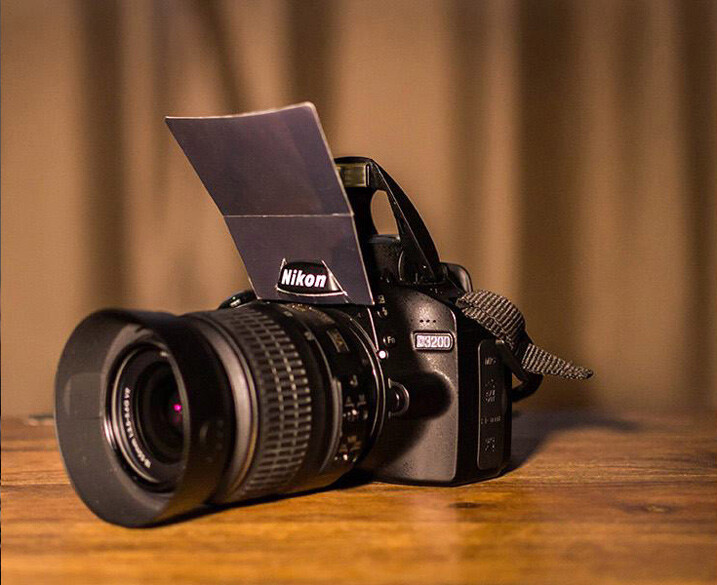
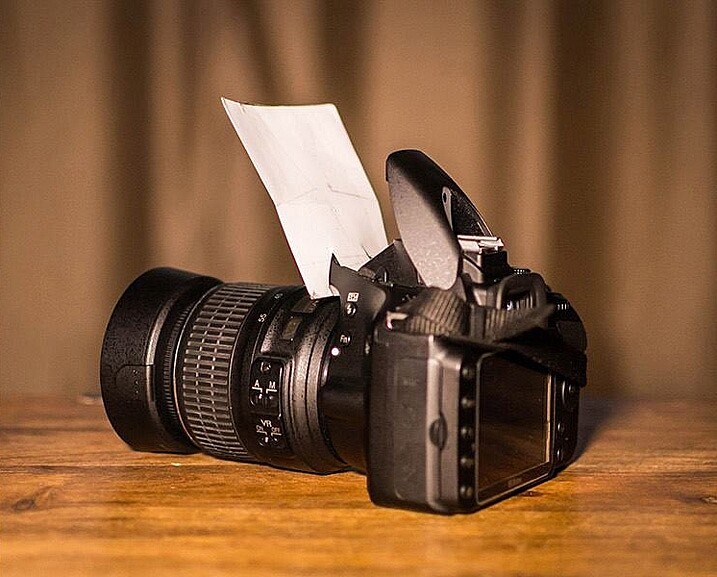
Photographer Andrej Valko created this really simple portable pop-up flash modifier using cardboard.

I saw this idea a couple of years ago – a bounce card for the on-camera flash. I thought: how hard can it be to make one. So I did – I printed black on one side of heavy photo-paper so it didn’t look conspicuous from the front. It was white on the other side to bounce light. I taped it with clear tape so it reflected light more efficiently (it also made it a bit more durable), and I cut it to suit my camera.
Andrej Valko 2

Andrej-Valko-3

It was easy to mount (it just slid in), easy to carry (in a back pocket just like a business card) and it bounced light off the walls and ceiling, as well as off my face! And I, the crazy photographer, shot a wedding reception with just the bounce card! (I didn’t have a single flash unit at the time.) I still cannot believe I actually used this to shoot a wedding.

The drawer liner modifier
MikeHickman 2 717

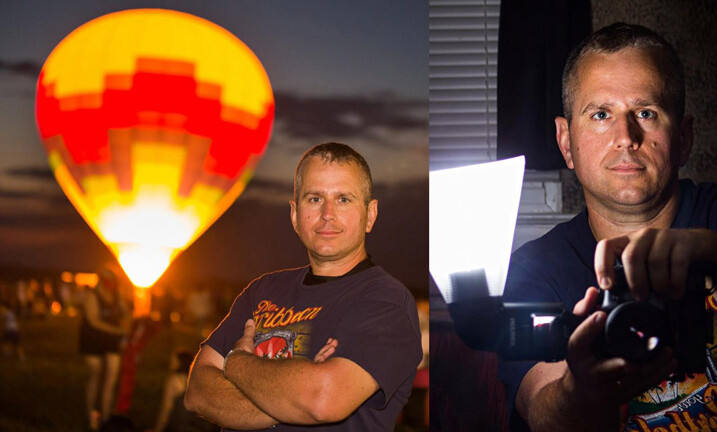
Photographer Mike Hickman created this modifier using a translucent drawer liner.

My “ugly” modifier created from translucent drawer liner which I have used almost exclusively during events, including weddings. The idea came from here.

Cost is about $ 10 for a full liner made by Contact, and attached with Velcro strips for about an additional $ 6. Makes three or four, depending on size. Also, folds up to stick in your pocket when changing locations and I have two in my camera bag at all times. Can’t do that with too many other modifiers!

There are so many awesome ways to MacGyver light modifiers. Do you have one you are particularly proud of? I’d love to see it. Please share your ideas in the comments below.
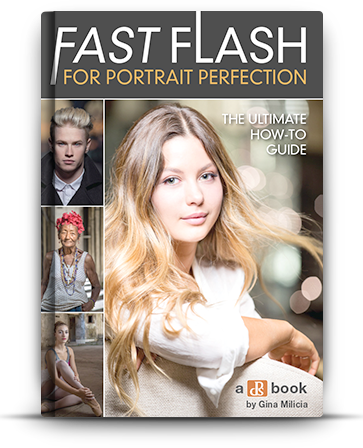

fastflash_bookIf you want to learn more about using flash for creating portraits, pick up Gina’s brand new dPS ebook: Fast Flash for Portrait Perfection. Now on sale for an introductory price for a limited time only.

googletag.cmd.push(function() {
tablet_slots.push( googletag.defineSlot( “/1005424/_dPSv4_tab-all-article-bottom_(300×250)”, [300, 250], “pb-ad-78623” ).addService( googletag.pubads() ) ); } );

googletag.cmd.push(function() {
mobile_slots.push( googletag.defineSlot( “/1005424/_dPSv4_mob-all-article-bottom_(300×250)”, [300, 250], “pb-ad-78158” ).addService( googletag.pubads() ) ); } );

The post How to Create Awesome Portrait Lighting with a Paper Bag an Elastic Band and a Chocolate Donut by Gina Milicia appeared first on Digital Photography School.


Digital Photography School

 
Comments Off on How to Create Awesome Portrait Lighting with a Paper Bag an Elastic Band and a Chocolate Donut

Posted in Photography


Lighting Up the Dark Side: Star Wars Shadow Art Portraits

24 Dec

[ By Steph in Drawing & Digital. ]

star wars shadow 1

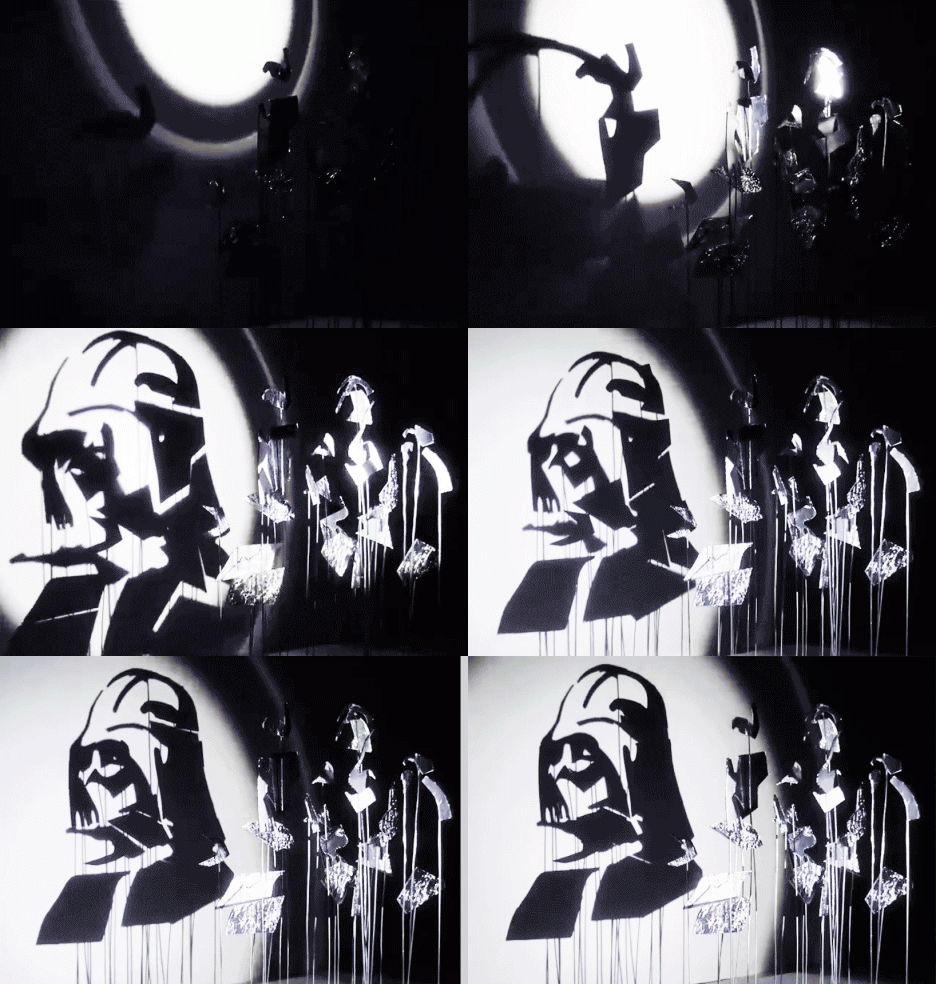
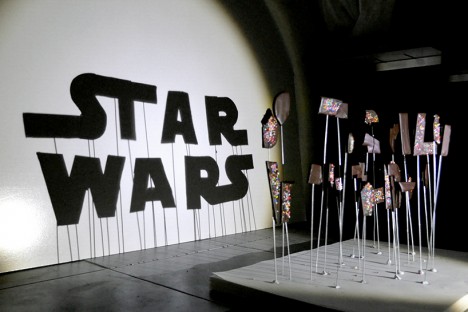
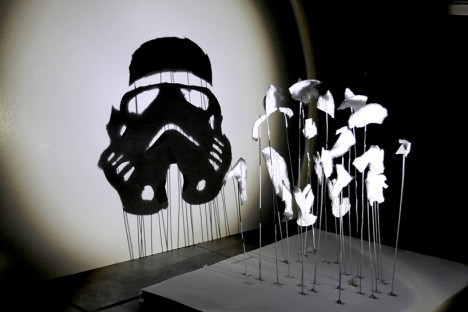
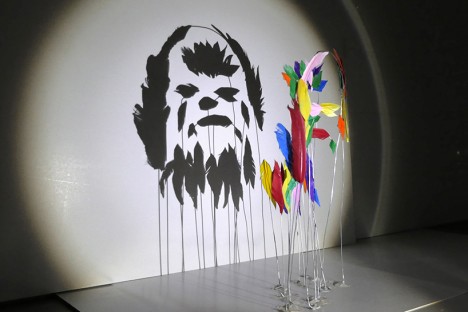
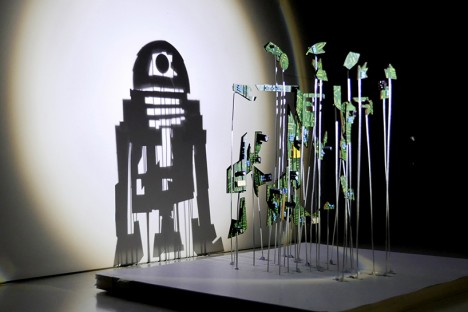
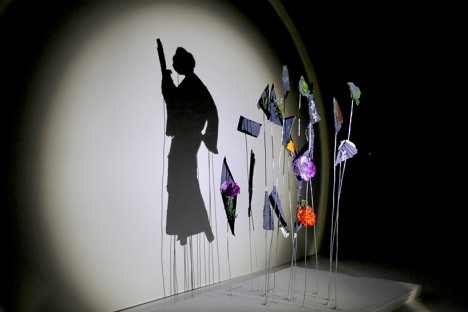
Balls of aluminum foil transform into Darth Vader and irregular chunks of chocolate cookies covered in rainbow sprinkles become the Star Wars logo when a single light source is shined upon them in just the right way. Artist ‘Red’ Hong Yi of Malaysia created an entire series of Star Wars shadow art with a range of materials, from feathers to discarded computer guts.

star wars shadow art 7

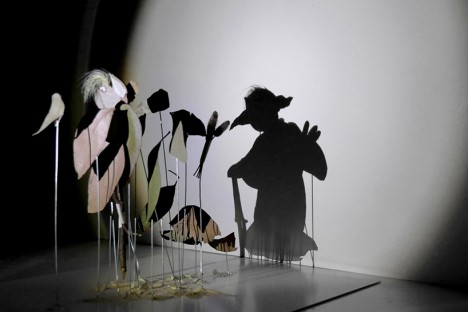
The artist turns on a lamp and begins attaching her bits of materials to pieces of wire embedded in a base, watching the shadows on a plain white wall until her seemingly random compositions start to make visual sense. Some of the portrait are more complex than others; a Stormtrooper made of cotton is simple and graphic while a Yoda silhouette crafted of nothing more than a handful of leaves  and weeds seems as if it could spring to life.

star wars shadow art 5

star wars shadow art 3

star wars shadow art 4

“It started with a spark of curiosity and then a lot of tweaks and experiments,” says the artist on her Instagram. “As an artist/designer, I’ve learned to not be afraid of experimenting and failing; you’ll get better at what you do with each step you take. Our responsibility as creators is to sit down and create again and again. May the force be with you!”

star wars shadow art 2

star wars shadow art 6

Get inspired with 24 more amazing works of shadow art, and follow Red Hong Yi on Instagram for more creations made from unexpected materials, like tea bag portraits and intricate arrangements of edible items.

Share on Facebook


[ By Steph in Drawing & Digital. ]

[ WebUrbanist | Archives | Galleries | Privacy | TOS ]


WebUrbanist

 
Comments Off on Lighting Up the Dark Side: Star Wars Shadow Art Portraits

Posted in Creativity