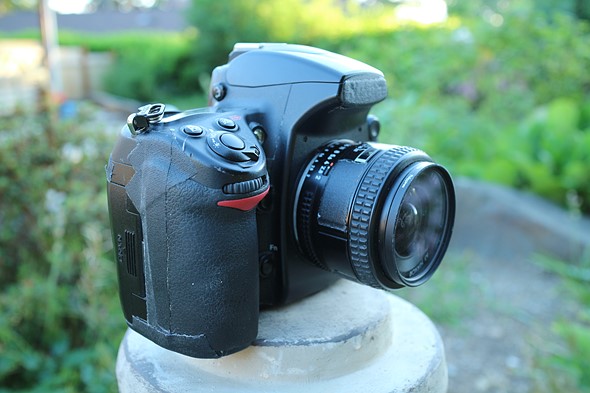
Reader responses: the gear that changed your (photographic) life
As we share stories of the gear that made the biggest difference to our photography, we’ve asked DPR readers to respond with their stories as well. To our delight (and believe us, we need delight right now), hundreds of you have responded. While we’ve enjoyed reading them all, below are some excerpts from our favorites.
Find out what gear changed the lives of your fellow readers, and be sure to respond with your own if you haven’t already! We’ll continue sharing our favorites until, uh, something different happens in the world.
35mm F2 AIS Nikkor
Image via Wikimedia Commons by Paul1513
lightandaprayer: A 35mm f2 AIS Nikkor was one of the first lenses I bought new for use with a battered black Nikkormat FT2 I found at an LA pawnshop. I still own the lens; I sold the much-loved FT2 to a friend’s son and later replaced it with a mint FT2 that I still use today.
Ultimately the 35mm was replaced with a 35-70 2.8 Nikkor and it quickly became one of my most used work lenses. But a 35mm always had a place in my bag. I’m glad that I have hung onto much of my fave film-era prime glass. I simply enjoy using them more than any AF lens on both digital and film Nikons.
Read the full comment
Kodak Brownie 127
Image via Wikimedia Commons by Enrique
entoman: The gear that changed my life was a Kodak Brownie 127…. given to me as a Christmas present at age 8.
I think I knew instantly that I wanted to be a photographer. When I collected my black and white prints from the local chemist, a kind young lady assistant said “Ooh, these are good pictures, are you going to be a professional photographer when you grow up?”
She inspired me, so I took more pictures. And I’ve never stopped.
Read the full comment
Nikon D4
Razor Sharp Studios: For me the Nikon D4 that I purchased in 2013 took my sports photography to a whole new level. Until then I was barely getting 5 or 6 fps with a gripped D300. In the super quick world of horse racing, I would barely get a second worth of time at the finish line to capture the winning horse…
Being able to go up to 10 fps greatly helped me get more keepers in terms of published images. Still one of my favourite work bodies in the field.
Photo taken in Dubai in 2018 at the Meydan racetrack.
See more of his work on Instagram at @zoomnclick.
Read the full comment
Minolta SRT101
Photo via Wikimedia Commons user Hiyotada
gopherino: My Dad turned me on to photography… He was his high school yearbook photographer/editor, and 28 years later, so was I. By the time I went from Brownie to Instamatic to polaroid, it was time to learn to covet my Dad’s Minolta SRT101…
Photography, travel, tennis and business were interwoven threads that bound me with a most amazing father. He would have been 92 this year, and I think of him every time i pick up my Sony FF cameras and lenses.
Read the full comment
Nikkormat FT3
WV Communications: My dad let me use his Nikkormat FT3 in high school as the yearbook photographer. What a great camera, although the meter was a little wonky. If I asked nicely, I could use his black Nikon F2 with motordrive for football games. I felt pretty awesome clicking off frames of Tri-X.
By the time I was in college shooting for the school paper, I scraped enough money together to buy a brand new FM10, which while a great camera, was in a much lesser league than the classics. By that time, we were developing film and then scanning into a Mac Quadra for layout. I feel fortunate to have experienced the twilight of the film era. Now I’m getting back into film for the joy of it.
Read the full comment
Samsung EX1 / TL500
thielges: For me it was the Samsung EX1 (TL500). Having previously used a Konica Minolta A2, I saw the EX1 as being a lighter carry around camera, not a replacement for the A2. Then one day I was processing photos from both cameras and noticed how those from the EX1 really popped in comparison. Crisp, bright, and with noticeable broad dynamic range. From then on I used the EX1 exclusively and bought another Samsung travel zoom to cover the tele end….
Read the full comment
Panasonic LX3
Samuel Dilworth: The LX3 was a revelation to me… It made the digital dream a reality, although I had other digital cameras before (notably a Nikon D60 and lenses).
I had moved to Paris, and the combination of that city’s beauty and this small, functional, Raw-capable camera gave me many photos I liked at the time. I should reprocess them with today’s Raw-developing software.
DPReview TV host Jordan Drake tells us about the one piece of photography gear that changed his life. Find out why it may be the reason he’s on the DPReview team today.
Subscribe to our YouTube channel to get new episodes of DPReview TV every week.
Introduction
The video camera that changed Jordan's life (Sony TRV-330)
The stills camera that changed Jordan's life (Panasonic GF1)
We all have some piece of photo gear that changed the way we work. In this video, DPReview TV host Chris Niccolls tells us what product rocked his world. The answer may surprise you.
Subscribe to our YouTube channel to get new episodes of DPReview TV every week.
The post The top Still Life Photography Cleaning Techniques in Photoshop appeared first on Digital Photography School. It was authored by Darina Kopcok.
Photoshop is a powerful program with a great variety of tools to help you get the most out of your images. From simple cleaning techniques to complex composites, the software offers everything photographers need for photo manipulation at all levels.
There are a variety of tools to help you, depending on your subject and goals for your image. With the exception of product photography, there are only a few key tools that you’ll need 90% of the time in retouching still life photography. Cleaning techniques in Photoshop are the foundation of beautiful imagery in this exciting but challenging genre.
Let’s take a look at what they are.
Canon 5D Mark III, EF 100mm 1:2.8, 1/160 f/9 ISO 100 Manual Mode, Evaluative Metering
The cleaning tools in Photoshop
There are just a few key tools that you need for cleaning techniques in Photoshop. These are: the Spot Healing tool, the Healing tool, the Clone Stamp tool, and the Patch tool. These tools are all you really need to take your still life images from good to great.
Each tool has its strengths and weakness. Some will achieve desired results more easily than others. When you combine the tools together, the result is a clean and refined image.
Canon 5D Mark III, EF 100mm 1:2.8, 1/250 f/5.6 ISO 100 Manual Mode, Evaluative Metering
The Spot Healing Tool
The Spot Healing tool is the quickest way to fix little blemishes in Photoshop because it doesn’t require you to select an area to sample pixels from. Photoshop’s algorithm looks at nearby pixels and replaces them with pixels that it determines to be a good match.
When using this tool, you have some choices that will help Photoshop make the best guess as to what pixels would be the best replacement.
You can find the Spot Healing tool by the icon that looks like a bandaid. The shortcut for this tool is “J“.
When using this tool, you have some choices that will help Photoshop make the best guess as to what pixels would be the best replacement.
First, you want to choose a very soft brush. Start with a hardness of “0” and increase it slightly if needed. When retouching in Photoshop, every image is unique, so you have to assess your approach on a case-by-case basis.
Proximity Match will only look at the pixels around the sample area.
When you use this tool, it’s best to choose Content-Aware Fill. This will ensure that the tool chooses pixels that will give you a seamless result.
In still life photography, it’s a good starting tool to quickly clean up any dust or small bits and blemishes before moving on to bigger blemishes or imperfections. It’s better than using the Spot Removal tool in Lightroom because if you use this tool repeatedly, it will slow down Lightroom’s performance very quickly.
Although the Spot Healing tool is one of the best cleaning techniques in Photoshop, one drawback to note is that using it excessively in a given area can lead to a plastic-like look. You may have to layer your use of this tool with others.
The Healing Brush Tool
Still life should look clean and refined. Canon 5D Mark III, EF 24-70mm f/2.8, 1/160 f/9 ISO 100 Manual Mode, Evaluative Metering
The Healing Brush tool is similar to the Spot Healing Brush tool. However, when using this tool, you choose the area that you want to sample from. This gives you much more control, but of course, it’s not as quick as simply using the Spot Healing tool.
Imperfections blend into the surrounding areas. the brush works by matching texture, lighting, transparency, and shading of sample pixels to the pixels in the area we want to heal.
To use this tool, pick a source point to sample from. Think about what is going to work in terms of color and texture.
Start with a hardness of zero. You need a soft brush, but can add a bit of hardness if needed, depending on what you want to heal
Choose Aligned and Current & Below.
Choose where you want to select from and head over to where you want to “paste” the pixels
When utilizing cleaning techniques in Photoshop, the Healing Brush is a powerful tool because of the control it gives you.
Using the Healing Brush to clean up small flaws. Canon 5D Mark III EF 100mm 1:2.8 1/160 f/5.6 ISO 100 Manual Mode, Evaluative Metering
The Patch Tool
Using the Patch tool in Photoshop is another important tool for cleaning techniques in Photoshop. It’s like a large, customizable Healing Brush tool. The Patch tool repairs a selected area with pixels from another area. It seeks to match, lighting, shade, and texture from sample pixels to the source.
It basically works like a “cut and paste” tool. However, it doesn’t work very well on larger areas because there usually are differences in tonality.
If you need to work on a larger area, you should attack the area by working in sections. Also, note that it also doesn’t work well on edges. In this case, you may have to use another tool or combine it with another tool for more precision.
To use the Patch tool, select it from the sidebar or use the “J” key. Also, decide on your blending parameters.
The Patch tool’s Content-Aware mode works on empty layers by sampling below. It shuffles the content around a bit as it acts like a patch. If you’re using normal mode, don’t worry about lightness or color, as there will be a healing calculation when you release the mouse.
Use your mouse or pen to draw a slightly loose selection around the problem area (as pictured above) and then drag it to an area that might work to replace the pixels. You can drag it several times until you find a proper match.
The Clone Stamp Tool
Perhaps one of the most popular and often used tools in Photoshop, the Clone stamp tool may possibly be your best ally when employing cleaning techniques in Photoshop.
The Clone Stamp copies pixels to a new location. With this tool, you’re literally painting over one part of an image with another. You can do this in both very small and large amounts, depending on the brush size you use.
Unlike the Patch Tool, it works very well in areas where you have texture, pattern, or an edge. It doesn’t work as well in areas where you have conflicting exposures on colors.
Although it’s a fantastically useful tool, when it comes to cleaning techniques in Photoshop, it might not work perfectly in every situation; you’ll need to combine it with other tools and techniques.
To activate the Clone Stamp, use the shortcut > Cmd/Ctrl + S.
Use the clone stamp to clean up areas with texture.
You can also use “T” to Transform to adjust further. This means that you can alter the size and rotation of your cloned area to make it blend better.
One last tip
Canon 5D Mark III, EF 100mm 1:2.8, 1/160 f/5.6 ISO 100 Manual Mode, Evaluative Metering
When working with cleaning techniques in Photoshop, it’s a good idea to work using a lot of layers. This will allow you to go back a few steps if you make mistakes.
Using these tools together in Photoshop will give you the best results and will cover most of your bases when retouching your still life photography.
Do you have any other tips you’d like to share with us on cleaning techniques in Photoshop for still life images? If so, please do so in the comments section.
The post The top Still Life Photography Cleaning Techniques in Photoshop appeared first on Digital Photography School. It was authored by Darina Kopcok.
The post Stuck at Home? – Ways Still Life Photography Can Keep Your Skills Sharp appeared first on Digital Photography School. It was authored by Rick Ohnsman.
As I write this, many of us are holed up at home. So what can we do to continue to practice our craft as photographers, have a bit of diversion and enjoyment, and maybe learn some new techniques? I suggest you give still life photography at home a try.
Still life images like this were what painters often did back before there was photography. This shot needed no fancy equipment. The “light-painted” shot used only a flashlight and a long exposure. This is just one of the techniques you can try if you want to give still life photography at home a try. Canon 6D with Canon 50mm “nifty-fifty” lens, 5 sec. f/14 ISO 100
If you’re a landscape, sports, fashion, portrait, or type of photographer who does work requiring you to get out and about, working at home doing still life photos on the kitchen table could be a new thing. Still life? Really? Why? Well, stay with me here and we’ll explore all the things you can learn.
1. Composition
In much of photography, you deal with the scene as you find it. Maybe one of the best things about still life photography is you are in complete control. You pick the subjects, the arrangement, and the background.
Making a shot in a hurry before the moment passes isn’t an issue. You can take your time, practice compositional concepts like the Rule of Thirds, the Rule of Odds, leading lines, negative space, simplification, background choice, depth-of-field, and many other artistic concepts of composition.
You set the scene and are in complete control. Few other genres of photography offer such an advantage.
A simple photo that explores some of the standard composition rules – Rule of Thirds, Rule of Odds, Leading Lines, etc. The monochrome version simplifies the image even further, making the shot even more about shape, line, tone, and texture. Sony DSC-HX5V, 1/100 sec. f/10 ISO 125
2. Lighting
Let there be light.
You decide what type, how many sources, whether to use hard or soft lighting. Might some colored lighting using gels give the look you want?
How will you use light to draw the viewer’s eye where you want it?
Have you explored the use of reflectors, fill light, or “flags” to block light from certain portions of the scene? Do you know what a gobo or a cucoloris is? A shoot, grid, or gridded-snoot?
Still life photography at home lets you be the set and lighting director.
It’s all about the lighting. I photographed the clock in front of a computer monitor with clock-themed images on it. The clock itself, I light-painted with a flashlight. Canon 50D with Tamron 17-50mm lens, 10 sec. f/18 ISO 100. The kiwi slices were placed in a glass dish and lit from below with an LED flashlight. LG G4 cellphone camera, 1/30 sec. f/1.8 ISO 200
3. Explore camera angles
A distinction between a snapshooter and a photographer is the former sees a scene, raises the camera to their eye, and snaps a shot. Little thought is given to composition and most photos are taken from the eye-level of the photographer. Yawn.
In a world where we are inundated with images, making yours different is the only way to stand out. Finding perspectives others haven’t thought of is one way to do that.
Learn to see differently. This is a window blind shot as illuminated by the morning sun. The photo was then rotated 90-degrees counter-clockwise. Canon 6D with Canon 24-105 f4 Lens, 1/6000 sec. f/16 ISO 800
Rather than always shooting from eye or tripod level, mix it up. Get up and look down for a birds-eye vantage point. Get down and try a worms-eye view. Have you heard of a “Dutch-tilt”? Maybe try looking through objects, using them as frames for your subject.
Much of my photography is landscape work, so I’m a dedicated tripod shooter. The advantages of that are, of course, stability and repeatability. I can leave the camera in a fixed spot and move other things; the lights and subjects, use long and different exposures and have variations of the same shot.
There’s something to be said, however, for getting off the tripod.
Going handheld will help you move more easily and explore different angles. Whatever you do, let me repeat something I said earlier…work to make your image different.
See if you can identify these household objects. When doing macro, and seeing differently, even stuck in the house you can find subjects for still life photography. (Clockwise from top left – Canon 6D , reversed lens, 1/40 sec. ISO 400, Canon 6D w/ reversed lens, 1/40 sec ISO 400, Canon 6D with Tamron 90mm macro lens, 1/4 sec. f/32 ISO 1250, Canon 6D with Tamron 90mm macro lens, 1.3 sec, f/32, ISO 1250
4. Lens selection
Doing still life photography at home is a great time to explore how different lenses can give you different looks.
You won’t have to worry so much about dust getting on your sensor as you change lenses and you’ll have a place to put lenses down while you do change them (rather than fearing a fumble onto the ground).
Try some things. Note how a wide-angle lens emphasizes the size of objects nearest the lens, how a telephoto compresses space between objects, or how a wide aperture reduces your depth-of-field. Learn what the “sweet-spot” is of each of your lenses, that aperture where the lens is at its sharpest.
Table-top photography is also a great opportunity to play with prime lenses, moving the camera or subject rather than zooming. I’ve grown to love my little Canon “nifty-fifty” for use in doing still life photography at home. This economical little lens might be one of my sharpest.
Using my shell/beach-stone collection and a pair of my wife’s sandals I was able to make this product-photography-like shot. Note the camera angle looking almost straight down. Canon 6D with Canon 50mm f/1.8 prime lens, 1/80 sec. f/20 ISO 200
5. Get close with macro
If you’ve not tried macro photography, being sequestered at home is a perfect opportunity to give it a try. It requires practice, patience, and a controlled environment where you are in charge of the composition and lighting (and there’s no wind). Being able to slow down and pay careful attention is a real plus, as being meticulous is a key to making good macro shots.
Often, your cell phone camera can take a great macro photo. This feather was shot with my LG V30 cell phone.
So you don’t have a macro lens? Try some alternatives.
The reversed-lens macro technique is a great way to dip your toe in macro waters on a budget. You will also find that common household objects become fascinating subjects when photographed at a macro level. Just be careful – macro-photography is contagious.
Don’t have a dedicated macro lens? This extreme macro, (the drop was only about 2mm wide), was shot with an old Vivitar film camera lens. The lens was reversed and combined with three (12mm, 20mm, and 36mm) extension tubes combined with the reversed lens at 28mm. This is also a 2-image focus stack – one for the drop and the other for the flower inside. Extension tubes on my Canon 6D. 15 sec. reversed lens, ISO 100
6. Tell a story
When choosing your subjects for a session of still life photography at home, give thought to telling a story. Rather than just choose random objects, think like a movie set director using the scene to tell the story.
Use your objects, background, lighting, camera angle, and whatever other photographic tricks you can summon. Your objective is to make the viewer see the story in your photo. A picture can be worth a thousand words, if you choose those “words” carefully.
Carefully selecting your still life subjects can allow you to create a story. My titles might help you understand what I was illustrating here. “Awaiting Santa” – Canon 50D, Canon 50mm prime lens, .5 sec,f/5.6, ISO 100 , “Family Album Photographs” – Canon 6D, Canon 50mm prime lens, f/22, ISO 800 , “Doc Brown makes a housecall,” – Canon 50D, XX lens, f/XX, ISO XXX , “The Conchologist” – Canon 6D, Canon 24-105 lens, 1/6 sec. f/4, ISO 100
7. Simple is better
A photo friend once said something that has stuck with me about a good photo – “Anything that doesn’t add, detracts.”
It’s important that, with a glance, the viewer immediately “gets it.” Without even thinking, they know what your intended subject is and what you are trying to communicate.
Landscape photographers must find ways to simplify the scenes they photograph, but as a still life table-top photographer, you have complete control.
Carefully consider what to put in and what to take out, where to concentrate the light, what to leave in shadow, and what is in and out-of-focus. The strongest photos will be those with a single, powerful message.
Sometimes the simplest images can be the most powerful. Canon 50D, Canon 50mm prime lens, 8 sec. f/22, ISO 100. Frozen with flash. Ordinary objects can become much more interesting with dramatic lighting. This one was light-painted with a flashlight. Canon 6D, Canon 24-105 lens, 10 sec. f/11, ISO 100
8. Reflect on this
Reflections can elevate an otherwise ho-hum subject to a new and exciting level. When doing still life photography at home, a good method of creating a reflection is to use a piece of black plexiglass under your set-up.
Unlike a mirror, which will create two reflections due to the surface and the mirrored back of the glass, the acrylic sheet creates just one. Of course, the inventive photographer will find other ways to create reflections as well.
A piece of black plexiglass reflects the jar of marbles. The string of Christmas lights provides a background of bokeh highlights. Canon 6D, Canon 24-105mm lens, 1/8 sec. f/4, ISO 800
9. Bokeh and how to use it
“Bokeh” (however you pronounce it), is defined as the “blurred quality or effect seen in the out-of-focus portion of a photograph taken with a narrow depth of field.”
Still life photography is a great opportunity to explore how you can use it to simplify the background, keep viewer attention where you want it, and enhance the story you’re trying to tell. You can also try some special effects bokeh using patterns cut in pieces of paper and put on your lens. If you’re a shut-in frustrated photographer, why not brighten your day making some fun “bokehlicious” pics?
My Canon “nifty-fifty”, the 50mm f/1.8 prime which often isn’t much over $ 100 US, is one of my sharpest lenses. It also creates interesting bokeh highlights when opened up to a wide aperture. Canon 50D, Canon 50mm “nifty-fifty” lens, 1/25 sec. f/2.8, ISO 100
10. Food photography
Food photography is by its very nature, still life photography.
Top food photographers make good money by making food images look especially delicious. Study great food photos for clues as to composition, lighting, backgrounds, props, camera angles, and other tricks. Then see if you can emulate those tricks.
Maybe grab some cookies and a glass of milk, or a beer and some pretzels, and see what you can do to replicate great photo photography looks. Not only will you hone your photo skills, but when you’re done, you can have a snack.
Food photography certainly falls into the genre of still life. This is definitely something to try if you’re having to stay home. Canon 20D, Canon 50mm prime lens, 1/250 sec. f/4, ISO 200
11. For my next trick
Two different years I did what some call a “Project 52,” a photo assignment a week for an entire year. I made it a point to try some special tricks I’d never tried before – photographing smoke, water splashes, flames and sparks, and oil and water abstracts.
Using both long exposures, as well as the extremely short duration of a flash and a camera trigger, were things I learned.
If you need ideas, search dPS, or Google “creative photography” and see what catches your eye, then figure out how to do it yourself. Part of the fun of still life photography at home is using your creativity to make shots you’ve never before attempted.
Light for these shots is provided solely by the sparklers used. The long exposure allows for interesting light trails. Left – Canon 50D, Canon 50mm prime lens lens, 4 sec. f/11, ISO 100 Right – Canon 50D, Canon 50mm prime lens, 1 sec. f/11, ISO 100 Who says still life photos must be still? The “Raspberry Milk Splash” froze the action using the short duration of a speedlight, Canon 50D, Tamron 17-50 lens, 1/60 f/25, ISO 100. “Tumblin’ Dice” was a longer exposure with a second-curtain sync flash. Canon 50D, Canon 17-40 lens, 1.0 sec f/13 ISO 100
12. Advertising and product photography
Making the ordinary extraordinary is why skilled advertising photographers get paid the big bucks. Pick up a magazine and study the way common objects are staged, lit, and photographed. Then find some objects at home and see if you can emulate those looks.
What might look like a simple shot is often much more complex if you were to take a look behind the scenes. Don’t have a studio with a bunch of fancy lights and modifiers? No worry, see what you can do “on the cheap” with simpler lighting equipment. You might be surprised at how using brains rather than bucks can still result in a stunning photo.
When doing still life photography at home, remember that rather than having powerful studio lights or even Speedlights, you can simply increase the exposure time since your subject isn’t moving and you can shoot using a tripod. Small, inexpensive hardware store LED lights like these can work surprising well.
Something else to consider is making photos for items you’d like to sell on places like eBay, Craigslist, or other online sites.
Your item with a nicely lit and composed shot will attract much more attention (and perhaps even fetch a higher price) than a “quicky” snapshot someone else made with their cellphone.
If you plan to do a lot of this kind of work, you might also look into buying a simple light tent or perhaps making your own. For smaller objects, a collapsible light tent can be had for under $ 20.00 U.S. and will give you pretty good results.
Note the lighting set-up in the inset shot using just the cheap LED flashlights for illumination. When doing still life photography at home, learn how you can get big results with little lights. Canon 6D, Canon 24-105 lens, 3.2 sec, f/14 ISO 100I wanted to accentuate the “emergency feel” of this police badge and so used a blue-gelled light on camera left and a red-gelled light on the right. Canon 6D, Canon 50mm prime lens, 2 sec. f/20 ISO 100.
13. No travel required
Even in times when we feel more comfortable traveling, not all of us can get to the exotic hot spots where we see other photographers going. I’m not expecting to get to Iceland anytime soon.
When doing still life photography at home, that’s not an issue. No one is going to guess that the location where you took that really cool still life photo was your kitchen table.
I formerly wrote for another now discontinued online photo site, Improve Photography, and did an article called “Tips for the Non-Traveling Photographer.” I’d encourage you to have a look, as almost all of the images in that piece were done at home or within 20-miles of my house. Imagination can often take you much further as a photographer than a passport.
Stuck at home? Drag out that collection of whatever you might have and photograph it for fun. “Campaign Buttons” – Canon 6D, Canon 24-105mm lens, 6 sec. f/22 ISO XXX. “Foreign Coins” – Canon 6D, Canon 24-105mm lens, 2.5 sec. f/22 ISO 100
14. Exercise for photo fitness
Want to be more photographically-fit? The key is the same as increasing your physical fitness – work out more.
The key to being a better photographer is routinely making more photos, learning new techniques, and practicing. Waiting to pick up the camera until you go on a special trip, attend an event or make family photos isn’t going to cut it if you want to be good. Unless you’re taking photos at least a few times a week, you’re probably not getting enough “photographic exercise” to be a strong photographer.
No flash, but high noon sun, a reflector, an aquarium, a high shutter speed, a fast trigger finger, timing, some luck and a lot of tries were what was needed for this shot. I had a fun afternoon making all kinds of splash photos on a picnic table in the backyard. Canon 50D, Canon 50mm f/1.8 lens, 1/3200 sec. f/4 ISO 400.
These are unusual times. You may find you’re not able to get out as much, perhaps not even going to your regular job. So why not use that free time to keep yourself engaged, entertained, and further your photo education?
Try some still life photography at home. Shoot, review, repeat.
As you get better, do as you would with exercise, and make the next session more challenging. Then post your images online and here in the comments section of this site so we can admire your work.
Be engaged, be productive, be learning and growing as a photographer and above all… Until next time, be well my friends.
The post Stuck at Home? – Ways Still Life Photography Can Keep Your Skills Sharp appeared first on Digital Photography School. It was authored by Rick Ohnsman.
In an album at my parents’ house there’s a photo of me holding my dad’s camera at an embarrassingly awkward age in my childhood – or maybe I was just way ahead of the big, nerdy glasses trend? I remember the afternoon it was taken. My dad and I went for a walk in the park near our house and he showed me how to use his Nikon FT3.
I was hesitant – pushing the shutter felt like an enormous responsibility – and when I pointed it at a snow-covered tree stump I asked him “Is this a good picture?” Dad responded with something along the lines of “I don’t know, that’s up to you.” Making me rely on my own instincts rather than giving me a quick answer, what a classic dad move.
Eventually I, like many of my fellow elder millennials, decided the time was right to pick up film photography
It would be a long time before I revisited photography as a serious hobby, and eventually as a central component of my full-time job. Slowly I learned the ins and outs of digital photography, but film remained a bit of a mystery – intimidating, uncharted territory I would need to become familiar with if I really wanted to call myself a photographer.
Eventually I, like many of my fellow elder millennials, decided the time was right to pick up film photography. Dad sent me the FT3 and a box of lenses, and while I quickly learned that while the fundamentals were the same, there was indeed plenty to learn about this unfamiliar medium. Here is a list of things I discovered, in no particular order:
The FT3 is HEAVY. The thing is built like an absolute tank and would probably survive a nuclear disaster. It’s the cockroach of cameras.
Don’t take your T-MAX to Walgreens to have it processed.
I can’t rid myself of the urge to check the back of the camera no matter how many times I remind myself there’s nothing there.
There’s nothing quite like the excitement of seeing the finished product.
The FT3 gave me a full appreciation of all the conveniences that digital photography provides, and how much I had taken them for granted. It’s an entirely different frame of mind shooting a finite number of images and carefully considering your exposure settings. It gave me a feeling of having *made* an image in a way that’s not quite the same with digital.
I know that when I want to get back in the film game it’s going to be ready and waiting
I wish I could say that I shoot with the FT3 more often than I actually do. It’s been sitting on a shelf long enough to accumulate a significant layer of dust and I’m ashamed to admit it’s been playing the part of home decor more than functional camera. But its personal significance remains, and I know that when I want to get back in the film game it’s going to be ready and waiting – like an old friend, or some good advice your dad once gave you.
$ (document).ready(function() { SampleGalleryV2({“containerId”:”embeddedSampleGallery_1582060322″,”galleryId”:”1582060322″,”isEmbeddedWidget”:true,”selectedImageIndex”:0,”isMobile”:false}) }); Articles: Digital Photography Review (dpreview.com)
Looking back, the LX3’s clever use of its sensor wasn’t the aspect that had most impact on me.
In terms of my own photography, probably the most significant camera I’ve owned is my first SLR: a Pentax P30 (P3 in the US). It was a birthday present, bought second-hand when I was in my early teens and it introduced me to many of the basic concepts of photography. It’s the camera I shot with when I tried my hand in the darkroom and it still holds a special place in my heart. I’ve not used it for many years, but it was still working quite happily the last time I tried.
But the one that has perhaps ended up having most effect on me was the Panasonic Lumix DMC-LX3. I’d only been formally reviewing cameras for sixth months and the LX3 was the eighth camera I was asked to cover. All had been compacts, some had been better than others, but I recognized there was something different about the LX3.
The most significant camera I’ve ever owned is my Pentax P30 but the camera that’s had most impact on me is perhaps the Panasonic LX3
I’d enjoyed using the camera, which is always a good start, but it was when I got to selecting images for the gallery that it really hit home that this was something a bit special. Part of it was that the aspect ratio switch on the top of the lens had prompted me to make greater use of the camera’s multi-aspect sensor. But more than this, the pictures just looked better.
Looking back, there’s not a good shot in there, not amongst my images, at least. But the general image quality was so much higher than I’d got used to, from the middling IXUSes and woeful superzooms I’d owned and reviewed up to that point. It was the first time that it really sank in to me just how much difference sensor size and lens brightness could make.
Obscure but important details
Up until that point, when filling in that part of the spec sheet I’d rather glazed over, not fully appreciating the difference between the small sensor formats. And I suspect it’s not just me that struggles to mentally conjure the size differences between 1/2.3”-type and 1/1.7”-type sensors.
The LX3 uses a series of crops from a 11.3MP 1/1.63″ sensor. The largest of these crops is 66% larger than the 1/2.5″ sensor in the Canon A720 IS that I’d reviewed just beforehand. This is not something I was able to work out in my head.
I’m not great at fractions at the best of times but mix in some decimals, add an unfamiliarity with inches, demand the mental gymnastics of relating diagonals to area and garnish with some inherent inconsistencies of the naming system, and I won’t be able to spontaneously comprehend the impact.
But that difference was there to be seen.
Exponents of ?2
Then there was the brighter lens. F2.0-2.8 won’t get you much in the way of shallow depth-of-field in most circumstances, but it gets you a lot more light than the F2.8-4.8 lenses that had become typical elsewhere. Again, it’s not necessarily easy to think in exponents of the square root of two, but there are few enough commonly quoted F-stops that you quickly learn that F2.0 is a whole stop faster than F2.8 and that doubling the number would give a two-stop difference, so it’s easier to at least get a feel for the magnitude of the numbers.
Camera
Lens
Lens (full frame equiv. terms)
Canon Powershot A720 IS
5.8 – 34.8mm F2.8 – 4.9
35 – 210mm F17 – 30
Panasonic Lumix DMC-LX3 (4:3 sensor region)
5.1 – 12.8mm F2.0 – 2.8
24 – 60mm F9 – 13
Olympus E-510 with kit zoom
14 – 42mm F3.5 – 5.6
28 – 84mm F7 – 11
It has its detractors, but the idea of equivalence can help overcome the ambiguity of sensor size and aperture impact, by reporting everything on a common basis. Here it’s clear that the LX3 offered capabilities closer to a contemporary DLSR costing twice as much, rather than a conventional compact.
The LX3 helped me see the light, if you’ll excuse the tenuous pun. There are a great many other things that make one camera enjoyable and another one less so, but so much of image quality stems from how much light you can capture. The LX3 did well on both fronts.
It would be another couple of years until I really understood how that additional light delivers the additional quality, but the LX3 was the camera that made me really recognize and appreciate the differences a bigger sensor and a brighter lens can make to almost any type of camera.
Straightening out a wrinkle
The LX3 was also interesting in that its lens required distortion correction and, when we first processed the Raw files from a pre-production sample, these corrections weren’t being applied. At a stroke it became clear how, almost overnight, compact cameras had gone from offering zooms that started at 35 or 36mm equiv., to suddenly gaining 28 and 24mm wide-angle capabilities: we’d just not encountered enough of these cameras with Raw to be able to see behind the curtain.
Wide-angle lenses had just started to become commonplace in compact cameras, but the LX3’s Raw output finally gave away how the change had come about.
With its limited 24-60mm equivalent focal length range, the LX3 also teaches a valuable lesson about the trade-offs required to create a camera that’s small, offers good image quality and could be launched at a comparatively affordable $ 500/£399.
Looking back, the LX3 was a great camera. Its JPEG color wasn’t a patch on the output of any modern camera but it helped inspire a resurgence of enthusiast compacts with short, bright lenses, before the 1” sensor rendering the whole lot obsolete. Back before equivalence simplified things, it was a camera that helped me cut through the fog of obscure sensor size terminology, learn the value of a lens that stays bright across its range, and appreciate that maths can provide a more compact alternative to extra glass when you’re designing a lens. None of us as individuals get to decide whether it’s seen as a classic, but it was a hugely significant camera to me.
If you have a piece of gear that you’d like to write about, we’d love to hear from you – and you might even get featured on the DPReview homepage. Leave us a short note in the comments and if you have a longer story to tell, send it to us, and we’ll take it from there.
My workhorse combo for many years (with a cleaner UV filter, I promise).
I finished my undergraduate degree in visual journalism using a Nikon D80 while many of my peers were using Nikon’s D90, D300 and D700 cameras. I was, shall we say, a bit jealous. The change in overall image quality from the switchover of 10MP CCD sensors to 12MP CMOS sensors in all of Nikon’s camera bodies (both APS-C and full-frame) wasn’t lost on me, and I couldn’t help but think one of those cameras was really the key to making me a better photographer.
They weren’t. I got a fancy, brand-new D7000 when I graduated and got my first real job, and a very well-used full-frame D700 after that. They were great cameras (I still have that D700), but it wasn’t so much the cameras that helped me grow. It was my embracing of prime lenses that pushed me photographically, and chief among them, the Nikkor 35mm F2 AF-D lens which was all but glued to my D700 for years.
ISO 200 | 1/160 sec | F2.8
Up until this point, I thought I needed a decent wide-aperture zoom to cover everything. I felt I needed the versatility of varied focal lengths, and the idea of having a zoom became a crutch I leaned on. The F2.8 constant aperture on the Promaster 17-50mm lens (I swear, all the reviews said it was just a rebadged Tamron) mounted to my D80 helped during Bellingham, WA’s interminably short and dark winter days, but ultimately, it was $ 250 USD down the drain for my photographic journey.
Why? Because I spent so much time shooting at the wide end of the zoom range, trying to fit everything in and capture every essence of the scene in each photograph. By looking at the broader picture, I was missing some of the details.
Once I got that D700 and figured I needed some lenses made for it, I picked up a secondhand 35mm F2 on a whim and discovered that – for myself – I had been shooting photographs wrong a lot of the time.
Framing is everything. We ‘crop’ just about everything in our lives, whether we want to admit it or not. This is a philosophical debate in and of itself, but pretending we’ve come out on the other side of that debate, I quickly found that 35mm lenses provide my eyes with a sense of ‘here’s the most important thing in the scene, but with just the right amount of context’. The photos coming out of this lens and camera combo just felt right.
When I twisted my 35mm F2 D lens onto my D700 and peered through the viewfinder, I found that instead of trying to fit everything in a 26-28mm equivalent frame, I needed to pick-and-choose-and-layer things into my 35mm equivalent view. My photographs improved because of that. I thought to myself, this is a great way to document the world in front of me. I can get used to figuring out how to cut out the ‘fat’ in the image, and focus on the most important bits.
ISO 200 | 1/1000 sec | F8
Fast forward many years, and I still tend to judge a new camera system by whether or not it has a decent and affordable 35mm equivalent prime-lens option. I know that it’s not to everyone’s taste (sorry, Chris, I know you hate 35mm), but with the 35mm F2, my D700 was my carry-everywhere camera for years, and I can honestly look back on my time with it and realize how it helped make me the photographer I am today.
If you have a piece of gear that you’d like to write about, we’d love to hear from you – and you might even get featured on the DPReview homepage. Leave us a short note in the comments and if you have a longer story to tell, send it to us, and we’ll take it from there.
Fujifilm has announced the long-awaited X-T4, a stills/hybrid that brings a much-desired feature to the X-T range: in-body image stabilization. The IBIS system on the X-T4 can reduce shake by up to six stops on eighteen of the company’s lenses, and up to five stops on the rest. Fujifilm has redesigned the shutter mechanism, which is rated to 300k cycles and is quieter than on the X-T3. The new shutter can support bursts at 15 fps.
While the X-Trans sensor is the same as the X-T3, the autofocus system has received an upgrade, with improved face and eye detection as well as subject tracking. Fujifilm has also added a new Eterna Bleach Bypass Film Simulation mode, support for ‘lossy’ Raw files and additional precision when adjusting tone curves.
The design of the camera has changed in several ways. The LCD is now fully articulating, an AF-On button has been added and the metering switch has been replaced with a stills/video toggle. The grip has been enlarged, the rear control dial protrudes a bit more from the back of the camera and the eyecup is less likely to come off. Settings for stills and videos are now separate, with each mode having their own Q Menu. The X-T4 uses the new NP-W235 battery, which can take 500 shots per charge using the LCD.
On the video front, the camera gains a 240 fps high-speed mode and interface improvements, but the loss of a dedicated headphone socket will not be popular with videophiles: a USB-C dongle must be used. Just like the X-H1, if you want a dongle-less microphone socket, you’ll need to buy the battery grip.
The Fujifilm X-T4 will be available this Spring, in your choice of silver or black. The body-only kit will be priced at $ 1699. When bundled with the 18-55mm F2.8-4 the price is $ 2099, and the 16-80mm F4 kit comes in at $ 2199.
Press release:
INTRODUCING THE FUJIFILM X-T4: CRAFTED FOR THE MODERN IMAGE-MAKER
Valhalla, New York – February 26, 2020 – FUJIFILM North America Corporation is proud to announce the launch of the FUJIFILM X-T4 (hereinafter “X-T4”), a flagship model of the X Series family of mirrorless digital cameras.
The X-T4 is an astounding imaging tool, packing a newly designed IBIS, a quiet new shutter unit, a new vari-angle LCD screen, a new Eterna Bleach Bypass Film Simulation, and a new, large-capacity, battery all into a compact and lightweight camera body. This camera is the perfect tool for today’s image makers and is an ideal multi-functional solution for visual storytellers to use in creating their stories.
More information about the key features of X-T4:
Designed for Quality and Speed
Fujifilm’s state-of-the-art X-Trans CMOS 4 sensor and X-Processor 4 combination sits at this camera’s core, pairing this exceptional, 26.1MP, back-side illuminated sensor with a powerful quad-core CPU to produce images with wide dynamic range and incredible image quality, doing so with lightning-fast processing and precision AF performance, right down to -6EV.
IBIS Puts Stability in the User’s Hands
A huge part of creating great photos or videos is being in the right place at the right time – and that often means making handheld images to get to the heart of the action. X-T4’s five-axis In-Body Image Stabilization (IBIS) provides up to 6.5 stops1 of image stabilization to make sure that, even in the midst of all the excitement, images remain steady and sharp. Combine this with the new four-axis Digital Image Stabilizer, and there’s lots of room to maneuver.
Steady, Reliable Performance
For any serious image maker, having a tool that can be relied upon to perform flawlessly whenever it is required is extremely important. For this reason, X-T4 features a newly developed mechanical shutter that is the fastest and most robust in the history of the X Series. Not only can it make 26.1 Megapixel images at 15 frames per second, but it is also rated for 300,000 actuations. Combined with its larger capacity battery that is capable of up to 600 frames per charge2, X-T4 has the power and the durability to give users the peace of mind that they’ll never miss the perfect opportunity.
Find the Best Angle for the Story
When chasing the perfect image, versatility is key. The 1.62 million pixel vari-angle touchscreen LCD featured on X-T4 can be adjusted to make it visible from a wide range of positions. This not only provides a high-quality monitor to frame with, but also provides quick and simple controls when they’re needed most. On the flip side, there are times when it’s necessary to minimize the light and distractions that a screen can create. That’s why X-T4’s LCD has been designed to easily fold away so it is completely hidden from view, leaving the updated 3.69 million pixel/100fps electronic viewfinder to focus on the moment at hand.
When a Story Needs Movement
The modern image maker is blurring the lines between photography and videography, and X-T4 has been designed to celebrate this new generation of hybrid creativity. With the simple flick of a switch, movie mode is activated, meaning X-T4 is capable of recording both professional-level DCI 4K/60p and Full HD/240p super slow-motion video. It is also possible to record F-Log footage in 10-bit color, straight to the card. What’s more, the innovative AF-C subject tracking works in low-light conditions down to -6EV and the camera’s use of a new, high capacity battery lets content creators push their creative limits.
Powerful Image Manipulation Made Easy
For over 86 years, FUJIFILM Corporation has produced photographic films that have been used by some of the world’s best-known moviemakers to create some of the world’s most successful movies. This legendary reputation in color science is celebrated with the company’s hugely popular selection of film simulation modes, which digitize some of the industry’s most iconic films and puts them right at hand. X-T4 introduces ETERNA Bleach Bypass, the newest addition to the much-loved collection of Film Simulation modes available in the X Series product line, which creates a beautiful de- saturated, high-contrast look that image-makers will find irresistible.
X-T4 will be available in both black and silver and is expected to be available for sale in Spring 2020 at a manufacturer’s suggested retail price of $ 1,699.95 USD and $ 2,199.99 CAD.
The company that created the self-flying Hover 2 is back with a new, uniquely-designed unmanned aerial vehicle. Inspired by the V-22 Osprey military aircraft, the V-Coptr Falcon is a compact, foldable, first-of-its-kind V-shaped drone that boasts only 2 propellers. A reduced number of rotors, coupled with a more aerodynamic design, means less power is consumed during operation. As a result, the Falcon can fly up to 50 minutes.
The Falcon has a 12MP, 1/2.3-inch Sony sensor with a 77º FOV on a 3-axis gimbal. Video can be recorded up to 4K/30p, 2.7k/60p, and 1080/120p. Photos can be captured in both RAW and JPEG format while video is limited to MP4. There is 8GB of internal storage available onboard though adding an external microSD card with up to 256GB storage is recommended.
Front-facing stereo cameras provide obstacle avoidance that functions at a speed of up to 7m/s. The BlastOff controller can operate for 2.5 hours, fully charged, and it gives the Falcon a range that extends up to 7,000 meters (4.3 miles). Autofollow mode is available and users can also take advantage of the pre-programmed flight paths and post-editing templates found in Cinematic Shots.
Similar models from DJI, Autel, and Parrot boast a flight time of up to 30 minutes, maximum. Slower rotation of aerodynamically-designed propellers help the Falcon stay airborne for up to 20 minutes longer. With its 12MP, 4K/30p camera, the Falcon is most similar to DJI’s Mavic Pro Platinum. The V-Coptr Falcon retails for $ 1000, with a required $ 100 deposit, and will start shipping in February 2020.