RSS
 

Posts Tagged ‘Images’

Shooting Winter Wonderland: How to Take Great Snow Images

14 Jan

Shoot what you love. The Amazing Images Will Follow. That’s my motto. Above, you can see a shot of my daughters, Zoe and Tenley, on their first day of snow ever. Zoe wanted to hold the snow in her hands and blow it, Tenley agreed, and just as Zoe was blowing, Tenley reached up and whitewashed her face with the Continue Reading

The post Shooting Winter Wonderland: How to Take Great Snow Images appeared first on Photodoto.


Photodoto

 
Comments Off on Shooting Winter Wonderland: How to Take Great Snow Images

Posted in Photography


36 Energizing Images of Recreational Activities

09 Jan

Some of you may be on vacation this week or have kids on school break. So what do you do in your spare time – besides photography that is? What do you do with friends or your family for fun?

Here are some fun-filled images of people doing various recreational activities. Will it inspire you to take more photos – or try something new? I hope so.

Photograph Aces in the Hole by Mark Miller on 500px

Aces in the Hole by Mark Miller on 500px

Photograph Card game in wartime (1914 -18) by de Vries eric on 500px

Card game in wartime (1914 -18) by de Vries eric on 500px

Photograph The Gambler Series: Image 1 by Twisty Focus on 500px

The Gambler Series: Image 1 by Twisty Focus on 500px

Photograph Find the lady by Ivor Sheehan on 500px

Find the lady by Ivor Sheehan on 500px

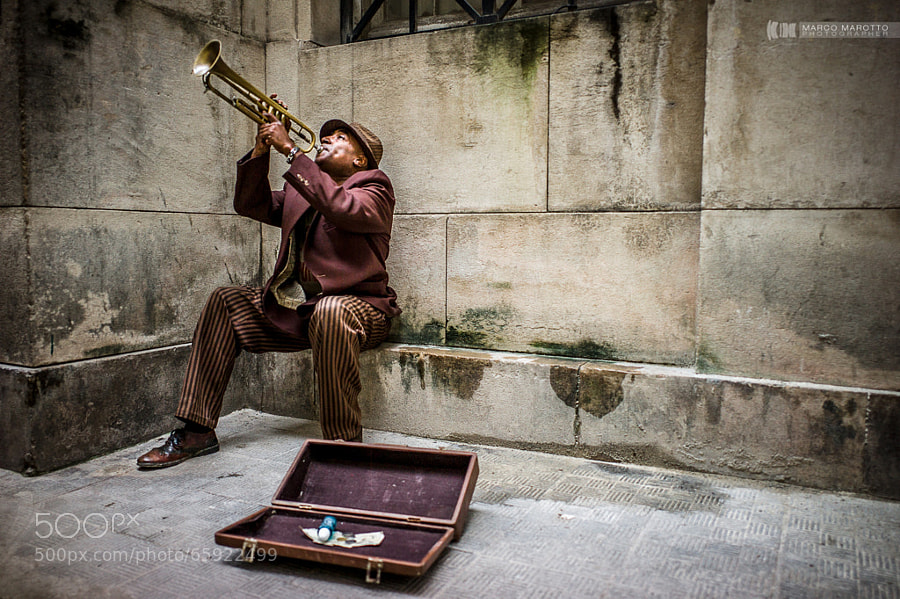
Photograph CUBA #035 by Marco Marotto on 500px

CUBA #035 by Marco Marotto on 500px

Photograph Chess Game by Konstantin Nabatnikov on 500px

Chess Game by Konstantin Nabatnikov on 500px

Photograph Chess by Anthony Hart on 500px

Chess by Anthony Hart on 500px

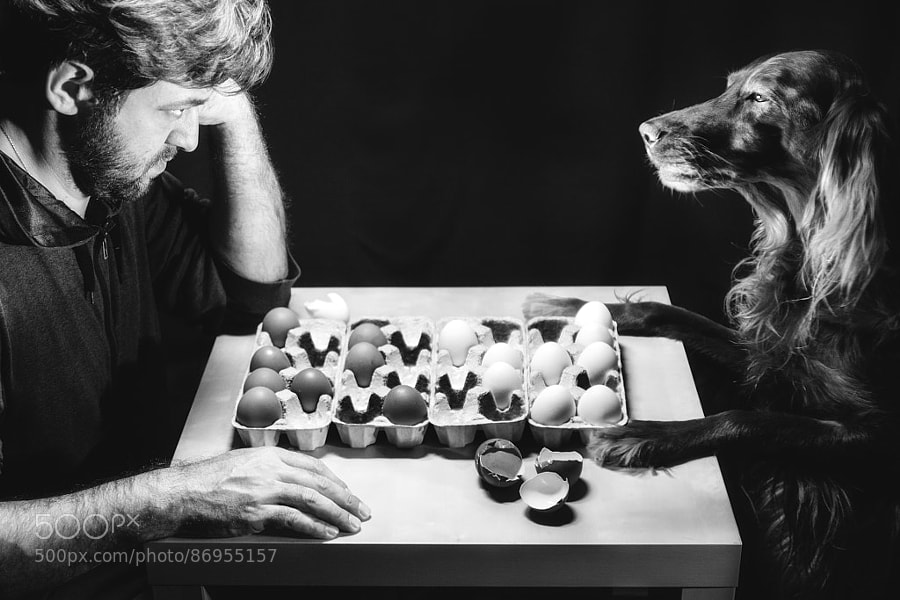
Photograph Stay Pawsitive by Antoine BRUNEAU on 500px

Stay Pawsitive by Antoine BRUNEAU on 500px

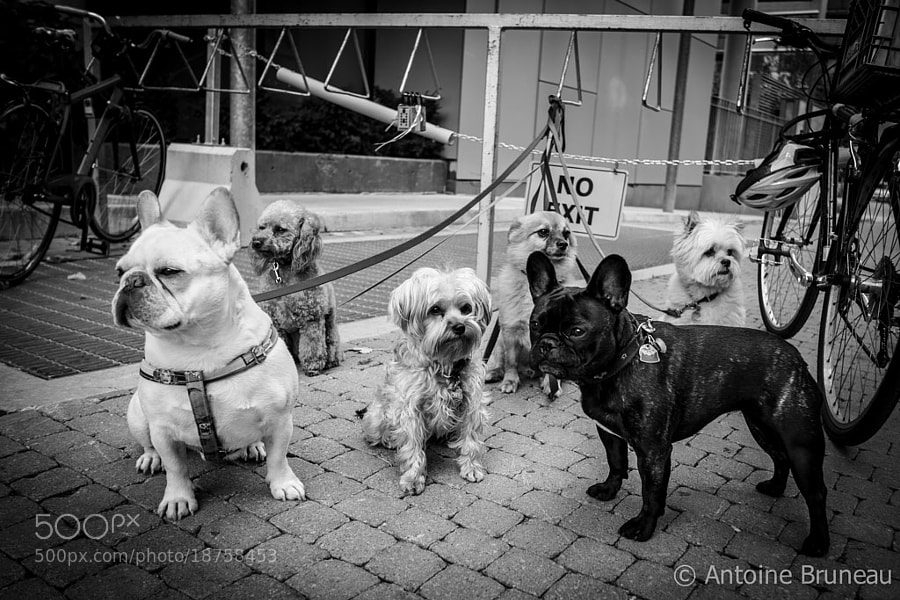
Photograph Easy to walk the dogs? by WALL-AN  on 500px

Easy to walk the dogs? by WALL-AN on 500px

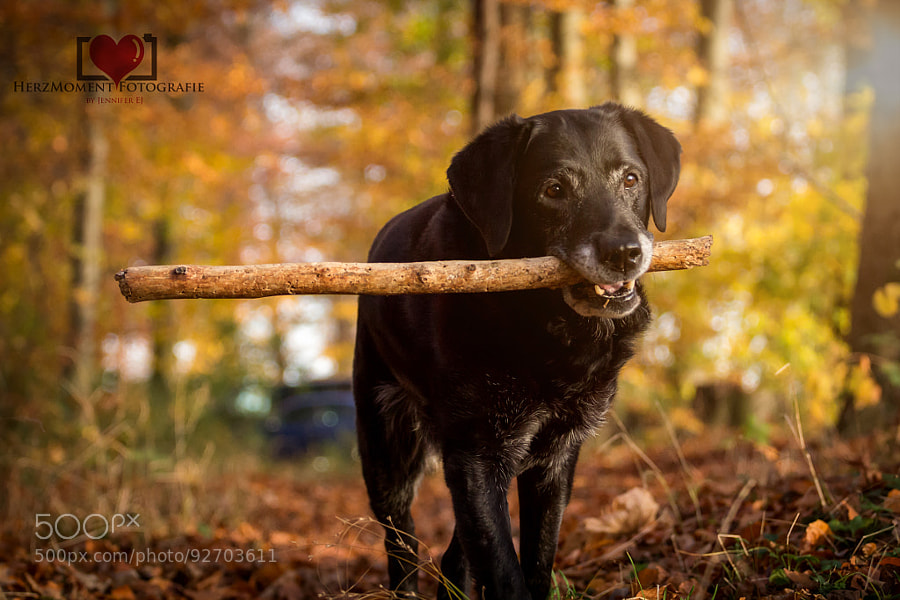
Photograph The big stick by HerzMoment Fotografie on 500px

The big stick by HerzMoment Fotografie on 500px

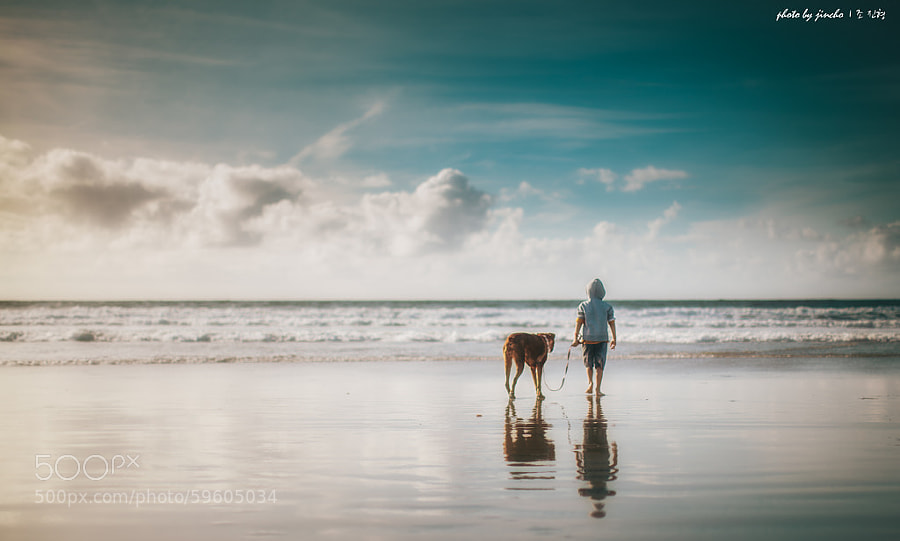
Photograph Walk by Jin Cho on 500px

Walk by Jin Cho on 500px

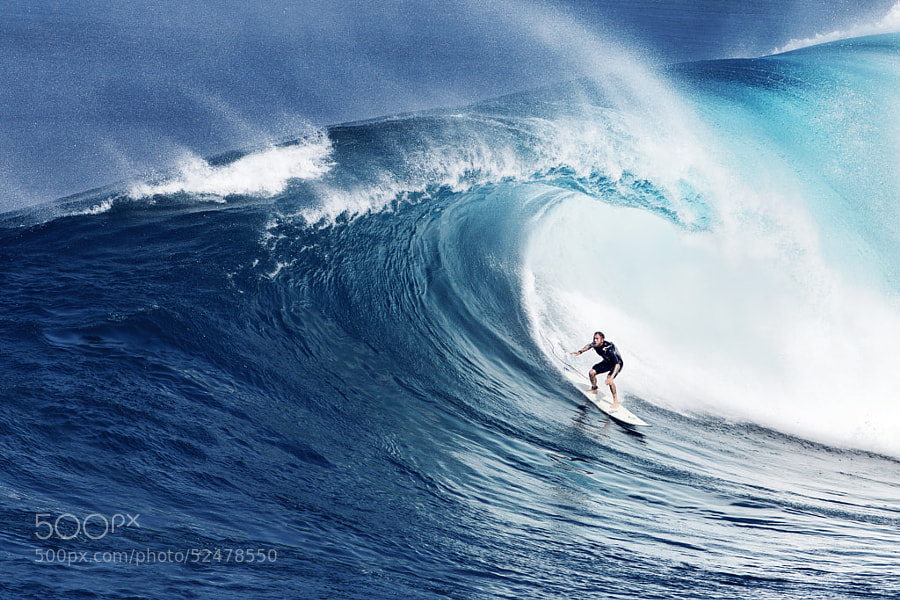
Photograph Jaws, Maui. by Anton Repponen on 500px

Jaws, Maui. by Anton Repponen on 500px

Photograph Irish Gold by Roger Sharp on 500px

Irish Gold by Roger Sharp on 500px

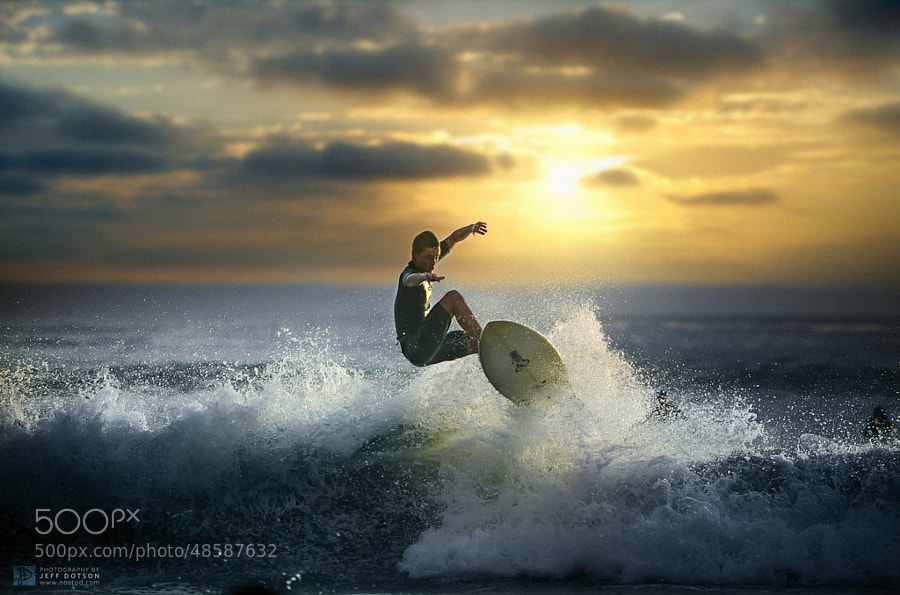
Photograph Air Creek by Jeff Dotson on 500px

Air Creek by Jeff Dotson on 500px

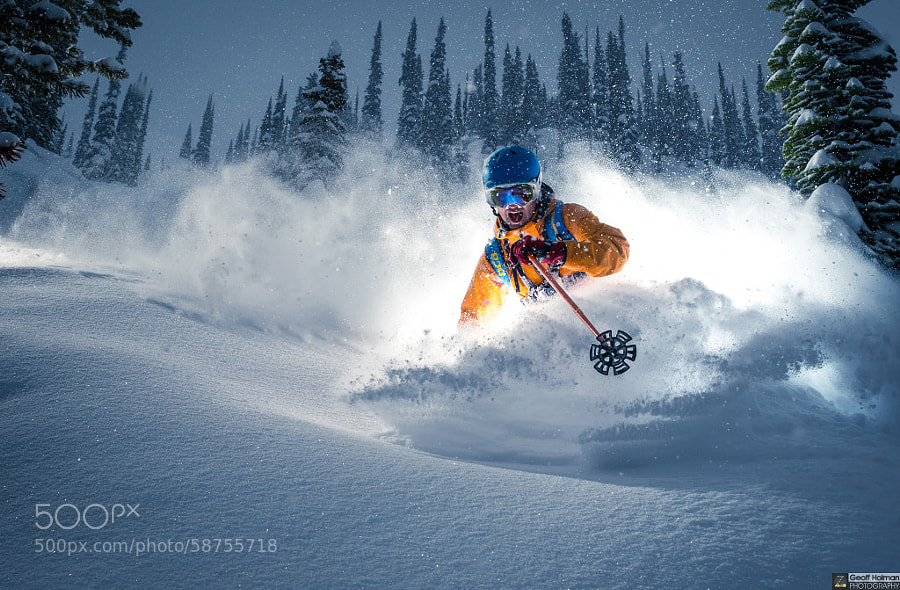
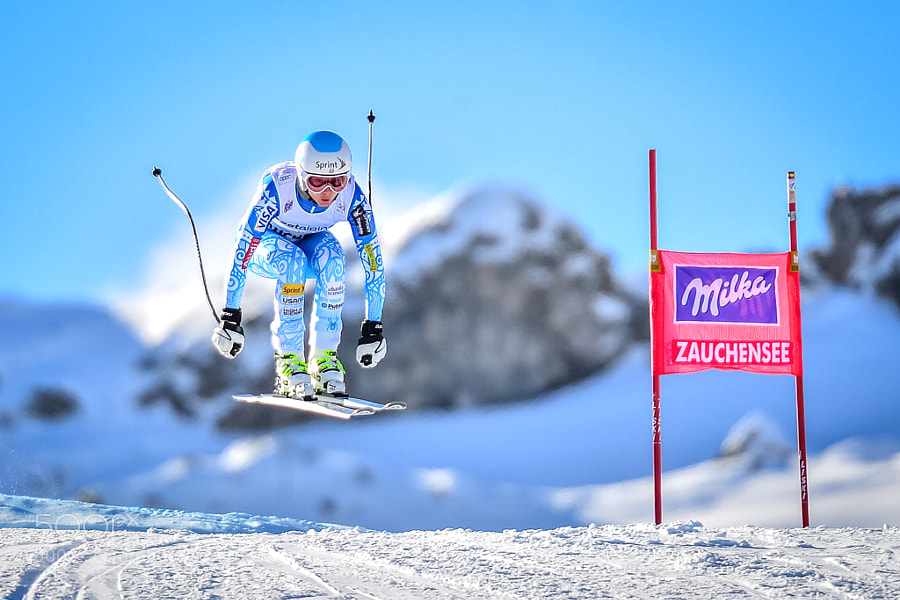
Photograph True grits by Geoff Holman on 500px

True grits by Geoff Holman on 500px

Photograph "Blue" by Jure Makovec on 500px

"Blue" by Jure Makovec on 500px

Photograph The natural power of reading by Lara Zanarini on 500px

The natural power of reading by Lara Zanarini on 500px

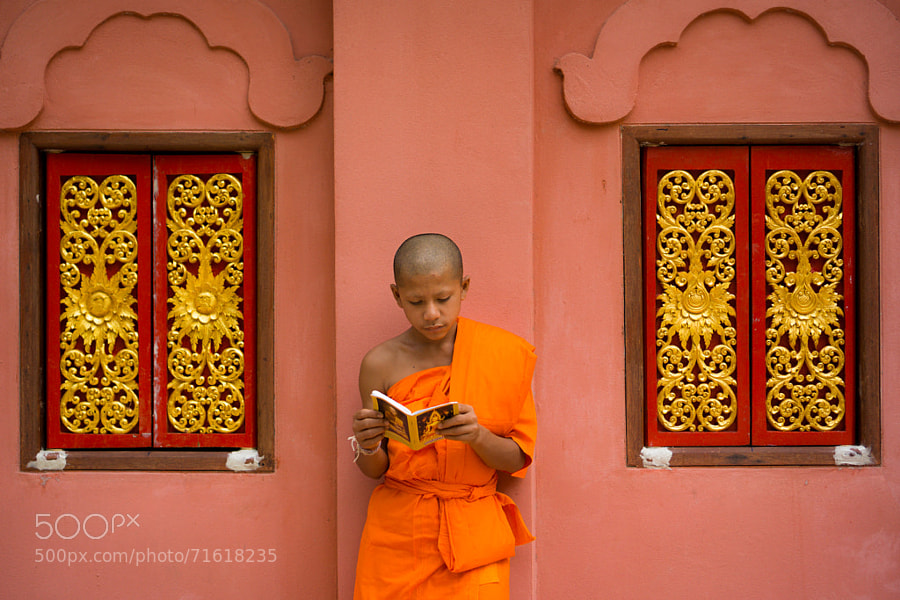
Photograph Novice Monk Reading by Erik Pronske on 500px

Novice Monk Reading by Erik Pronske on 500px

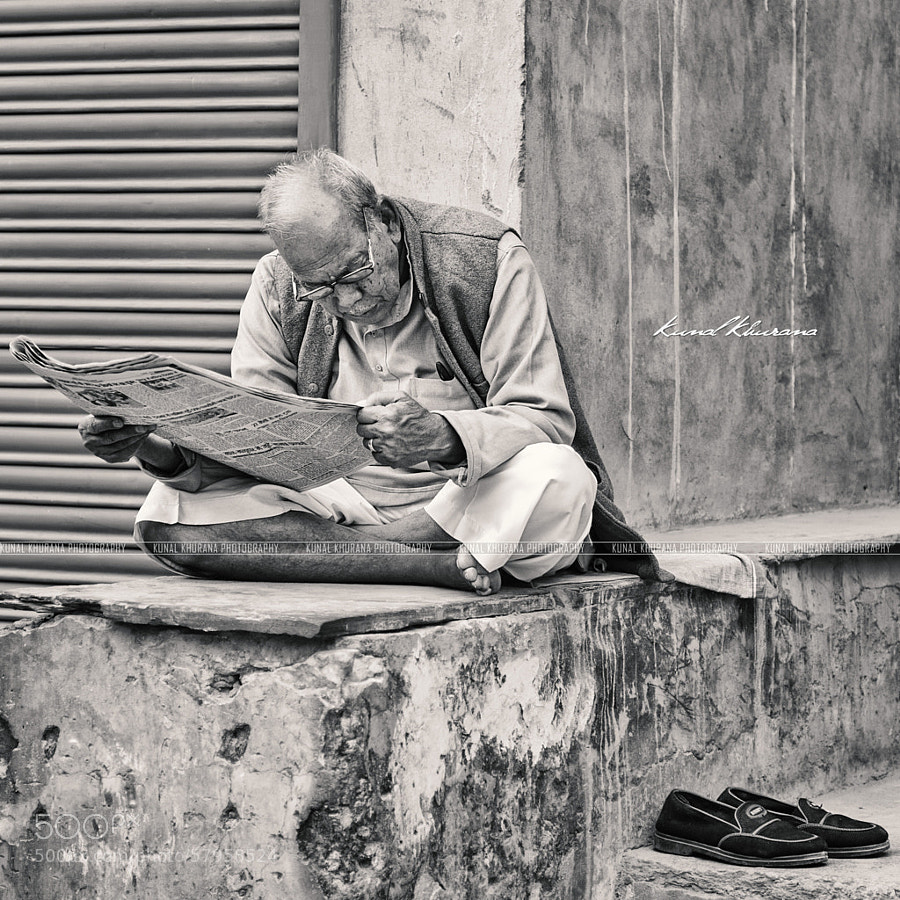
Photograph Do Not Disturb! by Kunal Khurana on 500px

Do Not Disturb! by Kunal Khurana on 500px

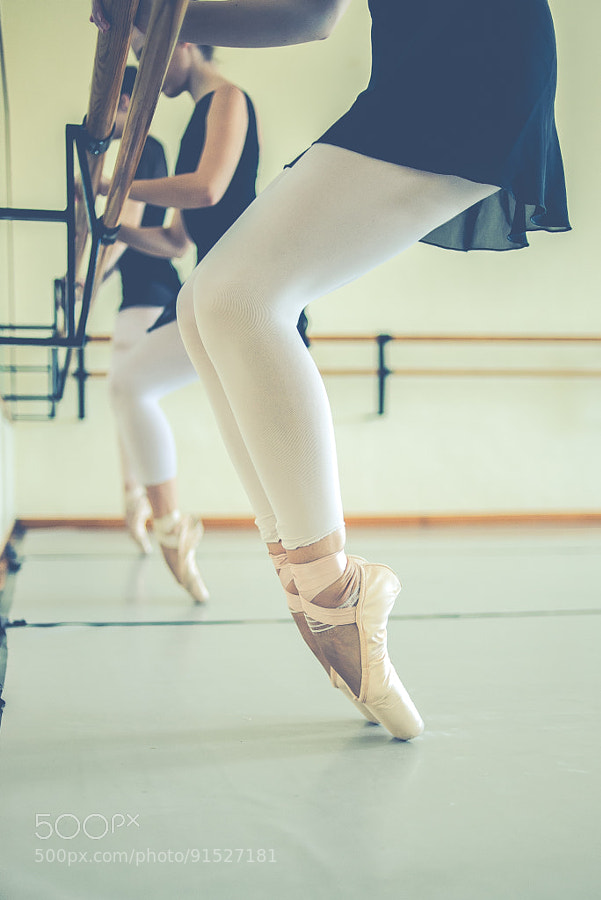
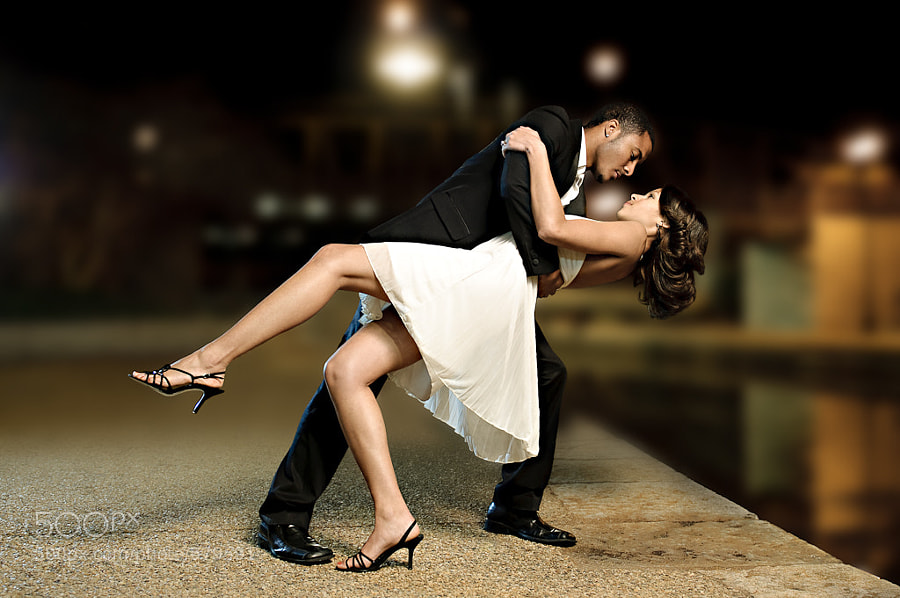
Photograph Dance Class by M.A. Cabrera Luengo on 500px

Dance Class by M.A. Cabrera Luengo on 500px

Photograph The Dance by Richard Upshur on 500px

The Dance by Richard Upshur on 500px

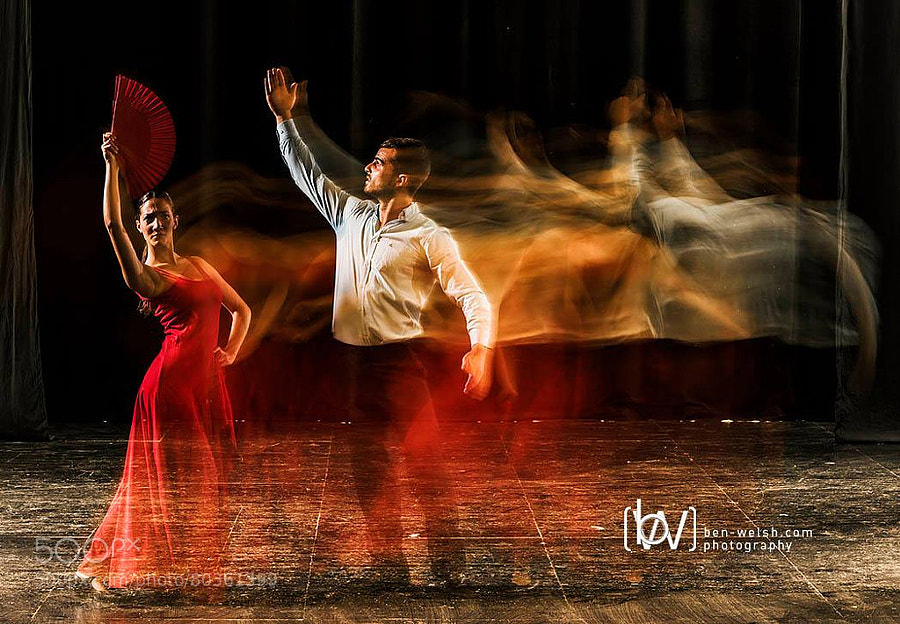
Photograph Flamenco Dancers Photo by Ben Welsh by Ben Welsh on 500px

Flamenco Dancers Photo by Ben Welsh by Ben Welsh on 500px

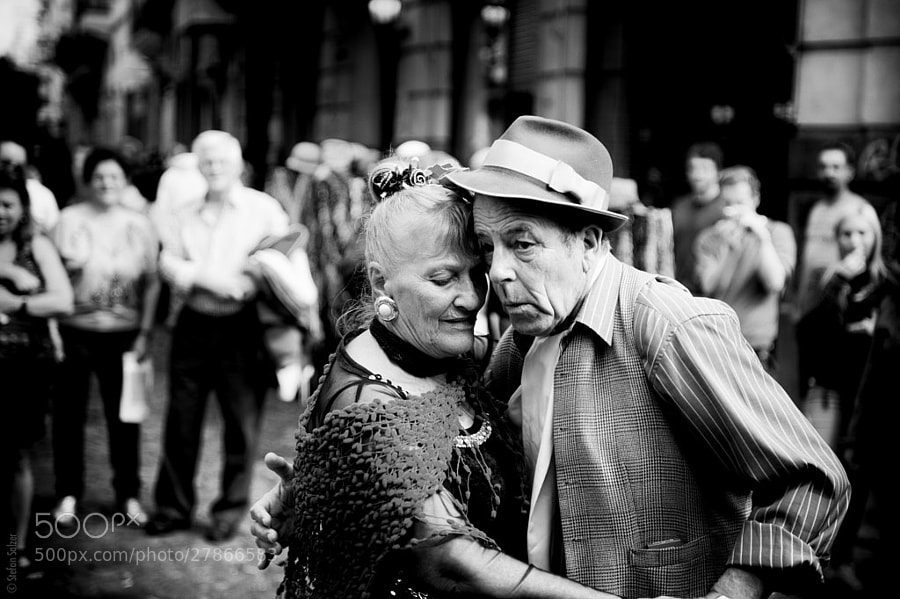
Photograph Tango by Stefan S. on 500px

Tango by Stefan S. on 500px

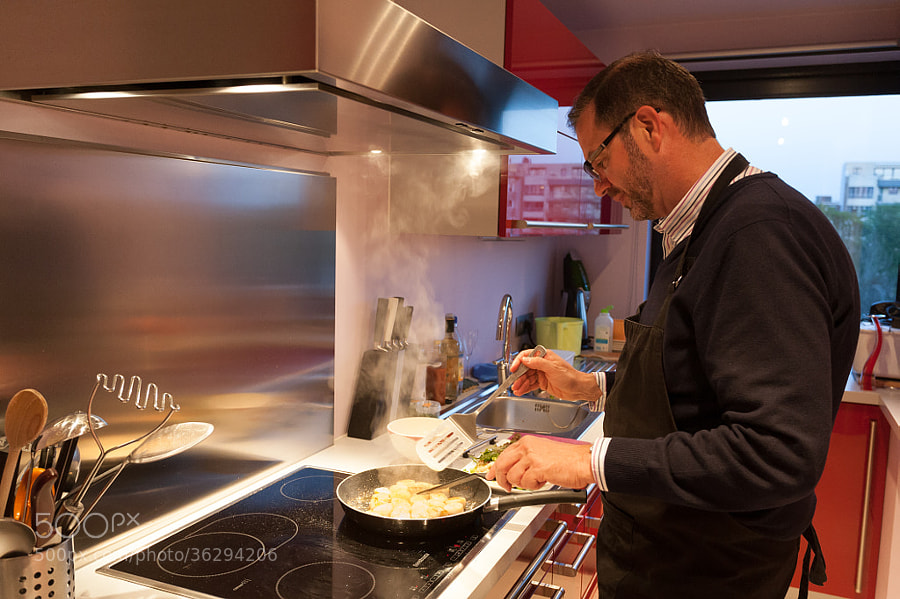
Photograph Chef by Paul Indigo on 500px

Chef by Paul Indigo on 500px

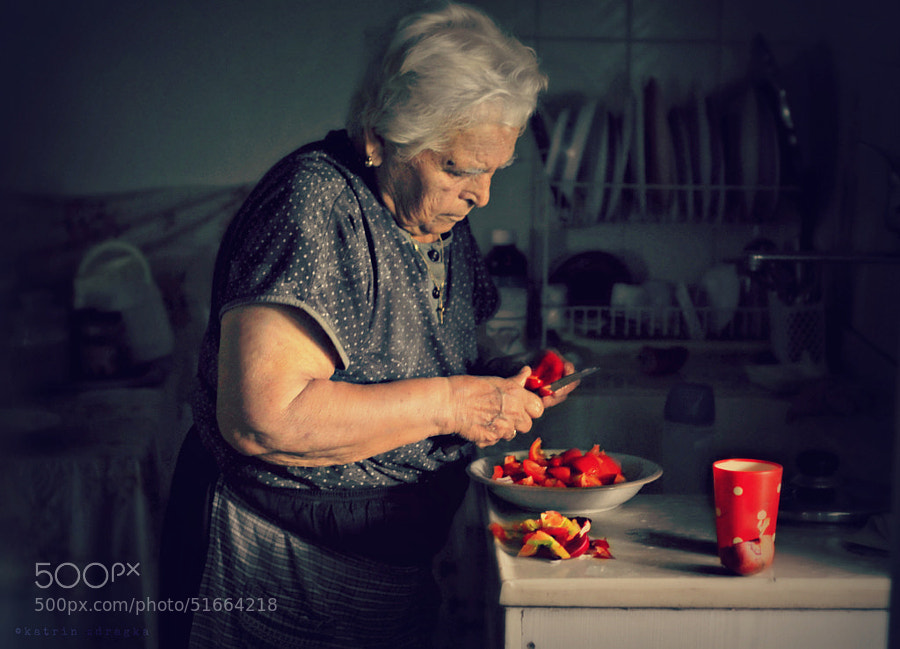
Photograph yiayia Katina is cooking by katrin zdragka on 500px

yiayia Katina is cooking by katrin zdragka on 500px

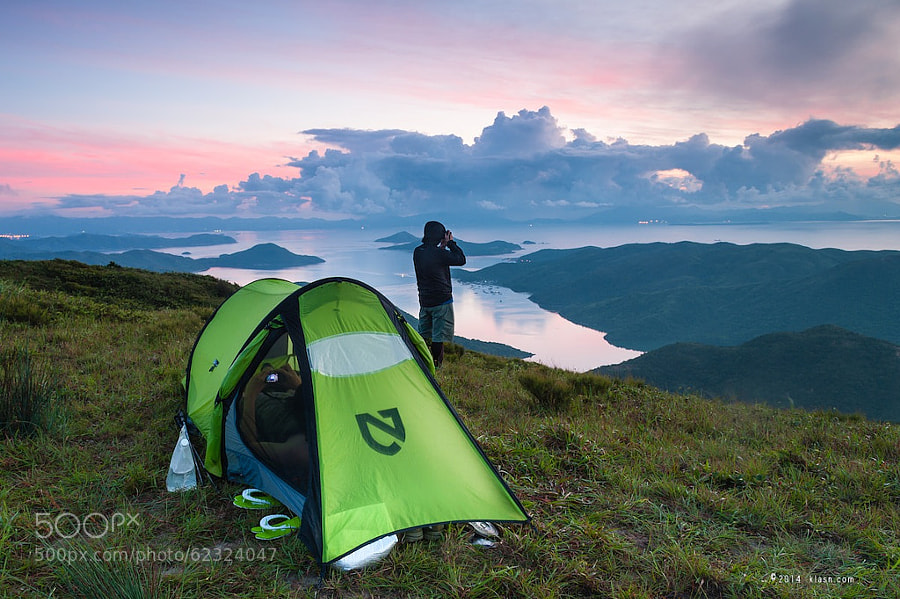
Photograph Sunday Morning by Klas Wong on 500px

Sunday Morning by Klas Wong on 500px

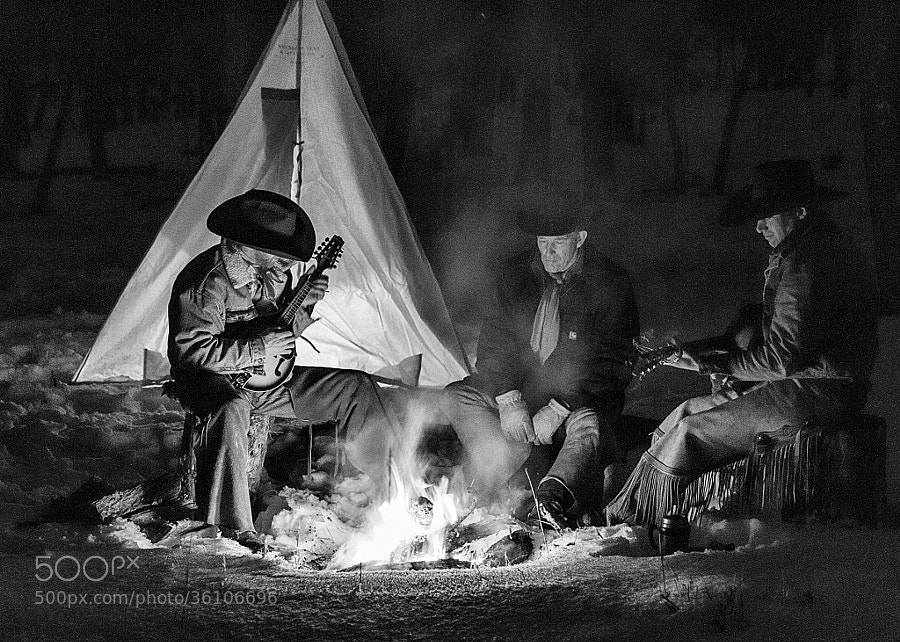
Photograph Around the Winter Campfire by David  Bair on 500px

Around the Winter Campfire by David Bair on 500px

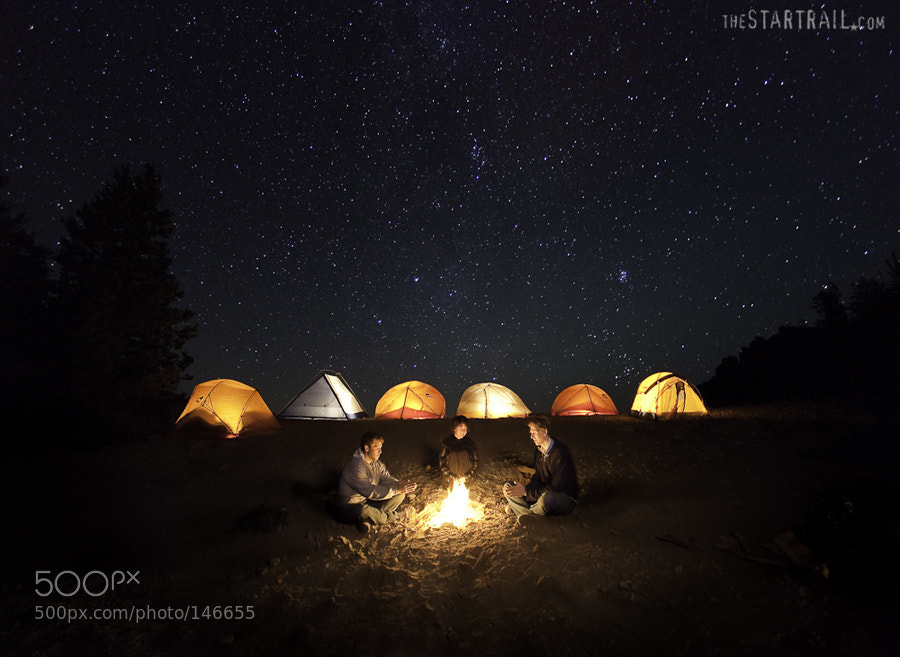
Photograph with friends by Ben Canales on 500px

with friends by Ben Canales on 500px

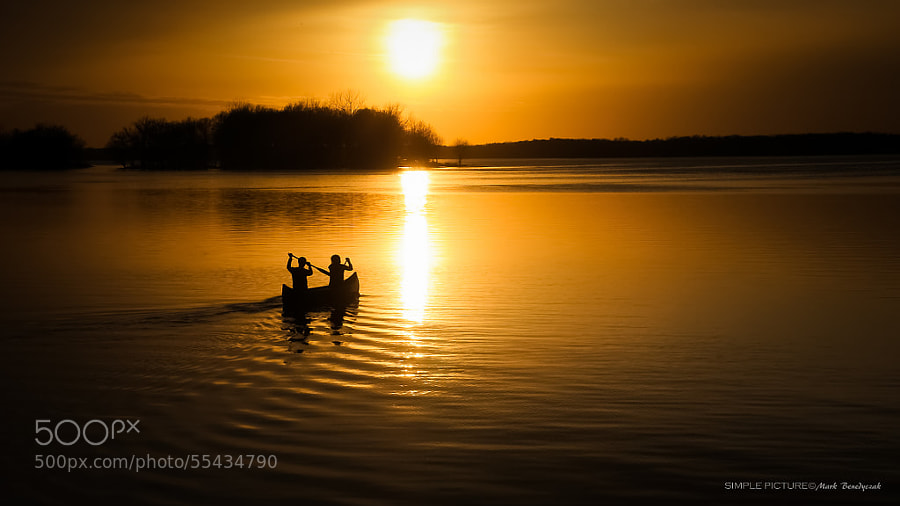
Photograph The Journey - One Stroke At a Time by Mark L. Benedyczak on 500px

The Journey – One Stroke At a Time by Mark L. Benedyczak on 500px

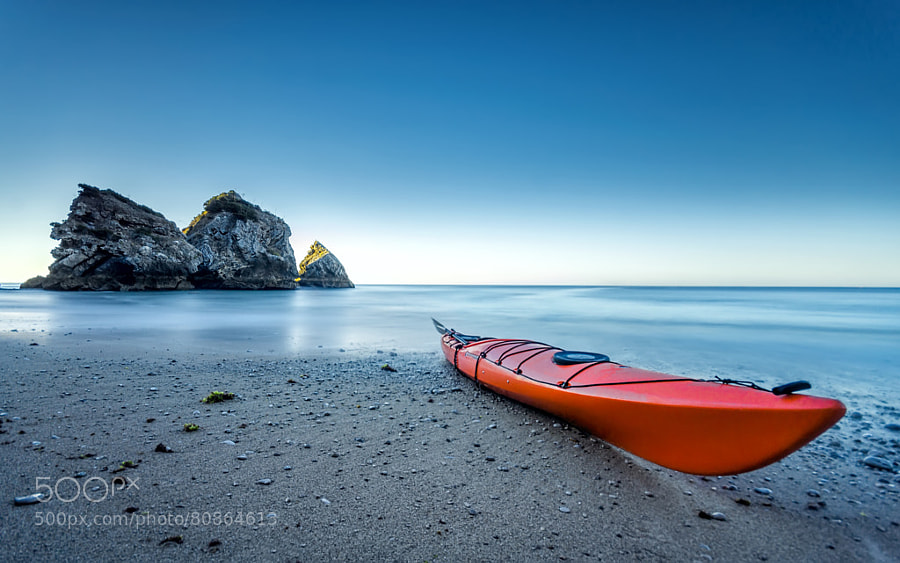
Photograph The red kayak by Paulo Mendonça on 500px

The red kayak by Paulo Mendonça on 500px

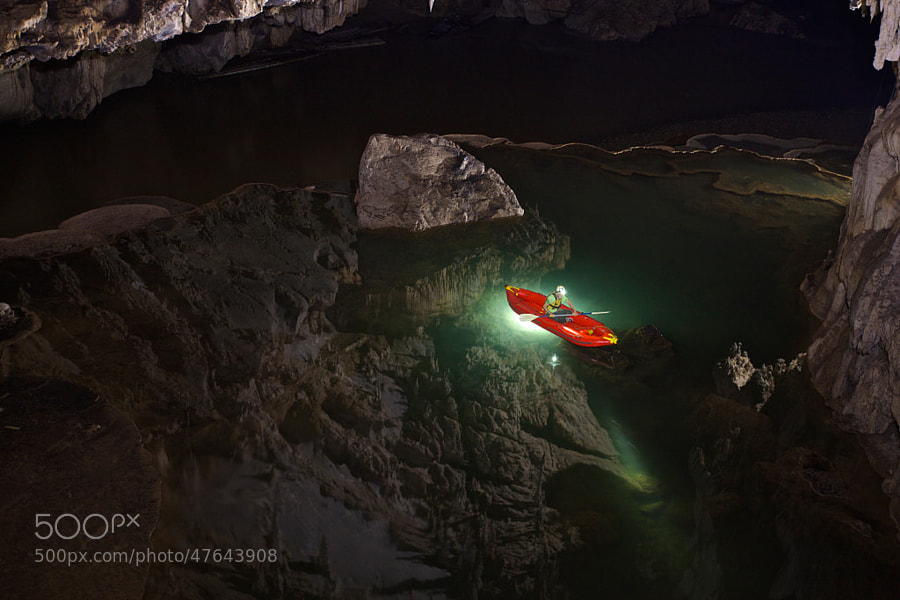
Photograph Cave reflection by john spies on 500px

Cave reflection by john spies on 500px

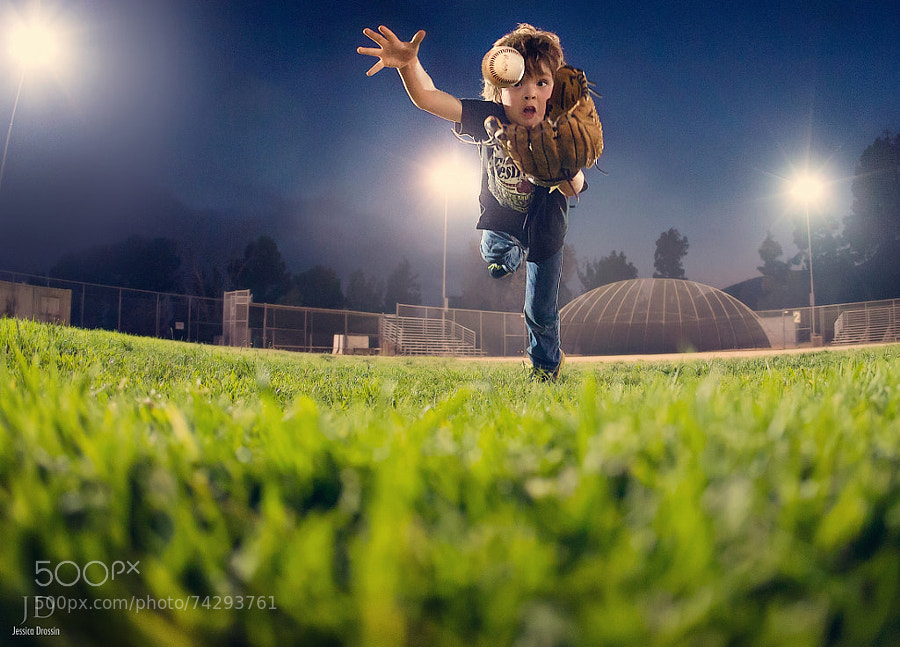
Photograph Catch by Jessica Drossin on 500px

Catch by Jessica Drossin on 500px

Photograph Baseball 6 by Doug Day on 500px

Baseball 6 by Doug Day on 500px

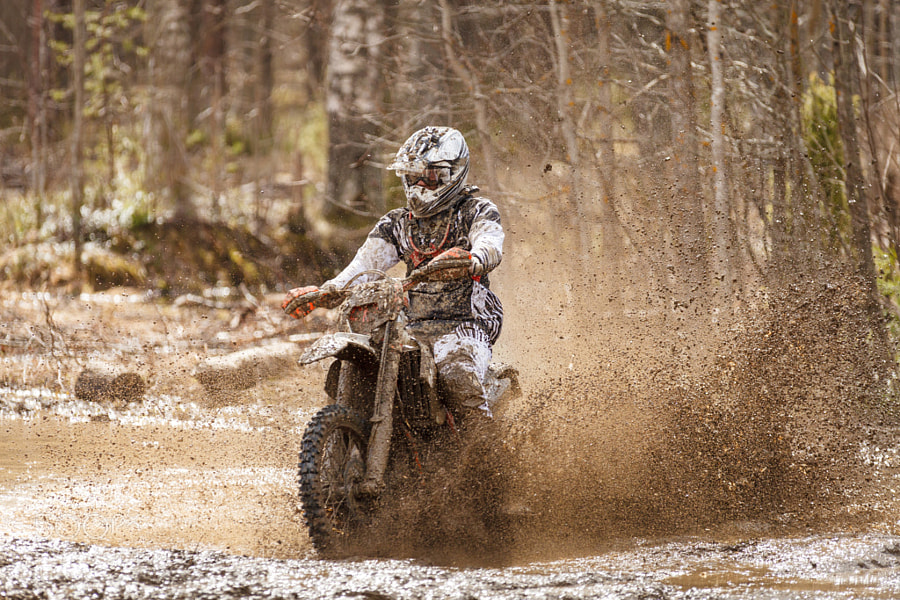
Photograph Motocross Driver by Teemu Tretjakov on 500px

Motocross Driver by Teemu Tretjakov on 500px

Photograph A golden moment with the Honda by Daniel Kvick on 500px

A golden moment with the Honda by Daniel Kvick on 500px

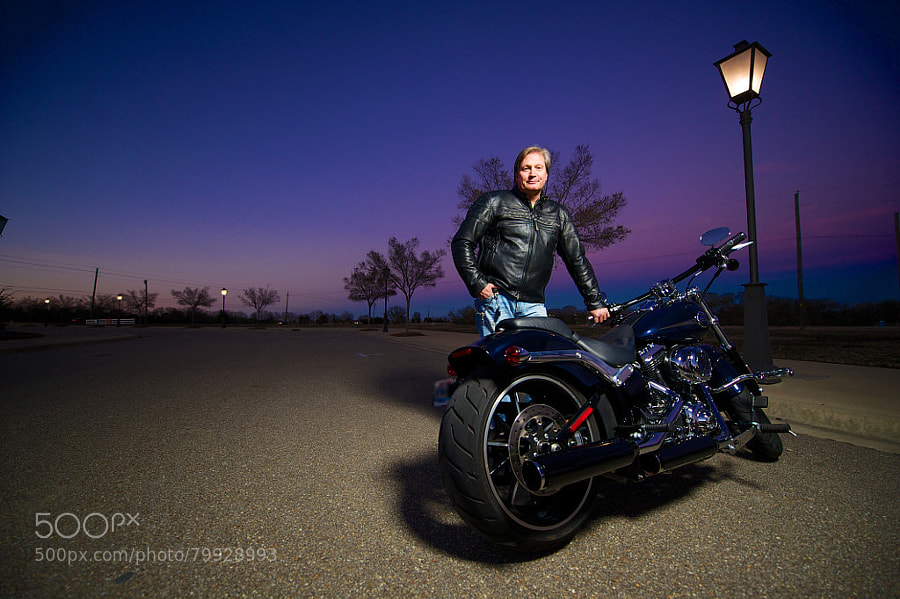
Photograph A Man & His Bike by Josh Whitman on 500px

A Man & His Bike by Josh Whitman on 500px

googletag.cmd.push(function() {
tablet_slots.push( googletag.defineSlot( “/1005424/_dPSv4_tab-all-article-bottom_(300×250)”, [300, 250], “pb-ad-78623” ).addService( googletag.pubads() ) ); } );

googletag.cmd.push(function() {
mobile_slots.push( googletag.defineSlot( “/1005424/_dPSv4_mob-all-article-bottom_(300×250)”, [300, 250], “pb-ad-78158” ).addService( googletag.pubads() ) ); } );

The post 36 Energizing Images of Recreational Activities by Darlene Hildebrandt appeared first on Digital Photography School.


Digital Photography School

 
Comments Off on 36 Energizing Images of Recreational Activities

Posted in Photography


10 Vintage London Paintings Superimposed on Street View Images

09 Jan

[ By WebUrbanist in Art & Drawing & Digital. ]

london church street montage

Blending fiction and reality, art and history, this series of superimpositions takes ‘then-and-now’ imagery all the back to the 18th Century on the streets and rivers of England’s capital city. Most of the added classics (spliced with Google Street View shots) are largely unedited, a few are strategically cropped but many show a naturally stark contrast in colors, tones, lighting, and of course: street life.

london historical street view

london history meets modernity

Collected and collaged by Halley Docherty, these hybrids show historical structures in their built environments like St. Martin in the Fields, shown at the top (painting by William Logsdail in 1888), a church situated on the opposite side of Trafalgar Square to Northumberland House, pictured directly below (painted by Canaletto in 1752 and since demolished).

london then now painting

london ships boats river

Various views of the River Thames show how the riverfronts, skylines, ships and boats and shifted in type and number over time, or highlight key points and storytelling scenes of local history set against the everyday backdrop captured by Street View vans.

london historical painting war

london street chapel view

Many major streets are shown at least partly as they were, albeit with some embellishments or artistic license here and there, as well as the vehicles and people that populated them (just surrounded by contemporary persons and contexts).

london historical contemporary collage

london gardens park neighborhood

london street view hybrid

Other paintings shown in this collection include: A View of Greenwich from the River by Canaletto (1750–52), Blackman Street London by John Atkinson Grimshaw (1885), View of The Grand Walk by Canaletto (1751), The 9th of November, 1888 by William Logsdail (1890), The Strand Looking East from Exeter Exchange by Anonymous (1822), Covent Garden Market by Balthazar Nebot (1737), The River Thames with St. Paul’s Cathedral on Lord Mayor’s Day by Canaletto (1746) and Westminster Abbey with a Procession of Knights of the Bath by Canaletto (1749).

Share on Facebook


[ By WebUrbanist in Art & Drawing & Digital. ]

[ WebUrbanist | Archives | Galleries | Privacy | TOS ]


WebUrbanist

 
Comments Off on 10 Vintage London Paintings Superimposed on Street View Images

Posted in Creativity


How to Evoke Emotion with Your Images

09 Jan

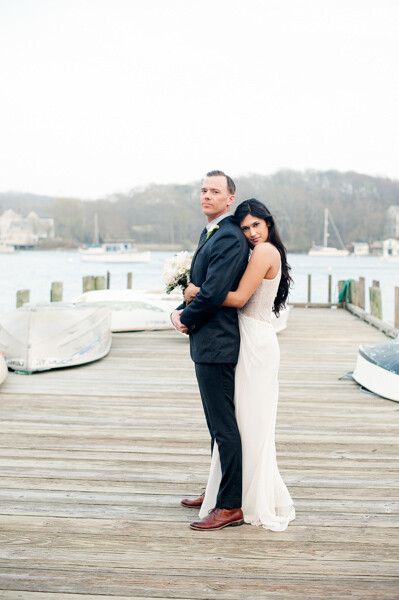
The West WeddingSome of us come to photography because we want to learn how to take better pictures of our children. Some of us come to photography because we want to take better pictures for our business or blog. Many of us come to photography because we love art. For you artists, emotion is an integral part of your photography.

You don’t have to wait until you’re a big time rock star photographer to evoke emotion with your images. Evoking emotion simply means that your photos say something. They may speak about something funny, moving, sad, or thoughtful. They might capture a mood, or put your viewer in a state of contemplation. Photos that evoke emotion simply portray a feeling. So how do you create that in your photos?

Think about the feeling you want to convey

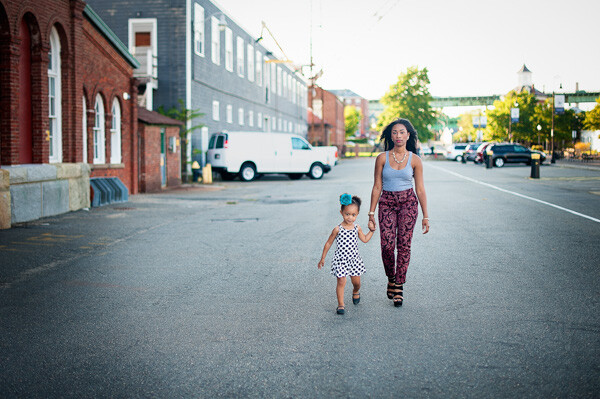
Raising Strong Woman

This mother feels it is very important that she raise her daughter to be independent and strong. By showing them walking hand in hand standing strong and tall, you get a sense of strength and independence.

A large part of the business of photography is photographing families, and often times multiple generations. That is a perfect opportunity to play with evoking emotion. You can all do the standard sitting in the studio or standing on the beach but what if you take a few frames where you’re actually shooting with a bigger purpose? Think about framing a shot to convey a sense of strength in the women of the family. How can you show that these women are loving and encouraging toward one another? Body language, clothing, or even the setting can help you convey that message.

Think about a mother and her small child. She loves her baby with all of her heart. How can you show that emotion? I often envision a woman in a flowy dress that cascades behind her. She’s holding her young daughter’s hand and leading her into the future. Can you imagine that? Just my description evokes emotion so just imagine what the photo will do.

Consider your own feelings

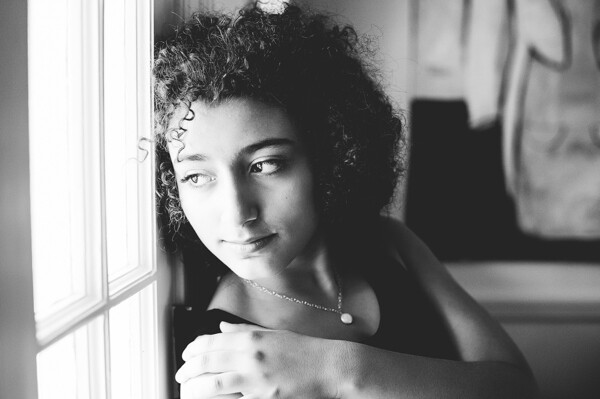
Teen in thought

This young teen is coming into herself as a woman and dealing with the changes in her life. Her gaze shows that she is deep in thought.

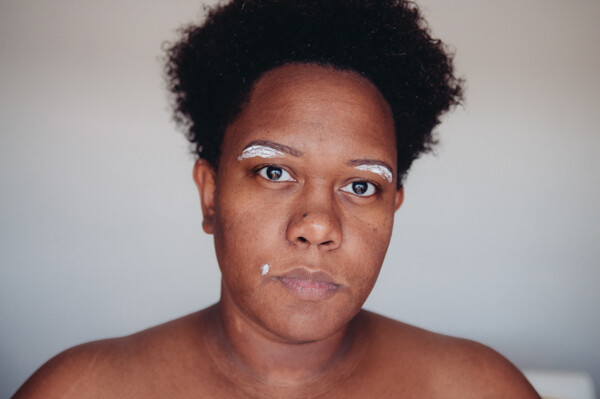
Maybe you just want to express yourself for you. I find photography to be a great release. I love to express my emotions through self portraits. Evoking emotions based on your own personal experiences is a fantastic way to really learn this process. I recently decided to photograph myself without makeup, in the process of grooming. I did this because it speaks to those who struggle with imperfection. I often seem very put together, but I am just like every other woman. I took this sense of emotion and turned it into a photograph. You can do the same.

Bare Monica

Think about an issue that you are dealing with. It may be a sickness, or death in the family, a social issue, or even just joy in your life. How can you translate that into a photo project for yourself? You can also use your clients’ emotions to photograph them. Imagine that you’ve talked to your client and she has expressed that she’s having a very difficult time dealing with a family issue. You can help her express herself by photographing her in a way that she will be able to relate.

Photograph landscapes, street settings, and inanimate objects

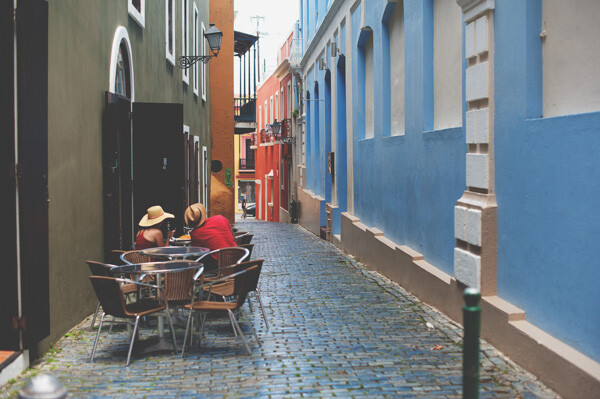
Old San Juan Couple

Street photography is a great way to capture emotion. You can make your photos tell whatever story you wish. This couple sitting alone in an alley in Old San Juan can mean anything you wish.

You can evoke emotion through landscapes and objects around you. I started my photography career photographing the harbors, snow, and mountains of Alaska. You can evoke emotion in these types of settings by adjusting the times of day you shoot or even the conditions your shooting in. Fog is a lovely natural occurrence that creates instant mood. If your forecast is calling for fog then make sure you have your camera ready to head outside and grab some of that deliciousness.

If you’re feeling particularly down and gloomy, then wait for that rainy day. Get outside with the raindrops and photograph something. Don’t feel like venturing outside in the weather? No problem. Use your wet window to create a bit of a screen to shoot through. Make it original so that your rainy window shot is different than the rest. Do you have a book, an heirloom, or a favorite object that means something to you? That’s a great way to add uniqueness to your emotional rainy photo. The idea is to use anything to create the feeling you want to portray.

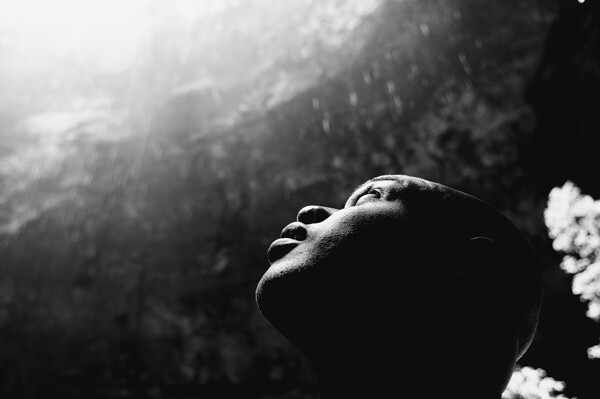
The Falls -01

Street photography is wonderful when it comes to evoking emotion. You get to have people in their natural settings doing things that they naturally do. Your job is to frame your photos to convey the feeling you want to achieve. Are you longing for a loved one? Look for a couple that looks so in love and photograph them walking down the sidewalk. Use what you see around you to create the feeling you want to convey in your photographs.

Evoking emotion is subjective to the photographer and the viewer. Your audience might not see what you intend but they will most likely see something. Many times we fall in love with a piece of art or a photograph and have no idea why. This is evoking emotion. This is your goal. Have fun with it and practice, practice, practice.

googletag.cmd.push(function() {
tablet_slots.push( googletag.defineSlot( “/1005424/_dPSv4_tab-all-article-bottom_(300×250)”, [300, 250], “pb-ad-78623” ).addService( googletag.pubads() ) ); } );

googletag.cmd.push(function() {
mobile_slots.push( googletag.defineSlot( “/1005424/_dPSv4_mob-all-article-bottom_(300×250)”, [300, 250], “pb-ad-78158” ).addService( googletag.pubads() ) ); } );

The post How to Evoke Emotion with Your Images by Monica Day appeared first on Digital Photography School.


Digital Photography School

 
Comments Off on How to Evoke Emotion with Your Images

Posted in Photography


15 Tips for Protecting Your Images While Traveling

07 Jan

You have saved and saved and spent a large investment to go on a trip, on your photography gear, to photograph what matters to you, and to create lasting memories and images. Losing your images is not an option. Have you thought about the precautions to help make sure your images are safe after the shutter is pressed?

Many people cringe at the thought of losing their images while traveling or any other time for that matter, and rarely do they think it will happen to them. Yet, unfortunately the reality is that people lose their precious images.

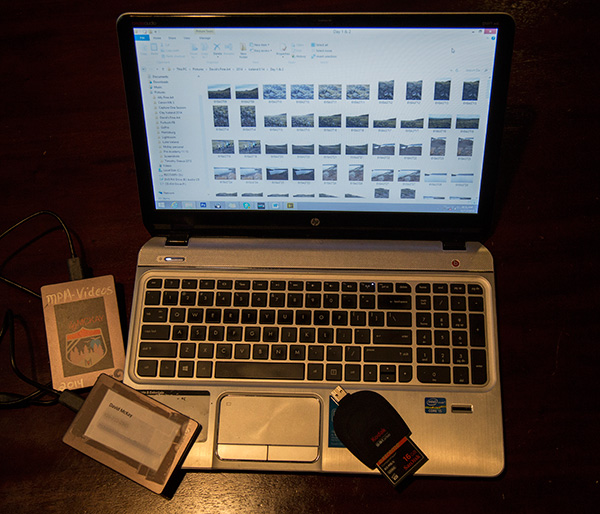
Clearly mark all memory laptops gear 600px

Has your memory card ever suddenly decided to give you the dreaded “error” notice? Maybe your new back-up hard drive failed or maybe you simply lost your camera bag by leaving it in the over-head bin of the airplane? Sound familiar? Maybe one of these situations has happened to you, or one of the many other possibilities that can occur to ruin all of your dream trip photography has taken place.

No you say? It hasn’t happened to you yet? GREAT! This means up until this point you have been fortunate or hopefully properly prepared. The saying “Those that back-up and those that will” comes to mind. Having lead photographic tours all around the world, the amount of times images I have seen lost by photographers, is truly staggering. Don’t let it happen to you! After all, some would argue that the most important part of their trip is their images. So why do people not take more time to properly protect the fruit of all their investment and labor, their images?

Here are some helpful tips and hints to keep your most precious commodity of your travels, your images, safe.

#1 Get into a system

Create an organized system and do not waiver from it! Follow the hints below, set up a system, and be consistent.

Consistent system 600px

#2 Keep non-downloaded cards unique

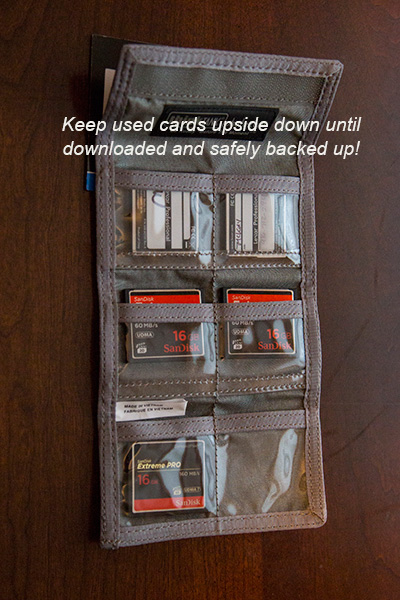
In your card carrier case, keep all non-downloaded memory cards upside down. In this way, you know the card is not ready for use. When you have downloaded AND backed up, at that time place the card right side up again. It is now ready to use.

Keep used cards upside down 600px

#3 Format your memory cards

Before each use, format and make sure your card is clean before using. This makes sure the card is completely ready to go. Of course, only do this if all of your current images on the card are downloaded AND backed up!

#4 Don’t put all your eggs(images) in one basket

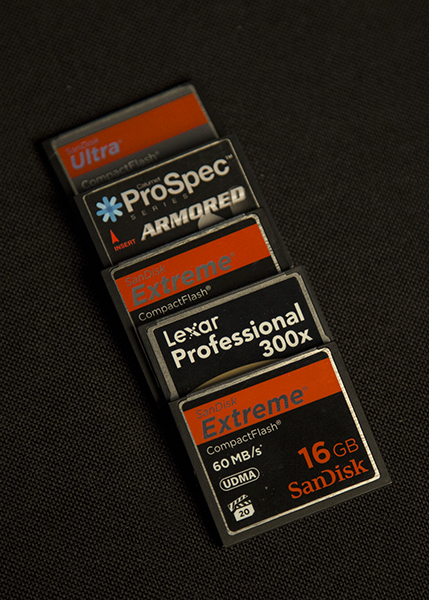
Simply put, do not buy the largest memory card money can buy and shoot your entire trip on one card. Buy smaller ones, then if you lose a card or one goes bad, you at least have a portion of your trip images still.

#5 Bring PLENTY of high quality memory cards

Memory cards have come down in price drastically. In order to have all your images on many different cards, invest in plenty of memory. It makes no sense to spend thousands of dollars on a trip, gear, and more only to skimp a few dollars on what holds the memories!

Diversify your shootng on several cards

#6 Download and backup every day

Once you return to the hotel room, you may be tired, but your images are worth the little extra effort to download immediately and then backup to a secondary device.

#7 Always carry an external hard drive

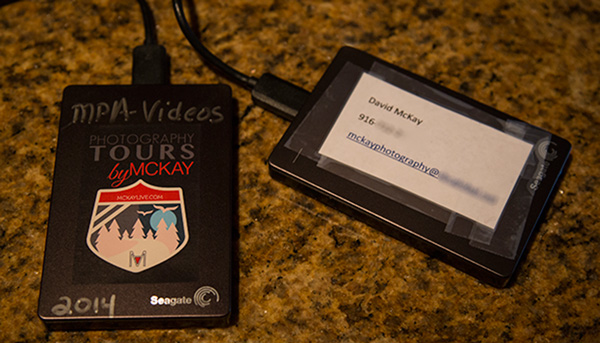
As soon as you download to your laptop, be sure to immediately backup to an external hard drive as well. The price of memory is so inexpensive; there is absolutely no reason to not be carrying a lightweight external hard drive.

External light weight hard drives are inexpensive and easy to carry 600px

#8 Carry your used memory cards on you physically

This reduces this risk of loss due to theft of your gear, leaving your gear accidentally, or in case you must check your gear for any reason either on a flight or gate check.

#9 Don’t erase your images

Unless you are out of cards to use and it is absolutely needed, do not erase the images. If you are downloading and backing up, now you have them in three locations. If you follow the hint about having plenty of memory, this should not be a problem.

#10 Use the dual card slot on your camera

Some cameras have dual card slots. The Canon 5d Mk3 as an example allows you to use a CF card in one and an SD in the other. When you shoot, the system can be set to automatically write to both cards. This is great, yet it does take longer to save as it requires longer write time. This is no excuse for NOT following the other hints.

#11 Shoot RAW and large Jpeg files

Recovery software available cannot recover RAW data as easily as a Jpeg. For this reason, if you shoot with both RAW and Jpeg, you have a higher likelihood of being able to recover images if a card goes bad. You may not have the best image if you lost your RAW data, but at the very least you will have a high quality Jpeg which as we all know, is still great quality. This of course requires more usage of memory, so once again, see #5 above and carry plenty of cards!

Shoot RAW PLUS Large Jpeg

#12 Partner up

If traveling with another person or group, buddy up with a partner to carry your external hard drive of backup images and you carry theirs. In this way, your images are on you physically on your memory cards and laptop, and then in case something happens, another set is with another person.

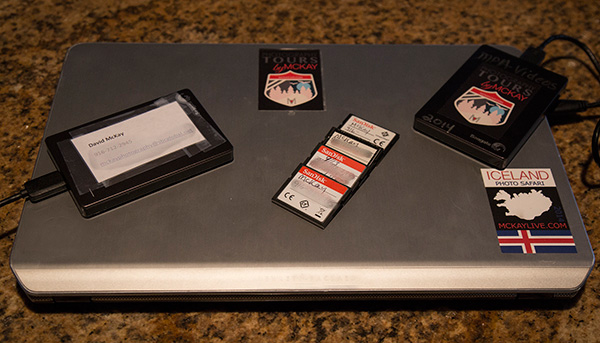
#13 Contact info

Be sure to write your phone number and email address on all your memory cards, hard drives, laptop, card carrying case, and camera bag.

Clearly mark all memory laptops gear 600px

#14 Store a backup of your images from home

Answer this question: If you were away and your home had a fire, would you possibly lose your images? If the answer is yes, you have some work to do. Carry a back-up of your home computer hard drive with you or have one at another location. Also, keep hard drives in fire-proof safes.

#15 Use online storage

Many companies such as Dropbox, Carbonite, Amazon, and more offer excellent, inexpensive online storage solutions. The issue is that while traveling, you may not have good internet connections and it can take forever to load your RAW images or large files.

Do you have any other methods or tips for keeping your images safe when you travel? Please share in the comments below.

googletag.cmd.push(function() {
tablet_slots.push( googletag.defineSlot( “/1005424/_dPSv4_tab-all-article-bottom_(300×250)”, [300, 250], “pb-ad-78623” ).addService( googletag.pubads() ) ); } );

googletag.cmd.push(function() {
mobile_slots.push( googletag.defineSlot( “/1005424/_dPSv4_mob-all-article-bottom_(300×250)”, [300, 250], “pb-ad-78158” ).addService( googletag.pubads() ) ); } );

The post 15 Tips for Protecting Your Images While Traveling by David McKay appeared first on Digital Photography School.


Digital Photography School

 
Comments Off on 15 Tips for Protecting Your Images While Traveling

Posted in Photography


38 Images of Different Ways to Bring in the New Year

02 Jan

What does a starting a new year mean for you? Is it about parties and drinking cocktails? Or maybe fireworks and celebration in a loud way (like here in Nicaragua)?  Perhaps you sit at home and watch it all on TV as the apple drops in NYC over Times Square.

Or maybe you take some time to reflect and meditate on what you achieved over the last year and think about your goals, dreams and plans for the next 12 months? Does it slip past midnight quietly with you tucked snugly into your bed?

Holiday time and new year can mean many different things to different people, including how it is celebrated. So I rounded up a set of images that represent some of the different options. How did you celebrate or spent you New Year’s eve?

One door (2014) closes and another opens (2015).

How will you get started in 2015?

Photograph Balloons pink and white background by Jesper  Hilding Klausen on 500px

Balloons pink and white background by Jesper Hilding Klausen on 500px

Photograph Champagne glass by Vadim Kolobanov on 500px
Champagne glass by Vadim Kolobanov on 500px

Photograph Sydney NYE Fireworks by Night Raven on 500px

Sydney NYE Fireworks by Night Raven on 500px

Photograph Happy New Year by Ahmad Jasem on 500px
Happy New Year by Ahmad Jasem on 500px

Photograph The Wish by La Mo on 500px

The Wish by La Mo on 500px

Photograph "No Light Painting...no party!" by Paolo Lombardi on 500px
“No Light Painting…no party!” by Paolo Lombardi on 500px

Photograph Champagne and Strawberry by Emily  Soto on 500px

Champagne and Strawberry by Emily Soto on 500px

Photograph AVIVA (Platinum - Pink Gold - Gold) by David Vega on 500px
AVIVA (Platinum – Pink Gold – Gold) by David Vega on 500px

Photograph Greetings by Gynt S on 500px

Greetings by Gynt S on 500px

Photograph Celebrate with champagne by Paulo Gonçalves on 500px
Celebrate with champagne by Paulo Gonçalves on 500px

Photograph Bubbling Champagne in a Glass by Brent Hofacker on 500px

Bubbling Champagne in a Glass by Brent Hofacker on 500px

Photograph Champagne by Leanid Grushetsky on 500px
Champagne by Leanid Grushetsky on 500px

Photograph Inception by Sarah Karjalainen on 500px

Inception by Sarah Karjalainen on 500px

Photograph Watching Television by Chris Frear on 500px
Watching Television by Chris Frear on 500px

Photograph H'mong inside by Arnaud Foucard on 500px

H’mong inside by Arnaud Foucard on 500px

Photograph Man watching TV by Nemanja Bodroza on 500px
Man watching TV by Nemanja Bodroza on 500px

Photograph Woman in bed with popcorn by Rob Byron on 500px

Woman in bed with popcorn by Rob Byron on 500px

Photograph Woman at gym. by Ron Chapple on 500px
Woman at gym. by Ron Chapple on 500px

Photograph Meditation by Nasser Al-Ghanim on 500px

Meditation by Nasser Al-Ghanim on 500px

Photograph Urban Serenity by Nadav Jonas on 500px
Urban Serenity by Nadav Jonas on 500px

Photograph Meditation by Alex Z on 500px

Meditation by Alex Z on 500px

Photograph Bear Introduction by Jeff Lewis on 500px
Bear Introduction by Jeff Lewis on 500px

Photograph Let the Game Begin by Arthur Schroeder on 500px

Let the Game Begin by Arthur Schroeder on 500px

Photograph Seahawks x Saints by Jordan Gerdes on 500px
Seahawks x Saints by Jordan Gerdes on 500px

Photograph Epic Incomplete Pass by Ryan Sims on 500px

Epic Incomplete Pass by Ryan Sims on 500px

Photograph Gloomy Sunday - San Francisco, CA by Kyu Kim on 500px
Gloomy Sunday – San Francisco, CA by Kyu Kim on 500px

Photograph Seahawks Russell Wilson scambles by Matt McDonald on 500px

Seahawks Russell Wilson scambles by Matt McDonald on 500px

Photograph Times Square by night by Fabio Nodari on 500px
Times Square by night by Fabio Nodari on 500px

Photograph Soul by Tatyana Nevmerzhytska on 500px

Soul by Tatyana Nevmerzhytska on 500px

Photograph Vintage Dreams III by Sarah Van Dyck - Moore on 500px
Vintage Dreams III by Sarah Van Dyck – Moore on 500px

Photograph Future 500 pixer by Kevin Cook on 500px

Future 500 pixer by Kevin Cook on 500px

Photograph Best Buddy by Mike Wölfle on 500px
Best Buddy by Mike Wölfle on 500px

Photograph Erin by Berit Alits on 500px

Erin by Berit Alits on 500px

Photograph Thinking Gears by Cade Martin on 500px
Thinking Gears by Cade Martin on 500px

Photograph Meanwhile in Finland by Miska Lehto on 500px

Meanwhile in Finland by Miska Lehto on 500px

Photograph believe it or not by Sebastian Freitag on 500px
believe it or not by Sebastian Freitag on 500px

Photograph doors ... by Paladyan Konstantin on 500px

doors … by Paladyan Konstantin on 500px

Photograph Reflections in the street by Edgar Monzón on 500px
Reflections in the street by Edgar Monzón on 500px

googletag.cmd.push(function() {
tablet_slots.push( googletag.defineSlot( “/1005424/_dPSv4_tab-all-article-bottom_(300×250)”, [300, 250], “pb-ad-78623” ).addService( googletag.pubads() ) ); } );

googletag.cmd.push(function() {
mobile_slots.push( googletag.defineSlot( “/1005424/_dPSv4_mob-all-article-bottom_(300×250)”, [300, 250], “pb-ad-78158” ).addService( googletag.pubads() ) ); } );

The post 38 Images of Different Ways to Bring in the New Year by Darlene Hildebrandt appeared first on Digital Photography School.


Digital Photography School

 
Comments Off on 38 Images of Different Ways to Bring in the New Year

Posted in Photography


Light Art Looms Large: 10 Artists Project Illuminated Images

25 Dec

[ By Steph in Art & Installation & Sound. ]

light art projections luftwerk 3

Churches are scrawled with ephemeral graffiti, public squares transmit profound messages and trees come to life with the moving heads of Cambodian deities when artists use digital projectors to transmit imagery onto urban surfaces. These 10 artists project words, classical art, geometric shapes, mirage-like fields of color or their own photography onto everything from Capitol buildings to screens made of water.

Jenny Holzer

light art holzer 1

light art holzer 2

light art holzer 3

light art holzer 5

American artist Jenny Holzer uses words on an unprecedented scale, especially with her outdoor light projections, introducing commentary to public spaces. While the words were her own from the time she started in 1977 until roughly 2001, she has begun working with texts written by others, including the works of great literary figures and sources like declassified US Army documents from the war in Iraq.

Clement Briend
light art projection briend 1

light art projection briend 2

light art projection briend 3

Trees come to life in the sculptural images of deities and spirits from Cambodian culture in the series Cambodian Trees by French artist Clement Briend. Highlighting the nature that can be found within urban contexts, the series transformed the streets of Paris. Says brined, “Such nocturnal visions allow us to grasp the way magic profoundly influences how Cambodian people perceive the world.”

Luftwerk

light art projections luftwerk 1

light art projections luftwerk 2

light art projections luftwerk 3
Artist duo Luftwerk, made up of Petra Bachmaier and Sean Gallero, integrated Chicago’s iconic Cloud Gate into a light art installation called Luminous Field. The work used the reflective qualities of the sculpture to enhance and magnify imagery that was projected onto the ground around it.

Usman Haque

light art projection usman haque

light art projections primal source 1

light art projection primal source 2

Commissioned by the City of Santa Monica for Glow 08, ‘Primal Source’ by Usman Haque was projected onto a large-scale waterscreen/mist projection system at a beach location near the city’s pier to create a mirage-like effect. The light changes in response to the sounds emanating from the crowd. “Some modes created ‘captures’ whose colour, shape and movement followed the frequency and amplitude dynamics of individual syllables and sentences picked up; other modes responded to wider collective phenomena, e.g. distorting a grid in response to the crowd volume, or creating a rush of wind through a wheat-field landscape.”

Paolo Buroni
light art projection buroni 1

light art projection buroni 2

light art projections buroni 3

Classic art comes to the streets for all to see when Italian multimedia artist Paolo Buroni projects images onto architecture in public squares. “I like to create change – to change reality with imagination,” says the artist. His works have been commissioned for events like the Venice Biennale and has appeared in Nuremburg,, Budapest, Istanbul, Paris and Seoul.

Next Page – Click Below to Read More:
Light Art Looms Large 10 Artists Project Illuminated Images

Share on Facebook


[ By Steph in Art & Installation & Sound. ]

[ WebUrbanist | Archives | Galleries | Privacy | TOS ]


WebUrbanist

 
Comments Off on Light Art Looms Large: 10 Artists Project Illuminated Images

Posted in Creativity


How To Evaluate Photo Contests Before Submitting Your Images And Cash

16 Dec
win

Flickr/Crystian Cruz

Barely a day goes by when I don’t see a tweet or Facebook post about yet another photo contest I must enter. “Big prizes! Fame! Exposure! Magazine Cover!” they yell out at me and I’m often tempted for various reasons.

On the surface, most contests seem like a good idea given the potential upside. However, there are many aspects to any contest which photographers should consider. Those considerations will depend upon where you are along the photography spectrum, from beginner to advanced professional.

When I look at a photo contest more closely, there are many questions I regularly ask to see if the contest is a good fit for my desires and time (and pocketbook). I’m going to list out some basic questions you want to ask yourself before entering contests in hopes that it helps you decide the next time you see a listing. There are no right or wrong answers as we all have different needs and desires for our photography. I want to help you make a conscience choice, not a reflexive one.

After the questions I will present a few current contests I feel are worth entering and why.

What is in it for me?

If you are thinking of entering a contest then you want to get something back out of it. It’s important to know what you want before you submit, otherwise you will never find what you are looking for.

Images Money

By Images Money

I break down the three main reasons for entering contests into the the 3Fs:

  • Fame – Are you doing it just for the exposure and fame? Do you want to be known as “X Magazine’s Fashion Photographer of the Day/Month/Year”? If so, will this contest help you with that goal? Will it add to your resume/CV?
  • Fortune – Are you looking for the big bucks and could care less about the fame? Does the contest offer decent prizes to help you meet that goal? What about second and third place, are those good prizes too?
  • Feedback – Some contests offer a chance to receive a critique from one of the judges (sometimes at an additional cost). This is helpful especially if you don’t win a prize. Improvement is likely why you are reading dPS in the first place!

Personally, I go for fame once in a while but mostly go for fortune. After all, I met my wife in Costa Rica after winning a Facebook contest to a surf camp there, so I am a little biased. That being said, there is no right answer for everyone, pick the criteria that works for you.

Who picks the winners?

For me, this is the next big issue. Is the winner picked by a single judge, a jury, or is it an open popularity contest voted on by likes and shares?

I prefer juried and judged contests, especially when I can research those doing the picking. I pick these contests because the judges are typically photographers, or someone with advanced art education and experience. I feel the playing field is more level with these contests.

On the other hand, pictures of kittens, sunsets, rainbows, and oversaturated mountains do very well with the voting internet as a whole. I shy away from popularity contests because A) I’m not ultra-popular and B) they can be rigged and often bury great work in favor of pretty work. The main reason a website will run a photo contest is to make themselves more popular and visited and that’s why these types of contests exist.

Chris Potter

By Chris Potter

What about my rights?

As a professional with a vested interest in protecting the use of my images, I read the full rules of every contest I enter. They aren’t as hard to read as the iTunes regulations, and the key bits are often labeled with a header such as “Rights” or “Permission”.

What you are looking for here is how your image may be used. A good contest will limit their use of the images submitted to only promote that particular contest. In that case, they will display the images so others can see them and potentially share them (with correct links back to the contest which contains proper credit to me as the photographer) and that is all. They will display winners and may also use them in promoting the next contest, such as showing the 2014 winners when advertising the 2015 contest.

Other contests are simply a rights grab. They offer a juicy prize, such as $ 10,000, but state they can use the images worldwide, royalty-free forever, however they wish. These contests are looking to avoid paying stock companies (and their photographers) for a boatload of images they may use later. They receive the images often at less than a dollar per image. These contests make good business sense for the company, but stink for what they do to everyone except the grand prize winner. Avoid these contests if possible.

What does it cost?

Let me state up front that nothing is free. If a contest is totally free, there are great odds that it is looking to grab rights. Be wary of free (except the Sony contest mentioned below).

Second, what is the entry fee? A legitimate contest with judges or jury will almost always pay those judges and juries. There is the cost of running the contest and paying for prizes. These are, after all, businesses that are running the contests and they don’t want to lose money.

You need to decide for yourself if the cost of entry is worth the reward (see the first item to set your contest barometer).

Hans Pama

By Hans Pama

What do they want?

The best way to be disqualified before your images are judged is to mess up the entry procedure and send something in the wrong size or format. Read the entry rules carefully and make sure your images match the size, DPI, and format regulations. Also, read the rules specifically mentioning digital manipulation and compare that to what you have done. Some contests are no-holds-barred (like the Nikon contest below) and let you submit images that have been highly manipulated to the point where objects are removed or inserted. Others stick to what could traditionally be done in a darkroom with an enlarger.

As a starting point, most contests allow for changes to anything for which your editing software has a slider. Things like Exposure, Contrast, Sharpness, as well as Burning and Dodging. Saturation is usually okay too. Realize too that the winning entries in almost every contest have been edited to bring out the life in the image, so expect that you will have to do the same.

Some contests don’t want to see corporate logos in the images or need recognizable people to have a model release on file. If there are images of animals, some contest ban pictures from zoos and game parks, while others allow it. This is why you need to read the rules first to make sure you don’t waste your time and get disqualified.

Where to find contests

I love it when others do the legwork for me and find a plethora of contests which meet my standards. To that end, I am thankful to Photoshelter for regularly putting out a list of worthwhile contests (and notes on some that aren’t worthwhile). They already released their 2015 photo contest guide posted. It’s a great place to start.

The internet is obviously a great place to search. I suggest narrowing the search by defining what you are good at. Don’t type “Photo Contest” into Google, instead, try “West Coast Photo Contest” or “Wildflower Photo Contest”. This will help you find contests better suited to your strengths.

Lastly, don’t forget to look locally. Many communities have contests that can be a great stepping stone for your career or business. It can also help you make contact with your local arts community. Summertime really brings out the contests at art fairs.

Bram Van Damme

By Bram Van Damme

What looks good to me?

Here are a few contest I will be entering in the coming months/year. I chose these contests specifically because they are judged, are not rights grabs, and offer either decent prizes or worthwhile exposure.

Please feel free to link to your favorite upcoming contests (and tell us why we should enter) in the comments section below.

  • The Open – $ 50,000 in prizes and it plays to both fields with 100 entries selected by public vote and 100 from judges. Final selection from 200 finalists is chosen by judges. Emphasizes photographers retain their rights to photos. Entry Deadline May 1, 2015.
  • PDN Photo Annual – 10 categories give you many options and it is a highly regarded contest with good exposure inside the industry. Entry Deadline February 3, 2015.
  • Sony World Photography Awards – Also 10 categories and open to all. Groups for professional, student and open. $ 25,000 top prize and each group winner gets flight to London for showcase gala. Entry Deadline January 5, 2014.

Good luck!

googletag.cmd.push(function() {
tablet_slots.push( googletag.defineSlot( “/1005424/_dPSv4_tab-all-article-bottom_(300×250)”, [300, 250], “pb-ad-78623” ).addService( googletag.pubads() ) ); } );

googletag.cmd.push(function() {
mobile_slots.push( googletag.defineSlot( “/1005424/_dPSv4_mob-all-article-bottom_(300×250)”, [300, 250], “pb-ad-78158” ).addService( googletag.pubads() ) ); } );

The post How To Evaluate Photo Contests Before Submitting Your Images And Cash by Peter West Carey appeared first on Digital Photography School.


Digital Photography School

 
Comments Off on How To Evaluate Photo Contests Before Submitting Your Images And Cash

Posted in Photography


Digital Photo Editing Workflow – Better Images From Capture to Output

06 Dec

Better images from capture to output

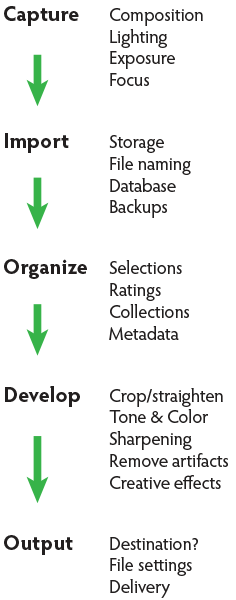
A comprehensive look at the essential steps and principles in an effective photo editing workflow with highlights of key tools.

Have you ever tried to find a digital photo you know you worked on, but couldn’t remember where you saved it, or even what it’s called? Do you find yourself re-editing photos you’re sure you finished before? Or are you stuck, staring at an image you know could be made better, but not sure which adjustments to make, or even where to start?

We’ve all been there: hundreds of images to sort through. Files scattered all around your hard drives; photos missing, others duplicated in unnecessary versions, who-knows-what lurking in mysterious places with confusing names. And prints coming back from the lab looking, well, crappy. All the while, knowing you have photographic gems just waiting to be discovered and brought to life.
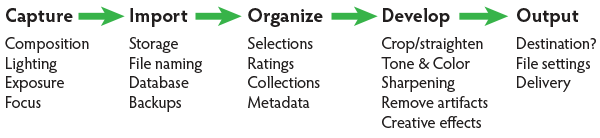
Nat coalson digital photo editing workflow image 1 diagram H

If you’re feeling overwhelmed by digital photography, you’re not alone. Capturing digital images has become so easy in recent years that it’s easy to get stressed, if only because of the sheer volume of pictures you’re making.

For every serious photographer, capturing an image is only the beginning of a complex process with numerous pitfalls. So how can you streamline this tangled mess? The key to keeping your digital photography fun and productive is to adopt, and adapt, an effective, consistent workflow.

Why workflow matters

The concept is simple – your photography workflow is the sequence of steps and actions you take to edit your photos, work them up to a result you consider finished, and share them with the world. Editing photos can be like baking a cake or assembling flat pack furniture. You start with raw ingredients, or loose parts, and use an ordered sequence of steps to put the thing together. In a good photography workflow, the end result is a perfectly crafted image, securely stored for future use, all with the least possible effort.

Efficiency is important. Without a good workflow, at minimum you’re wasting time. Worse, you run the very real risk of losing your most precious photos. Forever. A couple of years ago I knew a wedding photographer, then aspiring to become professional, who lost an entire wedding shoot because of relatively simple errors in her workflow. (In short, the mistakes derived from a convoluted importing method and totally inadequate backups.)

Maybe you’re only taking pictures for fun? If you’re planning to continue with photography, you still need to use an effective workflow. If you don’t, your photo archive will become a beast, very difficult to tame. And your images won’t look as good as they could. No fun.

When you’re starting out in digital photography, you need to develop good habits early. Even if you’ve been shooting for years, it’s never too late to improve your process.
Nat Coalson Within the Great Cloister 600px

Now it’s personal

You can craft your digital photography workflow to suit your own situation and preferences. But every effective workflow shares common tasks, proven techniques and best practices. These established methods have evolved with real-world use across all genres of photography. They apply equally to beginning enthusiasts and seasoned pros.

I first began editing photos in the early 1990s, working in a magazine publishing environment. Under tight deadlines and managing many thousands of digital assets, a good workflow was crucial. As a working photographer, I’ve been refining my own workflow for over a decade and I still make little tweaks now and then.

Continually finding ways to tighten the screws helps eliminate the risk of disaster, while also making the practice of photography more fun and rewarding. You can master your own photography workflow, too. You first need to understand the most common problems and tasks you’re likely to encounter. Then learn the best tools and techniques for dealing with them. A good photo editing workflow:

  • Uses the fewest steps possible.
  • Is non-destructive and allows you to change your mind or redo steps without losing image quality< ./li>
  • Protects your images now and for the future.
  • Provides the best looking photos.

So let’s review the essential parts of a practical photo editing workflow.
Nat coalson digital photo editing workflow image 1 diagram V

Stage 1. Capture

Whatever the end result you’re envisioning, great digital photographs begin with good data. You should always strive to make the best capture you can, and in most cases, try to finish the photo as much as possible in-camera. Work carefully to make the most accurate exposure with the ideal level of sharpness for the given scene or subject. Regardless of your capture format, you should always be working to master your camera techniques.

Stage 2. Import

Copying files from removable media onto more permanent storage is also variously called downloading, ingesting, transferring, etc., but the result is the same. Right after a shoot, copy all your images from the memory card into a new folder on at least one hard drive, then back up everything right away.

Backup. Backup. Back Up!

Every computer user knows the importance of backing up data. But too many people don’t do it, or don’t do it often enough. This isn’t a single step in the workflow; it’s something you should do frequently throughout the process. You should have your image files saved on at least three separate media sources:

  1. Your master working drive
  2. A current backup of the master drive
  3. A complete historical archive, preferably stored in a separate physical location from your master and working backups

(The topic of digital photo storage and backup is so important that we’ll revisit it repeatedly in the future!)

Stage 3. Organize

After your photos are copied onto your working storage media (and backed up!), sort through the pictures to separate your favorite images from the rest. The best way to do this is with ratings (e.g. stars) or other ranking methods (colors, flags, etc.).

Nat coalson digital photo editing workflow Image 2 selections

Whichever system you prefer, keep all the photos from a single shoot together in one folder and use the ratings attributes to annotate your selections. During this stage you should also apply and enhance the metadata associated with your files. Keywords, copyright notices and contact information are just a few of the many types of textual information you can embed within a digital image.

Escaping folder hell

In the early days of digital media, it was common practice to move files from one folder to another during the editing workflow. For example, all the original images, often scans from film, would first be put into one folder. As individual photos were selected, processed and output, the files would be copied again (or moved) into other folders representing the stage of the workflow it was in. DON’T DO THIS! It creates a very unwieldy hierarchy of files and folders and makes good organization all but impossible.

Modern imaging software, and more specifically, metadata—allows you to more effectively organize files using virtual methods (such as Lightroom’s Collections and virtual copies) without the need to ever copy or move your original images on the hard drive. In an efficient workflow, there is no need to use separate folders for different types of files.

Stage 4. Develop

This is where you apply digital processing to make each image look as good as it can to fulfill your creative vision for the picture. Like Import, this stage has different names depending on who you’re talking to. Developing is the term most often used by Lightroom users. Enhancing, adjusting, post-processing, and simply editing are other common terms to describe this stage, which itself is comprised of several distinct steps.

The ideal order of operations for developing a photo depends on the characteristics of the original capture; some images will need very different enhancements than others. Still, it’s possible to define a typical sequence of steps as below.

TIP: Work global to local

Make the biggest changes first, then work your way to smaller details. In photo editing, this means first making global adjustments (those that apply to the entire image) before working on the local adjustments. And, earlier in the workflow, apply any changes relevant for large batches of images before moving on to fine tune individual photos.

Develop steps

  1. Crop and straighten. Since it changes the composition, cropping can be the most significant change you can make to a photograph. It’s best to do it early in the process, but you need to use a method that allows you to go back and refine the crop later if you change your mind.
  2. Correct distortion. Most camera lenses introduce various amounts of distortion to a picture; some more than others. Fix distortion as one of your first, regular steps.
  3. Adjust exposure and tones. The tonal range of an image refers to the various levels of brightness of each pixel, from pure white to solid black. Tone is independent from color. Simply setting the white and black points can have a huge impact on the overall appearance of an image, so you should normally do this before moving on to color. Tonal contrast should also be handled during this step; the variation between light and dark tones determines how much impact (or punch) a picture has. Naturally, some pictures will look best as low contrast.
  4. Adjust white balance and color. White balance plays the biggest role in the color of a photo. If the photo has a strong color cast — for example, an indoor photo captured using outdoor white balance settings — you should fix it before addressing tone. But for images with white balance that seems fairly accurate, set the tone before refining the white balance. After setting white balance, consider making other color adjustments, most notably saturation and vibrance, which affect how pure and vivid the colors appear. Alternatively, convert to black-and-white or apply special color effects during this step.
  5. Apply local adjustments. These are edits you make only to small areas of the picture. Examples are dodging and burning (lightening and darkening, respectively) and selective color adjustments. In general, you should try to make local adjustments after you’ve finished the global adjustments.
  6. Apply noise reduction. Noise appears in digital images as soft colored blobs or grainy speckles. Most images can be improved with varying amounts of noise reduction. Photos captured at high ISO, made in the dark, or ones that are significantly underexposed, will need more aggressive noise reduction. You’ll normally want to deal with noise reduction after you set tone and color, because those global adjustments will affect the appearance of noise. Zoom in for larger previews when adjusting noise reduction and sharpening.
  7. Apply sharpening. Sharpening is all about contrast. The appearance of sharpness in a digital image is based on the relative lightness or darkness of neighboring pixels along the edges of lines within the picture. More contrast along the edges equals more sharpness. As such, you shouldn’t try to refine the sharpening levels until you’ve already set the global tone range, because the overall contrast of the image will have a major effect on the appearance of sharpness. Do your sharpening a bit further into the workflow.
  8. Perform retouching. Many pictures contain elements that you want to remove altogether. In some cases, these are artifacts — undesirable results of digital processing or camera characteristics including noise, chromatic aberration, fringing and sensor dust spots. Other times, there’s something ugly in the frame, like a telephone pole sticking out of your mother-in-law’s head. Retouch your photos using Lightroom’s Spot Removal tool or Photoshop’s Clone Stamp and Healing Brush.Other processing can reduce or eliminate the need for retouching, so it can be a waste of time and effort to retouch photos earlier in the workflow. For example, you could spend twenty minutes removing dust spots around the edges of a photo and then decide you want to crop the picture tighter anyway.Do your retouching toward the end of the workflow.
  9. Apply special effects. All the previous developing steps will apply to most of your photographs. After you’ve corrected the technical issues and processed the photo to an acceptable baseline quality, consider applying further stylistic adjustments and special effects.

Nat coalson digital photo editing workflow image 3 barcelona

Stage 5. Output

After you edit photos to a level of perfection you’re happy with, think about sharing and reproducing them. In the digital realm, output generally refers to the many ways you can bring your images into the real world. To do this, from your finished master image, export derivative files, specifically for each intended purpose.

Sharing online is a great start. Most web sites have some important parameters you need to know for your images to look their best (and all web site specs are not the same). Take the time to research the best file settings for your file uploads.

High quality printed reproductions — photo books, notecards, calendars, fine art prints, etc. – also require you to follow specific parameters for exporting image files from your editing software.

TIP: About resizing photos

When you’re editing photos, you should always process your master images at their native resolution. In other words, whatever the pixel dimensions of the image as it came off your camera, do all your editing at that size. Any resizing should be done at the very end of the workflow and only on copies of the master file, each exported to the specifications for the output destination. Don’t resize your master files! (Lightroom keeps this simple – since there are no controls for resizing during the editing process, you can only do it only during an export.)
Nat Coalson Flow III 575px

Conquer your photo editing workflow

When you don’t follow a good system, digital photography can become stressful. Losing pictures, redoing steps, and not getting the quality you’re hoping for are all side effects of an ineffective workflow. Who wants any of that?

Remember that everybody who’s mastered their personal photography workflow had to start somewhere. You’ve likely mastered some parts of the process already. Now, identify specific bottlenecks and key areas for improvement in your own photo workflow. Pick one aspect of the workflow that seems unfamiliar or challenging, and start there.

Crafting your ideal workflow doesn’t happen all at once, nor is it a purely linear process. With so many steps and potential traps, you’ll need to study and practice each of the different stages independently, then tie them together into a cohesive sequence.

TIP: The main reason Adobe Photoshop Lightroom is widely considered the best photo editing software is that it provides most of the capabilities you need to handle the complete photo workflow as describe above.

When you follow an optimized process for working with your pictures and develop a clear understanding of the principles behind your decisions, you’ll have more fun working on the things you enjoy, rather than struggling with tedious tasks.

Practicing good workflow techniques helps you make great photos – easier!

googletag.cmd.push(function() {
mobile_slots.push( googletag.defineSlot( “/1005424/_dPSv4_mob-all-article-bottom_(300×250)”, [300, 250], “pb-ad-78158” ).addService( googletag.pubads() ) );
} );

The post Digital Photo Editing Workflow – Better Images From Capture to Output by Nat Coalson appeared first on Digital Photography School.


Digital Photography School

 
Comments Off on Digital Photo Editing Workflow – Better Images From Capture to Output

Posted in Photography


31 Awe Inspiring Majestic Winter Images

05 Dec

If you’ve followed the news recently you may have heard about the crazy snow storm in New York state in the USA. Many feet of snow fell in 24 hours and whole cities were brought to a halt.

But cold weather can make for some great photographic opportunities. Enjoy this series of frosty winter images, but stay warm!

Photograph The Magic of Bled Island by Dan Briski on 500px

The Magic of Bled Island by Dan Briski on 500px

Photograph Ice on Fire by Javier de la Torre on 500px
Ice on Fire by Javier de la Torre on 500px

Photograph Sugar house by Andrey Chabrov on 500px

Sugar house by Andrey Chabrov on 500px

Photograph No End In Sight by Todd Shaffer on 500px
No End In Sight by Todd Shaffer on 500px

Photograph In Hiding by Robert Beideman on 500px

In Hiding by Robert Beideman on 500px

Photograph The Ice Mountain by Hougaard Malan on 500px
The Ice Mountain by Hougaard Malan on 500px

Photograph Broken Bubble by Charles Anderson on 500px

Broken Bubble by Charles Anderson on 500px

Photograph Legs of the ice beast... by Charles Anderson on 500px
Legs of the ice beast… by Charles Anderson on 500px

Photograph Blue Ice by Terence Leezy on 500px

Blue Ice by Terence Leezy on 500px

Photograph The Crystal Grotto by Christian Klepp on 500px
The Crystal Grotto by Christian Klepp on 500px

Photograph Anton «Banderas» Ivanov by Valentin Blokh on 500px

Anton «Banderas» Ivanov by Valentin Blokh on 500px

Photograph chipper chipped out by Scott Thuen on 500px
chipper chipped out by Scott Thuen on 500px

Photograph Frosty window by Petter Langeland on 500px

Frosty window by Petter Langeland on 500px

Photograph Frozen and Forgotten by Imageination on 500px
Frozen and Forgotten by Imageination on 500px

Photograph "Please leave water facets dripping" by Andrew Boen on 500px

“Please leave water facets dripping” by Andrew Boen on 500px

Photograph Angelus glacie by Carlton Belton on 500px
Angelus glacie by Carlton Belton on 500px

Photograph Alone on the Bridge  by Anthony Pitch on 500px

Alone on the Bridge by Anthony Pitch on 500px

Photograph The White Passage by Pyry Luminen on 500px
The White Passage by Pyry Luminen on 500px

Photograph The snow at ?stiklal ! by Mine Ertugrul on 500px

The snow at ?stiklal ! by Mine Ertugrul on 500px

Photograph Under Perfect Conditions by Kent Mearig on 500px
Under Perfect Conditions by Kent Mearig on 500px

Photograph FROZEN by Keenan Bracey on 500px

FROZEN by Keenan Bracey on 500px

Photograph Apostle Islands Ice Cave by Yinan Li on 500px
Apostle Islands Ice Cave by Yinan Li on 500px

Photograph St. Joesph Lighthouse in Winter by Craig Sterken on 500px

St. Joesph Lighthouse in Winter by Craig Sterken on 500px

Photograph Winter Fairytale by Vadim Balakin on 500px
Winter Fairytale by Vadim Balakin on 500px

Photograph Winter is coming by Daniel Metz on 500px

Winter is coming by Daniel Metz on 500px

Photograph Frozen time by Vincent BOURRUT on 500px
Frozen time by Vincent BOURRUT on 500px

Photograph V3 by  Moga on 500px

V3 by Moga on 500px

Photograph Ice King/King Theoden by Claus Jørstad on 500px
Ice King/King Theoden by Claus Jørstad on 500px

Photograph Unexplored Region by Takanobu Nushi on 500px

Unexplored Region by Takanobu Nushi on 500px

Photograph Ice Castle Windows To The Starry Night by Mike Berenson - Colorado Captures on 500px
Ice Castle Windows To The Starry Night by Mike Berenson – Colorado Captures on 500px

Photograph Polar Vortex: Ice Castles by Ron Risman on 500px

Polar Vortex: Ice Castles by Ron Risman on 500px

googletag.cmd.push(function() {
mobile_slots.push( googletag.defineSlot( “/1005424/_dPSv4_mob-all-article-bottom_(300×250)”, [300, 250], “pb-ad-78158” ).addService( googletag.pubads() ) );
} );

The post 31 Awe Inspiring Majestic Winter Images by Darlene Hildebrandt appeared first on Digital Photography School.


Digital Photography School

 
Comments Off on 31 Awe Inspiring Majestic Winter Images

Posted in Photography