RSS
 

Posts Tagged ‘Hour’

Video Tutorials and Tips for Shooting Blue Hour

18 Nov

Blue hour is a fantastic time to get out and do some night photography. Yes, you read that right – night photography is best done before it’s actually night time.

To help you out with blue hour photography here are three videos with examples and tips.

How to shoot at blue hour with filters

Ray Salisbury takes you on location at blue hour and demonstrates how he scouts a location for the best spot, finds a good composition and uses filters.

Get the timing right for blue hour

In this next video photography education guru Brian Peterson gives you tips for getting the timing just right when shooting blue hour. He’s on location in Las Vegas.

Blue hour photography examples

Finally, Brendan Van Son is shooting blue hour in Leiden, Netherlands. In this video, you can see how the length of blue hour varies greatly depending on your geographic location.

The farther away from the equator you are, the long blue hour will last. Where I live it’s usually about an hour, so it’s frustrating for me that it’s so quick in more tropical locations I like to visit. So you really have to plan ahead and be prepared when that is the case.

I hope that gives you some good blue hour shooting tips. Now get out there and give it a try.

The post Video Tutorials and Tips for Shooting Blue Hour by Darlene Hildebrandt appeared first on Digital Photography School.


Digital Photography School

 
Comments Off on Video Tutorials and Tips for Shooting Blue Hour

Posted in Photography


Weekly Photography Challenge – Blue Hour

18 Nov

Blue hour is the time of day after sunset (and just before sunrise) when the sky still has some color it and it’s not pure black. This is the number one tip for shooting night photography – don’t shoot at night! If you want a dark, deep blue sky – shoot at blue hour.

This is a bonus – you don’t have to stay up all night getting shots for this week’s challenge. Just catch the blue hour and you’re good to go.

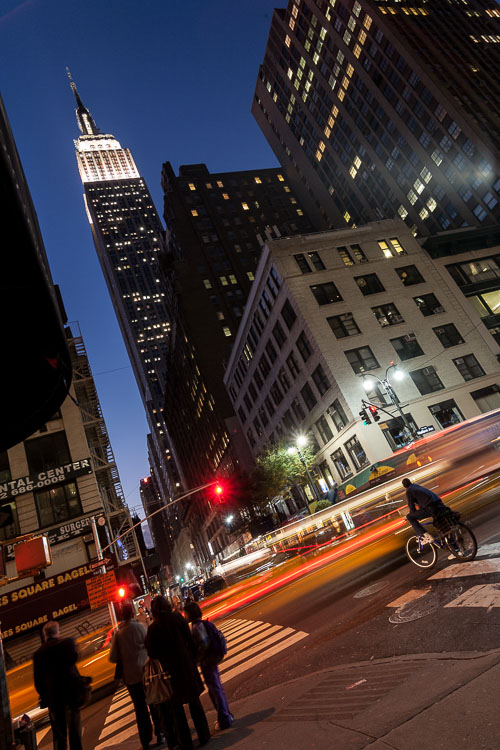
Blue hour in New York City.

If you need some help:

  • Video Tutorials and Tips for Shooting Blue Hour
  • 5 Quick Tips for Better Blue Hour Photography
  • New Photographer’s Guide to Blue Hour
  • Recommended Gear for Doing Long Exposure Photography at Twilight and Dusk
  • Do you pack up and leave after sunset and miss the fun of night photography?
  • How to do Long Exposure Photography and Light Trails at Night

Weekly Photography Challenge – Blue Hour

Simply upload your shot into the comment field (look for the little camera icon in the Disqus comments section) and they’ll get embedded for us all to see or if you’d prefer, upload them to your favorite photo-sharing site and leave the link to them. Show me your best images in this week’s challenge. Sometimes it takes a while for an image to appear so be patient and try not to post the same image twice.

Blue hour in Rome, Italy.

San Francisco – the complementary colors of blue hour make for stunning compositions. Use it to your advantage.

Share in the dPS Facebook Group

You can also share your images on the dPS Facebook group as the challenge is posted there each week as well.

The post Weekly Photography Challenge – Blue Hour by Darlene Hildebrandt appeared first on Digital Photography School.


Digital Photography School

 
Comments Off on Weekly Photography Challenge – Blue Hour

Posted in Photography


Tips for Shooting Cityscapes Through a Window at Blue Hour

10 Nov

Shooting cityscape photos from inside a building (such as an observation deck of a tower, hotel room, etc.) pose a different set of challenges that you won’t experience shooting outdoors. Here are a few easy-to-follow tips for shooting the city at blue hour, with a focus on how to eliminate unwanted reflections from the glass.

Japan - Tips for Shooting Through a Glass Window of an Observation Deck at Blue Hour

Shanghai - Tips for Shooting Through a Glass Window of an Observation Deck at Blue Hour

Vietnam - Tips for Shooting Through a Glass Window of an Observation Deck at Blue Hour

The reflection-free shots above of Fukuoka skyline (Japan, top), Shanghai skyline (China, center) and Ho Chi Minh City skyline (Vietnam, bottom) were shot through glass windows of Fukuoka Tower, Shanghai World Financial Center Observatory and Bitexco Financial Tower respectively – following the methods described in this tutorial.

Bring a mini-tripod

In order to shoot at blue hour, a tripod is essential whether you’re shooting indoors or outdoors. But some observation decks don’t allow tripods because they are seen as a hindrance for other visitors. In that case, you may try to bring in a mini-tripod like a Gorillapod, as it’s unlikely to disturb other non-photography visitors.

Even if tripods are allowed, you may as well bring a mini tripod just in case, as it comes in handy when there is no suitable space to set up a regular tripod.

Gorillapod - Tips for Shooting Through a Glass Window of an Observation Deck at Blue Hour

Wipe the glass with a cloth

Glass windows of an observation deck aren’t always clean. Make sure to keep a cloth in your camera bag so that you can wipe an area to shoot through if it’s dirty. Obviously, you can’t wipe the other side of the window, though, so choose an area that has no stains, etc.

How to eliminate reflections off the window

This is the biggest challenge when taking photos through a glass window. The window works much like a mirror and it’s hard to completely prevent reflections (e.g. such as yourself, room lights) from showing up.

Typical tips to follow are shooting in close and as straight as possible to the glass (i.e. leaving a little gap between the glass and the lens so as not to let indoor lights creep in) and using a polarizing filter which helps cut reflections to some extent. Aside from these tips, I’d recommend the following “tools”.

Reflections - Tips for Shooting Through the Glass Window of an Observation Deck at Blue Hour

Ho Chi Minh City skyline (Vietnam) shot through the window of Bitexco Financial Tower. I tried my best by getting the lens really close to the window (almost touching it) and using a polarizing filter, but the room interior and stray lights still got reflected in the glass.

Using a DIY blackout curtain

This might be an old-school method, but I recently came across a photographer doing this on the observation deck of Shanghai World Financial Center (see below). Not advisable to use such a large curtain, though, as it blocks the view for other visitors and you’ll run the risk of being asked to leave by floor staff.

Blackout curtain Tips for Shooting Through the Glass Window of an Observation Deck at Blue Hour

Using a black jacket

I used to rely on this method and it worked relatively well. Set up a tripod very close to the window, and cover the whole rig (camera and tripod) with a black jacket to create a closed-in area around the camera so that no indoor lights get inside the jacket. Make sure to use a “black” jacket to reduce reflections, as a lighter-colored jacket does more harm than good and causes even more reflections.

Using black neck gaiter

This used to be my favourite method, as it doesn’t really catch the unwanted attention of other visitors (compared to using the jacket, etc.). The concept here is the same as using a jacket. To block any stray lights from getting in, wrap the black neck gaiter (neck warmer or scarf) around the lens and push the whole setup (camera and tripod) onto the window to completely shade the front element of the lens.

Jacket neck gaiter - Tips for Shooting Through the Glass Window of an Observation Deck at Blue Hour

Using a black jacket (left) and a black neck gaiter (right) to shade the front element of the lens and cut reflections from the window.

Using a lenskirt

A lenskirt is a tool specifically created to cut out reflections. This is what I’ve been using for the past few years with great success. By attaching a lenskirt to the front of your lens and the pushing suction cups onto the window, it shades the front element of the lens. This helps cut reflections from the window, leaving no chance for any stray light to get in.

With a black neck gaiter, I always had to make sure not to have vignetting (dark corners) by checking through the viewfinder (due to the edges of the neck gaiter getting too close to the lens). But the window-facing end of a lenskirt opens up like a softbox, so there is no worry of any edge vignetting being introduced.

Lenskirt - Tips for Shooting Through the Glass Window of an Observation Deck at Blue Hour

Conclusion

I hope these tips help you take reflection-free cityscape photos through glass windows of an observation deck on your next visit.

Lastly, you may wonder why I didn’t mention a rubber lens hood (which is said to work well for shooting through glass). I’ve tried it before but found it prone to vignetting, especially at a wide angle like 18mm or wider. And, when shooting cityscape photos from high above like an observation deck, you’re very likely to shoot wide, therefore I’ve excluded it from the list.

If you have any other tips or experiences using these suggested tools in this post, please share them in the comments below.

The post Tips for Shooting Cityscapes Through a Window at Blue Hour by Joey J appeared first on Digital Photography School.


Digital Photography School

 
Comments Off on Tips for Shooting Cityscapes Through a Window at Blue Hour

Posted in Photography


Photo of the week: The Purple Hour

05 Aug

This image was shot in Myvatn, northern Iceland. I’d been shooting there for several years now, but this was the most magical I had ever seen it. The entire area was covered with fluffy frost and snow, created by a combination of fresh snow, high humidity and low temperatures.

The highlight was the snow-laden trees. After shooting a blazing red sunset with my northern Iceland workshop group, the colors subsided and a blue/purple sky, adorned by a full moon, remained above the trees.

The final image was focus-stacked from 2 shots captured with my Sony a7R and Canon 16-35mm F4L IS lens at 16mm, F11, 8sec and ISO100.


Erez Marom is a professional nature photographer, photography guide and traveler based in Israel. You can follow Erez’s work on Instagram, Facebook and 500px, and subscribe to his mailing list for updates. Erez offers photo workshops worldwide.

Articles: Digital Photography Review (dpreview.com)

 
Comments Off on Photo of the week: The Purple Hour

Posted in Uncategorized


Russia Hour Traffic: Andrey Tkachenko’s Soviet Car Concepts

10 Jul

[ By Steve in Art & Drawing & Digital. ]

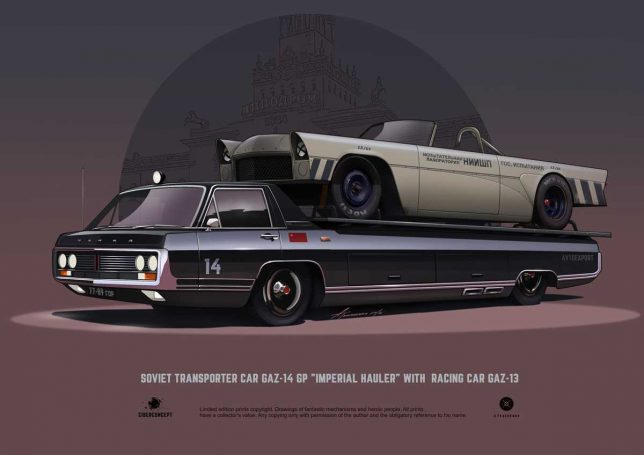
Russian freelance artist Andrey Tkachenko reveals the figurative swans hidden deep within the notoriously ugly ducklings of the Soviet automobile industry.

“General Motors is not in the business of making cars. It is in the business of making money.” So stated the late Thomas Murphy, Chairman of General Motors from 1974 thorough 1980. That mantra was turned on its head back in the USSR where state-run automotive “businesses” cranked out an astonishing variety of unappealing utilitarian conveyances that wouldn’t make their manufacturers money unless they were melted down and minted into kopeks.

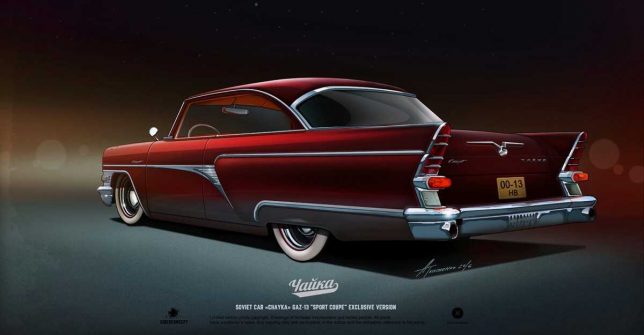
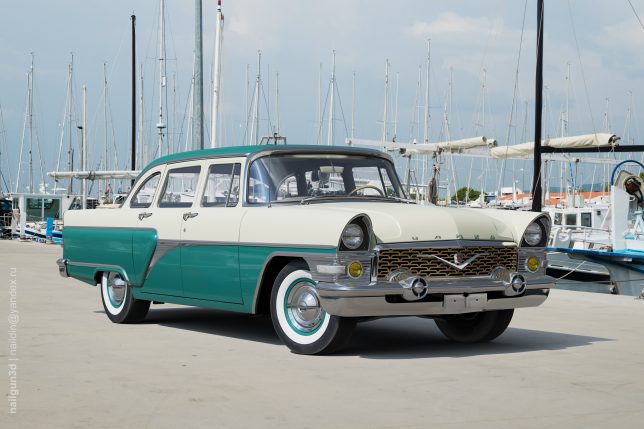
That said, Soviet designers managed to express their creativity in very limited ways though such expressions always took a back seat to utilitarianism. Andrey Tkachenko, a young freelance artist and graphic designer based in the northwestern Russian Federation city of Nizhny Novgorod, looks beyond the limits of those stodgy soviet auto designs and extrapolates their modest aesthetics to heights the original designers feared to even imagine. Case in point: the GAZ-13 M13 “Chaika”, a soviet luxury car produced between 1958 and 1981 that falls stylistically between a Packard Caribbean and a Checker cab. Most Chaikas were painted black; the two-toned example above being a rare exception.

Putin Approved

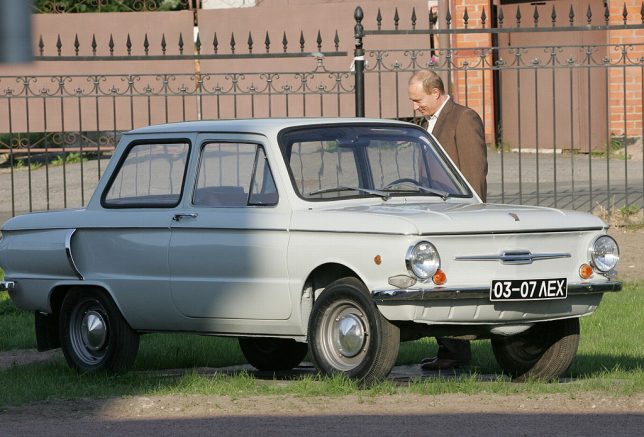
We’re showcasing some of Tkachenko’s graphic renderings – “ciberconcepts”, as he calls them – along with images of their real-world inspirations. It’s an endeavor made possible though the artist’s trademark of captioning most of his works with the vehicle’s model designations. However, we must take issue with the “ZAZ-969 Coupe Japanese Style” above; it’s actually a ZAZ-968 similar to Vladimir Putin’s first car, a 1972 model. Being a judo aficionado holding a black belt, Vlad would likely approve of Tkachenko’s subtly Japanesque makeover.

Zuk On This

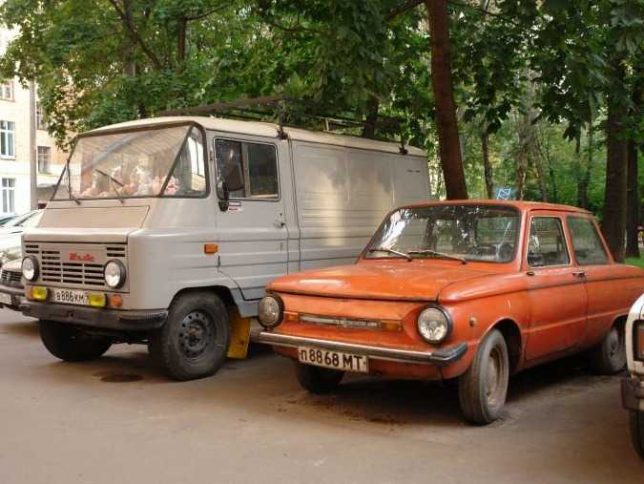
The Zuk (Polish for “Beetle”) was manufactured by the FSC Lublin Automotive Factory in Poland for a mind-boggling 40 years – from 1958 through 1998 – with few changes over the production run. Panel van versions were exported to the Soviet Union which is how Andrey Tkachenko knows of them. Tkachenko’s take on the alarmingly slab-sided Zuk transforms the rough & ready van into a Jagermeister-spewing “Time Attack Custom Project”. Can’t say it doesn’t look too shabby, with or without the aid of Jagermeister shots. Just below it is a real-world Zuk parked beside a late-production (between 1979 and 1994) ZAZ-968M.

Step On The GAZ

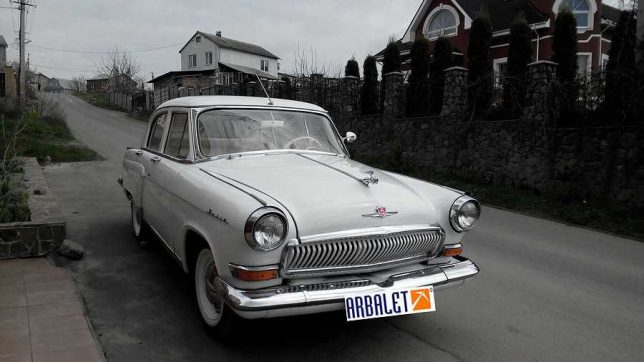
The GAZ-21 “Volga” was a so-called “executive car” manufactured by GAZ (“Gorky automobile factory” in English) from 1956 through 1970. Volga’s were desirable cars in their day, though one had to be in the KGB to order the hot V8-powered version with an automatic transmission. Exuding a 1952 Ford-ish vibe, the third series (1962-70) displayed a toothy chromed grill that features prominently in Tkachenko’s chop-topped, two-seater “Volgaster”.

Next Page – Click Below to Read More:
Russia Hour Traffic Andrey Tkachenkos Soviet Car Concepts

Share on Facebook


[ By Steve in Art & Drawing & Digital. ]

[ WebUrbanist | Archives | Galleries | Privacy | TOS ]


WebUrbanist

 
Comments Off on Russia Hour Traffic: Andrey Tkachenko’s Soviet Car Concepts

Posted in Creativity


How to Get the Most Out of Photographing at Golden Hour

09 Apr

The infamous golden hour is a photographer’s dream. That one key period of time that could make even the most stringent artist swoon with inspiration. The sun will dance across your viewfinder, and an endless array of possibilities will present themselves. Regardless of whether your photographic style is vibrant, monochrome, gentle, or contrasted, the golden hour will grant you the ultimate canvas upon which to paint your vision.

So, what is golden hour exactly?

golden hour

The golden hours include the first hour after sunrise and the last hour of light before sunset. Predicting this short window of time depends upon your geographical location and the current season. What makes this lighting situation so ideal for photography is the sun’s positioning relative to what you are photographing.

Due to the sun beginning its speedy rise or setting in the sky, the light source is now closer in relation to your subject. It is also going through more of the earth’s atmosphere at this low angle. When this occurs, soft diffused light is produced.

Generally speaking, soft light is considered the best canvas for a photographer. It does not create harsh shadows and tends to be very dynamic-range-friendly, as your images will not feature harsh shadows or blown-out highlights. The golden hour casts a warm color temperature as well, which can be enhanced upon or corrected via post-processing. This warm color cast lends itself to being a flattering illumination upon any subject of your choosing.

golden hour portrait

Five key lighting situations at golden hour

Any type of photography, from portraits to landscapes to action, can benefit from the use of the golden hour. There are five key lighting situations you can create during this time:

Front-Lighting

This is when your subject faces the sun directly. During the golden hour, this lighting gives a very warm feel to images. Because the sun is not directly above them, in many cases, your subject will not have to suffer the intensely bright light and need to squint. This lighting situation is very easy to photograph in and will make a lasting impression.

golden hour front-lighting

An example of front-lighting at golden hour.

Back-Lighting

Back-lighting occurs when the sun is behind your subject. During the golden hour, this lighting situation creates a soft, warm, hazy, glowing effect. Be sure to expose for your subject’s proper tones, and enjoy the masterpiece that you create.

Golden hour back lighting.

An example of back-lighting.

Rim Lighting:

Rim lighting is when the sun is positioned in such a way to create a halo around your subject. This halo is especially prevalent when placed against a dark background. The sun doesn’t need to be directly behind your subject to achieve this effect, though, as long as the background is dark. You will have to move around to find the sweet spot to achieve this effect, but a good way to start is by shooting from a lower camera angle.

golden hour - rim lighting

Sun Flare

A sun flare occurs when light hits your lens. Different lenses render different types of flares, so this effect is very fun to try with different types of equipment. To achieve a flare, just move your lens around until you see the light hit it through the viewfinder.

During the golden hour, the sun is at its optimal height for this exact outcome. A simple way to achieve a flare is to move your camera and lens so that your subject is only partially covering the sun. Move around (sometimes you only need to move an inch or two left or right) to find the angle that best creates a sun flare. Another way to achieve a flare is to position your lens and camera so the sun is just out of the frame.

Read more on sun flares: How to Photograph Sun Flares: 14 Tips for Beginners

Golden hour sun flare

An example of a sun flare.

golden hour

A different type of sun flare.

Silhouette

A silhouette is created when your subject is completely black without detail, against a bright background. When the sun is near the end of the golden hour, it becomes fairly easy to achieve a silhouette. Photograph your subject directly against the light, and add some contrast in post-processing.

Golden hour silhouette.

An example of a silhouette at golden hour.

There are several tips to truly take advantage of the golden hour. Here are a few to help you:

1. Observe the sky the day before

The best way to figure out when the golden hour will be at its peak is by observation! Peek out of the window the day before your photo session, and see how the sun moves and how the light changes. This will allow you to get a better idea of what the lighting situation will be like on the day of your shoot.

golden hour

2. Plan your photo session around golden hour

No one wants to feel stressed, anxious or rushed when doing photography, so be sure to plan well ahead of time! It is a good idea to begin setting up for your photo session an hour before the golden hour. That way you have plenty of time to ensure that your subject and equipment are ready for that perfect moment.

Golden hour portrait

Anani Inaru with Trinket photographed at golden hour.

3. Watch out for clouds!

Depending on the level of cloud coverage in the sky, your golden hour can change (or not appear at all!). Clouds can enhance the brilliant sunrise or sunset, or they can block your view.

golden hour

4. Set your White Balance to Cloudy

By changing your White Balance setting, you ensure that the images you produce hold true to the colors you want to appear. This allows you to get the warm look the golden hour is famous for – choose Cloudy or Shade to add even more warmth and golden hues to your images.

golden hour

5. Shoot with a wide aperture

How the light dances during this brilliant hour can make for an incredible bokeh (the aesthetic quality of the out-of-focus parts of a photograph). The dazzling yellows, reds, oranges, and golds make a rather exceptional backdrop.

Golden hour

Golden hour bokeh.

6. Keep photographing, because the light will change every couple of minutes!

The sun moves faster than you may expect, so keep shooting and don’t stop! Every position of the sun will create a brand new image for you to take.

golden hour

7. Try different angles and positions.

The sun flares, colors, and intensity of the light in your image are all affected by how you angle your lens. Experiment and try as many different positions as humanly possible! The best way to get the absolute most out of the golden hour is to take advantage of how easy it is to manipulate this unique lighting situation.

golden hour

8. Underexpose a bit to add more vibrancy

You can always lighten up your subject(s) in post-processing, but it is harder to darken an overexposed image. Underexpose just a bit to bring out the beautiful vibrancy of the sunset or sunrise.

Golden hour

9. Explore the use of HDR

Photograph multiple exposures and then layer them on top of one another in post-processing, and see how many incredible lighting details you can achieve. Read more on HDR: Step by Step How to Use HDR Merge in Lightroom

HDR golden hour

10. Play with post-processing

What colors can you bring out in your image? Use post-processing to really enhance the colors that you capture. You will be surprised at what colors you can see when the sky has a few clouds in it.

Conclusion

The golden hour is full of limitless possibilities, and no two photographs will look the same. Experimentation is key, explore the light. How do you use golden hour for your photography? Share your thoughts and images below.

The post How to Get the Most Out of Photographing at Golden Hour by Anabel DFlux appeared first on Digital Photography School.


Digital Photography School

 
Comments Off on How to Get the Most Out of Photographing at Golden Hour

Posted in Photography


Behind the shot: Praia da Adraga at blue hour

16 Jul

If you recognize Nicolas Alexander Otto’s name, it may be because we featured some of his work a while ago. The Germany-based landscape shooter has graciously agreed to share the story behind one of his images, titled ‘The Living Infinite’, a shot he captured on a trip to Portugal’s Praia da Adraga beach. He walks us through everything that went into making the image – from planning the trip to his post-processing technique. 

By Nicolas Alexander Otto

To explain my process, I should start with a little bit of background information. When I have a timeframe set and know that I will be on the road during that period I dive into the planning phase first, trying to make the most of the time I have available. I then try to organize my shooting itinerary accordingly, checking for all the different options available for good light: sunrise and sundown times, same goes for the moon, the tidal schedule and the position of the milky way.

In this particular case I knew I was going to be at the ocean and the moon would set in the western skies during blue hour for three successive days. Hence, I knew I had to be at the Portuguese coastline by then, originally starting from Germany and driving all the way through France and Spain to get there.

My main focus on the trip was a beach called Praia da Adraga, located near Sintra. I planned to get my shot in the early morning hours, knowing the blue hour would provide me with the gentle light necessary and the moon would add that little something to the sky, keeping it from falling flat, although much would depend on cloud coverage.

Knowing my goal I looked up the tidal schedule next and noticed that the waves should be splashing around the famous sea stacks on the beach right around the time the moon would enter my frame. It’s important to note that I had been at that location two times prior to planning this, but tools like Google Earth and the Photographer’s Ephemeris make pre-visualizing shots fairly manageable without prior visits – I highly recommend using them. I checked the weather upon arrival and had to sit out a night of drizzle, already fearing I might not get the shot I had imagined. Luckily, it stopped once I woke up and grabbed my gear.

On Location

The evening before I had already scouted the location and taken some test shots looking for the right composition so I knew I didn’t need much time, just a short break in between showers to reel in my desired shots.

During my third trip to the beach I noticed huge differences compared to my previous visit. A fellow photographer whom I met while walking towards the sea stacks told me that severe winter storms had altered the appearance of the beach, washing away quite a bit of sand rendering the sea stacks much higher than I remembered them, and revealing more rocks in the foreground as well. However, when I looked at where the moon would enter the frame on Photographers Ephemeris I saw that almost none of them would be in my composition.

I knew I had to battle against the rising tide and might face issues with camera shake, especially with my 36MP Nikon D800, so I utilized my heaviest tripod: a 3.4kg Slik 780 DX Pro. If burrowed in the sand a little, it’s almost completely resistant against the incoming surge as long as it’s not much more than knee high.

Composition-wise I went for a classic, dynamic two thirds setup with the waves’ receding flow drawing the viewer’s gaze into the image, right past the sea stacks out onto the ocean and the moon looming overhead in the left third of the frame. I tried to leave at least a little bit of separation between the rocks as their dark surfaces can be heavy and distracting if clumped up, drawing too much of the viewer’s attention to a single area.

It took me some time to get an incoming wave to create those leading lines I had imagined. Sadly, the image ended up being a bit too dark, so I would need to brighten the exposure a little in post processing and work on the contrast. To blame was the fact that dawn had already kicked in and I had to readjust my camera settings each minute, and at that moment I tried adding a ND filter. When an especially promising wave came in, rather than adjusting my settings, I pressed the remote shutter and got exactly the wave patterns I was imagining. No other subsequent exposure came even close to it, unfortunately, thus I had to choose this one despite its technical shortcomings.

It can be quite difficult to capture waves because the shutter speed has to match the their force to shape beautiful streaks of spume, without them stopping or clumping up at a rock, breaking the rhythm of the lines. Oftentimes a shorter exposure doesn’t create any dynamic addition to the image and a longer one would render most of the wave motion invisible.

Here are the settings used for my shot:

Camera: Nikon D800
Lens: Nikkor AF-S 18-35mm F3.5-4.5 G ED
Focal length: 18mm Shutter speed: 3,5 sec
Aperture: F5.0
ISO: 100
Filter: Haida ND64

Post-processing

Exposure adjustments made to brighten the image.

I knew I needed to brighten the image overall, however I did not not want to alter the colors in any way to preserve the natural hues that the magical blur hour light supplied. Also, I knew I had to make local adjustments to the micro contrast, which is why I did not use clarity just yet because I wanted to keep the clouds nice and smooth.

At this point some adjustments to sharpening are made, along with correction for vignetting but none for distortion.

I rarely ever sharpen my whole image which is why I used a mid-range mask here to cover only the stronger contrasted edges of the rocks and sky. Even though I do use lens corrections I almost always dial down the distortion; on the one hand because the Nikon 18-35mm G ED has almost no distortion to begin with and on the other because a little distortion, in my opinion, adds to the dynamism of the image, especially in landscape photography. And for the most part I keep the standard noise reductions settings as is.

Next I imported the image into Photoshop and here you already can see all the different adjustments I made to the image on the right (first switched off so you can see the difference). Before I start working on anything else, I usually get rid of dust spots – thus the base layer is renamed to “clean”, indicating I’ve already cleaned up the image.

As a second step I used Nik Color Efex Pro 4 here for some more global adjustments, and afterwards I used luminosity masks to target specific tonalities of the image, adding more contrast selectively to the sand and sky. Due to the very even overall exposure (not taking into account the rocks), most of the masks are not altered after the tonality selection.

In Color Efex Pro 4 I first used the Pro Contrast and Detail Extractor with these settings:

At this point I wanted to add a bit more contrast to the sky and the foreground without darkening the rocks to prevent having to brighten them up again later in the processing, since that is never a good idea to begin with. The rest of the image benefited from a little more punch overall, though. I also balanced out a little bit of the cyan toning with the ‘Correct Color Cast’ setting, because at this stage I felt like it might be deviating a bit too much from what the scene looked like in my recollection.

The detail extractor is an incredibly powerful filter, which is why I seldom use it at more than 5%. I would also recommend painting the effect in rather than using control points for masking in more complex situations. But in this case, the selections that the program generated suited my needs and I went with it. I tried to prevent the detail extractor from brightening the waves and sky, as it tends to brighten darker parts of the image recovering information in the dark tones. Furthermore, longer exposed skies and waves looking too crisp, for me at least, often kind of defeat the purpose of taking long exposures in the first place. However, the dark rocks were already brightened up a little bit which was a desirable result in this case.

After these adjustments the image already had more punch, but still lacked some differentiation in the narrow tonalities of the sand and the incoming surf – something common with blue hour shots. Additionally, I wanted the sky to be just a bit more dramatic. For this I added different curves layers with various luminosity masks generated with Tony Kuypers famous TK Panel.

First, with a ‘Lights 3’ and a ‘Lights 1’ mask, I emphasized the waves in between the rocks, both grouped together and masked with a gradient in order not to affect the sky (you can see the gradient masks in the first screenshot).

The same procedure was then used to get more detail out of the immediate foreground waves by using a ‘Midtones 3’, and again for the rocks, and foreground using a ‘Darks 2’ mask (this was actually applied later in the workflow and is called ‘contr5’ in the image above).

Next I wanted to introduce a bit more drama to the sky, so I used a ‘Midtones 3’ mask in order to select a wide tonal range in the sky, and darkened them only a small amount to make the undersides of the clouds stand out more.

In the end I darkened the rocks a little – just a tiny amount because I love images with prevalent darker tones – using a ‘Darks 3’ mask (this would’ve also simply been achieved by painting out the detail extractor added earlier).

As a last step I added a minor dodge and burn alteration to call attention to the small water splashes on the right sea stack: a very subtle, almost unnoticeable effect.

My final actions, as per usual, included resizing and converting into RGB color space. Usually I choose 900px for the web, but in this case I chose 1200px for this DPR article, so you can see more of the details.

I hope you enjoyed this behind-the-scenes look at my process!

Articles: Digital Photography Review (dpreview.com)

 
Comments Off on Behind the shot: Praia da Adraga at blue hour

Posted in Uncategorized


5 Quick Tips for Better Blue Hour Photography

11 Apr

tips for blue hour photography

Blue hour is a special time for photographers. The sky turns a different shade of blue, it’s velvety and delicious. It’s easy to take photos during blue hour because you don’t have to worry about harsh lighting or shadows.

In this article, you’ll learn:

  • When blue hour takes place
  • How to capture blue hour photos   
  • The best subjects to shoot for blue hour photography 

When is blue hour?

Blue hour happens twice a day, just before sunrise and just after sunset. It lasts between 20 to 40 minutes, depending on the weather, and your geographical location. During this time, the sky can turn different shades of blue and reflect orange, yellow, purple and pink.

blue hour photography tips 2 blue hour photography

To catch the blue hour, look up your local sunrise/sunset times and plan on being there early. There is also a great website that tells you exactly when the blue hour is, based on the date and your location.

5 easy tips for blue hour photography

Blue hour photos look amazing! While they might appear complicated to create, they aren’t. Blue hour photography is easy, the hardest part might be getting there before it’s over. These tips will help beginners get started with blue hour photography.

Howard Ignatius

By Howard Ignatius

1. Shoot in Shutter Priority mode

During the blue hour, the sky will be relatively dark because the sun is below the horizon. You’ll need a long/slow shutter speed to let in enough light for properly exposed photos.

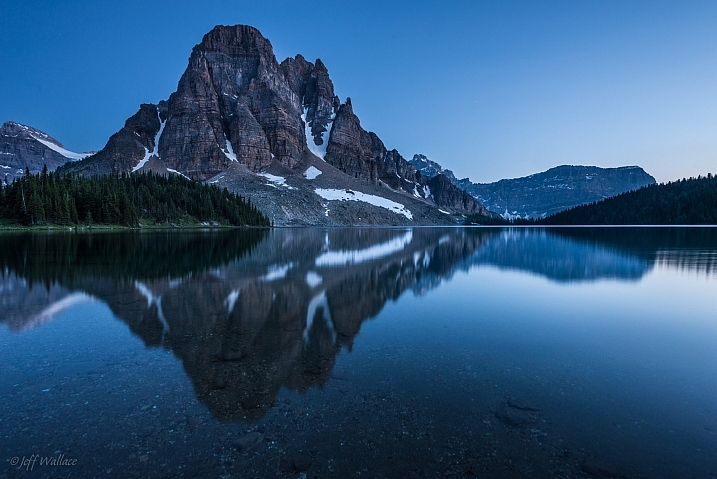
Putting your camera in Shutter Priority mode allows you to manually choose your shutter speed. A shutter speed of one to six seconds should get good results. For the photos in this post, I used a six-second shutter speed in Shutter Priority.

Jeff Wallace

By Jeff Wallace

In Shutter Priority mode, your camera will choose the aperture and ISO (if your ISO is set to auto) automatically. This makes things easier when you’re getting started with blue hour photography.

2. Use a remote or self-timed shutter release

Pressing the shutter release button can cause camera shake, which will create blurry photos. To avoid this, use your remote or set the camera’s self-timer to two seconds.

3. Use a tripod

As mentioned above, you’ll be using a slow shutter speed, so a tripod will help you capture a sharp image. If you hand hold your camera during a slow shutter speed, your photos will be blurry because of camera shake.

Image by dPS Managing Editor – Darlene Hildebrandt

Image by dPS Managing Editor - Darlene Hildebrandt

Image by dPS Managing Editor – Darlene Hildebrandt

4. Shoot in RAW

It’s best to capture RAW files when shooting the blue hour. This will give you the highest quality capture, and the best advantages when editing. One nice advantage of shooting in RAW is that you can adjust the exposure compensation in editing. This way, if your photos came out a little too dark or light, you can adjust them up or down accordingly.

But if you have a point and shoot that only captures JPEGs, don’t worry – you can still get great blue hour shots.

Image by dPS Managing Editor – Darlene Hildebrandt

5. Include electric lights

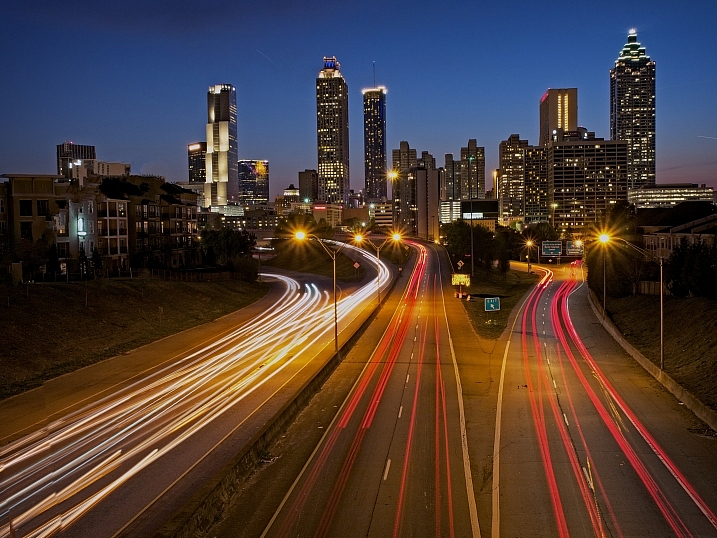
Your blue hour photography will be easier if you choose a location near electric lights. This extra light may also add drama and interest to your photos.

car-trails-750px-03

Image by Darlene Hildebrandt

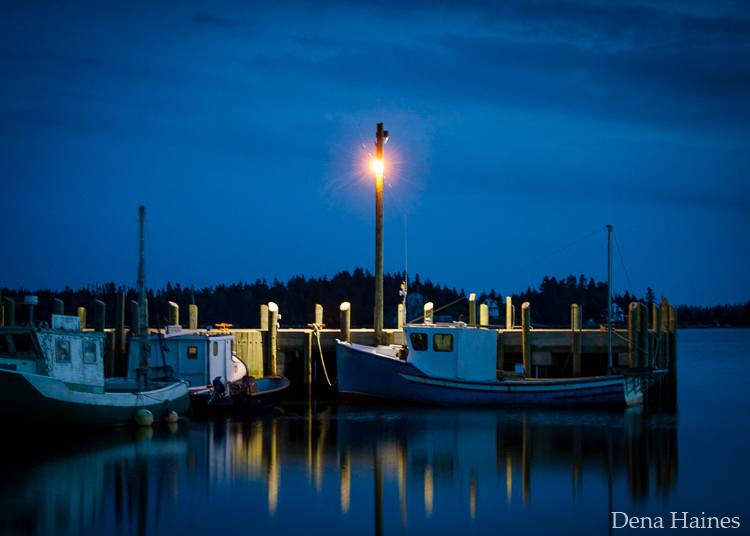
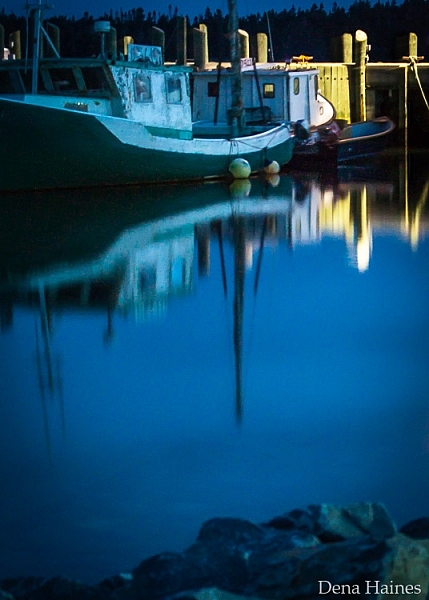
blue hour photography tips

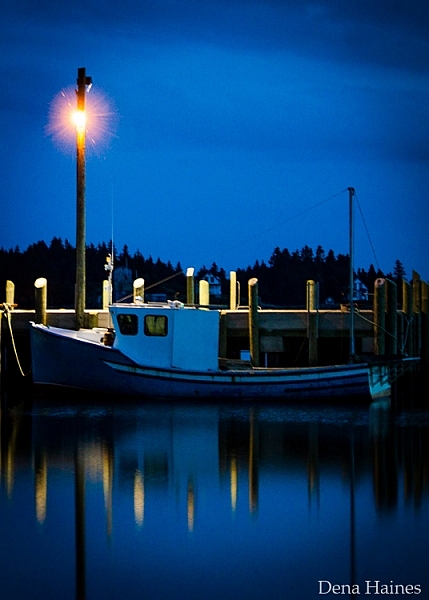
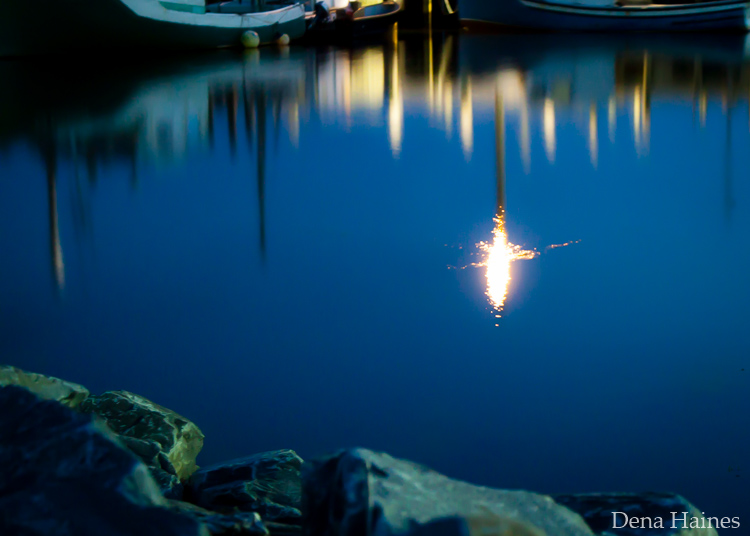
Image by Dena Haines

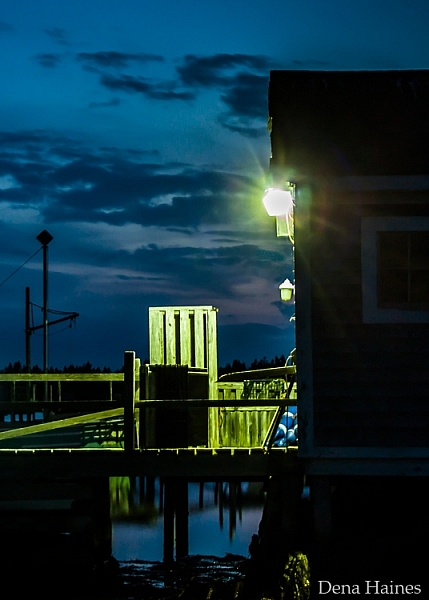
While you want electric lights in your photos, don’t shoot too close to them. If you are standing too close to the light source, lens flare could be a problem. You could get unwanted, randomly placed, light spots in your photos.

What to photograph during the blue hour

The easiest subjects to get started with are landscapes that include electric lights.

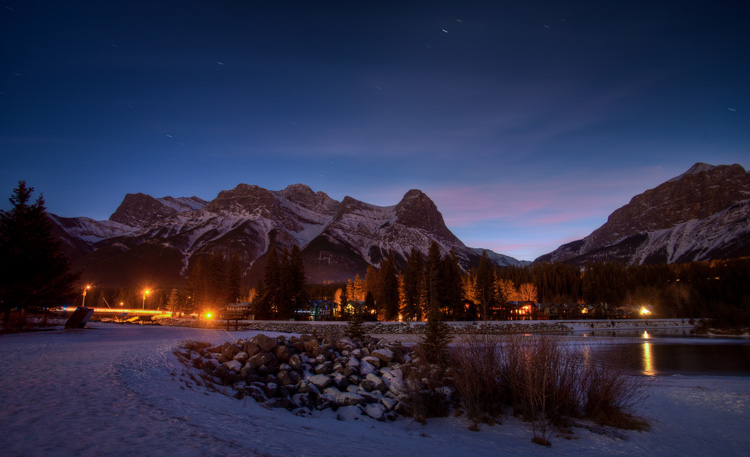
Mike Boening Photography

By Mike Boening Photography

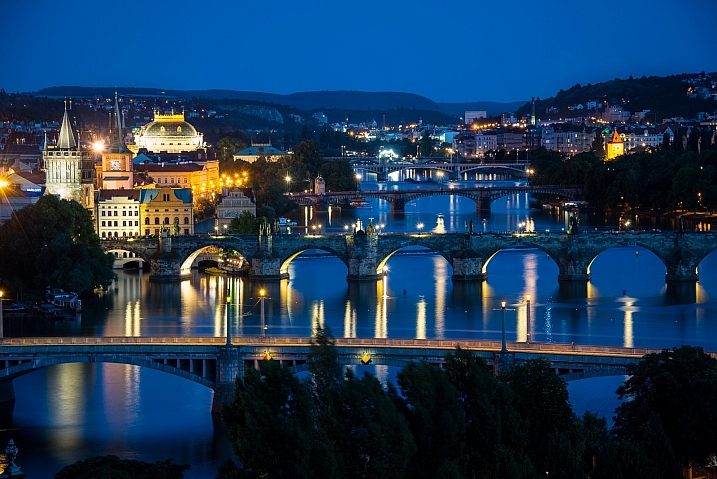
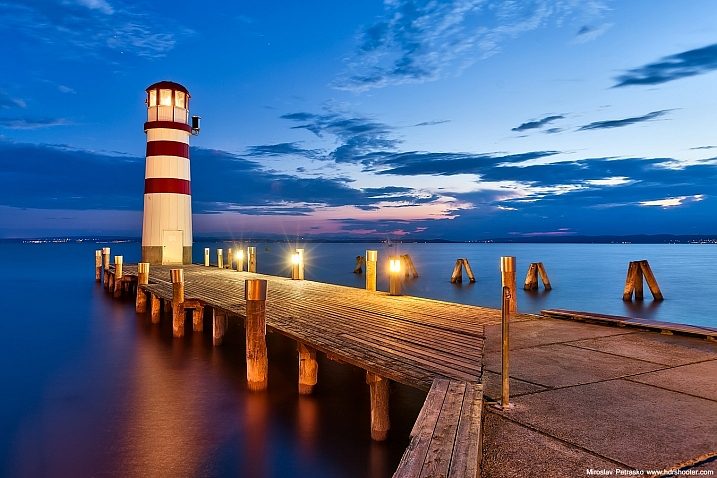
Miroslav Petrasko

By Miroslav Petrasko

Some blue hour landscapes to consider include:

  • Cityscapes
  • Busy winding roads
  • Beaches
  • Wharfs
  • Bridges
  • A fair or circus
  • Marinas
tips for shooting the blue hour

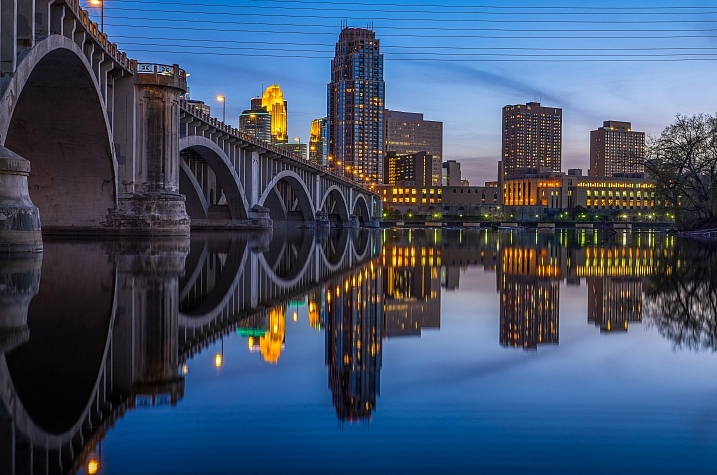
I love blue hour photos that include water reflections.

Mac H (media601)

By Mac H (media601)

What are your favorite blue hour subjects? Let me know by commenting on this post. And if you have any tips for blue hour photography, please share as well as your images.

googletag.cmd.push(function() {
tablet_slots.push( googletag.defineSlot( “/1005424/_dPSv4_tab-all-article-bottom_(300×250)”, [300, 250], “pb-ad-78623” ).addService( googletag.pubads() ) ); } );

googletag.cmd.push(function() {
mobile_slots.push( googletag.defineSlot( “/1005424/_dPSv4_mob-all-article-bottom_(300×250)”, [300, 250], “pb-ad-78158” ).addService( googletag.pubads() ) ); } );

The post 5 Quick Tips for Better Blue Hour Photography by Dena Haines appeared first on Digital Photography School.


Digital Photography School

 
Comments Off on 5 Quick Tips for Better Blue Hour Photography

Posted in Photography


Smog-Sucking Tower Cleans 30,000 Cubic Meters of Air Per Hour

29 Jan

[ By WebUrbanist in Architecture & Cities & Urbanism. ]

smog sucking machine

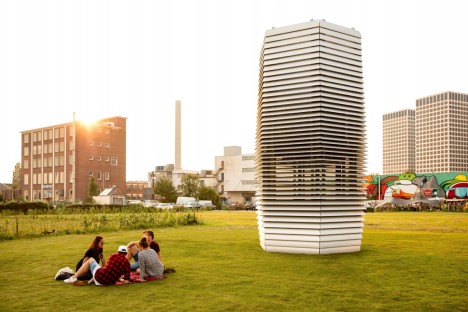
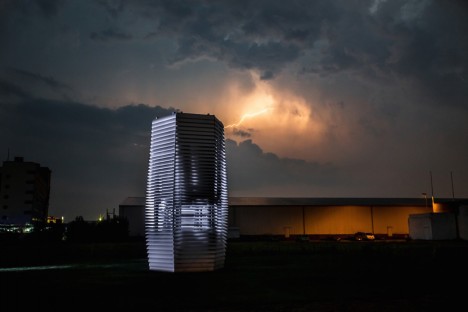
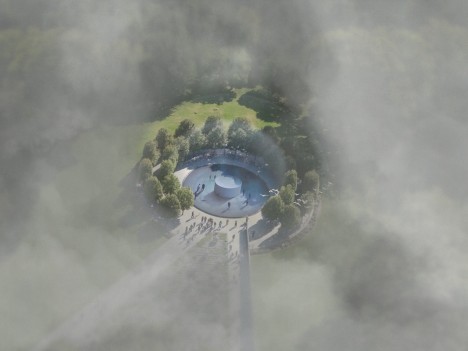
Successfully crowdfunded last year, the Smog Free Tower has just gone from concept to reality; these machines are now using green energy to create zones of smog-free space in public places in Rotterdam.

smog machine

Daan Roosegaarde’s Smog Free Project may not be a complete solution to urban air pollution, but it can at least carve out breathable spaces in key city spaces like downtown squares and public parks.

smog device at night

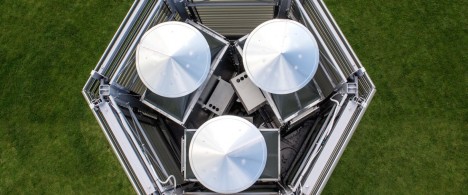
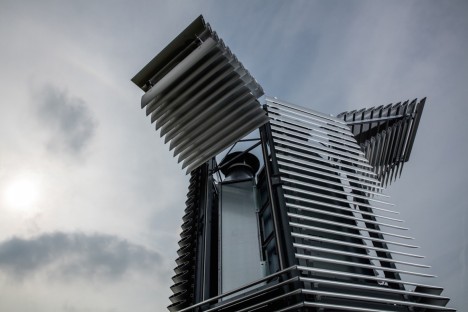
Each 20-foot tower is lightweight and elegantly designed, running on about the same amount of electricity used by a water boiler (1,400 watts). Their low-energy ionization technology also powers LEDs that light the structures up at night.

smog device detail

The device sucks smog in from above then using a small positive current to charge ions, which in turn attach to fine dust particles.

smog cufflink

smog ring

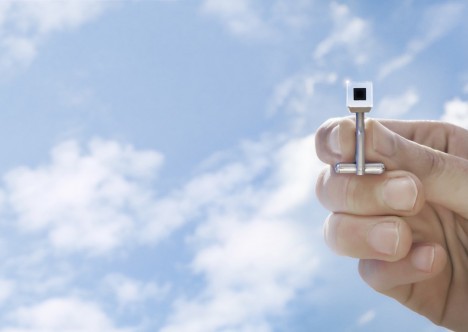
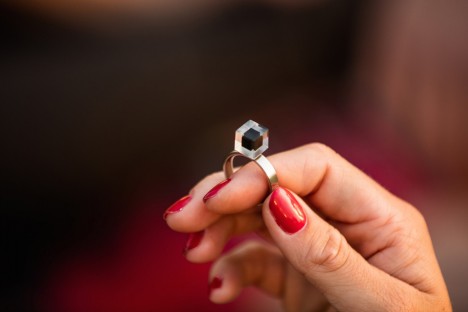
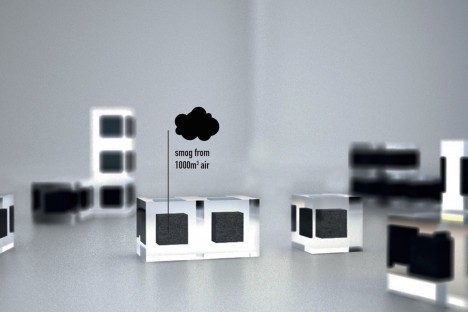
The particulates processed by the tower are to be compressed and turned into jewelry including rings and cuff links, or packed into transparent cubes, available to crowdfunding backers and others who wish to support the project as it continues to expand and grow.

smog jewelry

smog free zone

New towers are planned for cities in particularly urgent need around the world, including Beijing, Paris, Mexico City and Los Angeles. As a solution to environmental issues in cities, this may only be a first step, but at least it can provide some relief – a breath of fresh air for smog-weary citizens.

Share on Facebook


[ By WebUrbanist in Architecture & Cities & Urbanism. ]

[ WebUrbanist | Archives | Galleries | Privacy | TOS ]


WebUrbanist

 
Comments Off on Smog-Sucking Tower Cleans 30,000 Cubic Meters of Air Per Hour

Posted in Creativity


24 Hour Deal: Become a Lightroom Expert Quickly and Easily

15 Dec

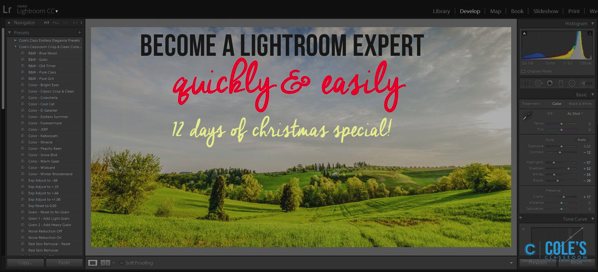
Today we have an amazing deal for you as deal 2 in our 12 Deals of Christmas.

It’s 85% off Cole Joseph’s Lightroom Training Workshop.

NewImage

Cole Joseph has processed over half a million photos in his career and so certainly knows a thing or two about Lightroom.

In this workshop he’ll share his best tips and tricks with you to help you prices the highest quality final edits to your images in no time at all.

Walking you through Lightroom step by step, Cole will demonstrate exactly how to use Lightroom to its full potential. You’ll not only learn how to edit more quickly, but see how to get the same results he does.

Buy today at a crazy 85% off, and by this time tomorrow, you’ll be a Lightroom master!

PS: Cole is offering this training with a no risk 30 day money back guarantee. If you buy it and don’t find it meets your expectations – simply ask for your money back. What could be better than that!

googletag.cmd.push(function() {
tablet_slots.push( googletag.defineSlot( “/1005424/_dPSv4_tab-all-article-bottom_(300×250)”, [300, 250], “pb-ad-78623” ).addService( googletag.pubads() ) ); } );

googletag.cmd.push(function() {
mobile_slots.push( googletag.defineSlot( “/1005424/_dPSv4_mob-all-article-bottom_(300×250)”, [300, 250], “pb-ad-78158” ).addService( googletag.pubads() ) ); } );

The post 24 Hour Deal: Become a Lightroom Expert Quickly and Easily by Darren Rowse appeared first on Digital Photography School.


Digital Photography School

 
Comments Off on 24 Hour Deal: Become a Lightroom Expert Quickly and Easily

Posted in Photography