RSS
 

Posts Tagged ‘head’

Stellar Photo Projects Showcase: Alexandre Bordereau’s “Oh, My Head!”

21 Oct

All photographers, with no exceptions, have their own photo projects that show the personal layer of their being, bring some new ideas to life and provide attitude to particular things. However, a huge number of such projects went unnoticed by an audience. Thus, here on Photodoto, we decided to launch a series of articles that is aimed to showcase little-known, Continue Reading

The post Stellar Photo Projects Showcase: Alexandre Bordereau’s “Oh, My Head!” appeared first on Photodoto.


Photodoto

 
Comments Off on Stellar Photo Projects Showcase: Alexandre Bordereau’s “Oh, My Head!”

Posted in Photography


How To Prepare For Successful Landscape Shoots [Before You Head Out]

11 Oct

One of the simplest ways to capture great photographs is to prepare yourself for success before you head out the door. I’ve used this process of preparing for shoots for the last few years and it’s worked great for me – I’d love to hear what else people are doing to prepare for their own shoots in the comments below.

How To Prepare For Successful Landscape Shoots: The Day Before

Virtually Scout the Location
How To Prepare For Successful Landscape Shoots

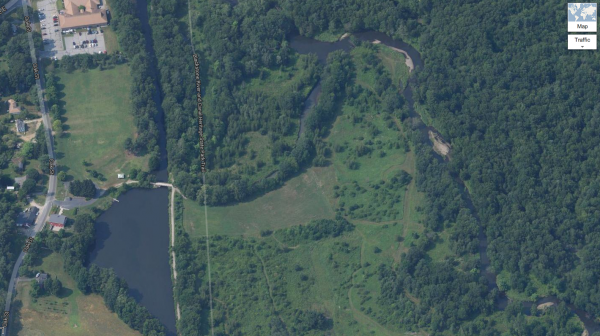
Usually the night before a shoot I will open up Google Earth, Maps and/or various other apps to scout the location for things like parking spots, water features, sun angles and whatever else might be of interest to me for that particular shoot.

It can be helpful to look through Flickr or another location based photography service to get an idea of what other photographers have found interesting before your visit.

Charge Up

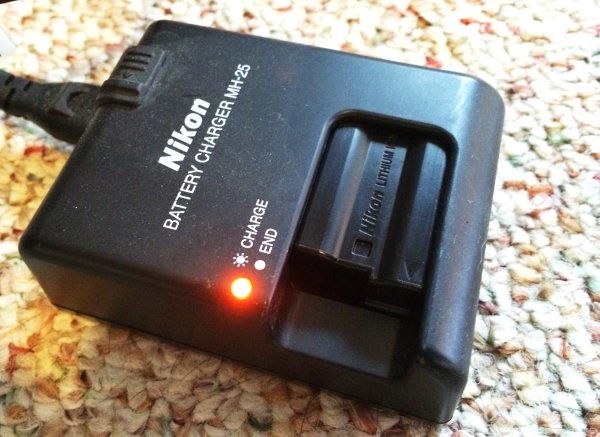
It should go without saying, but make sure you’re camera is fully charged before you go to sleep. The last thing you want is to be ready to head out the door and find out your camera’s got one bar of battery life left in it. On the same note make sure your SD/CF cards are empty and packed as well – that’s a mistake you’ll only make once.
How To Prepare For Successful Landscape Shoots

This step doesn’t just include the camera though – you should make sure that your own body is fully charged as well. Have a good sized dinner and get to bed early, eat a healthy breakfast and pack snacks to take with you. If there’s one thing that will ruin your photos faster than anything it’s an empty belly – you’ll start to get frustrated easy, you’ll care less about what you’re doing, and ultimately you will make mistakes which is the last thing we want to do when we’ve gone through all the effort to get to this location in the first place.

How To Prepare For Successful Landscape Shoots: Before You Leave

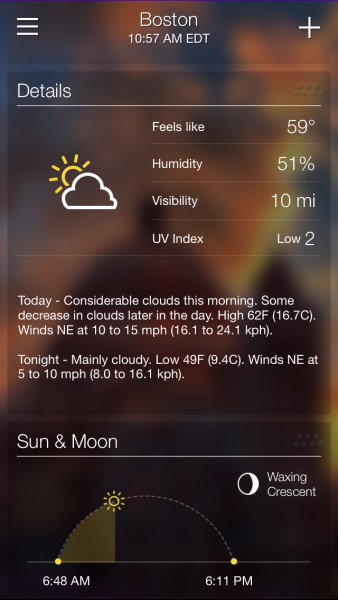
Check the Weather Report
How To Prepare For Successful Landscape Shoots

It’s easy to take for granted, but it’s important to get a weather report for the day and area you’re heading before you leave the house. If you’re planning to hike a mountain know that it will be chillier the higher you go and just because the weather is fair in your backyard doesn’t mean that it’s the same at your location of interest.

Dress Accordingly
How To Prepare For Successful Landscape Shoots

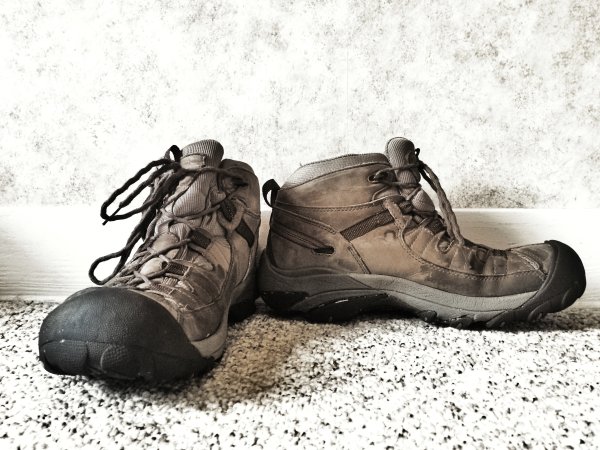
Hiking boots are a must if you want to get into locations off-the-beaten path, but you can do fine in comfortable sneakers if you’re not planning traverse any serious terrain. That said you should plan to wear comfortable and breathable clothing – jeans and cotton shirts are rarely a good option as they don’t keep you warm and if they get wet they will take forever to dry.

How To Prepare For Successful Landscape Shoots: On Scene

Arrive Early

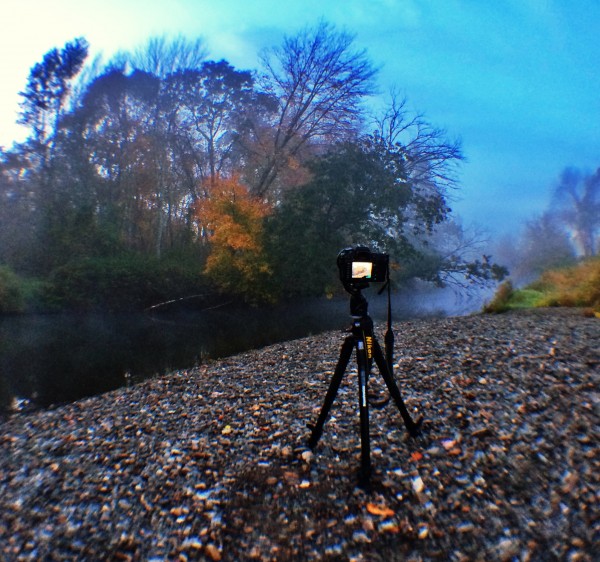
I can’t stress this enough! The last thing you want to do is show up as the sun is setting or after it has risen. If you arrive early you can set up the camera and capture many different locations with the light that you have.
How To Prepare For Successful Landscape Shoots

As the light changes you may want to revisit your previous locations or continue looking for new ones, but as long as you’ve gotten there early, you should end up with a bunch of shots to process when you return home.

Take Your Time

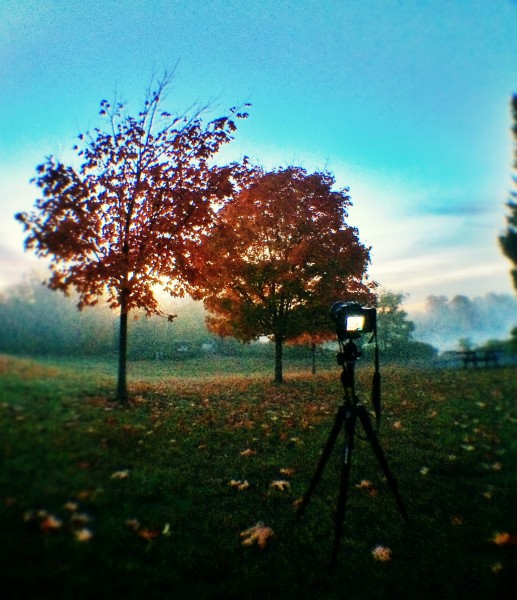
Rushing around will not allow your mind to think properly. When you rush your shots the odds are increased that you’ll get home to find out that you left your ISO at some unusable number or your aperture was at f/2.8 when it was supposed to be at f/11.
How To Prepare For Successful Landscape Shoots

Take each shot as seriously as the last one you took and make the adjustments that are needed to get the best image out of the scene before you. Sometimes I find it helpful to even simply get up and walk away from the camera and give myself a break. Of course, when I do that, I still end up taking photographs with my phone, but those are more  for fun than anything else.

Returning Home

Processing the Results

After all is captured and you’ve safely made it back to your house it’s time to process your what you’ve recorded. This part is truly up to you and your creative style, but here is my workflow as a basis point.
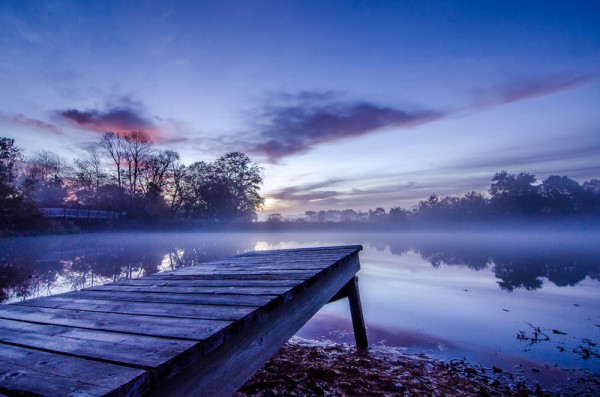
How To Prepare For Successful Landscape Shoots

I will start with import the RAW files into Lightroom and going through to clean out the ones I absolutely don’t see any use for. I’ll then make my selections of the ones that are first on the list to get process and do just that. On occasion I will do more processing and clean up in Photoshop, but with how powerful Lightroom has gotten over the last couple iterations of the software I’ve seen less and less need to do so. If you’re curious you can also watch me edit select photos every week on my Let’s Edit series.

To get even more information on landscape photography check out this amazing DPS eBook on the entire process.

Post originally from: Digital Photography Tips.

Check out our more Photography Tips at Photography Tips for Beginners, Portrait Photography Tips and Wedding Photography Tips.

How To Prepare For Successful Landscape Shoots [Before You Head Out]

The post How To Prepare For Successful Landscape Shoots [Before You Head Out] by John Davenport appeared first on Digital Photography School.


Digital Photography School
 
Comments Off on How To Prepare For Successful Landscape Shoots [Before You Head Out]

Posted in Photography


Getting The Image You See In Your Head: Blending vs HDR

18 Apr
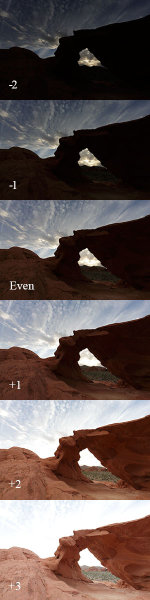
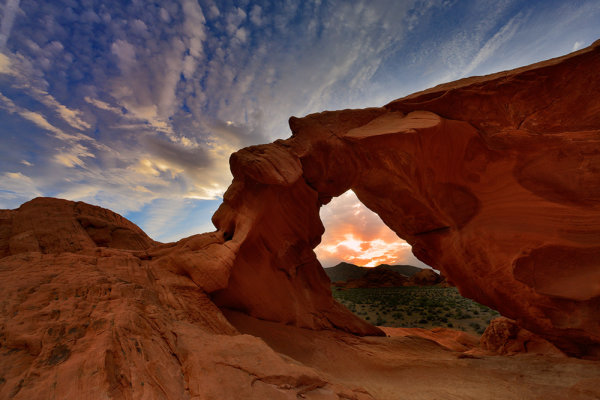
This shot is an HDR shot blended from 6 bracketed shots.  Each shot is one stop different from the next. The exposures range from -2 through +3. Aperture was set to f/16. The shutter speed ranged from 1/125 at -2, to 1/4 at +3.

This shot is an HDR shot blended from 6 bracketed shots. Each shot is one stop different from the next. The exposures range from -2 through +3. Aperture was set to f/16. The shutter speed ranged from 1/125 at -2, to 1/4 at +3.

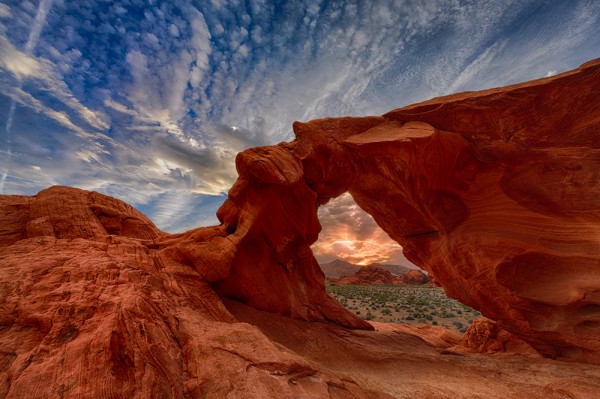
Often times when I’m photographing landscapes, the image the camera sees versus the image in my head are quite different.  Sometimes that image in my head doesn’t mesh with what the camera capture, because the dynamic range is far too great.  The contrast between the highlights and shadows is just too great.  Such was the case with this shot I took a week ago of Arch Rock in Valley of Fire State Park in Nevada.

These are the six shots I used for the HDR blend. I also used the even exposure, and the +2 exposure, for the two image manual blend I did in Photoshop.

These are the six shots I used for the HDR blend. I also used the even exposure, and the +2 exposure, for the two image manual blend I did in Photoshop.

With the sun setting directly behind it, exposing for the sky would have rendered the rock a silhouette.  This may have been fine had I intended a silhouette shot- which I did capture and intend to use. But ultimately I wanted some detail in the rock, I wanted detail in the sky, and I wanted to maintain the drama of the spectacular desert sunset that I was witnessing.  Because of the way the landscape was laid out before me, graduated neutral density filters were not going to work for this shot.  If I wanted to bring down my highlights and keep detail in the shadows, I was going to have to either blend two shots, or use an HDR program to get the result I was looking for. HDR stands for High Dynamic Range, meaning an image where the range of tones is higher than what the camera can accurately record.

I really wasn’t sure which processing technique would give me the best results.  And sitting there in the desert, I didn’t want to place any bets on it.  So I bracketed my shots using the auto exposure bracketing mode on my EOS-1D X.  I shot in Av mode, at f/16, with the EF 14mm f/2.8L II lens. I bracketed for 7 exposures, but ended up only using six. The -3 exposure really didn’t add anything to the HDR, so that was dropped from my processing.   I use Nik HDR Efex Pro 2 for my HDR processing to blend the exposures, and then finish in Photoshop, adjusting color, saturation, etc.  Nik HDR Efex Pro offers a variety of presets, but I always try to keep the HDR processing fairly subtle. I don’t like the over the top look that some get, but I do like the image to pop a bit. I try to minimize any halos, and keep the tones fairly smooth.

Before I processed the HDR image, I also tried a simple two shot blend in Photoshop. I first processed the even exposure and adjusted for color and saturation.  Then, I took the +2 exposure, and processed in the same way, dropping that image on a new layer in photoshop over the even exposure. I then apply a layer mask to the +2 layer, and paint the entire mask black to hide the layer.

Then, using white, I painted the arch back in to reveal the arch at +2 against the sky at even exposure. This takes a lot of patience since with the exposure difference, it’s very easy to see halos if the masking isn’t done carefully. One way to ease the transition is to run a gaussian blur filter on the mask to soften the edges. How much will depend on what the mask is like. You may need to run the gaussian blur more than once to get it just right.

Looking at the two images, the HDR blend seems to have a smoother transition from lights to darks, as well as a richer overall look. I know there is a lot backlash against HDR, and I understand it’s not everyone’s cup of tea. But I believe in using any tool available in order to express what I felt when I looked upon the scene as it happened.  Every scene will be different, and will lend themselves to different processing techniques. Understanding what techniques are available to you can help you overcome the shortcomings of technology and allow you to express your creativity to the fullest.

This shot was done by blending an even exposure with a shot exposed at +2.  The +2 exposure was masked off in Photoshop so only the areas I needed to show through did.

This shot was done by blending an even exposure with a shot exposed at +2. The +2 exposure was masked off in Photoshop so only the areas I needed to show through did.


Post originally from: Digital Photography Tips.

Check out our more Photography Tips at Photography Tips for Beginners, Portrait Photography Tips and Wedding Photography Tips.

Getting The Image You See In Your Head: Blending vs HDR


Digital Photography School

 
Comments Off on Getting The Image You See In Your Head: Blending vs HDR

Posted in Photography


Manfrotto 701HDV Fluid Head: Test Footage (Canon 60D)

30 Jan

Manfrotto 701HDV Fluid Head: Test Footage (Canon 60D) Just a quick run of test shots of the Manfrotto 701HDV Pro Fluid Video Mini Head. Shot with a Canon 60D (24-70mm 2.8 & 50 mm 1.4) Music: “A Cat! On the Porch” Royalty Free Under the Creative Commons dig.ccmixter.org Add me on Google+ goo.gl Follow us on Twitter! www.twitter.com TLD Facebook: www.facebook.com Manfrotto 701HDV Fluid Head: Test Footage (Canon 60D) Manfrotto 701HDV Fluid Head: Test Footage (Canon 60D) Manfrotto 701HDV Fluid Head: Test Footage (Canon 60D)

Sorry for the quality of the video, it was shot with a mobile phone… Current state of the port: bitbucket.org magiclantern.wikia.com Downloads: sztupy.hu Version for FW 1.0.8 is known to work. After installing it for FW 1.0.8 you can upgrade to FW 1.0.9 and the version for FW 1.0.9 will work too. It is not yet known whether the .fir file for the 1.0.9 works or not. (the autoexec files will work however)


Review of the Dolica 62″ ball head tripod for DSLR Cameras

15 Dec

To receive a free bag from Think Tank, visit www.ThinkTankPhoto.com/affiliate and enter code AP-512, This will get you a choice of a few items to receive free with purchase! This is a review for the Dolica 62 inch ball head tripod for digital and DSLR cameras. This tripod is about – but can often be found on Amazon for cheaper. This is a great little trip


SCD gear overview Head Gear

02 Dec

SCD gear overview Helmets and NOD’s, SM aka Zaitsev on asf talking about his helmet (Mich 2000) and NOD set up. the D300 is made by Night optic usa. Sorry about the fuzzyness of the camera there wasnt much space on the sd card causing it to be compressed and quality suffered. To get more information on our events etc. check out www.facebook.com
Video Rating: 5 / 5

 
Comments Off on SCD gear overview Head Gear

Posted in Nikon Videos


Damian Dinning quits as head of Imaging Experience at Nokia

27 Nov

DD_crop.jpg

The head of Nokia’s digital imaging team, Damian Dinning, is leaving the mobile giant for a job at Land Rover/Jaguar. During Dinning’s nine years at Nokia, he lead the team that developed the PureView technology which was debuted in the 41MP Nokia 808 PureView, earlier this year. Damian’s name will be known to many dpreview readers for his frequent interactions in our comments threads, and for his contributions to our coverage of the groundbreaking 808 PureView. Click through for more information at connect.dpreview.com.

News: Digital Photography Review (dpreview.com)

 
Comments Off on Damian Dinning quits as head of Imaging Experience at Nokia

Posted in Uncategorized


“Why buy an iPhone” The Music Video that will be stuck in your head!!

26 Nov

Thanks for watching my first video, and don’t forget to subscribe!
Video Rating: 3 / 5

 
Comments Off on “Why buy an iPhone” The Music Video that will be stuck in your head!!

Posted in Nikon Videos


East Side Crack Head Got Bars?

23 Nov

Clip of the Week: Crack head from Lincoln Projects in East Harlem spits raw… Plus a live snippet of Fishgrease Jenkins performing “Shut Up and Rap”. dir: roll®blade A intro track: “OPUS Zero Infinite” by Alpha Phunk (bdruckus.tv/)
Video Rating: 4 / 5

 
Comments Off on East Side Crack Head Got Bars?

Posted in Nikon Videos


Nicolas Merritt Official Music Video “Rockstar In My Head”

13 Nov

Produced by Chad Merritt Co-Produced by Steve Wetherby Directed by Andy Platfoot Edited by Andy Platfoot Filmed using: Panasonic DVX100a; Nikon D90; Canon 7D Edited on Adobe Premiere and After Effects
Video Rating: 4 / 5

 
Comments Off on Nicolas Merritt Official Music Video “Rockstar In My Head”

Posted in Nikon Videos