RSS
 

Posts Tagged ‘Getting’

8 Tips for Getting Great Expressions in Family Portraits

26 Jan

8 Tips for Getting Great Expressions in Family Portraits

Sometimes as a photographer, you are lucky enough to get a family session full of models with perfect natural smiles in every photo. It doesn’t take much to get a photo that is ready to hang on the wall. However, most of the time with family portraits it isn’t that easy.

Maybe you’ve got somebody who doesn’t want to be there or little kids that have no idea what you’re trying to get them to do. And maybe, just maybe, you’d like to have some photos that show some extra personality. Everyone looking at the camera and smiling is nice, but I always love the ones that show a little more of who the family really is. I’ve got a few tricks up my sleeve to help you through the more difficult sessions, and to help you get some fun full-of-personality shots and great expressions with any family.

1. You’re in charge of the kids
8 Tips for Getting Great Expressions in Family Portraits kids

Many times during a family session, you’ll have parents that are really concerned about whether or not their kids are looking and smiling at the camera. They don’t realize that the moment their little one looks and smiles, their faces aren’t photo-ready because they’re spending all their time wondering what their kid is doing.

Remind the parents to keep their faces ready for photos at all times, and you, as the photographer, will take care of getting their kids to look and smile. If they are talking to their child, it will be hard for their child to look at you, because he’ll think he needs to be looking at mom or dad. Whether you want the parents looking at the camera or not for a particular photo, remind them to do their part for the photo and leave the rest to you.

2. Let the parents help sometimes
parents - 8 Tips for Getting Great Expressions in Family Portraits

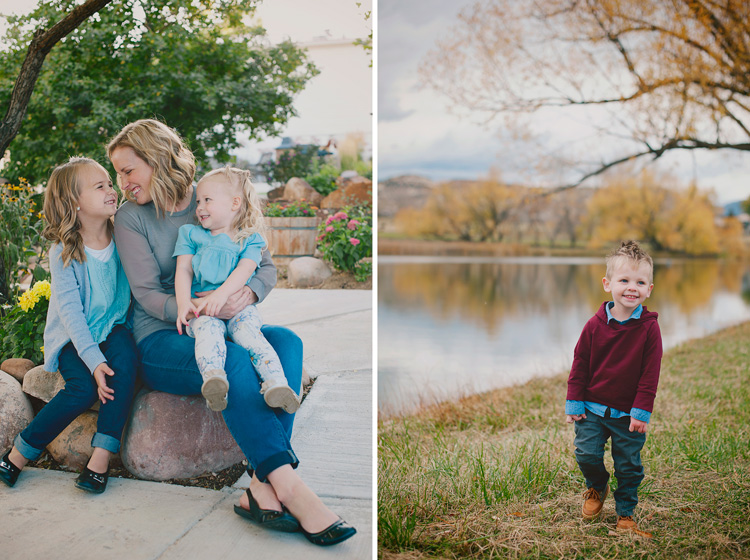
This might seem to contradict point #1 above, but there are times when getting those genuine smiles from the kiddos requires a little bit of help from the parents. If you have a reluctant smiler and you want to get a good individual photo of the child smiling, ask the parent to make a funny face, or do something silly off-camera. If you want the subject looking at the camera, ask the parent to get right behind you. Parents often know one silly word that will get their child giggling, or the child might just need the comfort of seeing a parent smiling at them to know that it’s all okay.

You can also have photos with the parents interacting with their children in the frame. These often end up being some of my favorites. I love capturing the genuine interactions, and those expressions that the parent sees every day. Put the parent and child together, and simply ask them to smile at each other. Often this initially awkward directive gets them really giggling together, and you’ve got the perfect expressions.

3. Laugh at the silly one
laugh silly - 8 Tips for Getting Great Expressions in Family Portraits

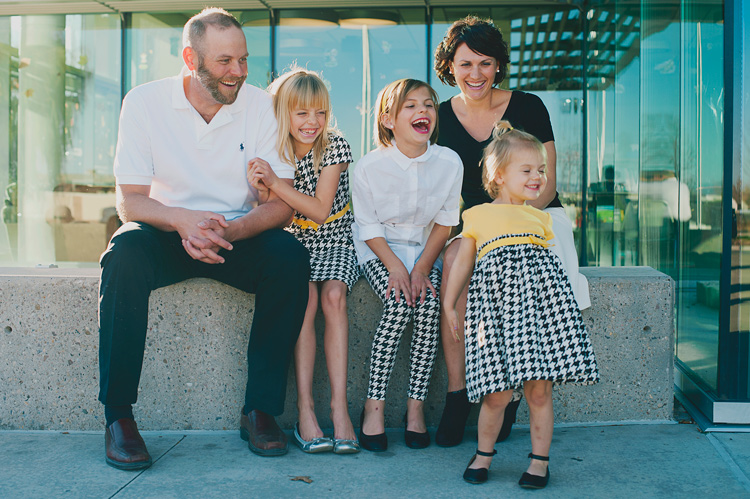
One of my most effective prompts for natural looking family interaction and genuine expressions is to ask them to laugh at the silly one. Sometimes they all look to the same person right away, and everyone will start truly laughing. Sometimes they all look at someone different, and after a second of bewilderment, they all start laughing.

This one can backfire, though, and needs to be used with caution. Some kids automatically think that laughing means to be over the top silly, and they over-exaggerate a huge laugh that doesn’t look natural at all. Some kids think that laughing also must be accompanied by pointing, and that never looks great in a photo either. In these cases, I tell them to giggle quietly and to keep their hands down. Usually, that solves the problem. If it doesn’t, I just move on to something else and let the moment go.

4. Simply hug
hug - 8 Tips for Getting Great Expressions in Family Portraits

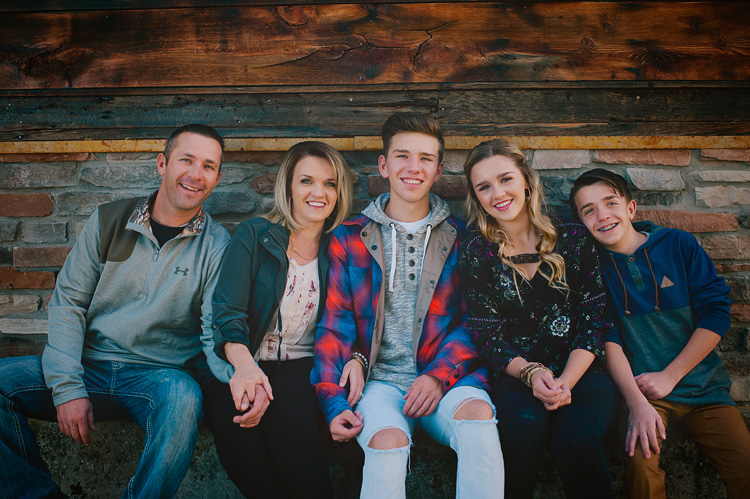
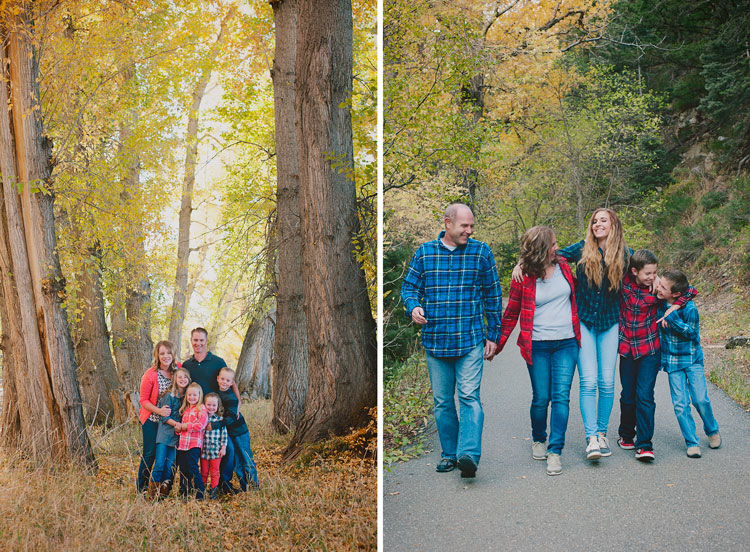
Oftentimes in sessions, I position everyone into a nice arrangement, take a photo of them all smiling and looking, and then I just say, “Now, everyone hug each other.” or “Put your arm around the person next to you.” When I look at the photos side by side later, I’m always amazed at how much more natural the smiles are in the hugging photos.

I think that when photos feel really formal, it’s hard to relax, and people end up with stiff smiles. When they feel comfortable, the true smiles come out. There’s just something about being surrounded and hugged by those you love that makes you feel safe. Sometimes you need to prompt them to hug each other but make sure they’re still looking at you. Occasionally you get the real huggers that will turn right around and give their mom a bear hug. Although that looks cute in real life, it doesn’t work as well for a photo.

5. Let the personalities shine
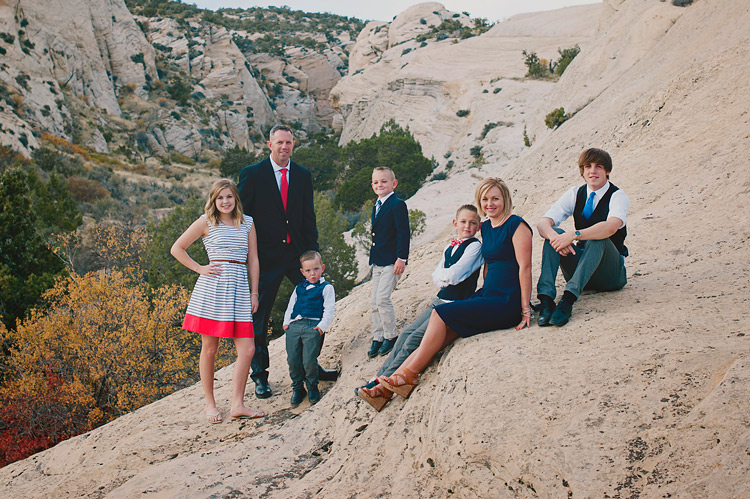
personality - 8 Tips for Getting Great Expressions in Family Portraits

Sometimes you might have a perfect photo in mind, but you just have some little guys that have big personalities. You could spend the whole session trying to get them to be somebody they’re not, or you can just go with it and laugh about it.

Let’s be honest, sometimes those expressions that just scream personality make the best photos. Families will treasure those photos and laugh about them throughout their whole lives. You can try to get that perfect family photo for mom, but don’t make everyone miserable by insisting on squelching unique poses and expressions every time they pop up. That said, I don’t encourage them in their silliness because sometimes that can make them go a bit out of control. Just simply take the photo, and don’t make a big deal out of it.

6. Big groups are fun too
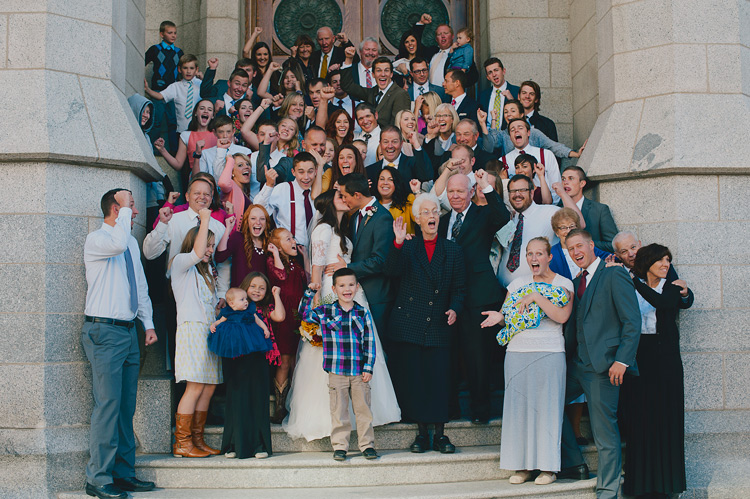
big groups - 8 Tips for Getting Great Expressions in Family Portraits

Giant group photos can look very dull at times. When you have tons of people in one photo, it can be a task just to get them all arranged, and then after all that work the photo just looks like a bunch of little boring faces.

Try getting a few photos that are just for fun. Ask the entire group to hug or kiss their neighbor. (Give them the option. Nobody likes to be told they must kiss the person next to them.) If you have a bride and groom, you can have the bride and groom kiss, and ask everyone else to cheer or to react however they’d like.

When you have a big group of people with funny happy faces, it makes a photo that you want to look at for awhile, and you can’t help but smile. These photos are never perfect, but they’re fun, and end up being the photos the families really love.

7. Capture life
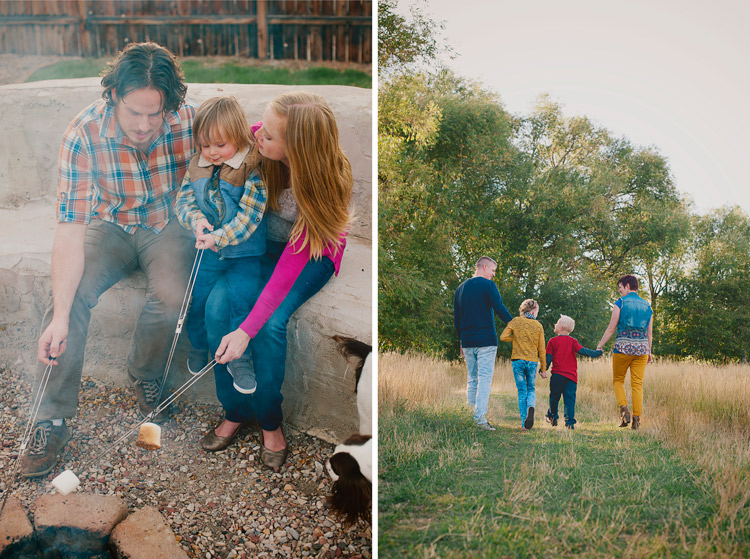
life - 8 Tips for Getting Great Expressions in Family Portraits

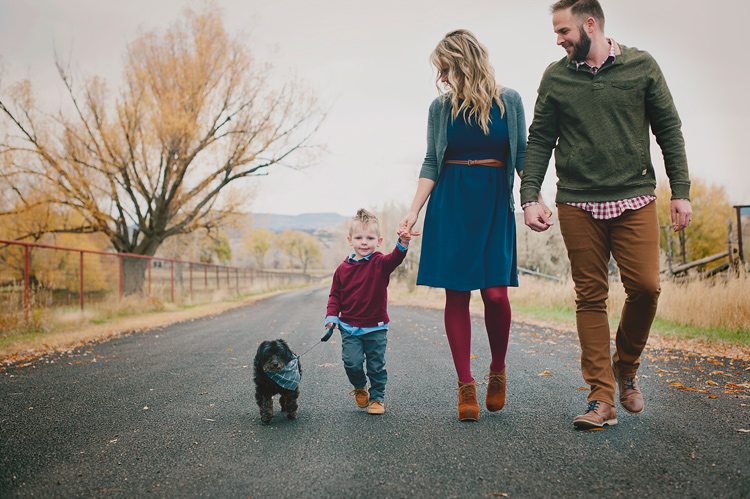
You don’t always need smiles, nor do you need all the eyes showing. Capture the family participating in an activity together, and just let their expressions happen naturally. These lifestyle photos will capture the family as they are, right now. They will be the photos that really bring back memories for your families when they come across them later. You don’t have to set up anything elaborate. It can be as involved as a picnic together with the blanket and basket and everything, or as simple as holding hands and walking together. If you do have them walking away from you, ask the family to look at each other as they walk, so you get some profile expressions, and interaction with each other.

You don’t have to set up anything elaborate. It can be as involved as a picnic together with the blanket and basket and everything, or as simple as holding hands and walking together. If you do have them walking away from you, ask the family to look at each other as they walk, so you get some profile expressions, and interaction with each other.

8. Take a lot of photos in a row
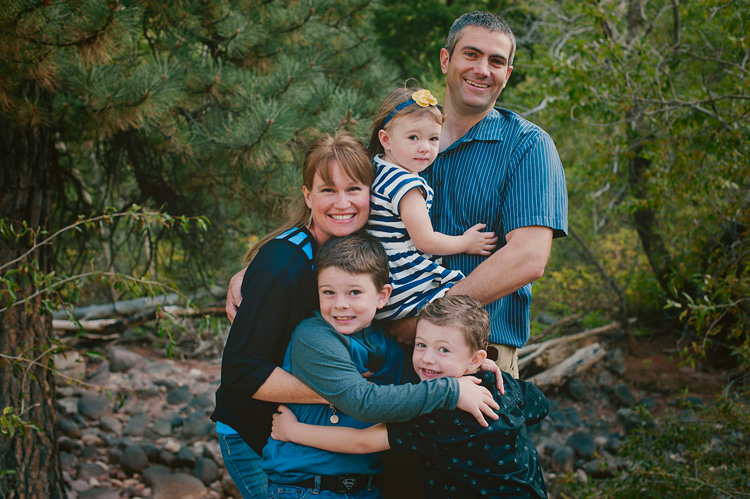
8 Tips for Getting Great Expressions in Family Portraits

When you’ve got a lot of people to capture at once, the chances of getting all of them with a great expression at the same time is slim to none. I snap a lot of photos in a row of one pose because the chances of catching smiles and open eyes for each person go up greatly when you have a lot to choose from. If all else fails, you have a lot in nearly the same position, so you can swap eyes, faces, or heads if needed.

It can be so frustrating when you have a family photo that is nearly perfect, but one family member is blinking. Trust me, even three in a row may sometimes not be enough to get every expression that you need. I don’t head swap often because I usually have one in the series that captures everything as I want, but it’s nice to have the option of swapping something if needed.

I’d love to see your family portraits in the comments! What tricks have you found to capture great expressions in your family sessions?

googletag.cmd.push(function() {
tablet_slots.push( googletag.defineSlot( “/1005424/_dPSv4_tab-all-article-bottom_(300×250)”, [300, 250], “pb-ad-78623” ).addService( googletag.pubads() ) ); } );

googletag.cmd.push(function() {
mobile_slots.push( googletag.defineSlot( “/1005424/_dPSv4_mob-all-article-bottom_(300×250)”, [300, 250], “pb-ad-78158” ).addService( googletag.pubads() ) ); } );

The post 8 Tips for Getting Great Expressions in Family Portraits by Melinda Smith appeared first on Digital Photography School.


Digital Photography School

 
Comments Off on 8 Tips for Getting Great Expressions in Family Portraits

Posted in Photography


Interview: Fujifilm talks GFX, X100F and getting serious about video

24 Jan
 Makoto Oishi, Billy Luong and Yuji Igarashi from Fujifilm

Following the launch of the GFX 50S, the X100F and the X-T20, we spoke to Fujifilm executives about their models, their ambitions and what we might be able to expect in the future in terms of medium format, the XE range and video. 

We spoke to Makoto Oishi, manager of Fujifilm’s Sales and Marketing Group, Optical Device and Electronic Imaging Products division, Yuji Igarashi, general manager of Fujifilm’s Electronic Imaging Division, and Billy Luong, Manager for the Technical Marketing and Product Specialist Group. They answered our burning questions as best they could: Will the GFX series gain phase detection AF? Will it ever have a fixed lens model? How is the X-E series faring?

GFX 50S: who is it for, and what’s next?

As you’d expect, we started by discussing the GFX 50S and who it’s for. ‘Fashion, commercial and landscape photographers are the main targets,’ says Oishi. ‘And especially when it comes to landscape, it’s not just professional photographers, but also amateur photographers.’

‘The tonality and dynamic range also mean it’ll appeal to wedding photographers,’ adds Luong. ‘And architecture,’ says Oishi: ‘But you can see from the weather sealing that we want landscape and outdoor photographers to feel confident using this camera.’

Consequently, these users groups will direct which lenses the company creates for the system. ‘We’ve already announced our first six lenses but we’re thinking about what comes next,’ says Oishi: ‘We have some ideas but haven’t decided yet. For example maybe a wide-angle zoom for landscape photographers or maybe something like a 200 or 250mm and so on. We want more feedback from users about what to make next.’

Image quality and autofocus

In the early days of the X-mount system, the company said it had chosen to prioritize image quality even if it that meant using a design with slightly slower focus. This compromise wasn’t necessary with the GFX, Oishi says: ‘The first priority must be image quality, of course. After our experience with the X-series we’ve developed a series of technologies in lens design as well as autofocus motors.’

The GFX 50S is designed to be relatively small and swap easily from being a studio camera to a field camera. The 50mm-equivalent 63mm F2.8 lens focuses pretty quickly despite the absence of phase-detection elements or a linear motor to drive focus.

‘Some of the first [GF] lenses have linear motors, whereas the 63mm has a different motor, more like the one used in the 23mm F2. The autofocus speed is already very good: we haven’t had any complaints. Instead we’ve had some users surprised by how fast the contrast-detection system is.’

This doesn’t mean the GFX series will never have phase detection, though. ‘This is our first development of this sensor,’ says Oishi: ‘we’d have needed more time to develop on-sensor phase detection. The image quality of medium format is our first priority. From a technical point of view, maybe in the future we might incorporate phase-detection pixels. On the other hand, we’re already developed advanced CDAF algorithms.’ There’s no image quality cost to using phase detection, he says.

‘We’re designing all our GF lenses to work with 100 megapixels, so there’s just as much of a challenge of resolution’ – Makoto Oishi

This need for optimal image quality got us wondering: which is more difficult to design, an F1.4 lens for APS-C or an F2.8 lens with the IQ expectations but less dense sensor of medium format? ‘The fundamental design doesn’t change,’ says Oishi: ‘things like the availability of an appropriate autofocus motor to deal with bigger, heavier lenses in medium format always adds problems. They’re both difficult, both to design and manufacture.’

‘The medium format lens is physically bigger which seems like it should be easier to manufacture but you have to pay just as much attention to how sensitively each element is aligned. I’d say they’re both difficult. Differently difficult.’

‘One thing to remember is that we’re designing all our GF lenses to work with 100 megapixels, so there’s just as much of a challenge of resolution.’

‘As the sensor becomes bigger, that means chromatic aberration becomes bigger: it’s proportional to the size. In GFX we’ve minimized aberrations optically and the used digital compensation only to refine the final result, and it depends on lens.’

Makoto Oishi shows-off the GFX 50S’s 44x33mm sensor

As with the X series, Fujifilm has decided not to use in-body image stabilization. ‘Some of the lenses we’ve already announced have OIS built in,’ Oishi points out: ‘but basically our image circle is perfect for the 44 x 33mm sensor size.’

The undeniable appeal of the X100 series

The discussion then turned to the X100 series and its role in the company’s lineup, now that a 23mm F2 lens is available for the X-mount system.

‘Of course using the 23mm F2 on one of our X-mount cameras, you get the same sensor, the same processor, but they’re two different things,’ says Oishi. ‘The X100 lens and sensor are optimized to work together, [whereas] on the ILCs, the sensor has to work with every lens. This means the X100’s image quality can be very good but the lens remains small. The 23mm F2 [XF] lens is also good, the size is a bit bigger but the autofocus can be a bit faster. Then, of course, the X100 series has the optical viewfinder.’

‘A good proportion of our customers are saying the X100 brought back their passion for photography’ – Billy Luong

‘The X100 also has a leaf shutter and built-in ND filter, which make a big difference,’ says Luong: ‘The faster sync speed is an important difference for anyone using flash. Then there’s the silent operation.’

But the appeal is about the format, as much as the specs, suggests Oishi: ‘The X100 series presents a great opportunity: the body size means it works as a second camera for anyone: not just Fujifilm users. If they fall in love with your system then maybe they’ll consider your cameras in future.’

Luong concurs: ‘It’s an iconic shape, it has a distinctive style. Some customers are at the point where they’re done with interchangeable lens camera, they just want the one focal length.’

 ‘The X100 series continues to perform well. In the US, each generation has sold better than the last,’ says Yuji Igarashi.

So who is the X100 series customer? ‘Normally 30% of buyers are people who already use an X100 series camera. But we’re always attracting new customers, too,’ says Oishi.

‘We look at how we retain our customers,’ says Luong: ‘the X100 is often photographers’ first foray into the Fujifilm system. The size, the weight, the image quality. A good proportion of our customers are saying the X100 brought back their passion for photography. That type of person is very much part of the equation.’

Could these same benefits be applied to medium format, we asked. ‘Of course it could be an idea for medium format,’ says Oishi: ‘it depends on demand and the market. The GFX 50S is one style: the ‘S’ means ‘SLR-style.’ Another way to do it would be a rangefinder style camera. Maybe an ‘R’ could be a rangefinder: we’re always considering other options and possibilities.’

‘If mirrorless interchangeable lens camera is too big as a rangefinder style, a fixed lens camera could be smaller, like the GF670.’

X-T20: putting X-T2 image quality in a smaller body

The SLR-style has wide appeal, Luong explains: ‘The SLR style targets a wider audience. We find pro and enthusiast photographers gravitate towards the SLR-style camera. Back to the GFX camera, that’s why we went with the SLR style.’

What does this tell us about the X-T20 target customer, then?

‘There will be a lot of X-T2 and X-T1 users wanting a second body,’ says Luong. ‘Then, of course, there’ll be people wanting X-T2 image quality in a more compact body. It could be a step up from the X-A series or a step over from an entry-level DSLR to a mirrorless type camera.’

‘We wanted to expand the range of users with the X-T10,’ says Oishi. ‘The X-T20 has more capability than ever before, in autofocus, for instance. For casual users, AF speed is important, especially compared with other cameras, such as DSLRs.’

Touchpad AF

However, the X-T20 doesn’t offer the increasingly popular ‘touchpad’ function to control the AF point with the camera to your eye. Mr Oishi explains why: ‘It’s possible. We know some people have difficulty with their nose operating the focus. We think our eight-way joystick is better in many circumstances but we’ll listen to feedback about a camera like the X-T20.’

The FujiFilm X-T20 offers X-T20 image quality in a smaller body. Despite having a touchscreen, it can’t offer touchpad AF control. For now…

This makes us wonder how the company decides which models feature touchscreens and which don’t. ‘It’s a question of the customer response,’ Oishi says. ‘The X100 has an optical viewfinder so it doesn’t make sense to put a touchscreen behind that. Maybe the joystick is better. With the X70, though, it’s a much smaller camera and you have to use the screen so it made sense to control with the screen.’

‘On the X-T20, we were trying to keep the camera small, so there wasn’t room for a joystick. So it depends on the product. It’s not about whether it’s seen as professional or not: the GFX has one.’

‘Product design for each model is focused on certain priorities,’ explains Luong: ‘X100 is about design. Even making it a couple of millimeters thicker to incorporate a touchscreen or tilt screen would make a big difference. It could change the design completely.’

‘We always think about the real target user’s priorities,’ says Oishi. ‘What does the target user want to use?’

Don’t count the X-E series out

The release of three SLR-style cameras in a row (X-T2, X-T20 and GFX 50S) doesn’t mean the company is abandoning the rangefinder style, though. ‘XE is an important series for us,’ Oishi says: ‘There are so many XE1, 2 and 2S users in the world. We are always thinking about the next model, whether that’s XT, XE or X-Pro. Obviously we can’t confirm anything at this point but we are aware there are many requests for this type of camera.’

Unmet needs?

With the X-series lineup looking increasingly mature, both in terms of lenses and bodies, what unmet needs remain?

‘Video is a big growth area for us,’ acknowledges Luong: ‘Our latest cameras such as the X-Pro2 and X-T2 show there’s a lot we’ve learned.’

 The Fujifilm X-T2 is a significantly more capable video camera than we were expecting.

And there’s an audience for video, he says: ‘If you look at who’s producing material, there’s a generation of YouTube content providers. People are increasingly watching content on their computers, on YouTube, rather than traditional TV.’

‘In Japan the developers worked very closely with production studios. A lot of their feedback shaped the outcome of the X-T2’s video quality and the way it operates.’

‘Features like Film Simulation, taking them from stills to video they found really useful but things such as bitrate, file format and compression, that came from us listening to feedback.’

‘Video is a big growth area for us, the X-Pro2 and X-T2 show there’s a lot we’ve learned’ – Billy Luong

There are challenges, though, says Oishi: ‘Movie AF is very difficult: it depends on the subject. Sometimes you want it to be quick, other times you want it to be slower and smooth.’

‘Whether it’s an algorithm that recognizes a tap on the screen should be a smooth focus pull, or potentially a custom setting, we’re very serious about getting it right,’ says Luong.

Does this mean we could expect an even more video-centric camera, given that all the X-series lenses are essentially in the Super 35 format?

‘We already have cinema lenses that are Super 35,’ Luong reminds us. ‘We’re continuing to develop video features, so we’ll continue to investigate.’

‘There’s a market there,’ Luong says.

Listening to customer feedback

Since the idea of user feedback had come up so often in the discussion, we ended by asking what the company’s process was for collecting feedback.

‘Our X Photographers: professionals who use the camera day in, day out, that’s the first line of feedback,’ says Luong: ‘It’s quite a large group. With the GFX we had something like 50 photographers around the world using pre-production cameras.’

‘We also monitor the comments on our YouTube channel and I personally scour through DPReview and try to work out which things are a must and which are ‘would be nice’.’

‘We don’t systematically seek feedback from our existing users,’ says Igarashi: ‘but we try to listen to everyone and evaluate those opinions.’

Articles: Digital Photography Review (dpreview.com)

 
Comments Off on Interview: Fujifilm talks GFX, X100F and getting serious about video

Posted in Uncategorized


Fresh out of the box: getting started with your first interchangeable lens camera

25 Dec

Fresh out of the box: Getting started with your first ILC

For the more established and experienced photographers of the internet, I will borrow the dedication page to Mark Z. Danielewski’s “House of Leaves:”

This is not for you.

This article is for your elderly neighbor, your young nephew or niece, or anyone whose photographic journey up to now begins and ends with a smartphone.

If this describes you, then hello. Welcome. You, budding photographer, have decided to embark on a new hobby, or an extension of something you’ve enjoyed on a mobile device, and this holiday season you have purchased (or been gifted) an interchangeable lens camera of your very own. You may not  know why exactly you wanted or needed one – or even that some cameras come with lenses that detach in the first place.

Let’s unravel the basics here, so you can get from the box-opening to the picture-taking as quickly and as free from headaches as possible.

Opening the box

In most interchangeable lens camera kits, you will have the following:

  • Camera body
  • Lens (or two)
  • Charger
  • Battery
  • Neck strap
  • Software CD (how quaint)
  • User manual
  • Warranty registration card

The first thing to do is to remove the charger and set the battery on to charge. No point in being frustrated at not being able to take photos because of a low battery.

The second task is to remove the camera and lens, remove the body cap from the camera and the back-end cap from the lens (it will be on the end with a metal or plastic mount with electrical contacts – the front of the lens will likely have the brand name and some other writing on it), and attach them.

There will be red or white markings denoting where to line the lens up relative to the camera, and normally, you’ll turn it clockwise to lock it in – with Nikon lenses, however, you rotate the lens counter-clockwise to attach it.

Get Strapped

Now is also a great time to attach the included camera strap, because nothing is quite so effective at ruining complicated electronics and optics as an accidental tumble onto cement (it happens to the best of us). Also, very few cameras actually come with memory cards these days, so you’ll want to go pick one up – no need to go crazy, a decent 16GB memory card will be plenty for casual shooters, and should be affordable.

Lastly, instead of throwing out that warranty card, fill it out. Cameras are complicated, and should you encounter any strange issues of yours that aren’t directly your fault, the warranty will help you out there.

You can also add your camera to your homeowners’ (or renters’) insurance policy, which may cover theft, accidental damage, or more.

Let’s take some pictures

Okay, now that you’ve sat staring at your camera for a while and have killed the time by reading a couple more online reviews on it, let’s put the charged battery in and actually turn the thing on.

You’ll be prompted to go through and set the date and time, which is advisable – when you go to put the photos on your phone, computer or the internet, the ‘date taken’ is a common method of keeping your images organized. If you notice any odd (read: buggy) behavior from the camera, go ahead and check the manufacturers’ website to see if there have been any firmware updates – and they’ll have easy instructions for installing them.

Which mode?

Keep the camera in fully ‘Automatic’ mode, which is usually the only option on the mode dial that’s green (the ‘Mode Dial’ will usually have P, A, S, M options among other icons such as a floating head for the ‘portrait’ preset, some small mountains for ‘landscape,’ and so on). On Olympus cameras, there’s a setting called i.Auto on the mode dial, and on Fujifilm cameras, you’ll want to flip the ‘Auto’ switch, or on the lower-end models, go to ‘SP+’ mode.

The half press

Unlike a smartphone, most interchangeable lens cameras provide you with a two-step process for taking a single picture. You’ll want to press the shutter button (it should be logically placed under your index finger while you hold the camera) very lightly – we call this a ‘half-press.’ What this does is signal to the camera that you’re intending to take a picture, at which time it will focus on whatever is in front of you, and it will pick an exposure (it will decide how bright to make the resulting image). Press the shutter down all the way now, and you’ll be greeted with some sort of shutter noise indicating that a photo has been taken. Yeehaw!

Flash

Many interchangeable lens cameras have flashes that you, the user, must pop up yourself if you wish to use them. General rule of thumb? If your photos are coming out too dark, too blurry or too grainy, pop up the flash. The camera should know to use it when it’s popped up and you’re in an automatic mode.

On some cameras, such as Nikon and Canon models, the camera will choose for you whether to pop the flash up or not. They’re often wrong about this, particularly with subjects that are very far away (the flash isn’t that powerful). However, if you are shooting a photograph of a person on a bright day with the sun overhead, the flash pop will fill in some shadows on your subject’s face – this is called ‘Fill Flash,’ and it’s usually a good thing. The flash can also handy if you’re trying to take family photos indoors and are getting blurry or grainy results.

In any case, those flash-happy Canon and Nikon models have a setting right next to the ‘Auto’ setting on the mode dial, that looks like a crossed-out lightning bolt. That’s the same automatic mode as before, but the camera will refrain from popping up the flash at all.

Easy as that

What’s next? Well, start taking pictures. They can be of anything, don’t worry about it. Take photos of things you find pretty, or funny, or just because you like them. Cats! Always take pictures of cats.

Experiment with putting your subject slightly off-center (look up the Rule of Thirds for more on this – though it’s more of a guideline than an actual rule). It’s a common temptation to zoom in to a subject, instead of using your feet to actually get closer – experiment with both. Think about fun places to go in your own town that you can bring your camera to – a friend’s barbecue, or the zoo, a park, a museum (check photography rules beforehand, though). Be sure and keep the front of your lens clean, preferably with a microfiber cloth – you’ll inevitably get fingerprints and dust on it, which is fine, but they can make everything look a bit hazy.

When you get a little more comfortable, start thinking about using lines to lead a viewer’s eye through the scene. Pay attention to contrast between light and shadow, and look out for interesting textures. There’s tons of free resources on the internet to help you out here.

The most important thing you can do with that spiffy new camera, though? Just use it and have fun

Articles: Digital Photography Review (dpreview.com)

 
Comments Off on Fresh out of the box: getting started with your first interchangeable lens camera

Posted in Uncategorized


Tips for Getting the Image Right In Camera

17 Oct

I suspect if asked the question “Would you rather be editing your images, or out there photographing that what you love?” only a select few of us photographers will raise our hands for the former! Photography is an incredibly creative art form and as artists, we want to be able to create beautiful imagery every time we click the shutter. For the most part, we want to spend more time creating and less time editing our images. There are several simple steps we can take to try and get the images as close to perfect (as we imagine it), right in camera a.k.a SOOC (straight out of camera).

#1 Pre-visualize the shot you want to achieve

Having an idea of what you want to shoot and planning for the shot can go a long way in helping you achieve the right results the first time around. Like anything else in life, have a plan of when you want to shoot, where you want to shoot, and what kind of image you want to create.

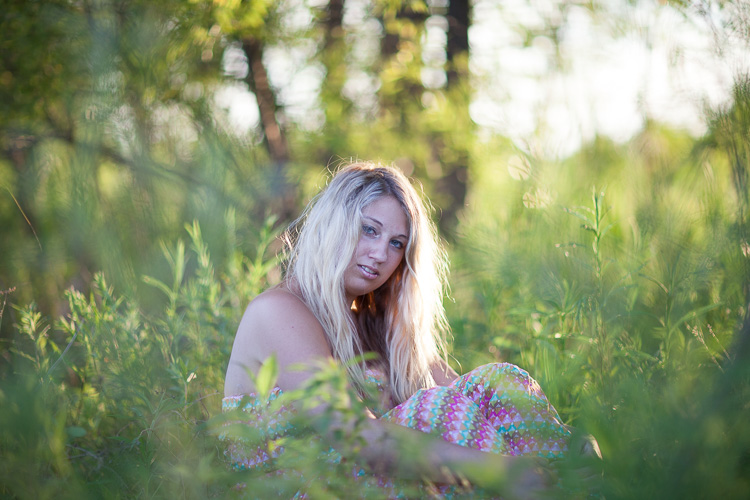
memorable-jaunts-getting-it-right-in-camera-article-for-digital-photography-school-1-sooc

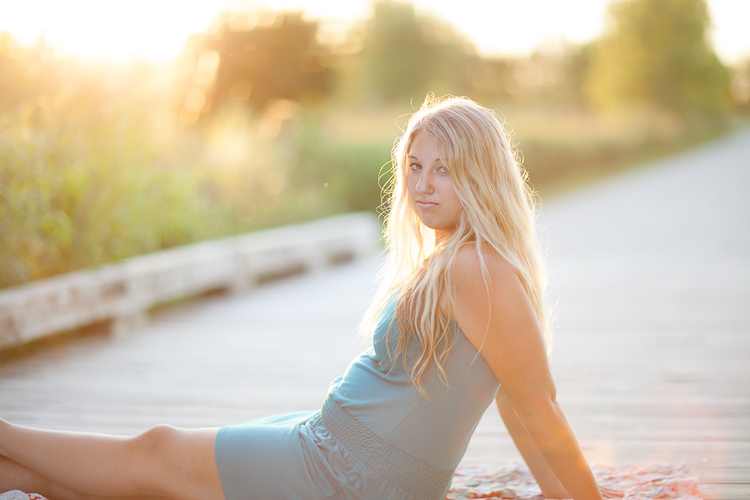
A golden hour shoot where I knew the kind of image I wanted this to be – this is SOOC and a little bit cool but I liked the halo effect on her hair and the framing with the tall grass.

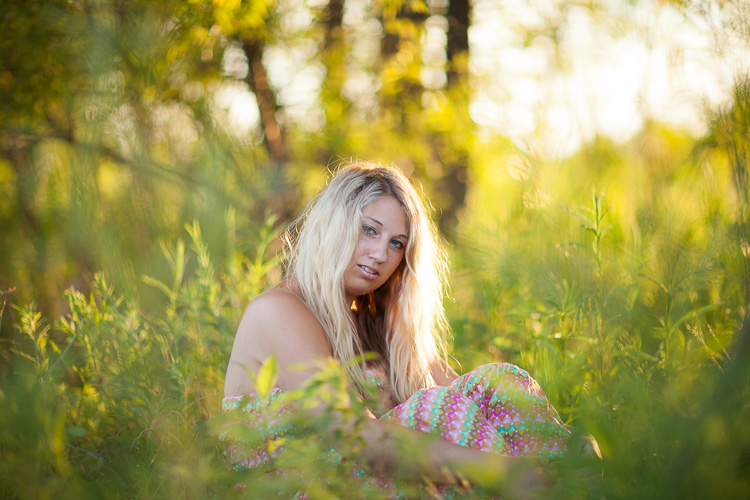
memorable-jaunts-getting-it-right-in-camera-article-for-digital-photography-school-1

With a few simple edits of temperature, contrast, tint and spot removal for some rogue blades of grass, I got the image that I envisioned when I clicked the shutter.

Do you want an image that is light and bright? Then plan on shooting during the day in a wide open space with lots of sunlight. Do you want to create an image that is dark and moody? Then look for locations that are not in direct sunlight, ones that have texture and tones that are on the darker side.

Resist the temptation to arrive at a location and immediately start clicking the shutter just because you want to take a picture of something. This does take some discipline but it can save you a lot of time and effort in the long run. Not to mention the hassle of storing images that really don’t convey a story and are really random in nature.

#2 Limit yourself to a select number of frames

This is a concept that transfers over from film days and I strongly encourage you to go out and shoot a roll or two of film (even a small disposable point and shoot camera). Challenge yourself to really tell a story in a limited amount of frames (typically 24 to 36 for 35mm cameras and even less for medium format cameras). You will immediately feel restricted and limit yourself to only shooting that which is interesting. And you will find yourself paying more attention to composition, lighting ,and technique when you limit yourself to a small number of frames like 16, 24 or 36.

#3 Go into Single Shot drive mode on your camera

If your DSLR has a burst mode capability, deactivate that functionality or change it to Single Shot. When you press the shutter, only one shot will be taken. The ability to hold down the shutter and fire away 5-6 frames is deactivated. Again this will help you focus on technique, technical

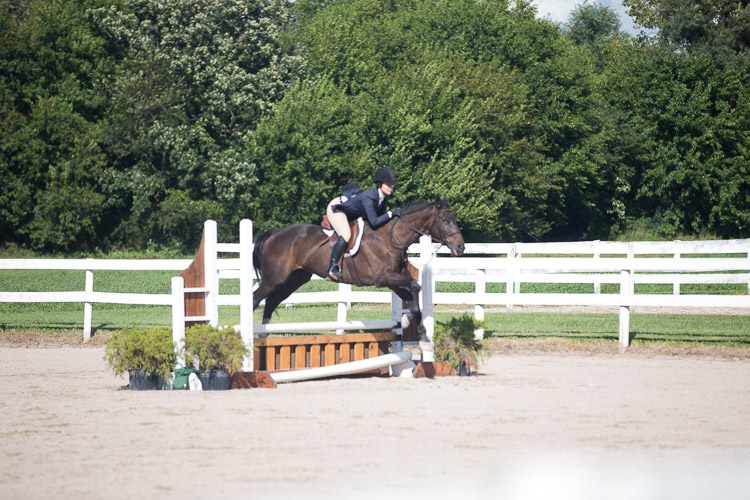
memorable-jaunts-getting-it-right-in-camera-article-for-digital-photography-school-2

The image of the horse jumping the poles is soft as I missed the focus on the moving horse.

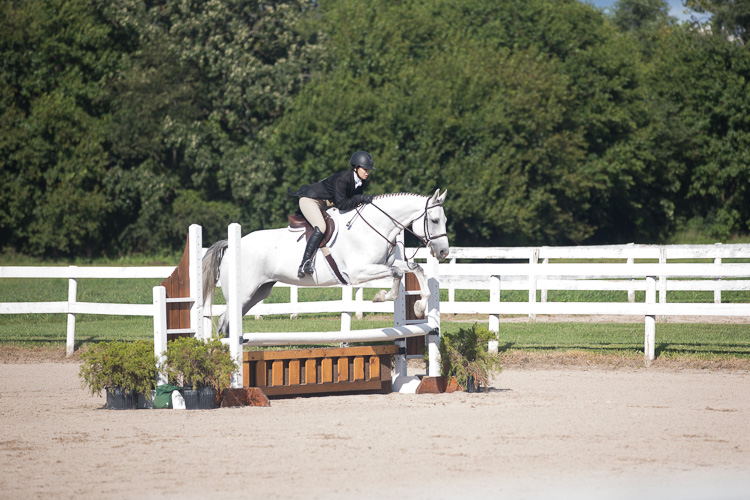
memorable-jaunts-getting-it-right-in-camera-article-for-digital-photography-school-2-2

But the next rider was caught at the right moment of the jump. And by tracking the previous rider, I knew the general path of the jump and was able to get a sharp image.

Again this will help you focus on technique, technical aspects, and composition of each shot which in turn forces you to slow down and be more intentional with what you shoot. Yes, you may run the risk go having a blurry image, especially if your subject is moving. But after a few tries, you will learn to anticipate and track your subject at exactly the right time to get a sharp image (as seen below).

#4 Utilize the full capabilities of your camera

Most DSLRs today are sophisticated pieces of equipment with advanced computing technology built-in. They are built to read, analyze the scene, and make decisions based on what they have been programmed to do. But at the end of the day, they can still make mistakes by making incorrect decisions. You can avoid these errors by taking control of your camera.

A) Learn to shoot in Manual mode

By shooting in Program or Auto mode, you are relinquishing control to the camera and allowing it to make all the decisions. Shooting in Manual mode gives you, the user, the most amount of control and forces you to think about all the aspects of a good image like light sensitivity, depth of field, and movement before you click the shutter.

memorable-jaunts-getting-it-right-in-camera-article-for-digital-photography-school-3-1

Over time, shooting in Manual mode where all the core elements like ISO, f-stop and shutter speed are adjusted by you the photographer and not the camera, will lead to images that are (almost) perfect right out of the camera. The histogram is a great way to validate if the image is structurally correct (subjective to your shooting style).

B) Use the preview function (LCD screen)

If your camera has a preview function (also known as the playback function), use that to view and analyze the image you have just taken. Is it sharp and in focus? is the properly litm, or is it too dark? If the composition is incorrect, the image is blurry, or the exposure is completely off, you can fix the problem, delete the image and retake the shot. The more you practice fixing the image right then and there, the fewer bad images you will take back with you to try and edit and salvage later in post-processing.

C) Use the histogram

You can take the review functionality up a notch by checking the histogram (if your camera has that information available) via the LCD screen. The histogram shares information like the quality of the shadows and highlights of the scene.

This image was intentionally shot this way - overexposed because I was almost shooting into the sun and I really wanted that sun flare in the bottom right of the image.

This image was intentionally shot this way – overexposed – because I was almost shooting into the sun and I really wanted that lens flare in the bottom right of the image.

I will throw out one caveat here – make sure you practice the art of reading and reviewing the histogram when you are shooting just for yourself or during test shoots, not during paid client gigs. On a client shoot, if you are messing with histograms and excessive review of the LCD, you may appear very unprofessional to your clients. They may perceive it as you don’t know what you are doing and that you lack confidence in your technical abilities. The good news is that by practicing enough on your own time, you will be confident to nail the shot right on the first go!

D) Get out of the mental mindset of, “I will fix it in post-production”

This is one of the worst dialogues you can have with yourself (I too have done this in the past). It encourages a mentality of laziness and the attitude of “spray and pray”. Firing away what appears to be hundreds of shots in the hope that at least a few will be worthwhile. Let post-processing be only for any artistic touches and not as a fix for basic things like exposure, color temperature (white balance), and tonality.

memorable-jaunts-getting-it-right-in-camera-article-for-digital-photography-school-5

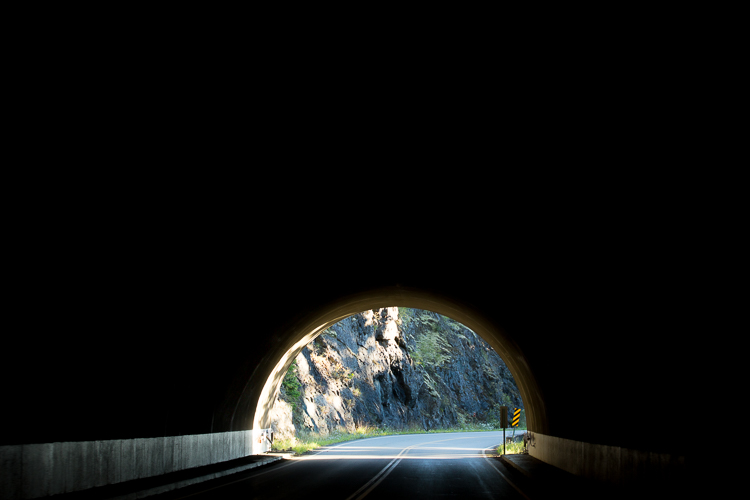
I absolutely love this image and the use of negative space. This is how I saw the scene in front of me and I had less than three seconds to take the shot. This is almost SOOC. I only cleaned out some traffic signs and brightened the highlights, an easy 2-second edit in Lightroom.

Conclusion

The basic premise of this article is actually quite simple. If you want to have a perfect or near-to-perfect image right out of the camera, learn how your camera works and behaves. And learn to use it to create images that you envision as representing your true artistic abilities.

googletag.cmd.push(function() {
tablet_slots.push( googletag.defineSlot( “/1005424/_dPSv4_tab-all-article-bottom_(300×250)”, [300, 250], “pb-ad-78623” ).addService( googletag.pubads() ) ); } );

googletag.cmd.push(function() {
mobile_slots.push( googletag.defineSlot( “/1005424/_dPSv4_mob-all-article-bottom_(300×250)”, [300, 250], “pb-ad-78158” ).addService( googletag.pubads() ) ); } );

The post Tips for Getting the Image Right In Camera by Karthika Gupta appeared first on Digital Photography School.


Digital Photography School

 
Comments Off on Tips for Getting the Image Right In Camera

Posted in Photography


Tips for Getting Started Doing Event Photography

17 Oct

Have you ever wanted to be a fly on the wall? To see the behind-the-scenes of amazing events and activities? To meet influential or interesting people? If so, candid event photography may be the thing for you!

While wedding photography is technically event photography, that is not our focus here. There’s just something different about wedding photography. It’s more pressure, higher stakes, more intensity. In this article we are going to focus more on other types of events – social, corporate, family, religious, and others, that can broaden your experience (and line your pocketbook!).

Getting Started

event photography tips 1

Unless you are an event planner or have an “in” already, sometimes it can be a little hard to break into event photography. You are probably going to have to volunteer for a few events to get started.

Are you or any of your immediate family members part of an organization or club? This can be absolutely anything – PTA for your child/grandchild’s school, a community fraternal organization, a slow-pitch softball team, your place of worship. Do they have any big events that they feature regularly or annually? Ask if they would like some free event photography. The good thing about doing free photography is that it lets you practice and hone your skills without feeling like you’re wasting someone’s money if your photos aren’t perfect.

Communication is Key

Before the event, work with the event coordinator in advance. A phone call, or thorough email, is usually sufficient, but you may also want to meet in person. You’ll want to ask some key questions, if they don’t have the information readily available such as:

  • “Is there an itinerary for the program? Can I receive a copy in advance?” If you’re anything like me, you’re a planner. You want to know in advance exactly what is going to happen, and ideally, where. That way, you can make sure that you’re lined up to catch the keynote speaker or the moment when an honoree receives their award. This isn’t just a matter of convenience for you, it helps you make sure that you are able to provide the shots that will help the group remember their event (or, if appropriate, to market it for the future!).

event photography tips 2

Who to photograph

  • “Who are the key people I should photograph?” Unless you’re a seasoned veteran of the event you’re photographing, you might not know who the big players are. I recently photographed a big charity gala for the biggest hospital in the area . Some of the attendees were CEOs of companies, coaches of Big 12 sports teams, mayors, and councilpersons. By receiving the names of the key attendees in advance, you can do a Google Image search for them (yeah, I know it sounds super-creepy) so that you can recognize them on-site.
  • “Who or what should I avoid photographing, if anything?” Nobody really wants to get into a situation where the person being photographed becomes belligerent or aggressive. You also don’t want to photograph a moment that is supremely personal if that is not desired. There are many events where you don’t need to ask this question, but keep it on the list for more personal events (such as family or religious ones). Don’t be paparazzi!

event photography tips 3

event photography tips 4

What to photograph

  • “How many/what kind of pictures would you ideally like?” I try to provide as many photos as possible to my clients because everyone’s tastes vary so widely. However, this can be really overwhelming for some people who are under time constraints, or who really only want photos of a certain portion of the event. Figure out their ideal amount and try to stick to it.
  • “Is it okay if I use any of these photos in my business advertisements or on my web page in the future?” It can essentially be free advertising if you can use these photos to demonstrate your abilities.
  • “When are you setting up for the event? May I stop by early for some test photographs?” Unless you want to take every flash, diffuser, and lens you own, you want to get a feel for the venue in advance. It’s ideal if you can get some test shots using the same lighting (whether it’s natural or artificial) and see how they come out. This will not only help you decide what gear to bring, but it also saves you time on the day of the event. Having to readjust your camera settings to accommodate the environment, get your ISO correct, decide on a lens, etc., all take time. This will make you look more professional and prepared.

Work the Crowd – Tastefully

This next bit may not be appropriate for more solemn and serious occasions. For most, however, your foot is officially in the door. Be friendly and professional, make appropriate jokes or comments to appear personable and fun. Keep the attention off of you, but interact kindly with everyone you meet.

Having a camera in your hand instantly makes people more prone to smile around you, so use that goodwill to make them laugh. This will also allow you to get natural, fun shots that will please both the client and the subject of the photo. This will often lead to people either asking for your business card or asking the event organizer for your information. Make sure to keep a stack of business cards on hand, and give a few to the event organizer if they are comfortable with that.

event photography tips 5

After the event, don’t hesitate to ask the organizer if you can use them a a reference, or if they might be wiling to write you a review. You’re doing them a service, potentially for free. It’s not uncommon or inappropriate to ask for an honest review of your services.

Details, Details, Details

Whether you’re photographing a political dinner, a church bazaar, a birthday party, or an awards event, someone put a great deal of thought and time into making that event unique and special. Someone spent hours thinking aboutcenterpiecess and the dessert table, about the table layout, registration table, the serving stations and other details. In many instances, the people who planned the event are also in charge of hiring the photographers now and in the future, so it doesn’t hurt to get on their good side!

To do so, get good quality shots of the small things that went into the event to make it special. Programs, food, signage, the little things. These shots are good for remembering all of the wonderful details that were so special to them on that day, and they can also make good marketing (for a company, religious entity, charity organization, or similar) in the future. Getting them these shots gives them lots of options – this makes you more helpful and versatile, as they’re getting more bang for their buck. This ultimately makes you more marketable!

event photography tips 6

event photography tips 7

event photography tips 8

While You’re At It…

For some events, they want to get the feel of the event from the attendee’s eyes. These can be tricky to do, you may have to photograph tactfully over someone’s shoulder, or through an open door. These types of photos, however, can be used to promote events in the future, especially if they do not actually feature the faces of anyone. It’s always important to get shots of the attendees for the event, but you can also get some of these shots that are not related to a specific date and time. This gives the organization (if applicable) options if the attendees do not want their faces being used as advertisements.

event photography tips 9

event photography tips 10

Make It Artsy… But Not TOO Artsy

One of the biggest mistakes that I see in some candid event photography is that there is little artistic focus or composition to the photos. Yes, there will be times you’re ultimately just getting crowd shots, and those ARE important. In those instances, make sure you’re using the appropriate aperture and focal length to get everyone in focus who needs to be.

Try and catch an interesting moment, or a moment when the crowd is focused on something , when someone is the center of the crowd’s attention. This composes your photo more and draws the viewer’s eye. For shots of smaller groups, couples, or solo shots, use a wider aperture and an appropriate focal length to get more artistic portraits. Attendees like to see more personal, beautiful photos of themselves. People are predisposed to stopping and smiling for the camera, so you will end up with some staged shots. But also get images of people in mid-conversation, or engaging in activities.

Pic 11

You can also use a wider aperture to up your artistic factor. Is there a beautiful centrepiece that is blocking your shot of a crowd on the other side of the room? Focus on it with an f/2.8 or f/4 aperture so that your crowd in the background is slightly blurred. This will make for some interesting variety in your shots.

Pic 12

Not Too Flashy

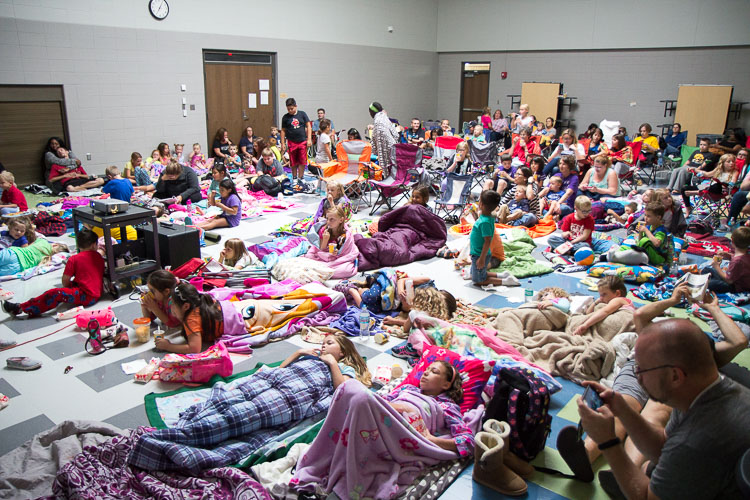
Just imagine that you are in the crowd at a movie night sponsored by the PTA. The lights have been dimmed, your eyes adjusted for the screen, and then someone’s camera flash pops right in your eyes. This exact same situation can occur at almost any event. A flash can distract from the event and disrupt not only the audience, but a potential performer or speaker. While it is usually absolutely appropriate to use a flash for group and/or staged photos to get proper lighting, it is often ideal to simply adjust your camera settings to make the available lighting work for candid photos.

The photos below were taken at a PTA movie night just like the one I described. It was in the cafeteria of a local elementary school, with no artificial lighting other than the projector screen, and some natural light coming in through a skylight. I adjusted my ISO to 800 to accommodate for the limited light, and opened my aperture to f/2.8. Even at that, I had a shutter speed around 1/25 or 1/15 pretty consistently. If I needed to capture action (which was very limited in this sort of event), I bumped my ISO up to 1600 to accommodate it. These adjustments allowed the families to watch the film without disruption as I photographed.

Pic 13

Pic 14

Picking the Best Shots

The first time I photographed an event was at my church, and I realized during editing how much people yawn and pick their noses when they think nobody’s looking!

For a multiple-hour event, you will likely get an abundance of photos. On your first pass through, obviously weed out any photos that are fuzzy or have poor technical skills. Since these photos will represent your abilities, you want to make sure to highlight the best of them.

I always take a second and third pass through, however. Hopefully the event organizer gave you a rough idea of how many photos he or she wanted. So go through and remove any photos that are boring, or that paints the subjects in a bad light (such as picking their nose). If you still have a surplus, narrow it down on the next pass through to weed out ones with weak composition, or ones that don’t tell the story of the event well. I will then edit the remaining photos (rather than editing hundreds that I will just throw away), and export them. I usually give them another look at that time to make sure there isn’t anything I missed in my editing software.

Pic 15

I personally use Lightroom for editing event photography. Unless it is a statement photograph or a photo to be used for advertisement, I try to do very spare editing. These photos are not likely to be hung on someone’s wall in a large size, so you usually do not need to worry about editing out stray hairs or specks of lint. Basic adjustments for exposure and contrast, white balance, and occasionally a conversion to black and white are often sufficient.

Pic 16

Ready to Roll

You’re now ready to deliver your photos to your client. Be sure to provide your contact information and business cards for the future. If they indicated that you could share the photos on your website or business pages, make sure to feature them to show your amazing prowess as an event photographer.

Do you do events? If you have any other tips please share them in the comments below.

googletag.cmd.push(function() {
tablet_slots.push( googletag.defineSlot( “/1005424/_dPSv4_tab-all-article-bottom_(300×250)”, [300, 250], “pb-ad-78623” ).addService( googletag.pubads() ) ); } );

googletag.cmd.push(function() {
mobile_slots.push( googletag.defineSlot( “/1005424/_dPSv4_mob-all-article-bottom_(300×250)”, [300, 250], “pb-ad-78158” ).addService( googletag.pubads() ) ); } );

The post Tips for Getting Started Doing Event Photography by Angie DeWaard appeared first on Digital Photography School.


Digital Photography School

 
Comments Off on Tips for Getting Started Doing Event Photography

Posted in Photography


Tips for Getting Started with Coastal Photography

07 Oct

Many of us start out treating coastal photography the same as landscape photography. There are a lot of similarities. For both, you head out into the great outdoors, often to remote locations. You need a tripod and a remote shutter release for stabilization. You are capturing an entire scene rather than a discrete item or person. You want a deep depth of field. And so on.

But there are also differences between the two. In fact, treating coastal photography the same as landscape photography could leave you woefully unprepared when you head out. It could also lead to confusion as to how to set up and expose your photos. This article will help you get started with coastal photography, even if you are already familiar with outdoor shooting generally.

Mullaghmore-1

What to bring with you

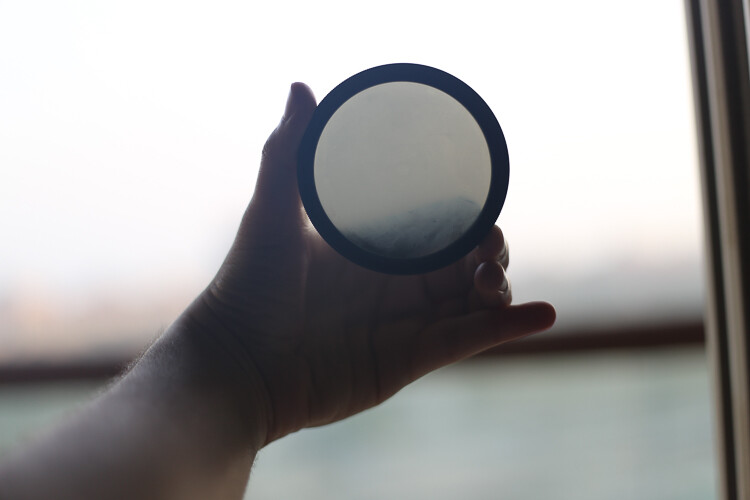
There are two items you’ll need to add to your kit before you head out to do coastal photography. Both are filters, and you may have one of them, but they are both critical.

Neutral density filter

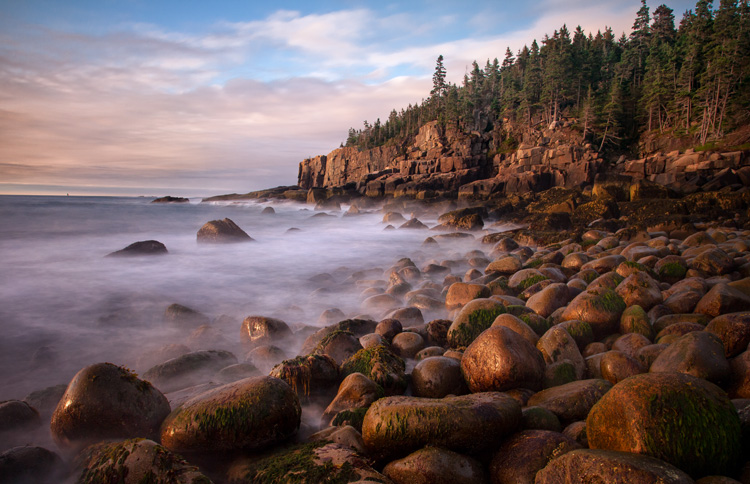
The first is a neutral density filter. In fact, you will probably want more than one since they come in different strengths. If you are not familiar with these filters, they restrict the amount of light allowed into your camera. Why would you want to do that? So you can slow down your shutter speed and allow the waves or the clouds to move through your frame while you are exposing the picture. That will smooth things out for you.

We’ll talk more about using them later, but for now just know that you’ll need one. I would start with a 10-stop neutral density filter, which is about as powerful as you will ever need. You can then add lesser strength filters like 6-stop and 3-stop filters later.

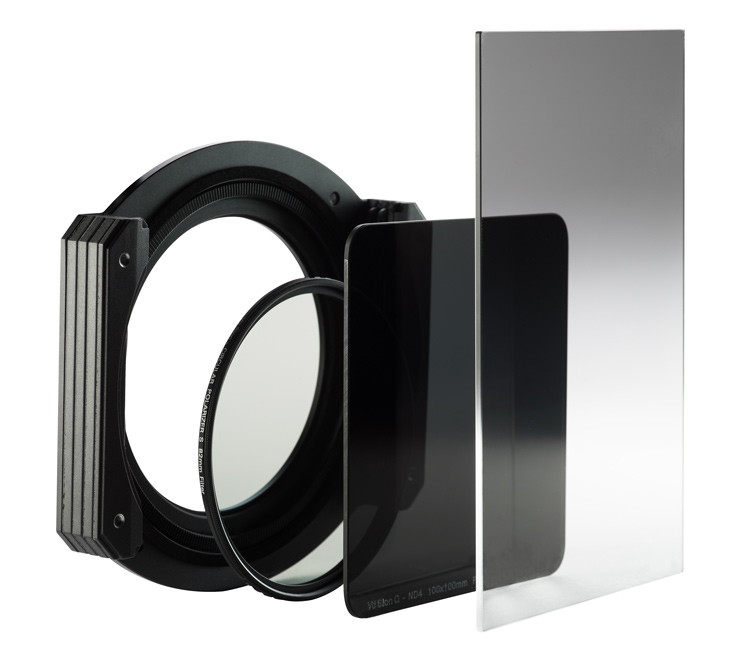
Graduated neutral density filter

VFH100_FilterGroup

Drop-in style filter system with a graduated neutral density filter on the right.

The second item you will need is a graduated neutral density filter (aka grad ND). You may already have this one since it is also useful for landscape photography. However, it is remarkably useful in coastal photography and you will use it all the time. In landscape photography, you may have trees, mountains, or other items sticking up into the sky such that you cannot use the grad ND.

In coastal photography, however, very often the horizon line is clear and unbroken in your picture. It makes is easy to use the grad ND in a lot more situations. For this reason you will use it all the time. In addition, the sky is often a significant portion of your picture in coastal photography. So making the sky look its best is incredibly important.

Acadia-6

Where to go

Now that you have the right gear, it is time to head out. Before you do, spend some time thinking about where you will go. When you first get started in coastal photography, you will have a tendency to go one of two places: either a scenic overlook or a beach. Both have problems though, so let me explain a bit.

A great view does not always translate into a great picture. Therefore, just going to a scenic overlook will often not result in great photos. It can, so I’m not saying to avoid them, but just be aware of a few problems you are going to face. The primary problem is that you will have difficulty establishing any sort of foreground. You are up too high, and there is usually nothing to use to bring the viewer into the picture. We’ll talk more about composition in a minute, but for now just understand that you often need to get down near the coast and sometimes even get right behind something to set up an interesting composition.

On the beach

When you do manage to get right next to the coast, often that will be on a beach. Beaches are great, but they have their own problems when it comes to composition. After all, a beach is just a bunch of sand, and that’s hardly something that is going to look great in your picture. You need to find something to use as a subject or at least a center of interest. Sometimes that’s a physical object in the sand (boulder, boat, moss, etc.), or it might be a pattern in the sand itself.

The best places to go are where there are interesting features to use as foreground, and you can get down to the coast. While I just warned about beaches, very often they are the best place. They allow you access to the coast, easy parking, etc. Just don’t stay in the middle of the beach. Look for interesting features, walk to the periphery, or even go beyond the beach.

Cheeca-Sunrise-5

When to go

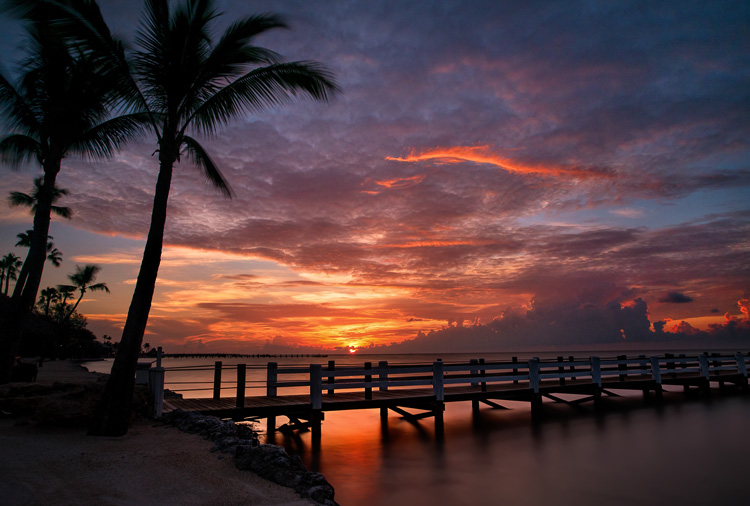
Next you need to decide when to go take your coastal photos. This one is easy. You want to go before sunrise or at sunset.

While this tip is easy, it is also absolutely critical. The sky will often take up a healthy chunk of your picture, so you need it to be interesting. Further, if you go in the middle of the day, you will face harsh contrasts that will ruin your picture. Avoid doing that whenever possible.

This leads to another problem, which is access. Many beaches and scenic coastal areas are closed and blocked off until sunrise or even later. You’ll miss the best light waiting around for them to open. Pay attention to opening hours and access to make sure you can get your shot.

Green-Rocks

How to compose your coastal photos

When it comes to composing your pictures, you always want to think about the foreground, subject or center of interest, and the background. You’ll generally want to set these up in your picture according to the Rule of Thirds.

Background

Let’s start with the easy one first, the background. In coastal photography, the background of your picture will usually be the sky. That’s one of the reasons why heading out before dawn or at sunset is so important. The sky just looks better at those times. When it comes to composition, the background will be determined by how the sky looks. Therefore, you hardly need to think about the background of your picture.

Foreground

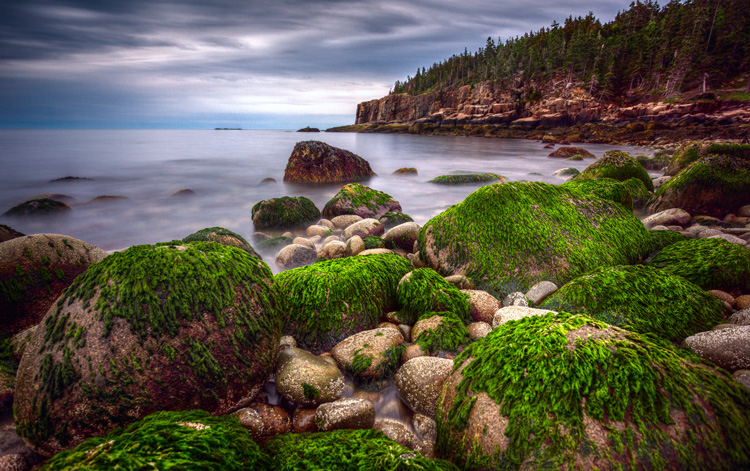
That leaves the foreground and some sort of subject or center of interest to worry about. The subject is very important, but it varies dramatically from person to person and scene to scene. It can be a physical thing like boulders or plants, or it can be a man-made item like a boat or a lighthouse. Your subject can even be an intangible thing like a leading line or a shape. Just make sure there is something tying the picture together. If you don’t, you will be left with a mere snapshot.

And finally we get to the foreground. This is often the hardest part of the picture to set up, but at the same time it is also the most important. You want to use foreground to create a sense that your viewer can walk into the picture. If you are on the beach, look for interesting sand patterns to use. Otherwise, look for rocks, boulders, or vegetation that can serve this purpose. Of course, the water and waves will often serve as your foreground. How this looks will depend largely on how you expose the picture, we’ll cover that next.

El-Matador-4-2016-05-10

How to expose your coastal photography

In coastal photography, your exposure controls affect more than just how bright or dark your picture looks. Your exposure controls also affect much more than just depth of field (aperture) or digital noise (ISO). How you expose your picture will also control things like the the subject and mood. That is partially true in other forms of photography, but it is especially true in coastal photography.

This is because your exposure settings will control how the water and waves appear in your picture. Specifically, how fast or slow you set your shutter speed will change the look of the water. If you want to stress the power and harshness of the sea, use a fast shutter speed (faster than 1/250th of a second). That will stop the action of the moving water. To create a sense of movement, use a slower shutter speed (between 1/8 second and 1 second). For a more serene scene, you can blur out the water entirely by using a very slow shutter speed (longer than 10 seconds). This is just a introduction to this concept, but to see the full range of options, check out this article: 7 Tips to Help Improve Your Seascape Photos by Controlling the Waves.

To go about using these different shutter speeds you can start by making sure you are in Manual mode and moving your aperture and ISO. To use a faster shutter speed, make your aperture a little larger (a smaller f-number) and your ISO a little higher. More often, however, you’ll want to use a slower shutter speed, for which can you should stop down your aperture to a small setting (f/16 – f/22) and use your lowest native ISO (usually ISO 100).

El-Matador-5

Using the neutral density filter

Frequently, however, there will be too much light to use the slow shutter speed you want. That’s where the neutral density filters come in. When you attach one of these filters to the front of your lens, it will restrict the amount of light allowed into your camera. That will allow you to use a slower shutter speed to achieve a proper exposure (without overexposing your picture).

Let’s make this a little more concrete with some specific numbers. Let’s say you have your shot set up with a correct exposure and you are at 1/50th of a second for your shutter speed, and your aperture is set at f/16 with an ISO of 100. You have a 6-stop neutral density filter in your bag, and you want to use a much slower shutter speed to create some blur in the water. In that case, attach the neutral density filter to your lens and now the amount of light coming into your camera is restricted by 6 stops. If you do nothing else, your picture will be severely underexposed (probably pitch black). This allows you to increase (i.e., slow down) the shutter speed by 6 stops to achieve a proper exposure, and the slow shutter speed desired.

Okaloosa-2

Let’s walk through the process of slowing down the shutter speed by 6 stops, which you will do manually.

  • Remember that a stop is a doubling of light, so slowing the shutter speed by the first stop from our starting point of 1/50th of the second will move it to 1/25th of a second.
  • After that, moving it another stop will get you to 1/13th of a second.
  • Next is 1/6th of a second.
  • 4 stops is ? or 0.3 seconds.
  • 5 stops is ? of a second
  • Finally, slowing the shutter speed by 6 stops will result in a shutter speed of 1.3 seconds.

Take the picture with that shutter speed and your picture should be properly exposed with a nice blur to the water.

Variations

This is just one example, and there are a lot of variations you can do on that. For example, you could use a 10 stop neutral density filter instead. That would allow you to set your shutter speed as slow as 20 seconds in our scenario above. That would really blur out the water. You can also adjust the aperture and ISO to bring the shutter speed in exactly where you want it.

You’ll note in our example above, we could have made our aperture smaller (to f/22 in most lenses) and restricted the amount of light by another stop. Or we could have increased the aperture or the ISO to increase the exposure and use a slightly faster shutter speed. Think of these controls as fine tuning after you have your neutral density filter on your lens.

Destin-Wave

Getting started with coastal photography conclusion

Hopefully you now have a little better sense of where to go, when to go, and how to set up your shots for coastal photography. Armed with this knowledge, just head to the coast when you can and put these tips to work.

But be careful – the coast can be a harsh and unforgiving environment for both your equipment and for you. That said, I think you’ll find there is no better place to be than on a coast at sunrise or sunset.

googletag.cmd.push(function() {
tablet_slots.push( googletag.defineSlot( “/1005424/_dPSv4_tab-all-article-bottom_(300×250)”, [300, 250], “pb-ad-78623” ).addService( googletag.pubads() ) ); } );

googletag.cmd.push(function() {
mobile_slots.push( googletag.defineSlot( “/1005424/_dPSv4_mob-all-article-bottom_(300×250)”, [300, 250], “pb-ad-78158” ).addService( googletag.pubads() ) ); } );

The post Tips for Getting Started with Coastal Photography by Jim Hamel appeared first on Digital Photography School.


Digital Photography School

 
Comments Off on Tips for Getting Started with Coastal Photography

Posted in Photography


Tips for Getting Started Doing Photography with Drones

26 Sep

Until very recently, my mindset was decidedly anti-drone. To me, drones seemed like a complicated plaything for geeks. After all, isn’t this photography hobby expensive enough without adding flying apparatuses to the equation? Plus there was very little doubt in my mind that if I bought a drone I would send it flying into the ocean on its first flight. No thanks.

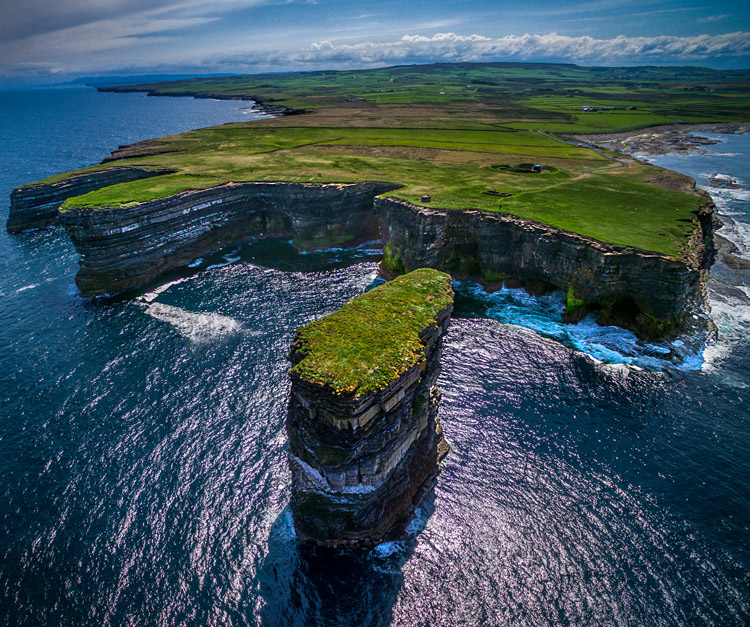
Downpatrick-Head photography with drones

Why a drone?

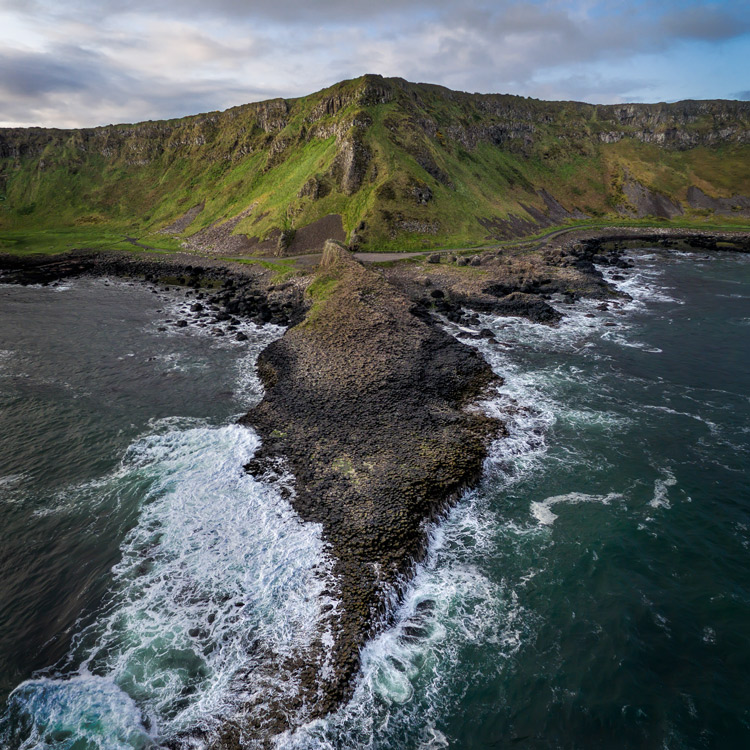
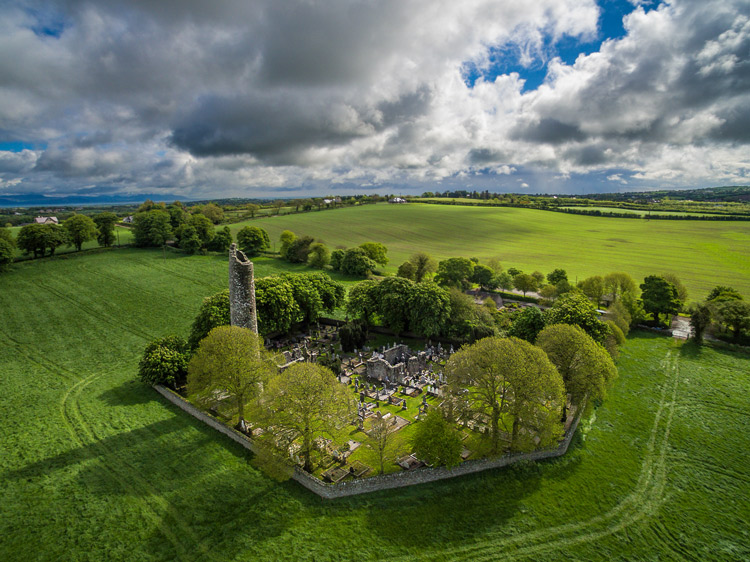
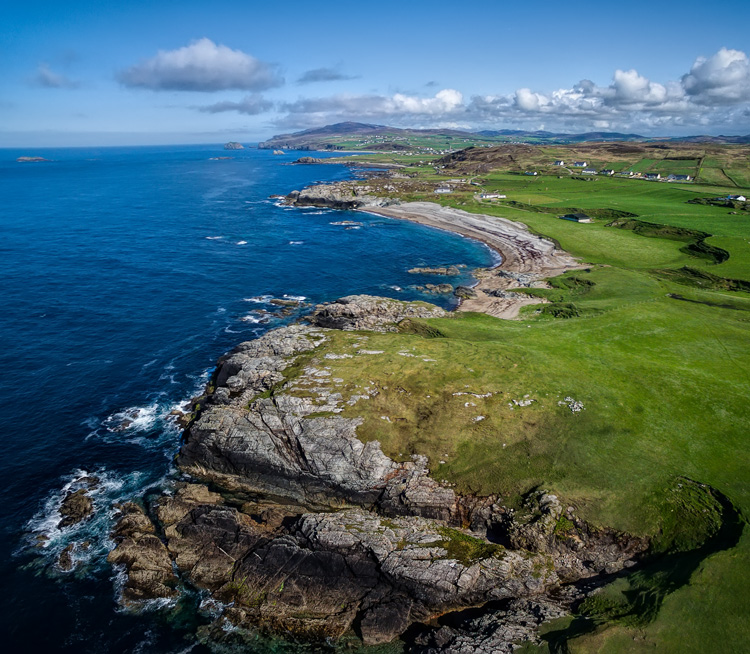
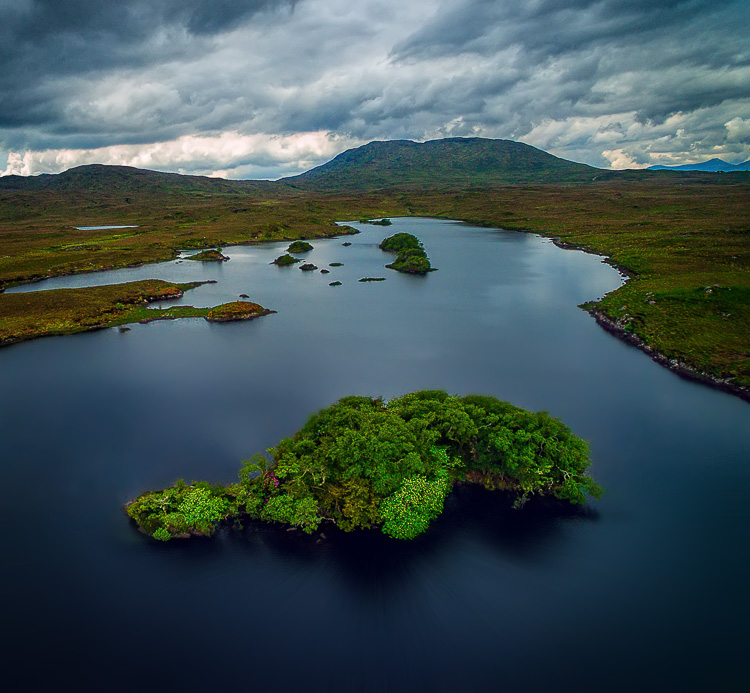
I had a problem though. I had a coastal photography trip planned, and in coastal photography it is often difficult to take pictures of the coast while standing on the coast. I have long wanted some way to be able to look back at the coast from out to sea and photograph it from that perspective. A drone was the only real answer for me, so I bit the bullet and bought one.

After having used the drone for several months now, I can say my attitude has changed markedly. Much of what I thought about drones was wrong, or at least the problems were overemphasized. Flying them is actually very easy. It isn’t that complicated. It isn’t even that expensive (at least not compared to what we spend on cameras and lenses).

You may be pondering buying a drone, or at least wondering what they are all about. You might also see all the video footage from drones and wonder how drones are used in still photography. So let me introduce you to drones and how they can add a new dimension to your photography.

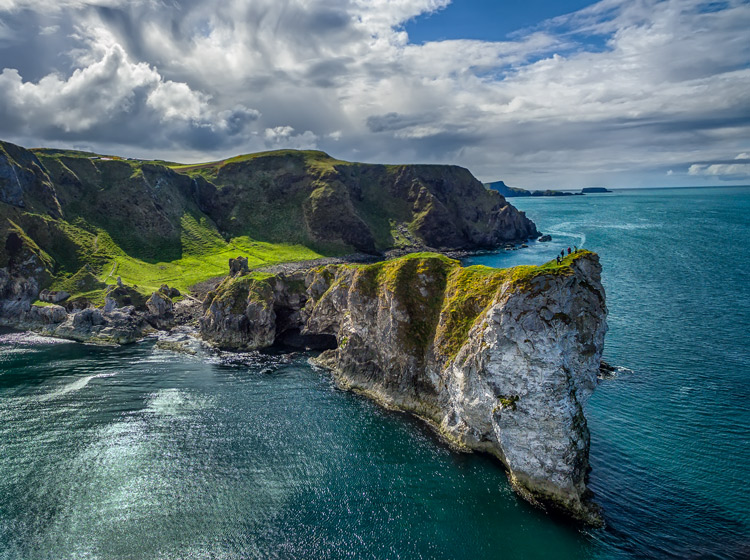
Kinbane-Head

Flying drones is easy

First, let’s talk about flying drones. This is something you are probably concerned about. You might wonder if flying will require skills you don’t have. Or perhaps you just don’t want to devote time to learning it. This is one area where you have nothing to worry about. Flying a drone is remarkably easy. That’s not to say you shouldn’t be careful or that you won’t be nervous every time you fly it, but flying is really easy.

The main thing to understand is that if you have your drone in the air, and you completely let go of the controls, it will just hover harmlessly in the air. It literally just sits there until you tell it what to do. Another thing that people worry about is having the battery run out while you are in the air. That won’t happen. Most drones have a feature that brings the drone back to its take-off point when the battery gets down to a certain level. In fact, most drones have a return to home feature you can press if you ever find yourself in an uncomfortable situation. You always have a way out.

Controlling the drone is easy. You have a controller with two joysticks on it. Pushing on one of them sends the drone up or down; doing the same to the other joystick sends it forward and backward. Each of the joysticks also goes right and left. One will turn the drone to the right and left; the other will make it move to whichever side you push to. I’ll talk more about the specifics of the control later. For now, I just want you to get a feel for how easy it is. If you were worried about being able to fly a drone, don’t be.

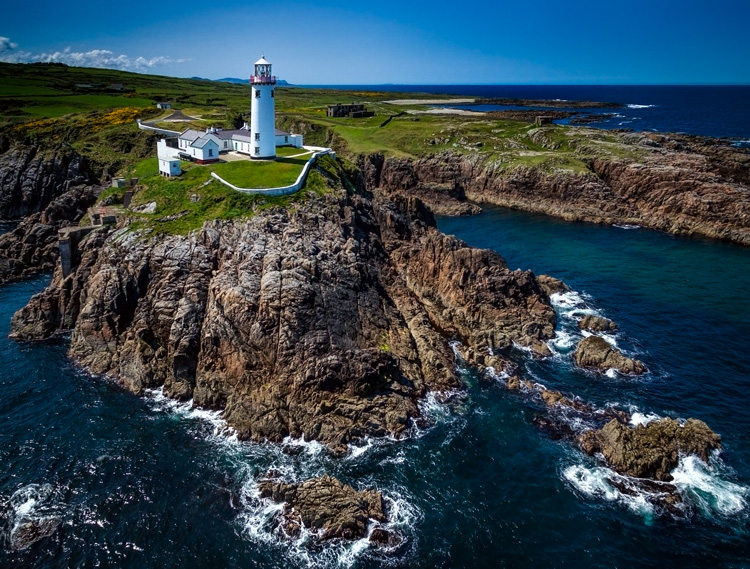
Fanad-Head

Watch where you fly

You may have heard a lot about the new laws affecting drones. It is true that most countries are enacting regulations for drones. In the U.S., the FAA has recently finalized its rules regarding drones. But many of the rules and restrictions apply to those using drones commercially. Most of us are just doing this for fun, so let me try to make this simple for you.

If you are flying your drone for recreational purposes, you don’t need a permit. There are no pilot requirements. Just register your drone with the FAA and you are set. The registration process is simple and only costs $ 5. To do so, just go to this page, create an account, and follow the instructions to register your drone.

That said, you cannot just fly your drone wherever you want. The main limitations you should understand are as follows:

  • You must always fly below 400 feet.
  • You must keep your drone within direct eyesight.
  • Never fly near other aircraft, or within five miles of any airport.
  • Never fly over groups of people, stadiums, or sporting events.

There are other restricted areas as well. For example, you cannot fly anywhere in Washington D.C. or in national parks. There are online maps and apps for your phone – including the FAA’s B4U Fly app – that will tell you when you are in a restricted space.

Anyway, the regulations above apply to the U.S. Other countries will have their own regulations. Here are links to the regulations for Australia, New Zealand, and the UK.

Old-Head

Getting the right drone

Next, let’s talk about getting a drone, if you don’t already have one.

You may have dreams of buying a drone and sending up your DSLR to take high quality pictures. Forget about that, unless you want to spend upwards of $ 6,000. Instead, you’ll probably want to get a drone that comes with its own camera, but there are also models that work with the GoPro. The most common models are the Phantom 4 by DJI (check prices on Amazon or B&H Photo) or the Typhoon H by Yuneec (check prices on Amazon or B&H Photo). These will cost you about $ 1,300 – $ 1,500 for the drone and camera, although you can still get older models cheaper.

What will you get for that? You’ll get a drone that will fly up to about 40 miles per hour, which can operate up to a few miles away from you. It will remain aloft on a battery charge for about 20-30 minutes. You can expect it to have features like an automatic return to home, collision avoidance, and the ability to follow you. Of course, specific features will depend on the actual model you choose.

As to the camera, you can expect to get one that shoots both stills and video (usually 4K). We’ll talk more about the specifics of the cameras in a minute. First let’s talk more about how to fly.

Giants-Causeway

How to fly

When you fly the drone for still photography, things are pretty simple. Unlike shooting video, you won’t need to do any fancy pans or reveals. You just want to get the drone to the right spot(s) to take the picture. It’s just a matter of getting it up in the air, watching where you are going with it, and moving it where you want.

Your drone will have a controller with two joysticks. The controller plugs into your phone or other device. You control the drone with the two joysticks. At the same time, you can see through the drones camera on your device. To send the drone up into the air, all you do is press up on the left joystick. That stick controls altitude. It is as simple as pushing up on the stick to increase the altitude, and pulling down to bring the drone down. That stick will also turn the drone from side to side. The other (right) joystick will fly the drone forward and backward by pressing up and down. When you press that joystick left or right, it moves the drone in that direction.

Monitoring the flight

To keep an eye on where your drone is going, you can either watch the drone itself or watch where it is going via the screen on your phone. Of course, you can operate the controller while keeping your eyes on the drone to make it go where you want.  But you can also see what the drone sees to control it, which is often much easier. You will have a controller that connects to your phone or other device. Your screen will show the view from the drone’s camera as well as other pertinent data. Remember that your drone has to be kept in direct eyesight though.

That doesn’t sound too difficult, does it? It’s really not. After a few flights, it will be even easier. Of course, there are additional nuances and things will be a little different depending on what model you buy. Be sure to read the instructions and watch a few online videos on your specific model.

Monasterboice

You’ll be using a camera made for video

Next let’s talk about the camera that will come with your drone. First, the good news. When it comes to shooting video, the cameras in drones are top notch. They routinely shoot Ultra HD and most shoot 4K video. It doesn’t get better than that.

The bad news is that still photography is something of an afterthought for drones. The sensors are small. In most cases they are what you’d get in a compact camera. The resolution is moderate (12-16 MP is standard). The dynamic range is extremely limited and the low light performance isn’t great.

In addition, the lens will likely be very limited; a fixed focal length. It will be a wide angle lens, usually around 15-20 mm. The lens will also have a fixed aperture, meaning you cannot change it.

Working with the limitations

Virtually none of us would feel good about going out shooting with such a limited camera and lens. However, in drones it isn’t that bad. As to the camera, remember you will be shooting in daylight (you can only fly drones during the day – within 30 minutes of sunrise and sunset – in the U.S.), so there will usually be plenty of light. As to the lens, the fixed aperture isn’t as limiting as it would first appear. Keep in mind that everything in your picture will be so far away that the focus will be at infinity. You don’t need a lot of deep depth of field for everything to be sharp.

So the cameras are pretty limited, but you can make do. In any event, the cameras are getting better all the time, so you can expect significant improvements in camera quality in the near future.

Malin-Head

Tips for photographing with your drone

We’ve talked about the capabilities of drones and the basics of how to fly them. Let’s talk now about taking pictures with them. For the most part, it is similar to operating a normal camera. You have the normal modes to choose from. You can set the shutter speed and ISO yourself or have the camera set them for you. That said, there are some aspects of using cameras on drones you should be aware of. Here are some tips to get you started:

#1 Consider Shooting in Automatic Mode

I am a dedicated manual mode shooter when it comes to shooting with my DSLR. I would not think of using an automatic exposure mode. But when it comes to shooting with a drone, I put it in automatic exposure mode more often than not.

Why? Because there is enough to worry about when it comes to drones. I don’t want to add exposure control to my list of issues to think about. So when you are starting out using a drone for photography, consider using automatic mode. When you get more comfortable with the other controls, you can then set the exposure controls yourself. In any case, your camera will typically do a pretty good job setting the exposure level. You’ll rarely have tricky exposure scenarios here.

Connemara

#2 Bracket your photos

One way to make sure you get the right exposure every time is to bracket your photos. Drone cameras are usually capable of doing 3-shot brackets. Use this to overexpose and underexpose your shots by a stop. Think of this as exposure insurance. Sometimes you will just like one of the over or underexposed shots better. In that case, just use it. In addition, you can blend the exposures or use HDR software to combine the exposures later.

#3 Use filters

As mentioned earlier, the lens on your drone will likely have only one aperture. That leaves you limited options for changing shutter speeds. You aren’t completely out of luck though; you can still buy neutral density filters for your lens. These filters are used more for video, but they also help still photographers. They restrict the amount of light that gets into the camera, thereby forcing the camera to use a longer shutter speed.

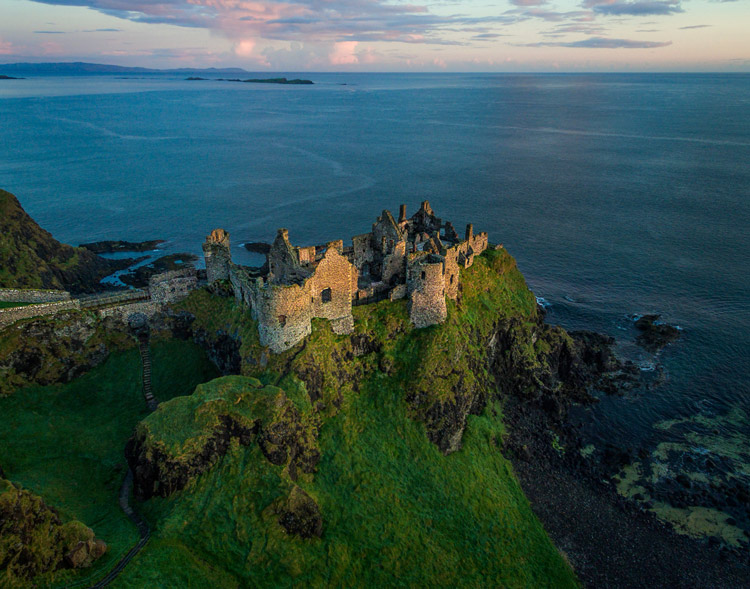
Dunluce

You can also get polarizing filters for your drone. These filters cut down on reflections and make skies appear a deeper, richer blue. This is helpful for drone photography, where the sky is often a significant part of the picture.

#4 Get multiple batteries

This isn’t strictly a photography tip, but it is important nonetheless. Be sure to get more than one battery for your drone. Drone batteries typically last only 20-30 minutes. That isn’t a lot of time. Further, you may also want to fly in a few different locations on the same day. Most of the time you won’t be able to charge your battery in between locations. So, you’ll need more than one.

How many do you need? That depends. You can get away with only two batteries (I do), but many drone photographers have three or four. You shouldn’t need more than that. Batteries are not cheap so think carefully about what you will need.

DownhillCastle

#5 Watch out for the deone’s blades in your pictures

Obviously, when you are flying the blades on your drone will be spinning. Remember that you will also be using an extremely wide angle lens. If you aren’t careful, your picture will include the spinning blades.

The best way to avoid this problem is to simply angle the camera down. That will keep the spinning blades out of the camera’s field of view. Of course, changing the angle of the camera will change the composition of your picture. Flying higher while angling the camera down might keep the composition similar to the picture you originally had in mind.

In any case, just be sure to look for blades in your pictures. You will need to look closely sometimes because it isn’t always obvious. You don’t want to get home and discover that your pictures are all ruined because there are spinning blades in all your pictures. If they are present, just change things up and take another shot without the blades in the picture.

#6  Keep it low

Your drone will fly up to 400 feet in the air. It is fun to fly it high, and it also ensures that you are far away from trees, power lines, and other obstacles. But for the best photos, you will not want to be anywhere near that high. Your shot will look like something from Google Earth. Instead, keep your drones pretty low to the ground (under 100 feet) to get the best shots. That will help you establish a foreground for your picture.

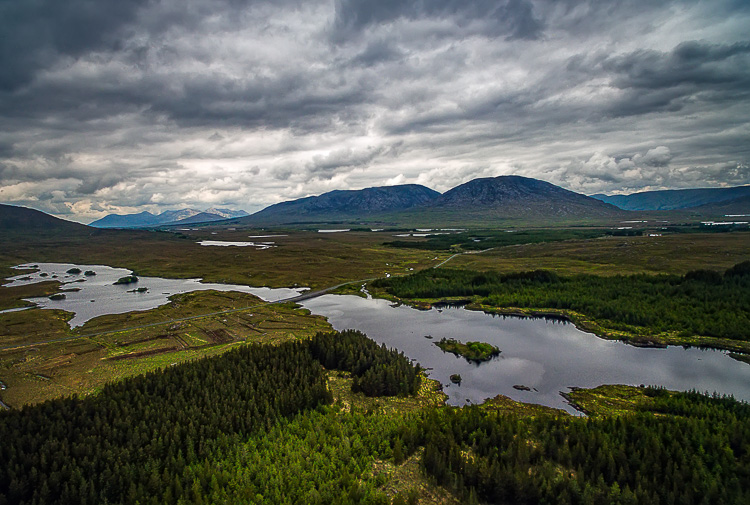
Connemara-2

Getting started with your new drone

So I admit it, I was wrong about drones. They are fun, easy to fly, and they really add something to your photography. Is one right for you? The answer will be different for everybody, but if you are on the fence I really encourage you to give it a shot.

A “just get out there and do it” attitude might not seem appropriate when it comes to drones. After all, any mistake can lead to a crash. But there is one simple rule that will make flying drones easy. That is to just stay away from everything. In fact, stay far away. Don’t go anywhere near trees, buildings, power lines, etc. If you do that, very little can go wrong.

Do you have any other drone tips to share with dPS readers? Please do so and share your drone images in the comments below.

googletag.cmd.push(function() {
tablet_slots.push( googletag.defineSlot( “/1005424/_dPSv4_tab-all-article-bottom_(300×250)”, [300, 250], “pb-ad-78623” ).addService( googletag.pubads() ) ); } );

googletag.cmd.push(function() {
mobile_slots.push( googletag.defineSlot( “/1005424/_dPSv4_mob-all-article-bottom_(300×250)”, [300, 250], “pb-ad-78158” ).addService( googletag.pubads() ) ); } );

The post Tips for Getting Started Doing Photography with Drones by Jim Hamel appeared first on Digital Photography School.


Digital Photography School

 
Comments Off on Tips for Getting Started Doing Photography with Drones

Posted in Photography


8 Steps to Getting Your Photography Business Noticed

19 Sep

Photographers, photographers everywhere! It seems in this social media age, new digital photographers flood the industry every day. These “professionals” boast low prices and high quality. There’s nothing wrong with that, but how do you get your work to stand out from the pack? What makes your images different than Johnny Photographer who was given a DSLR for Christmas along Continue Reading

The post 8 Steps to Getting Your Photography Business Noticed appeared first on Photodoto.


Photodoto

 
Comments Off on 8 Steps to Getting Your Photography Business Noticed

Posted in Photography


Getting the Right Timing for Great Outdoor Photographs by Planning Ahead

09 Sep

There is more to taking great outdoor photographs than a pleasing composition and the correct exposure. There is another important aspect. One that is too often overlooked when trying to capture a beautiful scenic subject or vista. The right timing is required to get great photographs.

Often on social media sites, images are posted that show ideal composition and exposure. But they are not photographed at the best time of day to capture the most attractive and interesting image. Some say that taking the most eye-catching photos is only about luck; being in the right place at the right time. But with the proper preparation, the odds of creating an exceptional photo can be increased. Certainly, without any pre-planning, you may be able to create “okay” images on a regular basis, but let’s examine the role timing takes in capturing more stunning images.

Here shooting toward the east in the evening produced some nice light on this image.

Shooting toward the east in the evening produced some detail-revealing light on this image.

Research

Much preparation for an outdoor photo shoot can be done from your computer, before even leaving the house. Listed here are three very effective tools that can help you find great shots. They can show you where you want to be, and when you want to be there:

  • Google Earth: The Google Earth software provides street views of any location on earth. This is very useful, as you can literally see and plan a shot from your computer before leaving to shoot. Google Earth gives you the ability to determine the best location, and its ideal angle to capture before even arriving!
  • GPS: Use GPS devices to help navigate to the exact location where you plan to shoot.
  • The Photographer’s Ephemeris: TPE is a very useful on-line tool to help plan outdoor photography. Its maps show how natural light falls on the earth both day and night for any location on earth, and for any time or day in the future!

    Screen capture from TPE showing the direction of the sun at the time the image of the statue and church was captured.

    A screen capture from TPE shows the direction of the sun when the above image of the statue and church was captured.

Time of day

Photographing at the right time of day is a big factor to getting the right light for a special image. It is a well-known fact among serious art-driven photographers, that some of the best light for making great outdoor images, happens early in the morning and late in the afternoon. These are called the “golden hours”.

But in addition to shooting during those times, notice should be taken as to where the sun is casting its light. Shooting into the light will mean that your subject will be in the shadows, or even silhouetted. Yes, the exposure can be compensated in this situation, but watch what happens to the sky in the image. It will be blown out and colorless. There are times when this shot may work, but the point here is to always be aware of the direction of light.


Same location as above, but this time it was shot in the morning. Notice how the sky is completely blown out when getting the exposure on the statue. Even tho this is nearly the same image as above, it doesn't have near the impact.

Same location as above, but taken facing into the morning sun. Notice how the sky is completely blown out when the exposure is set for the statue. Even though this is almost the same image as above, it doesn’t make near the same visual impact.

Don’t leave this factor to luck. When planning a trip, try to schedule the day around good light. Shoot westward in the morning, and toward the east in the late afternoon and early evening. Midday light in most cases is very harsh, and produces very contrasty images and deep shadows. Again, producing arresting images in this light is possible, but is also definitely more challenging.

So what does one with a camera do in the middle of the day? Rest or travel! The bottom line is, that if you are on vacation, with an open agenda, and are looking to take great photos of the sights, plan around the light to get the best results.

Using TPE I was able to determine the exact day that the sunrise would aline with the bridge to capture a one of a kind image.

Using TPE I was able to determine the exact day that the sunrise would aline with the bridge to capture a one of a kind image.

Season

Considering the season of the year can make a great difference in your photos. The angle of the sun changes from season to season. For instance, photographing a deep canyon in the winter will produce a much different image than one taken in the summer. Because of the lower angle of winter sun, light won’t reach the canyon floor as it would in summer.

Besides the change in light, there is the obvious a variation of foliage colors (or the absence thereof) from one season to the next, that can completely change the image captured at a given location. Sometimes it is fun to capture a four-season image of the same subject and location.

Weather

Weather conditions are a great factor when it comes to capturing the perfect scene. They should always be considered, even though they can’t be planned.

Overcast days, while not great for sky images, often produce very nice even lighting. This is ideal for shooting things like waterfalls. Bright sunlight can make it almost impossible to capture the scene without blowing out the water, and making it necessary to use a Neutral Density filter. Don’t look at dreary weather as always being a negative; rather, turn those negative conditions into a positive result. For instance, a foggy morning may mess with a pre-visualized image in one location, but an alternative location nearby may be perfect for foggy conditions.

This waterfalls was captured while the sun was shining. Notice the hot spots created by the sun on the water.

These waterfalls were captured while the sun was shining. Notice the hot spots created by the sun on the water.

Same waterfalls as above by this time captured in cloudy conditions allowed for a long exposure with out the hot spots or a ND filter.

Cloudy, overcast conditions allowed for a long exposure of the same waterfalls, removing the hot spots or need for an ND filter.

Rainy conditions may also produce pleasing effects on the subjects being photographed, darkening bright rocks and saturating foliage. However, it may be necessary to use a polarizing filter to reduce glare.  Also, when faced with unexpected weather conditions, be patient! Some rather fantastic shooting conditions occur following storms. Watching and waiting for just the right weather-related effects can provide an opportunity to capture a unique image, of even the most commonly photographed locations.

Special Occurrences

You could be out all night. Your tripod and camera all set up to watch the skies to photograph a meteor shower, and not see a single streak of light!  But with a little research you can ascertain when the next large meteor shower will occur. Thus the chance to capture the desired photos will be increased. To take the meteor shower experience one step farther, look for a night without a moon. This will help the stars to appear more vividly in the photographs. Use The Photographer’s Ephemeris to find special occurrences of the moon or sun, or look for times when the sun or moon rise or set may be in line with a special location. This a fun and creative way to produce a fascinating image, instead of an ordinary one.

Using TPE to reseach is image I knew the exact time an location of the full moon rising. What really made this image was the sunset at my back that was casting some fantastic light on the city. Knowing this facts allowed me to create a one of a kind image of Marietta Ohio. One that I have sold many times.

Knowing when and where the moon would rise allowed me to plan and be ready to capture a unique image of Marietta, Ohio. Using TPE to research this image, I knew the exact time and location of the full moon rising. The sunset light behind me cast fantastic light on the city, that absolutely defined the shot, prints of which I have successfully marketed.

Day of the week

Every photo event timing factor considered so far has had something to do with light and lighting. But timing also includes the aspect of planning a less stressful, more convenient, and possibly more productive photo shoot. The day of the week is one such factor.

Time off from day-to-day activities often happen for many individuals and families on the weekends. Many are out visiting popular locales en force on those days. High traffic photo sites are best visited mid-week. There will be a better chance of having more room to work, free of other photographers attempting to get the same shot.

Conclusion

To wrap up this article on timing and preparation, remember the five P’s of capturing that great image:

Proper Planning Prevents Poor Photographs

Whether just taking a day trip or a long vacation, planning your photographs around the best available light will increase your chances of capturing a memorable image.

Do you have any tips for planning for the best light? Please leave them in the comments below.

googletag.cmd.push(function() {
tablet_slots.push( googletag.defineSlot( “/1005424/_dPSv4_tab-all-article-bottom_(300×250)”, [300, 250], “pb-ad-78623” ).addService( googletag.pubads() ) ); } );

googletag.cmd.push(function() {
mobile_slots.push( googletag.defineSlot( “/1005424/_dPSv4_mob-all-article-bottom_(300×250)”, [300, 250], “pb-ad-78158” ).addService( googletag.pubads() ) ); } );

The post Getting the Right Timing for Great Outdoor Photographs by Planning Ahead by Bruce Wunderlich appeared first on Digital Photography School.


Digital Photography School

 
Comments Off on Getting the Right Timing for Great Outdoor Photographs by Planning Ahead

Posted in Photography


5 Things Newbies Should Know About Getting Started in Photography

01 Sep

Getting started in photography can be quite scary. We all start by investing in a DSLR, and think we are going to take amazing images. In reality it is a bit more difficult, because if it was easy… well everybody would sell prints, quit their day job, and live off photography.

Just like any art, photography has to be learned, and practiced – a lot. It is a trial and error process, we all start at the bottom and build our way up.

5 tips photography 1

If your images do not look like you imagined them, then try a different approach. Just do something. Einstein said that the definition of insanity was doing the same thing over and over and expecting different results.

#1 – Gather information and knowledge

Photography is the best hobby you could have, but it is a lot of hard work. I personally don’t believe in talent. The first tip I can give you is to absorb as much information as possible. How do you do that ? Well you have so many free resources on the internet, the only need to take advantage of it. Since you are reading this, then you’re on the right track.

By resources, I mean articles online, magazines, and YouTube tutorials. You can learn so much in less than 30 minutes. One other tip I can also give is to check multiple resources for the same topic.

5 tips photography 2

Read photography magazines. They have amazing stories and tutorials.

For example you want to learn how take portraits – don’t read or watch only one tutorial. The more you research, the more you will learn, because sometimes one article won’t give you all the answers to your questions, but another article will.

You should also anticipate. What I mean by that, is to learn about it, before trying to do something.

For example, say you want to buy a new DSLR. You should learn how to use it before you actually buy it, read reviews and tutorials. If you are planning a trip to the sea, then learn seascape photography before travelling.

5 tips photography 3

Photography is spending hours and hours on research.

#2 – Try all kinds of photography

This brings me to my second tip: don’t focus on only one type of photography. Of course, if you like portrait photography then do that. What I’m trying to say, is that you should explore all the possibilities, before focusing on only one type of photography. Try to add variation by learning about macro photography, landscapes, portraits, wildlife, etc.

5 tips photography 4

Try super sports car photography. It’s so fun, just protect your ears.

You may be surprised by the results you get, and if you never try, you will never know if you actually like photographing birds or not. From my experience, the more you learn, the more you’ll be able to do things. It’s better knowing how to do five things than only one. Starting photography and only wanting to take portraits is not the right mindset. It’s just like food, if you don’t try new food, you will never know if you like it or not.

#3 – Photography is an investment

The third thing you should know is that photography is a big investment. You will need to buy lenses, camera bodies, tripods, and filters, which will end up being quite expensive. If you are not smart with your decisions, then your bank account can end up in tears.

It may seem confusing when I tell you to try different types of photography, but then warn you about buying too much gear. If you want to try macro photography, don’t buy a macro lens right away. Just buy extension tubes (or close-up filters) until you know if you are serious about macro. They cost a lot less, and increase your focusing distance dramatically.

5 tips photography 5

A very inexpensive $ 30 ND Filter.

For filters, you can buy $ 20 Neutral Density filters for your landscape photography. Of course they won’t have the same quality as the professional ones, but it’s a good place to start.

I started photography with a phone, then moved up to an entry level DSLR, and now I own a full frame camera. But, it took me four years to go from my phone to full frame, so don’t go out and buy the best DSLR ever, find something that will suit where are you starting first.

5 tips photography 6

Phone photography

Make smart decisions, a normal kit lens is enough to get started in landscape photography.

#4 – Post-processing is a good thing

The fourth tip is about post-processing. Most beginner photographers underestimate the power of post-processing. It can make or break an image, that’s why my first point is important. You have to learn and fail in order to succeed – once you learn how to master software like Lightroom and Photoshop, your photography will become more like a process, because you will automatically think about post-production.

5 tips photography 7 5 tips photography 8

For post-production, I also recommend learning about the same topic from different sources. There are a lot of different ways to do the same thing, you just have to find which way works the best for you. It doesn’t matter how you do it, the important thing is the end result.

For example, for dodging and burning an image I prefer using a curves layer with a mask, but that doesn’t mean I don’t know how to dodge and burn using grey layers.

Post-production can be quite scary because there are so many tools, but once you master a certain software, you will be able to work on your worst shots and get the best out of them.

I would say that post-production is almost indispensable. There are a lot of photographers who want natural photography, but that doesn’t exist. Your colours will get interpreted anyway, it’s up to you to decide if you want your camera to do it automatically, or if you want to take control over everything.

5 tips photography 9

Simple snapshot with my own interpretation of colors.

#5 – Good photographers create depth in their images

The last thing you should know is that photography is all about creating depth. There are many ways of creating depth; you can do it with light and contrast, colours, movement, a solid composition, and with depth of field.

You should aim to have at least one of these elements in your images. If you can mix all these elements in one image, then your result will be even better.

With light and contrast you can play around with shadows, and dodging a burning. The main purpose is to have uneven lighting on purpose – try to avoid flat lighting. Some area should be lighter than others, and some darker. You also want to know which lighting conditions will give you the best results. For example, if you like shooting landscapes then you will want to know that you get the best light during the magic hour (blue hour).


Composition is the most important thing, try to use a foreground, middle ground and a background. The rule of thirds is also really useful to frame your subject in a pleasing way.

5 tips photography 10

With colours, the main purpose is to have tones that go together. Always look at your colour palette and see what works best. This is quite difficult to do, but one tip I can give you, is that when the colours do not look good, convert your image to black and white.

For movement, try long exposures, they are a good way to create a surreal images.

The last thing is depth of field. This is very important if you’re taking portraits, the amount of background blur can completely change an image. If you want to learn about it here’s another article I wrote: How to Achieve Background Blur or Bokeh where I explain three easy ways to achieve a nice bokeh.

IMAGE 2

Summary

So if you’re just getting into photography, consider these five things as you begin your journey. Learn everything you can from multiple sources, try different kinds of photography to see what you like, don’t get caught in gear envy, don’t be afraid of post-processing and remember to add depth to make more interesting images.

Are you further along in photography? What other advice would you offer to new photographers? Please share in the comments below.

googletag.cmd.push(function() {
tablet_slots.push( googletag.defineSlot( “/1005424/_dPSv4_tab-all-article-bottom_(300×250)”, [300, 250], “pb-ad-78623” ).addService( googletag.pubads() ) ); } );

googletag.cmd.push(function() {
mobile_slots.push( googletag.defineSlot( “/1005424/_dPSv4_mob-all-article-bottom_(300×250)”, [300, 250], “pb-ad-78158” ).addService( googletag.pubads() ) ); } );

The post 5 Things Newbies Should Know About Getting Started in Photography by Yacine Bessekhouad appeared first on Digital Photography School.


Digital Photography School

 
Comments Off on 5 Things Newbies Should Know About Getting Started in Photography

Posted in Photography