RSS
 

Posts Tagged ‘Focus’

How to do Post-Processing of Focus Stacked Images

22 May

Let me take you on a short walk through Lightroom and Photoshop. There are relatively few steps required to process focus stacked images. In a previous article (How to Photograph the Images Needed For Focus Stacking), I went through what I think you will find is the best and easiest way to take the required photographs.

focus stacked image

My Melbourne tea cup

This image is acceptably in focus from the front to the back. You can only achieve this sort of large depth of field by taking, and computationally combining, several photographs. You can work through the image, taking photographs which are focused on different points, then combine those photographs with software. Photoshop does the job well, but there are also other specialized programs for doing focus stacked images. Zerene Stacker and Helicon Focus are the ones which seem to be mentioned most often.

I hoped that the tea cup made a bright, attractive image, and gave a clear illustration. However, it is hardly a great photograph, is it? Being a little more aspirational, I have mostly used this technique to produce images of palm leaves. It would really be great if you could find your own project, your personal muse to apply this technique.

focus stacked image

Palm leaf

I confess that I am not always the most patient person when it comes to processing. Every now and then, I have spent hours on one image, but I generally like to get things done quickly. However, with focus stacked images, working in Lightroom, then Photoshop, I actually rather enjoy the process. I think part of the reason for that is that I am happy with the final product, but it is also quite a pleasant, simple routine, which can be almost relaxing.

Stage One – Lightroom

One of the joys of photography, and computers too is that there is often more than one way of doing things. This is my approach, it is probably not the only approach, but it works well.

Firstly, I import the RAW files into Lightroom.

focus stacked image

Import to Lightroom

The images to be focus stacked

The images below have not been processed, just converted to jpegs. I thought you should have some idea what I started with, and that it might be helpful for you to see where each individual shot was focused.

focus stacked image

Image #1

The next shot was focused on the other side of the frame, on the left. In the actual situation of taking the photographs, it was easy to see which part of the leaf was furthest from the camera, and which was just a little closer.

focus stacked image

Image #2

This is moving forward, with focus along the left edge of the leaf.

focus stacked image

Image #3

If you are photographing a subject which has a distinct edge, like this leaf, something running from the back to the front of the object, it can be very useful. It makes focusing easier, and it gives you something which you can work along in equal increments.

focus stacked image

Image #4

For the next shot, I moved to the other side of the leaf.

You may notice that I like to be extra careful to make sure that the front part of the photograph, where the viewer’s eye will go first, is extra sharp.

focus stacked image

Image #5

Three shots cover the front section at slightly different depths.

focus stacked image

Image #6

Lightroom adjustments

For these shots, I knew what my goal is for the final image. To that end, I did a modest amount of processing, using only the Basic panel in Lightroom. I certainly would not do anything like lens corrections, or transformations, or local adjustments – nothing beyond the basics, only global adjustments. The real work is going to be done by Photoshop, and we should give it the best possible chance to do its job.

It might be leaves, your favorite possessions, or even be a landscape (I would love to try and make a focus stacked portrait, a tight portrait with focus from front to back) the point is that your project will require your own individual processing. This is what I did for the highly-textured leaves.

focus stacked image

Lightroom settings

This processing revealed a few details and gave the images a little more bite or edge. That seemed to work well, and move towards what I had in mind for the final image. I then synchronized all settings in Lightroom.

focus stacked image

So far so good?

With all the images selected, in this case just six, press G and then CTRL/CMD + A. You can then move to the second stage, by going to Photo > Edit in > Open as layers in Photoshop.

focus stacked

Select Photo > Edit In > Open as Layers in Photoshop

Stage Two – Photoshop

You may well have Photoshop set up in your own individual way. This is what you should see in the Layers panel once your images are opened.

focus stacked image

The first step in Photoshop is to select all the layers. My habit is to do this by clicking on the top layer, holding down shift and clicking on the bottom layer.

focus stacked image - layers selected

All layers, all six images, selected.

Another confession? There is a part of me which would like to make this sound much more difficult, at least a little bit cleverer. There would then be more chance of you being impressed. However, the next two steps are too easy.

Align the images

Because the point of focus has moved through the image, the size of the object in the frame will have shifted slightly. But, Photoshop can handle this for you.

focus stacked image

Edit > Auto-Align Layers has always worked perfectly for me.

You could choose to go to great lengths to resize the images by hand, making the actual object the same size in each image, being careful to align parts of the subject in each of the photographs. I have never found it necessary, and any extra steps to achieve alignment, would probably be best covered by a video. For the moment, I am happy that Photoshop has never let me down using Auto-Align Layers.

focus stacked image - auto-align layers

The auto-align layers dialog box

Under the Projection area, I have found that Auto works perfectly well.

For the Lens Correction section, I have found it best to uncheck Vignette Removal and Geometric Distortion (as shown above). Those choices gave me a couple of strange results and did not provide any discernible benefit. I like to think that the secret for this smooth progress is having taken good images in the first place. Push OK, and Photoshop does its thing and does it very well.

Of course, you are welcome to try whatever settings you like. In fact, I would very much encourage you to experiment, have a play! However, the old KIS acronym, of Keeping It Simple, seems to work well enough.

Blend the layers

Next, go to Edit > Auto-Blend Layers. I do wish I could make this sound more difficult.

focus stacked image

Auto-Blend Layers…

As I am sure you will realize, you should choose the Stack Images option in the Auto-Blend Layer dialog box that pops up. With the images I have been feeding to Photoshop, I have chosen to put a check mark next to Seamless Tones and Colors.

But, if that does not produce a result you are happy with, it costs you very little time to experiment. This is what has worked well for me. The images which you have loaded into Photoshop may have been created in different circumstances to mine, and your desired final image may be very different too. The important thing is that the main steps will be the same.

focus stacked image

Auto-Blend Layers dialog box.

Below, you can see the layer masks which Photoshop has created. On a layer mask white reveals, so the white areas are where Photoshop has determined that the focus is good. The white areas are the parts that are allowed to come through and contribute to the final image. In this example, looking at the masking of the layers, you can see the focus stepping forward.

focus stacked image

I think the masks are quite interesting, pretty even.

Merge layers

Finally, right click on any layer and choose either of the Merge commands.

focus stacked image

Merge the layers.

What you see now, in your main Photoshop window, is your single, focus stacked image.

focus stacked image

Final focus stacked image result!

You might see the marching ants indicating a selection by Photoshop of part of the image. My advice is simple. It seems random in its placement, I have never found it helpful, so just ignore it.

When closing the image in Photoshop, simply click save, and you will find a file added to your Lightroom library. In this example, where there were six files to start with, there are now seven (the new focus stacked image has been added).

This extra file will be in TIFF or PSD format (whatever you have setup in your LR preferences).

That is just about it. Stages Two and Three, fulfill our initial brief. You have produced a focus stacked image. All that remains is to export the image from Lightroom.

However, I think you might find it a little unsatisfactory to leave the process at that point, to walk away with the job not completely finished. I think you might want to see what happened next.

Stage three – final processing

I chose to so some further processing to the TIFF file in Lightroom. Using the Adjustment brush I added some positive clarity, +20, on to the top section of the image. By pushing the ‘O’ key, you can see the red mask where painting has been applied.

focus stacked image - location adjustments

The red area is where a local adjustment has been applied of +20 Clarity.

I added a graduated filter with the exposure pulled down 2 stops to the left side of the image.

focus stacked image

A Graduated filter of -2 Exposure was added to the left side of the image.

Another was added to the bottom too, as I really like the black to be unquestionably pure black.

focus stacked image

Another Graduated filter with -2 Exposure was added to the bottom of the image.

I then took that image back into Photoshop, where I used the bucket to fill some more bits of black around the bottom left corner of the leaf.

Then I spot retouched some bits of nature which were a bit too real. In particular, I think any white spots are very distracting. Then I turned to one of my long-term favorites, Nik’s Silver Efex Pro.

focus stacked image

Sadly, it seems likely that Google is going down the route which it has gone down many times before. Having purchased the German company Nik Software a few years back, it seems it is now allowing the software to die through lack of attention. However, I still like the results I get from Silver Efex Pro and still use it. In this case, I applied the High Structure – Smooth preset.

I then cropped the into a square. The final result is below.

focus stacked image

Final focus stacked image.

Conclusion

I hope the first article helped you take photographs for focus stacking and this one helps you with the processing. Most of all, I hope that you might have a go at this. I hope you do not mind me repeating the same point, it would be great if you could find your own project and apply these techniques. For me, that is a major reason to write these articles.

Please share your questions, comments and focus stacked images in the section below.

The post How to do Post-Processing of Focus Stacked Images by Richard Messsenger appeared first on Digital Photography School.


Digital Photography School

 
Comments Off on How to do Post-Processing of Focus Stacked Images

Posted in Photography


Looking back: Canon’s eye-controlled focus

11 May
The Canon EOS 5 (known as the EOS A2/A2E in the Americas) was the world’s first SLR camera with eye-controlled focus.

Over the past few years, we’ve become spoiled by a lot of great autofocus technologies like face detection, tap-to-focus, and subject tracking. But before we had those things, we had Canon’s eye-controlled focus, a technology that made its appearance in film SLRs, but which never quite made the jump to digital cameras.

For those unfamiliar with eye-controlled focus, let me provide a quick primer. The system made its debut way back in 1992 on the EOS A2E, and remained part of the Canon system until the EOS Elan 7NE in 2004. It promised ‘focus where you look’ functionality, meaning you could activate your AF point of choice just by looking at it.

As I recall, there were generally two sets of users when it came to this technology: those for whom it worked, and those for whom it absolutely didn’t. There weren’t many in between.

Even today, whenever we review a Canon camera, someone will post a comment expressing a desire for Canon to bring back eye-controlled focus. And I have to admit, I’m right there with them. I have great memories of it.

The Canon EOS Elan IIE, introduced in 1995, had a 3-point autofocus system with eye-controlled focus.

I got my first taste of eye-controlled focus on the EOS Elan II E, and instantly fell in love with it. In fact, I liked using it so much that I switched from a Nikon to a Canon system. The ability to focus by eye was just too much to resist.

I later upgraded to the EOS 3 – still one of my favorite cameras of all time – which had a much more advanced 45-point AF system. Eye control on the EOS 3 was more sophisticated than on the Elan II E: it had a calibration procedure that involved looking at selected AF points in a prescribed manner, allowing the camera to tailor its response to your eye. Supposedly, if you repeated the calibration process under different conditions, performance would improve over time.

The EOS 3 also had the ability to store three registers of calibration data. This was especially useful for glasses wearers because you could use one register to calibrate for your naked eye, and another to calibrate while wearing glasses or contact lenses.

Did it work? It depends on who you ask. Even around the DPReview office, you’ll find opposing views. In my experience, the system didn’t always land on the exact AF point that I wanted to use, but it usually landed close enough that it wasn’t an issue. At least that’s the way I remember it.

But as we all know, memories can be selective. I sometimes wonder if eye-controlled focus was as good as I remember it being, or if those memories are just a result of nostalgia for a bygone technology. To find out, I pulled those old Canon cameras out of a closet and put them to the test.

The Canon EOS 3, introduced in 1998, had an advanced 45-point autofocus system with eye-controlled focus.

The Elan II E worked just as well as I remembered it, performing at about 90% accuracy in my hands. However, it’s worth noting that this camera had a fairly rudimentary 3-point AF system, with well-isolated AF points. Basically, the camera just had to figure out which third of the viewfinder you were looking at to pick the correct AF point.

The EOS 3 was a bit of a different story. Its 45 AF points were crowded close together, requiring a higher degree of precision when reacting to eye movement. I could reliably get it to focus on the general region of the viewfinder I was looking at, but not with the degree of accuracy I remember.

With a bit of practice, I’m sure I could improve my success rate a bit, which is probably why I remember the system working better than it does in my hands today. Alternatively, it’s nostalgia. To be honest, I’m not sure which it is.

Unlike the Elan IIE, whose autofocus points were very far apart, the EOS 3’s 45 autofocus points were packed very close together. This made it more difficult to activate a single, specific AF point by eye. (Diagram from the EOS 3 Instruction Manual.)

So, would I exchange today’s modern AF systems for eye-controlled focus? Not a chance. Features like face detection (and even eye detection) actually solve the ‘where to focus’ problem in many cases, and features like subject tracking would be hard to give up.

However, I still love the idea of eye-control focus and believe it would have a useful place on today’s cameras. There are times when I’m moving focus points around with a joystick or D-pad and find myself thinking ‘I wish I could just look at my subject and focus.’

Technology has advanced a lot in the past couple decades. When eye-controlled focus was introduced in 1992, Microsoft was just launching Windows 3.1, and CERN was still rolling out this new thing called ‘ The World Wide Web.’ In that context, I’m sure a modern eye-controlled focus system could be much more effective, and work for a higher percentage of users, than one introduced during the film era.

So here’s my plea to Canon: Please consider bringing back eye-controlled focus!

I suspect that many of you reading this used eye-controlled focus at some point. How did it work for you? Would you like to see it added to modern AF systems? Or, am I completely off my rocker, chasing down a useless technology that should never see the light of day again? Let me know in the comments.

Articles: Digital Photography Review (dpreview.com)

 
Comments Off on Looking back: Canon’s eye-controlled focus

Posted in Uncategorized


How to Photograph the Images Needed For Focus Stacking

28 Apr

This tutorial will help make it much easier for you to take the photographs needed for focus stacking. This is the best and the easiest way to achieve the results you want. There are a few details along the way, but the bonus is that there are also other photographic situations where you will be able to apply the same technique.

How to Photograph the Images Needed For Focus Stacking

What is focus stacking and why is it needed?

When your camera is really close to the subject, depth of field will be very shallow. For example, if you are using a 100mm lens, at a distance of 50cm (nearly 10 inches from your subject) with an aperture as small as f/16, the area which is acceptably sharp is just 1.9 cm (about 3/4 of an inch). Reduce the distance to subject to only 25cm (less than 5 inches) and the depth of field reduces to only 0.36 cm (1/6th of an inch).

How to Photograph the Images Needed For Focus Stacking
The only way to conquer this issue in order to get a greater depth of acceptable sharpness in a final photograph is with computational photography. That means using software to blend together a number of photographs which have been taken with different points of focus. This computational process is called focus stacking.

Input

The recommendation made in this article is an application of the old computer acronym of GIGO. Garbage In, Garbage Out. If you input rubbish, the output will be rubbish. To achieve the best results with focus stacking, you need to produce the photographs which are technically the most suitable for the focus stacking process.

How to Photograph the Images Needed For Focus Stacking

Processing

A while back, I decided that I wanted to make some images that would look good in a home or workplace, which would reflect the Filipino environment. With various adjustments, the five photographs shown in color above were combined to produce the image below (and a lot more like it!).

How to Photograph the Images Needed For Focus Stacking

If you like the idea of producing something like this, with sharp focus through the whole frame, it needs a little attention to start. This soon becomes quite easy, and you may find that it is actually a lot of fun. Find your own subject, then follow along with this method for producing your focus stacking images.

The actual processing of the images is a sequence of steps, and I would be happy to go through my approach for you at another time. Although there are other specialist programs for producing a focus stacked image, you will most likely use Photoshop. Of course, there are tutorials on how to do this here on dPS; A Beginner’s Guide to Focus Stacking.

How to Photograph the Images Needed For Focus Stacking

The Method – Part One – It is a Surprise

At this point in most focus stacking tutorials, you will see somebody holding a set of focusing rails. Forget it! No further expense is required here. They might then talk to you about focusing manually. Forget that too! No need for any delicate touch with this method. You do not even need a cable release. This is absolutely all you need.

How to Photograph the Images Needed For Focus Stacking
In the past, I had not even bothered to install Canon’s software offerings. Yes, the surprise news might just be that it is Canon EOS Utility which will serve you best for shooting focus stacking images.

As far as I have been able to determine, Nikon users will find that Nikon Capture includes a Camera Control component. I do not have the facility to put that to the test, but I imagine it works just as well. If you shoot Nikon and give this a try, do tell us how it worked for you in the comments section below.

The magic trick – the secret sauce – the silver bullet, for making images for focus stacking is the Canon EOS Utility program. It allows total remote control of the settings of your camera when shooting tethered to your computer.

How to Photograph the Images Needed For Focus Stacking

Plug and play!

Once you have your shot set up, you can control everything from your computer. If that happens to be an adjacent laptop, that will work the best. However, the photographs which follow below were produced with everything controlled from a computer in another room, fully 10 meters, more than 30 feet away from the set.

The Method – Part Two – The Mechanics

This type of photography, which I think of as “constructed photography”, does take a little while to set up. Follow these steps:

  • Put your camera on a tripod.
  • Compose your shot.
How to Photograph the Images Needed For Focus Stacking

You need to make two measurements.

  • Measure from the focal plane of the camera (the mark indicated above) to the front of the object which you are photographing (A), as shown above.
How to Photograph the Images Needed For Focus Stacking

The circle with a line through it indicates the focus plane – this is where your lens focuses the image onto the sensor.

  • Measure the depth of the object, from the point which is nearest to the camera, to the point farthest away. I have found that a steel rule or tape measure works well enough for these tasks.

Standard issue.

  • Now take a test shot.
  • Use a small aperture, like f/10, then check the exposure. I tend to look at the LCD screen which gives the RGB histograms. This allows you to judge the exposure, exposing to the right if you like, but also to check that none of the individual colour channels is overloaded. That is prone to happen in photographs which have one subject filling the major part of the screen. At this stage, exposure is not critical, you are only trying to achieve a guide shot.
  • Make a note of the settings which have given a reasonable exposure.
  • Cover the viewfinder to prevent possible light leakage.
  • Switch off image stabilization, it is always the best practice to do so when your camera is on a tripod.
  • It is not essential, but you might choose to put your camera into manual focus.
How to Photograph the Images Needed For Focus Stacking

Manual focus, stabilizer off.

  • Again, not essential, but you might choose to put your camera in Manual shooting mode.
How to Photograph the Images Needed For Focus Stacking

Switch to Manual Mode

Now the magic begins, the bit which makes me smile at how brilliant and easy it is.

The Method – Part Three – Computing

Connect your camera to your personal computer using Wi-Fi, a USB or Ethernet cable, whatever works best for your setup. I like cables, so I use a USB cord.

Run the EOS Utility software. Your camera should be discovered quite easily.

How to Photograph the Images Needed For Focus Stacking

The EOS Utility dashboard.

Choose “Remote shooting” and the screen below will appear.

How to Photograph the Images Needed For Focus Stacking

You are in control

From the comfort of your computer, you can release the shutter, the ultimate cable release, and do pretty much whatever else you like. As advised, you can switch off autofocus, and switch to Manual Mode without even touching the camera. In fact, adjustments can be made to all the usual camera settings for shooting. Most importantly for this exercise, you can switch to Live View shooting. Do so, and you will see a screen like this.

How to Photograph the Images Needed For Focus Stacking

The Remote Live View window. This is where the fine focusing happens.

The first thing to do is to fine tune the exposure. Controlling your camera from EOS Utility soon becomes quite easy, and intuitive. You can actually learn a lot about exposure by experimenting with the exposure triangle of ISO, shutter speed, and aperture all from your computer, with the benefit of Live View in grand scale.

One extra benefit of shooting in Live View is that you will have locked the mirror up, and removed any chance of vibrations from that source.

How to Photograph the Images Needed For Focus Stacking

You can click on the screen arrows, even use the scroll wheel on your mouse to make adjustments.

Take a shot and it will soon appear on your screen. This is not an article on ETTR (Exposing To The Right), but there is a good one here; Exposing to the Right. You can now adjust the exposure to try and get as much data onto your sensor as possible (the premise of ETTR). Take your time and take as many shots as you like. Check the histogram, check what you can see on the screen, and get the exposure exactly to your liking.

I do tend to prefer a shorter exposure. In the interests of sharpness, if I can get a compromise between ISO, and aperture which gives me an exposure of less than 1-second, I believe that is a good step in the direction of sharper photographs.

For this particular exercise, there are all sorts of detailed decisions, but the most important part of this screen is the Focus Adjustment and the Zoom View.

How to Photograph the Images Needed For Focus Stacking

Double clicking on the area highlighted, shown towards the bottom of the screen capture of the Remote Zoom View window (shown above), will bring you to this window below.

How to Photograph the Images Needed For Focus Stacking

Zoom View – allow you to easily get the nearest point of the image sharp as possible.

You now have turbocharged, hyper control of your focus. Not until you take the plunge and try this method, and find out that you can focus to the width of a hair, will you realize how brilliant it is. There is even the facility to zoom in further still.

I believe you will find the focus adjustment intuitive. There are three different levels for adjusting focus in either direction, “<<< / << / <” and “> / >> / >>>”. This is very useful in a way that no focus rails or manual adjustment could ever be. The bonus is that you will have no physical contact with the camera whatsoever.

The Method – Part Four – Finally

Martin Bailey is a photographer who goes into admirable detail. He is of the opinion that if you start photographing to the rear of the object, and work forward, Photoshop handles the process better. I do not see the evidence so clearly but, experience tells me, he is very likely right.

Another piece of advice would be to shoot a little wider, do not frame as tightly as you might usually. It gives you a little more room for maneuvering if you need to make adjustments.

How to Photograph the Images Needed For Focus Stacking

You now need a Depth of Field (DoF) calculator. There’s a wide choice, there are many that are readily available for your computer, phone, and for use online. I happen to use, Simple DoF (iOS only, see Android options here), as shown in the screenshots. Let’s apply it to a situation.

How to Photograph the Images Needed For Focus Stacking

The depth of field required for this scene is about 20cm (8 inches) To determine what you need, measure from the part of the object nearest the camera to the point furthest away. Divide that by the Depth of Field of 3.39cm (let’s call it 3.4cm), which tells us we will need 5.88 images. That means that we will need to take six evenly spaced images from the back to the front, in order to get every part of the image in focus. Here they are!

How to Photograph the Images Needed For Focus Stacking

Focused at the rear, on the plastic case of the ruler.

How to Photograph the Images Needed For Focus Stacking

Moving forward, picking a point about 3cms (just over an inch) closer each time.

How to Photograph the Images Needed For Focus Stacking

Focused between 6 and 7 inches.

How to Photograph the Images Needed For Focus Stacking

Shot 4.

How to Photograph the Images Needed For Focus Stacking

Coming forward.

How to Photograph the Images Needed For Focus Stacking

Focus closer 3cm, about an 1 inch, each time.

How to Photograph the Images Needed For Focus Stacking

Finally, focused sharply on the front edge of the ruler.

You can go to whatever lengths of precision you like. Experience allows me to trust my judgment of distance, and I am happy to err on the side of taking too many shots. If I reached the front edge of the saucer and found that I had taken eight shots I would be perfectly happy with that. As it happens, it seems that I took seven.

Here is the image produced from all the above by following the focus stacking processing routine in Photoshop.

How to Photograph the Images Needed For Focus Stacking

The final focus stacked image.

You should always be looking for ways to improve. As I have said, better results from less effort is a good thing.

Next

I think that to be certain of producing the highest quality product, the next time I do a project like this, I would refine my technique a little further.

I would actually put a rule next to the object but, unlike this time, do so temporarily. In this specific example, I would decide to take 3cm as my Depth of Field. I would then focus a shot on the 0cm mark of the ruler. I would then use the focus controls in EOS Utility to nudge the focus to 3cm and see how many clicks of the “>”, “>>” or “>>>” buttons it took to move the point of focus 3cm. It might, for example, be three clicks of the “>>>” button. Again, sticking with this example, I would then know that I needed to take seven shots. I would then take a shot focused on the back edge, click “>>>” three times, take another shot, click “>>>” three times again … and so on. As I said at the start, what could be easier?

Summary

This leaf was 10cm, that is 4 inches from front to rear. I do not think there is a way to produce this final image without using the technique of focus stacking. What you have read above is the best, and the easiest way to produce the shots.

How to Photograph the Images Needed For Focus Stacking

Waving goodbye?

I am all for spontaneous, shooting on the run, shots. However, if you want to shoot in a more controlled way, I think you might find the control offered by Canon EOS Utility to be a lot of fun. I do!

Once you have been introduced to it and learn some of the power of the software, you may well find yourself using it for other projects. This last week, I have used Canon’s EOS Utility to produce some product shots. The proof is in using it, and I hope you can see that it is something you can try if you want to do focus stacking.

The post How to Photograph the Images Needed For Focus Stacking by Richard Messsenger appeared first on Digital Photography School.


Digital Photography School

 
Comments Off on How to Photograph the Images Needed For Focus Stacking

Posted in Photography


Sony interview: ‘Our focus is to increase the overall market’

18 Apr

On a recent trip to Thailand to visit Sony’s Chonburi factory, where all Sony ILC cameras and lenses are assembled, our tech editor Rishi Sanyal had the honor of sitting down with Kenji Tanaka, who is head of interchangeable lens cameras globally. Also joining the discussion was Daisuke Goh, product manager at Sony, and Matt Parnell, senior marketing communications manager at Sony.

Kenji Tanaka, Senior General Manager, Business Unit 1, Digital Imaging Group, Imaging Products and Solutions Sector. Photo: Rishi Sanyal

We discussed a number of topics, ranging from Sony’s intent to stimulate the market overall as opposed to segmenting it or supplanting any one manufacturer, to future sensor developments we can expect, to the role of computational photography and the internet in future cameras. It was an impressively open and honest discussion, and we thank everyone involved for the opportunity.

Please note that this interview has been edited for clarity and flow.


Thank you so much for this opportunity, Tanaka-san. Your recent market share data is quite impressive. What do you see as your widest user base, and what is your biggest target group?

Kenji Tanaka: Our biggest focus is to increase the [existing] market, not to segment it. The overall market is decreasing, and it’s been a challenge to increase the market, overall. We believe we can do so by targeting professionals and enthusiasts.

‘Our biggest focus is to increase the market, not segment it.’

Amongst professionals and enthusiasts, who do you feel you still need to attract to your products?

KT: There are many types of professionals. Our target for the a7R II are landscape and portrait shooters. The a7S II has been adopted by many professional videographers. Right now we are already reaching these professionals successfully. But as of last year (2016), our products have gained significant capability in terms of speed. Therefore, we would like to target sports shooters and photojournalists by continually improving the speed, performance and usability of our products.

What about wedding and events shooters?

KT: Yes, these professionals have been adopting our products as well, and they’ve particularly appreciated Eye AF and the resolution of our products. However, they require more durability. We are actively working to address their needs.

Matt Parnell: In particular, one piece of feedback we frequently get from all of our wedding photographers is that the low light performance of our products has changed the way they can shoot events.

KT: And wedding videographers particularly in Asian countries have invested in our products.

Technologies like Eye AF depend upon close integration between the imaging sensor, processing pipeline and AF algorithms programmed into the camera. Sony’s close integration between the image sensor and camera divisions allow for quick iteration on such technologies. As photographers, we win: the compositional freedom Eye AF-C affords me for (unpredictable) newborn photography is unparalleled. Even with the pocketable RX100 V. Photo: Rishi Sanyal

Which camera do your users gravitate toward in particular for autofocus capability?

KT: Professionals largely use the a7R II for autofocus ability. a7S II for video.

The form factor of an a7S II and FS7 are very different. Do you see a convergence of these products and, if not, how will you target these user bases separately?

MP: We see many professionals and documentarians that use both the FS7 and a7S II to complement one another. A and B cameras, for example.

Daisuke Goh: But they are very different in terms of ergonomics and features, with Raw recording and high-frame rate being core technologies of the FS7. Those who need these gradually step up to the FS7, often from the a7S II.

You’ve stated your intention to re-stimulate this declining market via innovation. How do you think your competitors should do the same?

KT: I can’t comment on other companies, but I can explain our position. The most important thing is the image sensor. As you know well, every camera function is related to the image sensor. For example, the AF sensor and exposure sensor are all based off the image sensor. So the image sensor is key, and we develop it in-house. This means we can customize our future products with more intention [by having our camera and sensor development teams working together]. This is a differentiator compared to our competitors.

‘Every camera function is related to the image sensor… [which] we develop in-house. This means we can customize our future products with more intention.’

Speaking of sensors, are you interested in lowering ISO sensitivities? Particularly by increasing full-well capacities of pixels to increase dynamic range and achievable signal:noise ratios (a la Nikon D810)? I think many landscape and current medium format shooters would be interested in this.

KT: Both high and low ISO sensitivities are important. In case of low sensitivities, we are working on increasing saturation capacities, or well depth, of pixels. In case of high sensitivities, pixel size matters.

The future is certainly bright for Sony, and photography in general. One thing I’d love to see is extended (lower) base ISO dynamic range via higher saturation capacities of pixels, a la the Nikon D810 at ISO 64. While this a7R II certainly did the job perfectly well capturing this high dynamic range scene on my recent trip to Iceland, a lower base ISO that would have allowed me to give the sensor even more exposure before clipping the highlights to the left, yielding an even cleaner image. Technically speaking, an image with higher overall signal:noise ratio – the reason people love medium format images. It’s great to hear that Sony’s sensor division is fully aware of this need for lower, not just higher, sensitivities. Photo: Rishi Sanyal

But your a7R II, which has very similar low light stills performance to the a7S II, suggests otherwise. Could you elaborate?

KT: Think about 8K video. To get that sort of resolution on a sensor, you need larger sensors, otherwise pixel sizes are too small. To get 8K from a micro four thirds sensor, for example, the sizes of the pixels have to be very small, around 2.3 microns. I think larger sensors are important to maintain image quality as we go to higher resolution video and stills.

Right, it’s more sensor size that is key.

KT: Yes, this is why we choose to concentrate on full-frame.

Is 8K video something you’re already working on?

KT: We can’t comment on future product plans; however, we can confirm that we are paying close attention to all trends in the video marketplace, including 8K.

And you already have products that are sampling 6K: the a6500 oversamples its 4K footage by 2.4-fold yielding extremely crisp footage. Meanwhile we have some professional videographers intent on using high-end pro- 6K and 8K products to get oversampled 4K; yet you offer it in a consumer product. I find that interesting.

KT: Yes, we already have 6K sampling.

Are you also focusing on global shutter?

KT: Yes, that is one technique to remove rolling shutter artifacts. However, there are other choices to remove this artifact, like a mechanical shutter.

Increasingly we’re seeing computational approaches to get better imaging performance from limited hardware.1 When do you feel computational technologies attempting to simulate the effects of larger sensors and optics will truly challenge more traditional approaches?

KT: These approaches work in some occasions, but it’s hard to realize for all scenarios. And a lot of the computational products I’ve seen so far need very large, fixed F-number primes [Editor’s note: presumably to compensate for smaller sensor sizes].

Are you trying to build in any computational approaches into your current cameras today?

KT: No. But speaking of light field, of course we are studying it. But not at a production level.

Do you think that as megapixel counts get higher and higher, it would make sense to devote some of those pixels to light field?

KT: There’s currently too much of a resolution cost. You need to devote at least a 5×5 pixel array just for one output pixel.

Do you benchmark against competitor products when developing your own products?

KT: Of course. We benchmark against the best product for any use-case. We learn from other companies. We must, because we are still beginners. The challengers.

Daisuke Goh, Manager, Product Planning & Business Management, Digital Imaging. Goh-san was product planner on the a7R II, and is pictured here looking out upon the Gulf of Thailand at moonrise during a recent trip to Sony’s Chonburi factory. To say the least, talking directly to these brilliant engineers was a unique opportunity to relay our, and our readers’, feedback for future iterations of Sony products. Photo: Rishi Sanyal

The convenience of the smartphone is a challenge to cameras. I’ll often see friends pick up their smartphone2 instead of the ILC sitting in front of them to snap a photo of their child. What is Sony doing to help the parent, the hobbyist get assets off the camera and into a library accessible from all devices?

KT: We have apps like PlayMemories to make things easier for smartphone users. In the future, we cannot avoid making this process even easier via better integration with internet/cloud services. This is a big topic of discussion and something we are investing in. One issue with direct communication from camera to internet services is that regulation, not technical, issues make this difficult. Everyone already has a smartphone, so we want to use the smartphone.

One thing Sony can’t be blamed for is a lack of caring when it comes to quality. From Betamax to Blu-Ray to LCOS displays, how do you maintain a culture of insistence on quality and innovation across such a large company?

KT: For me, Sony’s founders are incredibly important. They are no longer alive, but the founders’ spirits and will are alive and well.

DG: Have you had a chance to read the founders’ spirits? It’s written. It basically says: ‘Always have a playful mind, and do something that others don’t do.’ This is basically in our blood.

‘Always have a playful mind, and do something that others don’t do.’ This is basically in our blood.

That’s a great philosophy. Thank you for your time!

KT, DG, MP: Thank you!


Editor’s Note:

We nab every opportunity we can get to sit down with engineers at camera companies, and are particularly honored when we get a chance to speak with executives like Tanaka-san, who is head of Interchangeable lens (ILC) products globally, and Daisuke Goh, who was product planner on arguably one of the most exciting cameras we’ve seen in recent times: the a7R II.

Recent data over a two month span show Sony to have pulled ahead from #3 to #2 in full-frame ILC market share, based on revenue. Sony stresses this was no easy task, in particular given the shortages it recently experienced in delivering one of its most popular – and most revenue-generating thanks to its price – products due to the earthquake: the a7R II. It was interesting to hear Sony’s response to this (for them) exciting news: Tanaka-san stressed that the overall goal of Sony Digital Imaging products is to grow the (now declining) market, not segment it or pull ahead at the cost of its competitors. Sony believes it can do so through innovation, which should spur the expansion of the hobbyist segment. By offering imaging experiences and quality far above and beyond what is capable with smartphones, Sony hopes to rekindle interest in cameras and dedicated imaging products.

Given their focus on quality, it’s not surprising that Sony is pouring so much effort into their full frame products. It was only a little over 3 years ago that Sony launched the world’s first full frame mirrorless system, just a short year after launching the world’s first full frame camcorder (NEX-VG900). Since then, Sony has seen a remarkable adoption rate: they claim they are #1 in 4K camcorder sales, and hold over 80% of the mirrorless market share in North America. The largest adoption of full frame products has been in China and the US, and Sony’s projections estimate an additional growth of 30% in the full frame market. While some may argue that is optimistic, Sony cites the general market increase with the release of the Alpha 7R II, showing that innovation drives growth.

And Sony is particularly innovating in the image sensor sector, where they claim they are investing more than most. It’s interesting to note that the smartphone industry – the very one threatening dedicated imaging products – itself helps Sony, since Sony is a major supplier of smartphone camera sensors. So when it comes to image sensors, Sony’s return on investment is multi-fold: technologies like 3-layer stacked CMOS for smartphone cameras that allow 4x faster readout speeds than conventional chips for minimal rolling shutter and 1000 fps video capture will not only make our smartphones better, but will also trickle into ILC products and allow Sony to re-invest resulting earnings in even more exciting sensor technologies. It’s not just Sony that benefits from this – like smartphone manufacturers, other camera manufacturers also benefit from Sony sensor advances. What Sony has to offer though, as stressed by Tanaka-san, is the ability to work closely with the sensor team to develop better products and features around the strengths of those sensor developments. Autofocus and subject recognition improvements, for example.

Technologies like incredibly intelligent AF in 4K video with no hunting, or 24 fps Raw stills capture to nail the decisive moment (shown above), not only help professionals and enthusiasts, but arguably kindle the inner spark of us all to capture the memorable moments of our lives. Sony believes that focusing on innovation will bring more people back into photography and videography.

Sony’s approach certainly appears sound: exciting technologies offering new imaging experiences spark the curiosity of not only enthusiasts and hobbyists, but professionals looking to differentiate their work as well. And many others as well: documenting the fleeting moments of our lives is arguably a very human interest. Devices that allow us to do so more easily, more readily, and in higher quality are certain to appeal even to the amateur mother or father capturing the irreplaceable moments of their little ones’ lives. With the iteration we’ve seen in Sony ILCs and premium compacts in just the last 3 years, it’s no surprise that Sony aims to be the #1 premium imaging company. And we will all benefit from its relentless drive.


Footnotes:

1Lytro for example. More recent approaches include the Light L16, which combines lenses of multiple focal lengths to achieve high-res imagery and a large zoom range. The Google Pixel smartphone uses multi-imaging techniques to get impressive image quality out of a small sensor. iPhone 7 uses two lenses to create a depth map to simulate shallow depth-of-field. Computational approaches of recent are seriously challenging traditional cameras for general users that aren’t too too attentive to the outcome.

2Largely because of the ease of backup, curation, and sharing to services like Google/Apple Photos and Facebook.

Articles: Digital Photography Review (dpreview.com)

 
Comments Off on Sony interview: ‘Our focus is to increase the overall market’

Posted in Uncategorized


Apple files patent application for optimization of focus stacks

14 Feb

Focus stacking on smartphone cameras is not an entirely new thing. It was used on some Nokia Lumia phones, including the Lumia 1520 in 2014, to create a shallow depth-of-field effect and allow for refocusing an image after capture, similar to what the Lytro light field cameras can do.

However, now it appears Apple is also taking an interest in the technique. The company describes a method for the optimization of focus stacking in a patent application that was filed in 2015, but only published in December 2016. The patent details a method for calculating what positions the lens elements need to be in for an optimized capture process. After the lens is positioned in its first location and collects initial focus information, an algorithm calculates ‘target depths’ that would be required to capture all objects in the scene in focus. The camera would then capture an image at the current lens location, continuing to other focal points until all elements of the screen have been captured in focus. 

In combination with ever improving smartphone processing power and potentially optimized camera hardware, this new method could help speed up the focus stacking process significantly, making it a possible default camera setting. Current options usually take at least a couple of seconds per focus stack for capturing and processing. The method could also be used for depth mapping and help improve the precision of portrait modes, such as the one implemented on the iPhone 7 Plus.

Articles: Digital Photography Review (dpreview.com)

 
Comments Off on Apple files patent application for optimization of focus stacks

Posted in Uncategorized


Focus ramping intervalometer Timelapse+ View goes on sale

12 Jan

US accessories manufacturer Timelapse+ has announced that its latest on-camera timelapse controller is now on general sale. The Timelapse+ View allows photographers to program complex timelapse sequences and preview them as they happen on its built-in monitor. The controller can itself be controlled via a smartphone app which will also display the progress of a shoot as it is recorded.

Users can select start and end points for focus shifts during the timelapse sequence and determine over how many shots the changes will take place, and the device automatically shifts the focus of the attached camera’s lens during the shoot. Gesture detection allows previews to be activated without the photographer having to actually touch the set-up.

The company says that View also can be connected by Bluetooth to the Dynamic Perception NMX motion controller for moving-camera shots, and the files created are fully compatible with timelapse software LRTimelapse. The device supports a range of DSLR cameras from Canon, Nikon and Sony and costs $ 399.

For more information visit the Timelapse+ website.

Press release

Auto ramping intervalometer enables you to preview your timelapse

Time lapse hardware maker Timelapse+ announced today that after a successful KickStarter campaign, manufacturing for the second batch has already begun, with shipment expected to be around mid-January.

The VIEW ran a successful Kickstarter campaign in April 2016, with Timelapse+ successfully raising $ 131,337 of its $ 100,000 goal in 30 days.

The VIEW is a breakthrough intervalometer for cinematographers and photographers that allows for automatic bulb ramping, live time lapse preview — watched either on the VIEW or a smartphone – and touch-free gesture controls. Since the end of the KickStarter campaign, Timelapse+ has been actively adding new features and working with other vendors to include third-party integrations to the VIEW.

The VIEW now has integrations to automatically connects to the Dynamic Perception NMX motion slider via Bluetooth and LRTimelapse support added to XMP data.

Additional new features include:

  • Automatically optimizes buffer time during ramping
  • Configurable ISO and shutter speed limits for auto ramping
  • Red theme option
  • Power button activates help screen for the currently selected item
  • Supports Canon, Nikon, and Sony Alpha

Elijah Parker, inventor of the view, said, “After reaching both the funding and shipping milestones, I’m excited to start this next phase.”

Pricing, updates, and availability
Retail Price: $ 399.

Pricing may vary by country for non-USD purchases and additional fees may apply,
including tax and shipping costs. Estimated to ship January 21st, 2017.

About Timelapse+
Timelapse+ is an innovator in hardware for time-lapse and HDR photography, with the original Timelapse+ Intervalometer and the new VIEW Intervalometer.

Articles: Digital Photography Review (dpreview.com)

 
Comments Off on Focus ramping intervalometer Timelapse+ View goes on sale

Posted in Uncategorized


Open source Lightroom plugin Focus Point Viewer highlights active focus points

05 Jan

Joshua Musselwhite, an underwater photographer and software developer, has launched a free, open source Adobe Lightroom plugin called Focus Point Viewer. With this plugin, Lightroom users can view the active focus point of their photos, a feature similar to the one offered by now-defunct plugin Show Focus Points. 

Musselwhite details his new software on Reddit’s photography subreddit, where he explains that Focus Point Viewer was created as a way to easily see whether the focus points in his underwater images were the ones he had intended to use. The software is currently only mapped for his camera, a Nikon D7200, but because it is made freely available anyone can take the time to map the plugin to their own camera.

Explaining how to perform the mapping, Musselwhite said:

You’ll need to map each of the focus points. The best way I knew how to was take 51 photos at each focus point and determine the x,y pixel location for each from the top left using photoshop. I searched and searched for a focus point map for my camera but couldn’t find any … The process is a little time consuming, but it only takes a couple of hours, and is described how in the README file in Github.

The Github README file with the full explanation can be viewed here, and the entire project is available here. Musselwhite has also shared a small gallery showing both the focus points in action and the metadata submenu.

Via: PetaPixel

Articles: Digital Photography Review (dpreview.com)

 
Comments Off on Open source Lightroom plugin Focus Point Viewer highlights active focus points

Posted in Uncategorized


Fujifilm X-Pro2 firmware 2.0 adds focus points, improves PDAF accuracy

07 Oct

Fujifilm has released firmware v 2.0 for the Fuji X-Pro2, bringing many tweaks, changes and bug fixes to the company’s flagship APS-C camera. Among the changes is an increase in the number of focus points to 325, as well as improved phase detection autofocus accuracy via the X-T2’s AF algorithm, improved AF tracking in Continuous L burst rate shooting in AF-C mode, the addition of support for the EF-X500 shoe mount flash, new 15/30 second and 1 minute time options for ‘Auto Power Off,’ and improved optical image stabilization when using the electronic shutter.

The full firmware 2.0 changelog:

  • 1. The NUMBER OF THE FOCUS POINT has increased.(*) The options available are 91 POINTS(7×13) and 325 POINTS(13×25) on the NUMBER OF THE FOCUS POINT of the AF/MF SETTING in the Shooting Menu.
  • 2. Improvement of phase detection AF accuracy. By employing the new AF algorithm used in the X-T2, the AF accuracy has been improved.
  • 3. AF tracking function has been improved when CONTINUOUS L in the AF-C mode.
  • 4. In AF-C mode, AE function will work while pressing the shutter button halfway.
  • 5. AF tracking function works while CONTINUOUS shooting in the AF-C mode with the Electronic Shutter.
  • 6. AF tracking function works while CONTINUOUS H shooting in the AF-C mode instead of zone AF.
  • 7. STILL IMAGE(single frame shooting) is available when CONTINUOUS L in the AF-C mode.
  • 8. The focus point of Eye Detection AF has been changed to the eye closer to the camera.
  • 9. Compatibility with the Shoe Mount Flash EF-X500.(*) Additional functions like the multi-flash lighting, high-speed flash sync and so on can be used with the EF-X500. Accordingly, the FLASH SETTING and the Shooting Menu is dramatically changed.
  • 10. The items that can be assigned to the Quick Menu have changed.(*) FLASH FUNCTION SETTINGS and FLASH COMPENSATION have been added due to the compatibility with the Shoe Mount Flash EF-X500.
  • 11. The roles that can be assigned to the Function buttons have changed.(*) FLASH FUNCTION SETTINGS, TTL-LOCK and MODELING FLASH have been added due to the compatibility with the Shoe Mount Flash EF-X500.
  • 12. Addition of AUTO POWER SAVE.(*) AUTO POWER SAVE option has been added to the POWER MANAGEMENT of the Setup Menu. Select ON to save the power consumption and make the battery life longer.
  • 13. Addition of setting time in AUTO POWER OFF.(*) 15 SEC, 30 SEC and 1 MIN have been added to the AUTO POWER OFF of the POWER MANAGEMENT in the Setup Menu.
  • 14. S.S OPERATION option has been added to BUTTON/DIAL SETTING in the Setup Menu.(*) Select OFF to disable the shutter-speed fine-tuning using the command dials.
  • 15. Change of the CORRECTED AF FRAME in the OVF.(*) Specification of the CORRECTED AF FRAME of AF/MF SETTING in the Shooting Menu has been changed. OFF: The frame moves according to parallax to show the focus point. ON: The CORRECTED AF FRAME in the OVF is fixed on the recommended value described in the Owner’s manual. If the minimum focus range of the attached lens is greater than the recommended value, the frame is displayed on the position of the minimum focus range. *Upgrade the firmware of the lenses after the firmware of the camera is upgraded.
  • 16. The phenomenon is fixed that in rare cases the magnification of the OVF doesn’t switch appropriately when a lens is changed.
  • 17. The bright frame movement in the OVF has become more smoothly while zooming in and out.
  • 18. OIS function has been improved while using Electronic Shutter.
  • 19. The phenomenon is fixed that in rare cases frames of live view on a smartphone drop while using the application software “FUJIFILM Camera Remote”.
  • 20. The phenomenon is fixed that exposure sometimes doesn’t change appropriately in Aperture Priority AE while using an M MOUNT ADAPTER.

Articles: Digital Photography Review (dpreview.com)

 
Comments Off on Fujifilm X-Pro2 firmware 2.0 adds focus points, improves PDAF accuracy

Posted in Uncategorized


How Using a Manual Focus Lens Can Make You a Better Photographer

19 Sep

Back in the days of all manual, focusing your lens was a  skill that every photographer had master. Focusing used to be that thing that made your camera an extension of your hand, therefore a direct extension of your photographer’s eye. That whole agenda came to an end in the early 1990s with the arrival of autofocus systems that were able to actually focus faster than us humans.

That is another key frame along the medium’s timeline. Where new technology started a chain reaction that changed the face of photography forever. Until the appearance of mirrorless cameras that is.

Manual Focus Ouria Tadmor

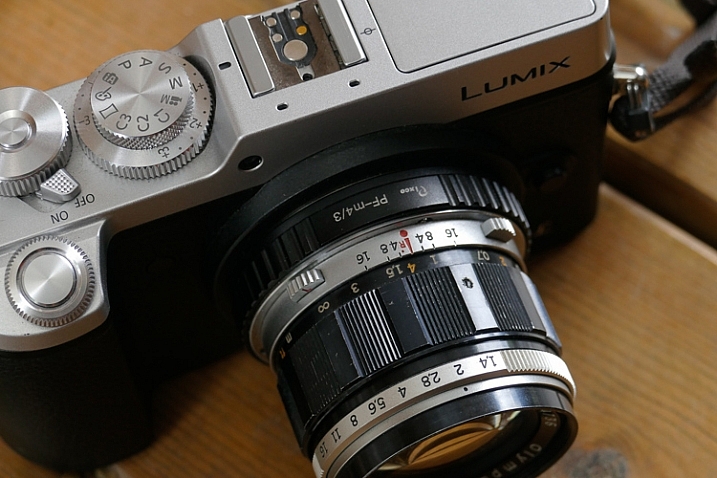
A photographer looking to purchase a new lens for their mirrorless camera in 2016 might find that there are many manual focus lenses made nowadays alongside the autofocus ones. That means one thing: the market has said the word, manual focus is not dead.

Feed your spirit with the following thoughts to learn how manual focusing can make you a better photographer.

Doing versus supervising

And old carpenter once said, “If you want something done right the first time, do it yourself.” That was always reiterated when a new machine came to the industry to perform a task better, faster, and more efficient than a trained man could ever do.

Instead of being a skilled craftsman, now all you need to know is how to make sure that the machine is doing its job, that’s the truth about an autofocus camera. It is one thing for your brain to rotate the focusing ring with your left hand and stop rotating at the correct focus, and a whole different thing to wait for the green light or beep confirming focus has been achieved. 

Manual Focus Ouria Tadmor

Sometimes you might choose to use only one central focusing point, lock it on your subject and then recompose your frame. That way you are still doing some of the work yourself, but you do it by pressing a button rather turning a ring with your left hand.

Pressing a button (or half-pressing the shutter, in most cases) is a very different connection between your hand and the machine than turning a ring with your left hand. Allowing your hand to learn the feel of the lens. Letting your hand know when and where to turn the dial and where to stop. It takes a greater effort of your brain, but only until your muscles learn it and bypass the need to think about the action. Then it frees your brain to think about the picture. In autofocus mode, your brain always has to check on the machine, make sure that focus is where you want it. That takes brain power every time. Brain power that could have been used to be more creative.

The need for speed

Manual Focus Ouria Tadmor

It’s true, the autofocus machine is indeed faster at turning the lens to the right distance than any human hand will ever be. But then it needs to wait for the brain to approve it before the shutter is pressed all the way and the photo is taken. So it is actually you that slows down the machine.

There are ways to overcome the speed limit of manual focus. For example, one way is to pre-focus on the distance your subject will be positioned at the moment of exposure. This is a technique that was very popular among sports photographers in the days before predictive dynamic autofocus. It required a fair amount of planning and knowing the nature of your subject. A property that let to visualization of the final image even in sports photography.

Another way, more popular among street photographers is called Zone Focus. You approximate the distance of your subject and make sure that they are within the depth of field by setting the focus and aperture correctly. It is a fast and simple technique that will force you to plan your frames. Thus forcing you to be more sensitive to your surroundings than a photographer who responds to a moment by half-pressing the shutter and then pressing it all the way. A street photographer trained in zone focusing does not have to pay attention to focus at all because they adjust their focus and aperture with every change in the scene without even thinking about it.

Manual Focus Ouria Tadmor

Move slow, think fast

When photographing a portrait with a fast telephoto lens you want to have the subject’s nearest eye in focus. There are many ways to achieve that with autofocus cameras. Some of the modern mirrorless cameras will lock on the near eye and stay focused on it for you as long as it’s there.

What a manual focus lens does for you is exactly the opposite. It is almost impossible to keep the near eye in focus with a portrait lens at a wide open aperture. The shallow depth of field means you will have to pay attention to your subject’s smallest moves such as breathing. By doing so it will focus your attention on the subject and you will start noticing facial features that would have been left behind at the photographing speed of autofocus lenses.

Manual_Focus_OT

Zen and manual focus

Use manual focus to put control of your photography back in your hands. It will slow you down and make you think more. For many of the greatest photographers throughout history, the process was as important as the final picture. When you let yourself indulge the process your photographs will benefit.

It is a totally different experience to manual focus using a lens that was created for autofocus than one that was made to be focused by a human. Invest in yourself and buy a vintage affordable lens that fits on your camera then go out shoot with only that lens. This way you will be able to feel what it is like to really do manual focus photography.

googletag.cmd.push(function() {
tablet_slots.push( googletag.defineSlot( “/1005424/_dPSv4_tab-all-article-bottom_(300×250)”, [300, 250], “pb-ad-78623” ).addService( googletag.pubads() ) ); } );

googletag.cmd.push(function() {
mobile_slots.push( googletag.defineSlot( “/1005424/_dPSv4_mob-all-article-bottom_(300×250)”, [300, 250], “pb-ad-78158” ).addService( googletag.pubads() ) ); } );

The post How Using a Manual Focus Lens Can Make You a Better Photographer by Ouria Tadmor appeared first on Digital Photography School.


Digital Photography School

 
Comments Off on How Using a Manual Focus Lens Can Make You a Better Photographer

Posted in Photography


TH Swiss releases pricing for its Irix 15mm F2.4 manual focus lenses

07 Sep

Optical new-comer TH Swiss has announced pricing for the two versions of its Irix 15mm F2.4 manual focus lens designed for full frame cameras. The lens was originally announced in March this year, but the company now says the lenses are ready for sale and will be priced from €475 (about $ 535) for the Firefly model. There are two versions of the lens, the Blackstone and the Firefly. The Blackstone offers a more solid build and better water resistance, while the Firefly is said to be lighter and more affordable. The Blackstone version will cost €695 (about $ 780).

The company claims that the lenses offer exceptional protection from flare and color aberrations via its ‘neutrino’ coatings and ‘sophisticated optical construction.’ Both lenses feature electronic aperture control via the camera body and a click-stop indicator at the infinity focus mark on the focusing ring. The lenses can be focus-calibrated to match individual camera bodies if needed, offer a focus lock at any focus position and the Blackstone version uses fluorescent paint in the body markings to make operation in low light easier.

Users will need 95mm filters to screw into the mount around the forward element and the petal-shaped lens hood has a sliding door to allow access to filters that need rotating. Those who prefer rear mounted filters will find a square holder behind the rear element. TH Swiss says that the nine-bladed iris provides attractive out-of-focus highlights too.
The lens will be available initially in Canon EF and Nikon F mounts, but we should expect Pentax K users to be accommodated by the end of the month.

For more information, including full specification, MTF charts and optical schematics, see the Irix Lens website.

Press release

Irix 15/2.4 is ready for sale!

First deliveries of Blackstone and Firefly are on their way to distributors and retailers.

“The Irix 15mm f/2.4, both the Blackstone and the Firefly versions, is ready for sale”, announces TH Swiss Company. Starting from today, first deliveries of products have been shipped to distributors and retailers. Soon the customers will be able to enjoy the quality of Irix.

Irix 15mm f/2.4 lens is designed to deliver the best optical performance and match the demands of full frame DSLR cameras. Providing a focal length of 15mm, this new lens model is ideal for outdoor and indoor photography whether it is photojournalism, landscapes or architecture. The new special features such as focus lock, infinity click! and focus scale calibration set a new level of manual focus lens functionality. Thanks to sophisticated optical construction and special neutrino coating formula, colour aberration, ghosting and flare effects have been reduced to the absolute minimum. With a minimum focusing distance of 0.28 metre (0.92 ft) and 9 rounded shaped aperture blades, the lens stands for supremely smooth out-of-focus areas. The design of the lens allows the use of 95 mm screw-in filters at the front and gelatin filters at the back of the lens.

Blackstone, the Premium version, has durable body made with aluminium-magnesium alloy, that ensures foolproof protection of the lens, even in extreme situations. Its construction is equipped with four seals, that protect the camera mount and focusing mechanism against the dust and moisture, as well as front or side accidental water splashes. Engraved fluorescent markings enable easy read-out and operation in low light conditions.

Firefly is the standard version equipped with three seals that protect camera mount and focusing mechanism against dust, moisture and side accidental water splashes. Ergonomic focusing ring with rubber grip offers the freedom to operate with the camera. It is the most lightweight lens in its class.

Recommended retail prices are:
695 EUR for Irix Blackstone
475 EUR for Irix Firefly

Both versions are available for Canon EF and Nikon F cameras. By the end of September there will be also a Pentax K mount available.

Articles: Digital Photography Review (dpreview.com)

 
Comments Off on TH Swiss releases pricing for its Irix 15mm F2.4 manual focus lenses

Posted in Uncategorized