RSS
 

Posts Tagged ‘first’

VESA establishes world’s first open standard for HDR displays

07 Jan

HDR is a term increasingly causing confusion amongst both photographers and the masses. ‘Isn’t it that thing that makes my images look flat and less contrasty by including all the shadows and highlights in my final image?’ many of our friends and forum members ask.

Well, yes, if it’s not done right. But when it comes to displays, the ironic thing is that ‘HDR’ is meant to make imagery look less flat, by taking the wide dynamic range encompassed in HDR images and stretching it back out on the display to no longer look flat but, instead, encompass nearly as much punch as the scene had in the real world.

Whenever a new display technology comes along, and particularly when it falls into that gap before it’s well defined or understood, monitor manufacturers LOVE to throw the spec all over their products. That, in a nutshell, is what has happened with the ‘HDR’ moniker and computer displays, making it very difficult for someone to know what is and isn’t a “real” HDR monitor.

What kind of brightness and contrast ratio should you be looking for? What’s the actual static contrast ratio, not the stupidly high (and irrelevant) dynamic contrast ratio often quoted? What kind of color output should you expect out of an HDR monitor? And what the heck is local dimming?

These are the questions that manufacturers tend to not answer, at least for now, and it’s why VESA has created the world’s first open standard for HDR displays: DisplayHDR.

Targeted largely at LCD-based computer monitors (not OLED), the purpose of DisplayHDR is to establish an open standard with fully transparent testing methodology, so you can “rate” your display and see where it falls on the HDR scales. Is it really just an SDR monitor, or does it rank as DisplayHDR-400 (low-tier), DisplayHDR-600 (mid-tier), or DisplayHDR-1000 (top-tier)?

Here’s how those tiers break down, and the performance metrics they have to hit:

A breakdown of the VESA standard. Click to enlarge

‘Corner Maximum Limit’ is aimed to ensure local dimming implementations can effectively keep black levels low even when small non-central portions are illuminated brightly. ‘Tunnel Maximum Limit’ ensures good overall contrast with varied content all over the screen but with nothing hitting pure white. Many of these targets cannot be met without some sort of local dimming capability, which most computer displays don’t have. Consider these targets a ‘push’ to get manufacturers to embrace the future of HDR display.

Up until now, there was no open standard for HDR displays. The closest thing we had is the UHD Alliance Premium Standard, which is essentially just a stamp that you’ll see on TVs, Blu-ray players, discs, and the like that ensures your device hits 4K resolution, BT.2020 color space, 10-bit encoding, and a few key contrast and brightness specs. But unlike the VESA standard, there’s no gradation: you either have the UHD Alliance Premium Standard badge or you don’t.

VESA’s standard, on the other hand, aims to grade LCD-based computer monitor displays or grading monitors. It establishes tiers that manufacturers can shoot for when designing computer monitors. And since most if not all of these manufacturers are members of VESA, they have access to the documentation outlining the specifications and testing methodologies.

The hope is that the standard becomes widely accepted. That way, you can look for the VESA badge on your next monitor purchase to make sure the manufacturer isn’t just throwing the term “HDR” onto an IPS monitor that can only hit 350 nits brightness and a 1000:1 static contrast ratio (many otherwise highly-rated IPS monitors aimed at photographers from manufacturers like Dell, BenQ, Eizo and the like).

A DisplayHDR-400 rated display would be guaranteed to hit peak brightness of 400 nits, a black level of no more than 0.4 nits for a largely black scene (or 0.1 nits for a more varied scene only hitting 50% white at any point), 10-bit encoding, and 95% sRGB coverage. This would be considered the “first genuine entry point for HDR” by VESA. Funny enough, the otherwise excellent IPS displays many photographers choose might hit this standard, but we’d argue you shouldn’t consider such a display ‘HDR’. In other words, we here at DPReview don’t really consider monitors with the ‘DisplayHDR 400’ truly ‘HDR’. Grading or processing your images on these displays aren’t going to guarantee your images will look proper on future, truly ‘HDR’ displays.

A DisplayHDR-600 rated display would be guaranteed to hit a peak brightness of 600 nits, a black level of no more than 0.1nits, 10-bit encoding, 99% sRGB, and at least 90% DCI-P3 coverage. These specs, according to VESA, describe “professional/enthusiast-level laptops and high-performance monitors.” This rating, in our opinion, is far more stringent and is better indicative or a truly ‘HDR’ display. If you want your images and video to be future-proof, pick a display rated no lower than this.

Finally, a DisplayHDR-1000 rated display would guarantee peak brightness of 1000 nits, a black level of no more than 0.05 nits, 10-bit encoding, 99% sRGB, and at least 90% DCI-P3 coverage. This final tier describes, “professional/enthusiast/content-creator PC monitors.” This is the stamp of approval we’d be looking at were we to be grading video or photos that will look good on displays of the future. Monitors with the DisplayHDR-1000 badge will be far more representative of the displays of the future, so if you want to make sure your content is ready to be displayed on future devices, this is the badge you’ll want to look for when shopping for monitors.

This new 5K UltraWide monitor from LG earned the VESA DisplayHDR-600 badge, meaning it hits at least 600 nits peak brightness, 10-bit encoding, and 99% sRGB and 90% DCI-P3 coverage.

These new standards are also more stringent about color gamut coverage: the 600 and 1000 standards require what we’d call ‘wide gamut’ color coverage, capable of displaying colors well outside of the old (can we say ‘boring’) sRGB standard of yesteryear. That means they can display colors well outside of old photochemical printing devices, so you can edit far more saturated and interesting colors into your image that will be displayed by monitors and printers of the future (and current).

Furthermore, these new standards set stringent requirements on bit-depth: while 8-bit monitors with dithering are allowed, each one of these standards require you hit 10-bit color reproduction with or without 2-bit temporal dithering (many monitors of the past would only hit 8-bit by 6-bit panels with 2-bit dithering: a big no-no for HDR content capable of displaying a wider range of luminances and colors that might otherwise band or posterize with 6-bit panels).

To learn more about the new VESA standards, head over to the DisplayHDR website. There, you’ll find a simple breakdown of what constitutes an HDR display, why the standard was set up, and a link to download the DisplayHDR CTS (Compliance Test Specification) for free.

Articles: Digital Photography Review (dpreview.com)

 
Comments Off on VESA establishes world’s first open standard for HDR displays

Posted in Uncategorized


Idaho gets the first International Dark-Sky Reserve in the United States

21 Dec

The United States has established its very first International Dark-Sky Reserve—one of 12 found around the globe, and now third largest in the world. The designation was granted to the Central Idaho Dark-Sky Reserve by the International Dark-Sky Association (IDA), which says the region offers 3600km² / 1400mi² of “exceptional or distinguished quality of night sky, view of the stars and nocturnal environment.”

The Central Idaho Dark-Sky Reserve IDA designation is a milestone for American conservation, not only protecting wildlife in the region from the negative effects of artificial light, but also giving visitors from around the world another place to view the pure night sky.

The US reserve and its international designation is the by-product of about 20 years of policy and hard work by Idaho residents, businesses, and officials, according to the IDA. The collective worked to reduce artificial light in central Idaho and agreed to manage artificial light in the region henceforth.

The boundaries of the Central Idaho Dark Sky Reserve. Image from Idaho’s IDA application.

To get the special designation, Central Idaho land managers formed partnerships with IDA, committing to help preserve the quality of the pure, unadulterated nighttime environment. Ketchum, Idaho Mayor Nina Jonas talked about that, saying in a statement to the IDA:

This is the culmination of a lot of work, important policy decisions and commitment by so many to manage our light pollution. We’re pleased what this says about the commitment our communities have shown to protecting our environment and spectacular window to the universe.

Central Idaho didn’t only win an International Dark-Sky Reserve designation, though. IDA says it has granted this reserve its Gold Tier rating, meaning that the reserve offers one of the darkest night skies among all Dark-Sky Reserves. Information on the Central Idaho Dark-Sky Reserve, including a clear sky chart and map, are available here.

Articles: Digital Photography Review (dpreview.com)

 
Comments Off on Idaho gets the first International Dark-Sky Reserve in the United States

Posted in Uncategorized


Apple’s new iMac Pro arrives December 14th, and first impressions are good

14 Dec

Listen up power-hungry Apple fanboys! Yesterday, Apple finally announced a release date for its beast of a desktop all-in-one, revealing that the new iMac Pro will be available to purchase starting on December 14th.

The model’s arrival will mark the first instance of a new pro-tier Apple desktop release in years, and it’ll come in four variants sporting 8-, 10-, 14-, and 18-core configurations. Once available, these iMac Pro models will be the most powerful desktop options ever offered by Apple, ones targeted specifically at creative professionals working with massive image and video files.

Many details on the new iMac Pro are still absent; however, certain information has been revealed ahead of time. Buyers will be able to choose up to 4TB of storage, up to 128GB of ECC DDR4 2666MHz RAM, and a 16GB Vega 64 GPU, according to 9to5Mac. The 8- and 10-core iMac Pro variants will be available first, on December 14th, while the other two won’t be available until next year.

But don’t expect any of this to come cheap. The base model of the bunch, the 8-core iMac Pro variant, will have a starting price of $ 5,000 USD, and no other prices have been revealed at this time, although additional information should be available starting on Thursday. Apple states on its iMac Pro website that the new model retains the same slim size as the previous version.

Apple has allowed a couple of journalists to have early access to the new iMac Pro, including Marques Brownlee, who shared his Week #1 impressions of the desktop—and many shots of it—in the video below:

And if you want a photographer’s first impressions, Vincent Laforet got his hand on a 10 Core 3GHZ Intel Xeon W, 2TB SSD, 128 GB RAM, Vega 64 Radeon version that did NOT disappoint him.

To learn more, check out the video above, read Vincent’s review, or head over to Apple’s iMac Pro website.

Articles: Digital Photography Review (dpreview.com)

 
Comments Off on Apple’s new iMac Pro arrives December 14th, and first impressions are good

Posted in Uncategorized


Toshiba unveils world’s first 14TB conventional magnetic hard drive

12 Dec

Toshiba has unveiled what it claims is the first ever Conventional Magnetic Recording (CMR) Hard Drive (HDD) with a massive 14TB capacity. This drive, which is billed as a model for enterprise use, boasts nine disks and a helium-sealed design, 3.5in form factor, 7200rpm speed, and a 6Gbit/s SATA interface.

Toshiba announced the new drive, which is part of the new MG07ACA series, last week alongside a smaller 12TB 8-disk model. Both hard drives boast a lower operating power profile than the previously launched MG06ACA series, according to Toshiba, as well as better storage density.

The 14TB drive in particular offers a greater than 50% improvement in power efficiency versus the 10TB MG06ACA version. Conventional magnetic recording drives such as these are faster than similar models that use shingled magnetic recording tech.

Talking about the new MG07ACA series, IDC’s HDD Research VP John Rydning said:

Toshiba’s new helium-sealed enterprise HDD is the world’s first 14TB of storage capacity using conventional rather than shingled magnetic recording technology, giving enterprise customers the highest capacity HDD available in the market today for existing server and storage system architectures.

Consumers interested in this new enterprise series will need to contact Toshiba directly for purchase information, but as 4K and even 8K video becomes standard, ultra-high capacity enterprise drives like this might not be limited to traditional ‘enterprise’ users for long…

Press Release

Toshiba Launches World’s First 14TB HDD with Conventional Magnetic Recording

The 14TB models use an innovative 9-disk, helium-sealed design to deliver massive capacity that fits into standard 3.5 inch SATA drive bays

Irvine, CA – December 7, 2017 – Toshiba Electronic Devices & Storage Corporation today announced the launch of the MG07ACA Series, the world’s first enterprise 14TB Conventional Magnetic Recording (CMR) HDD. Using a 9-disk, helium-sealed design, the new MG07ACA Series provides the power-efficient capacity and storage density needed by cloud-scale and enterprise storage solution providers to achieve their TCO objectives.

“We have raised the bar with the new MG07ACA Series 9-disk helium-sealed design,” said Akitoshi Iwata, Vice President of Storage Products Division, Toshiba Electronic Devices and Storage Corporation. “By utilizing an innovative design, we continue to improve the benefits that high-capacity disk storage can deliver to our broad global customer base.”

The MG07ACA Series features both 14TB 9-disk and 12TB 8-disk models. The helium-sealed 3.5-inch mechanical design realizes better storage density and a lower HDD operating power profile than the previous MG06ACA Series for optimal TCO in cloud-scale infrastructures. The series also utilizes Toshiba Group’s laser welding technology to ensure the helium remains securely sealed inside the drive enclosure. The drives support a SATA 6Gbit/s interface and 7,200rpm access performance. The 9-disk 14TB models achieve a 40% increase in maximum capacity over previous MG06ACA 10TB models. Additionally, the 14TB models improve power efficiency by over 50% (W/GB).

“Toshiba’s first helium-sealed nearline drive intercepts the market at a class-leading 14 TB capacity with CMR,” said John Chen, industry analyst at Trend Focus. “Its early time-to-market for this capacity positions the company well to meet the storage needs of large hyperscale and cloud companies. Additionally, the company’s choice of a 9-disk platform paves the way to achieving higher capacities in future product generations.”

“While enterprise server and storage customers realize that shingled magnetic recording (SMR) technology can improve HDD capacity, the adoption of SMR HDD products into server and storage systems is a transition that will take several years,” said John Rydning, Research Vice President for hard disk drives at IDC. “Toshiba’s new helium-sealed enterprise HDD is the world’s first 14TB of storage capacity using conventional rather than shingled magnetic recording technology, giving enterprise customers the highest capacity HDD available in the market today for existing server and storage system architectures.”

Sample deliveries of MG07ACA Series drives to customers sequentially begin today. For more information on our full line of HDD storage products, please visit: https://toshiba.semicon-storage.com/us/product/storage-products/enterprise-hdd/mg07acaxxx.html.

Articles: Digital Photography Review (dpreview.com)

 
Comments Off on Toshiba unveils world’s first 14TB conventional magnetic hard drive

Posted in Uncategorized


How to Choose Your First Camera Drone and Skyrocket Your Photography

06 Dec

Maybe you are in love with photography and in the process of turning it into a passion. You might be a professional photographer who’s always searching to improve, or you might just like capturing those beautiful trips like no other. If you’re in any of these categories, you might want to consider buying yourself a drone.

How to pick your first camera drone

This guide is all you need to help you make a choice. I have experimented with most of the drones on the market so you don’t have to.

How useful is a drone for photography?

I think you already imagine how cool it could be to reach those places you always wanted. No more climbing trees for great panoramas. And best of all, you can literally fly your camera wherever you like (within the law, of course).

Drone picture through the wood

Bonus: You’ll be able to take unbelievable videos as well.

Maybe, you always thought taking pictures is where you’ll stop, but don’t tell me you’ve never been fascinated by one of those cool drone videos on YouTube.

The great thing about a drone is that most of the time, it comes with an included gimbal that stabilizes the image perfectly. That feat alone makes both video and photography easy to do and cinematic almost straight away.

Will you be able to afford it?

Drones

Gone are the days where only blockbuster movies had the budget to record and shoot photos from the air. Today, thanks to less expensive technology and increasing popularity of quad-copters, almost everyone can afford a drone. And the results are absolutely fascinating.

These are my general recommendations when it comes to pricing for a good camera drone:

  • If it’s a drone that comes with a camera, you will need to spend over $ 400 if you want to have image stabilization.
  • You can also pick a cheaper drone with GPS and stabilization that comes with no camera. That might be a good option if you already have a GoPro or action-camera and a tight budget.
  • If you want a beginner drone just to learn how to fly, don’t spend more than $ 50.

How to pick your first camera drone

So you decided to get into drones and skyrocket your photography/videography. I have created an infographic explaining the main things you should look for in a camera drone. Now you have two paths you can choose from:

  1. Get a small beginner drone (under $ 50) to learn the basics of piloting it, and only after that buy a more expensive one.
  2. Get a more expensive drone with GPS, which is stable enough when flying and can return to home automatically if you mess up.

What are the best inexpensive beginner drones?

Beginner drone

Ways you can go about buying your first beginner drone:

  • Get two or more VERY cheap drones (at $ 15 each) and simply learn the basics of flying in the house, while having a backup.
  • Get one cheap beginner drone (around $ 50), that usually comes with a low-quality camera (I don’t recommend this because it’s nothing like the more expensive ones).
  • Choose a cheap beginner drone and the more expensive one at the same time, if you want to just try it a few times and then jump into the action.

Here are my top beginner drones you can start with:

  • JJRC H36 – A super resilient drone that works great inside. This is what I would recommend any friend. About $ 18.99 on Amazon
  • Cheerson CX-10 – A very small drone that’s around $ 20 and can do flips. About $ 18.99 on Amazon.
  • Hubsan x4 – A very sturdy and well-made drone with a camera. About $ 32 on Amazon.

What are my top choices for a camera drone?

This is my top three list of recommendations I have for different types of consumers, ranging from $ 500 to $ 1500 USD.

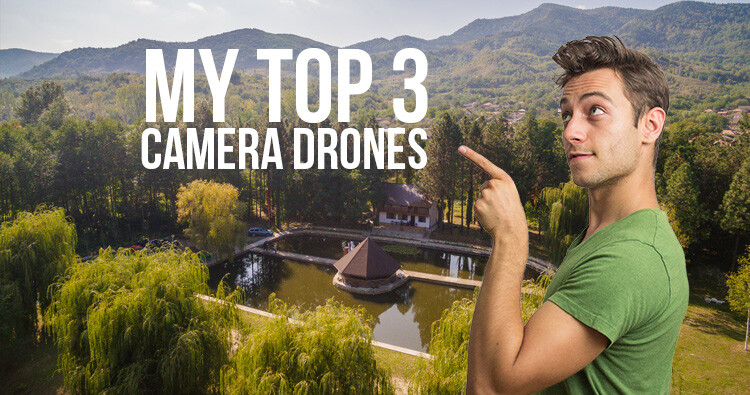
Top 3 camera drones

I’ll underline the main features you should look for in each drone, while also spotting the drawbacks of each.

#1 – DJI Mavic Pro Platinum – My overall winner

This quad-copter is one of the most popular right now, for some really good reasons. The DJI Mavic Pro Platinum is the newer version of the Mavic, but it is quieter and has a longer battery life. This is why I would recommend it.

Dji mavic

I’d recommend it to anyone from travel enthusiast to the professional photographer and so on. It has its limitations, but for the price of about $ 1000, here’s why it rocks:

  • It comes with a stellar gimbal (a motorized system that stabilizes the camera while in the air).
  • Has a 4K camera with a fixed aperture of f/2.2 – This makes it pretty good even in low light conditions.
  • You can take amazing photos in 12mp resolution.
  • It’s foldable – This makes it the most portable high-quality camera on my list, and pretty much on the market. You can simply take it in a small bag and go on your vacation, no problem.
  • Long range – it can go up to 7 km in perfect conditions, which is more than enough for anyone.
  • Long battery life – it promises about 30 minutes of flight time, but in real life conditions, 26 minutes is more likely.
  • Has great GPS and return to home features.
  • Has front sensors for detecting obstacles and stopping in time.

Dji mavic folded front sensors

Disadvantages: Can’t really think of anything. It’s amazing for the price.

#2 – Xiaomi MI 4K drone – The cheapest, yet still amazing

Xiaomi drone

The Xiaomi MI 4K drone costs about $ 500 and comes with all you need for great photo/video results.

  • Just as the Mavic before, it comes with an amazing gimbal and camera attached to it, in order to keep the image steady in the air.
  • Again, you can shoot 4K photos (12.4 mp) and video or go lower in resolution so you can record in more frames, and do slow-motion.
  • The range is over 3 km, which is absolutely fantastic.
  • Battery life is said to be 27 minutes, but in real life, I got a maximum of 24.
  • It comes with very good GPS and returns to home when the battery is low and also when the signal is lost (just like the Mavic)

Xiaomi drone camera

Disadvantages of the Xiaomi 4k drone

  • It’s not nearly as portable as the Mavic.
  • It is louder.
  • It doesn’t have the front facing sensors to stop before impact that the Mavic does.

Consider how much these drawbacks mean to you when you take into account the super cheap price. Don’t get fooled thinking a smaller price means lower quality. Xiaomi, just like DJI, is a Chinese company with a focus on creating high-quality hardware, that’s impressive even by western standards.

#3 – DJI Phantom 4 Professional – the pro choice at a small price

You have probably heard of drones like Phantom 3 or 4 by now, and they were all amazing, but the DJI Phantom 4 Professional is on the next level.

Phantom4pro

If the DJI Mavic Pro Platinum is not enough for you in terms of camera capability and you want more professional freedom in your work, this is the best way to go.

Here’s what this $ 1500 drone comes with:

  • The 4K camera we’ve been used to has a 1-inch sensor now. This means nighttime photos will be considerably better and less noisy compared to any of the previous drones.
  • The 20mp sensor also delivers amazing quality photos and video.
  • It can shoot 4K in 60fps and Full HD in 120FPS and comes with a mechanical shutter (just like your DSLR), so you get a smooth video image and no rolling shutter effect.
  • It’s super secure with obstacle sensing in 5 directions: 2 front sensing cameras, 2 side infrared detectors, Sonar and cameras on the bottom (to land precisely), And even one in the back!
  • Just like the Mavic Pro Platinum, it comes with 30-minute flight time, 3-axis gimbal stabilization and 7 km range (but, this time, it’s dual-band transmission, so the signal is more secure).

What are a few disadvantages: It’s bulky and loud. It can’t fold up, so if you want to take it on vacation, it will be harder to carry.

Scenery1

I recommend this drone for the more professional bunch of people, who want to use it more intensely for professional projects and don’t mind the bigger form size. This drone is great for people who want to have more control over their images, and it’s perfect if you want to shoot at high ISO in lower light.

Over to you

I only gave you three choices because I believe these are the best of each price category. So, depending on your budget, you can confidently choose one of these, as there’s simply no competition on the market right now.

Don’t forget to fly safe and check the regulation in your area!

Scenery2

The post How to Choose Your First Camera Drone and Skyrocket Your Photography by Paul Archer appeared first on Digital Photography School.


Digital Photography School

 
Comments Off on How to Choose Your First Camera Drone and Skyrocket Your Photography

Posted in Photography


OnePlus 5T first impressions review

28 Nov

The brand new OnePlus 5T is the Chinese manufacturer’s latest flagship model. Like its predecessors, offers high-end specifications, materials and design at a price point that is noticeably lower than the more established competition.

The 5T is in most respects pretty much identical to its predecessor, the OnePlus 5. However, there are two important changes: the AMOLED display now comes with an 18:9 aspect ratio, covering the entire front of the device, and the dual-camera has done away with the tele-module and replaced it with a secondary sensor that has been optimized for low light performance.

The camera switches to this sensor when light levels drop below 10 Lux and merges four pixels into one for improved image quality. Despite the lack of a tele lens, OnePlus says the new dual-camera setup offers a similar zoom performance to the OnePlus.

We’ve had the OnePlus 5T in our hands for a few days now and used its camera in a wide range of light conditions. Here are our first impressions.

Key specifications:

  • Dual-camera
  • Main camera: Sony IMX 398 1/2.8″ 16MP sensor, F1.7,
  • Secondary camera: Sony IMX 376K 1/2.78″ 20MP sensor, F1.7
  • 27.22mm equivalent focal length
  • Dual-LED flash
  • 4K video at 30 fps
  • 720p slow-motion at 120 fps
  • Manual mode and Raw capture
  • 16MP / F2.0 front camera
  • 6″ 1080p AMOLED display, 18:9 aspect ratio
  • Qualcomm Snapdragon 835 chipset
  • 64/128GB storage, 6/8GB RAM
  • 3,300 mAh battery

Image quality

In bright light the 5T captures images with pleasant colors. Auto HDR kicks in for high-contrast scenes, ensuring decent dynamic range and good highlight detail. Lens sharpness is good across the frame but if you zoom in to a 100% view, low-contrast detail, such as distant foliage or other fine textures, can look a little mushy. There’s also more luminance noise in the sky than we would like at base ISO.

ISO 125, 1/490 sec

When shooting against the light the 5T occasionally captures slightly too dark exposures to protect the highlights, but despite some shadow noise the shot below looks quite pleasant. Occasionally low-contrast detail in the shadows can be very mushy, though.

ISO 250, 1/1525 sec

The 5T camera deals much better with higher-contrast scenes, even when overall light levels are lower. The shot below was captured at ISO 640 indoors and shows very good edge definition. There is some luminance noise but it is very finely grained and not too intrusive. Overall detail is still good, despite shooting in low light.

ISO 640, 1/50 sec

Noise reduction and smearing of fine detail are more noticeable in this ISO 1000 shot but overall detail is still good considering the light conditions. However, skin tones on the subject are a little warm and just a touch underexposed. It appears the camera was aiming to protect highlights in the brighter background. Overall, the 5T does pretty well in this scene, though.

ISO 1000, 1/33 sec

Detail becomes noticeably softer in night shots, as the one below, but exposure is very good and noise well controlled. The OnePlus 5T tends to do a good job in static night scenes.

ISO 3200, 1/17 sec

The camera app doesn’t tell you when it switches to the more low-light efficient secondary sensor with its ‘Intelligent Pixel Technology’. But a look at the EXIF data reveals that images taken in very low light have a 20MP resolution, as opposed to the 16MP of the main camera. This also indicates that, if there is some pixel-binning going on, the images are then upscaled to full sensor resolution again.

Looking at the two samples below, the mode is capable of achieving good exposure and color in low light situations. However, level of detail is very low and images have an almost pixelated appearance when viewed at a 100% magnification.

We have also noticed that two images taken in quick succession can look quite different in terms of both exposure and detail rendition. If you click through to the full-size versions of the samples below you’ll see that the image on the left is pretty grainy, while the one on the right has an almost water-color like smeared look. The levels of detail are equally low on both images, though.

ISO 2000, 1/20 sec ISO 5000, 1/17 sec

Zoom

OnePlus says that, despite the omission of a dedicated tele camera, the 5T’s 2x zoom produces similar image quality to the OnePlus 5. Looking at the sample scene below, this is true. Viewed at a 100% magnification the 2x zoom image shows noticeably lower levels of detail than the standard image, but the tele-lens on the OnePlus 5 did not produce much better results. Zoom images are not ideal for display at larger sizes but look nice at typical social media or web use resolution.

ISO 250, 1/553 sec
ISO 160, 1/504 sec

The same is true for zoom images captured in low light. The 2x zoom image below was taken in a dimly lit club. Fine detail is not great but the shot is perfectly usable at web size and the zoom function allowed me to get the framing I wanted, even when shooting from the back of the crowd.

ISO 1600, 1/20 sec

Bokeh

OnePlus says the 5T’s bokeh mode has been improved over the version used by its predecessor and our initial tests confirm that. There are still some minor artifacts around foreground subjects but overall subject separation from the background is pretty good, even in lower light and with human subjects.

In addition, the amount blur applied to the background is not too strong, resulting in a fairly natural bokeh rendition.

ISO 320, 1/464 sec, Depth mode

Video

We also shot a few videos with the OnePlus 5T and the results are pretty good, with decent detail, nice color and good exposure. Stabilization is pretty good when hand-holding the camera, but things get a little shaky while panning, as you can see in the clip below.

The video mode delivers decent image quality in this artificially lit indoor shot. Video stabilization keeps things nice and steady during handheld recording.

You can also record video using the 2x zoom settings. The results in the low light clip below aren’t quite broadcast quality but definitely usable, with good stabilization.

Conclusion

With its new 18:9 display and powerful processing components the OnePlus 5T is a great smartphone in general use. However, there’s a lot to like about its camera as well. Images show good exposure and color across all light levels, the bokeh mode captures images that look more natural than on many competitors and the zoom function produces usable results, even in very low light.

Like on the 5T’s predecessor, pixel level image quality is a bit of a weakness, though. The Auto HDR function produces some ghosting artifacts and mushy textures, and we also found more luminance noise in base ISO images than we’d like to see.

Low light image quality is decent but not up with the very best, and with the current software version OnePlus’ ‘Intelligent Pixel Technology’ doesn’t really offer any noticeable low light benefits over a fine-tuned conventional camera.

That said, OnePlus is known as a manufacturer that is frequently pushing software updates and improving the performance of its products. If the engineers are able to fine-tune image processing and video stabilization a touch more, the OnePlus could easily jump up a few spots in the smartphone image quality rankings.

Sample Gallery

There are 10 images in our OnePlus 5T samples gallery. Please do not reproduce any of these images on a website or any newsletter / magazine without prior permission (see our copyright page). We make the originals available for private users to download to their own machines for personal examination or printing (in conjunction with this review), we do so in good faith, please don’t abuse it.

Unless otherwise noted images taken with no particular settings at full resolution.

$ (document).ready(function() { SampleGalleryV2({“containerId”:”embeddedSampleGallery_6913569890″,”galleryId”:”6913569890″,”isEmbeddedWidget”:true,”standalone”:false,”selectedImageIndex”:0,”startInCommentsView”:false,”isMobile”:false}) });

You can also still have a look at our OnePlus 5 review gallery from June.

$ (document).ready(function() { SampleGalleryV2({“containerId”:”embeddedSampleGallery_6343385400″,”galleryId”:”6343385400″,”isEmbeddedWidget”:true,”standalone”:false,”selectedImageIndex”:0,”startInCommentsView”:false,”isMobile”:false}) });
Articles: Digital Photography Review (dpreview.com)

 
Comments Off on OnePlus 5T first impressions review

Posted in Uncategorized


Leica CL: first sample images

22 Nov

$ (document).ready(function() { SampleGalleryV2({“containerId”:”embeddedSampleGallery_9786297772″,”galleryId”:”9786297772″,”isEmbeddedWidget”:true,”standalone”:false,”selectedImageIndex”:0,”startInCommentsView”:false,”isMobile”:false}) });

The Leica CL is a 24MP rangefinder-style mirrorless camera, which sits alongside the TL2 in the company’s APS-C lineup. We’ve been using one for a few days, with the brand new Elmarit-TL 18mm F2.8 pancake prime. Check out our gallery of images.

See our Leica CL sample gallery

Articles: Digital Photography Review (dpreview.com)

 
Comments Off on Leica CL: first sample images

Posted in Uncategorized


Video: first look at the Leica CL

22 Nov

Meet the Leica CL, an interchangeable lens mirrorless camera with a 24 megapixel APS-C sensor. It uses Leica L mount and sits alongside the Leica TL2. The CL differs from the TL2 by offering an electronic viewfinder and a traditional control layout. Find out what else it’s got going for it in our 90 second ‘First look’ video.

Articles: Digital Photography Review (dpreview.com)

 
Comments Off on Video: first look at the Leica CL

Posted in Uncategorized


Panasonic Lumix DC-G9 first impressions

09 Nov

Introduction

The Panasonic Lumix DC-G9 is the company’s newest mirrorless interchangeable lens camera (ILC), and in many ways, the first Lumix camera ever to be aimed squarely at professional and advanced amateur stills photographers – and it shows.

But that doesn’t mean the G9 is light on video specs; Panasonic has long been a leader in ‘hybrid’ stills and video cameras with the impressive GH-series, but just as the GH-series leans slightly more to the video side of things, the G9 leans the other way.

Even though we’ve had only a few days with our G9, we’ve already seen improvements to the JPEG engine (color in particular), and been able to play around with some of its new features like the 80MP high-resolution mode, and been blown away by its incredibly large electronic viewfinder. Some of its capabilities – like impressive-looking 20 fps burst shooting with continuous autofocus – will need more in-depth testing.

But for now, we’ve put together some of our first impressions and takeaways – let’s get started.

Key specifications

Design sketch of the Panasonic Lumix DC-G9.

The Lumix G9 is overflowing with refinements and improvements both inside and out. There’s a lot to digest in this camera, but here are what we believe to be the G9’s most important qualities:

  • 20.3MP Live MOS sensor with no AA filter (same as GH5)
  • 6.5-stop 5-axis Dual I.S. 2
  • 0.83x (35mm equivalent) high-res, 120 fps electronic viewfinder
  • 80MP high-resolution mode
  • 20 fps bursts with continuous autofocus (60fps with focus locked)
  • Dual UHS-II SD card slots supporting new high-speed V-rated cards
  • Assortment of 4K and 6K Photo modes, in-camera focus stacking
  • Refined ergonomics and controls
  • USB charge and USB power capability, 400 shots per charge battery life (CIPA)

But for established photographers, particularly those Panasonic is targeting, equally important in addition to this list of objective specifications are the intangibles; how does the G9 feel in the hand, and how does it respond to your inputs?

Let’s get started with that first consideration, and look at the G9’s body and design.

Body, design and handling

The G9 isn’t a small camera, but with a suitably compact lens, it isn’t too intimidating. Out-of-camera JPEG, processed in-camera with increased exposure compensation. Panasonic Leica DG 25mm F1.4.
ISO 3200 | 1/500 sec | F1.4

The G9 comes with splash, freeze and dust proof construction, and feels in the hand as though you’re holding a chunk of solid magnesium alloy, as opposed to a hollow one filled with Panasonic’s most advanced photographic technology to date.

Battery life from the G9 is good if not downright impressive, at a CIPA rated 400 shots; it’s compatible with the same battery as the GH5, and will easily last you many hours of serious shooting. As always, exploring menus and rocketing through images in playback will shorten the battery’s stamina.

Speaking of playback, the rear jog dial does a good job of moving through your images quickly, handy for when you start firing off those 20 fps bursts. The new top-plate LCD allows you to check your settings at a glance, even if the rear screen is folded away, and the combined Mode + Drive dials on the left shoulder work surprisingly well; some competitors that have attempted this end up feeling kind of ‘fiddly.’

The top plate on the G9 is one of its key physical differentiators versus the GH5.

The AF joystick has been tweaked, with a new textured finish and a click-in option to toggle between your chosen AF point and the center. Unfortunately, we think it could still be faster to move your AF area when you tap it to the side, and if you’re holding it to the side, your moving AF area won’t respond to a change in your desired direction unless you release the joystick, and push in that new direction. Compounding this is that you can’t move the point diagonally; only horizontally and vertically.

As always, having an AF joystick is always better than not having one, and we’re hopeful to see these issues addressed in a future firmware update.

Body, design and handling

An abundance of controls and overall responsive performance helped me get this grab image of a low-flying plane in South Seattle. Out-of-camera JPEG, cropped to taste. Panasonic Leica DG 12-60mm F2.8-4.
ISO 200 | 1/640 sec | F4.5

The G9 has tons of controls, and tons of customization options. It can take a while for you to find your way around the camera, but that’s nothing out of the ordinary for a flagship. One thing we’ve noticed is that, likely on purpose, the shutter button on the G9 is very sensitive, so that could be something users may need to adjust to.

What shouldn’t require much adjustment to is the all-new 0.83x (equivalent) optical viewfinder. It’s among the largest electronic viewfinders ever built into a digital camera, providing an immersive shooting experience that’s enhanced by the use of an OLED display, which gives great contrast.

As someone who’s just officially griped about the necessity of USB charging, it’s nice to see it make an appearance on the G9 in addition to the ability to run off of USB power. The batteries by now are commonplace, but it’ll be great to power the camera with a USB power pack for longer shoots like timelapses, or when you need to top-up a battery off the grid.

The G9 has among the largest electronic viewfinders ever built into a digital camera.

And finally, let’s address the issue of size. There’s also no doubt that the G9 is fairly ‘chunky,’ especially given the Four Thirds sensor inside. Despite this, we think it’s likely to be a good fit for its intended audience.

After all, a comfortable grip, extensive external controls, decent battery life, robust weather sealing and a crazy stabilization system all come with size and weight penalties; but even so, the G9 is lighter than the GH5. Indeed, couple the G9 with the appreciably small size of many Micro Four Thirds lenses, and you have the potential to make for a lightweight yet comprehensive kit that doesn’t skimp on ergonomic comfort.

New and notable features

In this image, you can see how possible motion in your scene might impact your ability to use this mode – but you can also see just how much detail is there in the static portions of the scene. Panasonic Leica DG 12-60mm F2.8-4.
ISO 200 | 1/500 sec | F4

The new 80MP high resolution mode on the G9 works similarly to competitors’ offerings, and takes eight shots in quick succession, moving the sensor by a half-pixel for each image. In practice, it’s one of the faster implementations of a pixel-shift high res mode that we’ve seen, and predictably comes with a serious increase in image quality. Usually.

What you gain in detail and noise characteristics, you lose out depending on how much motion is in your scene. The above image is a good example of both the detail benefit you can get from this mode, as well as how it copes with moving subjects – and for the record, this is not necessarily the setting Panasonic would recommend for this feature, but we figured you, dear reader, might be curious about it.

Image stabilization on the G9 is a claimed 6.5 stops, which is basically magic.

As an added bonus, if you did attempt an 80MP image and were bothered by unintended motion artifacts, the G9 has an option to capture an additional ‘normal’ 20MP Raw and JPEG image simultaneously.

Image stabilization on the G9 is a claimed 6.5 stops – which is basically magic. With shorter lens, you’ll have an almost glidecam experience (even if you’re only using the in-body stabilization), and even with the new Panasonic Leica 200mm F2.8 lens and 2.0x teleconverter, you can easily frame your subjects shake-free through the viewfinder, even hand-held.

Image and video quality impressions

Panasonic told us that, for their latest JPEG engine, they’ve been working hard on the G9’s rendition of yellows and blues, particularly for blue skies. We think they look pretty darn good.

While we don’t yet have Raw support for the G9, the early JPEGs coming out of our camera look good. We’ve been critical of Panasonic’s JPEG color and noise reduction in the past, and our early sample shots seem to show noticeable improvements.

First, the automatic white balance seems to handle a variety of settings with much greater reliability – warm evening light is represented as such, without going over-the-top orange, colors are nicely saturated and exhibit far less ‘green-shifted yellows’ than before. We’ll wait until we can perform our studio testing to make a definitive call on noise reduction, but it looks to this reviewer that there’s less smearing of areas of fine detail, which was historically a problem even at lower ISO values.

Panasonic is claiming more sophisticated sharpening and noise reduction on the G9, but we’re waiting for our studio scene analysis before we can claim anything definitive in this regard.

In terms of video, the G9 offers 4K UHD capture at up to 60 fps, as well as an array of slow-motion modes in both 4K and Full HD. While you lose out on some more advanced features of the GH5, such as ultra-high bitrate recording, higher color depth capture and unlimited clip length (the G9 tops out at 10 minutes and 30 minutes for 4K/60p and 4K/30p respectively), video capture is still taken from the full width of the sensor and downscaled, and so should provide great detail. Lastly, our initial impressions show DFD autofocus to be more decisive and less prone to ‘wobble’ when shooting video, making run-and-gun capture more feasible.

Overall impressions and sample gallery

Out of camera JPEG. Panasonic Leica DG 12-60mm F2.8-4.
ISO 200 | 1/4000 sec | F4

Credit where credit is due, Panasonic has a long history of bringing cameras to market that bear impressive technical capabilities; from the lineage that gave us the first-ever mirrorless interchangeable lens camera, to the first mirrorless camera that could capture 4K video comes the stills-focused G9. With this new model, Panasonic has taken advantage of that greater emphasis on stills to pack some advanced and innovative features into a camera that is meant to be rugged and reliable for professional use.

Starting with ruggedness, we have to admit the G9 feels great in the hand. It’s all-metal, with a redesigned (and really comfy) grip. It’s far from compact, but it doesn’t feel heavy for a professional-level camera; its overall size allows room for an enormous viewfinder, good-sized battery and abundant external controls.

We’ve only had the G9 for a few days, and so we’ve not had time to fully evaluate all of the G9’s new features in-depth. For now, we remain impressed with overall JPEG image quality, video autofocus performance looks to be improved and the image stabilizer is really something you have to see to believe.

The G9 continues to use the same Four Thirds 20.3MP sensor as the GH5.

With the same mechanical shutter as the GH5, it offers 9 fps burst shooting with what should be similar (read: very good) autofocus performance at 9 fps, but we’re really looking forward to doing some sports testing at the full 20 fps with electronic shutter. We have to admit we’re also curious how the new V-rated SD cards holds up to the CFast and XQD slots in high-end sports DSLRs.

There will always be folks that will have a hard time seeing past the Four Thirds sensor in the G9, relative to APS-C and full-frame offerings. But the G9 nonetheless comes with incredible image stabilization, high shooting speed, high quality 4K video and compact-yet-high-quality lens offerings (all of which are made possible, or at least easier, with the smaller Four Thirds sensor). For this, we think the G9 represents a compelling option for professional photographers needing all of the capability, customizability and resilience they can get in a smaller package than many competitors are able to offer.

Articles: Digital Photography Review (dpreview.com)

 
Comments Off on Panasonic Lumix DC-G9 first impressions

Posted in Uncategorized


Reflex modular SLR unveiled: The first new manual 35mm SLR design in decades

08 Nov

Reflex has just launched the Reflex I: the first newly-designed manual 35mm SLR system to see the light of day in more than 25 years. The camera pairs a classic look with a modular design that enables personalization, including an interchangeable film back and lens mount. Reflex I supports legacy lenses, as well as both personally designed 3D-printed components and third-party accessories.

To help fuel the customization options, Reflex plans to freely release most of the camera’s electronic and hardware designs once the camera officially hits shelves. Notable among the modular design is Reflex’s I-Plate and included universal M42 lens mount; the company says buyers can also use alternative mounts compatible with Nikon F, Olympus OM, Canon FD, and Pentax PK lenses.

Loading film, meanwhile, has been simplified via the modular I-Back, an interchangeable back piece that enables photographers to pre-load film for rapidly swapping to a different film during a shoot. Other modern features hope to join these two modular components, though their inclusion will partly depend on how successful the Reflex’s Kickstarter funding campaign is.

The Reflex I features an integrated flash and continuous LED light source, a first for analog cameras, according to the company. Photographers can select between three different LED intensities, plus the flash.

Assuming the Kickstarter campaign reaches at least £150k in funding, the company plans to integrate the Reflex I with a companion mobile app that will log the settings for each film and shot, enabling photographers to note the settings used to capture their favorite photos.

Reflex is offering the Reflex I camera body early bird units to backers who pledge at least £350 / $ 458 on Kickstarter. Deliveries to those backers are estimated to begin in August 2018. The Kickstarter campaign also offers other rewards for different backing tiers, such as a bundle with just the I-Back and I-Mount, a prime lens, “Analogue Pack,” and more.

Check out the campaign page for more details.

Camera Specifications:

  • Type: Single Lens Reflex Camera
  • Format: 135 film, 35mm/FF
  • System: Reflex RM
  • Lens Mount: Reflex I-Plate (in M42, Nikon F, Canon FD, Olympus OM, Pentax PK)
  • Focus: Manual
  • Film Loading: Reflex I-Back
  • Film Advance/Rewind: Manual
  • Exposure: Manual – Aperture Priority (+ 4 stops EV)
  • DOF inverted preview
  • Shutter Speeds: 1s – 1/4000th, Time and Bulb
  • Metering: AV + Spot + 4 stops EV
  • ISO: 25-6400
  • Controller: Arduino based modular design
  • Connectivity: Bluetooth (BLE) enabled
  • Body: Magnesium Alloy
  • Weight: 490g
  • Dimensions: 134mm x 74.5mm x 34mm
  • Electronic system: 5v Ion Lithium rechargeable via USB-C
  • Resolution: Zero Megapixels

Articles: Digital Photography Review (dpreview.com)

 
Comments Off on Reflex modular SLR unveiled: The first new manual 35mm SLR design in decades

Posted in Uncategorized