RSS
 

Posts Tagged ‘Enhance’

How to Apply LAB Color Adjustments in Photoshop to Enhance Your Photo

05 Nov

In this video we explore the most powerful color space in Photoshop LAB. You can do things in the LAB that are impossible in any other color mode, but in this video we keep it simple to start. We show you how LAB can help not only boost saturation in an image, but also how it can help separate colors Continue Reading

The post How to Apply LAB Color Adjustments in Photoshop to Enhance Your Photo appeared first on Photodoto.


Photodoto

 
Comments Off on How to Apply LAB Color Adjustments in Photoshop to Enhance Your Photo

Posted in Photography


4 Fun Tricks to Enhance Your Photos With Lightroom’s Graduated Filter Tool

18 Jul

A few weeks ago I shared some key tips on how to get a lot out of Lightroom by using only a handful of sliders and while this is a great place to start eventually you’ll want to get a bit more creative with the software. Today I’m going to show you four different things that you can accomplish by using Lightroom’s Graduated Filter tool.

4 Creative Ways to Use Lightroom’s Graduated Filter

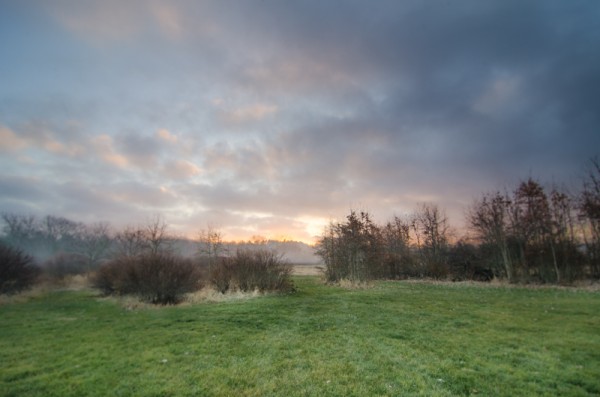
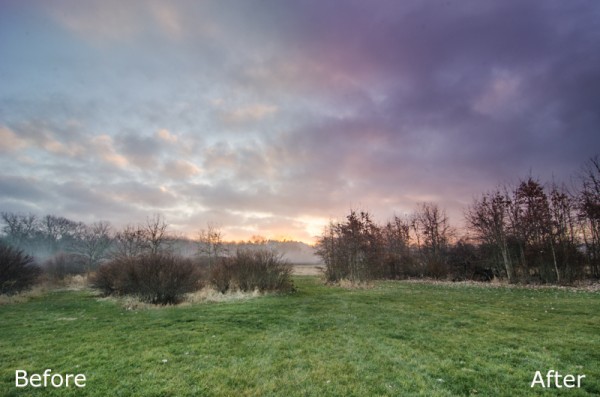
Split White Balance – This technique can be a powerful one when trying to get some interesting colors out of the sky, but retaining the natural colors of the earth. In the photo below I’ve added some pinks and purples to the sky, but was able to retain the natural green color of the grass.

whitebalanceb&a  

How I Did It – The graduated filter was dropped in from the top and rests just above the horizon line. I then made adjustments to the temperature and tint sliders until I was happy with the colors. Note: if there are objects that fall within your graduated filter’s effected zone you can correct it by using the adjustment brush and adjusting the tint & temp sliders locally for that specific area.

Direct the Light – By applying multiple filters to your photo you can create spot light like effects, leading lines and even your own very customizable vignette effect like seen below.

directing eyes

How I Did It – Here I’ve dropped in four different filters which all work together to create the final effect. There are two that are pulled in from the sides of the frame to drop the exposure of the edges. Then I dropped one in from the top and placed it almost at the bottom of the frame I use this one to increase the exposure of the overall photo excluding the very bottom of the frame. However, once this one was applied the top of the frame was over exposed so I then apply one more filter, again dropped in from the top, but placed towards the middle of the frame. This time I drop the exposure to cancel the effect of the previous filter and thus create the vignette effect. Yikes that was a mouthful!

Soften Your Borders – Sometimes you might want to soften the borders of your photo to draw in more attention to the center of the frame.

soft borders

How I Did It – This is a fairly simple process of dropping two filters in one from each side of the photo and then reducing the sharpness and clarity on both of them to -100. This effectively blurs out the sides of the frame and draws your attention to the middle.

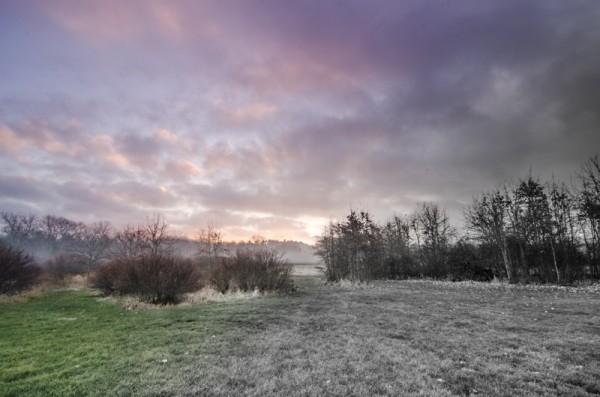
Create a B&W to Color Transition – A very cool effect can be the black and white to color transition. It’s  not something that’s going to be used on every photograph you produce, but when you do use it it will often get people to look twice.

Black & White Color

How I Did It – The black and white to color transition is done by using one single graduated filter and dropping the saturation to -100. It’s up to you where you want it placed and how dramatic you’d like the transition to be – a narrow filter makes for a more dramatic transition.

For Those Who Prefer Video

If you’re anything like me it is so much easier to learn this kind of thing when things are in motion and therefore I’ve included a video which walks you through everything I talked about above, plus a few other Lightroom goodies as well. Enjoy!

Post originally from: Digital Photography Tips.

Check out our more Photography Tips at Photography Tips for Beginners, Portrait Photography Tips and Wedding Photography Tips.

4 Fun Tricks to Enhance Your Photos With Lightroom’s Graduated Filter Tool


Digital Photography School

 
Comments Off on 4 Fun Tricks to Enhance Your Photos With Lightroom’s Graduated Filter Tool

Posted in Photography


How to Blend Exposures to Enhance Your Composition

07 Jun

Exposure blending is a popular technique often used to create high dynamic range photography.

This article is about using the same technique but for the purposes of creating an image that contains all of the elements of a scene that you might not have been able to capture in one exposure.

Of course, we would all like to capture what is in our mind’s eye in one exposure and we strive to do so to reduce the amount of time we spend post-processing. But that doesn’t always work out and blending exposures can be a quick and easy way of creating the image you want.

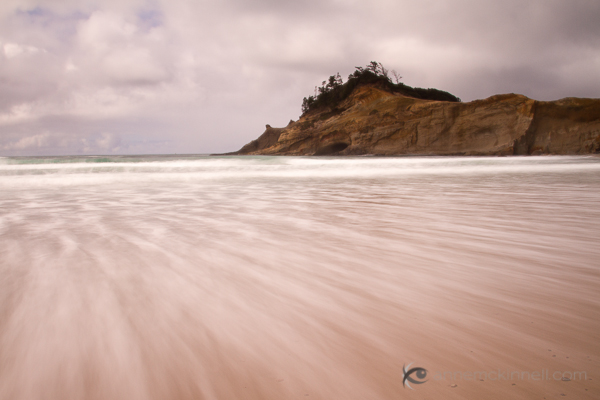
Here’s an example. I was recently visiting Cape Kiwanda on the Oregon coast and I wanted to make a long exposure image that would show the motion of the water rushing back out into the sea before each incoming wave.
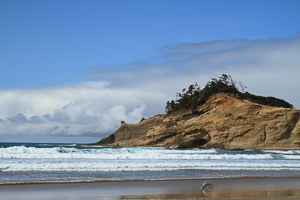
Cape Kiwanda, Oregon, by Anne McKinnell
I started out by taking some fast exposures to discover the composition I would ultimately use. This is what the scene looked like when I first got to the location — in fact, this is my first frame.

I quickly decided on the long exposure technique so I put on my 10 stop neutral density filter which would allow me to make a 4 second exposure in the middle of a sunny afternoon.

The difficulty was that the wave had to be just right and I had to open the shutter at exactly the right moment to get the effect I was after.
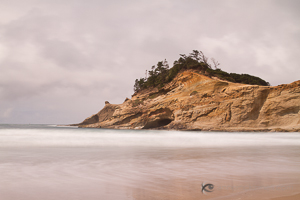
Cape Kiwanda, Oregon, by Anne McKinnell
This attempt turned out okay but it wasn’t as dramatic as what I hoped for.

After making this image, I decided that I wanted more foreground in my composition so I used a wider focal length and tilted my camera down a bit.

I made a number of images that were close to what I wanted but the foreground was not exactly as I had hoped.

Then, I finally got the big wave I was waiting for!

Unfortunately the wave was too big and even though I had pushed my tripod down in the sand the amount of water caused my tripod to sink a little while the shutter was open. That wasn’t a problem for the foreground, since it was blurred anyway, but the background was blurred in that image as well.

I spent half an hour making images at this location trying to get exactly what I wanted in camera. That is not a particularly long period of time — often I spend much longer in one location. But since I had the components I needed to make my final image, I decided to move on to other subjects.

These are the two images I ended up combining for the final product.
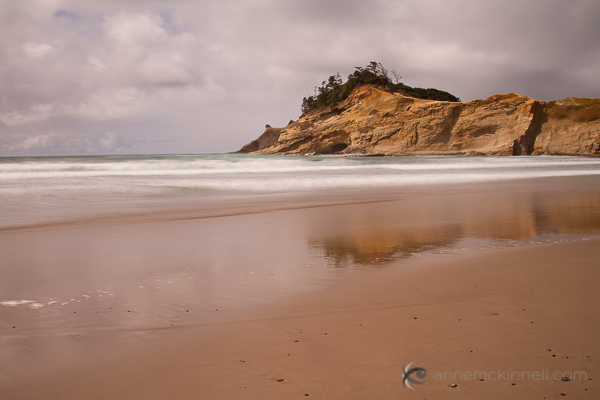
Cape Kiwanda, Oregon, by Anne McKinnell

Cape Kiwanda, Oregon, by Anne McKinnell

You can see how the rock in the image above is out of focus due to my tripod sinking in the sand.

In post processing, I took both of the above images and opened them in Photoshop Elements. I selected the one with the foreground I wanted, copied it, and pasted it on top of the other image so each image was on it’s own layer. Then I created a layer mask and used the gradient tool to blend the two images together.

Watch this video to see me blend these two images together in Photoshop Elements.

After blending the exposures, I made some final adjustments to contrast and colour to create the final image:
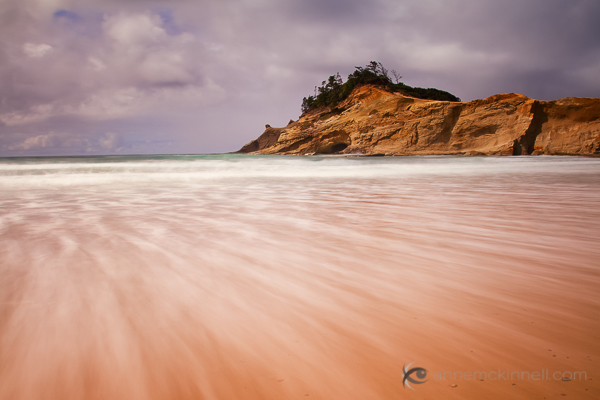
Cape Kiwanda, Oregon, by Anne McKinnell

Remember, photography is an art and you have the artistic license to do whatever you want whether that is documenting a scene exactly as you see it in front of you, or creating something that is different than what you saw with your own eyes using any technique you see fit.

Post originally from: Digital Photography Tips.

Check out our more Photography Tips at Photography Tips for Beginners, Portrait Photography Tips and Wedding Photography Tips.

How to Blend Exposures to Enhance Your Composition


Digital Photography School
 
Comments Off on How to Blend Exposures to Enhance Your Composition

Posted in Photography


How to Use Converging Lines to Enhance Your Photography

04 Jun
Converging-LinesPhoto by stevacek

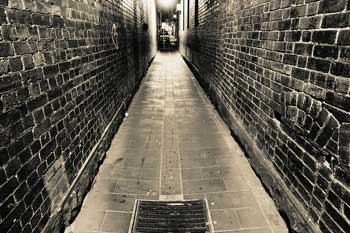
When framing a landscape shot one of the types of environmental features that many photographers look for and like to incorporate in their shots is converging lines.

We’ve talked previously about how lines have the potential to add interest to an image – but multiple lines that converge together (or come close to one another) can be a great technique to lead your viewers eye into a shot.

Perhaps the classic example (and one that’s probably been overdone) of converging lines are railway tracks.

Position yourself in the middle of two tracks (after taking a look at what might be coming from behind) and you’ll see the two tracks on either side of you appear to get closer and closer together as they go into the distance.

Take this shot and the natural reaction for those looking at the scene will be for them to follow the lines off into the distance. In a sense the two lines act like a funnel which directs the gaze of those entering them in a certain direction.

The same effect can be achieved with roads or pathways, converging fence lines, a set of stairs, power lines or virtually any other lines that run parallel into the distance or that actually converge at some point.

4 Tips Regarding Converging Lines

1. Experiment with Positioning – the classic railway line shot described above has many possibilities. One is to position the tracks dead center and symmetrically in the shot.

Another positioning would be to step to one side of the tracks and let them run diagonally through your frame from a lower corner to the opposite upper corner. The beauty of this is that you’ll end up with a more dynamic shot. Symmetrical and vertical placement of the lines can be powerful but diagonal lines tend to convey movement.

Alternatively stepping away from the start of the lines can give another perspective – as can holding your camera on an angle to give another diagonal framing of the lines.


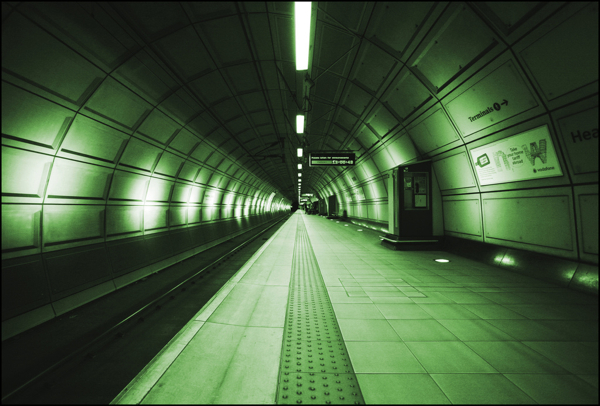
2. Wide Angle Lenses – different lenses can totally change the impact of a shot with converging lines. I find that a wide angle lens can be particularly useful – especially when positioning yourself between the two lines.

This will help to give the perception that the distance between the lines at the starting point of the image is wider than it is. This exaggeration of the width of your lines can have a powerful impact upon your shot.

Lines-ConvergingPhoto by MarvinOS

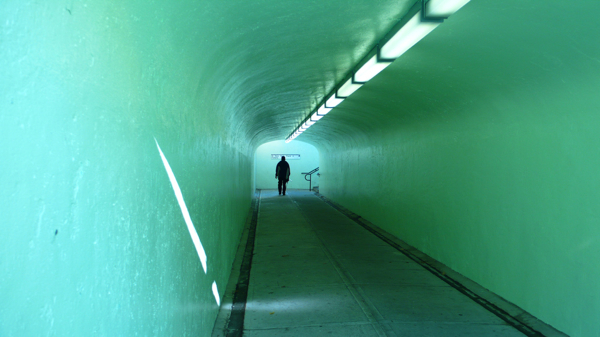
3. Positioning the ‘convergence’ – one thing to consider when you have converging lines in an image is that they draw the eye into a shot – towards the point that they converge – this becomes one of the most important parts of this image – a focal point.

As you’re framing your shot ask yourself – ‘where is the most effective position to frame this?”

Keep in mind rules like the Rule of Thirds that says that the intersecting points of imaginary lines a third of the way into an image are key points for positioning points of interest.

Also know that if the point of convergence is outside the frame of the shot that you are leading the eye out of your shot. This could leave a shot unbalanced and with tension – alternatively it could enhance the shot and leave your viewers wondering about the place that they converge.

4. Adding Interest at the Point of Convergence – Sometimes it is worth enhancing the point of convergence with something of interest (for example waiting until a train appears in the distance on the tracks – or positioning a person at the top of stairs) – on other occasions the composition of the shot is strong enough without adding an extra subject.

If you’ve got some examples of converging lines in images that you’ve taken I’d love to see them over at the DPS forums – either in the How I took It or Critique My Shot sections.

Here are a few more Converging Lines shots to illustrate the point and hopefully give a little inspiration.

Converging-Lines-2-1Image by MarkyBon

Converging-Lines-3-1Image by Loving Earth

Converging-Lines-4-1Image by vividiti

Converging-Lines-5-1Image by Lush.i.ous

Converging-Lines-7Image by Aeloux

Post originally from: Digital Photography Tips.

Check out our more Photography Tips at Photography Tips for Beginners, Portrait Photography Tips and Wedding Photography Tips.

How to Use Converging Lines to Enhance Your Photography


Digital Photography School

 
Comments Off on How to Use Converging Lines to Enhance Your Photography

Posted in Photography


6 Ways to Enhance Your Creativity

08 Feb

No matter what your artistic interests, whether photography, drawing, painting, sculpture, etc., the underlying force behind your work is creativity. It’s much easier to talk about technical aspects of photography as it’s a tangible skill, unlike the more mysterious intangible skill of creative thought.  While every art form is unique unto its own, harnessing one’s creativity is a universal skill.

There are some that might say you either have it or you don’t in relation to creativity, but the truth is we’re all creative. Every child makes believe at some point and lets their imagination run wild, and if I’m correct you were once a child. Creativity is a thought process and one that can be strengthened with practice and exercise. Below are 6 ways I like to get my creative mind working. If you have techniques that work for you be sure to add them in the comments.

1. Never Stop Thinking About Photos
Whether your camera is in hand or not conduct mental exercises to find subjects, mentally frame images and think through how you would capture the subject. Keeping photography constantly in mind is important in training yourself to think creatively. If your mind is primed for creative thought, creativity will have an easier time striking you.

2. Embrace Your Mistakes & Chance
It’s OK for chance or mistakes to bring something new to your attention. Always take a second look at your mistakes and see if it presents something new to the scene that perhaps you hadn’t thought to try. Not every mistake is a creative epiphany, but you’ll never have one if you never look.

3. Find inspiration
Whether viewing artwork at museums, in photo books or immersing yourself in nature, embrace the work of others including Mother Nature to help you see or think in new ways. When our minds are introduced to new techniques or ways of seeing our mindseye begins to expand its view fostering creative thought.

4. Break the Rules
Rules are great as they provide a roadmap of how things can be done or explain why we find something visually appealing. Once you know or have mastered the rules its time to break them. Creativity knows no bounds.  A great creative exercise is to intentionally break a rule to see how you can find a new way of viewing something in a manner that is otherwise “taboo”.

5. Have No Fear
Free yourself from the fear of what others might say if critical of your creative experiments. People by nature almost always have adverse reactions to new things particularly when they’re entrenched in thinking a more common practice is the “right way” or “norm”.  Creativity is the antithesis of a “norm”. Creativity brings a new way to present and see things. Never let norms and the attachment others have to them sway you from your creative exploration of the world before you with your camera.

6. Extract Yourself
Remove yourself from familiar routine and locations. Taking time to be away from the things that normally fill your day is a great way to obtain freedom for your mind to wander. Distraction free time allows for new thoughts and ideas to surface and most importantly it allows you to shape them into actionable projects.

Post originally from: Digital Photography Tips.

Check out our more Photography Tips at Photography Tips for Beginners, Portrait Photography Tips and Wedding Photography Tips.

6 Ways to Enhance Your Creativity


Digital Photography School

 
Comments Off on 6 Ways to Enhance Your Creativity

Posted in Photography


IMVU Pic Enhance and Design on PS CS5 (Two Avi Pics) 1/4

02 Nov

Just speed video of how i enhanced and designed my avi pictures. also, tips on quicker ways to use your tools (shortcuts) instead of moving the mouse to click on it every time. There are some mistakes but sorry about that lol. I hope you like it =3 please leave a comment Songs: Nicki Minaj – Did it on em Pitbull ft T-pain – Hey baby (Drop it to the floor)
Video Rating: 3 / 5

 
Comments Off on IMVU Pic Enhance and Design on PS CS5 (Two Avi Pics) 1/4

Posted in Retouching in Photoshop


Enhance clouds in Lightroom

02 Nov

Video Rating: 3 / 5

 
Comments Off on Enhance clouds in Lightroom

Posted in Retouching in Photoshop


Let me enhance that for you…

01 Nov

An amazing example of the ‘enhancing’ ability of Photoshop in TV land. There’s a lot of noise on this photo but nothing the ‘noise filter’ can’t handle!

 
Comments Off on Let me enhance that for you…

Posted in Retouching in Photoshop


Enhance a picture using the high pass filter

29 Oct

Stan White from Scrappers Workshop shows you how easy it is to enhance a slightly soft digital picture by usung the high pass filter in Photoshop.

 
Comments Off on Enhance a picture using the high pass filter

Posted in Retouching in Photoshop


Enhance Your Photos [Tutorial]

29 Oct

Directors Channel: www.youtube.com RAW Image: www.mediafire.com

 
Comments Off on Enhance Your Photos [Tutorial]

Posted in Retouching in Photoshop