RSS
 

Posts Tagged ‘Display’

LG G6 comes with dual-cam and 18:9 FullVision display

27 Feb

LG has today announced its latest flagship smartphone, the LG G6 at the Mobile World Congress in Barcelona. For the new model LG has abandoned the G5’s modular concept and focused on usability and durability instead. The G6 comes with an elegant looking metal frame with chamfered edges and a brushed metal back plate. The body is now also water and dust proof. On the front you’ll find a 5.7″ QHD+ display with an 18:9 aspect ratio that LG calls FullVision.

The unusual format allows for a device design that offers a large display but can still easily be held in one hand. It also makes the phone ideal for split-screen applications and movie-watching in cinematic formats. In the new camera UI it allows you to see a previously captured image in square format while already framing the next one. LG says that many apps are currently being optimized for the new format and streaming video providers are offering more and more content in 18:9 aspect ratio. The G6 is also the first mobile device to support Dolby Labs’ Dolby Vision high dynamic range video technology.  The display is framed by very thin bezels and LG says it is easier to view in bright sunlight than previous versions.

Due to the waterproofing the battery is now non-removable but comes with an increased 3300 mAh capacity. Unlike some of its competitors the G6 still offers a 3.5mm headphone jack as well. Android 7.0 is powered by last year’s top-end chipset Snapdragon 821 and 4GB of RAM. 32 or 64GB of internal storage are expandable via a microSD slot.

In the camera department LG sticks with the G5’s dual-camera concept but both sensors now offer the same 13MP resolution. The wideangle lens comes with a 71 degree angle of view and F1.8 aperture while the super-wideangle offers 125 degrees and a slower F2.4 aperture. Only the wideangle is OIS-equipped. In the camera app you can switch lenses at the press of a button and LG says it has improved the transition when zooming between the two. 4K video capture with stereo sound recording and a laser-assisted AF system are on board as well. The front camera comes with a 5MP resolution.

With improved camera specs, the interesting new display format and the attractive and waterproof body, the LG G6 looks like an appealing option for mobile photographers in 2017. We are hoping to get our hands on a review unit soon. No information on pricing and availability has been released yet.

Key specifications:

  • Dual-camera with two 1/3″ 13MP sensors
  • Wideangle, 71 degree angle of view, 3-axis OIS
  • Super-wideangle, 125 degree angle of view, F2.4
  • laser-assisted autofocus
  • 4K video with stereo sound recording
  • 5MP front camera with 100 degree angle of view, F2.2
  • Android 7.0
  • Qualcomm Snapdragon 821 chipset
  • 4GB RAM, 32/64GB storage
  • microSD support up to 256GB
  • 5.7″ 18:9 QHD+ IPS display, 2880 x 1440 resolution, 564 ppi
  • IP68 certified, water and dust resistant
  • Fingerprint reader
  • Google Assistant
  • 3300 battery with Quick Charge 3.0

Articles: Digital Photography Review (dpreview.com)

 
Comments Off on LG G6 comes with dual-cam and 18:9 FullVision display

Posted in Uncategorized


Luminous Loops: Interactive Light Display Inspired by the Zoetrope

17 Dec

[ By SA Rogers in Art & Installation & Sound. ]

loop-montreal-1

Take a seat inside this human-sized zoetrope, pull the bar back and forth and watch as fairytale imagery come to life around you. ‘Loop’ is the main installation at this year’s Luminothérapie, an interactive public art installation competition that takes place in Quebec each year. Developed by artists Olivier Girouard and Jonathan Villenueve in collaboration with Ottoblix, ‘Loop’ tells 13 different stories in each of the oversized illuminated circles placed along a street in Montreal.

loop-montreal-5

The zoetrope, in case you’re not familiar, is a pre-film animation device that displays a sequence of images within a cylinder to produce an illusion of motion; users look through slits in the cylinder to watch it. ‘Loop’ takes this traditional object and updates it with interactivity and light, asking users to power the spinning cylinder themselves. A flickering strobe light illuminates the monochrome images lining the inside.

‘Loop’ took three months of design work and 800 hours of assembly to complete. One of the designers makes a living building Lego sets, while the other has been designing since he was just a child. Explaining how they came up with the concept, Olivier Girouard says Villanueve took inspiration from mechanical interventions at Berlin’s Technology Museum.

loop-montreal-2

“Thinking of hamster wheels, we decided to build a vertical zoetrope. So we combined three mechanical elements: the railway push-car (like the ones made famous by Bugs Bunny cartoons), the music box and the zoetrope. We came up with the idea and sketched out the project just one week before the deadline for submitting proposals!”

loop-montreal-3

“Our invention reminds me of the Chimera, the mythological three-headed beast born of the intersection of different universes,” says Villanueve. “I like this more or less unclassifiable hybrid machine. Is it a toy? A projection device? A kind of lighting? Looking at previous Luminothérapie pieces, we noticed that installations that were not only participatory but also collaborative, where participants had to act together to produce a result were – in our opinion – the more successful projects and the most appreciated by the public.”

Loop will light up the Place des Festivals in Montreal until January 29th, when it will take off on a tour of Quebec cities. Check out last year’s installation – a series of illuminated see-saws.

Share on Facebook


[ By SA Rogers in Art & Installation & Sound. ]

[ WebUrbanist | Archives | Galleries | Privacy | TOS ]


WebUrbanist

 
Comments Off on Luminous Loops: Interactive Light Display Inspired by the Zoetrope

Posted in Creativity


Polaroid puts Snap Touch digital instant camera on display

20 Sep

Polaroid licensee C&A Marketing is showing an upgraded version of its original Polaroid Snap digital instant camera. The Polaroid Snap Touch adds a 3.5″ LCD touchscreen on the back of the camera for easier framing and control of the menus and settings. Images are captured on a new and improved 13 MP CMOS sensor and the new model is capable of recording 1080p Full-HD video. Images and video footage are saved on a microSD card up to 128GB in size. 

Remote connectivity through Bluetooth to the Polaroid Print app for iOS or Android allows for printing from other devices, such as smartphones or tablets, and the app also offers editing functions including a range of filters and digital stickers. 

As before, at the heart of the camera there is an integrated printer that uses using ZINK Zero Ink Printing Technology, allowing for 2×3” prints in under a minute. Up to ten images can be queued, so that you can keep shooting while printing is still in progress. Selfie shooters will appreciate the self-timer and a pop-up selfie mirror for easy framing.  The Polaroid Snap Touch is available in several colors and can now be preordered for $ 179.99. 

Articles: Digital Photography Review (dpreview.com)

 
Comments Off on Polaroid puts Snap Touch digital instant camera on display

Posted in Uncategorized


How to Prepare Your Images for Print and Display

18 Sep

If you’re into photography at some point you’ve probably had the desire to print and display your work. Whether it be for exhibition in a gallery or local community center, to hang on your own wall, or to give a print as a gift to a friend or loved one, you want to present your work in the best way possible. Treating it as the piece of art that it is. Displaying your printed work can sometimes result in a lot of angst, due to problems printing, decisions with regards to matting and framing, and finally, lighting.
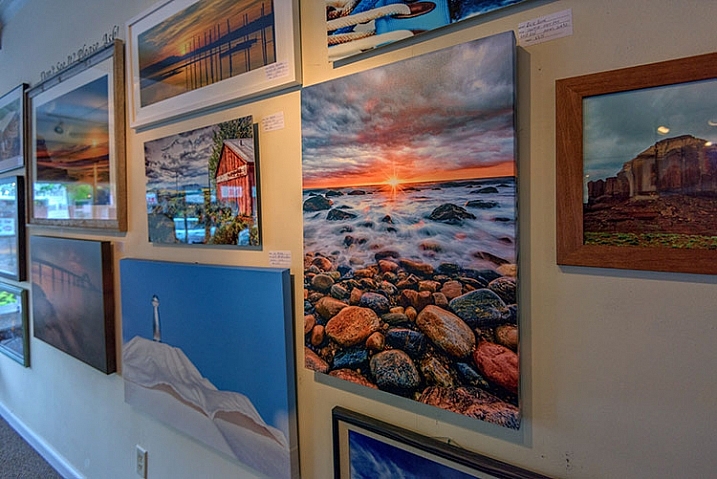
Displaying Your Images

Many photographers believe an image isn’t fully realized until it has been printed and hung.

“The negative is the equivalent of the composer’s score, and the print the performance.” – Ansel Adams

While situations, intentions, and desires may vary from one photographer to the next, here are a few things to consider when preparing an image for print and display.
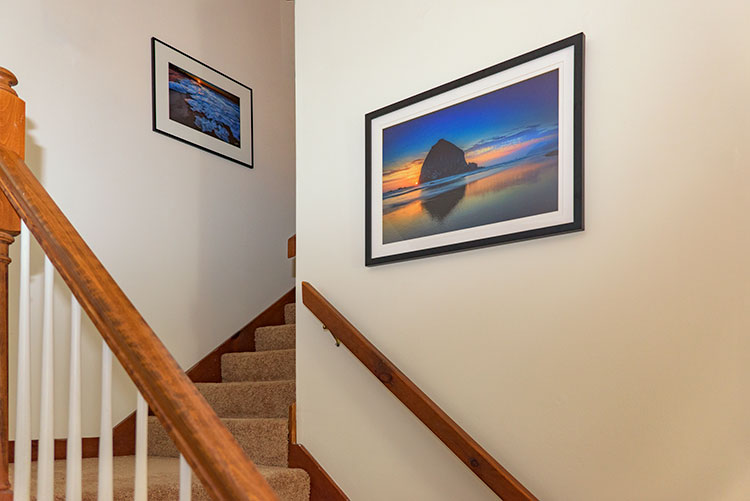
home-display-of-prints

Monitor Calibration

Before you even choose which route to go with in terms of printing your images, you have to address the biggest issue facing photographers today – monitor calibration.

The settings you have applied to your computer screen can drastically affect the way the image looks on screen. And while you may have edited the image to look fine onscreen, when you go to print it, there is a very good chance your printed output will look nothing like what you saw when editing. To solve that issue, you have to match your screen to a known standard. One that sets the color and brightness so that what you see on screen will translate to what comes back from the photo lab, or out of your printer.
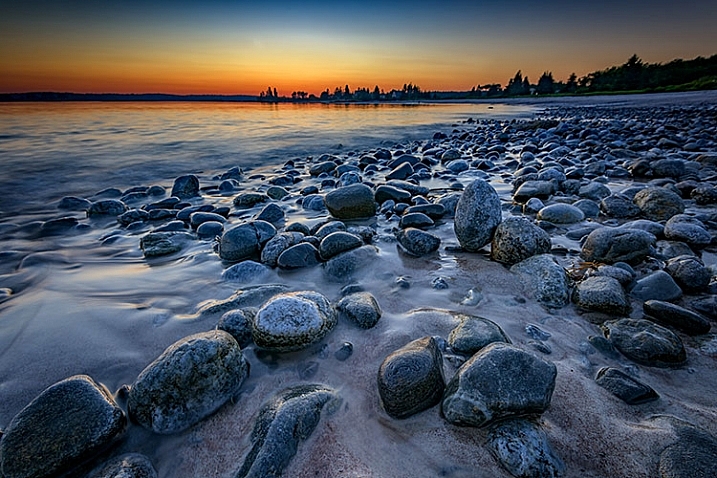
Calibrating Your Monitor

Unless your monitor is properly calibrated, you can’t be sure that the vibrant colors you see on screen will be the same as those seen in a print.

There are several available options for monitor calibration, but they all do the same thing. They get your monitor set to a known state that the printing engine can translate to similar output. In other words, what you see onscreen is what you get out of the printer or lab! Finally, it’s important to realize that the lighting under which your print will be displayed will affect the way the image looks. Too cool lighting will make it look bluer, while fluorescent lighting will make it greener, and tungsten lighting will warm the tones.

Finally, it’s important to realize that the lighting under which your print will be displayed will affect the way the image looks. Lighting that is too cool will make it look bluer, while fluorescent lighting will make it appear greener, and tungsten lighting will add warm the tones.

Type of Print

Obviously, if you plan to display one or many of your images, the first thing you need to do is have it printed. You have several options available, and while none are wrong, some are better than others. The simplest option, in terms of work for you, is to use a photo lab or print service. If you like more control, you can choose to print the images yourself on your own photo quality inkjet printer. Even then, there are things to consider.
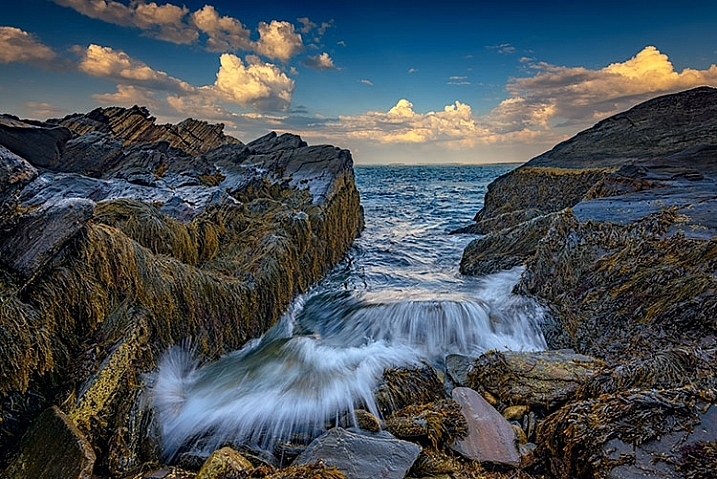
Making Prints

When you do decide to print an image, you have several choices to make, include what process to use, what media to print on, and how it should be finished.

There are two main printing methods prevalent today, depending on where you go for your prints of digital images:

Inkjet prints:

Inkjet prints are produced by placing tiny drops of ink on paper or canvas to produce an image. Professional inkjet printers tend to have more colors than consumer models, with high-end printers now featuring up to 12 different color inks to create a richly colored image.

Inkjet printers use inks that fall into one of two categories; pigment or dye-based inks. Pigment inks are made of tiny particles that sit on top of the paper, while dye-based inks are absorbed into the paper. Pigment inks are archival and can last up to 200 years or more in the proper conditions (under museum-quality lighting and framing). Pigment-based inks are more expensive but also suffer two main drawbacks. First, pigment based inks can suffer from metamerism, which appears as a shift in the color when viewing the print at an angle. The second drawback is that pigment-based inks are not as vibrant as dye-based ones. Dye-based inks tend to fade more quickly, though some are rated to last up to 75 years or more in proper conditions. Professional printers will usually use pigment-based inks.

Digital C-Print (Lightjet):

This method of printing involves using a laser to expose chromogenic paper, which is then processed in chemicals, similar to a traditional photographic print. It’s a continuous tone print, unlike inkjet which produces tiny dots of ink on the paper to create the image. The laser produces true photographic quality with continuous gradations and tones. Kodak Endura and Fuji Crystal Archive are the two most popular papers used in this process, and both produce archival prints that will last up to 200 years under proper conditions.
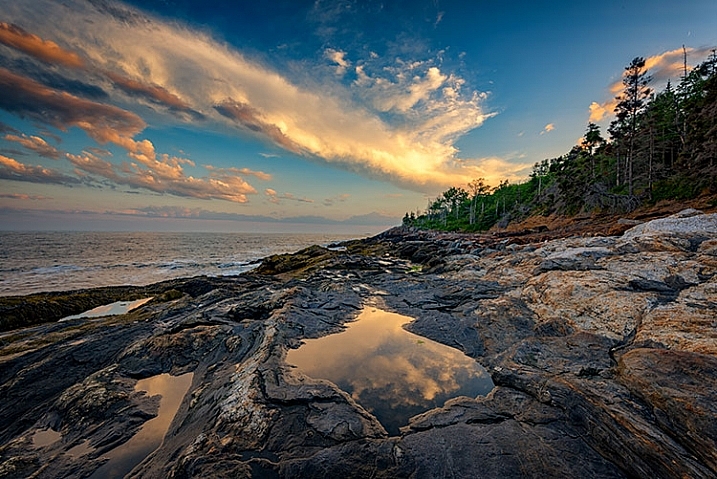
Displaying Your Work

While it’s fun to show off your images online, there is nothing quite like having one of your images printed and framed.

Choosing a Lab

Labs offer some decided advantages over printing images yourself. When choosing a lab, you want to find one with a reputation for good quality control and customer service. I’ve found getting recommendations from other photographers to be incredibly helpful when looking for a lab.

Other things you’ll want to consider are their products. Do they print using the method you want? Do they offer the sizes you want? Do they print on media other than photo paper, such as canvas, acrylic, or metal? What kinds of finishing options do they offer? Is the canvas gallery wrapped? Do they offer mounting or framing? Do you want or need those services? Answer those questions, knowing what you want or need, and that should give you a good answer as to whether the lab will fulfill your needs.

Answer those questions, knowing what you want or need, and that should give you a good answer as to whether the lab will fulfill your needs.

Displaying the Print

If you choose to go with a print on metal, acrylic, or canvas, once the print is made, you probably won’t have much else to do. These options are generally finished and require no framing, though a decorative frame can be added to canvas if desired. If you’ve printed on paper, you still have a little work to do.
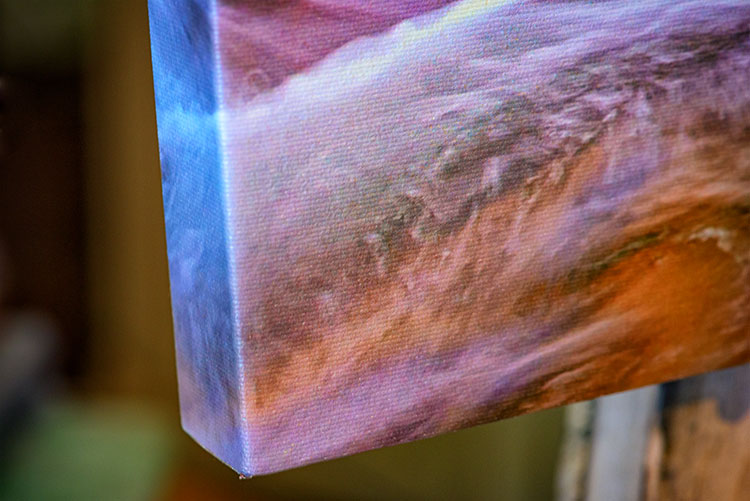
canvas-wrap

Matting

Paper prints, to be properly displayed, need to be matted and framed. You can find various qualities of mat board, using terms such as “Buffered pH Neutral” or “Acid-Free”. These are basically the same thing, meaning the acid has been removed from the paper to avoid harming the prints. Acid-free mats have a protective lifespan of about 7-12 years.

The next grade of mat board is known as “conservation grade acid-free” or sometimes “museum rag”, which is what you’d want to use for a serious art display in a gallery. In addition to removing the acid, another component harmful to paper, called lignin, is also removed from the mat board. Conservation mats that are acid and lignin free have a protective lifespan of 50 years or more. Conservation grade mats aremore expensive than simple acid-free ones.

Which type of mat should you choose? It really depends on your purpose. If you’re planning to display the print as art in a gallery and possibly for sale, conservation grade mats are the best choice. This helps add value to the print by preserving it, and lets the buyer know you are serious about your work and their potential investment in it. If the use is something less important, such as a temporary display that won’t be for sale, you can certainly save some money and go with a simple acid-free mat.
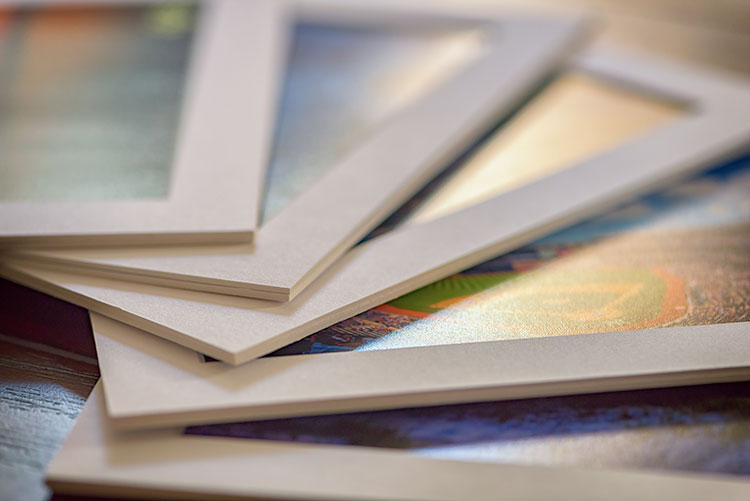
matted-prints

Framing

Framing prints can present you with some difficult choices, depending on where the print will be hanging. Since you never know where someone may hang a print, for galleries and art shows I suggest a simple, understated black frame, that lets the image breathe and speak for itself.
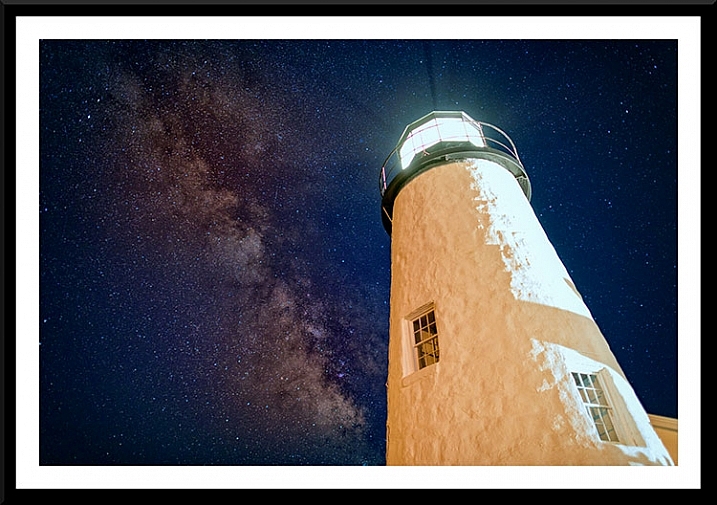
Framed Print

A matt and frame finish off an image and complete the piece for hanging.

One of the big mistakes I see new photographers and artists make when showing work in a gallery or exhibition is framing their work in overly ornate or colorful frames. When an art buyer purchases a new piece of art, if it is framed already, that frame becomes part of the consideration. By keeping the frame simple and understated, it allows the buyer to view the art neutrally without considering the frame. They won’t feel the frame has to be married to the image and can feel free to consider their own framing choices.

If you want to get really serious about the frames you use, you’ll want to use museum quality framing. Like conservation mats, it is designed to preserve the print for as long as possible. Museum quality framing includes UV filtered glass to reduce the UV rays from the sun that are a print’s worst enemy and keep it from fading. It should include conservation matting as described above, and will have a final layer of archival backing to further protect the print.

The Finishing Touch
Signing Your Prints

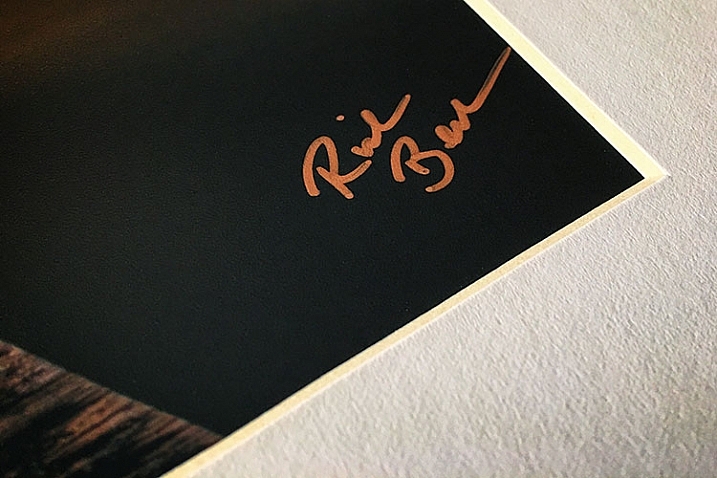
An artist should always sign his or her work, on the print, in the corner.

As with any artwork, you should always, without fail, sign your images. Signing your images signifies that you created the image, personally took responsibility for it from capture to print, and lets whoever is hanging the print on their wall know who created it. It adds value for art collectors.

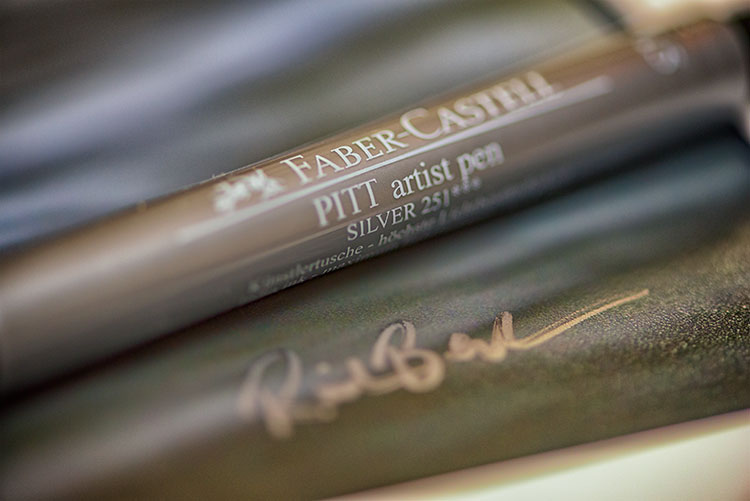
There is always some debate, it seems, but I will go on the record as saying that it is always the print that should be signed, and never the mat. The mat can be removed, and thus, so can your signature. Choose either the bottom left or bottom right corner and sign your prints with a neat, clear signature that identifies the image as your own. Again, you’ll want to use archival ink that won’t harm the print, in a color that will stand out. For darker prints, silver or gold metallic works nicely, while for lighter colored prints, a black ink will suffice. I prefer the Deco Color Liquid Fine Paint Markers to sign my prints, canvases, metal prints, and acrylics. There are several thicknesses available so you may want to experiment to find what works best for you.
artist-pen

Your photos are meant to be seen, not just take up space on a hard drive! So take these tips and start showing your images off. What are your favorite tips for displaying photos?

googletag.cmd.push(function() {
tablet_slots.push( googletag.defineSlot( “/1005424/_dPSv4_tab-all-article-bottom_(300×250)”, [300, 250], “pb-ad-78623” ).addService( googletag.pubads() ) ); } );

googletag.cmd.push(function() {
mobile_slots.push( googletag.defineSlot( “/1005424/_dPSv4_mob-all-article-bottom_(300×250)”, [300, 250], “pb-ad-78158” ).addService( googletag.pubads() ) ); } );

The post How to Prepare Your Images for Print and Display by Rick Berk appeared first on Digital Photography School.


Digital Photography School

 
Comments Off on How to Prepare Your Images for Print and Display

Posted in Photography


Display your camera collection in style with these 3D-printed wall mounts

30 Aug

$ (document).ready(function() { SampleGalleryV2({“containerId”:”embeddedSampleGallery_4952012233″,”galleryId”:”4952012233″,”isEmbeddedWidget”:true,”standalone”:false,”selectedImageIndex”:0,”startInCommentsView”:false,”isMobile”:false}) });

Looking for a sleek, minimalist display for your vintage camera collection? LaudWorks, a purveyor of DIY project tools, has launched a small accessory called Hangie for easily mounting a camera on a wall. The 3D-printed mount is offered in both steel and plastic versions with multiple color options, and is nearly invisible when used, giving the impression that the camera is floating on the wall.

The Hangie mount is simple to install: first, attach the mount to a wall using two screws, then secure the camera using a tripod mount screw. The metal version of Hangie is made from bronze-infused stainless steel and is designed for heavier cameras; LaudWorks says it tested this version with a Canon EOS 7D and a EF-S 17-55mm lens attachment (1500g / 3.3lb). The plastic version, meanwhile, is made from white nylon plastic and is made for ‘small, lightweight cameras.’

Both products are available from Shapeways; the plastic version is $ 4 and the metal version is $ 21. 

Via: PetaPixel

Articles: Digital Photography Review (dpreview.com)

 
Comments Off on Display your camera collection in style with these 3D-printed wall mounts

Posted in Uncategorized


Samsung Galaxy Note 7 combines S7 camera with large display, S-Pen and iris scanner

03 Aug

In keeping with its established product innovation cycle, Korean manufacturer Samsung has today launched the latest model in its Note line of large format smartphones, the Galaxy Note 7. Judging by its specifications the new device looks like an impressive package but is in many ways more of a refinement of previous models rather than a radical overhaul.

The camera module, for example, comes with the same specification as the smaller Galaxy S7 and S7 edge devices. A 1/2.5″ 12MP sensor with 1.4-micron pixel size is combined with a fast F1.7 aperture, optical image stabilization and dual pixel on-sensor phase detection AF. The front camera has a 5MP sensor and F1.7 aperture.

Processing specifications are identical to the S7 as well. The US version of the device is powered by a Qualcomm Snapdragon 820 chipset while the international versions will come with Samsung’s own Exynos octa-core chip. All models come with 4GB of RAM and 64GB of internal storage that is expandable via a microSD-slot.

The Note 7’s characteristic 5.7″ dual-edge display offers Super AMOLED technology and a 2560 x 1440 Quad-HD resolution. It’s also the first display to feature Gorilla Glass 5 which should survive a drop from 1.6 meters height. As on the predecessor, the edges of the display are curved and offer Samsung’s unique Edge interface for quick access to contacts and apps. While some competitors have started to dispense with the headphone-jack the Samsung still offers this standard connector, next to a new USB Type-C port. All the components are powered by a 3,500mAh battery, which is a little smaller than the variant in the S7 Edge.

Notable new features include an iris scanner above the display that allows you to unlock the phone or access secured content. Samsung says that in the future the scanner will let you log into accounts or use Samsung Pay, but none of these functions are currently implemented. The design of the Note series’ characteristic S-Pen stylus has been slightly altered, too. It is now water-resistant and at 0.7mm comes with a thinner tip which should make for a more natural writing experience. 

Overall the Galaxy Note 7 looks like an appealing proposition for those users who like to work with larger screens and a stylus for photo editing. The camera module has already been tried and tested on the Galaxy S7 models and currently among the very best. 

Articles: Digital Photography Review (dpreview.com)

 
Comments Off on Samsung Galaxy Note 7 combines S7 camera with large display, S-Pen and iris scanner

Posted in Uncategorized


Sony Xperia Z5’s 4K display shows most content at 1080p

19 Sep

The new Sony Xperia Z5 Premium, announced at IFA, is the first production smartphone with a 4K display. However, Sony also claims the new device offers approximately two days of battery life on a single charge. How does it manage such impressive battery life with a high resolution display? Sony explains. Read more

Articles: Digital Photography Review (dpreview.com)

 
Comments Off on Sony Xperia Z5’s 4K display shows most content at 1080p

Posted in Uncategorized


Shortlisted images from Environmental Photographer of the Year 2015 to go on display

04 Jun

London’s Royal Geographical Society is set to play host to an exhibition of the shortlisted entries of the 2015 Environmental Photographer of the Year competition. The exhibition, which opens for three weeks on June 22nd, will feature 111 of the best images as selected by the competition’s five judges. The ultimate winners will be announced at a ceremony on 25th June. Read more

Articles: Digital Photography Review (dpreview.com)

 
Comments Off on Shortlisted images from Environmental Photographer of the Year 2015 to go on display

Posted in Uncategorized


GoPro unveils Hero+ LCD with touchscreen display

02 Jun

GoPro has introduced the Hero+ LCD camera, sharing many features with the entry-level Hero with the addition of a touchscreen. The Hero+ LCD is waterproof to depths up to 40m/131 ft, and adds both Bluetooth and integrated Wi-F with support for the Android and iOS GoPro App. Videos can be recorded at up to 1080p/60, and 8MP still image capture is offered. Read more

Articles: Digital Photography Review (dpreview.com)

 
Comments Off on GoPro unveils Hero+ LCD with touchscreen display

Posted in Uncategorized


Photo Display Roundup

13 Apr

You’ve got prints, prints everywhere. Well, not everywhere … mostly in shoe boxes.

They need to be free! It’s time.

We’ve rounded up the most fun, and stylish, ways to get your prints out into the fresh air. Let those beauties breathe.

Check Out Our Display Roundup

p.s. Not enough prints in your life? Try our Disposable Camera app!
(…)
Read the rest of Photo Display Roundup (15 words)


© Erin for Photojojo, 2015. |
Permalink |
No comment |
Add to
del.icio.us

Post tags:


Photojojo

 
Comments Off on Photo Display Roundup

Posted in Equipment
