RSS
 

Posts Tagged ‘Digital’

You can own the world’s first single shot 8×10 digital camera for $106,000

22 Apr

$ (document).ready(function() { SampleGalleryV2({“containerId”:”embeddedSampleGallery_1218001005″,”galleryId”:”1218001005″,”isEmbeddedWidget”:true,”selectedImageIndex”:0,”isMobile”:false}) });

If you’re shooting digital, the largest image sensor you will find at your local camera store is the 53.4mm x 40.1mm medium format sensors inside something like the Phase One IQ3. But if that is just not enough for you… there is one, much larger option. Meet the $ 106,000 LargeSense LS911: a large format digital camera and purportedly the “world’s first 8×10 digital single shot camera for sale.”

The LS911 is the passion project of Bill Charbonnet, who left his desk job in 2014 to start LargeSense LLC and built these large-format digital cameras. Four years later, the LS911 is his first shipping product.

According to the press materials, LS911 features a 12-megapixel 9×11-inch monochrome CMOS sensor (that translates into massive 75 micron pixels), ISO that can be set at either 2100 or 6400, 900GB of internal storage, and the ability to output files to DNG, 16-bit TIFF, 32-bit TIFF, RAW and JPEG formats. There is no CFA, but the monochrome sensor can be used to produce color images (of non-moving subjects) using an in-built 3-shot system and color filters.

Oh, and the thing can also apparently shoot 4K, 3840 × 2160 video at 26fps using its electronic shutter.

Here is a video of the LS911 in action:

And here is how the size of the LargeSense LS911 sensor compares to some of the other image sensors out there:

Note: the LargeSense LS45 is a 4×5-inch digital back Charbonnet is working on, but has yet to release.

If the LS911 seems a bit bonkers, honestly, that’s because it is. We’ve been discussing it in the office for the past couple of days, trying to figure out how to put this camera in context for our readers, and here’s our take: it’s cool, but having a sensor this large may not be as advantageous as you think.

Science Editor Rishi Sanyal explains:

One of the main benefits of going to a larger sensor is that you can get more resolution as the larger pixels place less of a burden on the resolving power of the lens, but this camera does not take advantage of that.

What it does offer is the tilting, shifting and swinging ability large format cameras are known for, and if you can give the sensor enough light, the entire image has the potential for greater ‘tonality’ because the lower relative shot noise will yield very high signal-to-noise ratio for most tones. That makes the image more amenable to extreme sharpening without accentuating noise. That said, beyond a certain signal-to-noise ratio, tones are already clean enough – particularly with modern full-frame or medium format cameras – that it likely doesn’t matter.

So, are you guaranteed a noticeable improvement in overall quality of the photos just because of the 9×11-inch sensor? Not necessarily. This is probably more about the feel of large format where you can throw most of the image largely out-of-focus by tilting the focus plane, or keep a large amount in focus without stopping down if you align the focus plane with your subject(s).

If, after knowing all of this, you’re still interested in dropping $ 106K on the LS991 (hey – it’s guaranteed to be a conversation piece at parties if nothing else), head over to the LS911 product page on the LargeSense website or check out the full spec sheet at this link.

And do let us know: what would you use it for?

Press Release

LargeSense launches the LS911

It is the first full frame 8×10 digital single shot camera for sale!

Medium format has thus far been the limit as far as sensor size because large sensors are difficult and expensive to produce. With the LS911, photographers now have an option for high quality large format images other than film. Available now. The USA price is US$ 106,000 Check www.largesense.com for more information.

LS911 Specifications

  • Single shot 9×11 inch monochrome CMOS sensor
  • High base sensitivity of ISO 2100
  • Live view for focusing
  • Compatible with any large format lens with a sufficient image circle
  • Easy to use HTML-based WiFi control with any HTML5 browser
  • 4k Lossless video with audio up to 26fps
  • 900GB internal storage, CF cards and external USB 3.1 drives
  • User-generated curves to apply to the linear files
  • Integrated 3 shot tri-color images when using color filters
  • Designed for mounting on large tripods or custom camera stands

LS911 product page: http://largesense.com/products/8×10-large-format-digital-back-ls911/

LS911 spec and feature sheet: http://largesense.com/files/3415/2348/3451/LS911-Specs-And-Features-180411.pdf

Upcoming Products

A 4×5 inch digital back, the LS45, is expected at the end of 2018.

The color version of the LS911 is expected in 2020.

LargeSense was founded in 2014 by Bill Charbonnet to manufacture single shot, large format digital cameras. Inspiration was from Mitchell Feinberg’s 8×10 digital back. The issue for a business in this tiny market is keeping costs low while delivering a specialty product. After 3 years of development, we are proud to be the first to offer such camera, the LS911!

Articles: Digital Photography Review (dpreview.com)

 
Comments Off on You can own the world’s first single shot 8×10 digital camera for $106,000

Posted in Uncategorized


GoPro will now accept almost any digital camera for trade-in, even ‘destroyed’

19 Apr

GoPro has relaunched its Trade-Up program, this time as a permanent option for customers located in the United States. The program first launched last year, but only as a temporary promotion limited to previous-generation GoPro cameras exchanged for discounts on current-generation models. This time around, GoPro is accepting nearly any digital camera in any condition.

The company says it will accept any GoPro or non-GoPro digital camera under the program, and that any condition is acceptable, including “destroyed.” To participate, customers must use the Trade-Up website to purchase either a Fusion or HERO6 Black, where they’ll receive a $ 50 discount on the HERO6 Black (bringing the price down to $ 350) and/or a $ 100 discount on the Fusion (bringing the price down to $ 600).

GoPro provides the customer with a prepaid shipping label to send the company their trade-in camera; once the trade-in is verified, GoPro ships the newly purchased camera to the customer.

According to the program’s FAQ, the trade-in camera must have a new value of at least $ 100 USD, and while multiple cameras can be traded-in, only one discount can be applied per camera purchase. Customers have 45 days to ship the trade-in to GoPro; once received, the company will charge their payment card for the new device.

Explaining why it decided to expand the program to cover any digital camera, GoPro says, “It’s not so much that we want your old camera. We just want to make it easy for you to get your hands on the latest and greatest GoPro.”

Press Release

GoPro Launches Camera Trade-Up Program for HERO6 Black and Fusion Cameras

Send in Any Older-Generation GoPro – or Any Other Digital Camera – and Receive $ 50 off HERO6 Black and $ 100 off Fusion at GoPro.com

SAN MATEO, Calif., April 18, 2018 – GoPro, Inc. today announced the launch of its camera Trade-Up program, offering users in the United States the ability to trade up from any previous-generation GoPro, or any other digital camera, to experience its latest and greatest products. Starting today, anyone in the U.S. can receive $ 50 off a new HERO6 Black or $ 100 off Fusion by participating in the program at GoPro.com.

GoPro first introduced its Trade-Up program for a limited time in 2017, which only accepted previous-generation GoPro models in exchange for a discounted upgrade to a current model. Nearly 12,000 customers participated in the 60-day promotion. The new and improved Trade-Up program brings back the initiative with major enhancements, including the acceptance of any digital camera and making it an everyday offer.

“The Trade-Up program is a great way for our fans and customers to upgrade to our newest products and experience how fun and convenient GoPro has become,” said Meghan Laffey, senior vice president of product at GoPro.

To participate in GoPro’s Trade-Up Program, customers should visit the Trade-Up website, select the new camera of their choice, and follow the instructions to return their old GoPro or digital camera. Upon receiving the returned camera, GoPro will process the discounted order and ship the new HERO6 Black or Fusion to the customer. Returned cameras will be recycled responsibly via zero landfill and recycling methods appropriate to material type.

To learn more about GoPro’s Trade-Up Program, visit https://shop.gopro.com/tradeup.

Articles: Digital Photography Review (dpreview.com)

 
Comments Off on GoPro will now accept almost any digital camera for trade-in, even ‘destroyed’

Posted in Uncategorized


Western Digital debuts new G-Drive and G-Speed professional grade SSDs

09 Apr

Western Digital just revealed its new lineup of G-Technology G-DRIVE and G-SPEED external solid state drives at NAB 2018, and as you might expect, they’re built to handle ultra-high resolution video. In fact, WD claims these Thunderbolt 3 drives enable “real-time 4K and 8K workflows” for professionals who need serious speed, capacity, and reliability.

There are three new drives in all: the G-DRIVE Mobile Pro SSD, the G-DRIVE Pro SSD, and the G-SPEED Shuttle SSD.

G-DRIVE Mobile Pro SSD

The G-Drive Mobile Pro SSD aims to be one of the fastest mobile storage solutions you can bring with you in the field. Available in 500GB and 1TB configurations, this Thunderbolt 3 drive boasts read speeds up to 2800MB/s that should let you “edit multi-stream 8K footage at full frame rate, quickly render projects and experience them at full resolution, and transfer as much as a terabyte of media in seven minutes.”

The most portable of today’s announcements, the drive has also been built to be rugged. The derive uses “specially engineered components” for its shock-resistant design, and the aluminum core is meant to prevent overheating.

To learn more about the G-DRIVE Mobile Pro SSD, head over to the G-Technology website. Both 500GB and 1TB capacity drives will be available in the US starting this summer for $ 660 and $ 1,050, respectively.

G-DRIVE Pro SSD

The G-DRIVE Pro SSD, as the name suggests, is the Mobile Pro’s big brother. Like its younger sibling, it features a Thunderbolt 3 connection (actually two of them) and can transfer data at up to 2800MB/s. Thanks to the dual-connection, however, you can daisy chain up to 6 of these bad-boys together and stack them on your desk like Jenga pieces.

Since this is a desktop solution, it’s not built with the same shock-proof design as the Mobile Pro, but the G-DRIVE Pro SSDs do boast enterprise-class solid state drives with an endurance rating of one drive write per day.

These drives will be available to US consumers starting in May, and will come in capacities of 960GB, 1.92TB, 3.84TB, and 7.68TB for $ 1,400, $ 2,100, $ 4,100, and $ 7,600, respectively. Just for fun we did the math: if you daisy chain six of the 7.68TB drives together, you will have spent $ 45,600 for 46.08TB of solid state storage.

You can learn more about the G-DRIVE Pro SSD on the G-Technology website.

G-SPEED Shuttle SSD

Finally, the biggest and baddest of the drives released today (if you can call this a “drive”) is the G-SPEED Shuttle SSD: an enclosure that comes with eight removable SSDs pre-loaded and configured in RAID 5. This is meant for “ultra-demanding” workflows like multi-stream HD, 4K, 8K, VR and VFX backup and editing.

The G-SPEED Shuttle SSD comes with up to 16TB of storage (eight, 2TB drives pre-loaded) and can be configured to run hardware RAID 0, 1, 5, 10, and 50. And, like the G-DRIVE Pro SSD, the G-SPEED features two Thunderbolt 3 connection that max out at 2800MB/s and can be daisy chained with up to five additional devices.

The G-SPEED Shuttle SSD will arrive on store shelves in the US this month, and can be purchased in either 8TB or 16TB configurations for $ 5,100 and $ 7,600, respectively. That means the same $ 45,600 mentioned above will buy you 96TB of solid state storage if you go with the G-SPEED Shuttle.

To learn more or order yours, visit the G-Technology website.

Press Release

Access, Edit and Share Massive 4K and 8K RAW Video from Multi Camera Shoots in Real Time with the Fast and Reliable Western Digital Thunderbolt 3 SSD Solutions

Award-Winning G-Technology® G-DRIVE® and G-SPEED® Families Enable Creative Professionals to Access and Work With Data Quickly

Las Vegas, 2018 NAB SHOW, Apr. 9, 2018 – Western Digital Corporation (NASDAQ: WDC) is meeting the escalating fast-transfer and high-capacity demands of professional content creators by enabling real-time 4K and 8K workflows with three new professional-grade ultra-fast solutions in its powerful G-Technology® G-DRIVE® and G-SPEED® Shuttle product families.

Working with large 4K and 8K RAW video means massive file sizes and is undoubtedly one of the largest pain points for content editors. With new cameras capable of capturing over 400 MB/s of RAW data, there is an opportunity for content professionals to create incredibly high-resolution footage and ever-more immersive viewer experiences. It is not uncommon for a production crew to be on-location for two or three months recording three to four terabytes per day of footage from multiple cameras. With this expansion of data capture, comes a potential bottleneck in maintaining a real-time workflow on location – until now.

“Saving time means getting more done, which means booking more jobs over the course of a year,” said Scott Vouri, Vice President of Strategy and Business Development, Western Digital. “Creative professionals need to know that their drives will keep up with the growing demands of their workflows. To capitalize on these opportunities, the right tools are crucial. When working in the field, production teams need a fast solution that can handle demanding workflows of 4K and 8K content with the ability to quickly collect that valuable footage and be able to edit on the spot. With the power of Thunderbolt 3*, and transfer rates up to 2800MB/s**, the the new G-Technology Pro SSDs offer an ultra-fast, super-reliable solution for any creative project team.”

G-DRIVE Mobile Pro SSD

With storage running at 2800MB/s, the G-DRIVE mobile Pro SSD (Up to 1TB of capacity) lets you edit multi-stream 8K footage at full frame rate, quickly render projects and experience them at full resolution, and transfer as much as a terabyte of media in seven minutes or less (for capacities 1TB or larger) wherever you are. A durable, shock-resistant design uses specially engineered components to endure traveling, while a single Thunderbolt™ 3 port lets you instantly edit footage on the go with incredible speed without the need for wall power. An aluminum core prevents overheating and maintains a consistent high performance, and with a trusted 5-year limited warranty, you get durable, fast solutions. The G-DRIVE mobile Pro SSD solution with Thunderbolt 3 is available in the U.S. Summer of 2018 in capacities of 500GB ($ 659.95) and 1TB ($ 1,049.95) USD.

G-DRIVE Pro SSD

Equipped with scorching fast transfer rates of up to 2800MB/s, the G-DRIVE Pro SSD solution (up to 7.68TB of capacity) with Thunderbolt 3 technology enables a filmmaker to edit multi-stream 8K footage at full frame rate, quickly render projects and experience them at full resolution, and transfer as much as a terabyte of content in seven minutes or less (for capacities 1TB or larger). Dual Thunderbolt 3 ports are ready to daisy-chain up to five additional devices, while a stackable, rugged aluminum enclosure offers a durable way to help keep your workplace tidy. Combined with Enterprise-class solid state drives, an endurance rating of one drive write per day (DW/D) endurance rating, and a trusted 5-year limited warranty, the G-DRIVE Pro SSD delivers reliable, high-performance desktop storage you can rely on. The G-DRIVE Pro SSD solution with Thunderbolt 3 is available in the U.S. May of 2018 in capacities of 960GB1 ($ 1,399.95), 1.92TB ($ 2,099.95), 3.84TB ($ 4,099.95) and 7.68TB ($ 7,599.95) USD.

G-SPEED Shuttle SSD

With up to 16TB of SSD capacity, the G-SPEED Shuttle SSD with Thunderbolt 3 is optimized to support multi-stream HD, 4K, 8K, VR and VFX workflows. Equipped with transfer rates up to 2800MB/s, hardware RAID 0, 1, 5, 10, 50, and eight removable SSDs pre-loaded and configured in RAID 5, it is built for ultra-demanding production workflows. The G-SPEED Shuttle SSD is available in the U.S. this month in capacities of 8TB ($ 5,099.95) and 16TB ($ 7,599.95).


*Backward compatible with Thunderbolt 2 using Thunderbolt 3 to Thunderbolt 2 adapter

**Based on read speed. As used for transfer rate, megabyte per second (MB/s) = one million bytes per second. Performance will vary depending on your hardware and software components and configurations.

1As used for storage capacity, one terabyte (TB) = one trillion bytes. Total accessible capacity varies depending on operating environment.

Articles: Digital Photography Review (dpreview.com)

 
Comments Off on Western Digital debuts new G-Drive and G-Speed professional grade SSDs

Posted in Uncategorized


5 Tips To Help You Enjoy Your First Digital Camera

29 Mar

It’s easy to use a modern digital camera to take generic looking snapshots. Getting beyond what’s easy requires a little, or a lot, of commitment, (depending on how creative you desire to become.)

Reflection of a tricycle taxi rider in his bike mirror in Chiang Mai, Thailand. - 5 Tips To Help You Enjoy Your First Digital Camera

Dedicating a little time each day to learning how to use your new camera will enable you to be truly creative in your photography. Without a good understanding of the basics of photography and how to control your camera, and regular practice with it, you will most likely continue to produce bland photos and become disheartened.

Let me encourage you by offering you five tips to help you really enjoy your first digital camera.

Thai woman and child share a fun moment with a DSLR camera in Chiang Mai, Thailand - 5 Tips To Help You Enjoy Your First Digital Camera

1. Use YouTube and Google

Use YouTube and Google, rather than your camera’s manual, to learn the basic controls. Camera manuals are notoriously difficult to make sense of so finding alternative sources of information that provide you with a foundational understanding of your specific camera can be more beneficial for you.

Searching online for your camera model along with the word “settings” will often return you results which are easier to follow than the manual that came with your camera. Find a good website or video channel where you can comfortably follow the presenter. This will help you gain the knowledge you need in order to control your camera well.

back of a DSLR camera showing the image of the Iron Bridge in Chiang Mai, Thailand, on the monitor - 5 Tips To Help You Enjoy Your First Digital Camera

2. Take a Course or Workshop

Going beyond the very basics will require a little more study. Once you are a little more familiar with your camera and its essential controls, joining a workshop, night class, or enrolling in an online course can help take you to the next level of photographic skill and creativity.

Books and websites are helpful as well, but I find people interested in photography are often visual and tactile learners. Many people who join our photography workshops in-person or study with our online courses give us wonderful feedback that they have learned more with our help during a workshop or course than they have through self-study with books or other mostly text-based learning.

Man with two cameras teaches photography - first digital camera

Before you enroll in a course it’s important to discover the content and style being taught. Make sure you are comfortable with whoever is teaching and ensure that they have sufficient knowledge and experience to convey what you want to learn.

There’s an abundance of photography courses available at various prices and levels of quality. Starting with a general course and then progressing on to more in-depth topics will build your photography experience in a positive manner.

people Learning photography - 5 Tips To Help You Enjoy Your First Digital Camera

3. Use Your Camera Every Day

One of the easiest and certainly most beneficial ways to grow as a photographer is to use your camera every day.

Even if you can only manage 10 or 15 minutes a day, if you are diligent and practice for a year, you will see a vast improvement in your photographs within 12 months.

To master any creative art form requires regular practice. Musicians, actors, painters etc., all must put in regular hours of dedicated practice to become successful. If you want to develop your skill level and produce truly creative photographs you must do the same.

Tricycle Taxi Rider in Chiang Mai, Thailand - 5 Tips To Help You Enjoy Your First Digital Camera

Taking my advice in tips one and two above will help you somewhat, but if you practice regularly and take photos every day you will certainly make the most of the study you have engaged in.

4. Go Easy On Yourself

Go easy on yourself. It’s very common for creatively oriented people to be too critical of their initial efforts. Learning to step back and taking a somewhat objective view of your photos as a beginner is a healthy practice.

Looking down at a Tricycle Taxi Rider in Chiang Mai, Thailand, With a Thai flag - 5 Tips To Help You Enjoy Your First Digital Camera

Don’t compare your photos to those of really experienced photographers, but instead compare them to photos you have made previously.

If you are following my first three tips and compare photos you are currently making to ones you’ve made previously, you will begin to see a development in your technical skills, creative expression, and style.

Tricycle Taxis at Night near Warorot Market in Chiang Mai, Thailand.

5. Make a Habit of Photographing Something You Love

Start with something you love. By photographing a subject you are interested in, familiar with, and even passionate about, you are more likely to be encouraged by the results. Make sure to choose a subject which is easy for you and you can make a regular habit of shooting.

For example, if you love dogs but don’t own one, making regular dog photos may not be practical. If you love gardening and frequently have time to spend tending your garden, take your camera with you when you do so. This would be an ideal type of subject for you to start with.

Find something that you love and that’s easy and it may turn into a lifetime photographic project.

Detail of decoration on a tricycle taxi in Chiang Mai, Thailand.

I’ve always photographed bikes and love the Samlors in Thailand.

In Conclusion

Modern cameras are designed to be easy to use and return good results in most situations. However, I know many people who have invested in a good digital camera only to become somewhat frustrated because they are not achieving the results they had hoped for.

Taking time to learn your camera settings, study, practice, think positively and objectively about your photos, and having an on-going project to work on will help you grow as a photographer and develop your own unique style.

Tricycle Taxi in Chiang Mai, Thailand.

The post 5 Tips To Help You Enjoy Your First Digital Camera appeared first on Digital Photography School.


Digital Photography School

 
Comments Off on 5 Tips To Help You Enjoy Your First Digital Camera

Posted in Photography


Digital Promoting and On-line Marketing and advertising

26 Mar

Digital advertising and marketing, the advertising of products or brand names by using a number of forms of digital media, differs from regular advertising mainly because it uses channels and strategies that allow a company to analyze marketing and advertising campaigns and understand what exactly is functioning and what just isn’t – commonly in authentic time geofencing marketing.

Computerized advertisers display such things as what on earth is currently being observed, how commonly and for to what extent, promotions transformations, what content material is effective and will not do the job, etc. When the world wide web is, maybe, the station most intently related with superior marketing, many others include distant material informing, versatile texting, portable apps, podcasts, digital bulletins, computerized Television and radio channels, and so forth.

Actually, persons make investments twice just as much vitality on the internet as they accustomed to twelve years prior. And holding in your mind that we say it a fantastic deal, just how individuals store and buy genuinely has modified, which suggests disconnected marketing is just not as powerful because it accustomed to be.

Advertising and marketing has dependably been tied in with associating with all your gathering of folks while in the proper location and with the opportune time. Today, that suggests that you have to satisfy them where these are as of now investing power: in the world-wide-web.

Electronic Advertising and marketing will also be outlined as, “any form of marketing and advertising that exists online”.

The utilization in the Net and also other innovative media and innovation to aid ‘present working day advertising’ has offered ascend into a stupefying scope of marks and language created by the 2 scholastics and specialists. It’s been identified as electronic marketing and advertising, Web advertising, e-marketing and web advertising and marketing and these possibility terms have differed via time.

In mild of the present verbal confrontation with regards to the utilization in the expression ‘computerized promoting’, we figured it’s useful to bind precisely what superior suggests by means of a definition. Do definitions come up with a big difference? We determine they are doing, given that specifically within an affiliation or involving a company and its customers we require clearness that can help the targets and workouts that assist Digital Transformation.

The which means of electronic marketing and advertising is usually formulated to explain that, advanced advertising incorporates overseeing diverse varieties of on the net organization nearness and existences, one example is, business websites, transportable programs and web-based social networking group web pages. This can be along with on the net interchanges approaches including any semblance of world wide web searcher selling; web-based social networking showcasing, world wide web dependent publicizing, e-mail advertising and association programs of action with distinctive websites. These units are used to aid the places of getting new shoppers and providing administrations to existing purchasers that assistance develop the shopper romantic relationship as a result of E-CRM and showcasing robotization. In almost any scenario, for computerized showcasing to be fruitful, there is as however a need for combination of these procedures with customary media, for example, print, Tv set and write-up workplace based mail to be a big element of multichannel advertising correspondences.

The element of electronic levels in supporting coordinated multichannel showcasing is really a significant phase some portion of advanced promoting, however is often disregarded. From various perspectives, this features that it is so imperative to independent storehouses amongst ‘digital’ and ‘traditional’ selling divisions. On the internet channels can also be found out the best way to enable the whole getting course of action from pre-deal to deal to post-deal and even more improvement of client connections.

Why electronic promoting is essential

Electronic media is pervasive towards the point that shoppers strategy knowledge each time and where ever they need to have it. Gone will be the days if the messages folks got about your things or administrations originated from you and comprised of just what you desired them to learn. Electronic media is really a on a regular basis developing wellspring of diversion, news, shopping and social conversation, and shoppers are at this time offered not simply to what your group states with reference for your image, nevertheless what the media, companions, family members, friends, and the like., are stating also. Moreover, they can likely have confidence in them than you. Individuals will need brands they could have confidence in, businesses that know them, correspondences which can be personalized and pertinent, and offers custom-made for their necessities and inclinations.

The 5Ds of electronic advertising and marketing

To comprehend the importance of digital promoting on the eventual fate of promotion in almost any business enterprise, it truly is helpful to contemplate what group of onlookers connections we’ve to grasp and oversee. Electronic advertising and marketing now is about several a larger quantity of kinds of group link than web page or e mail… It includes overseeing and saddling these ‘5Ds of Digital’ which were characterized while in the prologue to the most up-to-date refresh to my Electronic Marketing: Tactic, Organizing and Implementation e-book. The 5Ds for which we’ve to survey customer reception of when and how our business can arrange their utilization are:

1. Electronic equipment – our audiences interact with organizations employing smartphones, tablets, desktop computers, TVs and gaming products

2. Digital platforms – most interactions on these units are by means of a browser or apps within the important platforms or services, that’s Facebook (and Instagram), Google (and YouTube), Twitter and LinkedIn

3. Digital media – distinctive compensated, owned and acquired communications channels for achieving and fascinating audiences which include marketing, e mail and messaging, look for engines and social networking sites

4. Electronic details – the perception businesses collect regarding their viewers profiles as well as their interactions with firms, which now demands being safeguarded by regulation for most countries

5. Digital know-how – the internet marketing know-how or martech stack that businesses use to build interactive activities from web sites and mobile apps to in-store kiosks and e-mail campaigns

The post Digital Promoting and On-line Marketing and advertising appeared first on Photonovice.

Photonovice

 
Comments Off on Digital Promoting and On-line Marketing and advertising

Posted in Equipment


‘I’m Back’ digital back for analog SLRs successfully returns to Kickstarter

13 Mar

Last year, a Kickstarter project for a product called ‘I’m Back’ offered a digital back for 35mm film cameras, but it wasn’t successful. Now, the product has relaunched on the crowdfunding platform, where it has successfully raised (and exceeded) its €20,000 (~$ 25,000 USD) funding goal. As with other digital back products, “I’m Back” claims to transform an analog film camera into a hybrid that can capture digital images.

‘I’m Back’ is billed as a low-cost alternative to other digital back products, one that offers a 16MP Panasonic sensor with options to capture images starting at a 2MP resolution. The system works by capturing images off the device’s focusing screen, which results in “the nice vintage flavor of your 35mm camera,” according to the product’s creator.

The digital back also features a 2-inch touchscreen display, Wi-Fi for image transfers, and mobile control via smartphone. Other features include HDMI, USB, a 128GB microSD card for storage, a NOVATEK 96660 processor, and rechargeable battery.

According to the Kickstarter page, ‘I’m Back’ is directly compatible with many 35mm analog cameras, including multiple models from Nikon, Canon, Olympus, Pentax, Yashica, Leica, and Contax. However, a universal adapter accessory enables the digital back to be used with nearly any 35mm camera, including the Lomography Diana seen in the photo above.

‘I’m Back’ has raised nearly €29,000 (~$ 35,500 USD) on Kickstarter so far. Interested buyers can back the project with pledges starting at €225 (~$ 277 USD) for the ‘Pro’ kit, with global shipping to backers estimated to start in September of 2018. For more info, or to put down your own pledge, visit the Kickstarter page here.

And if you’re curious what DPReview thinks of these digital conversion products, this opinion piece by resident curmudgeon Richard Butler just about captures it:

Why Your Beloved Film SLR is Never Going Digital

Articles: Digital Photography Review (dpreview.com)

 
Comments Off on ‘I’m Back’ digital back for analog SLRs successfully returns to Kickstarter

Posted in Uncategorized


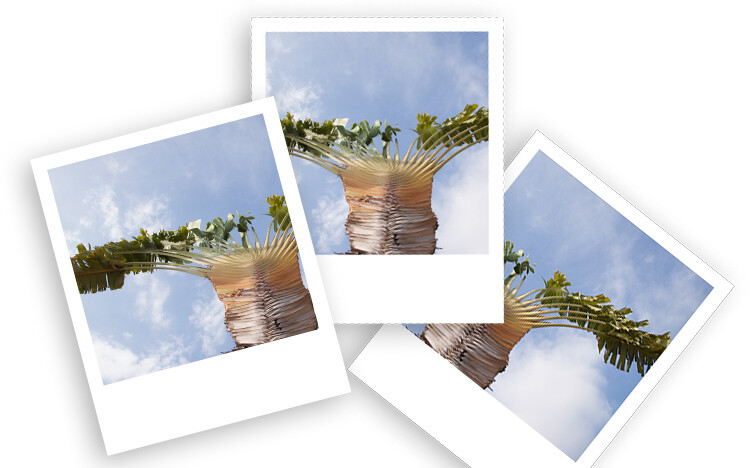
How to Make Your Digital Photo Look Like a Polaroid Using Photoshop

06 Mar

Nostalgic for the printed photos? Polaroids are coming back as trend as are many vintage things. Do you want to achieve this effect while still maintaining the advantages of the shooting digital? In this tutorial, I’ll show you how to make your digital photo look like a Polaroid and even like a stack of Polaroids in a very easy way using Photoshop.

From digital to Polaroid effect intro

Make a new document in Photoshop

The size of the image in an original Polaroid (just the image without the white frame) is 3.1 inches by 3.1 inches. Therefore, you need to open a new document in Photoshop with those measurements. If you are going to keep the result digital then you can leave it at 72 dpi (dots per inch). If you want to print it then set it to 300 dpi. Make sure the background color is black and then click OK.

Polaroid effect tutorial size document

Double-Click on this background so that you make it a layer, that is by default called Layer 0. Then make a new empty layer by going to Menu > Layers > New Layer.

Add the white frame

Now you need to do the outer frame which is the white border of the Polaroid. In order to make sure it’s centered, you can do it in two steps. First, go to Menu > Image > Canvas Size and this will open a pop-up window. The original Polaroid has a width of 3.5 inches, regardless you put it as both width and height. Make sure the point in the grid below is on the center square.

Polaroid effect tutorial canvas size white frame

Now you just need to make the bottom part of the frame larger. For that, go again to the Canvas Size but this time the point should be in the top square. Now fill this layer with white color by going to the paint bucket tool, make sure white is the foreground color and then click on the layer.

Polaroid effect tutorial canvas size white frame2

Add the background and a drop shadow

Create a new layer that will be your background. It can be white for now, but you can also add a texture like wood, for example, if you want to make it look like a table top, and so on. Go to Canvas Size and make it bigger once again. You can choose the size that’s best for you, here I’m doing 5.5×6.5 inches.

Select the layer that contains the frame (the white rectangle) and click the Add a Layer Style button at the bottom of the palette (fx). Select Drop Shadow and in the window that will pop-up, you can choose your settings. I’m using a 45-degree angle, with a distance of 30, a size 10, and setting the opacity to 29. You can set all these however you want, just move them around until you like how it looks. Make sure the preview option is ticked so that you see what you’re doing.

Polaroid effect tutorial drop shadow

Put your image inside the frame

Up until now, you have prepared your Polaroid and you can use this process for any photo or save it as a template.

To put your photo inside the frame you need to open your raw image and make the adjustments you want until you are satisfied, as you would do normally.

Now open the image as a Smart Object by holding Shift to make the Open Image button turn into Open Object and click on that. Another way to do it is to click the link at the bottom of the image window and in the pop-up window tick the option “Open in Photoshop as Smart Object”.

For more information about Smart Objects you can see my previous article on that topic here: How to Create with a Good Workflow Using Smart Objects in Photoshop.

Polaroid effect tutorial open as smart object

Now drag the thumbnail of that image into the layers palette of the Polaroids document you’ve been working on and it will be added as a Smart Object there as well. Now you can choose the image and keep working on the Polaroids.

Make sure the Smart Object (your image layer) is on top of all the other layers (with your black square directly underneath). Right-click on the image layer and select Create a Clipping Mask from the menu. Then use the Move tool to position the image to best compose it within the square.

Polaroid effect tutorial clipping mask

Oops, notice my layers are in the incorrect order here. Make sure your image is on TOP of the black square.

Try out some backgrounds to make it more interesting!

How to make a stack of Polaroids

If you want to make a stack of Polaroids follow these directions.

Select all the layers except the background and put them into a group by going to Menu > Layers > Group Layers. Now make as many copies of it as you’d to have like in your stack. You can do this just by dragging the group into the New Layers button at the bottom.

Finally just give a little twist to each one (use Edit > Transform > Rotate). There you go!

Digital to Polaroid Stack Effect tutorial

Digital to Polaroid Effect tutorial

Or you can play around with the composition. Remember you can also change the image that appears in each frame.

Digital to Polaroid Stack wide Effect tutorial

Extra effects

If you like to give your digital photo a printed quality but you don’t want to do a Polaroid, try curling the corner as if it was a page turning in only three steps.

1. Draw a square selection in the corner and draw a Gradient inside it with the Gradient tool set to go from black to white.

Tutorial Curl Turn Page effect 1

2. Go to Menu > Edit > Warp and drag the corner to create a curl.

Tutorial Curl Turn Page effect 2

3. Add a Drop Shadow like you did with the Polaroids.

Tutorial Curl Turn Page effect

Give it a try

So have fun making Polaroids in Photoshop and share your questions, comments and Polaroid compositions in the comments section below.

The post How to Make Your Digital Photo Look Like a Polaroid Using Photoshop by Ana Mireles appeared first on Digital Photography School.


Digital Photography School

 
Comments Off on How to Make Your Digital Photo Look Like a Polaroid Using Photoshop

Posted in Photography


Confirmed: ProGrade Digital will NOT make XQD cards, is betting on CFexpress instead

06 Mar

When new, high-end memory card manufacturer ProGrade Digital made its debut last month, one of the most common questions we saw in the comments was “will you make XQD cards?” The answer seemed to be “no,” but it was based on support email screenshots and other unofficial sources.

To clear up any confusion, DPReview reached out to ProGrade Digital directly and asked if the company could confirm or deny these reports, and/or share its plans (or lack thereof) in regards to the XQD format.

ProGrade Digital CEO Wes Brewer sent us the following statement in response (emphasis added):

ProGrade Digital is not planning to manufacture XQD cards at this time. We are however strongly promoting the future standard of CFexpress through our efforts in the Compact Flash Association. The CFexpress Type B form factor of this new standard is the successor to XQD, and allows existing cameras that utilize XQD cards to be upgraded to operate with the new CFexpress Type B cards if the original equipment manufacturer (OEM) chooses to update firmware in those devices. In addition to the option of backward compatibility to XQD cameras, the new CFexpress cards utilize two lanes of PCIe (vs. one lane on XQD) and supports the NVMe (Non Volatile Memory express) protocol, which provides more than twice the interface speed of XQD. Look for ProGrade Digital to make announcements in this area throughout 2018.

There you have it. The future, as far as ProGrade Digital is concerned, is the CFexpress Type B form factor, which is backwards compatible with XQD memory card slots anyway. Given this fact, it makes sense that ProGrade would steer clear of the “licensing arrangements that Sony requires” (H/T Nikon Rumors) to manufacture XQD cards in the meantime.

Articles: Digital Photography Review (dpreview.com)

 
Comments Off on Confirmed: ProGrade Digital will NOT make XQD cards, is betting on CFexpress instead

Posted in Uncategorized


How to Refresh Your Creativity by Shooting Digital with a Film Mindset

26 Feb

There exists a strange and long standing line drawn in the weird sands of the photo world. On one side of that line you have those who shoot only digital images and on the other, you have those who still swear by analog film. Then there’s a hazy gray area (probably 18% gray) where people like myself reside.

Do you shoot film or digital? Seeing as this is Digital Photography School, I assume the answer to that question likely leans towards the latter. I started out on my photographic journey with a 35mm SLR, then moved to a DSLR and mirrorless, until I now strike a weighted balance between digital and large format film photography.

Why am I telling you all of this? The reason is simple; we all want to make better images and we all want to grow as photographers.

How to Refresh Your Creativity by Shooting Digital with a Film Mindset

Stay with me here….Consider for a moment that instead of choosing sides on that imaginary line between film and digital photography, while pointing out the perceived benefits of digital over film, that there are many lessons to be learned from the film shooter’s mindset.

In this article, we’re going to look at some ways shooting film, or at least with the mentality of film, can help you with your digital photography skills. And no I won’t try to persuade you to jump from one side of the line to the other.

Shoot like it isn’t free

If there’s one thing that has both illuminated the field of digital photography while at the same time stamping out the classical mental focus involved in the craft it is this…

How to Refresh Your Creativity by Shooting Digital with a Film Mindset

This little piece of plastic and silicon cost me about $ 13 and holds well over a 1000 images when used in my 36.4-megapixel camera. That’s a lot of photographs. What’s more is that it doesn’t end there. I can hypothetically erase and reuse this contraption an unlimited number of times.

My camera will wear out (knock on wood) before this memory card does. Now, compare that memory card to this:

How to Refresh Your Creativity by Shooting Digital with a Film Mindset

This is a box of one of the 4×5 sheet films that I use with my large format camera. It cost me around $ 40 after it was all said and done. That’s 25 sheets of film that I will have to load into holders under complete darkness, put into my view camera, expose for about $ 1.60 each, and then bring back home to develop in my darkroom. And that’s just the first phase.

If I want to print images from those negatives I have to either scan them into the computer or print them myself in the darkroom using light-sensitive paper and even more chemicals and equipment.

Which causes more pause before shooting?

So, here we have two entirely different mediums to record what is essentially the same thing. Which one do you think I am more careful with when shooting? The $ 40 box of film or the $ 13 memory card?

If I make a mistake in exposure, composition, or anything else when I’m shooting digital there is virtually instant feedback and the error usually costs nothing. With film, the result is hidden and any “Uh-ohs!” are only evident after the fact.

How to Refresh Your Creativity by Shooting Digital with a Film Mindset

I urge you to shoot as deliberately as possible when using your digital camera. Sure, even a well thought out photo can go bad regardless of planning but the more you think about what you’re doing the fewer variables there are in the equation.

Pay attention to what you’re shooting and why. Photograph as if every frame costs you money and I promise that you will begin seeing better results with your digital photos.

Choose an ISO and stick to it

Something that we take for granted with digital photography is the quick application of ISO changes. Usually, a prompt turn of a dial can take you from ISO 100 to ISO 6400 and back again in a few seconds.

How to Refresh Your Creativity by Shooting Digital with a Film Mindset

This is not a bad thing. Changing ISO on a digital camera opens up astounding creative possibilities and lets you get shots you would have otherwise missed when the light changes suddenly.

That being said, it can also spoil us to the point where we crank up the ISO at times when we might possibly find more creative alternatives. Try this to practice – choose an ISO for the day and shoot at only that ISO setting.

Granted, I wouldn’t try this on a wedding shoot…but go out with your camera set to say, ISO 400, and force yourself to think through difficult lighting conditions. You might find you gain a better understanding of the relationships between shutter speed, aperture, and ISO that will help you immensely in the future.

Make a set number of exposures

Before I moved into digital photography I used 35mm film. Most rolls were of the twenty-four exposure variety with some being extended to thirty-six. That seems like a million frames when compared to the two sheets carried in each large format film holder or the eight with my Polaroid SX70.

How to Refresh Your Creativity by Shooting Digital with a Film Mindset

As much as I love my film cameras, I still use digital for over 80% of my “professional” work. Each time I switch back and forth between film and digital I notice a strange change in the way I shoot particular scenes. It goes back to our first point about how film actually costs money with each click of the shutter.

I tend to essentially overshoot a scene with digital. I may take 10 or 12 images of a frame whereas with film I might only make one or two. Why is that? When you think about it, making consistently solid photographs isn’t a matter of firing off a bunch of frames and hoping for the best, though that does work sometimes. Usually, the best images come from the careful execution of each snap and with film you only have a certain number of those snaps in the bank before you have to change things out.

How to Refresh Your Creativity by Shooting Digital with a Film Mindset

In an effort to strive for quality over quantity with your digital work, begin thinking in terms of keeping your shot count for a scene in the single digits. No, of course I’m not saying to sell your digital camera short and only shoot 20 or 30 photos at a time all the time.

What I’m suggesting is that you limit yourself to a focused group of purposed photographs instead of firing off a hoard of shots and hoping for the best. Try to shoot no more than 10 images of the same scene and then move on to something else. Make 10 images of that, and then move on again. The key outcome of this exercise is to train (or retrain) yourself to produce a smaller number of total images but a larger amount of usable ones or keepers.

Some final thoughts…

The real conclusion and the true lesson to be gained from all this is for you to learn how to become more deliberate with your photography. Use your camera with purpose, and most importantly remember to slow yourself down from time to time. Slowing down is key.

Being both a film and digital photographer I find the complete flop of my creative mindset changes drastically between the two mediums. Obviously, digital cameras have extraordinary capabilities and offer many benefits over their analog cousins. At the same time, the true nature of photography can be lost when we suddenly find ourselves with limitless shooting capabilities that are often only capped by a camera’s battery life and our own enthusiasm.

Try putting some of these lessons from the world of film to use the next time you find yourself deleting more and more images and finding fewer quality pictures. It just might be that you begin shooting better and get more enjoyment from your digital photography.

The post How to Refresh Your Creativity by Shooting Digital with a Film Mindset by Adam Welch appeared first on Digital Photography School.


Digital Photography School

 
Comments Off on How to Refresh Your Creativity by Shooting Digital with a Film Mindset

Posted in Photography


Tips for Doing Digital Painting with the Mixer Brush in Photoshop

26 Jan

If you have ever felt the need to be a bit more creative with your photos, then Photoshop contains a multitude of ways to make that happen. In fact, it offers such a variety of options it can be a bit overwhelming to figure out which one might be the right one for you in a given situation. In this article, I will go over a method of digital painting using Photoshop to give you one technique you can add to your toolbox.

Mostly you can get some great effects without having to purchase any other software or features, but those options are available and can extend your portfolio of choices.

Perhaps you might want to create a birthday card or give someone an extra special present. This digital painting technique is ideal for use on an image which is not 100% in focus. Everything else might be perfect but if it’s a tiny bit blurry, apply a painting technique and no one will notice.

Tips for Doing Digital Painting Techniques with Photoshop

NOTE: Please be advised I am using CS6 so things may be in different places if you are using the CC subscription model.

Mixer Brush

The Mixer Brush is a very effective way of getting a painted look for your image because you actually paint over your image in Photoshop. It can be quite fiddly and time-consuming but the end result can look really good. My recommendation would be to do this with a graphics tablet and a pen, otherwise, you will get a cramp in your hand from the mouse. Plus you have more control in areas of fine detail with a tablet.

Any image can be used, but because the mixer brush picks up colors from your image and adds paint texture, you need to keep that in mind. All the brush strokes will be visible so the direction in which you paint may affect the final visual outcome. It took me 2-3 goes before I finally got the hang of this, so stick with it.

STEPS

Step #1. Open your image, add a new layer and select that one as your active layer. You can delete this later if you need to without affecting the original image.

Step #2. The Mixer Brush is found on the toolbar, left mouse click on the Brush icon, it should be in the drop-down box.

Mixer Brush open, showing settings on Adjustment Tool Bar

Step #3. On the top toolbar, you can make adjustments to the settings. Set them up as follows (as a starting point):

  • The drop-down box set to Custom.
  • Wet: 100%.
  • Load: 1% (this sets the paint color load on the brush to a minimal setting).
  • Mix: 100% (this uses the color from the original file – Load and Mix work opposite each other that way).
  • Flow: 50% (medium pressure on the brush).
  • Airbrush set to OFF.
  • Sample All Layers must be ticked – this is important as it allows us to pick up the color from the original image.

NOTE – all these settings are adjustable depending on what works for you, so feel free to experiment.

Choose your brush, make sure you are working on the new layer, and begin to paint.

Tips

  • Start with the dark areas of the image first.
  • Use the textures in the image to help direct the flow of the brush strokes.
  • The paint is very wet and colors will mix and blend readily which can be used to your advantage where colors change in the image. It can be a bit tricky to get the hang of at first.
  • Adjust your Flow value to get harder or softer strokes.
  • You may want to use a layer mask to show fine details like eyes or whiskers after painting to bring back a bit of sharpness in those areas.
  • Adjust the brush size to suit the areas you are working in, fine detail needs a smaller brush, and larger areas may support bigger brush strokes (a bigger brush covers more area quicker which is an added bonus).
  • If the background is not ideal, you can also replace it with a painterly texture instead. This is a great treatment for when you have a really good shot but not the cleanest background. So do a background replacement, add the painting and it becomes artistic instead.

Image results using the Mixer Brush

Tips for Doing Digital Painting Techniques with Photoshop

Photo of a Jabiru bird, with digital painting done over the feathers.

This image of a Jabiru I quickly painted for this article. The lovely colors in the feathers, plus all the different directions they lay in made it a good choice for digital painting.

Tips for Doing Digital Painting Techniques with Photoshop - Jabiru bird

Original Jabiru image

This is the original photo for comparison. You can see how the feathers around the eyes are much smaller and finer and you can see the different directions in which the feathers lie. In the painted image where the rainbow colors are on the top of the head, it’s visible how they have blended in softly, even picking up the hints of gold in the purple feathers at the top.

Tips for Doing Digital Painting Techniques with Photoshop

When you view the digitally painted layer by itself, you can see all the brush strokes, plus the areas that might have been missed. This is a useful step to check and make sure you have enough coverage. Additionally, this layer can have its opacity adjusted down if you wanted to bring back some of the original feather detail.

I tend to adjust the flow down to around 30% and fill in the gaps. It can also help to soften the transitions in direction as well. Also useful for extra blending across areas where colors change.

My first experiment with using the Mixer Brush was this portrait of my cat Cognac. You will notice I have left the whiskers, eyelashes and fine hairs around his ears unpainted as I felt it looked better that way. I was careful to follow the flow of the fur so it looked natural and picked up the subtle color differences.

This was probably my third go at this technique – so be patient with yourself if you aren’t happy with the first one you try. Keep at it.

Summary

This technique isn’t complicated, is fully contained within Photoshop and requires only one extra layer. A graphics tablet will make it much more comfortable to do as it is a lot easier to use than a mouse. The thing you need most is time and a careful steady hand. With those things you can elevate your photo to a new creative level, perhaps print it out on canvas as a gift.

Have you tried this method of digital painting before? Please share your results in the comments below.

The post Tips for Doing Digital Painting with the Mixer Brush in Photoshop by Stacey Hill appeared first on Digital Photography School.


Digital Photography School

 
Comments Off on Tips for Doing Digital Painting with the Mixer Brush in Photoshop

Posted in Photography