RSS
 

Posts Tagged ‘Design’

How to Compose Photos with Impact Using Elements of Design

27 Jul

All visual artists have a common goal of creating an image with impact. But unlike painters who start with a blank canvas and add to it, photographers start with a sometimes chaotic scene and must decide what to remove from it. Which parts of the scene should be included and which excluded to create the greatest impact?

Mobius Arch by Anne McKinnell - How to Compose Photos with Impact Using Elements of Design

This rock arch, known as Mobius Arch, frames the mountains in the background.

Part of your job as the photographer job is to bring order to the chaos by deciding how to arrange the elements in the scene in your camera’s frame. You cannot just hold up your camera and expect to make an impactful image. You have to evaluate the scene and discover what elements of design are there to work with and how you are going to use them to create your composition.

There are visual clues to good composition all around you. Clues that will help you see with your photographer’s eye if you take the time to slow down and take notice of them. The elements of design are there, but sometimes you don’t notice them until you go looking specifically. That’s the key – you have to go looking for them. Once you start looking for a particular element of design, you will be surprised how often you will discover it in the world around you.

Valella Valella by Anne McKinnell - How to Compose Photos with Impact Using Elements of Design

These creatures are called Valella Valella. As they wash up on shore, they create a leading line that guides the viewer’s eye into the frame.

1. Lines

Lines are one of the fundamental building blocks of composition. They direct the eye around an image and give the viewer a path to follow. Understanding the power that lines have in graphic design, and how different lines have different effects on the viewer, will help you add more impact to your images.

  • Horizontal lines exist in almost every scene. They tend to be calming and give a sense of peace and tranquility.
  • Vertical lines tend to be associated with strength and power. Think of skyscrapers, trees in a forest, or waterfalls — all features of strength and grandeur.
  • Diagonal lines add energy to an image and give a sense of movement.
  • Curves create a graphic design that makes an image easy to look at by leading the viewer’s eye through the frame. They can be c-curves, s-curves, arches, circles or spirals.
  • Leading lines can be any type of line that leads the viewer’s eye toward the main subject.
North Algodones Sand Dunes, California by Anne McKinnell - How to Compose Photos with Impact Using Elements of Design

The lines in these California sand dunes lead the viewer’s eye into the frame toward the main subject.

2. Color

Colors determine the viewer’s emotional response to an image. They set the mood and determine what part of an image gets the most attention.

One of the most impactful ways to use color in your composition is to look for complementary colors. Complementary colors are opposites on the color wheel such as blue and orange, red and green, purple and yellow.

Sea Nettle by Anne McKinnell - How to Compose Photos with Impact Using Elements of Design

Blue and orange are complementary colors.

3. Patterns

The human eye is drawn to patterns in the same way that our ears are drawn to the beat of music or the chorus of a song. The visual rhythm that the pattern creates makes order out of the chaos. It can give an image a sense of movement as our eyes travel from the first element to the next.

Filling the frame with a pattern is a sure way of turning a snapshot into a compelling photograph.

A pattern is simply a repetition of a graphic element such as a line, shape or color. Usually, a pattern is made up of at least three repetitions, but the more the better!

Jing'an Temple, Shanghai, China by Anne McKinnell

These prayer ribbons create a repeating pattern in the frame.

4. Symmetry

Despite everything we have been taught in photography about the rule of thirds and keeping things off balance and out of the middle, symmetry has always been associated with beauty. In a symmetrical composition, your main subject is placed at center stage and the eye is encouraged to travel in a circular center around the frame. This will make a scene feel harmonious and calm. But it’s a lot more difficult than it sounds!

The difference is in the details. It’s in the absolute perfection of the symmetry. A composition that is almost symmetrical will seem off and boring, one that is perfect will seem awe inspiring.

To make a photograph that is symmetrical, you will have to hone your eye to find items in the scene that are symmetrical and leave everything out of the frame that does not fit. The composition should have symmetry from corner to corner, which means that the background if there is one, must be symmetrical too.

Legislature in Victoria, British Columbia by Anne McKinnell - How to Compose Photos with Impact Using Elements of Design

This photo uses both symmetry and frame-in-frame as design elements.

5. Frame-in-Frame

One way to quickly add a new dimension to your subject is to give it a frame inside the boundaries of the image. The edges of your photograph are the first frame. Then, you want to add another frame around your subject, which is internal to the photograph.

The idea is to add interest to your photograph by framing your main subject inside another frame. This isn’t always possible, of course, but if you keep your eyes open for opportunities you will start to notice them more often.

Windows and doors are one of the most accessible frames for this technique because you find them everywhere. If you have a wonderful view from your window, try including the window in your image. Remember you can look from the inside out or from outside looking in.

Hatley Castle by Anne McKinnell - How to Compose Photos with Impact Using Elements of Design

This gazebo provides an arch that frames the garden and castle outside.

Conclusion

The next time you are out photographing, keep one of the above elements of design in mind and go looking for it. Being purposeful about your composition is how you will progress from taking snapshots to making great images.


If you’re ready to dive deeper into composition and the elements of image design, be sure to check out Anne’s eBook The Compelling Photograph – Techniques for Creating Better Images.

The post How to Compose Photos with Impact Using Elements of Design by Anne McKinnell appeared first on Digital Photography School.


Digital Photography School

 
Comments Off on How to Compose Photos with Impact Using Elements of Design

Posted in Photography


Blackmagic Design slashes Video Assist prices

28 Jun

Blackmagic Design has dropped the prices of its Video Assist external monitor/recorders for a limited time. The smaller, 1080-capable model with its 5″ screen has $ 100 knocked off its price, taking it down to $ 395 while the 7″, Video Assist 4K drops $ 300 to a price of $ 595.

We recently took a look at the benefits of using an external monitor/recorder, and have been pretty impressed with our experiences of using the Video Assist 4K thus far.

The company has given no further details of the firmware update which promises the addition of Waveform and Vectorscopes, which was due to be released in June. We’ll be publishing a review once the update is available.

Press Release:

Blackmagic Design Announces Summer Special Price for Video Assist and Video Assist 4K

Fremont, California – June 27, 2017 – Blackmagic Design today announced a new summer special promotion for Blackmagic Video Assist and Blackmagic Video Assist 4K. During this promotion, customers can save US$ 100 on the purchase of a Blackmagic Video Assist, and US $ 300 on the purchase of a Blackmagic Video Assist 4K. That means Blackmagic Video Assist can now be purchased for only US $ 395 and Blackmagic Video Assist 4K can be purchased for US$ 595 from Blackmagic Design resellers worldwide while stocks last.

The Video Assist summer special makes it easier than ever for customers to add professional monitoring and broadcast quality recording to any SDI or HDMI camera. With the new summer special pricing for limited stock, customers will be able to buy a Video Assist for each of their cameras.

The Blackmagic Video Assist family of products gives customers better monitoring and higher quality recording than is available on many cameras. Older cameras often feature custom and hard to use file or tape formats, while lower cost consumer cameras often have poor quality file formats and small screens, limiting their professional use. Blackmagic Video Assist solves this problem because it works with every type of camera from DSLRs to older tape based camcorders, and even the latest digital film cameras. Customers get a large professional on set monitor, along with 10-bit broadcast quality ProRes and DNxHR recording.

In addition to professional monitoring and recording, the Blackmagic Video Assist 4K model will also support powerful built in scopes such as a waveform monitor, RGB parade, vectorscope and histogram in the upcoming Video Assist 2.5 Update, along with extremely high fidelity audio recording and microphone inputs.

“Video Assist is an incredibly versatile tool and has become an indispensable part of everyone’s production kit,” said Grant Petty, Blackmagic Design CEO. “It’s the perfect portable field monitor and recorder, and now customers can get them at an even lower price so they can add them to all of their cameras while stocks last!”

Blackmagic Video Assist 4K Key Features

  • 7 inch LCD touch screen with 1920 x 1200 high resolution monitor.
  • Professional 10-bit 4:2:2 ProRes or DNxHD recording up to Ultra HD 3840 x 2160p30
  • Dual high speed UHS-II SDHC card recorders use readily available, inexpensive SD card media.
  • Dual recorders allow non-stop recording and provide a backup if one fails.
  • 2 mini XLR connectors with 48V phantom power for connecting microphones.
  • -128dBV electrical noise floor for high quality audio recording.
  • LANC connection for remote control.
  • Auto start/stop recording using HDMI or SDI triggers.
  • Includes slots for 2 hot pluggable batteries as well as 12V DC power input.
  • Full compatibility with editing software such as DaVinci Resolve, Final Cut Pro X, Avid and Premier Pro.
  • All in one design, mount to cameras, hold in your hand or set up on a table with the included kickstand.
  • Includes 6G-SDI input allowing it to be used as an Ultra HD monitor.

Blackmagic Video Assist Key Features

  • 5 inch LCD touch screen with1080p high resolution monitor.
  • Professional 10-bit 4:2:2 ProRes and DNxHD recording in HD.
  • Includes slots for 2 hot pluggable batteries as well as 12V DC power input.
  • Full compatibility with editing software such as DaVinci Resolve, Final Cut Pro X, Avid and Premiere Pro.
  • All in one design, mount to cameras, hold in your hand or set up on a table with the included kickstand.
  • Includes 6G-SDI input with downconverter allowing it to be used as an Ultra HD monitor.

Availability and Price

Blackmagic Video Assist is available for US$ 395 and Blackmagic Video Assist 4K is available for US$ 595 during the Summer Special promotion, with limited stock now available from Blackmagic Design resellers worldwide.

Articles: Digital Photography Review (dpreview.com)

 
Comments Off on Blackmagic Design slashes Video Assist prices

Posted in Uncategorized


Peak Design Everyday Backpack Review

25 Jun

Peak Design Everyday Backpack 20L/30L
$ 260-290/£204-227 | www.peakdesign.com | Buy Now

I can’t imagine that there has ever been a time when photographers had more camera bag options than we do today. There are more manufacturers, styles and price points than one can count. From generic knockoffs to designer leather, there is a bag out there to carry your camera, lenses and accessories.

But what if you want to carry your camera and some other stuff you need through the day? Maybe you’re a traveler and you want to have a water bottle, a raincoat and some ibuprofen as you hike through Paris? Or what if you are a student who needs a computer, a few books and lunch for a day at school? Or what if you just want to carry your everyday things with you as well as your camera? Well, then your options are a little more limited.

Maybe you’re a traveler and you want to have a water bottle, a raincoat and some ibuprofen as you hike through Paris?

Pulling out dividers in a photo backpack to fit in books, wrapping the camera in a towel and stuffing it in a daypack, or strapping a small camera bag to your hiking pack are all DIY solutions that folks have tried and found unsatisfying. The few options on the market tended to be bulky, difficult to access and frequently under-delivered as far as understanding what non-photo gear someone would want to carry.

In 2015, Peak Design launched its Everyday Messenger on Kickstarter with the goal of creating a bag that would both carry camera gear and the everyday stuff that someone might need for a day of work, school, travel or just living life. Proving that there was a real need for a bag like this, the company hit its funding goal in a single day and would eventually be funded to the tune of $ 4.8 million from over 17,000 backers.

This led Peak Design to start a second Kickstarter in 2016 to fund a backpack design (along with a tote and sling) for those of us who understand that two straps carry weight better than one. Once again, the new designs were funded successfully and the Everyday Backpack in 20L and 30L sizes was released to the public.

Specifications

20L

  • 46 H x 30 W x 17 D cm (18” H x 12” W x 6.75” D)
  • 1350g (2.9 lbs.)
  • Holds up to a 15” laptop

30L

  • 51 H x 33 W x 20 D cm (20” H x 13” W x 7.75” D)
  • 1542g (3.4 lbs.)
  • Holds up to a 16” laptop

The ultralight waxed Kodra synthetic canvas is DWR coated for weatherproofness and comes in a Charcoal gray with red stitching accents or a lighter Ash gray with blue stitching accents and tan leather touchpoints (handles, zipper pulls, etc).

In Use

Many times manufacturers make claims about the design of their products that feel overstated when you are actually using them. I have to say that, for the most part, the design of the Everyday Backpack works just as it was intended to. I took the 20L on a trip to Europe recently and beat the heck out of it – crammed it under airplane seats, stuffed it with groceries, soaked it in epic rainstorms. All the while, I was accessing my gear hundreds of times to take photos at every opportunity. I came away pretty impressed.

Photo courtesy Peak Design

Unlike a majority of camera bags on the market, the Everyday Backpack doesn’t use a system of individual padded dividers to create compartments for your gear. Instead, it uses what Peak Design calls ‘FlexFold’ dividers. This is a system of full-width internal shelves that can be positioned in the bag. The shelves have the ability to fold out of the way to create larger spaces, they also have the ability to fold up and create subdivided spaces. The design is a little difficult to explain in words or photos and your best bet may to just watch this video.

I was surprised at how well these worked generally. I was able to shift from a mirrorless layout to an overnight bag for an unexpected trip and then back again in moments. There are limits, and if you have specific needs you’ll be re-velcroing the shelves as well as folding/unfolding them, but it’s really a clever design overall.

The three main drawbacks I noticed were that the folding subsections could ‘unfold’ if something heavy (such as a lens) was in an adjacent subsection. In addition, since the shelves and subsections are not ‘sealed’ in the way that a padded-divider backpack is, small items like lens caps tend to wander around the bag easily. Finally, this design is not one that will allow you to use every inch of the bag for gear in the way a traditional camera backpack would. The idea is to have your camera get in one part of the bag and other everyday items in another.

The Everyday Backpack has four access points. The top section uses a flap cover that is secured with Peak’s excellent MagLatch closure that allows easy blind one-handed operation. The MagLatch has multiple attachment points allowing the upper section to expand to carry bulky loads or tighten up to make the pack as small as possible.

Then there is a top access computer/tablet/flat-stuff section that sits against your back. The other two access points, the ones you will use most often to access your camera, are dual full-length zipper openings on either side of the bag. The idea is that you slip one shoulder strap off and swing the bag around in front of you horizontally to access your gear.

A very full 30L Everyday Backpack

Overall, access is very well done. I was impressed how the fullness of any one area of the bag doesn’t affect accessing of any other area. The top section can be stuffed with lunch and extra layers of clothing and you can still use the side access to grab your camera or change lenses. This is one of the most crucial aspects in making a successful ‘everyday’ design and it is where many bags fail. One thing to note, however, is that the drawback to this design is that one cannot lay the bag on the ground and flip it open to access every piece of equipment at once. If that is how you tend to work out of your backpacks, the Everyday Backpack may not be for you.

There are a lot of neat design aspects to the Everyday Backpack and it would make a long article much longer to list them all. So in no particular order, here are a few of my favorites. The weatherproof fabric and zippers held up to some truly torrential rainstorms. Built in external lashing straps allow for a surprising amount of useful external carry. I strapped everything from groceries to a jacket to sandy shoes to the outside of the pack. The external side pockets both hide the waistbelt and external lash straps and can hold a water bottle or tripod.

There are a ton of small pockets in the bag for batteries, pens, cords, passports and whatnot. This not only gives you a place for all the little things, but it keeps them from bouncing around the bag or getting crammed together in the bottom. Every strap and handle is done in ‘seatbelt’ material that is soft and strong.

Finally, and particularly important for some folks, there is little about this pack that looks like a camera bag. You may look like a tourist or a student with your daypack on, but nobody is going to peg you as walking around with thousands of dollars in camera gear on your back. At least not until you stop to take their picture.

What didn’t I like? As with any bag, even really good ones, I had a few nitpicks, but I stress that they were all pretty minor. The most significant one was that I thought the shoulder straps could have been better padded. While they are ergonomically curved and have a clever axial rotating attachment system, users may not be impressed if they are used to technical outdoor style pack straps.

While there is a waist belt, it isn’t padded and exists more for stability than for taking weight off of your shoulders.

That said, the straps weren’t uncomfortable, even on long days (and did seem to ‘break in’ after some use). I just feel like a bit more function instead of form could have served better in this area, especially for heavy loads and the 30L size. Likewise, while there is a waist belt, it isn’t padded and exists more for stability than for taking weight off of your shoulders. Good to have, but doesn’t carry much load.

Due to being somewhat narrow, a good thing when moving through crowds, and having a slightly rounded design, the Everyday Backpack doesn’t stand up on its bottom or side particularly well. This isn’t a serious fault, but it is worth remembering that it is likely to flop over when you set it down and that you shouldn’t leave any of the access points open lest things roll out (good advice for any bag, really).

The external side pockets are really useful for both water bottles and things like tripods. However, unless you have long arms, it may be difficult to reach that water bottle while the pack is on. It’s possible, but you end up feeling like a contortionist. Beyond that, anytime you have something in those side pockets, it becomes a lot more difficult to use the side access openings.

I’m a big believer in the idea that how we carry our gear is as important as the gear itself.

Finally, at $ 260, this is an expensive bag. While the market has expanded enough that there is nothing particularly unusual about a $ 260 bag these days, it can still be a difficult decision when a bag costs as much as a nice used prime lens. That said, I’m a big believer in the idea that how we carry our gear is as important as the gear itself. If you don’t enjoy using your bag, you won’t bring your camera. For me, this bag is worth the money.

20L vs 30L

The design of the 20L and the 30L backpacks are virtually identical. The 30L is just a bit, you know, bigger. How much bigger? Well, you can see the numbers published above, and you probably know that 30L is 50% larger by volume than 20L. But in the real world, I think I would put it like this…

The 20L is best for:

  • Mirrorless kits
  • Small DSLRs with compact zooms or primes
  • Squishing into a subway car or through a crowded bar
  • Being a daypack for traveling
  • Airplane travel as your “personal item”
  • Smaller framed people

The 30L is best for:

  • Pro DSLR kits
  • Fast zooms
  • Camera + a bunch of other stuff
  • School bag for textbooks
  • Being an overnight bag
  • Airplane travel as your only carry on
  • Bigger/taller people

These aren’t hard and fast rules, you can configure these bags in a lot of different ways to carry a lot of different things. But if someone was asking me which bag to get to use as an airline ‘personal item’, I’d have to say the 20L as it is right at (or very slightly over) the size limit for many airlines. If someone was telling me they just HAD to have their full-frame F2.8 zooms with them all day long, I’d point them to the 30L. The 30L is bigger on the back and makes squeezing through crowds tougher than the 20L. But if you thought you were going to grab a few groceries on the way home, you’d probably be happy that you had the 30L.

To be honest, if I had to recommend one, I would suggest the 20L. I believe that the smaller less conspicuous size fits more into the intended ‘everyday’ design. At 5’5 I’m shorter than average for a guy, and when I’ve got the 30L on there is no mistaking that I’m wearing a backpack. It’s not like the 20L disappears when I have it on, but it is less bulky and obvious and I find it easier to move through life because of its smaller volume.

You can, and perhaps should, chalk my 20L suggestion up to my body type, but it’s an opinion I have seen echoed by other photographers as well. If you can, try to see both packs side by side before you buy. If that’s not possible, there are some good YouTube videos that compare the two sizes.

What’s the bottom line?

It is hard not to come to the conclusion that the Peak Design Everyday Backpack is the best ‘carry a camera and some other stuff’ pack I have ever used. The flexible storage space, ease of access, non-photo storage options, tough construction and overall form factor come together in a package that is completely usable. It is a solid feeling bag that does what it is designed to do.

Now, nothing on this earth is perfect and the Everyday Backpack is no different. But aside from wishing that the straps were designed differently and acknowledging that the price-point is going to be off-putting for some, most of the rest of my complaints are minor at best. I would happily use this pack across town for the day or across the world for a month. If you are looking for a backpack that you can carry your camera gear along with the rest of your daily life I’m not sure how you would find anything better than the Everyday Backpack.

What we liked:

  • Clever divider system
  • Easy to access some of the things without accessing all of the things
  • Having one area stuffed full doesn’t affect access to other areas.
  • Well thought out organizational system
  • External lash options allow more carry options

What we didn’t like:

  • Expensive
  • Shoulder straps are not the most padded
  • Heavy items can cause subdividers to unfold if nothing under them when pack is slung around sideways
  • May not stand up on its bottom. May not stand up on side.
  • Small things can slip through the dividers easily and move around the pack

Articles: Digital Photography Review (dpreview.com)

 
Comments Off on Peak Design Everyday Backpack Review

Posted in Uncategorized


How to Design a Wedding Album Simply and Painlessly

25 May

I’ve been photographing weddings for about nine years now, and I’ve found this to be the most effective and efficient way of designing and delivering a client’s dream wedding album. The method that I am going to describe keeps you in control of the process and still gives the client what they want and need. You might be surprised to know that it only takes me about 30 minutes to design an album from beginning to end.

In fact, just to test, I created an album right now for this article to see exactly how long it might take. I had 150 images to choose from; I used 118 images, created 31 spreads, and it took me 26 minutes. Let’s talk about how to achieve this, and how to work with your clients so you don’t find yourself dealing with wedding album orders months or years after the wedding.

How to Design a Wedding Album Simply and Painlessly

One spread of images created in Pixellu SmartAlbums2.

1. Who is in Control of the Process?

If a client has indicated at some point in the process that they want a wedding album, then the very first draft of the wedding album is 100% created by me. That includes the selection of images, design, the number of spreads created, etc. I have one friend, Tim Halberg, who creates a preview wedding album on the night of the wedding and has it ready for the clients the next day. He chooses the images and design all on his own.

To a bride or groom, every photo is important to them. So telling them to choose their favorite photos for the album is a recipe for disaster. I don’t consult with my couples about which images I am going to use, how many images to use, or the number of page spreads they might want. How would a person ever know how many spreads he/she wants? 10? 100? It’s an abstract idea to anyone who has never made a wedding album before.

In the same way, you probably don’t give your client all the raw files from their wedding day and let them choose the photos they want you to edit. The same philosophy applies to album design.

How to Design a Wedding Album Simply and Painlessly

The opening image for my sample album.

The first time I made the mistake of giving my clients the option to pick their own images, they came back to me with about 300+ photos, many of which were almost duplicates of each other. I ended up just choosing the best images of those 300, which is what I should have done from the beginning. I also would have saved myself a month or so of waiting for the client to come up with their selections and saved them the hassle and stress of narrowing it down.

My Process

An average wedding album should have around 80 images that will fill about 20-30 spreads. Some album companies don’t even support albums beyond 30 spreads.

Essentially, I do this:

  • Create a first draft of the album.
  • Tell the clients they get two rounds of edits where they can add, subtract or replace any photos.
  • Create a second draft of the album based on the first round of suggestions.
  • Let the client see their changes and decide on any final edits.
  • Make final edits to the album, and begin the ordering process.

After a wedding, I tell my clients I will have a rough draft of the wedding album for them within a week or two. This puts me in control of the situation from the first moment.

Now, let’s talk about how to create a wedding album in a quick and painless way.

How to Design a Wedding Album Simply and Painlessly

Some spreads have open space between the images. These are some of the getting ready images on one double-page spread.

2. Before You Begin

You’ll need three things to create your wedding album.

  1. Good software.
  2. A highlights gallery of about 100 images from the wedding.
  3. A family gallery of images (just the formal family photos).

There are three software companies that I am aware of that most of my professional wedding photographer friends use to create their wedding albums:

  • Pixellu SmartAlbums 2 (this is the one I use)
  • Fundy Designer
  • KISS

You can research online to see what might suit your needs best for software. You’ll have to pay to play the wedding album game, but you should earn back your investment in good software from your very first album sale. Don’t be cheap! Pixellu SmartAlbums costs about $ 300 and it was the best software purchase I have made (besides Lightroom) for my wedding business.

If you had read my article on How to Edit and Deliver Wedding Photographs in One Day you would know my philosophy on creating a highlights gallery. Everyone should have one. Your highlights gallery will also be the foundation of your wedding album. The top 100 photos from the wedding will tell the best story of the day, and that is exactly what a wedding album is supposed to do.

Export all of your images in Lightroom with these settings:

How to Design a Wedding Album Simply and Painlessly

Lightroom export settings.

This will guarantee that every image will print properly on any spread of a 10×10 inch or 12×12 inch album. I personally like creating square albums (8×8 inches, 10×10 inches, 12×12 inches).

3. Designing the Album

When designing your album, go with your gut, and keep it simple. With my software, I can select a number of images, throw them into a spread and then quickly scroll through a number of arrangement options by simply pressing the up/down arrow on my keyboard. Here are some examples that show up when I use the same three images from the ceremony:

How to Design a Wedding Album Simply and Painlessly

Six random sample page designs that my album software created for me in under a minute.

It’s really fun to scroll through the designs that the software creates for you. Simply press the up or down arrow to scroll through them. I like full bleed spreads so I chose the second option on the left. You can also grab any image and drag it to another position to swap the two images. You can see in the examples above that the software will also sometimes do square designs even if your image is horizontal or vertical. Sometimes it works perfectly and other times it doesn’t.

Things to keep in mind when designing your wedding album:

Keep a good visual balance and flow for each spread and throughout the album as a whole. Notice in the example above that I have two black and white images and two color images. In some spreads, I will do all color, or all black and white. Also, if I have a few spreads in a row with a multiple of four or more images, I like to break it up with one strong double-page-spread single image, like this:

How to Design a Wedding Album Simply and Painlessly

Try and create a balance of pages with many pictures and some with only a few pictures in your spreads.

Side note: I didn’t export my images at 20 inches long for this sample album so you are seeing that exclamation warning in the bottom-right corner of the image because the software knows that the image is not large enough to print at the designated 12×12 inch size. If you see this warning on your images, check the sizes carefully.

This part of the design process should only take about 20-30 minutes once you get the hang of your software. All the photos are imported into your album project and usually sorted by time, so you can start grabbing photos from each scene and putting them into your book.

Don’t feel like you need to use every single image. Sometimes cutting something out makes the whole spread work better. In fact, like most things in life, less is almost always better. After you have finished your album design you should have the option to export and upload your album to the cloud for review.

4. Feedback and Edits

How to Design a Wedding Album Simply and Painlessly

One spread of images made in Pixellu SmartAlbums 2

These are the exact words I have used to explain to my clients about how the process will go when creating a wedding album:

Okay, I have sent out draft number one! You should have an email with a link to be able to view the album and leave comments. If you haven’t seen that in your inbox please check your spam folder. Or, hey, I’ll just give you the link right now:

View draft #1 of your wedding album layout here

I do two rounds of edits, so if you see anything you want to replace, add, or delete from there let me know! I’ll make your first round of suggestions and then show you the updated version of the album online, and you can have one more go at it before I hit purchase.”

Guiding your clients in this way gives them some options, but not too many. You are dictating the terms of the album making process and they get to participate in a healthy and helpful way. This is also an effecting parenting technique with a small child. Saying things like, “You can sleep with stuffed animal A or stuffed animal B when you go to bed right now” is nice because it embeds the idea that they are already going to bed (no question about it), but they have some power and free will in the matter (what animal they are going to sleep next to). This psychology can be used everywhere, including in a classroom, in your business, etc.

Getting feedback and doing the edits

With my software (and I’m assuming the others out there) your client can view the album and submit comments online for each individual spread. Each photo will have a number attached to it, so your client can easily say something like, “Love spread number 9! But let’s get rid of photo number 1 and replace it with one more of the two of us.”

How to Design a Wedding Album Simply and Painlessly

What your client sees after you’ve uploaded your album to the cloud.

Once your client has written comments on each spread, they can submit that and you will receive an email that will take you to the album and their comments. At this point, the changes should be pretty straightforward. You will add, subtract, or swap out any images necessary.

Then you can upload the next draft and let your client see the changes that they made. I would include language like this:

“Okay, I’ve made all the edits you requested. I think the album looks awesome! If there are any last changes you think should happen let me know, otherwise I’ll submit an order for the album tonight and you’ll have it in your hands by next week.”

Notice how my language is encouraging them to approve and finish the project. This makes the next round of changes feel like they should be made only if necessary, not like the first round.

How to Design a Wedding Album Simply and Painlessly

I don’t always have a lot of family photos in the highlights gallery, so I make sure to add family photos into the mix when creating the album. This is very important for your couples!

5. Ordering the album

The next step is to order the album. This is a very different process than the album design. There are many many companies out there that can do this. All of them have different benefits and drawbacks. I happen to use Miller’s Lab. They deliver albums extremely fast (within a week) and have great customer service.

You need to use a special uploading software (usually free) to order your album. You can’t just order from the design software (unless you are building an album with KISS). For Miller’s Lab, there is a supplemental program to use called Miller’s Designer Plus. You tell it what project you want to create (12×12 inch leather bound album or book), drag all the exported photos into the program, and fill in each page.

How to Design a Wedding Album Simply and Painlessly

The final spreads are shown on the left. You need to create a new “fullpage” spread and drag each photo onto it to purchase your album

After you have manually input each spread you can order your album. At this point, you will have to communicate with your client about what color leather they want on the album, and any other options they can choose. Again, keep the options limited. I usually offer black, tan, gray, or white, even though there are many other options available like blue, red, etc.

Once they respond with a color and their address, your job is done! Order the album and have it delivered straight to their doorstep with some boutique packaging ($ 6 extra with Miller’s). If you want to deliver it yourself and make it pretty with some personalized packaging, then ship it to your own address.

Sample albums for display

The last thing to note is that you can also order discounted sample albums (check with your supplier) for yourself and your studio if you want to show potential clients how their album could look. I would highly recommend creating your first album for yourself and your studio so you can feel what this process is like from beginning to end. The sample albums are exactly the same as a normal album you would sell to a client, but they have a big stamp or sticker on the back page that says “Sample Album.” (Note: may vary from supplier to supplier).

The final spread

Summary – everyone wins

So let’s get back to how this method will help you avoid dealing with wedding album orders much later. By following these steps and controlling the process you will not only help your clients to be less stressed and get their albums faster, but you will be less stressed as well.

In order to have a smooth and happy album designing process it’s important to guide expectations from the very beginning of your conversation/process. It’s important that you take control of the conversation and let your clients know how the design process will go, according to what works best for you. You limit options but you still GIVE options. You make it easier for them to make decisions about the album and you can do this all from the comfort of your home using just your computer and the internet.

Everyone wins in this process – the couple get their album super fast, they don’t have to spend hours pouring over their photos, and you don’t get 20 wedding album orders right before Christmas every year.

That’s it! Happy designing ?

The post How to Design a Wedding Album Simply and Painlessly by Phillip Van Nostrand appeared first on Digital Photography School.


Digital Photography School

 
Comments Off on How to Design a Wedding Album Simply and Painlessly

Posted in Photography


Conductive Design: 10 Objects Transformed Into Touch Pads & Circuits

11 May

[ By SA Rogers in Gadgets & Geekery & Technology. ]

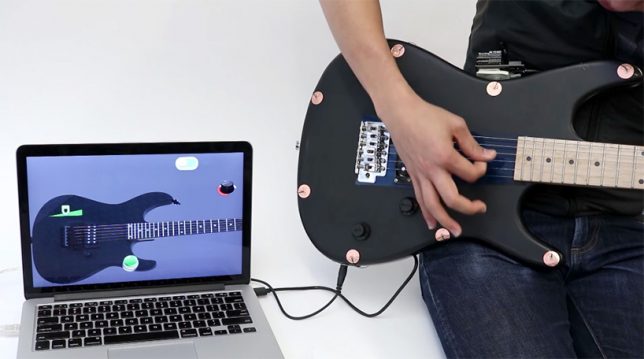
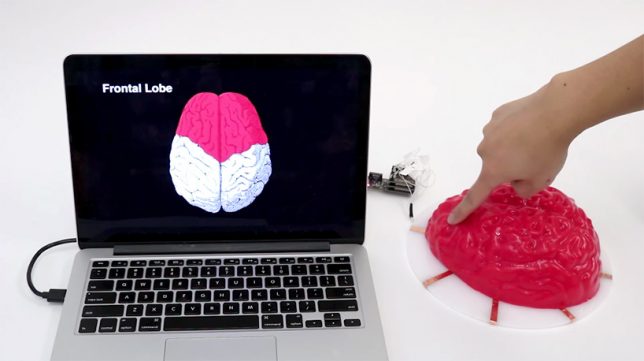
Conductive paint, ink and thread can be drawn, woven or even tattooed into objects like denim jackets, carpeting and leather iPad cases to make them into electrical circuits, adding a new layer of functionality as well as cool-looking graphic patterns. Draw circuits in any shape, create smart objects that interact with apps, and answer your phone while biking by swiping your finger across your sleeve. These 10 projects – some of which are available commercially – show how far conductive designs have come in less than four years.

Conductive Wallpaper by UM Project

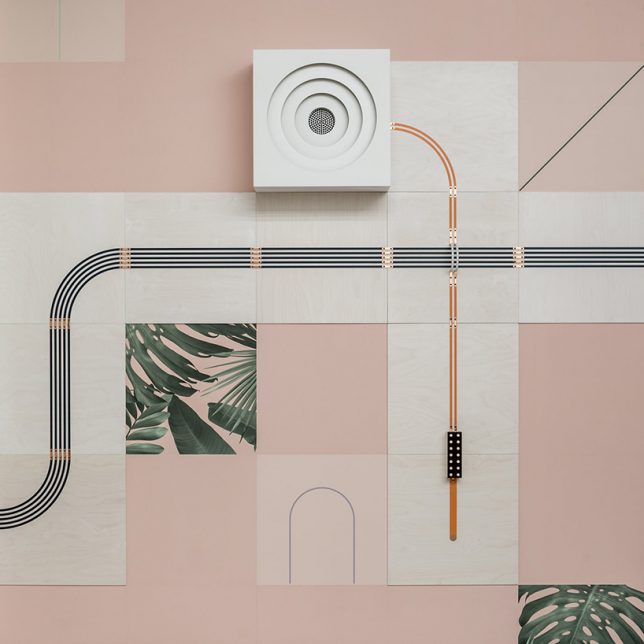
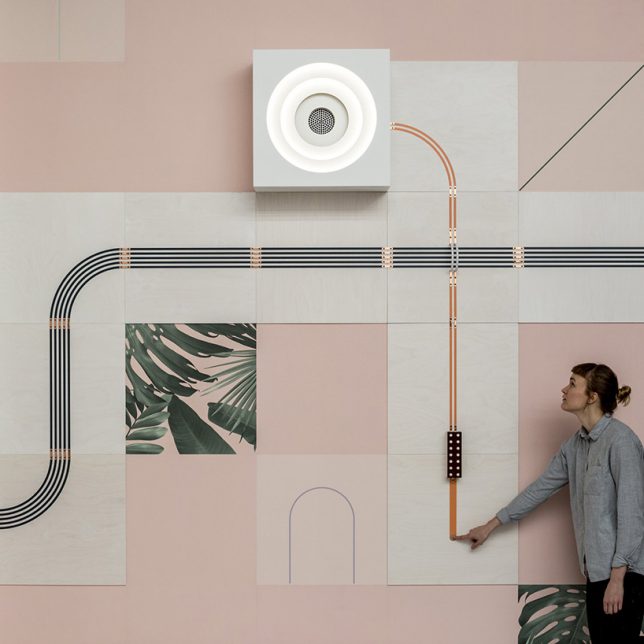
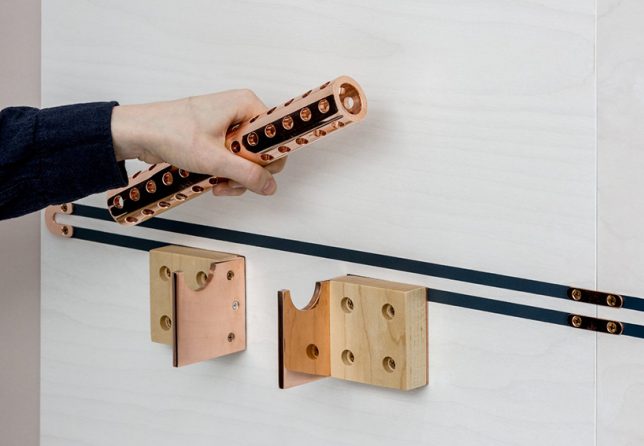
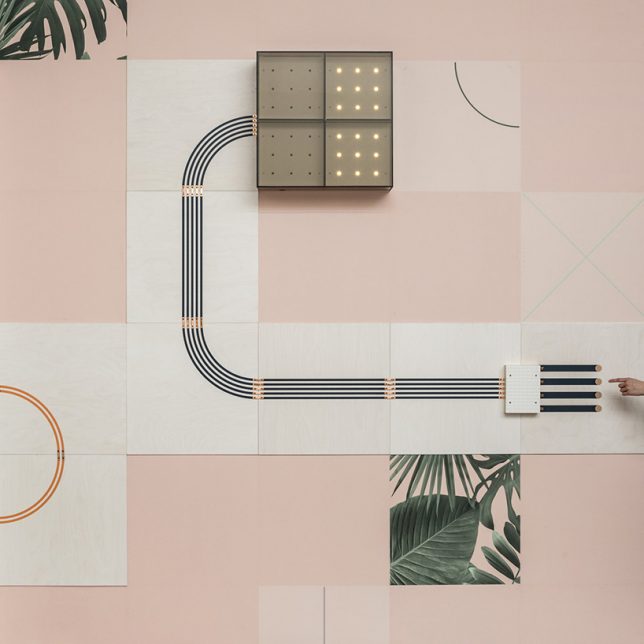
Instead of hiding wiring for lights away within walls, ‘Conduct’ by UM project and wallpaper company Flavor Paper lays it all out as part of the wall’s design using conductive inks to create decorative circuitry. The circuits control a lamp, fan, speaker, light box and hinged mirror, activated them when someone touches the copper dots, using their body to complete the electricity circuit.

Jacquard by Google: Conductive Levi’s Denim Jacket

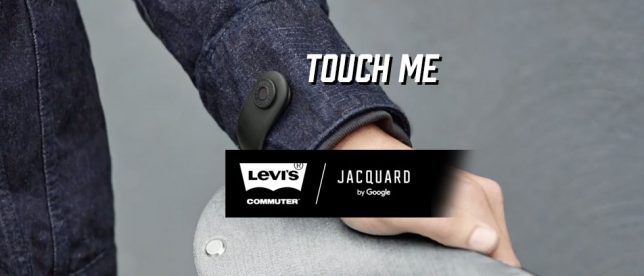
Jacquard by Google teamed up with Levi’s to create a smart denim jacket made with woven conductive yarn, designed specifically for bike commuters. The aim is to seamlessly integrate technology into textiles, prioritizing the garment over the gadget and making it ultra-wearable. The threads connect to a smart tag on the sleeve that communicates with your mobile device, turning the jacket into a gesture-controlled canvas so you can get directions, adjust the volume on your music or answer a phone call using finger swipes on your sleeve. The Commuter will be available this fall for $ 350.

Circuit Scribe Conductive Ink Pen

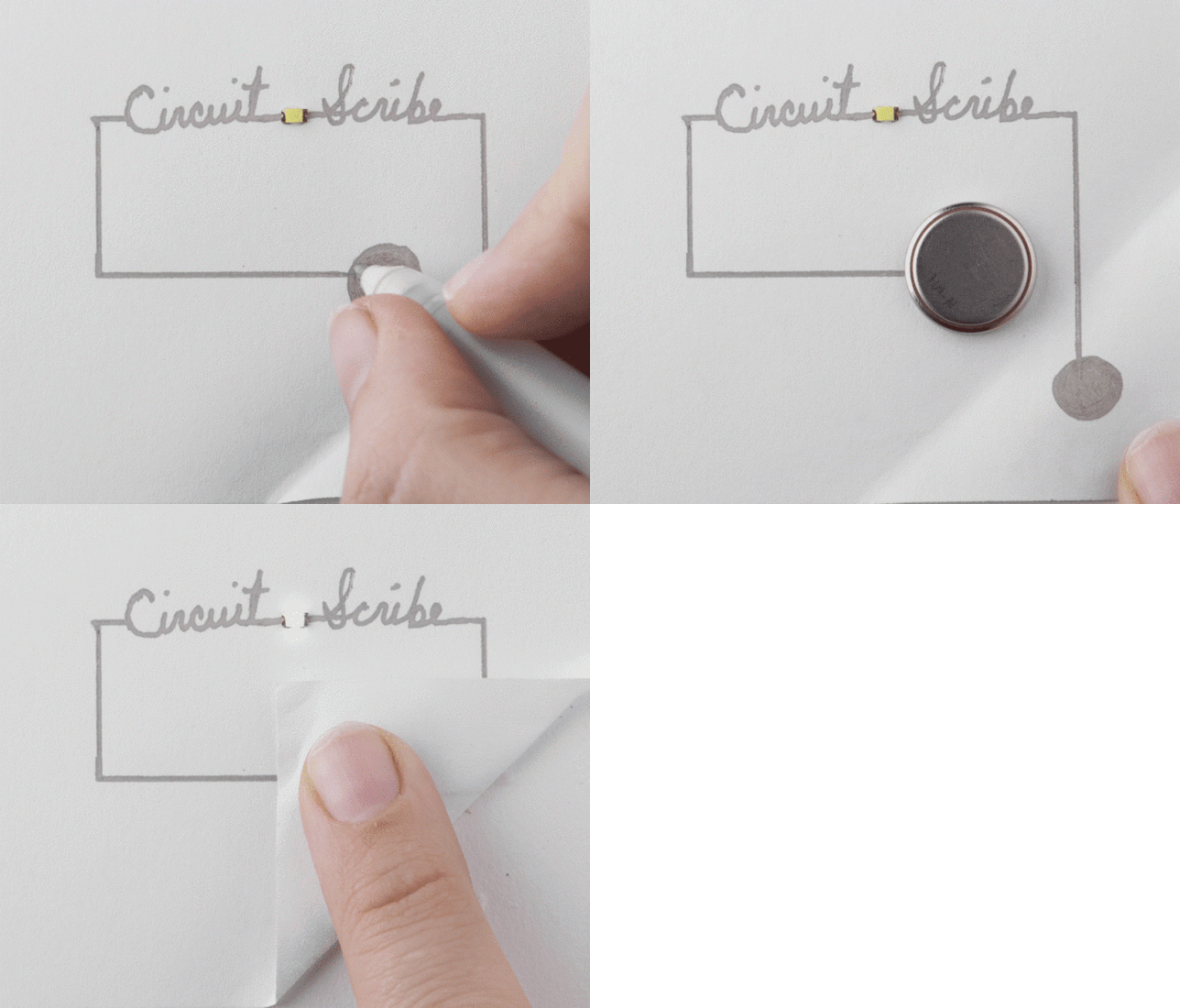
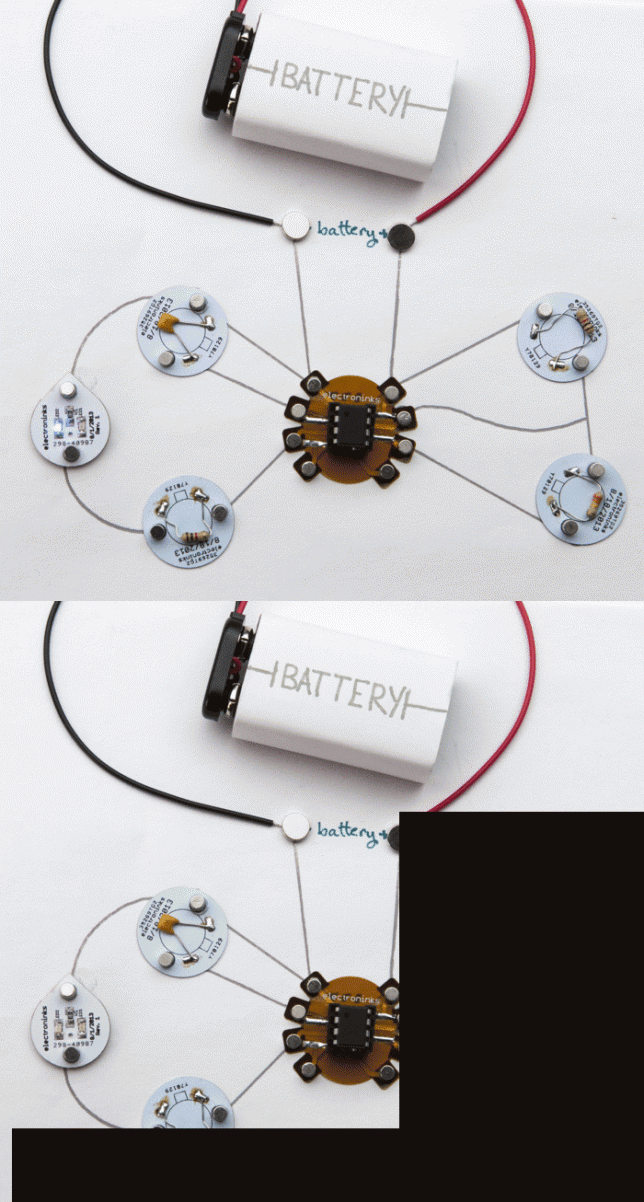
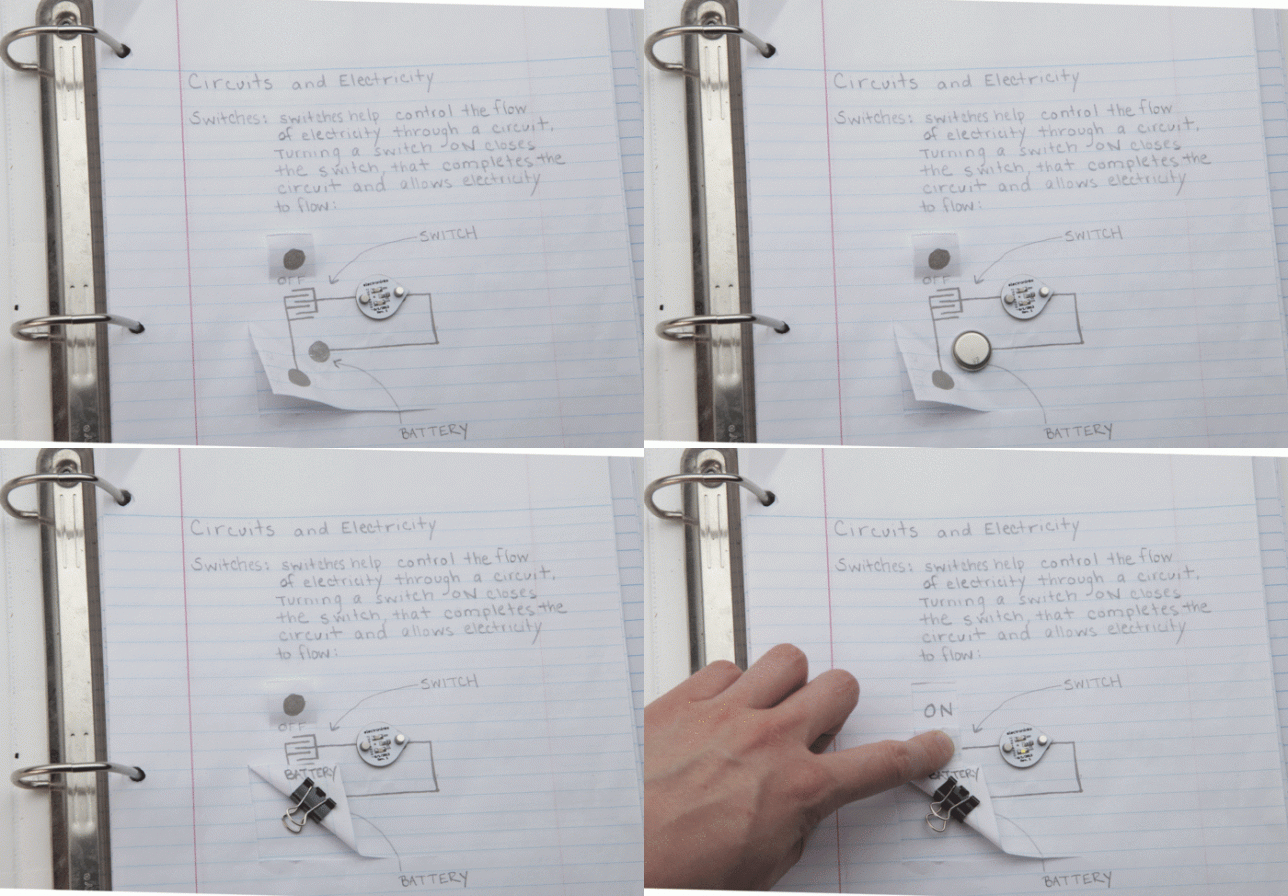
The ’circuit scribe’ ballpoint pen allows you to draw circuits in any shape using a quick-dryings conducting ink, connecting them to a coin battery, paper clip and LED or more complex parts. While similar conductive pens have been offered before, this one differs by producing just the right amount of ink flow to achieve an ideal conductivity of 50-100 milliohms/square/mil. You can buy kits starting at just $ 10.

‘Electrick’ Conductive Paint Turns Anything Into a Touch Pad

This conductive paint from Future Interfaces Group (a research lab within the Human-Computer Interaction institute at Carnegie Mellon) turns virtually any surface into a touch pad when you add an electric current over the painted conductive surface using a pair of electrodes. When you touch the surface, the current is disrupted, and the ‘Electric’ program detects exactly where the object has been touched, showing it on a screen. The technology could potentially help engineers test prototypes of touch pad gadgets.

Conductive Knot Lamp by Celia Torvisco

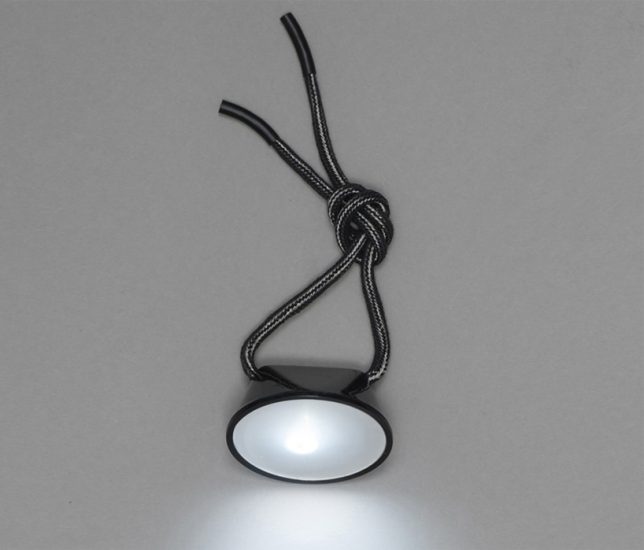
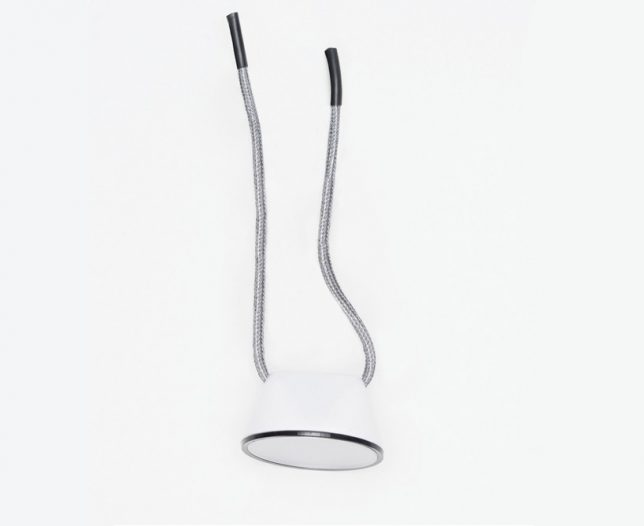
Tie the threads dangling from this minimalist lamp together, and you’ll complete the circuit to turn it on. Designer Celia Torvisco, who’s also known for her conductive ceramic radio, envisions the flashlight for use while camping, riding a bike or reading a book.

Next Page – Click Below to Read More:
Conductive Design 10 Objects Transformed Into Touch Pads Circuits

Share on Facebook


[ By SA Rogers in Gadgets & Geekery & Technology. ]

[ WebUrbanist | Archives | Galleries | Privacy | TOS ]


WebUrbanist

 
Comments Off on Conductive Design: 10 Objects Transformed Into Touch Pads & Circuits

Posted in Creativity


High Design: 10 Blazing Hot Marijuana Dispensary Interiors

27 Apr

[ By SA Rogers in Design & Fixtures & Interiors. ]

Moving way beyond grungy illegal sources and the psychedelic hippie aesthetics of head shops, modern marijuana dispensaries often look more like luxury hotel lobbies, high-end speakeasies and Apple Stores. As more states within the U.S. legalize medical and recreational marijuana, a whole new world of cannabis-adjacent architecture and design lights up. Here are 10 standout dispensaries, including a couple proposals for rooftop pop-ups and even a Cannabis Cruise.

Barbary Coast Dispensary, San Francisco, California

Called “the most decadent pot smoking lounge in the West” by the San Francisco Chronicle, the Barbary Coast Dispensary is modeled on luxury speakeasies in the city’s old red light district, and features a hash bar, smoking lounge and dab bar among stained glass, dark leather and red flocked velvet wallpaper. The owners wanted the space to have a San Francisco flavor, as opposed to the clinical ‘Apple Store’ look favored by a lot of other dispensaries.

New England Treatment Access (NETA), Brookline, Massachusetts

Set into the historic Brookline Bank building, the NETA dispensary features original design by Swiss-American architect Franz Joseph Untersee, who’s best-known for his Roman Catholic Churches. The traditional interiors are definitely a stark contrast to the places people often procured marijuana before it was legal.

Serra Dispensary – Downtown Location, Portland, Oregon

The third location of the Serra dispensary chain to open in Portland, this Old Town gem is set into an 1889 historic-landmarked building with a black-painted facade. Recalling the aesthetics and feel of neighborhood apothecaries, the space features 16-foot ceilings, elegant display cases, high-end smoking accessories and a lush green wall.

Ajoya Dispensary – Louisville, Colorado

You’d almost think the Louisville, Colorado location of Ajoya was a nightclub walking in, with its dimly-lit interiors designed by award-winning firm Roth Sheppard. Customers sit on single-leg stools to consult with bud tenders over a glossy white counter. If some aspects remind you of an Apple store, that’s intentional; in this age of marijuana emerging from illegality in many states, the owners wanted to project an image of safety and health.

Level Up Dispensary – Scottsdale, Arizona

Scottsdale’s Level Up essentially looks like a high-end jewelry boutique, fitted with chandeliers, backlit display cases and a lounge full of leather seating. The dark grey and green color scheme directs the eye right to the product on the shelves.

Next Page – Click Below to Read More:
High Design 10 Super Stylish Marijuana Dispensary Interiors

Share on Facebook


[ By SA Rogers in Design & Fixtures & Interiors. ]

[ WebUrbanist | Archives | Galleries | Privacy | TOS ]


WebUrbanist

 
Comments Off on High Design: 10 Blazing Hot Marijuana Dispensary Interiors

Posted in Creativity


Peak Design will donate today’s online sale proceeds to Conservation Alliance

22 Apr

If you’ve been eyeing a Peak Design bag, today may be the day to strike. In honor of Earth Day, the company is donating 100% of proceeds from the day’s online sales to the Conservation Alliance. The organization provides a link between outdoor brands like Peak Design and community efforts to protect and restore public lands.

Peak Design also recently launched Give a Shot, a website where wildlife non-profits can connect with visual content creators looking to volunteer their skills for a good cause. To sweeten the deal, the company offers creators who take on a volunteer project credit toward Peak Design goods.

Articles: Digital Photography Review (dpreview.com)

 
Comments Off on Peak Design will donate today’s online sale proceeds to Conservation Alliance

Posted in Uncategorized


Pixelated Masterpieces: 32 Real-Life Works of 3D Glitch Art & Design

04 Apr

[ By SA Rogers in Art & Sculpture & Craft. ]

glitch main

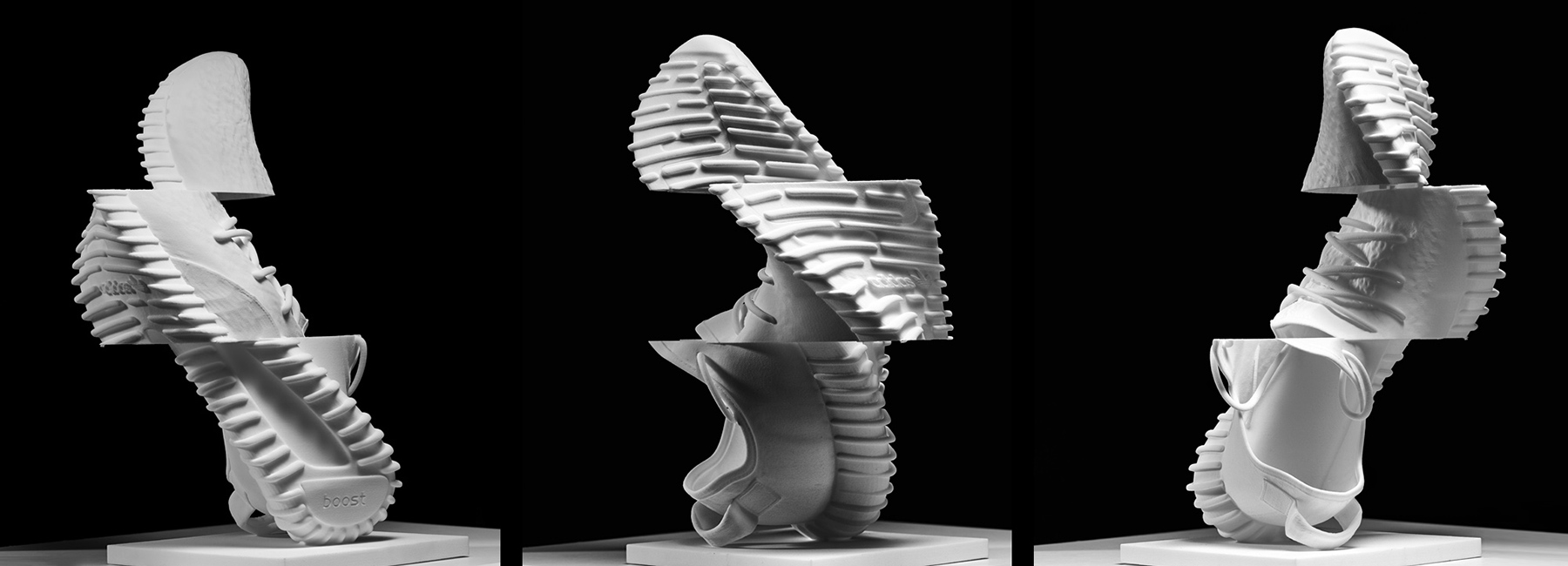
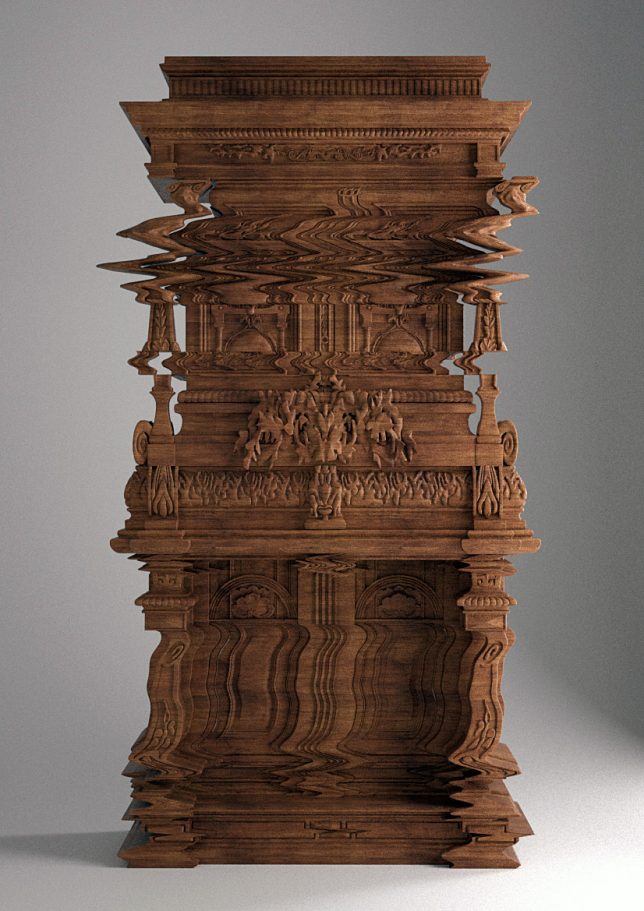
Don’t adjust your monitor – there’s nothing wrong with the images of these sculptures, rugs, furniture and even full-scale architecture. Playing with the aesthetics of digital errors, the glitches are carved, woven or painted right into physical, three-dimensional designs.

Good Vibrations by Ferruccio Laviani

glitch laviani 1

ferruccio laviani 3

laviani glitch 7

ferruccio laviani 4

ferruccio laviani 5

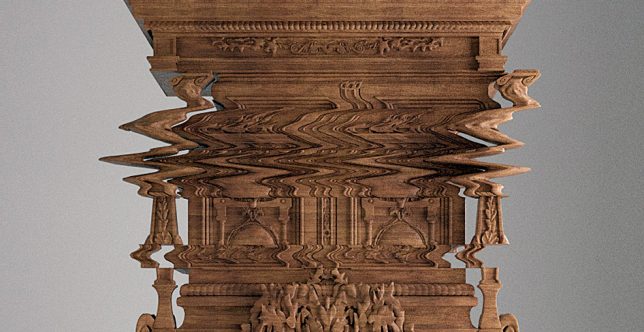
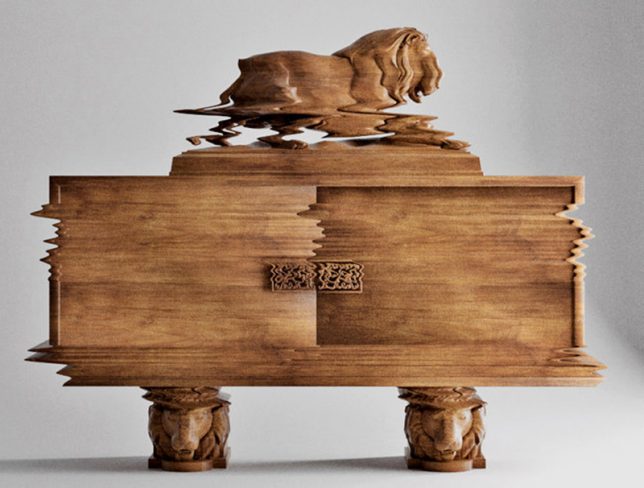
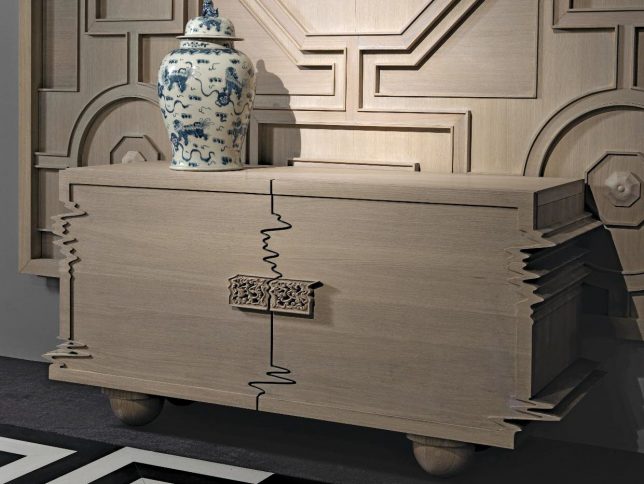
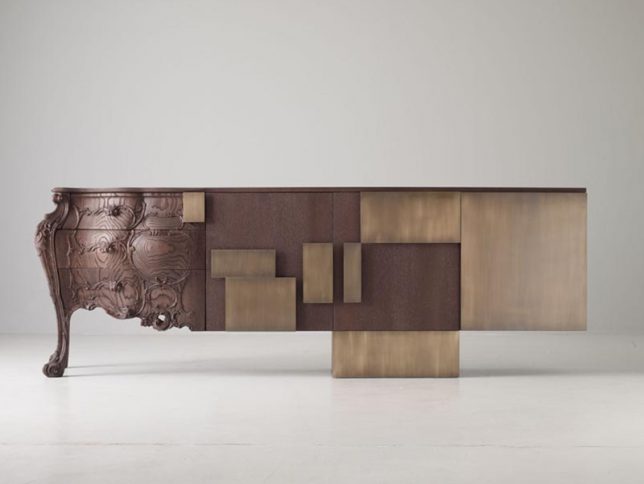
Invited to collaborate with a manufacturer of baroque furniture, artist Ferruccio Laviani took an unconventional approach, programming computer-controlled robotic routers to cut glitches directly into the wood for a warped effect. The result is a series called ‘F* THE CLASSICS!’ and the most striking piece is the ‘Good Vibrations’ cabinet. “In the course of my research for Good Vibrations, I ended up cutting out images from old analog videos, when you fast-forward a tape and get a frozen image that’s all twisted.”

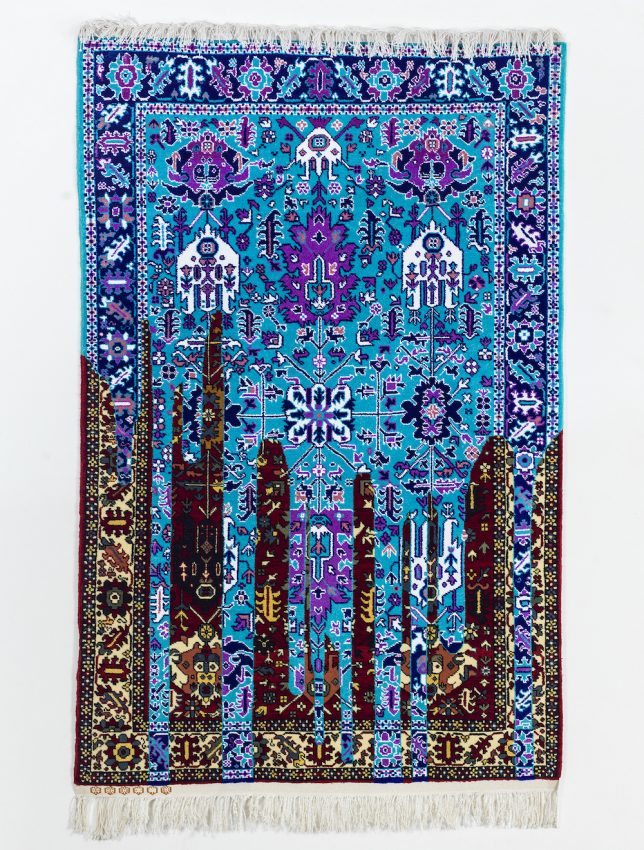
Glitch Rugs by Faig Ahmed


ahmed rug 4 ahmed rug 3

glitch ahmed 3

glitch ahmed 4

glitch ahmed 5

glitch ahmed 6

ahmed rugs

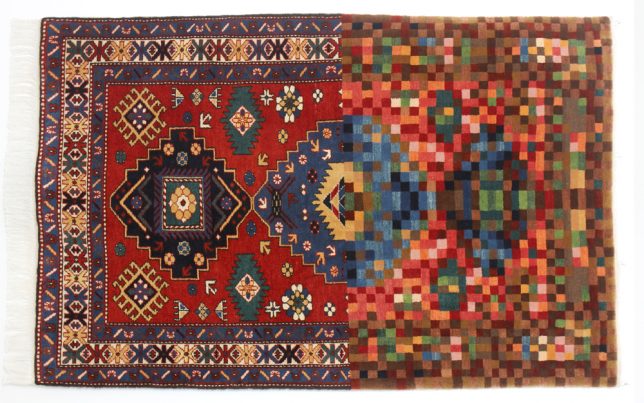
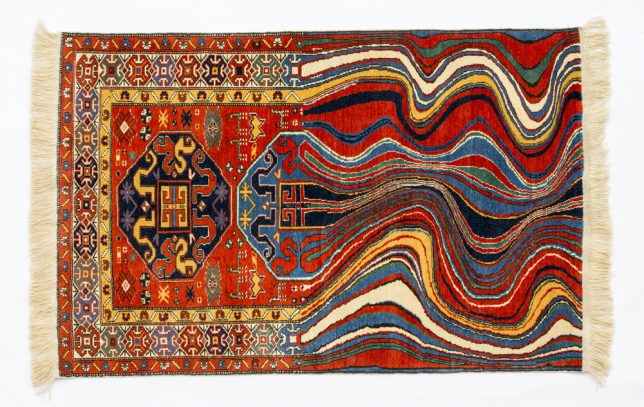
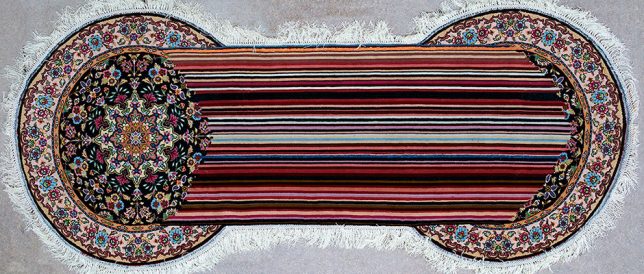
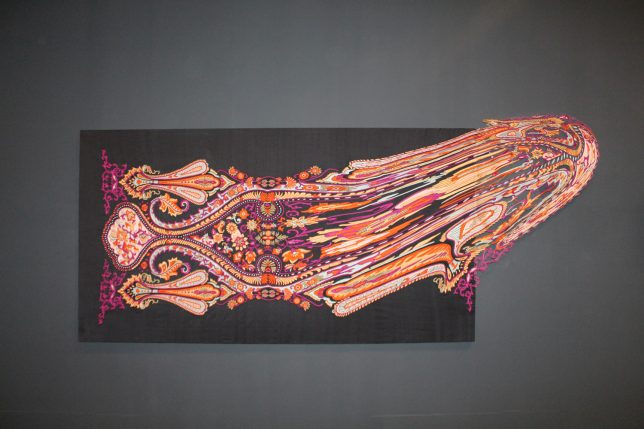
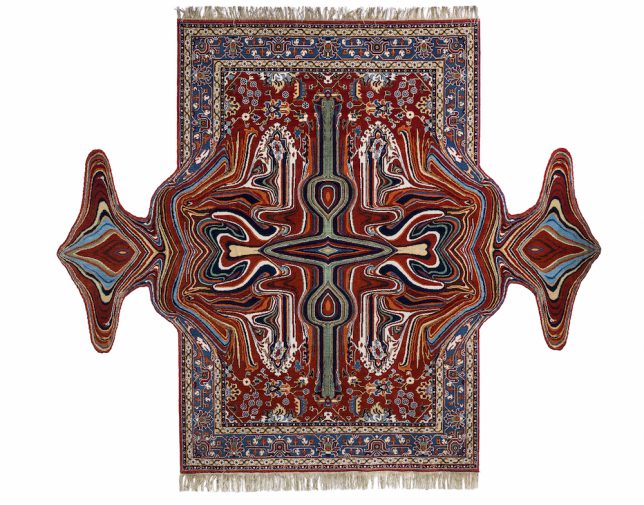
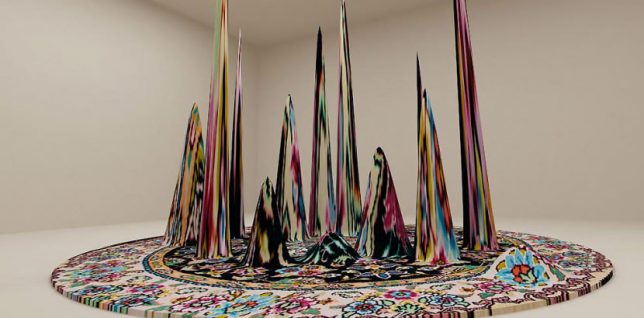
Textile artist Faig Ahmed weaves distortions into traditional rug patterns from India, Persia, Turkey and the Caucasus, making them look stretched, pixelated, warped and otherwise glitched and mutated for a fun modern twist on a beloved classic.

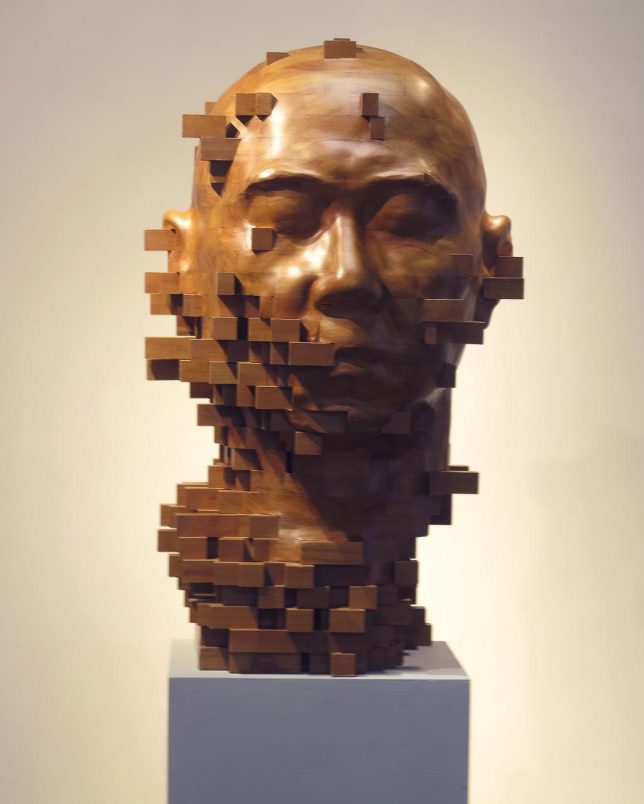
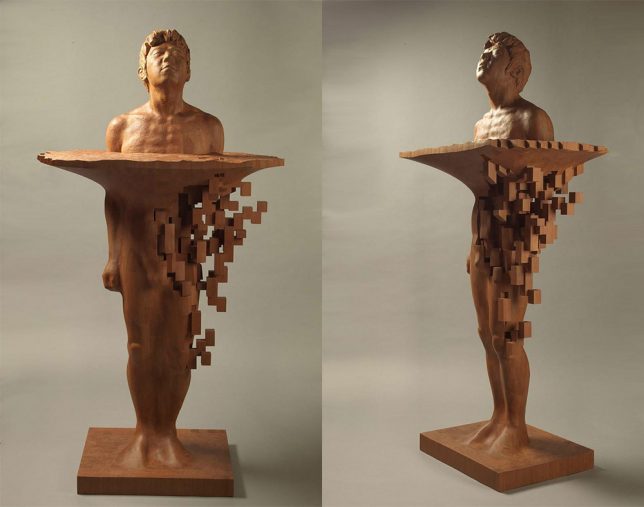
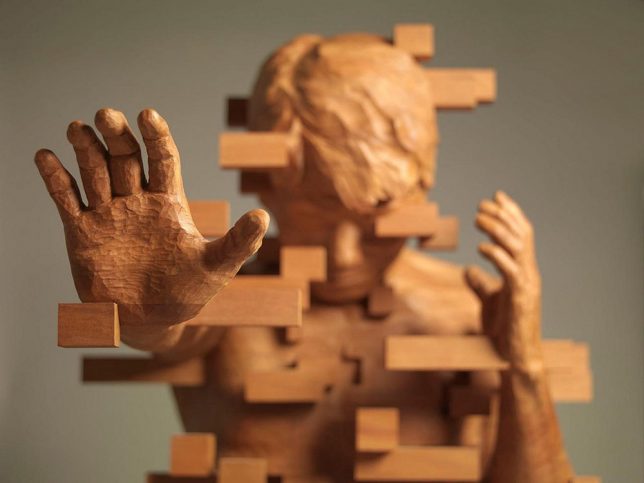
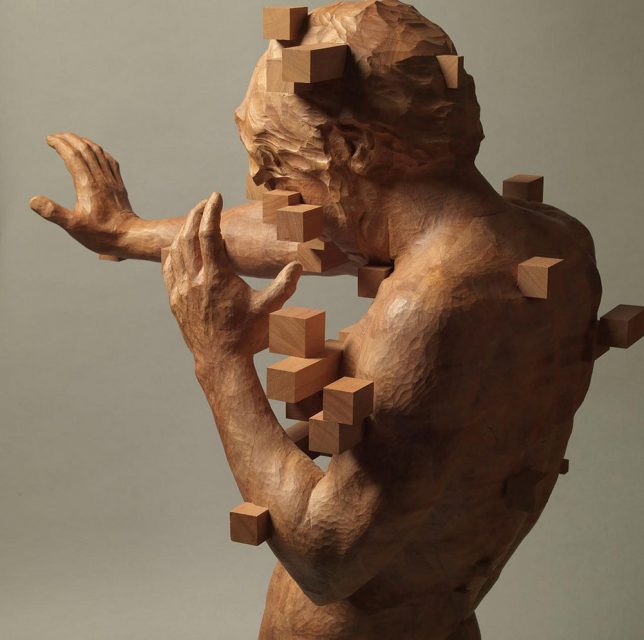
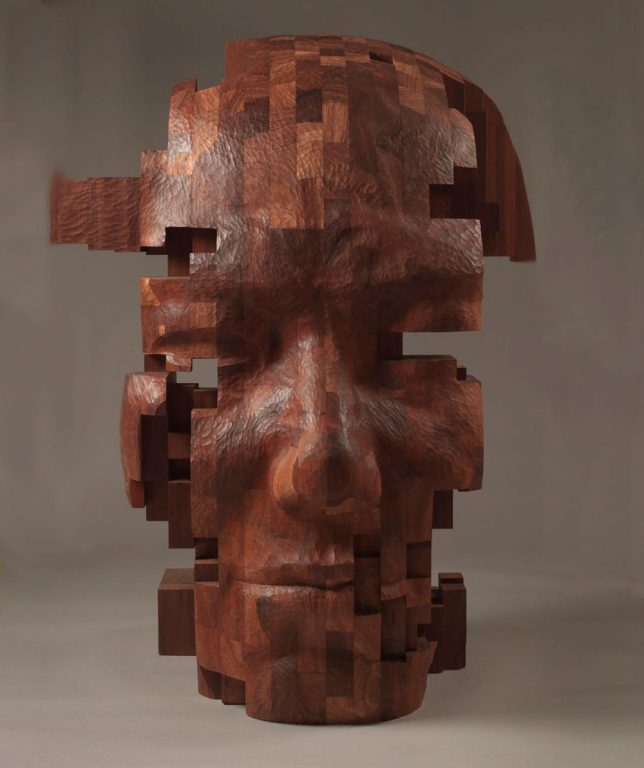
Pixelated Wood Sculptures by Hsu Tung Han

glitch tsu 4

glitch tsu 5

glitch tsu 1

glitch tsu 2

glitch tsu 3

Carved from teak, African wax wood or walnut, Hsu Tung Han’s figurative sculptures dissolve into cubes as if glitching out of existence in three dimensions, making it seem like they’re disappearing or in mid-transition before our eyes.

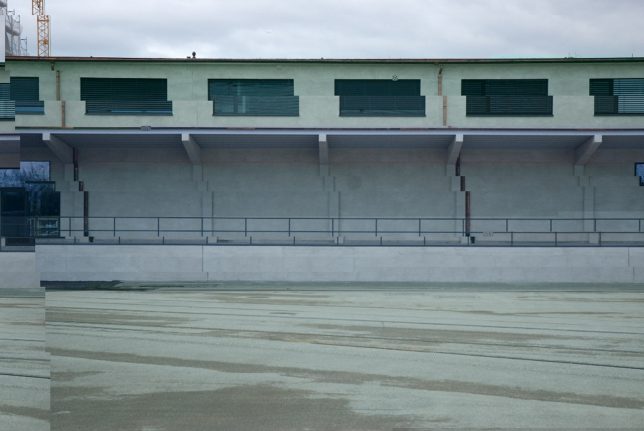
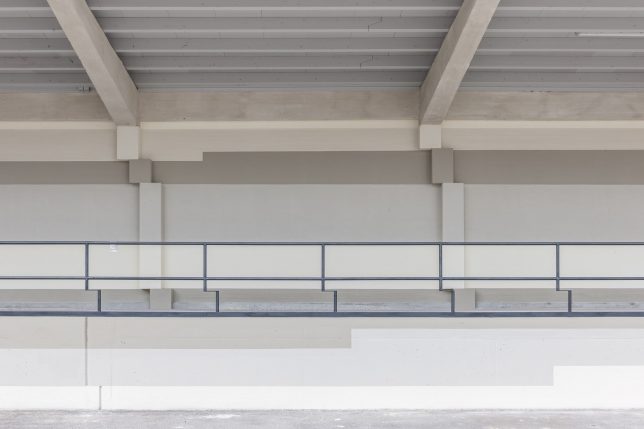
Real Life Glitch Building: House of Electronic Arts Basel

glitch building 1

glitch building 2

glitch building 3

glitch building 4

There’s nothing wrong with this photograph of Switzerland’s House of Electronic Arts Basel building – it’s the building itself that’s glitched. Berlin-based art studio !Mediengruppe Bitnik was invited to create ‘H3333333K,’ a play on the structure’s German name of ‘HeK,’ as a permanent exterior display. “The idea was to cast something fluid, non-permanent like a software error into something physical and permanent, like architecture,” says the group.

Warped Forms by Paul Kaptein

kaptein 2

kaptein 3

kapein 4

kaptein 5

kaptein 6

kaptein 7

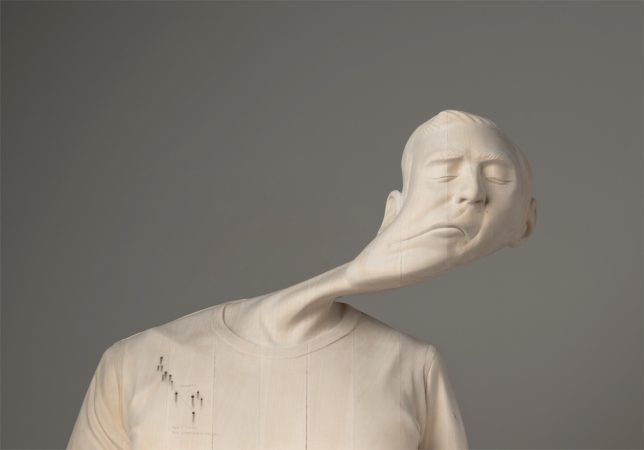
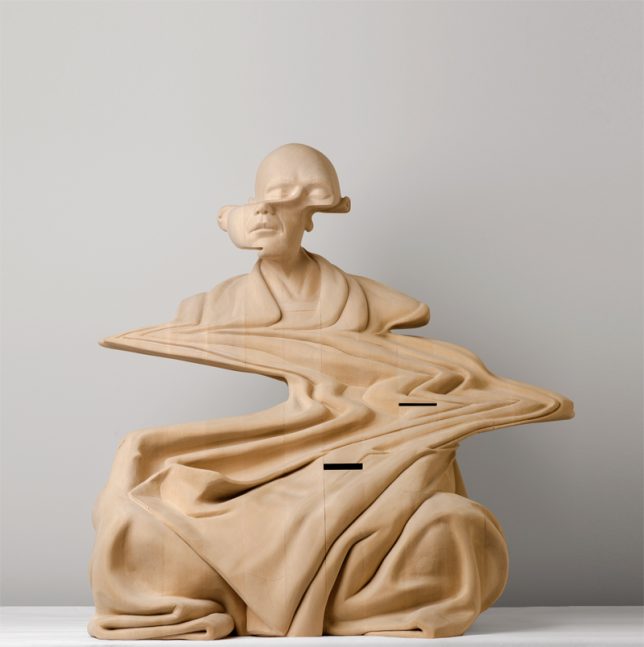
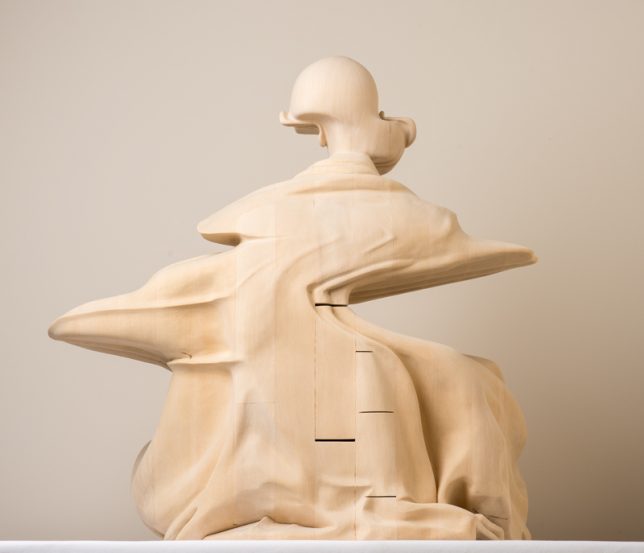
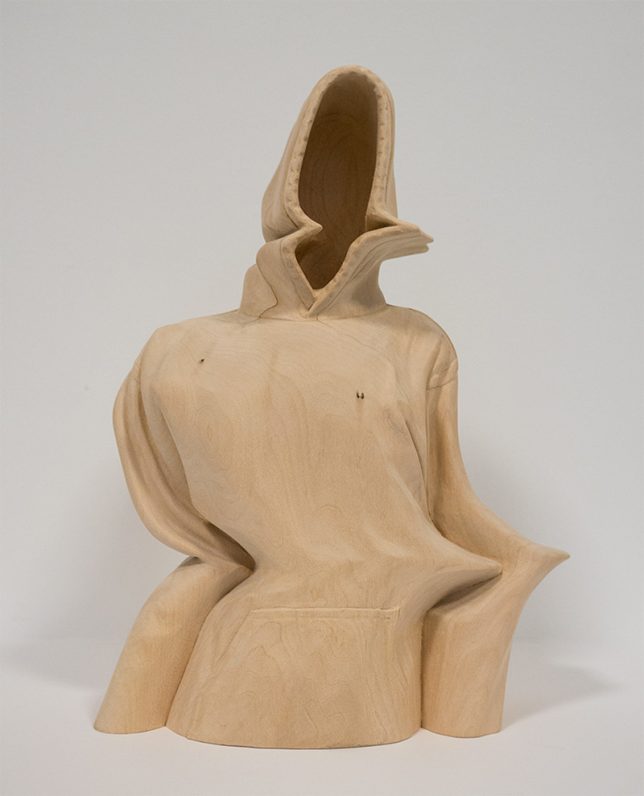
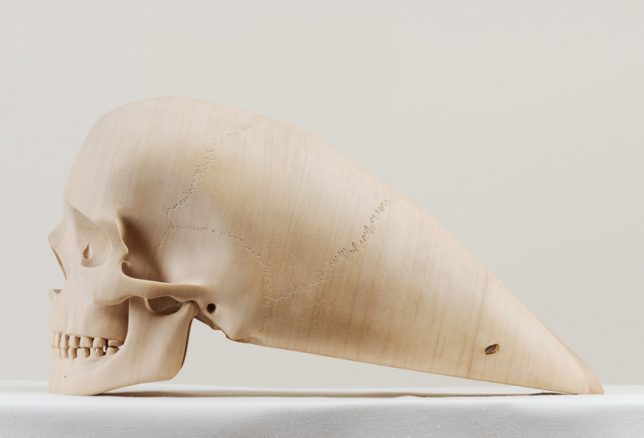
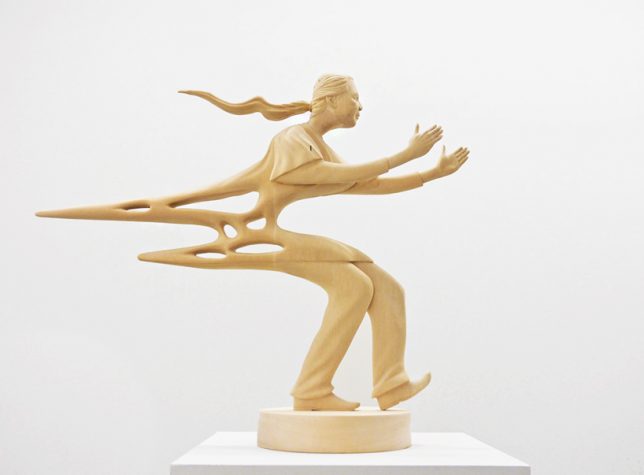
Based in Perth, Australia, artist Paul Kaptein carves laminated wood into warped figures that look almost normal from some angles, and entirely abstract from others, unrecognizable as human bodies. “Paul’s work, seemingly bent through time and space, taps into his medium of emptiness, responding to the gap between immateriality and materiality – through the energy we call potential,” reads his artist statement. “His work is full of the boundless energy of potentiality loops or loops of potentiality or the realization that potential is the energy that constantly moves and transforms. Potential is the force that grabs ideas and translates them into being – it is a poetic energy of necessity and a necessary energy for poetics.”

Next Page – Click Below to Read More:
Pixelated Masterpieces 32 Real Life Works Of 3d Glitch Art Design

Share on Facebook


[ By SA Rogers in Art & Sculpture & Craft. ]

[ WebUrbanist | Archives | Galleries | Privacy | TOS ]


WebUrbanist

 
Comments Off on Pixelated Masterpieces: 32 Real-Life Works of 3D Glitch Art & Design

Posted in Creativity


Studio Starter Kit: How to Design a Starter Portable Studio

22 Mar

In this article, I will give you some tips for creating your own studio starter kit. A portable studio that doesn’t break the bank or the budget.

For many new photographers, the idea of using strobes and portable flashes may seem too daunting. Once you get over that fear, however, you will realize that it is not as difficult as you once thought, nor it is completely unaffordable. I’m sure many of us see famous professional photographers use top brand names such as Profoto, Broncolor, Westcott, Pocket Wizard, Elinchrom, Bowens, Manfrotto, and Lastolite, just to mention a few. We look at the price tag and quake in our boots. That kind of gear is worth its weight in gold for sure and would last many many years, even with daily use, as long as they are used appropriately and with care.

But fear not! These are not the only brands that work and if you are after a starter kit, there are plenty of other more affordable options out there that do the job just fine.

Studio Starter Kit: How to Design a Starter Portable Studio

So, I will share with you some alternatives to top brands for a studio starter kit especially if you just what to try it out. Of course you can go the full nine yards and shell out for the best brands, or alternatively you could rent a few items first to test them out.

#1 Know your subject and understand your audience

First of all, assess what you need your portable studio for. What will you be shooting; headshots, photobooths, full body shots? Knowing your usage requirements will dictate the height your light stands, the power of your strobes or capabilities of your speedlights, for example.

googletag.cmd.push(function() {var gpt_slot = googletag.defineSlot( “/1005424/_dPSv5in-post-mobile(300×250)”, [300, 250], “pb-ruleset-mobile-ad-0” ).addService( googletag.pubads() );ruleset_mobile_slots.push( gpt_slot );});

googletag.cmd.push(function() {var gpt_slot = googletag.defineSlot( “/1005424/_dPSv5in-post-mobile(300×250)”, [300, 250], “pb-ruleset-desktop-ad-4” ).addService( googletag.pubads() );ruleset_desktop_slots.push( gpt_slot );});

Secondly, how often will you need to use your portable kit as you need to take into consideration the wear and tear on your equipment. This has more to do with the quality of the materials used in manufacturing. You don’t want your umbrellas and softboxes to rip from frequent use, for example, or the screws of your stands to come off so quickly.

Thirdly, what backdrop will you be using? Your stands need to be sturdy enough for the weight of your backdrop.

Studio Starter Kit: How to Design a Starter Portable Studio

#2 Do your research and read reviews

When you have a clear idea of your needs, allowing room for improvement and progression into other subjects, get on the internet and read reviews of various brands and compare them. It is a good idea to stick to a budget and if you can manage it, not to get into debt when acquiring equipment, although I know that sometimes that is not an option.

For the most basic studio starter kit, all you need is a light and one stand. That’s it. Of course, you do need a subject and a camera with a memory card. But, you don’t even need a remote trigger if you can use the built-in creative lighting system of your camera and flash. This works using infrared so that your camera and off-camera flash can communicate with each other for as long as both are within line of sight. For a better starter kit, though, I suggest you add a light modifier and a transceiver.

Studio Starter Kit: How to Design a Starter Portable Studio

Portable studio wish list

This would be my list for a good portable starter studio:

  • Backdrop stands x 1 set (a set will have two stands and a bar from which to hang the backdrop)
  • Clamps for your backdrop x 12 or depending on length of bar and number of clamps needed
  • Sandbags (one for each your stands)
  • Transceivers (or remote trigger and receiver system)
  • Light stands (preferably air-cushioned, as many as your lights)
  • Reflectors (preferably foldable and at least a 5-in-1)
  • Speedlight x 1 minimum (either the same brand as your camera or a third party compatible brand) or …
  • Strobe x 1 minimum (preferably with a battery pack so you won’t have to worry about power sockets on location)

Left image: background stand (Photosel) and clamps (Neewer)
Right image: Manfrotto Monopod with ballhead, Gorillapod, stands by: Neewer, Pixapro, and Photosel. I can’t remember the brand of my tripod (far left).

googletag.cmd.push(function() {var gpt_slot = googletag.defineSlot( “/1005424/_dPSv5in-post-mobile(300×250)”, [300, 250], “pb-ruleset-mobile-ad-1” ).addService( googletag.pubads() );ruleset_mobile_slots.push( gpt_slot );});

googletag.cmd.push(function() {var gpt_slot = googletag.defineSlot( “/1005424/_dPSv5in-post-mobile(300×250)”, [300, 250], “pb-ruleset-desktop-ad-5” ).addService( googletag.pubads() );ruleset_desktop_slots.push( gpt_slot );});

  • Adaptors for speedlight to stands x 1 minimum (you need this so that your speedlight can be connected to your light stand)
  • Light modifiers which can be any of the following; an umbrella (silver, white, black on the outside, silver on the inside, all white diffusion), octabox umbrellas (with or without grid), foldable softbox (with a speedlight mount)
  • Tripod or monopod (preferable but not essential)
  • Light meter (preferable but not essential)
  • Plenty of Gaffer tape
  • Spare batteries for your camera, speedlight, and/or strobe (whichever you are using)

Left image: A studio strobe by Pixapro, transceivers (Yongnuo on the left, Paul Buff Cybersyncs on the right), Nikon SB 910 Speedlight, and a Sekonic L-358 lightmeter on the far right.
Right image: Ring Flash by Neewer, video lights are Yongnuo, and the magic tube is by Travor.

Third party options

Alternative cheaper brands that offer an astonishing array of photographic accessories at a fraction of top brand name prices.

  • Pixapro (UK)
  • StrobePro (Canada)
  • Neewer
  • Fotodiox
  • Photoflex
  • Yongnuo
  • Paul C Buff – (Alien Bees and White Lightning)
  • Rogue Photographic Design
  • Godox
  • Walimex

These are only some of the many alternatives easily accessible nowadays through the internet. The photos shown within this article have been taken with my portable studio starter kit made up the Pixapro, Yongnuo, Neewer, Paul C Buff, Rogue Photographic Design, Sekonic, Nikon, and Manfrotto. Sometimes I use just one light, other times two, and sometimes I include a reflector as well.

Left image: The flash softbox is Westcott. The flat rectangular modifiers are Rogue flash benders and the mini-versions on the left (one is rolled up into a black tube which I use as a snoot) are from Kaavie, again from Amazon. 5-in-1 reflector showing in gold is Neewer.
Right image: The collapsable gray card is by Lastolite, next to it are light stand adaptors as well as spare batteries.

Continuous lighting

In addition to strobes, you might also want to include some continuous lighting in your arsenal.  There are many types of continuous lights, the most popular of which are video lights, ring and tube lights. The usually come with filters too, which is handy. The great thing about continuous lights is not only their portability but the price tag – they are super affordable nowadays with various brands competing in an already saturated market. Personally, I only use these occasionally and cannot justify spending much on them.

Backdrop

For backdrops, you can use paper or fabric. A good tip is to use fabric that doesn’t crease and doesn’t need ironing. There is nothing worse than having to Photoshop all the creases from a backdrop. Trust me, I have done it before!

googletag.cmd.push(function() {var gpt_slot = googletag.defineSlot( “/1005424/_dPSv5in-post-mobile(300×250)”, [300, 250], “pb-ruleset-mobile-ad-2” ).addService( googletag.pubads() );ruleset_mobile_slots.push( gpt_slot );});

googletag.cmd.push(function() {var gpt_slot = googletag.defineSlot( “/1005424/_dPSv5in-post-mobile(300×250)”, [300, 250], “pb-ruleset-desktop-ad-6” ).addService( googletag.pubads() );ruleset_desktop_slots.push( gpt_slot );});

Studio Starter Kit: How to Design a Starter Portable Studio

#3 Use your new studio

Having a studio in a box that never sees the light of day is a waste of your precious time doing all the above, not to mention money. Use your new kit and try out what works for you and what doesn’t. You will learn new things by experimenting and actually using your gear, rather than just reading what other people say. You will learn how to troubleshoot, and how to pack and unpack in the quickest time. If you don’t have a live subject to photograph, then take pictures of still life subjects to practice and find things out.

While there is no doubt that there are differences in the quality of the material used between brands, I believe that the difference in the quality of light is debatable and I’m pretty sure these differences are not life-changing. Ultimately, it’s not about the gear but how you use what you have.

Studio Starter Kit: How to Design a Starter Portable Studio

When it comes to light, the important thing to remember, more than the brand name, is that the bigger the light the better the quality, the closer the light to the subject the softer it is. When it comes to a portable studio kit, make portability a priority so that everything is easily collapsible. Don’t forget to consider the weight of your portable studio too as well as how much room it will take when transported. Many of the materials nowadays are made of lightweight durable metal, alloys or steels. You want a portable starter studio that really folds into a pocket!

Do share here any tips for starter portable studios especially if there is anything I haven’t included on the list above.

googletag.cmd.push(function() {var gpt_slot = googletag.defineSlot( “/1005424/_dPSv5in-post-mobile(300×250)”, [300, 250], “pb-ruleset-mobile-ad-3” ).addService( googletag.pubads() );ruleset_mobile_slots.push( gpt_slot );});

googletag.cmd.push(function() {var gpt_slot = googletag.defineSlot( “/1005424/_dPSv5in-post-mobile(300×250)”, [300, 250], “pb-ruleset-desktop-ad-7” ).addService( googletag.pubads() );ruleset_desktop_slots.push( gpt_slot );});

The post Studio Starter Kit: How to Design a Starter Portable Studio by Lily Sawyer appeared first on Digital Photography School.


Digital Photography School

 
Comments Off on Studio Starter Kit: How to Design a Starter Portable Studio

Posted in Photography


Fundy Suite offers wedding photographers tiered pricing for album design and sales tools

18 Mar

Fundy Software, maker of album-building and sales tools for wedding photographers, is updating its software set with additional features and a new tiered pricing structure.

The Fundy Suite of software is now available in Lite, Pro and Studio configurations. For $ 199, Fundy Suite Lite includes basic album and wall art design tools. The $ 349 Pro Suite includes more features like larger albums, and the Studio version can be used by up to five computers for $ 499.

A set of Pro Enhancement features are available for a $ 179 yearly subscription, adding skin retouching via Athentech’s Perfectly Clear, and access to Design Proofer tool for client communication. The Pro Enhancement subscription also allows for free updates to Fundy’s software.

Fundy Designer takes a template-free approach to album creation, with an emphasis on easy and quick operation with its automatic populating feature. It’s integrated with popular printing services like Miller’s.

Do you use Fundy Designer? What do you think about this update? Let us know in the comments.

Press release

Fundy Designer Launches All-In-One Suite for Professional Wedding and Portrait Photographers

Also announces fully integrated Pro Enhancements that includes acclaimed Design Proofer, one-click retouching, and free upgrades for existing users 

Portland, OR—March 20, 2017—Fundy Software, creator of Fundy Designer,
the award-winning professional photography software company known for its design software, Album Builder and Gallery Designer, and it’s workflow and in-person sales tools, today announced its newly revamped product line offering Lite, Pro and Studio all-in-one suite licensing options starting at $ 199. For a limited time all licensing options offer a 3 month FREE subscription of Pro Enhancements.

People are rediscovering and gravitating back toward prints as a preferred way to save and share memories and tell the stories and backdrops about their lives. Fundy Designer, revered for its ease-of-use and powerful tools, is used by professional photographers worldwide to design, sell, and proof from one application. Photographers worldwide attest to reducing design time by 4x while increasing studio revenues by 3x utilizing Fundy Designer. 

“Our newly revamped product line and attractive price points reflect the rapid growth and popularity the Fundy Suite has achieved since its launch in 2008. Our new tiered pricing gives a pathway for professional photographers to add significant revenue to their business and expand their product offerings as their business grows,” said Andrew “Fundy” Funderburg, founder of Fundy Software. “Additionally, our new Pro Enhancements perfectly fits our company mission to help professional photographers design better and do more so they can get back to the moments that matter to them most to their clients,” continued Funderburg.

Using the Fundy Suite, professional photographers can easily and quickly create customized albums and beautiful wall art. Fundy is also a sales tool that enables professional photographers to conduct sales sessions with their clients either in-person or virtually from anywhere in the world.

With Pro Enhancements such as one-click skin retouching from Perfectly Clear, and the Fundy Design Proofer, professional photographers can save countless hours, drive design approvals and impress clients.

“Fundy is an invaluable sales tool because helps photographers upsell without ‘selling’. Presenting to clients within Fundy makes it easy for clients to visualize what their album or wall art will look like in their home. How can they say no when they’re seeing the photos they love most curated exactly to their home,” says Rich and Christine Yodsukar, who own The Yodsukars, a luxe LA-based wedding photography and cinematography studio.

The Fundy Suite Lite is the perfect starting point, priced at $ 199, for the emerging pro. Allowing them to design and sell the most popular album and wall art in the industry. The Fundy Suite Pro, priced at $ 349, add more professional options such as previewing custom framed prints and designing larger albums that are coveted by high-end brides. The top-tier Fundy Suite Studio, priced at $ 499, is created for the large studio, allowing up to five computers to run the Suite simultaneously.

“As a sales tool Fundy makes it easy work with clients in-person or online which is a game-changer and a huge advantage for my business. Fundy has helped me double my business since we started using the new sales tools in 2016, says Mike Allebach, named “2016 100 Best Wedding Photographer/United States and Canada” by SLR Lounge.

Fundy Designer v7, released in 2016 set a new standard for photography design software, with top wedding and portrait photographers who use it earning as much from album sales as they do from actual wedding shoots every year.

Articles: Digital Photography Review (dpreview.com)

 
Comments Off on Fundy Suite offers wedding photographers tiered pricing for album design and sales tools

Posted in Uncategorized