RSS
 

Posts Tagged ‘Data’

Lens reviews update: DxOMark data for Nikon-fit full frame wideangles

18 Jun

lensreview-thingsmall1.png

DxOMark has just reviewed Nikon’s latest budget full frame wideangle lens, the AF-S Nikkor 18-35mm f/3.5-4.5G ED. As part of our ongoing collaboration we’ve added the test results to our lens comparison widget, along with other Nikon-fit full frame wide zooms. You can compare it to its predecessor, the AF Nikkor 18-35mm f/3.5-4.5D IF ED, the AF-S Nikkor 16-35mm f/4G ED VR, the legendary AF-S Nikkor 14-24mm f/2.8G ED, and the Tokina AT-X 16-28mm f/2.8 Pro FX. Click through to see the comparisons in our lens widget, and for the full data on DxOMark.

News: Digital Photography Review (dpreview.com)

 
Comments Off on Lens reviews update: DxOMark data for Nikon-fit full frame wideangles

Posted in Uncategorized


Lens reviews update: DxOMark data for Nikon-fit full frame wideangles

18 Jun

lensreview-thingsmall1.png

DxOMark has just reviewed Nikon’s latest budget full frame wideangle lens, the AF-S Nikkor 18-35mm f/3.5-4.5G ED. As part of our ongoing collaboration we’ve added the test results to our lens comparison widget, along with other Nikon-fit full frame wide zooms. You can compare it to its predecessor, the AF Nikkor 18-35mm f/3.5-4.5D IF ED, the AF-S Nikkor 16-35mm f/4G ED VR, the AF-S Nikkor 14-24mm f/2.8G ED, and the Tokina AT-X 16-28mm f/2.8 Pro FX. Click through to see how they compare on both DX and FX cameras, with links to view the results in our lens widget, and for the full data on DxOMark.

News: Digital Photography Review (dpreview.com)

 
Comments Off on Lens reviews update: DxOMark data for Nikon-fit full frame wideangles

Posted in Uncategorized


Canon EOS 700D / EOS Rebel T5i review updated with lens data

15 Jun

1855-420.jpg

We’ve updated our review of the Canon EOS 700D / EOS Rebel T5i with lens data and analysis of the camera’s 18-55mm STM F/3.5-5.6 IS kit zoom, with an example of its AF performance in video mode. As this lens is about the only change of significance with the EOS 700D release, we thought we’d incorporate our findings directly inside the review for your convenience. Click through to find out what this updated kit zoom offers.

News: Digital Photography Review (dpreview.com)

 
Comments Off on Canon EOS 700D / EOS Rebel T5i review updated with lens data

Posted in Uncategorized


Lens reviews update: DxOMark data for 400mm telezooms compared

29 May

lensreview-thingsmall1.png

DxOMark has tested two recently-announced announced long telezooms, the Sony 70-400mm F4-5.6 G SSM II and the Nikon AF-S Nikkor 80-400mm f/4.5-5.6G ED VR, as well as the older AF Nikkor 80-400mm f/4.5-5.6D ED VR. As part of our ongoing collaboration we’ve added the test data to our lens comparison widget, and to add a little more context we’ve also included a couple of super-tele primes from Canon. Click through to see how these lenses compare, with links to view the results in our lens widget, and for the full data on DxOMark.

News: Digital Photography Review (dpreview.com)

 
Comments Off on Lens reviews update: DxOMark data for 400mm telezooms compared

Posted in Uncategorized


Lens reviews update: 70-200mm lenses added to our test data widget

30 Apr

lensreview-thingsmall1.png

As part of our ongoing collaboration with DxOMark we’ve added more lenses to our test data comparison widget. These include a range of 70-200mm zooms from Canon, Nikon, Tamron and Sigma, and the Nikon-mount version of the Sigma 35mm F1.4 DG HSM tested on both the D7000 and D800. Click through for links to view these lenses in our widget, and for the full data on DxOMark.

News: Digital Photography Review (dpreview.com)

 
Comments Off on Lens reviews update: 70-200mm lenses added to our test data widget

Posted in Uncategorized


Panasonic GH3 hands-on preview updated with test data and samples

15 Mar

panasonic_dmcgh3.png

We’ve just added more pages of content to our hands-on preview of the 16MP Panasonic GH3, Panasonic’s flagship GH-series Micro Four Thirds camera. These pages represent our progress so far towards the completion of a full review. We’ve added our full complement of studio tests, including resolution, noise and dynamic range, a small gallery of ‘real world’ samples and updated first impressions. Click through for a link to the 12-page preview.

News: Digital Photography Review (dpreview.com)

 
Comments Off on Panasonic GH3 hands-on preview updated with test data and samples

Posted in Uncategorized


Just posted: Sony Cyber-shot DSC-RX1 review updated with lens data

22 Feb

Sony_RX1.jpg

We’ve updated our Sony Cyber-shot DSC-RX1 review with an additional page of lens data, brought to you in collaboration with DxOMark. The RX1’s headline feature may well be its 24MP full frame image sensor, but the fixed Carl Zeiss Sonnar T* 35mm F2 lens is an equally crucial part of its imaging chain. We’ve added a full set of technical lens measurements to our review to illustrate how it performs, presented in our unique data widget. You can also see how it measures up against the best 35mm lenses available for SLRs.   

News: Digital Photography Review (dpreview.com)

 
Comments Off on Just posted: Sony Cyber-shot DSC-RX1 review updated with lens data

Posted in Uncategorized


Nikon D5200 hands-on preview updated with menus, test data and samples

19 Feb

nikon_d5200_1.png

We’ve just added ten pages of content to our hands-on preview of the 24MP Nikon D5200, representing our progress so far towards the completion of a full review. As well as a complete breakdown of the options available in the camera’s menu system we’ve added our full complement of studio tests, including resolution, noise and dynamic range, and a small gallery of ‘real world’ samples. Click through for a link to the 16-page preview.

News: Digital Photography Review (dpreview.com)

 
Comments Off on Nikon D5200 hands-on preview updated with menus, test data and samples

Posted in Uncategorized


Sony NEX-6 preview extended with the addition of test data

02 Feb

sony_nex6.png

Just Posted: an extensive update to our Sony NEX-6 preview. The NEX-6 is an enthusiast level mirrorless camera that features the high-resolution OLED viewfinder we first saw on the NEX-7 and builds on the capabilities that appeared on the recent NEX-5R. Click through for a link to the expanded preview, including six new pages of test data. We’ll be adding more pages as we work towards the publication of our full review. 

News: Digital Photography Review (dpreview.com)

 
Comments Off on Sony NEX-6 preview extended with the addition of test data

Posted in Uncategorized


Four Tips on Your Image Data Safety Procedures

01 Feb

Introduction

The following is an excerpt from the SLR Lounge Lightroom Workflow System Workshop on DVD, a system designed to increase your post production speed by 5 to 10 times. Click here to learn more.

I was attending a workshop last year in Los Angeles where the instructor talked about the importance of having backup gear for an important shoot. His mantra was that during a shoot, “something always goes wrong.” Gear redundancy is important, especially when you are on the client’s clock. Without a doubt, not having a backup to your gear can potentially derail a photoshoot if something were to break.

However, the most important and expensive component of your photoshoot is indeed not your camera gear. Unlike your gear, which you carry insurance for and can be replaced, the images from the shoot may not be replaceable and are therefore the most critical component of a paid photoshoot.

Not only would it be far more expensive to setup a reshoot, for photojournalists shooting a wedding or a Presidential inauguration, a reshoot is simply impossible.

So just like your gear, it is important to have duplicate copies of your client’s images from the shoot to your computer. Here are four tips that you can integrate into your shooting workflow.

1. Back up the Images in Camera

Ideally, when you are working professionally, it is best to shoot with a DSLR that can record onto two cards on the fly. It is the most convenient and most portable method of creating backups of your images as you can simply set the camera to “duplicate” the images onto each card as they are recorded. If you are in need of frequent high speed burst shooting for action/sports, this may not be possible since using dual cards can often fill your cameras buffer too quickly. But, wherever possible, using two cards in camera will automatically add an additional level of security to your workflow.

The majority of the full-frame DSLRs such as the Nikon D600, Sony A99, Canon 5D mkIII, Canon 1D Series, Nikon D800 and the Nikon D4 Series have this capability already. Currently, the Nikon D7000 is the only APS-C DSLR that has two card slots.

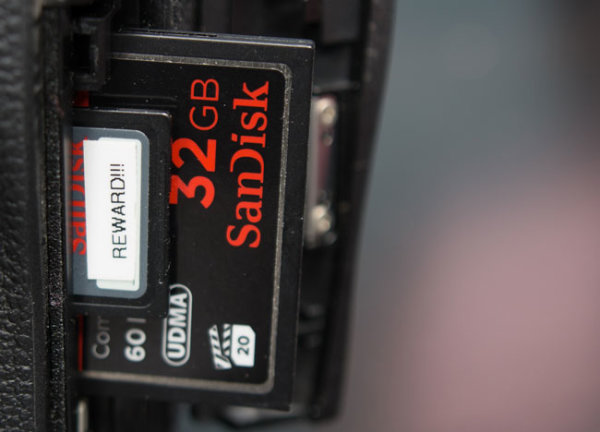
Additionally, we recommend that for your most important shoots to only use memory cards from established manufacturers such as Sandisk and Lexar. There are also many fake Sandisk and Lexar cards out there, so be wary of them. For Amazon shoppers, be sure to buy directly from Amazon itself and not a third-party seller on Amazon. Often times these counterfeit cards are virtually impossible to differentiate from packaging alone. For those that want the extra peace of mind there are also “zero failure” memory card brands out there such as Hoodman. However, in sticking with the major name brands, I have never had a card failure and thus never really felt like it was worth the 5x-10x premium price for zero failure memory.

It is also a good idea to have a standardized system of storing your cards in order to know which memory cards have been used. An example of a straightforward system is to place any used card face down in the wallet.

2. Back up the Images at the Shoot

Another method of backing up your images during the shoot is by backing up the images to either a laptop or a portable media storage drive such as the Sanho Hyperdrive Colorspace UDMA. This is especially useful when you are shooting with a single-card camera or if you have a second shooter with you

The laptop is easier if you are in a controlled environment such as a studio or a private photoshoot, but it is not recommended when you have to be in a less-secure environment such as a wedding where you may be running around everywhere. This is where a portable media drive can attract less attention, while also being far more portable than a laptop.

3. Safeguard the Memory Card on the Trip Back

The trip from the shoot is another part of the day where having a contingency plan can keep the client’s images safe in case something happens on the way home or to the studio.

One way to ensure the safety of the images is to keep both copies of the images in two separate places. I usually carry the primary cards in my card wallet which is attached to my belt loop and kept in my pocket. The back-up cards, laptop, hard drive, or portable media storage stays in the trunk.

If someone rear ends the car and damages the gear, or if someone breaks into the car while I’m eating at a restaurant, I still have at least one set of the images with me. Additionally, if the memory cards in my pocket somehow fall out, I still have the backup in the trunk.

4. Back up to Images to at Least Two Locations on the Computer

Once you returned to your studio or home, be sure to back up your images to your computer and into the backup hard drive. For additional security, you can also upload the images as either the original RAW or the finished images on to an online storage site like Amazon’s Glacier or Crashplan.

Thankfully, hard drives are relatively cheap nowadays, and additionally, there are plenty of online storage options as well. It pays to research the brand names and websites to know which hard drives and online storage sites are the most reliable. I personally use 1TB Silicon Power Rugged Armor A80 portable hard drives because they can take a beating (literally). The current online storage solution that I use is Crashplan.

Conclusion

Remember, gear can be replaced, but the client’s images may not be replaceable, so it is important to work image redundancy into your shooting workflow. The good news is that it does not take that much more effort to safeguard your images, just good habits and awareness.

The SLR Lounge Workflow System Workshop on DVD

The SLR Lounge Workflow System Workshop on DVD takes everything that we taught in the Lightroom 4 A to Z Workshop on DVD and builds by teaching you how to maximize your shooting and post processing efficiency and workflow. This 7 hour DVD covers data safety procedures, file management, culling standards and overall develop techniques to increase your post production efficiency by up to 15x! In fact, using this Workflow System we can cull and edit over 1,500 images per hour! Don’t believe us, watch the teaser video! The Workflow System is also available as a part of the Lightroom 4 Workshop Collection. To learn more click this link.

Post originally from: Digital Photography Tips.

Check out our more Photography Tips at Photography Tips for Beginners, Portrait Photography Tips and Wedding Photography Tips.

Four Tips on Your Image Data Safety Procedures


Digital Photography School

 
Comments Off on Four Tips on Your Image Data Safety Procedures

Posted in Photography