RSS
 

Posts Tagged ‘Create’

5 Nature Photography Editing Tips to Create Stunning Images in Seconds

12 Aug

The post 5 Nature Photography Editing Tips to Create Stunning Images in Seconds appeared first on Digital Photography School. It was authored by Jaymes Dempsey.

Do you ever feel like your nature photos are just a bit…bleh? Like they could use something more?

nature-photography-editing-tips

It’s a common problem. Because while you can be a master of light, composition, and camera settings, there’s still one thing you need for amazing nature photography:

Editing.

You see, editing is how you make your nature photos shine. It’s how you add a final touch to your images. It’s how you take a slightly bland image, and make it into something truly stunning.

In this article, I’m going to share with you nature photography editing tips so you know exactly how you can create amazing nature photography edits.

And you’ll come away with the ability to enhance every single one of your nature photos.

Sound good?

Let’s get started.
nature-photography-editing-tips

1. Straighten and crop to emphasize your main subject

First things first:

If your nature photo is crooked…

…then it just won’t work. No matter how amazing the content.

(This is especially a problem for landscape photos, where crooked horizons are extremely obvious.)

You see, a crooked photo is just disorienting. It causes the viewer to get caught up in being imbalanced and makes them forget all about the subject.

So the first thing you should do to enhance your nature photos:

Check to make sure your photo is straight. And if it isn’t, straighten it! Pretty much every photo editing program offers straightening tools, so make use of them.

I handheld this swan photo, and so it required a bit of straightening:

5 Nature Photography Editing Tips to Create Stunning Images in Seconds

Once you’ve straightened your photo, it’s time to think about cropping.

Now, if you’ve composed carefully in-camera, you won’t necessarily need to crop. But it’s easy to miss something small while looking through the viewfinder. Maybe there are some leaves dangling in the corner of the frame!

In which case:

Crop!

By removing distractions, you’ll make your photo stronger overall. You should also crop to improve your composition. For instance, you might crop slightly to place your main subject on a rule of thirds gridline.

Or you might crop to place a symmetrical subject smack-dab in the middle of the frame, like this:

5 Nature Photography Editing Tips to Create Stunning Images in Seconds

Basically, just think of cropping as a second, more measured chance at composing.

Use it to nail the perfect final composition. But don’t think that you need to crop each time a photo comes up. And try to get the composition right in-camera.

After all, crops automatically reduce resolution!

2. Drop the blacks and up the whites to add interest

If you think that your nature photos are looking a little flat, then you might be suffering from a common problem:

Low contrast.

Low-contrast photos generally lack interest. There’s not a clear difference between the subject and the background, so the whole shot just seems to blend together.

Fortunately, this can be fixed pretty easily with a bit of post-processing!

First, basically, every photo editing program offers a contrast slider. For a quick-and-dirty edit, go ahead and boost up this slider.

However, I’d go for something a bit more controlled.

In Lightroom, for instance, I like to use the adjustment sliders to drop the blacks and increase the whites, like I did for this photo:

nature-photography-editing-tips

You can also use the tone curve function to create a nice s-shape, which will give you the same effect.

If my image is fairly low contrast to start with, I’ll add a touch of contrast and then leave things be.

But if my image already has a lot of light and dark tones, I like to push the contrast further. This is especially the case if I’m taking photos in black and white.

Therefore, I’ll add to the blacks until the deepest shadows are close to losing detail. And I’ll increase the whites until the brightest parts of the photo are almost clipped.

3. Clean up your subject with a bit of Healing or Cloning

Now it’s time for some careful adjustments.

You see, many subjects in nature photography could use a bit of cleaning up. Because they tend to have dirt or blemishes that interfere with the overall look of the photo.

For instance, I often clean up my flower photos. Insects chew holes in the petals, or the tips of the flowers start to wither. And if I were to leave these elements in, they would simply distract from the overall shot.

5 Nature Photography Editing Tips to Create Stunning Images in Seconds

If you’re a bird photographer, think about cleaning up the bird’s surroundings. There are often stray branches in photos of woodland birds. There is often dirty sand and distracting shells in photos of shorebirds.

On the other hand, I would not advocate making extensive modifications to your subject. I like to portray nature as close to reality as possible. And that means holding myself back from altering my subject in any deep way.

I generally use Lightroom’s excellent healing tool to remove these blemishes. But any clone tool will do the job. It’ll just require a bit more work.

4. Simplify the palette with Color Adjustments

In nature photography, I advocate simplicity:

Simpler shots are generally best.

But that doesn’t just go for composition. It’s also true for color.

In other words, for a stunning photo, you should try to limit the number of colors you include. One color works just fine. Two is nice. Three is good. Four is reaching the upper edge.

After that, the colors contribute a sense of chaos to the scene, which is exactly what you don’t want.

Fortunately, you can work on simplifying your color palette after you’ve taken your shots.

5 Nature Photography Editing Tips to Create Stunning Images in Seconds

All you have to do is use the color adjustment sliders. In Lightroom, these are the hue, saturation, and luminance (HSL) adjustments.

Here’s a couple of ways you can simplify your colors:

First, you can desaturate any colors that you want to deemphasize, and saturate any colors you’d like to bring out.

Second, you can change the hues of several colors to look more similar. For instance, you might make greens slightly bluer and blues slightly greener, so that everything leans toward a balanced middle color.

Third, you can darken any problematic spots of color. If you have a splash of orange in the background that you just don’t like, you can dial it back by simply darkening the oranges.

Unfortunately, there’s no set formula for working with color adjustments. But I always recommend you keep a final goal for the photo in mind: simplicity.

5 Nature Photography Editing Tips to Create Stunning Images in Seconds

And I should note: It’s easy to overdo color adjustments so that you end up with a garish, oversaturated scene. I suggest that you always check your color edits the day after you’ve finished, and make sure that the edits still seem to make sense.

That way, you can be sure that you haven’t taken things overboard.

5 Nature Photography Editing Tips to Create Stunning Images in Seconds

5. Use a subtle Split Tone to give a polished look

Here’s your final piece of advice for nature photography post-processing:

Use (subtle) split toning!

Now, split toning is a bit complex:

It allows you to choose a color to add to the shadows of the image, and a color to add to the highlights of your image.

For instance, you can add a yellow to the highlights, and make the whites of the image look very warm:

5 Nature Photography Editing Tips to Create Stunning Images in Seconds

Then you can add a blue to the shadows, and make the dark parts of the image look very cold:

nature-photography-editing-tips

In fact, yellow/blue split toning is extremely common in cinema, because the warm/cold contrast makes the visuals more compelling.

Now, in nature photography, you don’t want to split tone to the extent they do in cinema. The point of a nature photography split-tone is to subtly enhance the colors.

So here’s what you should do:

Once you’ve finished your main editing, head over to the split-toning options in your editing software. This isn’t an edit offered by every post-processing package, so check to see if it’s something you can do.

Then simply play around with the split toning options. Be careful to keep things pretty minimal. You don’t want to grossly alter the colors of the photo. You want something subtle.

The yellow-highlights, blue-shadows split-tone is one that works pretty consistently, so it’s something that I suggest you try.

But feel free to experiment with many split-tone options.

And pick the one you like best for a wonderful finishing touch!

5 nature photography editing tips to create stunning images in seconds: next steps

Nature photography editing is just the thing you need to add a bit of punch to your photos.

So I suggest you have a consistent post-processing workflow, one which allows you to take your pictures to their full potential.

nature-photography-editing-tips

That’s how you’ll really create a polished nature photography portfolio.

Which nature photography editing step do you think is most useful? Let me know in the comments right now!


5-nature-photography-editing-tips

The post 5 Nature Photography Editing Tips to Create Stunning Images in Seconds appeared first on Digital Photography School. It was authored by Jaymes Dempsey.


Digital Photography School

 
Comments Off on 5 Nature Photography Editing Tips to Create Stunning Images in Seconds

Posted in Photography


Get Moving – Four Ways to Create Abstract Light Trail Photography

08 Jul

The post Get Moving – Four Ways to Create Abstract Light Trail Photography appeared first on Digital Photography School. It was authored by Megan Kennedy.

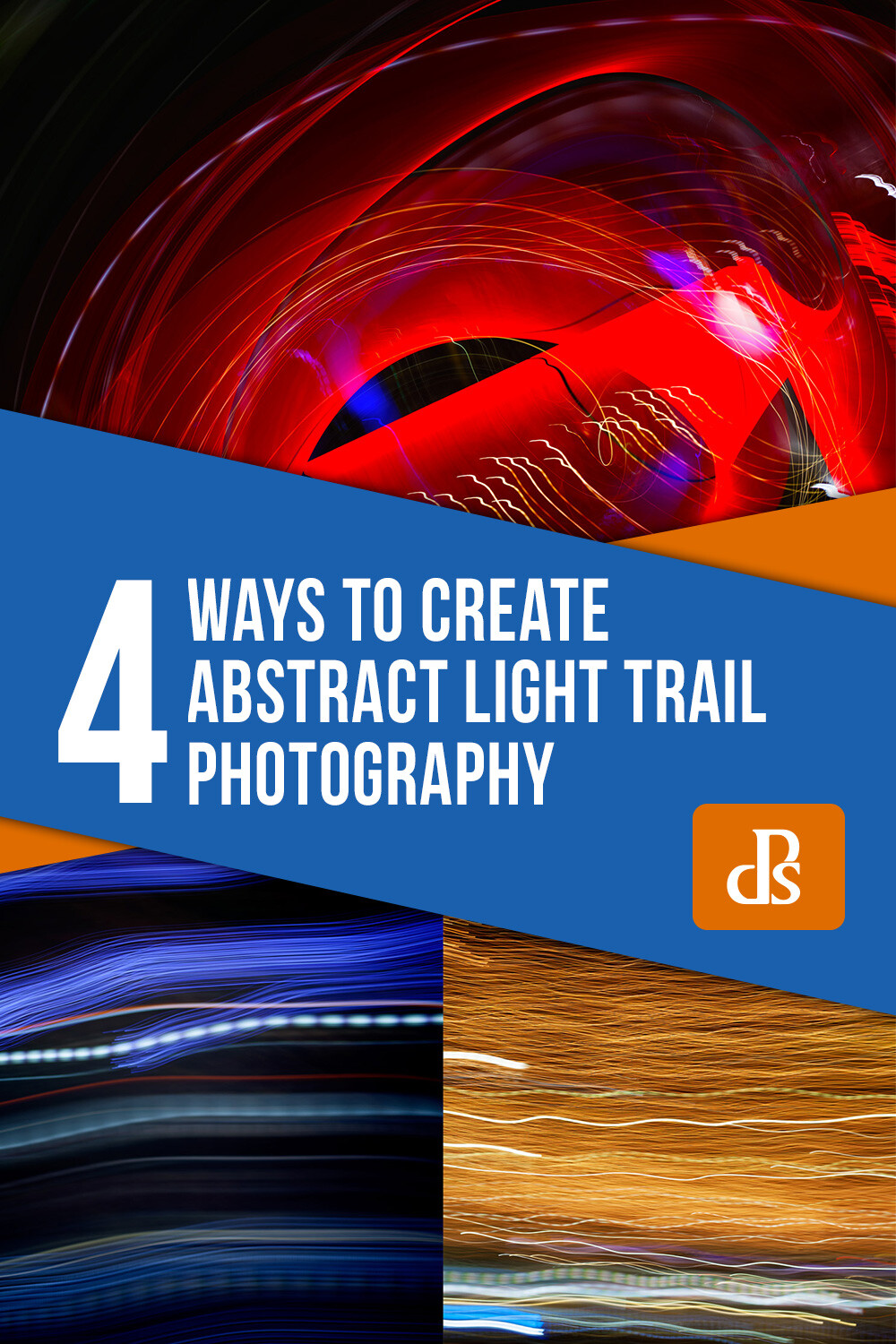
Light trail photography is a unique facet of photography. By combining slow shutter speeds with light and camera movement, fascinating abstract photography can be made. Here are four abstract light trail photography techniques to experiment with in your own photographic practice.
What is abstraction?

Before we get started, let’s talk about abstraction. Abstract photography (often called non-objective, experimental or conceptual photography) is photography that does not have an immediate association with the visual world. Instead, abstract photography uses aspects like color, light, texture, shape, and form to evoke an emotional response from a viewer.

Often, in light trail photography, light trails complement a scene or subject. However, in abstract light trail photography, it’s the light trails themselves that are the sole conveyor of meaning. By erasing any other context, the viewer relies solely on the nature of light and photography to read a photograph. This creates intriguing photography that captures and holds the attention of the viewer as they visually unpack the image before them.

When to make abstract light trails

Although it can be done in daylight, abstract light trail photography is best carried out in the evening, at night, or in a dark room indoors. This is to minimize distraction and enhance the efficacy of our chosen light source/s.

What to photograph for abstract light trails

Traffic lights, building lights, car lights, phone light, glow sticks, torches, neon signage… there is an abundance of light sources available to photograph at night. With the right camera settings and technique, almost any point of light can be used to create an interesting light trail.

Camera tossing

Abstract light trail photography rests on the nature of the light source/s (brightness, movement, color etc) and the behavior of the camera (exposure settings, camera movement etc). For example, during a long enough exposure, a set of car lights will leave a trail as they pass by, whereas a stationary light source requires camera movement to activate an abstract light trail. Camera tossing predominantly involves the latter, physically moving the camera to achieve interesting abstract light trail results.

Taken over two seconds at f/4 and ISO 100, this tangle of lights demonstrates the path of the camera as it is tossed in the air.

A disclaimer…

Camera-tossed abstract light trails involve the tossing of a camera into the air during an exposure. Purists argue that a true camera toss means that the camera is tossed without the use of a guiding hand or camera strap. This is why for this method, I strongly advise you to use an old, cheap camera. A compact camera works well. You can even use a phone with a durable case.

I wouldn’t recommend taking your DSLR out for some air-time (although I must admit I did use my 5D MKII with a 50mm lens for some camera tossing sessions). If you aren’t keen on risking your camera, (which is totally understandable) skip forward to camera swinging and keep an eye out for old tossable cameras on sale or in local charity shops.

How to camera toss

The first step to camera tossing is to find somewhere safe to toss. Camera tossing in a quiet location, over grass or carpet is a good idea.

Once you’ve found a good spot with an interesting light source or two, it’s time to organize your camera settings. I went with a shutter speed of one or two seconds to allow the camera movement to really gain traction. I then set my aperture to f/4 and my ISO to 100.

Set your focus to manual. Aim your camera lens at the light source/s and adjust your focus. You can aim for the sharp rendering of the light source/s, or take intentionally unfocused shots for softer light trails.

Depress the shutter button and quickly toss the camera in the air (10-30 cm is high enough, though you can go higher if you’re game). Catch the camera as gently as possible and have a look at your results. Make any amendments to your exposure and have another go.

When you are happy with your exposure and focus, start introducing different throwing methods. Try spinning the camera as you flick it into the air, or throwing it carefully so that the lens is orientated at a particular angle for the duration of the exposure. The results between different throwing techniques can be quite pronounced, so take some time to experiment a little.

Taken at f/8 at 1/4th of a second, I left my lens unfocused to introduce a soft quality to the resulting photograph.

Camera swinging

A variation on camera tossing, camera swinging involves swinging your camera by your (firmly secured) camera strap.

Find a light source and take a few photographs to determine exposure and focus. Just like camera tossing, you want a longer shutter speed to give the camera movement time to take shape. For camera swinging, I started with an exposure of two seconds at f/4 with an ISO of 100.

Once you’ve settled on an exposure, make certain that your camera strap is fastened to your camera. Double-knot, even triple-knot your strap to hold it in place. You really don’t want your camera to go flying once you start swinging.

Two examples of camera swinging. Different light sources make varying light trails.

When you’re ready, depress the shutter button and have a go at gently swinging your camera back and forward like a pendulum. When the exposure finishes, check your results and make adjustments to your camera settings or technique as required.

The possibilities for camera-swung imagery are endless. Each swing creates unrepeatable paths of light from one image to the next, so again, don’t be afraid to experiment a little. Try jumping while swinging your camera or spinning around in a circle with your camera fastened to your wrist.

Moving your body

Not all abstract light trail photography is based around swinging and tossing your camera. Light trails can also be created by moving your body with a camera in hand.

Locate an interesting light source and figure out your exposure with a few test shots. I found that the combination of a one-second exposure at f/4 with an ISO of 100 was a good starting point.

Depress the shutter button and start moving. Ever seen those inflatable tube men, dancing around in the wind? Well, you don’t have to go THAT crazy, but shifting your arms up and down, twirling around, doing a little dance or moving from a sitting position to a standing position are great examples of camera-body movement.

As long as the shutter is open, and the lens is pointed toward a light source, the movements you make will be recorded in the image, creating kinetic abstract imagery.

Moving subjects

As an alternative to moving yourself around, photographing a moving light source can create dynamic light trail imagery too.

Star trail photography is the photography of stars as they appear to transit the night sky. Though it is us that is rotating on earth, the star trails illustrate our perception of the celestial sphere as a moving body.

Car trail photography records the movement of car lights in darkness, revealing trails that trace the routes of traffic in a given setting. For a more abstracted image, isolate the car trails from the surrounding landscape.

Physiography is a method of light painting that can be done in your darkened living room. Suspend a light source on a string and let it swing over your camera during a long exposure. The results are often surprising and intricate, documenting the path of the light source as it swings through the air with diminishing momentum.

This physiogram traces the path a moving light source has taken while suspended over a camera

Burning steel wool photography is another form of recording light trails. Though it can be a little hazardous, the results are quite spectacular.

abstract light trail photography

Burning steel wool leaves golden trails of light not dissimilar to this example of camera movement.

Conclusion

When the day turns to night, many pack up their photography gear and head home. But night time doesn’t necessarily mean that photography is over for the day.

Creating abstract imagery with light is an intriguing aspect of photography. Through the use of camera and/or subject movement you can create fascinating imagery that engages and intrigues an audience.

Go out and try these techniques for yourself, and share your abstract light trail photography with us in the comments below.


4 ways to create abstract light trail photography

The post Get Moving – Four Ways to Create Abstract Light Trail Photography appeared first on Digital Photography School. It was authored by Megan Kennedy.


Digital Photography School

 
Comments Off on Get Moving – Four Ways to Create Abstract Light Trail Photography

Posted in Photography


Do Larger Camera Sensors Create Different Looking Images? [video]

05 Jul

The post Do Larger Camera Sensors Create Different Looking Images? appeared first on Digital Photography School. It was authored by Caz Nowaczyk.

In this video from fstoppers, they show you whether large sensors create different-looking images to smaller sensors in cameras.

?

In the video, Lee Morris photographs his friend Keith Bradshaw with four different cameras each with different sensor sizes.

Lee uses the following cameras and settings:

FujiFilm GFX 50R/ 43.mm x 32.9mm sensor/ 64mm lens f/8

Canon 6D/ 35mm ff sensor/ 50mm f5.6

FujiFilm XT-3/ 23.6mm x 15.6mm sensor/ 35mm f4

Panasonic GH5/ Micro 4/3 sensor/ 25mm f2.8

He shot each image in RAW and only changed the white balance. he also cropped in on all images to hide the 4/3 aspect ratio of the GH5 and GFX.

You may be surprised by the results (or perhaps you already knew this).

Check it out.

You may also find the following helpful:

  • Full Frame Sensor vs Crop Sensor: Which is Right For You?
  • Full Frame VS Crop Sensor VS Micro Four Thirds: Camera Sensors Explained
  • Is it Time to go Full-Frame? Weigh These Pros and Cons Before You Decide
  • Is Full Frame Still the Best?
  • Making Sense of Lens Optics for Crop Sensor Cameras


The post Do Larger Camera Sensors Create Different Looking Images? appeared first on Digital Photography School. It was authored by Caz Nowaczyk.


Digital Photography School

 
Comments Off on Do Larger Camera Sensors Create Different Looking Images? [video]

Posted in Photography


Tips for Using Negative Space in Photography to Create Stunning Images

01 Jul

The post Tips for Using Negative Space in Photography to Create Stunning Images appeared first on Digital Photography School. It was authored by Sandra Roussy.

negative space in photography 1

“I’m filling in all the negative spaces with positively everything.”
– Edie Brickell

Negative space may tend to suggest something that is not good. But negative space in photography is also often referred to as white space or minimalism photography. There’s nothing bad about it. It’s truly a unique technique to try out in your photography practice.

We sometimes tend to fill our compositions with lots of objects and color. When we talk about negative space, it’s the opposite that rules. The final image is mostly composed of blank or neutral space, and a small portion of the composition has an actual object in it.

This type of composition emphasizes the subject in the photo and also adds a unique value to it. This type of composition is powerful and, when done correctly, can take your photography from ordinary to truly impressive.

It can be a little daunting at first when you begin to do negative space photography. Not all attempts will be successful. There are opportunities to create negative space photography practically everywhere around you. You have to know how to observe and apply a few techniques to achieve amazing negative space masterpieces.

Positive and negative space explained

Positive space

This is the area in the photo that attracts the viewer’s eye. It’s the main subject that commands attention in the composition. This is usually where the eye goes first.

negative space in photography 2

Negative space

This is the space in the composition that is typically the background. It usually doesn’t attract very much attention and is, in most cases, the intention of the photographer. It is used to define or contour the positive space.

In negative space photography, the photographer uses the space that is usually not the primary focus and uses it to fill in most of the composition. The negative space commands more attention than the positive space and creates a unique perspective. It also adds definition and can create strong emotions.

negative space in photography 3

Negative space and emotions

Negative space photography can evoke a sense of wonder, mysteriousness, and peacefulness. The viewer will have a greater connection to the object if the photo has no clutter, visual distractions, and a multitude of colors.

negative space in photography 4

You may be presented with opportunities to create negative space photography more times than you think. It’s all in how you visualize or train your eye to look at things.

For example, a few years ago, I stood at a popular lookout overlooking an iconic rock sitting in the Atlantic Ocean in Eastern Canada. It was early morning, and some fog had rolled in, covering most of the impressive structure. The woman standing next to me at the lookout observing the same landscape turned to me and said, “It’s so sad, we’re driving by today, and I wanted to get a photo of the Percé Rock, but it seems like it won’t be possible.”

She left disappointed that she didn’t get her shot.

I stood there for a long time afterward examining the fog and the way it draped the rock like a heavy blanket. I thought that this was one of the most amazing things to happen that day. I felt so lucky to be there at that exact moment to capture the wonder unfolding.

negative space in photography 5

Sometimes a small shift in perspective can make a huge difference.

Balancing the shot

Negative space is absolutely not blank space. If you think of it this way, you will have difficulty seeing the opportunities that you will be presented with. You want the negative space to be the main focus of your photograph, and it will hopefully evoke strong feelings.

We are trained to follow some basic composition rules, like the rule of thirds, for example. However, with negative space photography, these rules mostly don’t apply. Your imagination is what rules the composition in negative space photography.

negative space in photography 6

© José Velasco

However, there are a few things to remember and consider if you want to achieve this type of photography.

Less is more

Fill your composition with the negative space. Try to put minimal distracting objects in your composition. Texture or solid colors are great elements to use in negative space photography. Use the texture or color to fill in most of the composition.

negative space in photography 7

Position

The object should be secondary and placed somewhere that is usually not primarily capturing the eye of the viewer. Placing the subject somewhere in the corner of your frame will frequently provide you with a good result. Try to balance the negative space with the white space so that it flows.

negative space in photography 8

Twice the amount

A good rule of thumb is to put twice as much negative space than positive space in the composition.

negative space in photography 9

Aperture

Try to avoid shallow depth of field when doing negative space photography. This is so that neither the object nor the negative space in the photograph is blurry.

Go out and explore the possibilities

When you look at things differently and step outside of the traditional rules, you will find many great opportunities to create some unique shots. Look at a scene and try to create your own story.

© José Velasco

Negative space photography is an excellent way to expand your skills and your photographic eye. So remember, less is sometimes more.

Have any negative space photographs that you are proud of? Don’t hesitate to show us in the comments section below.

The post Tips for Using Negative Space in Photography to Create Stunning Images appeared first on Digital Photography School. It was authored by Sandra Roussy.


Digital Photography School

 
Comments Off on Tips for Using Negative Space in Photography to Create Stunning Images

Posted in Photography


Lensbaby OMNI Creative Filter System uses ‘Effect Wands’ to create in-camera image effects

19 Jun

Lensbaby has launched pre-orders for its new OMNI Creative Filter System, a kit featuring a screw-on Filter Ring for existing lenses, as well as Effect Wands that magnetically attach to the ring in front of the lens. Each Effect Wand is designed to create in-camera photo effects similar to app filters, but with a greater level of control and repeatability.

The OMNI Creative Filter System is available with 58mm and 77mm Filter Ring options, both of which include step-down rings for use with different existing lenses. The system currently features three Effect Wands: Crystal Seahorse, Rainbow Film, and Stretch Glass. Two magnetic mounts, each capable of holding two Effect Wands each, are included with the kit.

The magnetic mounts attach to the Filter Ring, then the Effect Wands attach to the magnetic mounts. The wands can be repositioned by sliding them around the Filter Ring. According to Lensbaby, the kit is designed to work with the majority of prime and zoom lenses, including both auto and manual focus models, plus the company’s own Velvet 56/85 and Burnside 35 lenses.

Below are a collection of sample images captured with in-camera effects from the wands:

$ (document).ready(function() { SampleGalleryV2({“containerId”:”embeddedSampleGallery_1019466476″,”galleryId”:”1019466476″,”isEmbeddedWidget”:true,”selectedImageIndex”:0,”isMobile”:false}) });

Each Effect Wand creates is own unique effects, including rainbows, light streaks, reflections and flares. The complete OMNI Creative Filter System is available to pre-order from Lensbaby for $ 99.95 USD. The product is currently listed as ‘backordered’ with no clear shipping dates.

Articles: Digital Photography Review (dpreview.com)

 
Comments Off on Lensbaby OMNI Creative Filter System uses ‘Effect Wands’ to create in-camera image effects

Posted in Uncategorized


Adobe Research and UC Berkeley create AI that can find and undo portrait manipulations

15 Jun

Researchers with Adobe Research and UC Berkeley are working together on the development of a method for identifying photo edits made using Photoshop’s Face Aware Liquify tool. The work is sponsored by DARPA’s MediFor program, which funds researchers who are working to ‘level the digital imagery playing field’ by developing tech that assesses the ‘integrity’ of an image.

Both DARPA and Adobe highlight the issue of readily available image manipulation technologies, including some tools that are offered by select Adobe software. The company says that despite being ‘proud of the impact’ these tools have had, it also recognizes ‘the ethical implications of our technology.’

Adobe said in a blog post on Friday:

Trust in what we see is increasingly important in a world where image editing has become ubiquitous – fake content is a serious and increasingly pressing issue. Adobe is firmly committed to finding the most useful and responsible ways to bring new technologies to life – continually exploring using new technologies, such as artificial intelligence (AI), to increase trust and authority in digital media.

As such, Adobe Research and UC Berkeley researchers have published a new study detailing a method for detecting image warping edits that have been applied to images of human faces. The technology involves a Convolutional Neural Network (CNN) trained on manipulated images that were created using scripts with Photoshop and its Face Aware Liquify tool.

To ensure the method can detect the types of manipulations performed by humans, the image dataset used to train the AI also included some images that were altered by a human artist. ‘This element of human creativity broadened the range of alterations and techniques used for the test set beyond those synthetically generated images,’ the study explains.

To test the deep learning method’s assessment skills, the researchers used image pairs featuring the original unedited image and the image that had been altered. Humans presented with these images could only detect which had been altered with 53% accuracy, whereas the neural network was able to pick the manipulated image with accuracy as high as 99%.

In addition, and unlike the average Photoshop user, the technology is able to pinpoint the specific areas of a face that had been warped, which methods of warping had been used, and calculate the best way to revert the image back to as close to its original state as possible.

Adobe researcher Richard Zhang explained, ‘The idea of a magic universal ‘undo’ button to revert image edits is still far from reality. But we live in a world where it’s becoming harder to trust the digital information we consume, and I look forward to further exploring this area of research.’

The research is described as still in its ‘early stages,’ and is only one part of Adobe’s body of work on image integrity and authenticity. The results come amid the growing sophistication of artificial intelligence technologies capable of generating highly realistic portraits and performing complex edits to images.

Articles: Digital Photography Review (dpreview.com)

 
Comments Off on Adobe Research and UC Berkeley create AI that can find and undo portrait manipulations

Posted in Uncategorized


How to Create a Documentary Photography Project

13 Jun

The post How to Create a Documentary Photography Project appeared first on Digital Photography School. It was authored by Kevin Landwer-Johan.

We all love a good story. A tale that captures your attention and draws you in to discover more. Creating a documentary photography project can be a great way to develop your photography. It can also help hold the attention of your audience for longer.

Monk in a Saamlor tricycle taxi in Chiang Mai, Thailand.

© Kevin Landwer-Johan

Random collections of unrelated images tend to be glanced over. This is especially so when most of your photography is viewed on social media platforms. Making your photography stick in people’s minds is a constant challenge.

Developing a photography project and working on it over a period of time, be it weeks, months or even years, can help you stand out from the crowd. Your personal skills and style will evolve in a more meaningful direction. The deeper commitment you have to a documentary photography project the more you will benefit.

Have a plan and a purpose for your photography project

Charging into a project on a whim will sometimes work, but not often. Without purpose and a plan, you are more likely to lose interest. You’ll struggle to keep momentum and find it too challenging to come up with fresh ideas to keep your project alive.

Start a list. Write down ideas as they come to you. What would most like to photograph? As you start, don’t restrict yourself. Jot down whatever comes to mind, giving no thought to whether or not it’s practical. Let your list grow over a week and then review it.

Market Tricycle Taxi Ride How to Create a Documentary Photography Project

© Kevin Landwer-Johan

Give yourself some space alone with your list. Edit it down to what’s practical. What can you photograph every day, or every week? If anything on your list is not accessible to you, remove it. Add it to a list for future projects.

Concentrate on what excites you. What’s on your list that you’d most like to commit to photographing regularly? Having a passion for your theme or concept will keep you motivated. Don’t choose ideas you think will be easy. Being challenged is good for you.

Narrow your list down to two or three ideas. Mull these over before deciding on one of them. Even make a start on more than one. You can begin work on more than one project, then, if it’s too much of a commitment, pick the one you’re enjoying the most.

Now write another list of what you will do with the photos you’ll create for your documentary project. Stories are for sharing. Who will be interested in the tale you are telling? What’s the best medium or platform for you to display your images?

You might want to make a physical scrapbook with prints of your favorite photos. Instagram or Pinterest may be an ideal outlet for you, or your own website. Photo sharing sites like 500px or Flickr are also options. You could email a small selection of your project photos to one or two photographer friends each week for their feedback. Consider what you most want to achieve by sharing your photos.

Tricycle Detail How to Create a Documentary Photography Project

© Kevin Landwer-Johan

Know your subject better than anyone

Research. Dig into your chosen project idea like it’s brand new. Even if you already know a lot about it, find out more. Telling a story built on thin information will not hold people’s attention for very long.

The more of an expert you become on your subject, the better the story you will tell. You might even want to plan a narrative. What will be the beginning, middle, and end? The greater your knowledge about it, the more interesting detail you’ll be able to include. You want other experts on your topic to be surprised at what you are showing them in your photos.

Look into the history of the project idea. Talk to people who know about your topic. Don’t only rely on the internet. To touch the heart of the thing will require experience – yours and other people’s.

Tricycle Taxi Rest How to Create a Documentary Photography Project

© Kevin Landwer-Johan

Take lots of photographs

While it’s important to plan, don’t be held back by it. Make a start as soon as you have decided on what your documentary photography project will be. You might start slowly and change direction a few times, but that’s okay.

Procrastinating will not help you achieve your goals. Once you begin, you will see your story develop, and you can steer it in any direction you feel is right.

The topic for your project may dictate how frequently you can take photos. Hopefully, this will be regular, especially if you are embarking on your first documentary photo project.

Vary the images you are making. You may decide to use one prime lens. If so, push yourself to create a diverse selection of compositions with it. Or use your widest and your longest lens with the same subject on the same day for variety.

Waiting for a Ride How to Create a Documentary Photography Project

© Kevin Landwer-Johan

Use a mixture of aperture, shutter speed, and ISO settings to also help build an interesting series of photos. If there’s movement, let it blur out using a slow shutter speed. If you would normally photography a subject with a wide aperture, close it down and get as much in focus as possible. Stretch your technique beyond what you would typically use.

Photograph in a mixture of lighting situations. Take some photos in the morning and others in the afternoon or at night. Aiming for variety will give you a more interesting body of work to edit down from for the images you will share.

As you build up a body of work, you will begin to see your strengths and weaknesses. You will see the photos you like the most. Organize these into a separate folder, or series of folders so that you can compare them often.

Taxi Rider in Chiang Mai, Thailand How to Create a Documentary Photography Project

© Kevin Landwer-Johan

Cultivate a relationship with your project

Photographing a project will involve some amount of repetition. You’ll visit the same locations. Photograph the same things. Meet the same people. Experience weather and seasonal changes.

Be aware of your feelings each time you are working on your project. Make photographs that are in tune with your mood and how you are experiencing what you are doing. This will make your story more personal and interesting.

Your view of the world is unique, and your photographs should portray this. The concept may seem a little abstract, but as you are mindful of it and practice over time, you will find your photos become more expressive of who you are.

Waiting for Customers How to Create a Documentary Photography Project

© Kevin Landwer-Johan

Interacting with people who are part of your project, if there are any, will help develop the character in your photo story. You might prefer to only take candid photos of people, but the way you do this will also reflect in your pictures. Using a long lens, or a wide one, will result in very different candid images.

Engaging with people throughout your project is very interesting. At the start, people may be uncertain of what you’re doing or why. As you revisit and photograph them, your relationship with them will change. People will become accustomed to you and will be more relaxed in your presence. Others may become irritated or bored. The nature of the photos you make of them will change.

Observe the differences. What’s changed since the last time you worked on your project? Look for subtitles you may not have picked up on if you’d only photographed in that place once. Over time you will start to see things you did not pick up on before. These details can add a depth of interest to your documentary project.

Poise of the Rider How to Create a Documentary Photography Project

© Kevin Landwer-Johan

Review your photos and seek feedback

What do you think of your photos? Are others enjoying your visual storytelling?

Working on a project allows you to see your own photography developing. Because you’re photographing the same theme or concept over a period of time, you will reproduce similar types of photos. Compare them. Can you see growth in your skills and style?

Separate the top 10 or 20 percent of your photos after each session you have working on your project. This will give you a clearer idea of your progress. From time to time, review these photos and look for gaps in your story. What’s missing? What are you photographing too much?

Having a photographer friend or mentor look over your photos and share their critique on them will help you see things from another perspective. They may point out things or ask questions you have not thought of. Healthy feedback can lead to a deeper, richer story being told.

Cycle Taxi Shadow How to Create a Documentary Photography Project

© Kevin Landwer-Johan

Let your documentary photography project grow organically

Go with the flow. Don’t stick to your plan too closely if you feel a more exciting story is emerging from your project. Let it develop organically. This will help you keep interested in what you are doing. You may stretch your project out for longer than you had planned.

Start today. Begin writing your list of ideas. Don’t rush it, but don’t let the idea stagnate. Once you begin, keep thinking about your project and adding to it. Right from when you start your list, through to the taking of photos and sharing them.

Have you ever given yourself the challenge of a documentary photography project? You may find you love the more in-depth storytelling aspect of working on a body of work.

Do you already have a project which has stalled a little and needs a kickstart? Design a story for it and plan to share it. This can help you get back on track.


The post How to Create a Documentary Photography Project appeared first on Digital Photography School. It was authored by Kevin Landwer-Johan.


Digital Photography School

 
Comments Off on How to Create a Documentary Photography Project

Posted in Photography


Samsung researchers create AI that transforms still images into talking portraits

24 May

Researchers with the Samsung AI Center in Moscow and the Skolkovo Institute of Science and Technology have published a new paper detailing the creation of software that generates 3D animated heads from a single still image. Unlike previously detailed AI systems capable of generating photo-realistic portraits, the new technology produces moving, talking heads that, though not perfect, are highly realistic.

‘Practical scenarios’ require a system that can be trained using only a few—or even a single —of a person rather than an extensive image dataset, the newly published study explains. To satisfy this requirement, researchers created a system for which ‘training can be based on just a few images and done quickly, despite the need to tune tens of millions of parameters.’

Using generative adversarial networks, researchers were able to animate painted portraits in addition to images, producing, among other things, a talking, moving version of the Mona Lisa. As demonstrated in a video detailing the study (below), final results vary in quality and realism, with some being arguably indistinguishable (at least at low resolutions) from real videos.

The researchers explain in their paper that the use of additional images to train the system results in life-like final results:

Crucially, only a handful of photographs (as little as one) is needed to create a new model, whereas the model trained on 32 images achieves perfect realism and personalization score in our user study (for 224p static images).

Some other issues remain with this type of system, the researchers note, including a ‘noticeable personality mismatch’ between the person featured in the still image(s) and the talking individual used to animate the portrait. The researchers explain, ‘if one wants to create “fake” puppeteering videos without such mismatch, some landmark adaptation is needed.’

The technology remains viable for purposes that don’t necessarily require a personality match, but rather the simple animation of a character that exists only as a small series of still images. Thus far, the technology only works on faces and the upper parts of one’s torso. It’s unclear whether the researchers plan to expand the system to include other body parts.

Samsung’s study joins past AI-based portrait work from NVIDIA, as well as non-portrait AI image generation, including the system NVIDIA debuted earlier this year — one capable of rapidly converting simple sketches into complex landscape images.

Articles: Digital Photography Review (dpreview.com)

 
Comments Off on Samsung researchers create AI that transforms still images into talking portraits

Posted in Uncategorized


Don’t Create Detail, Just Reveal It – How to Reveal the Hidden Details in Your Photos

24 May

The post Don’t Create Detail, Just Reveal It – How to Reveal the Hidden Details in Your Photos appeared first on Digital Photography School. It was authored by Herb Paynter.

Just as cleaning the lenses of your eyeglasses clarifies what you see, cleansing your pictures of dull lighting will put the sparkle in your photos.

Have you noticed how many individual tools are available in your favorite editing software for changing the values of pixels? The array is dazzling, and most of this editing involves “localized” procedures (dodging, burning, painting, cloning, masking, etc.) affecting specific areas.

But here’s something to consider.

Unless the image you are working on is either damaged (either completely blown-out highlights, plugged-up shadows) or just contains too much unwanted clutter, you rarely need to create specific detail with these tools. The detail is usually right there just below the surface waiting for discovery. You need only make global adjustments to the tones within the darker and lighter ends of the range to achieve pretty amazing results.

When I took this shot of my wife Barbara fifteen years ago, I put it in the reject file because it was so dark. But carefully adjusting and lightening the shadow and middle tones in the picture separated the deep shadow tones from the middle tones. Now both she and the picture are definite keepers. No local editing was necessary, and there is no tell-tale evidence of a touchup. The image contained all the necessary lighter tones – they simply had to be uncovered.

Push tones instead of pixels

Post-processing digital images is usually a process of subtraction; removing the visual obstacles that are covering the underlying detail in a photographic image. This detail will reveal itself if you merely nudge the tonal ranges instead of the pixels.

The fact is…all the detail in every subject has been duly captured and is hiding in either the shadows or the highlights, waiting to be discovered.

The digital camera’s image sensor sees and records the entire range of tones from black to white within every image it captures. What is hiding within this massive range of tones is the detail. Unfortunately, the camera sensor has no way of knowing the detail that may be under (or over) exposed within that range. It simply captures everything it sees inside the bookends of dark and light.

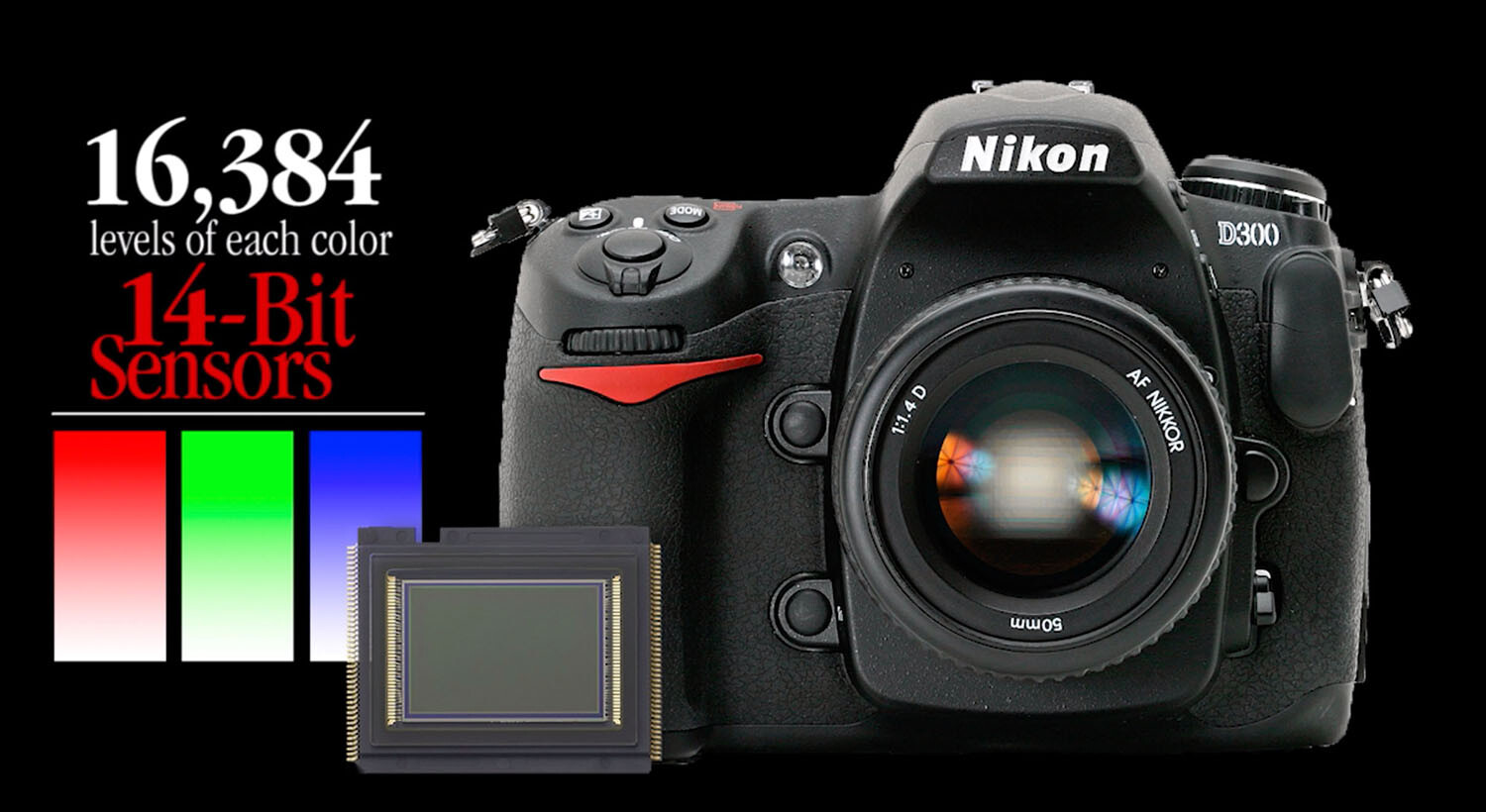
Camera image sensors can capture a range of tones up to 16,000 levels between solid color and no color. This doesn’t mean that all 16,000-pixel values are actually present in the picture; it just means that the darkest to the lightest tones are stretched out over the significant detail that is hiding in the middle.

Adjustments made to the image in Alien Skin’s Exposure X4.5 revealed detail in the sunlit walkway and darkened archway that appeared lost in the original capture. No painting or cloning tools were necessary.

The purpose of this article is not to get geeky about the science, but to assure you that there is an amazing amount of detail that you can recover from seemingly poor images.

A basic JPEG image can display more than 250 tones in each color. While that doesn’t sound like much, you should know that the human eye can only perceive a little over 100 distinct levels of each color. No kidding! Technically, 256 tones are too many.

The balancing act

Here’s a sobering truth. Your camera can capture more detail than your eye can detect and more tones than your monitor can display. As a matter of fact, it can capture up to 16,000 levels of tones and colors. That’s more than any publishing resource (computer monitor, inkjet printer, Internet, or even any printed publication) can reveal. Each of these other outlets is limited to reproducing just 8-bits (256 levels) of each color. The camera’s light-capture range is even beyond the scope of human vision. The range (light to dark) of your camera is immense compared to any reproduction process. What this means is that the editing part of the photography process needs MUCH more attention than the image capture process.

This introduces a complex but interesting phenomenon. Your post-production challenge is to emphasize the most important details recorded inside the tones captured by your camera and then distinguish them sufficiently for the printer, your monitor, or the Internet to reveal.

Your camera captures an incredible amount of detail in each scene that isn’t initially visible. However, with the right software, this detail can be uncovered just as an electron microscope can reveal detail buried deep inside things that the naked eye cannot perceive.

Image editing is all about discovering and revealing what is hiding in plain sight.

Image clarity

Bringing a picture to life doesn’t always require additional touchup procedures. Sometimes, just massaging the existing detail does the trick. The Highlights, Shadows, and Clarity sliders were all that were required to transpose this shot from average to special.

Clarity is the process of accentuating detail. The dictionary defines clarity as “the quality of being easy to see or hear; sharpness of image or sound.” When we clarify something, we clear it up. We understand it better. We view an issue from a different perspective.

Many image editing software packages have a slider called “clarity.” The function of this slider is to accentuate minor distinctions between lighter and darker areas within the image. Each of the other tone sliders (Exposure, Contrast, Highlights, Shadows, Whites, Blacks, Clarity, and Dehaze) all perform a clarifying process on specific tone ranges.

The real beauty of shooting with a 12/14-bit camera is the level of access you receive to the detail captured in each image. If you want to think “deep,” you can start with the editing process of your digital images. You’ll be amazed at what you will find when you learn to peel away the microlayers of distracting information in well-exposed photos.

Just as cleaning the lenses of your eyeglasses clarifies what you see, cleansing your pictures of dull lighting will put the sparkle in your photos.

Adobe Camera Raw controls reveal significant detail in the darker portions of the image by simply adjusting the Basic slider controls.

Learning to expose images correctly

The information you learn from excellent teaching resources like Digital Photography School teach you how to correctly set your equipment to capture a variety of subjects and scenes. Study the articles in this amazing collection and learn to shoot pictures understanding the basic tenets of good exposure. Poorly-captured images will hinder your discovery of detail. However, correctly exposed images will reward you with, not only beautiful color but, access to an amazing amount of detail.

Learn to harness the power of light correctly for the challenge that each scene presents by balancing the camera controls of ISO, Aperture, and Shutter Speed. The more balanced your original exposure, the less post-processing will be necessary.

Conclusion

Every scene presents a unique lighting situation and requires a solid understanding of your camera’s light-control processes to capture all possible detail. Any camera can capture events and document happenings, but it takes a serious student of photography to faithfully capture each scene in a way that allows all that information to be skillfully sculpted into a detailed image.


The post Don’t Create Detail, Just Reveal It – How to Reveal the Hidden Details in Your Photos appeared first on Digital Photography School. It was authored by Herb Paynter.


Digital Photography School

 
Comments Off on Don’t Create Detail, Just Reveal It – How to Reveal the Hidden Details in Your Photos

Posted in Photography


3 Fun Backgrounds for Portraits and Photo Booths You Can Create at Home

19 May

The post 3 Fun Backgrounds for Portraits and Photo Booths You Can Create at Home appeared first on Digital Photography School. It was authored by Erin Fitzgibbon.

Bring out your Creativity

With our phones becoming an essential tool in our lives, we’ve started integrating them into our daily routines. We use them to document events and milestones, and then share them on social media.

One trend that seems set to continue is having photo booths at events and even gatherings. Guests are invited to shoot photos in front of a fun background to help document the memories of that special day.

And photographers are always looking for great studio backdrops to help make portraits interesting.

Keeping both scenarios in mind, I’ve put together three examples of easy-to-create backdrops that can be used in all sorts of situations. So whether you’re a serious portrait photographer who wants to create something unique for your business or a creative individual who wants to give your guests with something fun during an event, here are step-by-step instructions for creating some pretty cool backgrounds.

1# String and a Theme

For this creative effort all you need is a lot of string and some paper clips. I’ve used this technique with everything from displaying art to creating a fun backdrop  for portraits in support of Down Syndrome awareness.

(The creases in the fabric can easily be removed in Photoshop. I just wanted to show exactly how it looked.)

Created using some friends’ socks, two pieces of white fabric and some push pins.

The steps are quite simple.

  1. Get some string. (I’m partial to either black string or brown hemp-based string.)
  2. Using strong tape or hooks, run the string back and forth across the area you’ll be shooting. This works best on a blank wall or a plain backdrop cloth. (If you don’t have a backdrop cloth, iron a bed sheet and hang it up using thumbtacks.)
  3. Attach whatever theme items you’ve chosen at random places along the string using paper clips.
  4. Take some test photos to make sure you like the look of your backdrop.


I hung the socks from the string using bobby pins.

Here’s a background we made for a school. The design was created for World Down Syndrome Day. Everyone was encouraged to raise awareness by wearing crazy socks. So we created this simple background and then took photos of the students in front of the socks. It was easy to set up, and a lot of fun to shoot.


2# Paint Splatters and a Tri-Fold Display Board

Remember those tri-fold display boards we all bought to make our science fair projects? Well, here’s a backdrop you can make using that school day staple. It’s also easy to transport – just fold it up and away you go. It’s also a great way to use up any paint you have sitting around in the basement. 

I used some acrylic paint and a palette knife for this background. I decided to smear it this time, but you can also splatter the paint.

  1. Buy a tri-fold display board (black or white) from the dollar store.
  2. Choose some paint colors that go with your theme (or use whatever you have lying around in the basement). If the paint is too thick to splatter, adding water can help make it more pliable.
  3. Take the tri-fold board outside (or put down a lot of newspaper on the kitchen floor).
  4. Using a variety of brush sizes, randomly drip, splash or flick paint onto the tri-fold.
  5. Let it dry for several hours before moving the board.

If you load the knife with a few colors and drag it across the palette you get lots of mixing and color variation.

Here’s the full tri-fold display board. While the background isn’t very big, it’s quite portable. However, it does limit how much you see. But keep in mind you can always use a zoom lens and have your subject stand at a distance from the background. After all, a lot of DIY is about making do with what you have.

A simply white tri-board can be really useful. And in a pinch it can also be used as a reflector.

3# Brown Paper and Old Books

For this one you’ll need a roll of craft paper, which you can either hang from a studio backdrop or improvise by taping it to the wall. But you’ll have to be gentle with this backdrop, and if your guests or clients aren’t careful they could easily rip the paper.

Next, choose some books that have significance to your event. If it’s a baby shower, old children’s books might be a good choice for the background.

(I realize that some people think dismantling a book for a backdrop is blasphemous. Personally, I think it’s a great way to give it another purpose instead of having it just sit on the shelf. If this really bothers you, use newspapers instead.)

  1. Gather up old books you won’t be reading again, or visit the library and ask for any damaged books they’ll be throwing away. Flea markets and garage sales are also great places to find books.
  2. Cut pages out of the books that you find visually appealing
  3. Glue the pages to the long strip of brown craft paper you hung up
  4. Apply as many pages as you see fit. (You may want to use only a few pages, while someone else may want to completely cover the brown paper.)
  5. Carefully adjust the roll of paper so guests can easily stand in front of your backdrop

I used pages from an old Writer’s Market to create this background. The nice thing is I can roll it up and take it anywhere.

I also like the look of this background with a black and white treatment.

A classic black and white portrait in front is quite pleasing.

Other Ideas

Here’s are some more ideas for backgrounds.

  1. Run party streamers diagonally down the wall in a variety of colors.
  2. Hang homemade snowflakes from the ceiling.
  3. Hang Christmas lights behind a bed sheet for a glowing look.
  4. Collect fall leaves and glue them to brown paper.
  5. Use old rolls of wallpaper and drape them behind your subject. (No gluing required.)

There are countless ways to create an inspiring look for portraits. Don’t be afraid to be creative and use items you have lying around the house. And please share your ideas and examples. We’d love to see what items you use to make something truly fun and creative. 

The post 3 Fun Backgrounds for Portraits and Photo Booths You Can Create at Home appeared first on Digital Photography School. It was authored by Erin Fitzgibbon.


Digital Photography School

 
Comments Off on 3 Fun Backgrounds for Portraits and Photo Booths You Can Create at Home

Posted in Photography