RSS
 

Posts Tagged ‘Camera’

Rare Leica KE-7A military rangefinder camera for sale on eBay

22 Dec

$ (document).ready(function() { SampleGalleryV2({“containerId”:”embeddedSampleGallery_6565176749″,”galleryId”:”6565176749″,”isEmbeddedWidget”:true,”selectedImageIndex”:0,”isMobile”:false}) });

eBay seller M&K Kamera has something for the vintage Leica lovers out there – a rare KE-7A with Leitz Elcan 50mm F2 lens, all in working condition. The KE-7A is a military version of the M4 that was produced in limited numbers in the 1970s.

The seller, asking $ 24,898.85 for the camera and its lens, says that both are in excellent condition and that the shutter is still in working order. Given the camera’s heritage and who it was made for, we’d expect it to keep on clicking for a long time to come. You can check out the listing on eBay if you’ve got $ 25 grand burning a hole in your pocket.

Articles: Digital Photography Review (dpreview.com)

 
Comments Off on Rare Leica KE-7A military rangefinder camera for sale on eBay

Posted in Uncategorized


Inrigo is a waterproof camera backpack with bluetooth humidity monitor

19 Dec

If you do a lot of your photography in wet or humid conditions, a new crowdfunding project on Kickstarter will definitely pique your interest: The Inrigo is a waterproof camera backpack that comes with an integrated Bluetooth humidity monitor that alerts users via smartphone alert if moisture is detected inside.

Here’s an intro to this ‘intelligent’ backpack and everything it can do for you and your gear:

The pack features double-sided TPU material and a re-sealable-bag style zipper which allows for an IP78 rating, keeping your equipment dry in heavy rain or even with the pack floating on water. According to the makers of the Inrigo, the zipper design allows for very quick opening in less than a second through a hard yank, giving the Inrigo a distinct advantage over roll-top bags or other waterproof zipper systems that typically take considerably longer to open.

But even if humidity somehow makes it inside the bag, at least you’ll get a warning on your smartphone, thanks to a Bluetooth humidity monitor. This should give you enough time to deal with the problem before any equipment is damaged. Plus, that same monitor will let you know if you walk too far away from your equipment (or your bag decides to do the walking…) so there’s some added security benefits.

On Kickstarter, you can currently pledge for two different packages: the Inrigo Litepak is available for $ 160 and targeted at photographers who want to insert their favorite carrying case in the Inrigo. The Inrigo Propack includes camera bags that are specially designed to fit the Inrigo pack, and will set you back $ 180. There is also an early-bird offer that saves you a few bucks.

Press Release:

The Inrigo: Intelligently Waterproof

Tuesday, December 12, 2017

Humidity alerts to your phone and a re-sealable-style ‘zipper’ combine to make the ultimate waterproof camera backpack.

Main points

  • Kickstarter-project Inrigo is a waterproof camera backpack with a Bluetooth humidity monitor
  • Users receive smartphone alerts if moisture is detected
  • The re-sealable-bag style zipper opens in less than a second with a hard yank
  • Inrigo launched on Kickstarter in December

Overview

Moisture kills lenses and camera gear. To battle moisture and humidity, photographers turn to dry boxes – often large, safe-like containers – but storing and removing camera gear for each trip is a hassle. That’s why we invented Inrigo, a mobile dry box with novel features not on the market yet.

Double-sided TPU and a watertight zipping system (think a resealable bag on steroids) push Inrigo up to IP78, almost the highest waterproof rating. Through the rain or even floating on water, Inrigo will protect your gear.

The better ‘zipper’

Let’s look at the Dryzone 200. It sports a waterproof zipper, which is, according to multiple reviews, very hard to open. In the time spent opening the bag you might miss a shot.

Inrigo avoids that with a seal similar to a re-sealable bag, closing in about a second and opening immediately when folded and given a hard yank.

Other brands have you roll the top of the bag to create an airtight seal – yes, it works, but it’s also time consuming.

Humidity monitor

But simply closing your camera bag isn’t the end of the battle against moisture. Even the top watertight camera bags on the market struggle with internal humidity. Inrigo avoids this problem by keeping you informed.

Inrigo’s Bluetooth monitor sends alerts to your phone before your gear is exposed to high levels of humidity. This warning allows you to air out the bag or adjust your moisture absorber.

Articles: Digital Photography Review (dpreview.com)

 
Comments Off on Inrigo is a waterproof camera backpack with bluetooth humidity monitor

Posted in Uncategorized


Canada’s ‘The Camera Store’ robbed of $27,200 in high-end camera gear

19 Dec
Photo by The Camera Store

Calgary camera shop The Camera Store—known for their fun YouTube reviews of various camera gear—was robbed over the weekend. In what the owners are calling a “very targeted” break-in, thieves made away with $ 35,000 CAD (~$ 27,200 USD) worth of high-end camera kit, including a limited edition Leica M-P Edition Safari.

The owners are offering a $ 5,000 CAD (~$ 3,880 USD) reward to anyone who can help catch thieves or recover any of the stolen equipment, which includes:

Hasselblad X1D camera body silver #UQ27014288

Hasselblad XC 30mm F3.5 lens #2WV10784

Hasselblad XC 45mm F3.5 lens #2UVT10447

Hasselblad XC 90mm F3.5 lens #2VVT10265

Leica MP Safari Edition #09008593

It’s thought the thieves forced the stores shutters apart in the early hours of Saturday morning, December 16th, and smashed a window to gain entry. Tens of thousands of dollars worth of equipment was ignored by the thieves, who went directly to display cabinets to take very specific models.

The limited edition Leica stolen in the heist.

Canada’s CBC news service reports that store owner Julian Ferreira said it is the first time he has suffered a break-in during the 21 years The Camera Store has been open. Ferreira has offered a $ 5,000 shopping spree in the store to anyone who comes forward with information that leads to a conviction.

Please call police at 403-266-1234 or if you wish to remain anonymous call crime stoppers at 1-800-222-8477


Articles: Digital Photography Review (dpreview.com)

 
Comments Off on Canada’s ‘The Camera Store’ robbed of $27,200 in high-end camera gear

Posted in Uncategorized


DEAL: 87% off 44 Photography Training Cards for your Camera Bag

15 Dec

Have you ever gone out to shoot, but forgotten a technique you recently learned?

We don’t all have a photographic memory, so having a compact reference guide at hand can help you recall what you learnt.

That’s why the folks over at Photzy made these 44 printable Photography Training Cards called “Snap Cards”.

And as part of our Christmas Deals, they’re offering them to dPS readers for just $ 29. Normally $ 220, for the next 48hrs you can get these reference cards for 87% off.

Practical Training that Will Improve Your Photography

A few of the cards include:

  • Aperture Explained
  • Shutter Speed Explained
  • ISO Explained
  • Shooting Modes Explained
  • DSLR Terminology
  • Depth of Field Explained
  • Exposure Compensation Explained
  • Mastering Backlighting Explained
  • Shooting in Low Light Explained
  • Tips on Photographing Night Scenes
  • Composition Psychology
  • How to Pose Groups of people
  • Working with Natural Light

And So Much More!

Money Back Guarantee

There are 44 colour coded lessons in 9 main photography areas. Photzy offers a 100% money back guarantee, so there’s no risk in trying them out to see if they’re right for you.

Available for 48 Hours Only

Available for just 48hrs, grab them here while you can.

Bonus Partner Offer

This year as part of our 12 days of Christmas we have some extra special bonus offers from some great partners. For example – buy any dPS Christmas Deal and get $ 40 off ON1 Photo RAW 2018 today!

Christmas Deals:
Bonus Offers

Bonus Offers

Brought to you by

ON1
Athentec Perfectly Clear
KelbyOne
New York Institute of Photography

The post DEAL: 87% off 44 Photography Training Cards for your Camera Bag by Darren Rowse appeared first on Digital Photography School.


Digital Photography School

 
Comments Off on DEAL: 87% off 44 Photography Training Cards for your Camera Bag

Posted in Photography


Memistore lets you store two extra memory cards right on your camera

14 Dec

There are two kinds of photographers out there: those who have lost a memory card, and those who are going to lose a memory card… it’s only a matter of time. That’s where Memistore comes in: this interesting little camera attachment lets you store two extra SDHC cards right on your camera itself, either using the tripod mount or your hot shoe.

The idea behind Memistore is that, unlike a memory card wallet, you’re not going to misplace your camera (and if you do, you have bigger issues to address…). This way, you always have two spare cards at the ready, securely housed in a splash-proof hard case that you can simply rotate out while your camera is still attached to the tripod:

This is the standard way the memistore creators imagine you’ll use their gadget, but it’s not the only way. A hot shoe adapter is in the works as well. Check out the campaign’s Kickstarter video below to learn more or see Memistore in action:

It’s a ridiculously simple idea, but one that we could actually see being quite popular, assuming they raise the requisite funding to bring this prototype to market.

To that end: Memistore hopes to raise ~$ 48,000 in funding on Kickstarter. As of this writing, you can still grab an early backer deal and get your own Memistore for just $ 20 AUD (~$ 15 USD), half the price it will cost if and when this little creation goes retail. And the first shipment to early backers is scheduled for May of 2018.

For more info, or if you’d like to order one or two of these for yourself, head over to the Kickstarter campaign page.

Articles: Digital Photography Review (dpreview.com)

 
Comments Off on Memistore lets you store two extra memory cards right on your camera

Posted in Uncategorized


High Sight launches the Mini portable cable camera system

14 Dec

Manufacturer of cable camera systems High Sight has unveiled the latest addition to its product lineup. The Mini System was designed with portability and ease of use in mind, but builds on High Sight’s experience building larger and more complex products. The unit is controlled via a button interface and can carry gimbals, such as the DJI Osmo, Gopro Karma Grip and similar models.

“The High Sight Mini has been a blast to create and will be a game changer.” said Kevin Brower, president and chief executive officer of High Sight. “The Mini has evolved into something more than we could’ve hoped for. With our ping pong mode, you can set it up and walk away, it’s like having an extra cameraman on set just continually getting great footage.”

The Mini uses speed and position sensing for smooth movement and has been developed to be be fully autonomous. According to High Sight, this means the operator can focus on camera control, allowing for single user operation when normally two users would be required.

The Mini is made from machined aluminum and weighs only 1.3 lbs (0.6 kg). It can carry a payload of 3.3 lbs (1.5 kg) and easily fits into a backpack.

The demo reel below will give you a better idea of the kind of shots that are possible with the company’s cable systems. And if you think the Mini could be a useful tool for shooting your next video, you can find more information on the High Sight website.

Press Release:

High Sight Mini Sets The Bar With Ultra-Portable Design And Smart Functionality

Features Fully Autonomous Mode, Whisper Quiet Movement, and Reliable Performance. High Sight Launches New Product Allowing One of a Kind Shot.

Salt Lake City, Utah, November 7th, 2017 High Sight (highsightcam.com) cable camera systems is proud to launch the ultra-portable and fully autonomous Mini system. The new system was developed through years of experience building larger and more complex products. The Mini was brought about when creator and owner of High Sight saw a need for a smaller version in their current product line.

“The High Sight Mini has been a blast to create and will be a game changer.” said Kevin Brower, president and chief executive officer of High Sight. “The Mini has evolved into something more than we could’ve hoped for. With our ping pong mode, you can set it up and walk away, it’s like having an extra cameraman on set just continually getting great footage.”

Innovative: The Mini was designed to be compact, easy to use, and intelligent. Through years of experience High Sight developed the mini to be fully autonomous. By eliminating the task of controlling the Mini the operator can focus live camera control. This functionality allows for a single user to capture the same shot that would normally require two users. The Mini is great at capturing new and creative angles. Use it to shoot
interesting b-roll or set it on ping pong mode and capture great moments in your next BTS video.

  • Intelligent speed and position sensing for perfectly smooth movement
  • Fully Autonomous mode
  • Button interface for quick and easy operation
  • Compact size allows for maximum portability
  • ¼-20 mount to carry gimbals like the DJI Osmo, Gopro Karma Grip and many more
  • Machined aluminum for increased durability and protection
  • Made in the USA

Specs and Details:

  • Weight: 1.3 lbs. / .6 kg
  • Dimensions: 7.48” Long : 3.2″ Wide : 2.3″ Tall
  • Max Payload: 3.3 lbs. / 1.5 kg
  • Max Speed: 10 mph
  • Battery: Rechargeable: Lithium ion battery

Articles: Digital Photography Review (dpreview.com)

 
Comments Off on High Sight launches the Mini portable cable camera system

Posted in Uncategorized


Have your say: Best compact camera of 2017

12 Dec

It’s the most wonderful time of the year: time to vote for your favorite cameras and lenses in our year-end Readers’ Choice Awards. It certainly was a good year for compact cameras – cast your vote before the polls close!

Articles: Digital Photography Review (dpreview.com)

 
Comments Off on Have your say: Best compact camera of 2017

Posted in Uncategorized


Kodak’s new Mini Shot 10MP camera prints tiny instant photos

07 Dec

Kodak expanded its instant product lineup today with the launch of the new Kodak Mini Shot Instant 10MP camera: a point-and-shoot digital model that produces credit card-sized color prints on 4Pass Photo Paper. The Mini Shot Instant—which is offered in black, yellow and white colors—also features Bluetooth connectivity for transferring images to an iOS or Android device running the Kodak MINI Shot companion app.

With the Kodak MINI Shot App, users can make minor edits to their images before printing them, including applying filters and stickers, cropping, and using card templates. Image previews are possible in-camera, as well, via the Mini Shot Instant’s 1.7-inch LCD viewfinder. The camera offers gamma color control, auto focus, white balance, and exposure control.

$ (document).ready(function() { SampleGalleryV2({“containerId”:”embeddedSampleGallery_3016677073″,”galleryId”:”3016677073″,”isEmbeddedWidget”:true,”standalone”:false,”selectedImageIndex”:0,”isMobile”:false}) });

Users have two photo paper sizes to choose from: rectangular 2.1 x 3.4-inch and square 2.1 x 2.1-inch with adhesive backing. The 4Pass Photo Paper is available in packs of up to 50 (for $ 35), and the camera is sold with an 8-pack all-in-one print cartridge. The Kodak Mini Shot Instant is available from Amazon now for $ 100 USD.

Press Release

Kodak Expands Its Instant Print Camera Offerings with New KODAK Mini Shot Instant Camera

High-quality, instant print photo gratification meets Android and iOS compatibility plus Bluetooth connectivity.

SUWON, South Korea & EDISON, N.J. – Today, Prinics Co., Ltd announced the availability of the new KODAK Mini Shot Instant Print Camera through its North American distributor C+A Global. Expanding upon its instant print product line, the new KODAK Mini Shot point-and-shoot camera combines high-quality, instant-print color photos with digital conveniences such as color controls, filter effects and Bluetooth connectivity, making it the ideal all-in-one solution for picture taking and photo editing.

Furthermore, not only can these photographs be instantly shared with family and friends in that same high print quality expected from Kodak, these photographs can likewise be digitally shared instantly across social media platforms.

There is a resurgence for ‘instant-print’ photography, and the demand for affordable and versatile products is massive,” states Jeff Clarke, CEO, Kodak. “The release of the KODAK Mini Shot and recent launch of the KODAK PRINTOMATIC Cameras are a continuation of Kodak’s commitment to instant printing and represent just the beginning of the Instant Print Solutions Kodak plans to bring to market. We are fully committed to growing a diverse product portfolio and investing in the instant photography business.”

Real Ink. In an instant.

High-quality image processing and printing is at the core of Kodak’s DNA and remains to be the key differentiator in its expanding Instant Print photography product portfolio, which includes the KODAK Mini Shot Instant Print Camera, KODAK PRINTOMATIC Instant Print Camera, and KODAK Photo Printer Dock and Photo Printer Mini Wi-Fi connected printers.

The KODAK Mini Shot Instant Print Camera leverages 4Pass printing technology, also known as dye-sublimation, resulting in beautiful, high-quality prints. It features the world’s smallest 4Pass all-in-one cartridge for carrying convenience.

Snap, Connect, Enhance, Print, Share

The KODAK Mini Shot Instant Print Camera is a must-have accessory for anyone looking to make memories that last, whether it’s by sharing printed photos immediately or posting them to an Instagram feed. It’s the fun of snapping photos on an instant print camera combined with the ability to digitally edit and enhance images, then share from one person to another or with the entire world – or all of the above. With Bluetooth connectivity, users can save and transfer images to a smart device for further editing with the complimentary KODAK Mini Shot App, which features a variety of filters, cropping options, stickers, card templates and more. Through the App, anyone’s smartphone can now be used as a remote shutter for those must-have group shots, or as an extended library of photos that can be sent to the KODAK Mini Shot for instant printing.

KODAK Mini Shot Camera Highlights and Benefits:

  • Maximum resolution 10-megapixel camera
  • 1.7” LCD Viewfinder for viewing photos before they’re printed
  • Auto Focus, Exposure, White Balance, Gamma Color Control
  • Bluetooth connectivity
  • Compatible with iOS and Android devices
  • Complimentary KODAK Mini Shot App for adding filters and effects
  • Normal and photo border printing
  • Print credit card-sized (2.1”x3.4”) or square (2.1”x2.1”) adhesive-backed photos
  • Extra protective layer preserves image quality and color integrity
  • High-quality waterproof, fingerprint-proof photo prints
  • All-in-one ink and paper cartridge
  • Available in black, white or yellow

Pricing and Availability

The KODAK Mini Shot Instant Print Camera is available today for $ 99.99 USD on Amazon. The camera includes a Micro USB cable, a Quick Start Guide, and an 8-pack all-in-one 4Pass photo print cartridge.

The 4Pass Photo Paper comes in 20 (2.1”x3.4”), 30 (2.1”x3.4”) and 50 (2.1”x3.4”) packs or as an adhesive-backed 20 (2.1”x2.1”) pack, and is sold separately. More information is available at https://www.amazon.com/dp/B077BF7KG7.

Articles: Digital Photography Review (dpreview.com)

 
Comments Off on Kodak’s new Mini Shot 10MP camera prints tiny instant photos

Posted in Uncategorized


6 Types of Bracketing Your Camera Can Do and How to Use Them

06 Dec

Bracketing is a method of taking multiple images of the same scene at different settings in order to capture more detail in your shot.

You might not be aware that there are actually a number of bracketing techniques besides the most common method which is exposure bracketing.

Exposure bracketing allows you to retain more dynamic range in your final image. However, other bracketing techniques which we’ll discuss in this article can help you capture more detail in different focus planes, different color temperatures, or even detail in the amount of noise or grain that is captured.

Let’s go ahead and begin with the bracketing technique that you’re most likely already familiar with – exposure bracketing.

#1 – Exposure Bracketing

In exposure bracketing, we take the same image several times at different exposure values or (EVs) in order to accommodate for the brightest highlights and the darkest shadows in the shot. The resulting images can be merged together either in camera or by using editing software. This produces an image with superior tonal range than what you’d have gotten if you had taken only a single shot.


Most cameras can do this automatically in HDR mode, however, the majority of them are only able to save the resulting image in a JPEG format. That is a huge limitation if you want to change some parameters in post-production like White Balance, Exposure, Saturation, etc.

Your camera will usually have a number of options for you to choose from, like the total number of shots to be taken, drive mode (continuous or single), and the exposure difference between each image (1EV or 2EV). ). The exposure bracketing settings can be found under the drive mode menu on most cameras.

#2 – Focus Bracketing (Stacking)

This bracketing technique is most useful when you have a limited depth of field giving you a narrow sliver of focus in your image. Several images are taken at different focal planes, from the nearest focus distance or plane to the furthest focus distance.

All the other in-camera settings must be constant, your exposure should remain untouched because none of the three pillars of exposure (shutter, aperture, ISO) are changed. Really all that’s changing is the focus point.


In macro photography, this can be very useful because the images can be stacked in order to produce one where the subject is fully in focus as opposed to just a certain part. You can think of this method as slightly widening the depth of field on your subject without losing any silky smooth bokeh you get at wider apertures.

After merging or focus stacking the three focus bracketed images. It’s not perfect but it has more of the bear in focus than any of the other three images.

Not many cameras will have a focus bracketing function or feature, however, if your camera does, I encourage you to read the manual to learn how it works. For those with cameras that don’t have this feature then it’s really simple to do it manually. You want to have your camera on a tripod and you also want to make sure you’re shooting a static subject.

All you have to do is take multiple images at the same settings (I advise the use of manual mode or aperture priority), between each image you want to adjust your focus plane manually from the closest to furthest. You can experiment with different distances between focus planes to get the results you want. In post-production, you the have the freedom to make the entire image sharp, or just all the parts of your subject, or even just select areas.

#3 – Flash Bracketing

In flash bracketing, multiple images are taken of the same scene with varying light intensities from your camera flash or speedlight especially a fill flash. The light intensity from the flash is varied in steps from low to high intensity as images are captured.

You then have a number of images all with different flash exposures from which you can pick the best one.

Neutral or normal intensity


This can be very handy in low light situations or in general where you are unsure what flash intensity is going to correctly expose your image.

Flash exposure bracketing (FEB) can be found as a feature on many speedlights, you might want to read through the manual first to figure out how to find and activate it. For some cameras, it is in the camera menu. Once found it’s as simple as picking the number of photos to take, as well as the flash exposure compensation between them.

The final step is taking the images, it’s important to note that FEB can be very slow due to the limitation of the speedlight recycle rate (the time it takes your speed light to be ready to fire again after an actuation). So always keep that in mind when shooting.

Here’s another example which was done outdoors. Notice how the exposure changes on the girl (due to the amount of flash) but the background remained the same.


#4 – White Balance Bracketing

This is one of the more unusual bracketing techniques available in digital photography. As the name suggests, White Balance bracketing allows you to take several images of the same scene at different color temperatures.

This method mostly applies to photographers that only shoot JPEG since the White Balance of an image can always be changed in post-production if it’s recorded in RAW format. Images are taken at blueish color temperatures in stages all the way to reddish temperatures.


This bracketing technique is particularly useful in scenes where there is mixed lighting and it may be difficult for the Auto White Balance mode to correctly pick a color temperature.

You can then pick the image with the most accurate (or pleasing) color temperature afterward. You can manually set the color temperature range within your camera settings in degrees Kelvin.

White balance bracketing can be found in the camera settings, and you should be able to pick the number of photos to take as well as the white balance difference between them in degrees Kelvin. If your camera does not have the feature then you can individually take the photos manually, changing the white balance between them. Just make sure you shoot in RAW + JPEG so you have more creative freedom in post-production. Use the JPEGs for previewing so you can pick the image with the right color temperature, then match that to your RAW file and you can make all your other edits.

#5 – Depth of Field Bracketing

This is a bracketing technique that is very similar to the focus bracketing (stacking) method mentioned earlier. Multiple images are taken of the same scene at different apertures, your exposure must remain constant meaning that your shutter speed and ISO can change (Aperture Priority is recommended).


Just like in focus bracketing, you are able to get a varying depth of field in your shot when you stack the resulting images in post-production, effectively allowing you to get more in focus while not sacrificing any smooth bokeh you got at your widest aperture.

Depth of field bracketing is a technique that won’t be found on many cameras as a function or feature. You will have to do it manually, the good news is that it’s very easy to do. You want to make sure your camera is in Aperture Priority then take images of the same scene while changing your aperture between each image, it might be handy to use a tripod so that the frame is identical. In post-production, you have the freedom to stack your images and get everything in focus or just the subject in its entirety while keeping some satisfying bokeh.

#6 – ISO Bracketing

The final bracketing technique in digital photography is ISO bracketing. As the name suggests, this method involves taking several images of the same scene at different ISO or sensor gain values.

What might come as a surprise to you is that your aperture and shutter speed must stay constant which results in a number of images all with different signal to noise ratios and also different exposures.

ISO bracketing is useful because you get images with different amounts of noise. So you can pick the aesthetic that’s most pleasing to your eyes in that respect.


ISO bracketing can also be used for HDR in situations where your aperture is closed all the way down but you don’t want a shutter speed that’s too slow (in order to correctly expose) such that things in the scene change between images; like water, people or even marine traffic.

ISO bracketing is one of the less common bracketing methods that can be found as a function in your camera. I advise that you check your camera manual to make sure your camera has this feature. If it doesn’t, then you can put your camera in Manual Mode, then select Auto ISO and activate your exposure bracketing, you can also pick your exposure range as well as the number of pictures to take (note: this only works on some camera models).

If your camera isn’t able to do ISO bracketing via the method mentioned above then you can do it the old school way; manually! Put your camera in Manual Mode, make sure you select an aperture, shutter speed, and an ISO between 800 to 1000 that correctly exposes your image. Take your first image as your base at 0EV, the next step involves lowering and raising your ISO while taking images to get your shots at different exposures.

Conclusion

Most of the bracketing techniques mentioned here in this article are not actually available as built-in features or modes in a lot of the cameras that you and I can buy. However, with the power of full manual controls, you can always try them for yourself and see what kind of results you’re getting.

The post 6 Types of Bracketing Your Camera Can Do and How to Use Them by Fadzai Saungweme appeared first on Digital Photography School.


Digital Photography School

 
Comments Off on 6 Types of Bracketing Your Camera Can Do and How to Use Them

Posted in Photography


How to Choose Your First Camera Drone and Skyrocket Your Photography

06 Dec

Maybe you are in love with photography and in the process of turning it into a passion. You might be a professional photographer who’s always searching to improve, or you might just like capturing those beautiful trips like no other. If you’re in any of these categories, you might want to consider buying yourself a drone.

How to pick your first camera drone

This guide is all you need to help you make a choice. I have experimented with most of the drones on the market so you don’t have to.

How useful is a drone for photography?

I think you already imagine how cool it could be to reach those places you always wanted. No more climbing trees for great panoramas. And best of all, you can literally fly your camera wherever you like (within the law, of course).

Drone picture through the wood

Bonus: You’ll be able to take unbelievable videos as well.

Maybe, you always thought taking pictures is where you’ll stop, but don’t tell me you’ve never been fascinated by one of those cool drone videos on YouTube.

The great thing about a drone is that most of the time, it comes with an included gimbal that stabilizes the image perfectly. That feat alone makes both video and photography easy to do and cinematic almost straight away.

Will you be able to afford it?

Drones

Gone are the days where only blockbuster movies had the budget to record and shoot photos from the air. Today, thanks to less expensive technology and increasing popularity of quad-copters, almost everyone can afford a drone. And the results are absolutely fascinating.

These are my general recommendations when it comes to pricing for a good camera drone:

  • If it’s a drone that comes with a camera, you will need to spend over $ 400 if you want to have image stabilization.
  • You can also pick a cheaper drone with GPS and stabilization that comes with no camera. That might be a good option if you already have a GoPro or action-camera and a tight budget.
  • If you want a beginner drone just to learn how to fly, don’t spend more than $ 50.

How to pick your first camera drone

So you decided to get into drones and skyrocket your photography/videography. I have created an infographic explaining the main things you should look for in a camera drone. Now you have two paths you can choose from:

  1. Get a small beginner drone (under $ 50) to learn the basics of piloting it, and only after that buy a more expensive one.
  2. Get a more expensive drone with GPS, which is stable enough when flying and can return to home automatically if you mess up.

What are the best inexpensive beginner drones?

Beginner drone

Ways you can go about buying your first beginner drone:

  • Get two or more VERY cheap drones (at $ 15 each) and simply learn the basics of flying in the house, while having a backup.
  • Get one cheap beginner drone (around $ 50), that usually comes with a low-quality camera (I don’t recommend this because it’s nothing like the more expensive ones).
  • Choose a cheap beginner drone and the more expensive one at the same time, if you want to just try it a few times and then jump into the action.

Here are my top beginner drones you can start with:

  • JJRC H36 – A super resilient drone that works great inside. This is what I would recommend any friend. About $ 18.99 on Amazon
  • Cheerson CX-10 – A very small drone that’s around $ 20 and can do flips. About $ 18.99 on Amazon.
  • Hubsan x4 – A very sturdy and well-made drone with a camera. About $ 32 on Amazon.

What are my top choices for a camera drone?

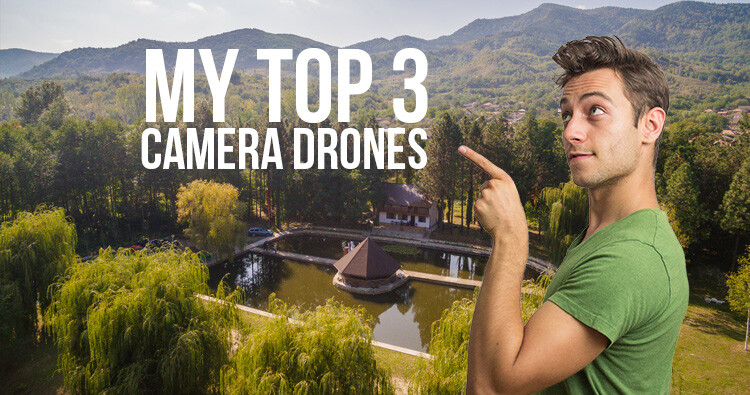
This is my top three list of recommendations I have for different types of consumers, ranging from $ 500 to $ 1500 USD.

Top 3 camera drones

I’ll underline the main features you should look for in each drone, while also spotting the drawbacks of each.

#1 – DJI Mavic Pro Platinum – My overall winner

This quad-copter is one of the most popular right now, for some really good reasons. The DJI Mavic Pro Platinum is the newer version of the Mavic, but it is quieter and has a longer battery life. This is why I would recommend it.

Dji mavic

I’d recommend it to anyone from travel enthusiast to the professional photographer and so on. It has its limitations, but for the price of about $ 1000, here’s why it rocks:

  • It comes with a stellar gimbal (a motorized system that stabilizes the camera while in the air).
  • Has a 4K camera with a fixed aperture of f/2.2 – This makes it pretty good even in low light conditions.
  • You can take amazing photos in 12mp resolution.
  • It’s foldable – This makes it the most portable high-quality camera on my list, and pretty much on the market. You can simply take it in a small bag and go on your vacation, no problem.
  • Long range – it can go up to 7 km in perfect conditions, which is more than enough for anyone.
  • Long battery life – it promises about 30 minutes of flight time, but in real life conditions, 26 minutes is more likely.
  • Has great GPS and return to home features.
  • Has front sensors for detecting obstacles and stopping in time.

Dji mavic folded front sensors

Disadvantages: Can’t really think of anything. It’s amazing for the price.

#2 – Xiaomi MI 4K drone – The cheapest, yet still amazing

Xiaomi drone

The Xiaomi MI 4K drone costs about $ 500 and comes with all you need for great photo/video results.

  • Just as the Mavic before, it comes with an amazing gimbal and camera attached to it, in order to keep the image steady in the air.
  • Again, you can shoot 4K photos (12.4 mp) and video or go lower in resolution so you can record in more frames, and do slow-motion.
  • The range is over 3 km, which is absolutely fantastic.
  • Battery life is said to be 27 minutes, but in real life, I got a maximum of 24.
  • It comes with very good GPS and returns to home when the battery is low and also when the signal is lost (just like the Mavic)

Xiaomi drone camera

Disadvantages of the Xiaomi 4k drone

  • It’s not nearly as portable as the Mavic.
  • It is louder.
  • It doesn’t have the front facing sensors to stop before impact that the Mavic does.

Consider how much these drawbacks mean to you when you take into account the super cheap price. Don’t get fooled thinking a smaller price means lower quality. Xiaomi, just like DJI, is a Chinese company with a focus on creating high-quality hardware, that’s impressive even by western standards.

#3 – DJI Phantom 4 Professional – the pro choice at a small price

You have probably heard of drones like Phantom 3 or 4 by now, and they were all amazing, but the DJI Phantom 4 Professional is on the next level.

Phantom4pro

If the DJI Mavic Pro Platinum is not enough for you in terms of camera capability and you want more professional freedom in your work, this is the best way to go.

Here’s what this $ 1500 drone comes with:

  • The 4K camera we’ve been used to has a 1-inch sensor now. This means nighttime photos will be considerably better and less noisy compared to any of the previous drones.
  • The 20mp sensor also delivers amazing quality photos and video.
  • It can shoot 4K in 60fps and Full HD in 120FPS and comes with a mechanical shutter (just like your DSLR), so you get a smooth video image and no rolling shutter effect.
  • It’s super secure with obstacle sensing in 5 directions: 2 front sensing cameras, 2 side infrared detectors, Sonar and cameras on the bottom (to land precisely), And even one in the back!
  • Just like the Mavic Pro Platinum, it comes with 30-minute flight time, 3-axis gimbal stabilization and 7 km range (but, this time, it’s dual-band transmission, so the signal is more secure).

What are a few disadvantages: It’s bulky and loud. It can’t fold up, so if you want to take it on vacation, it will be harder to carry.

Scenery1

I recommend this drone for the more professional bunch of people, who want to use it more intensely for professional projects and don’t mind the bigger form size. This drone is great for people who want to have more control over their images, and it’s perfect if you want to shoot at high ISO in lower light.

Over to you

I only gave you three choices because I believe these are the best of each price category. So, depending on your budget, you can confidently choose one of these, as there’s simply no competition on the market right now.

Don’t forget to fly safe and check the regulation in your area!

Scenery2

The post How to Choose Your First Camera Drone and Skyrocket Your Photography by Paul Archer appeared first on Digital Photography School.


Digital Photography School

 
Comments Off on How to Choose Your First Camera Drone and Skyrocket Your Photography

Posted in Photography