RSS
 

Posts Tagged ‘Camera’

DPReview TV: understanding 4K and 6K photo modes on your camera

12 Aug
Special 4K and 6K photo modes may be one of the most under-appreciated features on recent cameras. After all, with today’s models boasting impressive performance and high frame rates, why would you need them? In this week’s episode, Chris and Jordan take a closer look at these modes and explain why – and when – you’ll be glad to have them on your camera.

For more information check out our in-depth article explaining 4K photo mode.

Read our in-depth article about 4K photo mode

Subscribe to our YouTube channel to get new episodes of DPReview TV every week.

Subscribe to our YouTube channel

Articles: Digital Photography Review (dpreview.com)

 
Comments Off on DPReview TV: understanding 4K and 6K photo modes on your camera

Posted in Uncategorized


Five things to know about the Samsung Galaxy Note 9’s camera

10 Aug

Five things to know about the Samsung Galaxy Note 9’s camera

The Samsung Galaxy Note 9 made its debut today at a high-profile launch event in New York. While we knew not to expect any new camera hardware thanks to numerous leaks, we still found a few interesting new features under the hood.

It has a two stabilized cameras, one of which is dual aperture

First: the hardware. The Note 9 seems to be basically using the S9+’s camera (flipped sideways of course) and that’s not a bad thing. Both lenses are stabilized (a tradition the Note 8 started) and are coupled to a 12MP sensor. The wide-angle camera carries over the F1.5/2.4 dual aperture feature Samsung introduced in the S9+, which isn’t terribly useful in real-world shooting. Based on our experience with the S9+, we expect very nice image quality from the wide-angle camera, and slightly disappointing results from the telephoto side.

It tells you when you took a bad photo

While there’s no new hardware to speak of, the Note 9 camera boasts some new AI. A feature called ‘Flaw detection’ can be toggled on and off in the camera settings menu, and presents the user with an on-screen indication when it detects a photo is too blurry, backlit or a subject is blinking. In our quick test the feature worked as advertised, and the notification isn’t too obtrusive.

It will optimize image settings based on scene detection

Another intelligent feature is Auto Scene Optimization, shortened to just ‘Scene optimizer’ on the menu screen pictured above. Samsung says this mode identifies subject matter and sorts the photo into one of 20 categories automatically. Saturation, white balance, brightness and contrast are adjusted accordingly.

It can automatically correct distorted faces

Here’s one we found in the camera settings menu: automatic distortion correction for faces. We don’t know anything more about it other than the feature can be toggled on and off in the camera settings menu. If the results look natural it could be a nice feature, especially when using the camera’s wide-angle lens with subjects positioned toward the edge of the frame – speaking from personal experience, you can take a really unflattering selfie that way.

It comes with a remote trigger

Now that the S-Pen supports Bluetooth Low Energy it can double as a remote shutter trigger. A single button press will take a photo, and a double button press will switch between cameras. The pen now needs a battery, of course, but Samsung says it charges in under a minute in the phone.

Articles: Digital Photography Review (dpreview.com)

 
Comments Off on Five things to know about the Samsung Galaxy Note 9’s camera

Posted in Uncategorized


Nikon’s 3rd teaser video showcases the ‘Body’ of its upcoming full-frame mirrorless camera

09 Aug

Nikon has released the third teaser for its upcoming full-frame mirrorless camera. Following up on Travel of Light and Mount, the third teaser is called ‘Body: The Evolution of Nikon Quality.’

The video opens up with a few shots of cameras from Nikon’s past as a narrator says ‘all the expertise Nikon has acquired over the past 100 years has been poured into this camera.’ Of course, ‘this camera’ refers to the impending full-frame mirrorless system set to be announced on August 23rd.

A slightly-brightened screenshot from Nikon’s teaser video

After multiple detail shots of older Nikon cameras, the video teases yet another outline of the yet-to-be-seen mirrorless camera. The shot appears almost identical to that seen in the ‘Mount’ teaser video, but this time there seems to be an unrecognizable lens attached to the camera.

A screenshot from Nikon’s ‘Mount’ teaser video — note the absence of the Nikon branding on the viewfinder bump, something we now have a glimpse of in the ‘Body’ teaser.

The teaser also shows Nikon branding on the front of the viewfinder bump, a detail missing from past teaser videos.

Articles: Digital Photography Review (dpreview.com)

 
Comments Off on Nikon’s 3rd teaser video showcases the ‘Body’ of its upcoming full-frame mirrorless camera

Posted in Uncategorized


AirSelfie2 pocket-sized camera drone launches with slight improvements

09 Aug

AirSelfie2, an update to the original AirSelfie drone launched in late 2016, is now available for purchase. The new model, which was introduced during CES 2018, improves upon the original AirSelfie by increasing the camera resolution from 5MP to 12MP, including a 16GB integrated microSD card versus the original’s 4GB capacity, and increasing flight time by two minutes.

The AirSelfie2 features an anodized aluminum casing with overall dimensions slightly larger than a smartphone at 3.8″ x 2.8″ x 0.5″ / 9.7cm x 7cm / 1.3cm. The internal 400mAh battery provides up to five minutes of flight time per charge, with four turbo brushless fans providing lift. Users wirelessly control the miniature drone using a mobile app available on iOS and Android; range is vaguely stated as “over 60ft.”

The drone’s camera captures still images and Full HD videos with an 85-degree FOV. The company behind the device, AirSelfie Holdings, promises new features and “experiences” delivered to AirSelfie2 drone owners via future updates. The drone is available from AirSelfie and select online retailers in gold, rose gold, black, and silver colors for $ 200.

Via: Android Police

Articles: Digital Photography Review (dpreview.com)

 
Comments Off on AirSelfie2 pocket-sized camera drone launches with slight improvements

Posted in Uncategorized


Steadify wearable camera stabilizer features a hip-mounted monopod

02 Aug

Just launched on crowdfunding site Kickstarter, Steadify enables photographers to keep their camera steady using a wearable hip-based stabilizer rather than a tripod. The wearable device features a telescoping monopod attached to a three-axis ball-head on a base plate. That base plate is stabilized against the wearer’s hips, where it is carried using a strap around the waist.

Steadify has an anticipated $ 159 USD MSRP with shipping scheduled to start in October

Steadify is secured with a magnet when not in use, and features a universal mount that can be swapped out with a quick release ball-head. Users have the option of attaching a zip pocket to the base plate for storing batteries and other small items. The team behind Steadify bills their product as a highly portable, easily deployed alternative to tripods that can be used with a single hand.

Steadify is being offered to Kickstarter backers who pledge at least $ 99 USD; the device has an anticipated $ 159 USD MSRP with shipping scheduled to start in October. Assuming the campaign earns enough money to reach its stretch goal, the team also expects to release a smartphone adapter for the monopod.

Via: Kickstarter

Articles: Digital Photography Review (dpreview.com)

 
Comments Off on Steadify wearable camera stabilizer features a hip-mounted monopod

Posted in Uncategorized


OKO is an immersive viewfinder for your smartphone camera

02 Aug

There’s an abundance of smartphone camera accessories available but until now we’ve been missing one item: a viewfinder. Thanks to the OKO crowdfunding project on Kickstarter this gap might soon be filled, however.

The OKO is designed to do pretty much the same things as a conventional viewfinder. It blocks screen reflections, offering an immersive and undistracted view of the scene and allowing for a more stable shooting stance when holding it up to your face. Its design is far from conventional, however.

The OKO resembles a VR-headset and is compatible with most 4.7″ and larger smartphones. The mobile device is inserted at the front and in the bottom there is a fairly large hole, allowing you to control the camera on the touch screen of your phone (but probably also letting some light in).

In front of the phone screen two 6x magnifying oculars provide a view that should be much closer to the real scene than what your smartphone display alone can provide and many photographers might find that using two eyes to frame your shots is more comfortable than just using one, like with a traditional camera viewfinder.

The OKO’s major downside is pretty obvious: you’ll look pretty ridiculous wearing the thing on your head while hunting for photo opportunities. For some this might be a small price to pay for the perfect shot, however.

If you fall into that latter group, you can now pledge between $ 39 for the early bird basic kit and $ 160 for a full-blown package including 4 accessory lenses. At the time of writing the project has almost reached its funding goal with 56 more days to go, so there’s a good chance the project will go ahead. Shipping is expected in March 2019.

Watch the video below for more information or head straight to the OKO Kickstarter page.

Articles: Digital Photography Review (dpreview.com)

 
Comments Off on OKO is an immersive viewfinder for your smartphone camera

Posted in Uncategorized


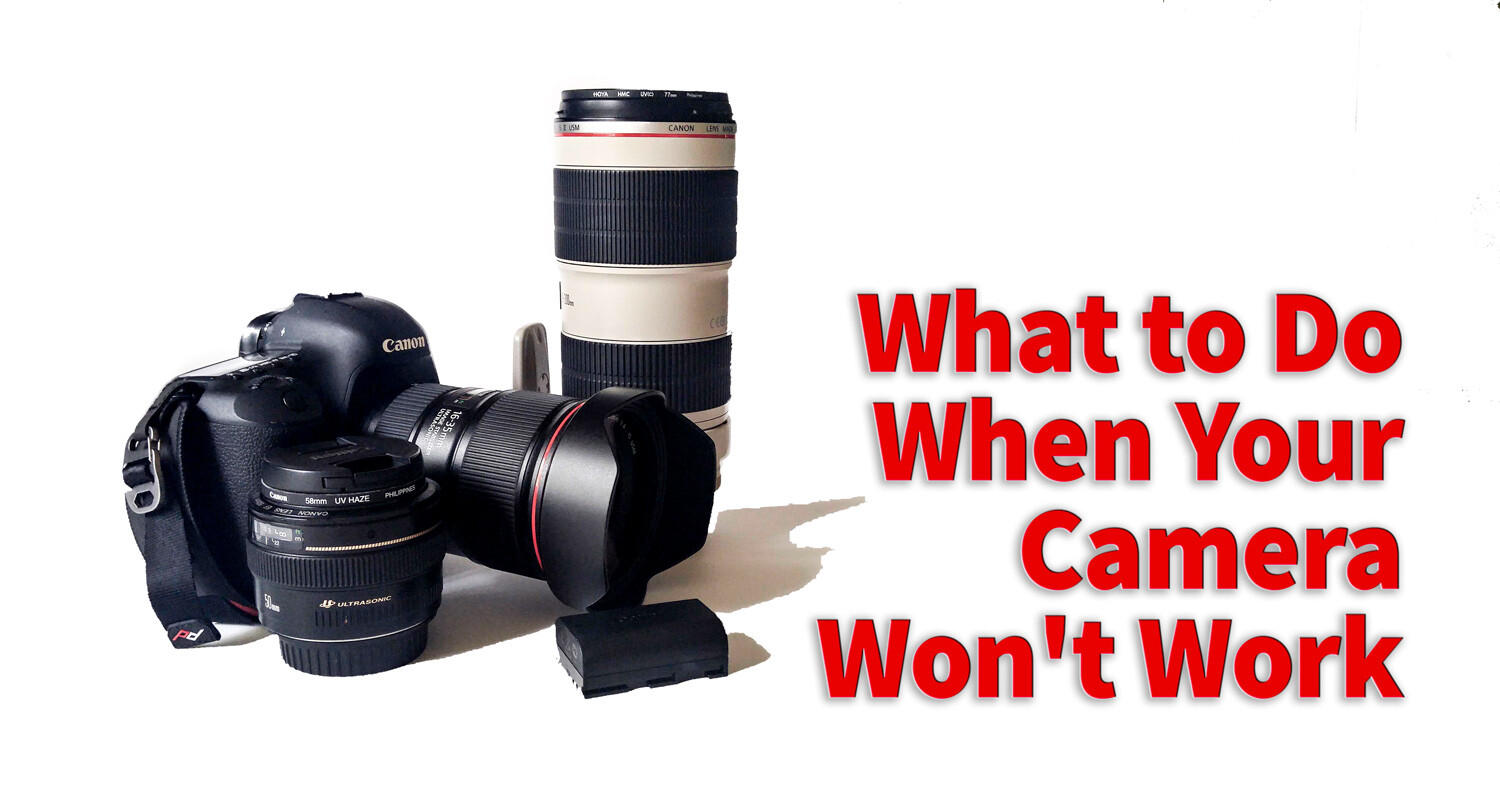
What to Do When Your Camera Won’t Work and You Wanna Scream

29 Jul

You love your camera and care for it with due diligence. You (hopefully) clean the sensor and wipe down your lenses, being careful to keep them dry and avoiding high humidity. But what happens when no matter how careful you’ve been, your camera won’t work and starts to act funny? What if that dear, dear equipment of yours stops working the way you try and expect? Then what?

Easy Fixes

There are some fairly common problems that you can fix yourself. They involve a little bit of fiddling with your camera, but you don’t always need to run to your local camera store for repairs. So before you go running to the experts consider these options if your experience the following issues with your camera.

1) The lens won’t focus

  • Check that the autofocus is turned on – This is a fairly easy fix most of the time. The first thing you should always do is check to make sure you have the lens’s autofocus turned on. There have been a few times when I didn’t realize that I had pushed the switch to manual focus and I can’t understand why the lens won’t work. Always, always check this button first.
  • Try removing the lens and reattaching it. Sometimes when changing lenses you may not quite connect the camera and lens properly. In this case, the camera and lens can’t communicate and the camera can’t send a message to the lens to start the autofocus adjustments. Make sure you hear a click and the lens is attached tightly to the camera body (if not it can also fall off!).
  • Try using compressed air or a blower. It may be that there is some dust that is interrupting the proper workings of your camera use a blower to clean out the attachment area for both lens (metal contacts) and the area on the camera.
What to Do When Your Camera Won't Work and You Wanna Scream

Try using a blower to clean the attachment area for your lens. Just remember don’t ever touch the little gold squares with your fingers. They can corrode and then your camera cannot communicate with the lens. I will apologize for the camera shake on this image. It’s not easy holding a camera while shooting using a blower tool.

  • Take out your trusty user manual and see if the there’s a troubleshooting section. Most camera user manuals will have a section where you can find solutions to common problems.
  • You’re too close – Every lens has a minimum focusing distance. If you get too close to your subject, the lens will not be able to focus. For example, if the minimum focusing distance for your lens is 18″ and you try to do a macro shot of a flower and get right into about 8″ away from it – you lens physically cannot do that job. Try adding a close-up filter or using extension tubes to solve this issue.

2) Memory Card Errors

  • Check it’s not locked – If your camera won’t allow you to take or to delete photos it may be because you’ve not removed the write protect on your card or you’ve locked it. If the memory card is locked you can move the switch to unlock it. Sometimes the switch will break off. This is an easy repair. Place a piece of tape over the space where the switch should be and the card will once again be unlocked.
  • Format – If nothing is working, it may be time to consider formatting the card. You will lose all pictures currently on the card (download them first) but this may be the only way to get the card working again.
What to Do When Your Camera Won't Work and You Wanna Scream

Here you can see the little switch on the SD card. If you can’t write to the card check here.

3) Weird Exposures

It can happen sometimes, you read the exposure correctly, and somehow everything comes out way too bright or too dark. The first thing to check is your exposure settings.

  • Perhaps you’ve got exposure compensation turned on. This means that the camera will alter the value selected when the camera is set in various automatic modes (with some models it even applies in Manual Mode, like most Nikons). Check to make sure you haven’t accidentally turned on exposure compensation.
What to Do When Your Camera Won't Work and You Wanna Scream

Oops, yep definitely did not look at camera settings when I shot this. Always check those when you consistently get a weird exposure.

  • Also, check what metering mode the camera is set to use. Often, issues can be caused by using Spot Metering mode if you are not careful and understand how to use it. If in doubt, use Average or Evaluative Metering Mode as a safe fall-back.
  • Check you haven’t activated Auto Exposure Bracketing (AEB) by mistake. This is a common accident and you may not even realize it’s happened, but auto bracketing will take a series of images both under and overexposed that could be throwing off your exposures. If one shot is dark and the next is too bright this could be the culprit, check your bracketing settings.

Know when it’s time to put your camera to rest

There are times when there’s nothing you can do. Your camera is just like other tools and eventually, it will wear out. So let’s talk about the signs that you may have a camera on its last legs.

  • The ISO grain on your camera has become way more sensitive. In this case, it’s time to consider a new camera. If your camera’s ISO 400 is starting to look grainy in good lighting then you may need to go shopping.
  • The shutter is very slow. A camera usually has a lifespan of maximum shutter actuations. Once your camera reaches its limits, there’s nothing you can do. You will know if you’re reaching the end when the shutter on your camera starts to become very slow and there is often a delay after you press the shutter button before it takes the photo.

The dark band at the top is a sign that your camera shutter isn’t functioning properly.

  • You’ve surpassed your camera’s limits – There’s another factor that has nothing to do with the proper workings of the camera. Sometimes you may outgrow the capabilities of your equipment. I used a Canon 50D for years. But then when I became much more serious about my photography, and I needed something with a higher megapixel count I knew it was time to put my lovely camera to rest. Sometimes we need better equipment. It’s okay to accept this fact and move on. I know this sounds like you’re breaking up a relationship of sorts. Well, the truth is you are. Do what’s best for you and the goals you have for your photography.

Conclusion

So go ahead and tell us more about your camera. Give us some nice anecdotes about your frustrations with your gear. Tell us about the quick fixes you’ve found and tell us about your love-hate relationships with your older gear and why you moved on.

The post What to Do When Your Camera Won’t Work and You Wanna Scream appeared first on Digital Photography School.


Digital Photography School

 
Comments Off on What to Do When Your Camera Won’t Work and You Wanna Scream

Posted in Photography


Review: The Wandrd Prvke Backpack is one of the best multi-use camera bags you can buy

28 Jul

Wandrd Prvke 21L Backpack with Camera Cube
$ 264 | www.wandrd.com

The quest to find the perfect camera bag is never-ending. It’s not unusual for a photographer have a closet jammed full of various packs that work pretty well for most situations, but are not ideal for others. The classy looking packs often don’t hold enough gear while the ones with ample space often end up being too bulky for travel.

For my typical shooting needs the Prvke has proven to be nearly perfect, which is an incredible feat for a camera bag.

At first glance, I liked the design of the Prvke bag (pronounced Provoke) from Wandrd, but was concerned that it would be yet another backpack with understated urban looks that simply isn’t functional as a camera bag. But I can happily say that Wandrd won me over – for my typical shooting needs the Prvke has proven to be nearly perfect, which is an incredible feat for a camera bag.

Specifications

  • Exterior: 17 x 11 x 6.5in / 43 x 30 x 16.5cm
  • Interior Volume: 25L with roll-top expanded
  • Camera Cube Insert: 9 x 11 x 5in / 23 x 30 x 13cm
  • Laptop Sleeve: 14.5 x 9.5 x 1in / 37 x 24 x 2.5cm
  • Tablet Sleeve: 13 x 9 x 5 / 33 x 23 x 13cm
  • Weight: 2.8lbs / 1.3kg

Design & Construction

A look inside the Wandrd Prvke from the back entrance: The area where the camera gear is (called the Camera Cube) can be completely removed.

The Wandrd Prvke bag is designed to be multi-functional for carrying both camera gear and personal items – something lots of packs try to do, but ultimately fail. The design was conceived by three photography-minded brothers and their attention to detail makes me think they too were tired of the ‘almost there, but not quite right’ camera backpacks.

The Prvke has an understated roll-top design with a fairly slim profile – it’s constructed from water-resistant tarpaulin and woven nylon and has a rain-fly with a dedicated pocket at the bottom of the bag. The roll-top opens and closes with high quality Velcro and is secured with a large metal hook. The removable Camera Cube comes with the Photography Bundle for $ 264 (or can be purchased individually for $ 39) and fits nicely into the bag’s back compartment. Velcro is used to secure it into place.

You can access the Camera Cube from a zipped entryway on the side of the pack. The roll-top is secured closed with Velcro and a big metal hook.

The Prvke has three points of entry: the roll-top, a left side pocket for camera access into the Cube while on the go (shown above) and a back entrance to completely open the pack. Above the Camera Cube there is a mesh zipper compartment that allows you to access anything that may have been stashed through the roll-top. On the left side of the bag you will find a small zipper pocket for memory cards and a separate Velcro pocket for other small camera accessories.

An internal laptop/tablet compartment keeps these devices flush against your back when wearing the pack. Two straps ensure the compartment doesn’t fly completely open when unzipped.

Once the bag is unzipped there are dedicated sleeves for both a laptop and a tablet (see above). And on the back of the Prvke there is a dedicated passport sleeve with a small mesh pocket (see below).

I was able to fit a 5D Mark IV body, a 70-200mm lens and a 24-70 lens in the cube without issue.

Although the removable Camera Cube was designed with a mirrorless system in mind (a body, plus a large and medium sized lens) the molded dividers make it possible to carry a full frame DSLR with lenses as well. I was able to fit a 5D Mark IV body, a 70-200mm F2.8 lens and a 24-70 F2.8 lens in the cube without any issues.

A small compartment on the back has space for a passport and other items, a nice touch for photographers on the fly. Magnetically-connecting carrying straps (located on top) are just one of many handy features of this pack.

Behind the roll-top there is a fleece lined pocket for a phone and on the side of the bag a small pocket with a clip for your keys. A large flat pocket runs the length of the bag’s front side – a great place for a notebook, magazine or other paperwork. On the right side of the bag there is an expandable pocket for a water bottle or a small tripod.

The Prvke has lots of pockets and areas to store both personal items and camera gear. The side pocket can be used to carry a water bottle or small tripod. And a zippered area on front is perfect for storing magazines, notebooks or a book. The other side of the pack offers a small storage pocket with a connector for keys. Camera gear can be accessed through the zippered area lower right.

The Prvke features a number of optional add ons too: a removable chest strap, a removable waist belt and an accessory strap system that can attach to six different points on the bag for carrying a larger tripod, lighting accessories, a jacket or even minimal camping gear.

The bag comes in three colors (classic black, wasatch green and aegean blue) and two sizes (21L and 31L). Our review bag is the 21L in wasatch green.

A removal waist belt adds another place to store small items. And accessory straps allow one to easily connect even bulky items, like camping gear, to the bottom of the pack.

In Use

I’ve used this bag in a variety of different situations and I’ve yet to notice anything major that I didn’t like about it. While it may not be the ideal bag for traveling with multiple camera bodies (although it isn’t impossible), for a one body, two lens shoot that requires me to bring a laptop along, it’s the closest to a perfect bag that I’ve found.

The lay-flat design of the bag makes it ideal for traveling through airport security – the Camera Cube and the laptop sleeve are both checkpoint friendly, so in theory, you won’t need to unpack your gear bag when flying.

For a one body, two lens shoot that requires me to bring a laptop along, it’s the closest to a perfect bag that I’ve found.

And the three different access points make this bag particularly user friendly. You can grab a camera body from the left side without removing the bag fully from your back, lenses and accessories are quickly accessed by unzipping the back panel and you can even access items in the roll-top through the back. The expandable roll-top on the bag is great for stashing any odds and ends that you might pick up.

The zippers were easy to manipulate and none of the dedicated sleeves or pockets suffer from the stiffness that new camera bags sometimes have. Everything fits where it’s supposed to and does so with ease.

The straps are a comfortable amount of thickness and the bag distributes weight nicely – even when fully loaded with gear it didn’t hurt my shoulders. The waist belt and chest strap are nice touches, and might be appreciated if you were taking the Prvke on a long outdoor adventure.

The Prvke is the best camera bag I’ve used in a long time.

I found the various small pockets within the Prvk very useful: the fleece lined top pocket was a great place for storing my shades and that side key pocket gave me peace of mind as I traveled away from New York City with the bag.

We’re big fans of the removal Camera Cube.

My complaints about this bag are minor. The zippers around the Camera Cube can occasionally get tangled with the zippers within the back compartment that cover the cube – a minor annoyance, considering sometimes it just took a few additional seconds to zip everything together. Some might say that the second zippered flap might be unnecessary, but the additional layer of protection of my lenses gave me peace of mind while using the bag.

The bag was also a little snug when traveling with two bodies and two small lenses – although it should be noted that I was testing out the 21L version and I’m guessing these issues would be resolved if I’d been using the 31L model.

What’s the Bottom Line

The Prvke is the best camera bag I’ve used in a long time. It has a durable build, it is functional as both a camera backpack and an everyday backpack and it looks nice. It hits the trifecta of sought-after qualities in a camera bag. Also important, it feels like it will hold up over time. And for the quality that you are getting, the $ 264 price tag (which includes the Camera Cube, waist strap, accessory straps and rain-fly) it doesn’t feel excessive. We also like that the Camera Cube can be removed and used in a different bag allowing you to use The Prvke as a place to store clothing and personal items while you are on the road.

What We Like:

  • Durable build
  • Functional as a multi-use bag and a dedicated camera bag
  • Removable Camera Cube
  • Utilitarian design
  • Small organizational pockets
  • Back mesh pocket with entry to roll-top
  • Nice weight distribution, comfortable to carry
  • Holds the gear necessary for an average shoot

What We Don’t Like:

  • Zippers around the Camera Cube and the zippers within the back of the bag getting tangled together
  • The, at first glace, difficult to pronounce name of the bag

Articles: Digital Photography Review (dpreview.com)

 
Comments Off on Review: The Wandrd Prvke Backpack is one of the best multi-use camera bags you can buy

Posted in Uncategorized


SiOnyx Aurora camera shoots color video even by moonlight

27 Jul

US-based night vision tech company SiOnyx has introduced an action cam that it claims can shoot color footage and stills in the dark as well as in normal daylight conditions. The Aurora uses infrared technology and a specially developed sensor with large pixels to shoot in conditions as dim as 0.001lux.

SiOnxy says the camera’s performance compares to night vision optics that cost ‘tens of thousands of dollars’ and that this is the first time such night-vision capabilities have been available to the consumer.

The Aurora uses a 1in sensor with 0.9 million large pixels that are created using what the company describes as a proprietary laser process. The process creates ‘the ultimate light-trapping pixels’ that have increased quantum efficiency and so avoid excessive noise and restricted dynamic range while producing images 10x brighter than a standard CMOS sensor. The sensor design is based on military-grade IR sensors that the company usually makes only for the defence market.

The Aurora can produce viewable images even in what would appear to the human eye to be darkness

The pixels have extended sensitivity to light between 850 and 940nm in the near-infrared area of the spectrum, and a maximum ANSI of 820,000 – and so can produce viewable images even in what would appear to the human eye to be darkness. The camera can also shoot still images (albeit it obviously at a very low resolution), as well as timelapse sequences and 720p video.

The camera is also fitted with GPS, an accelerometer and a compass for adventurers, and can be used underwater for 30 minutes to a depth of 3ft.

The Aurora will cost $ 799. For more information see the SiOnxy website.

Press release

SiOnyx Announces World’s First Day/Night Action Camera For Consumer Market, Turns Night Into Full-Color Daylight

Aurora Features OLED Display, Ip67-Grade Waterproofing and AR-Compatibility; Compass, GPS & WiFi Built-In With iOS and Android Apps, Retails at $ 799

SiOnyxTM (Beverly, MA), a leader in infrared imaging technology – today announced the official launch for the SiOnyx AuroraTM, the only HD action video camera with true day and night color imaging. SiOnyx Aurora is just under 8 ounces and sized to fit comfortably in one hand for easy operation.

Available in August direct from SiOnyx at sionyx.com at a retail price of $ 799, Aurora is based on the SiOnyx Ultra Low Light technology that is protected by more than 40 patents and until now was only available in the highest-end night vision optics costing tens of thousands of dollars. This identical technology has now been cost-reduced for use in Aurora and other upcoming devices from SiOnyx and its partners.

SiOnyx has developed a new semiconductor process that dramatically enhances the infrared sensitivity of silicon-based imaging. Its ultra low-light technology enables richly-defined color images and video during the day and twilight, combined with unmatched high-resolution viewing in near total darkness. Sample videos as well as images may be found at www.sionyx.com

Through the free companion apps on iOSTM and Android®, you can review your experiences in real-time or control the Aurora directly from your phone. Designed for an active outdoor lifestyle, Aurora is also fully certified with an IP67 waterproof rating.

Aurora offers transformative night video for a wide range of uses including boating, hunting, fishing, nature watching, emergency response and other activities where clear night-vision is of importance. A removable neck strap allows you to keep it accessible on any adventure. Aurora uses GPS combined with an accelerometer and compass to accurately guide your way, day or night.

“Outdoor enthusiasts play day and night; capturing those adventures doesn’t need to stop when the sun goes down,” said Stephen Saylor, President and CEO of SiOnyx. “Aurora’s unique Ultra Low Light technology enables night video that people will swear was taken in full daylight.”

About SiOnyx:

Founded in 2006 by Professor Eric Mazur and Dr. James Carey of Harvard University, SiOnyxTM has commercialized a patented semiconductor process that dramatically enhances the sensitivity of silicon-based photonics. SiOnyx’s platform represents a significant breakthrough in the development of smaller, lower cost, high-performing photonic devices in applications ranging from simple light detection to advanced digital imaging and more. The company markets its low-light technology under the XQETM family of CMOS images sensors and has also entered the consumer electronics market with the launch of the Aurora day/night action camera.

Articles: Digital Photography Review (dpreview.com)

 
Comments Off on SiOnyx Aurora camera shoots color video even by moonlight

Posted in Uncategorized


SKOUT is a hands-free camera carrying solution that unlocks with a twist

27 Jul

Vancouver-based camera harness manufacturer Cotton Carrier has launched a Kickstarter campaign to crowdfund a new chest-style camera mounting system called SKOUT.

The design, which looks like a lightweight version of Cotton Carrier’s current offerings, is a one-size-fits all solution that’s said to be ‘the world’s most comfortable, secure, and accessible, Sling-Style camera [harness].’

The standout feature of the SKOUT is its patented ‘Twist & Lock’ mount that attaches and detaches your camera from the anodized aluminum hub with a simple twist.

Attaching the SKOUT seems fairly simple. After wrapping it over one shoulder, there’s a single strap that wraps around your torso and snaps into place on the front, securing the entire system. The shoulder strap is padded, so even heavier camera systems shouldn’t put too much stress on your body.

Hidden inside the system is an internal stash pocket that could fit a small phone or a few credit cards. There’s also an included weather guard so your gear stays safe and dry in less than ideal environments.

The Kickstarter campaign still has 13 days to go, but it’s already beat its CA$ 8,000 (approximately USD$ 6,135) goal five times over. There are still a few early bird specials available, which will get you a single SKOUT system for CA$ 64 (approximately US$ 49). The first batch is expected to ship out November 2018.

Articles: Digital Photography Review (dpreview.com)

 
Comments Off on SKOUT is a hands-free camera carrying solution that unlocks with a twist

Posted in Uncategorized