This article is written by Andrew S. Gibson, the author of Understanding EOS, on sale now at Snap N Deals for a limited time.
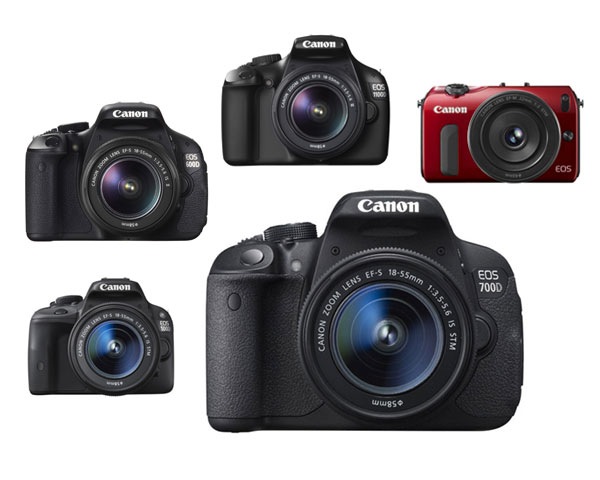
In these articles I’m going to take a look at the current range of Canon EOS cameras, giving an overview of each model and the reasons that you may consider buying one.
You may be wondering why I’m writing about Canon EOS cameras – after all there are other brands such as Nikon, Sony, Pentax and Olympus to choose from. The answer is that I’m a Canon EOS user, and I write about EOS cameras for a living. If you want to know anything about other brands, I’m definitely the wrong person to ask.
Maybe other DPS authors will jump in and write similar guides about the brands they’re familiar with (hint, hint). I think it would make a fantastic series.
A note about prices: DPS has an international readership, so I haven’t included prices as they vary so much. The cameras are listed roughly in order of ascending price to give you an idea of where each model fits in the EOS range.
Entry level EOS cameras
Let’s start with ‘entry level’ EOS cameras. Canon calls these enthusiast cameras. They are designed for hobbyists rather than professional photographers. If you are buying a digital SLR for the very first time, or you’re on a tight budget, you will probably buy one of these models.
An idiosyncrasy of entry level EOS cameras is that Canon gives the same model different names depending on which territory they are sold in. Hence the same camera is a 700D in Europe, a Kiss X7i in Japan (where it is marketed to the female demographic) and a Digital Rebel T5i in North America.
Canon currently has five enthusiast models:
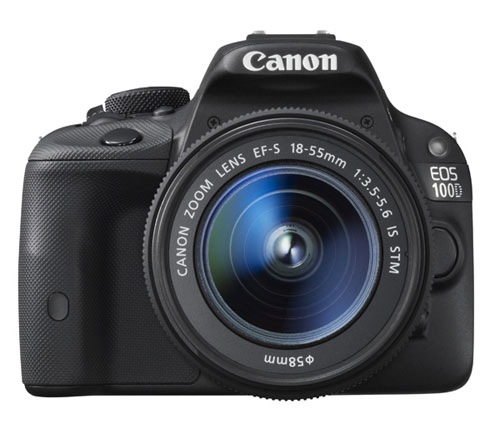
EOS 100D/Rebel SL1/Kiss X7
March 2013
Key specs:
- 18 megapixel APS-C sensor
- 9 point AF with 1 cross-type sensor
- 63 zone evaluative metering
- Live View and movie mode
- DIGIC 5 processor
- Uses SD cards
- 3 inch fixed touch screen LCD display
- Built-in flash with no wireless flash control
According to Canon the EOS 100D is the world’s smallest and lightest digital SLR. It’s aimed at photographers who are moving up from compact cameras or smart phones and don’t want to buy a larger camera.
It is ideal for photographers who want a light body to carry around all day, or who need to keep the weight down when travelling overseas. It may also appeal if you like the idea of being able to carry it around in your bag or handbag.
The small body of the EOS 100D will be more inconspicuous when you are travelling than other EOS cameras. This may suit some people, including street photographers.
The spec is similar to the EOS 700D, although it doesn’t have as many features. The main selling point of this model is the size. If size doesn’t matter, then consider a more advanced model – you’ll get more bang for your buck.
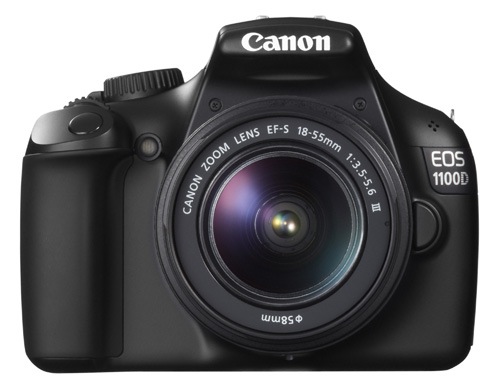
EOS 1100D/Rebel T3/Kiss X50
March 2011
Key specs:
- 12.3 megapixel APS-C sensor
- 9 point AF with 1 cross-type sensor
- 63 zone evaluative metering
- Live View and movie mode
- DIGIC 4 processor
- Uses SD cards
- 2.7 inch fixed LCD display
- Built-in flash with no wireless flash control
This is Canon’s least expensive SLR, ideal for anybody on a tight budget. However, it also has the lowest spec and lacks some of the features found on the other models in this list, such as the three inch vari-angle LCD screen and built-in master unit for controlling external Speedlites.
It also has the lowest megapixel count. To be honest, if you buy it you’re probably going to outgrow it fairly soon. It’s also possible that Canon may update this model soon as it’s two years old.
Don’t let that put you off though if you’re on a tight budget – this is a very capable camera for learning on and is by far the cheapest model in this list. Might also make a good gift for a relative or friend who has expressed an interest in photography. Budget allowing, you’ll be better off with a more advanced model.
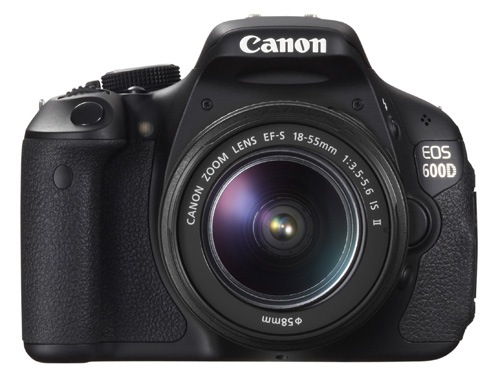
EOS 600D/Rebel T3i/Kiss X5
March 2011
Key specs:
- 18 megapixel APS-C sensor
- 9 point AF with 1 cross-type sensor
- 63 zone evaluative metering
- Live View and movie mode
- DIGIC 4 processor
- Uses SD cards
- 3 inch vari-angle LCD display
- Built-in flash with wireless flash control
The EOS 600D is a step up from the EOS 100D and 1100D models. It has a larger body and a high resolution vari-angle LCD screen that you can use with movie mode or for taking photos at awkward angles (ie with the camera at ground level).
Another benefit of the vari-angle screen is that you can turn it around so the screen faces the back of the camera, protecting the LCD surface during travel.
The built-in flash doubles as a wireless master for external Speedlite flash units, so if you want to use (or learn to use) external flash then this is a good camera to buy instead of the EOS 100D or 1100D.
You may be interested in this camera if you are upgrading from an 1100D, or an older model such as the EOS 400D camera. It’s not as advanced as the EOS 700D, but much less expensive.
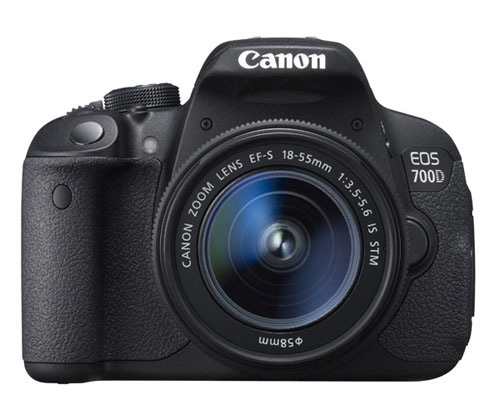
EOS 700D/Rebel T5i/Kiss X7i
March 2013
Key specs:
- 18 megapixel APS-C sensor
- 9 point AF with 9 cross-type sensors
- 63 zone evaluative metering
- Live View and movie mode
- DIGIC 5 processor
- Uses SD cards
- 3 inch vari-angle touch screen LCD display
- Built-in flash with wireless flash control
The EOS 700D was announced in March and replaces the EOS 650D (which you may still be able to buy until stock runs out). The EOS 600D remains available as a lower cost alternative to the 700D.
The key differences between this camera and the 600D is that the 700D has a more advanced processing chip, a greater ISO range and hybrid AF that gives better autofocus performance in Live View and movie mode.
You may be interested in this camera if you are upgrading from an 1100D, or an older model such as the EOS 400D camera. It’s an ideal model if you want an advanced EOS camera but don’t like the extra size and weight or need the more advanced features of models like the EOS 6D, 7D or 5D Mark III. It is also cheaper than those cameras.
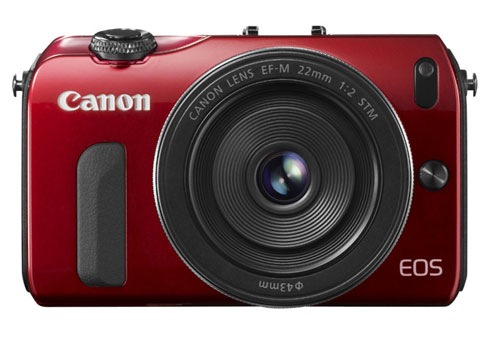
EOS M
July 2012
Key specs:
- 18 megapixel APS-C sensor
- 31 point hybrid AF
- 63 zone evaluative metering
- Live View and movie mode
- DIGIC 5 processor
- Uses SD cards
- Three inch fixed LCD display
- Comes supplied with 90EX Speedlite flash unit in most countries when purchased in kit form
The EOS M is Canon’s first compact system camera and marks the company’s entry into the mirrorless camera market. It’s essentially a scaled down EOS 650D without a pentaprism or viewfinder.
Another important difference is that the EOS M has its own lens mount (the EF-M mount). At the moment there is a choice of two EF-M lenses, plus an adapter that lets you mount the EF-S and EF lenses that other EOS cameras use.
The appeal of this camera is the small size and beauty of the design. Coupled with the EF-M 22mm pancake lens it makes a very portable setup that will create high quality images, something that could be ideal for travel or street photography.
However, reviews about the camera’s autofocus performance aren’t encouraging. The lack of a viewfinder means you have to take photos by composing them on the LCD screen, something regular digital SLR users could find hard to get used to.
If size isn’t important, then go for an SLR camera instead. The optical viewfinder and phase detection autofocus make them a much more versatile tool.
Conclusion
That concludes the round up of entry level EOS cameras. I will take a look at the current range of semi-professional and pro cameras in the next article.
Understanding EOS
It’s wise to remember that whichever camera you have, it’s only a tool. Photographers create photos, cameras just take them. An understanding of the principles of light and composition are just as important as which model you own.
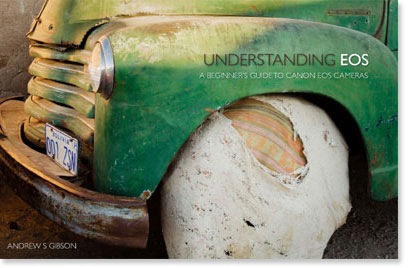
This is the principle behind my ebook Understanding EOS, which I wrote to help people learn to use their EOS cameras. It’s available now at Snap N Deals for a special price for a limited period. Whichever EOS camera you own, it’s the essential accessory to help you get the most out of your camera.
Post originally from: Digital Photography Tips.
Check out our more Photography Tips at Photography Tips for Beginners, Portrait Photography Tips and Wedding Photography Tips.
How to Choose Your Next EOS Camera: Part One



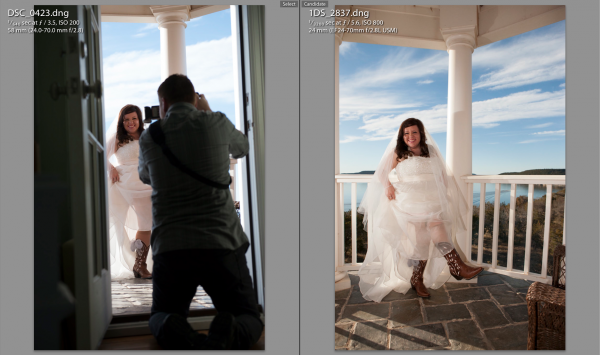
 The first thing you need to do is select the first photo you find by clicking on it in Library Mode. Then, scroll down to the other image from the second camera, hold down command on a Mac (control on PC) and click that one as well. This will select both images at the same time. Now hit the ‘C’ key on your keyboard which will bring up the two images in Compare mode side by side. Once in compare mode you can click back and forth between the two images to see all the EXIF information on the right hand side. Again, this all has to be done in Library Mode, not Develop Mode.
 To sync the time stamps, select all the images from the camera you want to correct. If you have them in separate folders this will be easy. If they are all mixed in to the same folder, you can sort by File Name in Library Mode and then the images will be separated. If all the images from the one camera are in their own folder, just hit Command A on a Mac (Control A on PC). This will select all the photos. If the images are mixed with another camera in the same folder, separate them by file name, then select the first image from the camera you want to correct by clicking on it, then scroll down to the last image from that camera, hold down Shift and click the last image.
