RSS
 

Posts Tagged ‘Camera’

Going solo: DxO introduces 20MP ‘ONE’ connected camera

18 Jun

DxO has unveiled its first image capture device, called simply DxO ONE. Designed to be used in tandem with an iPhone, the ONE features a 1″-type 20.2MP CMOS sensor, integrated lightning connector and 32mm equivalent F1.8 lens. It relies on a connected iPhone or iPad to provide a viewfinder and control interface by way of a free app. Read more

Articles: Digital Photography Review (dpreview.com)

 
Comments Off on Going solo: DxO introduces 20MP ‘ONE’ connected camera

Posted in Uncategorized


Analysis: DxO ONE – the World’s ‘First Truly Connected Camera’

18 Jun

DxO’s new camera, the ONE, offers an appealing combination of features and some highly impressive technology. Designed to be used in combination with Apple smartphones, the ONE is built around a capable 1 inch type sensor and bright 32mm equivalent lens. DPReview’s technical editor has been digging into the specifications, and talking to DxO’s resident scientists to find out what makes the ONE tick. Click through for his analysis

Articles: Digital Photography Review (dpreview.com)

 
Comments Off on Analysis: DxO ONE – the World’s ‘First Truly Connected Camera’

Posted in Uncategorized


Camera Bag Review – Miggo Agua

18 Jun
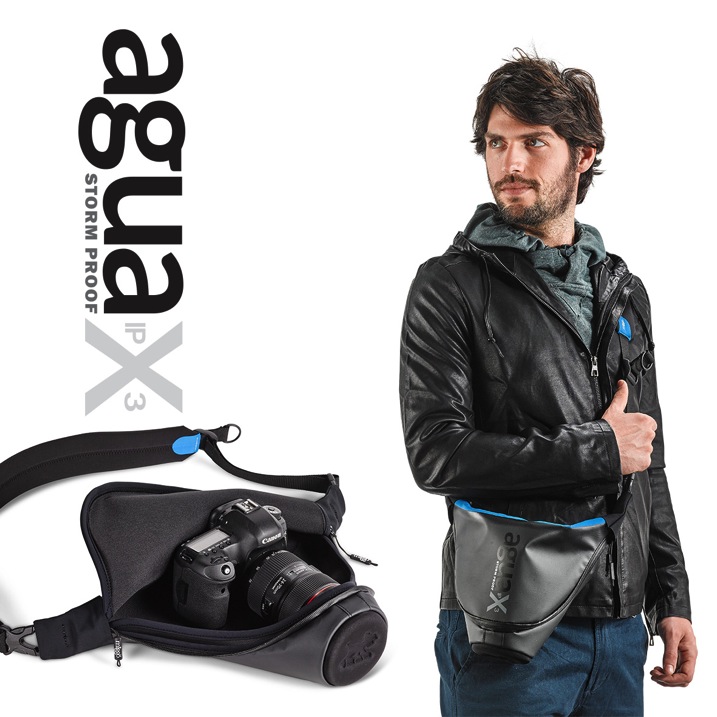
Miggo Agua Stormproof Holster SLR 45 MAIN

Image courtesy Miggo

As the Editor here at dPS I don’t usually do gear reviews here any more, but Miggo sent me a beta version of their new Agua bag to try out so here are my thoughts.

Miggo Agua Features

Directly from their product brochure, here are some of the main features of this bag:

  • Comes in three sizes from large SLR down to small for mirrorless cameras.
  • Storm-proof: water, sand, wind, snow, it keeps it all out and your camera safe from the elements.
  • Quick-draw ability (more on my thoughts about that later)
  • QUick-adjusting padded strap
  • Dual-use strap: connect to the bag or to your camera
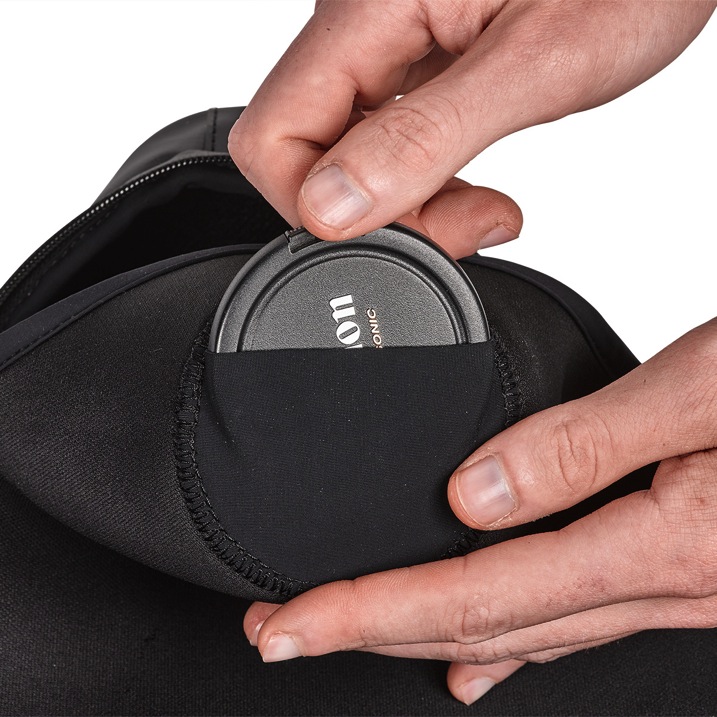
  • Lens cap inner pocket (never lose your cap again)
  • Thermo-forming front lens protector – put your camera in the bag without the cap on and it it still protected
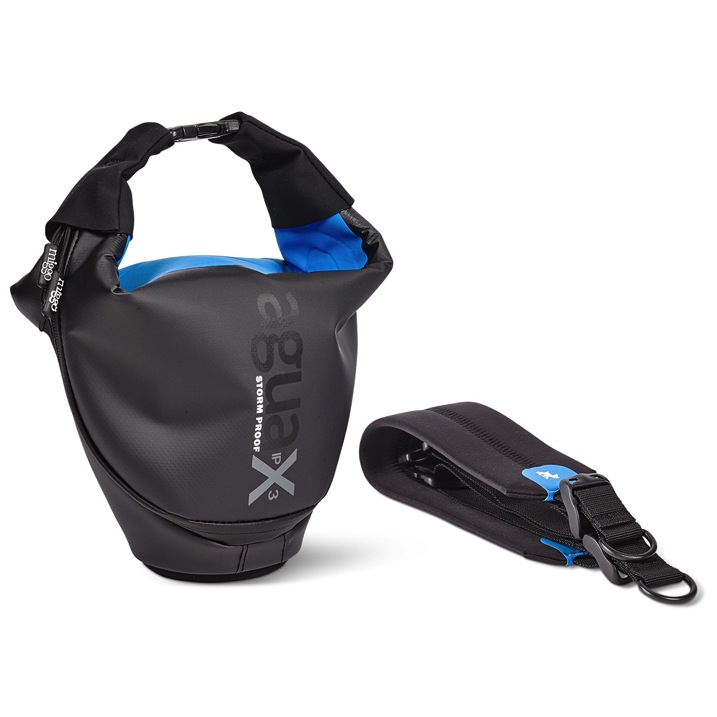
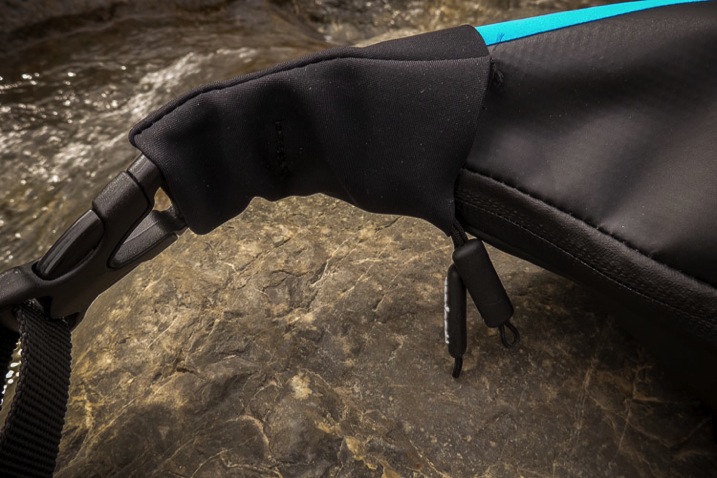
Miggo agua bag and strap

Image courtesy Miggo

Miggo agua lens cover pocket

Image courtesy Miggo

Is it really waterproof?

I wanted to challenge their claims that it is storm and waterproof but not risk my camera just in case. So I decided to use a roll of toilet paper, tucked inside the bag to test its ability to stay watertight. As I was relaxing in the Canadian Rocky mountains last week I took it with me and went off in search of a stream. I decided this one would do nicely – it had nobody around to watch me and think I was a complete weirdo.
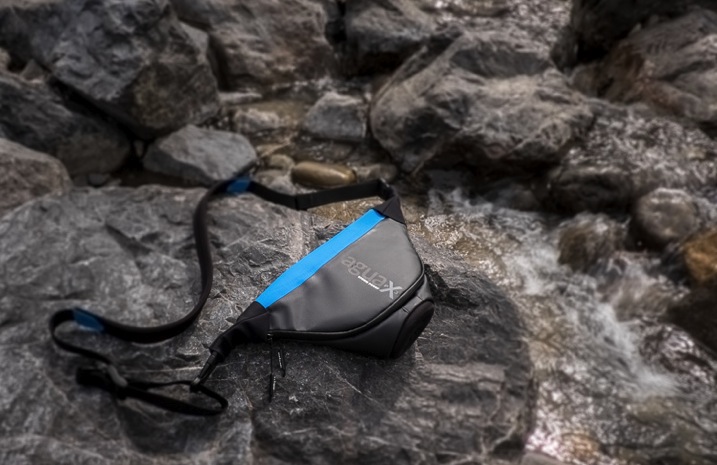
Miggo Agua review 750px 03

Stream I found to test the waterproof claims for this bag.

So I borrowed the tissue from my hotel bathroom and stuffed it inside the bag.
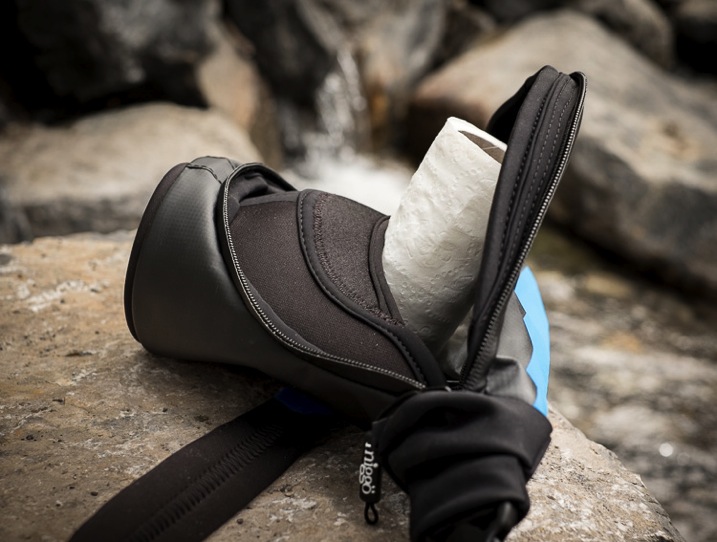
Miggo Agua review 750px 15

Test subject – hotel toilet tissue.

Zipped it up and plunged it fully into the stream. First thing I noticed is that the zippers are a bit stiff and sticky. Could be a symptom of being a beta version, perhaps something they are working on for the final release.
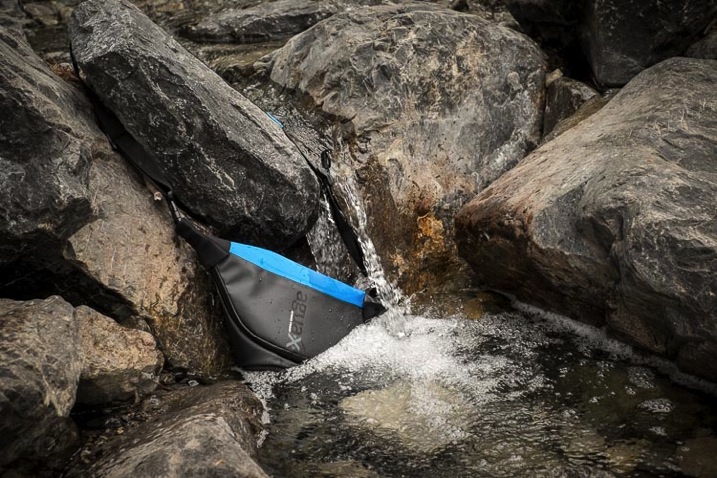
Miggo Agua review 750px 16

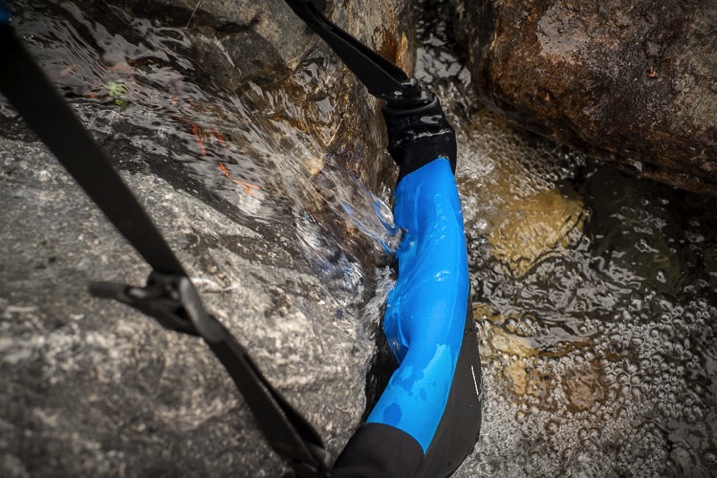
I put the bag right into the running water.
Miggo Agua review 750px 17

I moved it around to cover all areas of the bag, and left it there for a couple minutes.

So did it hold true to its claims? Did the little Miggo Agua bag keep the paper dry? Watch this little video I made and find out!

How did the bag handle?

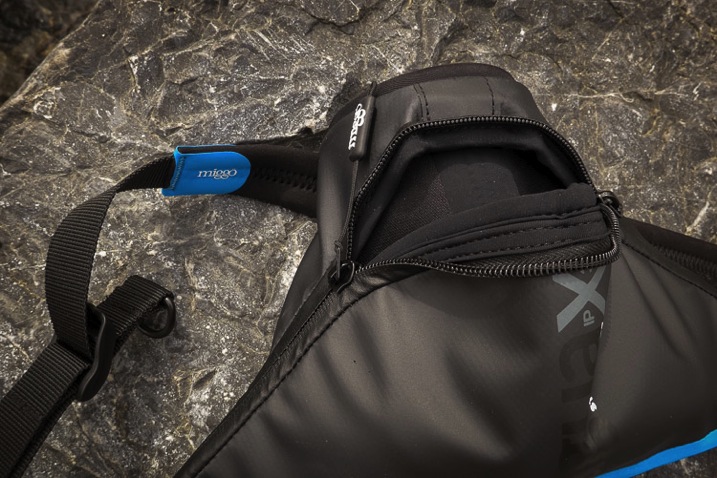
Okay the next thing I tested was how comfortable and usable is the bag. They had sent me the mirrorless size so I put my Fuji X-T1 inside with the standard 18-135mm lens that comes with that rig. It did not fit! I removed the lens hood, and took my tripod insert off the bottom of the camera and still it did not fit. Hmmm . . .
Miggo Agua review 750px 08

The bag would not close with my Fuji X-T1 with 18-135mm lens attached (no lens hood).

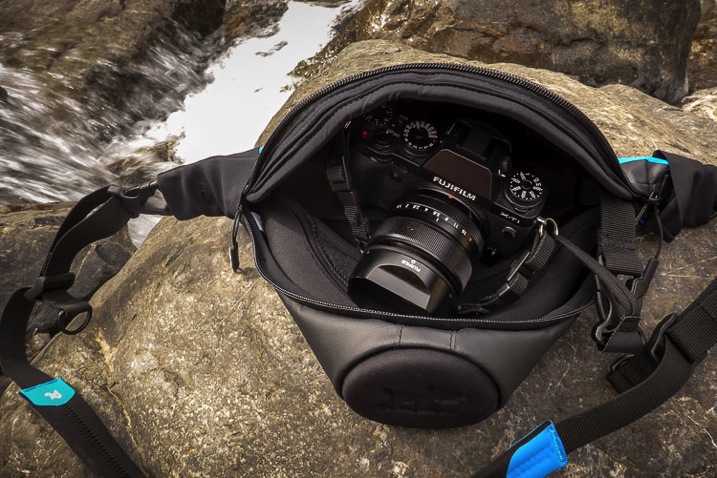
I had to switch lenses to my 35mm f/1.4 which is much more compact and finally it fit inside the bag.
Miggo Agua review 750px 09

Had to resort to the smaller 35mm lens to give this a go.

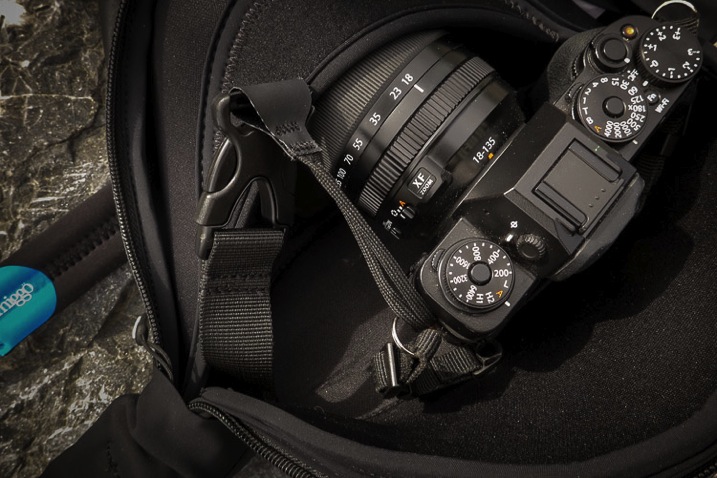
Attaching the camera to the little quick-draw thing was a bit finicky and a bit annoying. I already have my regular camera strap in the o-rings attached to the camera. To get it to work with the Miggo I had to also add one of their straps as well. You can see how it goes on and clips inside the bag in the image below.
Miggo Agua review 750px 06

The camera attaches only to the left side of the bag via this strap and buckle.

It only attaches on one side of the camera (left), then tucks inside the bag. I found using it in this manner was a bit cumbersome actually. I couldn’t leave the bag undone or the camera would pop out (not good), so I was forced to zip it up after each shot. Once again the sticky zipper was a bit annoying as it took two hands to do it up and undo it each time.

I found the little cloth strap that attaches to the camera bit thin too. I find that with most camera straps there is wear and tear and the straps start to get frayed and worn through by rubbing on the o-ring and the camera itself. I could see this one getting worn through fairly quickly, but then again maybe not because it’s always inside the bag.
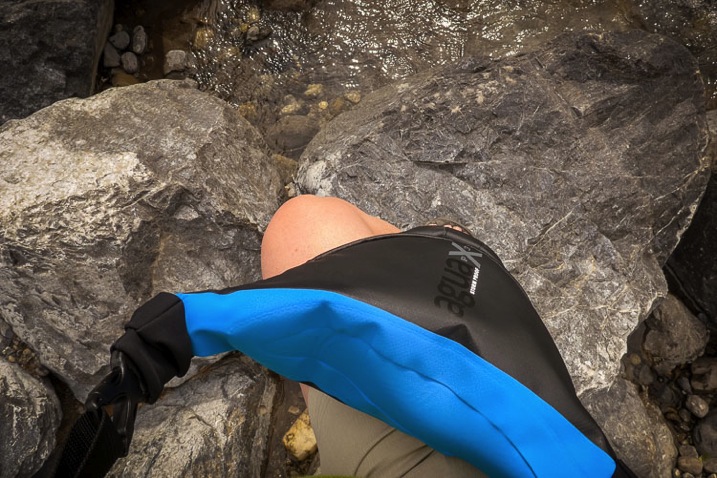
Miggo Agua review 750px 12

Notice how the bag doesn’t really bend? It’s very stiff.

Overall I found the bag a bit crunchy. The fabric is very sturdy but a bit inflexible, it doesn’t mould to the body or bend much at all. I didn’t hike around with it all day but could see it rubbing if one were wearing shorts.

Size

I already mentioned that my Fuji didn’t fit inside the size designed for mirrorless cameras – perhaps I’d need to go a size up, but that would be good to know before you buy it. I also found that I had to carry a second bag with me because there is no room inside the Miggo Agua for anything other than one camera and lens attached. Nothing!
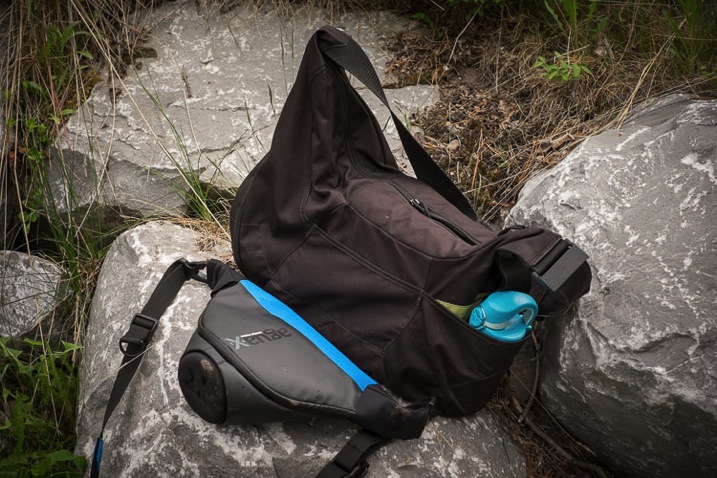
Miggo Agua review 750px 19

Bag size comparison for reference.

Above you see the size comparison to my LowePro Passport Sling bag, which I often use as a small day bag. It holds two lenses, batteries, a water bottle (as you can see in the photo), and personal items like a jacket, book, etc.

I would have loved to see an extra pocket for a spare battery or memory card, maybe even one small lens. As it is it’s pretty limiting.

Construction and build

No beefs here with construction and build, it is solidly made. The inside is double padded, the zippers tuck up under little flaps to keep the bag waterproof and the bottom is extra protected so you can put your lens inside without a cap and not worry.
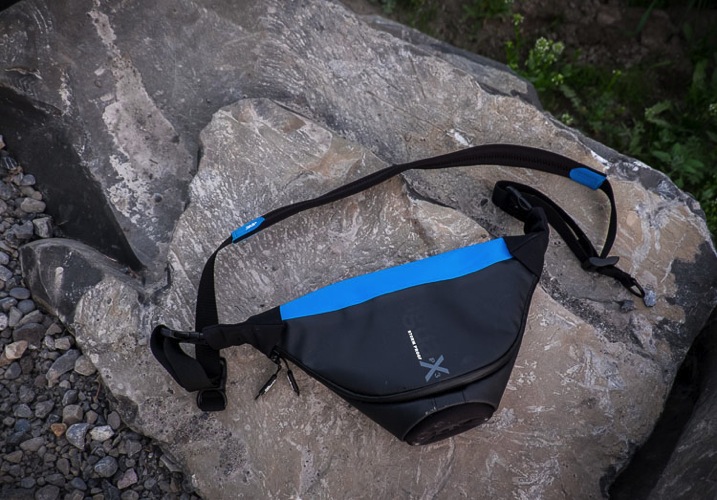
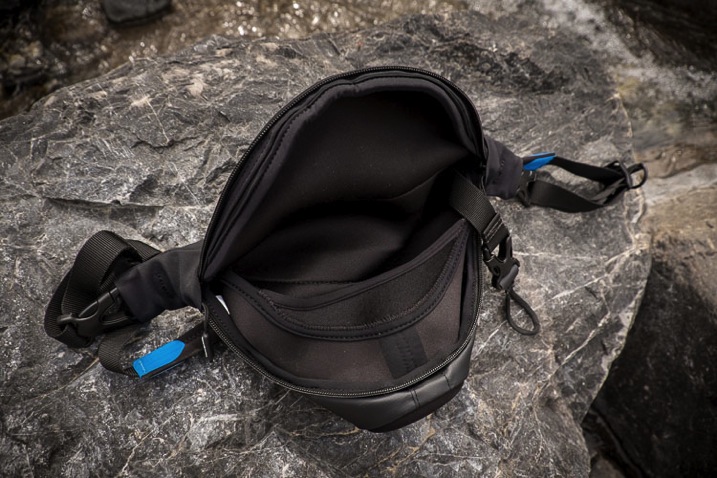
Miggo Agua review 750px 01

Miggo Agua review 750px 04

Miggo Agua review 750px 11

Pros and Cons

Pros of the Miggo Agua

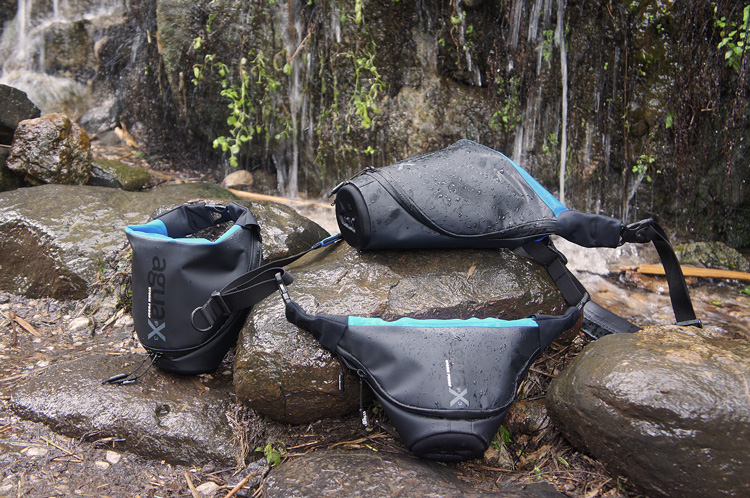
  • It certainly does what it claims and keeps the water out.
  • It is compact.
  • The strap is comfortable and adjustable.
  • Great for adventurers that want to have their camera handy when hiking.
SONY DSC

Image courtesy of Miggo

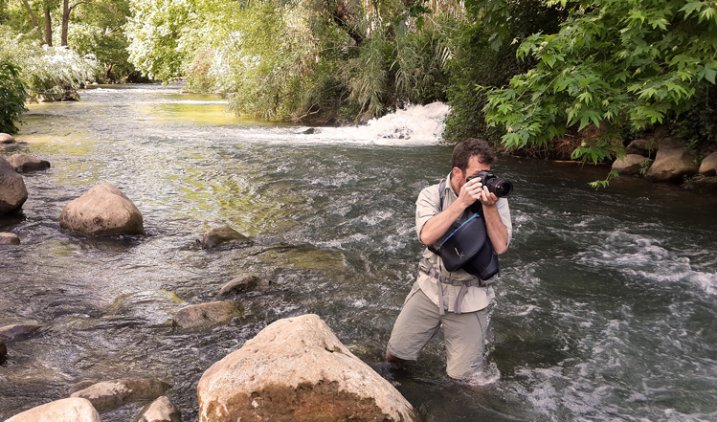
miggo-river-man-shooting-wide-750px

Image courtesy of Miggo

Cons of the Agua

  • It isn’t big enough to fit all mirrorless cameras. Size description needs to be more clear or a list of which cameras fit into which size nicely available before you purchase a bag.
  • There is no room for anything else – just one camera and lens attached – so it’s application is limited.
  • The attachment of the camera inside the bag just feels “off”. The strap is thin and having it only attached to one side makes it feel unbalanced somehow.
  • The zipper is a bit stiff and sticky.
  • It’s nearly impossible to leave the camera out, it has to be tucked away and zipped up after every use or shot.

Who is this bag good for?
SONY DSC

Image courtesy of Miggo

I’m giving this bag 3.5 out of 5 stars, mostly because there are a few things that could use improvement and I’m guessing that because this is a prototype some of those bugs will be worked out before the final version is released.

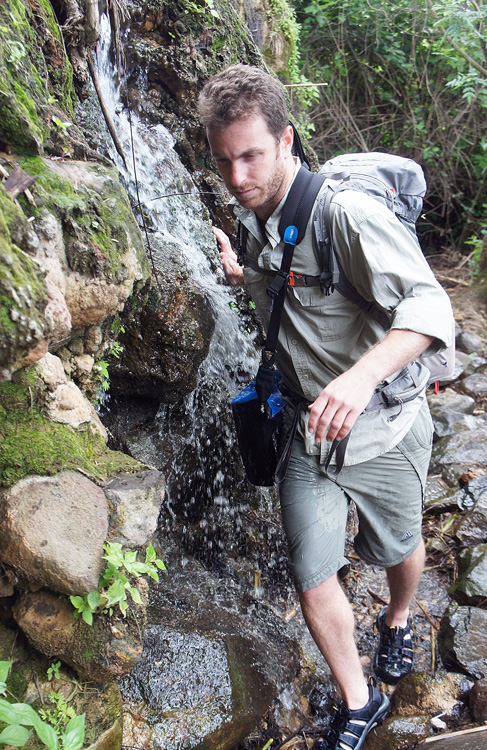
I would recommend this bag if you are a backcountry hiker, like to kayak, do extreme sports, or spend a lot of time on the beach. This little bag will allow you to take your camera along and keep it safe in conditions you might otherwise leave it behind.

This bag is likely not for you if you just do mostly city shooting and tend not to push the boundaries of where you take your camera. Also if you like to drag around all your lenses and extra stuff you may find its size limits too much for you and another option like a rain cover on your existing bag may be all you need.

Learn more – get it early

You can find out more about the bag in this video from the manufacturer or check out their Kickstarter campaign (already funded!) and get in on getting one of these bags early.

googletag.cmd.push(function() {
tablet_slots.push( googletag.defineSlot( “/1005424/_dPSv4_tab-all-article-bottom_(300×250)”, [300, 250], “pb-ad-78623” ).addService( googletag.pubads() ) ); } );

googletag.cmd.push(function() {
mobile_slots.push( googletag.defineSlot( “/1005424/_dPSv4_mob-all-article-bottom_(300×250)”, [300, 250], “pb-ad-78158” ).addService( googletag.pubads() ) ); } );

The post Camera Bag Review – Miggo Agua by Darlene Hildebrandt appeared first on Digital Photography School.


Digital Photography School

 
Comments Off on Camera Bag Review – Miggo Agua

Posted in Photography


2015 Superzoom Camera Roundup

18 Jun

While the megapixel race has slowly come to a halt, there’s a different kind of battle going on, and that’s over zoom power. Ten years ago superzooms commonly had 10X and 12X lenses, and in 2015 the average is around 50X. We took a closer look at five current models to see which long zoom camera ranks supreme. Read more

Articles: Digital Photography Review (dpreview.com)

 
Comments Off on 2015 Superzoom Camera Roundup

Posted in Uncategorized


Adobe Camera Raw 9.1 adds Dehaze feature and improves X-Trans support

17 Jun

Adobe has released the latest iterations of its Camera Raw plug-in and DNG converter software. In addition to adding support for more cameras and lenses, this update also adds Dehaze correction as well as local B&W adjustment sliders. Adobe has also reduced ‘color blur’ artifacts in Raw images from Fujifilm X-Trans cameras. More details

Articles: Digital Photography Review (dpreview.com)

 
Comments Off on Adobe Camera Raw 9.1 adds Dehaze feature and improves X-Trans support

Posted in Uncategorized


Samsung Galaxy S6 / S6 Edge camera review

16 Jun

With a 16MP BSI CMOS sensor, faster F1.9 lens and the addition of an optical image stabilization system the Samsung Galaxy S6 Edge camera is, at least on paper, a clear improvement on the already very well performing module in the Galaxy S5. Our full review takes a look at the device from a photographer’s perspective. Read review

Articles: Digital Photography Review (dpreview.com)

 
Comments Off on Samsung Galaxy S6 / S6 Edge camera review

Posted in Uncategorized


NCTech announces single-shot 360 camera for Google Street View applications

10 Jun

UK imaging systems firm NCTech is to introduce a four-sensor, single-shot camera that it says can create a 360 degree image of a street scene or an interior in less than two minutes. The iris360 uses four lens units in front of four 10MP sensors arranged at 90 degree intervals, and images can be uploaded directly to Google Street View. The lenses are triggered simultaneously and the resultant images are stitched together automatically in-camera. Read more

Articles: Digital Photography Review (dpreview.com)

 
Comments Off on NCTech announces single-shot 360 camera for Google Street View applications

Posted in Uncategorized


Hasselblad returns to roots with new aerial camera series, this time with no moving parts

05 Jun

Hasselblad has announced a new aerial camera that it says provides the ‘ultimate’ in image quality for aerial photographers. The camera, the Hasselblad A5D, has no moving parts and as such avoids unintentional internal mechanical movements that aircraft vibrations can cause. Read more

Articles: Digital Photography Review (dpreview.com)

 
Comments Off on Hasselblad returns to roots with new aerial camera series, this time with no moving parts

Posted in Uncategorized


Miggo Agua IPX3 storm-proof camera bags launch on Kickstarter

05 Jun

Miggo, maker of non-traditional camera straps that convert into wraps, announced in April that it would launch its new ‘storm-proof’ camera bag Agua on Kickstarter in early June. That crowd-funding campaign is now live. The Miggo Agua bag has an IPX3-standard rating, which means it can protect gear from pouring rain and similar types of water exposure. Read more

Articles: Digital Photography Review (dpreview.com)

 
Comments Off on Miggo Agua IPX3 storm-proof camera bags launch on Kickstarter

Posted in Uncategorized


Your Guide to Understanding Program Mode on Your Camera

03 Jun

Almost every DSLR or Mirrorless camera has a mode dial with a variety of letters and icons on it, some of which might seem cryptic or confusing. Usually you’ll find a green icon for Full Auto mode (usually a green A or rectangle), Full Manual mode (M), as well as Aperture Priority (A or Av) and Shutter Priority (S or Tv). Your camera might also feature scene modes such as portrait, night, or macro, and even some user-configurable modes indicated with a U1 or U2 (or C1/C2, etc.).

Somewhere on that dial is a letter that’s often left neglected, and unused by many people, even though it can be quite powerful – Program Auto (P). In my experience most people don’t use it because they don’t understand it. Is it Auto? Is it Manual? What can it do that the other modes can’t? The answer is a bit strange at first, but once you wrap your head around what the humble little P mode can do, you might find yourself using it much more than you thought.

DSC_2475

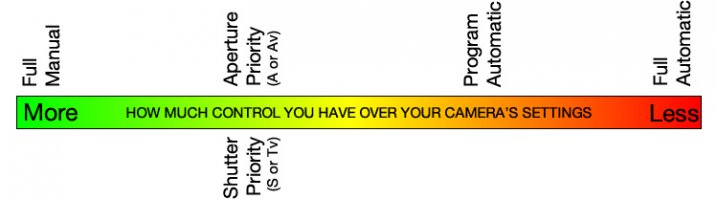
The camera mode dial operates on somewhat of a continuum. On one end you have Full Manual mode, which gives you complete control over the three elements of exposure: shutter speed, lens aperture, and ISO sensitivity. On the other end you have Full Auto mode which gives you almost no control over exposure except whether the flash turns on or not (and on some cameras, not even that much). On most cameras Full Auto will not even let you choose basic parameters like white balance and focus mode, which is fine if you just want to shoot some pictures and not worry about all the technical aspects of photography.

The other modes exist in the middle of the spectrum and give you some degree of control, while your camera handles the rest. For instance, in Aperture Priority you control the aperture and ISO, and let your camera figure out what shutter speed to use for a good overall exposure. In Shutter Priority things are reversed; you control the shutter speed and ISO, while your camera figures out what aperture to use.

program-auto-diagram

Program mode exists on the same continuum somewhere between Aperture/Shutter Priority and Full Automatic. When you initially put your camera in P mode you might notice that things look similar to Full Auto; your camera sets the aperture and shutter speed in order to get a proper exposure. One benefit you might not immediately realize is that you can set the ISO which will then remain unchanged by the camera. This is quite useful in situations where you want to intentionally use a lower ISO, such as outdoors or in bright light, or a high ISO when things are a bit darker and you prefer to not activate the flash. If nothing else, think of the Program Auto mode as an ISO Priority mode; you set the ISO and your camera figures out the shutter speed and the aperture. If that’s all you want to do, you’re set. Change the ISO (or not) and worry only about composing and framing your shots, then let your camera figure out the rest.

DSC_2624

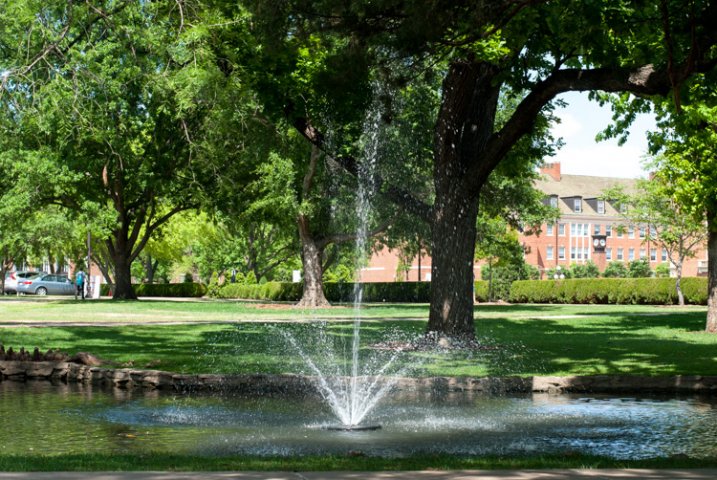
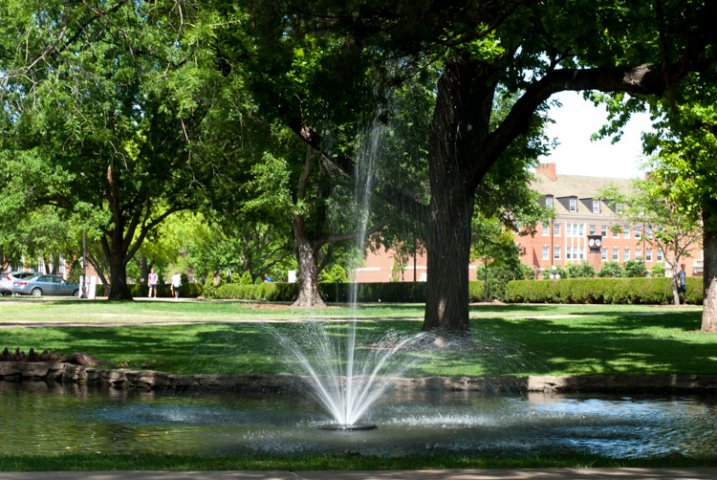
Program Auto gave me a well-exposed picture but the result was not what I was hoping for. I wanted a smoother look for the fountain…

fountain-motion-blur

…so I quickly adjusted my shutter speed to 1/20 using the dial on my camera. Program mode kept a nice exposure while giving me the motion blur I was looking for.

If you’re willing to dig a little deeper you will find many more useful features to unlock in Program mode – far more than just giving you the ability to control the ISO. It’s kind of like the familiar Auto mode on steroids. There are many options available to you in Program that you won’t get in Full Auto, and many of these can help you get the shot you want, instead of the shot your camera thinks you want. However, as you start changing settings your camera will do its best to maintain a proper exposure. In this way Program is like the late-night infomercial version of Auto; it handles all the nitty-gritty complicated stuff for you…but wait, there’s more!

For example: if you are using Program mode while taking pictures at an indoor birthday party you can set a high ISO so you don’t need to use the flash, and your camera will choose a combination of aperture and shutter speed to get a properly-exposed photo. You can then rotate the command dial (on some cameras it might be pressing a button) to change these values if you decide you want a wider aperture or slower shutter. Essentially your camera says “Here’s what I think will be good,” and then you take over and say “Thanks bro, I’ll take it from here” as you shift the values of your shutter and aperture using the dial on your camera.

I shot this using Program Auto mode which was a great way to tweak my exposure settings on the fly with very little time to waste.

I shot this using Program Auto mode which was a great way to tweak my exposure settings on the fly with very little time to waste.

Or you might be outdoors doing some nature photography but aren’t quite sure what settings to use. So, you put your camera in Program and set the ISO to 100 in order to get as little noise as possible. Soon you might notice that your camera has selected a small aperture, and you’d like to get a bit of background blur so you quickly rotate the dial on your camera until your aperture is much wider. Your camera then automatically adjusts the shutter speed accordingly, in order to maintain a good exposure.

You can also set parameters within Program like white balance, metering mode (full/center/spot), select which focus point to use, and even tell your camera to use the flash or not. Contrast this to the Full Auto mode and you start to see the usefulness of the humble little P marker on your camera’s mode dial. At this point you might be wondering why you would want to use Program Auto instead of Aperture or Shutter Priority because those will also allow you to set the ISO, aperture, and shutter speed. Program Auto sort of functions like the best of all worlds: you can change various options if you want to, or you can just leave everything alone and let your camera figure it all out.

DSC_2641

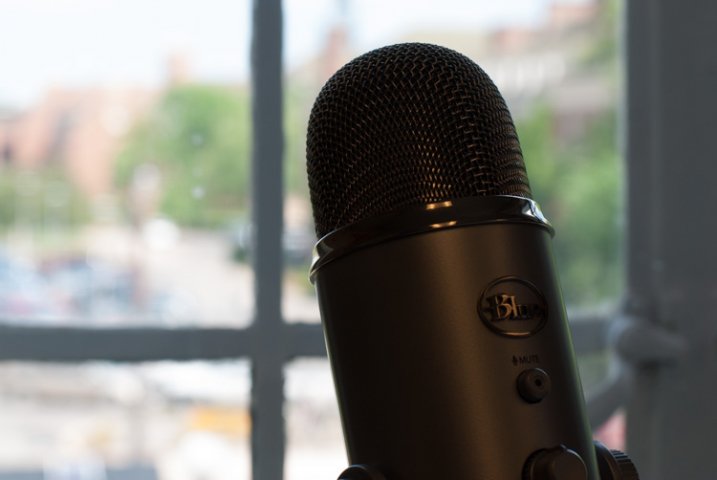
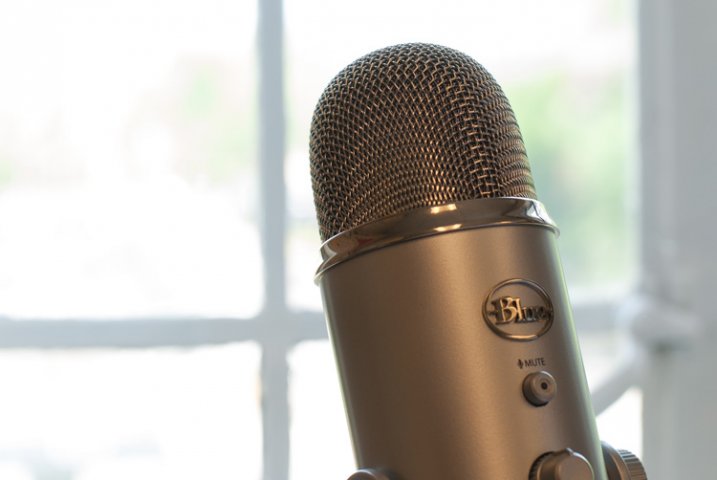
Shooting in Program mode gave me a good overall exposure but I was not happy with the results…

microphone-spot-meter

…so I switched to spot metering, re-took the shot, and got what I wanted. Program allows for this flexibility, whereas Full Auto does not.

I must admit that even though Program mode can be quite useful I spend most of my time in Shutter or Aperture Priority along with Manual. For me Program is great to have in a pinch, but I generally prefer to make more of the decisions when shooting, instead of having my camera do the heavy lifting.

Still, it’s good to be aware of what it is, and what it can do, in case you find yourself in a situation where you don’t want to give up all control to your camera but also don’t want to do everything yourself. What’s your preferred method of shooting, and what do you like (or dislike) about using the Program Auto mode? Leave your thoughts in the comment section below.

googletag.cmd.push(function() {
tablet_slots.push( googletag.defineSlot( “/1005424/_dPSv4_tab-all-article-bottom_(300×250)”, [300, 250], “pb-ad-78623” ).addService( googletag.pubads() ) ); } );

googletag.cmd.push(function() {
mobile_slots.push( googletag.defineSlot( “/1005424/_dPSv4_mob-all-article-bottom_(300×250)”, [300, 250], “pb-ad-78158” ).addService( googletag.pubads() ) ); } );

The post Your Guide to Understanding Program Mode on Your Camera by Simon Ringsmuth appeared first on Digital Photography School.


Digital Photography School
 
Comments Off on Your Guide to Understanding Program Mode on Your Camera

Posted in Photography