RSS
 

Posts Tagged ‘Camera’

Choosing the Right Camera Bag – and Why You May Need More than One

22 May

You’ve just bought yourself a new camera, or perhaps a new lens. Now you find yourself wanting to get a new bag for new purchases – after all, a good bag will protect your equipment, and can serve as an ideal place to store your photography gear when not in use.
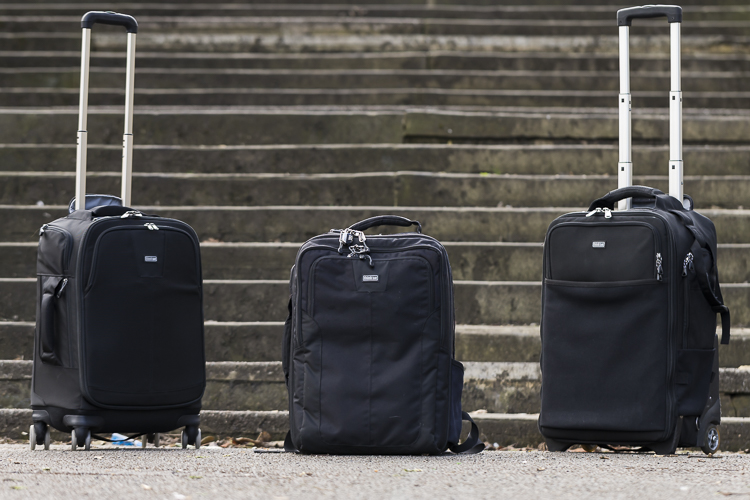
camera bags

These are some of my bags. The two end ones are both roller bags. From left to right: ThinkTank Roller Derby; ThinkTank Airport Accelerator; ThinkTank Airport Security.

However, choosing a camera bag that’s right for you may not be as straight forward as it seems, but it is something that some thought should be given to. Choosing the right bag can make photography more enjoyable for you, as it can help carrying your equipment easier and more comfortable.

The days of buying the generic shoulder bag are gone! Now we are spoilt for choice with offerings of backpacks, shoulder bags, sling bags, belt packs, roller bags; the list goes on. But which one is right for you? Which one is the best fit for you and your equipment needs?

1. Camera Bag Size
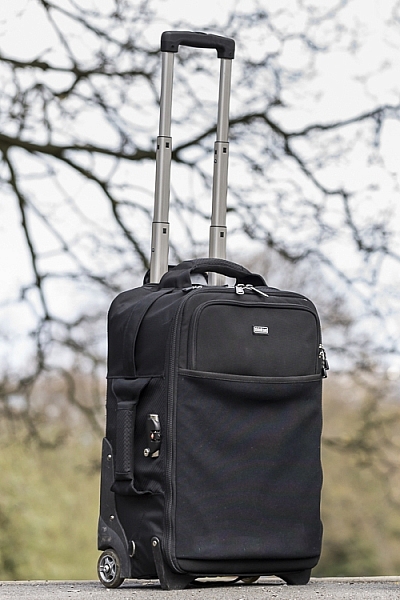
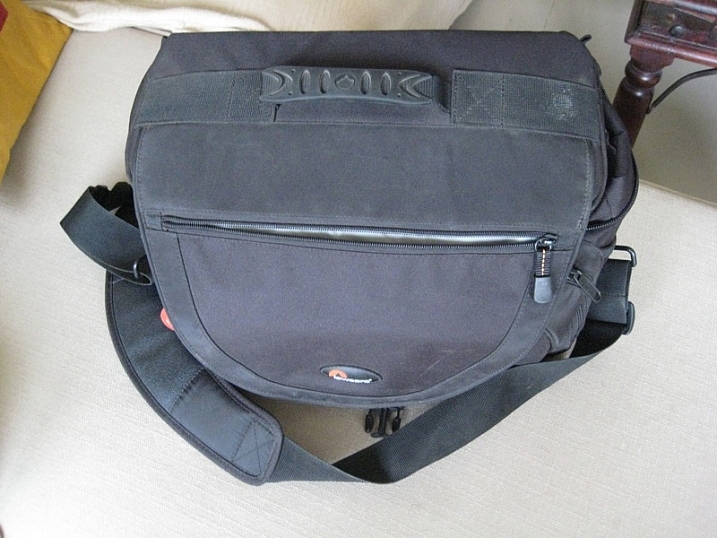
This is my largest camera bag. I use this bag when I need to carry more equipment than normal.

This is my largest bag. I use this bag when I need to carry more equipment than normal.

How much equipment do you have, and will you want to carry all, or only some of it with you? This will help you decide on which size bag you need to look at. Also, think ahead; will you be buying more equipment such as additional lenses or camera bodies? Will you be adding a flash system, etc.?

All of these will obviously increase the size of your kit, and influence the size of the bag you purchase if you wish to use the bag for all of your stuff. But, do bare in mind that the more kit you carry with you, the heavier the bag will be. Also do be aware that if you use a pro-sized or gripped body, some bags may not fit your camera as the bag is not deep enough to accommodate such sizes. Generally, bag manufacturers will give a list of what can fit into a bag, and list so you can see if pro-sized or gripped DSLRs are suited to that particular bag.

2. Camea Bag Style – The Personal Part
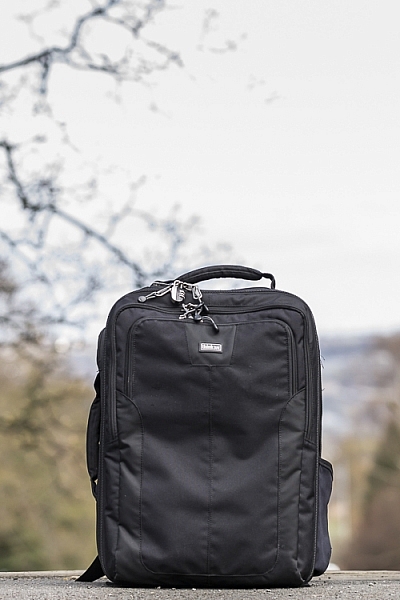
camera bag backpack

Choosing the size of your bag is relatively easy. It’s choosing the style of bag that I think is the most challenging, and this is where most people can get a little stuck. There are just so many choices available, it really does come down to personal choice.

I take my backpack, the ThinkTank Airport Accelerator (left), to nearly every job I do. I use this bag to carry my laptop, laptop accessories (charger, internet hub, card reader, etc.) and any other bits and pieces I may need such as wet weather gear. If I need it, I also put my modular set (not pictured) inside this bag to use on site.

You may prefer to use a shoulder bag, where the next person may prefer to have a backpack. It’s important to consider just how much equipment you want to carry around in your bag, as this can influence the style of bag you end up purchasing. Below is a small table with a short list of pros and cons to each style of bag.

Let’s have a look at some of the pros and cons of the following bag types:

Backpacks
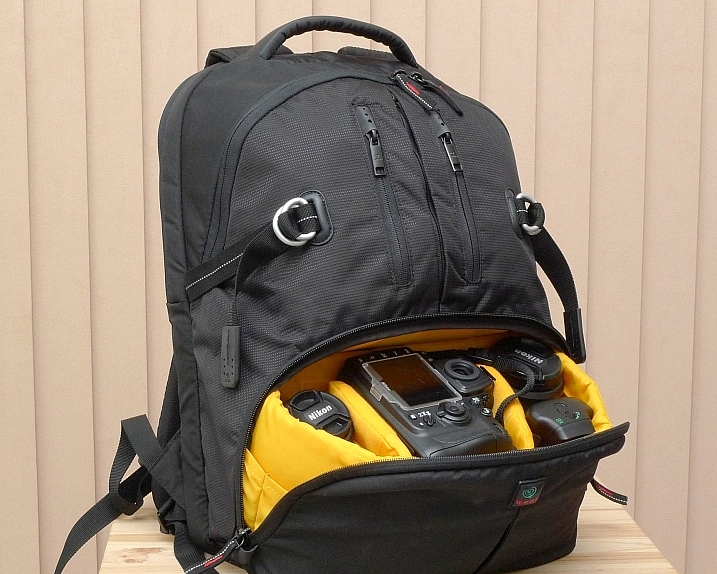
Backpack style camera bag

By ????? KhE ?

Pros:

  • Completely frees your hands, enabling you to use your phone, change lenses, etc.
  • Varying levels of carrying capacity.
  • Weight is moved from one shoulder (on a shoulder bag) to both shoulders, and your lower back.
  • Can be more comfortable that other options.
  • Can be ideal for storing equipment when not in use.

Cons:

  • Can be slow to access your equipment and/or change lenses etc
  • Bags can have the ability to carry too much equipment and become too heavy
  • Can become uncomfortable with sustained activities; especially in warmer climates

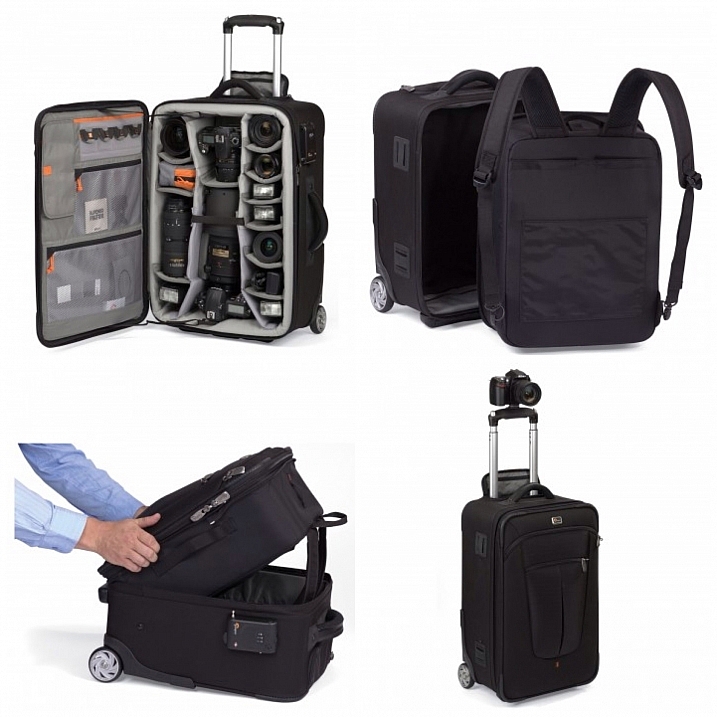
Roller Bags

Roller bag style camera bag

By See-ming Lee

Pros:

  • Can carry the largest volume of equipment easily.
  • Easy to transport equipment, as you are not required to carry anything; simply roll the bag along.
  • Perfect for keeping all of your gear in one bag, and storing equipment when not in use.

Cons:

  • Not well suited if you require more mobility whilst out photographing.
  • Require somewhere secure to be left when no longer needed on a shoot.

Modular Systems

modular camera bag system

Image courtesy Lowepro

Pros:

  • Ideal for photographers who want maximum mobility.
  • Smal pouches that attach via a belt sit on your waist, thereby removing the weight off your back and shoulders, and transferring it to your hips.
  • Ideal for carrying extra pieces of equipment without the need for a bag on your back.

Cons:

  • Not ideal for transportation as the pouches to not offer enough protection.
  • Each pouch has a very limited carrying capacity, so not suited to carry all of your equipment.
  • Not suited for storing equipment as each pouch can only hold a very limited number of items.

Sling Bags

Pros:

  • A hybrid of backpack and shoulder bag; these bags sit on your back via a single strap.
  • Can be more comfortable for prolonged use than a shoulder bag.
  • Quickly and easily access your equipment without take the bag off.
  • Perfect for storing smaller amounts of equipment.

Cons:

  • Generally have a lower carrying capacity than other bag styles.

Shoulder Bags

Thomas Wanhoff

By Thomas Wanhoff

Pros:

  • Easy access to equipment as it’s by your side.
  • Can look more casual, allowing you to blend in easier.
  • Varying levels of carrying capacity to suite your equipment.
  • Can be great to store equipment when not in use.

Cons:

  • Weight of equipment is on one shoulder and can cause discomfort.
  • Not ideal if you have larger lenses (greater than ~200mm for example).

3. Active or Passive Bag Concept

Personally, over the years I have used pretty much every style of bag around from backpacks, sling bags, shoulder bags, to roller bags and modular belt systems; you name it and I’ve most likely used it at some stage!

What I have learned from this experience is that one style of bag is no better than the next and that what works on one adventure, won’t necessarily work as well on another. I have also learned that generally, one bag will not fit every situation. This brings us to an interesting concept that I have called Active Bag and Passive Bag.

An Active Bag is a one that allows you to easily carry equipment with you and be more mobile; one that can go with you all the time. The styles of bag that are suited to this are: backpacks, sling bags, modular systems and shoulder bags.
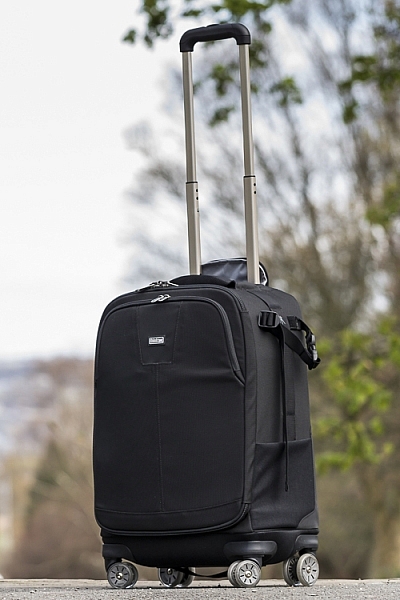
This roller bag - the ThinkTank Roller Derby - is the bag that I take to pretty much every job I have. It's small enough to easily fit in the car, yet carries everything that I need on a job.

This roller bag – the ThinkTank Roller Derby – is the bag that I take to pretty much every job I have. It’s small enough to easily fit in the car, yet carries everything that I need on a job.

Passive Bags are great at transporting all your equipment to and from your shooting location and even providing a great storage solution for storing your kit whilst it’s not being used. But these bags are not ideal for the photographer who is constantly on the move. What I have found to work best is having a combination of both Active and Passive Bags with me. I use my roller bag to transport my kit to my shooting location and it provides great protection during the transport phase – not to mention a great portable desk to sit my laptop on! I then compliment this by using an Active Bag, usually a modular belt system or backpack, to carry the extra lens and flashes that I may need.

I already have two cameras over my shoulders, each with a lens, so the bags I have are there to carry what I cannot hold in my hands, or do not need right at that moment. It is a little more expensive, yes, but the benefits are great. This is something worth considering if you’re find yourself in a similar situation where you want/need to carry a larger amount of equipment, but do not need that bag once you are at your location.
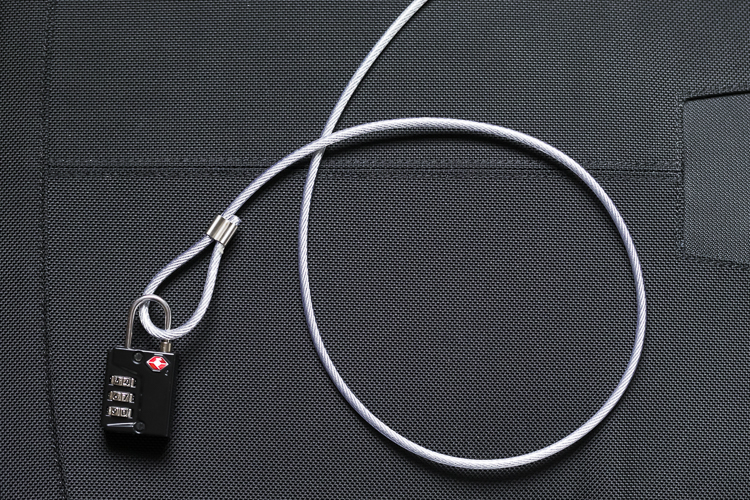
Cable Lock

Some manufacturers also include a cable that is made in to the bag. This is ideal to lock the bag to an immovable object; perfect for Passive type bags.

4. Bag Quality

So you’ve decided on the size and style of bag you wish to purchase; but please do not overlook quality. You’ve spent a small fortune on your equipment, and the last thing you should do it cut corners on what protects it.

A good camera bag should have nicely padded, removable inserts inside. The removable inserts will allow you to customize the bag to best suit your equipment, and the padding will provide greater protection and help prevent your equipment from crashing into each other.

Generally, the first thing to fail in a camera bag are the zippers, so looking for a good feeling zipper (especially for the main camera compartment) is very important. A poor quality zipper can unexpectedly fail, and potentially cause your equipment to fall out and break.

You also want your bag to last, so make sure the exterior fabrics used are tough and wear resistant. Personally, I use ThinkTank Photo products and to be honest, I cannot fault them at all. They’re extremely well made and have withstood everything that I have thrown at them.
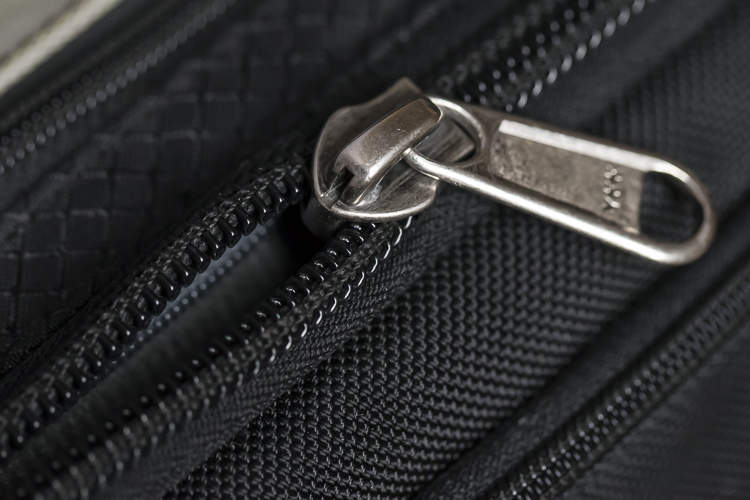
Zipper

A close up of the zipper on the main camera compartment on one of my bags. The zippers used on this bag are YKK Fuse zippers.
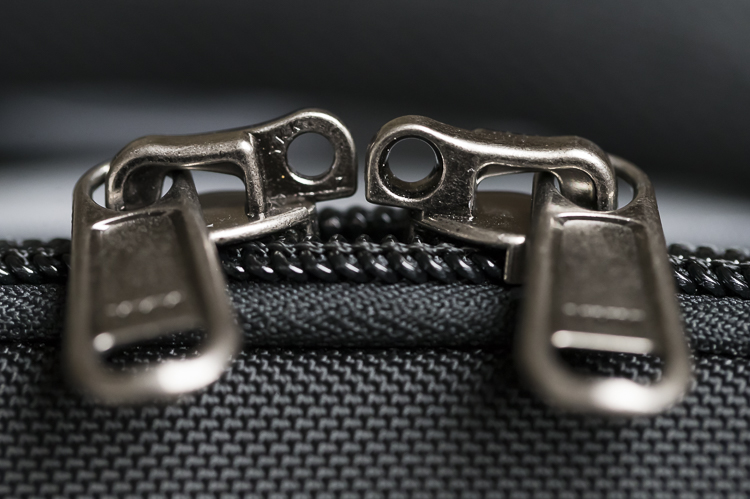
Lockable Zipper

Some bags also offer zippers that are lockable; ideal for that little bit of extra security.

Conclusion

Whilst this is an introduction into buying a bag for your camera, by no means is this exhaustive and you will still need to do a little research before you make a purchase. But, this article should offer some guidance on which bag may be right for you. You will find that most of your decisions will be based upon your own requirements. I would highly recommend you go in to a store, and bring your kit with you to try the various bags to help you find the best one.

I’d love to hear if you have anything else you want to add and offer some advice based on your own experiences. What kind of bags do you have?

googletag.cmd.push(function() {
tablet_slots.push( googletag.defineSlot( “/1005424/_dPSv4_tab-all-article-bottom_(300×250)”, [300, 250], “pb-ad-78623” ).addService( googletag.pubads() ) ); } );

googletag.cmd.push(function() {
mobile_slots.push( googletag.defineSlot( “/1005424/_dPSv4_mob-all-article-bottom_(300×250)”, [300, 250], “pb-ad-78158” ).addService( googletag.pubads() ) ); } );

The post Choosing the Right Camera Bag – and Why You May Need More than One by Daniel Smith appeared first on Digital Photography School.


Digital Photography School

 
Comments Off on Choosing the Right Camera Bag – and Why You May Need More than One

Posted in Photography


Google Art Camera uses robotic system to take gigapixel photos of museum paintings

19 May

The Google Cultural Institute, an online virtual museum with high-quality digitizations of artifacts from across the globe, recently added more than 1,000 ultra-high-resolution images of classic paintings and other artwork by Monet, Van Gogh and many others. A new robotic camera system Google has developed called ‘Art Camera’ has made it possible for the organization to add digitizations faster than ever before.

Previously, Google’s collection included only about 200 digitizations, accumulated over approximately five years. Art Camera, after being calibrated to the edges of a painting or document by its operator, automatically takes close-up photos of paintings one section at a time, using a laser and sonar to precisely adjust the focus. This process results in hundreds of images that are then sent to Google, where they’re stitched together to produce a single gigapixel-resolution photo.

Instead of taking the better part of a day to photograph an item, as the old technology did, Art Camera can complete the process in less than an hour; speaking to The Verge, Cultural Institute’s Marzia Niccolai said a 1m x 1m painting can be processed in half an hour. Google has built 20 Art Cameras and is shipping them to museums around the world for free, enabling the organizations to digitize their artwork and documents. The resulting gigapixel images can be viewed here.

Via: Google Official Blog
 

Articles: Digital Photography Review (dpreview.com)

 
Comments Off on Google Art Camera uses robotic system to take gigapixel photos of museum paintings

Posted in Uncategorized


Xiaomi Yi II action camera updates original with 4K video

17 May

Chinese company Xiaomi has updated its Yi action camera with a Sony IMX377 12MP 1/2.3″ sensor, improving its top resolution to 4K compared to the original model’s 1080p maximum. The Yi II Action Camera also features an Ambarella A9SE75 chipset, a 155-degree wide-angle 7-layer optical glass lens and a 2.19″ LCD rear touchscreen display.

According to Xiaomi, the internal 1400mAh battery allows for up to 120 minutes of video recording in 4K. Content is stored on a removable media card, with capacities of up to 64GB supported. Other features include a built-in speaker and microphone, dual-band Wi-Fi, and three color options: Rose Gold, White, and Black.

The international version of the Yi II Action Camera offers the following recording options:

  • WVGA/240fps
  • 720p/240fps
  • 960p/120fps
  • 1080p/120fps
  • 1440p/60fps
  • 2.5K/30fps
  • 4K/30fps

The camera can be pre-ordered from GearBest for $ 249.99.

Articles: Digital Photography Review (dpreview.com)

 
Comments Off on Xiaomi Yi II action camera updates original with 4K video

Posted in Uncategorized


EyeEm launches The Roll for iOS, an intelligent take on your Camera Roll

13 May

If you’re an iPhone owner, you know one thing about the beloved Camera Roll: it can get messy. While it seeks to bring some order to the chaos with built-in dating and geotagging, it doesn’t help high-volume shooters zero in on specific content or locate their best shots from multitudes of thumbnails.

EyeEm, the global community and photography marketplace, is here to help with today’s release of The Roll, an app that uses a proprietary image recognition algorithm to classify, tag, keyword and select your best photos. In addition to its organizational function, the app also displays metadata such as aperture, ISO, geolocation and more.

When launched, The Roll examines each of your photos for content and then groups similar shots together, whether or not they were taken on the same day or in the same place (and ignoring all of those screenshots living on your phone). Then, it classifies and tags photos under broad searchable categories like Pets, Water, Fun, Cute, or a predominant color or location, placing the best shot on top. The same photos or groups can appear under different headings. Within each broad classification are smaller subgroups of similar photos of varying quality that you can choose to keep or delete in order to save room on your device or to immediately share with others.

The app’s keywording and scoring functionality are based on EyeEm Vision, the company’s server-based computer vision tech. Powered by deep learning technology, photos are assigned an Aesthetic Score from 1 to 100 percent that seeks to replicate how professional photographers and curators judge a composition.

Each photo also features a multitude of keywords, which are derived from a shot’s content and an artificial intelligence algorithm’s judgment of the photo’s mood and emotion. The algorithm can identify thousands of concepts to help you search for photos in your catalog. EyeEm assures privacy to all users and promises that all synced photos are deleted after scoring and keywording.

The app contains all the information you need to understand how it works, though there is no further analysis on why one cat picture may score 10 points more or less than another taken at the same time or place — though scrolling through each selection often makes the rational for the score more obvious. I did not necessarily agree with all of The Roll’s judgments about my images, of course, but it provides a starting point if a user is in a quandary about what to immediately share or delete.

The Roll is not the first to come up with automatic sorting and keywording: Google Photos and Flickr’s Magic View already do that. The Roll also did not move at lightning speed through my relatively small collection, which is typically filled with screenshots. Its real value is having a reliable analysis of resident images and an assist in deciding what is immediately sharable.

The Roll is offered free of charge and while it only runs on iOS 9 or later for now, an Android version is in the works.

Articles: Digital Photography Review (dpreview.com)

 
Comments Off on EyeEm launches The Roll for iOS, an intelligent take on your Camera Roll

Posted in Uncategorized


Aide de Camp Camera Bag Review: Where Function Meets Style

13 May

If you’re a woman in the photography business, you’ve probably heard of Aide de Camp by now. Yeah, it’s the company that has literally took camera bag out of the box (the clumsy black box), and proved that practical can be stylish. In this post I’m sharing my hands-on review of Aide de Camp’s new offering, the elegant Nadine Camera Continue Reading

The post Aide de Camp Camera Bag Review: Where Function Meets Style appeared first on Photodoto.


Photodoto

 
Comments Off on Aide de Camp Camera Bag Review: Where Function Meets Style

Posted in Photography


How Using Your Smartphone Camera Can Help Improve Your Photography

12 May

One of the triumphs of digital photography is that it has become accessible to more people, across more and more devices. Cameras are no longer standalone devices; as the technology allows the camera to be smaller and smaller, it can be built in to other devices that you may have on you more often than a dedicated camera, such as a smartphone. Cameras in smartphones, and other devices like tablets for example, are producing images of an increasingly higher standard. Their low-light performance is improving, and manufacturers are constantly improving upon the dynamic range, autofocus, and lens quality.

Photographer Chase Jarvis said that, “The best camera is the one that’s with you” – so why not use your smartphone or tablet camera more often? There are restrictions on smartphone cameras over their DSLR or mirrorless camera brethren – their low light and AF performance still have quite a lot of catching up to do, the lenses cannot be changed, and you also have far less control over what settings (ISO, shutter speed, aperture) are used. But it is also these very restrictions that can help you improve your photography when you are using your DSLR, mirrorless, and even compact cameras.

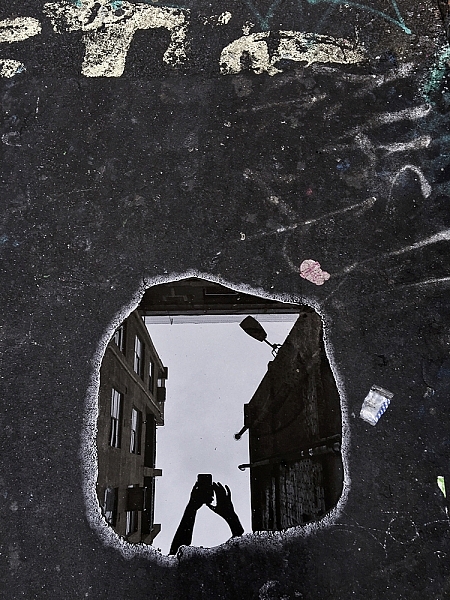
Puddles, and other reflections, can make for interesting subjects.

Puddles, and other reflections, can make for interesting subjects.

So how can these restrictions help your photography? Simple, you have less to think about! You no longer have to worry if you have the correct settings dialled into get the exposure you want – you’re phone will work that out. You do have some say in the overall exposure; you can control how bright/dark the image turns out, but that’s it! Worried you don’t have the right lens for the photo you want? Too bad. With your phone you can’t change it, even if you wanted to. There’s another thing you don’t have to worry about.

You can’t control the camera settings. You can’t change your lens, and you generally have poor Autofocus (at least, poor continuous AF). So how can you take great photos with a smartphone? You need to think less about what you cannot control and more about what you can control. For example, no matter what camera you have, you can always control the composition. You can decide from which angle you take a photograph – will you take it down low, looking up or up high, looking down – and which direction you stand in relation to the light. Photographing toward the light can create stunning silhouettes, so looking for striking shapes will help here. You have full control over how close, or how far, from the subject you stand. You dictate what you include in the frame, and what you omit. All of these elements work to make images more interesting, and by removing the control over some of the more technical features as mentioned earlier, you now have more time to consider the compositional elements.

Controlling Focus and Exposure

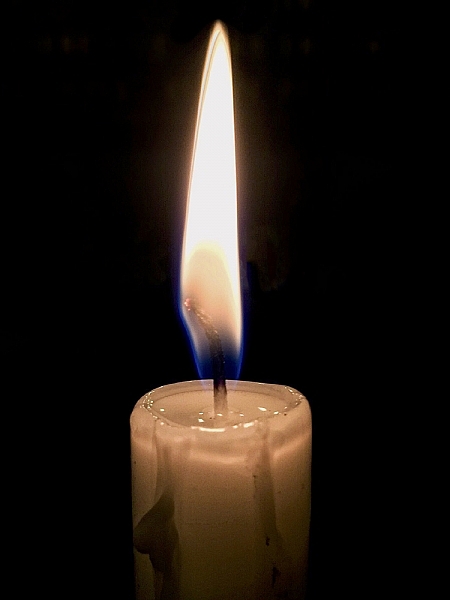
Focussing and exposing on the candle has made the background go very dark. This works well to isolate the subject more.

Focussing and exposing on the candle has made the background go very dark. This works well to isolate the subject more.

Across most smartphones, touching the screen on the area you want in focus, will make the phone focus on that area. In addition, this is also where the phone will take its exposure reading. There are some camera apps available that will allow you to focus on one area and have the phone take its exposure reading elsewhere. You may also be able to increase or decrease the exposure of the image. How to do this will depend on the phone you are using, but for iPhone users, after tapping the screen to focus, sliding your finger up/down will alter the exposure compensation.

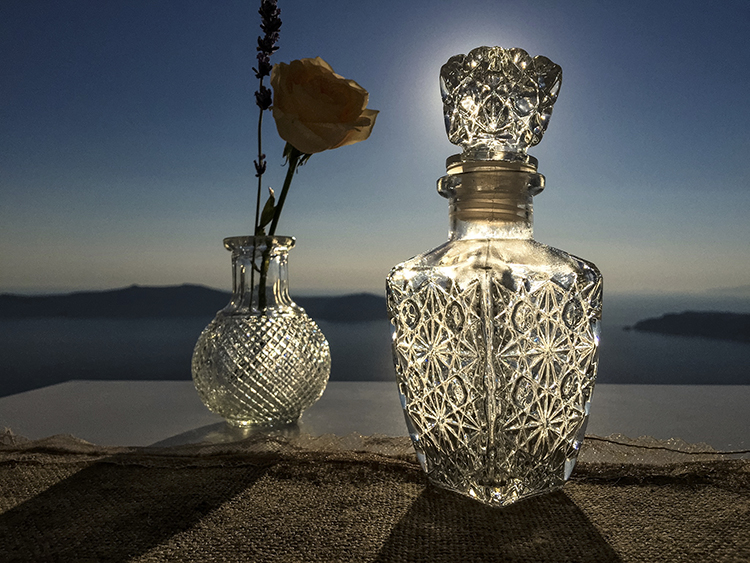
Another image taken with the sun behind. This time, the light makes the bottle glow.

Another image taken with the sun behind the subject. This time, the light makes the bottle glow.

Creating Shallow Depth of Field

Despite many newer smartphones having fast apertures (the iPhone 6 and 6s use an f/2.2 lens), their tiny sensor sizes make getting that nice creamy background bokeh a little more challenging, than with other cameras. If you’re unaware, generally the larger the sensor, the easier it is to create stunning bokeh. However, if you have a little understanding of depth of field, then you can create images from your smartphone with a blurry background. You can achieve this by reducing the distance between your subject and the phone, and increasing the distance from your subject to the background.

Make Your Images Pop

Post-processing is another tool that we have in our arsenal as photographers to make an image more striking. Introduce that to your phone photos. There is a plethora of apps available that give you varying levels of control with the post-processing phase.

Some apps, like VSCO, have a vast range of filters that you can apply to images, and allow you to tweak areas, such as highlights and shadows, to get a different look. Other apps like Adobe’s Lightroom works much like the desktop variant, allowing to develop your images with a more natural touch. Photoshop and Photoshop fix (Note: it is called Photoshop Mix for Android) are both from Adobe and offer varied editing options that are fantastic at polishing up images in the final stages. Personally, I use Lightroom and Photoshop fix on my content now. However, in the past I used SnapSeed and found that to be great fun to use, too. It’s up to you which editing app you decide to employ, and how involved with it you become.

Smartphone-17

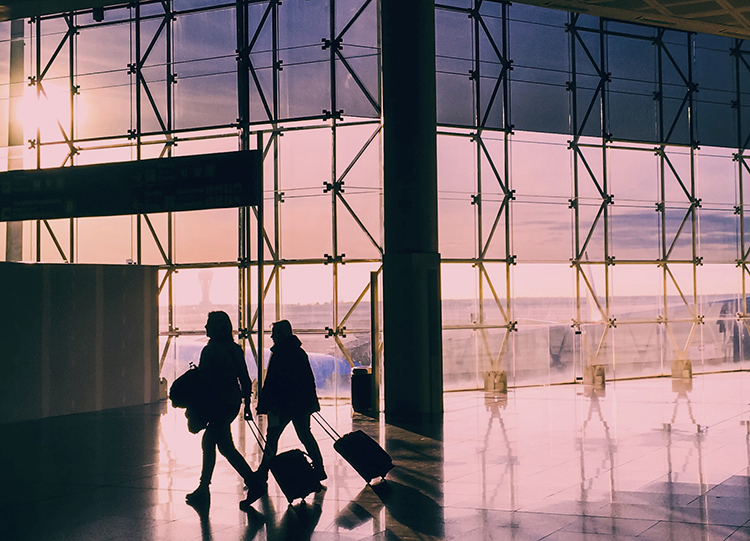
Again, looking for clean shapes to create a striking silhouette in an airport.

Looking for clean shapes to create a striking silhouette in an airport.

Other Tips to Consider

  • Take a lot of photos: Sometimes things happen fast. Don’t be afraid of taking a lot of photos. The perfect shot isn’t going to come with every single click. The trick is to take more photos than what you really need, then pick the best one from the bunch. If you do this, then you will have more to choose from, and a higher chance of getting one that stands out.
  • Learn how to see light and how it interacts with its environment: Light is the most important object in a photograph. It doesn’t matter what camera you’re using, how well you know how to use it, or how amazing your subject is; it all counts for nothing without light. You’ll often hear photographers talking about the Golden Hour, which is early in the morning and again in the evening when sun is lower, softer and the light is more directional.
  • If you’re photographing with the sun behind you, know how that will make your subject look. Do you want to light up their entire face, for example? Or do you want to shoot from the side? If you move so the sun is behind the subject, then consider photographing them silhouetted. If the light source is behind the subject, the foreground will always be darker than the background. The way you position your subject – or wait until the light is right for your subject – is how you make an image more creative and stand out.
  • Watch your background: Something that is often overlooked in an image is the background. A bad background can bring a great subject down. You need to think about your photo and what makes it interesting. If the subject you’re photographing is to be the only thing in the photo, then you should use a nice clean background, that isn’t going to draw away people’s attention from the main subject. However, backgrounds can also add to an image, and are great for environmental portraits.
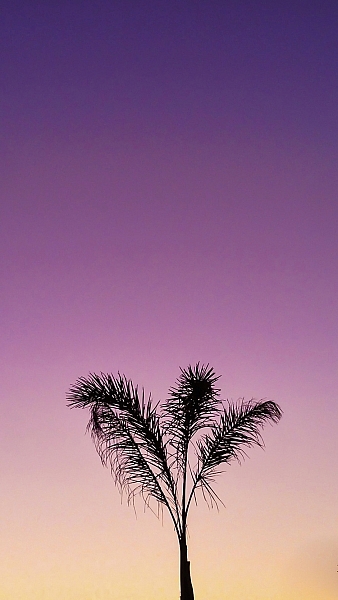
I loved the peacefulness of the light here and the silhouette of the palm tree.

I loved the peacefulness of the light here and the silhouette of the palm tree.

Here, I photographed toward the light and decided to include the flag on the right to add a little more interest.

Here, I photographed toward the light and decided to include the flag on the right to add a little more interest.

Conclusion

Whilst there are many limitations to using the camera in your smartphone, or indeed a tablet, it can help teach you how to work around limitations, and still create striking images. Their quality is clearly not going to be as high as a dedicated camera’s quality will be, however, it’s still a lot of fun to be able to capture a great image on a device with such limitations.

Below are some more images that I have taken with my iPhone. Feel free to share some images you’ve taken on your smartphone or tablet in the comments below, as well as your favorite camera and processing apps.

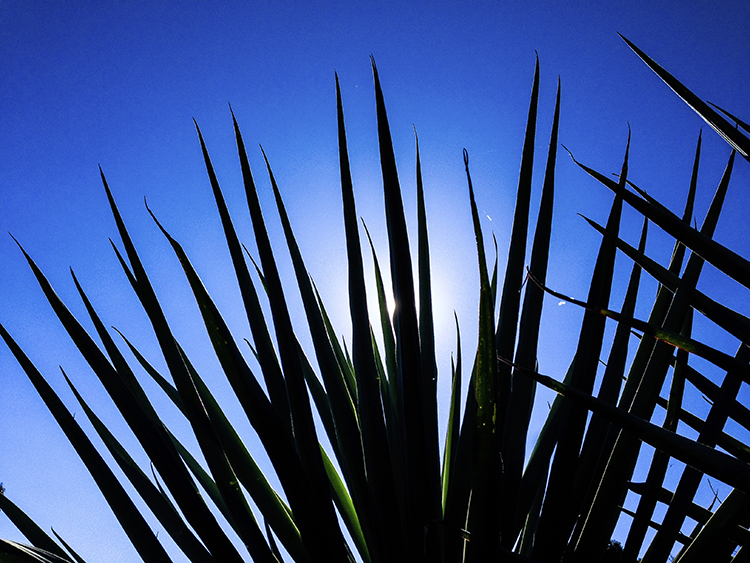
Smartphone-2

I found the leaves of this plant to be quite striking. By photographing from a very low perspective, I was able to make my subject pop out more against a plain blue sky. The position of the sun also creates interest as the light kicks off edges.

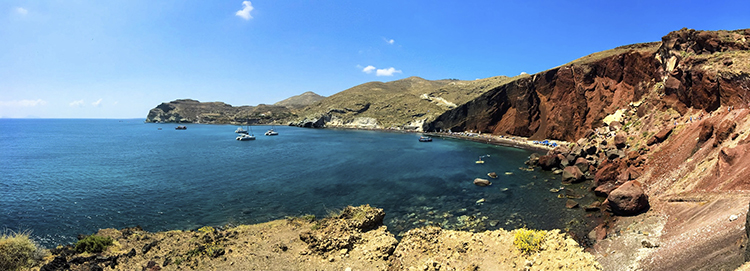
Smartphone-5

The in-built panorama feature of my phone worked well to create this image.

Smartphone-8

Another image where the panorama mode worked quite well.

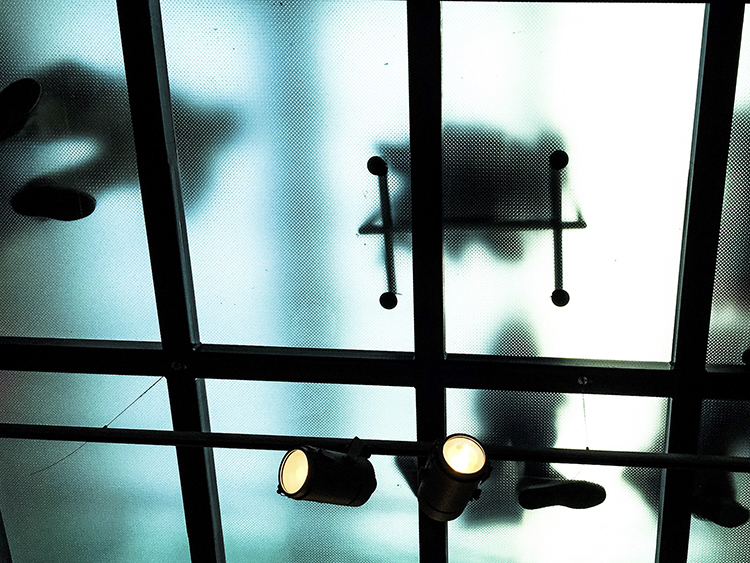
Smartphone-9

Don’t be afraid to look up! In this image, the floor above me was frosted glass and made for some interesting shapes.

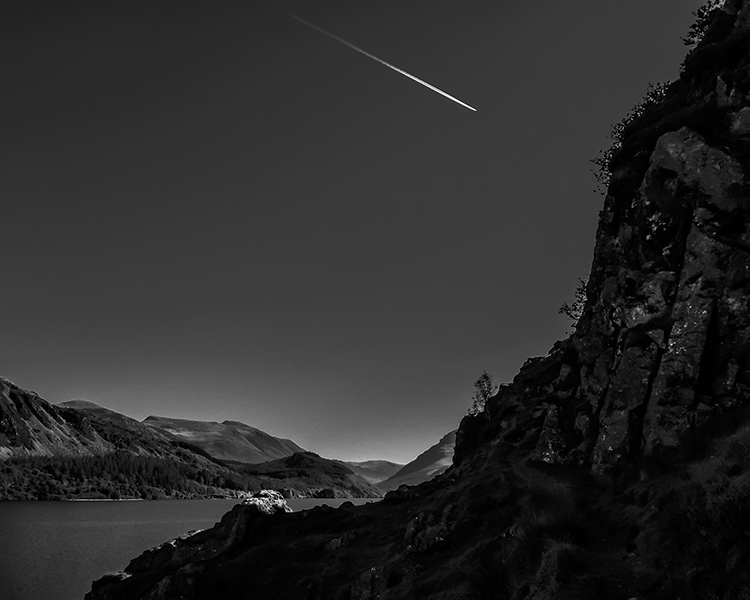
Smartphone-10

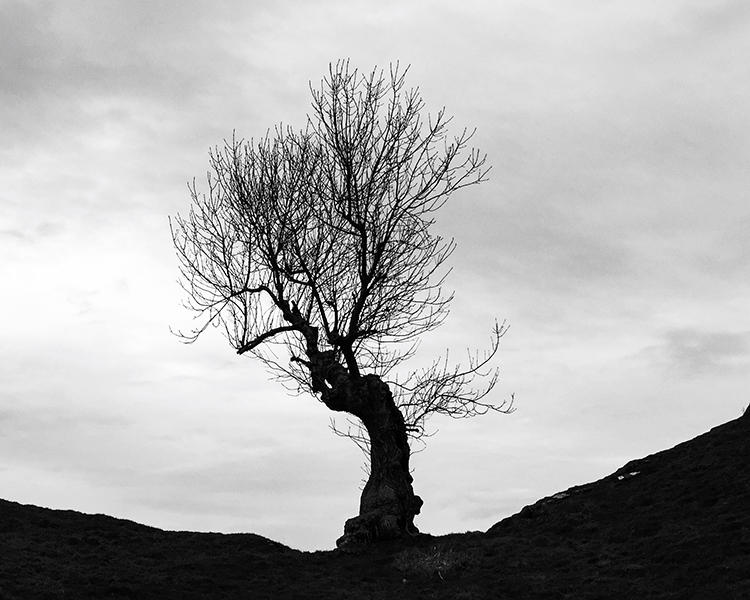
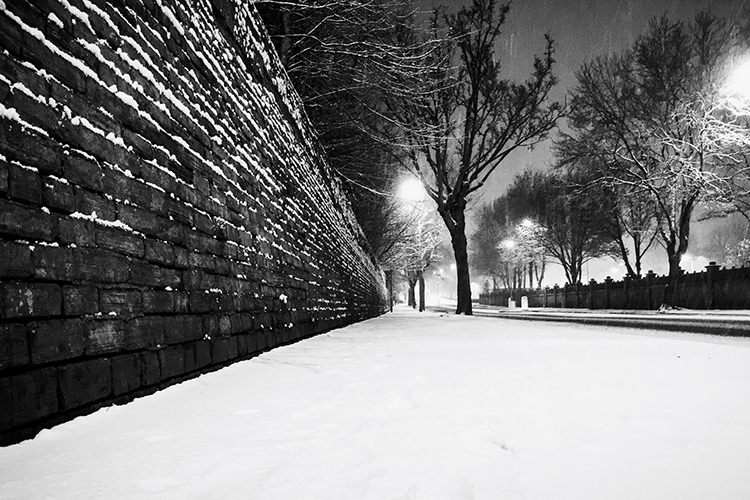
Converting this image to black and white has given it an almost unearthly feel to it.

Smartphone-12

Photographed looking straight down. Simple images often work best not just with smartphones, but in photography in general.

Smartphone-13

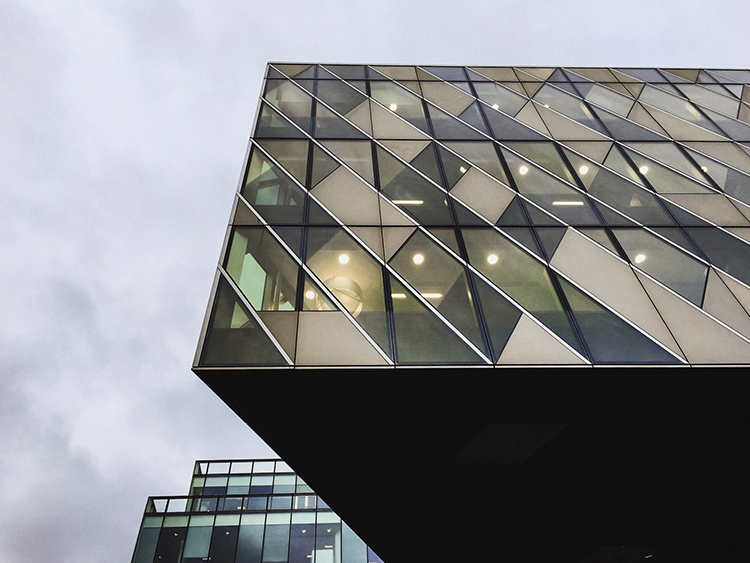
The clean lines of these buildings create some interest.

Smartphone-14

Again, photographing down low I was able to show an every day scene from a different perspective.

Smartphone-19

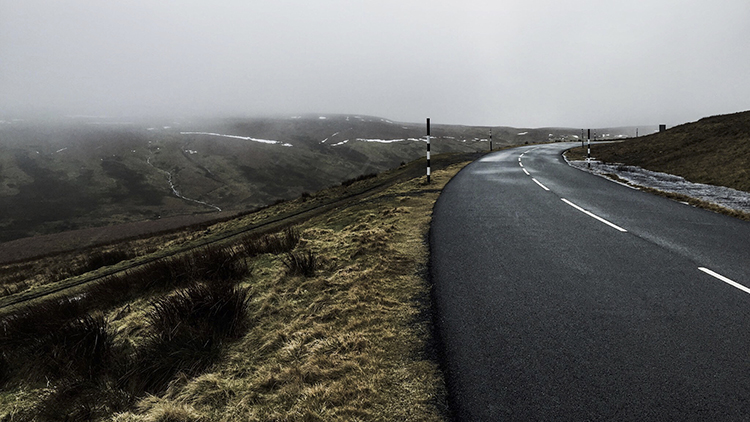
The same principles used in this image will work very well on any camera. The road in this image creates a sense of depth.

Smartphone-20

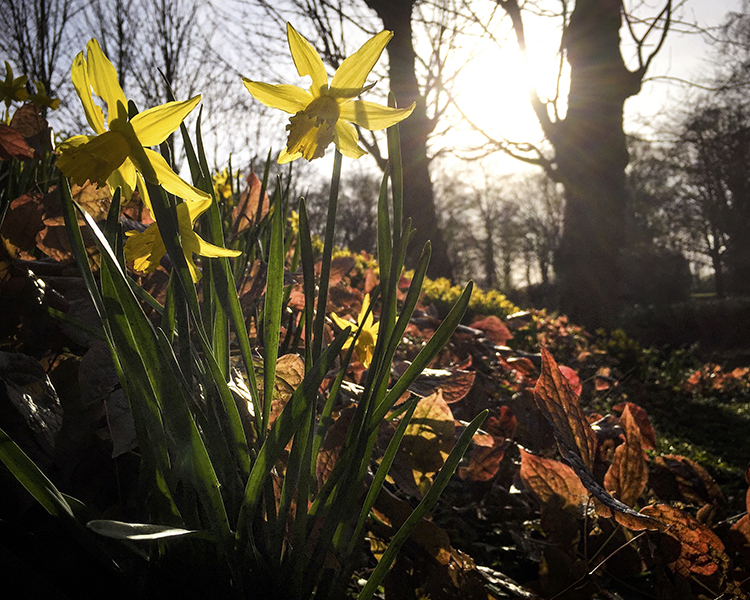
The quality and direction of light help make this image. These are qualities you should always look for; no matter what camera you are using.

Smartphone-18

googletag.cmd.push(function() {
tablet_slots.push( googletag.defineSlot( “/1005424/_dPSv4_tab-all-article-bottom_(300×250)”, [300, 250], “pb-ad-78623” ).addService( googletag.pubads() ) ); } );

googletag.cmd.push(function() {
mobile_slots.push( googletag.defineSlot( “/1005424/_dPSv4_mob-all-article-bottom_(300×250)”, [300, 250], “pb-ad-78158” ).addService( googletag.pubads() ) ); } );

The post How Using Your Smartphone Camera Can Help Improve Your Photography by Daniel Smith appeared first on Digital Photography School.


Digital Photography School

 
Comments Off on How Using Your Smartphone Camera Can Help Improve Your Photography

Posted in Photography


Two in one: LG G5 camera review

06 May

DPReview smartphone reviews are written with the needs of photographers in mind. We focus on camera features, performance, and image quality.

$ (document).ready(function() { SampleGalleryV2({“containerId”:”embeddedSampleGallery_4023333010″,”galleryId”:”4023333010″,”isEmbeddedWidget”:true,”standalone”:false,”selectedImageIndex”:0,”startInCommentsView”:false,”isMobile”:false}) });

The LG G5 succeeds last year’s G4 and is the first LG smartphone with a dual-camera setup. With an F1.8 aperture and optical image stabilization, the main 16MP module is very similar to the G4 in terms of specification and provides a 78-degree angle of view which is in line with most current high-end smartphone cameras.

But here’s where things get interesting: the second lens comes with an F2.4 aperture and 8MP sensor and captures a 135-degree super wide-angle image. In the camera app you can switch between lenses via a button, and when using the digital zoom the camera switches seamlessly between the two modules. As before, the autofocus is assisted by a laser that measures the subject distance.  

There is also an optional camera grip that should make the G5 particularly appealing to mobile photographers. The G5’s 2,800mAh battery is removable and slots into the device from the bottom. The latter clips away when a release button is pressed which allows you to attach a number of replaceable modules, one of which is the CAM Plus camera grip. It comes with an additional 1,200mAh of battery capacity and offers power, shutter, video and zoom buttons. It also lets you lock exposure and provides a more comfortable grip. We’ve put the G5 and the CAM Plus grip through its paces. Read our full review to find out how they performed.

Key Photographic / Video Specifications

  • 16MP main camera
  • F1.8 aperture
  • Optical image stabilization
  • 8MP secondary super wide angle camera with F2.4 aperture
  • 8MP, F2.0 front camera
  • 4K video
  • 120 fps 720p slow motion video
  • Optional camera grip with shutter button and control dial

Other Specifications

  • 5.3-inch 1440p display
  • Snapdragon 820 chipset
  • 4GB RAM
  • 32GB internal storage
  • microSD support
  • 2,800 mAh battery

Our 9-page review

We’ve considered every aspect of the LG G5 with the photographer in mind. We examined the user interface of the native camera app and its special features. We experimented with the camera’s performance when taking stills and video, and had a play with the device’s many special feature modes. Click any of the links below for more information of specific functions and continue to our conclusion for a final summary of our findings.

  • Page 2: Design and Hardware
  • Page 3: Camera Operation
  • Page 4: Camera Features
  • Page 5: Camera Features cont.
  • Page 6: Image Quality and Performance
  • Page 7: Image Quality Wide Angle
  • Page 8: Video Mode
  • Page 9: Conclusion and gallery

Articles: Digital Photography Review (dpreview.com)

 
Comments Off on Two in one: LG G5 camera review

Posted in Uncategorized


Sony patents contact lens camera with blink-triggered shutter

05 May

Sony has patented a contact lens that comes with an integrated miniature camera module and all its components, such as image sensor, lens, processor, storage and even a wireless module to transfer images to a smartphone or other connected device. The camera is triggered by a “conscious” eyelid aperture and closure. A sensor measures the pressure of your eyelid, and other settings such as aperture and zoom can be controlled via eyelid movement as well. A display unit allows you to view captured images directly on the lens. The patent document says the following about the camera module:

“The image pickup unit includes, for example, a lens system including the image pickup lens, an aperture stop, a zoom lens, a focus lens, and the like, a drive system that causes the lens system to perform focusing operation and zooming operation.”

There is even a digital image stabilization system to counteract image blur caused by motion of the eyeball. Google and Samsung have filed for similar patents before but with its range of controls the Sony variant is, at least on paper, the most advanced so far. It’s impossible to know if a product like this will ever hit the market but if it does, it’s certain to raise even more privacy concerns than Google Glass at the time. You can read the full document here. 

Via: Sony Alpha Rumors | Via: PetaPixel

Articles: Digital Photography Review (dpreview.com)

 
Comments Off on Sony patents contact lens camera with blink-triggered shutter

Posted in Uncategorized


5 Camera Bag Hacks to Help You Curb the Temptation of Buying More

04 May

There has been quite a parade of camera bags launched on the market recently. Peak Design’s latest in their line of products with the Everyday Messenger Bag, achieved an incredible target on Kickstarter.

Check out Simon Ringsmuth’s review of the bag. ThinkTank Photo followed with the Lily Deanne bag, in the same price league but targeted more for women. Another Kickstarter venture by Progo gear successfully launched their carry-on/camera backpack in January of this year.

title

5 Hacks to curb the temptation to buy another camera bag

But, this article isn’t about reviewing yet another camera bag. Instead, it got me thinking no matter what camera bag that you may have, one fit doesn’t suit all. I’ll admit, I have a weakness for camera bags. There is such a vast array of camera bags on the market to suit every photographer’s needs. The types range from shoulder bags, backpacks, and rolling cases, to name just a few. However, when choosing a bag, the following factors should be considered:

  • Materials: I have a preference for man-made, hi-tech materials like ballistic nylon as opposed to natural fabrics, such as cotton or leather – simply because they are lighter and generally offer better water resistance.
  • Protection: Obviously, you want the best protection for your gear. This will mean a bag that has sufficient padding on the inside, and a material on the outside which protects against inclement weather. This can be the inherent material that the camera bag is made from, or a waterproof cover which you can pull over the bag if it rains.
  • Capacity: This will be very subjective to the type of photographer you are. A travel photographer’s gear and bag(s) will be in sharp contrast to a photographer on a fashion shoot in a studio.
  • Comfort: This is a very important factor. If you have to carry your bag at all, it should feel comfortable, and you shouldn’t really be aware of it. If you are, it’s a nuisance.

I do like features on so many different bag, and I wish that the sum of all these features were all rolled into one bag. But I am asking a lot here. So I thought, rather than buying another bag, why not customize or hack a bag that you already own?

Here’s my five hacks that may help you curb the temptation to go out to buy another camera bag – at least for now:

#1 Tent repair tape

The bottom of my camera bag isn’t really at all abrasion resistant, or waterproof. This was an initial concern for me when I was buying the bag. Most camera bags should, in my opinion, offer some degree of ruggedness to ensure the bottom of your camera bag will be protected for a number of years.

However, in the end, I decided to buy it, as it ticked most of the boxes for the type of bag I wanted. I came up with my own solution to safeguard the underneath part of the bag for general wear and tear.

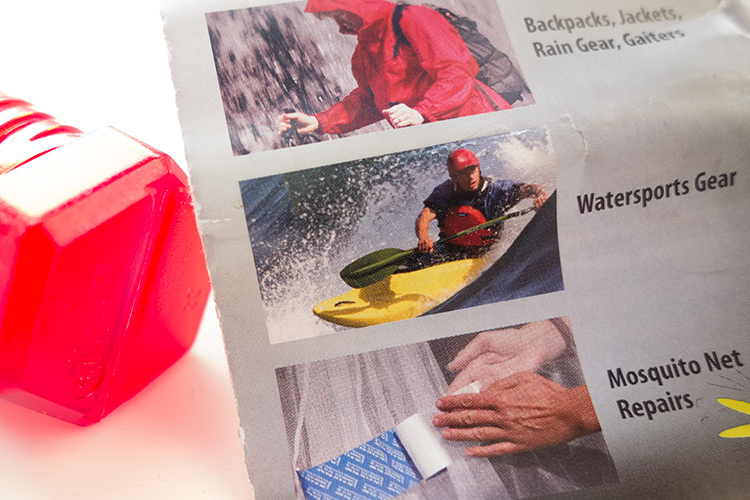
Tent Repair Tape – found in most camping outdoor retail outlets.

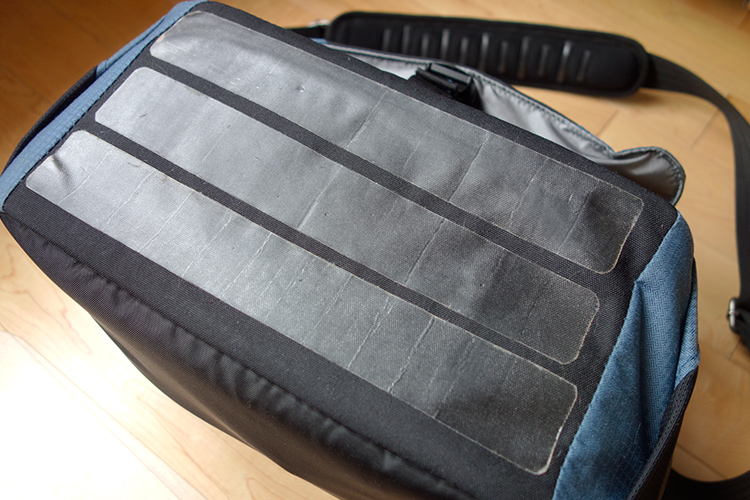
I cut 3 strips of the tent repair tape to suit the dimensions of my camera bag.

Cut strips of tent repair tape the same length as your bag and apply them length ways across the bottom. This tape is super strong and waterproof. I also added feet to the bottom, like you would see on most bags, not just camera bags. I have a neat way to add feet to the bottom of your bag, without taking away from the aesthetic look. See #5 below for more details.

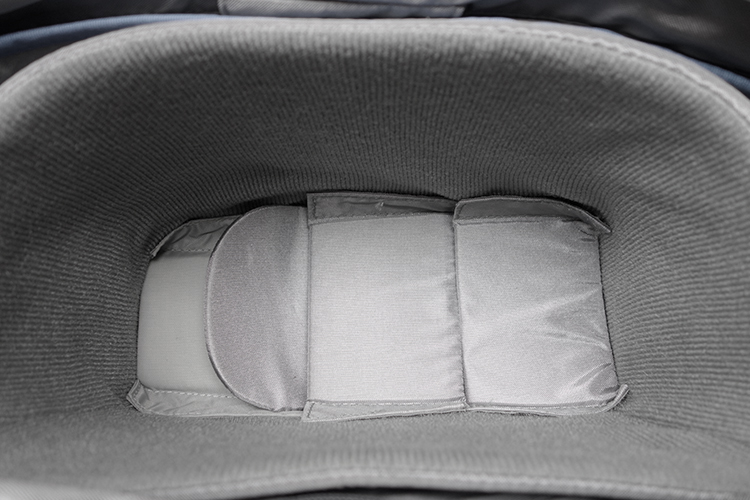
Tip: By putting another layer of cell foam dividers flat across the inside bottom of your camera bag helps to give more padded protection. I seem to have gathered a collection of these over the years!

Inside-padded-insert

I added another layer of spare foam cell pads at the bottom of my already padded insert.

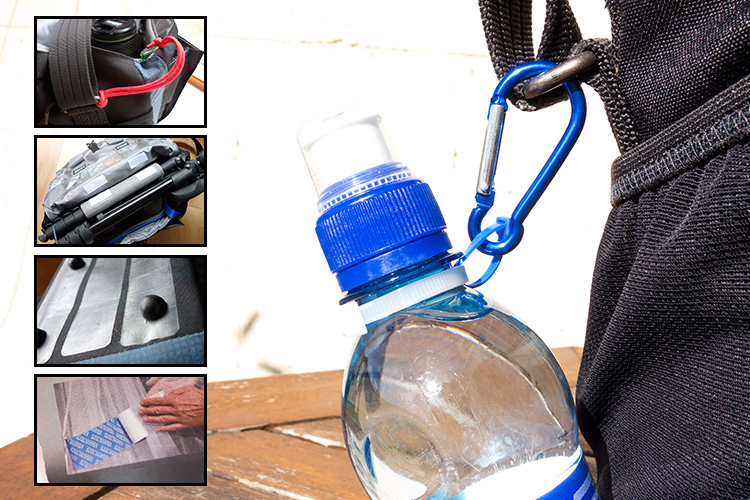
#2 Carabiner Rings

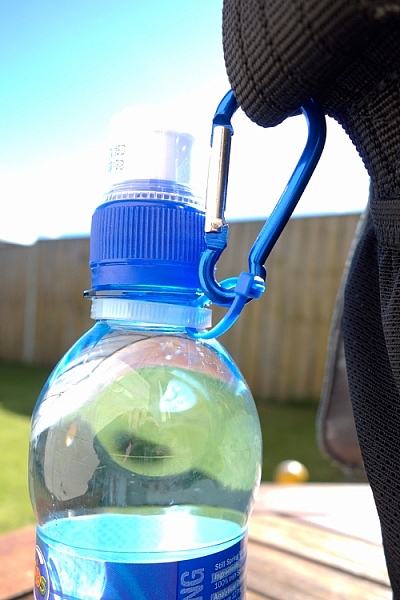
These aluminium rings are so versatile for attaching extra accessories, that you simply can’t fit inside the bag. For example, side pockets are great for adding a flash gun or a drink bottle. But, what if your camera bag doesn’t have a side pocket?

This solution should work for any type of drink bottle. You will need two cable ties, one longer than the other. Secure the longer one around the neck of the bottle and the smaller one acts as a ring to attach to the carabiner, which is then looped around one of the metal rings on the bag’s strap.

carabiner-water-bottle

Water bottle attached to the camera strap, via the metal ring using two cable ties.

Tip: Water bottles can also serve as an extra weight to stabilize your tripod.

#3 Paracord

I wish every camera bag would come with at least two key fob straps. Of course, I don’t use mine for keys. Key fob straps are great for attaching the likes of SD/CF memory card wallet holders or other items that you may need to hand, without looking like a badger who is burrowing out of his nest.

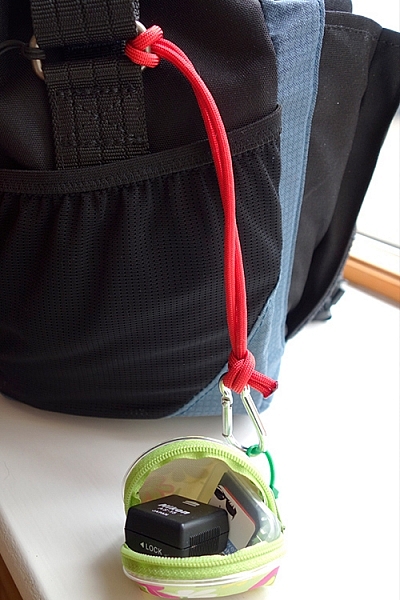
My hotshoe adaptor and spare SD card attached to my paracord strap, which also doubles up as a wrist camera strap.

My hotshoe adaptor and spare SD card attached to my paracord strap, which also doubles up as a wrist camera strap.

This is a very simple method to add an extra key fob strap to any bag. Measure a length of a Paracord, in my case 27 inches. Tie both ends together. You will need to burn the ends of the cord, after the knot, to stop it from fraying. Loop one end around the bag’s strap ring on the outside and secure a plastic carabiner to the other end. See photo.

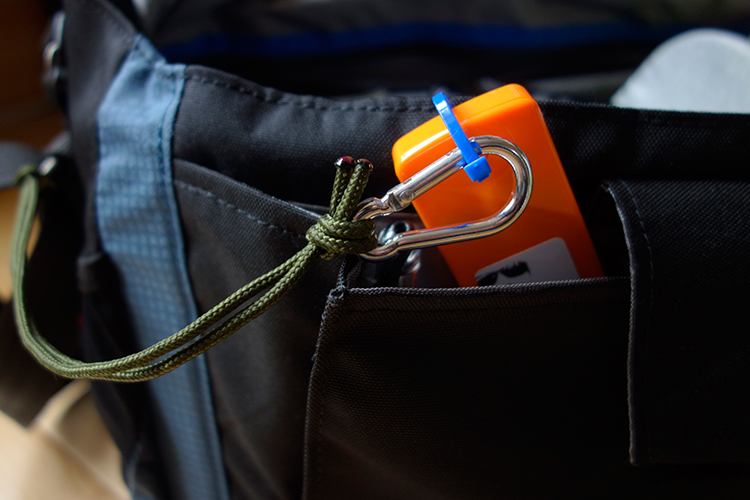
I used a plastic carabiner, as I don’t particularly like metal rings inside my camera bag. I have my business cards secured in their holder, attached to the carabiner. These are quick and easy to hand. No foraging around in your bag for what seems like an age looking for them!

A key fob strap made from paracord, using a plastic carabiner (even though it looks aluminum) attached to my business cards.

Tip: This strap can also double up as a camera wrist strap. See my other article for this tip and other DIY hacks.

#4 Insulation Foam Sleeves

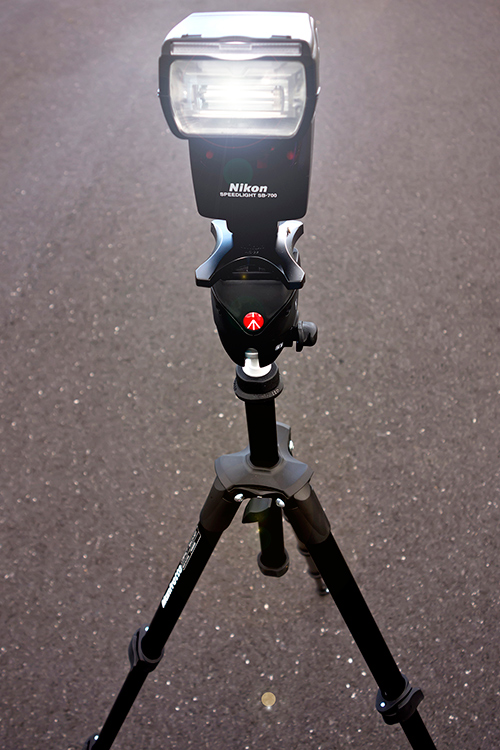
I like the option to be able to carry my travel tripod with me, as it also doubles up as a light stand. But there isn’t a designated tripod holder on this type of bag. However, as it has a big front flap. I came up with this idea of using a foam insulation sleeve.

My travel tripod which I also use as a light stand.

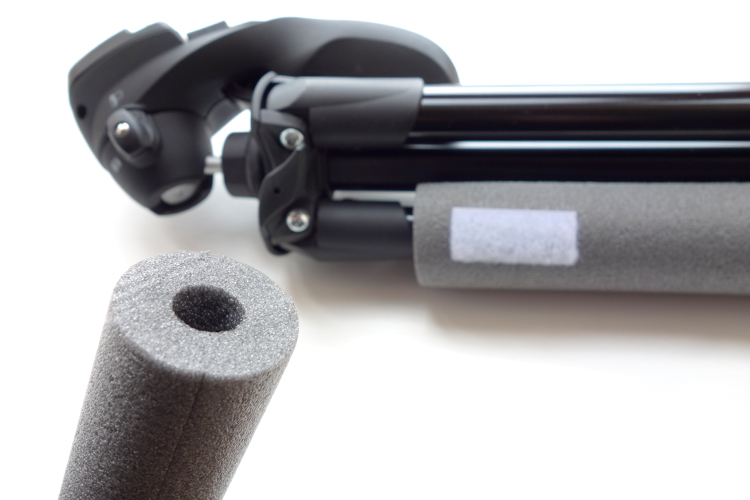
These Economiser Polyethylene Pipe Insulation sleeves can be purchased at most DIY stores. Their function is to insulate heating pipes. I bought this 1/2″ Cosy Sleeve, 1 Metre length (3′ approx.) for less than $ 2.00 USD. It has a pre-cut slit down the length. To cut to the desired length is simple and quick.

Foam insulation sleeve for heating pipes, found in DIY stores.

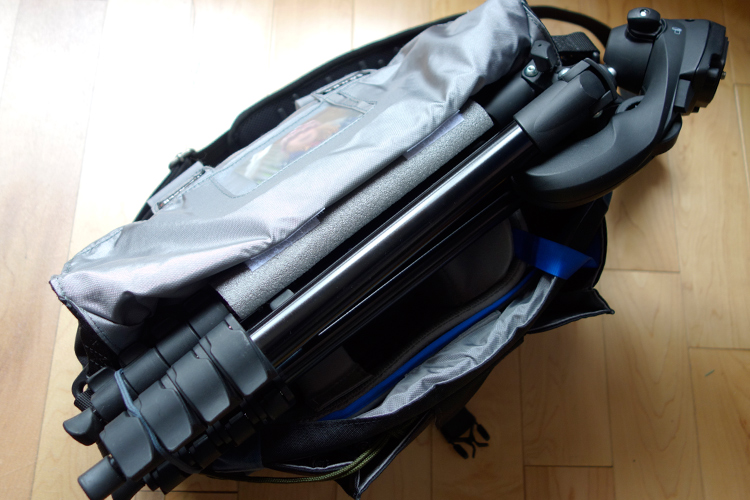
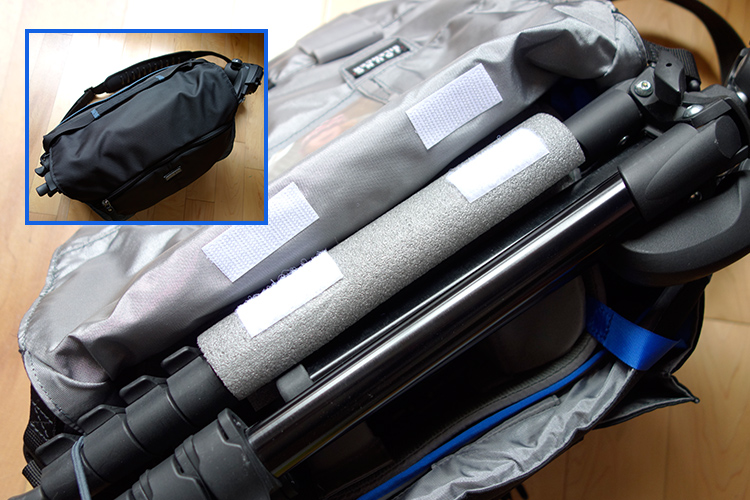
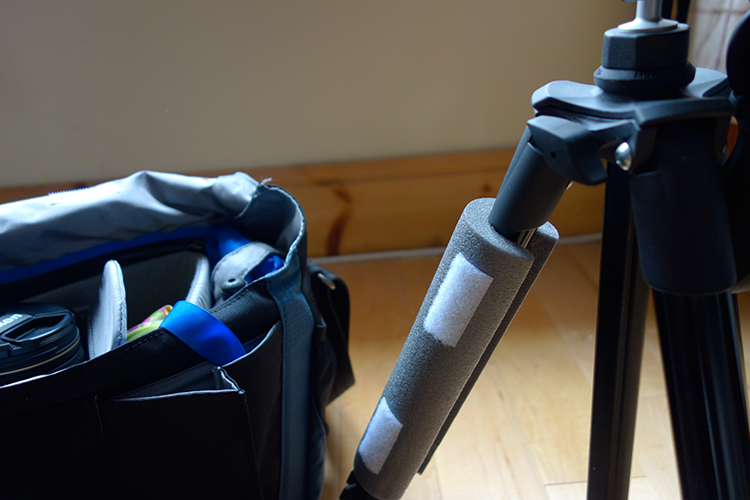
Place the sleeve around one of the tripod legs. Cut two small strips of self-adhesive velcro strips and stick them onto the foam sleeve and then under the front flap of the bag. The tripod is resting on top of the removable padded insert. When the front flap is closed, the sleeve acts as a cushion to keep it place.

Foam insulation sleeve attached to one of the tripods legs. Velcro adhesive strips are used to secure to the underneath part of the front flap.

The tripod felt very secure, as it is resting on the inner padded insert, and when it is closed the sleeve acts as a cushion for a snug fit.

Tip: the foam sleeve can also be left on the tripod while in use to act as a cover (nicer on fingers in cold weather).

The foam sleeve can be left on the tripod when in use to act as a cover.

#5 Sugru

If you haven’t come across this product before, it’s simply brilliant, a DIYer’s dream. The company’s tagline is, “Mouldable glue that turns into rubber”. The methods or ways that it can be applied as fixes or hacks, are only limited to your own imagination.

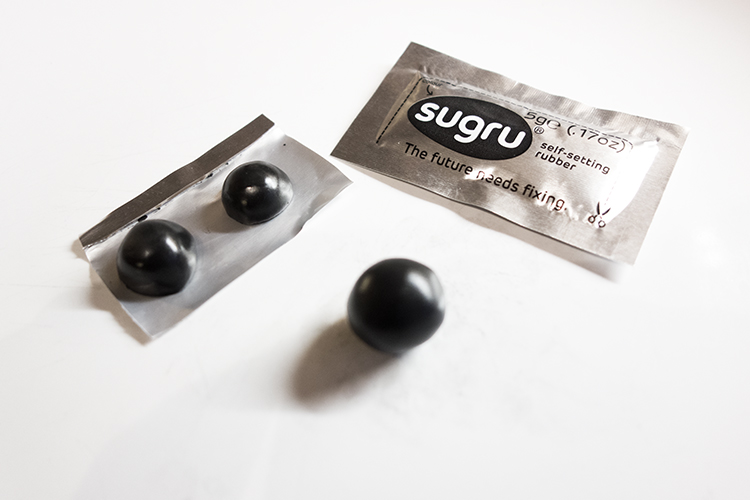
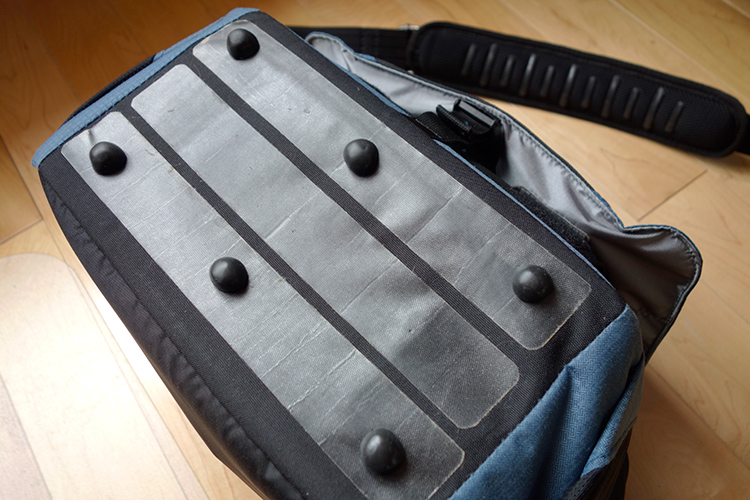
You can create your own rubber feet for the bottom of your camera bag, to protect it against general wear and tear. I used a three pack ($ 13.50 for 3 packs) of pitch black Sugru to create these feet. Roll each one into a ball, and with a sharp kitchen knife, then cut each ball in half. Allow these to cure (set) for a day or two. In order to secure the feet to the bag, you will need some extra Sugru. (You can buy 8 packs for $ 22, which works out cheaper than 2 x 3 packs).

Sugru-balls-rubber-feet

Rubber feet moulded from Sugru, for underneath my camera bag as added protection.

Sugru-rubber-feet-attached-to-bag

The rubber feet attached to my camera bag along with the tent repair tape.

Here’s another tip for using Sugru. If your camera bag strap has a cushion pad but no silicone strips to prevent it from sliding off your shoulder, or they have simply worn away, you can make your own by rolling out strips of Sugru and stick them firmly on to the pad.

Do you any other camera bag hack ideas that you would like to share? Leave a comment below.

Disclaimer: I was not approached or sponsored by any of the companies mentioned in this article. All opinions are by the author.

googletag.cmd.push(function() {
tablet_slots.push( googletag.defineSlot( “/1005424/_dPSv4_tab-all-article-bottom_(300×250)”, [300, 250], “pb-ad-78623” ).addService( googletag.pubads() ) ); } );

googletag.cmd.push(function() {
mobile_slots.push( googletag.defineSlot( “/1005424/_dPSv4_mob-all-article-bottom_(300×250)”, [300, 250], “pb-ad-78158” ).addService( googletag.pubads() ) ); } );

The post 5 Camera Bag Hacks to Help You Curb the Temptation of Buying More by Sarah Hipwell appeared first on Digital Photography School.


Digital Photography School

 
Comments Off on 5 Camera Bag Hacks to Help You Curb the Temptation of Buying More

Posted in Photography


It’s not the camera you have – it’s what you do with it

04 May

What you do camera 1

One day, as I was looking up to the stars, a revelation came upon me. It got imprinted into me that my career should be in photography. That’s the story I’d like to tell myself about how I entered photography. The reality is that I stumbled unto photography quite by accident. I saw a friend of mine who had this very nice professional looking camera. Big, black, sexy, it was a Nikon D80.

One faithful day I did the math while counting my money, and did a quick Craigslist search. My goodness! Looks like I could buy one! And that I did. But that was just the beginning. After being a Nikon shooter for a while, I started buying lenses, more and more.

What you do camera 2

I brought and sold cameras like crazy, my wife’s family had to ask if I was rich because it seemed like every month or so I would have a new camera. Thing was, I wasn’t rich by any stretch of the imagination, all I had was ebay: I sold some stuff, then bought some stuff, again and again.

It got so bad that I bought a large format camera, two graflex backs, about a hundred pieces of film, then only shot about three frames before selling it. I even had a medium format camera at some point too, with a box full of medium format film of which I only shot like two rolls, and they are still undeveloped to this day.

I’m not here to chronicle my old gear addiction, but to hopefully drive a simple point home that I’ve learned the hard way:

It’s not what camera you have, it’s what you do with it.

What you do camera 6 What you do camera 9

Your camera matters

But before going in, let’s get something out of the way. You’ve probably heard that your camera doesn’t matter, but let me share with you that I believe that yes, it does. I mean, of course your camera matters, how can it not? If you want to make images of birds and your camera doesn’t have a zoom, good luck trying to get close. It’s just a basic fact, all cameras are limited somehow, and because of these limits there are shots that you simply can’t get with certain cameras. Try low light with no flash on a smartphone and see what I mean.

But who cares?

But the thing is, it really doesn’t matter that your camera matters. It’s a tongue twister, I know. Not only are modern cameras good enough for pretty much any occasion, but mainly because you can either focus on what you can, or what you can’t, do with your camera. Focus on what you can’t do and you are signing yourself up for gear addiction, as there is ALWAYS something you can’t do with any camera.

What you do camera 3

That’s what got me to shell thousands of dollars in gear I never needed in the first place. My camera’s too big, my camera doesn’t look cool enough, or it doesn’t have a viewfinder, etc. I could find all the issues in the world when I needed to rationalize my next purchase. But, after spending thousands buying and selling hear, having used pretty much all of the formats and systems out there, I only have one thing to say – it’s not what camera you use, it’s what you do with it.

I remember a friend’s wedding. My jaw dropped when I saw the images that their paid photographer produced. The shooter had a serious Canon kit, I think the 70-200mm f/2.8, the whole shabang, a really nice kit if you ask me.

What you do camera 4

But goodness gracious I can’t even describe the images. The images looked like a random person with their pre-smartphone phone shot them. They were the blandest of bland – then I realized that they were made on probably $ 3000 worth of gear, but the results were $ 3000 point and shoot images. I had my humble Ricoh GXR back then and got a few shots for myself. The couple thanked me and said, “If it wasn’t for you, we wouldn’t have any nice pictures.”

I’ve seen point and shoot result from cameras worth thousands, and inversely, I’ve seen beautiful results from the humblest of cameras. I think it’s all about using your camera to its maximum potential, whatever that may be. What I realized too late (and it could have saved me lots of money) was that I could have made some nice images with whatever camera I had. From the most expensive one to the cheapest one. Between you and I, all of the images in this article were made with a discontinued, small sensor, pocket camera.

What you do camera 5

It’s something I’ve seen over and over again, not only in photography but in life in general. Like the people who only had $ 100 to their names and somehow ended up millionaires. It’s not the cards we have in life, it’s what we do with them. We all could be taller, prettier, whatever. But it’s about making the most of what you’ve got.

I think the more you understand this principle, the more confidence you will get. I think many of us get confidence from owning a camera, like I did. But I think that confidence is better handled if it’s in your own abilities as a photographer. Something that you can prove to yourself by making the most of your current camera.

What you do camera 7

In short, your camera matters – but who cares? Great images are possible with any camera, because it’s not what camera you have, it’s what you do with it. I’ve proven it to myself, have you? Be yourself, stay focused and keep on shooting.

What you do camera 8

googletag.cmd.push(function() {
tablet_slots.push( googletag.defineSlot( “/1005424/_dPSv4_tab-all-article-bottom_(300×250)”, [300, 250], “pb-ad-78623” ).addService( googletag.pubads() ) ); } );

googletag.cmd.push(function() {
mobile_slots.push( googletag.defineSlot( “/1005424/_dPSv4_mob-all-article-bottom_(300×250)”, [300, 250], “pb-ad-78158” ).addService( googletag.pubads() ) ); } );

The post It’s not the camera you have – it’s what you do with it by Olivier Duong appeared first on Digital Photography School.


Digital Photography School

 
Comments Off on It’s not the camera you have – it’s what you do with it

Posted in Photography