RSS
 

Posts Tagged ‘Book’

Lenovo Yoga Book features unique ‘on-demand’ keyboard

02 Sep

The Lenovo Yoga book is a thin and light 2-in-1 laptop with a metal body, watchband-style hinge, 10.1″ IPS display, Intel Atom X5 processor, 4GB of memory, 64GB of storage space and Dolby Atmos surround sound. It is available with Windows or running Google’s Android mobile OS.

What’s really unusual about it though, is its Halo ‘on-demand’ keyboard. The Halo keyboard does not have any physical keys but is a touchscreen on which keys appear with a solid white outline when they are activated or needed. Lenovo says the halo keyboard constantly adapts to the typing habits of its user and that the typing experience is comparable with that of a physical keyboard.

When the keyboard is not in use you can use the surface for writing or drawing with the real-pen stylus accessory. The real-pen can use real ink tips to write or draw onto a piece of paper covering the multi-use keyboard panel. It also works as a stylus when used straight on the panel. All writing or drawing is instantly digitized and saved in the note-saving app. The real-pen is powered by Wacom technology and offers 2,048 pressure levels and 100-degree angle detection.

Thanks to its unusual keyboard/graphics tablet combination the Yoga Book could be an interesting new option for image editing on the go. That said, its limited processor power does not make it look like an ideal solution for batch processing and other power-hungry tasks. In Europe the Yoga Book will be available this month. The Android version will cost €499 (approximately $ 560), the Windows version is €100 more. In the US, the Yoga Book will be sold online by the end of October but no pricing information has been released yet.

Press release:

LENOVO REVEALS THE YOGA™ BOOK – THE 2-IN-1 TABLET FOR PRODUCTIVITY AND CREATIVITY

YOGA BOOK RE-EXAMINES HOW A TABLET SHOULD LOOK AND ACT, WITH NEVER-BEFORE-SEEN FEATURES SUCH AS AN INSTANT HALO KEYBOARD AND A DUAL-USE STYLUS THAT WRITES ON PAPER AND SCREEN

  • THE YOGA BOOK HARNESSES THE BEST OF THE TABLET WHILE INTRODUCING NEW PRODUCTIVITY AND CREATIVE HARDWARE AND SOFTWARE, WITH HALO KEYBOARD FEATURE, REAL-PEN ACCESSORY AND BOOK UI.
  • THE YOGA BOOK’S HALO KEYBOARD FEATURE WEAVES SOFTWARE AND HARDWARE INTO ONE INTERFACE, ALLOWING FOR A TYPING EXPERIENCE THAT FAR SURPASSES CONVENTIONAL TABLETS AND MATCHES THAT OF PHYSICAL KEYBOARDS.
  • DRAWING INSPIRATION FROM THE ELEGANCE AND SIMPLICITY OF NOTEBOOKS, THE YOGA BOOK’S REAL-PEN ACCESSORY ALLOWS USERS TO WRITE AND DRAW WITH PEN AND PAPER WHILE INSTANTLY DIGITIZING THEIR NOTES AND SKETCHES.
  • THE YOGA BOOK’S THIN AND LIGHT DESIGN, 15-HOUR BATTERY LIFE AND 360-DEGREE WATCHBAND HINGE GIVES ON-THE-GO TABLET USERS THE FREEDOM TO WRITE AND DRAW ANYWHERE, MATCHING THE MOBILITY OF A SMARTPHONE WITHOUT HAVING TO CARRY A LAPTOP OR DETACHABLE.
  • THE YOGA BOOK, AVAILABLE ON BOTH ANDROID AND WINDOWS, IS THE WORLD’S THINNEST AND LIGHTEST 2-IN-1 TABLET, AND A DIRECT RESPONSE TO USER DEMANDS FOR A BETTER EXPERIENCE FOR PRODUCTIVITY ON TABLETS.

BERLIN, Germany – Aug. 31, 2016 – Lenovo (HKSE: 992) (ADR: LNVGY) today launched the Yoga Book, the world’s thinnest and lightest 2-in-11 tablet, designed for unmatched productivity while on-the-go. Built for mobility and to solve the most common challenge among tablet users – how to achieve productivity and entertainment in one device – the Yoga Book is a tablet that looks and acts like no other. Up until now, we’ve been using tablets in ways we weren’t meant to: for productivity, for example, which becomes painful when typing or applying a stylus onto a touch screen that you’re using on-the-go. The Yoga Book removes that difficulty by taking the fundamental building blocks from the DNA of what makes a great tablet – namely portability, long battery life and a rich app ecosystem – and entwines it into a strand of creativity and productivity through a suite of powerful new hardware and software features, including:

  • The instant halo keyboard
  • The dual-use stylus that writes on paper and screen
  • The productivity-driven Book UI

Quote
“We set out to redefine the tablet category conundrum, namely that consumers no longer separate their activities into productivity and entertainment – it all blends together, and so should the device they use,” said Jeff Meredith, vice president and general manager, Android and Chrome Computing, Lenovo. “The Yoga Book introduces keyboard and handwriting input capability in an elegantly simple, unconventionally slender tablet design. We believe our unique design will offer tablet, 2-in-1 and traditional notebook buyers a first-of-its-kind option for evolving usage trends.”

Ultra-Thin and Light
With two panels that open up like an ultrathin notebook, the Yoga Book is unconventionally slender and light years removed from the tablet that you’re accustomed to using on the go or while sitting in your home. As the world’s thinnest 2-in-1, the Yoga Book is 9.6mm closed, tapering to 4.05mm at its slimmest edge – a thickness of just under three pennies. And because it’s also the lightest 2-in-1 in the world at 690 grams (1.52 pounds), the Yoga Book is made to match the mobility of a smartphone, so you can easily hold and carry, just like a book. Users who take the Yoga Book with them on day trips have the option to work anywhere – on a busy commute, in a packed waiting room or on a crowded countertop – if and when they feel like it, thanks to the thin and light design, 15-hour2 battery life and a watchband hinge that folds 360 degrees. And if users don’t feel like working, they’ll have a top-of-the-line entertainment tablet to keep them company, with a 10.1-inch IPS FHD screen, high-quality sound enhanced with Dolby Atmos® and 64GB of memory.

Instant Halo Keyboard
The Yoga Book’s first productivity feature is also what makes the thin and light design possible: the halo keyboard, a full touch screen backlit keyboard that weaves software and hardware into one fluid interface. The touch screen is made with glass that was meticulously chosen to give a rough, matte feel and finish, along with anti-glare coating to ensure the best possible touch-typing experience. The keyboard lacks any physical keys, showing up as a solid white outline on the Yoga Book’s second panel only when it’s needed. The halo keyboard constantly ‘learns about and adapts to’ the typing habits of its user, with built-in prediction and artificial learning software. This software also allows for continuous optimization. Along with built-in, sensitive haptic technology, which enables touch feedback to guide typing and reduce mistakes, the halo keyboard far surpasses the typing experience and speed of a normal tablet, and is comparable with that of a physical keyboard.

Real-Pen Accessory – Dual Use Stylus
The flush surface of the halo keyboard feature also allows for a few additional uses when paired with the Yoga Book’s standard real-pen accessory, a dual-use stylus. Inspired by the elegance and simplicity of real notebooks, Yoga Book is an acknowledgement that we all still love to write and draw on paper. Users can now write with the real-pen accessory that holds real ink tips onto a piece of paper or notepad covering the multi-use keyboard panel, or as a stylus when applied straight onto the panel. Everything they create, from doodles and drawings to notes, is instantly digitized and saved with the Lenovo note-saving app.3 Roughly the size of a conventional ink pen, the real-pen accessory is powered by Wacom feel™ IT technologies to work with the state-of-the-art electro-magnetic resonance (EMR) film housed within the multi-use keyboard, which enables this real-time digitization.

The multi-use keyboard and real-pen accessory recreate the natural feel of drawing flat on a paper surface instead of directly onto a computer screen, without having to block parts of the art work with the hand or stylus. Or you can draw directly on the screen as well, depending on preference. The real-pen accessory can draw with the precision of a pencil or paintbrush, with 2,048 pressure levels and 100-degree angle detection. In addition, you’ll never have to charge or replace it – the real-pen accessory doesn’t require batteries and its ink can be replaced with standard ink tips, just like that of a conventional pen.

Book UI and Hinge
As a 2-in-1 that weaves together both hardware and software, Yoga Book truly brings work and play into one tablet through the Book UI, the Yoga Book’s specially adapted Android 6.0 operating system that draws from the best UI features of laptops and tablets. The Book UI allows several apps to run at once through multiple windows that can be pinned, maximized or minimized, as well as a taskbar that keeps track of your apps and common Windows keyboard shortcuts and action keys. This additional new workload is easily handled by the Yoga Book’s powerful Intel® Atom™ X5 processor and 4GB of memory. And Windows users also have the option to work on that platform, as the Yoga Book is available on Windows 10.

Constructed from a combination of magnesium and aluminium alloys, the Yoga Book is robust in build and guaranteed to turn heads. As with all Yoga products, it has the distinctive watchband-style hinge. This time, the hinge is engineered to be smaller and features a custom-made three-axis hinge, with 130 different mechanical pieces comprising five different materials. Lab tested more than 25,000 times, the Yoga Book form offers a smooth, seamless transition between the four modes – Browse, Watch, Create and Type. The Yoga Book with Android is available in Gold or Gunmetal, while the Yoga Book with Windows comes in Carbon Black.

Pricing and Availability4
Pricing for the Yoga Book will start at €499 for the Android version and €599 for the Windows version. Pricing and availability may vary from country to country. All will be globally available beginning in September. In the US, the Yoga Book will be sold online by the end of October.

Articles: Digital Photography Review (dpreview.com)

 
Comments Off on Lenovo Yoga Book features unique ‘on-demand’ keyboard

Posted in Uncategorized


Book City: Retail Space for Reading Mimics the Look of Urban Spaces

01 Sep

[ By SA Rogers in Design & Fixtures & Interiors. ]

book city 1

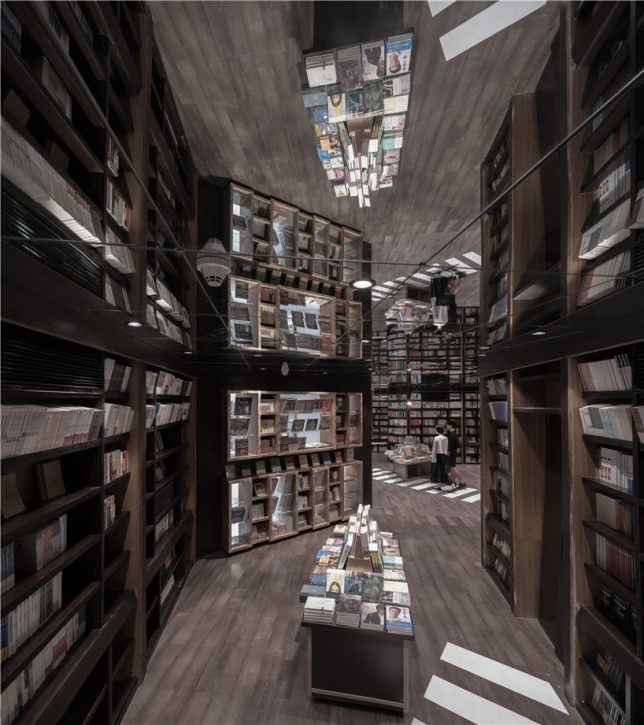
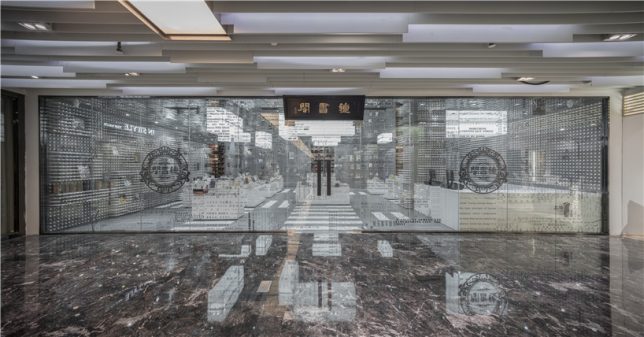
The appearance of the city outside – complete with crosswalks and grids resembling aerial views of urban blocks – acts as a transition space between the entrance of a bookstore and the quiet, private spaces beyond. This space by XL-muse, located on the fourth floor of the Réel Mall in Shanghai, references the orderly aspects of urban aesthetics, carrying them from the sunny, exposed main room into the darkened alleys full of floor-to-ceiling shelves.

book city 2

book city 5

book city 6

Street lights gently illuminate the rows of books in these tranquil hallways, organized like pedestrian promenades complete with central park benches and displays. Mirrors are employed to visually double the height of the shelves, making them feel as if they continue up into the sky and stretch far deeper into the building than they really do. Paths direct you from one ‘house’ of books to the next as you explore the shop.

book city 4

book city 7

book city 3

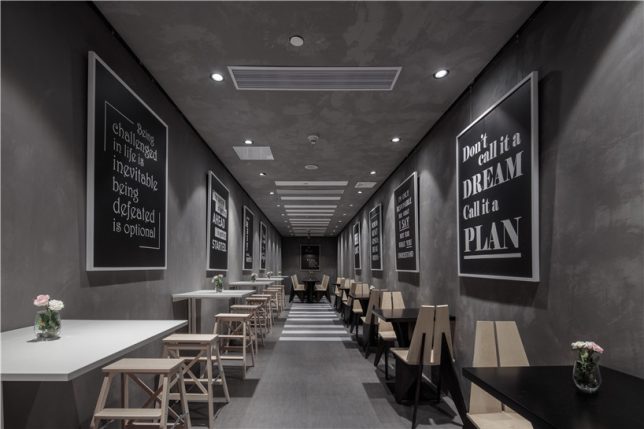
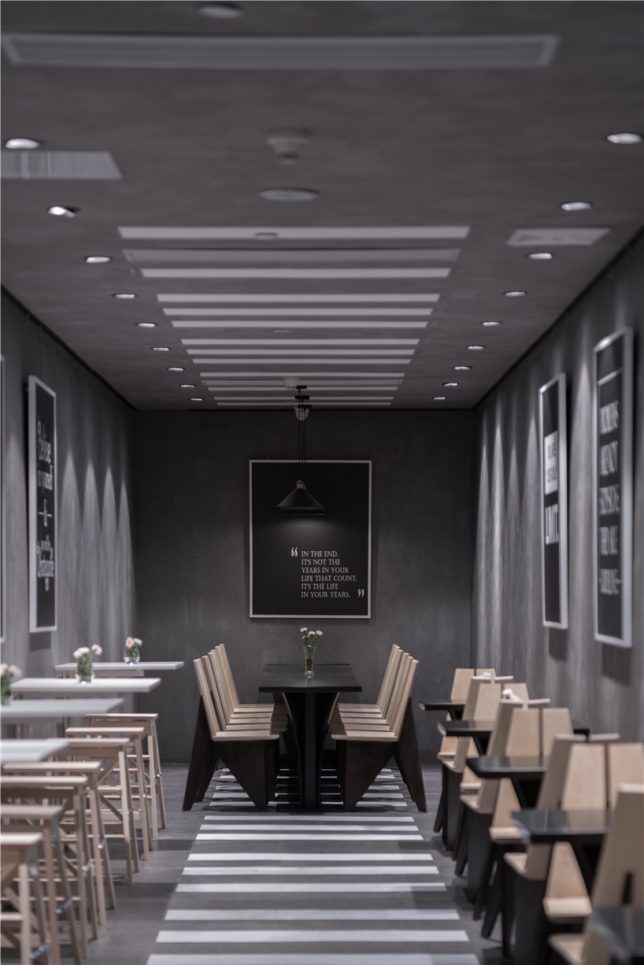
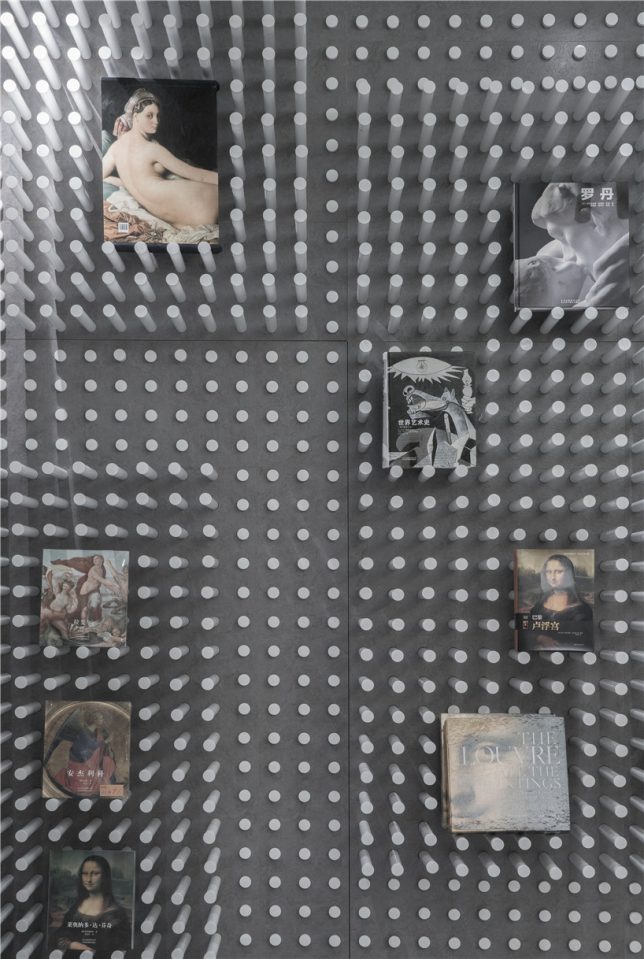
In these atmospherically-lit areas bursting with dark-stained wood, shoppers feel like they’re navigating the city late at night, when the traffic has died down and the streets are eerily silent. The crosswalks continue into the small cafe, stepping right up onto the ceiling and then back out into the showroom, where white pegs inserted into the concrete walls can be pulled or pushed to create display niches.

Share on Facebook


[ By SA Rogers in Design & Fixtures & Interiors. ]

[ WebUrbanist | Archives | Galleries | Privacy | TOS ]


WebUrbanist

 
Comments Off on Book City: Retail Space for Reading Mimics the Look of Urban Spaces

Posted in Creativity


Review – Outdoor Action and Adventure Photography Paperback Book

18 Apr

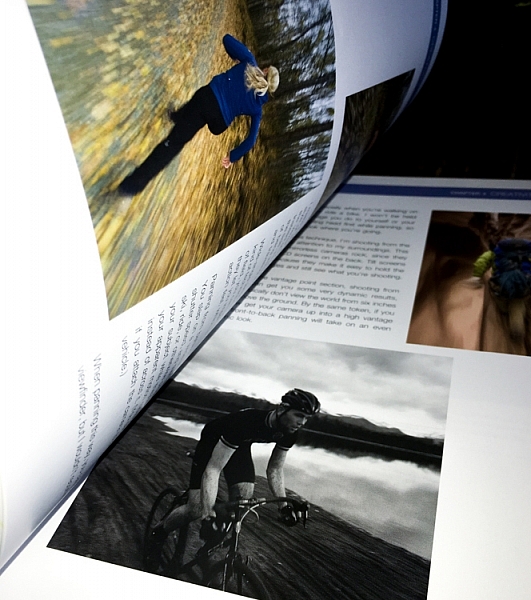
outdoor action and aventure photographyOutdoor Action and Adventure Photography by Dan Bailey is a refreshing change of course in this digital age we live in – it’s actually a paperback book. It is a good thing that Dan had decided to go hardcopy with this book, because it is filled with information, and as a result I feel like many people will want to jot things down, highlight paragraphs, and refer back to it time and again.
Overview

The book starts out with a heartfelt acknowledgement section that truly shows you how much time, effort, and passion, Dan has put into this work. It’s not just something that he’s slapped together – and it shows! Not only is the book well written and informative, but it is beautifully illustrated with a number of photographs from Dan’s portfolio.

After the acknowledgements, you’re given a general introduction to frame your mind for what you’re about to learn. Outdoor Action and Adventure Photography is geared to outdoor photographers, but I’d argue it’s geared even more so towards the outdoor enthusiast, who wants to take great photographs of their adventures.

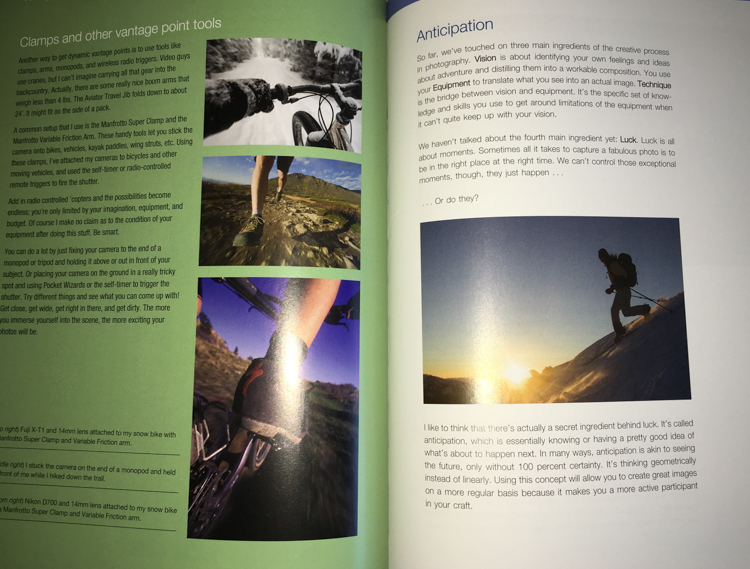
outdooraction

What I mean is that this book is designed to show you how to take photographs, while you’re hitting a triple black diamond ski slope, or hiking up the side of a mountain. It’s geared more towards the extreme side of outdoor adventure, and the challenges that you would face if you were trying to photograph in those conditions.

What You’ll Learn

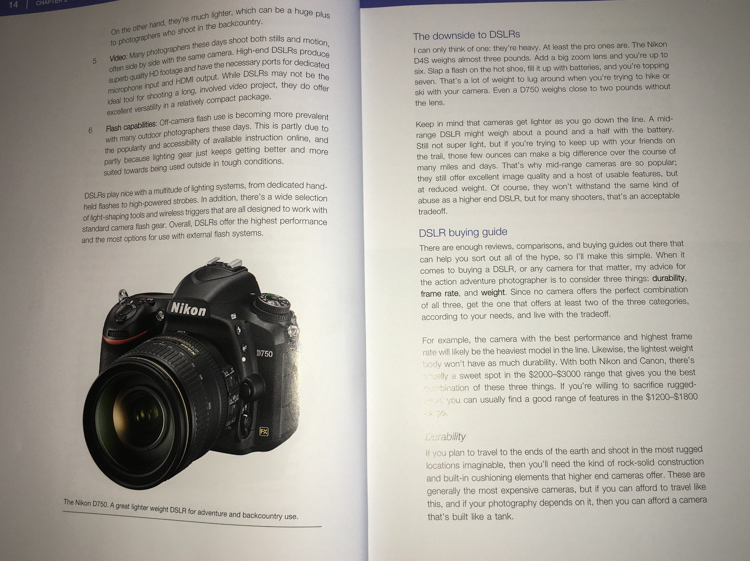
After the general framework is set, the book is broken down into a fairly logical path. First you’re introduced to the types of gear that you’ll need. Dan makes a great point about how, for this type of work, expensive gear does make a difference. Not necessarily just for the image quality, but because higher quality professional gear is designed to take a beating, and in the conditions you’ll be facing, the gear you use will need to withstand a few bumps.

outdooraction-3

One of the largest problems faced by adventure photographers is the desire to pack light, but maintain a versatile and high quality kit. In the book, Dan addresses how he handles this challenge, and from what I can gather he is focused more on lightweight and ease of use, versus trying to carry every possible lens and body up the side of a mountain. He has a few different configurations of bodies and lenses that he brings, depending on how far and strenuous the adventure is expected to be.

outdooraction-2

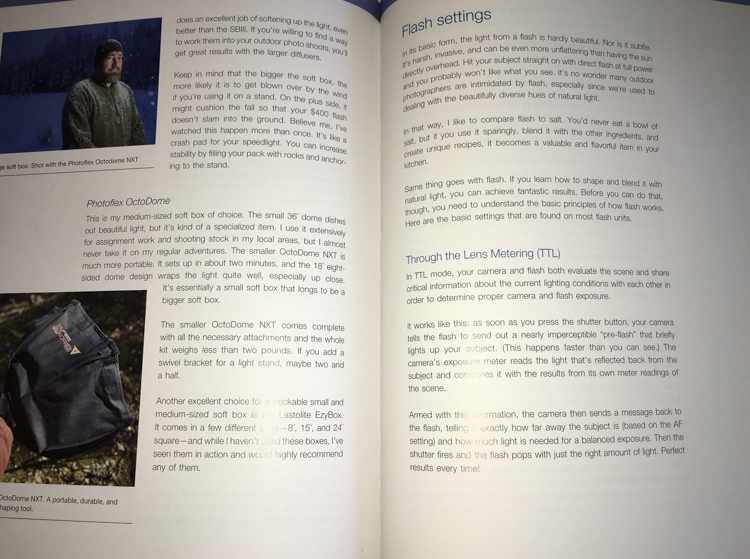
Another big issue that is addressed in this book is regarding lighting. Light on the side of a mountain is not always going to be what you want it, and in this section Dan spends a great deal of time discussing different types of flashes, he provides a great step by step workflow, and talks about different use cases.

outdooraction-4

Finally, there’s a great section on weighing the decision to go pro. What does it mean, do you have what it takes, will you go full-time or part-time? A lot of what is discussed in this section can be applied to other fields of photography, but there are a few considerations specific to Dan’s field, that are worth considering if you’re thinking about making this a career choice.

Final Thoughts

Outdoor Action and Adventure Photography is a book that is designed for the outdoor enthusiast who wants to take great photographs in extreme conditions. While Dan keeps a fairly conversational tone throughout, the book is so packed with information, I’d equate it to more of a textbook than a simple informational guide.

If you’re looking to take great photographs while hitting the slopes with your friends – this is the book for you!

googletag.cmd.push(function() {
tablet_slots.push( googletag.defineSlot( “/1005424/_dPSv4_tab-all-article-bottom_(300×250)”, [300, 250], “pb-ad-78623” ).addService( googletag.pubads() ) ); } );

googletag.cmd.push(function() {
mobile_slots.push( googletag.defineSlot( “/1005424/_dPSv4_mob-all-article-bottom_(300×250)”, [300, 250], “pb-ad-78158” ).addService( googletag.pubads() ) ); } );

The post Review – Outdoor Action and Adventure Photography Paperback Book by John Davenport appeared first on Digital Photography School.


Digital Photography School

 
Comments Off on Review – Outdoor Action and Adventure Photography Paperback Book

Posted in Photography


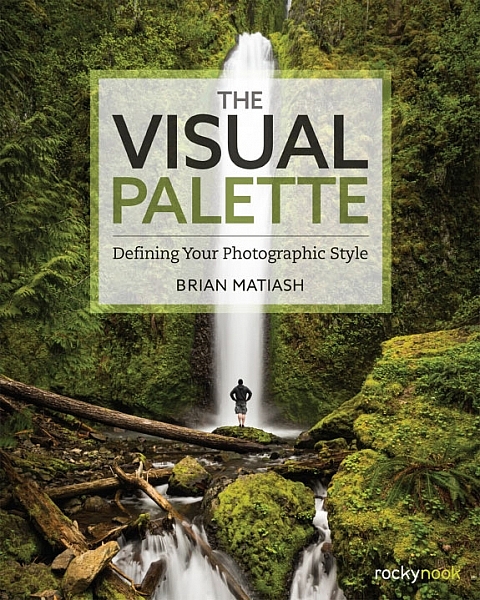
Book Review: The Visual Palette by Brian Matiash

10 Dec

The Visual Palette book review

Brian Matiash is a photographer based in Portland, Oregon. The Visual Palette is his first book published by Rocky Nook.

As the title suggests this is not a technical book. It’s aimed at evolving photographers who grasp the basics, but need some guidance in developing the creative side of their photography. The book is divided into three sections – Composition, Post-Processing and Stylization, and Sharing Your Work and Your Brand. Each section builds on the lessons learned in the one before.

The Visual Palette book review

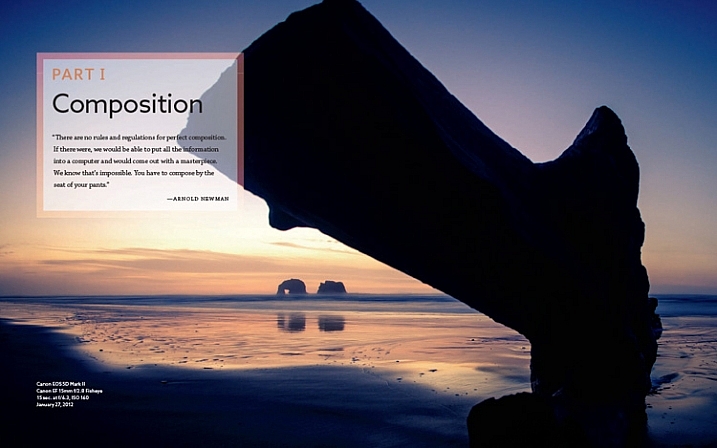
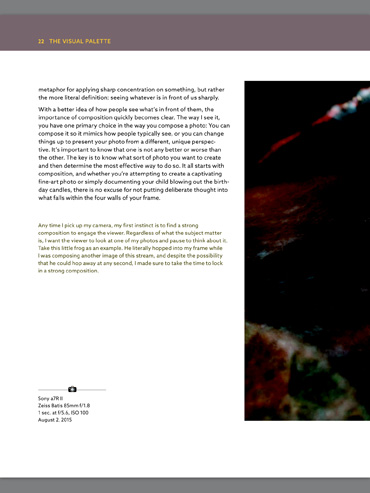
Screenshot from The Visual Palette

The book starts with composition. How you see, compose, and tell stories with photos is a major factor that sets your work apart from another. This section covers techniques like the rule-of-thirds, creating depth and using leading lines, as well as giving tips for photographing familiar subjects and learning to see.

The book continues with post-processing and stylization. This is where you bring further individuality to your work by the style in which you chose to process. It suggests separating photo editing into two distinct skills – post-processing and stylization.

  • Post-processing is the preparation work – preparing a clean image that gives an accurate representation of the scene.
  • Stylization is the process of adding your own artistic interpretation to the image.

I really like this idea, and think there is a lot to be gained by separating the concepts.

The book covers the tools you can use to achieve both skills. Be forewarned – there is a lot of grungy HDR in this section, and the processing may look a bit over the top for those of you not into this style of photography.

On the other hand, Brian does explain how he has moved from a grungy HDR style to a more natural one over the years – a journey that many photographers will probably identify with.

The Visual Palette book review

Screenshot from The Visual Palette

The final part of the book explores the process of sharing your work and building your personal brand. This will appeal to a wide spectrum of readers, from those who simply want to share their photos on Flickr or 500px, to professional photographers who need to build a brand to promote their work. If you haven’t put much thought much into how you share and promote your work, then you will find this section very useful.

Personal stories

As Brian explores the ideas in the book he relates his own experiences, giving you an insight to his thought processes, and his development as a photographer.

It could be argued that dividing the book into three topics results in a lightweight treatment of each. In a way that’s true – if you want to learn more about composition, for example, you would be better off buying a book dedicated to the topic. However, the aim of this book is to give you a primer in each of the areas it covers. You can then follow up by buying a book that explores the topics that interest you most in more depth.

For these reasons, The Visual Palette is more likely to appeal to beginners than advanced photographers.

The Visual Palette book review

Screenshot from The Visual Palette.

Annoyances and niggles

The review copy was provided in PDF form, and there were a couple of problems that stopped me fully enjoying the experience of reading it.

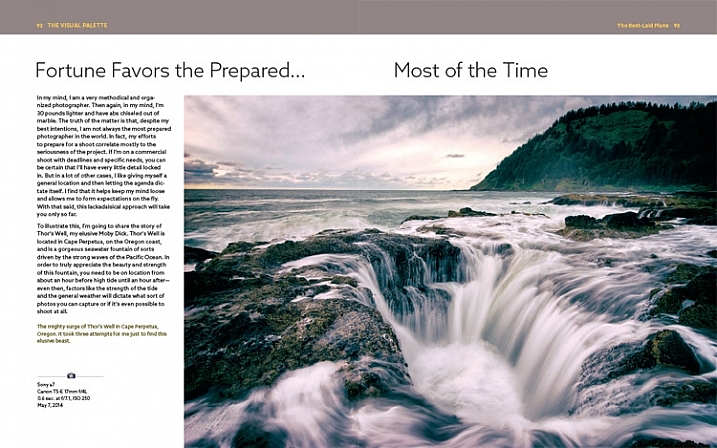
The first is related to layout. In iBooks or Acrobat Reader (on an iPad) you can only view one page at a time (on a computer you can view page spreads in Reader). Given that the book is designed as a series of double page spreads, and that many photos cross the gutter, this prevented me from seeing the photos properly. You can’t look at, and appreciate the photo, when it is split into two by the formatting. It greatly lessened the enjoyment of the book, and to be honest, put me off buying another ebook from Rocky Nook.

The Visual Palette book review

Here’s an example of what I mean. This is a screenshot from iBooks, which presents the pages one at a time. Not good when you have lot of photos that cross the gutter.

The solution would be to format the book especially for viewing on the iPad (and other tablets), so that each page in the PDF document contains a double page spread from the book. ILEX do this already with their ebooks (note: ILEX don’t publish PDF ebooks any more, restricting ebook sales to the Amazon Kindle store), and I’d like to see Rocky Nook follow suit.

It is possible to see spreads in Goodreader, but that brings me to the next point.

The second annoyance relates to color management. Adobe Acrobat Reader is the only PDF reader that accurately displays the colors and tones of the photos in the book on an iPad. However, Acrobat Reader only lets you view one page at a time, so we are back to the first problem.

The Visual Palette book review

This screenshot is from Adobe Acrobat Reader. Now we can see the photo with the correct brightness and contrast. But you can’t view two pages together, and the photo is still cut off.

In Goodreader and iBooks the photos are too dark, have too much contrast, and the colors are inaccurate.

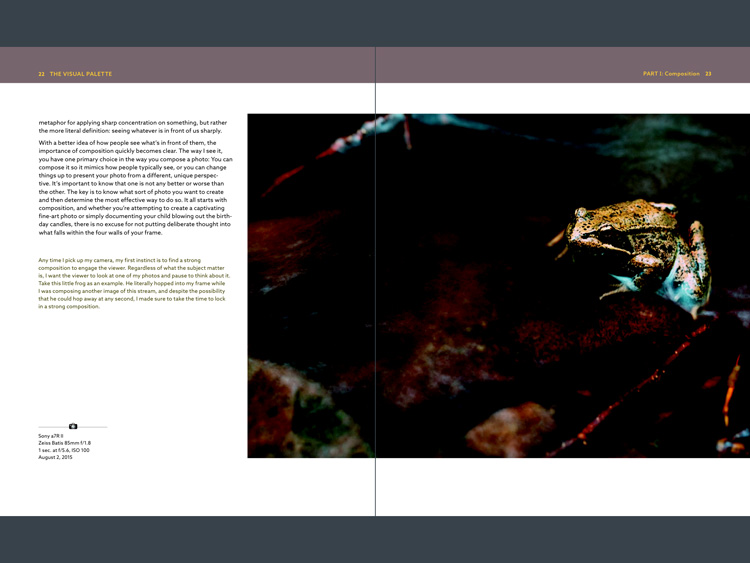
This is a screenshot from Goodreader, which can display two pages together, as the designer intended them to be seen. Great – now you can see the entire photo. But that's not much use when the photo is too dark to see properly.

This is a screenshot from Goodreader, which can display two pages together, as the designer intended them to be seen. Great – now you can see the entire photo. But that’s not much use when the photo is too dark to see properly.

I hope someone from Rocky Nook reads this and takes some action to put it right. Anybody who buys the PDF version of this book and tries to view it in iBooks or Goodreader will be disappointed with the quality.

Conclusion

The Visual Palette is well written, well thought out, and full of useful ideas. While little of the content will be new to advanced photographers, most of it will be useful to people starting out.

There are some good photos in the book (and unfortunately a few weak ones), although the heavy-handed treatment of some of them may put readers off who feel that there is a little more to stylization than using HDR techniques. However, if you ignore that, you’ll find a lot of good ideas in the written content.

I’m giving this book three and a half stars for the content. I recommend the printed book over the PDF ebook which is virtually unreadable in its current format.

Given my experience with the PDF version of this book I thought it would be interesting to ask your opinion about ebooks in general. Have you bought any? What did you think of the design? What format do you prefer, PDFs or epub/mobi? What feedback would you give publishers regarding design and content?

And of course, if you have read The Visual Palette and would like to let us know what you think, or if you have any questions regarding the book, please let us know in the comments below.

googletag.cmd.push(function() {
tablet_slots.push( googletag.defineSlot( “/1005424/_dPSv4_tab-all-article-bottom_(300×250)”, [300, 250], “pb-ad-78623” ).addService( googletag.pubads() ) ); } );

googletag.cmd.push(function() {
mobile_slots.push( googletag.defineSlot( “/1005424/_dPSv4_mob-all-article-bottom_(300×250)”, [300, 250], “pb-ad-78158” ).addService( googletag.pubads() ) ); } );

The post Book Review: The Visual Palette by Brian Matiash by Andrew S. Gibson appeared first on Digital Photography School.


Digital Photography School

 
Comments Off on Book Review: The Visual Palette by Brian Matiash

Posted in Photography


Fantastic Cities: 48-Page Urban Coloring Book Made for Adults

19 Apr

[ By WebUrbanist in Art & Drawing & Digital. ]

fantastic aerial view

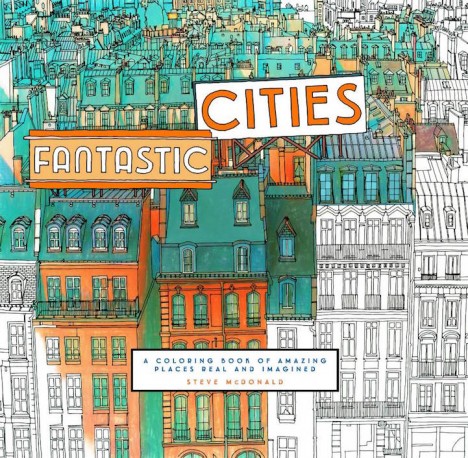
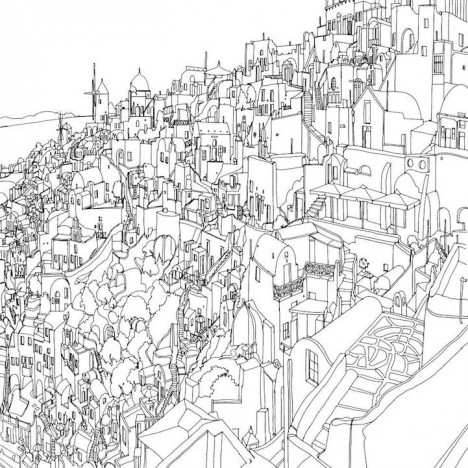
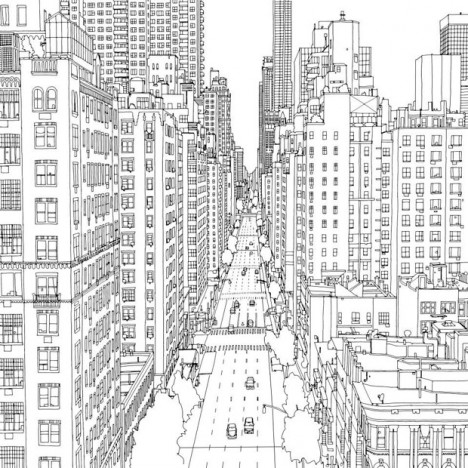
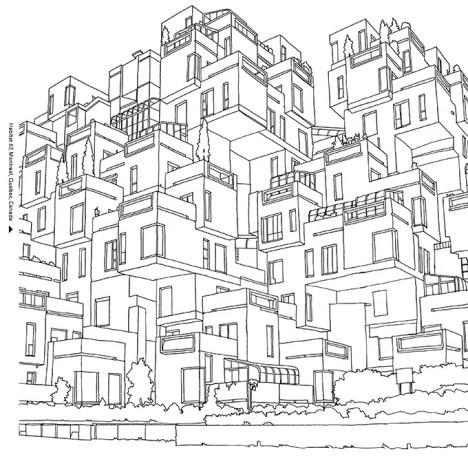
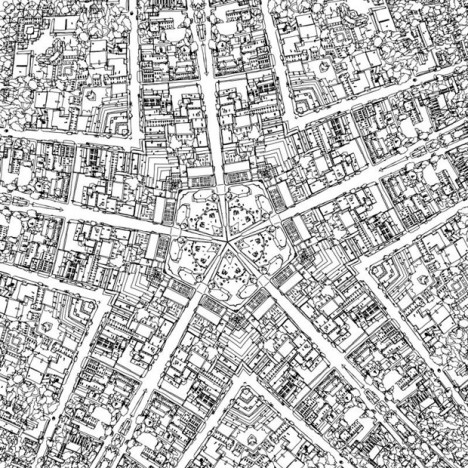
Coloring books are no longer just for kids, as this one designed for adult colorists illustrates in beautiful black and white. Showing urban scenes both real and imagined, these fictional, actual and hybrid views could take hours each for enthusiasts to fill in, and, psychologists argue, may even profit mental health benefits beyond the fun of simply reliving a childhood activity.

fantastic citiesss

fantastic cities book

Canadian artist Steve McDonald, the man behind Fantastic Cities, is known for works of a similar style, but these have historically been found in galleries and collections: “small on-site studies that are usually done with pencil/chalk on colored paper and large format studio work which is usually done with pencil & charcoal/chalk with acrylic washes on paper. Steve has also gained a lot of attention for his highly detailed ‘ bird’s eye view ‘ renderings of villages, cities and rural scenes as well as his compositions of machinery and his popular flying vehicle series.”

fantastic landscape

fantastic filled in color

In this book, Steve selected scenes from major cities like New York and San Francisco, providing aerial drawings of real places but also stylized works based on the architectural and urban character of other cities, all with extreme levels of detail that leave readers with much to color.

fantastic cities urban cityscape

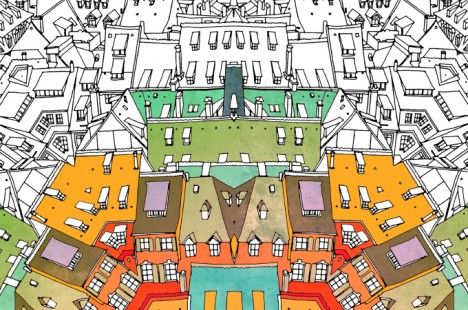
There may even be psychological benefits to coloring: “by engaging multiple parts of the brain, coloring allows us to focus on the lines, movements, and colors in front of us, use our imaginations and be creative, and de-stress.” More about the book: “This unique coloring book features immersive aerial views of real cities from around the world alongside gorgeously illustrated, Inception-like architectural mandalas. Available July 7th from Chronicle Books.”

fantastic cities books

fantastic cities black white

Nor is this an isolated piece – according to the New York Times, “major publishers are seizing on the trend. This year, Little, Brown will release four illustrated coloring books for adults, all subtitled ‘Color Your Way to Calm.’ The books, ‘Splendid Cities’ by the British artists Rosie Goodwin and Alice Chadwick and three titles by the French illustrator Zoé de Las Cases, feature detailed cityscapes with famous landmarks, cafes and street life. Promotional materials for the books emphasize the health benefits of ‘mindful coloring,’ noting that the activity “has been shown to be a stress reliever for adults.”

Share on Facebook


[ By WebUrbanist in Art & Drawing & Digital. ]

[ WebUrbanist | Archives | Galleries | Privacy | TOS ]


WebUrbanist

 
Comments Off on Fantastic Cities: 48-Page Urban Coloring Book Made for Adults

Posted in Creativity


Mobile Pop-Up Libraries: 12 Temporary & Traveling Book Lenders

10 Mar

[ By Steph in Architecture & Cities & Urbanism. ]

traveling library tank

Peruse the waterproofed selections at Minnesota’s Floating Library, renew your library card at a bus stop in Bogota, or select a volume from the shelves mounted to a tank-shaped ‘Weapon of Mass Instruction.’ These 12 traveling libraries and pop-up book stands bring the love of reading to the city streets, and even to the most remote corners of Mongolia via camel.

Weapons of Mass Instruction Tank Library

traveling library tank 2

Artist Raul Lemesoff was commissioned by 7UP to create ‘Weapons of Mass Instruction,’ a 1979 Ford Falcon transformed into a tank-shaped library, for World Book Day 2015. The vehicle features a rotating upper chamber, a faux cannon and room to store nearly 900 books in various compartments along the exterior. The library travels throughout Argentina, both urban and rural, to bring free books to anyone who wants them.

Mobile Beach Library in France

traveling libraries beach 1

traveling library beach 2

French architecture firm Matali Crasset brought more than 300 titles to becah goers in the seaside town of D’Istres via a pop-up library made of steel and tarps. The tent-like structure includes three shaded reading alcoves.

Bus Station Library

traveling libraries bus station

This urban book stand in Bogota, Colombia is part of the Paradero Para Libros Para Parques (PPP) program, created to promote literacy across the country. There are currently 47 of these bus stop libraries across Bogota, with many more located in other cities. A volunteer staffs each one for about 12 hours per week.

Pedal-Powered Mobile Library

traveling libraries denver pedal

The Denver Public Library literally brought its services to the streets in the form of DPL Connect, a pedal-powered mobile library and wi-fi hotspot that can travel to parks, concerts, farmer’s markets, coffee shops and anywhere else people gather. It’s stocked with a rotating collection of books tailored to the bike’s location, and the librarian pedaling the cart can provide traditional library services like help with digital downloads and reading suggestions.

Next Page – Click Below to Read More:
Pop Up Books 12 Mobile Libraries

Share on Facebook


[ By Steph in Architecture & Cities & Urbanism. ]

[ WebUrbanist | Archives | Galleries | Privacy | TOS ]


WebUrbanist

 
Comments Off on Mobile Pop-Up Libraries: 12 Temporary & Traveling Book Lenders

Posted in Creativity


Brutal but Beautiful: Book of 88 WWII Coastal Military Ruins

08 Mar

[ By WebUrbanist in Abandoned Places & Architecture. ]

world war eerie images

Traveling 23,000 miles over 4 years, photographer Marc Wilson has amassed an amazing collection of images spanning bunkers, gun emplacements, observation posts, command centres and other wartime infrastructure around Europe.

wwii coastal war ruins

war time bunker remnants

In his book, The Last Stand, 86 of the resulting images are arrayed to tell a complex story of different times and places. More than merely photographing these haunting remnants of war, however, Wilson also provides highly articulate reflections on everything from their site-specific purposes and aesthetics to their broader places in military and architectural histories.

war ruins woods

world war remnant architecture

“Composed of copious quantities of poured concrete,” many of these structures “defy and eschew any established aesthetic sensibilities: no hint of the classical, the gothic or the baroque here. Their geometries, purely contingent, were designed to resist the effects of the latest developments in projectile technology, their profiles shaped to deflect such missiles and avoid any direct percussive explosions on their structures.”

orld war brutalist remains

world war encampments

world war concrete bunker

His shots are carefully composed and timed, often taking place in the early hours of the morning when eerie mists and dim lights grant the subjects a surrealistic atmosphere. There is a dreaminess and dreariness to his work that manages to make the objects captured seem both ordinary and otherworldly. Prints of many of the pieces featured in the book can be purchased as well.

world war castle tower

world war winter imagery

world war water barrier

Unlike even the most pragmatic warehouse of the time, “there was nothing speculative or arbitrary about the bulwarks of their sometimes bizarre and often ungainly forms: they were purely functional. While far from being graceful or classically proportioned, there is something visually appealing about the alien (and sometimes sinister) forms of those bunkers. Novelty does not quite describe this appeal: more surprise perhaps – a surprise that courts the sublime.”

Share on Facebook


[ By WebUrbanist in Abandoned Places & Architecture. ]

[ WebUrbanist | Archives | Galleries | Privacy | TOS ]


WebUrbanist

 
Comments Off on Brutal but Beautiful: Book of 88 WWII Coastal Military Ruins

Posted in Creativity


How to Create a Simple Blurb Photo Book in Lightroom

07 Feb

How to create a simple photo book in Lightroom

The easiest way to get started with Lightroom’s Book module is to create a simple photo book, letting Lightroom do most of the work for you so you don’t get bogged down in the extensive design process involved in making a more complex book.

Things to do before you start

You will make the book design process much easier by doing, or at least thinking about, the following things before you start:

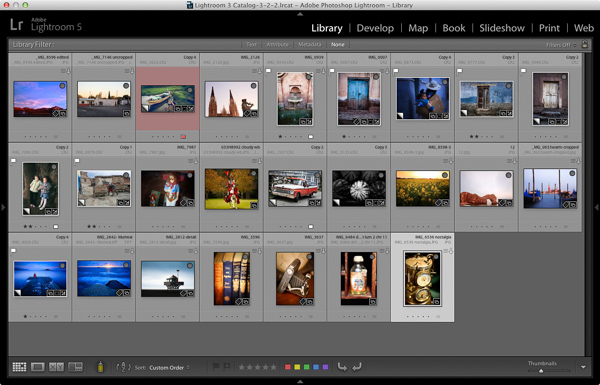
  • Select which photos you’re going to include. Or at least narrow it down as much as you can. You might change your mind many times as you work on the design. Organize them in a Collection.
  • Arrange the photos in the approximate order they will appear in the photo book by clicking and dragging. You can do this in the Filmstrip in the Book module, but it is much easier to do it in Grid View in the Library module. It helps if you have created a Collection containing the photos you wish to include in the photo book. Again, this doesn’t need to be precise as you will probably change your mind as you work your way through the design process.

How to create a simple photo book in Lightroom

  • Choose photos for the front and back covers. The cover photo is the first one in the Collection, the back cover photo is the last. You can change your mind later if you need to.
  • Process your files, if required. Naturally, you have probably already processed the photos you would like to include in your book, but are the photos processed in a consistent way? For example, if you are creating a book containing toned black and white photos have they all been toned the same colour, or are they different? It might be better for the book if they are all toned the same colour. If your photos need processing, it may be helpful to make Virtual Copies, so the originals are unaffected by the changes.
  • Pick which Blurb photo book size to use. There are five to choose from: small square, standard portrait, standard landscape, large landscape and large square. Sizes and prices of Blurb books are outlined on Blurb’s website.
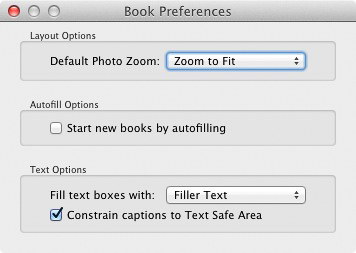
  • Go to Book Preferences, which are found under the Book menu in the Book module (you can’t open them from any other module). Set Default Photo Zoom to Zoom to Fit and leave the Start new books by autofilling box unchecked. The other settings don’t matter for simple photo books.

How to create a simple photo book in Lightroom

Creating a simple photo book

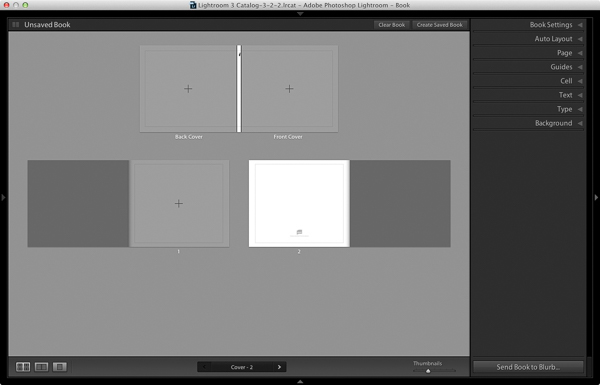
Go to the Book module. If you set your Book Preferences as recommended above, you will see something like this.

How to create a simple photo book in Lightroom

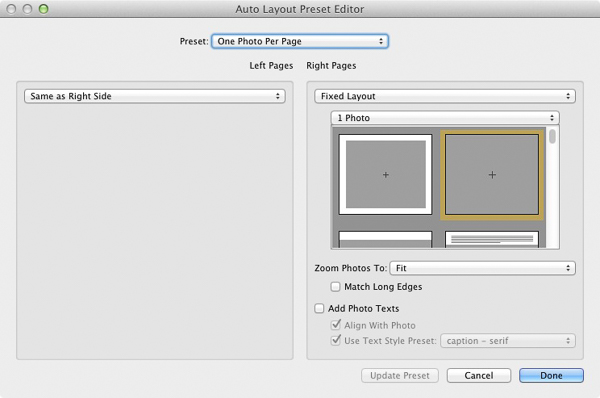
Regardless of what you see on screen, start by clicking the Clear Book button at the top of the Content window. Then go to the Auto Layout panel, set the Preset to One Photo Per Page and use the drop down menu accessed by the double arrow icon to select Edit Auto Layout Preset. The Auto Layout Preset Editor window opens (below). Look for the Zoom Photos To setting and set it to Fit (if it isn’t there already). Click the Done button at the bottom of the window.

How to create a simple photo book in Lightroom

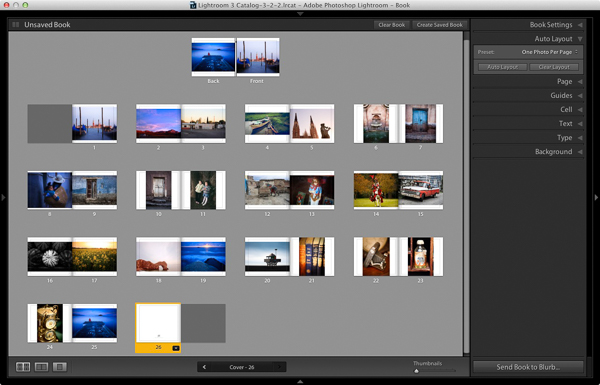
Click the Auto Layout button in the Auto Layout panel. Lightroom creates the book for you. It will look something like this, depending on the number of photos in your book.

How to create a simple photo book in Lightroom

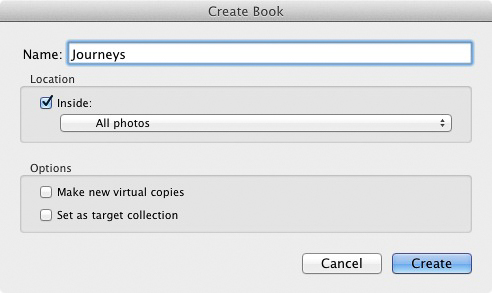
At this stage you will see the words Unsaved Book in the top-left corner. They indicate that the current book layout hasn’t been saved. Click the Create Saved Book button. This prompts Lightroom to open the Create Book window and create a Book Collection – a specialized type of Collection containing photos used in a photo book.

Give the book a name and select a Collection Set to store it in. Click the Create button. Lightroom duplicates the current Collection and turns it into the new Book Collection. It is displayed in the Collections panel with a book icon to differentiate it from other Collections. The name of the Book Collection is also displayed in the top-left corner of the Book module. Lightroom updates the Book Collection every time you make a change, so you can come back to it at any time without losing your work.

How to create a simple photo book in Lightroom

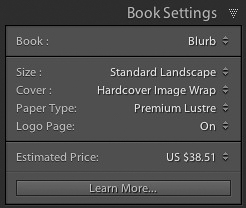
Go to the Book Settings panel and select the Size of the book and the type of Cover you’d like (I chose Standard Landscape with Hardcover Image Wrap for this example). It’s important to decide now which you want, as it may affect the layout if you change them later.

Lightroom displays the estimated price of the photo book at the bottom of the panel (click the double arrow icon to the right of the price to see it in a different currency). The figure changes according to the size of the book, the number of pages in it, and the Paper Type (there is more information about paper types on Blurb’s website.

You can save money by including the Blurb logo page – an extra page at the back of the book with Blurb’s logo. Doing so gives you a discount, but adds an extra page to the layout.

http://www.blurb.com/proline

The first and last photos in the Book Collection are used as covers, but Auto Layout also adds them as the first and last photos in the book. If you don’t want them in those positions then you need to remove them.

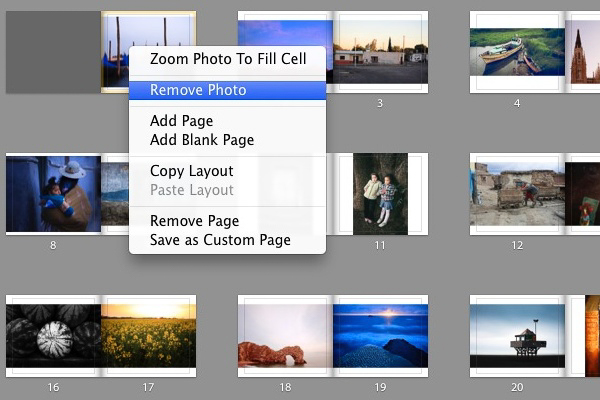
Starting by going to the first image, right-clicking and selecting Remove Photo.

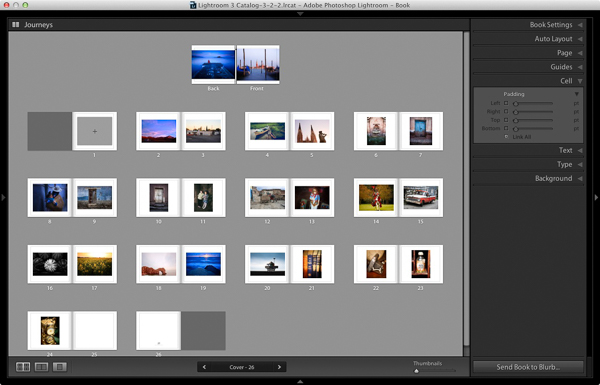
You should now see a grey square with a cross in it (if you don’t, go to the Guides panel and tick the Show Guides and Photo Cells boxes). The icon indicates the page contains an empty Photo Cell – Lightroom’s term for the spaces allocated to photos within the layout.

The left-hand page is dark grey, indicating that it’s the inside of the front cover, and that you can’t add anything to it.

How to create a simple photo book in Lightroom

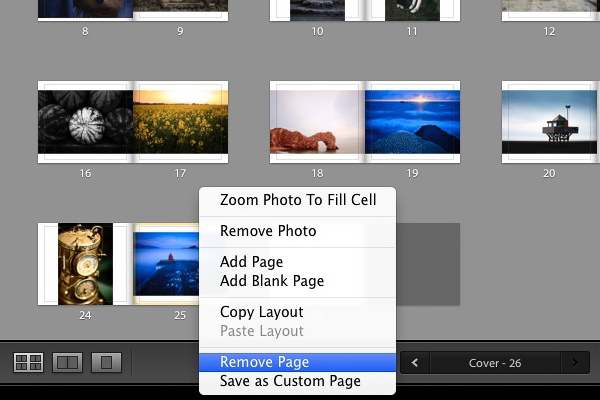
Repeat the process with the last photo in the book. This time, right-click the photo and select Remove page.

How to create a simple photo book in Lightroom

Add a white border

The next step is to create a white border around the photos in the book, rather than run them up to the edge of the printed page. The photos will be smaller, but the additional white space will give the book a more professional look.

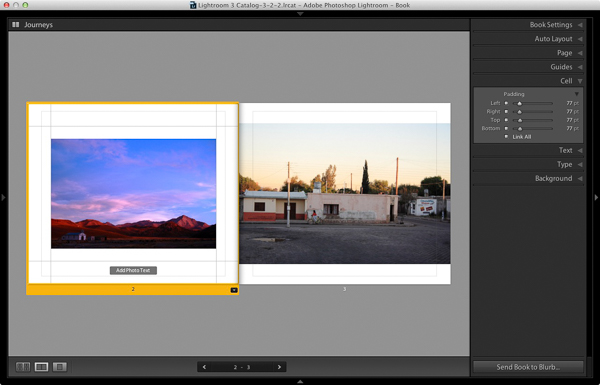
Click on a page containing a photo in the landscape orientation to activate it and go to the Cell panel. Grab the bottom slider and move it right. The other sliders should move with it at the same time (if they don’t, click the grey Link All square – when all the squares are white, they will move together). Adjust the sliders until the photo has a solid white border around it like the one in the screen shot below.

How to create a simple photo book in Lightroom

Right-click on the page and select Save as Custom Page. Switch to the Multi-Page View and go to Edit > Select All to select all the pages in the book (the cover isn’t included).

Click any arrow in a yellow frame, go to Custom Pages and select the page layout you just created. If this is the first time you have done this, it will be the only one there. Lightroom updates the selected pages with the chosen layout.

How to create a simple photo book in Lightroom

Design the covers

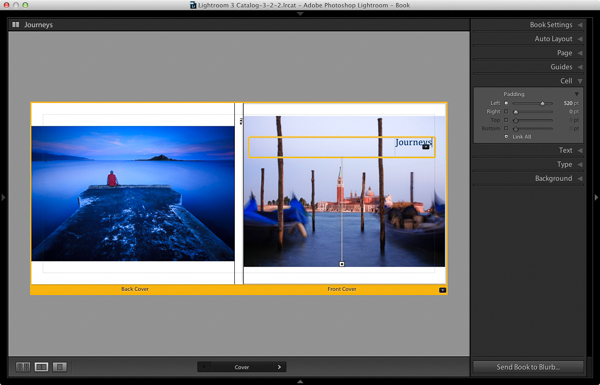
Go to the covers spread, click on the front cover and then the grey Add Photo Text button at the bottom. Type in the book title. You can change the font colour, size, and text in the Type panel. Click and drag the yellow border to move the text.

You can’t change the width of a Photo Text Cell. But you can easily move the title left or right by going to the Cell panel and moving the Left slider until the title is positioned where you want it.

How to create a simple photo book in Lightroom

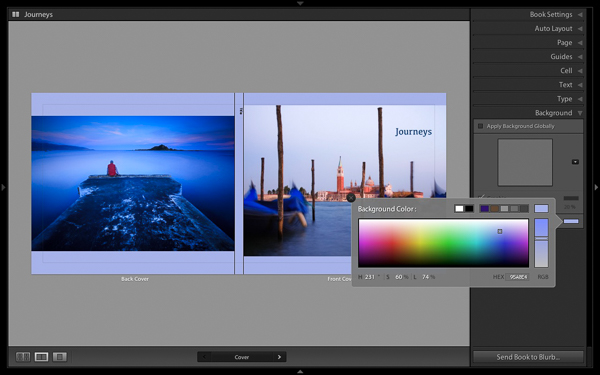
Open the Background panel and select a background colour that complements the front and back covers.

How to create a simple photo book in Lightroom

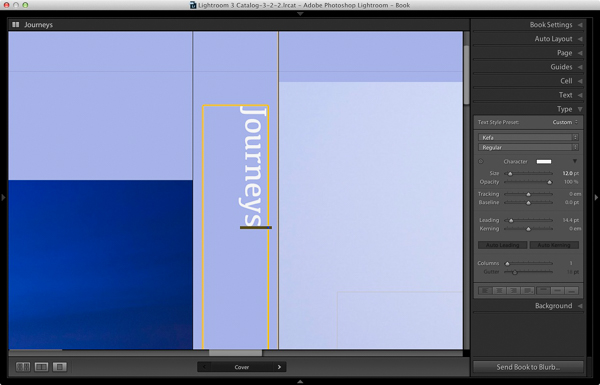
Go to the title on the spine of the cover, and change it to the title of your book. For consistency, you should use the same font you selected for the title on the front cover.

How to create a simple photo book in Lightroom

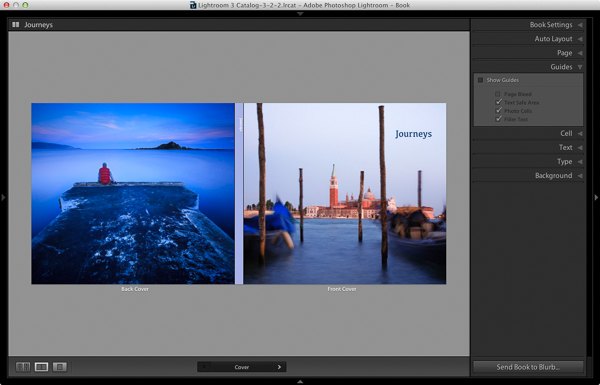
Another option for the cover is to expand the photos so that they fill the available space. This will crop the photos, which you may not want, but can look really effective. You may also need to move the title. To do so, right-click on the cover images and select Zoom Photo to Fit Cell. This is what it looks like with my covers.

How to create a simple photo book in Lightroom

Congratulations, you have finished your photo book! There are lots of ways you can tweak and improve your design in the Book module,  I may go into those in a later article. But hopefully you now see how easy it is to get started in the Book module. Indeed, if you are happy with this simple design, you can create a photo book in a few minutes.

Uploading your photo to book to Blurb

In order to print your book with Blurb you need a Blurb account, which you can sign up for on their website.

Then, press the Send Book to Blurb button underneath the right-hand panels. Lightroom prompts you to sign into your account. Then, enter the title and author’s name and click the Upload Book button. The upload takes some time, but when it’s done you can sign into your Blurb account online and see your book. Leave this step until you’re ready to order though, as Blurb will delete the book from your account if you don’t order at least one copy within 15 days.

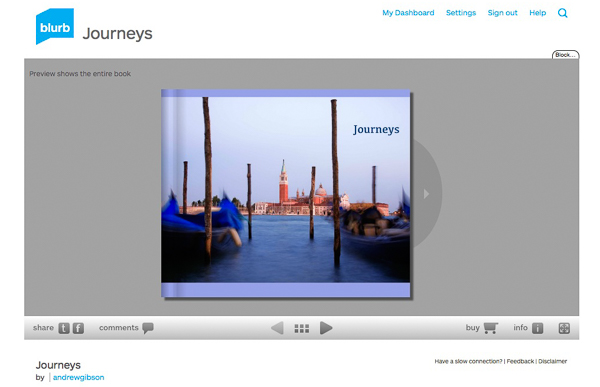
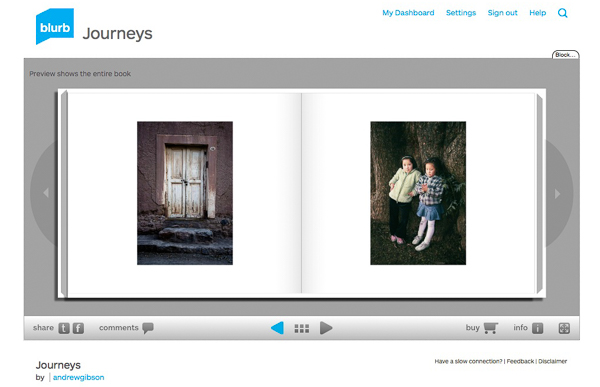
Here are some preview pages from the photo book I just created.

Have you made a book yet? Please share your comments and questions below.
lightroom-create-simple-photo-book-18
How to create a simple photo book in Lightroom


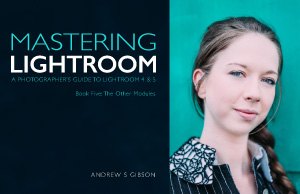
Mastering Lightroom: Book Five – The Other Modules ebook coverMastering Lightroom: Book Five – The Other Modules

My new ebook Mastering Lightroom: Book Five – The Other Modules shows you how to use Lightroom’s powerful features to create fun and interesting projects using the Map, Book, Slide show, Print and Web modules. Whether it’s geotagging, putting together a photo book, printing your best photos or creating web galleries all the information (and inspiration) you require is right here.

googletag.cmd.push(function() {
tablet_slots.push( googletag.defineSlot( “/1005424/_dPSv4_tab-all-article-bottom_(300×250)”, [300, 250], “pb-ad-78623” ).addService( googletag.pubads() ) ); } );

googletag.cmd.push(function() {
mobile_slots.push( googletag.defineSlot( “/1005424/_dPSv4_mob-all-article-bottom_(300×250)”, [300, 250], “pb-ad-78158” ).addService( googletag.pubads() ) ); } );

The post How to Create a Simple Blurb Photo Book in Lightroom by Andrew S. Gibson appeared first on Digital Photography School.


Digital Photography School

 
Comments Off on How to Create a Simple Blurb Photo Book in Lightroom

Posted in Photography


The Winner of the Group f.64 Signed Book Giveaway is…

26 Dec
Mary Street Alinder Group f.64 Book Signing at the Scott Nichols Gallery

Mary Street Alinder Group f.64 Book Signing at the Scott Nichols Gallery

Thanks to everyone who entered my giveaway of a signed copy of Group f.64. Thanks to the craziness of the holidays I ran slightly behind schedule in making my winner announcement, but it’s finally here. And the winner is… Sid Vedula.

Congratulations Sid! Expect your copy of the book in the mail soon.

I hope everyone has a fun and healthy holidays.

If you haven’t already taken part, be sure to enter Your Best Photos from 2014 in my annual blog project.

Copyright Jim M. Goldstein, All Rights Reserved

The Winner of the Group f.64 Signed Book Giveaway is…

The post The Winner of the Group f.64 Signed Book Giveaway is… appeared first on JMG-Galleries – Landscape, Nature & Travel Photography.


Related Stories

  • Blog Project: Your Best Photos From 2014 – Enclosure
  • Blog Project: Your Best Photos From 2014
  • Group f.64 Signed Book Giveaway
Feed Ads by FeedBlitz
powered by ad choices


JMG-Galleries

 
Comments Off on The Winner of the Group f.64 Signed Book Giveaway is…

Posted in Equipment


Last Stop: Photo Book Documents 150 Vanishing US Rest Stops

12 Dec

[ By WebUrbanist in Culture & History & Travel. ]

rest stop photo montage

For the last five years, this photographer has been traveling around the United States and capturing an eclectic but dying breed of roadside architecture: the American rest stop.

rest stop brick wood

rest stop simple a frame

the last stop big bend

rest stop waggon cannon

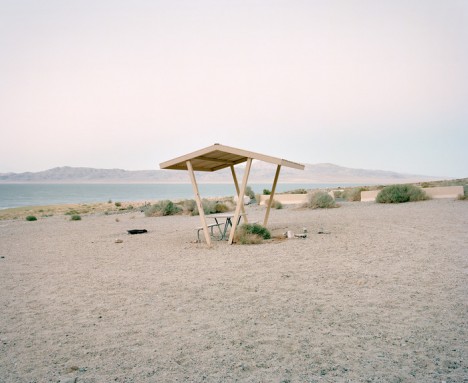
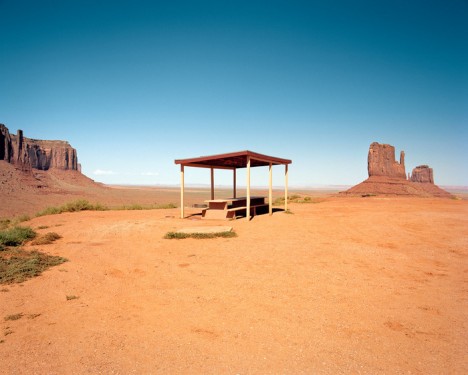
Ryann Ford of Austin, Texas, who has taken 150 pictures of  these to date, notes that this architectural typology has been associated with ” rest, relief, hospitality, and nostalgia” for the last half-century. The shots shown here include Big Bend National Park, Texas (FM 170), Walker Lake, Nevada (U.S. 95), Thackerville, Oklahoma (I-35), Clines Corners, New Mexico (U.S. 66/I-40), Monument Valley, Arizona, and more.

the last stop photo book

the last stop picture pages

the last stop cover page

Though The Last Stop has just reached her crowdfunding goal on Kickstarter, there is still time left to support the project in return for this oversized coffee table book which will be filled with 100 pages of images and stories. It represents both an aesthetic treat but also a critical archive of these structures, many of which are being abandoned or destroyed. Polaraids, prints and other prizes are also available.

rest stop map image

rest stop abandoned deserted

rest stop desert roof

rest stop picnic area

“When interstate highways were first built, passing up many small towns, rest stops were a way to reconnect people to the places they were traveling though. They gave small towns a chance to show their cultural significance. Rest areas have become relics of America’s roadside past. These sites not only illustrate a unique period in the American travel experience, but are significant for the architectural forms found within them.”

Share on Facebook


[ By WebUrbanist in Culture & History & Travel. ]

[ WebUrbanist | Archives | Galleries | Privacy | TOS ]


WebUrbanist

 
Comments Off on Last Stop: Photo Book Documents 150 Vanishing US Rest Stops

Posted in Creativity