RSS
 

Posts Tagged ‘Beautiful’

Being Too Beautiful With Nicole Luneburg

28 May

Photographer Nicole Luneburg interviews with Fashion Photography Blog (FashionPhotographyBlog.com)

FashionPhotographyBlog.com was able to catch up with another of our past Photo of The Week winners, Australia-based photographer, Nicole Luneburg. We were curious to discover what she has been up to since taking the photo that won her the title of photo of the week and we were delighted to hear about her more recent work.

I asked Nicole where in her photography journey does she think she is at now, she kindly told that “It has taken a few years with many up and down periods.  I’ve finally reached a new place where I’m consistently able to produce quality work. I’m also able to access a larger amount of creative minded people and models who want to work with me. It’s a great feeling! I’m looking forward to seeing where this year and the future will take me!”

Photographer Nicole Luneburg interviews with Fashion Photography Blog (FashionPhotographyBlog.com)

How has her photography changed since taking “Pretty In Pink”, the photo that won her Photo Of the Week, I was curious to ask. I wanted to know what is different now in the way that she shoots, she revealed that, she has evolved as a photographer since ”I used to put a lot of pressure on myself. Now I accept the things I cannot control on the day of the shoot, I’m able to adapt much better now. No that’s a little lie I still put pressure on myself ;). I focus less now on the technical side of photography and try to capture and post process to create what I love in the first place, creating what my mind sees.”

Photographer Nicole Luneburg interviews with Fashion Photography Blog (FashionPhotographyBlog.com)

In regards to shoots that Nicole shot recently, she shared with us some of her stories. She told us that “I did a nude shoot with model Amy Heather and makeup artist Ali Stewart was inspired by amazing artists Julie Bell and Boris Vallejo. I wanted an emoting image that showed the realization of a woman’s own feminine beauty, absolutely free and without shame. I specifically picked a model who I knew would be able to realize this image for me perfectly.

Another recent shoot with black and white images of a blonde with a cigarette and a Minolta X-300 was with model Olivia Meehl and makeup artist Mel Philippou. I was inspired by the style of Priscilla Presley and Lana Del Rey combined. I modernized it a bit and applied my style to it with a sense of the scene being a movie still. It was a very exciting thing for me to do. “

Photographer Nicole Luneburg interviews with Fashion Photography Blog (FashionPhotographyBlog.com)

To shoot these shoots and for her more recent work, Nicole explained that “A large amount of my work was taken with the Canon 350D and a Canon 50mm lens. In the past 2 years, I’ve been using the Canon 5D Mark II and the lenses I use are predominantly the Canon 135mm and Canon 50mm. I also use a Canon 580 EX II through various light diffusers.”

Nicole continues to detail that the change in photography equipment also meant a change in the way she approaches lighting, “I shoot with a Canon 580 EX II usually through a soft box or a beauty dish. More recently I have been getting into natural light. It’s something I like to do when I want to focus back into my zone – just me and the model, no one else, no lighting. Once I’m back in touch with what I feel is the pureness of what I love to do, I am able to continue again with the various forms.

So after all the shoots she has done over the year, what has been Nicole’s top accomplishment to date you might ask? Well, the photographer says that it would have to be her portfolio, “I think my greatest achievement is having a body of work that people can see and allows them to put a lot of trust in me to photograph for them. I’m very proud of this as it means the hard work and effort I and my team mates have put into my work has opened up a lot of creative opportunities for me.”

Photographer Nicole Luneburg interviews with Fashion Photography Blog (FashionPhotographyBlog.com)

To find out more about Nicole Lüneburg and her work, you can visit her website: http://www.nicoleluneburg.com or via her Facebook page “Nicole Lüneburg Photography

Photo Credits:

Photographer – Nicole Luneburg

Pictures 1 & 2: Justin @ The Couturist (designer), Anita Rutter (MUA), Lauren Frensham (model) & Mark Boros (BTS)

Picture 3: Shannen Buckland (model)

Do you like Nicole’s new work now compared to her previous entry? Please comment below.


Fashion Photography Blog

 
Comments Off on Being Too Beautiful With Nicole Luneburg

Posted in Uncategorized


Turn Your Photos Into Beautiful Photo Narratives With Exposure

07 Nov
Extra photos for bloggers: 1, 2, 3

There are plenty of places on the web to post a photo your friends will “like.”

Our pals at Exposure have created a way to share photos that’ll make your friends straight up marvel!

Exposure is a super simple way create a photo narrative with your photos. Drag and drop your very best shots onto the page and an algorithm arranges them for you.

Type in a few words and you have a beautifully laid out photo story ready to share.

It takes the tricky out of making a stunning spread so you can concentrate on having adventures and taking great shots.

For inspiration, check out the very best Exposure photo stories already created.

Exposure is rolling out invites as we speak and we’ve got a link that’ll get you to the front of the line.

Sign up for Exposure, Share Your Photo Stories

Related posts:

  1. Turn Your Photos into Beautiful Glass Etchings! Extra photos for bloggers: 1, 2, 3 Before printers spewed…
  2. DIY: Turn Photos Into Beautiful Watercolor Portraits Extra photos for bloggers: 1, 2, 3 Photography and stencil…
  3. Black and White Conversion: The Best Ways to Turn Color Digital Photos Into Beautiful B&W ~Have a cool photo product or site? Reach 270,000 photo…


Photojojo

 
Comments Off on Turn Your Photos Into Beautiful Photo Narratives With Exposure

Posted in Equipment


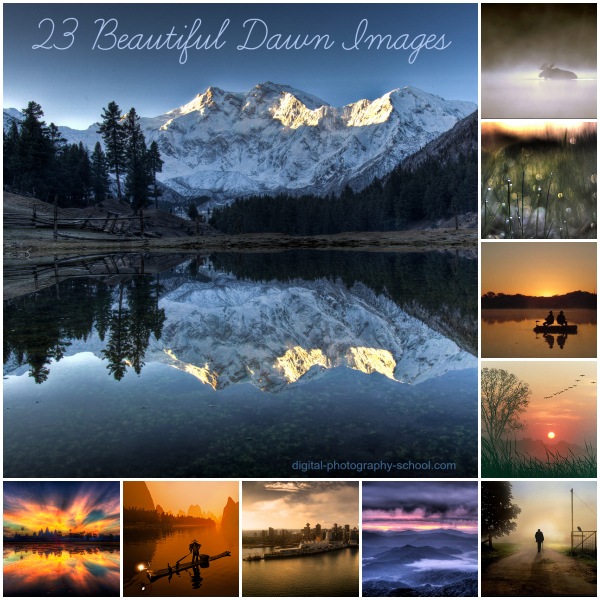
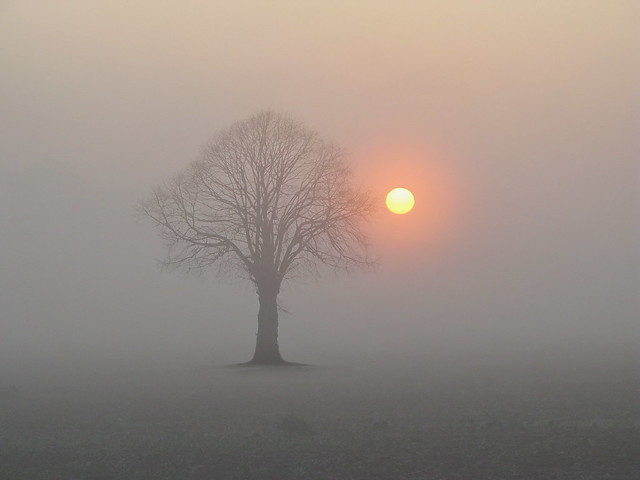
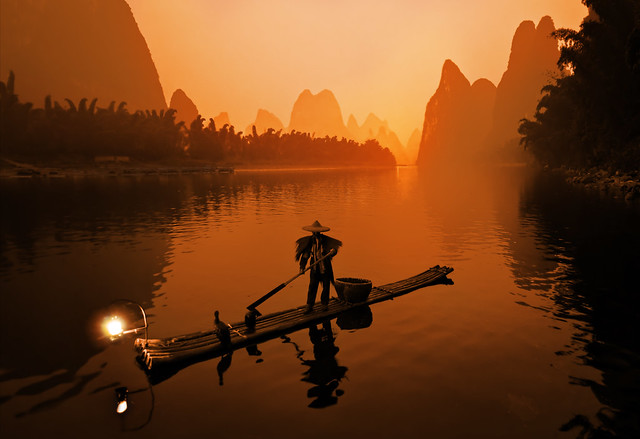
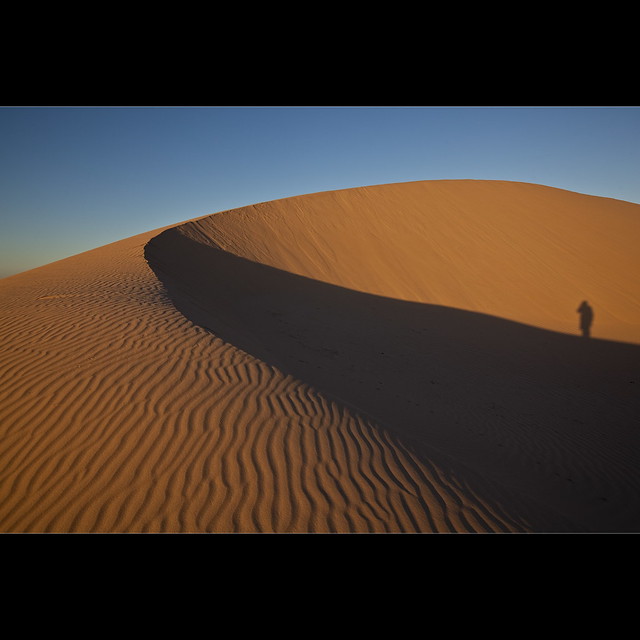
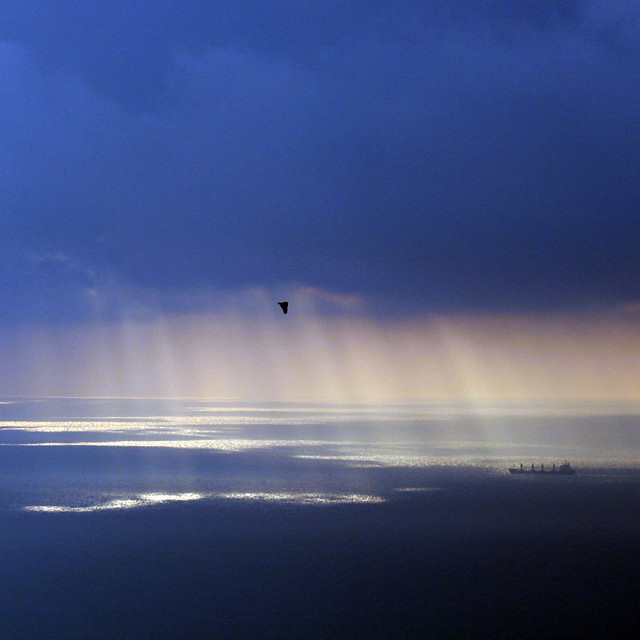
23 Beautiful Dawn Images

09 Oct

23 Beautiful Dawn Images 6

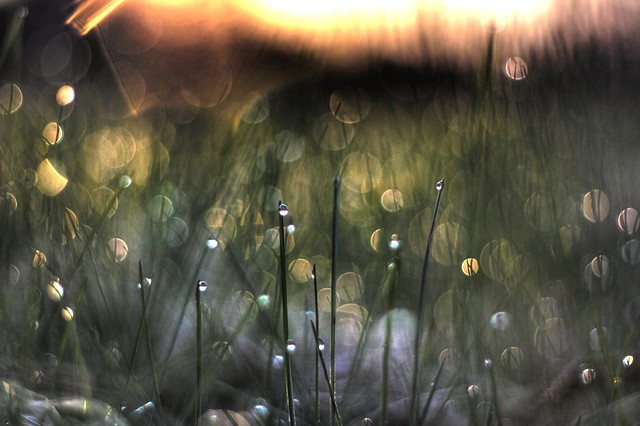
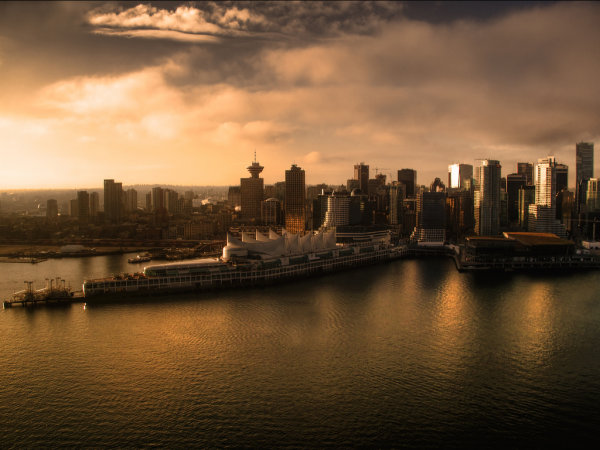
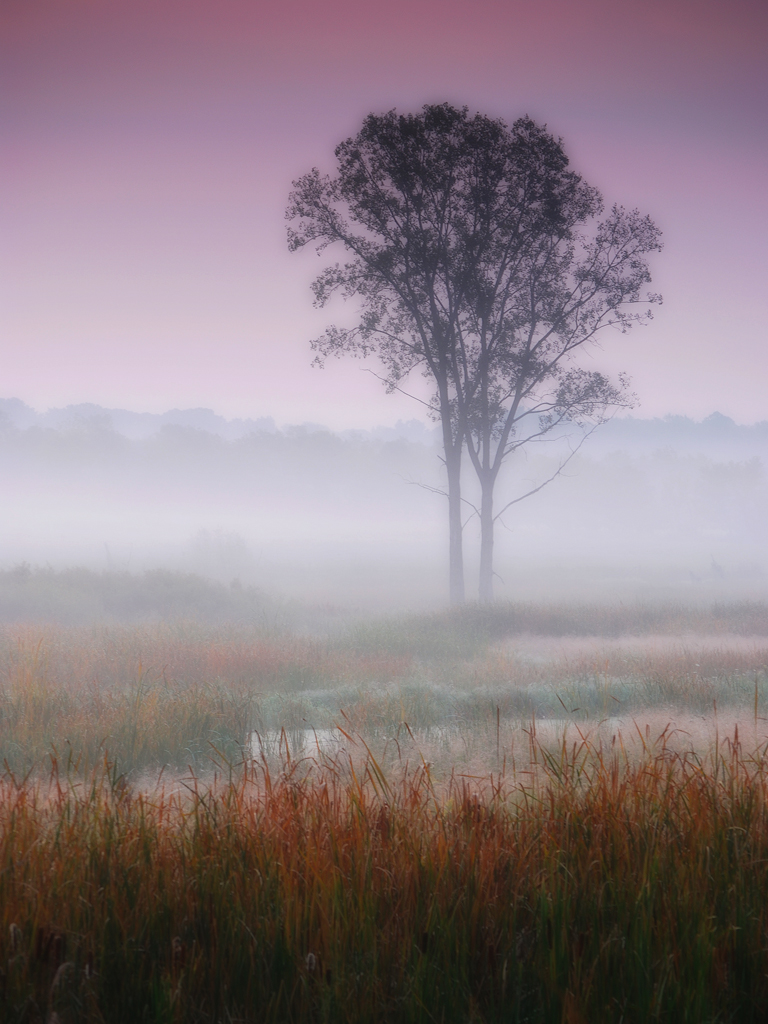
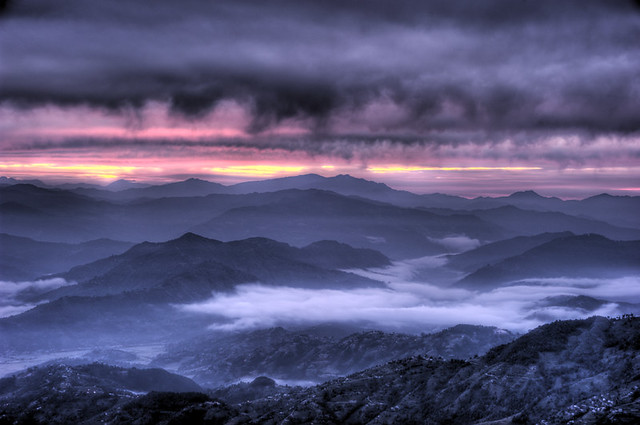
Dawn is such a wonderful time to photograph life. Sun breaking the horizon, dew on grass, mist hovering over landscapes… of course, that’s only if you’re awake to see it.

Here’s some shots taken at dawn to give you a little inspiration to set that alarm clock one day this week and head out with your camera before day break. Looking for some tips on how to do it? Check out our 12 Tips for Photographing Stunning Sunsets and Sunrises.

PS: want to know more about a photo in this series? Click it to be taken to the photographers flickr page to see more of their work.

Say you will

Anticipation

Dawn Images

Autumn dawn

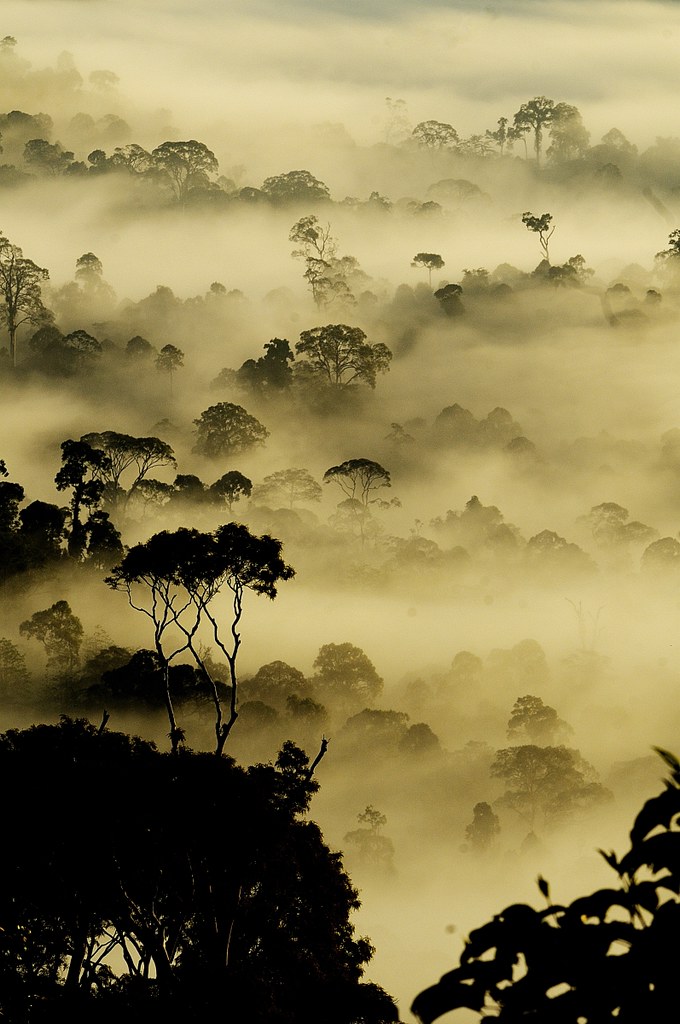
Misty autumn dawn

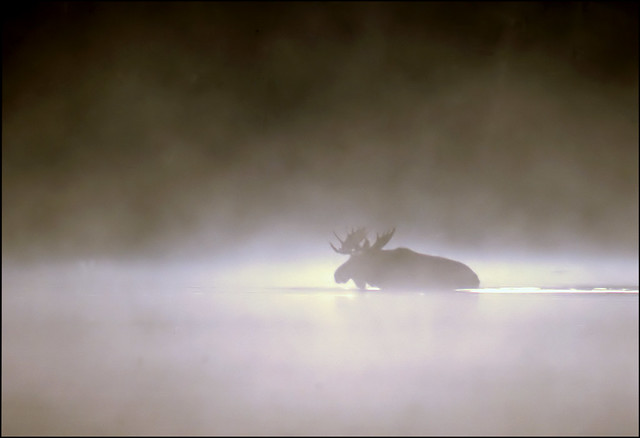
the gift of the moose

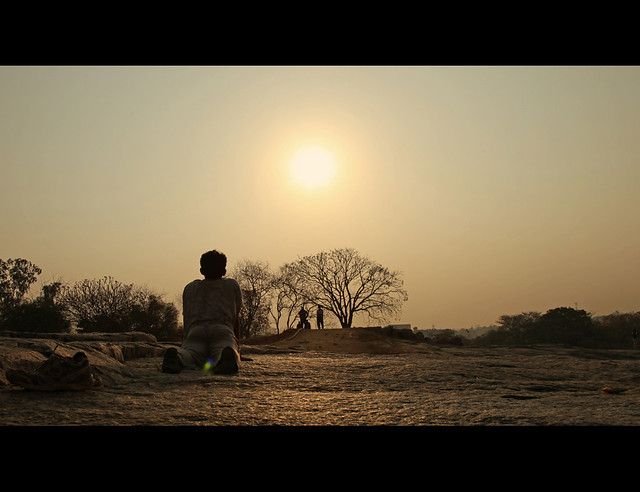
Practice Yoga, Be Healthy! {EXPLORED}

Two men in a boat

Dawn bliss

Sunrise

Sunrise with Tree

Morning Meeting at the Fish Market in Vietnam

The Li River

Standing on the Dune - Mungo NP

Misty Morning Sunrise - Alaska Landscape

Dawn over the Gibraltar strait

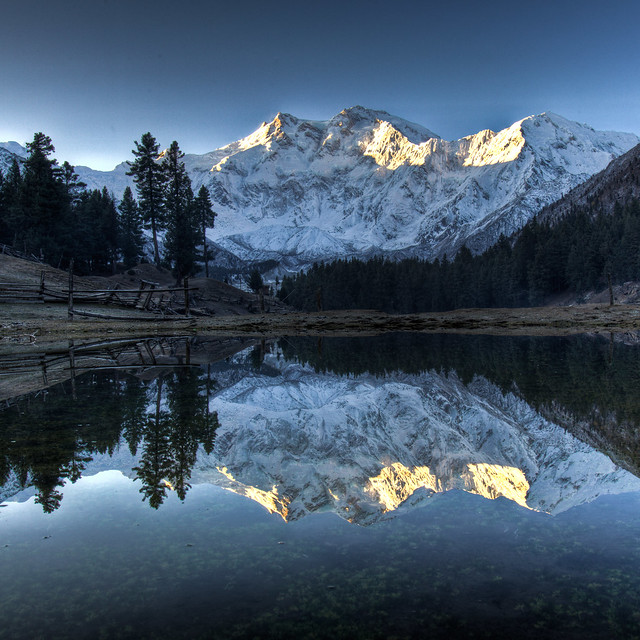
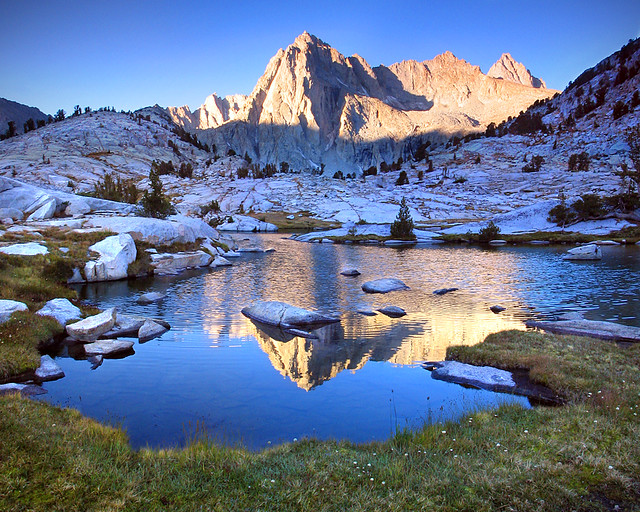
Picture Peak

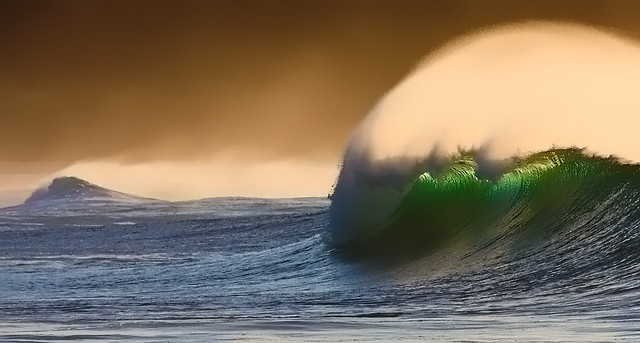
Winter waves

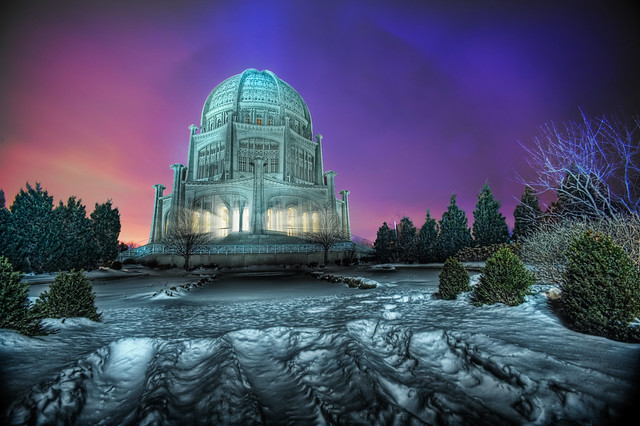
The Baha'i Temple at Blue Hour

Ankor Wat Eyegasm

Awaiting Sunrise

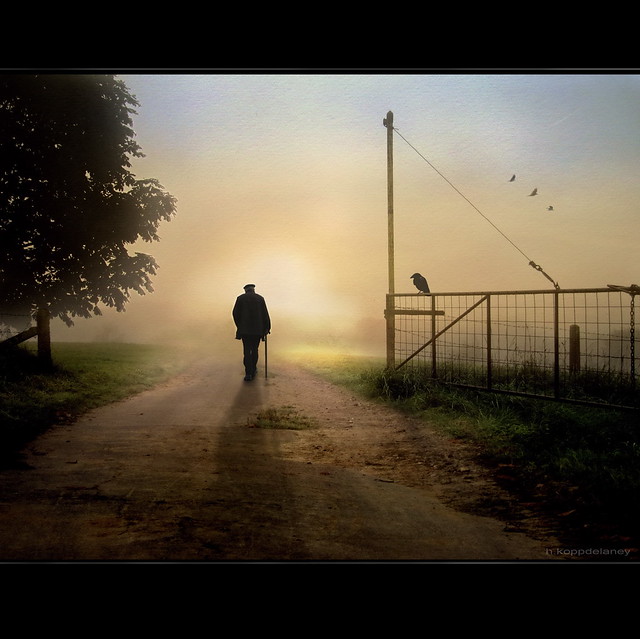
The open Gate

Dawn Images

Post originally from: Digital Photography Tips.

Check out our more Photography Tips at Photography Tips for Beginners, Portrait Photography Tips and Wedding Photography Tips.

23 Beautiful Dawn Images

The post 23 Beautiful Dawn Images by Darren Rowse appeared first on Digital Photography School.


Digital Photography School

 
Comments Off on 23 Beautiful Dawn Images

Posted in Photography


Get Started with the Beautiful World of Film Photography in 7 Easy Steps

27 Sep

Ahh, film photography.  The cool kid on the block.  The “old” thing that’s suddenly the “new” thing.  In recent years, it’s been popular opinion that it was an identifying trademark of hipsters, and only then for an artistic flair that digital photography has failed to capture for them.  The reason Instagram has been such an enormous success recently is our Continue Reading

The post Get Started with the Beautiful World of Film Photography in 7 Easy Steps appeared first on Photodoto.


Photodoto

 
Comments Off on Get Started with the Beautiful World of Film Photography in 7 Easy Steps

Posted in Photography


Win a Beautiful Retrospective 7 Bag and $1000 to Spend on Lighting and Lenses!

11 Sep

Last week we announced our new Portrait Photography eBook with a 25% discount for early birds.

Lighting_468x190px

Readers have already shared with us some wonderful portraits they’re now capturing with the help of this eBook, and the reviews have already started to flood in.

To celebrate, as we like to do with our new eBooks, we’re going to offer up a prize!

Order a copy of Portraits: Lighting The Shot before the 4th of October EST and you could win a Beautiful Retrospective 7 Bag and $ 1000 to spend on lighting and lenses!

If you’re already a proud owner of a this wonderful new eBook then congrats, you’re already entered.

The Prize

The winner will receive a Retrospective® 7 (Pinestone)  (worth $ 162) from ThinkTankPhoto.  Plus you can choose lighting or a combination of lenses or to suit your needs up to the value of $ 1000 USD (after reading the eBook you’ll have a good idea of what you need).

lightingtheshotprize

FAQ

Based upon previous competitions I know we’ll get a number of questions so here are some FAQs:

  • What if I already purchased Portraits Lighting The Shot? You’re in the draw and don’t need to do anything else.
  • Is this open to all international readers? Yes. We’ll ship the prizes to you anywhere at our cost. Our preference for the lenses and lighting is to use B&H Photo and Video but if you live outside of their delivery area we’ll work with a local supplier to get your prize to you.
  • Can I enter more than once? No, there is only one entry per person. Multiple purchases of the eBook only get you one entry.
  • Are there any conditions of entry? Yes, just one. The only condition of entry is that you allow us to publish your name on the blog when you’re drawn as a winner (we’ll keep any other details private). This way everyone will know who has won (we’ve previously had winners ask not to be named which has been difficult to be transparent about winner announcements).

Here’s the deal in a Nutshell

Buy Portraits: Lighting The Shot before Thursday 4th of October EST and you get:

  • 25% off the eBook – worth $ 19.99, you get it for $ 14.99
  • An entry into the Bag,Lens and Lighting Prize Pack Prize Draw
  • Plus (and most importantly) you’ll come away from reading the eBook with some inspired Portrait Lighting skills!

We’ll draw and notify the winner on the 5th of October and then publish their name here on the dPS blog. If the winner doesn’t respond within 7 days we’ll draw another winner and publish their name on the blog.

Pick up a copy of Portraits: Lighting The Shot today.

download_it_now_landscapes

// < ![CDATA[ // < ![CDATA[ // < ![CDATA[ // < ![CDATA[ // < ![CDATA[ // < ![CDATA[ // < ![CDATA[ // < ![CDATA[ // < ![CDATA[ function EJEJC_lc(th) { return false; } // ]]>

Post originally from: Digital Photography Tips.

Check out our more Photography Tips at Photography Tips for Beginners, Portrait Photography Tips and Wedding Photography Tips.

Win a Beautiful Retrospective 7 Bag and $ 1000 to Spend on Lighting and Lenses!


Digital Photography School

 
Comments Off on Win a Beautiful Retrospective 7 Bag and $1000 to Spend on Lighting and Lenses!

Posted in Photography


Discover the Secrets of Beautiful Portrait Lighting

04 Sep

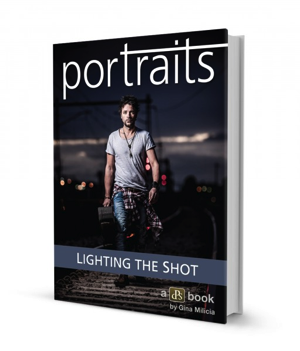
NewImageToday I’m excited to announce the launch of a new dPS eBook – Portraits Lighting the Shot – by Gina Milicia.

In January of this year we released a brand new Portraits eBook called Portraits: Making the Shot.

It was an ebook written by renowned Aussie celebrity portrait photographer Gina Milicia on the basics of how to shoot amazing portraits that reflect the true character of your subject.

The overwhelming response from readers of the eBook was that Gina had created a valuable resource that was helping thousands of photographers to improve their portraiture – but they wanted more.

One of the biggest requests that we’ve received since releasing ‘Making the Shot’ was for some teaching on ‘Lighting’ portraits.

Using light effectively can be the difference between a portrait that captures the true spirit of your subject and one that simply records a moment.

Based upon this feedback we immediately began work with Gina to create a guide to lighting portraits.

I’m pleased to announce that it is ready for you to download today at a limited time Early Bird price of just $ 14.99 (25% off).

What’s Covered in This eBook?

  • The Rules:  The ten golden rules to to live by (when lighting a portrait).
  • The Gear:  The gear you need, might need and actually don’t need.
  • The Way:  How to ‘see’ the light, by using the ‘force’ in a non nerdy way.  This section is GOLD.
  • The Style:  Understand Gina’s style, but importantly how to use all your new skills to create your own.
  • Troubleshooting:  How to handle those tricky lighting scenarios.
  • Building the shot:  Build your shot, one light at a time

Get full details on this valuable new eBook here or buy it directly by clicking the Download it Now button below.

jQuery(document).ready(function(){
jQuery(“a.lightbox-54528″).colorbox({className: ‘dark id54528’, onLoad: function() { jQuery(‘.id54528 #cboxClose’).css(‘display’, ‘block’); }, fixed: true, initialWidth: 500, initialHeight: 100, inline:true, width: 650, href:”div.lightbox-54528”});
});

download_it_now_lighting

jQuery(document).ready(function() { jQuery(‘div.lightbox-54528:gt(0)’).remove(); });// < ![CDATA[ // < ![CDATA[ // < ![CDATA[ function EJEJC_lc(th) { return false; } // ]]>

Post originally from: Digital Photography Tips.

Check out our more Photography Tips at Photography Tips for Beginners, Portrait Photography Tips and Wedding Photography Tips.

Discover the Secrets of Beautiful Portrait Lighting


Digital Photography School

 
Comments Off on Discover the Secrets of Beautiful Portrait Lighting

Posted in Photography


The Beautiful Square

22 Jul

Square format photography

This article is written by Andrew S. Gibson, the author of Square, on sale now at Snap N Deals for a limited time.

The square format seems to have gone in and out of fashion over the decades – and there’s no doubt that it’s currently experiencing a resurgence in popularity. This is at least partly due to the popularity of toy cameras like the Holga and smartphone apps like Instagram. But it’s also got a lot to do ease of access. With film cameras, cropping aside, the camera you purchased determined the aspect ratio you worked in. With digital cameras you can take a photo and crop it to any aspect ratio you desire. That makes working in the square format a whole lot easier.

84 years of history

The first square format camera was made by Rollei in 1929. Square format cameras have been used by venerable names such as Richard Avedon, Irving Penn and Diane Arbus. Hasselblad, the mark of choice for many professional photographers in the film age, used the square format in its film cameras from 1948 to 2002. There are no current digital cameras (to my knowledge) that have a square sensor. But digital photography makes it easy to crop your images to any aspect ratio you want.

By the way, it’s well worth taking some time to study the works of the masters mentioned above. It will teach you a lot about composition, and hopefully inspire you to try out the square format. Click on the links to learn more about each photographer:

Square format photography

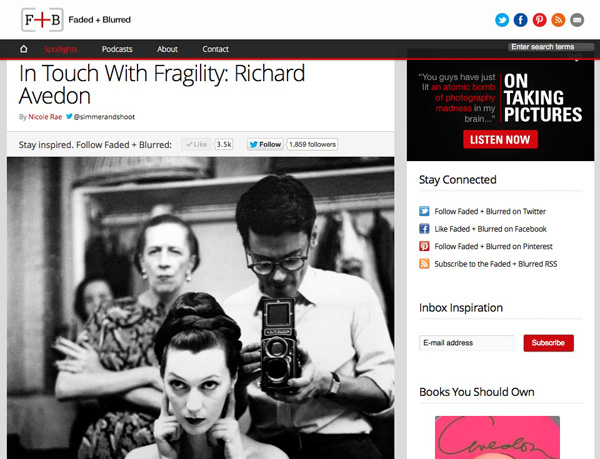
Richard Avedon was known for his stark, minimalist portraits. His approach changed the way fashion photos were taken forever. The first image in this article shows Avedon using a Rolleiflex camera.

Irving Penn is another famous fashion photographer who used minimalism and the square format to make his mark. His photos are known for their formal, graphic composition and stark use of white space.

Diane Arbus took the opposite approach to that of photographers like Irving Penn. She photographed outcasts and people on the margins of society, celebrating the ugly and unusual rather than the beautiful.

If you’d like to see the work of some of the modern exponents of square format photography, then take a look at my article 40 Beautiful Square Photos. I’ve collated a series of beautiful images from some of the best photographers around today.

Using the square format

Hopefully the above links have whetted your appetite for the square format. There are four main ways you can explore this aspect ratio:

1. Use a medium format film camera. These can be surprisingly inexpensive on the second-hand market. Look for brands such as Rolleiflex, Mamiya, Bronica or Hasselblad. Get the best quality scan you can of the negatives so you can work on them in Photoshop.

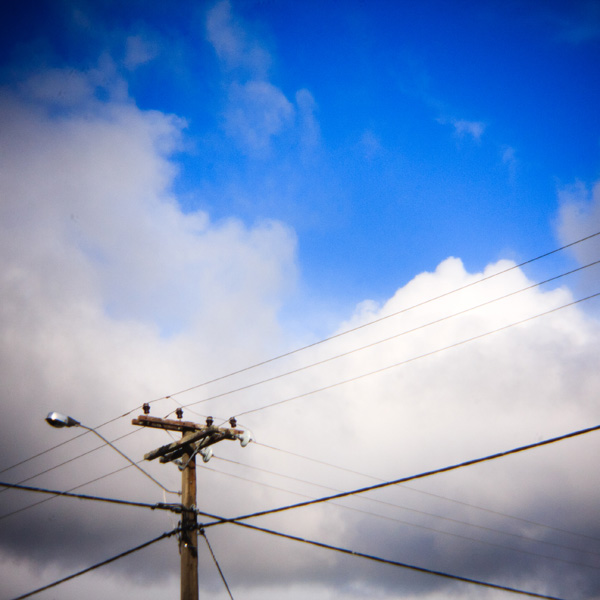
2. Use a toy film camera like a Holga. Again, a good quality scan is essential to make the most out of the negatives. If you don’t want to use film you can buy Holga lenses for digital cameras and crop the image to a square. That’s how I created this image:

Square format photography

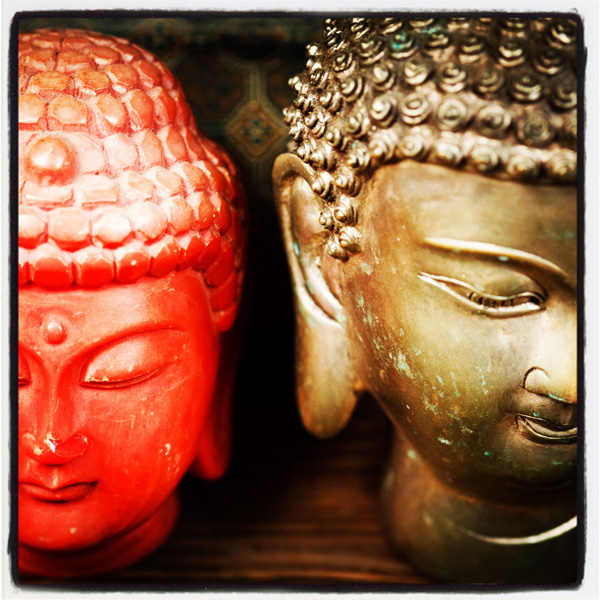
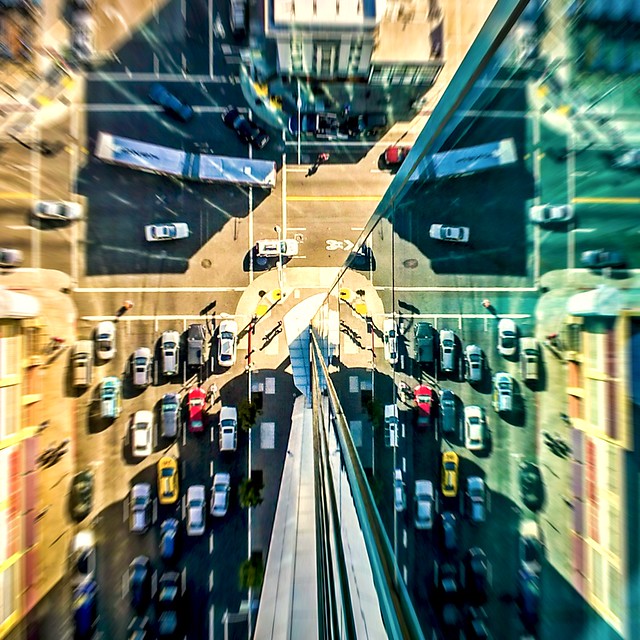
3. Use a smartphone camera and convert the photos to square format using an app like Instagram. Another approach is load photos that you already have taken onto your phone or tablet and run them through Instagram. I used that method to create this photo:

Square format photography

4. Use a digital camera and crop the images to the square format when you process the Raw files. Many recent models let you take square images in Live View. I’m sure this is the method that the majority of readers of this website will use.

The appeal of the square format

I think of the square format as the fine art photographer’s format. It has a venerable history and has been used by some of the great names of 20th century photography. Now, in the digital age, photographers are using the square format in fields as diverse as long exposure photography and iphoneography. Here are some more reasons that I like the square format:

  • It changes my approach to composition. The square format is different, and there seems to be a certain inherent beauty to well composed square format photos that other aspect ratios lack. Shapes become more prominent, there is little wasted space and the balance between the elements changes. The subject of composition within the square format is so interesting that I will write an entire article about it.
  • It works well in black and white. There’s something magical about the combination of black and white and the square format. The lack of colour lends emphasis to graphic shapes and textures within the frame.

Square format photography

  • The square format seems to suit certain subjects. It seems to work best with subjects like portraits, the nude, landscape, still life, architecture, details and abstracts. These are all artistic subjects, and they all work well in black and white – which is perhaps why the square format is popular with fine art photographers.
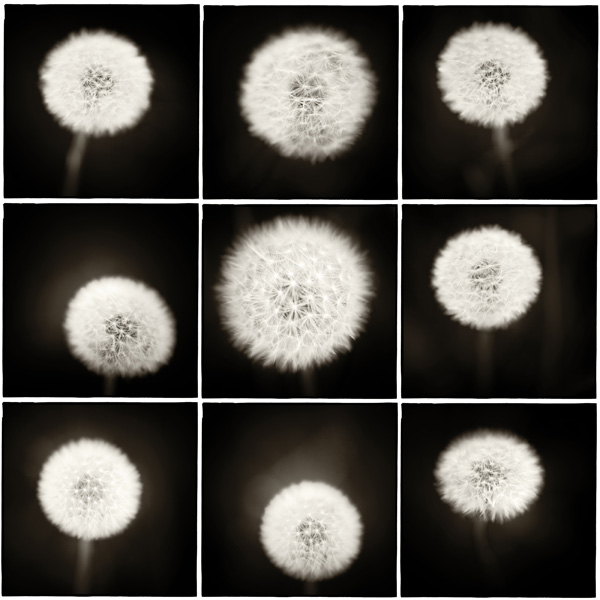
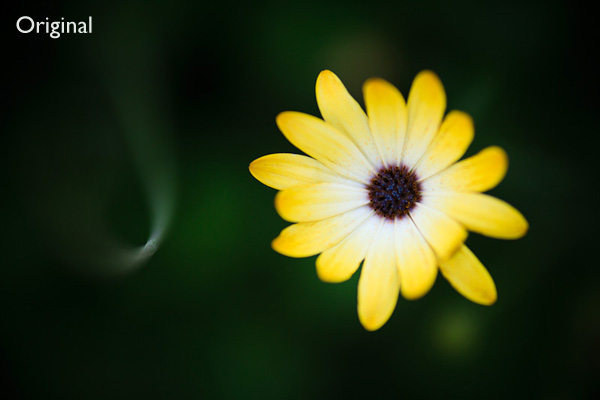
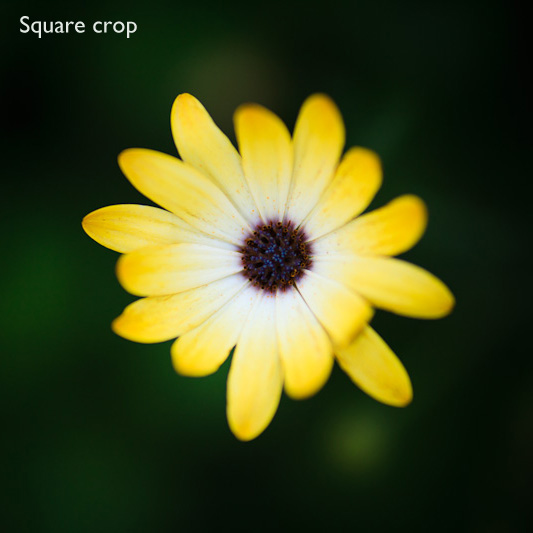
  • It’s fun. I enjoy going through my old images and seeing which ones can be improved by cropping to the square format. It may seem like an abstract exercise but it has taught me a lot about composition. Thinking about whether an image could be improved by cropping to a square makes me thing about whether I composed the image in the best possible way in the first place. Here’s an example. Cropping the image to the square format, and placing the flower in the centre of the frame, has created an new image with a different dynamic.

Square format photography

Square format photography

Conclusion

If you’ve never used the square format before, it’s well worth the effort. It’s so easy to crop your existing images in Lightroom or Photoshop that anyone can try it. It can give new life to old images – and the process will teach you a lot about composition and the use of space within the frame.

Square

Square format photography

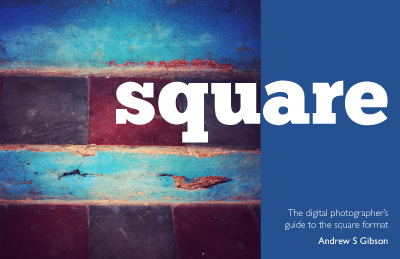
My ebook Square explores the square format from the digital photographer’s perspective. It shows you how to use the square format on your camera, and how to make the most out of what I think of as the fine art photographer’s format.It’s available now at Snap N Deals for a special price for a limited period.

Post originally from: Digital Photography Tips.

Check out our more Photography Tips at Photography Tips for Beginners, Portrait Photography Tips and Wedding Photography Tips.

The Beautiful Square


Digital Photography School

 
Comments Off on The Beautiful Square

Posted in Photography


Transportation planner creates beautiful visualizations of flight patterns

30 May

Screen_Shot_2013-05-29_at_4.15.47_PM.png

Michael Markieta, a transportation planner at global engineering and design firm Arup, has created a series of beautiful visualizations of aircraft flight paths as they span the globe. Using different shades for short and long-distant flights, the images map the world in a ghostly spiderweb of connections from airports small and large. Markieta has marked more than 58,000 flightpaths and the results are stunning. Click through for images (via BBC.co.uk)

News: Digital Photography Review (dpreview.com)

 
Comments Off on Transportation planner creates beautiful visualizations of flight patterns

Posted in Uncategorized


Google Unveils Cutting Edge Photography Tools to Make Your Photos Look Better and the World A More Beautiful Looking Place

16 May

Through Glass

Google unveiled significant new innovation in the world of online photography this morning, continuing their rapid development pace on Google+. All in, Google+ pushed out 41 new features today.

Much of the new work is focused on post production photography to make people’s photographs look better than they can straight out of the camera.

Some have suggested that part of Instagram’s success has been their ability to enhance users’ photos with very simple, one touch filters. Instagram has focused on a faux film aesthetic which actually highlights the flaws in many photos to give them more of an artistic, old school feel. By contrast, Google’s easily and automatically applied post production tools, released today, work to make photos look more vivid, life like and realistic.

By using simple techniques like skin softening, clarity adjustment, smart vignetting, HDR and other enhancements, Google, by default, now offers an enhanced photo for every photo uploaded by users to Google+. Also, with this new tech, Google will give you the ability to view the before and after results and decide which you prefer to use. For photographers who do not want their photos altered in any way, these users can turn this default functionality off.
Google Releases New Tools for Photographers Using Google+

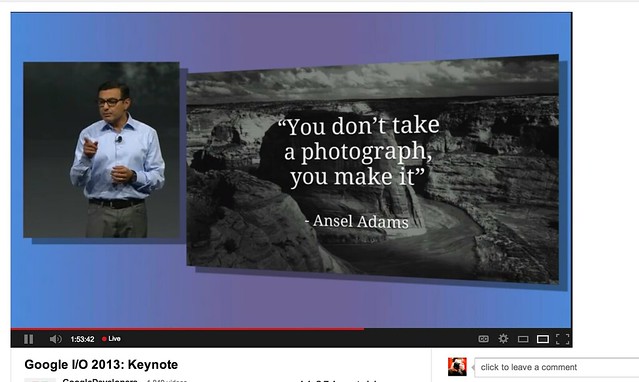
As a photographer, I have long been a believer of photo manipulation and post processing technology. Ansel Adams said “you don’t take a photograph, you make it,” as highlighted in Google Social Chief Vic Gundotra’s keynote this morning. Much of Ansel Adams’ genius has been attributed to the work that he did in the darkroom with his photos, his zone system, his post production technology of his time.

I post process all of my photos. The photo at the top of this post is the very first photo that I made with my new Google Glass that I bought yesterday. While I was able to get the composition to a point where I wanted in camera, much of the pop of that image is done with my own post production technique and style.

Many of my photographer friends also spend a great deal of time post processing their images — but the vast majority of the people out there really don’t post process at all. These people don’t own Lightroom and Photoshop or Nik Suite or Aperture or whatever else they might use to improve their photos. These are every day non-photographers who are still enamored with photography and imagery.

By applying some very basic algorithmic based enhancements, Google can make photos for the masses look much better than straight out of the camera. This is a very smart move on Google’s part. Where Instagram makes your bad photos look purposefully worse, Google now makes your bad photos look purposefully better! I stole that line from an unnamed source, btw. ;)

Where this new tech is especially powerful is in photos of people. By using basic skin softening post production tech, photos of people will look better on Google+ than on other social networks. By appealing to our vanity, this gives Google a big advantage. If people can post photos of themselves on Google+ that make them look BETTER than on other networks, many more people will choose to post their photos on G+. Just watch as people post photos of themselves on G+ for auto beautification and even download and post them to other networks I bet.

All of this sort of fancy post production *can* be done today by skilled post production photographers who spend hours and hours behind Photoshop. Now much of it will be automated and released to the masses.

There will undoubtedly be some naysayers about this tech. The same folks who moaned about the Instagramification of mobile photography will probably also complain about this new tech too. Google was smart here by giving users a very simple way to deal with this, by simply turning off this feature.

While the photo enhancements were the sizzle of Google’s announcements today, there were many other significant enhancements added to Google Photos.

Google will now begin to analyze your images and auto tag them. This is no trick where low paid overseas workers are manually reviewing your images; Googles’ algorithms now can look at the context of your photo and the actual subjects in your photos to identify possible tags for the images. If you post a photo of the Eiffel Tower, Google can detect the Eiffel Tower in your photo and add that tag for you. If Google gets the tag wrong, for whatever reason, it’s simple for you to just remove it.

What this means is that more of your photos will be seen in search by people using Google products. Many photographers are looking for more traffic and views on their photos. Who better to provide this traffic than Google Search, yes, using Google auto applied tags. This is the future of image search. If you are a photographer, especially one who depends on photography for your living, you cannot afford to ignore the significance of Google Search. Many of my own photo sales are made by people finding my photos while searching on Google. By uploading your photos to Google+, your photos will rank better in search and now even moreso with this new auto-keywording functionality.

Google Releases New Tools for Photographers Using Google+

Google also introduced a new smart algorithm that can analyze your photos and show you which ones Google thinks are the best of the batch, offering you highlights. Oftentimes we will “spray and pray,” taking 20 images of one person or subject. Google will analyze all of the images and suggest the best one for you. Google uses not just technical information about a photo (is it blurry or underexposed?) but they are using human tested aesthetics to look for what is most appealing.

But there’s more! In addition to the tech released above, Google has also added some very easy tools which will auto generate gifs for you of your photos, auto HDR bracketed shots, and suggest other compelling ways for you to present your photography to the world. Almost miraculously, Google can even look at photos of multiple people and merge the photos into a single photo that takes the best expression of each individual from *different* photos.

All of this also comes with an awesome new look and layout of Google+ which better highlights photography on the network. Popular photos will now be featured in jumbo new oversized form across a three column layout. For non highlighted photos, Google also made portrait oriented photos, especially, look better and bigger. In the past, the portrait format was the worst looking photo format on Google+, now it’s the best — that’s worth noting. ;) For folks who don’t like the three column layout, they can switch back to a single column if they’d like.

A couple of other notes: all of this work that Google does with your photos is done behind the scenes for your eyes only. You can use the tech or not use the tech. If you use the tech and like it, *you* then choose to share the image to Google+. Nothing is shared until you choose to share it.

The new technology will only work with the JPG format (hopefully Google comes out with RAW support down the road). Google increased everyone’s storage to 15GB of online storage, but note that any photo sized 2048 px or smaller does not count towards your 15GB storage limit (you can also buy more storage if you want to). Google allows unlimited uploading of photos that you either manually resize or allow Google to resize to 2048 px. There is an option on Google where you can set whether or not you want to upload full high res photos or resized 2048 sized images.

I upload some of my photos full res, and many of them I resize manually myself to 2048 px.

Google also introduced a free, stand alone hangout app that you can now use with your mobile phone or desktop device bridging text, photos and real time group video into a single app that preserves conversations (at your choice) over long periods of time. Hangouts have been one of the most popular Google+ feature and several photography related shows have been built around them.

More detail on these changes at Google here. More from Matthew Hanley here. Trey Ratcliff wrote insightful commentary here.


Thomas Hawk Digital Connection

 
Comments Off on Google Unveils Cutting Edge Photography Tools to Make Your Photos Look Better and the World A More Beautiful Looking Place

Posted in Photography


How to Take Amazing, Beautiful Photos Any time of Day…or Night

08 Apr

When I first started in photography nineteen years ago, Photo Law dictated that you dare not show your face shooting outside after 8 a.m. or before 4:30 p.m. My Prime Appointment was 7 a.m. Well, I’m here to tell you , those days are over. No one needs to get dressed up in their best clothes and drive an hour Continue Reading

The post How to Take Amazing, Beautiful Photos Any time of Day…or Night appeared first on Photodoto.


Photodoto

 
Comments Off on How to Take Amazing, Beautiful Photos Any time of Day…or Night

Posted in Photography