RSS
 

Posts Tagged ‘Baby’

Resolution, aliasing and light loss – why we love Bryce Bayer’s baby anyway

29 Mar

It’s unlikely Kodak’s Bryce Bayer had any idea that, 40 years after patenting a ‘Color Imaging Array’ that his design would underpin nearly all contemporary photography and live in the pockets of countless millions of people around the world.

It seems so obvious, once someone else has thought of it, but capturing red, green and blue information as an interspersed, mosaic-style array was breakthrough.
Image: based on original by Colin M.L Burnett

The Bayer Color Filter Array is a genuinely brilliant piece of design: it’s a highly effective way of capturing color information from silicon sensors that can’t inherently distinguish color. Most importantly, it does a good job of achieving this color capture while still capturing a good level of spatial resolution.

However, it isn’t entirely without its drawbacks: It doesn’t capture nearly as much color resolution as a camera’s pixel count seems to imply, it’s especially prone to sampling artifacts and it throws away a lot of light. So how bad are these problems and why don’t they stop us using it?

Resolution

There’s a limit to how much resolution you can capture with any pixel-based sensor. Sampling theory dictates that a system can only perfectly reproduce signals at half the sampling frequency (a limit known as the Nyquist Frequency). If you think about trying to represent a single pixel-width black line, you need at least two pixels to be sure of representing it properly: one to capture the line and another to capture the not-line.

Just to make things more tricky, this assumes your pixels are aligned perfectly with the line. If they’re slightly misaligned, you may get two grey pixels instead. This is taking into consideration by the Kell factor, which says that you’ll actually only reliably capture resolution around 0.7x your Nyquist frequency.

A sensor capturing detail at every pixel can perfectly represent data at up to 1/2 of its sampling frequency, so 4000 vertical pixels can represent 2000 cycles (or 2000 line pairs as we’d tend to think of it). This is a fundamental rule of sampling theory.

But, of course, a Bayer sensor doesn’t sample all the way to its maximum frequency because you’re only sampling single colors at each pixel, then deriving the other color values from neighboring pixels. This lowers resolution (effectively slightly blurring the image).

So, with these two factors (the limitations of sampling and Bayer’s lower sampling rate) in mind, how much resolution should you expect from a Bayer sensor? Since human vision is most sensitive to green information, it’s the green part of a Bayer sensor that’s used to provide most of the spatial resolution. Let’s have a look at how it compares to sampling luminance information at every pixel.

Counter-intuitive though it may sound, the green channel captures just as much horizontal and vertical detail as the sensor capturing data at every pixel. Where it loses out is on the diagonals, which sample at 1/2 the frequency.

Looking at just the green component, you should see that a Bayer sensor can still capture the same horizontal and vertical green (and luminance) information as a sensor sampling every pixel. You lose something on the diagonals, but you still get a good level of detail capture. This is a key aspect of what makes Bayer so effective.*

Red and blue information is captured at much lower resolutions than green. However, human vision is more sensitive to luminance (brightness) information than chroma (color) information, which makes this trade-off visually acceptable in most circumstances.

It’s a less good story when we look at the red and blue channels. Their sampling resolution is much lower than the luminance detail captured by the green channel. It’s worth bearing in mind that human vision is much more sensitive to luminance resolution than it is to color information, so viewers are likely to be more tolerant of this shortcoming.

Aliasing

So what happens to everything above the Nyquist frequency? Well, unless you do something to stop it, your camera will try to capture this information, then present it in a way it can represent. A process called aliasing.

Think about photographing a diagonal black stripe with a low resolution camera. Even with a black and white camera, you risk the diagonal being represented as a series of stair steps: a low-frequency pattern that acts as an ‘alias’ for the real pattern.

The same thing happens with fine repeating patterns that are a higher frequency than your sensor can cope with: they appear as spurious aliases of the real pattern. These spurious patterns are known as moiré. This isn’t unique to Bayer, though, it’s a side-effect of trying to capture higher frequencies than your sampling can cope with. It will occur on all sensors that use a repeating pattern of pixels to capture a scene.

Source: XKCD

Sensors that use the Bayer pattern are especially prone to aliasing though, because the red and blue channels are being sampled at much lower frequencies than the full pixel count. This means there are two Nyquist frequencies (a green/luminance limit and a red/blue limit) and two types of aliasing you’ll tend to encounter: errors in detail too fine for the sensor to correctly capture the pattern of and errors in (much less fine) detail that the camera can’t correctly assess the color of.

‘the Bayer pattern is especially prone to aliasing’

To reduce this first kind of error most cameras have, historically, included Optical Low Pass Filters, also known as Anti-Aliasing filters. These are filters mounted in front of the sensor that intentionally blur light across nearby pixels, so that the sensor doesn’t ever ‘see’ the very high frequencies that it can’t correctly render, and doesn’t then misrepresent them as aliasing.**

The point at the center of the Siemens star is too fine for this monochrome camera to represent, so it’s produced a spurious diamond-shaped ‘alias’  at the center instead. This image second was shot with a very high resolution camera, blurred to remove high frequencies, then downsized to the same resolution as the first shot. It still can’t accurately represent the star, but doesn’t alias when failing.

These aren’t so strong as to completely prevent all types of aliasing (very few people would be happy with a filter that blurred the resolution down to 1/4 of the pixel height: the Nyquist frequency of red and blue capture), instead they blur the light just enough to avoid harsh stair-stepping and reduce the severity of the false color on high-contrast edges.

With a Bayer filter, you get a fun color component to this aliasing. Not only has the camera tried to capture finer detail than its sensor can manage, you get to see the side-effect of the different resolutions the camera captures each color with. Again, if you compare this with a significantly over-sampled image, blurred then downsized, you don’t see this problem. However, look closely you can still see traces of the false color that occurred at the much higher frequency this camera was shooting at.

This means that, a camera with an anti-aliasing filter, you shouldn’t see as much false color in the high-contrast mono targets within our test scene, but it’ll do nothing to prevent spurious (aliased) patterns in the color resolution targets.

Even with an anti-aliasing filter, you’ll still get aliasing of color detail, because the maximum frequency of red or blue that can be captured is much lower. This image was shot at the same nominal resolution but with red, green and blue information captured for each output pixel: showing how the target could appear, with this many pixels.

Light loss

At the silicon level, modern sensors are pretty amazing. Most of them operate at an efficiency (the proportion of light energy converted into electrons) around 50-80%. This means there’s less than 1EV of performance improvement to be had in that respect, because you can’t double the performance of something that’s already over 50% effective. However, before the light can get to the sensor, the Bayer design throws away around 1EV of light, because each pixel has a filter in front of it, blocking out the colors it’s not meant to be measuring.

‘The Bayer design throws away
around 1EV of light’

This is why Leica’s ‘Monochrom’ models, which don’t include a color filter array, are around one stop more sensitive than their color-aware sister models. (And, since they can’t produce false color at high-contrast edges, they don’t include anti aliasing filters, either).

It’s this light loss component that may eventually spell the end of the Bayer pattern as we know it. For all its advantages, Bayer’s long term dominance is probably most at risk if it gets in the way of improved low-light performance. This is why several manufacturers are looking for alternatives to the Bayer pattern that allow more light through to the sensor. It’s telling, though, that most of these attempts are essentially variations on the Bayer theme, rather than total reinventions.

The alternatives

These variations aren’t the only alternatives to the Bayer design, of course.

Sigma’s Foveon technology attempts to measure multiple colors at the same location, so promises higher color resolution, no light loss to a color filter array and less aliasing. But, while these sensors are capable of producing very high pixel-level sharpness, this currently comes at an even greater noise cost (which limits both dynamic range and low light performance), as well as struggling to compete with the color reproduction accuracy that can be achieved using well-tuned colored filters. More recent versions reduce the color resolution of two of their channels, sacrificing some of their color resolution advantage for improved noise performance.

‘The worst form… except all those others that have been tried’

Meanwhile, Fujifilm has struck out on its own, with the X-Trans color filter pattern. This still uses red, green and blue filters but features a larger repeat unit: a pattern that repeats less frequently, to reduce the risk of it clashing with the frequency it’s trying to capture. However, while the demosaicing of X-Trans by third-party software is improving, and the processing power needed to produce good-looking video looks like it’s being resolved, there are still drawbacks to the design.

Ironically, devoting so much of the sensor to green/luminance capture appears to have the side-effect of reducing its ability to capture and represent foliage (perhaps because it lacks the red and blue information required to render the subtle tint of different greens).

Which leaves Bayer in a situation akin to Winston Churchill’s take on Democracy as: ‘the worst form of Government except all those other forms that have been tried from time to time.’

40 not out

As we’ve seen before, the sheer amount of effort being put into development and improvement of Bayer sensors and their demosaicing is helping them overcome the inherent disadvantages. Higher pixel counts keep pushing the level of color detail that can be resolved, despite the 1/2 green, 1/4 red, 1/4 blue capture ratio.

And, because the frequencies that risk aliasing relate to the sampling frequency, higher pixel count sensors are showing increasingly little aliasing. The likelihood of you encountering frequencies high enough to cause aliasing falls as your pixel count helps you resolve more and more detail.

Add to this the fact that lenses can’t perfectly transmit all the detail that hits them, and you start to reach the point that the lens will effectively filter-out the very high frequencies that would otherwise induce aliasing. At present, we’ve seen filter-less full frame sensors of 36MP, APS-C sensors of 24MP and Four Thirds sensors of 16MP, all of which are sampling their lenses at over 200 pixels per mm, and these only produce significant moiré when paired with very sharp lenses shot wide-enough open that diffraction doesn’t end up playing the anti-aliasing role.

So, despite the cost of light and of color resolution, and the risk of error, Bryce Bayer’s design remains firmly at the heart of digital photography, more than 40 years after it was first patented.


Thanks are extended to DSPographer for sanity-checking an early draft and to Doug Kerr, whose posts helped inform the article, who inspired the diagrams and who was hugely supportive in getting the article to a publishable state.

* Unsurprisingly, some manufacturers have tried to take advantage of this increased diagonal resolution by effectively rotating the pattern by 45°: this isn’t commonplace enough to derail this article with such trickery, so we’ll label them ‘witchcraft’ and carry on as we were.

** The more precocious among you may be wondering ‘but wouldn’t your AA filter need to attenuate different frequencies for the horizontal, vertical and diagonal axes?’ Well, ideally, yes, but it’s easier said than done and far beyond the scope of this article.

Articles: Digital Photography Review (dpreview.com)

 
Comments Off on Resolution, aliasing and light loss – why we love Bryce Bayer’s baby anyway

Posted in Uncategorized


20 Cutest Newborn Baby Photo Props for Spring Session

25 Mar

The right photo props can upgrade your newborn baby shots from “just cute baby photos” to some truly moving images that even a Grumpy-cat-type of person would not resist. Every photo shoot is a whole new experience of capturing a baby’s and parents’ personalities. There are endless ways to make your photo session unique and beautiful using various photo props. Continue Reading

The post 20 Cutest Newborn Baby Photo Props for Spring Session appeared first on Photodoto.


Photodoto

 
Comments Off on 20 Cutest Newborn Baby Photo Props for Spring Session

Posted in Photography


8 Tips For Baby Photography Using Natural Light

12 Jun

Babies. Do you find them a challenge to photograph?

They gurgle, spit, vomit, laugh, cry, smack their hands together… They do a whole lotta things that we don’t need to see forever in a photograph!

But in between all that uncontrollable baby-behaviour are those moments that parents see every day and would love to keep alive forever in beautiful photos – the big eyes, cute smiles, tiny fingers, soft skin, and round cheeks – all those wondrous little details that only come with brand new life. Those are the things that connect to a parent’s heart in the moment, they happen and what they long for once their children have grown up.

00 Copyright Beth Jennings Photography Digital Photography School Baby battle 5932

Ruby, 3 months – ISO 1600, f/2.8, 1/250th

It’s the reason why, in the whirl-wind madness of baby’s first year, that your friend or family member may call on you to ask you to photograph their beloved treasure.

Maybe on one hand you feel honoured to be asked, but also that dreadful, pit-of-the-stomach feeling – do you worry they expect you to swaddle their baby up Anne Geddes style, and photograph him or her with stunning studio lighting and an elaborate set? Do you feel the pressure to create something amazing in the small window of only a couple of hours that you’ll have with them?
How are you going to maximize on the time you’re given, while baby goes through his sleep-awake-feeding cycle?

How are you going to interrupt that cycle to create something amazing, when the last thing you want to do is disturb the baby, wake him up, move him too much and make him cry? How the heck are you going to do it at all?

01 Copyright Beth Jennings Photography Children Photography 2310

Cody, 2 months – ISO 200, f/2.8, 1/200th

Let’s assume you don’t have the studio lighting and equipment to set up in the parent’s home. All you have is you, and your camera, and you’ll work with natural, available lighting. It may sound like it’s not enough, but actually, it’s more than enough if you know how to make do with what you’ve got.

The formula to successfully capturing babies within a limited time frame, one camera and no additional equipment, comes in eight tips total:

02 Copyright Beth Jennings Photography Children Photography 2173

Eliette, 9 months – ISO 1000, f/5, 1/160th

Part 1 Planning

Plan well, and it sets you up for your best chances of success on the day. Follow these steps in the one to two weeks before your shoot:

Step #1 Timing

Babies set their own criteria that rotates around a 1-2 hour schedule of sleeping, eating, crying, playing and nap time. Find out from the parents what that current cycle is, and build your plan from there.

Step #2 Lighting

Will you be photographing at their home? If so, this can include where their baby sleeps in a dimly lit room, by a window in Mom’s arms, perhaps also out in the backyard through dappled light if your shoot will include play time. Stay out of direct sun and just work with soft, diffused lighting. Find out what time of day is best for available lighting in their home and backyard.

Step #3 Clothing

It’s special for the parents to have you there to photograph their baby because it’s something they can’t actually do themselves. Advise them on having their baby’s preferred outfit clean and ready in advance, and a back-up in case of accidents. In order to feel safe and warm, babies also do well with accompanying blankets, bottles, beanies and soft toys. Check that the items all marry well together in terms of colours. If you have some clashes on the day and can’t change it, then shoot anyway and consider black and white for post-production to help strip it back a notch.

Step #4 Schedule

03 Copyright Beth Jennings Photography Children Photography 2195

Anna, 8 months – ISO 400, f/2.8, 1/200th

As best you can, plan the order of mini-events that the parent would like captured. For example, at noon baby will wake up, so you’ll be there from 11:45 and be quietly ready. That will be followed by feeding in the kitchen, and then tummy time in the backyard. If it all comes undone on the day, that’s okay. Just go with the flow of what is presented to you in the natural order that it happens.

Part 2 On the Day

It’s likely you won’t have much time with your subject, so follow these steps to be as prepared as possible before you actually start shooting:

Step #1 Look for the light

See where it is coming from, and where it is falling. For each of the baby pictures in today’s lesson, take note of the light source. Look at the shadows, as they indicate where the light source is positioned. Also observe the catch light (the little reflected glint) in the baby’s eyes which gives life and character. Notice that the pictures here are all created inside by window light, or outside in shaded areas.

Step #2 Compose for the background

Once you’ve established where the best light is coming from, then think about your composition, building up from the background first. See the picture of Cody above? What surrounds him? The rug and white blanket, with small elements of his sister and mother protectively surrounding him.

Step #3 Set up your shoot flow

While the parent is still preparing their baby to be photographed, get your technicals for ISO, shutter speed and aperture established with a test shot, and quick histogram check, to ensure you are achieving technically beautiful captures. Once in place, they are unlikely to change much because the light is constant, and baby won’t move much unassisted. (Shoot Flow is my seven step process for setting up your camera correctly in manual mode).

Step #4 Time to shoot

Once you’ve covered steps one to three, then position the baby (with the parent’s help) in the scene. Time is of the essence now, but it’s also the part you can’t control. All you need to do is be calm and observe what’s actually playing out in front of you in real time. Remember you can move, so keep yourself flexible and mobile. Compose your images, one by one, and keep your camera near your eye, finger at the shutter. When you see something worth capturing, be quick and go for it. One stunning capture is worth so much more than 10 average ones. Imagine your budget is $ 1 a shot and take your time.

04 Copyright Beth Jennings Photography Children Photography 6370

Olivier, one month – ISO 100, f/3.2, 1/160th

What to do with a sleeping baby?

Sometimes you don’t have the luxury to control all the set-up elements. See baby Bent (it’s a German name) below? He was already placed in the stroller and sleeping beautifully, and it would have been cruel to wake him!

  • Where is the light coming from?
  • Is the light play pleasing? Yes it is. It’s soft and softly coats the baby’s face – so the moment is worth capturing.

Then compose the image for what you want to say – in this one, it’s all about those gorgeous cheeks and button chin, as well as the nestling, safe space of the bassinet. So come in close and make your composition for that.

05 Copyright Beth Jennings Photography Children Photography 8987

Bent, newborn – ISO 1600, f/2.8, 1/160th

Technical tips for successful baby photography

Have a look at the technical settings for all of the pictures in this article.

ISO – whatever the light gives you is what you’ll use for ISO. If you’re shooting indoors, place the child nearer to window light than away from it, watching all the time how the highlights are rendering (ie, keep the tones gentle and not too hot).

Aperture – isolating the beautiful child from the background is the perfect approach if you want to make your pictures about their gorgeous details.

Shutter speed – for easy mobility you will likely be hand held when photographing babies, so make sure you are at least using your safe shutter speed of 1/125. Remember that children move quickly, so a faster shutter speed like 1/200 is recommended if they’re up and actively moving around.

06 Copyright Beth Jennings Photography Children Photography 2478

Rupert, 1 year – ISO 1000, f/4, 1/160th

Three final notes for creative observations:

  • Look for the light: Where is it coming from and travelling to? How does it illuminate the subject and where are the shadows?.
  • Observe the composition: Close-up? Horizontal? Low camera angle? Why?
  • The decisive moment of capture: What was happening at the exact moment that the shutter actually fired?.

How do these three elements come together in each photograph?

Have you ever had a friend or family member ask you to photograph their baby? Were you pleased to be asked, or hesitant? How did you handle it? Let us know in the comments section below.

googletag.cmd.push(function() {
tablet_slots.push( googletag.defineSlot( “/1005424/_dPSv4_tab-all-article-bottom_(300×250)”, [300, 250], “pb-ad-78623” ).addService( googletag.pubads() ) ); } );

googletag.cmd.push(function() {
mobile_slots.push( googletag.defineSlot( “/1005424/_dPSv4_mob-all-article-bottom_(300×250)”, [300, 250], “pb-ad-78158” ).addService( googletag.pubads() ) ); } );

The post 8 Tips For Baby Photography Using Natural Light by Beth Jennings appeared first on Digital Photography School.


Digital Photography School

 
Comments Off on 8 Tips For Baby Photography Using Natural Light

Posted in Photography


Photographing Special Events Like the Birth of a Baby

17 Mar

200

Sometime in your life as a photographer, you might be lucky enough to get the chance to photograph an event that is so special, so sacred, so personal, that all you can do is be grateful that you have been invited to be part of that unforgettable moment.

My photos and words will focus on photographing the birth of a brand new baby, but there are many other events, some happy, some sad, that you might be asked to photograph, and these suggestions may help you with those times too.

057

Be Respectful

Above all else, be respectful. This moment isn’t about you. It isn’t about your amazing sparkling personality. It isn’t even about making sure you “set up a perfect shot”. My goal at each birth is that ultimately, they won’t even remember that I was there. They will have beautiful photographs that help them remember all the delightful details of that moment, but they won’t have memories of a photographer barking orders, or pushing their birth coach to the side to get a better shot.

133

I have a rule for myself that I don’t disturb anything that is going on. I try not to move anything, and I don’t give any suggestions to anyone about where they should be or what they should do. I have stood on a chair for a better vantage point, but I want to capture what would happen if I wasn’t even there.

Make sure that you have permission, and that the hospital, or wherever you are photographing the event, is okay with you being there. You might want to mention to the nurse, midwife, or doctor, that you have no intention of getting in their way, and that they can let you know if you are, and you will move.

199

Discuss Expectations

Make sure you know exactly how much they want photographed. Especially in a situation like a birth, there are many different comfort levels. Sometimes I photograph everything, and sometimes I photograph only what they’d want to show friends and children later. Make sure you know what they’re hoping to get, and make sure they know what you are willing to deliver. Birth stories can be very unpredictable, so make sure you are both prepared for things going differently than how you planned.

177

Every single birth story I have photographed has been vastly different, but that’s one of the things that makes them so amazing to photograph. I am photographing events as they unfold, not knowing when or exactly how everything will happen. I even photographed two births in the same night one time, one right after the other, and they were both their own unique, perfect story. I was a bit tired the next day, but it was so worth it!

104

Be Prepared

Since you won’t know how long you will be there, and what might happen, be prepared for anything. Make sure your batteries are fully charged (I will admit that I had a bit of learning curve on this one. I had three batteries in my bag, all at one bar. As I checked one after the other, I couldn’t believe that I had forgotten to charge my spares. Luckily one battery lasted the entire time, (and it wasn’t a big deal, but it could have been a tragedy), make sure you have extra memory cards, and have your camera ready to go at a moment’s notice.

I give the parents my cell phone number, my home number, and my husband’s cell phone number. I tell them to keep me updated as we get closer to the due date, and let me know about any labor, even if they think it might be false labor. It’s a guessing game to know what time to be there, but I try to be there around one or two hours before delivery, erring on the side of being there too early rather than too late (I missed a delivery by five minutes one time. The hospital was 30 minutes away, and neither I nor the parents expected labor to go that fast. It was one of my saddest days as a photographer).

116

You might even want to bring water, a snack, and a book or magazine to read. If things are progressing slowly, you will be glad you brought them. You don’t want the laboring mother, or her birth coach to feel like they need to worry about feeding and entertaining you. Remember, they shouldn’t even remember that you are there.

188

Be a Keen Observer

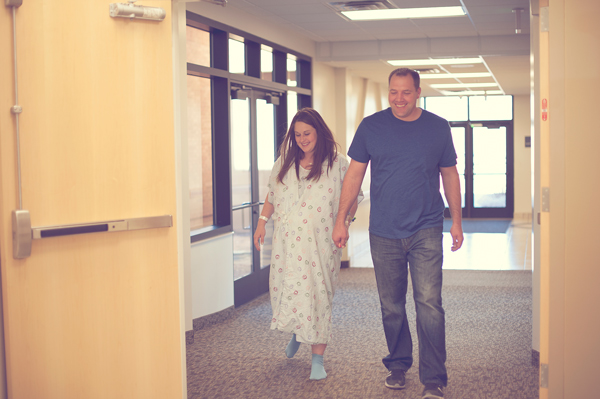
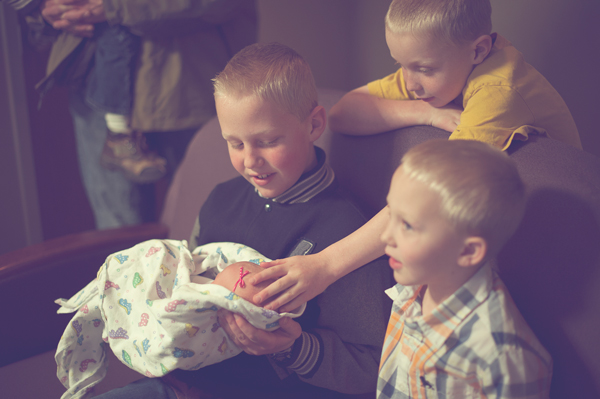
Watch carefully so you don’t miss any emotions. Be aware of what could be coming, so you can position yourself in the right place at the right time. In the above photo, I knew that the mom didn’t know if she was having a girl or a boy, and I also knew that she had four boys already. I knew the moment she found out would be a very emotional moment. When she heard, “It’s a girl!” and had that baby placed in her arms, there was no holding back the tears of joy for any of us. Yes, I cry during births. It hasn’t hurt my camera yet.

Be sensitive about emotions that they may not want to remember in a lot of detail later. Some moments during labor are very intense, and sometimes a mom might not be as in control as she hopes to be. I had a friend tell me once that she had a photographer at her birth, and she was disappointed later when she got the photos and saw herself. Her good memories of the experience were overshadowed by seeing pain and loss of control on her face in the photos.

280

The story that you are telling with your photos will be a big part of the memory that will stick with them, long after that day. The moments of pain can be captured by photographing the support and love: a hand held, a shoulder to lean on. Tell the story true, but focus on the strength, love, joy, wonder, and amazement.

Have you ever had the chance to photograph a birth or other special event? I’d love to hear about your experience in the comments.

googletag.cmd.push(function() {
tablet_slots.push( googletag.defineSlot( “/1005424/_dPSv4_tab-all-article-bottom_(300×250)”, [300, 250], “pb-ad-78623” ).addService( googletag.pubads() ) ); googletag.pubads().enableSingleRequest();
googletag.pubads().disableInitialLoad();
googletag.pubads().collapseEmptyDivs( true );
googletag.enableServices();
} );

googletag.cmd.push( function() { googletag.display( ‘pb-ad-78623’ ); } );

googletag.cmd.push(function() {
mobile_slots.push( googletag.defineSlot( “/1005424/_dPSv4_mob-all-article-bottom_(300×250)”, [300, 250], “pb-ad-78158” ).addService( googletag.pubads() ) ); googletag.pubads().enableSingleRequest();
googletag.pubads().disableInitialLoad();
googletag.pubads().collapseEmptyDivs( true );
googletag.enableServices();
} );

googletag.cmd.push( function() { googletag.display( ‘pb-ad-78158’ ); } );

The post Photographing Special Events Like the Birth of a Baby by Melinda Smith appeared first on Digital Photography School.


Digital Photography School

 
Comments Off on Photographing Special Events Like the Birth of a Baby

Posted in Photography


How to Photograph Your Baby with a Special Gift or Toy

24 Nov

This week, I had the opportunity to shoot photos for an adorable boutique clothing line called Bella and Gracies. Karen, the fabulous owner/designer had some super soft plush puppies that she wanted to show the world, so I lined up some of the most beautiful children known to mankind and we went to town. While I was shooting, I thought Continue Reading

The post How to Photograph Your Baby with a Special Gift or Toy appeared first on Photodoto.


Photodoto

 
Comments Off on How to Photograph Your Baby with a Special Gift or Toy

Posted in Photography


Holding Your Digital Camera Properly Like It’s Your Baby

10 Jan

When you own a digital camera, you’ve got to treat it right, almost as if it were your very own baby. Wait…just a second there! It IS your very own baby, so you had better hold it gently and carefully. If that’s not convincing enough for you, then maybe a practical reason will affect you better: To avoid buying a Continue Reading

The post Holding Your Digital Camera Properly Like It’s Your Baby appeared first on Photodoto.


Photodoto

 
Comments Off on Holding Your Digital Camera Properly Like It’s Your Baby

Posted in Photography


Baby Sessions on a Shoe String

23 Apr

DPS_Baby5

As photographers (or budding photographers) we may increasingly find ourselves being asked for impromptu photo shoots.  This often means having to improvise with borrowed gear and a bit of “shooting from the hip”.   As a consequence, when this occurs weare pushed out of our comfort zone and must learn to make the best of it.  I’ve often been guilty of the, “If only I had” syndrome when it comes to creating images.  It’s situations like these that remind me even the most basic gear along with what can be found around the house is often more than required to get great shots.  The last couple months I had two occasions where I was caught without my camera or any of my personal lighting when unplanned photo sessions were requested.  Hopefully my quick and easy tips will illustrate that it’s often more about being creative with your resources than it is about how nice your equipment is.  As the old adage goes, a craftsman never blames his tools.

Lighting Baby Gianna

DPS_Baby2

My wife and I were staying at a cabin with family when her sister said, “Hey, you’re photographers. Let’s take some cute baby pictures.” Of course in their minds eye they’re picturing those premeditated pics on Pinterest with amazing props and perfect lighting, neither of which I had.   Babies are naturally photogenic and the truth is you don’t need that stuff.  So when the pressure is on, take a step back and relax. Let’s dig in and talk about a couple quick and easy tips that will get you photos anyone would like with very little preparations.

Think lighting first.

First, find the location that has the most light. The cabin where we were staying was very rustic and pretty dark even with every light on. Natural light was hard to come by. It was chilly so outside shots with a newborn weren’t an option. For us the brightest place was on the island in the kitchen underneath a row of hanging lights. The light was bright but all light coming from a single direction above was a bit to heavy. I found a few desk lamps in the other rooms and set them up on either side to soften the shadows.  Note here that it’s critical you don’t mix and match light types.  Florescent lights have a greenish hue and incandescent bulbs have a golden one.  While you can always increase exposure of an image that is too dark in postproduction, it’s difficult to correct for a babythat is half green and half yellow.  It may look ok to your eye because our mind is constantly doing white balance correction so take my word for it that white balancing will be of no use if the lighting is not consistent.  This also goes for your flash and is the reason many photographers carry orange and green flash gels in their camera bag.  If you need to use the camera flash along with external lighting, try bouncing it off something that will distribute its hue. Cardboard or a wall can do the trick while also decreasing the intensity of such a small light source.

Because it wasn’t my camera I gave myself some time to playwith the setup.  In retrospect, there is a lot I would have done differently with the camera settings, but live and learn.  Try to remember that the basic balancing act is always the same.

  • DPS_Baby1If you’re not trying to blur the background, keep your aperture as small as lighting will allow for a sharp crisp image.  This is particularly important for keeping the detail in the eyes.  If you really want to soften things up you can do it in postproduction.

  • Eliminate noise by keeping the ISO as low as possible for the given lighting conditions.  This is becoming less of an issue on the newest model cameras but low ISO is almost always the goal. The more light you have the lower you can set the ISO.
  • Since you most likely won’t have a tripod, make sure the shutter speed isn’t dropping too low, which is more likely to catch some of your hand jitters.  Some go by the rule, no lower than 1 over your focal length. (e.g. 1/50)

Before putting the baby down and blasting her with light, I found a huge pinecone and a squash to practice with until I felt like the light was as smooth as I could get– the pinecone didn’t make a peep and the squash held his pose nicely. Be sure to have all the setup ready right after the baby eats and has had a little nap. Their awake time is so short and if you test the lighting beforehand and get all prepared you will be able to maximize your happy baby time for some great shots.  In the end, we got a few images we liked, and that’s probably all you need.

Baby Colette and her background

DPS_Baby3Next up, I was hanging out with my brother recently one Saturday morning when he said, “Hey, I brought my camera. Can we do some quick 6 month baby pics?” His camera was a Micro 4/3rds Panasonic. Fortunately, he was geeky enough to have purchased one of the inexpensive wireless flash transmitters ($ 25), a used flash and a solid prime “pancake” lens.  They also had brought a few ideas and some tutus and headbands to the table. Unlike the last baby shoot, we had a room with tons of windows and natural light to work with and the soft king size bed was a nice upgrade from a butchers block island.   He also had a Gorillapod for his flash that allowed us to place the remote flash anywhere in the room until we achieved the best balance of light.  So with light not such an issue this time it was on to the background.

Everyone looks fresh and happy on white.

Most people, but especially babies, look light and happy on a bright white background.  When we did the kitchen shoot, we had to recruit family members to hold up different sides of a white blanket the baby was sitting on to hide the cluttered background of the kitchen.  For this shoot, we opted for a better solution.  We took a stapler and a nice white sheet and literally just stapled it right to the wall at the head of the bed.  A little rudimentary, I know, but it gave the same effect you get with a seamless paper backdrop setup and we didn’t have to hold it.  Because fabric has texture and shadows you may not want, a quick fix is to us the de-vignette tool in the editor of your choice.  Crank up intensity of it until it just reaches the subject.  This mimics that eternal white background you find done with professional seamless paper backdrops.

The next key component was figuring out how to support the baby in a more natural way than just lying flat on a bed.  Under the sheet we used a Boppy which is often found in homes with infants or small children. It is an excellent support for babies who need a little help to stay up in the sitting position or to elevate their upper bodies for the belly shots.

Try using a three-person team.

First is, of course, the photographer. They are the most valuable player in the photography team and should direct the actions of others.  If this is you, look at poses and angles you like for babies. Notice the way the angle can skew the proportions of the subject. This is especially important for babies. Their proportions are changing all the time as they grow.

Second chair is the baby maneuverer. This person, usually the mother will adjust the baby when they fall or wiggle and need to get back into the desired pose. Keep the parent involved by having them fix falling headbands and falling babies.  Don’t be afraid to ask for their input, what angles they like and prod them on what they are hoping for. The third player is the happy outsider. They need to be able to charm that baby into cooing and ahhing over and over again. Any object can be used to capture the attention of a baby and induce a smile.  Try rattling some keys or a sock puppet.  The entertainer will need to get as close to the camera as possible so the babies expressions and eyes appear directed at the lens.  However, make sure you also get shots of them drawing the baby’s focus away from the lens looking off to one side.

In the end, try to use these impromptu photo shoots as learning experiences.  They probably aren’t paying customers so don’t let stress ruin a fun shoot.   Take note of what didn’t work and move on.  If you have any interesting experiences being caught unprepared for a photo-shoot and things did (or did not) work out please share below.  Happy shooting.

DPS_Baby4

Post originally from: Digital Photography Tips.

Check out our more Photography Tips at Photography Tips for Beginners, Portrait Photography Tips and Wedding Photography Tips.

Baby Sessions on a Shoe String


Digital Photography School

 
Comments Off on Baby Sessions on a Shoe String

Posted in Photography


Baby Mexican Black Kingsnake kills live hopper mouse

03 Jan

Here’s an update video for my MBK – Maximus. Haven’t uploaded one of him in a while and this was specifically requested by youtube user: mutantflamerobotics… so here’s some new footage shot during the halftime of the BCS championship game. This video was shot using a Nikon D90 and also includes slow-motion strike footage. Hope you enjoy it.


Best snake SHED video. Baby corn snake. AMAZING detail (full shed)

08 Nov

My pet corn snake Leeroy was due to shed. When he started pressing his face against the corner of the tank, I ran for my video camera. Usually he sheds in the middle of the night… was he actually going to do this in front of us?? Leeroy is the best and never ceases to amaze me. Last week he swallows a baby mouse while hanging and now this!! Here is a super high quality video of him shedding, from start to finish. Video was taken with a DSLR Nikon D90… sorry, I still need work on manual focusing with shallow depth of field 🙂
Video Rating: 4 / 5

In this video, I will show you how to use speedlights indoors in various configurations. Keep in mind that this is a simple bounce with a single flash for beginners in a very dim room. Examples of other more advanced indoors and outdoors lighting can be found on photographylife.com and http
Video Rating: 4 / 5

 
Comments Off on Best snake SHED video. Baby corn snake. AMAZING detail (full shed)

Posted in Nikon Videos


Photoshop tutorial for baby portrait

22 Oct

Great way to worflow images of babies. More at: www.nobsphotosuccess.com
Video Rating: 4 / 5

Adding abdominals, 6-pack virtually through donor abs using photoshop. Tutorial for advanced users Note: STRG=CTRL
Video Rating: 4 / 5

 
Comments Off on Photoshop tutorial for baby portrait

Posted in Retouching in Photoshop