RSS
 

Posts Tagged ‘Apps’

Facebook adds 360 photo viewing to iOS and Android apps

10 Jun

Facebook has rolled out the ability to upload and view 360-degree images on its iOS and Android apps. These images can be taken via a phone’s panorama function or with a 360 capture device, such as the Samsung Gear 360.

Once uploaded, any user can click on the image and move through the scene by moving their phone in space or just scrolling with a finger. Owners of Samsung cameras which support the company’s Gear VR headset can view the 360s by tapping a button in the Facebook app.

The updated version of the Facebook app will be available for iOS and Android tomorrow, June 10th.

Articles: Digital Photography Review (dpreview.com)

 
Comments Off on Facebook adds 360 photo viewing to iOS and Android apps

Posted in Uncategorized


Nine black-and-white photo apps to elevate your monochrome game

05 Jun

Black-and-white photo apps to elevate your monochrome game

Not so long ago, novice photographers began learning their craft with black and white film. While many eventually mixed color into their portfolios, others eschewed hues entirely, opting for the smoothness of subtle monochrome tones.

Then came the digital revolution where all native output was in color by default, and anyone who pined for black-and-white had to figure out how to make it look real. Today, a multitude of black and white shooting, editing and conversion apps offer iOS and Android shooters many monochrome styles — from specific film analogs and grains to authentic borders, tints and vignettes, most with the ability to export and share via social media.

While any stock camera app will happily shoot monochrome images, these apps go further with filter options and interfaces tailored to black-and-white shooting. We ransacked the pile to uncover nine worth downloading.

Black-and-white photo apps to elevate your monochrome game

Dramatic Black & White
$ 1.99 | iOS | Android

JixiPix wasn’t kidding when it made ‘drama’ the central focus of its app and even its name. Whether you shoot with Dramatic Black and White’s built-in camera or pull a color image from your Camera Roll, the app’s highly configurable interface, flexible presets and editing tools set it apart.

Images open in black and white with an adjustable ellipse spotlight that lets you zero in on the subject. From there, you can crop (rectangle or square) or adjust tone, sharpness, brightness or contrast. Individual red, green, and blue filters give images definition, while at the same time you can mix in grain or apply a color tint. Multiple levels of tweaking are possible but it’s also possible to use the app’s extensive one-click presets (Black & White, Dramatic B&W and Infrared) for a hands-off approach.

In addition to its infinite choices, the app’s performance is outstanding — there’s no waiting for a preview to render as as you experiment with different settings.

Black-and-white photo apps to elevate your monochrome game

Lenka

Free | iOS | Android 

Introduced two years ago, Lenka, designed by photographer Kevin Abosch, sparked renewed interest in the mobile genre. Because it’s exclusively a image capture app, you can’t dig up an older photo from your Camera Roll and apply the Lenka treatment; the app forces you to concentrate on tone and contrast from the outset.

Lenka is minimalist and designed to be smart: It operates in full auto exposure mode, but if you want more control, you can tap the subject onscreen or the MF (manual focus) button on the control panel. Its four slider-based buttons for exposure, contrast, tint and focus toggle on and off. You can also summon extra illumination for fill lighting or extreme low light by tapping the light bulb icon for a continuous flood of light. There’s no front facing camera either, so no selfies.

Lenka is fast, easy and fun to use, and its auto setting works well enough to give you some great shots without much effort. 

Black-and-white photo apps to elevate your monochrome game

BlackCam
$ 1.99 | iOS | Android

BlackCam, XnView’s capture and editing app, offers more than two dozen adjustable presets to impart a wide assortment of monochrome looks to your existing pictures – or you can shoot using live preview. Despite the number of adjustments available: Classic, Vintage, Light, Shadow, Dark, High Contrast and more, the app is easy to use. Classic editing tools let you adjust brightness, contrast, exposure, vignette and simulated film grain. Colored lens and professional conversion filters show up on screen. You can easily get by with the free version, which includes a large assortment of filters, but to get rid of distracting ads and unlock additional presets like Hard boiled, Vintage Deep and Platinum, you’ll have to upgrade.

Black-and-white photo apps to elevate your monochrome game

Photolab Black
Free | Android 

Photolab Black, an Android-only photo capture and editor from Sand 5 Apps mixes retro-style black and white analog photo and Polaroid film effects with monochromatic file emulation filters to give new photos an old-time look. If you’re in the mood for grain, vintage, grunge and textures, feel free to go crazy with stylized filters like Ilford, Lomography, Pan F, Provia 100F and more. The app also provides a full set of classic editing tools like color balance, crop, rotate, and straighten or the ability to adjust brightness, contrast, color temperature, saturation, exposure, vignette, sharpen and blur with a swipe. The app is free, but to unlock certain modules like frames, you have to invite a friend on Google Plus or Facebook.

Black-and-white photo apps to elevate your monochrome game

Hueless
$ 1.99 | iOS

Hueless, a popular black and white photo app for iOS, is another capture-only (not editing) app from Curious Satellite. Think of Hueless as a film camera with black-and-white stock and use it when you want to avoid post processing. The main (H) icon lets you choose TIFF or JPEG format and can hide the menu to maximize your concentration on composition: A simple screen tap records the image. If you want to shoot fast without setup, the app lets you record up to four presets. Advanced touches include a live exposure compensation slider, live contrast adjustment slider and adjustable photo filters in blue, green, yellow, orange and red, which give definition to grayscale images. The app’s interface feels natural, though if you commit to using all controls in the moment, it may seem overwhelming. Hueless can save your photos to the Camera Roll or a special Hueless album. 

Black-and-white photo apps to elevate your monochrome game

BLACK
$ 0.99 | iOS 

BLACK puts the focus on retro film emulations. Ten distinctive film looks let you preview via swipe: Experiment with stocks like Tura P400, Paterson Acupan 800, Fujifilm FP-3000B and others. Just browse through each filter to find the one that best suits your image. Familiar tools like Curves, Fade and Vignette are also available. Curves puts tone and contrast at your disposal with a dynamic preview and histogram. Vignette’s slider adjustments let you play with contrast and shadow around the subject. Fade’s filmic effect adjusts for shadows. A full preview is available in Collection mode, as you tilt your iPhone 90 degrees. BLACK is a stylish and elegant monochrome rendition that offers some unique throwback effects. 

Black-and-white photo apps to elevate your monochrome game

Simply B&W
Free | iOS 

Fotosyn’s Simply B&W offers a variety of choices for both shooting and editing. Select from an assortment of familiar films such as T-Max, HP5, Tri-X, XP2, Delta, SFX-IR and Vintage, and you can leave it at that. If you’re into more tweaking, sliders let you control brightness, contrast and grain, while vignettes and frames add a finishing touch. The real treat with this app lies in its selection of filters (Red, Green, Polarizer, IR Filter) that emulate analog filters for black and white photography. A unique pro feature is the app’s integration with Adobe Creative Cloud, which lets you access your account directly from the app and work on your image on your phone.

Black-and-white photo apps to elevate your monochrome game

Ansel
$ 0.99 | iOS 

Not a single photographer – pro or amateur – doesn’t know the name Ansel, practically synonymous with monochrome shooting today. When launched, Ansel even reads the Camera Roll in black and white, where you can immediately preview the conversion of any of your color images. Once a photo is opened in Ansel, the app provides more than a dozen controls to aid in the transition. A minimal number of presets offer a starting point, but it’s just as easy to dive right into the sliders to alter tone, contrast, exposure, shadows and highlights. Add a gradient or vignette while using the Mix filter and choose any color at all as a filter. If you’re unhappy with the result, you can either reset changes or revert to the original photo. While you can use the app in landscape mode, the icons don’t flip to accommodate the new position, but they’re big enough to easily read.

Black-and-white photo apps to elevate your monochrome game

Argentum Camera
Free | iOS

A newcomer to the scene, Argentum Camera has an unusual take on black and white photography. The filters in Argentum Camera for iPhone are not names for films, but rather iconic photographers. Specifically, this app lets you shoot in styles inspired by Ansel Adams, Henri Cartier-Bresson, Irving Penn, Garry Winogrand, Yousuf Karsh and Dorothea Lange, which you view on screen while you focus and compose your shot.

The camera interface was built for larger iPhones. Additional options include a speed shooting mode for one-tap shots and Double Exposure to superimpose two images in a single photo. The app does not support the front facing camera – so no selfies. As you store your original unprocessed photos in your Camera Roll, a narrow line in the bottom indicates how much free space you have left. You can even take shots remotely via Apple Watch. The app is free with the Ansel Adams filter and a $ 2.99 in-app purchase buys you all five additional filters.

Black-and-white photo apps to elevate your monochrome game

While all nine of our picks offer polished results and an original approach, there are a couple of standouts.

Best free option

For the easiest shooting experience and the most enticing results, Lenka is our overall favorite among the free apps. There’s practically no setup, but rather a simple point and shoot interface that provides just enough control to get great results.

Best paid option

On the paid side, Dramatic Black and White simply hits it out of the ballpark with its flexible, easy-to-use shooting and editing controls, sizable number of presets and outstanding performance.


The apps above are just a small sample of the mobile black and white apps out there. Do you have a favorite that was not mentioned? Please share it in the comments.

Articles: Digital Photography Review (dpreview.com)

 
Comments Off on Nine black-and-white photo apps to elevate your monochrome game

Posted in Uncategorized


Ricoh Theta and Theta S apps add support for Google Cardboard

03 Jun

Good news for users of Ricoh Theta and Theta S 360-degree cameras: the corresponding apps now support the use of ‘head-mounted displays’ for viewing your images and videos in their full 360-degree glory. This of course includes Google’s budget Cardboard viewer. 

When viewing images or video in the app you can now choose between standard screen or two different virtual reality modes, single or double lens, the latter of which will work with Google cardboard. Until now, Theta users had to upload their content to a compatible service in order to view them using Cardboard. Now, thankfully this additional step is no longer necessary. The Ricoh Theta and Ricoh Theta S app can be downloaded from the Google Play Store.

Articles: Digital Photography Review (dpreview.com)

 
Comments Off on Ricoh Theta and Theta S apps add support for Google Cardboard

Posted in Uncategorized


9 Helpful Apps for Photographers

24 Aug

Hopefully I’m not the only photographer in the world that tends to get quite excited when I discover a new app, or software that could definitely be used in my career. Yes I’m a bit geeky, but you know what – geeky is the new cool. Anyway, throughout my four years as a professional I’ve come across some really great Apps that you could use for your photography, even if you’re not a pro. What makes this more interesting, is that these Apps are not commonly talked about, so chances are they are probably new to you.

So, let’s get to it:

Quick Disclaimer: I am in no way affiliated with, paid by, or asked to list any of these apps/programs. I am not rewarded in any way from any of the software creators. This is purely a list of apps that I have found useful, besides the all too famous ones like Photoshop and Lightroom.

1) Instagram (Mac and PC – $ 0.00)
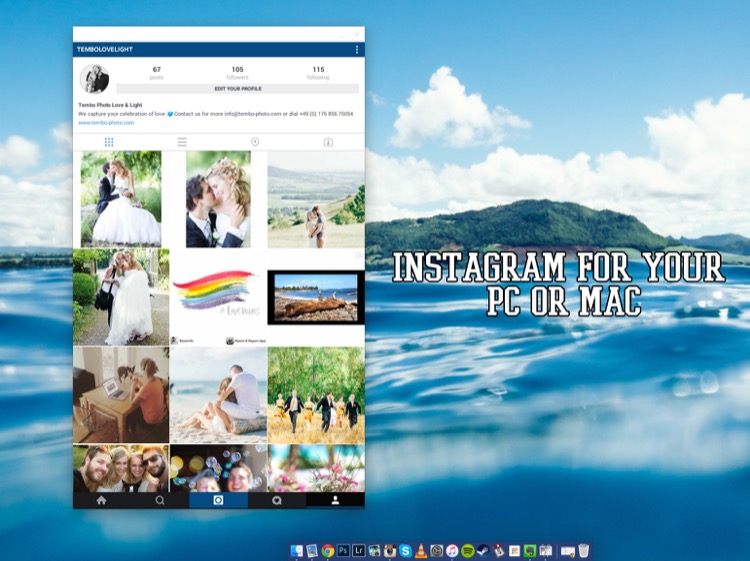
Instagram

To get this app to work you need to download and install both parts:

  • ARC Welder extension for Google Chrome
  • Instagram App Direct Download:

Have you ever wanted to share some of your photographic work on Instagram? Well, with this little app, it all becomes possible. Besides the occasional bugs here and there, it does its job just like it would on a phone – and makes sharing your work a real pleasure.

Love:

  • Posting images from my computer. It’s easy, accurate, and can be a huge plus to your workflow as a photographer.
  • How simple it is to set up and get running
  • You can comment, like, post, and update your profile – just like you would on your phone.

Love not so much:

  • Occasional bugs where it doesn’t load correctly.
  • I use a 27” screen, and it works there perfectly. However, when I’m using the 15” display on my MacBook, I cannot resize the window to show the bottom part (the most important part of the window). I’m sure there’s a solution for that somewhere. It does bug me sometimes, but a simple closing and reopening of the app normally fixes it.

Conclusion: Definitely worth testing as I’m sure they will release updates to fix the issues so, it’s worth having it and following along.

2) Blogo ($ 29.99 Mac Only in the App Store)
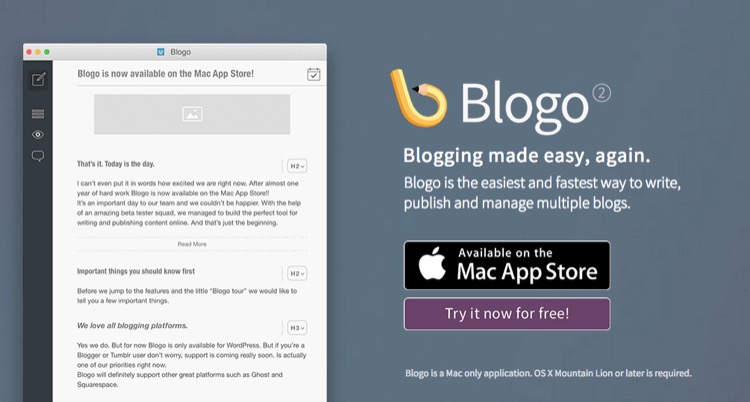
Blogo

If you’re not familiar with WordPress as a place to build and hold your website, I’d definitely recommend you go and check it out. It’s such a great platform to host a website (although, there is a bit of a learning curve). But, you are already familiar with WP, then Blogo is for you, especially if you love to write articles on your blog.

Blogo presents you with a stylishly clean writing panel, with the ability to add images where you like, as well as easily add Alt-tags, descriptions, links, and other SEO necessities you would normally do directly in WordPress. The best part is, you can write away online and offline, travelling or at home. A simple Publish button will send your post directly to your website and voila, it’s done. Now, the cherry on the cake = it is INCREDIBLY easy to set up. It takes less than one minute to get up and running, plus, their support is second to none.

Love:

  • The clean, stylish writing panel.
  • The features and its offline ability
  • Adding images and SEO tweaks to your images has never been easier
  • Previewing your post on your website (from within Blogo) without actually publishing it
  • Top notch support
  • Very fair pricing

Love not so much:

I personally had some issues with WPML (A multilingual plugin for wordpress that allows me to have a German and English website). But, they were right on top of it and are keeping me updated weekly (via personal emails) to let me know how it’s going.

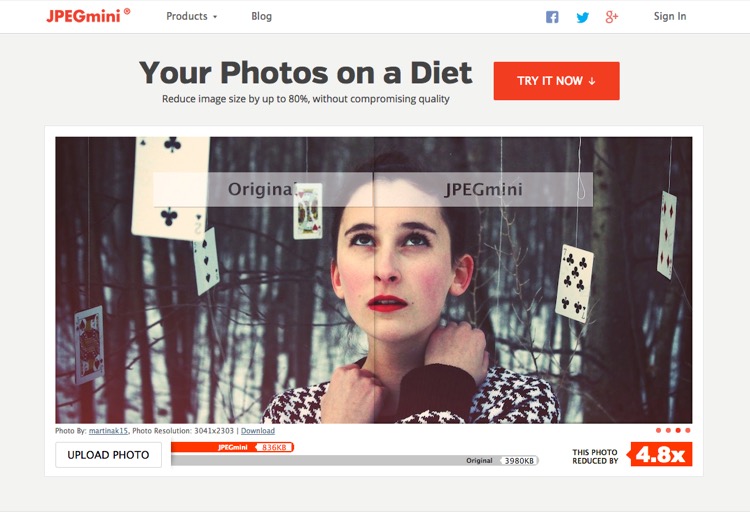
3) JPEG Mini (Free Trial, $ 19.99, Mac and Windows)
Jpegmini

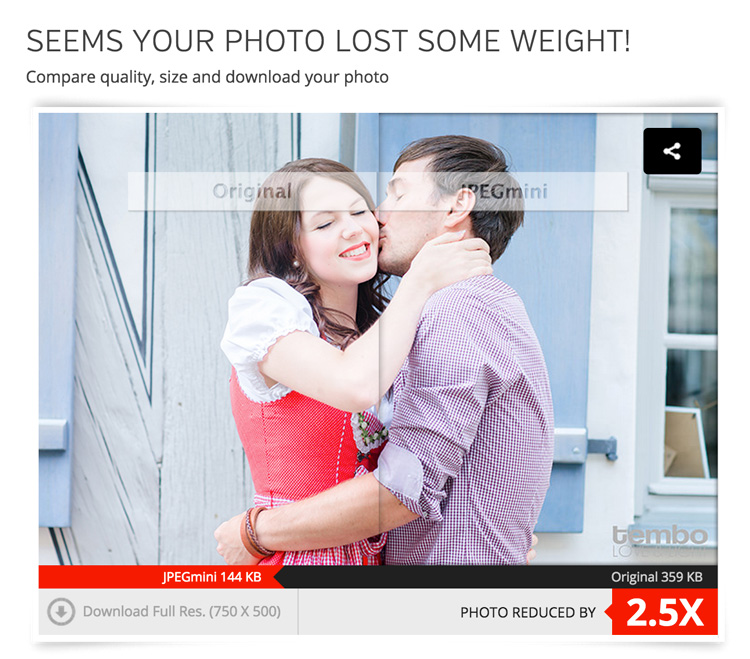
While we’re on the topic of websites, if you take pride in your website and use it as a highly-valuable business tool, chances are you’ve come across the dilemma of choosing between high-quality, sharp images OR website load speed. Putting it in the simplest form, the higher quality the image, the bigger the file size. The bigger the file size, the longer the page takes to load. So, catch 22? Not with JPEGmini.

JPEGmini does an incredible job of reducing the size of your JPEGS, yet retaining a very acceptable image quality. The best thing is, it’s an application so you can optimize your images on your desktop, offline, and get them ready to be uploaded. I use this program religiously for our website.

750px size original image - 368kb

750px size original image – 359kb

750px-jpegmini

JPGmini version 750px - 148kb

JPEGmini version 750px – 144kb

This original image was 359kb (fairly big for an image online). After JPEGmini = 144kb!!! Notice a difference in quality? Here’s what it did with the full sized file:
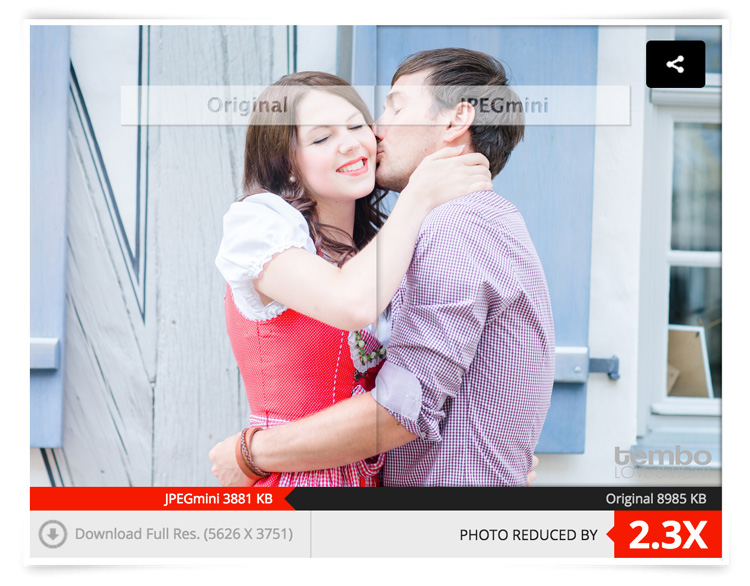
fullsize-jpegmini

Love:

  • Their lossless compressions and the speed at which it works
  • Bulk optimizing. Drag as many images you want into the window and it’ll get right to work, showing you how much you’re saving
  • Fair pricing (especially if you’re going to use it a lot)
  • Options included to either overwrite the original file or make a copy of it.
  • Lightweight program that works offline
  • So easy to use
  • Mac and PC compatible
  • Free Trial
  • Lightroom Plugin

Love not so much:

I can’t find anything wrong with it.

Conclusion: 100% worth it if you’re into blogging, and want to optimize images for your website, while keeping a fine ratio between size and quality. Do yourself a favor and at least try it, it’s quite incredible.

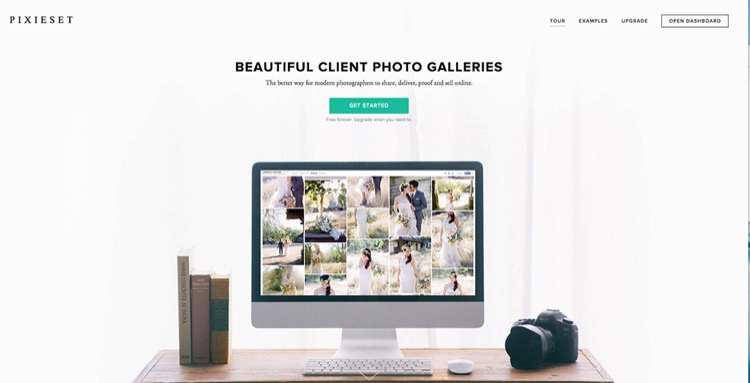
4) Pixieset (free options as well as paid subscriptions for more features and storage space)
Pixieset

There is a familiar battle between Pixieset versus PASS as there is the Nikon versus Canon debate. Both are great in their own ways, and both do the same thing. However, I personally use Pixieset. I have not really tried PASS, so please do not think I’m being negative towards it. I just found Pixieset to do exactly what I need, when I need it, perfectly every time. Why would I look for something else?

So, what is Pixieset? It’s a stunning, clean, and professional way to create client galleries and send them out. It is so good, that 100% of my clients love it (no lie)! You upload the high-resolution files (pro version only) to the online gallery, design it with a few clicks and some information, and voila, it’s done. It’s responsive, easy to use for anyone (even grandma), and allows your clients to download the high-resolution files (pro version only) or smaller web sized images whenever they want.

Love:

  • The responsiveness: Works amazing on computers as it does on mobile devices.
  • Allows downloads a range of file sizes (from Web, to high resolution, to Full resolution).
  • Let’s face it, the world has shifted to Digital mediums. This is the perfect solution to delivering your work to your clients.
  • Has a Lightroom plugin to automatically upload a set to Pixieset.
  • Frequent updates and features being added.
  • Password protected galleries to make them private.
  • Clients can favorite images and send that list to you, as the photographer, very easily. Perfect for when clients choose images for albums, or to make adjustments on files.
  • The above favorite list can be easily added into your Lightroom catalog to show only those files. Saves you having to manually go and choose the files.
  • Amazing support! These people love their customers.

Love not so much:

You can’t really edit offline, but that’s okay, it’s not to serious. That’s it.

5) Automator (Built into OS X)
Automator

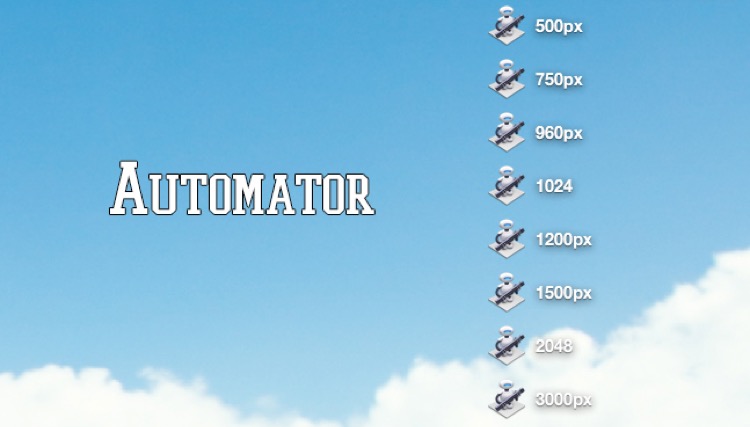
Ever stumbled upon this awesome little robot guy? Well, believe it or not – he’s actually very useful. Remember how I mentioned I always resize my images before compressing them with JPEGmini? Well, Automator is my go-to tool to resize (if I don’t want to do it in LR or PS). Why? Because it’s simple. That’s why. It does its job and it does it fast, and well.

How does it work?

Setting up Automations may seem a bit daunting at first, but it’s really simple once you get the hang of it. Here is the step by step guide:

  1. Open Automator on your Mac (I use spotlight, so CMD+Space and type in Automator)
  2. You’re presented with a drop down window giving you a list of documents you can create. For this purpose (resizing), create an Application
  3. Now, you need to add something to this Application. Above the list of all the options you can choose, there’s a search box. Type in SCALE. The last choice, Scale Images, is the one you want.
  4. Drag it over to the right into the open space.
  5. You will be asked if you want to add another function to the application about creating copies of the original file. Add it if you like, or don’t, it’s up to you. I don’t, I normally copy my High Res from their HD place, put them in a folder on the desktop and resize/rewrite over them. Simple. Just make sure you have them all in full resolution saved somewhere else!
  6. Under the Scale Images options on the right, you can choose between: To Size (pixels) or To Percentage (%). Choose Size, then simply type in how big you want your images to be (on the longest edge). I’ve created eight different sizes and saved them all on my desktop. This way, if I need a 750px image, I have the automation there already. If I need 2048px for Facebook, it’s there.
  7. Choose your size and finally click on File > Export > Give it a Name > Choose Location > and BAM! There you go.
  8. To use it, simply drag your image files onto the actual icon of the Automator and away it goes. Resizing all the images you dragged (it supports bulk drag too, awesome huh?).

6) Smart Albums 2 (free to try, $ 299.00, Mac and PC compatible)
Smartalbum

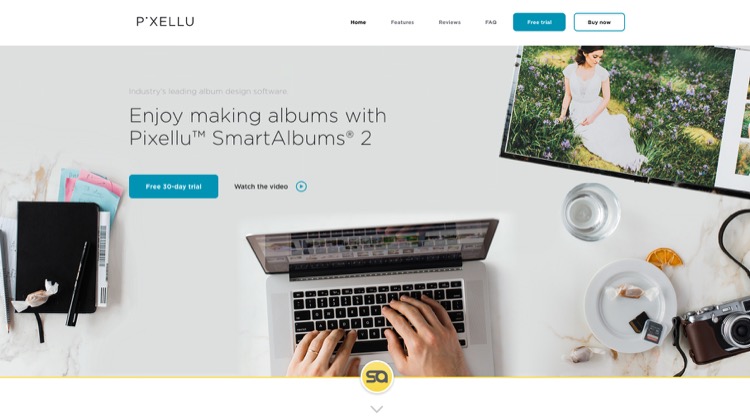
Before you run away after seeing the above price tag, just hear me out. If you’re into designing albums for your clients, be it Wedding Albums that you sell, or session albums, Smart Albums fixes that all-to-common problem of using really bad, boring, slow and unappealing design software that 99% of the printing companies offer. I mean, some of them are appalling.

Smart Albums links up to some of the most popular printing companies around the world and lets you design your album the way you want, according to the sizes, spreads, and specifications of your chosen printing company. It does this in a beautiful, fast, and very easy to understand way. Yes, it’s expensive, but if it’s a business that you are running, you’ll make it back after one sale. Totally worth it, given the amount of time you save and how much more efficient the whole thing becomes. Of course, it’s free to try so give it a go before you decide if it’s really for you or not.

They have over 30+ printing agencies that are compatible with Smart Albums, on an international level. They work in the USA, Europe, Africa and Asia. They’re constantly adding new agencies to their list, so the chances are high that your favorite printers will be listed.

Love:

  • The simplicity of the program and how easy it is to use.
  • The humungous list of agencies that they can work with.
  • The support. Great help from their team.
  • Mobile support.

Love not so much:

The price is pretty heavy. But, the good thing is that it’s a one-off payment. No need to pay yearly (unless you want their cloud storage).

7) AstroPad (Mac and iOS only: Free, or $ 20 for Pro Features)
Astropad

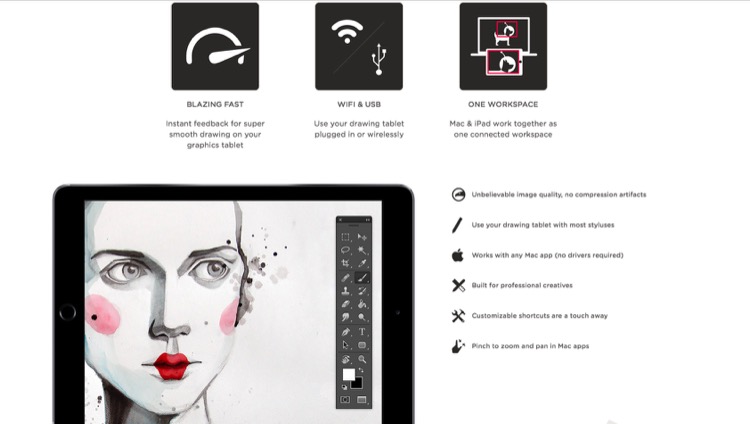
Own an iPad? Want a graphics tablet to edit your photos with, like a Wacom? Want a free solution that works surprisingly well? Then, AstroPad is for you. After downloading the App both on your Mac and your iPad, you can pretty much control your entire computer from your iPad. Using touch gestures and special movements, you can set this app up to work for you, not against you. If you happen to have a stylus for the iPad, then you’re even closer to having a free graphics tablet. Definitely worth trying, as it’s free, and you may even improve your post-processing, especially if you need delicate movements with the brush tool.

Love:

  • The idea of using an iPad as a graphics tablet.
  • That you can see your image on the iPad and paint/adjust/edit directly on it.
  • That it’s free.
  • That you can control more than just Photoshop.
  • Use it wirelessly (Wi-Fi) or plugged in (when you don’t have Wi-Fi).

Love not so much:

It can have a little delay in terms of what you do on the iPad and what comes out on the computer – only slightly, but enough to notice.

8) Sunseeker ($ 9.99 iOS only)
Sunseeker

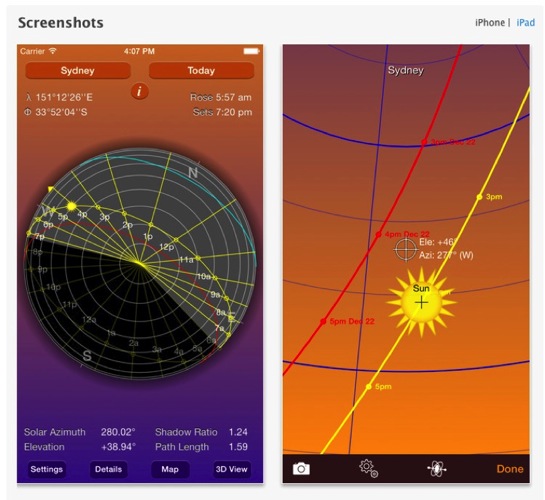
Sunseeker is an app for the iPhone or iPad that augments reality into its software to track the sun. It’s surprisingly accurate, and is a perfect tool for photographers who rely on the sun for their shoots. It’s a great way to plan where the sun will be in the sky at a certain point in time. Can you imagine how easy it would be when location scouting?

Simply point the phone up to the sky and follow the trail until you find where the sun will be. You can move a slider to change the position of the sun at a certain hour of a certain day. What’s great is that it uses your camera and projects its overlay on top of what you’re seeing. So, if there’s a building in front of you, you’ll see at what point the sun will just start to hide behind it; giving you valuable planning information as to when is the best time to do something.

Love:

  • That it uses the camera to project the sun’s future and past placement.
  • That it’s simple, easy to use, and fits in your pocket (iPhone only).
  • A great planning tool that you should have with you. Even if you don’t use it too often, it does come in handy from time to time.

Love not so much:

The sliders to change the time of day, and the position of the sun are quite small, and to pin point an exact day can be quite frustrating as you almost always overshoot it.

9) Tave (Free to try, $ 24 – $ 49 per month subscription)
Tave

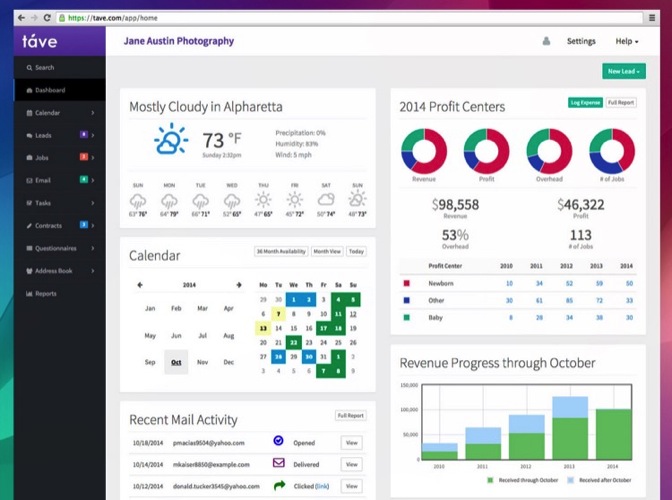
Running a photography business can be quite chaotic if you don’t have a decent system or workflow. Keeping track of your clients, their anniversaries and important dates, logging your expenses and income, tracking weather, and planning the shoots can all add up to the mess. Tave solves that and 99+ things more. I was hooked on it the moment I set everything up.

Love:

  • A complete business management tool that sits safely online, and can be accessed by more than one person (if you choose).
  • Amazing reports and financial tracking.
  • Huge customizations.
  • Great support. Offers live Chat right in your dashboard.
  • You can create questionnaires to send to your clients that will automatically record their answers, and place them in their respective job areas.
  • Verified by accountants.
  • Works internationally.
  • Works on mobile devices.
  • Tons of features!

Love not so much:

  • It does require a fair amount of time investment to set it up. But once you do, it’s groovy.
  • It doesn’t work offline.
  • A little bit of a learning curve, but they have really great support, and are more than willing to help you along the way.

Conclusion

Those are the nine apps that I personally recommend and use. I hope that I’ve introduced you to some great things that you can use for your own photography. Again, I gain no benefit from listing these apps besides the satisfaction of actually sharing some information with you.

What are your favorite apps for photography that aren’t talked about too often? I’m not talking about Editing Apps, as they’re everywhere, but any apps that you know of that are worth checking out? Let me know in the comments below.

googletag.cmd.push(function() {
tablet_slots.push( googletag.defineSlot( “/1005424/_dPSv4_tab-all-article-bottom_(300×250)”, [300, 250], “pb-ad-78623” ).addService( googletag.pubads() ) ); } );

googletag.cmd.push(function() {
mobile_slots.push( googletag.defineSlot( “/1005424/_dPSv4_mob-all-article-bottom_(300×250)”, [300, 250], “pb-ad-78158” ).addService( googletag.pubads() ) ); } );

The post 9 Helpful Apps for Photographers by Shayne Thomas appeared first on Digital Photography School.


Digital Photography School

 
Comments Off on 9 Helpful Apps for Photographers

Posted in Photography


Microsoft retires Photosynth apps

14 Jul

Microsoft has retired its Photosynth apps for Windows Phone and iOS. The apps allow mobile users to create spherical panoramas. Microsoft is directing users instead to its new web-based Photosynth technical preview, which it calls a more immersive and robust platform. Read more

Articles: Digital Photography Review (dpreview.com)

 
Comments Off on Microsoft retires Photosynth apps

Posted in Uncategorized


New photo filters added to Twitter iOS and Android apps

04 Dec

Twitter has launched an update to its mobile apps for iOS and Android bringing a range of new photo filters. In addition to new filter options, filter strength can now be adjusted via a slider, providing more control over the final result. Read more

Articles: Digital Photography Review (dpreview.com)

 
Comments Off on New photo filters added to Twitter iOS and Android apps

Posted in Uncategorized


Apps for Architects: 12 Handy Digital Tools for Home Design

27 Oct

[ By Steph in Design & Fixtures & Interiors. ]

Architect Apps Photomeasures 2

Remodeling your house, decorating a room or designing an entire structure gets a lot easier with a range of mobile apps that let you draw to scale, save measurements on top of photos, access thousands of inspirational images and more. These 12 handy tools will ensure that you ever buy a piece of furniture that’s too big for your space, lose the ideas you scrawled on paper or stand around staring at bedding wondering whether it’ll clash with your drapes again.

Photo Measures
Architect Apps Photomeasures 1

Save measurements right on your photos with the Photo Measures app. Snap images of rooms or objects and immediately save their exact dimensions so you can be sure whether furniture will fit in a given space, or give contractors all the info they need for a renovation.

Phaidon Design Classics
Architect Apps PHaidon Design Classics

Architect Apps Phaidon Design Classics 2
You can buy the 10-inch-thick Phaidon Design Classics book for $ 175, or just get the iPad app for $ 19.99. Either option will give you access to 1,000 iconic design projects, but the app is definitely more portable. It’s a handy reference for anyone trying to style an interior, providing visuals for everything from Eames chairs to antique glassware.

Remodelista
Architect Apps Remodelista

Sort through thousands of inspirational interior design images, save them to your own customized folders and share them with the Remodelista app for iPad, iPHone and Android. It puts the entire archive of Remodelista.com posts at your fingertips, along with a list of products featured in each post.

Penultimate
Architect Apps Penultimate

Architect Apps Penultimate 2

Want the ease and comfort of writing on paper, with the search functions and shareability of digital? The Penultimate app is a replacement for your physical notebook, allowing you to write and sketch with a stylus. Even better, you’ll never lose another important note again – everything you create in the app is synched to your Evernote account automatically so you can view, search and share them across a range of devices.

Next Page – Click Below to Read More:
Apps For Architects 12 Handy Digital Tools For Home Design

Share on Facebook


[ By Steph in Design & Fixtures & Interiors. ]

[ WebUrbanist | Archives | Galleries | Privacy | TOS ]


WebUrbanist

 
Comments Off on Apps for Architects: 12 Handy Digital Tools for Home Design

Posted in Creativity


Apps and Hacks for Editing On Your Phone

20 Mar
Extra photos for bloggers: 1, 2, 3
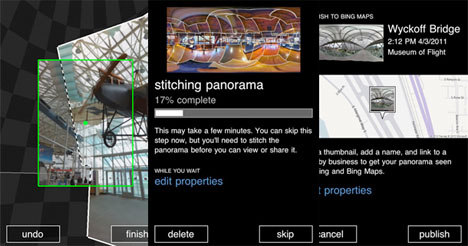
The secret behind the very best pix on Instagram is that they’re not exactly “insta.”

Most wow-worthy shots have had some work done.

It takes a few edits to transform a good photo into a holy-smokes-wow photo.

Today, we’re bringing you a step-by-step look at one such transformation.

Watch one photo go from neat to woah-woah-wow and pick up some editing hacks and app recommendations along the way.

Learn to Edit like An Instagram Master, All On Your Phone!

(…)
Read the rest of Apps and Hacks for Editing On Your Phone (466 words)


© laurel for Photojojo, 2014. |
Permalink |
No comment |
Add to
del.icio.us

Post tags:


Photojojo

 
Comments Off on Apps and Hacks for Editing On Your Phone

Posted in Equipment


14 Apps for Architects, Interior Designers & Homeowners

20 Nov

[ By Steph in Gadgets & Geekery & Technology. ]

Architect Apps Main

Need to quickly calculate square footage, design a building digitally using its real-world setting, match an exact shade or sketch out an idea? There are apps for all of those things, whether you’re a casual homeowner looking to redecorate your living room or a professional architect. This collection of tools for iOS and Android mobile devices gives you easy access to all sorts of functions, wherever you may go.

Paper

Architect Apps Paper

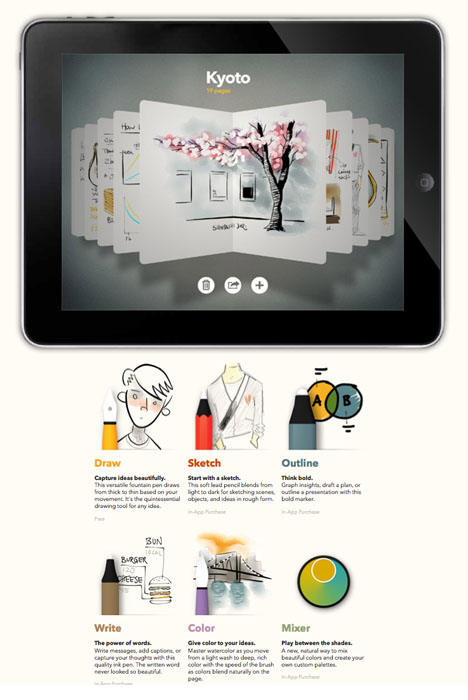
The Paper app by FiftyThree, Inc. makes it easy to capture your ideas as sketches, diagrams, illustrations or notes and share them on the internet. It’s a simple and intuitive app built specifically for the iPad’s display. The company recently announced the introduction of a ‘pencil’ stylus that connects to the iPad via Bluetooth.

Graphisoft BIMx

Architect Apps BIMx

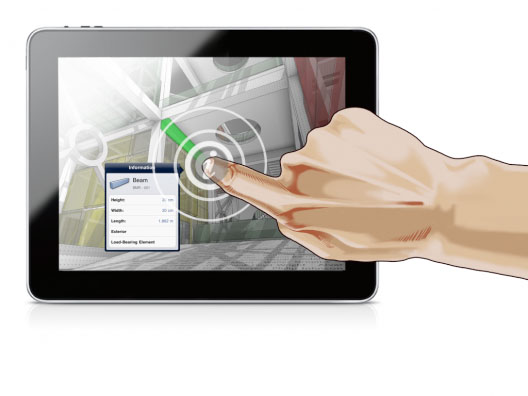
Available for both iOS and Android devices, BIMx is the ideal app for architects using the ArchiCAD program to present or share designs with clients and contractors.

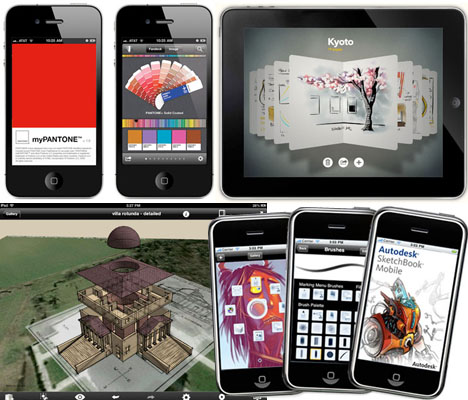
MyPantone

Architect Apps MyPantone

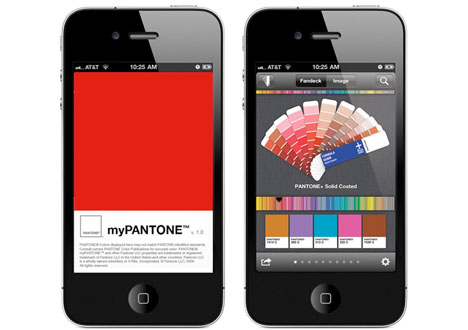
Need mobile access to the entire Pantone catalog of colors? Check out myPANTONE, which includes over 13,000 Pantone colors and makes it easy to create and share color palettes.

Dream Home

Architect Apps Dream Home

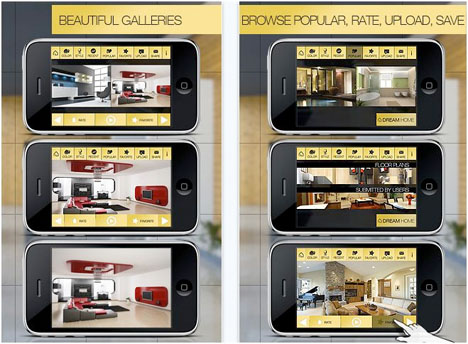
Get inspired for interior design and home renovation projects with Dream Home HD, an app for iPHone and iPad that offers high-resolution photos in a wide range of design styles. Save your favorite images, share them with friends and upload your own.

Photosynth

Architect Apps PhotoSynth

The Photosynth app by Microsoft makes it easy to capture and share interactive panoramic images with not only left and right but also up and down, creating an entire sphere. That could be especially helpful when you’re assessing a building site or thinking about how to renovate or decorate an interior space.

Next Page – Click Below to Read More:
14 Apps For Architects Interior Designers Homeowners

Share on Facebook


[ By Steph in Gadgets & Geekery & Technology. ]

[ WebUrbanist | Archives | Galleries | Privacy | TOS ]


WebUrbanist

 
Comments Off on 14 Apps for Architects, Interior Designers & Homeowners

Posted in Creativity


5 must-have iPad apps for every photographer

03 Nov

Screen_Shot_2013-10-30_at_9.50.43_PM.png

Apple’s new iPad Air and iPad mini with Retina display got us thinking about what photography apps we’ll want to download to our new devices first. We’re sharing a few of our favorite iOS tablet apps, from photo editing powerhouses to slick portfolio presentation tools on connect.dpreview.com.

News: Digital Photography Review (dpreview.com)

 
Comments Off on 5 must-have iPad apps for every photographer

Posted in Uncategorized