RSS
 

Archive for July, 2019

Photo “Stolen” From Art Gallery, Used on Magazine Cover Without Permission

12 Jul

The post Photo “Stolen” From Art Gallery, Used on Magazine Cover Without Permission appeared first on Digital Photography School. It was authored by Jaymes Dempsey.

Last week, The Big Issue published an interview with renowned filmmaker David Lynch.

And the magazine put a headshot of David Lynch on the cover.

All of this would have been fine…

…except that the headshot of David Lynch wasn’t actually a headshot at all.

Instead, it was a photo of a framed David Lynch photo. The original was taken by Nadav Kander and displayed as part of a gallery exhibition.

In other words, a photographer attended Kander’s exhibition, took a photo of the framed David Lynch portrait, and the photo ended up on The Big Issue’s front cover. Note that this thoroughly violates copyright law, as Kander has ownership over all of his gallery images.

Kander vented his frustrations via Instagram:

[A] ”photographer” goes to one of my exhibitions and photographs my framed print of David Lynch…Unbelievable blatant copyright infringement. Sad behaviour and more. I would never have wanted this photograph sold.

View this post on Instagram

READ THIS: a”photographer” goes to one of my exhibitions and photographs my framed print of David Lynch. He uploads this picture to a stock site called Alamy. Now this week The BiG Issue which is a magazine in the U.K. publishes a interview with David and buys this despicably shot picture of my photograph, crops in and uses it on the cover of the mag this week. Unbelievable blatant copyright infringement. Sad behaviour and more. I would never have wanted This photograph sold…So photographer who did this, kindly call my studio and we should talk. My alternative is to just go up an avenue that is less than pleasant for you. I wish now I had not got your name taken down off the BI site. Then all could have seen you and “your picture”. My god I work hard to make my work what it is… but this is doubly insulting because added to this your site states clearly that permission should be sought before using your work!!! Go figure. #copyright #copyrightingringement #impissedoff

A post shared by Nadav Kander Studio (@nadavkander) on

How it happened

But how did this happen? How did The Big Issue, a reputable magazine, end up with a stolen photo on its cover?

As it turns out, The Big Issue did not purchase the David Lynch image directly. Instead, the image came from the stock site Alamy, which sold the image to The Big Issue.

The Big Issue writes, in response to Kander’s anger:

Hi Nadav, we’re very sorry you feel aggrieved. This image was sourced by the art team. They discovered it on Alamy. It’s a great image that we felt would help move the magazine. We told Alamy what we were doing and neither tried to pull the wool over anybody’s eyes nor get away without paying.

The first we discovered about the issues with the image was when your agency got in touch at the start of the week. Clearly, Alamy have some explaining to do. We would never intentionally do this. As an organisation that serves the complex needs of thousands of our vendors each year, we understand the need to meet emotional distress with sensitivity. We hope this goes some way to explaining the situation. If you would like to discuss further, please DM us.

This apology would probably be fine, putting the blame squarely on Alamy and the photographer. Except that it turns out the stock image purchased by The Big Issue is different from the image that appears on the magazine cover.

Specifically, the David Lynch photo-of-a-photo acquired by The Big Issue showed a clear frame, as well as an information plaque. It also included shadows that fell across the glass:

But The Big Issue cropped out the frame and the information plaque, apparently oblivious to the photo’s illegal nature.

(Since then, the photo has been removed from The Big Issue’s website, as well as from Alamy.)

So…

Who do you think is to blame for this fiasco?

Is it the fault of the photographer, who took the picture and sold it to Alamy?

Is it the fault of the stock agency, Alamy, who put the photo up for sale on its site? Or is it the fault of The Big Issue for using a questionable photo in the first place?

Let me know right now in the comments!


Featured image photo by Samuel Zeller on Unsplash

The post Photo “Stolen” From Art Gallery, Used on Magazine Cover Without Permission appeared first on Digital Photography School. It was authored by Jaymes Dempsey.


Digital Photography School

 
Comments Off on Photo “Stolen” From Art Gallery, Used on Magazine Cover Without Permission

Posted in Photography


2 Methods for Creating Duotones in Photoshop

12 Jul

The post 2 Methods for Creating Duotones in Photoshop appeared first on Digital Photography School. It was authored by Glenn Harper.

This article looks at two methods for creating duotones in Photoshop. But first, what is a duotone?

Think of a duotone and you’ll imagine an image composed of two distinct hues. Easy so far. But a typical printing-press duotone uses black ink and another color, the net result being a photo that is monochrome by many people’s definition. No black appears in the final image unless the initial grayscale image was clipped, which photographers generally try to avoid.

Two methods for Creating Duotones in Photoshop

This photo uses two distinct blue-cyan hues laid over the original black (using a gradient map), but it’d qualify as monochrome in most circles.

A sepia image often comes from a duotone process, yet many people think of sepia pictures as monochrome.

Indeed, they are monochrome in the end but try producing a sepia effect in Photoshop using a single brown color. You’ll notice it tends to look flat. You can try some wild curves adjustments, but you really need black or dark gray in there to give contrast.

sepia monochrome aand duotone

Using duotone mode to create two sepia photos. The top half is duotone with a mixture of dark gray (near black) and dark brown. The bottom half is what you get with dark brown only – monotone.

For our purposes

We’ll look briefly at the classic black + one color method of creating duotones, not least because that blend tends to create more tasteful results. But I’ll also show you how to produce two-color images in Photoshop CC using two methods: duotone mode and gradient maps.

Method 1: duotone mode

To access Photoshop CC’s duotone mode, you first need an 8-bit grayscale image. But before you convert to grayscale, you might want to do a normal black & white conversion. That way, you can use the color sliders to get the best starting point before shedding data.

The process of creating a classic duotone in this way is described well in another article. Either pick one of the many presets available in Photoshop or choose your own color combo. Then adjust the contrast in the two “inks” as desired using the built-in curves adjustments. Technically, this produces a duotone, even if it’s monochromatic by some definitions.

Creating duotones in Photoshop

A two-ink duotone photo that is nevertheless monochromatic in appearance. Only by clipping the original grayscale image can you get true black into the photo.

Tip: in order for your second color (or “ink”) to be the one that imbues the image, you need the first “color” to be neutral (i.e. the default black or dark gray). Otherwise, the two colors blend. To achieve two distinct colors, there’s more to do.

Two distinct colors in Duotone Mode

It is possible to produce a two-color image in Photoshop’s duotone mode. Let’s say you have two colors selected (e.g. black and orange) and you want to make shadows blue. This is what you’d do next:

  • Click on “Overprint Colors” to open a dialogue box.
  • Click inside the color square next to “1 + 2” to open the color picker.
  • Move the picker around and choose a blue, observing its effect on the image in real-time.
  • Close “Color Picker” and “Overprint Colors” boxes.
  • You’re done! Convert back to RGB for conventional web or printing use.
Two methods for Creating Duotones in Photoshop

By clicking on “overprint colors” in duotone mode you can lay a second distinct hue over your darker tones. In this instance, I’ve chosen dark green.

Method 2: gradient maps

Like duotone mode in Photoshop CC, there are many gradient map presets you can try out. Some of these use a single hue or multiple hues, so they might be monochrome, tritone or quadtone in some cases. But a classic two-color gradient map will give you a duotone result with discrete colors.

Duotones in Photoshop CC.

Using a normal blend mode with a gradient map produces a two-color image without black. There’s a distinct lack of contrast, though this varies depending on the colors chosen.

The method for creating a duotone using gradient maps is here:

  • Open a black & white adjustment layer (don’t do anything with it yet).
  • Open a gradient map adjustment layer and set a “contrast” blend mode (e.g. overlay, soft light, hard light, etc).
  • Click on the gradient to edit its colors.
  • Double-click on the lower left and right sliders to open the color picker and select your shadow and highlight colors. A single click on either slider produces a slider in the center, which you can move if you want to alter the transition point between colors.
  • Adjust color sliders on the black and white layer if you want to selectively darken or lighten parts of the image.
  • Adjust opacity on the gradient map layer to taste.
  • Flatten layers.
Creating duotones with gradient maps.

You’ll bring the contrast of the original image back in by selecting an overlay, soft light, hard light or color blend mode.

When you’re going for a subtle duotone with off-black and off-white colors, you can skip the black and white layer. Just use a gradient map layer with a normal blend mode. Note, however, that this precludes the possibility of reducing opacity (which brings color back in) or selectively adjusting different tones. The extra B&W layer adds versatility.

The normal blend mode also looks pop-arty if you choose bold colors, so it’s good for creating graphic posters or flyer pictures. In this mode, it’s worth bearing in mind when picking colors that a color from low down and one from high up on the picker graph gives more contrast. The nearer the two hues are to each other in terms of “picker height,” the less contrast you’ll have in terms of brightness. Other blend modes add contrast, so this only applies to “normal.”

Blue and orange duotone.

Another gradient-map duotone using a “normal” blend mode. Blue and orange are complementary colors (approx). Photo: Pixabay

Of course, if your shadows and highlights are so close to black and white that their hues are hard to detect, you’re effectively back to creating monochromes. The semantics don’t matter provided you’re not entering duotone photo competitions with pictures that look mono.

Compressing the tonal range

When using the color picker to select your shadow and highlight colors, any hue you pick above the base or below the top of the graph compresses the tonal range (or dynamic range) of the photo. At least, that is the case if you perform a separate edit or use an adjustment layer with a normal blend mode.

If you’re going for a graphic image with two bold colors, the tonal range is almost immaterial. You can let it fall where it may. But with mono images and subtle duotones, dynamic range is more important. We’re always taught to aim for a full tonal range in our photos so that the data goes end to end on a histogram, but actually compressed data sometimes looks good. It gives online photos more of a print feel in the absence of deep shadows and dazzling highlights. Try it!

Understanding the color picker in Photoshop.

The hard left of the color picker goes from pure black to white, bottom to top. The same principle applies to colors. They go from pure black to full saturation. In this instance, I’ve compressed the tonal range of a black and white photo by 5%, lifting shadows slightly and subduing highlights.

Just as you can compress the tonal range of an image using curves or levels, so you can using gradient maps and the color picker. You could do similar in duotone mode by adjusting the endpoints of the built-in curves so that the curve is less steep. Conversely, making curves steeper increases contrast and eventually clips shadows and highlights.

compressing the tonal range of photos

What I did in the above picture using the color picker is the same as doing this in curves. Selecting two duotone colors using a normal blend mode will also compress the tonal range unless you choose the most saturated hue and black. (The baseline of the color picker is always pure black.)

Choosing colors

If you’re looking for colors that go well together, try using the Adobe Color Themes extension in Photoshop CC. You needn’t have an image open to experiment with it. Set your background and foreground colors via the extension in the tools palette, and they’ll automatically transfer over to a gradient map when you open one. Complementary colors are perfect for duotones.

Creating duotones in Photoshop CC

With this photo, I’ve set complementary foreground and background colors in Photoshop CC using the Adobe Color Themes extension. Then I’ve opened a gradient map, which applies the two colors automatically.

There are several websites dedicated to finding colors that work well together, including Adobe Color. These typically include the hex numbers, which you can copy and paste into the Photoshop color picker to reproduce the exact same hues.

Final thought

In times past, a duotone was used as a cheaper alternative to color halftone printing. Today, you could figuratively think of it as a more expensive alternative to black and white. I wouldn’t suggest it’s better (of course it is not), but it’s another way to convey mood. Sometimes you can hint at the color that was in the original photo. Or, you can just make some far-out pop art. There are many possibilities.


2-methods-for-creating-duotones-in-photoshop

The post 2 Methods for Creating Duotones in Photoshop appeared first on Digital Photography School. It was authored by Glenn Harper.


Digital Photography School

 
Comments Off on 2 Methods for Creating Duotones in Photoshop

Posted in Photography


Quick and Easy Poses for any Couple During a Photoshoot

11 Jul

The post Quick and Easy Poses for any Couple During a Photoshoot appeared first on Digital Photography School. It was authored by Jackie Lamas.

Engagement sessions can feel intimidating and you might feel like your poses or photos are starting to look all the same. Or perhaps you’re having trouble getting a start at sessions? If that is the case, these poses will help you at your next engagement session and they work for all couples!

Easy-Poses-for-any-Couple-During-a-Photoshoot-1

The following poses work for all couples. Give them a try and add variety to your photo session.

T-Bone Pose

This pose works for any couple as it is in the shape of a “T.”  Place one person (the taller person) 45-degrees from the camera. Then place the other person’s shoulder into the armpit area of the taller person.

From here, the couple can hold hands, snuggle into the pose, look at each other, and even hug. Also, you can have the taller person, or the person standing at 45-degrees, kiss the person who is leaning into them on the forehead or cheek.

Easy-Poses-for-any-Couple-During-a-Photoshoot-2

See the shape of the “T” as the woman leans into the man’s chest in this photo and they snuggle close.

You can use this same pose with a little distance between the two and have them hold hands. Doing the pose this way can make it feel more powerful and strong.

Standing with arms interlocked

Start by having both people stand facing the camera. Ask one person to wrap their arms around the other person’s with the hands around the tricep/bicep area. Once they are in that pose, you can have the person who is wrapped around also lean their head on the shoulder.

Here you can add variety by getting up close and photographing the rings. Have the leaning person look down at their hands and get detail photos of their face. Alternatively, get one from farther back and have the couple look at each other in this pose.

Easy-Poses-for-any-Couple-During-a-Photoshoot-3

This particular pose also works if you photograph the couple from behind and ask them to touch noses, foreheads, or to kiss lightly.

One person in front and one person behind

This pose can offer many different photos since you can photograph it from different angles. Have one person standing slightly in front but off to the side of the other person.

Here they can stand holding hands, or you can even have one person facing backward and angled so that their back is to the camera but facing the other person. From here, you can ask them to look at each other. Have one person look at the camera, or have them get closer little by little while you capture their reactions.

Easy-Poses-for-any-Couple-During-a-Photoshoot-4

Have them face the camera and ask them to walk a bit with one person trailing behind. Do this a couple of times with them looking down, looking at each other, laughing or talking, or strolling. All of which will bring about authentic expressions while you’re photographing the pose.

Sitting down

Sitting down is another great pose for any couple. It can offer lots of different variations all within the same spot. You get different photos and won’t have to move your couple very much.

Easy-Poses-for-any-Couple-During-a-Photoshoot-5

A combination pose sitting down using the t-bone set up along with the arm wrapped around and the head leaning on the shoulder.

This pose works best if you have a staircase, ledge, or stool of some kind to offer different height options. However, don’t worry, it also works if they sit on a curb or the grass.

The key here is to have the couple sit comfortably as if they were sitting on their own during a date. From there, you can make adjustments to hand positions and where they are facing.

Have the couple sit next to each other at an angle. Or have one person leaning into the other in a sitting t-bone shape. You can even have one person sitting and the other standing.

Photograph them in this position from behind, side, and front. This will give you a lot of variety within the same pose. Have them snuggle, hold hands, caress or fix each other’s hair, kiss, close their eyes and go forehead to forehead, or touch noses. All of these are great variations of the same sitting down pose.

Using different focal lengths and apertures will give you a lot of different types of photos of the same moment.

Natural posing

When in doubt, natural posing may just be the best pose for all couples. It can be extremely useful at times during the session when it can seem like the poses are getting stale or repetitive.

Easy-Poses-for-any-Couple-During-a-Photoshoot-6

Natural posing is when you ask the couple to simply walk and enjoy the moment, or just sit and tell each other something they love about one another. You can also tell them to enjoy their surroundings or that you’ll be photographing them hanging out together as if you weren’t there.

This can bring about a lot of natural expressions, gestures, and relaxed poses from the couple that is much more authentic than any other pose you can put them in.

Usually, this works if you give them something to do like enjoying the moment or walking and exploring the location where they are. You can also tell them that you’re getting the settings right and just catch them being natural and relaxed.

This type of posing is really helpful at the beginning of sessions since most couples are nervous about having their photos taken. Getting them to relax while not having the pressure of looking at the camera or knowing how to pose can help them look natural.

Easy-Poses-for-any-Couple-During-a-Photoshoot-7

Also, use this when you feel like your poses are getting repetitive, or you feel like you’re out of ideas. Natural posing can also lead to natural cuddles that you can ask your couples to repeat and hold so that you can get the shot.

Natural posing can break up the session and make it more fun, especially if you’re at a location like a coffee shop, carnival, or doing an activity with the couple.

In conclusion

Using poses that work for all couples can a great solid foundation when you’re getting started in couple shoots.

Also, these poses work for all couples and therefore, can be helpful when you have run out of ideas or need something new to use at your next couples shoot.

Which pose will you try at your next couples session?


easy-poses-for-couples

The post Quick and Easy Poses for any Couple During a Photoshoot appeared first on Digital Photography School. It was authored by Jackie Lamas.


Digital Photography School

 
Comments Off on Quick and Easy Poses for any Couple During a Photoshoot

Posted in Photography


Massive Decline in Digital Camera Sales, Plus Nikon Sees Market Share Decrease

11 Jul

The post Massive Decline in Digital Camera Sales, Plus Nikon Sees Market Share Decrease appeared first on Digital Photography School. It was authored by Jaymes Dempsey.

Earlier this week, Nikkei revealed the latest digital camera market trends.

And for camera manufacturers, things are looking dismal.

The market share breakdown

First, let’s take a look at the market share breakdown:

  • Canon: 40.5% (an increase of 3.9% from 2017)
  • Nikon: 19.1% (a decrease of 2.7%)
  • Sony: 17.7% (a decrease of 0.7%)
  • Fujifilm: 5.1% (an increase of 1.3%)
  • Olympus: 2.8% (an increase of 0.1%)

Notice that Canon had the biggest gains, followed by Fujifilm and Olympus. Nikon’s market share took the biggest hit, with Sony seeing a decrease, as well.

For Nikon, these numbers are not encouraging. The 2.7% drop in market share suggests the company’s latest big move – its leap into the full-frame mirrorless market – hasn’t held up well against the competition.

In some ways, this might be expected. Nikon is a small company compared to competitors such as Canon and Sony, and this puts a clear cap on its resources for innovation. On the other hand, Nikon has remained a dominant player in the digital camera market for decades.

Which begs the question:

Are we about to see Nikon losing its footing?

Unfortunately for Nikon and the other camera manufacturers, the bigger problem has little to do with reshuffled market shares, and everything to do with surging smartphone camera technology.

Because, as Nikkei’s report revealed, digital camera unit sales are down 22% from 2017.

This may come as a surprise to some, who see mirrorless cameras representing the future of photography. After all, mirrorless camera innovation is at an all-time high, with Canon and Nikon just recently joining the fray.

But here’s the issue:

As impressive as mirrorless cameras have become, smartphone cameras are still far more attractive – at least for the casual photographer. They’re smaller than the smallest mirrorless body. You always have them with you. And the simple camera interface, bolstered by features such as ‘swipe to change the exposure,’ make smartphone photography an extremely enticing option.

So in the wake of smartphone camera improvements, would-be DSLR and mirrorless photographers are consistently turning to companies like Google and Apple to satisfy their photography needs.

And it’s a trend we’re likely to see into the future.

So now I’d love your input:

  • Do you think that smartphones will completely replace hobbyist digital cameras?
  • Could you see yourself using a smartphone camera instead of a DSLR or mirrorless body?
  • What do you think about Nikon’s decline and Canon’s rise?

POLL

Note: There is a poll embedded within this post, please visit the site to participate in this post’s poll.

The post Massive Decline in Digital Camera Sales, Plus Nikon Sees Market Share Decrease appeared first on Digital Photography School. It was authored by Jaymes Dempsey.


Digital Photography School

 
Comments Off on Massive Decline in Digital Camera Sales, Plus Nikon Sees Market Share Decrease

Posted in Photography


Real-World Scenarios and Solutions to Deal with Too Much Light in Photography

11 Jul

The post Real-World Scenarios and Solutions to Deal with Too Much Light in Photography appeared first on Digital Photography School. It was authored by Erin Fitzgibbon.

Natural light is beautiful light

If you’re a lover of natural light when creating photographs, then you’re like me – you love light. You love how it streams in windows and how it creates shadows. There’s so much wonder in the way light naturally falls into place. In many situations, it’s amazing to let nature take its course and create a beautiful view.

The reality is, however, while we can always go with the flow, sometimes Mother Nature doesn’t cooperate with the requirements of human life. There are times when Mother Nature gives you way too much light.

So the question becomes, “How do I deal with all this light?”

Let’s look at some real-world scenarios and discuss solutions to deal with too much light in photography.

Scenario #1: Intense light streaming through a window

As someone who often shoots interior design photographs for a magazine, I run into this situation all the time. I arrive at a house to find big beautiful windows casting a lovely soft light on a part of the room and a bright glare in areas close to the window. We usually use HDR to solve this issue. There are times, however, when you can’t set up a tripod as space does not allow this kind of luxury.

In the situation below, the restaurant had amazing, huge windows. It allowed much light into the room – great for those who were dining. The situation was not-so-great for photographing clear, detailed images. If you take a look at the photograph below, shot during a family event, you can see how bright windows can affect your images in a more personal situation.

dealing with too much light in photography - shows shadows

The big windows behind the display are somewhat blown out, but not horribly so. The problem is the light on the cake and other items are very dull.

In this scenario, the bright light from the big windows behind the display detracts from the cake and the sign. The sign is in shadow if you expose the photograph to reduce the brightness of the background. If you expose for the sign, then the light behind becomes very distracting and detracts from the look of the photograph.

dealing with too much light in photography - overexposure

Using a different combination of settings and the light on the cake and sign is much better, but this image still is not great.

The final composition

In this case, the solution was to use the items being photographed to block out some of the light from behind. I changed the angle from which I was shooting and tried to fill the frame with the items from the display table.  Now the photograph is exposed correctly, and have a more attractive memory of a family occasion.

dealing with too much light in photography - composition

I changed the angle to block out the brighter lights outside, creating an even lighting situation. If I post-processed this image, it will do quite nicely to document the day.

Scenario #2: Bright afternoon sunshine and you can’t move people into the shade

At family outings or special occasions, it can be difficult to get people to move. You have to deal with the shadows and squinting that the intense summer sun creates. And what if you don’t have a flash?

Last summer, I shot photographs and wrote an article about building birch bark canoes using traditional Indigenous methods. There’s no way I could ask the Elder working on the canoe to move his whole operation into a place to allow me to take nicer photographs of him. He was working, and he was not going to move everything for me.

Adapting to a situation is important

As you can see in the photograph below, the sun was quite bright, and I didn’t have a flash. He was wearing a white shirt, and his skin is darker, so there’s a challenge when exposing for this type of dynamic range. The color photograph is relatively flat. It doesn’t have the type of depth, or look I like to have for my images.

From an art standpoint, this image would never work. From a journalist standpoint, they are less picky about these types of issues, but there had to be a balance.  The editor of the article, however, did agree that the bright light did take away from the photograph. Our solution was to post-process using black and white. The advantage of black and white is it allows you to hide washed-out colors and lessens the effect of blown-out whites. It is an option to consider when working in such harsh lighting conditions.

dealing with too much light in photography

Here is the unedited photograph. I did my best to balance the exposure for bright light and harsh shadows.


dealing with too much light in photography - to show extreme light

In black and white, I could control the image a little more and process it to show items like the strength in the Elder’s arms.

Scenario #3: Intense spots of light

In some situations, the light is just right in parts of a scene, but in others, it’s just too bright. It creates glares and reflections you don’t want in your photographs.

In this situation, you could once again use HDR. There are some other options to consider, as well. Consider using a flash to fill in shadows created when you balance out the lighting. In the situation below a flash and a diffuser were used to create more even lighting. The hanging lights are still bright, but unfortunately, there was nothing that could be done about those. The only way to minimize their distraction was to have the woman active. The viewer will notice that the woman is pouring the wine, and it helps to keep them focused on something other than the bright lights in the scene.

In some cases, you may have to accept defeat when it comes to light. However, you can take steps to minimize the influence the lights can have on your photograph.

dealing with too much light in photography - using a flash for lighting

By adding a flash I was able to reduce the shadows on her face.

Conclusion

Light is both a blessing and a challenge when your taking photographs. Sometimes you will have to think quickly. You will need to find ways to problem solve and manage the lighting effectively. There are lots of ways to create photographs, even in the most difficult situations, so try to think carefully about the scene before you. Try to be creative when managing challenging situations.

Please, by all means, share your toughest lighting situations and how you were able to deal with too much light in photography in the comments below.


dealing with too much light in photography

The post Real-World Scenarios and Solutions to Deal with Too Much Light in Photography appeared first on Digital Photography School. It was authored by Erin Fitzgibbon.


Digital Photography School

 
Comments Off on Real-World Scenarios and Solutions to Deal with Too Much Light in Photography

Posted in Photography


The 10 Best Pieces of Creative Photography Equipment

10 Jul

The post The 10 Best Pieces of Creative Photography Equipment appeared first on Digital Photography School. It was authored by Simon Bond.

Your dSLR is an incredibly creative tool, which when used correctly can give you dramatic results. A lot of techniques can be achieved with your camera body and a lens, such as panning, zoom bursts or bokeh. With some more equipment, you can really hit the ball out of the park. In this article, you’ll discover what that equipment is and some of the techniques that equipment will allow you to practice. So read on and discover the ten best pieces of creative photography equipment.

Digital blending is a powerful technique that can enhance sunset photos.

1. Tripod

This is almost always one of the first additional pieces of equipment a photographer will purchase, and with good reason.

A tripod allows for a lot of creativity, and you’ll want to get a good tripod. Avoid getting a cheap tripod that has unsteady legs, and instead, invest in a heavier sturdy tripod. If you’re traveling and need a lighter backpack you can compromise a little. You still want a strong tripod, and preferably a hook on the central tripod pole that allows you to add more weight to the tripod once it’s set up.

Now, let’s look at some of the techniques a tripod will allow you to try:

  • Digital blending – Digital blending requires a set of bracketed images for best results. While it’s possible to do this handheld, your results will be improved a lot by using a tripod.
  • Cloning – You can layer several photos together showing yourself or someone else.
  • Light painting – Use your own light sources, or external light sources such as car light trails to light paint across your photo.
  • Astrophotography – Even longer exposures will be needed for astrophotography, together with a lens that has a large aperture.
  • Long exposure – Long exposure also does interesting things during the day. Experiment with moving water, or perhaps on a windy day moving clouds.

A strobe is required to take this type of photo with a water drop.

2. Strobe

Strobes are a great piece of creative photography equipment. They are a little intimidating to learn, with many people preferring natural light. The advantage of learning to use them is great, so push yourself out of your comfort zone. The first step for many will be placing a strobe onto your camera, and bouncing light off a ceiling to produce a well-balanced exposure. Strobism requires more commitment than that though. Look to invest in radio triggers and receivers so you can practice off-camera flash with multiple strobes. Experiment with modifiers like snoots, umbrellas, softboxes and color gels.

The following are a couple of techniques you’ll need your strobe for:

  • Water droplets – Capture a water droplet mid-air by photographing it with a strobe. The idea is to bounce the light off a background behind the droplet, and the light will shine through the droplet.
  • Low-key – Use snoots and a darkened background to create low-key photos. This will often be portrait photos. The bright flash will light your main subject, allowing you to underexpose the background to be black.
  • Stroboscopic – Get repeated images in the same photo by using a high-speed pulse of multiple flashes. A tripod is also needed for this technique.

LED light sticks can be used to create light patterns, like the ones in this photo.

3. LED light stick

There are lots of ways you can create light paintings. The LED light stick is a game-changer for this genre. This is an immense piece of creative photography equipment. This is long exposure, so of course, a tripod will also be required. You can now use this gear to create more abstract light paintings, or use it for portrait work.

The great thing about these devices is they’re fully programmable. You can design the exact light you want to paint, how much color, stripes, pictures or patterns. At the moment the two main LED light sticks on the market are the pixelstick and the magilight.

Lensball photography is a lot of fun, this photo has used post processing to make the ball “float”.

4. Lensball

The lensball acts as an external lens optic, possibly one of the most creative lenses you’ll own. The price is right as well. How many lenses have you bought for less than $ 50? At first glance, this piece of creative photography equipment might not look that useful beyond a few landscape photos. How wrong you’d be, though. It’s like saying a 50mm lens can only ever be used for street photography. So look through your glass sphere, and try out a few of these photography styles with it.

  • Floating ball – Capture the ball in mid-air, this requires some photoshop work, and you’ll need to learn how to set up the three photos you’ll need to create this type of image.
  • Portrait – A little trickier to achieve. You’ll need to exploit techniques that avoid showing the background if you want to focus in on the ball, so the portrait appears within the ball. Alternatively, use the ball as more of a prop within a regular portrait photo.
  • Landscape – Use the lensballs’ fisheye like properties to capture a unique lensball landscape, and give locations that have been photographed many times before a creative twist.

Infra-red photography can create interesting scenes on a sunny day.

5. Filters

Is there a need for filters when post-processing is so powerful? The answer to that is certainly “yes” since the aim is to get as much of the photo you wish to achieve in-camera. You can add filters to the front of your camera that modifies the light coming into your camera, usually by reducing it, but there are other effects as well. Filters can be used for the following forms of creative photography.

  • Infra-red – Filter out all light except for infra-red. Doing so will likely mean you need to use a long exposure, and you’ll then need to post-process your results. The photo will appear red, so you’ll need to adjust the color channels so that the red areas of the photo become white.
  • Long exposure – The use of a strong neutral density filter will allow you to take daytime long exposures, with some very interesting effects.
  • Adding color – You can use filters to make your photo sepia or add more color to the sky during sunset. This is an area where post-processing offers an improved solution though.
  • Starburst – These filters make points of light into a starburst. The same effect can also be achieved by using a smaller aperture.
  • Softening – Portrait photos can be enhanced by using this type of filter, giving them a Hollywood glow. Alternatively, you could stretch a stocking over the front of your lens, and it will also soften the photo by diffusing the light.

Prisms will create double exposure-like images from a single photo.

6. Prism

Like the lensball, the prism alters the light coming into the camera through refraction. Other than holding this glass object in front of your camera lens that’s where the similarities end.

A prism is nevertheless an interesting object that can be used for creative results. You’ll be doing two things for your photographs with a prism. The first is redirecting the light to create interesting double exposure-like images with a single exposure. The second is projecting a rainbow spectrum of light onto a surface of some description, maybe even someone’s face.

Fractal filter

Fractal filters are to prism photography what LED light sticks are to light painting. They come as a set of three different filters, each offering slightly different results. So this is a handheld filter and one that works very well for portrait photos.

Wire wool is fun to use, but be careful with it.

7. Wire wool

Wire wool allows you to light paint with an urban industrial twist.

You’ll use the wool to create lots of flying metal sparks that light paint across your photo as they hurtle through the air. This is a really fun technique to try out, but the issue is safety. You’re creating 1000’s of red hot metal shards, and each of these has the potential to start a fire. You’ll need to exercise an abundance of caution when taking this type of photo. Avoid locations that could start a forest fire during the dry season.

The technique can also be used for portrait photography. Once again, ensure the safety of those involved in your photoshoot by making sure water is on hand just in case.

So how do you use wire wool to create these sparks? Check out this guide and learn how to do it.

8. Metal tube

Another piece of creative photography equipment you can hold in front of your camera lens is the metal tube! The diameter of the tube you’re holding will affect the result you get. The typical pipe to use is the copper pipe often used in household plumbing.

The idea is to photograph through this, and you’ll create a ring of fire within your photo. This ring of fire is in fact flare, and you’ll be able to use it to frame something or someone in your photo. The most obvious application of this photo is for portrait work.

This photo uses umbrellas to frame the subject.

9. Umbrella

This is a popular item for portrait photographers and can be used as a prop. There are several different ways you might use this with a model. If you’re photographing their whole body, the umbrella will take up a small part of the frame. Alternatively, you can use the umbrella as the entire background of your frame, with the model’s head and shoulders featuring in the photo. Not all umbrellas are designed the same.

The best options are the rainbow-colored umbrella, the traditional paper umbrellas, or the transparent umbrellas. The transparent umbrellas also offer the option of an object you can hold in front of the lens, with the spokes acting as a frame for your main subject.

Water droplets were added to the stem of this plant. The background was also added.

10. Water

Is water really creative photography equipment?

Taking water to the location you’re going to photograph makes it equipment. To do that, you’ll need to fill a bottle of water and take it with you to your location. Why might you decide to do this? The most obvious reason is to create reflections in your photo.

In order to do that, you’ll need to find somewhere that creates a natural puddle, and in a location that forms an interesting reflection. Not much water will be needed for this. A good wide-angle lens can make the most of a small reflection puddle.

Water has other uses as well, the following are some ideas you can try:

  • Splash – Use water to add dynamism to your portrait work by throwing it at your model, with their permission of course!
  • Droplets – In droplet form get your macro lens out, and see the little worlds within the droplet caused by refraction.
  • Ice – Take photos of object frozen in ice, to give your still life photos a different feel.


Which creative photography equipment will you use?

There are many items you can use to boost your creativity. Perhaps you use a magnifying glass or a mirror to add something to your images, or even an empty picture frame. There are lots of ways you can curate your photo by adding creative photography equipment to the scene. Have you tried any of the items listed in this article? What’s your favorite item to use, and are there items you use that are missing from this list? Please share your ideas and photos in the comments section of this article, so everyone in the digital photography community can enhance their photography.


10 Best Pieces of Creative Photography Equipment

The post The 10 Best Pieces of Creative Photography Equipment appeared first on Digital Photography School. It was authored by Simon Bond.


Digital Photography School

 
Comments Off on The 10 Best Pieces of Creative Photography Equipment

Posted in Photography


Lightroom Texture Slider vs. Skin Smoothing

09 Jul

The post Lightroom Texture Slider vs. Skin Smoothing appeared first on Digital Photography School. It was authored by Simon Ringsmuth.

One of Adobe’s recent feature updates to Lightroom has profound implications for photographers who retouch their portraits. While in-depth alterations are best handled in an app like Photoshop or Affinity Photo, Lightroom’s brush tool has been a good choice for basic retouching for many years. Users can dial in specific settings to help skin appear softer and smoother, or select a preset defined by Adobe. However, these retouches have typically employed the Clarity slider, which is great for a lot of situations but not exactly ideal for portraits. Thankfully, the new Lightroom Texture Slider option aims to solve this and a whole lot more.

Lightroom Texture Slider vs. Skin Smoothing - 1

Before I get too deep into the Texture option, it’s important to know that it’s not just for tweaking headshots. It is specifically designed to either increase or decrease the detail on textured surfaces. These can be cloth, rocks, plants, skin, or anything that has a non-uniform appearance.

If you want to smooth the texture to make a surface appear more glassy, slide the Texture option to the left. By contrast, if you want to enhance the look of any textured object, just slide the tool to the right.

Texture vs. Clarity vs. Sharpening

Texture is fundamentally different from other tools such as Clarity or Sharpening, each of which has long been a staple in many portrait photographers’ workflows. Clarity works by increasing or decreasing contrast specifically along edges, or areas of already-high contrast. It primarily affects mid-tones and not the lightest and darkest portions of an image. Sharpening makes the edges of objects and surfaces much more vivid. It has some additional parameters like Radius and Amount that can be fine-tuned to get you just the right balance.

Lightroom Texture Slider vs. Skin Smoothing - 2

Each of these tools has a specific purpose, and they can be used alone or together to create specific results. If you usually do basic portrait retouching by using the Brush tool and selecting the Soften Skin option, you may have noticed that it’s merely a combination of Clarity and Sharpness. Texture, on the other hand, is specifically designed by Adobe to alter the appearance of textured surfaces.

If you have traditionally done some basic retouching using Clarity and Sharpening, you might be surprised at how effective the Texture option is.

The Soften Skin brush preset in Lightroom is just a combination of -100 Clarity and +25 Sharpening.

Retouching with Texture

While you can apply texture globally by using the option in the Basic panel of Lightroom’s Develop module, portrait photographers will appreciate that it can be applied selectively using the Brush tool. Select the Brush option and then look for the Texture slider, which is right above Clarity, Dehaze, and Saturation. You can also configure parameters like Size, Feather, Flow, and Auto Mask though I would recommend leaving the latter turned off if you are editing portraits.

Click on your photograph and brush in the Texture adjustment the same you would with any other adjustment. Be careful to stay in the facial region and not brush into hair, clothing, or other parts of the image. You certainly can apply the texture brush to other elements of your picture later on, but to start with stay focused on the face.

Lightroom Texture Slider vs. Skin Smoothing - 3

Original image with no brush adjustments applied.

As you brush in the Texture adjustment, you will see rough areas of the skin become smooth. I recommend starting with a value between -25 and -50. This retains most of the original look of the portrait while smoothing things out just a bit.

If you have never worked with the Adjustment Brush tool, you might take a minute and look over these five tips that could speed things up or make your work a lot more efficient.

Lightroom Texture Slider vs. Skin Smoothing - 4

Texture -50 adjustment brush applied to the cheeks, chin, and nose.

The resulting portrait has a smoother, softer appearance where the Texture adjustment was applied. Details such as pores and wrinkles remain, and color gradients and shifting tones are also preserved.

This is much different than the results typically produced by using the Skin Smoothing option, which employs a mix of negative Clarity and positive Sharpening.

Lightroom Texture Slider vs. Skin Smoothing - 5

Image with Soften Skin adjustment applied to the same areas.

This third image looks as though petroleum jelly has been smeared over the camera lens. The woman’s cheeks are missing the subtle color variations from the original image. While the skin is certainly smoother, it also looks more artificial.

To show how these images look in direct relation to one another, here is a graphic that shows all three versions for three seconds at a time. First is the original, then the Texture adjustment, then the original again, and finally the Soften Skin adjustment.

Lightroom Texture Slider vs. Skin Smoothing

You can create your own Adjustment Brush preset if you don’t want to rely on the Soften Skin preset. But if you have traditionally used the Clarity option, you may find it pleasantly surprising how vastly improved your results are by using Texture instead.

Comparison two

For another comparison, here are three more images to help you see the difference between Texture and other methods of softening skin.

Lightroom Texture Slider vs. Skin Smoothing - 6

The original image with no skin softening adjustments applied.

Applying a Texture -50 Adjustment leaves the pores, stubble, and small wrinkles intact but smooths them out just a bit. It’s a subtle change that doesn’t alter the original too much or make the face appear artificially smooth.

Lightroom Texture Slider vs. Skin Smoothing - 7

Texture -50 applied to the cheeks, chin, nose, and forehead.

A custom skin smoothing adjustment of Clarity -75 and Sharpness +15 makes the young man’s forehead and cheeks appear fake and plastic. It’s not a great look for a portrait.

Lightroom Texture Slider vs. Skin Smoothing - 8

Clarity -75 and Sharpness +15 applied to the same areas.

Looking at the three images sequentially shows the effect in a more pronounced fashion. The Texture adjustment gives a much more natural result while the final image seems over-processed and fake.

Lightroom Texture Slider vs. Skin Smoothing - 9

Conclusion

There’s a lot more you can do with the Lightroom Texture slider, and it’s useful for a wide variety of images aside from portraits. Some photographers like to reduce texture in the face and increase texture on hair and clothing for a punchier look.

My recommendation is to open up some of your images, especially portraits or headshots, and try it out for yourself. You might be surprised at how well it works.

Have you used the Lightroom Texture slider? What are your thoughts? Please share your thoughts (and images) with us in the comments section.


Lightroom Texture Slider vs Skin Smoothing

The post Lightroom Texture Slider vs. Skin Smoothing appeared first on Digital Photography School. It was authored by Simon Ringsmuth.


Digital Photography School

 
Comments Off on Lightroom Texture Slider vs. Skin Smoothing

Posted in Photography


Four Signs it’s NOT Time to Upgrade Your Camera

09 Jul

The post Four Signs it’s NOT Time to Upgrade Your Camera appeared first on Digital Photography School. It was authored by Adam Welch.

I’m reminded about a conversation between Ansel Adams and Ernest Hemingway that went something like this:

Hemingway: You take the most amazing photographs I’ve ever seen! What sort of camera do you use?

Adams: You write the most amazing stories. What sort of typewriter do you use?

Even though I know this chance encounter between two of my favorite Masters never actually occurred (though I secretly hope it did), the weighty implications of this fictional exchange are obvious.

4-signs-its-not-time-to-upgrade-your-camera-3.jpg

The power of a photograph is no more coupled to the superiority of one’s camera than are the words of a good story which move us to emotion. While it’s true that cameras are indeed the tools of our trade, and those tools vary in terms of capability, there seems today to be a sort of “cart before the horse” mentality. It looms heavy over the majority of the photographic community; a mentality which implies that if your photographs aren’t up to your expectations, the quickest remedy is to buy a better camera.

Upgrade, upgrade, UPGRADE! That’s the song often heard. Upgrading your camera is a natural facet of the evolution of any photographer. I’m not in disagreement with that notion. However, what if I told you that getting a new (or new to you) camera should be more of a last resort than a first idea?

Today, we’re going to talk about four signs that it’s NOT time to upgrade your camera.

You’re still “figuring out” what you want to do with your photography

About 300 years ago (it seems), when digital cameras were becoming relatively cost-effective for the average shooter, I began thinking about switching from my film SLR to a DSLR. I searched around and was advised on a camera that would be “magic” for the work I was trying to do. The problem was that I had no real idea of what that work actually would be.

4-signs-its-not-time-to-upgrade-your-camera-4

Much like a certain popular character from a certain popular TV show…”I knew nothing.” I went with the camera others told me I should have and went after the sort of photography jobs (wedding, portraits, events) that were available in my area. I had upgraded my camera – not for any true physical or technical need – but rather because I thought that a new camera was necessary for the task at hand.

In fact, I hadn’t stopped to think about what I wanted to do and how I should go about doing it before I took the plunge. It was like buying brushes before knowing how to paint.

If you’re still wondering what kind of photography is “right” for you, a good starting point would be to continue working with whatever camera you have right now. Shoot everything and anything with it: people, events, landscapes, nature, street, and still life.

Only after you see yourself leaning to one side should you begin thinking about upgrading the tools you need to accomplish a better outcome.

You’re stilling using the “kit lens” that came with your camera

Your brain is an amazingly complex, incredibly capable bio-computer which we’ve only begun to understand. Yet without input and feedback from our senses, the brain is just – well – a brain. It only knows it’s environment based on the information allowed to pass along to its consciousness.

The same is true for our cameras.

A digital camera can sport the most beautifully huge sensor that somehow produces no noise even at 4 billion ISO. Or, has enough megapixels to make enlargements larger than the Earth and still it would be reliant on the information passed to it by its lens. In the end, it is the lens that dictates the quality of the raw informational light the camera will use to build an image.

So why do so many of us put more emphasis on the camera instead of the lens?

Especially today, the lenses which come with bundled camera kits are generally much sharper and faster than previous packages offered ten or fifteen years ago. This is likely due to the higher expectations of the “average photographer” – if there is such a thing.

Still, if the reason you’re considering upgrading your camera is wholly due to a lack of sharpness or low-light performance, then I urge you to first invest in a higher quality lens. Please note that higher-quality does not translate into high prices. Many prime (non-zoom) lenses with maximum apertures of f/2.8 and larger offer excellent optics for under $ 300 with slightly used models going for even less.

Always remember that an inferior camera with a superior lens will almost always perform better than a superior camera with an inferior lens. To that end, consider upgrading your lens before the camera body.

You’ve never gone fully manual

The functional operations of producing a photograph are surprisingly simple. In terms of image-making settings for our camera/lens, there are only three things we can directly control, which determine the overall outcome of our exposures; shutter speed, aperture, and ISO. These are essentially all we have to select to produce a digital image.

However, choosing those three parameters can instantly fill us with terror. Instead of taking full control of our photographs, we often choose to rely on aperture or shutter priority modes (which are usually quite good these days). Alternatively, we release the reigns entirely and allow our cameras to make the big decisions for our exposures by choosing Auto Mode.

4-signs-its-not-time-to-upgrade-your-camera-2

I’ll admit this subject is a slippery slope. I’ve said many modern cameras perform beautifully when operating in these semi-automated shooting modes. Still, without the conscious and deliberate control of the user, a camera is, well, just a camera.

For whatever reason, if you find yourself never determining the “big three” settings of your camera and notice your photos lacking in their technical or creative merits, I urge you to begin shooting in manual mode.  Entirely new doors will open up to you when you begin to understand the relationships between motion and shutter speed, or depth of field and aperture. Not to mention the brilliant nuances of working with ISO settings. Once you’ve discovered these possibilities, it will likely become clear that it doesn’t make sense to upgrade your camera in the hopes for a better automatic shooting experience.

First, try to assume a more dynamic role in determining the technical aspects of your photographic experience. Then decide if it truly is time to upgrade your camera.

You think your photography isn’t as good as someone else

This is the big one. It is the number one reason why you shouldn’t run out and upgrade your camera without first doing some serious self-inventory. You’ve seen someone else’s body of work, and instantly it registers in your mind “if only I had the camera they use,” or “no wonder their pictures are so good, look at that camera!”

In this situation, I default back to that epic fictional meeting between Ansel and Ernest. The obviously secondary nature of the tool of choice becomes readily apparent next to the prowess of its owner. I doubt few of us could pen another “The Old Man and the Sea” if supplied with the stationary and typewriter of Hemingway. It’s unlikely we might reproduce “Moon over Hernandez” if gifted the same camera and film as Ansel Adams used on that fateful evening in New Mexico.

The point is that it’s not the camera that makes the photograph. A camera is merely a conduit for the expression of skill and emotion of the user.

If you find yourself in pure envy of a certain photograph, an easy misstep is to wonder what type of camera or lens they used. The more difficult aspect to understand is that a person made the image; a person who was feeling a certain way at the time of capture – someone who was empowered by their knowledge and skill to produce a photograph.

The camera may have been the method to transform light into a photograph, but the power and the emotion conveyed through that photograph was born elsewhere.

I can assure you, upgrading your camera will not instantly make you a better photographer; only learning can do that. A camera doesn’t make a photograph; only a person can do that.

Some final words on cameras…

We’ve dipped into some heavy ideas in this article when it comes to all the reasons you should think twice before upgrading your camera. However, with anything that involves “art” and self-expression, these ideas are far from being absolutes.

In the end, only you can decide whether or not a new or different camera will nudge you along the path to fulfilling your potential as a photographer. It’s not a process you should enter into lightly or without solid reasoning.

4-signs-its-not-time-to-upgrade-your-camera-2

Socrates said, “Know thyself.” That’s good wisdom.

If you find yourself looking at your current camera with a growing sense of disgust, ask yourself whether the performance you find lacking stems from the tool or the craftsman? In both cases, you can remedy the problem easily. You can obtain new cameras and acquire new knowledge. The trick is knowing which one you need more.


4 signs its not time to upgrade your camera

The post Four Signs it’s NOT Time to Upgrade Your Camera appeared first on Digital Photography School. It was authored by Adam Welch.


Digital Photography School

 
Comments Off on Four Signs it’s NOT Time to Upgrade Your Camera

Posted in Photography


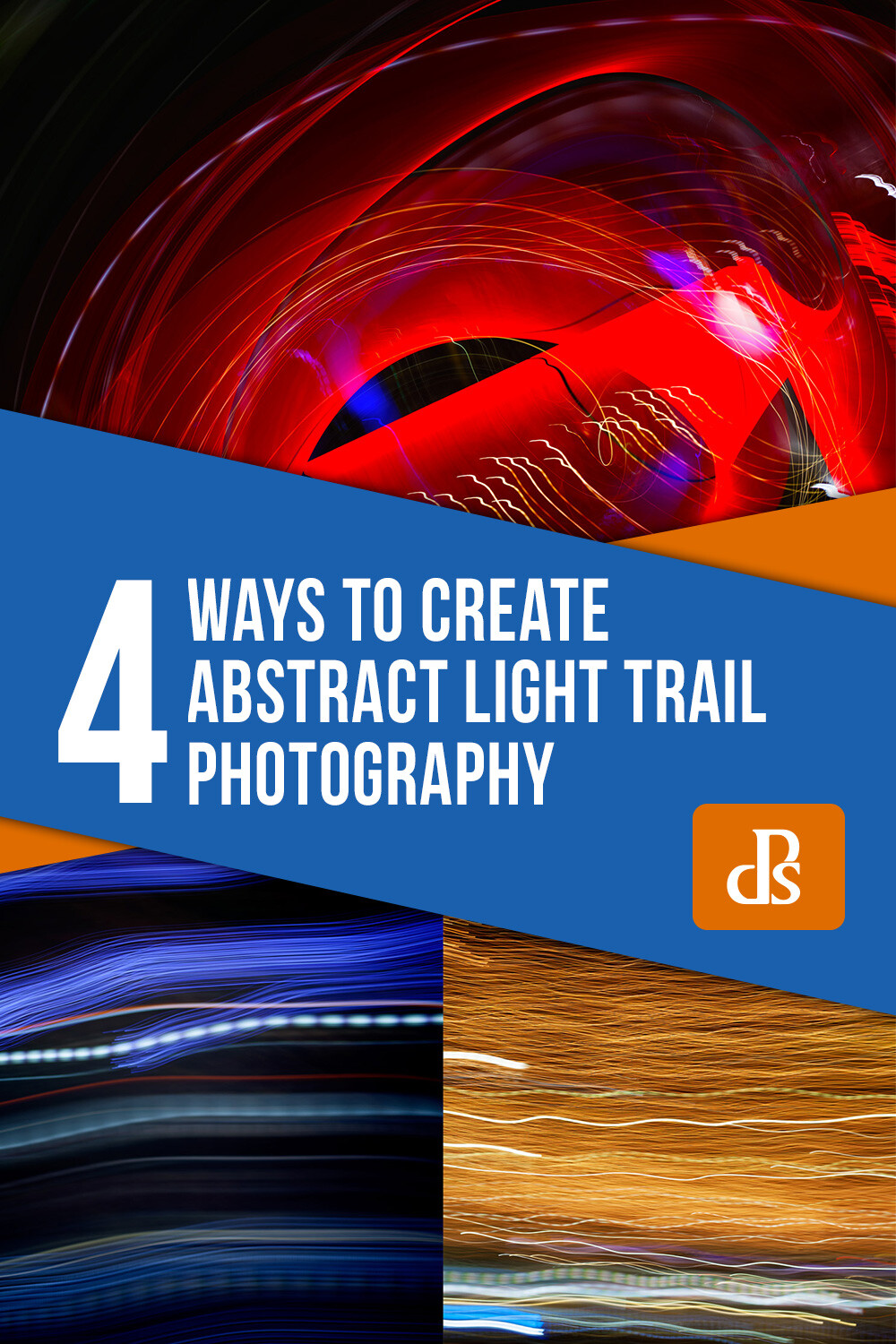
Get Moving – Four Ways to Create Abstract Light Trail Photography

08 Jul

The post Get Moving – Four Ways to Create Abstract Light Trail Photography appeared first on Digital Photography School. It was authored by Megan Kennedy.

Light trail photography is a unique facet of photography. By combining slow shutter speeds with light and camera movement, fascinating abstract photography can be made. Here are four abstract light trail photography techniques to experiment with in your own photographic practice.

What is abstraction?

Before we get started, let’s talk about abstraction. Abstract photography (often called non-objective, experimental or conceptual photography) is photography that does not have an immediate association with the visual world. Instead, abstract photography uses aspects like color, light, texture, shape, and form to evoke an emotional response from a viewer.

Often, in light trail photography, light trails complement a scene or subject. However, in abstract light trail photography, it’s the light trails themselves that are the sole conveyor of meaning. By erasing any other context, the viewer relies solely on the nature of light and photography to read a photograph. This creates intriguing photography that captures and holds the attention of the viewer as they visually unpack the image before them.

When to make abstract light trails

Although it can be done in daylight, abstract light trail photography is best carried out in the evening, at night, or in a dark room indoors. This is to minimize distraction and enhance the efficacy of our chosen light source/s.

What to photograph for abstract light trails

Traffic lights, building lights, car lights, phone light, glow sticks, torches, neon signage… there is an abundance of light sources available to photograph at night. With the right camera settings and technique, almost any point of light can be used to create an interesting light trail.

Camera tossing

Abstract light trail photography rests on the nature of the light source/s (brightness, movement, color etc) and the behavior of the camera (exposure settings, camera movement etc). For example, during a long enough exposure, a set of car lights will leave a trail as they pass by, whereas a stationary light source requires camera movement to activate an abstract light trail. Camera tossing predominantly involves the latter, physically moving the camera to achieve interesting abstract light trail results.

Taken over two seconds at f/4 and ISO 100, this tangle of lights demonstrates the path of the camera as it is tossed in the air.

A disclaimer…

Camera-tossed abstract light trails involve the tossing of a camera into the air during an exposure. Purists argue that a true camera toss means that the camera is tossed without the use of a guiding hand or camera strap. This is why for this method, I strongly advise you to use an old, cheap camera. A compact camera works well. You can even use a phone with a durable case.

I wouldn’t recommend taking your DSLR out for some air-time (although I must admit I did use my 5D MKII with a 50mm lens for some camera tossing sessions). If you aren’t keen on risking your camera, (which is totally understandable) skip forward to camera swinging and keep an eye out for old tossable cameras on sale or in local charity shops.

How to camera toss

The first step to camera tossing is to find somewhere safe to toss. Camera tossing in a quiet location, over grass or carpet is a good idea.

Once you’ve found a good spot with an interesting light source or two, it’s time to organize your camera settings. I went with a shutter speed of one or two seconds to allow the camera movement to really gain traction. I then set my aperture to f/4 and my ISO to 100.

Set your focus to manual. Aim your camera lens at the light source/s and adjust your focus. You can aim for the sharp rendering of the light source/s, or take intentionally unfocused shots for softer light trails.

Depress the shutter button and quickly toss the camera in the air (10-30 cm is high enough, though you can go higher if you’re game). Catch the camera as gently as possible and have a look at your results. Make any amendments to your exposure and have another go.

When you are happy with your exposure and focus, start introducing different throwing methods. Try spinning the camera as you flick it into the air, or throwing it carefully so that the lens is orientated at a particular angle for the duration of the exposure. The results between different throwing techniques can be quite pronounced, so take some time to experiment a little.

Taken at f/8 at 1/4th of a second, I left my lens unfocused to introduce a soft quality to the resulting photograph.

Camera swinging

A variation on camera tossing, camera swinging involves swinging your camera by your (firmly secured) camera strap.

Find a light source and take a few photographs to determine exposure and focus. Just like camera tossing, you want a longer shutter speed to give the camera movement time to take shape. For camera swinging, I started with an exposure of two seconds at f/4 with an ISO of 100.

Once you’ve settled on an exposure, make certain that your camera strap is fastened to your camera. Double-knot, even triple-knot your strap to hold it in place. You really don’t want your camera to go flying once you start swinging.

Two examples of camera swinging. Different light sources make varying light trails.

When you’re ready, depress the shutter button and have a go at gently swinging your camera back and forward like a pendulum. When the exposure finishes, check your results and make adjustments to your camera settings or technique as required.

The possibilities for camera-swung imagery are endless. Each swing creates unrepeatable paths of light from one image to the next, so again, don’t be afraid to experiment a little. Try jumping while swinging your camera or spinning around in a circle with your camera fastened to your wrist.

Moving your body

Not all abstract light trail photography is based around swinging and tossing your camera. Light trails can also be created by moving your body with a camera in hand.

Locate an interesting light source and figure out your exposure with a few test shots. I found that the combination of a one-second exposure at f/4 with an ISO of 100 was a good starting point.

Depress the shutter button and start moving. Ever seen those inflatable tube men, dancing around in the wind? Well, you don’t have to go THAT crazy, but shifting your arms up and down, twirling around, doing a little dance or moving from a sitting position to a standing position are great examples of camera-body movement.

As long as the shutter is open, and the lens is pointed toward a light source, the movements you make will be recorded in the image, creating kinetic abstract imagery.

Moving subjects

As an alternative to moving yourself around, photographing a moving light source can create dynamic light trail imagery too.

Star trail photography is the photography of stars as they appear to transit the night sky. Though it is us that is rotating on earth, the star trails illustrate our perception of the celestial sphere as a moving body.

Car trail photography records the movement of car lights in darkness, revealing trails that trace the routes of traffic in a given setting. For a more abstracted image, isolate the car trails from the surrounding landscape.

Physiography is a method of light painting that can be done in your darkened living room. Suspend a light source on a string and let it swing over your camera during a long exposure. The results are often surprising and intricate, documenting the path of the light source as it swings through the air with diminishing momentum.

This physiogram traces the path a moving light source has taken while suspended over a camera

Burning steel wool photography is another form of recording light trails. Though it can be a little hazardous, the results are quite spectacular.

abstract light trail photography

Burning steel wool leaves golden trails of light not dissimilar to this example of camera movement.

Conclusion

When the day turns to night, many pack up their photography gear and head home. But night time doesn’t necessarily mean that photography is over for the day.

Creating abstract imagery with light is an intriguing aspect of photography. Through the use of camera and/or subject movement you can create fascinating imagery that engages and intrigues an audience.

Go out and try these techniques for yourself, and share your abstract light trail photography with us in the comments below.


4 ways to create abstract light trail photography

The post Get Moving – Four Ways to Create Abstract Light Trail Photography appeared first on Digital Photography School. It was authored by Megan Kennedy.


Digital Photography School

 
Comments Off on Get Moving – Four Ways to Create Abstract Light Trail Photography

Posted in Photography


Generalist vs Specialist Photography – What Best Describes You?

08 Jul

The post Generalist vs Specialist Photography – What Best Describes You? appeared first on Digital Photography School. It was authored by Mat Coker.

Are you a photographer who drills deep and specializes in one area, or a generalist who casts a wide net and photographs everything?

From these two worlds come specialists such as Ansel Adams (black and white landscapes) and Yousuf Karsh (portraits), as well as generalists such as Joe McNally and Steve McCurry.

Types of photography

Sometimes specialists and generalists have a hard time understanding each other’s approach. To the generalist, you’re too narrow, and to the specialist, you need to settle down and find your niche.

There are arguments (many of them coming down to skill level or money) as to why you should be one or the other. But I think that being a generalist or a specialist is connected with your nature as a person. If you’re a generalist at heart, try as you may, you’ll likely never specialize. If you’re a specialist, you’ll never see the sense of photographing such a wide variety of subject matter. And that’s okay. You can love what you do either way, and you can make a living with it either way.

Let’s look at the nature of specialist and generalist photography and discover the value of each. Understanding what you were built for will give you the confidence to stop doubting your approach and move forward with purpose. You’ll also better appreciate what other photographers are up to, even if you feel like the opposite of them.

Specialists

A specialist digs deep into one area of photography and masters a constantly growing number of details. Things are often more predictable for the specialist, they know all the ins and outs of their branch and style of photography.

It may be the same subject matter over and over but the variety is in the details. This may sound rather monotonous to the generalists, but there is great joy in digging deep for the specialist.

As a result, specialists have a clear niche. It’s never in question, it’s never difficult to explain what they do.

Landscape photography

Waterscapes are not what I’m best at, but I pay attention to everything I’ve learned and those who specialize in waterscapes so that I’m able to take a nice photo when there is a chance.

Specialist photographers are organized and excellent at managing their shoots because they’ve done it the same way so many times. They notice the tiniest details that the generalist easily overlooks (and perhaps doesn’t see the importance of). There is often more concern about the details of this one branch of photography than the big picture of photography in general.

As a specialist, you may photograph the same thing for your whole life or career. It’s not that you never try anything new, it’s that you have drilled deeply into one thing and know it well. You are also well-known for it. As a specialist you can say, this is what I’m good at, this is what I do.

Among DPS writers, Darina Kopcok (food photography), and John McIntire (portraiture) are good examples of specialists. We might also think of:

  • Richard Avedon – fashion and portrait photography
  • Diane Arbus – B&W portraits of people on the fringes of society
  • Ansel Adams – B&W landscape photography

Generalist landscape photo

Generalists

Generalists work with many different types of photography. If you’re a generalist, you’re happy to learn from all the specialists, but can’t narrow it down to one thing yourself. You can’t help but photograph whatever ends up in front of your lens. Photography is unpredictable, and spontaneous for generalists. You never know what the day is going to look like. Newborns, landscapes or sports cars could be your next project!

Generalists love road trips and exploring new places. They take what they’ve learned from the specialists and explore the world with it.

There is a good chance that your specialist photographer friends will find your approach a little too chaotic or whimsical. On the other hand, they may envy you a bit as you seem so free to explore. Perhaps the same way you envy them for their deep technical skills in areas that you tend to skim over.

Generalists are a little more comfortable with the chaos and unpredictability of pursuing different types of photography. There is a great joy in the variety of discovery for the generalist.

Travel photography

Inspired by those who specialize in travel photography, I had in mind all those interesting situations and colors you see in travel photos. The colors pop against the neutral background and there is an awkward sense of balance (or is it imbalance?) to the photo.

As a generalist, you should certainly stick with one thing until you get good at it. But it definitely be will more about learning the principles of photography and then applying them broadly, rather than digging in as deep as you can. You’re more “big picture” than detail-oriented.

You’re often exploring, experimenting, and consolidating what you’ve learned, then repeating the process until a distinct body of work begins to appear over time.

You can’t stick to one thing because so many things excite you. But look for the common link in your work. For me, it’s awkward, candid, gritty, real human nature. Even a landscape has got to have character.

Color and shadow in photography

I couldn’t resist the reds and the shadow.

As a generalist, you will shoot your own style across many types of photography. You accept the joy and challenge of applying techniques to new unexpected situations. Even if you feel overwhelmed, leap in, and figure it out.

Among DPS writers, have a look at Andrew Gibson. Then lookup:

  • Steve McCurry
  • Joe McNally
  • Jay Maisel
Specialist street photography

As we walked down the street in a small town, I noticed this man repainting a house. I thought that’s the sort of thing a street photographer might photograph. So I did likewise.

Is one way the right way?

Sometimes generalists feel inferior because they don’t have an obvious specialty. They are often referred to as a “Jack of all trades, but master of none.”

The specialist can confidently say, “I shoot stylized, strobe-lit weddings.” While the generalist says, “I do weddings too… and newborns and sports cars and landscapes and, and, and.”

But here is what they have in common. They have both studied light, moment, color and gesture among other things. But one applies that knowledge deeply in one specific scenario, while the other applies it broadly in many scenarios.

So the generalist is not so much a “Jack of all trades” but someone who has ‘mastered’ light (as has the specialist) and applies the knowledge more broadly.

Reflection in water photograph

Whether you’re a generalist or specialist, there is always going to be more to see and more to learn. When I hit slumps in my photography, I stop and ask what I’m missing. What interesting things are right in front of me that I’m not noticing?

It’s not that either approach is right or wrong. They are different paths. They are different ways to explore, learn and apply.

Being a generalist doesn’t mean that people can’t point to anything specific about your work. And being a specialist doesn’t mean that you never try anything different. But you can find a home in either approach and visit the other every now and then.

So which are you; a generalist or a specialist?


specialist photography

The post Generalist vs Specialist Photography – What Best Describes You? appeared first on Digital Photography School. It was authored by Mat Coker.


Digital Photography School

 
Comments Off on Generalist vs Specialist Photography – What Best Describes You?

Posted in Photography