RSS
 

Archive for May, 2019

Mirrorless Users Will Switch Back to DSLRs, Ricoh Executive Claims

24 May

The post Mirrorless Users Will Switch Back to DSLRs, Ricoh Executive Claims appeared first on Digital Photography School. It was authored by Jaymes Dempsey.

pentax camera DSLR

The Pentax K-1 Mark II 36MP Weather Resistant DSLR.

Imaging Resource recently released an interview with a group of executives from Ricoh, the company that produces Pentax cameras.

When discussion turned to mirrorless cameras versus DSLRs – and decreasing DSLR sales – things got especially interesting.

Said Hiroki Sugahara, General Manager of the Marketing Communication Department:

Currently, mirrorless is a newcomer, so of course many users are very interested in the new systems, they want to use [them]. But after one or two years, some users who changed their system from DSLR to mirrorless [will] come back to the DSLR again.

When questioned by the interviewer, Sugahara further explained:

The mirrorless camera is very convenient to shoot, because users can [preview the final] image before shooting. But I believe the DSLR has its own appealing point, because users can create their own image from the optical viewfinder. People can see the beautiful image through the optical viewfinder, and then think how they can create their pictures–for example, exposure level setting or white balance or ISO [sensitivity]–and then imagine how they can get [the result they’re seeking].

Sugahara concluded:

So the DSLR market is currently decreasing a little bit, but one year or two years or three years later, it will [begin] getting higher.

Could Sugahara be right? Might DSLRs soon be making a comeback?

Personally, I don’t think so. While some people do follow the latest trends, mirrorless cameras have the specs to back up their popularity: they’re lightweight, they’re compact, and they produce top-notch images. And mirrorless systems will just keep getting more and more appealing, as electronic viewfinders improve and mirrorless lens-lineups expand.


Of course, there are reasons to stick with a DSLR. For one, DSLRs tend to be more rugged than mirrorless cameras. And electronic viewfinders can have lag issues. But mirrorless technology is improving, and how many photographers will switch back to DSLRs for a more rugged body?

Not to mention the questionable reasoning employed by Sugahara. Sure, the occasional photographer may not be happy with an electronic viewfinder. But will photographers really prefer the greater challenge provided by a DSLR optical viewfinder, as Sugahara seems to be implying? In my experience, capturing stunning photos is hard enough. Photographers won’t want to make it harder on themselves.

What do you think? Will DSLRs rebound? Or is mirrorless the system of the future?

Share your thoughts in the comments!

The post Mirrorless Users Will Switch Back to DSLRs, Ricoh Executive Claims appeared first on Digital Photography School. It was authored by Jaymes Dempsey.


Digital Photography School

 
Comments Off on Mirrorless Users Will Switch Back to DSLRs, Ricoh Executive Claims

Posted in Photography


Leica, Lenny Kravitz produce limited edition ‘Drifter’ M Monochrom with snakeskin finish

24 May

Rock star and keen photographer Lenny Kravitz has produced another limited edition camera in partnership with Leica Germany, this time with a rock ‘n’ roll feel—and a snakeskin covering.

The Drifter is a Leica M Monochrom kit that comes with Leica Summicron-M 28mm f/2 ASPH, and an APO-Summicron-M 75mm f/2 ASPH lenses and a case to carry them. All the items in the kit are finished with a sepia brown paint and the camera and strap use a synthetic snakeskin that is designed to reflect Kravitz’s wardrobe.

Leica says the result is an ‘attention-commanding and soulful Leica camera made for global touring,’ with Kravitz adding ‘I’m a drifter […] That has been my life since I was 15-years-old; I’m always on the road.’

Other than the finish the camera is a standard M Monochrom, but will also feature untreated brass on the hotshoe rails, the thumb wheel, the shutter button and the soft-release button to lend it a stylish vintage look over time.

$ (document).ready(function() { SampleGalleryV2({“containerId”:”embeddedSampleGallery_7140913613″,”galleryId”:”7140913613″,”isEmbeddedWidget”:true,”selectedImageIndex”:0,”isMobile”:false}) });

This is the second limited edition M camera Lenny Kravitz has been involved with, coming up with the design for the Correspondent version of the M-P in 2015 in memory of his reporter father. The Drifter kit will be limited to only 125 globally, and will cost $ 23,950 / £20,500. Kravitz’s accompanying “Drifter” photo exhibition is currently being showcased at the Leica Gallery in Wetzlar, Germany. For more information see the Leica website.

Press release:

One for the road: new limited-edition Leica M Monochrom ‘Drifter’ is Lenny Kravitz’s ode to touring

Leica Camera AG and Kravitz Design have collaborated on a camera built for rock n’ roll nomads who can be found on either side of the lens. The look of the Leica M Monochrom ‘Drifter’ has been created by Grammy-winning musician, actor and artist Lenny Kravitz, who is no stranger to bold style and individual expression. The result is an attention-commanding and soulful Leica camera made for global touring. The name is inspired by how Kravitz sees himself, “I’m a drifter. That has been my life since I was 15-years-old; I’m always on the road.”

This limited edition camera is designed with an eye-catching ‘synthetic python’ snakeskin covering, made from premium-quality vegan leather which looks straight out of the rockstar’s wardrobe. Kravitz was made aware of this synthetic material by his close friend, fashion designer and animal rights activist Stella McCartney, who uses it for many of her own creations. The matching carrying strap made of woven fabric is coated with the same vegan leather as the camera. The camera’s monochrom body is luxuriously retro in special sepia brown paint, and the hotshoe, thumb wheel, shutter and soft-release buttons are made from untreated brass, which will allow a stylish vintage look to develop over time.

Two state-of-the-art lenses are included, both finished in sepia brown; a Leica Summicron-M 28mm f/2 ASPH, and an APO-Summicron-M 75mm f/2 ASPH. In a departure from the standard production model, the Summicron-M 28mm f/2 features a built-in extendable lens hood to match the design of its 75mm counterpart.

This camera demands five-star accommodation; a smart brown leather-like ‘Drifter Traveller’ bag, two pouches and cases for both lenses are included, so your kit is always protected.

Lenny Kravitz was born in Brooklyn, New York in 1964 to an Afro-American mother and a Ukrainian-Jewish father. He is not only a world-famous musician, songwriter, producer and actor but also an accomplished photographer. As a musician, Kravitz is a multi-instrumentalist who uses analogue recording technology to underline the retro-character of his songs. As a visual artist, he has enjoyed success with his design studio, Kravitz Design, and has also become an accomplished photographer publishing ‘Flash’, a book of his black-and-white photographs in 2015. “I love the quality of the Leica’s monochrom system’ says Kravitz, “it’s exquisite. I tend to see things in black-and-white. It looks more real to me, and timeless.”

This is the second time Lenny and his design team have collaborated with Leica on a limited-edition masterpiece. In 2015, he was inspired by the life of his father, a Vietnam War reporter and TV news producer, to create the ‘Correspondent’, a vintage-look Leica M-P. This time, Lenny has looked within himself and authored a design which reflects the lifestyle of a cosmopolitan artist and travelling musician stopping to capture his or her unique experiences.

With production limited to 125 units globally, the Leica M Monochrom ‘Drifter’ is incredibly exclusive and highly collectable; RRP is £20,500.

Articles: Digital Photography Review (dpreview.com)

 
Comments Off on Leica, Lenny Kravitz produce limited edition ‘Drifter’ M Monochrom with snakeskin finish

Posted in Uncategorized


Don’t Create Detail, Just Reveal It – How to Reveal the Hidden Details in Your Photos

24 May

The post Don’t Create Detail, Just Reveal It – How to Reveal the Hidden Details in Your Photos appeared first on Digital Photography School. It was authored by Herb Paynter.

Just as cleaning the lenses of your eyeglasses clarifies what you see, cleansing your pictures of dull lighting will put the sparkle in your photos.

Have you noticed how many individual tools are available in your favorite editing software for changing the values of pixels? The array is dazzling, and most of this editing involves “localized” procedures (dodging, burning, painting, cloning, masking, etc.) affecting specific areas.

But here’s something to consider.

Unless the image you are working on is either damaged (either completely blown-out highlights, plugged-up shadows) or just contains too much unwanted clutter, you rarely need to create specific detail with these tools. The detail is usually right there just below the surface waiting for discovery. You need only make global adjustments to the tones within the darker and lighter ends of the range to achieve pretty amazing results.

When I took this shot of my wife Barbara fifteen years ago, I put it in the reject file because it was so dark. But carefully adjusting and lightening the shadow and middle tones in the picture separated the deep shadow tones from the middle tones. Now both she and the picture are definite keepers. No local editing was necessary, and there is no tell-tale evidence of a touchup. The image contained all the necessary lighter tones – they simply had to be uncovered.

Push tones instead of pixels

Post-processing digital images is usually a process of subtraction; removing the visual obstacles that are covering the underlying detail in a photographic image. This detail will reveal itself if you merely nudge the tonal ranges instead of the pixels.

The fact is…all the detail in every subject has been duly captured and is hiding in either the shadows or the highlights, waiting to be discovered.

The digital camera’s image sensor sees and records the entire range of tones from black to white within every image it captures. What is hiding within this massive range of tones is the detail. Unfortunately, the camera sensor has no way of knowing the detail that may be under (or over) exposed within that range. It simply captures everything it sees inside the bookends of dark and light.

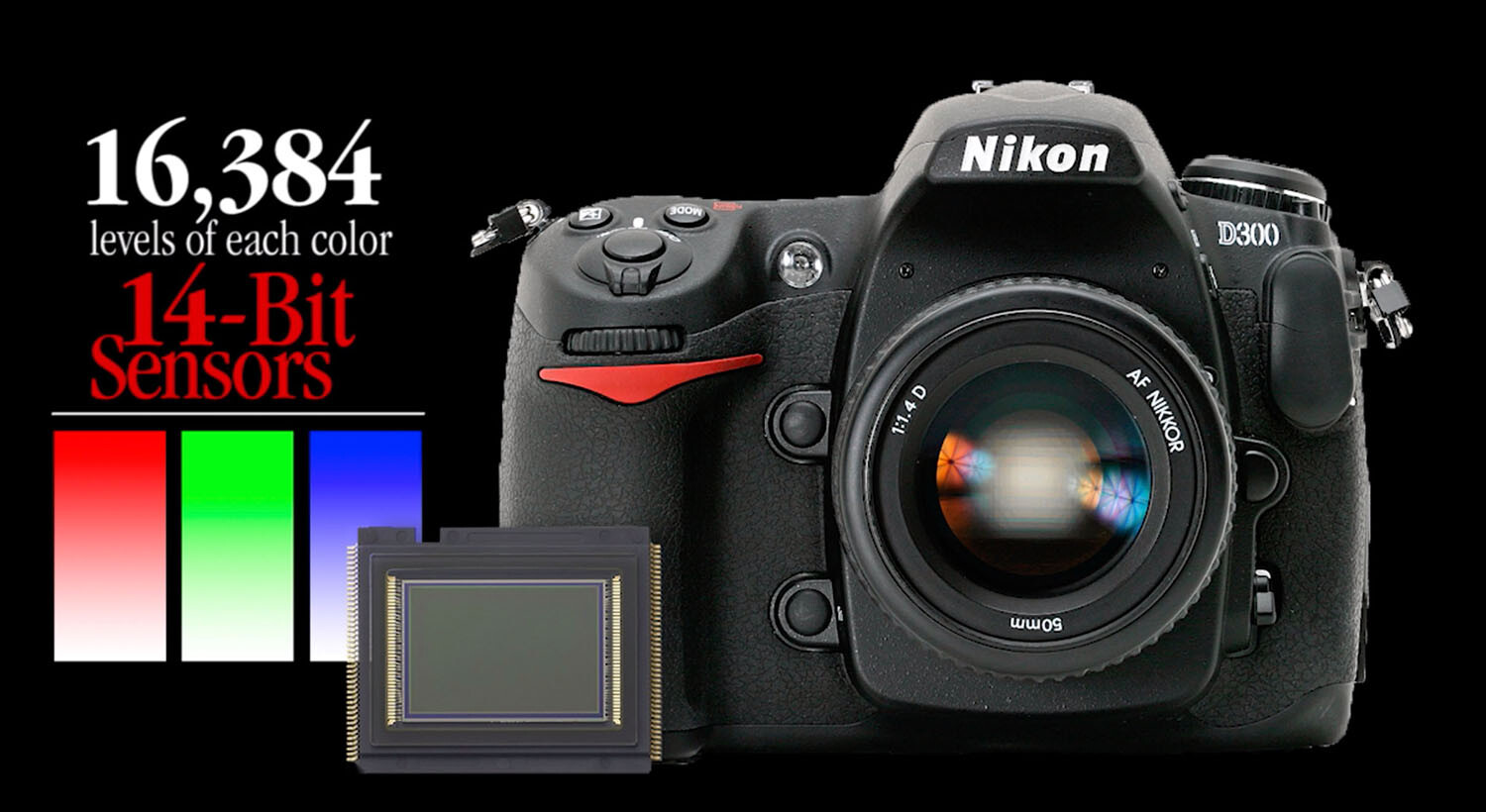
Camera image sensors can capture a range of tones up to 16,000 levels between solid color and no color. This doesn’t mean that all 16,000-pixel values are actually present in the picture; it just means that the darkest to the lightest tones are stretched out over the significant detail that is hiding in the middle.

Adjustments made to the image in Alien Skin’s Exposure X4.5 revealed detail in the sunlit walkway and darkened archway that appeared lost in the original capture. No painting or cloning tools were necessary.

The purpose of this article is not to get geeky about the science, but to assure you that there is an amazing amount of detail that you can recover from seemingly poor images.

A basic JPEG image can display more than 250 tones in each color. While that doesn’t sound like much, you should know that the human eye can only perceive a little over 100 distinct levels of each color. No kidding! Technically, 256 tones are too many.

The balancing act

Here’s a sobering truth. Your camera can capture more detail than your eye can detect and more tones than your monitor can display. As a matter of fact, it can capture up to 16,000 levels of tones and colors. That’s more than any publishing resource (computer monitor, inkjet printer, Internet, or even any printed publication) can reveal. Each of these other outlets is limited to reproducing just 8-bits (256 levels) of each color. The camera’s light-capture range is even beyond the scope of human vision. The range (light to dark) of your camera is immense compared to any reproduction process. What this means is that the editing part of the photography process needs MUCH more attention than the image capture process.

This introduces a complex but interesting phenomenon. Your post-production challenge is to emphasize the most important details recorded inside the tones captured by your camera and then distinguish them sufficiently for the printer, your monitor, or the Internet to reveal.

Your camera captures an incredible amount of detail in each scene that isn’t initially visible. However, with the right software, this detail can be uncovered just as an electron microscope can reveal detail buried deep inside things that the naked eye cannot perceive.

Image editing is all about discovering and revealing what is hiding in plain sight.

Image clarity

Bringing a picture to life doesn’t always require additional touchup procedures. Sometimes, just massaging the existing detail does the trick. The Highlights, Shadows, and Clarity sliders were all that were required to transpose this shot from average to special.

Clarity is the process of accentuating detail. The dictionary defines clarity as “the quality of being easy to see or hear; sharpness of image or sound.” When we clarify something, we clear it up. We understand it better. We view an issue from a different perspective.

Many image editing software packages have a slider called “clarity.” The function of this slider is to accentuate minor distinctions between lighter and darker areas within the image. Each of the other tone sliders (Exposure, Contrast, Highlights, Shadows, Whites, Blacks, Clarity, and Dehaze) all perform a clarifying process on specific tone ranges.

The real beauty of shooting with a 12/14-bit camera is the level of access you receive to the detail captured in each image. If you want to think “deep,” you can start with the editing process of your digital images. You’ll be amazed at what you will find when you learn to peel away the microlayers of distracting information in well-exposed photos.

Just as cleaning the lenses of your eyeglasses clarifies what you see, cleansing your pictures of dull lighting will put the sparkle in your photos.

Adobe Camera Raw controls reveal significant detail in the darker portions of the image by simply adjusting the Basic slider controls.

Learning to expose images correctly

The information you learn from excellent teaching resources like Digital Photography School teach you how to correctly set your equipment to capture a variety of subjects and scenes. Study the articles in this amazing collection and learn to shoot pictures understanding the basic tenets of good exposure. Poorly-captured images will hinder your discovery of detail. However, correctly exposed images will reward you with, not only beautiful color but, access to an amazing amount of detail.

Learn to harness the power of light correctly for the challenge that each scene presents by balancing the camera controls of ISO, Aperture, and Shutter Speed. The more balanced your original exposure, the less post-processing will be necessary.

Conclusion

Every scene presents a unique lighting situation and requires a solid understanding of your camera’s light-control processes to capture all possible detail. Any camera can capture events and document happenings, but it takes a serious student of photography to faithfully capture each scene in a way that allows all that information to be skillfully sculpted into a detailed image.


The post Don’t Create Detail, Just Reveal It – How to Reveal the Hidden Details in Your Photos appeared first on Digital Photography School. It was authored by Herb Paynter.


Digital Photography School

 
Comments Off on Don’t Create Detail, Just Reveal It – How to Reveal the Hidden Details in Your Photos

Posted in Photography


Understanding Broad and Short Lighting in Photography

24 May

The post Understanding Broad and Short Lighting in Photography appeared first on Digital Photography School. It was authored by John McIntire.

There are a lot of lighting patterns for you to use in your portrait photography. Some of these are covered quite well. Rembrandt and butterfly lighting are two that are both easy to set up and yield great results a lot of the time. Of course, you can use just one lighting pattern all of the time and build a fantastic portfolio; however, if you want to have a full skillset with a variety of techniques to use in your portraits at any time, you will want to learn and understand as many of these lighting patterns as possible.

Broad and short lighting are often clumped together because of the similarities in how they are implemented and described, but they couldn’t be more different in how they affect your images.

This article will introduce you to the broad and short lighting patterns and explain when and why you might want to use them and what you can expect to achieve while using them. These are two very easy lighting patterns that can seem confusing at first, but once you get your head around them, they give you powerful tools to help shape the light and your subjects in your photos.

What is a lighting pattern?

First, let’s start with the very basics. A lighting pattern is any named lighting setup that gives you specific results. There is a fair list of these established lighting patterns for you to learn outside of the broad and short patterns discussed here. These include Rembrandt, Butterfly, split, cross, clamshell and more. Learning and understanding these lighting patterns can act as a shortcut to helping you get great results in your portraits. These lighting patterns apply to both natural light and artificial light, so it does not matter which you prefer.

Broad and short

The names of the broad and short lighting patterns refer to which side of the subject’s face is being lit first.

Sometimes, understanding what broad and short mean in terms of lighting can be confusing. To make it as simple as possible, imagine a face turned slightly away from you. That face now has two sides divided by the nose. The side of the face that is closest to you is the broad side because you see more of it than the other. The other side, the one that’s furthest from you, is the short side.

With broad lighting, your light is going to hit the broad side (or the side that’s closest to you) of the face first.

With short lighting, your light is going to hit the short side (or the side that’s furthest from you) of the face first.

Broad lighting

Broad lighting can be used to great effect to help widen faces or give you more contrast than some other lighting patterns.

When you choose to light the broad side of the face, it has several effects on your image. These include:

  • Broad lighting widens the face.
  • Broad lighting usually throws the short side of the face in shadow (dependent on light placement).
  • Broad lighting provides more contrast than some lighting patterns like butterfly lighting.

When you want to use it

Because broad lighting tends to broaden (go figure) the face, you’ll want to use broad lighting when you’re photographing subjects with a narrow face. Using it on subjects with a wider face can exaggerate that shape and you’ll want to avoid it there.

If there’s a feature on one side of your subjects face that you want to take the emphasis away from, you can pose your subject so that feature is on the short side of their face and use broad lighting to ensure that it’s in shadow, taking the emphasis away.

How to set it up

Setting up for broad lighting couldn’t be easier. Just have your subject turn away from the key light until you have the desired effect.

While there is no one way to set up broad lighting, here is a basic method to get you started.

As in the diagram above, place your light forty-five degrees from your subject. Ensure that you have your subject’s face posed away from the light source.

It really is as easy as that. Just remember that you can control the transition from highlight to shadow by changing the distance of the light from your subject and by using different modifiers.

Next steps

Adding fill to your broad lighting can help with extreme contrast while still retaining shadows for depth.

Lighting patterns are a starting point. This isn’t a zero-sum game. To take your broad lighting setups further, feel free to experiment with fill light. You can use reflectors or a second light to lift up the shadows and reduce the contrast in your images for more flattering portraits. Conversely, you can also choose to emphasize the shadows and the contrast for darker, bolder portraits. The best advice here is to know what result you are after before you start.

With a reflector as fill, you can now control the overall contrast in the image.

Short Lighting

Short lighting (depending on variables like your modifiers) tends to lend itself to dark, shadow-heavy imagery. This makes it the perfect lighting pattern when creating low-key images.

When you choose to light the short side of the face first, it also has several effects on your portraits:

  • Short lighting narrows the face.
  • Short lighting will throw the broad side of the face in shadow.
  • Short lighting provides heavy contrast and is ideal for low-key images. It is also useful when you are trying to create images with a lot of depth.
  • Short lighting can be used to hide imperfections.

How to set it up

Again, there is no one way to go about a short lighting setup.

Short lighting is trickier to set up than broad, but take your time and be deliberate in where the light is hitting your subject.

For this example, start with your light source forty-five degrees to your subject just like you did for the broad lighting setup. This time, have your subject face towards the light. If you have a modeling light, or you’re using natural light, watch the highlights on your subjects face carefully. Either move the light or your subject until the brightest part of your subject’s face is the short side.

Tip: If you’re having trouble seeing the contrast with your eyes, you can squint. I can’t even begin to tell you why this works, but it does. Squinting makes it far easier to see the contrast in a scene with your eyes.

That’s it. While short lighting is slightly trickier than broad lighting, it is still easy to accomplish. Once you have it figured out, it will become second nature.

Next steps

Because short lighting tends to be heavy on the shadows, you can use as much fill as you want to control them. Use a reflector for a gentle lift, or a second light to bring them close to the other tones in your images.

Since short lighting is so shadow-centric, you will almost certainly want to use fill light to control the contrast in normal situations. You can use a reflector, but if your shadows are quite deep, you may want to opt for fill light. Try exposing your fill light three stops less than your key (your main light) to retain your shadows while ensuring that all of the details are still there.

Using a reflector lifts the shadows in this example, but retains enough contrast for depth.

End matter

There you have it; two basic, but powerful lighting patterns that you can use to create bold dynamic portraits. I encourage you to go out and practice with each of these set-ups. Experiment liberally with your distances between your light and subject and try as many different fill lighting techniques that you can come up with. Once you have the basics down; if you want a real challenge: use the short lighting pattern to create a high key image.


The post Understanding Broad and Short Lighting in Photography appeared first on Digital Photography School. It was authored by John McIntire.


Digital Photography School

 
Comments Off on Understanding Broad and Short Lighting in Photography

Posted in Photography


Canon now offers a service to de-click the Control Ring on its RF lenses

23 May

In addition to a larger diameter mount and additional contacts, one of new features of Canon’s RF lenses—and one of its EF to RF adapters—is the Control Ring, a physical dial around the perimeter of the lens that can be customized to control various camera functions including aperture, ISO and shutter speed.

By default, the Control Ring is adjusted in predetermined steps, which click into place while rotating the ring. While this is beneficial when you need a tactile indication of how many steps you’ve adjusted various settings, it does cause a bit of movement and noise, which isn’t helpful if you’re filming video.

An illustration provided by Canon showing off the Control Ring on its RF 35mm F1.8 IS Macro lens.

Canon is addressing this problem by offering a de-clicking service for RF lenses. According to a pricing sheet, Canon will charge $ 79.99 to de-click any RF lens and $ 59.99 to de-click the Control Ring Mount Adapter EF-EOS R, not including the cost of taxes and shipping. Once de-clicked, the lens or adapter will be able to be switched between its default functionality and the de-clicked mode.

The service can be scheduled via Canon’s customer service phone number (1-800-652-2666) or its online support page.

Articles: Digital Photography Review (dpreview.com)

 
Comments Off on Canon now offers a service to de-click the Control Ring on its RF lenses

Posted in Uncategorized


Apple MacBook Pro refreshed with 8-core processors and improved keyboards

23 May

On Tuesday, Apple announced the launch of its first ever 8-core MacBook Pro laptops, offering faster 8th- and 9th-generation Intel Core processors with up to double the performance speed of quad-core models. According to Apple, the new 8-core models can handle ‘complex edits and filters’ in Photoshop at speed up to 75% faster than the fastest quad-core 15-inch MacBook Pro model.

The new 6-core and 8-core processor options are available for the 15-inch MacBook Pro; the smaller 13-inch MacBook Pro with Touch Bar refresh offers faster quad-core processors with up to a 4.7GHz Turbo Boost speed.

In providing additional examples of how the new hardware benefits users, Apple says its new 8-core MacBook Pro can handle editing up to 11 simultaneous multi-cam 4K video streams in Final Cut Pro X, compile code up to 65% faster in Xcode, and render 3D scenes at up to double the speed of the fastest quad-core 15-inch MacBook Pro model.

The latest MacBook Pro laptops feature Retina displays with 500 nits brightness, P3 wide color gamut, and the maker’s True Tone tech. Other laptop features include the Apple T2 Security Chip, fast SSDs, Touch ID, the Touch Bar, Thunderbolt 3, and macOS Mojave.

Though it’s not mentioned in the company’s official MacBook Pro refresh announcement, The Verge reports that Apple is using an updated butterfly keyboard design in the new MacBook Pro models. This updated keyboard features ‘new materials’ in the switch mechanism, which will hopefully prevent the same reliability issues impacting existing newer MacBook Pro laptops.

Just in case the new keyboards end up experiencing the same reliability issues, Apple has also made them eligible for repair under its new keyboard servicing program.

The new 13-inch MacBook Pro with Touch Bar and 15-inch MacBook Pro models are now available with starting prices of $ 1,799 USD and $ 2,399 USD, respectively.

Articles: Digital Photography Review (dpreview.com)

 
Comments Off on Apple MacBook Pro refreshed with 8-core processors and improved keyboards

Posted in Uncategorized


Hands-on with the Fujifilm GFX 100

23 May

Hands-on with the Fujifilm GFX 100

It’s here! The long-awaited next-generation Fujifilm GFX has been officially launched. Announced at Photokina back in September last year, and previewed to us in Dubai in February, Fujifilm has kept pretty tight-lipped about the final specification of the camera up to now, but finally the waiting is over. Click through to learn more about the camera that Fujifilm is hoping will shake up the pro photography market – the GFX 100.

New 100MP medium-format sensor

Central (literally) to the GFX 100 is a brand new 100MP back-illuminated sensor, which, at a technical level, is basically an upsized version of the sensors used in the APS-C format X-T3 and X-T30. Upsized by 4X, in fact. Yes, the 43.8 x 32.9mm medium-format sensor in this camera has an area a full four times greater than APS-C, and 1.7X greater than full-frame. As well as the obvious increase in output resolution, this should also ensure a significant boost in image quality compared to smaller sensor formats, especially when it comes to Raw dynamic range.

In-camera stabilization system

That’s not the headline, though. The really big leap in the GFX 100 compared to the earlier GFX 50S/R is that the sensor is stabilized. Using technology developed for (and lessons learned from) the X-H1, Fujifilm created an IBIS system for the GFX 100, which the company claims is effective up to 5.5 stops. We’ve shot extensively with a pre-production GFX 100 and we’ve found that at an equivalent focal length of 35mm, the GFX 100 can safely be hand-held down to at least 1/10 sec, and at even longer shutter speeds when wider lenses are attached.

While not up there with the 6+ stops of stabilization offered by some of today’s Micro Four Thirds cameras, having at least a reliable 2-3 stops of stabilization makes the GFX 100 enormously versatile for outdoor and low-light work compared to any previous camera of this type.

‘Double structure’ construction

The sensor, lens mount and IBIS mechanism are structurally independent of the main magnesium alloy body shell, using what Fujifilm calls a ‘double structure’. This design is intended to isolate the key imaging components of the camera from external stresses on the body. Meanwhile, the body itself is sealed at 95 points against dust and moisture incursion.

On-sensor PDAF

The GFX 100’s new sensor also enables on-sensor phase-detection autofocus: a first for the GFX line. While focus speed is still somewhat lens dependent, once we updated our lenses with new firmware from Fujifilm, the overall experience of autofocus with the GF100 is noticeably faster and more positive (less ‘clunky’, essentially) than it is with the GFX 50S or 50R.

In normal / good light, automatic focus is swift (Fujifilm claims a speed increase of up to 210% compared to the GFX 50R) and accurate, with little of the hesitancy or occasional hunting which characterizes the AF experience on earlier GFX models. Near-total frame coverage from 3.76 million PDAF pixels and face / eye detection means that you don’t need to worry about following a subject (i.e. portrait subject) around the scene, either.

High-resolution electronic viewfinder…

In many ways, to anyone who has used the previous GFX 50S, the GFX 100 will offer a fairly familiar user experience. But there are some pretty big differences, beyond the obvious stuff like resolution and on-sensor PDAF.

In general terms, almost everything about the GFX 100 just feels upgraded. That’s everything from operational speed and control layout to details like viewfinder resolution. This is the new dedicated OLED EVF, which offers 5.76 million dots – a significant increase in resolution and sharpness compared to the 3.69 million-dot unit in the GFX 50S.

…optional

Like the GFX 50S, the GFX 100 viewfinder is removable. The lower-resolution viewfinder from the GFX 50S will fit the GFX 100 but its resolution will not magically increase.

With the EVF attached, the GF100’s overall body dimensions are essentially the same as a professional DSLR like the Nikon D5 or Canon EOS-1D X II. It feels a bit boxier than those cameras, but they’ll take up pretty much the same amount of space in a camera bag. With the EVF removed, the GFX 100 obviously becomes a smaller camera, and easier to stow (since it effectively becomes a square). Total body weight (with EVF attached, two batteries installed and a memory card) is about 3 lb, or 1.4 kilos – again, almost exactly the same as a Nikon D5 and similar DSLRs.

Vertical grip controls

Also like professional DSLRs, the GFX 100 features an integrated, non-removable vertical grip, with duplicated shutter button and some key control buttons. The grip is much less ergonomic than the more evolved bodies offered by Canon and Nikon, but it’s not uncomfortable. We do wish it was a bit more contoured though, especially when shooting with longer, heavier lenses.

Battery tray

The grip is home to a long battery tray which can accommodate two NP-T125 batteries, which are the same kind used in the GFX 50S and 50R. These batteries drain sequentially, and if necessary the camera can be used with only one installed in either the left or right slot.

Charging can be performed with an external dedicated charger or via USB, using the USB C socket on the camera. Impressively, battery life is comparable to the GFX 50S. Using CIPA’s methodology you should expect at least 400 shots per charge per battery with the 63mm F2.8 attached and Auto Power Save ‘on’. With two fully charged batteries installed videographers can expect around 170 minutes (almost 3 hours) of continuous 4K video capture, or 4 hours of HD.

New control interface

There are big changes on the top of the GFX 100, which features a much more stripped-down, minimalist design than either the GFX 50S or 50R, both of which look rather more ‘retro’ by comparison. In fact, at the risk of wearing out a predictable comparison, the GFX 100 is more reminiscent of the cleaner interface pioneered in Canon’s EOS-1 series D/SLRs. No big chunky dials for exposure compensation, shutter speed or shooting mode, and no big fat dedicated switches.

Instead, on the upper left you’ll find a simple 3-position lockable switch which places the camera in one of three modes: ‘Movie’ (self-explanatory), ‘Multi’ (any one of various multiple-exposure / bracketing modes which can be selected in the menu system) and ‘Still’. Pressing the central ‘Drive’ button allows you to select single shooting, continuous frame-rates and self-timer (etc.)

Top-mounted status display

On the upper right of the camera is a large multi-mode status display panel, which serves as the main display for key shooting parameters such as exposure settings / mode, film simulation, exposure compensation and so on. The display has several modes, including a full-screen histogram display. The two buttons to the right of the screen (on the left in this picture) toggle the display modes and change exposure mode (PASM) respectively. The panel itself is of the same monochrome type featured in the GFX 50S, but larger and higher resolution.

Just in front of the screen you’ll see the exposure compensation button, which follows the contours of the sloping ridge down to the shutter button and integrated on/off switch. One of our few frustrations with the ergonomics of the GFX 100 is that the exposure compensation button sits quite flush to the camera’s body and can be hard to locate and operate with your eye to the EVF.

Rear controls and OLED panel

There’s another screen on the rear of the GFX 100, a thin OLED display just below the main LCD. This was working in the pre-production camera that we’ve used, but not finalized. As such, we’re showing it here with the camera turned off. In the camera that we’ve used, this screen is used to show the status of several key shooting parameters, and we don’t expect this essential behavior to change in final shipping cameras.

This shot also shows the general disposition of the GFX 100’s rear controls, as well as the lack of textured rubber on the secondary vertical grip. Fans will be pleased to see that the Q button and AF joystick from previous Fujifilm cameras is retained, but there’s no 4-way controller or vertically mounted rear dial. Instead, the twin front and rear control dials, joystick and touch-screen are used for operations that don’t have a dedicated button.

Articulating touchscreen

On the rear of the GFX 100 we find an articulating 2.36 million-dot LCD touchscreen, of the same kind that GFX 50S users will be used to. While not fully articulating, the fold out, hinged design allows for low-angle framing in both landscape and portrait orientations.

Q button and vertical shooting

This shot illustrates a minor frustration with the GFX 100 (at least of the pre-production sample that we used) – the ‘Q’ button is really easy to press accidentally, especially the one on the vertical grip. As such, when setting up for a portrait-format shot, the first thing we saw in the viewfinder was often the Q menu display.

Fortunately, this display is easily dismissed with a half-press of the shutter button. Given Fujifilm’s rapid response to similar issues with the X-T30, we wouldn’t be surprised to see this behavior tweaked via firmware in shipping cameras.

Twin SD card slots

Twin SD card slots operate as you’d expect, and can be set up for overflow storage, backup or separate stills / video storage. The GFX 100 is UHS-II compatible, and with a fast card installed, the camera is remarkably quick in operation.

Whereas it’s not uncommon for other medium-format digital cameras to start to moan and wheeze after a few high-resolution Raw exposures, the GFX 100 appears to have power to spare from its quad-core X-Processor 4 engine. To photographers, the benefits of this speediness should go without saying. The downside is that with 100MP to play with, and a processor that can keep up with that many pixels, it’s all too easy to ‘overshoot’ and run out of card space.

That being said, our shooting so far has been in 14-bit Raw mode. It’s unlikely that the GFX 100 will be quite so light on its feet when capturing extended 16-bit Raw sequences.

4K video and I/O ports

One of the reasons the GFX 100 packs so much processing power is that as well as high-resolution stills (with the option for 16-bit capture), it also features an advanced 4K video feature set. While the video functions weren’t finalized on the pre-production camera that we’ve used, the 4K video footage that we captured at the GFX 100’s maximum bitrate looks very, very nice, and we’re looking forward to diving into this feature as soon as we can get our hands on a reviewable camera.

With features like F-Log Rec 2020, the popular Eterna cine profile and the ability to capture 4:2:2 10-bit uncompressed footage via the HDMI port, the GFX 100 has the potential to be a genuinely impressive video camera, and our initial impressions are very positive.

This shot shows the microphone and headphone monitoring sockets, as well as USB-C and micro HDMI interfaces, and a port for 15V DC power in. Towards the bottom of this image you can also see the catch for the battery tray, which fits lengthways into the vertical grip. Surprisingly – and perhaps a little alarmingly – this catch does not have a lock, which presents the theoretical risk of accidentally opening the battery tray if the catch snags on an item of clothing, etc.

Yours for only $ 10,000

The GFX 100 will be available at the end of June, for an MSRP (body only) of $ 9,999.95, which works out to roughly $ 100 per megapixel.

What do you make of it? Let us know in the comments.

Articles: Digital Photography Review (dpreview.com)

 
Comments Off on Hands-on with the Fujifilm GFX 100

Posted in Uncategorized


DPReview TV: Fujifilm GFX 100 first look

23 May

Chris and Jordan are at Fujifilm’s GFX 100 launch event in Japan (well, in a nearby hotel room) and have some initial thoughts about using this 100MP medium format powerhouse. They’ll be taking a deeper dive in another DPReview TV episode coming very soon.

Get new episodes of DPReview TV every week by subscribing to our YouTube channel!

Articles: Digital Photography Review (dpreview.com)

 
Comments Off on DPReview TV: Fujifilm GFX 100 first look

Posted in Uncategorized


Samsung starts mass-production of 5x tele smartphone camera module

23 May
Image: etnews/Samsung

Huawei started the trend for longer zoom reach on smartphone cameras with the 5x periscope-style tele camera in the Huawei P30 Pro. OPPO followed soon after with a similar system in the OPPO Reno 10x.

It’s only a question of time before we’ll see 5x teles from the other major manufacturers and everything points towards Samsung being next in line. Samsung Electro-Mechanics (SEM) has kick-started mass production of a new camera module with 5x optical tele and if the rumors can be trusted we will see the new module in the upcoming Galaxy Note device generation.

Image: etnews/Samsung

According to a report by Korean publication etnews the camera module will have a very slim 5mm profile which eliminates the need for a ‘camera hump’ on the back of the device. Like in the Huawei solution, a refracting prism is used to channel incoming light onto the sensor. The module will be aligned vertically in the device.

Sample shots from the new system show off magnifications at standard, 2x and 5x settings but we’ll have to wait for the final product to see if the Samsung module’s image quality can compete with the Huawei and OPPO solutions.

Articles: Digital Photography Review (dpreview.com)

 
Comments Off on Samsung starts mass-production of 5x tele smartphone camera module

Posted in Uncategorized


US government warns of potential spying by Chinese drone companies

23 May

On Monday, the U.S. Department of Homeland Security (USDHS) sent out an alert that was first obtained by CNN. It states that drones manufactured in China are a ‘potential risk to an organization’s information.’ The products ‘contain components that can compromise your data and share your information on a server accessed beyond the company itself.’

‘The United States government has strong concerns about any technology product that takes American data into the territory of an authoritarian state that permits its intelligence services to have unfettered access to that data or otherwise abuses that access,’ the alert continues.

‘Those concerns apply with equal force to certain Chinese-made (unmanned aircraft systems)-connected devices capable of collecting and transferring potentially revealing data about their operations and the individuals and entities operating them, as China imposes unusually stringent obligations on its citizens to support national intelligence activities,’ the alert adds.

While the report doesn’t name a specific company, Shenzen-based DJI, which dominates the U.S. and Canadian drone markets with close to an 80% share, according to a market sector report from Skylogic Research, is of utmost interest.

While the report doesn’t name a specific company, Shenzen-based DJI, which dominates the U.S. and Canadian drone markets with close to an 80% share, according to a market sector report from Skylogic Research, is of utmost interest. The manufacturer’s drones were recently banned in the US Army several years back, despite no clear evidence of spying or data transfer from the aircraft being presented.

Still, concerns about hacking or the siphoning of data remain at the forefront. The USDHS alert follows an executive order, signed by President Donald Trump, prohibiting U.S. companies from using any telecommunications equipment from Chinese company Huawei. An escalating trade war between the two countries doesn’t help matters and also raises suspicion on the timing of this latest USDHS alert on drones.

The United States leads the world in the number of drone platforms being developed. China comes in a close second place. If the trade war continues to escalate, many upstarts and manufacturers in the U.S. are going to face unexpected challenges with their supply chain if they built their platforms around any Chinese components, as sUAS News points out.

DJI responded to the USDHS’ alert, the full statement is below:

‘At DJI, safety is at the core of everything we do, and the security of our technology has been independently verified by the U.S. government and leading U.S. businesses. DJI is leading the industry on this topic and our technology platform has enabled businesses and government agencies to establish best practices for managing their drone data. We give all customers full and complete control over how their data is collected, stored, and transmitted. For government and critical infrastructure customers that require additional assurances, we provide drones that do not transfer data to DJI or via the internet, and our customers can enable all the precautions DHS recommends. Every day, American businesses, first responders, and U.S. government agencies trust DJI drones to help save lives, promote worker safety, and support vital operations, and we take that responsibility very seriously. We are committed to continuously working with our customers and industry and government stakeholders to ensure our technology adheres to all of their requirements.’

Articles: Digital Photography Review (dpreview.com)

 
Comments Off on US government warns of potential spying by Chinese drone companies

Posted in Uncategorized