RSS
 

Archive for February, 2017

Hands-on with Sony 100mm F2.8 STF G Master and FE 85mm F1.8 lenses

09 Feb

Hands-on with Sony 100mm F2.8 STF G Master and FE 85mm F1.8 lenses

Sony announced a pair of short telephoto prime lenses at this year’s WPPI show in Las Vegas – the FE 100mm F2.8 STF GM OSS and the FE 85mm F1.8, both intended for use on the company’s a7-series mirrorless interchangeable lens cameras.

Here’s the FE 100mm F2.8 STF GM OSS, which joins Sony’s growing ‘G Master’ lineup, as one of the company’s flagship lenses. 

Hands-on with Sony 100mm F2.8 STF G Master and FE 85mm F1.8 lenses

The 100mm F2.8 has a complex optical design, featuring 14 elements in 10 groups, including ED and aspherical elements. Somewhat unusually, this lens is a ‘Smooth Trans Focus’ (STF) design, which incorporates an APD (apodization) element. The APD element acts as a radial gradient filter, which – in simple terms – improves the quality of out of focus areas, by diffusing bokeh circles. Traditionally, we’ve seen APD elements in lenses specifically aimed at portraiture, for obvious reasons.

Unlike the Minolta-designed 135mm F2.8 [T4.5] STF lens that Sony still offers for A-mount cameras, the 100mm F2.8 STF is an autofocus lens.

A ‘macro’ switch enables the lens to be focused down to 0.57 meters (a little under 2 feet), and built-in stabilization should enhance its usefulness when hand-held.

Hands-on with Sony 100mm F2.8 STF G Master and FE 85mm F1.8 lenses

Eleven aperture blades means an almost perfectly circular aperture even when the 100mm F2.8 is stopped down. This isn’t the sole determinant of bokeh quality but it goes towards ensuring out-of-focus highlights remain circular.

Hands-on with Sony 100mm F2.8 STF G Master and FE 85mm F1.8 lenses

The FE 100mm F2.8 features a ‘manual’ aperture ring. It’s not mechanically linked, and offers an ‘A’ position to transfer aperture control to the camera body. The ring can operate either as a conventional ‘clicked’ dial with third-stop detents, or ‘declicked’ for smooth, stepless operation. For video work, ‘declicking’ allows for much more practical brightness adjustment during shooting. 

Hands-on with Sony 100mm F2.8 STF G Master and FE 85mm F1.8 lenses

Like all of Sony’s G Master lenses, the 100mm F2.8 is built to a very high standard, and features dust and moisture sealing. A rubber grommet runs around the circumference of the lens-mount, to help maintain the seal between camera and lens. Despite the complex optical construction and high standard of build, the lens is relatively lightweight, weighing in at 700 g (1.54 lb).

Hands-on with Sony 100mm F2.8 STF G Master and FE 85mm F1.8 lenses

Much lighter though, is the new FE 85mm F1.8, a budget short telephoto prime aimed at enthusiast Sony FE shooters who don’t need (or can’t quite justify) the GM 85mm F1.4. This affordable prime weighs in at 371 g (0.82 lb).

Hands-on with Sony 100mm F2.8 STF G Master and FE 85mm F1.8 lenses

The optical design of the FE 85mm F1.8 is much simpler in comparison with the 100mm F2.8, comprising 9 elements in 8 groups. The button above the AF/MF switch can be customized and assigned together with functions in the camera body. On most bodies it’s a focus hold control by default, but you could for instance assign it to EyeAF.

Hands-on with Sony 100mm F2.8 STF G Master and FE 85mm F1.8 lenses

Sony makes life easy for camera journalists by writing some key spec directly onto the lenses. Here, we can see that the filter ring is 67mm and minimum focus distance is 0.8m (2.6ft). Compared to the 100mm F2.8 this isn’t great (it’s pretty standard for a short tele prime) but it’s fine for mid-length portraiture, of the kind that lenses of this type are ideally suited to.

In contrast to the more expensive Zeiss Batis 85mm F1.8, the Sony isn’t stabilized. However, unlike the similarly unstabilized 85mm F1.8s from Canon and Nikon, the Sony FE 85mm F1.8 can be used with the second-generation a7 series cameras, which offer in-body stabilization.

Hands-on with Sony 100mm F2.8 STF G Master and FE 85mm F1.8 lenses

Despite its lower cost and lack of ‘GM’ designation, the FE 85mm F1.8 is also dust and moisture sealed, although we don’t know whether the amount of sealing is equivalent to Sony’s high-end lenses. Like the FE 100mm F2.8, the 85mm features a rubber grommet around its mount, to help keep dirt and moisture out of the lens throat. 

Both lenses are expected to ship in March. The FE 100mm F2.8 STF GM OSS will cost $ 1500, while the FE 85mm F1.8 will sell for around $ 600.

Articles: Digital Photography Review (dpreview.com)

 
Comments Off on Hands-on with Sony 100mm F2.8 STF G Master and FE 85mm F1.8 lenses

Posted in Uncategorized


Inner Space: 14 Modular All-in-One Living Cubes to Organize Interiors

09 Feb

[ By SA Rogers in Design & Fixtures & Interiors. ]

kammerspiel cube 1

No shelter is too small or too basic to accommodate a comfortable lifestyle when everything you need, from your bed and kitchen to walk-in closets and mini theaters, is contained in one compact, mobile, modular ‘living unit.’ Often fitted out for plumbing and boasting their own internet and sound systems, these rooms-within-rooms can instantly make warehouses and other typically uninhabitable spaces into cozy apartments or save an astounding amount of space when square footage is severely limited.

Kammerspiel Unit by Nils Holger Moormann

kammerspiel cube 2

kammerspiel cube 3

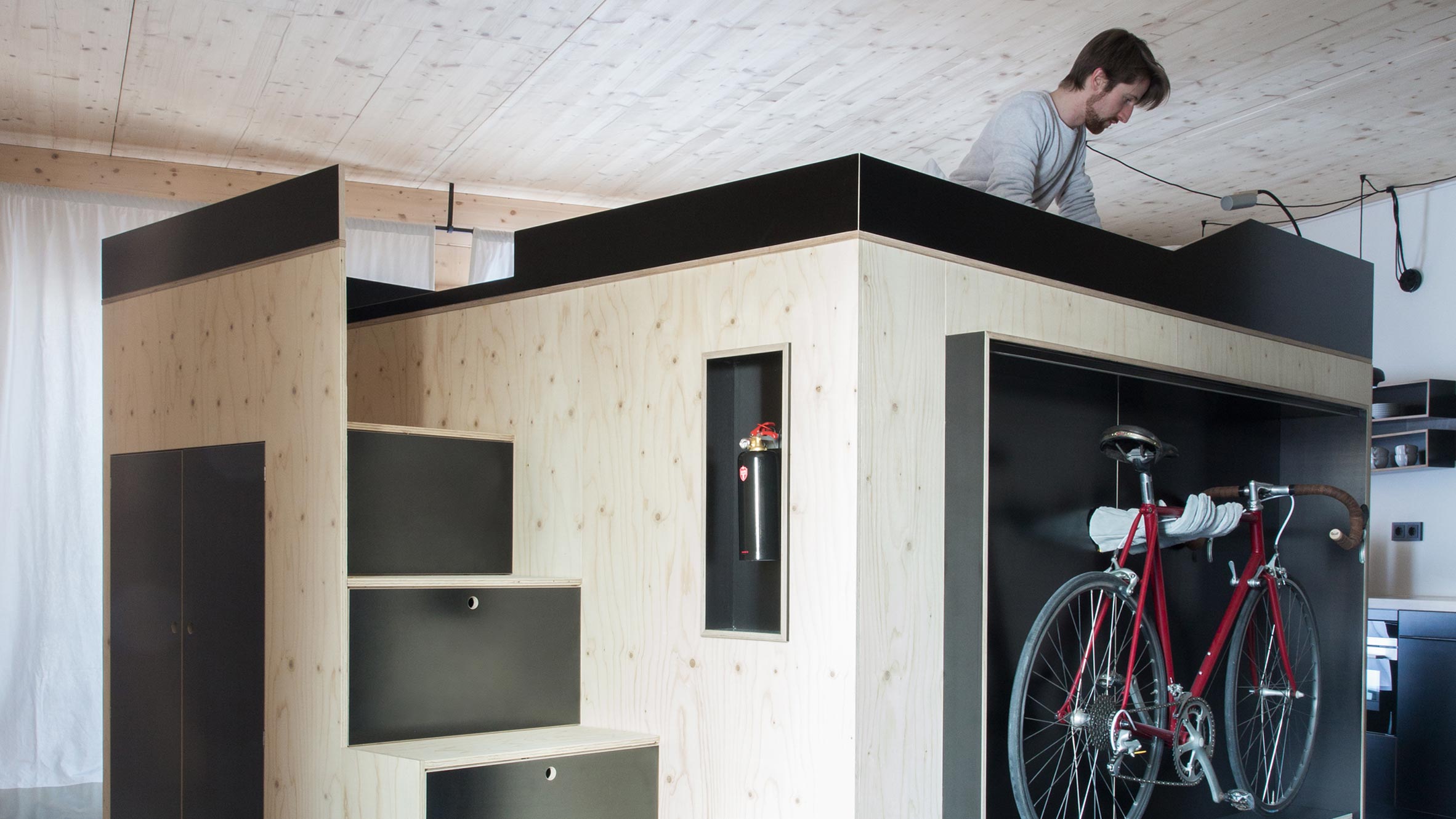
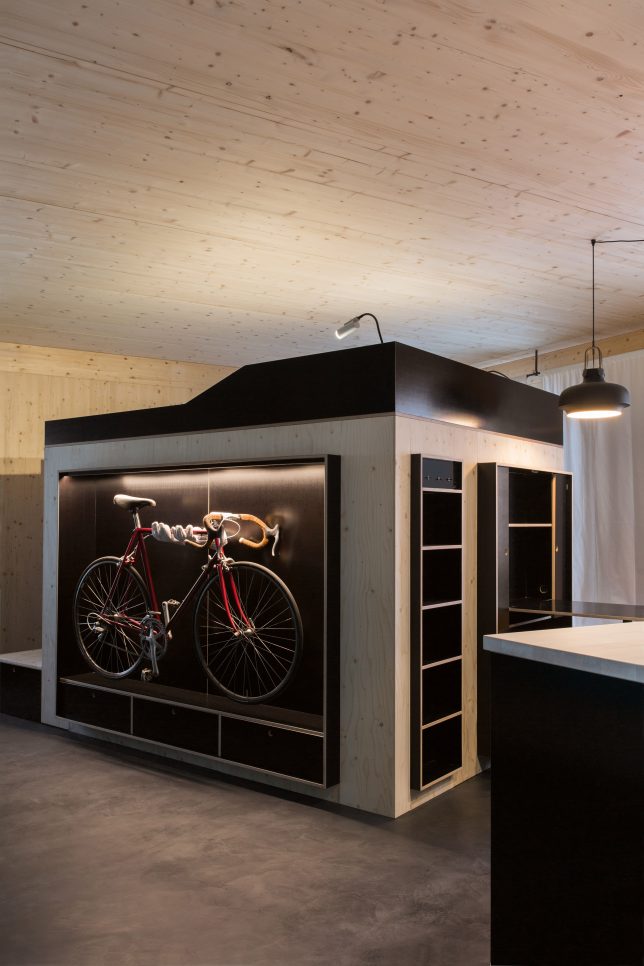
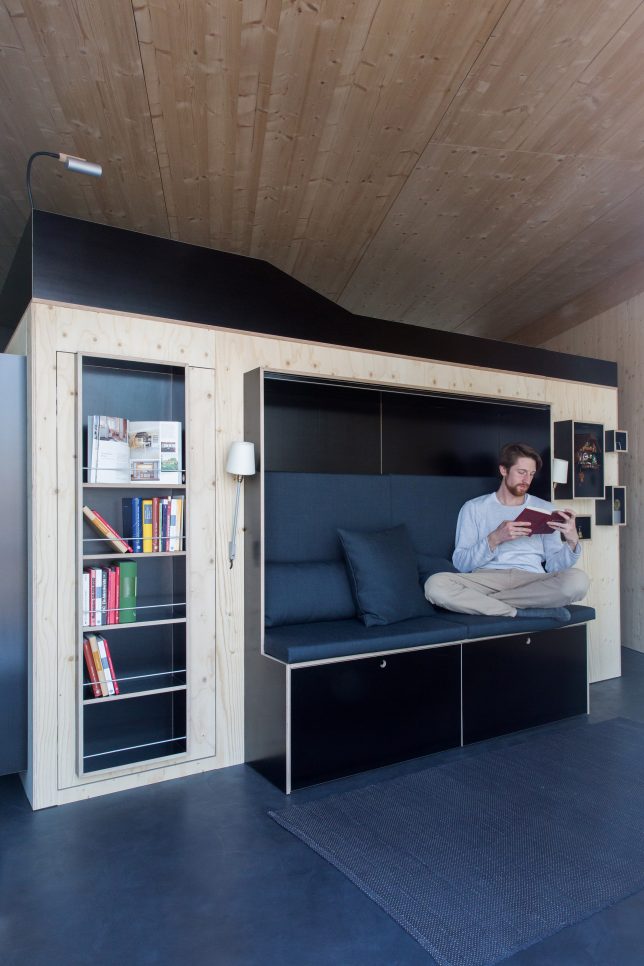
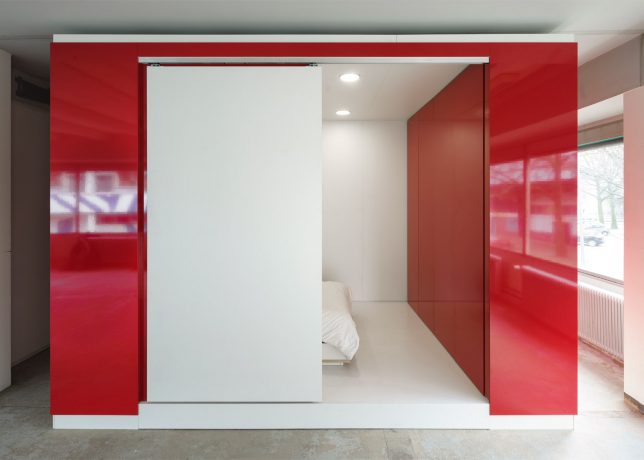
Designed for people living in micro apartments, Nils Holger Moormann’s ‘Kammerpsiel’ contains just about everything you need in an apartment, in one compact and highly efficient package. The bed is lofted above the walk-in closet, while important functions are located along the perimeter, like the couch, storage, desk, dining are and even a place to display and store your bike.

Cubitat by Urban Capital and Luca Nichetto

cubitat 2

cubitat 1

cubitat 3

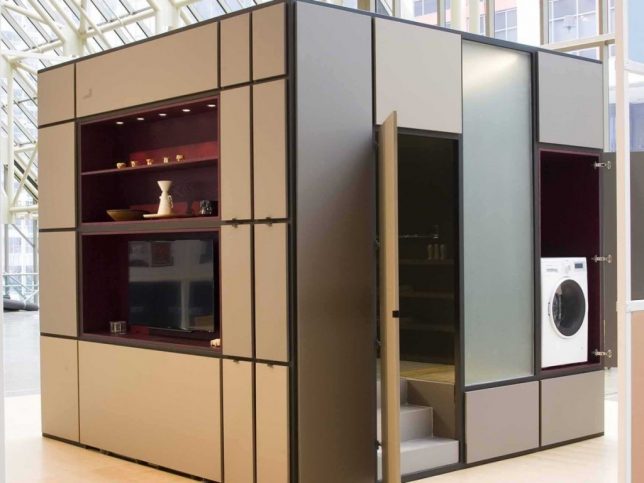
Measuring 10 by 10 by 10, the Cubitat by Luca Nichetto and urban Capital is designed to be a ‘plug and play’ living space containing a built-in kitchen, living room, bed, bathroom and closets. The idea is that you could move into virtually any kind of building and instantly make it inhabitable without the need for further renovations.

Living Cube by Ken Isaacs

ken isaacs living cubes

ken isaacs living cube 2

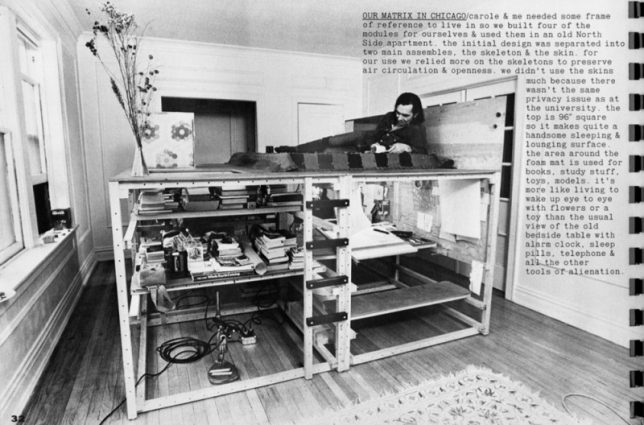
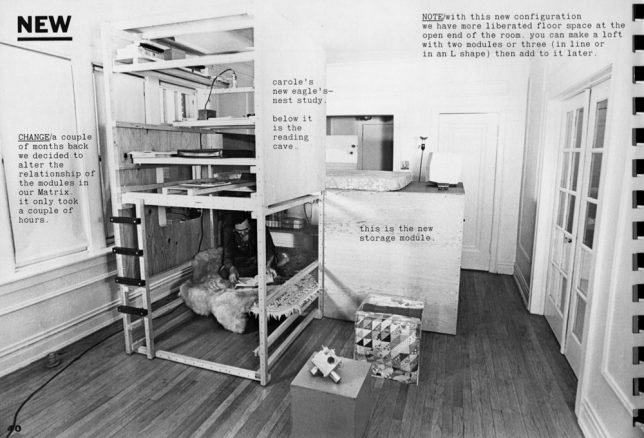
The first designer to come up with this concept seems to have been Ken Isaacs, whose 1974 book ‘How to Build Your Own Living Structures’ still serves as a roadmap to modular room systems today. Isaacs reportedly came up with the idea when he was a poor Chicago student needing a place to live and work. The whole book is downloadable here.

The Hub by Kraaijvanger Architects

the hub

the hub 2

the hub 3

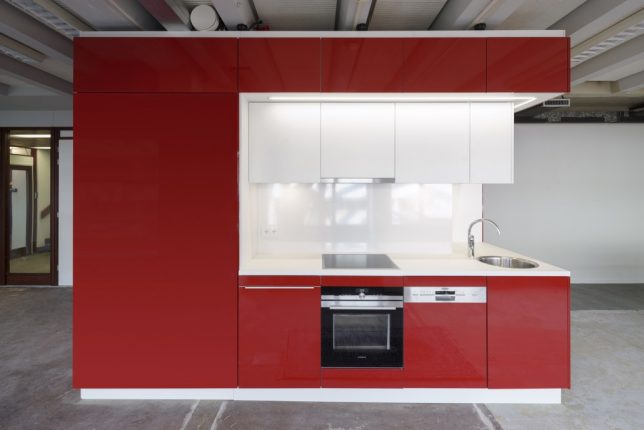
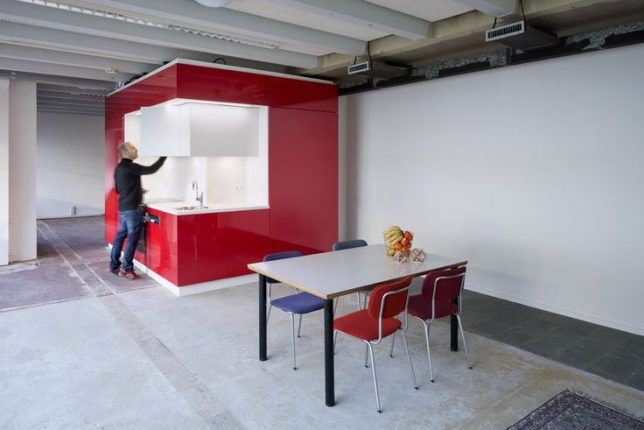
Another all-in-one apartment system, the Hub by Rotterdam-based architects Kraaijvanger, contains everything you need to make a warehouse a comfortable place to live – even plumbing. It measures just a little more than 160 square feet, hooks up to existing water mains through an access point in the floor, and has its own internet, heating and sound system.

Wooden Mountain Hotel Suite, Volkshotel

photo: Arend Loerts

photo: Arend Loerts

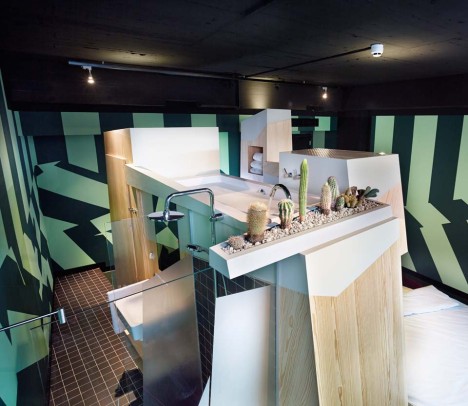
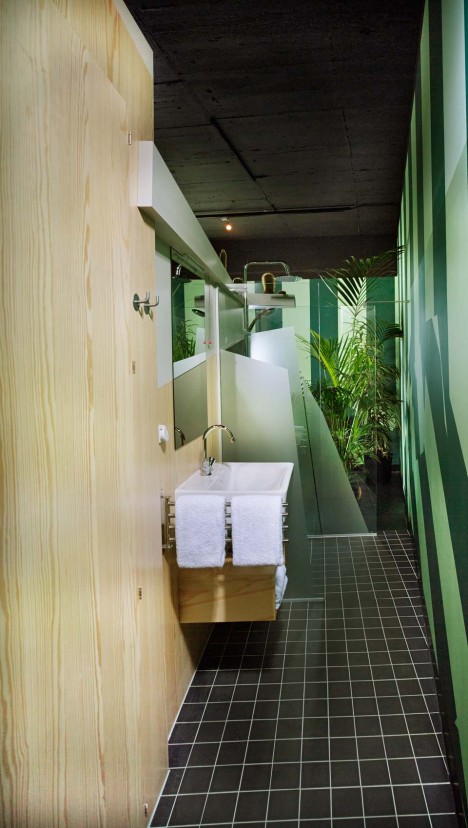
Not all modular living systems are cubes, though. The Wooden Mountain in the Volkshotel’s Edmund Suite packs just as much function into an amorphous wooden structure, including a wardrobe, double bed, shower, toilet, full-sized soaking tub and even a cactus garden. Photos by Arend Loerts.

Next Page – Click Below to Read More:
Inner Space 14 Modular All In One Living Cubes Organize Interiors

Share on Facebook


[ By SA Rogers in Design & Fixtures & Interiors. ]

[ WebUrbanist | Archives | Galleries | Privacy | TOS ]


WebUrbanist

 
Comments Off on Inner Space: 14 Modular All-in-One Living Cubes to Organize Interiors

Posted in Creativity


How to Turn Your Kids into Star Wars Characters Using Photoshop

09 Feb

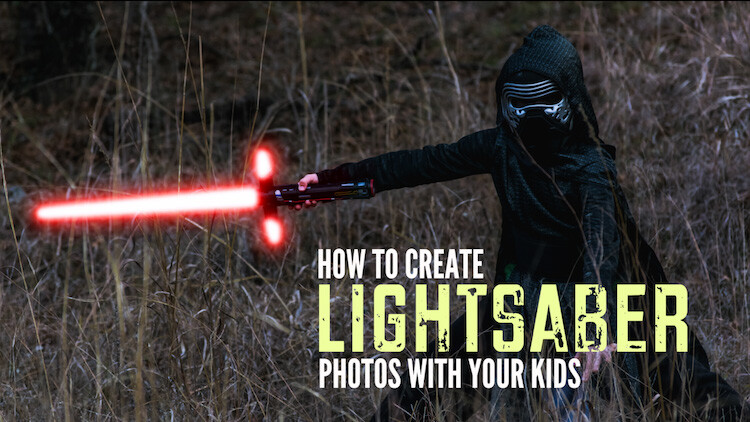
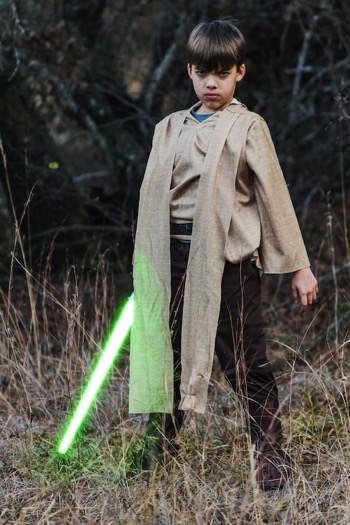
Do your kids love Star Wars? Do you love photography? If so, here’s a great opportunity to join forces and turn your kids into Star Wars heroes or villains by giving them the ultimate Star Wars weapon, the lightsaber.

How to Turn Your Kids into Star Wars Characters Using Adobe Photoshop

All you need to awaken the force are these three steps:

  1. The setup
  2. Capturing the shot
  3. Light up your sabers using Photoshop

BONUS tip – The Jumping Jedi

Step #1 – The Setup

For the setup, you will want to make sure that the photographs of your kids look as close to a Star Wars scene as possible. Don’t just take a picture of your kids wearing a t-shirt standing in the kitchen. Luke Skywalker doesn’t light up his lightsaber in a kitchen. Your kids will have a lot of fun getting into character, so spend some time on the setup.

Costumes

You can buy costumes for your kids on Amazon. Here are the costumes used in this tutorial.

  • Luke Skywalker
  • Rey
  • Kylo Ren
  • Lightsabers
  • Total customs cost ~ $ 40-70

Location

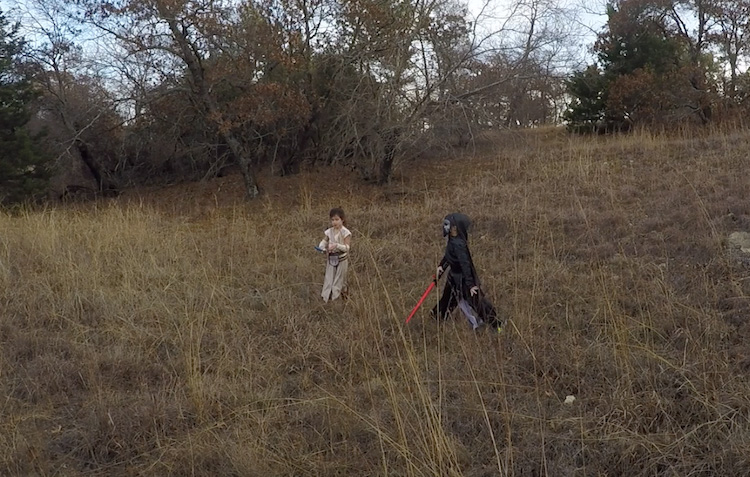
For the location, you will want to find a place that looks like it could be a scene in any of the Star Wars movies. The easiest location to use would be a park with trees, and no noticeable man-made objects in sight.

2 Location - How to Turn Your Kids into Star Wars Characters Using Adobe Photoshop

Step #2 – Capturing the Shot

Action shots

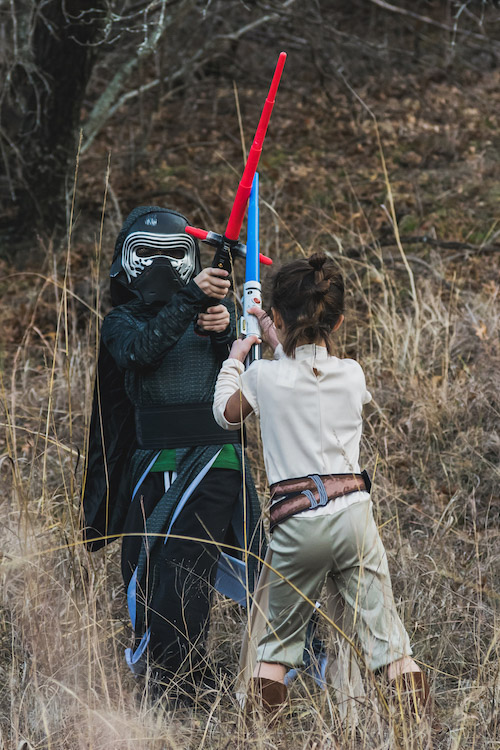
For action shots of a lightsaber battle, you will want to use a fast shutter speed of at least 1/500th of a second, and set your camera to continuous (burst) shooting mode. This will allow you to freeze the action of the battle and take multiple shots in sequence to ensure you capture the best of the action.

4 Action shot - How to Turn Your Kids into Star Wars Characters Using Adobe Photoshop

Shutter speed was 1/800th of a second.

Portraits

For the portraits, give your kids some epic poses to follow. To give you ideas for creative poses, do a Google images search for the Star Wars character of your choice. This will also help your child get more into the character. For example here are some for Rey.

5 Portrait pose - How to Turn Your Kids into Star Wars Characters Using Adobe Photoshop

Do basic edits to the image

After you capture the image, you will need to make a few adjustments to the image to make it stand out. This can be done in Adobe Lightroom and is the final step before your photo is ready to go into Photoshop for the lightsaber effect.

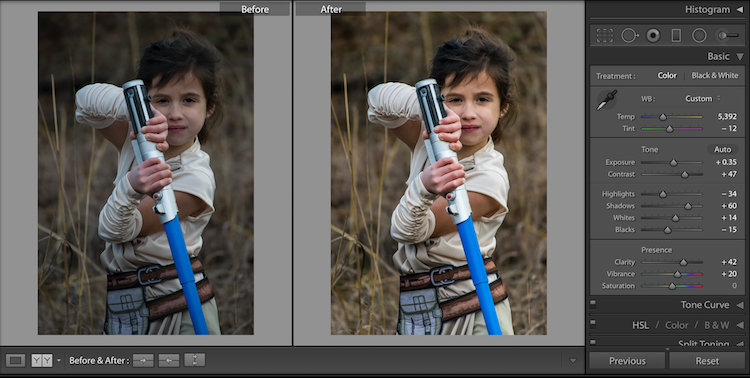
For the look of Star Wars, a few basic edits, such as increasing the contrast and the clarity will help give it a rough and grungy look that Star Wars is known for.

6 Before After Lightroom Edit Star Wars

Notice the differences between the before and after of this image by making a few basic edits in Adobe Lightroom.

Step #3 – Light your sabers up in Photoshop

Adding the lightsaber effect is the last and final step in making turning your kid into the Star Wars character of their dreams. This process should take about five minutes per photo once you have done it a few times.

Part 1: Prepare the layer

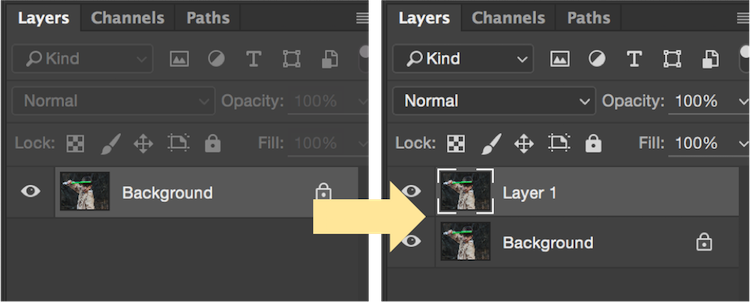
Start by creating a duplicate layer by pressing CTRL/CMD + J.

8 Duplicate layer - Star Wars character in Photoshop

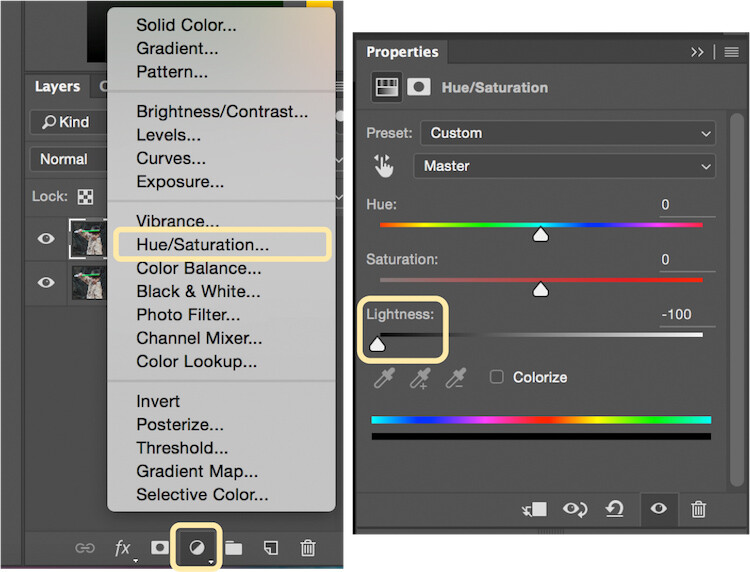
Select the icon to create a new fill or adjustment layer, and from that menu select Hue/Saturation. Then, move the lightness slider to -100 to make it black.

9 Hue Saturation

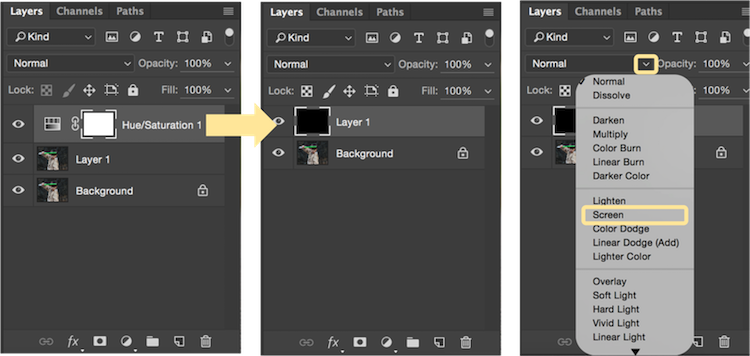
Select CTRL/CMD + E to merge the adjustment layer and duplicate layer. Next, set the blending mode drop down to Screen.

10 merge and screen Star Wars

At this point, your layers are prepped and ready to add the lightsaber.

Part 2: Add the lightsaber by using the brush tool

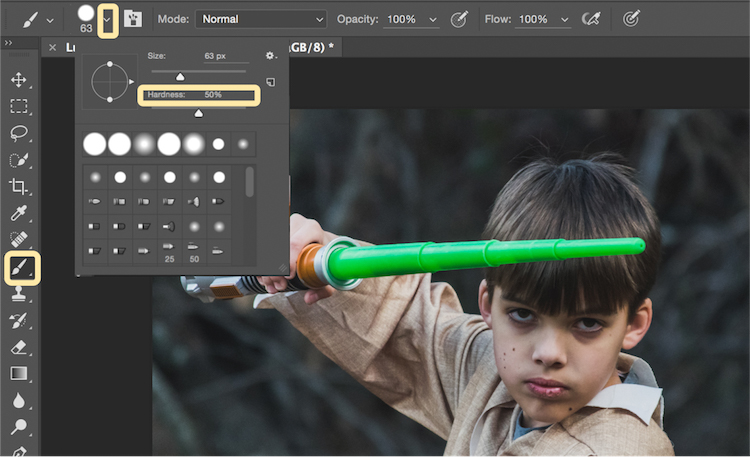
Select the brush tool, and adjust the size and hardness of the brush. The size of your brush will vary based on the size of the lightsaber and your image. Set the hardness of the brush to approximately 50%.

11 brush selection

Begin to add your lightsaber using brush strokes. Select the end point of the lightsaber, then hold down shift, and click the other end of the lightsaber to draw a straight line. Repeat these lines multiple times to fill in the lightsaber with brush strokes. You will likely need to add free-form brush strokes around the base of the lightsaber to fill it in.

12 draw the saber

Illuminate the lightsaber

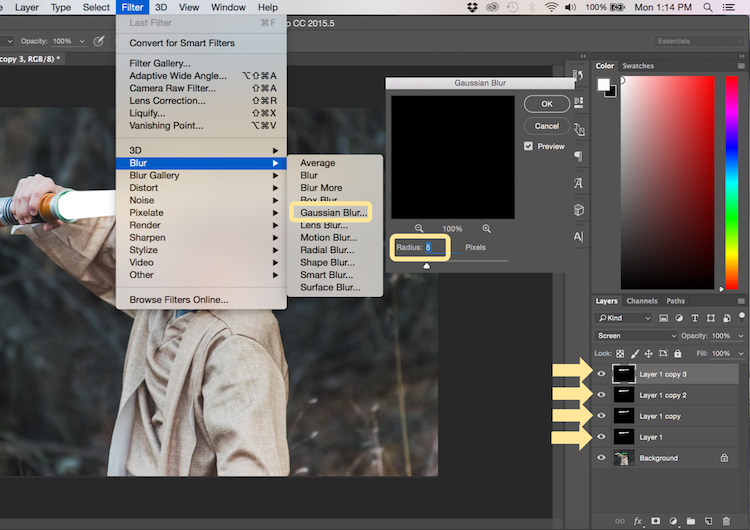
The next step allows you to illuminate the lightsaber. Create three duplicate layers of the lightsaber by selecting CTRL/CMD + J three times. For each layer, you will then select Filter > Blur > Gaussian Blur. But, each layer will be set to a different radius setting. For this image, we used 5, 15, 35, 75 for each respective layer. Note, that the amount of Gaussian Blur needed may vary based on the size of your image. Adjust these numbers as needed to ensure you have a nice glow from the lightsaber.

13 Gausian Blur

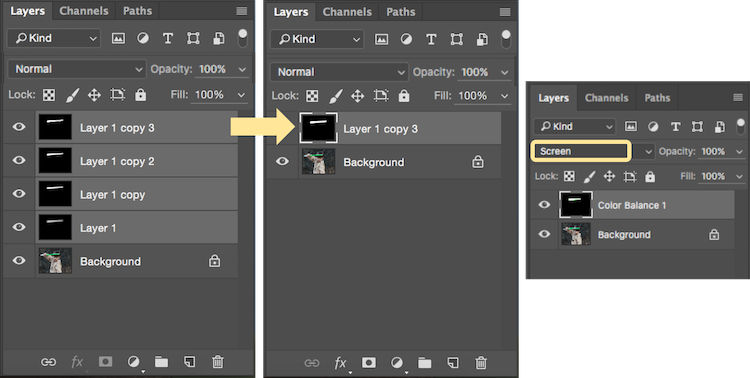
Select all of the duplicate layers (do not select the background), and merge them into one layer by pressing CTRL/CMD + E. Then set the blending mode to Screen.

14 Merge and Screen

Add color to the lightsaber

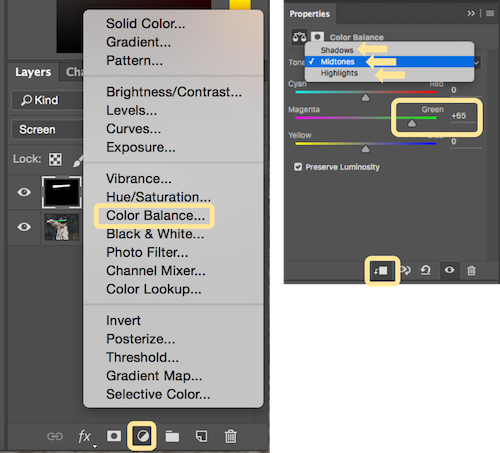
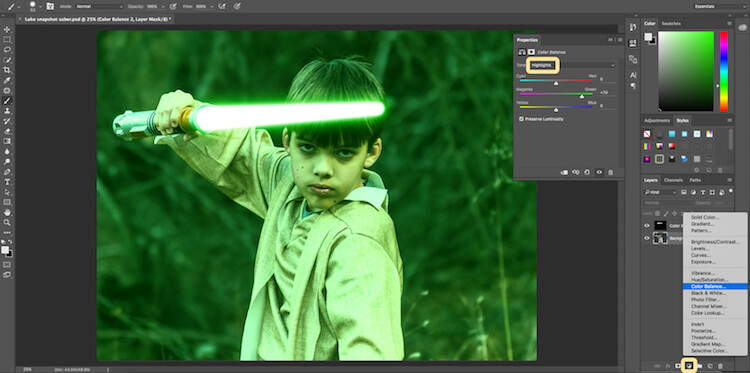
It’s now time to add color to your lightsaber. Select the icon to create a new fill or adjustment layer, and choose the option for Color Balance. Activate the clipping mask so that you only add color to the lightsaber, not the entire image. You can choose any color of your choice, but in this example, we are working with green.

You will want to add the color selection to each option for Shadows, Midtones, and Highlights. Adjust the color slider up or down based on the color preferences for your lightsaber. For this photo, we set shadows, midtones, and highlights to green at around +65.

15 Color Lightsaber

Your lightsaber is now complete, but there is still one more important step to get a realistic photo. You need to add some glow to the subject from the illumination coming off of the lightsaber.

Part 3: Add the reflective glow from the lightsaber

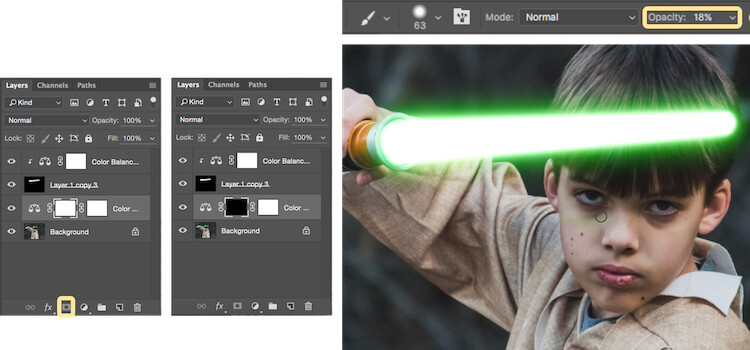
Select the background or base layer. Click the icon to create a new fill or adjustment layer, and choose the option for Color Balance. Choose the same color as you used for your lightsaber, but this time as you adjust the color for Shadows, Midtones, and Highlights, it will work best if you emphasize the color around the highlights more than the shadows or Midtones. For this photo, we used Shadows +32, Midtones +38, and Highlights +70

16 Color for Glow

Add a vector mask and then select CTRL/CMD + I to hide all of the color balance. Select the brush tool, and make it a soft edge brush with an opacity around +18. This will allow you to brush in a soft reflection of glow to parts of the image that make it look realistic.

17 Brush in glow reflection

Bonus – Jumping Jedi

A bonus tip that you may want to use in your Star Wars photo shoot is a jumping Jedi. With a few simple tricks, you can give the illusion of your Jedi jumping high into the air over a swinging lightsaber.

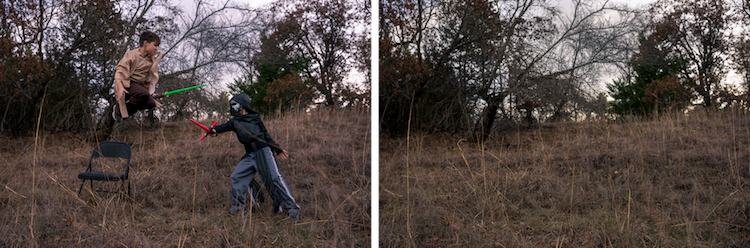
First, make sure you use a tripod as you will need the camera to be completely stationary for two different shots. You can have your Jedi jump off a chair at the same time that his enemy swings his lightsaber. Then remove the chair and capture a shot of the exact same scene, but this time without the chair or characters in the shot (tripod use is important for image alignment later).

The second shot should be empty with the exception of the background because it will allow you to take the chair out of the original picture to create the illusion of a jumping Jedi.

19 Jumping jedi tripod shots

Here’s how it’s done in Photoshop.

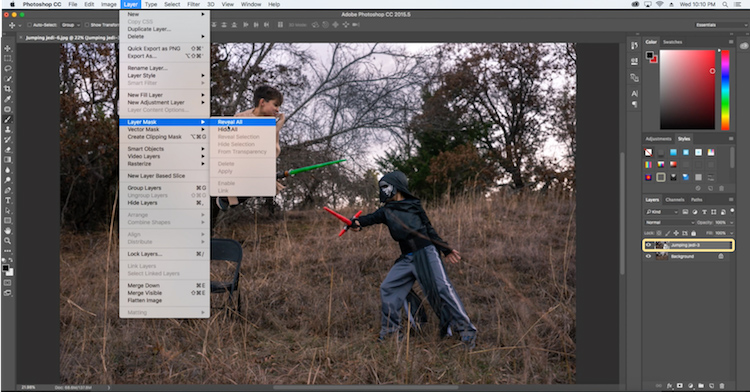
Start by opening both photos as layers. You will want the empty background shot to be set as the base layer and the action shot as the top one. Select the top layer of the action shot, and click Layer > Layer Mask > Reveal all.

20 Jumping Jedi mask

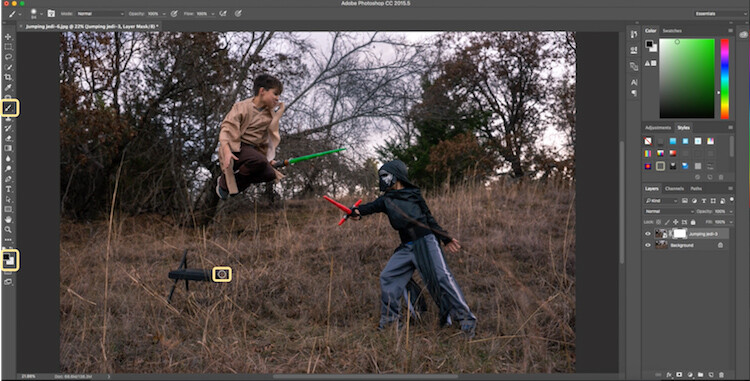
Select the brush tool, and make sure that your foreground color is set to black, which will allow you to brush away the top layer to reveal some of the base layer. If your foreground color is set to white as opposed to black you can switch it to black by clicking X. Simply brush over the chair (make sure you are painting on the mask NOT the layer) to make it disappear.

21 Jumping Jedi brush away

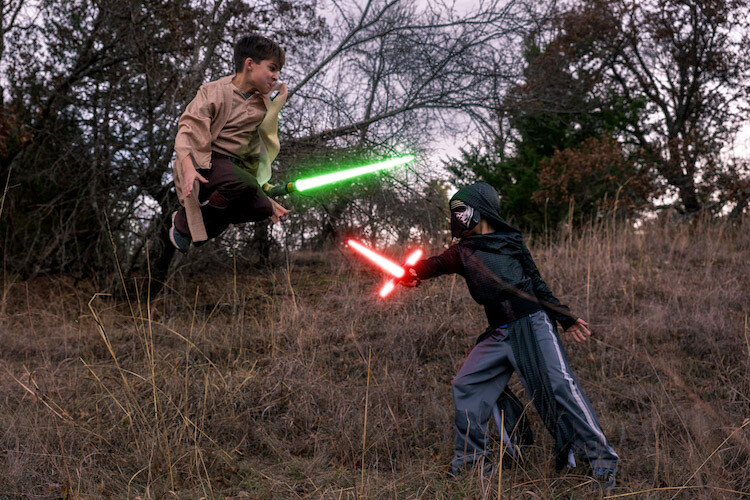
Add the lightsaber effect from above, and you have the illusion of a jumping Jedi.

22 Final photo Jumping Jedi

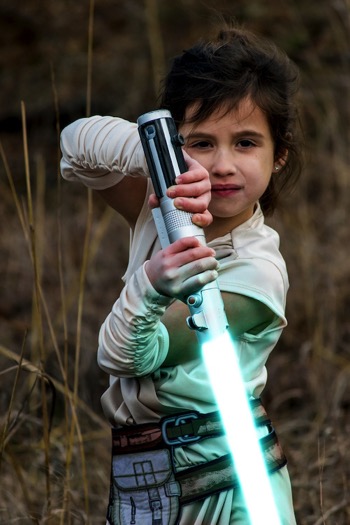
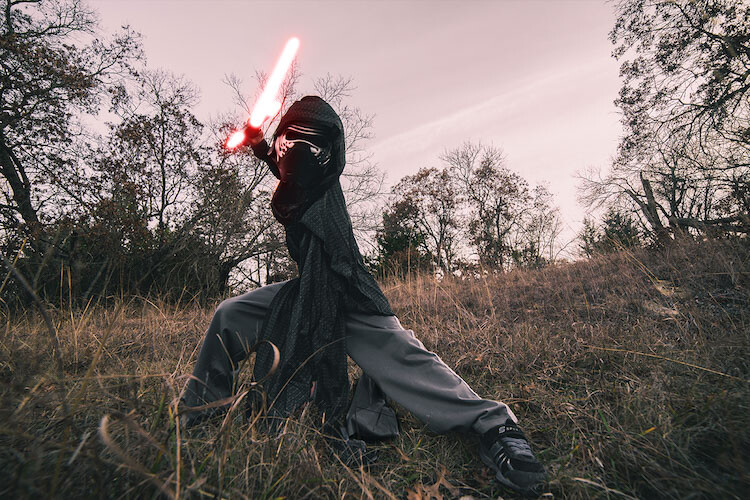
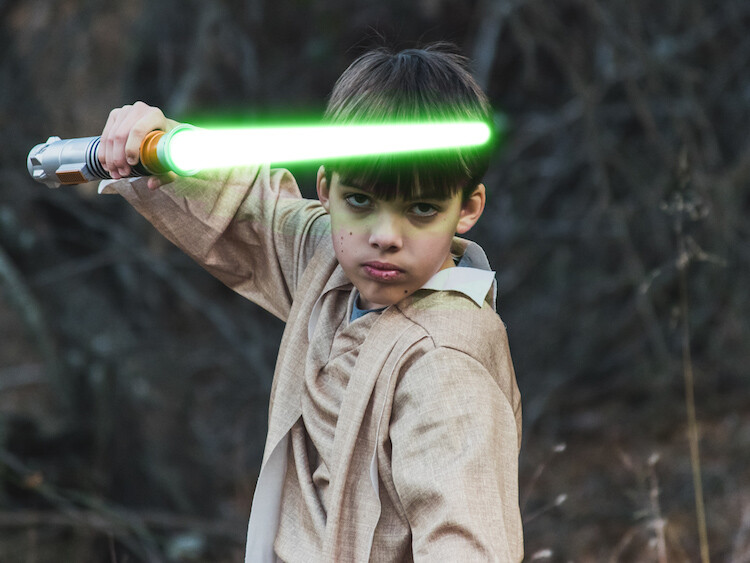
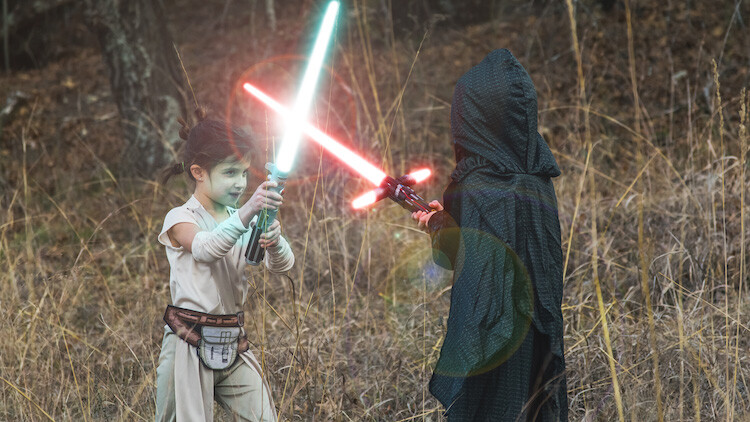
Below are some additional examples of the final images from this Star Wars project to give you additional ideas for action shots and portraits to bring your characters to life.

28 Final photo Rey portrait 29 Final Photo Luke portrait

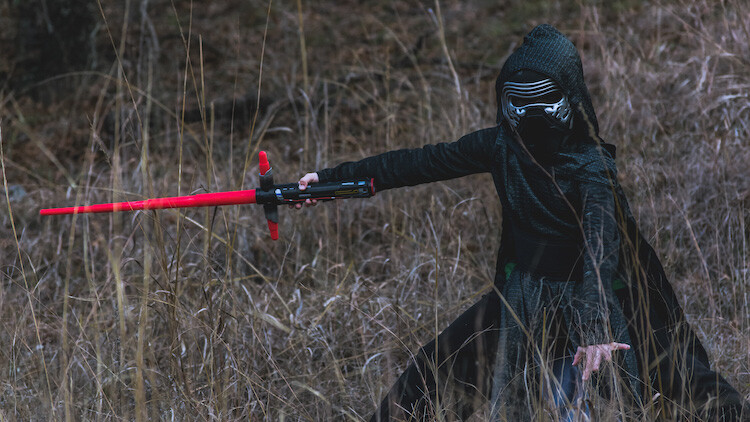
30 Kylo Ren Red

27 Final photo saber battle

Finally

You can watch this whole process in the follow short video as well:

Note: thanks to my co-author on this article, David Kahl.

Try to awaken the force in your family by giving them a lightsaber and following this tutorial. In addition, leave a comment with any other fun photography projects that you have captured with your kids or family. Share your images if you give this a go, we’d love to see them!

googletag.cmd.push(function() {
tablet_slots.push( googletag.defineSlot( “/1005424/_dPSv4_tab-all-article-bottom_(300×250)”, [300, 250], “pb-ad-78623” ).addService( googletag.pubads() ) ); } );

googletag.cmd.push(function() {
mobile_slots.push( googletag.defineSlot( “/1005424/_dPSv4_mob-all-article-bottom_(300×250)”, [300, 250], “pb-ad-78158” ).addService( googletag.pubads() ) ); } );

The post How to Turn Your Kids into Star Wars Characters Using Photoshop by Paul Fontanelli appeared first on Digital Photography School.


Digital Photography School

 
Comments Off on How to Turn Your Kids into Star Wars Characters Using Photoshop

Posted in Photography


Google AI adds detail to low-resolution images

09 Feb

It seems intelligent enhancement of image detail is currently high on the agenda at Google. Recently the company brought its RAISR smart image upsampling to Android devices. Now, the Google Brain team has developed a system that uses neural networking to enhance detail in low-resolution images.

The system uses a two-step approach, with a conditioning network first attempting to map 8×8 source images against similar images with a higher resolution and creating an approximation of what the enhanced image might look like. In a second step, the prior network adds realistic detail to the final output image. It does so by learning what each pixel in a low-resolution image generally corresponds to in higher-res files.

As you can see, the system already works pretty well. In the series of samples above, the images on the left show the 64 pixel source images, while the ones in the middle show the output image that the Google Brain algorithm has produced from them. The images on the right show higher-resolution versions of the low-res source images for comparison. While the results are not perfect yet, they are certainly close enough to provide value in a variety of scenarios. Eventually we might even be able to extract high-resolution images from low-quality security-cam footage a la CSI.

Articles: Digital Photography Review (dpreview.com)

 
Comments Off on Google AI adds detail to low-resolution images

Posted in Uncategorized


8 Tips For Doing Stunning Urban Landscape Photography

09 Feb

As a photographer, when you hear the word landscape your mind will most likely conjure up images of lush valleys, looming mountains, and majestic, sweeping vistas. With good reason, as the natural world can be a place of staggering beauty. But done well, a different type of landscape photography, the urban landscape, can produce shots that are equally as compelling as anything Mother Nature can throw your way.

The energy of a major city lends images a vitality that can’t be found anywhere else. There’s so much movement and life in the urban environment, and the best city shots capture that buzzing vibrancy.
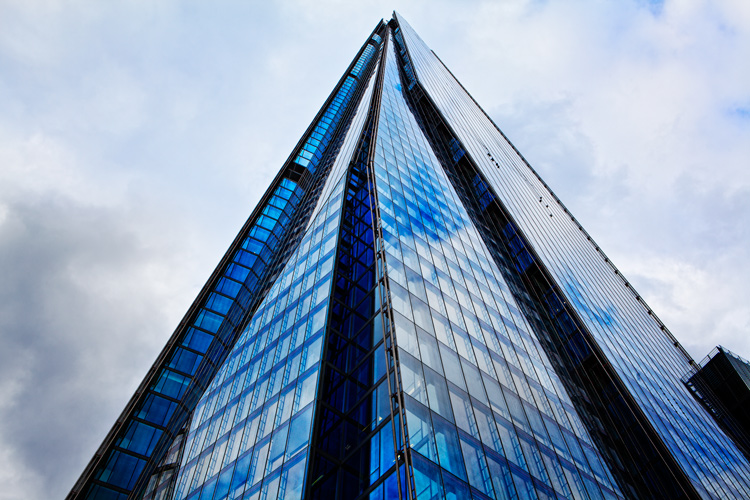
Urban landscape 02

Shooting urban landscapes also has plenty of practical advantages too. Every type of photography is all about the light, and that is one thing cities never run out of. You can shoot in the artificial glow of the metropolis long after you’d have been forced to pack up your kit and make your way home from a day in the countryside.

Couple that with the fact that, for the most part, cities are a lot more accessible for the majority of us, and shooting urban landscapes is the ideal activity for photographers during those long winter months.

So here are our top 8 tips for getting the most out of your time pounding the sidewalks.

#1. Research

You wouldn’t embark on a traditional landscape photography outing by jumping in the car, heading for the hills and hoping for the best. Likewise, the success of an urban landscape shoot depends largely on how well you plan.

Your home town

Even if you’re off to capture the town or city you grew up in, putting in the effort to do a little research up front usually pays dividends.
Urban landscape 01

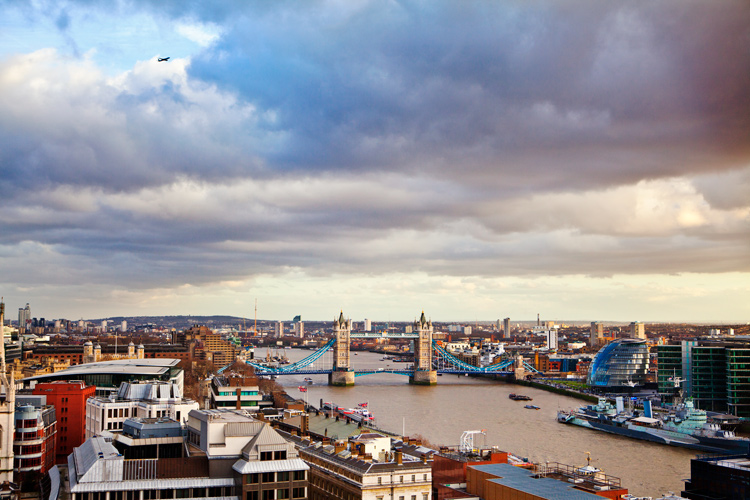
For example, when I wanted to get a shot from high up, overlooking my hometown of London, I didn’t foresee any problems in finding a suitable viewpoint. However, after a little digging, I learned that while London isn’t lacking in tall buildings offering amazing views, the number you can actually gain access to, that are also well suited for photography, can be counted on the fingers of one hand.

The vast majority are either restricted entry or in the case of The Shard (seen at the top of this article), cursed with a viewing gallery shrouded with ultra-reflective windows.A few minutes Googling directed me to a lesser-known church tower on the banks of the Thames with unrestricted views downriver, saving me hours of fruitless searching.
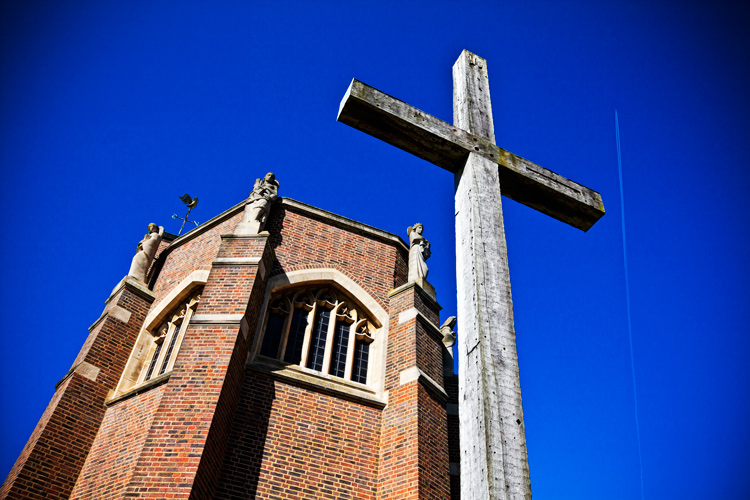
Visiting another city

If you’re visiting a city for the first time, it’s a good idea to spend a little longer familiarizing yourself with the place before you go. Drawing up a shot list of the locations you want to photograph is a good idea as well.

But all that being said, don’t make yourself a slave to it. Few things are more exciting or rewarding in photography than allowing yourself the freedom to meander through a new landscape, get a little lost, and allow whatever happens to happen.
One word of warning: depending on your location, be sure you know where you can and cannot shoot. Many places these days are understandably sensitive about strangers waving cameras around. If in doubt, ask.

#2. Light

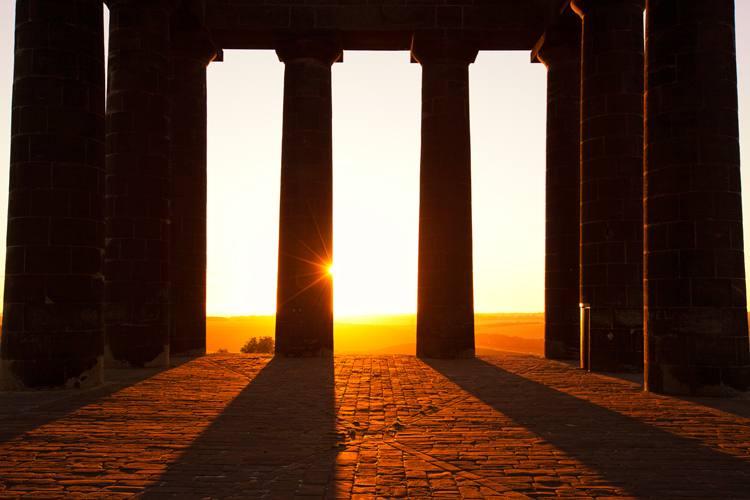
The quality, color, and angle of the light can make or break any shot, and this is especially true for urban landscape photography. A subject that looks dull and uninspiring at one time of day can transform into a truly spellbinding image just with the passing of a few hours.
Urban landscape 03

As with any landscape photography, dragging yourself out of bed before the sun puts in an appearance can reward you with the kind of light show that almost makes up for all that missed sleep. The golden hour, that brief a period right after sunrise and before sunset, can present you with views of a city that you may never have seen before.

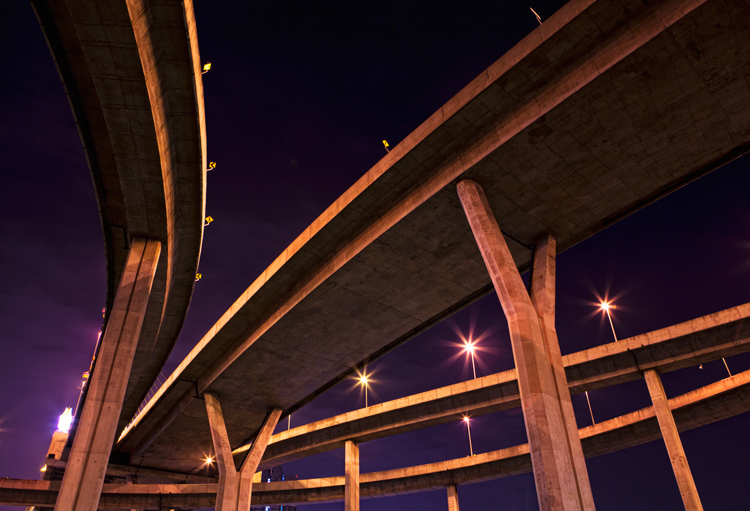
Plus, you can carry on shooting long after the sun’s gone down. Cities come alive at night. They never get truly dark, and some of the most interesting shots can be taken with the only illumination coming from artificial light.

Just remember to bring your tripod!
Urban landscape 04

#3. Hustle and Bustle

Major cities are fast and frenetic places. Everyone seems to be moving a million miles an hour and there’s always something going on. It’s the perfect environment for photographers.

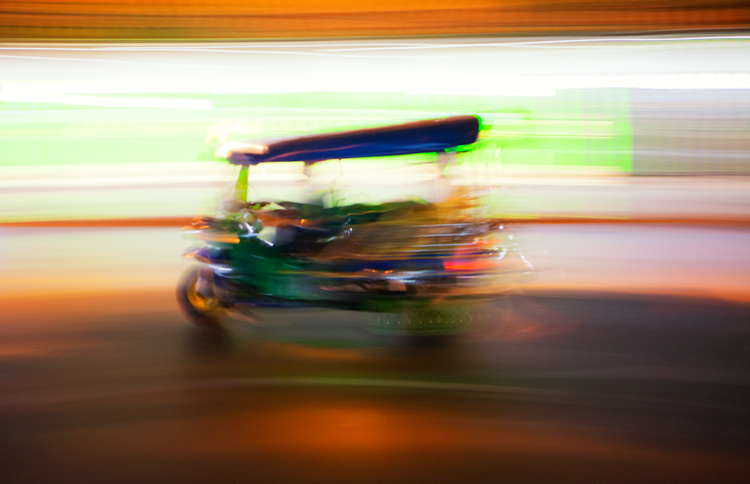
If you can manage to avoid getting swept along in the tidal wave and stop to look around, you can capture images that convey all that chaotic frenzy. Using a slower shutter speed will help you pick up a real sense of movement, either tripod-mounted or handheld if you’re feeling brave.
Urban landscape 05

#4. Details

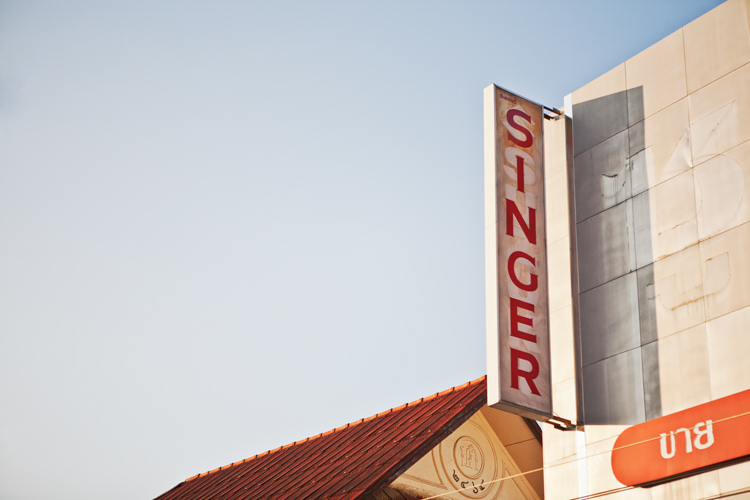
There are countless small and fascinating details in cities. Always be on the lookout for the tiny intricacies, the patterns, and shapes that otherwise go unnoticed.

They won’t all be right in front of you. Keep your eyes moving and your head on a swivel, some of the most rewarding shots are going to be found way above your head or close to the ground.
Urban landscape 06

Whether it’s an advertising billboard, some rugged brickwork, or a set of windows, get in close, fill the frame, and isolate your subject.

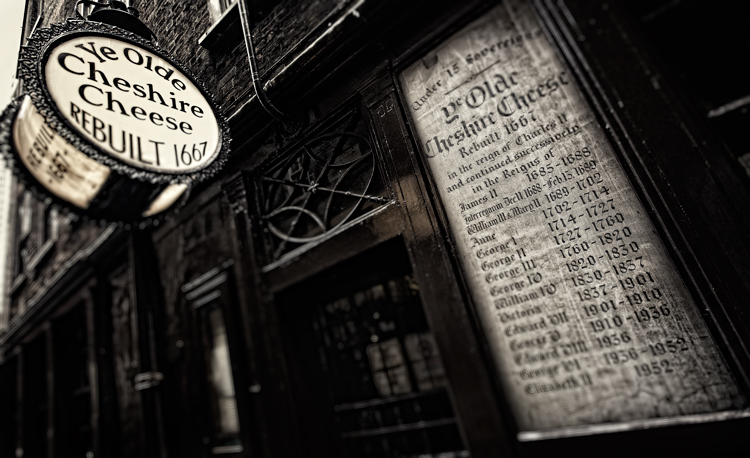
This is another time when the quality of the light can make all the difference to the success of a shot. A strong, high contrast light can give interesting areas of highlights and shadow, turning an everyday scene into a beautiful abstract. If you have time, it’s worth revisiting potential subjects at different points throughout the day.
Urban landscape 07

#5. Composition

Moving from the countryside to the urban environment doesn’t mean all the old landscape composition rules go out the window. Much of what applies standing on top of El Capitan in Yosemite Park, is still relevant looking down on New York from the Empire State.

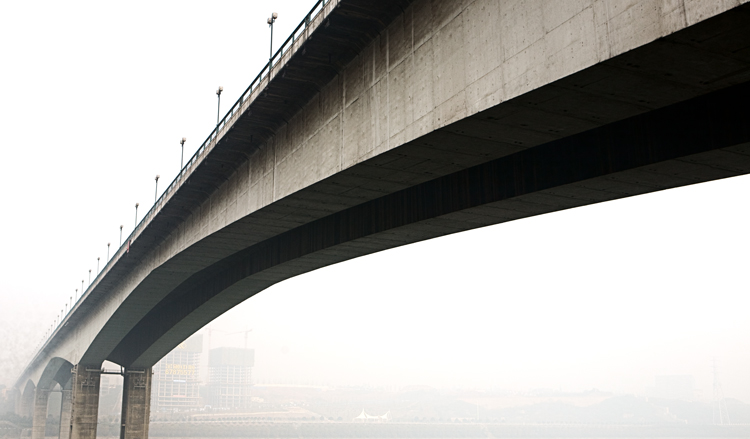
Keep the basics of composition in your mind, things like the rule of thirds, leading lines, and natural frames. Then be prepared to break the rules when necessary.
Urban landscape 08

Always think before you shoot. Look around you and see if taking a different viewpoint would improve your shot. Can you get higher and look down or even lie on the ground and shoot upwards?

Unfortunately, in major cities buildings are often so close together they can restrict your options and movements as a photographer, but make sure you’re at the optimum position for your subject. The difference between a winning shot and a mediocre one can sometimes be measured in the space of just a few feet.
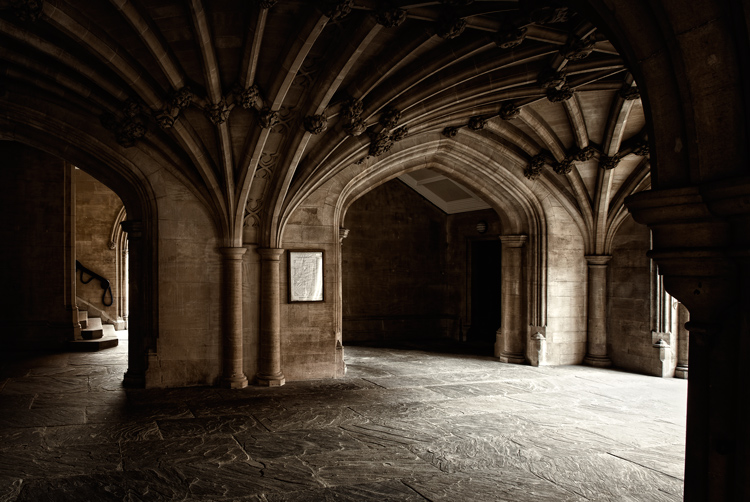
Urban landscape 09

#6. People

One area where urban landscapes differ greatly from the traditional is in the number of people you’re likely to encounter. It can be frustrating when you arrive at your dream location, only to find it swarming with tourists, as well as the locals going about their daily business, all seemingly determined to clutter up your shot. Along with the great light, it’s another good reason to be up and about in the early hours of the day, while everyone else is still tucked up in bed.
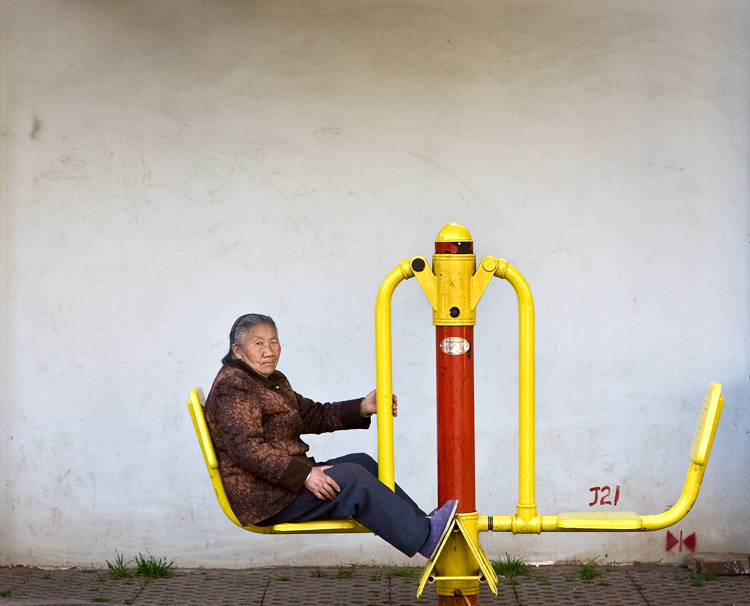
But people make great subjects for candid portraits as you wander the streets. Big cities attract some real characters, and capturing them in their home environment can lead to some winning images.

One thing to remember is to always ask your subject’s permission before you shoot. The vast majority will be more than happy to oblige so long as you’re polite. (Take this from a man who once got a severe and humiliating telling off from a Buddhist monk in Thailand for taking his picture without having the courtesy of asking first. They’re not as chill as you’d think!)

Urban landscape 11

#7. Reflections

Modern cities seem to be more glass than anything else. This is great news for you as a photographer. You can use that beautiful reflective quality in your compositions to create some wonderful, quirky effects.

The major landmarks in every city have been photographed a bazillion times. So, you have to work a little harder and think a little more creatively to come away with shots that are distinctly your own. Shooting a famous and easily recognizable building reflected in the windows of another gives an interesting change of context, especially as it often contrasts the old and the new.
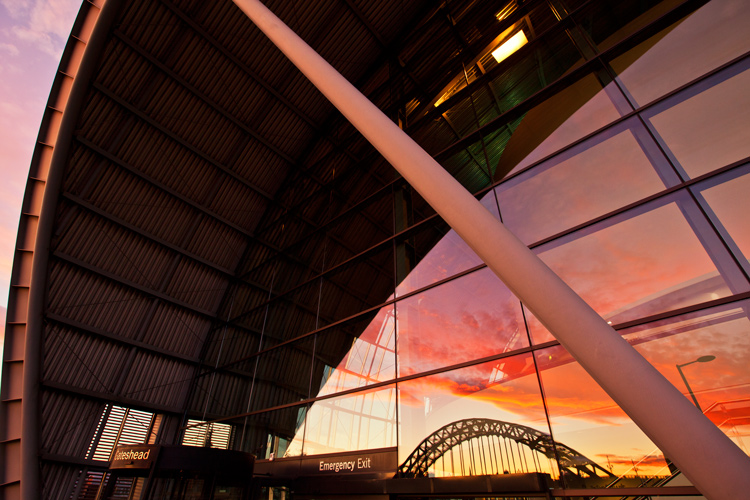
Urban landscape 12

Many big cities are built along the banks of hefty rivers as well, which gives you another opportunity to utilize reflections in your shots. Clear skies offer the best results, preferably at the start or end of the day to give a little color. A dull, overcast day will be reflected in the water, giving it an ugly, muddy quality.
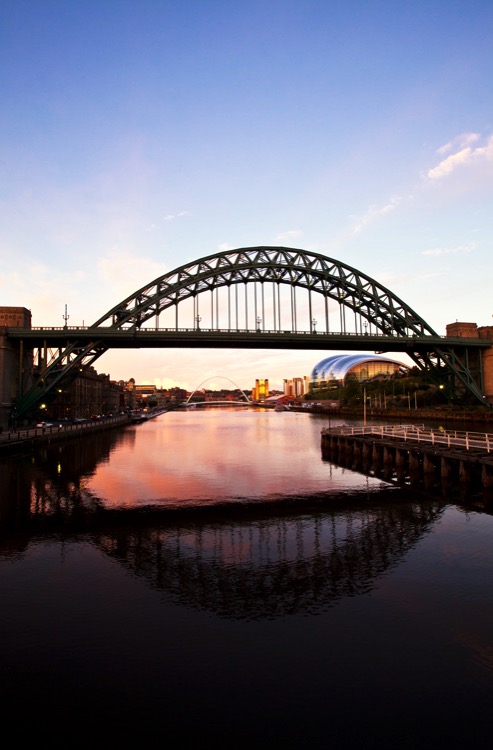
Urban landscape 13

#8. Monochrome

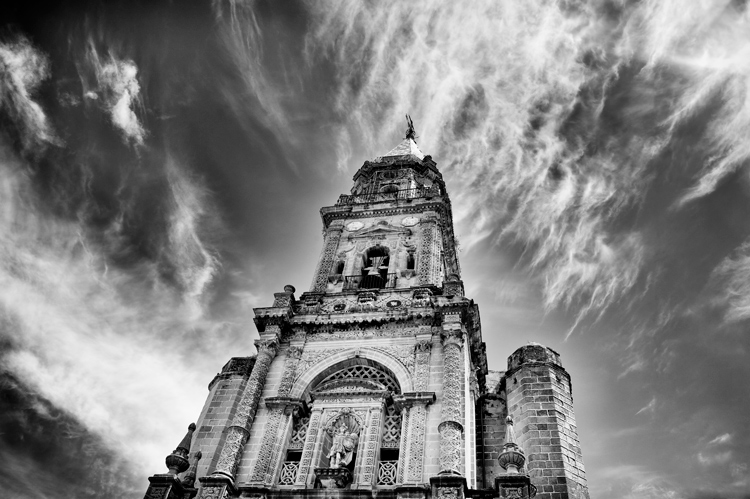
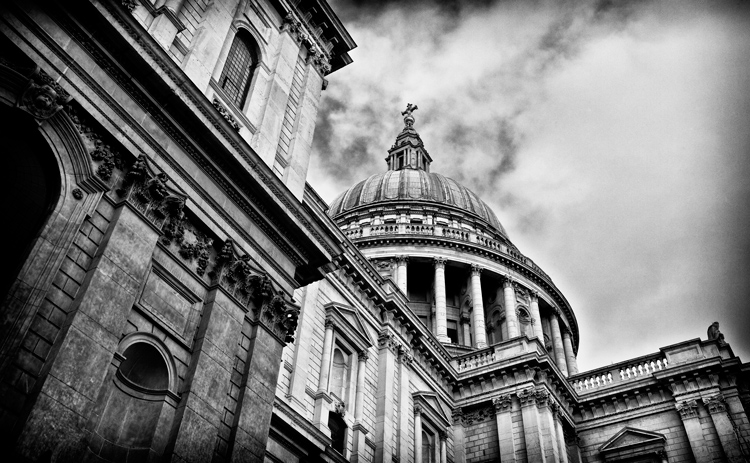
Urban landscapes are very well suited to the simplicity of black and white photography. Taking away the distractions of the vast range of different colors on show in any city and focussing on just the tones and textures, gives a completely new dimension to your shot.
Urban landscape 14

The increased contrast of a monochrome image benefits architecture especially, enhancing the shape of buildings and accentuating their details. Again, the light is all-important. A low sun highlights surfaces and gives areas of rich shadow for added depth.

Try and avoid using the black and white function on your DSLR and shoot RAW if you can. Then use your post-production software for the conversion. It allows you much more control over the final image.

Conclusion

Shooting urban landscapes can be a richly rewarding experience and gives you the opportunity to try out several different disciplines at once.

You have the chance to flex your portraiture and architectural photography muscles, as well as experimenting with close-up abstracts and shooting in black and white. Plus, you get to practice all that while staying firmly in civilization and never more than a few feet from a decent cup of coffee!
Urban landscape 15

Of course, all that added convenience comes at a price. Shooting in cities has its inherent risks and you always need to keep your wits about you. Watch where you stand to shoot and make sure you’re not in any danger from fast-moving traffic or trespassing on anyone’s property.

Also, keep a tight grip on your equipment, especially if you’re shooting at night. Cities have more than their fair share of bad people who’d not think twice about running off with your expensive kit. If you’re nervous, it’s the perfect opportunity to buddy up with another photographer and explore the location together.

Please share your urban landscape photos in the comments below.

googletag.cmd.push(function() {
tablet_slots.push( googletag.defineSlot( “/1005424/_dPSv4_tab-all-article-bottom_(300×250)”, [300, 250], “pb-ad-78623” ).addService( googletag.pubads() ) ); } );

googletag.cmd.push(function() {
mobile_slots.push( googletag.defineSlot( “/1005424/_dPSv4_mob-all-article-bottom_(300×250)”, [300, 250], “pb-ad-78158” ).addService( googletag.pubads() ) ); } );

The post 8 Tips For Doing Stunning Urban Landscape Photography by Andy Callan appeared first on Digital Photography School.


Digital Photography School

 
Comments Off on 8 Tips For Doing Stunning Urban Landscape Photography

Posted in Photography


Has a new champion been crowned? Sigma 85mm F1.4 Art lens review

08 Feb

The Sigma 85mm F1.4 Art hasn’t been on the market long, but it has already begun to make some serious waves. Lenstip and DxO have rated it the sharpest 85mm lens ever created, beating out even the legendary 85mm F1.4 Zeiss Otus, which isn’t something that we take lightly. We were lucky enough to get our hands on the lens back in mid-November and we were very impressed to say the least, so much so that it took top honors for the ‘Best Prime Lens of 2016’ as chosen by our staff.

It has, without a doubt, been a pretty big topic of discussion not only amongst our staff members, but also amongst portrait photographers around the world. With that said we just had to get our hands on it to see how it really performs and to see how it holds up next to some very stiff competition at 85mm. The Sony FE 85mm F1.4 GM is a very formidable competitor and arguably the best modern 85mm F1.4 on the market (behind the manual focus Zeiss Otus, of course). With that in mind, the question is; can the Sigma hold its own? Our review will answer that question and more.

APS-C   

With an equivalent focal length of 136mm and an equivalent aperture of F2.2, this lens can be usefully used on an APS-C camera. Even with its slightly longer focal length, it does still fit into the focal range that’s often used by portrait photographers and the fast aperture does allow for it to be used in low-light situations as well. However, its size, weight and price makes it worth considering 85mm F1.8 lenses instead.

Sigma 85mm F1.4 DG HSM Art headline features

  • F1.4 maximum aperture
  • 85mm max fixed focal range
  • 2 FLD glass elements (low-distortion glass with fluorite-like performance)
  • 1 Aspherical SLD element
  • Canon EF, Nikon (FX) and Sigma SA Bayonet mounts

Specifications Compared

  Sony FE 85mm F1.4 GM Sigma 85mm F1.4 DG HSM Art
 MSRP $ 1800.00  $ 1199.00
 Lens Type Prime Prime
 Focal Length 85mm  85mm 
 Filter Thread 77mm 86mm
Image Stabilization No No
Lens Mount  Sony FE Canon EF, Nikon (FX), Sigma SA Bayonet 
Aperture Ring Yes (w/ d-click feature) No
Maximum Aperture  F1.4 F1.4
Minimum Aperture F16  F16
Minimum Focus  0.80 m (31.5?) 0.85 m (33.46?)
Diaphragm Blades  11 9
Elements  11  14
Groups  8 12
Special Elements/Coatings  1 ‘Extreme Aspherical’ element, 3 ED elements and ‘Nano AR’ coating 2 FLD glass elements and 1 Aspherical SLD element
Autofocus  Yes Yes
Motor Type  Ring-type Supersonic Wave Ring-type Hypersonic
Full Time Manual  Yes Yes
Focus Method  Internal Internal
Distance Scale  No Yes 
DoF Scale  No Yes
Full Weather Sealing  Yes No (dust and splash proof)
Weight 820g (1.81 lb) 1131g (2.49 lb) 
Dimensions  108 mm (4.23?) x 90mm (3.52?) 126mm (5.0″) x 95mm (3.7″)
Hood  Yes ( ALC-SH142) Yes

As you can see the lenses are fairly different in terms of build and design. The Sony 85mm has a manual aperture ring that can not only function on its own, but the aperture can also be adjusted with the camera by switching the ring to ‘A’. This ring also features a special de-click feature for smooth, silent aperture changes while shooting video. The Sigma 85mm lacks the weather sealing that the Sony has and there’s also a fairly substantial difference in size and weight as the Sony 85mm is a fair bit smaller and lighter. The price point is one area of the where the Sigma really prevails over the Sony, on paper, at least.

Specifications are fun to look at, but the real question is how do these lenses perform? Read on, to find out.

Articles: Digital Photography Review (dpreview.com)

 
Comments Off on Has a new champion been crowned? Sigma 85mm F1.4 Art lens review

Posted in Uncategorized


The Fuji XF 18-135mm – a Versatile Travel Lens

08 Feb

From one article comes another – One plus of being a Fuji X Photographer is that Fuji will lend you gear to try. When I did an overview of the 18-55 Kit lens, a commenter asked about the difference between it and the Fuji XT 18-135mm. I don’t own that lens, but through my Fuji connection, I was able to borrow one for a short while and give it a go. So thank you to the commenter that allowed me to find out I could borrow stuff to test!

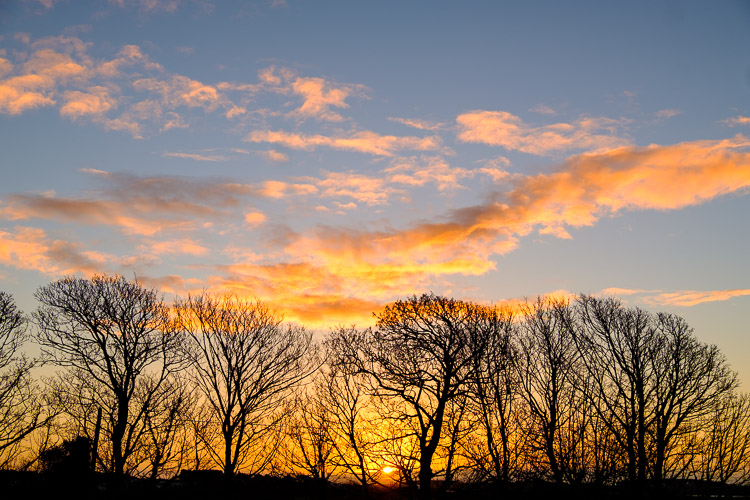
Fuji XF 18-135mm sunrise

The sunrise on New Years Day. I had no hesitation using the lens, over lenses I own already, to capture this image.

First thoughts on the Fuji XF 18-135mm lens

Straight up, I think this is a great travel lens, despite the issues with the lens that are common to most kit lenses. But, these issues are outweighed by the usefulness of this lens. The weight and size were fine in general use, and I never felt that I was being let down by the lens. When I got the lens, I did a walkabout locally where I familiarized myself with it.

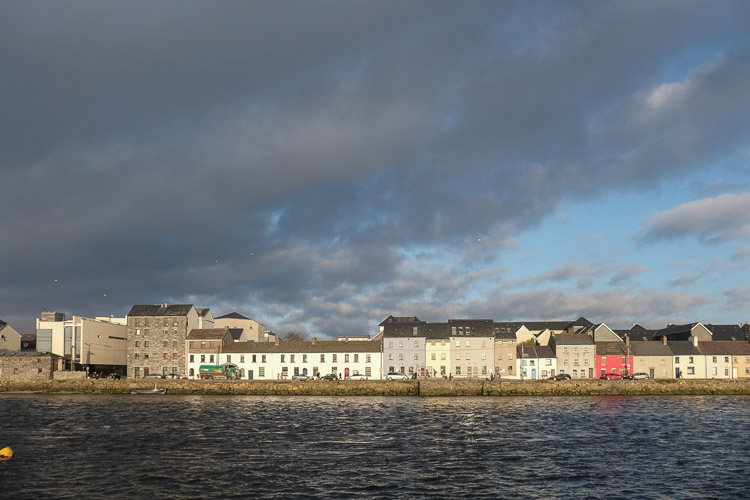
Fuji XF 18-135mm

A wide shot of Long Walk in Galway. The Museum is on the left of the shot.

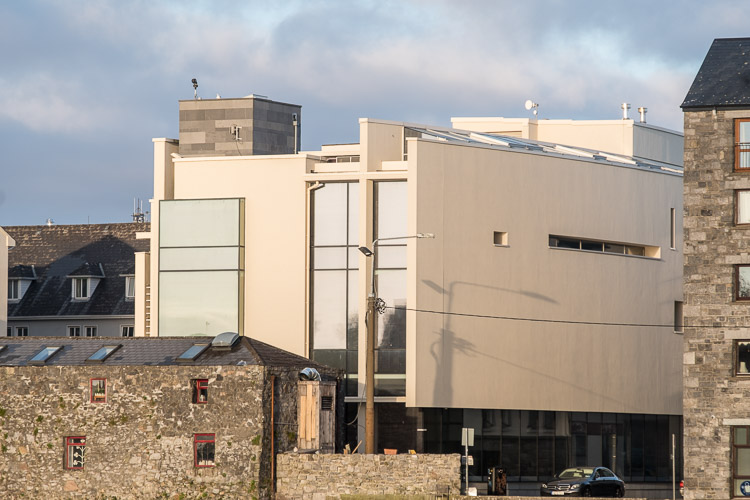
Fuji XF 18-135mm

Here’s the Museum from the same position at 135mm.

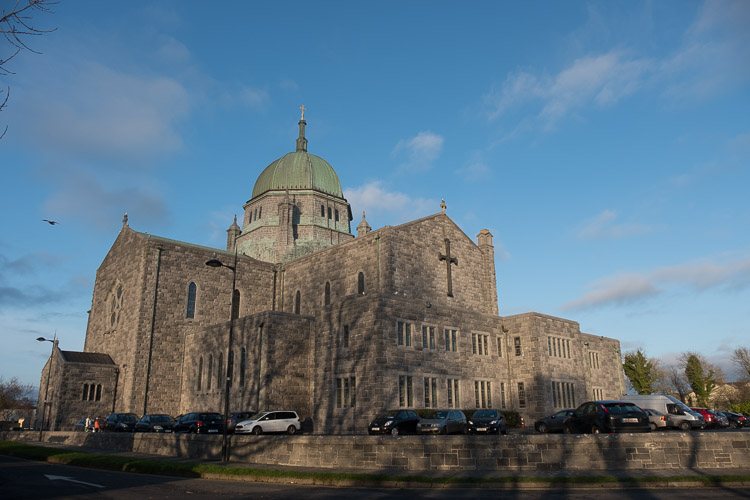
Fuji XF 18-135mm

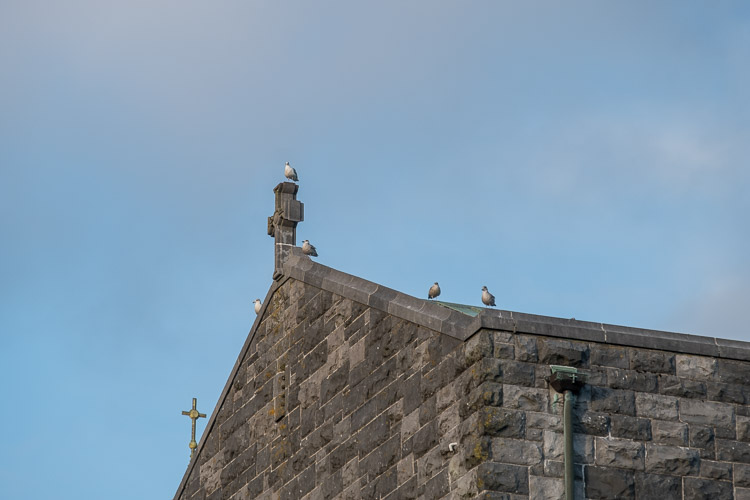
Galway Cathedral at 18mm.

Fuji XF 18-135mm

A detail shot of the roof to the left of the some at 135mm.

Fuji XF 18-135mm

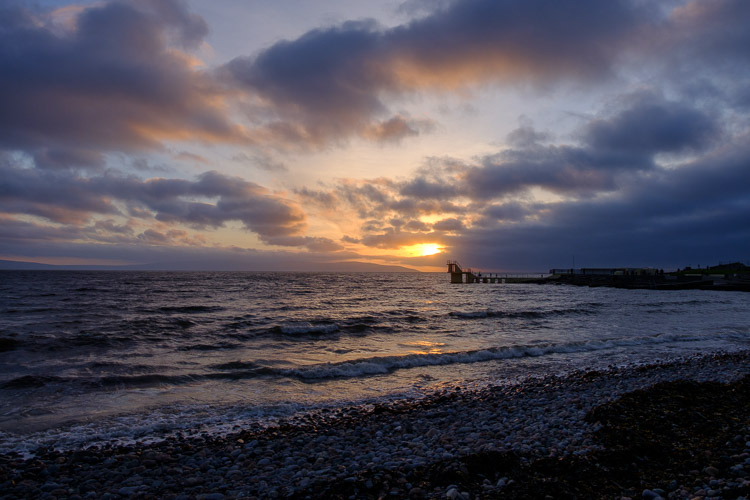
Salthill with the sun setting near Blackrock Diving Tower.

Fuji XF 18-135mm

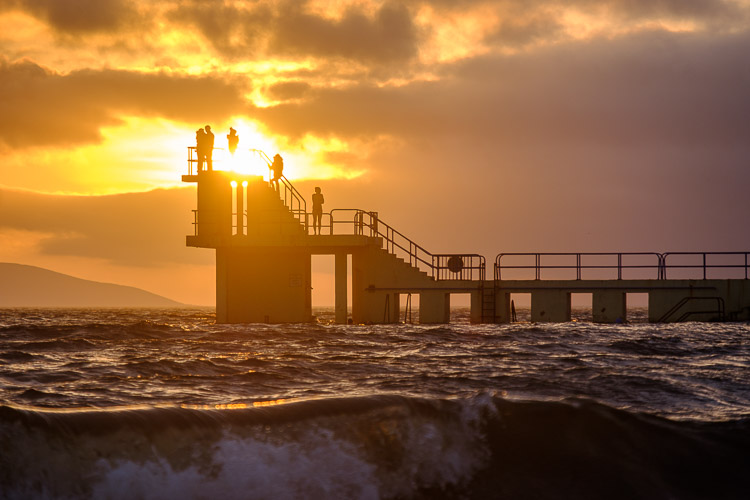
I moved slightly to frame the sun in the tower, but still roughly the same distance away, zoomed in to 135mm.

Fuji XF 18-135mm

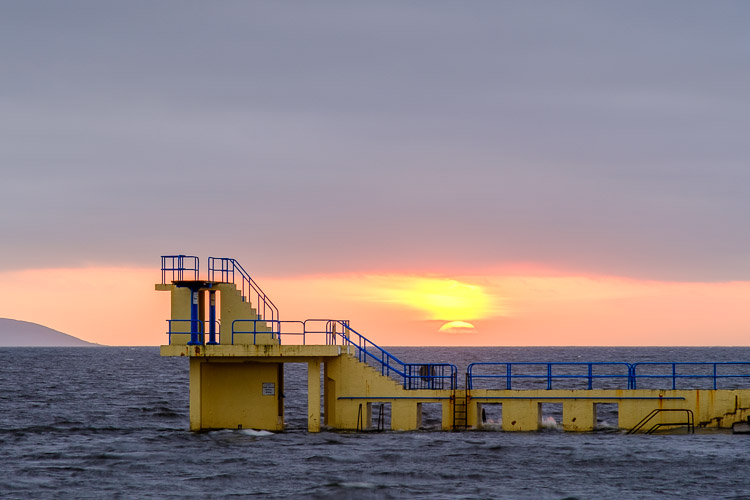
The sunset didn’t quite pan out, but I used the 135mm end of the lens to frame it with the diving tower.

Specs of the Fuji XF 18-135mm lens

The Fuji XF 18-135mm weighs 409 grams (just shy of one pound). It’s not lightweight, but it’s not heavy compared to similar lenses in this class. Aperture runs from f/3.5 at 18mm to f/5.6 at the 135mm end. The full frame equivalent is 27-200mm. I owned the Canon 28-200mm for a while and sold it because of the softness. This Fuji 18-135mm, while not as sharp as the XF 18-55mm, is not as soft as the Canon version.

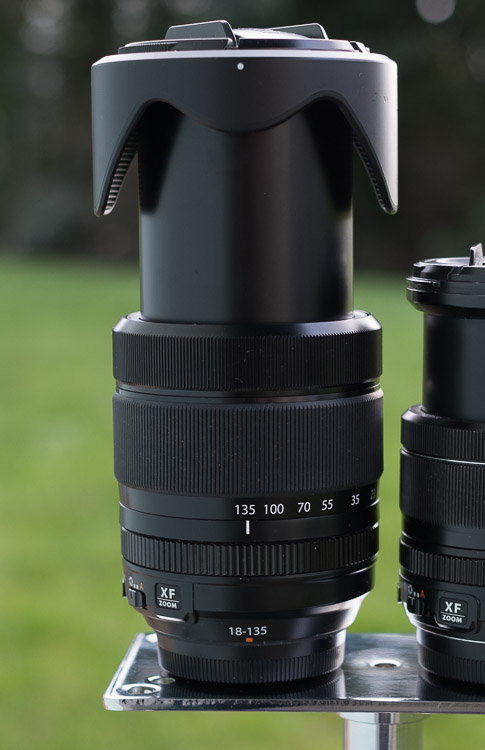
The lens extends in length as you zoom it. The lens barrel doesn’t rotate, so attached filters remain in the same relative position. It comes with a plastic lens hood, and the filter ring is 67mm. As with the 18-55mm, the lens has OIS to reduce camera shake. Fuji claims that this offers up to an impressive 5-stops of camera shake reduction. It’s in the WR (Weather Resistant) range of lenses also, meaning you can use it out in the rain, something I did when visiting London.

Fuji XF 18-135mm

Travel and the Fuji 18-135mm lens

Super zooms, by and large, make for great travel lenses. The width is usually good enough for any situation. If you need more, it’s easy to shoot two overlapping shots and create a panorama later. The longer focal length means you can easily capture street portraits or zoom in to get details. Wide shots often have to include other tourists, especially when handheld. Detail shots can give a better flavor of an attraction, and give you something not everyone else thinks to shoot. The best part? Not having to change your lens to get both shots.

The weight of the lens isn’t a cause for concern, even carrying around all day. With a small messenger bag like the Think Tank Retrospective 10, you can use the lens mounted on a Fuji X-T2, while carrying a bottle of water and all your accessories. When traveling I had this combo, a 35mm f/1.4, a flash and trigger set, along with a small shoot-through umbrella. Also in the bag were an iPad mini, a power bank, and a foldable bluetooth keyboard. I never felt like I was weighed down and was quite productive with this setup. Whenever a shot presented itself, I simply grabbed the camera and was ready to go.

London

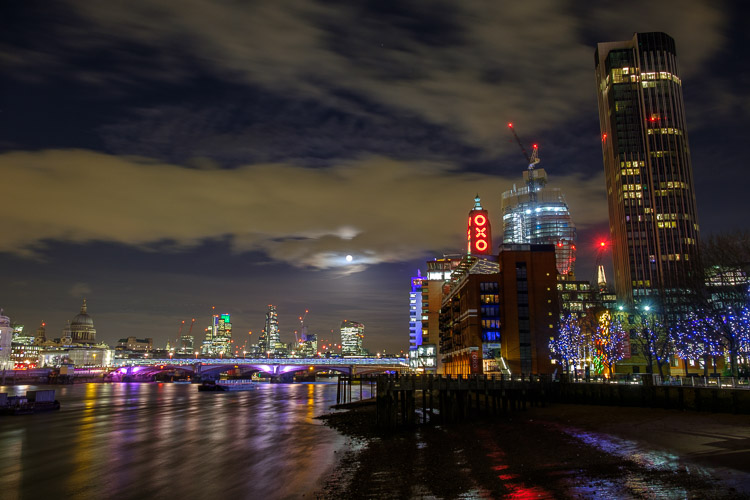
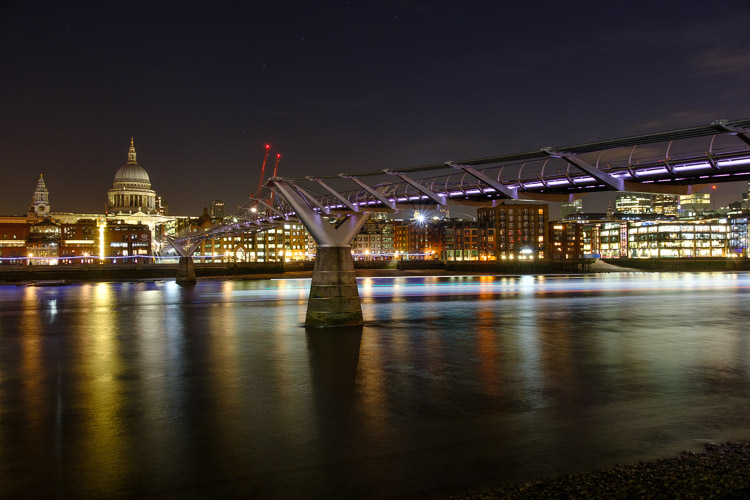
During the time I had the lens, I was at The Societies convention in London. It was a perfect chance to use the lens as a tourist. Some of the attendees organized a night shoot down by the river Thames. We walked along South Bank to the Millennium Bridge, shooting along the way.

Fuji XF 18-135mm

A shot of the London night skyline showing the OXO tower and St Pauls’ Cathedral.

Fuji XF 18-135mm

The same view at 53mm

Fuji XF 18-135mm

And again at 70mm, longer than the 18-55mm could do.

Fuji XF 18-135mm

The Millenium Bridge and St Pauls.

Fuji XF 18-135mm

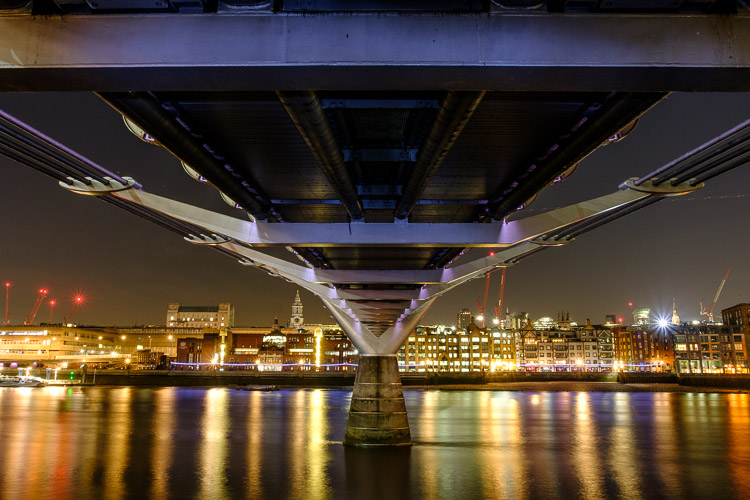
Under the Millenium Bridge I light painted the beams with a torch (flashlight) to get a little more detail into them.

Fuji XF 18-135mm

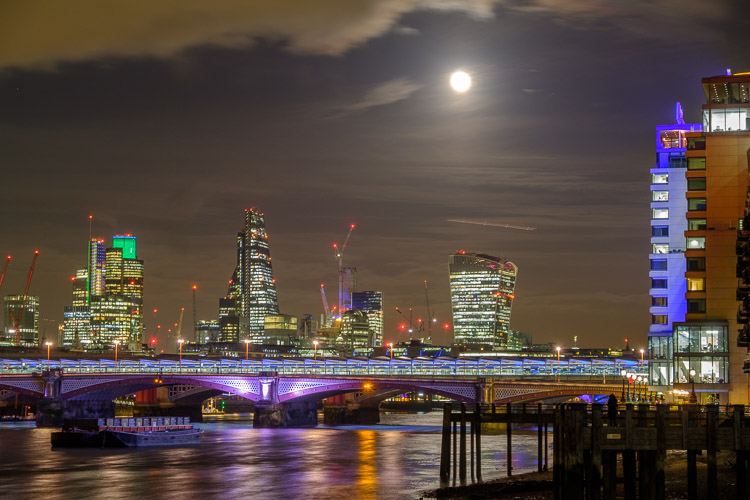
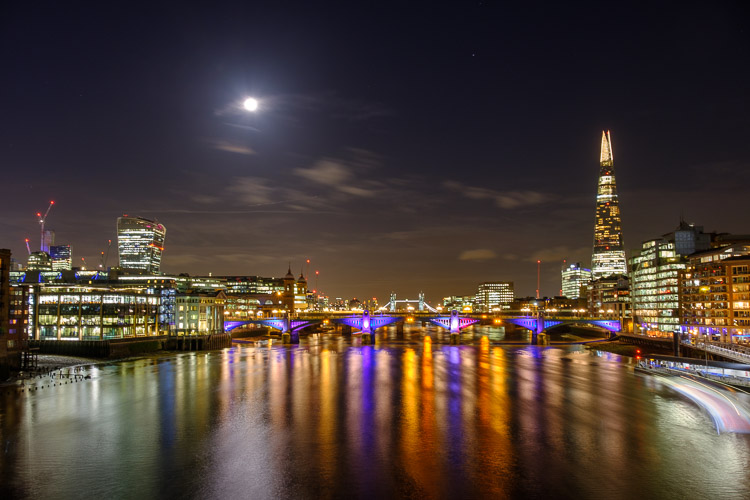
A wide view of the river showing the Moon and the Shard

Fuji XF 18-135mm

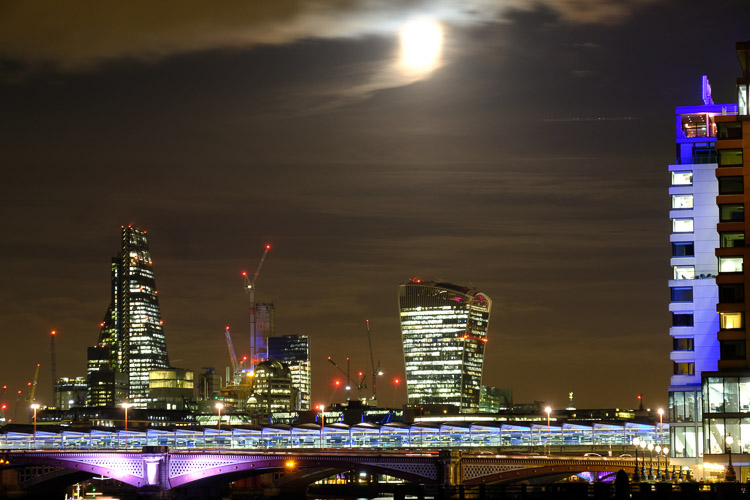
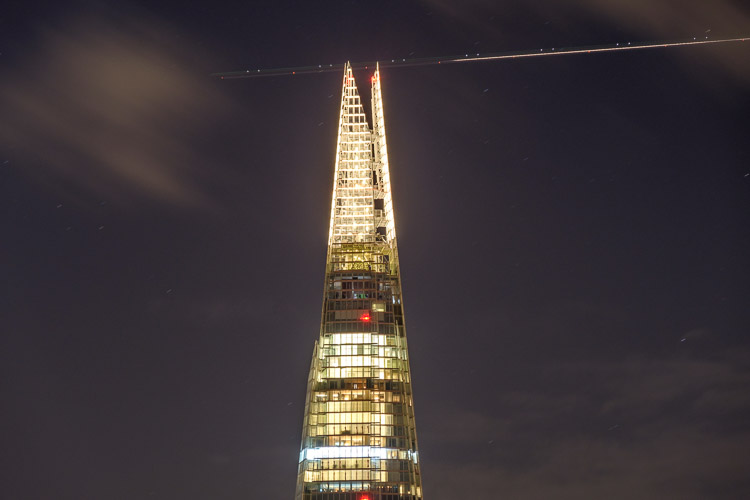
A 135mm zoomed-in view of the Shard with a plane flying past.

I also did a little walkabout the morning I was leaving. It was raining, but I kept the lens in the bag when not in use and it performed perfectly. Knowing it was weather sealed also made me more inclined to shoot in these conditions.

Fuji XF 18-135mm

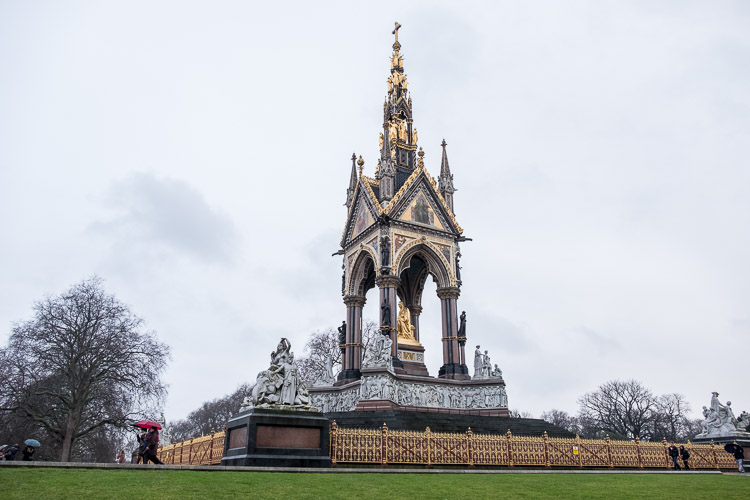
The Albert Memorial, complete with tourists.

Fuji XF 18-135mm

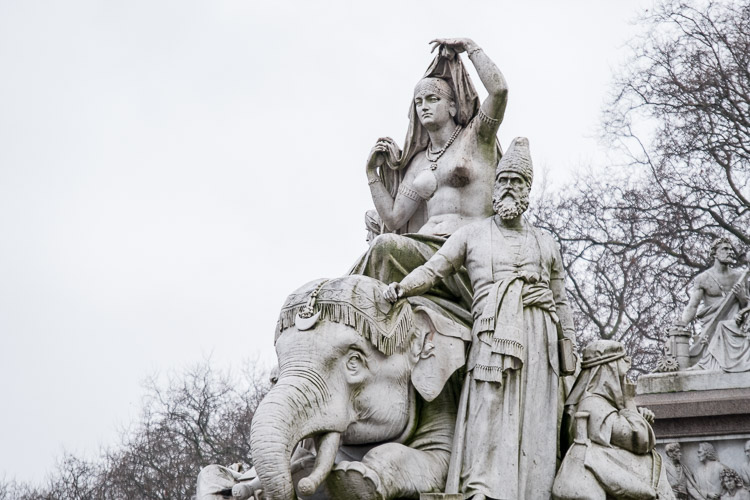
The Asia Group visible in the bottom left of the previous image at 135mm.

Fuji XF 18-135mm

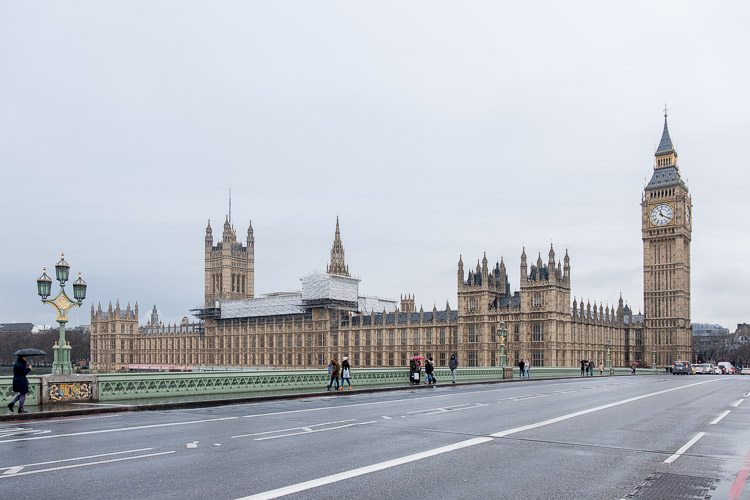
The Houses of Parliament from Westminster Bridge. Technically the bell is called Big Ben, not the clock tower.

Fuji XF 18-135mm

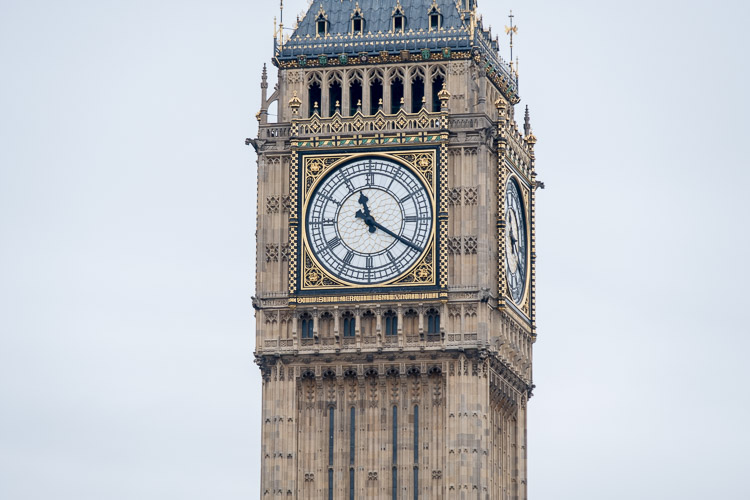
The clock tower that houses Big Ben.

People

I also made use of the lens in the studio, where it performed equally well. Shooting in studio tends to be around f/8-f/11, which is the sweet spot of most lenses. The Fuji XF 18-135mm lens didn’t disappoint.

Fuji XF 18-135mm

A model shot taken in the studio.

Issues

The main problem with the lens is that shots are a little soft. It’s simply a function of producing the zoom range to a price point. This isn’t really a problem, as the files can be sharpened in Lightroom or another raw converter as a batch process.

Versus the Fuji 18-55mm lens

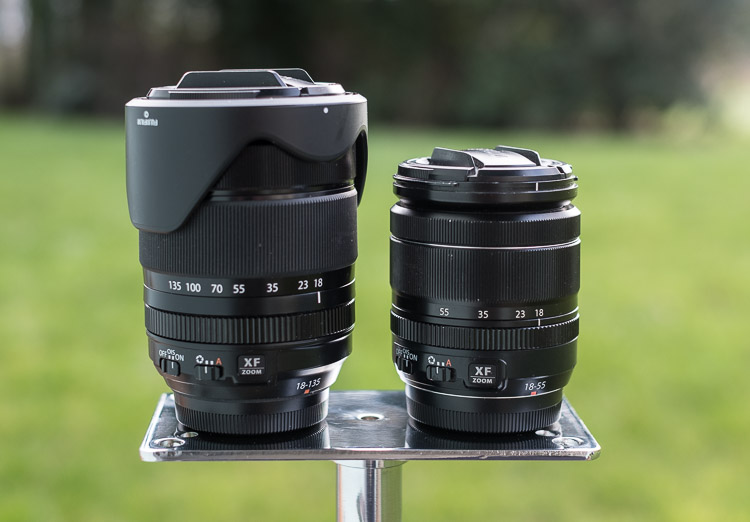
As both the 18-55mm and the 18-135mm are offered as kit lenses, you may wonder which is better for you. The 18-135mm is larger, heavier, and slower than the 18-55mm. It’s also not as sharp. If a smaller size and faster aperture are important to you, go for the 18-55mm. If you want more reach and don’t want to bring two lenses while traveling get the 18-135mm. Here’s what the two lenses look like side by side.

Fuji XF 18-135mm

The Fuji XF 18-135mm lens with the XF 18-55mm.

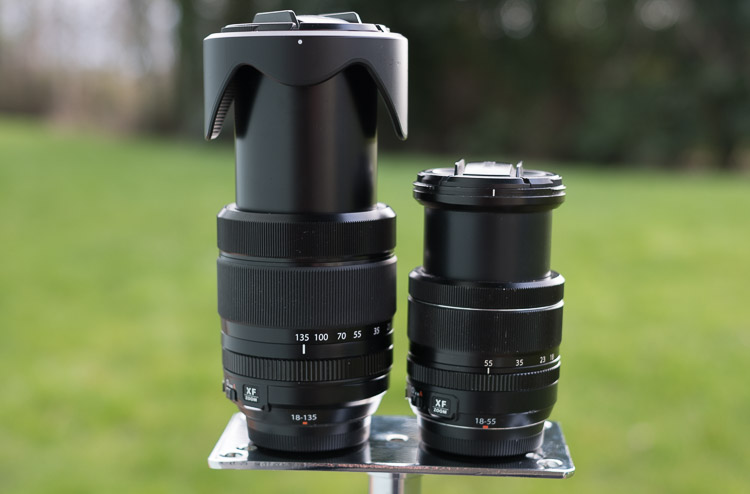
Here’s the full extension on both lenses. I had to tape the back of the 18-55mm to stop it from slipping (zoom creep) for this shot. The 18-135mm was solid the whole time.

TheFuji XF 18-135mm lens with the XF 18-55mm, both at full extension.

Verdict on the Fuji XF 18-135mm lens

This is a great travel lens that needs a little post-processing to bring out its best. Despite already owing the 18-55mm, I would consider getting this lens specifically for travel

Pros

  • Great reach (zoom or focal length range).
  • You only need one lens for travel making it really convenient.
  • It’s still compact compared to full frame equivalents, like the Canon 28-200mm or 28-135mm IS.
  • The built-in OIS (stabilization) is great for handheld shots.
  • It’s Weather Resistant.

Cons

  • It’s still heavier than the 18-55mm lens.
  • This lens is a  little softer than other Fuji lenses, especially at 135mm.
  • The edges of the frame are a little softer than the centre.

Shop for this lens on Amazon.com or on B&H Photo’s website.

googletag.cmd.push(function() {
tablet_slots.push( googletag.defineSlot( “/1005424/_dPSv4_tab-all-article-bottom_(300×250)”, [300, 250], “pb-ad-78623” ).addService( googletag.pubads() ) ); } );

googletag.cmd.push(function() {
mobile_slots.push( googletag.defineSlot( “/1005424/_dPSv4_mob-all-article-bottom_(300×250)”, [300, 250], “pb-ad-78158” ).addService( googletag.pubads() ) ); } );

The post The Fuji XF 18-135mm – a Versatile Travel Lens by Sean McCormack appeared first on Digital Photography School.


Digital Photography School

 
Comments Off on The Fuji XF 18-135mm – a Versatile Travel Lens

Posted in Photography


Sony announces compact HVL-F45RM radio-controlled flash

08 Feb

$ (document).ready(function() { SampleGalleryV2({“containerId”:”embeddedSampleGallery_0529851436″,”galleryId”:”0529851436″,”isEmbeddedWidget”:true,”standalone”:false,”selectedImageIndex”:0,”startInCommentsView”:false,”isMobile”:false}) });

Sony has announced its new HVL-F45RM external flash. This compact flash is ‘ideally suited for a7-series’ and offers a guide number of 45m (at ISO 100), 2.5 sec recharge time and the ability to take 210-shot bursts. It also has a built-in LED lamp for video recording.

The HVL-F45RM can control up to five groups of radio-controlled flashes, with a 30m range. With three flashes per group, that’s a total of 15 external strobes. It can also control three groups via ‘optical’ control. As you might have guessed, the F45RM can also serve as a receiver. 

The flash can rotate 180° in either direction and tilt up 150° and down 8°. It has an intuitive interface and a 4-way controller with customizable buttons. The F45RM is sealed against dust and moisture incursion.

The HVL-F45RM will ship this May for about $ 400 US and $ 550 CA.

Press Release

Sony Introduces 100mm F2.8 STF G Master™ with Highest Ever Quality Bokeh for an ? Lens

New Full-frame 85mm F1.8 Mid-telephoto prime lens and Compact Radio-Controlled Flash announced as well

LAS VEGAS, Feb. 7, 2017 – Sony Electronics, a worldwide leader in digital imaging and the world’s largest image sensor manufacturer, has today introduced two new lenses for their popular line of E-mount interchangeable lens cameras.

Sony’s new lenses include one of their flagship G Master Series – an FE 100mm F2.81 STF GM OSS mid- telephoto prime lens (model SEL100F28GM) built to deliver breathtaking bokeh with a unique STF™ (Smooth Trans Focus) design, and a new compact, lightweight FE 85mm F1.8 mid-telephoto prime lens (model SEL85F18) that is a welcome addition to the bag of any hobbyist or enthusiast photographer looking to create amazing portraits.

They have also introduced a new powerful, compact flash (model HVL-F45RM) with radio-controlled wireless communication that is ideal for professional shooting with Sony’s lineup of ?7 full-frame cameras.

FE 100mm F2.81 STF GM OSS Telephoto Prime Lens

A specially designed mid-telephoto, full-frame prime lens, the new 100mm STF is built to produce truly unique, magnificent and beautiful bokeh while maintaining the exceptional standard of resolution that is showcased by Sony’s entire line of flagship G Master series lenses, making it a powerful photographic tool for any portrait, fashion, nature or wedding photographer.
These impressive defocus capabilities are made possible by the lens’ advanced optical structure, as it features a newly designed 11-bladed aperture and a unique optical apodization lens element. Similar to a neutral density filter that increases in density towards the edges, the apodization element creates beautiful transitions of in-focus to out-of-focus areas within an image, making for exceptionally soft, smooth bokeh that adds depth and dimensionality. This allows the subjects to stand out against beautifully defocused elements in both the foreground and background, producing an image that is naturally pleasing to the eye. The design of the lens also ensures that vignetting is kept to an absolute minimum, ensuring optimum image quality.

Additionally, the new 100mm lens supports both contrast AF and focal-plane phase detection AF2, and has a high-precision, quiet direct drive SSM (Super Sonic Motor) system that ensures exceptionally fast and accurate AF performance. The SEL100F28GM also offers up to 0.25x close-up capabilities with a built-in macro switching ring, built-in Optical SteadyShot™ image stabilization, a customizable focus hold button, AF/MF switch, aperture ring and more. It is dust and moisture resistant as well3.

FE 85mm F1.8 Telephoto Prime Lens

The new 85mm F1.8 mid-telephoto prime lens offers an extremely versatile, lightweight and compact telephoto prime lens solution for a variety of Sony camera owners ranging from working professionals to emerging enthusiasts that have stepped up to full-frame or APS-C cameras for the first time. With its wide F1.8 aperture, it can produce impressive, exceptionally sharp portraits with soft background defocus that take advantage of its 85mm focal length and wide F1.8 maximum aperture.

The new prime lens features a 9-bladed circular aperture mechanism that ensures smooth, natural looking bokeh, and a double linear motor system to allow for fast, precise and quiet focusing. It also has a focus hold button that can be customized and assigned together with functions in the camera body like the popular Eye AF feature. There is a smooth, responsive focus ring and AF/MF switch as well, and the lens is also dust and moisture resistant3.

New Compact Radio-controlled Flash

Sony’s new HVL-F45RM flash enhances the radio-controlled lighting system capabilities of their growing system, offering a compact professional shooting solution when combined with the currently available wireless remote controller FA-WRC1M and receiver FA-WRR1.

The new flash, which is designed to complement the compact bodies of Sony’s E-mount camera lineup including full-frame ?7 models, produces a maximum lighting output as expansive as GN454. This ensures sufficient illumination even when shooting with bounce lighting or high-speed-sync (HSS) flash. The radio capabilities of the HVL-F45RM allow it to be used as a transmitter or a receiver at up to 30m (approx. 98 feet5), making it an ideal fit for creative lighting with multiple flashes. Additionally, unlike optical flash systems, radio-control flashes do not require a direct line-of-sight between components to function properly, while also minimizing any impact that bright sunlight has on signal transmission and control.

The HVL-F45RM flash has an impressive battery life of up to 210 bursts, and can tilt up to 150o vertically, a complete 360o horizontally and up to 8o downward to maximize versatility. Usability has been maximized with a new large, bright and highly visible LCD display, an LED light, dust and moisture resistant design3 and a revamped menu system that mimics those of Sony’s newest camera systems.

Pricing and Availability

Both of the new lenses and the new flash unit will ship to authorized dealers throughout North America.

The new FE 100mm F2.8 STF OSS GM Telephoto Prime Lens will ship this March for about $ 1,500 US and $ 2,050 CA.

The new FE 85mm F1.8 Mid-Telephoto Prime Lens will ship this March for about $ 600 US and $ 800 CA.

Replacement lens hoods for each of the new models will also be available for purchase as well.

The new HVL-F45RM flash will ship this May for about $ 400 US and $ 550 CA.

1. T-number (T) =5.6
2. With compatible ?camera bodies. Please visit Sony support webpages for details.
3. Not guaranteed to be 100% dust and moisture proof.
4. Guide Number (GN) 45 (105mm, in meters at ISO 100)
5. Sony internal measurement

Articles: Digital Photography Review (dpreview.com)

 
Comments Off on Sony announces compact HVL-F45RM radio-controlled flash

Posted in Uncategorized


Moment rolls out Kickstarter for redesigned lens and new cases for iPhone 7 / 7 Plus

08 Feb

$ (document).ready(function() { SampleGalleryV2({“containerId”:”embeddedSampleGallery_5370414927″,”galleryId”:”5370414927″,”isEmbeddedWidget”:true,”standalone”:false,”selectedImageIndex”:0,”startInCommentsView”:false,”isMobile”:false}) });

Mobile photo accessory provider Moment is introducing two iPhone 7 / 7 Plus cases via Kickstarter: a battery case for storing extra charge, and a standard case. Both cases are compatible with a new wide-angle attachment lens designed specially for the 7 and 7 Plus.

The Battery Photo Case offers a two-stage shutter release button. When used with Moment’s camera app a half-press will acquire focus. Apple’s stock camera app will only recognize a full press and shoot accordingly. The case does not use Bluetooth to communicate with the phone, unlike previous Moment cases. Instead, it uses the Lightning connector, which the company says is 75% faster.

Moment’s new Photo Case is a cheaper alternative without the shutter button or backup battery. It’s slim and offers basic protection from wear-and-tear, and offers an attachment for a wrist strap.

Both cases provide a mount for the new Wide Lens (as well as an adapter for existing Moment lenses), which can be positioned over the phone’s wide and telephoto lenses. Moment says the lens has been re-designed considering the iPhone 7 and 7 Plus’ wider aperture lenses. The slightly larger lens is also lens prone to vignetting cause by misalignment. 

Planned MSRP for the Wide Lens is $ 100, the Photo Case is $ 30 and the Battery Photo Case is $ 100. The company is well on its way to its $ 500,000 Kickstarter goal, and is offering discounts to early backers. As with any Kickstarter project things might go awry, but if all goes to plan Moment will ship the new cases and lenses starting the end of May.

Articles: Digital Photography Review (dpreview.com)

 
Comments Off on Moment rolls out Kickstarter for redesigned lens and new cases for iPhone 7 / 7 Plus

Posted in Uncategorized


Sony shows off 3-layer stacked smartphone image sensor that can shoot 1000 fps at 1080p

08 Feb

Sony has today announced the development of a 3-layer stacked CMOS image sensor with DRAM for smartphones, making it possible to capture video at 1000 fps. The new chip comes with a DRAM layer in addition to the conventional 2-layer stacked CMOS structure with a back-illuminated layer of photo-sites and a circuit layer for signal processing. The DRAM acts as a temporary buffer for image data that is recorded at very high speeds, before it is put out at normal speed to a conventional image signal processor.

The new design results in very fast readout speeds of 1/120sec for a 19.3 MP image which is approximately 4x faster than conventional chips. Due to the reduction of time it takes to read each line of pixels, the so-called Jello-effect, which occurs when shooting fast-moving subjects on cameras without mechanical shutter, has been greatly reduced.  

The sensor has also been designed to keep noise generated between the circuits on each of the three layers at a minimum. Given the technology is currently still in development stage, there is no way of knowing when it will appear in any production devices. That said, looking at the quite impressive slow-motion footage in the sample video reel below, we sincerely hope it won’t be too long. 

Articles: Digital Photography Review (dpreview.com)

 
Comments Off on Sony shows off 3-layer stacked smartphone image sensor that can shoot 1000 fps at 1080p

Posted in Uncategorized