RSS
 

Archive for September, 2016

10 Tips to Help You Create Unique Storytelling People Photos

16 Sep

storytelling with photos leadFor most of us, the joy of photography goes beyond taking a great image, to being able to share our pictures and experiences with our friends and family. To do storytelling with images.

How many times have you been traveling and come across someone interesting that you wanted to share with your family? Did asking for permission hold you back? Did you get a photo or series of photos that really tell the story? Were your photographs different and did each add a new perspective?

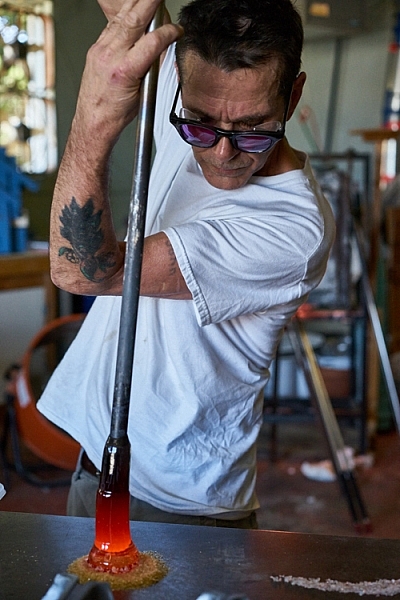
The following tips will walk you through a real-life example of how I shot a glassblower in his shop and created a series of unique photos to tell his story.

#1 – Get clear on your goals for the shoot

Something attracted you to this person or situation. What peaked your interest? Do you like the subject’s purple hair? Do you love photographing people having fun? Do you want to try to capture the beautiful light on someone’s face? Or perhaps you love dance and would like to capture a dancer in a beautiful portrait?

Here are my thoughts on the glassblower. What I wanted to photograph, what I wanted to do and why I wanted to do it.

Why I wanted to photograph the glassblower:

I have been a Canon user for a long time and Sony lent me one of their new cameras and two lenses (50mm and a 90mm) for a trial run. I had already spent some time playing with the camera by photographing squirrels and I was ready to try something with a little bit more potential.

storytelling with photographs

While on vacation in a small beach town, I noticed a small shop run by a local glass blower. He made beautiful glass as well as offered lessons to tourists. I liked the idea of photographing the glass blower for several reasons:

  • He makes beautiful art.
  • The workshop is interesting with a lot of picture possibilities.
  • I could shoot available light in his workshop.
  • He was there all day doing interesting things which means I had a lot of time to shoot.
  • He seemed very proud of his work.
  • He seemed to have an extroverted personality and a sense of showmanship.

What I wanted to do:

I wanted to be able to photograph him as he worked and interacted with others.

My most important goal was to have the opportunity to shoot something pretty simple as I learned to drive this new camera. I liked this situation because I could shoot available light and there was enough action and movement that I could test out the different autofocus settings as well as the creative features of the camera.

I also wanted to be able to shoot, leave to download my images, and come back to the same situation later to tweak my approach. I had found my subject, I just needed to get permission.

storytelling with photos

#2 – Be honest about what you want and don’t be afraid, just ask!

A lot of photographers are shy about asking friends, relatives, and strangers if they can take their photo. Asking is easy if you are honest, sincere, and you know why you want to photograph the person.

The truth is, some people hate to have their photo taken and so be prepared for a no. If someone shies away from the idea, perhaps they require more convincing. Some people actually enjoy being persuaded, so push gently after the first no. There could be a yes hiding behind a little bit of shyness.

And, if you get a no, remember that it’s never personal. Some people are just going to say no. Sometimes the person being asked has no idea why anyone would want to photograph them. They are afraid you are going to make them look dumb and they can’t imagine why anyone would want to take their photograph. That is why step #1 is important.

storytellings with photographs

Before you ask permission, get clear on what you want so you can explain it and overcome any objections. Yes, it’s partly sales, but if you are sincere and enthused and truly want to photograph them, most of the time they will feel flattered and say yes.

How I approached the glassblower

When I approached John to ask him if I could photograph him, I had my camera over my shoulder. I told him his work was beautiful and I’d love to take some photographs. He beamed. He loved the attention.

Note: I didn’t run into the shop taking pictures without permission. I intentionally had my camera, though, so he knew from the start that I was interested in taking photographs. Having your camera on your shoulder, hanging loosely is non-threatening. If he had an aversion to having his picture taken, he would have felt much more relaxed than if I had put a camera in his face. This isn’t paparazzi. It’s about connecting with someone you want to spend some time with.

I told him the truth. That I was in town visiting and I wanted to learn how to use this new camera. I smiled and told him I had already photographed every squirrel in town and was ready to shoot some people. He laughed.

telling stories with photographs

Being able to put people at ease is a great step toward getting a yes. I find it easier to connect with people as a student than a professional. When I approach people as a professional they put up more of a front. When I’m just trying to learn my camera, the pressure is off the subject to do or be anything.

If you are looking for great vacation photos and stories to share with your friends and family, say so. Imagine if a traveler approached you, said you looked amazing and would love to show people back home what people here looked like? You’d be flattered! Of course!

I also explained that I was testing the camera and I might shoot for awhile, go look at pictures, then come back again to shoot some more. Would that be okay? He got excited over the attention and immediately started to share photos another photographer had taken. He loved the idea of being photographed and I had a subject.

#3 – Be considerate

You are shooting in someone else’s home, yard, or business, so be courteous. If a customer comes in, the customer comes first. Always take the back seat. It’s a privilege when someone allows you to take their photo. Remember that and you will always be welcome.
telling stories with photos

#4 – Tell your subject to pretend you aren’t even there

First of all, you will get better pictures and expressions if your subject keeps busy doing what they love. You can watch how they do it and begin to anticipate their next move. Secondly, especially if you are working in a place of business, you don’t want to distract them from their livelihood. If you do, they will grow impatient and suggest the session is over.

I often get close to shoot and then back away for awhile. It relaxes the subject and keeps them off guard. It truly allows them to forget about me and get into their zone.

how to tell stories with photographs

#5 – Really work the situation

Create a variety of shots, with the goal that each shot adds a different element or idea to the story. Walk around, shoot high and low, and use a variety of lenses. Work on cleaning up the background and capturing great expressions. Look for opportunities and unique ways of showing it. Experiment. Have fun. Get creative.

telling stories with photographs

#6 – Shoot portraits

Look for different expressions, light, and angles. Shoot tight and shoot loose. Include the environment in some shots. Work on taking candids as well as photos with the subject looking at the camera. I loved the light on John’s face when he was looking at the fire and how it reflected in his glasses.

telling stories with photographs

Remember, variety is the key. Notice how many different expressions John has in the different photos in this article. Each expression helps to add an element to the story.

telling stories with photographs

#7 – Shoot action shots

Tell the story of what the person does. Try shooting the same activity in different ways.

telling stories with photos telling stories with photographs

#8 – Shoot close-ups and details

telling stories with photos telling stories with photographs

#9 – Shoot hands

telling stories with photographs

#10 – Photograph relationships

Try to capture the relationship your subject has with other people. In these photos, a tourist stopped by to blow his own piece of glass.

telling stories with photographs telling stories with photos

You now have the tools to approach strangers to ask them if you can spend time with them taking pictures. These rules apply to every situation, whether it’s a musician in the street, your child’s ballet class, or a homeless person. Remember to know your intention and be honest with the subject. Sincerity has opened many, many doors for me.

Once you are inside the door, really work your subject to tell the story. Try different angles and remember to shoot close as well as far away. Shoot portraits, close-up shots, focus on recording what the subject is doing, as well as their relationships.

What story would you love to shoot? Do you know a musician in your neighborhood or a craftsperson? Share your thoughts below, go out and shoot and then share your images in the comments below.

googletag.cmd.push(function() {
tablet_slots.push( googletag.defineSlot( “/1005424/_dPSv4_tab-all-article-bottom_(300×250)”, [300, 250], “pb-ad-78623” ).addService( googletag.pubads() ) ); } );

googletag.cmd.push(function() {
mobile_slots.push( googletag.defineSlot( “/1005424/_dPSv4_mob-all-article-bottom_(300×250)”, [300, 250], “pb-ad-78158” ).addService( googletag.pubads() ) ); } );

The post 10 Tips to Help You Create Unique Storytelling People Photos by Vickie Lewis appeared first on Digital Photography School.
Digital Photography School

 
Comments Off on 10 Tips to Help You Create Unique Storytelling People Photos

Posted in Photography


How to Get Started Making Extra Money with Your Nature Photography

16 Sep

Photography is expensive, there’s no doubt about that. Nature photographers have it bad, though, especially if you’re buying long telephoto lenses for wildlife. The Canon 200-400mm lens will set you back $ 11,000 – ouch. So it’s no wonder that many people want to make it in photography and start monetising their work. But can you make money with your nature photography?

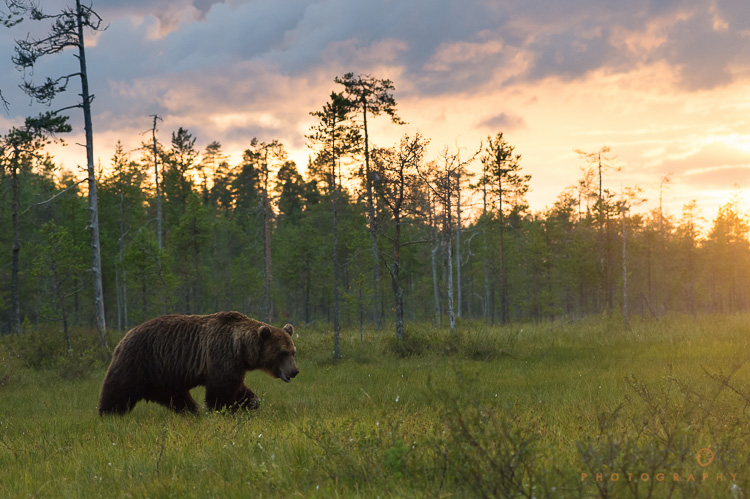
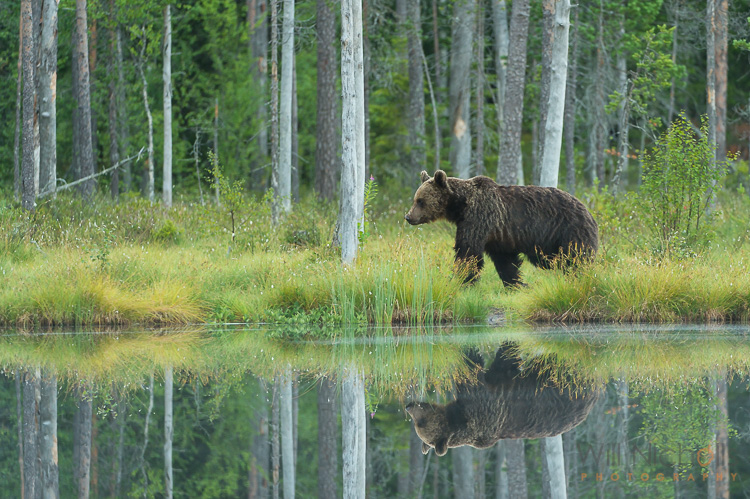
Brown Bear at Sunset

Making money from your photography isn’t easy, and it doesn’t get any easier as a nature photographer either. There’s less demand, and more people doing it. That means increased competition for a smaller slice of the pie. If you want to make money from your nature photos, then you must realize that it’s not easy by any means – but it’s also not impossible.

I’ve been working as a professional nature photographer for about six years now. What I’ve learned over my relatively short career so far is that you need to think outside the box to stay ahead of the competition. A bit of a cliché statement maybe, but one that you’ll have to embrace – especially if you want to be a full-time photographer.

But you’re probably reading this wondering how you can make a bit of extra cash from your photos on the side, rather than an entire life-altering career move. Well, that I can help you with! Let’s take a look at some of the main ways you can start to make money with your nature photography.

Prints and Other Products

The first print I ever sold was in 2008. That’s eight years ago now, and I’ve been doing it ever since. To the surprise of some, people do buy photographs to hang on their walls. This isn’t a space reserved solely for paintings.

Personally, I have my photos printed and framed myself, but you can have this process automated by dedicated web hosts. Zenfolio is a popular choice amongst photographers for a website, and they offer the ability to have orders automatically fulfilled by printing labs. This means you can sit back and relax, selling prints from your website.

Brown Bear

Beauty and picturesque scenes sell better as prints, rather than action-packed shots.

It’s not just online though. You can sell prints in the real world too! Head to a market or trade show, set up a stall and get selling. It’s great fun talking to customers about your work and to sell your photos this way. Doing just a couple of shows a year can buy you a new camera or lens, so that’s something to think about.

What sells best? Well, I find the more traditional wildlife photography like; clean bokeh shots, cute animals, or dramatic scenes. You’re looking for something that someone will want to look at over and over again. After all, when was the last time you moved a framed picture in your house? They stay up for a long time.

Workshops

If you really know your way around your camera and can take a decent photograph, then this is something you could consider. Day workshops offer clients tuition in photography, let them know your secrets and just help them to take a better photo and understand their equipment. It’s a popular move amongst photographers nowadays, and almost everyone trying to make a living out of nature photography is offering workshops.

wildlife-photography

The best thing about it is that you can set your own hours and choose when you work. You can fit sessions in on the weekend around your full-time job, and have a little extra money coming in on the side. All of this helps to take the sting out the costs of new photography kit.

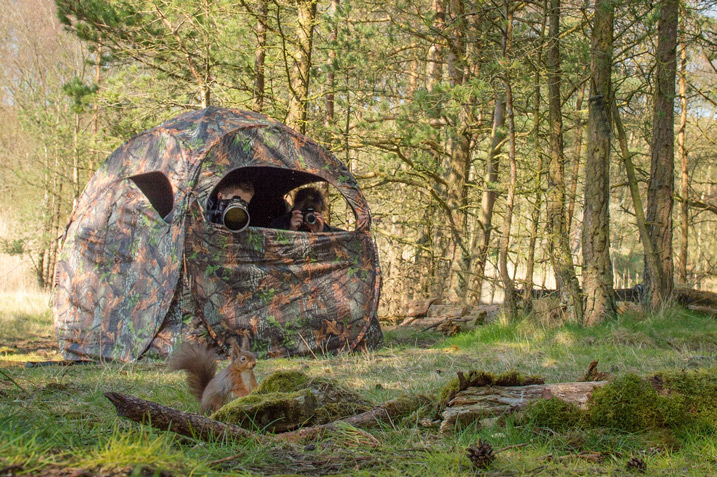
There are different types of workshops you can offer. Some photographers partake in one-to-one guiding days, showing clients different locations for landscapes or wildlife sightings while imparting photographic knowledge. Others may rent out a blind they have built to view a particular animal (see image above), something that is often in high demand by those who don’t have the time to create such possibilities themselves.

Sell Stock Images

The stock photography industry is depleting day by day, unfortunately. It used to be the case that you could make a five-figure salary, or more, from stock photography alone. Maybe not just as a nature photographer, but you could definitely make big bucks in comparison to nowadays.

nature-photography-money

But with the rise of microstock, photographers are seeing their earnings decrease. On top of that, many stock websites are taking increased percentages as a commission, leaving photographers with little left of the few sales they may still make.

Despite that bleak picture, there are specialist nature photography stock agencies you can submit to. The likes of Nature Picture Library still sell well, at least in the UK, and photographers are able to make a decent income from them. However, they are very selective about who they work with – you need something unique in your portfolio to be accepted.

Selling to Publications

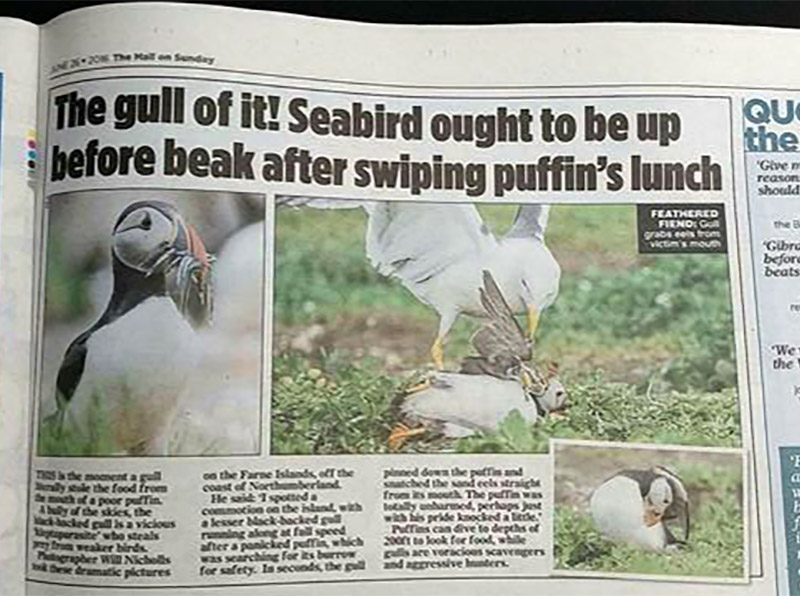
This is where there is definitely still money. Selling images to newspapers or magazines can be pretty lucrative indeed – the trick is making it a regular gig. Publications are often looking to buy not just one photo, but a sequence of photos that tell a story. That’s where your best chance to get published sits.

Selling to newspapers and other publications can be a good source of income.

Selling to newspapers and other publications can be a good source of income.

Working with a press agency to get your photos syndicated and in front of the right people is the best way to go about it. While you can contact publications yourself, you’re likely to be ignored and if your photos are used you may have to spend months chasing them for payment. Press agents take the stress out of it. There are plenty around the world, and they’ll take a commission (usually 40-50%) of the sale price for their services. I work with

Press agents take the stress out of it. There are plenty around the world, and they’ll take a commission (usually 40-50%) of the sale price for their services. I work with REX Features, but there are plenty out there such as Caters News and Associated Press. If you think you have a good, fresh sequence of images then send some low-resolution copies over and you’ll soon find out if they are sellable or not.

nature-photography-money

In Conclusion

Here are just some ways that you can make money as a nature photographer. It takes work and dedication, especially if you want to make it a full-time job. It’s definitely not the path everyone will be able to take. But, there’s no harm in trying to make a bit of extra money at first and seeing where it takes you. You just have to take that first step.

googletag.cmd.push(function() {
tablet_slots.push( googletag.defineSlot( “/1005424/_dPSv4_tab-all-article-bottom_(300×250)”, [300, 250], “pb-ad-78623” ).addService( googletag.pubads() ) ); } );

googletag.cmd.push(function() {
mobile_slots.push( googletag.defineSlot( “/1005424/_dPSv4_mob-all-article-bottom_(300×250)”, [300, 250], “pb-ad-78158” ).addService( googletag.pubads() ) ); } );

The post How to Get Started Making Extra Money with Your Nature Photography by Will Nicholls appeared first on Digital Photography School.


Digital Photography School

 
Comments Off on How to Get Started Making Extra Money with Your Nature Photography

Posted in Photography


Art Exhibitionism: Neighbors Threaten Lawsuit Over Museum Voyeurs

15 Sep

[ By WebUrbanist in Destinations & Sights & Travel. ]

room-with-a-view-644x460

Visitors to the new panoramic rooftop deck of the Tate Modern are being told not to take pictures … and not just of artwork on display inside the galleries: voyeuristic snapshots inside neighboring apartments are now off-limits as well.

The neighborhood Neo Bankside apartments have threatened to sue the institution over this addition, an extension to the Tate designed by Herzog & de Meuron that opened earlier this summer. The problem: people are shooting zoomed-in photographs from the viewing platform then posting them online, exposing living rooms and bedrooms behind floor-to-ceiling and wall-to-wall glass facades.

tate extension

London politician Adele Morris calls it a “tricky situation” and notes that “residents were very distressed to suddenly discover they had no privacy at all in their homes. Nobody had anticipated that people would literally be hanging over the balcony and taking photographs of their rooms and then posting them on the internet.”

Architectural responsibility aside, solutions have been proposed to the situation. For the Tate, ideas like closing the deck or installing a screen of plants on it have been considered. On the Neo side, a film could be applied to the glass to deflect gawkers.

tate photo copy

One resident described the experience as “terribly intrusive” and said “I bought this apartment because of the view but now I have to keep my blinds down whenever the platform is open, otherwise you get people waving at you.If I had known what it would be like, I would never have bought a flat here. Now I think I would struggle to sell it.”

tate viewing platform

Of course, there is arguably a ‘buyer beware’ component to this fiasco – living in an urban condo with extensive glass (particularly in a vertically-growing city like London) means making certain concessions to privacy. Those who live in glass houses may need to be aware of the risks they are taking – having a room with a view means that people can probably view you, too. Meanwhile, the Tate defends the design.

tate privacy

“The viewing level is an intrinsic part of the free public offer of the new building, providing a 360-degree experience that is virtually unique to London,” said representatives of the museum in a statement. Realistically, if someone can sue over viewers in this case and place, it also opens the door to lawsuits between basically any set of urban buildings.

“Since the very first plans were drawn up in 2006 we have been through an extensive consultation and planning process, and have maintained an ongoing dialogue with local residents. At no point during this process were any concerns raised regarding the viewing platform. There is signage encouraging the public and visitors to use it respectfully and responsibly” (Instagram images by refik, ellarog and karen_1605).

Share on Facebook


[ By WebUrbanist in Destinations & Sights & Travel. ]

[ WebUrbanist | Archives | Galleries | Privacy | TOS ]


WebUrbanist

 
Comments Off on Art Exhibitionism: Neighbors Threaten Lawsuit Over Museum Voyeurs

Posted in Creativity


Canon announces EF-M 18-150mm F3.5-6.3 STM and EF 70-300 F4-5.6 IS II USM lenses

15 Sep

$ (document).ready(function() { SampleGalleryV2({“containerId”:”embeddedSampleGallery_3481425463″,”galleryId”:”3481425463″,”isEmbeddedWidget”:true,”standalone”:false,”selectedImageIndex”:0,”startInCommentsView”:false,”isMobile”:false}) });

Canon has announced two new lenses ahead of Photokina, unveiling an updated EF 70-300mm with an LCD panel and a versatile EF-M 18-150mm for its mirrorless line.

The EF 70-300mm F4.5-5.6 IS II USM updates a lens from 2005 with a Nano USM motor, offering USM motor focusing for stills and a quieter STM stepping motor for video AF. It’s the second Canon lens to offer this type of motor; the first was the 18-135mm F3.5-5.6 IS USM introduced in February.

The 70-300mm II’s information panel can be used to display focusing distance, focal length and ‘shake amount’. The lens claims four stops of shake correction, uses one UD element to reduce chromatic aberration and offers a close focusing distance of about 1.2m/4ft.

The EF-M 18-150mm F3.5-6.3 IS brings a 29-140mm equivalent zoom to Canon’s mirrorless system. Its image stabilization also claims 4 stops of shake correction.

The Canon EF 70-300mm F4.5-5.6 IS II USM will go on sale in November for $ 550. The Canon EF-M 18-150mm F3.5-6.3 IS STM will sell for $ 500 in December in graphite and silver.

Press release

CAPTURE HIGH-QUALITY ACTION SHOTS AND VIDEO FROM AFAR WITH THE NEW CANON EF 70-300mm f/4.5-5.6 IS II USM lens

Affordable Lens Features NANO USM Technology, Enhanced Image Stabilizer and Information Display

MELVILLE, N.Y., September 15, 2016 – Having the right tool for the job has long been the mantra for professional photographers and hobbyists alike. Canon’s wide array of lenses provide users with a variety of creative options to help capture dynamic photos and videos with their DSLR cameras. Canon U.S.A., Inc., a leader in digital imaging solutions, announced today the new Canon EF 70-300mm f/4.5-5.6 IS II USM lens featuring NANO USM technology for high-speed and near-silent focusing in both still and video modes. The lens also features a new LCD information display and four-stop* image stabilization.

“To help photographers that are striving to create the most amazing pictures and videos possible, Canon is dedicated to developing the best tools to help them with their goal,” said Yuichi Ishizuka, president and COO, Canon U.S.A., Inc. “Having this new EF 70-300mm f/4.5-5.6 IS II USM lens in a photographer’s camera bag will surely help them achieve their creative vision.”

Designed with the user in mind, this affordable new lens includes technology to spark creativity and deliver excellent image and video quality from afar. This is the second Canon lens equipped with NANO USM technology, a focusing motor that combines the benefits of a ring USM (ultrasonic motor) for high-speed AF during still photo shooting and lead-screw type STM (stepping motor) for smooth and quiet video autofocusing (AF)

Features for the Canon EF 70-300mm f/4.5-5.6 IS II USM lens include:

  • High-speed autofocus for shooting stills and smooth, near-silent autofocus when shooting video is achieved by incorporating NANO USM technology.
  • New Lens Information Display shows focusing distance, focal length and shake amount.
  • One UD Lens helps reduce chromatic aberration and delivers outstanding high resolution and high-contrast results.
  • Image Stabilizer effect at up-to-4* stops of shake correction helps capture sharp images.
  • Circular aperture (9 blades) helps deliver beautiful, soft backgrounds.
  • Full-time manual focus allows manual focus adjustment while in AF Mode.

The Canon EF 70-300mm F/4.5-5.6 IS II USM lens is scheduled to be available in November 2016, for an estimated retail price of $ 549.99**. For more information: http://www.usa.canon.com/

* Based on CIPA (Camera & Imaging Products Association) standards. Testing performed using the EOS-1D X digital SLR camera at a focal length of 300mm.

** Availability, specifications and price are subject to change without notice. Actual prices are set by individual dealers and may vary.

Key Features of the Canon EF-M 18-150mm f/3.5-6.3 IS STM Lens Include:

  • Canon’s first EF-M high-zoom power lens covering a broad range of shooting scenes with a high-zoom ratio of up to 8.3x (29–240mm equivalent).
  • Compact and lightweight design allows for easy portability.
  • Optical design helps provide excellent image quality across a broad zoom range comparable to the EF-S 18–135mm f/3.5–5.6 IS USM lens.
  • Maximum magnification of 0.31x at focal length 150mm.
  • Image Stabilizer effect at up to 4 stops of shake correction helps capture sharp images.

Canon EF 70-300 F4-5.6 IS II USM / EF-M 18-150mm F3.5-6.3 IS STM specifications

  Canon EF 70-300 F4-5.6 IS II USM Canon EF-M 18-150mm F3.5-6.3 IS STM
Principal specifications
Lens type Zoom lens
Max Format size 35mm FF APS-C / DX
Focal length 70–300 mm 18–150 mm
Image stabilization Yes (4 stops)
Lens mount Canon EF Canon EF-M
Aperture
Maximum aperture F4–5.6 F3.5–6.3
Minimum aperture F32–45 F22–40
Aperture ring No
Number of diaphragm blades 9 7
Optics
Elements 17
Groups 12 13
Special elements / coatings UD element 2 aspherical + 1 UD element
Focus
Minimum focus 1.20 m (47.24) 0.25 m (9.84)
Maximum magnification 0.25× 0.31×
Autofocus Yes
Motor type Nano ultrasonic Stepper motor
Full time manual Yes
Focus method Rear
Focus notes Nano USM motor combines best of STM and ring-type USM
Distance scale No
DoF scale No
Physical
Weight 710 g (1.57 lb) 300 g (0.66 lb)
Diameter 80 mm (3.15) 61 mm (2.4)
Length 146 mm (5.75) 87 mm (3.43)
Sealing No
Colour Black Graphite or silver
Zoom method Rotary (extending)
Power zoom No
Zoom lock Yes No
Filter thread 67.0 mm 55.0 mm
Hood supplied No
Tripod collar No
Other
Notes Lens Information Display shows focusing distance, focal length and shake amount.

Articles: Digital Photography Review (dpreview.com)

 
Comments Off on Canon announces EF-M 18-150mm F3.5-6.3 STM and EF 70-300 F4-5.6 IS II USM lenses

Posted in Uncategorized


Canon EOS M5 elevates enthusiast appeal with 24MP Dual Pixel AF sensor and built-in EVF

15 Sep

$ (document).ready(function() { SampleGalleryV2({“containerId”:”embeddedSampleGallery_0204486295″,”galleryId”:”0204486295″,”isEmbeddedWidget”:true,”standalone”:false,”selectedImageIndex”:0,”startInCommentsView”:false,”isMobile”:false}) });

The Canon EOS M5 takes the company’s mirrorless line a big step forward with a 24.2MP CMOS sensor using Dual Pixel technology, a DIGIC 7 image processor and a built-in 2.36M-dot EVF. It jumps ahead of the M3 as the most enthusiast-focused camera in the lineup with added control points, burst shooting at 7fps and 1080/60p video that combines in-lens and digital IS for 5-axis stabilization for movie recording.

The M5’s 3.” 1.62M-dot touchscreen tilts up by 85° and downward by 180°, and supports touch-focusing even when using the EVF. Wi-Fi and NFC are offered along with low energy Bluetooth that provides a continuous connection. 

The Canon EOS M5 will go on sale in November 2016. It will sell for $ 979 body-only, with the EF-M 15-45mm F3.5-6.3 IS STM for $ 1099 or with the just-announced EF-M 18-150mm F3.5-6.3 IS STM for $ 1479 (that kit goes on sale in December). 

Read our Canon EOS M5 First Impressions Review

Press release

CANON U.S.A INTRODUCES THE LATEST MEMBERS OF THE EOS FAMILY THE EOS M5 DIGITAL CAMERA AND ITS FIRST EF-M HIGH POWER ZOOM LENS

EOS M5 Camera Provides The Fastest Autofocus (AF) speed of EOS M-Series and a built-in Electronic Viewfinder

MELVILLE, N.Y., September 15, 2016 – Canon U.S.A., Inc., a leader in digital imaging solutions, today announced the latest additions to its EOS M series system – the new Canon EOS M5 Interchangeable Lens Digital Camera and compact EF-M 18-150mm f/3.5-6.3 IS STM lens. The EOS M5 camera features a 24.2 Megapixel APS-C sized CMOS sensor, DIGIC 7 Image Processor and the fastest AF speed in the EOS M-series , enabling photographers to capture clear, sharp, high-resolution images and Full HD videos. It is also the first in the EOS camera line to include the low energy Bluetooth® Smart feature that can maintain a constant connection with your compatible smartphone or tablet when you use the Canon camera connect application and both applications are active. The versatile EF-M 18-150mm f/3.5-6.3 IS STM lens is compatible with all Canon EOS M series digital cameras, and is a great option for photographers looking to capture scenic landscapes while traveling to close-up shots from afar.

“The new capabilities found in the Canon EOS M5 Camera and EF-M 18-150mm f/3.5-6.3 IS STM lens set a new standard for our EOS M series of cameras and lenses, showing that Canon is constantly incorporating performance enhancements desired by our customers,” said Yuichi Ishizuka, president and COO, Canon U.S.A., Inc. “When paired together, the new EOS M5 camera and EF-M 18-150mm f/3.5-6.3 IS STM lens provide image-makers of all levels with powerful tools that enable them to capture a variety of remarkable images and videos.”

In addition, advanced photographers will appreciate the improved operability of the EOS M5 camera. It has a built-in electronic viewfinder (EVF) and Canon’s Dual Pixel CMOS AF for capturing stills and shooting video with smooth and precise autofocus. This allows for Touch and Drag AF so users can easily switch the subject of their focus by dragging the AF frame directly on the LCD panel, even while looking through the camera’s EVF. Focus peaking allows users to highlight the area of the image that is in focus from within the EVF or LCD monitor. In addition to its touchscreen operability, the EOS M5 camera also has easily accessible dials that allow you to quickly adjust your settings on-the-go.

Key Features of the Canon EOS M5 Camera Include:

  • 24.2 Megapixel CMOS (APS-C) sensor, ISO 100–25600.
  • Fast and smooth Dual Pixel CMOS AF helps you capture stills and shoot video with quick and precise autofocus.
  • High-speed continuous shooting at up to 7.0 fps (up to 9.0 fps with AF Lock) and new DIGIC 7 Image Processor with improved AF tracking performance.
  • Full HD 60p helps capture fast-moving subjects and brilliant results in MP4 format.
  • Digital IS with 5-axis image stabilization when shooting movies plus increased image stabilization with both lens optical IS and in-camera digital IS when shooting with an IS lens.
  • Built-in high-resolution EVF (approx. 2,360,000 dots) with new Touch and Drag AF lets you manually move the AF frame displayed for more precise focusing in different shooting situations.
  • Intuitive touch screen 3.2 tilt-type (85° up/180° down) LCD monitor (approx. 1,620,000 dots) enables flexible positioning and clear viewing.
  • Easily customize functions while shooting using the Main Dial, Quick Control Dial, Dial Function Button and Exposure Compensation Dial.
  • Built-in Wi-Fi® and NFC allows for easy sharing and transferring of images and videos.
  • Equipped with Bluetooth®iii Smart for smooth pairing with a compatible smartphone by powering on both devices for easy photo sharing and remote control possibilities.
  • Shorter camera startup time and interval time between each image capture for a more efficient shooting experience.
  • Compatible with EF-M lenses as well as the full line of EF and EF-Sviii lenses and Speedlites for expanded creativity.

The Canon EOS M5 also features Combination IS with in-camera 5-axis image stabilization, while capturing video, a first in the Canon EOS series. With a compatible lens attachediv, Combination IS leverages optical IS and in-camera digital IS to help create tremendously smooth videos. The DIGIC 7 Image Processor makes the 5-axis IS possible even with lenses that do not contain IS, because the in-camera image stabilization functions independently to help reduce camera shake when shooting videos.

Additionally, the EOS M5 camera shoots impressive time-lapse videos. The EOS M5 camera also allows for easy panning by setting the optimal shutter speed after analyzing the camera’s panning speed and how fast the subject is moving.

The new Canon EF-M 18-150mm f/3.5-6.3 IS STM lens offers a high-zoom ratio, expanding the range of photographic possibilities for EOS M digital cameras. Its image stabilizer helps with reducing image blur and making image and video shooting easier at longer focal lengths. Along with the enhanced performance, the EF-M 18-150mm f/3.5-6.3 IS STM lens is compact and lightweight, making it a versatile and convenient lens to carry.

Key Features of the Canon EF-M 18-150mm f/3.5-6.3 IS STM Lens Include:

  • Canon’s first EF-M high-zoom power lens covering a broad range of shooting scenes with a high-zoom ratio of up to 8.3x (29–240mm equivalent).
  • Compact and lightweight design allows for easy portability.
  • Optical design helps provide excellent image quality across a broad zoom range comparable to the EF-S 18–135mm f/3.5–5.6 IS USM lens.
  • Maximum magnification of 0.31x at focal length 150mm.
  • Image Stabilizer effect at up to 4 stops of shake correction helps capture sharp images.

Pricing and Availability

The new Canon EOS M5 camera is scheduled to be available through authorized Canon dealers or through the Canon Online store at http://shop.usa.canon.com/ in November 2016, for an estimated retail price of $ 979.99 for the body only. It will also be sold as part of body-and-lens kits with EF-M 15-45mm/F3.5-6.3 IS STM zoom kit lens (estimated retail price of $ 1,099.00, scheduled to be available early November 2016 ), and with the new EF-M 18-150mm f/3.5-6.3 IS STM lens for an (estimated retail price of $ 1,479.00x, scheduled to be available early December 2016x)

In addition, the new Canon EF-M 18-150mm f/3.5-6.3 IS STM lens, available in graphite and silver colors, is scheduled to be available in December 2016 for an estimated retail price of $ 499.99x.

Additional optional EOS accessories include a Body Jacket (EM-E2) and Neck Strap (EH29-CJ) that come in black or brown. For more information please visit: http://mseriescameras.usa.canon.com

Canon EOS M5 specifications

Price
MSRP $ 979 (body), $ 1099 (w/15-45mm lens), $ 1479 (w/15-150mm lens)
Body type
Body type SLR-style mirrorless
Body material Metal
Sensor
Max resolution 6000 x 4000
Other resolutions 3:2 (6000 x 3368, 3984 x 2656, 2976 x 1984, 2400 x 1600), 16:9 (6000 x 3368, 3984 x 2240, 2976 x 1680, 2400 x 1344), 4:3 (5328 x 4000, 3552 x 2664, 2656 x 1992, 2112 x 1600), 1:1 (4000 x 4000, 2656 x 2656, 1984 x 1984, 1600 x 1600)
Image ratio w:h 1:1, 4:3, 3:2, 16:9
Effective pixels 24 megapixels
Sensor photo detectors 26 megapixels
Sensor size APS-C (22.3 x 14.9 mm)
Sensor type CMOS
Processor Digic 7
Color space sRGB, Adobe RGB
Color filter array Primary color filter
Image
ISO Auto, 100-25600
White balance presets 6
Custom white balance Yes
Image stabilization No
Image stabilization notes 5-axis for video only
Uncompressed format RAW
JPEG quality levels Fine, standard
File format
  • JPEG (Exif v2.3)
  • Raw (Canon CR2, 14-bit)
Optics & Focus
Autofocus
  • Contrast Detect (sensor)
  • Phase Detect
  • Multi-area
  • Center
  • Selective single-point
  • Tracking
  • Single
  • Continuous
  • Touch
  • Face Detection
  • Live View
Autofocus assist lamp Yes
Manual focus Yes
Number of focus points 49
Lens mount Canon EF-M
Focal length multiplier 1.6×
Screen / viewfinder
Articulated LCD Tilting
Screen size 3.2
Screen dots 1,620,000
Touch screen Yes
Screen type TFT LCD
Live view Yes
Viewfinder type Electronic
Viewfinder coverage 100%
Viewfinder resolution 2,360,000
Photography features
Minimum shutter speed 30 sec
Maximum shutter speed 1/4000 sec
Exposure modes
  • Program
  • Shutter priority
  • Aperture priority
  • Manual
Built-in flash Yes
Flash range 5.00 m (at ISO 100)
External flash Yes
Flash X sync speed 1/200 sec
Continuous drive 9.0 fps
Self-timer Yes (2 or 10 secs, custom, remote)
Metering modes
  • Multi
  • Center-weighted
  • Spot
  • Partial
Exposure compensation ±3 (at 1/3 EV steps)
AE Bracketing ±2 (3 frames at 1/3 EV steps)
WB Bracketing No
Videography features
Modes
  • 1920 x 1080 @ 60p / 35 Mbps, MP4, H.264, AAC
  • 1920 x 1080 @ 30p / 24 Mbps, MP4, H.264, AAC
  • 1920 x 1080 @ 24p / 24 Mbps, MP4, H.264, AAC
  • 1280 x 720 @ 60p / 16 Mbps, MP4, H.264, AAC
Microphone Stereo
Speaker Mono
Storage
Storage types SD/SDHC/SDXC card
Connectivity
USB USB 2.0 (480 Mbit/sec)
HDMI Yes (micro-HDMI)
Microphone port Yes
Headphone port No
Wireless Built-In
Wireless notes 802.11/b/g/n with Bluetooth and NFC
Remote control Yes (Via smartphone or wireless remote)
Physical
Environmentally sealed No
Battery Battery Pack
Battery description LP-E17 lithium-ion battery & charger
Battery Life (CIPA) 295
Weight (inc. batteries) 427 g (0.94 lb / 15.06 oz)
Dimensions 116 x 89 x 61 mm (4.57 x 3.5 x 2.4)
Other features
Orientation sensor Yes
GPS None

Articles: Digital Photography Review (dpreview.com)

 
Comments Off on Canon EOS M5 elevates enthusiast appeal with 24MP Dual Pixel AF sensor and built-in EVF

Posted in Uncategorized


Modern Mirrorless: Canon EOS M5 First Impressions Review

15 Sep

The Canon EOS M5 is the most enthusiast-friendly EOS M yet. It’s a 24MP mirrorless camera built around a Dual Pixel APS-C sensor, giving it depth-aware focus across most of the frame. On top of this it adds a built-in electronic viewfinder, a good number of external controls and a well implemented touchscreen.

This level of direct control puts it in competition with Sony’s a6000 and a6300, and Panasonic’s GX85 (GX80) and GX8 enthusiast models. All of these cameras aim to offer stills and video capabilities in relatively small bodies but with a reasonable level of direct external control.

Key Specifications

  • 24MP Dual Pixel APS-C CMOS Sensor
  • 2.36M-dot OLED electronic viewfinder
  • 1.62M-dot tilting rear touchscreen
  • Electronic video stabilization combines with in-lens IS to give 5-axis IS
  • 7 fps continuous shooting (9 fps with focus and exposure locked)
  • Wi-Fi with always-connected Bluetooth

In fact it’s the implementation of this touchscreen that we’re most impressed with. Much like the system developed by Panasonic, the M5 not only lets you use the rear touchscreen to position focus, it also allows its use as a touchpad to move the focus point, when you’re shooting through the viewfinder. This, combined with decisive autofocus, should be really significant for both stills and video shooting.

The camera has four dials in total: two main dials on the top of the camera, a dedicated exposure compensation dial and a fourth dial encircling the four-way controller on the back of the camera. This is a much higher level of direct control than offered on the simpler EOS M-series models offered previously, suggesting Canon expects the user to take more hands-on control of the shooting experience.

Three of the four control dials on the M5 are on the top plate, giving users easy access to exposure parameters.

While the lack of 4K video capability is a disappointment, the ability to use the touchscreen to re-position the focus point with a high level of confidence that the camera will smoothly glide the focus to the right point is highly desirable. We maintain that, for many applications, easily-shot, good quality 1080 is just as valuable as poorly shot 4K, so we’re not too put off by this development.

The touchscreen-plus-Dual-Pixel-AF combination is also useful for stills shooting – you can not only use the touchscreen to drag the focus point around the screen but also use it to select between available faces if shooting or recording in face detection mode.

The other significant benefit of the M5 finally receiving Canon’s Dual Pixel AF system is that it should now be able to focus adapted EF and EF-S lenses effectively but without being limited to the small central focus area offered when using comparable Rebel / EOS x-hundredD DSLR models.

Compared with its peers

The enthusiast photographer has a good number of choices, when looking for a reasonably sized mirrorless camera with a good degree of direct controls. Sony offers the a6000 and a6300, depending on how much you need 4K video and how demanding your AF needs are. Meanwhile, Panasonic offers both the GX85 and GX8, with the more expensive model offering higher resolution and a better viewfinder. All four of these models are extremely capable, with ease-of-use being the Canon’s most obvious response to their broadly higher video specifications.

  Canon EOS M5 Sony a6300 Panasonic GX8
MSRP $ 1099 with 15-45mm lens $ 1149 with 16-50mm lens $ 1199 body only
Pixel count 24MP 24MP 20MP
Focus method ‘Dual Pixel’ on-sensor PDAF On-sensor PDAF Contrast detection*
EVF 2.36M dots 2.36M dots 2.36M dots
 Dials Two on top plate
Exposure Comp
Four-way/dial
Top plate
Four-way/dial
Two on top plate
Exposure Comp
Continuous shooting 9 fps
(7 with live view and C-AF)
11 fps
(8 with live view)
8 fps
(5.5 with live view)
Video specifications 1080/60p 4K/30p
1080/120p
4K/30p
1080/60p
Peaking/Zebra Yes/No Yes/Yes  Yes/Yes
Touch focus in video Yes No  Yes
Battery life
Screen/EVF
295/295 shots
(410 in Eco mode)
400/350 shots 330/310 shots

* When using own-brand lenses the GX8 adds distance prediction based on the out-of-focus characteristics of the lens (A system Panasonic calls ‘Depth From Defocus’).

Articles: Digital Photography Review (dpreview.com)

 
Comments Off on Modern Mirrorless: Canon EOS M5 First Impressions Review

Posted in Uncategorized


Sunset Fog on Mount Tamalpais

15 Sep
Fog flows through the trees below Mount Tamalpais and over the Pacific Ocean

Fog flows through the trees below Mount Tamalpais and over the Pacific Ocean

As part of my effort to field test the new Canon 5D Mark IV I decided to head out to Mount Tamalpais in Marin, California. Low lying fog hugging the coastline made for some very scenic and surreal sunset photos. This is a teaser photo seeing that it was taken with my old 5D Mark II, but rest assured I’ll have more images and opinions to share about the new 5D Mark IV soon enough. Have any questions about the 5D Mark IV or anything you specifically would like to see tested? Let me know.

Photo Details:
Canon 5D Mark II
Canon 50mm f/1.4
ISO 160, 1 min exposure at f/16

The post Sunset Fog on Mount Tamalpais appeared first on JMG-Galleries – Landscape, Nature & Travel Photography.


JMG-Galleries – Landscape, Nature & Travel Photography

 
Comments Off on Sunset Fog on Mount Tamalpais

Posted in Equipment


Cats, Not Ads: Feline Photos Take Over London Tube System

15 Sep

[ By SA Rogers in Design & Guerilla Ads & Marketing. ]

subway cats 1

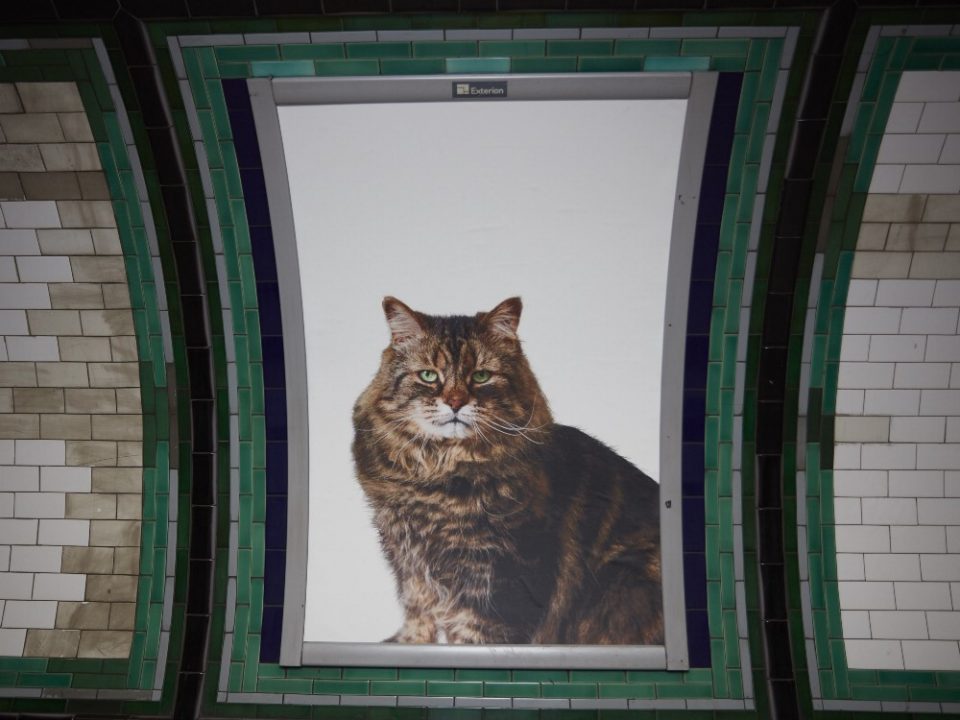
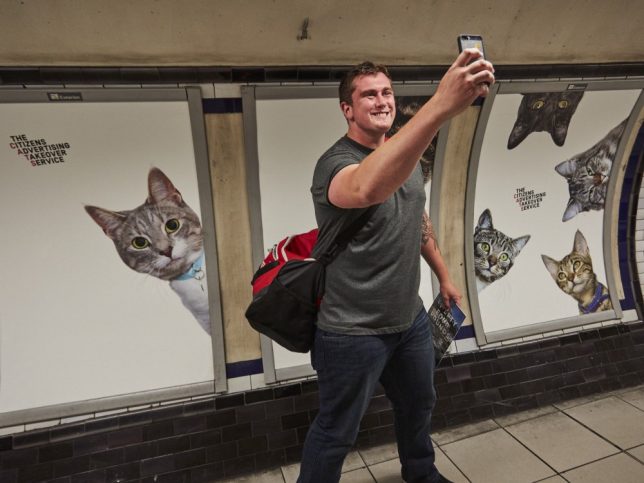
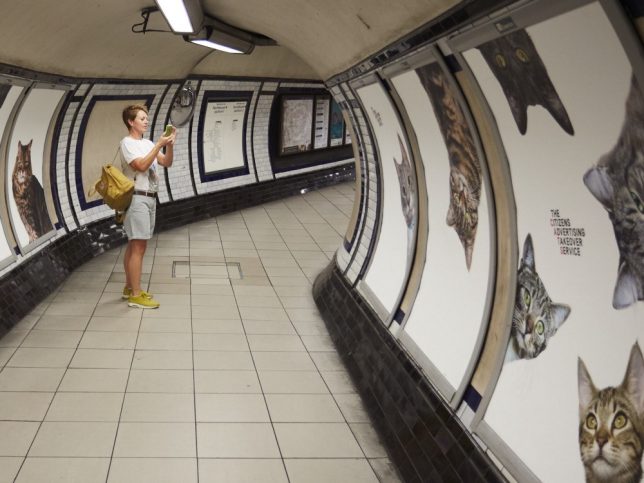
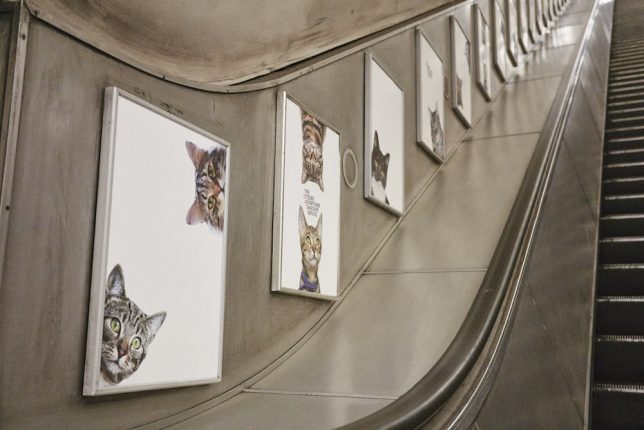
The same ad spaces that shouted about insurance and laundry detergent last week now contain nothing but fluffy cats, as an art collective uses the internet’s number-one obsession to temporarily transform the London Tube system. The Citizens Advertising Takeover Service (CATS) is the result of a Kickstarter campaign by brand-new collective Glimpse aiming to “create a rip in the space time continuum.”

cat ads 3

The group raised enough money to buy all of the ad spaces in the Clapham Common station – a total of 68 – for a two-week period, and the new posters feature cats from the Battersea Dogs and Cats Home and the Cats Protection charity. The organizers are careful to note that they’re not against advertising per se, but rather hope that the project will “inspire people to think differently about the world and realize they have the power to change it.”

The Citizens Advertising Takeover Service replaced 68 adverts in Clapham Common tube station with pictures of cats. Organisers say they hope the pictures will help people think differently about the world around them. Credit: CatsnotAds.org

But the broader point – and appeal – of CATS is the citizen takeover of public spaces, with everyday people getting to decide what they want to look at as they navigate their cities. Wouldn’t you rather be surrounded by what essentially functions as an ad for animal rescue services than dozens of posters pushing a bunch of junk corporations want you to purchase?

cat ads 2

“Back in February we asked ourselves to ‘imagine a world where friends and experiences were more valuable than stuff you can buy,’” says Glimpse founder James Turner in a post on Medium. “The team began thinking about crowdfunding to replace Tube adverts with something else. Beautiful forests? Time spent with family? Hmmm. We wanted this to become famous, so we needed something the internet would love. Frame it that way and the answer’s obvious. Cats.”

The Citizens Advertising Takeover Service replaced 68 adverts in Clapham Common tube station with pictures of cats. Organisers say they hope the pictures will help people think differently about the world around them. Credit: CatsnotAds.org

“We’ve been on the news in China, and one of our backers is flying in from America to see his cat in one of the final posters. This project has uncorked a kind of energy that I haven’t experienced before. When you talk about CATS, eyes light up and new ideas start to flow. We don’t know exactly how Glimpse is going to work, but we want to carry this energy with us as we grow up.”

Share on Facebook


[ By SA Rogers in Design & Guerilla Ads & Marketing. ]

[ WebUrbanist | Archives | Galleries | Privacy | TOS ]


WebUrbanist

 
Comments Off on Cats, Not Ads: Feline Photos Take Over London Tube System

Posted in Creativity


How to Create Stunning Architecture Photography by Painting with Light

15 Sep

My name is Mike Kelley. I’ve been lucky enough to travel the world and see incredible architecture while working for hotels, architects, designers, and developers.

Architecture tips 04

Architecture tips 07

In this article, I’d like to share with you one of my favorite techniques for photographing architecture. If you’ve ever tried to photograph a building at twilight, you know how tough it can be to properly expose all parts of the scene. You know how some areas tend to fall into darkness.

When this happens, many photographers will just try to recover the shadows with a brighter exposure or some dodging and burning. Unfortunately, that can lead to muddy results which often display a lack of texture and color.

Although this article touches on my basic processes, a full tutorial on my workflow is $ 100 off right now over at Snapndeals – Mike Kelley’s Where Art Meets Architecture Course

Light painting for architecture photography

One technique that I’ve adapted to use with modern photographic tools is light painting. Back in the old days, depending on how old you are, there were many photographers who painted with light. They would literally stop down the aperture, wear an all-black outfit, and wave a light around for a 30-60 second exposure to fill in shadows and give the image some nice snap.

Luckily, things are a bit easier these days (to me, at least). You can use a single Speedlight and see the results instantly. All without burning through expensive sheets of 4×5 film, or having to dress like Steve Jobs to keep yourself from showing up in the exposure.

I personally use either a Lowel GL1, Yonguo Speedlight or Profoto B1 light to pull it off, depending on how much power I’ll need. The aim here is to add light in spots that appear to have natural light falling on them – either from landscape lighting or interior lighting. Adding flash or hot light will dramatically clean up the quality of light, by giving it direction and fall off. Whereas the ambient light may create a muddier appearance due to having no directionality, incoherent color casts, or being mixed with the falling light of the day.

Architecture tips 01

So you’re all set up for your twilight. You’re waiting for that perfect balance between falling ambient exterior light and interior glow. Before, during, and after twilight, you should have the camera set in one place on a tripod and every couple of minutes, shoot a bracketed set of images at 0 EV, -2, and +2, or something similar, whatever your preference may be.

Shooting at twilight

When the time for the perfect twilight has arrived, and the falling ambient exterior light and interior glow from the practical lights are perfectly balanced, it’s time to add your hot light or flash. Moving quickly (it helps to have a plan ahead of time for what you’ll flash) add light to areas that you think have fallen into too much shadow or places that could use a little texture and color.

I also recommend adding a CTO gel to your lights to warm them up so that they match the interior glow of the house or any exterior lighting that may be present. This process should take no more than five minutes and should be shot tethered, whether to a computer or a wireless solution like a CamRanger, so you can see what you’re doing immediately and adjust accordingly.

Architecture tips 12

Architecture tips 17
Architecture tips 27

After you’ve gone around and added light, continue to bracket exposures to cover your bases. Sometimes I’ll use an exposure from when it’s completely dark outside and the only light in my scene is from the interior glow to remove any distracting reflections or color casts that popped up.

Processing the images

When in post-production, try to keep it simple. I used to think it was a source of pride to edit these photos and have to use 50, 70, or even more layers. But the fewer layers there are in Photoshop, the less of a chance there is for something to go awry. Depending on the subject, 10-15 flash pops should be more than enough to get this amazing effect on your images. You may want to add or remove some color using curves, and it would also be wise to make sure that everything blends together seamlessly by setting the blend mode of your flash pop layers to Lighten.

Replace the sky if necessary

Lastly, in many of my images I end up replacing the sky. Don’t underestimate what an amazing impact a new sky can have on your image – but only when it’s done perfectly! If there’s anything that takes people out of an image and ruins the moment, it’s a poorly composited sky that doesn’t match the color and brightness of the rest of the image So choose your sky carefully. I personally like to vary the opacity of my sky layer to taste so that things all blend seamlessly.

No architectural photo would be complete without nice, straight verticals lines, so use CMD/CNTL + alt + shift + E to stamp all to a new layer. Then drag out some ruler lines and make sure there’s no distortion – we don’t need people thinking our clients can’t build straight homes.

Architecture tips 08

Here is the final image

You can watch a video of this entire process below and see me in action:

Summary

I hope you enjoyed this quick tour through one of my favorite techniques. The more you use it, the more flexible you will become with adding light and mood to make your photos really stand out.


If you would like to go more in depth with this technique and learn how to build your own business in real estate and architectural photography, Kelly’s full-length tutorial is currently 33% off over at Snapndeals – grab it before the sale ends September 27th, 2016.

googletag.cmd.push(function() {
tablet_slots.push( googletag.defineSlot( “/1005424/_dPSv4_tab-all-article-bottom_(300×250)”, [300, 250], “pb-ad-78623” ).addService( googletag.pubads() ) ); } );

googletag.cmd.push(function() {
mobile_slots.push( googletag.defineSlot( “/1005424/_dPSv4_mob-all-article-bottom_(300×250)”, [300, 250], “pb-ad-78158” ).addService( googletag.pubads() ) ); } );

The post How to Create Stunning Architecture Photography by Painting with Light by Mike Kelley appeared first on Digital Photography School.

Digital Photography School

 
Comments Off on How to Create Stunning Architecture Photography by Painting with Light

Posted in Photography


The Slingshot by Syrp wants to bring a new look to your time-lapses

15 Sep

Syrp is a New Zealand-based company that has introduced a product for shooting unique time-lapses called the ‘Slingshot.’ It’s a cable based dolly system that utilizes things like trees, rocks and other natural (or man made) anchor points to support two cables that the dolly runs on.

After finding your anchor points and running the cables between the two points, the system is tightened using a winch – no tools required. The cable system can be transported to and from location in a backpack included in the kit.

The Slingshot can be configured with Syrp’s Genie to add motorized control, and additional accessories make it possible to create multi-axis time-lapses over distances up to 300ft. Three different kits are offered, starting at $ 989 without a Genie and up to $ 3,102 including several accessories for added motion control.

Articles: Digital Photography Review (dpreview.com)

 
Comments Off on The Slingshot by Syrp wants to bring a new look to your time-lapses

Posted in Uncategorized