RSS
 

Archive for August, 2016

Review: Simple Booth Event Edition photo booth app

20 Aug

Simple Booth Event Edition iOS App
$ 60/£45 | www.simplebooth.com 

Photo booths are a pretty popular item to have at your event these days. Weddings, parties, fundraisers – you’ll find a photo booth at many of them. From a simple camera on a tripod with a remote to fancier automated systems that take multiple images and print instantly, people seem to love being able to control their own image making. Could it be the result of selfie-obsession on steroids? Or is it nostalgia for the chemical-photography based photo booths of our past? Either way, people are fascinated by them. Because of this, having the ability to set up your own booth could make you the star of your office holiday party, PTA fundraiser, or child’s birthday.

Into that popularity steps Simple Booth. Simple Booth is an iOS app designed to place all of the software you need to take, layout, share and print photo booth images into the hardware of your iOS device. There are four versions of the app with varying capabilities (one for the iPhone and three for the iPad): iPhone, Event Edition, Pro Edition 2, and Enterprise. Simple Booth Event Edition is the version I focus on in this article. It is the best choice for a photo enthusiast who wants to set up a photo booth. The iPhone version is pretty limited and while the Pro and Enterprise versions offer a number of additional options, they are probably overkill for anyone who isn’t running a photo booth business.

What does Simple Booth do?

When you start the Simple Booth app, you are presented with a setup screen with a number of options for how the app will work and your images to be laid out. You can choose 2/3/4 image photostrips for the classic booth style. For a more modern look, there are also a number of other multi image options in square or rectangular layouts. You have are options for setting background color, auto cropping, custom logos, and even Instagram-style film effects. You can also give your users the ability to crop, change the layout, and apply effects once the photos are taken. Though, to be honest, this doesn’t lend itself to the quick in-and-out pace of photo booths and I would suggest leaving that option off. I tend to feel the same way about the “retake” option, it encourages picky people to monopolize the booth trying to get the perfect photos.

For output, you can set up a printer (more on that option below), send to various social media services, email, or sync to dropbox. You can also tell the app to save each individual image taken to the camera roll as well as saving the photostrips. Honestly, the print option is the winner here. The social media options require people to mess around logging into their accounts, thus taking up time in the booth when others are waiting, and the email has to use the iOS mail app. Now, if you have an extra iPad handy, you can use Simple Booth’s free companion app Live Booth Lite to create an “out of the booth” interface for people to use for emailing, sharing, and even printing. In order to connect with any of the social or output options, you will need to have access to an active wifi network. One odd thing for a photo app in this day and age is that there is no Instagram sharing option. The Simple Booth crew explains that this is because Instagram doesn’t offer an API that would enable uploading. You can choose to use either the front or rear camera on the iPad but there is no option to use an external camera. In all honesty, the front-facing camera is the one you are going to want to use. Using the rear camera has advantages as far as resolution and image quality, but it means that someone has to stand there operating the booth because users will not be able to touch the screen to do so themselves. And if you are having someone standing there, you might as well have them take the photos with a real camera. Part of the allure of a photo booth is that it can operate unattended. 

Once you have decided on your initial settings, you put the app into booth mode, and it’s ready to go. Users cannot get back to the settings page and muck things up. Okay, well that isn’t completely true, if they think to double tap the home button and shut down the app, then restart it, they could get to the settings. But that is why you will probably want to use Guided Access to limit the iPad to just running Simple Booth.

From the user POV, the app is really quite simple. Clear “tap to start booth” and “look here” messages instruct them on what to do. A visible countdown timer and beeps mark the pace between the images being taken. Once complete, the photostrip appears on screen with the various edit/print/sharing options. If anything can be described as foolproof in the digital age, at least as user interface for the end user, Simple Booth is pretty darn foolproof.

What equipment will you need? 

At the very least, you will need an iPad. The newer iPads with improved cameras will have better resolution and low light performance. But just about any recent vintage iPad will work. A tripod and mount capable of holding your iPad will make interacting with the app much easier for your subjects and safer for your iPad. You’ll need a neutral backdrop of some sort, though a plain wall could be used as well. And you will probably want some lights. Unless you are outdoors in open shade on a bright day, you will likely find ambient light to be too dim for the iPad’s camera. This is one area where having the ability to use a DSLR would be an improvement, both for the improved low light performance and ability to connect to strobes. But as is, you can solve the problem with something as simple as a couple clip on fluorescent work lights.

Using a printer…

While the social media sharing features are handy in this day and age, having a printer on site is really the way to go with a photo booth. You increase the smile and fun quotient 1000% when someone is able to walk away from the booth with an image in their hand. While an inkjet printer will work, as any event photographer can tell you, a dye-sublimation printer is the way to go in this situation. The speed and toughness that dye-sub prints can offer over inkjets is significant in an event environment. 

When looking at dye-sublimation printers, you have options on either end of the market, and not much in between. Both offer excellent prints, but at vastly different prices. At the one end is the Canon Selphy series of printers. At around $ 100, the compact Selphy 1200 won’t break the bank. With wifi connectivity and AirPrint, connecting to iOS devices is easy. Print speed is a somewhat slow 47 seconds and it can only hold 18 sheets at a time. Finally, print prices are a fairly inexpensive $ 0.28 cents per 4×6.

At the other end of the market is the $ 1000 DNP DS620A. Designed for the high volume, high speed needs of event photography printing, the DS620A prints a 4×6 in as little as 8.3 seconds and can print up to 400 images without needing the paper roll replaced. The dye transfer is all done internally and the image only pops out once it is completely done. This makes it perfect for an unmanned both, you can set the DS620A up and leave it running all night. Print prices for a 4×6 work out to $ 0.14 a piece.

Inkjet or dye-sublimation connecting Simple Booth to a printer needs to be done in one of two ways. If you have an AirPrint compatible printer, like the Canon Selphy 1200, the app can connect directly to the printer as long as both are on the same Wi-Fi network. If you have a printer that isn’t AirPrint compatible, such as the DNP DS620A, you’ll need to connect it to a computer and run an app to make it available via AirPrint. I used Printopia, a dead simple $ 20 utility app that works perfectly for sharing a printer with your iOS devices. 

How does it work in the real world?

While I was working on this review, my son received an invitation to a classmate’s birthday party. So, I offered to bring along a Simple Booth setup and printer (in this case, a DS620A) for the kids to play with. Partially, I was just helping a dad-buddy put on a party. But I also wanted a chance to see how Simple Booth worked in real life with people who had never played with it before. Would 6-8 year olds be interested in something as retro as a photo booth? Would they have trouble operating it? Would the printer jam or run out of paper? 

Since this was a sunny summertime party, I had been planning to just set up a backdrop and tripod in some open shade and let the kids have at it. But my friend is a carpenter and decided at the last minute that he wanted to knock together a real “booth”. A few trips to the hardware store later and we had a low rent copy of an old school photo booth. It was nothing fancy, but the ipad was mounted and the printer delivered the print through a slot into the grubby over-sugared hands of the party goers. 

Did it work? It couldn’t have worked better. Being an old-man tech-nerd, I insisted on showing the first group how to do it. But with much eye-rolling, they made it clear that I might as well have been teaching them to drink a glass of water. They had no problem understanding how to make it work. The DNP DS620A printer was outstanding for this sort of use. Having a print in their hands in less than 10 seconds was pretty exciting for the kids and knowing that I could go hundreds of prints without having to reload the printer was pretty relaxing for me. The kids piled in and out of the printer in group after group. They giggled, laughed and loved it completely and all went home with handfuls of photo strips.

What’s the bottom line?

Simple Booth is a pretty amazingly full featured solution to creating a photo booth out of gear that many photographers already own. It is simple enough for children or technophobes to use, but offers enough options to allow customization of layout and operation.

At $ 59.99, it is likely more expensive than most any other iOS app that you own. That said, when you consider what you are getting and what it would cost you to figure out a way to do it without Simple Booth, it starts to look like a bargain. Perhaps more importantly, the proof is in the pudding. Even our hastily knocked together photo booth was a huge hit with the kids at the party – plenty of smiles and laughs and threats of tantrums if I didn’t print out duplicates for the kids in the group shots.

Tired of bringing meatloaf to your local block party every year? Bring Simple Booth and a printer instead and watch yourself turn into the neighborhood hero. 

What we liked:

  • Easy to set up
  • Customizable layouts
  • Pretty fool-proof in operation
  • Saves individual images as well as the “photo booth strips”
  • Print, email, social media integration

What we didn’t like:

  • iPad rear camera offers limited resolution and quality, using higher resolution front camera eliminates the viewing screen
  • No options for flash lighting, must use constant lights
  • While inexpensive for a photo booth, somewhat expensive for an app

Rating

Articles: Digital Photography Review (dpreview.com)

 
Comments Off on Review: Simple Booth Event Edition photo booth app

Posted in Uncategorized


Tamron announces SP 90mm F2.8 Di Macro and TAP-in console for Sony A-mount

20 Aug

Japanese optical manufacturer Tamron has announced it is to launch its exiting 90mm macro lens in a Sony A-mount, and that Sony users will now be able to update and customise some of their Tamron lenses using the company’s TAP-in lens console. The Sony version of the SP 90mm f/2.8 Di Macro 1:1 USD will be the same as the versions produced for Canon and Nikon users, but will not feature Tamron’s Vibration Correction system as Sony cameras have their own in-body stabilization.

The TAP-in console allows customers to tune focus, update firmware and customize features such as focus limiters and full-time manual focus in those lenses that offer them. The console is compatible with the latest batch of Tamron fixed focal length lenses, including the 85mm f/1.8 which the company has yet to launch in Sony mount.

The SP 90mm f/2.8 Di Macro 1:1 USD and the TAP-in console will be available from 25th August. Although the press release doesn’t mention prices, the console for Canon and Nikon users currently sells for $ 60/£55 and the lens for $ 749/£579.

For more information visit the Tamron website.

Press release:

Tamron announces the launch of the SP 90mm F/2.8 Di MACRO 1:1 USD (Model F017) for Sony mount

August 18, 2016, Saitama, Japan – Tamron Co., Ltd. (President & CEO: Shiro Ajisaka), a leading manufacturer of optics for diverse applications, announces the launch of the SP 90mm F/2.8 Di MACRO 1:1 USD (Model F017) for Sony mount.

Model F017
MACRO 1:1 USD (Model F017) for Sony mount*
Date of Launch: August 25, 2016

*The Sony mount model does not include VC (Vibration Compensation), since the bodies of Sony DSLR cameras include built-in image stabilization functionality. The name of the Sony mount model is “SP 90mm F/2.8 Di MACRO 1:1 USD” without the VC designation

Product Highlights

Built upon the outstanding optical performance of the legendary Tamron 90mm Macro

Inheriting the optical design of the previous 90mm Macro lens (Model F004), the new Model F017 delivers the same excellent resolving power and remarkably soft background blur effects (bokeh). The advanced construction includes one LD (Low Dispersion) glass element that maximally limits the dispersion properties of light and two XLD (eXtra Low Dispersion) glass elements that correct dispersion properties to an even greater extent. The special elements optimally compensate for on-axis and lateral chromatic aberrations from macro shooting range to infinity. Furthermore, the design ensures the best imaging performance at any range by adopting the Floating System which shifts the location of a group of elements to the best possible position as the focusing group travels relative to shooting distances. From 1:1, life-size close-ups to the most distant horizon, this new 90mm Macro lens achieves outstanding image quality.

Optimized for spectacular background blur effects (bokeh)

Earlier models of Tamron’s 90mm macro lens received high acclaim for their spectacular blur effects, and the new 90mm macro builds upon this legacy. To continue this commitment, thorough optical simulations were conducted. Careful examinations were performed to minimize any blurring with a doubled image appearing for a single line because that phenomenon has a considerably negative impact on background image quality. As a result, the lens achieves both sharp, vivid images and spectacular background blur effects. This combination is highly prized by portrait photographers.

Moisture-Proof and Dust-Resistant Construction

Areas of possible ingress surrounding switches and the boundary between the focus ring and the lens barrel are protected by special seals. These provide stronger protection against the intrusion of dirt, dust and moisture compared to the Moisture-Resistant Construction used previously. This additional protection assures even more wide-ranging opportunities for using this lens.

A durable Fluorine Coating on the front element repels water and fingerprints

The water and oil repellant coating applied to the front element surface allows instant removal of dirt or smudges with ease. The coating also provides a reasonable level of durability, and will sustain its effectiveness for years. The Fluorine Coating technology that Tamron developed for use in industrial optics applications was first used on the SP 15-30mm which was introduced in 2014.

USD actuator maximized for macro photography is fast, accurate and quiet

The control software program for the USD (Ultrasonic Silent Drive) actuator has been revised to provide substantially improved focusing speed and accuracy when using AF. The USD quickly addresses any out-of-focus condition caused by back-and-forth camera movement (which commonly occurs during macro photography) ensuring better results when shooting at close range.

Advanced coating technology reduces flare and ghosting

Two advanced coating technologies, both providing outstanding anti-reflection performance, are applied to critical element surfaces for maximum light transmission. eBAND (Extended Bandwidth & Angular-Dependency) Coating boasts outstanding anti-reflection performance across nearly the entire range of visible rays, and BBAR (Broad-Band Anti-Reflection) Coating utilizes traditional multi-layered, anti-reflection technology. This combination virtually eliminates extraneous reflections and substantially reduces ghosting and flare which enables the lens to achieve flawless, crystal clear images.

Use of circular aperture to achieve beautiful, rounded blur effects (bokeh)

When shooting a scene that includes a point-source of light in the subject background, marvelously tuned blur (bokeh) can be obtained without generating undesirable polygonal shapes of aperture patterns thanks to the circular aperture. The 9-blade diaphragm retains a nearly perfect circular opening even when stopped down by two stops.

Focusing options perfectly suited to a macro lens

The new 90mm macro has a focus limiter that makes it possible to shorten the time for accurately focusing on a subject when the working range is known. The lens also features an Internal Focusing system, so the overall length of the lens never changes, not even when focusing. As a result, the user is assured of a comfortable working distance of at least 139mm (5.5 in) from the front of the lens. In addition, the lens is equipped with a Full-time Manual Focus override mechanism which makes it possible to flexibly choose focal points. Even with the AF driving system in action, it is possible to instantaneously override it to make manual fine focusing adjustments without switching the AF-MF mode back and forth.

Compatibility with TAMRON TAP-in Console™

Always as new as tomorrow: You can update firmware, customize autofocus positions and adjust the mechanical setup and preferences of the 90mm lens by simply attaching it to the TAMRON TAP-in Console and connecting it via USB to a personal computer. (The TAP-in Console is an optional accessory.)


TAMRON TAP-in Console™ (Model TAP-01)
Sony mount model launched

Tamron Co., Ltd. (President & CEO: Shiro Ajisaka; Headquarters: Saitama City), a leading manufacturer of optics for diverse applications, announces the launch of the TAMRON TAP-in Console (Model TAP-01), a lens accessory that enables firmware updating and customized setups for selected Tamron lenses, for Sony cameras (Sony A mount model).

For the first time, customers can update firmware in selected Tamron lenses and customize various lens functions to meet their needs simply by attaching a TAMRON TAP-in Console and running the TAMRON TAP-in Utility software on their PC or Mac.

Previously, firmware updates could be performed only at a TAMRON Customer Service Center. Using the new accessory and an internet connection, customers can access a dedicated website and update firmware themselves anytime, anywhere. In addition, selected lenses can be customized by changing various settings (described below) to match the customer’s preferences based on how they like to use the lens, making it even more versatile and user-friendly.

Custom Options

With a TAMRON TAP-in Console, customers can do the following things.

  • Update firmware
  • Update the firmware of compatible lenses
  • Update the firmware of the TAP-in Console itself
  • Customize functions of selected lenses
  • Focus adjustment
  • Focus distance limiter customization (only for lenses that have the Focus Limiter feature)
  • Full-time Manual Focus override customization (only for lenses that have the Full-time Manual Focus feature)
  • Save customized data files

Because Tamron lenses compatible with Sony cameras are not equipped with the VC (Vibration Compensation) system, the Customize function for VC adjustment, which is available for the Nikon and Canon mount models, is not available for the new Sony mount model.

TAMRON TAP-in Utility Software
 
Customers download the free TAMRON TAP-in Utility and install it on their Mac or PC. Updating firmware and customizing various lens functions is as easy as connecting the TAP-in Console with a USB cable and making selections. An internet connection is required for firmware updates.

Updating Firmware
Customers can update firmware of selected Tamron lenses using this utility software. Additionally, the firmware in the TAP-in Console unit can be updated as needed. Using an internet connection and the utility software, users can access a dedicated website and easily confirm that the lens attached to the TAP-in Console—and the Console itself—have the most up-to-date firmware. If a newer version is available, updating is quick and secure.

Customization of Selected Tamron Lenses
Various lens functions can be customized, depending on the lens model and built-in features.

(1) Focus adjustment
Focus can be adjusted in three distance regions: close, intermediate, and far ranges. For zoom lenses with variable focal length ranges, adjustments can be made for up to eight segments, which means that focus adjustment for a combined total of up to 24 regions is possible. Fixed-focal length lenses have only one segment, so customization for the three distance regions is possible. The conditions and range of possible adjustments may differ according to the lens model.

(2) Focus distance limiter customization
For lenses equipped with a Focus Limiter switch, it is possible to adjust the autofocus drive range by setting the near and far limits according to user preferences. If the Focus Limiter switch has three positions, setting the middle position is also possible. Only lens models equipped with the Focus Limiter function can be adjusted. The conditions and range of possible adjustments may differ according to the lens model.

(3) Full-time Manual Focus override customization
For any lens with a Full-time Manual Focus override system, you can set the mode to ON or OFF. In addition, you can optimize the sensitivity of the focus ring to your preference relative to its angular rotation anywhere between High and Low, when setting the manual focus mode menu button to ON.

Compatible Tamron Lenses (As of August 2016)

  • SP 85mm F/1.8 Di VC USD (Model F016) for Sony: To be launched soon
  • SP 90mm F/2.8 Di MACRO 1:1 VC USD (Model F017) for Sony: To be launched on August 25, 2016
  • SP 45mm F/1.8 Di VC USD (Model F013) for Sony
  • SP 35mm F/1.8 Di VC USD (Model F012) for Sony

Articles: Digital Photography Review (dpreview.com)

 
Comments Off on Tamron announces SP 90mm F2.8 Di Macro and TAP-in console for Sony A-mount

Posted in Uncategorized


21 Pics of Tender Tootsies – Feet

20 Aug

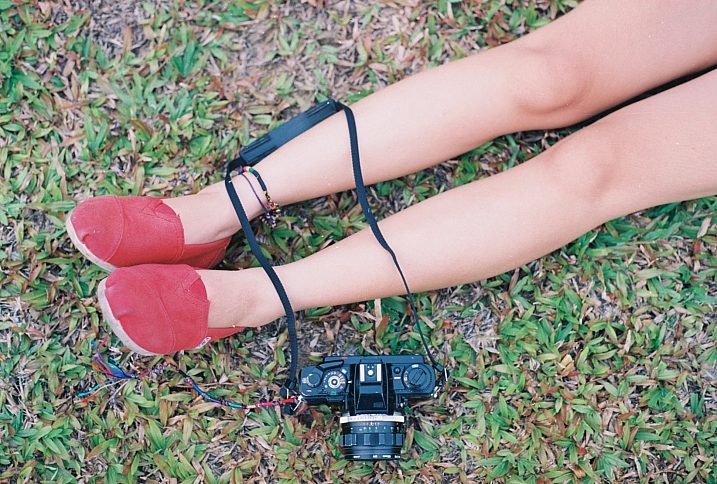
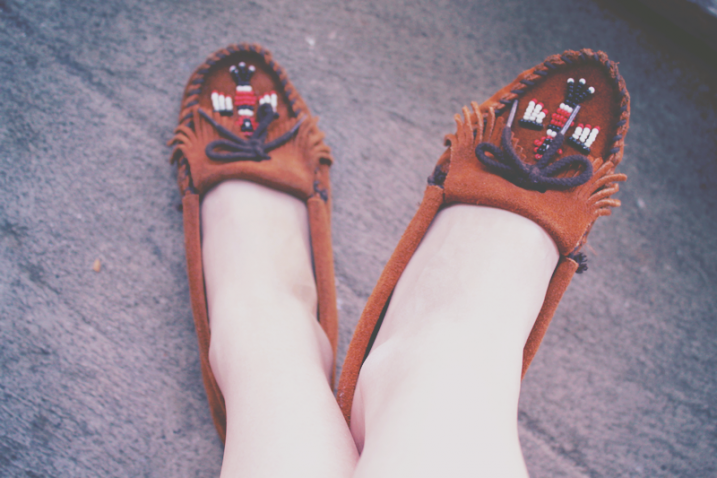
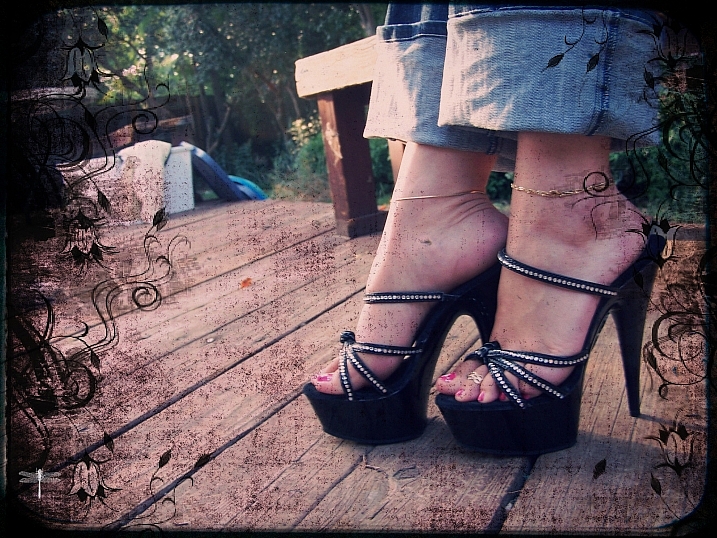
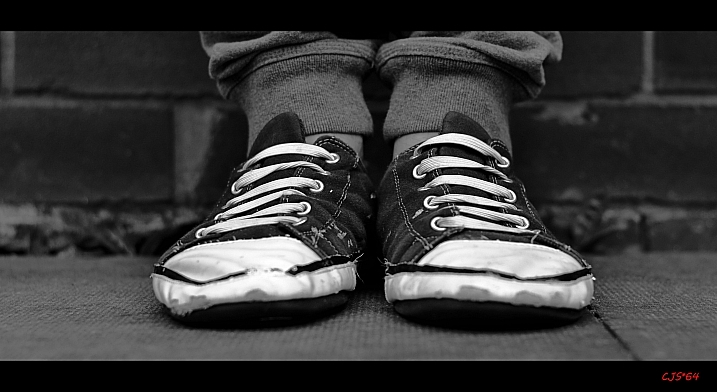
One mistake new photographers often make is always shooting from the same point of view – eye level – and always looking for subjects at the same height.

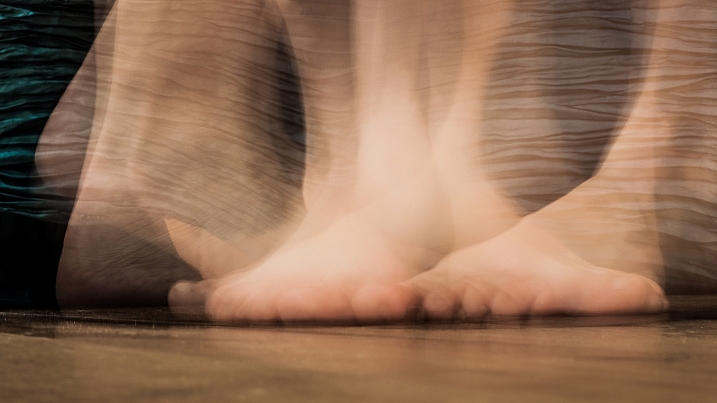
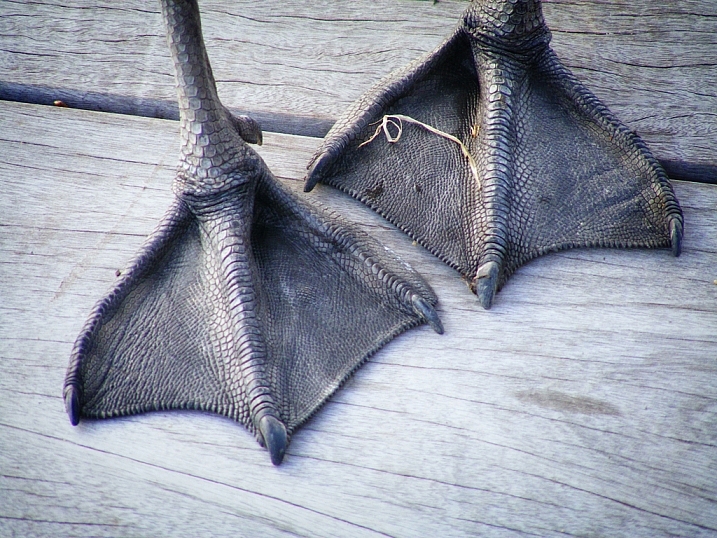
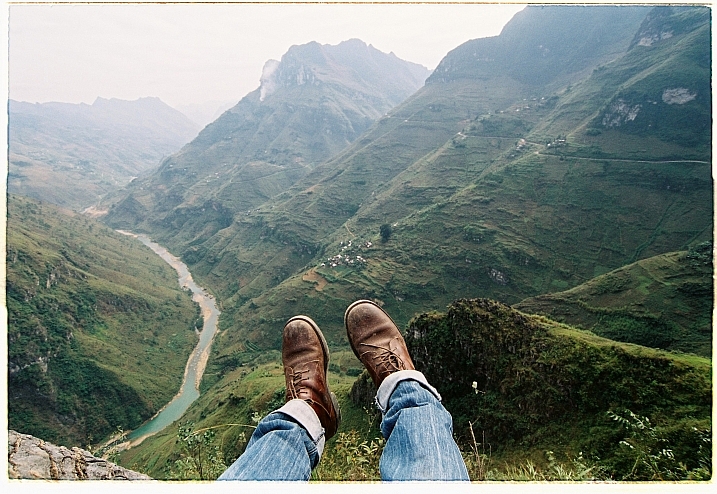
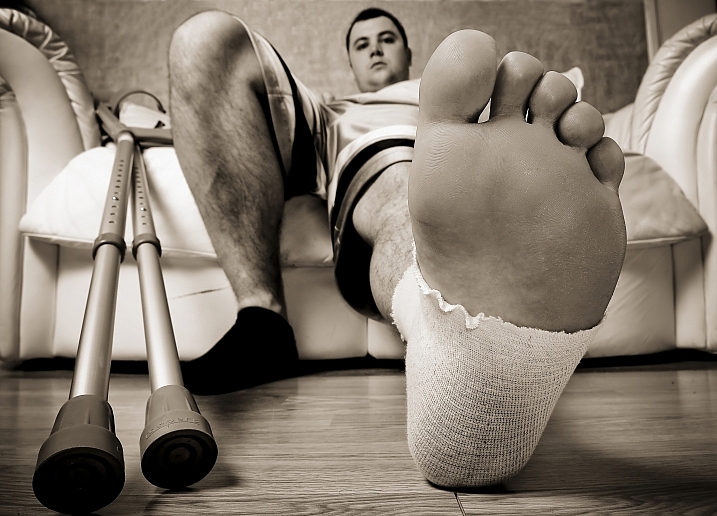
This week I have found some photographers who looked at things a bit differently and chose to look down – to their own feet – or to other people’s shoes and feet. Here is a connection of images of feet (not all human necessarily) and shoes where the photographers chose to see a little outside the box.

Images of feet and shoes

MIKELIKEBIKE

By MIKELIKEBIKE

Mister G.C.

By Mister G.C.

Malia

By Malia

Caroline

By Caroline

Khánh Hmoong

By Khánh Hmoong

M I S C H E L L E

By M I S C H E L L E

Monroe's Dragonfly

By Monroe’s Dragonfly

Craig Sunter

By Craig Sunter

Ariel H.

By Ariel H.

Tomstar3000

By tomstar3000

Maria Teresa Ambrosi

By Maria Teresa Ambrosi

Khánh Hmoong

By Khánh Hmoong

Michael Frank Franz

By Michael Frank Franz

Litherland

By litherland

James Jordan

By James Jordan

Dean White

By Dean White

Juan Antonio F. Segal

By Juan Antonio F. Segal

Girl/afraid

By girl/afraid

Khánh Hmoong

By Khánh Hmoong

AndriuXphoto

By andriuXphoto

Donnie Ray Jones

By Donnie Ray Jones

googletag.cmd.push(function() {
tablet_slots.push( googletag.defineSlot( “/1005424/_dPSv4_tab-all-article-bottom_(300×250)”, [300, 250], “pb-ad-78623” ).addService( googletag.pubads() ) ); } );

googletag.cmd.push(function() {
mobile_slots.push( googletag.defineSlot( “/1005424/_dPSv4_mob-all-article-bottom_(300×250)”, [300, 250], “pb-ad-78158” ).addService( googletag.pubads() ) ); } );

The post 21 Pics of Tender Tootsies – Feet by Darlene Hildebrandt appeared first on Digital Photography School.


Digital Photography School

 
Comments Off on 21 Pics of Tender Tootsies – Feet

Posted in Photography


DPReview celebrates World Photo Day with our favorite shots of 2016

20 Aug

World Photo Day celebrates the Daguerreotype process, which the French government released to the public on August 19th, 1839. The World Photo Day project started in 2009 and encourages users all over the world to share their pictures online.

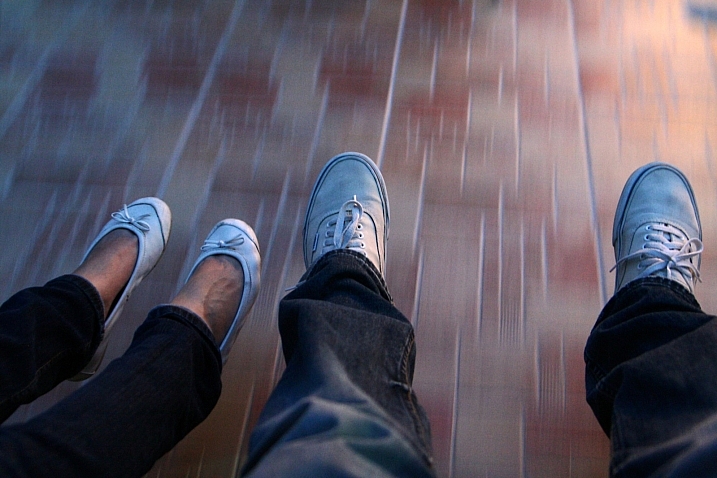
To celebrate, we took a look back at all our sample galleries from 2016 and cherry-picked some of our favorite shots. Within this gallery you’ll find a wide range of gear represented as well as images from everyone on staff. And when your done looking through be sure to grab your camera and spend some time out shooting, because World Photo Day only comes along once a year.

Articles: Digital Photography Review (dpreview.com)
 
Comments Off on DPReview celebrates World Photo Day with our favorite shots of 2016

Posted in Uncategorized


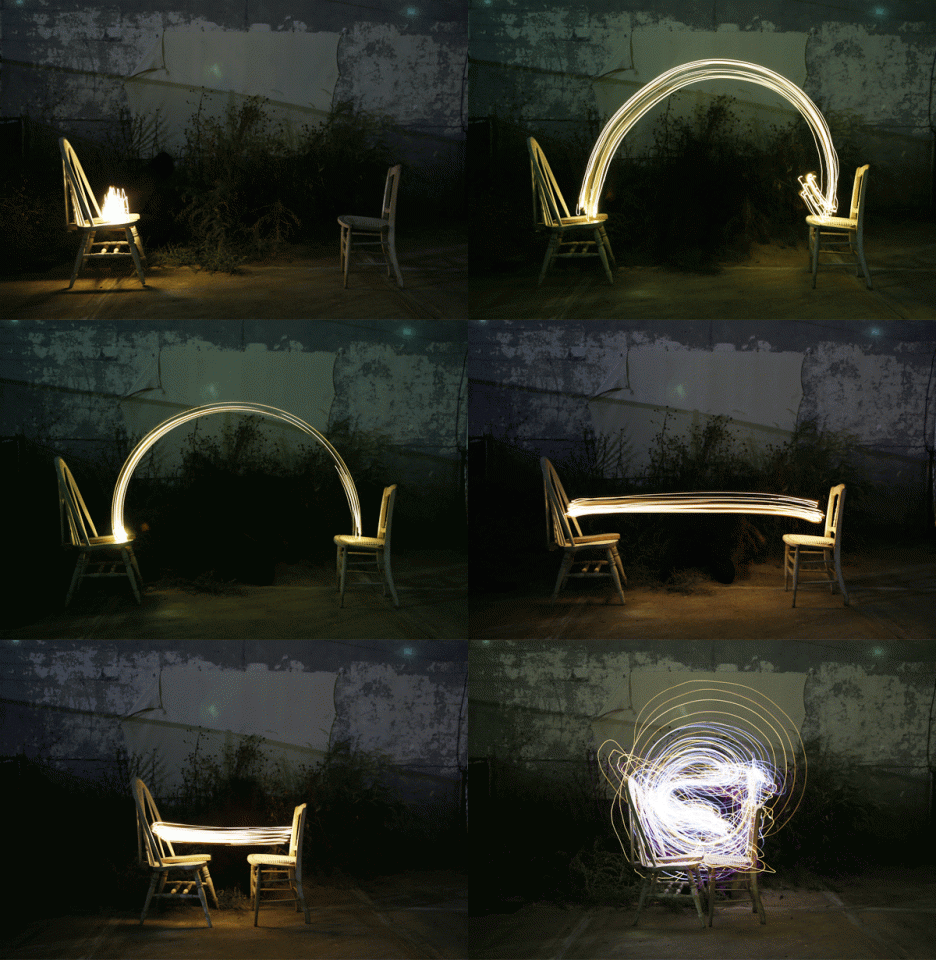
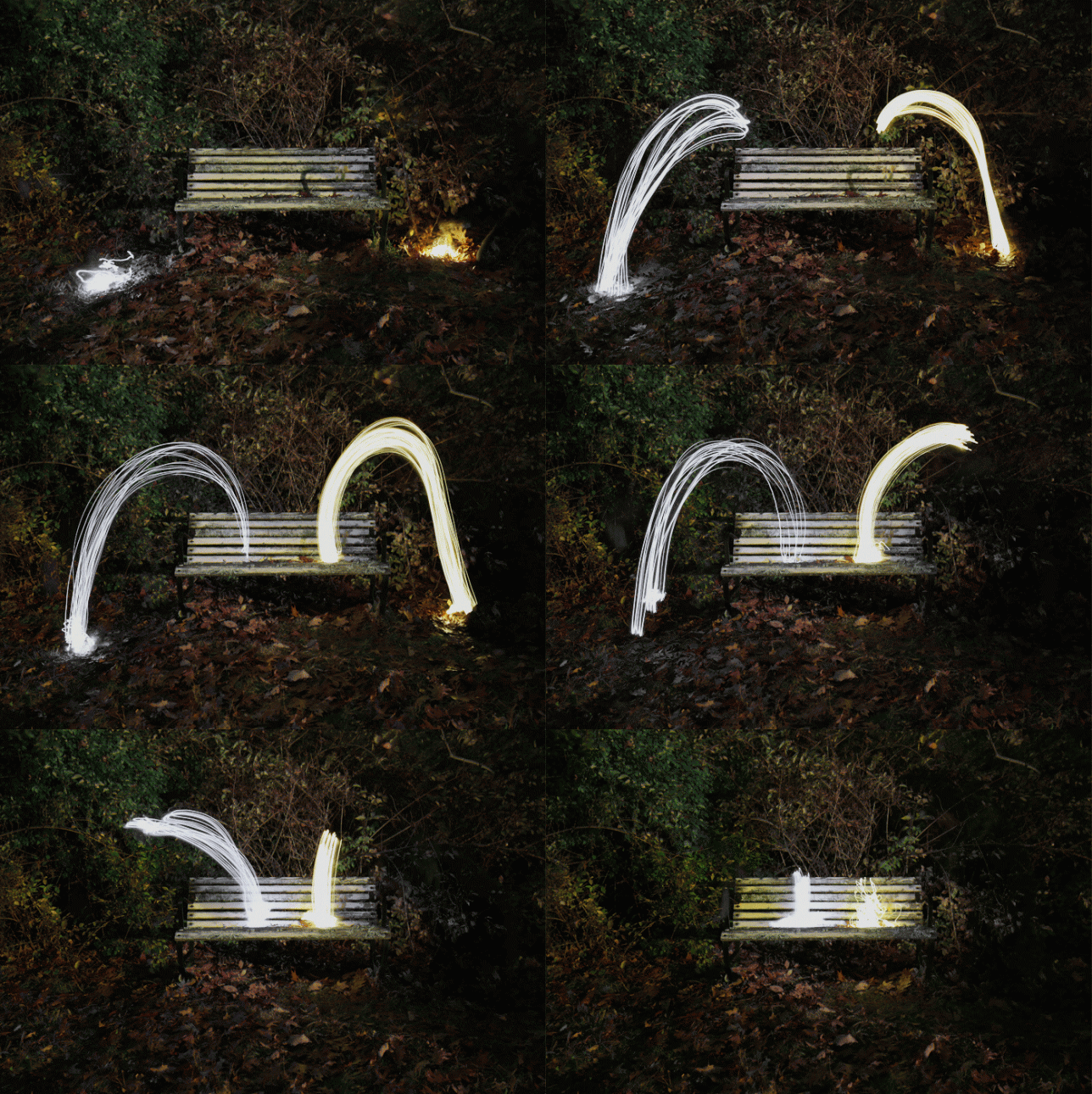
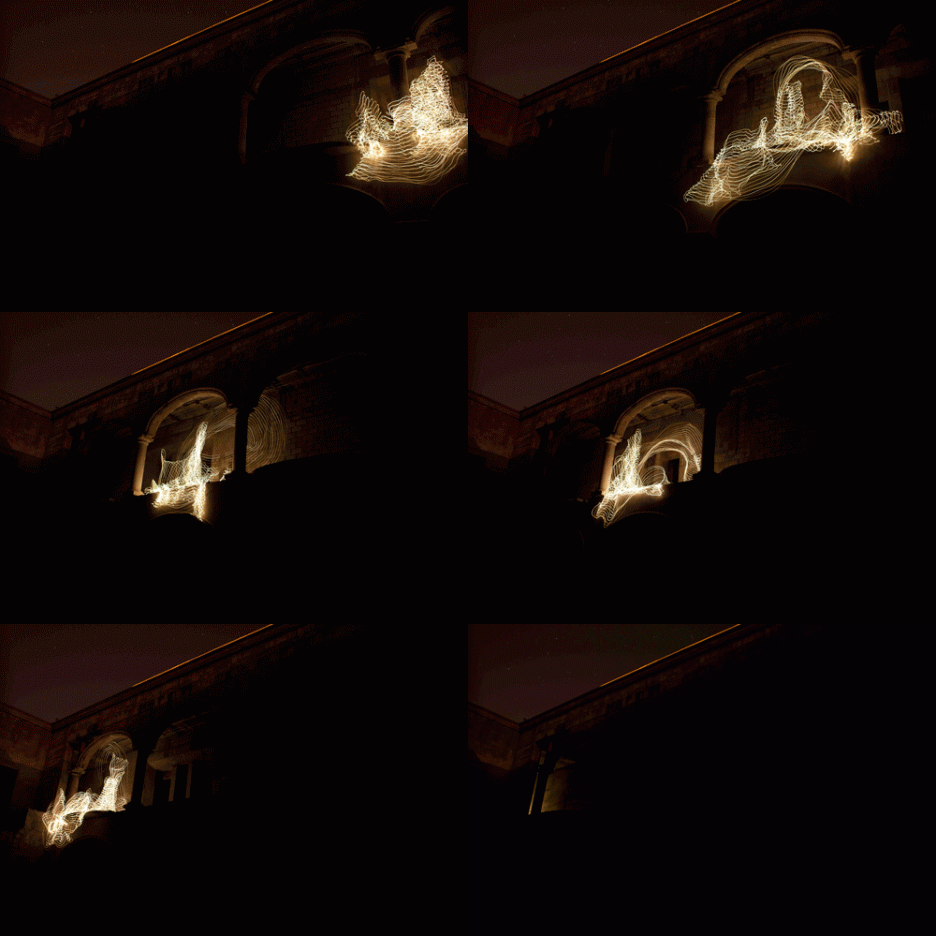
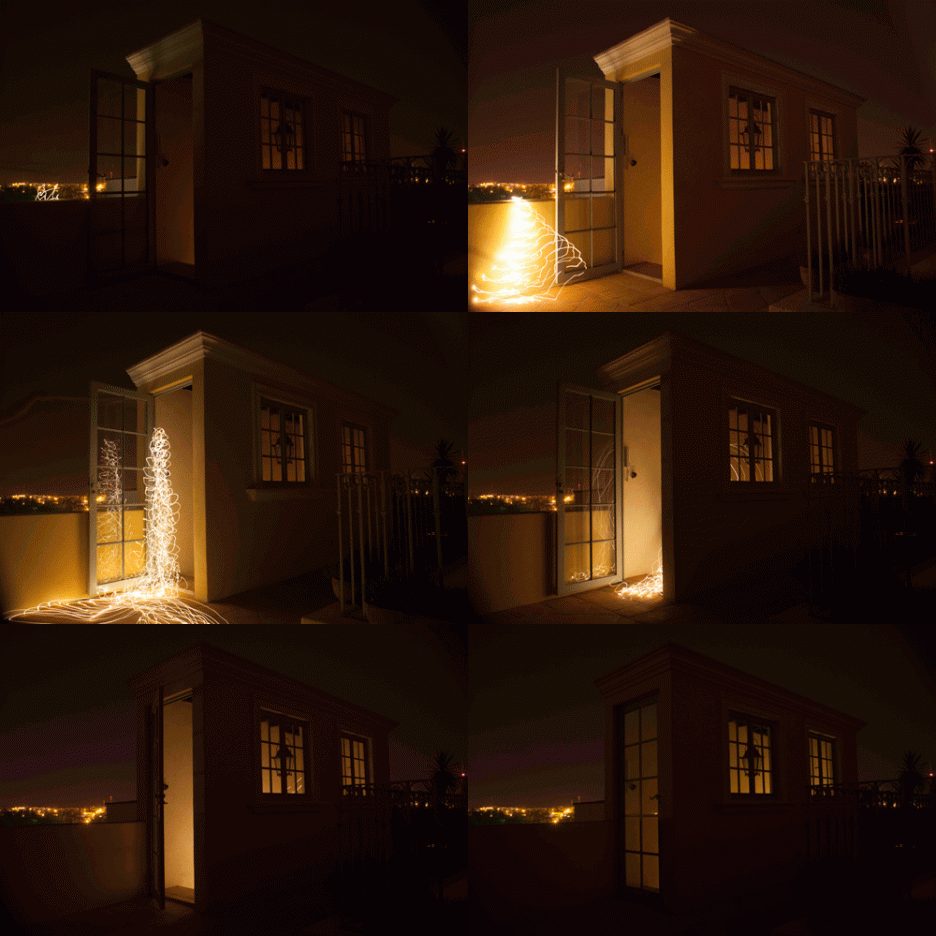
Light Art Comes to Life: Dancing Animated Gifs by Lucea Spinelli

20 Aug

[ By SA Rogers in Art & Photography & Video. ]

light art 10

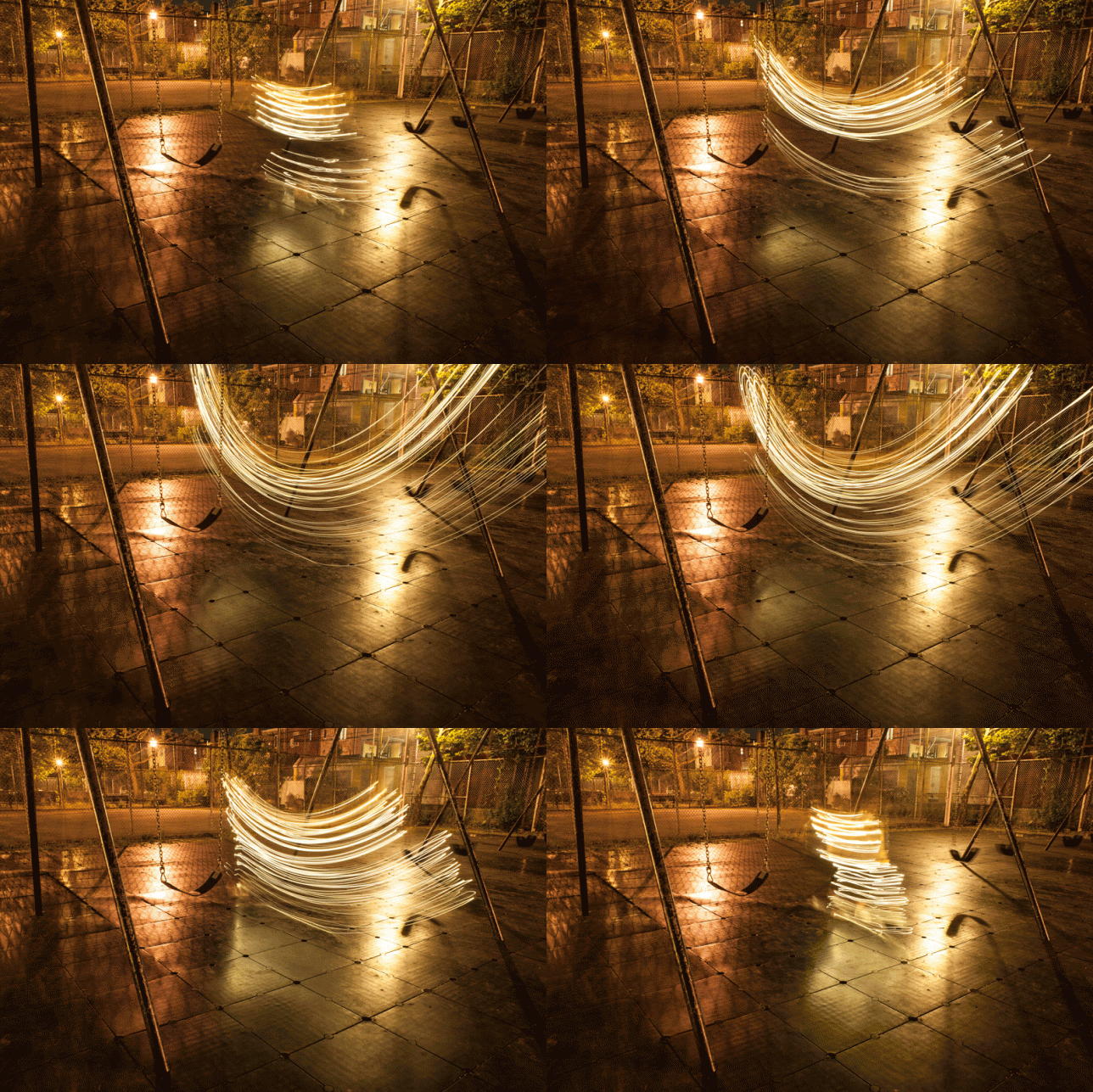
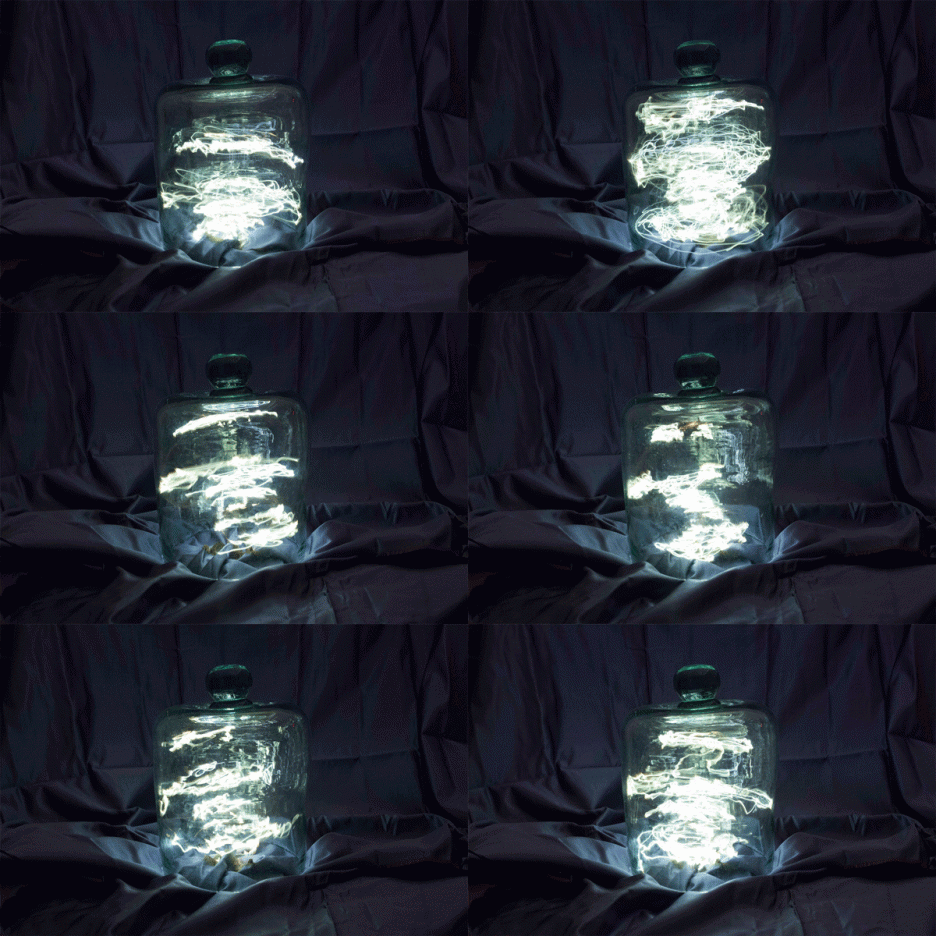
Beams of light dance, jump, squiggle, scatter and interact with each other as if they’ve taken on a life of their own in a series of animated light art gifs by New York City-based photographer Lucea Spinelli. Abandoned school buses, public park benches, playgrounds, glass jars and human bodies become the settings for surreal, almost ghostly scenes calling to mind the common superstition of supernatural beings affecting electricity.

dancing light art 2

dancing light art 1

dancing light art 7

In fact, all that seems to be missing from some of these animations is a proton pack from Ghostbusters, as the clusters of light created by Spinelli take on the movements of autonomous beings. Spinelli takes still shots of moving light using long exposure methods and then strings them together to create these animated sequences.

dancing light art 3

dancing light art 5

“In her project phötosgraphé, Lucea Spinelli creates long exposure photographs that afford us a view into the unknown,” reads the statement on the artist’s website. “For the duration of the open shutter the lens becomes a canvas upon which Lucea paints with light. The illuminated forms she creates interact with spaces and objects in a wa that evoke the unseen – such as spirit, dreams and metaphor – within the everyday.”

dancing light art 6

light art 8

light art 9

“Often staying in the dark for long hours and relying on muscle memory alone, the process reflects ritual as a necessary part of interacting and evoking the unseen aspects of our reality. Thus by using a medium is commonly used to mimic reality, to suspend it, Lucea invites us to push beyond the bounds of visual perception to explore other ways of knowing. Finally, by stringing sequences of these long exposure photographs together into an animated gif, the light forms are literally brought to life as they dance across the forever looping frame.”

Share on Facebook


[ By SA Rogers in Art & Photography & Video. ]

[ WebUrbanist | Archives | Galleries | Privacy | TOS ]


WebUrbanist

 
Comments Off on Light Art Comes to Life: Dancing Animated Gifs by Lucea Spinelli

Posted in Creativity


Weekly Photography Challenge – Feet

20 Aug

Tootsies, feet, toes, the often forgotten and less photographed part of the anatomy. See some photos of feet here.

Greg Pye

By Greg Pye

Weekly Photography Challenge – Feet

This one isn’t hard – you don’t need any special gear, or an exotic location. Just go out and find some feet!

Think outside the box on this one too – look not only at your own feet and other humans but at dogs, cats, all pets, statues, toys, etc. How can you photograph feet to make an interesting and compelling image? Can you tell a story with feet?

Navy Blue Stripes

By Navy Blue Stripes

Graeme Paterson

By Graeme Paterson

Khánh Hmoong

By Khánh Hmoong

Rick Harris

By Rick Harris

Share your images below:

Simply upload your shot into the comment field (look for the little camera icon in the Disqus comments section) and they’ll get embedded for us all to see or if you’d prefer upload them to your favourite photo sharing site and leave the link to them. Show me your best images in this week’s challenge. Sometimes it takes a while for an image to appear so be patient and try not to post the same image twice.

Share in the dPS Facebook Group

You can also share your images on the dPS Facebook group as the challenge is posted there each week as well.

Micah Camara

By Micah Camara

Maia C

By Maia C

googletag.cmd.push(function() {
tablet_slots.push( googletag.defineSlot( “/1005424/_dPSv4_tab-all-article-bottom_(300×250)”, [300, 250], “pb-ad-78623” ).addService( googletag.pubads() ) ); } );

googletag.cmd.push(function() {
mobile_slots.push( googletag.defineSlot( “/1005424/_dPSv4_mob-all-article-bottom_(300×250)”, [300, 250], “pb-ad-78158” ).addService( googletag.pubads() ) ); } );

The post Weekly Photography Challenge – Feet by Darlene Hildebrandt appeared first on Digital Photography School.


Digital Photography School

 
Comments Off on Weekly Photography Challenge – Feet

Posted in Photography


World record camera collector now has over 4500 – and a short film about himself

20 Aug

Indian Dilish Parekh has once again beaten his own world record for having the largest camera collection, with his personal museum now housing 4500 exhibits. In August 2013 DP Review reported that he had 4425 cameras, but in the intervening three years he has grown his hoard by 75 more models.

Filmmaker Dheerankur Upasak visited Dilish, who has held the Guinness Book of World Records title since 2003, at his home in Mumbai to make a short about the man and some of the models in his collection. Dilish says that he started collecting in 1970 when his grandfather gave him cameras as gifts – and things went from there. He never spends more than $ 15 on a camera, but has still managed to accumulate quite a number of rare and expensive bodies, such as the Leica Reporter GG 250. Only 950 were made and one sold with a motor drive at the ‘100 Years of Leica’ Westlicht auction for €576,000 in 2014.

The collection spans only the years between 1890 and 1960 and includes all of Canon’s rangefinder models. Dilish isn’t for selling the collection, though he says he gets lots of offers, and he has instructed his sons not to sell once he passes away.

Dheerankur filmed the piece on a Canon EOS 5D III with Pentax 50mm f/1.2, Tamron 90mm macro and Tair 11-133mm f/2.8 lenses.

Articles: Digital Photography Review (dpreview.com)

 
Comments Off on World record camera collector now has over 4500 – and a short film about himself

Posted in Uncategorized


5 Tips for Protecting Your Digital Photos

20 Aug

The advent of the internet has provided endless opportunities for photographers; it has


Fashion Photography Blog

 
Comments Off on 5 Tips for Protecting Your Digital Photos

Posted in Uncategorized


Datacolor releases Spyder5CAPTURE PRO color calibration kit

20 Aug

Datacolor has announced the launch of its new Spyder5CAPTURE PRO color calibration kit for photographers. The kit includes the maker’s SpyderLENSCAL, SpyderCHECKR, SpyderCUBE and Spyder5ELITE to cover all the aspects of camera calibration, including autofocus, display, colors, contrast and white balance. 

The company lists each product as having the following features:

  • SpyderLENSCAL allows users to calibrate camera and lens combinations, resulting in accurate auto-focus.
  • SpyderCHECKR and SpyderCUBE provide the user with reference tools to allow control of contrast, white balance and color when editing images.
  • Spyder5ELITE calibrates displays to an industry standard, ensuring that on-screen colors of images are accurate and match photo prints every time.

According to Datacolor, the Spyder5CAPTURE PRO kit brings more than 30% savings versus buying the items individually. At launch, the bundle is priced at $ 269.99 USD, though that rate will increase to $ 369.99 USD after September 30. 

Via: Datacolor

Articles: Digital Photography Review (dpreview.com)

 
Comments Off on Datacolor releases Spyder5CAPTURE PRO color calibration kit

Posted in Uncategorized


Pentax K-70 real-world sample gallery

19 Aug

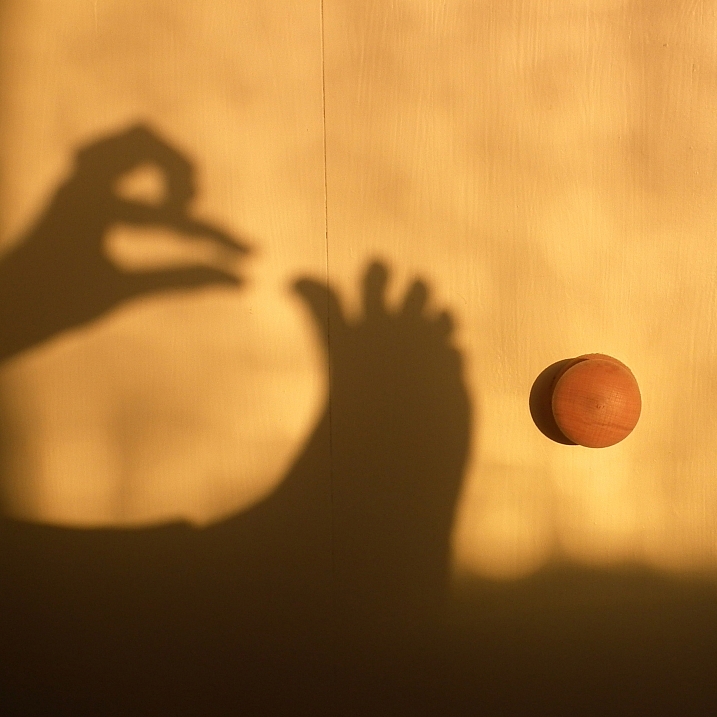
It’s a bit of a shame the K-70 didn’t arrive in the middle of winter. The weather-resistant design would have made it the perfect companion for braving the inevitable Northwest rain, and the famed in body “Shake Reduction” would have helped in overcast light conditions, as well. Nevertheless, when it arrived we took the refined 24MP DSLR out in the hot summer sun for a bit of a sample shakedown.

Articles: Digital Photography Review (dpreview.com)
 
Comments Off on Pentax K-70 real-world sample gallery

Posted in Uncategorized