RSS
 

Archive for August, 2016

Nikon introduces Coolpix W100 waterproof compact with Snapbridge

02 Aug

$ (document).ready(function() { SampleGalleryV2({“containerId”:”embeddedSampleGallery_5889324935″,”galleryId”:”5889324935″,”isEmbeddedWidget”:true,”standalone”:false,”selectedImageIndex”:0,”startInCommentsView”:false,”isMobile”:false}) });

Nikon has announced the Coolpix W100, a waterproof compact with SnapBridge connectivity, in select Asian and European markets. The W100 appears to be a variation of the Coolpix S33 announced last February for North America, providing the same smartphone-size 13.2MP sensor, 3X optical zoom lens (30-90mm equiv.) and durability – the W100 is waterproof to 32ft/10m, shockproof to 5.9ft/1.8m and freezeproof to +14F/-10C. Full 1080p HD video is also included.

Touted for its kid-friendly ergonomics, the W100 adds connectivity to the mix in the form of its Wi-Fi and Bluetooth 4.1 LE SnapBridge system. Other additions include the ability to add cartoon effects and stamps to images, as well as an ‘add Light Trails’ mode that uses multiple exposures to capture light trails.

Press release:

Reliable, easy-to-use weatherproof camera with a specially designed menu and additional creative options for every member of the family

TOKYO – Nikon Corporation is pleased to announce the release of the COOLPIX W100, a tough waterproof and shockproof compact digital camera that offers reliable, worry-free use with leisure activities.

The COOLPIX W100 combines reliable image quality with a simple, easy-to-use, animated menu option of Variety Menu, and an ergonomic design for everyone in the family to enjoy fun moments effortlessly. Its compact rounded design, large buttons and intelligent features such as Underwater Face Framing, enable users to capture high quality images and full HD*1 videos easily at the press of a button. New creative options including the Add Cartoon Effects and the Stamp function also aid in cultivating an interest amongst younger users. What’s more, the COOLPIX W100 supports SnapBridge, which establishes a connection between the camera and a smart device, allowing users to easily share the photos they have taken via SNSs and the like, without removing and reinserting the SD memory card.

*1 “Full-HD” indicates recording capability in the 1920 x 1080 format.

COOLPIX W100 primary features

  1. Worry-free performance for use by every member of the family 
    The camera is dustproof, waterproof to 10 m, shockproof to withstand falls from as high as 1.8 m, and freezeproof to -10°C. It has a tough body that allows it to be used with a wide variety of leisure activities, whether at the pool or the park sandbox, the beach or the ski slopes.
  2. Functions and a level of performance that make capturing beautiful photos easy
    The camera has an effective pixel count of 13.2 megapixels*1, and is equipped with a 3x optical zoom NIKKOR lens. It is also equipped with Dynamic Fine Zoom*2, that can be used to achieve approximately 6x zoom with which resolution is preserved in the digital zoom range. In addition, the camera offers a number of functions that make capturing beautiful photos easy, including Underwater Face Framing, which detects and automatically photographs human faces when the camera is in the water, and Target Finding AF*3, with which the camera detects and focuses on the primary subject. What’s more, the camera is equipped with a new Add Light Trails (Multiple Exp. Lighten) mode for photo recording that enables beautiful recording of once difficult light trails made by stars or airplanes.

    *1 May be reduced with image processing.
    *2 The zoom ratio indicated for Dynamic Fine Zoom is the combined ratio of optical zoom from the maximum wide-angle position and digital zoom.
    *3 With shooting in point and shoot mode.

  3. Support for SnapBridge, which expands the ways in which photos are enjoyed
    The camera supports SnapBridge, which uses Bluetooth® low energy (BLE) technology to establish a connection between the camera and a smart device. Photos taken with the camera can be automatically transferred*1 to a smart device, and if uploaded from SnapBridge, an unlimited number of thumbnail images can be automatically uploaded*2 from the smart device to Nikon’s photo sharing service, NIKON IMAGE SPACE. Because photos can be transferred via the Internet or shared using an SNS the moment they are taken, sharing the exciting and dramatic moments that occur at leisure destinations is easy.

    *1 Original size images or images reduced to 2-megapixel equivalent (JPEG) can be transferred automatically. RAW/TIFF data cannot be transferred. Movies can be transferred by switching to Wi-Fi®, then selecting files manually. Download is not available with AVI files.
    *2 To upload images automatically to NIKON IMAGE SPACE, Nikon ID registration (free) is required, which can be easily setup via [Nikon ID registration/change] menu on the SnapBridge application. Only when uploading to NIKON IMAGE SPACE via SnapBridge, JPEG data reduced to 2-megapixel equivalent can be uploaded unlimitedly in number and capacity.

    – The camera’s built-in Wi-Fi®, Bluetooth® and/or NFC® capability can only be used when it is connected to smart devices with the SnapBridge application installed.
    – SnapBridge application is available for a compatible iPhone®, iPad® and/or iPod touch® or smart devices running on the Android™ operating system. The application download is free from Apple App Store® and GooglePlay™
    – The iOS application release date from Apple App Store® will be announced on SnapBridge Microsite as soon as it is determined.

  4. A multitude of shooting and retouch functions that make taking pictures more fun
    The camera allows users to express themselves in a variety of ways with effects and frames that can be added with shooting, the ability to change colors and apply effects to images after they are taken, and much more. New creative options such as the Stamp and the Add Cartoon Effects have been introduced. After images are captured, they can be decorated with hearts, stars, or other stamps using the Stamp function, and the Add Cartoon Effects function can be used to make the image look like a panel from a comic by drawing lines. The cameras functions have been greatly enriched to enable greater enjoyment of images.
  5. A function for recording full-HD*1 movies with stereo sound that can be used to preserve high-quality movies of memories
    The camera is equipped with a full-HD movie recording function that enables recording of high-quality movies by simply pressing the movie-record button. The effects of camera shake can be effectively reduced with the electronic vibration reduction (VR) function.

    *1″Full-HD” indicates recording capability in the 1920 x 1080 format.

  6. Additional features
    – A Variety Menu setting that allows the user to control camera functions according to the user or situation
    – A welcome screen with which the characters and background change according to the time of day, how often the camera is used, the number of pictures taken with the camera, etc., and to which new characters have been added
    – Easy to hold and use, even for children with small hands, designed with a rounded form for a superior grip, and available in five colors, one of which is a new marine pattern
    – An Exchange Messages function that allows users to communicate by recording voice messages
    – An Image Lock function that allows users to restrict image deletion by simply holding down two of the buttons on the back of the camera at the same time

Nikon Coolpix W100

Body type
Body type Ultracompact
Body material Composite
Sensor
Max resolution 4160 x 3120
Other resolutions 2272 x 1704, 1600 x 1200
Image ratio w:h 4:3
Effective pixels 13 megapixels
Sensor photo detectors 14 megapixels
Sensor size 1/3.1" (4.7 x 3.5 mm)
Sensor type CMOS
Color space sRGB
Color filter array Primary color filter
Image
ISO Auto, 125-1600
Image stabilization Digital only
Uncompressed format No
File format
  • JPEG (Exif v2.3)
Optics & Focus
Focal length (equiv.) 30–90 mm
Optical zoom 3×
Maximum aperture F3.3
Autofocus
  • Contrast Detect (sensor)
  • Multi-area
  • Center
  • Tracking
  • Single
  • Face Detection
  • Live View
Autofocus assist lamp Yes
Digital zoom Yes (4x)
Normal focus range 5 cm (1.97)
Macro focus range 5 cm (1.97)
Screen / viewfinder
Articulated LCD Fixed
Screen size 2.7
Screen dots 230,000
Touch screen No
Screen type TFT LCD
Live view Yes
Viewfinder type None
Photography features
Minimum shutter speed 1 sec
Maximum shutter speed 1/2000 sec
Built-in flash Yes
Flash range 3.10 m
External flash No
Self-timer Yes
Metering modes
  • Multi
  • Center-weighted
  • Spot
Exposure compensation ±2 (at 1 EV steps)
Videography features
Resolutions 1920 x 1080
Format MPEG-4, H.264
Microphone Stereo
Speaker Mono
Storage
Storage types SD/SDHC/SDXC card
Storage included 22MB
Connectivity
USB USB 2.0 (480 Mbit/sec)
HDMI Yes (micro-HDMI)
Microphone port No
Headphone port No
Wireless Built-In
Wireless notes 802.11b/g/n with Bluetooth 4.1 LE
Remote control Yes (via smartphone)
Physical
Environmentally sealed Yes
Battery Battery Pack
Battery description EN-EL19 lithium-ion battery & USB charger
Battery Life (CIPA) 220
Weight (inc. batteries) 177 g (0.39 lb / 6.24 oz)
Dimensions 110 x 67 x 38 mm (4.31 x 2.64 x 1.5)
Other features
Orientation sensor Yes
GPS None

Articles: Digital Photography Review (dpreview.com)

 
Comments Off on Nikon introduces Coolpix W100 waterproof compact with Snapbridge

Posted in Uncategorized


How to Control and Modify Your Lighting With Flags

02 Aug

Lighting can be a complicated subject. From light sources, to modifiers, and color temperature, there are so many things to take into consideration. You probably know of many ways to alter your light with reflectors and diffusers.

However, what do you do when you have too much light, or the light isn’t behaving the way you need to produce your final image? You could start from scratch and choose a different light source and modifier, or you could opt for a different setup altogether. There is another way – flags.

how-to-modify-light-with-flags-5218final

Like diffusers and reflectors, flags are a tool that are used to control light. While diffusers control the shape and softness of light, and reflectors control the shape, intensity and direction (often acting as an additional light source), flags give you the ability to remove, or block light from your scene.

Another use of flags is to alter the size and shape of your modifier. For example you can block off a portion of a softbox to turn it into a striplight. They are also useful when working with reflective surfaces to control or block unwanted reflections.

This article will break down the basic use of flags to control where light falls in a scene. To do this, we’ll go through the step by step process of creating an image which employs the careful manipulation of a single light source.

The purpose of using a small, tabletop subject is so you can repeat the exact steps at home, in your own time.

What are flags?

At the most basic, flags are anything that can used to block or cut light from anywhere it isn’t wanted. Have you ever closed a blind or a curtain to block glare from a television screen? That blind is acting as a flag. Another example would be the sun visor in your car. What other examples can you think of? These instances from day to day life can help you figure out the use of flags much quicker.

Although you can use almost anything dark as a flag, the most common items are black paper and foamcore. Also, most 5-in-1 reflectors come with a black side that’s intended as a flag (see links above for some options).

Foamcore is one of the more useful things you can use, as it comes in a variety of thicknesses making it rigid, and it’s easy to cut to any shape and size you might need. It is also easily obtainable (visit any art supply store) and quite cheap.

Helpful things to have

As you will see in this demonstration, it can be very precarious to get your bits of foamcore to stay in place. An easy solution is to get a bunch of clamps to hold your flags. I cannot recommend this enough.

Other things that will help you position your flags include Blue-Tac, toothpicks, Popsicle sticks and tape.

Building an image

When you are working on an image that has many steps as part of the setup process, it’s important to take your time and build up your image one step at a time. Start with putting your subject in place and choosing your composition. From there, you can pick how you want to light it. Once those three things are in place, you can add or take away from the scene one step at a time, ensuring things are perfect before you move on to the next step.

Fun with flags

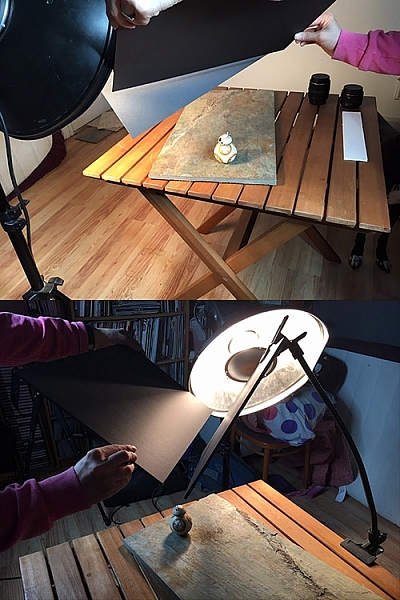
Step 1 – Set-up

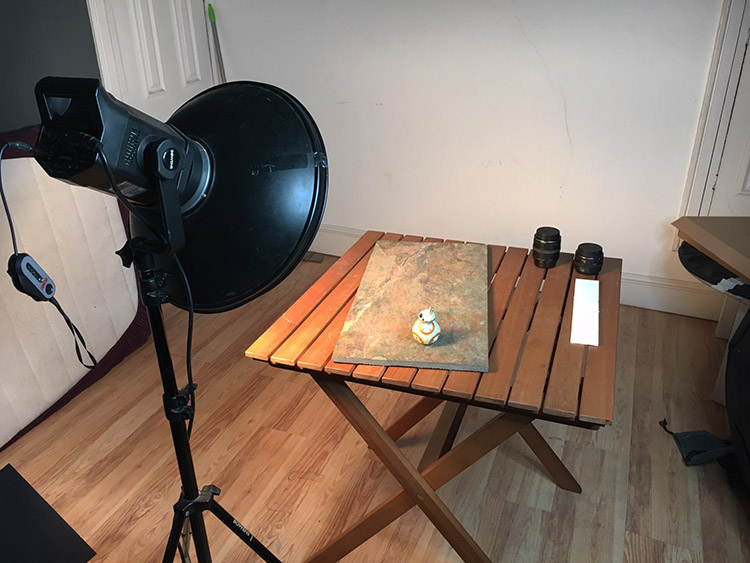
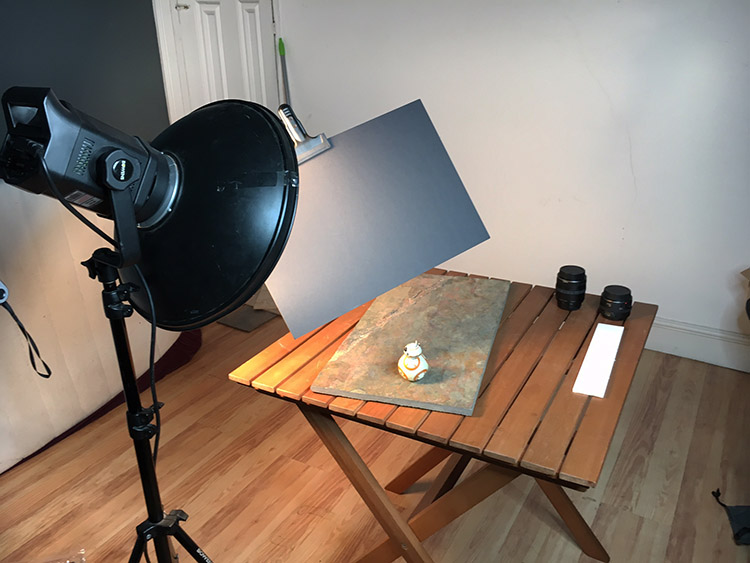
As mentioned, this process will start with a wide crop to better illustrate how the light changes. The first task is to arrange the subject and light in the desired position, and calculate the exposure. For this shot, I intend to push the highlights of the subject to just below their limit, so the flags can be used to darken the background and achieve a very high contrast look in the final image.

how-to-modify-light-with-flags-setup

Original setup, no flags used.

how-to-modify-light-with-flags-5212

Step 2 – first flag for background control

Even though that is a good start, there are some things that can be done to improve this image. The first thing that needs to be tackled is the large negative space in the left hand side of the image. The background matches the subject in tone and color, so bringing down the exposure on the background will help to separate the two.

This is achieved by bringing in a large piece of black foamcore and holding it in front of the light. By watching where the shadows fall, you can figure out exactly where your flag needs to be to reduce the exposure on the background, without affecting your subject. Once that place is found, the flag can be mounted in place and another test shot taken.

how-to-modify-light-with-flags-first-flag

First flag placed to strategically block light from falling on the background.

how-to-modify-light-with-flags-5213

Notice how much darker the left side of the image is, but the exposure on the subject has not changed.

Step 3 – place second flag for further light control

With the left side darkened, the next bit of concern is the area of background to the right of and behind, the subject. Again, it’s a matter of bringing in a piece of foam core and moving it around while watching the shadows and making sure the subject is still lit. Once that’s achieved, clamp or hold the flag in place and take another test shot.

how-to-modify-light-with-flags-second-flag

how-to-modify-light-with-flags-5214

Step 4

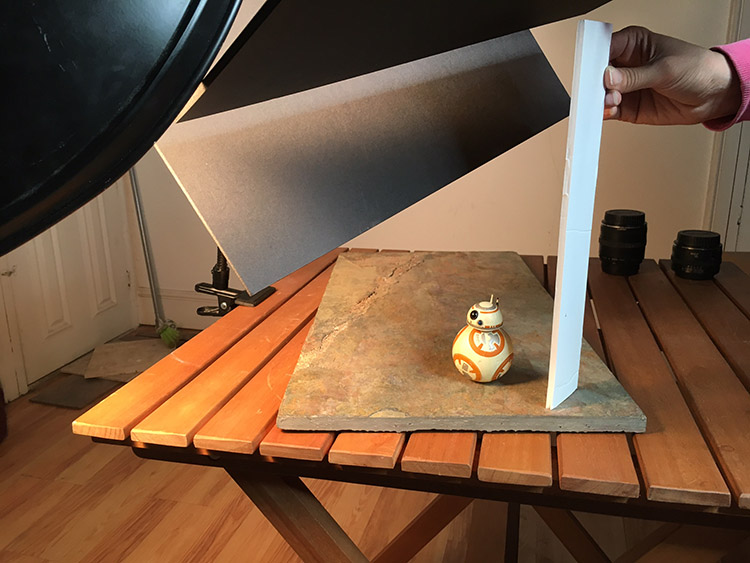
With all the flags in place, this image isn’t quite finished. Because the background has been darkened so much, the shadow side of the subject now doesn’t stand out as much as it did in the initial setup. You can fix this with a reflector. In this case, I used a strip of white foamcore, just out of the frame to camera right. This fills in the shadows, creating an extra amount of separation between the subject and the background.

how-to-modify-light-with-flags-reflector

how-to-modify-light-with-flags-5218

Final image

With these techniques, you are taking your time to build up a scene, and controlling every bit of light that your camera records. This control, when done right, should result in well crafted images that need very little attention in post-production. In this example, this image needed a small crop, a couple small local contrast adjustments, and a high pass filter. That took all of a minute to achieve, thanks to the amount of time spent working in camera.

Before

Before flags and lighting control

how-to-modify-light-with-flags-5218final

Final image with the use of flags and a reflector to control the light, and minimal post-processing.

Moving on

Once you try this for yourself, you should quickly see how flags can be a huge help when trying to control lighting in your photography. Although this tutorial focuses on a small subject, flags can be used to great effect in all manner of genres where you have the opportunity to control light. This is especially true with portraiture. So, when you have the hang of it with a small subject, don’t be afraid to think bigger.

Please feel free to have a go at this technique yourself and share your questions and your results below.

googletag.cmd.push(function() {
tablet_slots.push( googletag.defineSlot( “/1005424/_dPSv4_tab-all-article-bottom_(300×250)”, [300, 250], “pb-ad-78623” ).addService( googletag.pubads() ) ); } );

googletag.cmd.push(function() {
mobile_slots.push( googletag.defineSlot( “/1005424/_dPSv4_mob-all-article-bottom_(300×250)”, [300, 250], “pb-ad-78158” ).addService( googletag.pubads() ) ); } );

The post How to Control and Modify Your Lighting With Flags by John McIntire appeared first on Digital Photography School.


Digital Photography School

 
Comments Off on How to Control and Modify Your Lighting With Flags

Posted in Photography


Lighting 102: Four Zones, Four Names

02 Aug

Photo by Kenneth Lau

When you light any three-dimensional object, you create four zones of light. It doesn't matter if it is a face or a tomato. So today let's learn from this tomato, photographed by Strobist reader Kenneth Lau.Read more »
Strobist

 
Comments Off on Lighting 102: Four Zones, Four Names

Posted in Photography


Getty Images says $1 billion lawsuit is based on ‘misconceptions’

02 Aug

On July 25, photographer Carol M. Highsmith filed a lawsuit against Getty Images seeking $ 1 billion in damages over the company’s alleged infringement of her photo copyrights. The lawsuit names both Getty Images and distributor Alamy, claiming both have been charging licensing fees for the use of photos she provided to the Library of Congress for public use. The suit also names LCS, which it claims is owned by or operated under common control with Getty. In a response to the lawsuit, Getty said, ‘We believe it is based on a number of misconceptions.’

In its statement, Getty Images distances itself from the copyright infringement claim, stating that LCS was acting on behalf of Alamy.

The content in question has been part of the public domain for many years. It is standard practice for image libraries to distribute and provide access to public domain content, and it is important to note that distributing and providing access to public domain content is different to asserting copyright ownership of it.

LCS works on behalf of content creators and distributors to protect them against the unauthorized use of their work. In this instance, LCS pursued an infringement on behalf of its customer, Alamy. Any enquiries regarding that matter should be directed to Alamy; however, as soon as the plaintiff contacted LCS, LCS acted swiftly to cease its pursuit with respect to the image provided by Alamy and notified Alamy it would not pursue this content.

The company also said that, assuming it can’t ‘rectify’ the situation with Highsmith, ‘we will defend ourselves vigorously.’

Via: Getty Images

Articles: Digital Photography Review (dpreview.com)
 
Comments Off on Getty Images says $1 billion lawsuit is based on ‘misconceptions’

Posted in Uncategorized


Warped Worlds: 30 Surreal Digitally Manipulated Landscapes

02 Aug

[ By SA Rogers in Art & Photography & Video. ]

distorted landscapes 4

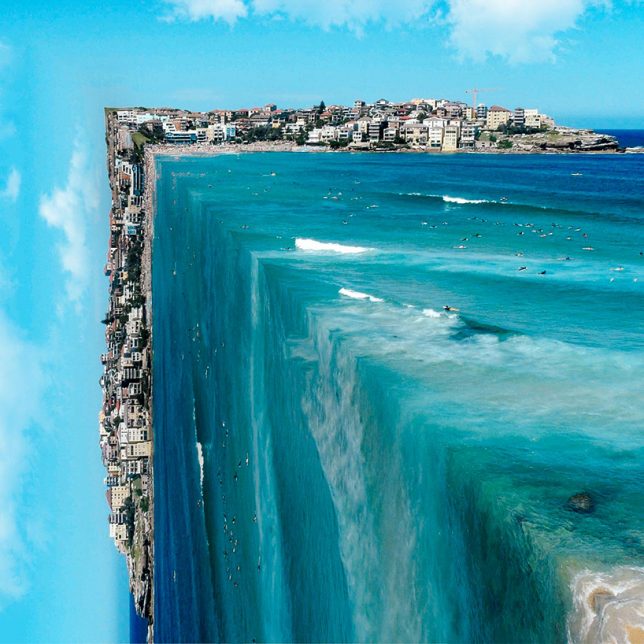
The plot of the movie ‘Inception’ is almost an afterthought compared to the impact that its distorted, dreamlike manipulations of architecture and landscapes has had on a generation of artists and designers. Inspired by the concept of warping a scene in ways that completely defy the laws of physics yet still remain photo-realistic, the following artists have created new worlds that are strange and yet also familiar.

Erik Johansson

erik johansson 1

erik johansson 2

eric johansson 3

erik johansson 5
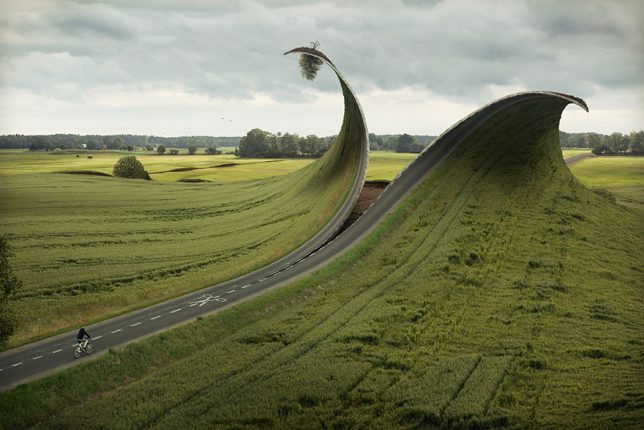
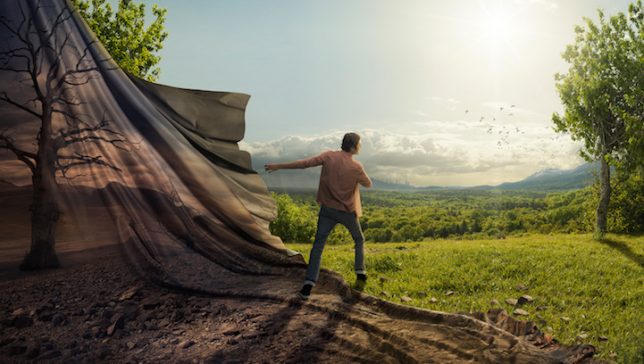
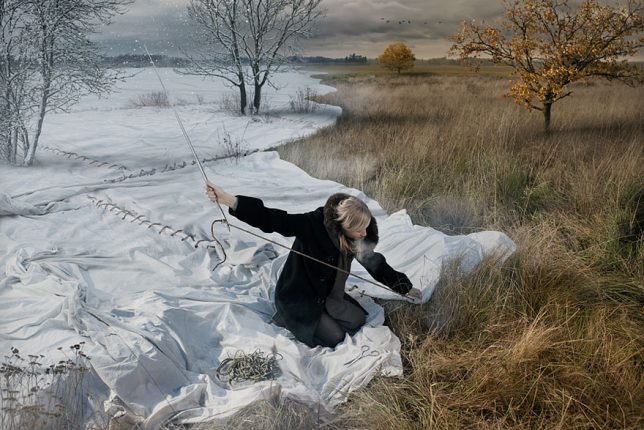
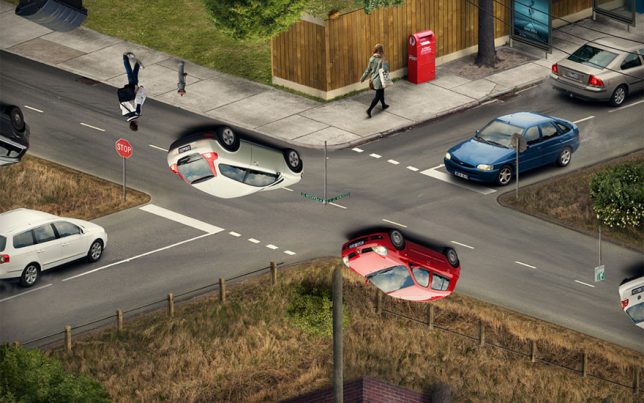
Nothing is quite as it seems in the images produced by Swedish-born, Berlin-based photo artist Erik Johansson. Grassy land cascades over the edge of the world like a waterfall, the surface of the earth is unzipped, cars appear to hover upside-down on the road. It’s difficult to tell reality from illusion, and that’s the point; the scenes he creates are as playful as they are impossible. Setting up and taking the photos takes about as long as manipulating them in Photoshop, and a single image can consist of over 100 layers.

Cubic Landscape by Petey Ulatan

distorted landscapes 1

distorted landscapes 2

distorted landscapes 3

distorted landscapes 6

distorted landscapes 7

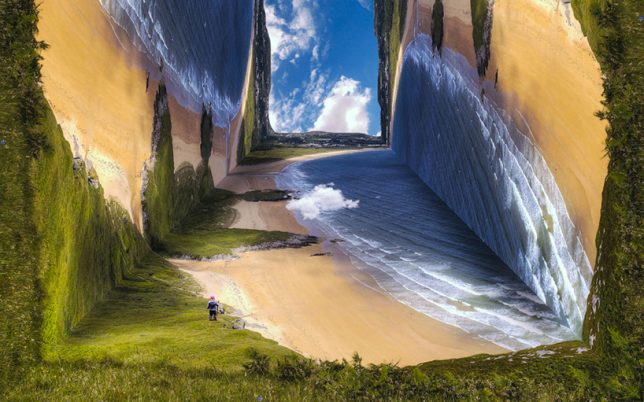
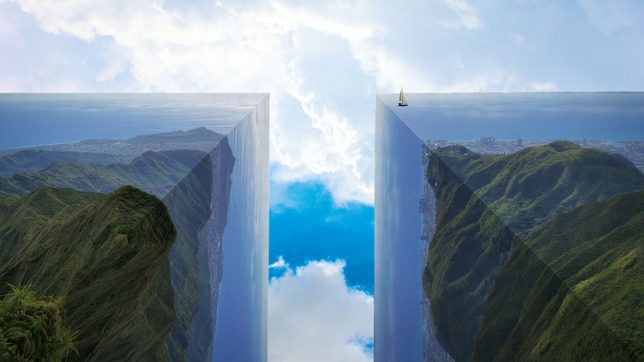
Flattened views of landscapes are flipped and folded to create cubes, their edges bent at 90 degree angles, eliminating the very gradual and subtle curves that make up the surface of the Earth. Artist Petey Ulatan takes inspiration from the films ‘Inception’ and ‘Interstellar’ to reshape the world, almost as if a giant hand were making it into origami.

Turkey Turned Upside-Down by Aydin Büyüktas

distorted turkey 1

distorted turkey 2

distorted turkey 3

distorted turkey 4

distorted landscape 6

distorted turkey 6

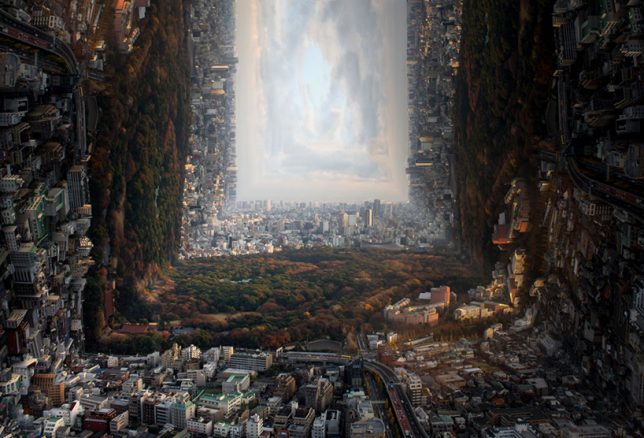
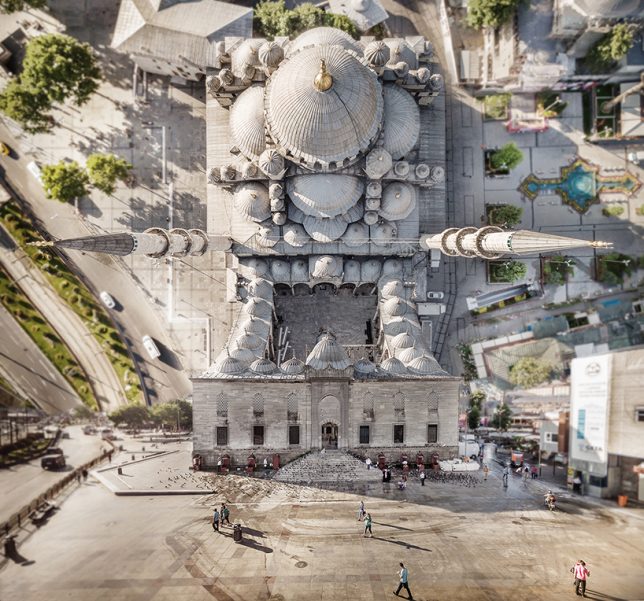
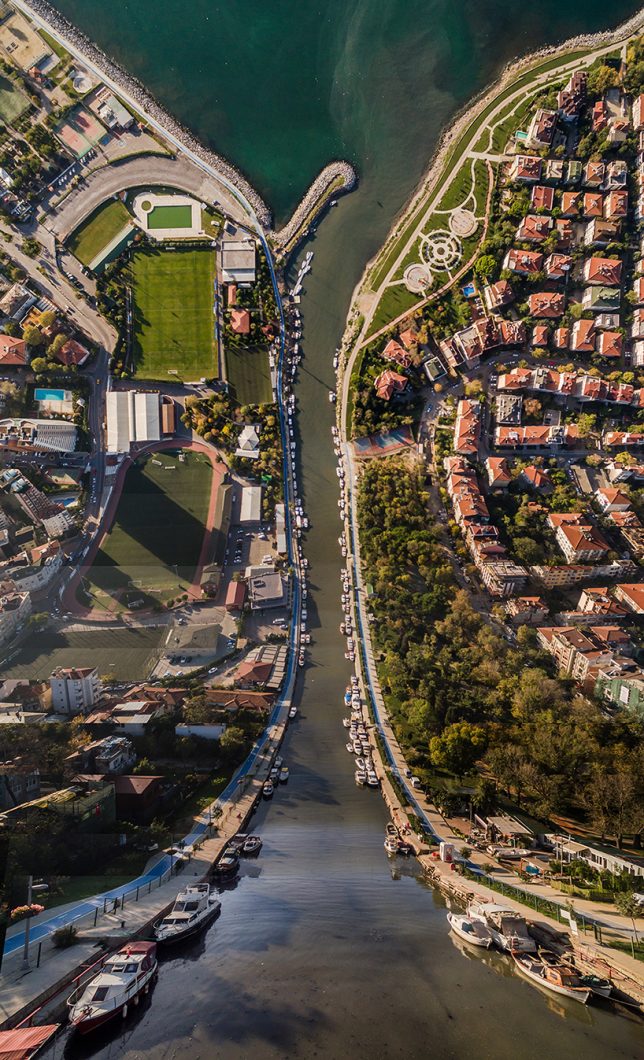
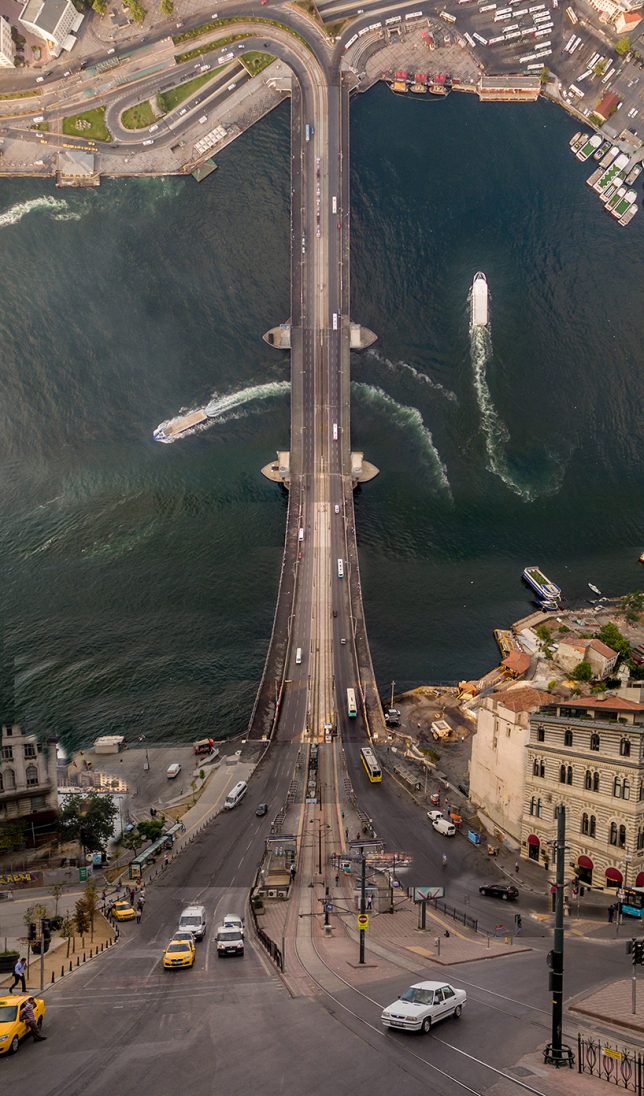
Many of the same manipulations are happening in the work of Aydin Büyüktas, except focused on the Turkish city of Istanbul, with all of its landmarks and neighborhoods warped in ways that defy the laws of physics. The artist uses drone photography and 3D software to create these composite images. “We live in places that most of the times don’t draw our attention, places that transform our memories, places that the artist gives another dimension; where the perceptions that generally crosses our minds will be demolished and new ones will arise. These works aims to leave the viewer alone with a surprising visuality ironic as well, multidimensional romantic point of view.”

‘Inception Park’ in Buenos Aires by Black Sheep Films

inception park 1

inception park 2

inception park 3

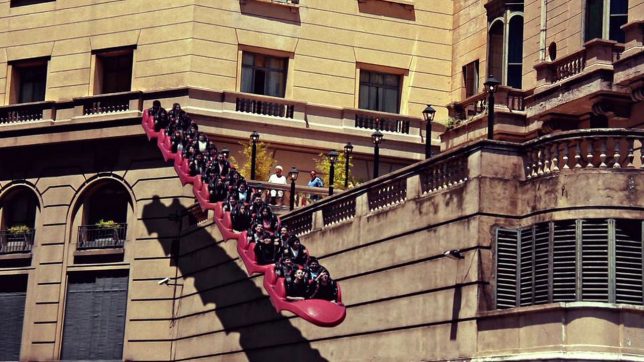
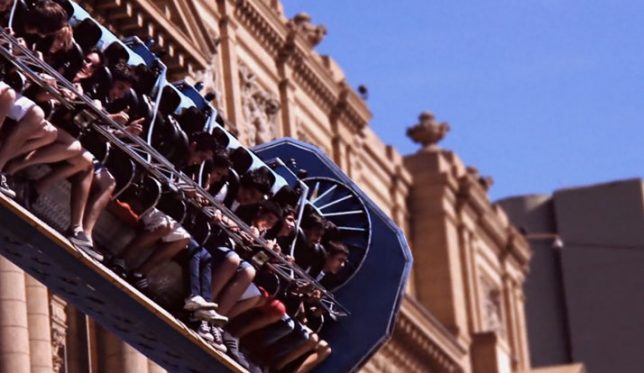
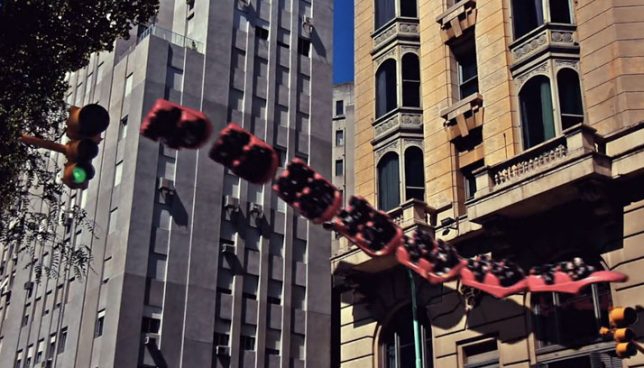
What if you could ride a trackless rollercoaster around the city, almost as if you’re on the back of some kind of mystical flying creature? Black Sheep Films gives us an idea of what this would feel like with ‘Inception Park,’ a strange little video set in Buenos Aires. It’s fun to watch the snake of rollercoaster cars meander through the space, interacting with architecture.

Twisted Architecture by Nicholas Kennedy Sitton

Screen Shot 2016-07-31 at 7.25.44 PM

Screen Shot 2016-07-31 at 7.26.13 PM

Screen Shot 2016-07-31 at 7.26.27 PM

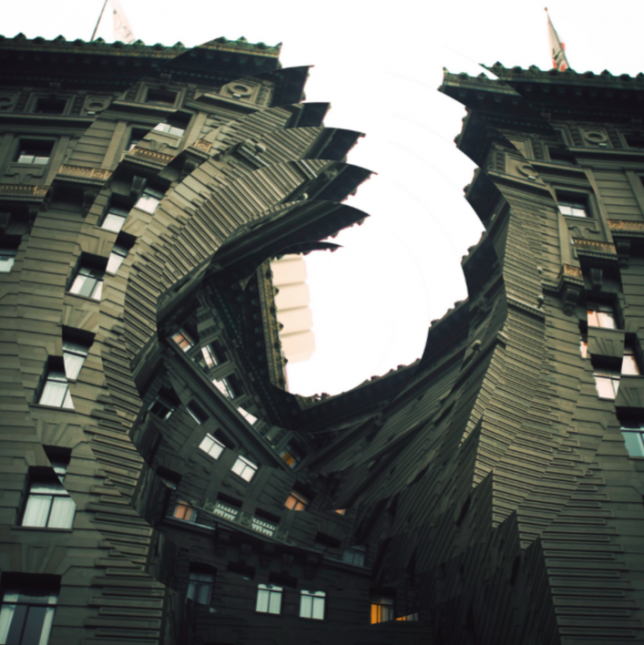
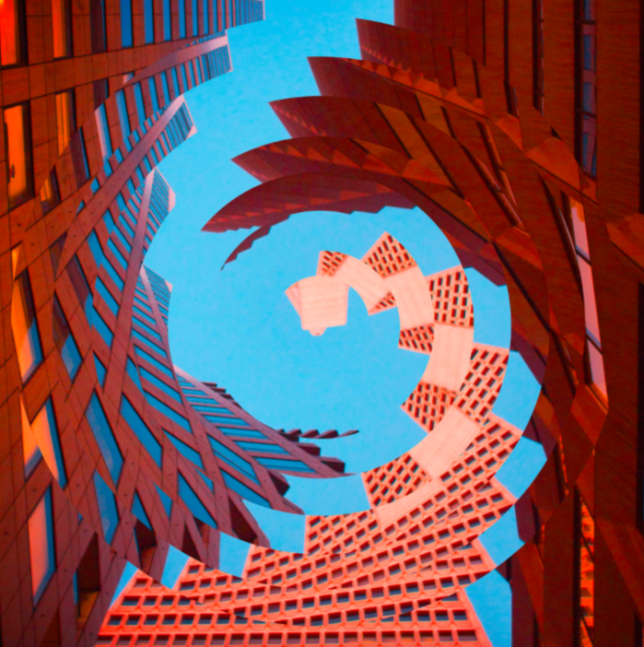
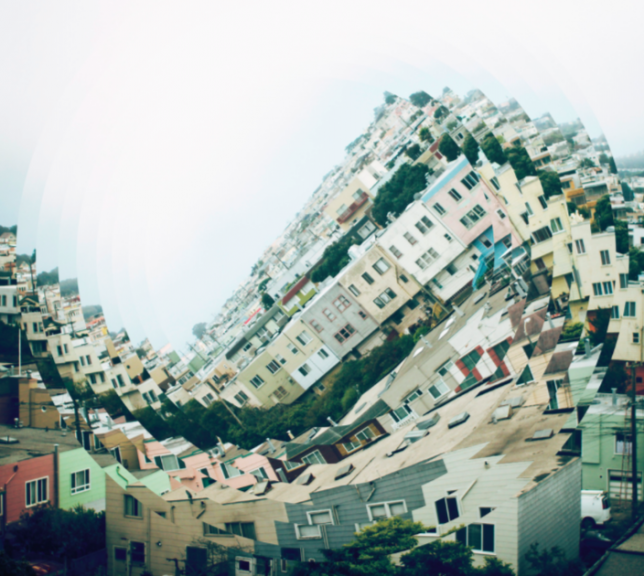
“These photos are a result of how intriguing the concept of distortion translates to architecture,” says artist Nicholas Kennedy Sitton of his ‘Twisted Architecture’ series. “It creates a sense of falling into itself, like capturing a moment of demolition. I can destroy titanous steel structures with the click of a mouse and create new twisted versions of reality. I was also inspired by San Francisco. I had just moved there and being in a new city was disorienting and exciting and I wanted to capture how my whole world had changed.”

Next Page – Click Below to Read More:
Warped Worlds 30 Surreal Digitally Manipulated Landscapes

Share on Facebook


[ By SA Rogers in Art & Photography & Video. ]

[ WebUrbanist | Archives | Galleries | Privacy | TOS ]


WebUrbanist

 
Comments Off on Warped Worlds: 30 Surreal Digitally Manipulated Landscapes

Posted in Creativity


Lighting 102: Controlling Specular Highlights

01 Aug

We have all had to deal with specular highlights, even if we did not know what they were called.

Think about portraits of people you have made in direct sunlight. Remember that glaring spot on their face or forehead? That was the specular highlight of the sun. And if the person was sweating or had oily skin it only made matters worse, as that sheen is very efficient at throwing back a hard specular.

That reflection is a function of the intensity of the light source. More specifically, think of it as intensity per square inch. And understanding this starts to tell us how to control it.Read more »
Strobist

 
Comments Off on Lighting 102: Controlling Specular Highlights

Posted in Photography


Samyang continues summer announcements with 35mm F1.2 ED AS UMC CS for mirorrless

01 Aug

$ (document).ready(function() { SampleGalleryV2({“containerId”:”embeddedSampleGallery_2809181414″,”galleryId”:”2809181414″,”isEmbeddedWidget”:true,”standalone”:false,”selectedImageIndex”:0,”startInCommentsView”:false,”isMobile”:false}) });

Sticking with its plan to introduce a whole bunch of new lenses this summer, Samyang has announced the 35mm F1.2 ED AS UMC CS for APS-C and Micro Four Thirds mirrorless cameras. It will be produced for Sony E, Canon M, Fujifilm X and Micro Four Thirds mounts.

The 35mm will include nine elements in seven groups, using two aspherical elements and Samyang’s ‘Ultra Multi Coat’ technology. A cinema version of the lens has also been introduced: the 35mm T1.3 ED AS UMC CS, with gears for follow focus and a de-clicked aperture ring.

Samyang hasn’t provided pricing or availability.

Articles: Digital Photography Review (dpreview.com)

 
Comments Off on Samyang continues summer announcements with 35mm F1.2 ED AS UMC CS for mirorrless

Posted in Uncategorized


Canon EOS-1D X Mark II Field Test: DPReview goes to the rodeo

01 Aug

The Canon EOS-1D X Mark II is a professional full-frame DSLR, and Canon’s fastest, toughest and most capable camera ever. To test out its blazingly fast shooting speeds and advanced autofocus we needed a shooting situation that would really stretch the camera’s abilities.

So saddle up, ya’ll – DPReview is headed to the rodeo…


This is sponsored content, created with the support of Canon. What does this mean?

Articles: Digital Photography Review (dpreview.com)
 
Comments Off on Canon EOS-1D X Mark II Field Test: DPReview goes to the rodeo

Posted in Uncategorized


Lighting 102: Side Effects

01 Aug

Let's jump off this train for a minute and think about our different lighting controls in context with each other. More specifically, let's look at size and distance.Read more »
Strobist

 
Comments Off on Lighting 102: Side Effects

Posted in Photography


Lighting 102: Restriction

01 Aug

Restricting light is a powerful control. By taking light away, we can evoke character or drama or mystery or any number of other things. My friend Joe McNally goes as far as to distill it down to this:Read more »
Strobist

 
Comments Off on Lighting 102: Restriction

Posted in Photography