RSS
 

Archive for August, 2016

A Simple Explanation of the Camera Mode Dial

09 Aug

If you have a more advanced camera like a DSLR or mirrorless, or even a high-end pocket model, it’s a good bet that somewhere on the top of the camera body you will find a circular dial (the camera mode dial) with a whole lot of strange letters like: M, Tv (or S), Av (or A), P, and maybe even a U1 or U2 (or C1, C2) thrown in for good measure. There is also a friendly safe green option, that may say Auto, or depending on the type of camera you have, is just represented by a green rectangle.
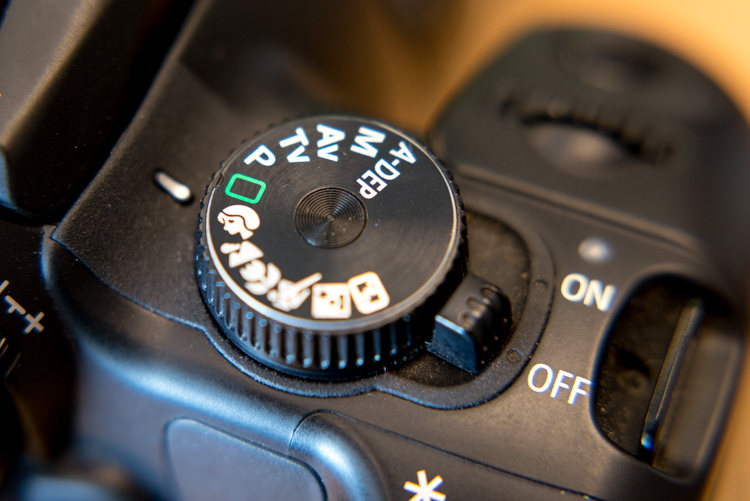
mode-dial

Most beginners know this option the best, since it essentially puts your camera in the driver’s seat, and forces it to do all the heavy lifting of figuring out the exposure, while all you need to do is point your camera in the right direction. If you like shooting in Auto and you are happy with your pictures, then don’t let anyone tell you that you need to change, or that you aren’t a good photographer.

However, if you would like to branch out a little bit, and learn to make your camera do what you want in order to make the photos you desire, then the mode dial is your key to a whole new world of photographic creativity. It can be somewhat daunting, and those strange letters don’t inspire much confidence for beginners who already feel overwhelmed. So I’ll walk you through the basic functions of the mode dial one by one, and give you the information you need to start experimenting with some of your camera’s more advanced settings.

Auto Mode

This one might seem fairly self-explanatory, but I’d like to offer some detail about what Auto mode actually does. In most situations, your camera is going to do whatever it can to make sure the pictures you take are properly exposed (in other words, not too dark nor too bright). There are three main things that govern exposure (Aperture, Shutter, and ISO – otherwise known as the Exposure Triangle) and Auto mode takes care of setting the values of all three of these elements for you. If your camera has a flash, it may decide to fire it, order to brighten up a scene that is quite dark, which often happens indoors or at night. Auto generally does a good job at allowing you to take decent photos in a variety of situations.

Sometimes Auto mode is all you need to get the pictures you want.

Sometimes Auto mode is all you need to get the pictures you want.

P: Program Auto Mode

When you want to branch out from Auto mode, this is a good place to start. Program Auto does exactly the same thing as the familiar, comfortable green Auto mode, but with a twist – you can change a few settings if you want. Using Program Auto allows you to do things like decide whether you want the flash to automatically pop-up or turn off altogether, as well as change the ISO and the White Balance.

It really gets interesting when you turn the rotating circular dial (called a control wheel) on the top or back of your camera, which lets you take some degree of control back from your camera. In Program Auto your camera will always try to maintain a properly-exposed picture, but you can use the dial to change the aperture and shutter speed at the same time. It’s a fun way to experiment with your camera while being reasonably certain that you will still get good pictures, and also start to notice some of the effects that changing the aperture and shutter speed has on your final images.
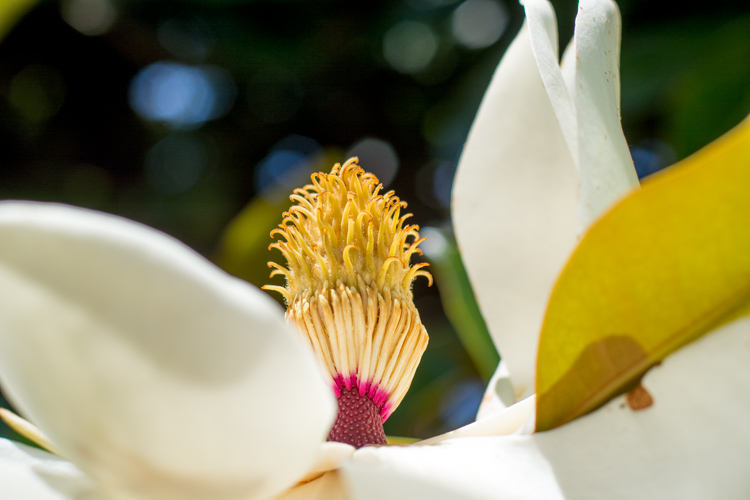
Program Auto can be a great way to help you get the shot you want by changing the shutter speed and aperture with a simple flick of your thumb.

Program Auto can be a great way to help you get the shot you want by changing the shutter speed and aperture with a simple flick of your thumb.

Av (or A): Aperture Priority Mode

When you want to have full control over the aperture in your lens (and thus also control the depth of field), this is the mode to use. It lets you turn the control wheel on your camera in order to adjust the aperture alone, while the camera decides what ISO (if you use auto ISO) and shutter speed to use.

If you have plenty of available light this is a fantastic mode to be in, because you can choose whether you want a wide depth of field (i.e. everything in focus) or a shallow depth of field (just your subject in focus, with foreground/background elements blurry) and know that the shutter speed and ISO will be set automatically to get the shot you want. However if you are shooting in low light, you might end up in a situation where you set the aperture you want, but your camera chooses a shutter speed that is too slow, or an ISO (again only if you are using Auto ISO, if you are manually setting the ISO you will still have to adjust that yourself) that is too high for your liking.

My personal favorite mode to shoot in is Aperture Priority with Auto-ISO, which means my camera won’t use a shutter speed that’s too slow (you can usually set the parameters for minimum shutter speed in your camera’s settings via the menu options – consult your user manual if you aren’t sure), and will instead raise the ISO.
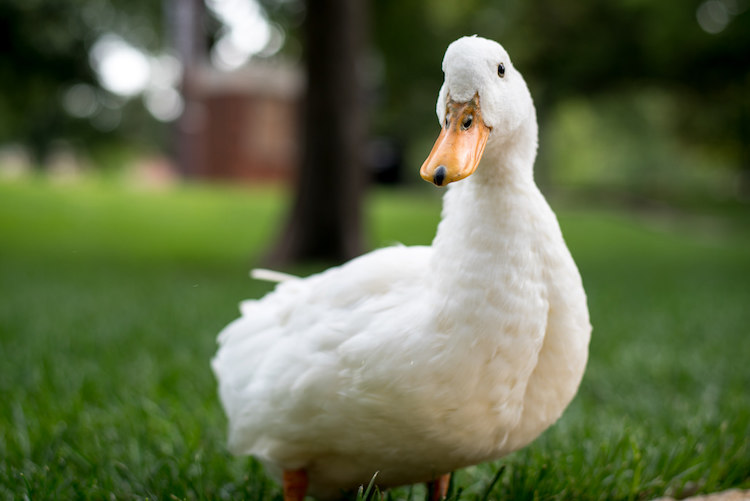
I knew I wanted a shallow depth of field with this, so I used Aperture Priority mode to select a wide aperture and let my camera figure out the rest.

I knew I wanted a shallow depth of field for this shot, so I used Aperture Priority mode to select a wide aperture, and let my camera figure out the rest.

Tv (or S): Shutter Priority Mode

You may have already guessed what this mode does, based on the explanation of Aperture Priority above. Shutter Priority Mode is essentially the opposite. In this mode you tell the camera what shutter speed to use, and let it calculate the aperture and ISO (when using Auto ISO). It is particularly useful if you are shooting fast action like a race or sporting event, because you can set your shutter speed to be fast enough to freeze the motion of the subjects, and know that your camera will select whatever aperture and ISO values are needed to get the shot. Most cameras can shoot as fast as 1/4000th of a second which is plenty for freezing motion, or as slow as 30 seconds, which can be fun for nighttime photography and capturing light trails.
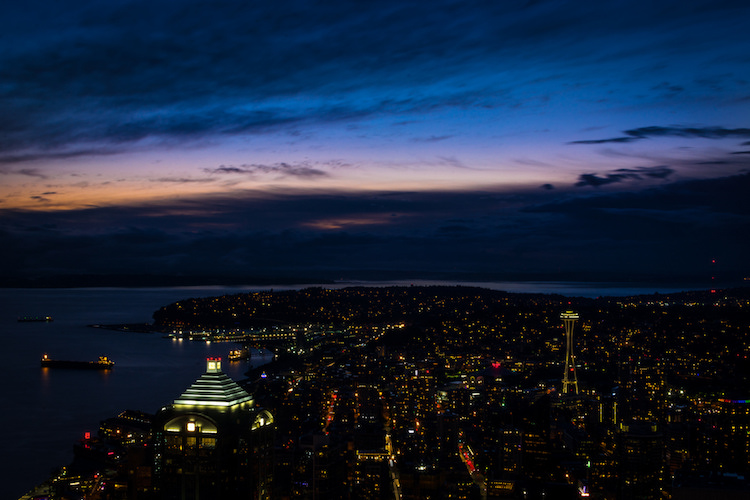
I used Shutter Priority with a value of 30 seconds to get this shot of the Seattle skyline from the Columbia Tower Observation Deck.

I used Shutter Priority with a value of 30 seconds to get this shot of the Seattle skyline, from the Columbia Tower Observation Deck.

M: Manual Mode

This is the granddaddy of all camera modes, because you have to choose all three settings: Aperture, Shutter Speed, and ISO. Shooting in manual can be a little scary at first, but the trick here is to learn to use your camera’s light meter, which will tell you if your picture will be over, or under-exposed. When you put your camera in Manual ode, the control wheel will only change one parameter of the three aforementioned settings at a time, so you may need to press another button while turning the wheel, or navigate to one of your camera’s menus in order to select a different value. With enough practice you will easily get the hang of it.

Shooting in Manual can be challenging, but intensely rewarding, as you learn exactly how to control your camera to get precisely the picture you want. Any situation can be good for Manual, provided you are well acquainted with your camera and how it operates.

Learning to shoot in Manual mode might seem daunting at first, but it's incredibly liberating when you learn how to take full control over every element of exposure.

Learning to shoot in Manual mode may seem daunting at first, but it’s incredibly liberating when you learn how to take full control over every element of exposure.

U1 (or C1): Storing custom user settings

Not all cameras have these options, but if yours has the ability to save custom user settings, you may want to investigate it a little more to start taking advantage of how this can help you. These custom settings allow you to specify a set of parameters, not just for exposure, but for other options like: shooting in JPG or RAW, shooting mode, White balance, enabling Auto ISO, and others – then instantly switch to those settings with just a click of your dial.

One thing I find these user storage banks useful is for having U1 (may be called C1 or something else on your camera) store a set of parameters that is a good starting point for indoor photography, such as a wider aperture and higher ISO, and then using U2 for outdoor pictures. The values and parameters can all be changed once you click over to a U1 or U2 storage bank, but it’s an incredibly handy to instantly change to a specific custom baseline for shooting different types of scenes.

Other things you could use it for are: saving settings for panning, bracketing for HDR shots, low light photography, portrait settings, landscape settings, etc. Use them for the types of things you do most often, or need to access quickly.

I have U1 configured to be ideal for outdoor portraits, so no matter what I'm doing I can instantly switch over to those settings to get the shot I want.

I have U1 configured to be ideal for outdoor portraits, so no matter what I’m doing I can instantly switch over to those settings to get the shot I want.

Preset Program Modes
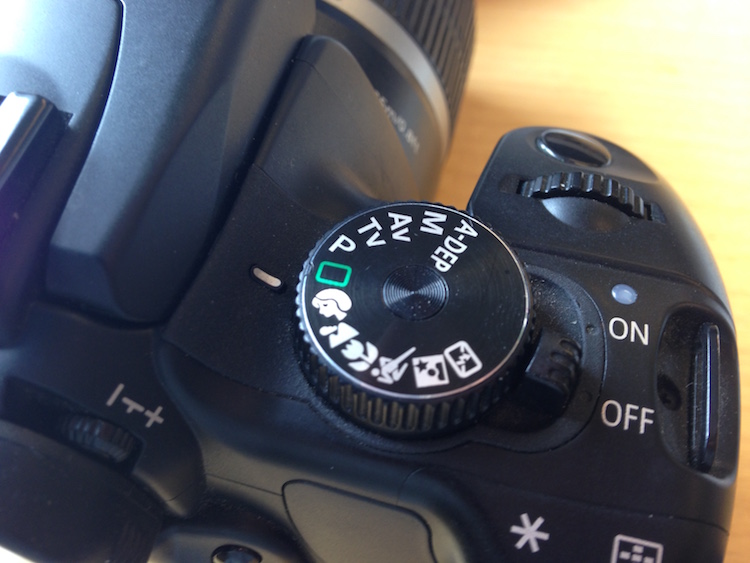
Insert mode dial close-up shot here. This is just a placeholder.

Think of these as custom Auto settings, each one suited for a different type of photography (look for the mountain, flower, person or sports figure on your mode dial). If you are perfectly happy shooting in Auto mode, but get frustrated when it doesn’t always give you the results you want, you might want to try using one of these instead.

Each option includes a specific set of parameters, kind of like the U1/U2 storage banks, that is ideal for taking pictures in certain types of settings. If you like going outdoors and taking shots of landscapes, twist the dial away from Auto, and over to the mountain icon, which will force your camera to use smaller apertures and lower ISO values that are suited for this type of photography. If you are watching your kids play football or run around at the park, use the icon with a person running, which will make your camera use faster shutter speeds and higher ISO values, if necessary, to freeze the action.

Each one of these icons is calculated and calibrated by your camera’s manufacturer to deliver good results in various types of situations, and they often deliver better images than just shooting in Auto mode.
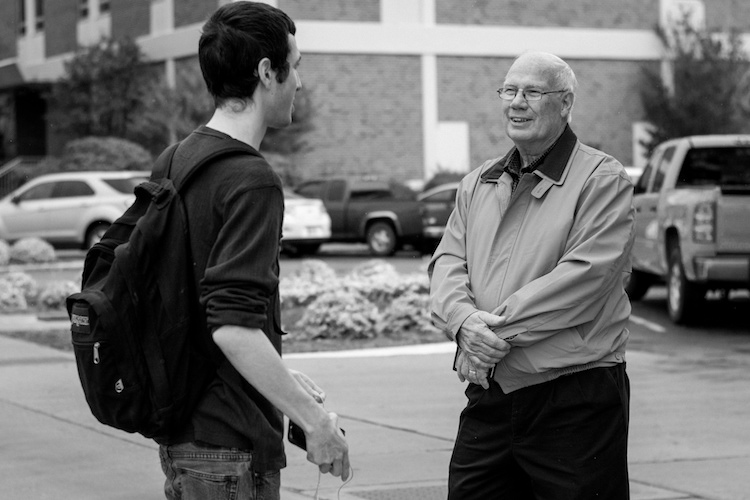
Using the icons on your camera can help you get the specific type of picture you want; the Portrait mode works here because it forces the camera to choose a wider aperture resulting in a blurry background behind the subjects.

Using the icons on your camera can help you get the specific type of picture you want; the Portrait mode worked here because it forced the camera to choose a wider aperture, resulting in a blurry background behind the subjects.

Other Common Modes

There are plenty of other modes you might find on any given camera, and each manufacturer includes a slightly different set of options, so it’s difficult to make a list that includes an explanation of all available functions. Here are just a few more that you might find, along with brief explanations. If your camera has something that’s not on this list, it may well be worth your time to open up your user manual and investigate. You may find some very useful modes for helping you take better pictures that were hidden in plain sight all along!

A-Dep: A fully automatic mode that lets you pick two points (in the foreground and background) that you want to be in focus, and your camera selects the aperture needed to get everything between those two points in sharp focus. The abbreviation stands for Automatic Depth of Field and it’s fun to play with, but doesn’t always work out so well in practice.

Box with Lightning Symbol Crossed Out: Another automatic mode that also disables the flash. It’s good if you want to shoot in low-light situations and only use available light, but your pictures may come out grainy or blurry.

Flower (macro): This is useful for shooting subjects at close range, such as flowers, or other small objects. It doesn’t affect the properties of your lens, which are far more important when shooting close-up subjects, but merely tells your camera to set the focus priority on things that are closer instead of farther away.

SCN/SCENE: Similar to the icons you may find on a mode dial, this lets you choose from several built-in scene examples, in order to help your camera figure out the appropriate shooting parameters to use.
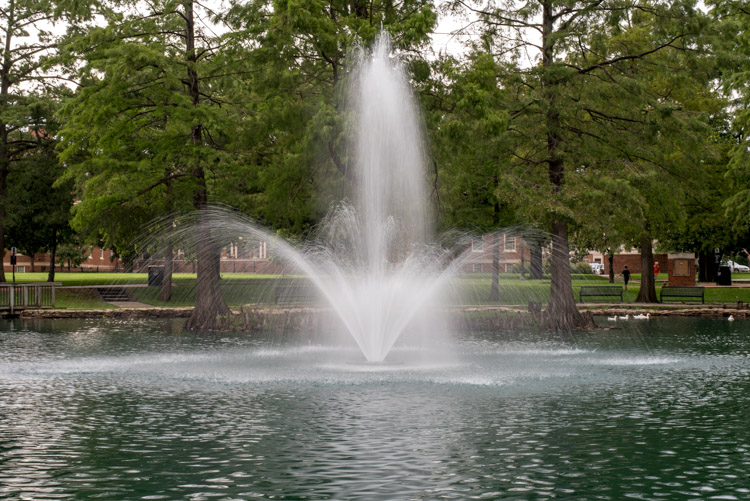
Though I shot this in the day, the nighttime scene mode worked well because it forces the camera to use a slow shutter speed which resulted in a nice blurry fountain.

Though I shot this in the day, the nighttime scene mode worked well because it forces the camera to use a slow shutter speed, which resulted in a nice blurry fountain.

Do you like using the mode dial on your camera, or do you prefer to leave it in just one position for all your shooting needs? Do you have any other tips or tricks you have learned from using the various functions on your mode dial? Did I leave out any critical information you think might be useful to someone learning to use the mode dial? Please leave your thoughts in the comments below.

googletag.cmd.push(function() {
tablet_slots.push( googletag.defineSlot( “/1005424/_dPSv4_tab-all-article-bottom_(300×250)”, [300, 250], “pb-ad-78623” ).addService( googletag.pubads() ) ); } );

googletag.cmd.push(function() {
mobile_slots.push( googletag.defineSlot( “/1005424/_dPSv4_mob-all-article-bottom_(300×250)”, [300, 250], “pb-ad-78158” ).addService( googletag.pubads() ) ); } );

The post A Simple Explanation of the Camera Mode Dial by Simon Ringsmuth appeared first on Digital Photography School.


Digital Photography School

 
Comments Off on A Simple Explanation of the Camera Mode Dial

Posted in Photography


NASA combines exposures on the fly to create high-speed 3D HDR video

09 Aug
Credit: NASA

NASA has successfully tested a camera that uses multiple frames of different exposures to create HDR video. The demo of a rocket test shows that the dynamic range provided is enough to capture plumes of exhaust fire and the surrounding area at the same time. The High Dynamic Range Stereo X, or HiDyRS-X, camera is capable of recording a collection of different exposures using very high frame rates which it then combines to create individual frames of HDR video – in 3D.

The idea is to be able to capture the extremely wide range of brightness values during a rocket test so that the rocket itself and the flames of the plume can be seen and studied simultaneously – not something that traditional capture methods can do.

NASA says that the trial, using the Space Launch System Qualification Motor 2 test, allowed its scientists to study elements and behaviors they had not been able to see before. As with many critical moments in photography things didn’t go completely smoothly for the photography team during the unrepeatable engine test. The camera’s automatic timer failed to start the recording so the team had to intervene manually, and then the vibrations of the rocket itself caused the camera’s power cable to fall out.

The HiDyRS-X camera was developed as a part of a scheme to allow young engineers to come up with concepts and lead projects to create new hardware to help with NASA’s space programs. The project won one of the Early Career Initiative grants in 2015 and was led by structural dynamist Howard Conyers from the Stennis Space Center in Hancock County, Mississippi.

For more information on the camera and the test visit the NASA website.

Articles: Digital Photography Review (dpreview.com)

 
Comments Off on NASA combines exposures on the fly to create high-speed 3D HDR video

Posted in Uncategorized


A Study in Architectural Contrasts: 12 Modern-Meets-Historic Additions

08 Aug

[ By SA Rogers in Architecture & Cities & Urbanism. ]

modern extensions ontario 1

At what point do modern extensions to historic structures surpass and overwhelm the original buildings rather than complementing and enlarging them? Contrasting architectural styles can be a tricky proposition, especially in preventing the addition from looking dated or outshining the historic buildings. In some cases, these modern renovations successfully preserve the originals while bringing something fresh and new, while others fall on their faces. These examples represent both extremes, and a few in between.

Beyazit Public Library Restoration by Tabanlioglu Architects, Istanbul, Turkey

modern extension istanbul 1

modern extension istanbul 2

modern extension istanbul 3

modern extension istanbul 4

In restoring Istanbul’s Beyazit Public Library, which dates back to 1501 and holds a collection of rare books, Tabanlioglu Architects took a minimal-intervention approach, inserting glass boxes to protect its most precious volumes and adding transparent membrane structures to cover the courtyard. A modest extension on one end of the building remains respectfully within scale of the original architecture in order to complement rather than outshine it. Contemporary lighting, support beams, modern furnishings and glass display cases contrast subtly with the traditional surfaces.

House in Vexin by Jean-Philippe Doré, France

modern extension vexin 1

modern extension vexin 2

modern extension vexin 3

modern extension vexin 4

Three historic homes come together into a single residence with the addition of a modern volume for ‘House in Vexin’ by Jean-Philippe Doré. The existing buildings were renovated in the vernacular style of the French village, while the glass and steel contemporary volume offers a deliberate (but not overbearing) contrast. From the street, only the historic buildings can be seen, the addition tucked out of sight.

Moritzburg Museum Extension by Nieto Sobejano Arquitectos, Germany

modern extension moritzburg 1

modern extension moritzburg 2

modern extension moritzburg 3

The 15th century stonework of a ruined castle in Halle, Germany, ends up providing a striking envelope for a new structure by Spanish studio Nieto Sobejano Arquitectos, which is simply inserted inside. The extension provides a new roof for the formerly open-air ruins, and suspends a new floor from the center to add exhibition space without installing columns in the main gallery. The angular geometry of the roof adds additional space as well as skylights. At night, the glass insert shines like a lantern. Now the Moritzburg Museum, the building holds an important collection of modern art.

Sonora 113 Office Building by Iñaki Echeveria, Mexico City

modern extension mexico 1

modern extension mexico 2

modern extension mexico 3

Sonora 113 can’t really be called an extension, considering that the new section literally towers above the original. It’s more a case of a historic facade that has been integrated into new construction to preserve some of the neighborhood’s character. The architects worked around what was once a modest yet beautiful home, the towering addition rising many stories into the sky and curving around the facade to meet the sidewalk. It raises interesting questions about what constitutes historic preservation – though if the building had been more culturally significant, it likely would have been saved to stand on its own, and this project likely prevented it from being torn down altogether.

Music School Louviers by Opus 5 Architects, Normandy, France

modern extension music school

modern extension music school 2


First built in 1646, this historic stone building in Normandy served as a monastery, church, tribunal and prison before its transformation into a music school in 1990. Opus 5 Architects were tasked with extending space for the school and shedding all of its prison elements without allowing the new structures to overwhelm the old. The result is a series of reflective glass and concrete panels that manage to blend in with the original materials, complementing and multiplying them.

Next Page – Click Below to Read More:
A Study In Architectural Contrasts 12 Modern Meets Historic Additions

Share on Facebook


[ By SA Rogers in Architecture & Cities & Urbanism. ]

[ WebUrbanist | Archives | Galleries | Privacy | TOS ]


WebUrbanist

 
Comments Off on A Study in Architectural Contrasts: 12 Modern-Meets-Historic Additions

Posted in Creativity


Samyang introduces full-frame 20mm F1.8 ED AS UMC

08 Aug

Samyang’s summer lens party continues with the announcement of a 20mm F1.8 full-frame prime. The manual focus lens offers seven aperture blades and a minimum focus distance of 0.2m/0.6ft. Two aspherical lenses and three extra-low dispersion elements are included in the lens’ 13 elements in 12 groups. The 20mm F1.8 will be offered in ten mounts:

  • Canon EOS
  • Nikon AE
  • Pentax K
  • Sony Alpha
  • Canon M
  • Fujifilm X
  • Samsung NX
  • Sony E
  • Four Thirds
  • Micro Four Thirds

A cinema version is also introduced: the 20mm T1.9 ED AS UMC.

The 20mm F1.8 photo lens will cost €499, and the 20mm T1.9 cine lens will cost €549.

Articles: Digital Photography Review (dpreview.com)

 
Comments Off on Samyang introduces full-frame 20mm F1.8 ED AS UMC

Posted in Uncategorized


An introduction to our studio test scene

08 Aug

Our test scene is at the core of our camera testing, designed to allow like-for-like comparisons between cameras. Here we explain how the tests are conducted and why we work this way. We will publish a video explaining what we look for in the scene and where we look, in the coming weeks.

Philosophy

Our studio test scene is used to give a consistent and reproducible means of comparing camera output. We have a well-established testing methodology designed to shed light on the performance differences of camera sensors and the results of their JPEG engines. All analyses are cross-checked against our real-world experiences.

To enable comparison between cameras with different pixel counts, we offer a ‘Compare’ mode that re-sizes all the cameras to the largest resolution shared by all the selected cameras.

Lenses and focal lengths

Interchangeable lens cameras are shot using prime lenses that offer around 85mm equivalent field-of-view – a decision that stems from our historical use of each brand’s 50mm lenses on APS-C, which are generally very sharp and consistent across the frame when stopped down a little. The aim is to remove, as much as possible, the impact of the lens. Our testing has shown the use of dedicated own-brand primes to be more reliable than using multiple copies of third-party lenses.

Compact cameras are test-shot across a range of focal lengths and apertures. We then chose the focal length closest to 85mm equivalent that offers sharpness and across-frame consistency that fairly represents the lens performance as a whole. Unlike our ILC tests, any would-be buyer will be forced to use the built-in lens so we aim to include, rather than remove, the lens performance. As such, we do not cherry-pick the best performance if it’s unrepresentative of the rest of the lens’s performance, nor do we rigidly use the 85mm equivalent setting if it’s uncharacteristically poor.

JPEG

JPEG images are exposed assuming that most users will rely either on their camera’s meter or on the histogram and, as such, are shot using whatever shutter speed is required to give correctly exposed middle grey values. White balance is set manually for the daylight scene, and low light is shot using the default Auto White Balance setting, to show the degree to which the camera tries to correct a very orange light source.

Cameras are mounted securely on a macro rail on a heavily weighted-down tripod, to minimize external vibrations. Self timer and any available anti-shock modes are also employed to minimize the impact of shutter shock.

Raw

Raw images are shot using set combinations of shutter speeds and apertures to allow the assessment of sensor performance on a common basis (so at any given ISO, all cameras will receive the same amount of light). At higher ISOs, we reduce the illumination of the scene by up to two stops if a camera doesn’t offer sufficiently fast shutter speeds to allow correct exposure. If this still isn’t sufficient, we then stop down the camera’s aperture, again ensuring that the net effect of illumination, shutter speed and aperture values are consistent across cameras.

These files are processed using the Adobe Camera Raw with noise reduction minimized and with shadows brightened to reveal the difference in shadow performance. All Raw images are white balanced during processing.

How can I check which settings you used?

All relevant shooting settings can be viewed by clicking the [i] icon at the lower right of each comparison window. If the [i] is illuminated in yellow, then some aspect of that particular shot is considered non-standard in such a way that it is not 100% comparable with other images. The cause of this inconsistency should be noted in the information tab if you click on the [i] icon.

Lighting

We offer two lighting conditions, a ‘Daylight’ mode that is illuminated to 10EV using daylight-balanced Kino Flo RF55 lamps, and a low light mode lit by a 25W tungsten incandescent light bulb.

Experimental error

Like all processes there are sources of variation (error), including differences in chart alignment, focus and lens performance over time. While we have done everything possible to minimize the impact of these errors (including using a large, easy-to-align chart, careful manual focusing and selecting copies of lenses that are used only for studio testing), it is impossible to eliminate experimental error altogether.

Our comparison tool makes it possible to identify differences that are within the realms of well-controlled error, so we trust our readers not to read too much into very slight differences in apparent performance.

Consistent comparison

Overall, the aim of the test scene is to provide fair, consistent and comparable images across every camera that comes through our test studio. We endeavor to maintain the highest possible standards and are happy to discuss and investigate any apparent inconsistencies raised by personal message or feedback email.

Articles: Digital Photography Review (dpreview.com)

 
Comments Off on An introduction to our studio test scene

Posted in Uncategorized


Vernacular Shantyscrapers: Reimagining Lagos as a Vertical City

08 Aug

[ By WebUrbanist in Architecture & Cities & Urbanism. ]

leads

Lagos is the largest city in Nigeria, a fast-growing metropolis that has already spilled over onto adjacent waters but needs to grow up as well as as out.

lagos reenvisioned

Artist and architect Olalekan Jeyifous works in Brooklyn but grew up in Lagos, a place where patchwork urbanism and ramshackle architecture evolve out of necessity, invention and available materials.

lagos futuristic

In this series of imaginative photo collages, Jeyifous combines original photographs and three-dimensional models, envisioning a vertical expression of the same approaches.

lagos new

In part, the imagery is a tribute to ground-up innovation and improvisation, which results in a vernacular often ignored by “serious” architects in favor of conventional design styles.

lagos shanty village

lagos futurology

“The project examines the ways in which the nature of impoverished spaces,” says Jeyifous, “which are not only highly self-organized but also deploy sustainability practices as a matter of necessity, can be applied to cities undergoing massive population growth.”

lagos shantyscrapers

lagos at night

Where some see horizontal slums currently (or vertical ones in this futuristic vision), others can find inspiration to create architecture that reflects all of the demographics and history of a given place.

Share on Facebook


[ By WebUrbanist in Architecture & Cities & Urbanism. ]

[ WebUrbanist | Archives | Galleries | Privacy | TOS ]


WebUrbanist

 
Comments Off on Vernacular Shantyscrapers: Reimagining Lagos as a Vertical City

Posted in Creativity


10 Things Nobody Tells Photography Newbies

08 Aug

Every time you read an article or a book, a blog post, or a tutorial, there is always something new to learn about photography. Technology is always moving forward, software being improved, new features and functionality released. Someone has a new technique or tip to share. So many things to learn, yet it is one of the joys of photography as well. Your boundaries are in many ways limitless, it is an artform you can take and develop and make it your own.

Still there were many things on my journey that had to be learned the hard way, as is often the case. There are some fundamental things it took a while to understand, mostly because no one shared these nuggets of information. Maybe they just thought it was so obvious, that everyone would figure it out?

Hopefully these tips from my experiences will help you in your photography journey.

1. Photography is hard to learn

SHILL Article1 buskers

Your camera is a marvel of modern technology and science, with lots of buttons and dials, and all sorts of fancy features. To have control over how it creates your images, you need to learn how to use it with some level of skill. Then there is the art side of the equation; composition, framing, mood, telling a story. So, many new concepts and ideas to learn, both technical and creative.

Dropping $ 3500 on a fancy new DLSR and lens doesn’t make you a capable photographer, any more than buying a set of chef knives makes you a Michelin starred chef. Your camera is a tool, which needs thousands of hours of time invested into learning how to use it. If you aren’t prepared to read books, watch videos, and go out again and again to shoot, then your rate of improvement will be minimal.

2. Photography is an expensive exercise

It starts with the really expensive bits, the camera body and the lens. Before long you will want more lenses. A camera bag is necessary to carry it all. A tripod to hold it still. Filters for long exposure shots. Wireless remotes, flash or other lighting gear, the list goes on. There is always something new and shiny to spend money on.

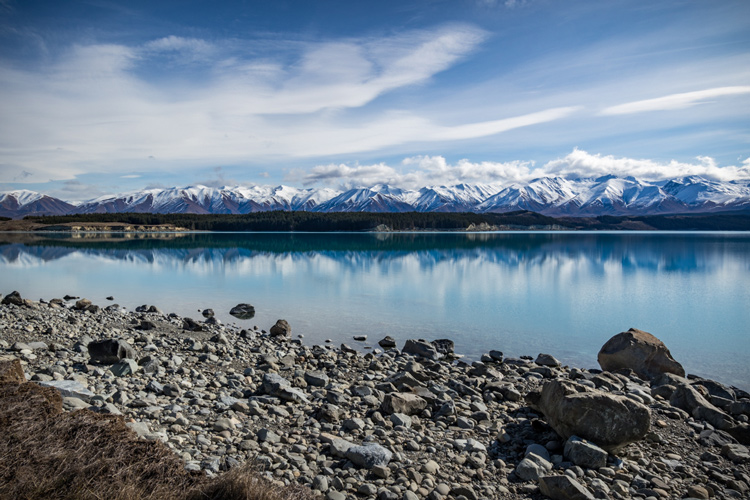
SHILL Article1 lake pukaki

Don’t forget things like decent footwear and outdoor clothes. Gas and accommodation costs for travelling locally, plus fees to get into parks also need to be accounted for. Travelling overseas is a luxury for many people. Don’t forget insurance too. It all adds up to a lot of money.

3. Camera gear is heavy

Good quality lenses are full of optical quality glass, and as a result they can be quite heavy. By the time you have two or three of them, and a DLSR body and other accessories, your kit can easily weigh 5kg (11 lbs.) or more. The more gear you have, the more you have to carry with you. This is one of the reasons the four thirds (mirrorless) technology is becoming so popular, the cameras (and lenses) are much smaller, and therefore lighter.

4. Having the right gear matters

Long lenses are necessary for wildlife and bird photography. Special gear is needed for astrophotography. For that super close-up shot, a macro lens (or filters) are a must. Studio portrait work means soft-boxes and professional lighting gear. Tripods, filters, wireless remotes etc., it all makes a difference, and having the right gear for the job is important.

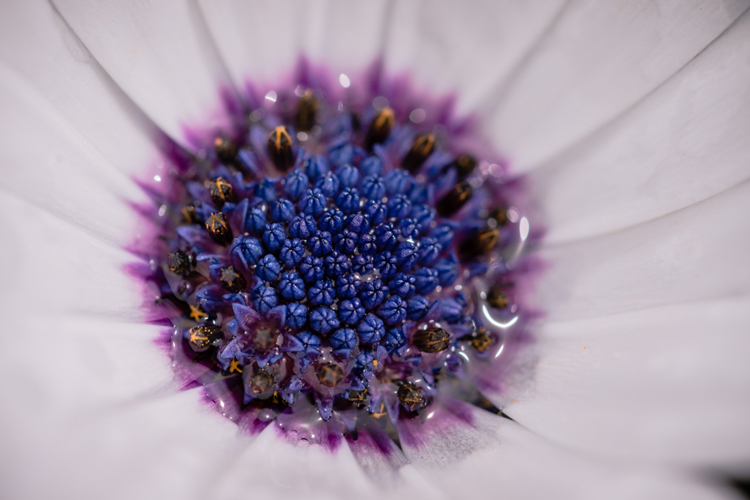
SHILL Article1 daisy macro

5. Gear doesn’t matter at all

Composition, framing, creative or artistic imagery, all elements that you, the photographer, bring to the image. It could be shot with your phone or the latest DSLR on the market, but without the creative input, your image may be missing that critical ingredient. Being in the right place at the right time (e.g. sunrise or sunset) or travelling to exotic locations, climbing a mountain, driving for hours to be in just the right spot, these are all things you have to do to capture the image.

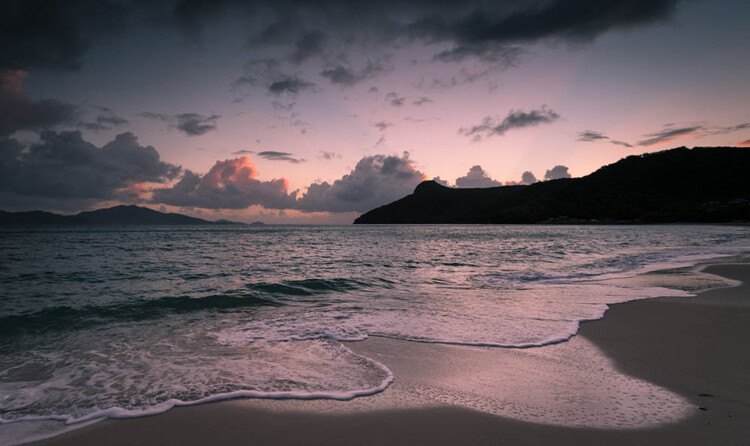
Sunrise

Sunrise

Climb a mountain

Climb a mountain

6. It takes a long time to get competent

When you first get your camera gear it’s exciting and fun, so you take lots of pictures. Eventually you may get frustrated at how your images look, compared to those seen online, and one of two things will happen. The most likely outcome is that you give up because it’s too hard. The alternative option is you work even harder at learning your craft, you read more books, maybe join a club, or attend some workshops.

SHILL Article1 bandicoot

Someone clever (quote attributed to Malcolm Gladwell) worked out that it takes 10,000 hours of effort to master a new skill. Ten thousand hours! That’s over a whole year! You have to fit that in around work, sleep, and time with friends or family. That means it could take you years to get good at this.

7. Social Media is not your friend

When you first start sharing your images, your friends and family will like them. That’s because they like you and want good things for you. Getting likes is an instant form of gratification that can be addictive.

The problem with social media is that most of the people viewing your images are not photographers. They cannot give you useful technical advice or critique on your images, the kind to help you improve. If all you want is to get the most likes, then that will have an impact on how you learn and grow as a photographer.

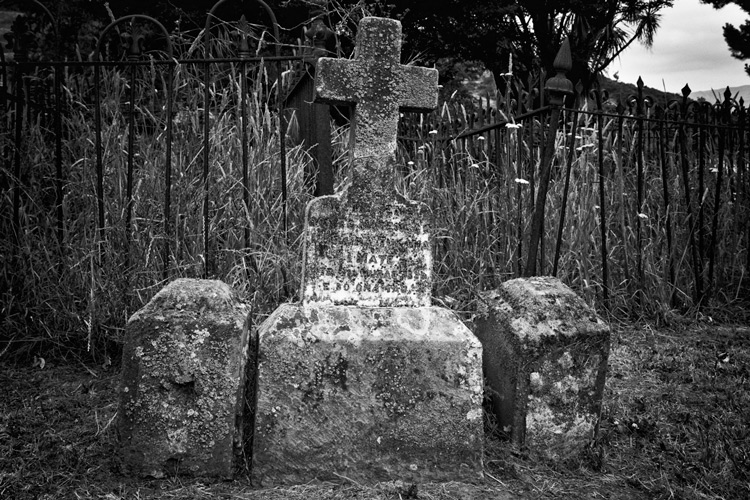
SHILL Article1 cemetary

There are groups and forums online, full of photographers who are often willing to give feedback. But accepting criticism is not something most people are comfortable with, and it can be really challenging. Some people are nicer about it than others too, so you might have to spend some time finding a place that you feel comfortable.

8. If you want a sunrise, you have to get up before the sun does

Yeah it’s easy to read it and nod your head, and go, “Sure, I can do that”. It’s a different story at 4am when your bed is nice and warm, but outside it’s cold and dark. Plus you might have already gotten up 10 times in the last couple of months to go shoot, and none of those mornings paid off.

Want to travel to exotic destinations? You have to save up to be able to afford it, take time off work, maybe travel with non-photographers and have to make some compromises when you travel. That incredible shot in a remote location means you have to hike in, carrying your camera gear, a tent, food, and everything else as well.

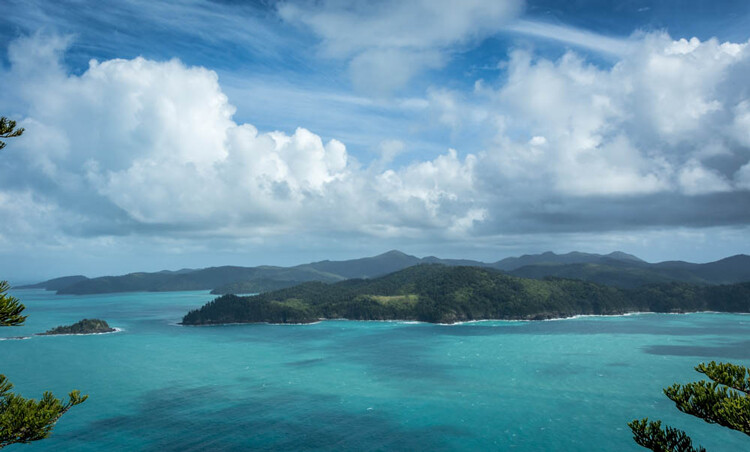
Exotic destinations

Exotic destinations

Photography requires a lot of commitment to your craft, learning it, and then going to the places you need, to capture the images you want.

SHILL Article1 CHCH Lightshow

9. Post-processing is just another tool

Little is more divisive in the photography world than the question of post-processing. If you shoot in RAW then it’s necessary to edit the files with some form of software. There are many options available – Photoshop, Lightroom, OnOne, DXO, and the list goes on. Some people prefer the “get it right in camera” and shoot JPG approach instead.

If you do choose to shoot RAW and want to edit your images, that means learning to use the software. Like everything in photography, it isn’t quick or easy to figure out, but once you do learn it, the value it brings to working on your images is valuable. It’s not necessary to spend hours on every image either, with some handy presets or actions, it might only take a couple of minutes for most of them.

SHILL Article1 old farm hut

10. Are you a follower of fashion?

There are noticeable trends and styles in photography, which are in fashion at any given point in time. Astrophotography, long exposure, HDR, silky waterfalls, light painting, and other special effects are all styles seen a lot at the moment. By all means learn from them, there will be valuable skills to obtain, but be careful to keep within aesthetically pleasing limits.

Long exposure

Long exposure

It can be easy to do the same as everyone else, which limits your ability to learn and express yourself. Do you want to travel to an amazing location and stand at the usual viewpoint and capture the same image already taken by thousands of other photographers? If you have time, and there are options for other viewpoints, and it’s safe for you to explore them, consider doing so.

SHILL Article1 dark red rose

Don’t be afraid to try something different, and whatever you do, make sure it gives you images that you are happy to have in your portfolio.

Summary

Some of this will seem perfectly obvious, and some of it you may well disagree with. There may be some uncomfortable ideas in here, or some other things you would have included instead – feel free to share your thoughts in the comment below, as others may well agree with you.

The one thing you can be sure of is that learning anything new is hard work, and the longer you do it, the more there is to learn. There is one more secret to share with you though. If you do the work and keep learning and pushing yourself, it does get better. Once you master the basics and understand your tools, you have a whole new opportunity to have fun and try creative things, experiment with the really cool concepts.

One last final tip – Everybody starts at exactly the same place – at the beginning.

googletag.cmd.push(function() {
tablet_slots.push( googletag.defineSlot( “/1005424/_dPSv4_tab-all-article-bottom_(300×250)”, [300, 250], “pb-ad-78623” ).addService( googletag.pubads() ) ); } );

googletag.cmd.push(function() {
mobile_slots.push( googletag.defineSlot( “/1005424/_dPSv4_mob-all-article-bottom_(300×250)”, [300, 250], “pb-ad-78158” ).addService( googletag.pubads() ) ); } );

The post 10 Things Nobody Tells Photography Newbies by Stacey Hill appeared first on Digital Photography School.


Digital Photography School

 
Comments Off on 10 Things Nobody Tells Photography Newbies

Posted in Photography


Close Calls: 12 Breathtakingly Creative Garage Doors

07 Aug

[ By Steve in Art & Street Art & Graffiti. ]

FINAL1

A garage door’s main function is keeping what’s inside safe from prying eyes but these creative garage doors keep all eyes focused on the outside.

creative-garages-1a

creative-garages-1b

creative-garages-1c

Sometimes great garage doors aren’t planned, they end up being thrust upon us. Such was the case of a corrugated garage door belonging to Imgur user elusive92. When the door’s owner discovered some unsightly and unskilled graffiti had disgraced his garage door one May morning in 2013, he didn’t get mad, he got even… even better.

creative-garages-1d

creative-garages-1e

creative-garages-1f

Taking the old adage “when life gives you lemons, make lemonade” to heart, elusive92 hired local graffiti artist Lake13 to not only cover the anonymous scrawling but replace it with a work of graffiti art – with the emphasis on the art part. We think he succeeded rather well, don’t you?

Community Communion

creative-garages-2a

“Every time I drive by this house, I marvel,” admits Flickr user William Keckler., who titles his photo taken in early December of 2012 “The Holy Sacrament of the Garage Door”. No telling what’s parked inside… perhaps the Popemobile.

“To The Broke-Ass Batcave!”

creative-garages-3a

creative-garages-3b

Looking to produce an ultra-low-budget Batman flick? Well look no further than South St. in Philadelphia, where one creatively painted corrugated roll-up garage door says so much with just two colors. Eric from Geekadelphia snapped the bargain-basement Batcave door way back in July of 2008 – let’s hope it hasn’t been painted over by Alfred since then.

Arts Of The West

creative-garages-4a

The above creative composition was included in a portfolio of garage doors by RC Cabinets & Closets as an example of a “garage door decal”. We’ve seen garage door decals and frankly, this ain’t no garage door decal. The above tableau doesn’t appear to be a decal at all – note how the painted portions extend off the garage door itself. Odds are this exquisite door is a unique creation as well.

Next Page – Click Below to Read More:
Close Calls 12 Breathtakingly Creative Garage Doors

Share on Facebook


[ By Steve in Art & Street Art & Graffiti. ]

[ WebUrbanist | Archives | Galleries | Privacy | TOS ]


WebUrbanist

 
Comments Off on Close Calls: 12 Breathtakingly Creative Garage Doors

Posted in Creativity


How to Buy Camera Gear Wisely and Save Money

07 Aug

Many photographers have experienced lens-lust or gear envy, and know the thrill of playing with a new piece of camera gear. But gear can be expensive, and choosing the wrong equipment can be a costly mistake. So how do you know you are purchasing the correct gear, and ensuring that it won’t end up in a cupboard collecting dust?

Here are five tips to help you choose and buy camera gear wisely, and maybe save a little bit of money at the same time.

1. What do you really need?

WideAngle

If you often photograph in tight spaces, or want to explore landscape or architecture photography, a wide angle lens is perfect.

I always advocate working with your current gear until you start to feel its limitations. This way you will have a clearer idea of what specifications or items will help you grow further as a photographer.

If you feel that you’ve reached these limits, but are still confused about which piece of equipment you should buy as your first priority, try taking a few notes during your next shoot. Where do you get stuck? What frustrates you? What would make your photography life easier? What will you be photographing? And what is your next goal? Asking yourself these questions will help refine exactly what you need from your next purchase.

For example, do you wish that your lens would shoot wider, or zoom in closer? Perhaps you really want to try macro photography, or need a tripod to try slow shutter speed waterscapes?

Landscape

A zoom lens can be really useful, allowing you to use it across numerous photography genres from portraiture, events, and even landscapes.

If you shoot a lot of landscapes or architecture, a wide angle lens will be more useful than a telephoto lens. Alternatively, if you photograph families, children, or events, a zoom lens may make it easier to respond quicker to impromptu moments, rather than a prime fixed-focal length lens.

Also, will you fully understand and use all the wonderful aspects of the new equipment? Will it be beneficial to your photography, or will it be so complex that it will frustrate you?

For example, should you spend a lot of money on a professional level lens that shoots at f/2.8 if you do not know anything about depth of field? Do you like the effect of f/2.8? Will you use it regularly? Or would a less expensive lens that goes to f/5.6 do everything you need it to?

MacroShot

A macro lens won’t help with room interior photographs, but is perfect for capturing close up shots of flowers and insects.

Similarly, if you’ve only been shooting on auto-modes, purchasing a camera that has mostly manual options may not be the best choice. Instead, consider a mid-range camera that offers both auto and manual modes, so you can try more advanced techniques, as well as take it out just for fun.

Make a decision about what you really need from your gear, and remember – it’s okay to stick with the equipment you currently own until you are 100% sure of your choice.

2. Know your budget

Unfortunately we do not all have limitless bank accounts, and will have to make decision on how much we can spend. It is a balancing act between deciding on your budget, and researching the actual cost of items. You could choose to spend a bit more now on one item that will fulfil your needs for the long term, or spend less on an entry-level option to build up your experience.

Budgeting

It is important to stick within your budget. If you can’t stretch to afford your ideal gear, consider other options such as buying second-hand, less expensive options, renting, or waiting for the next sale.

Sometimes however what you really want is simply too expensive, so you can choose to wait for the next big sale or look at alternatives, and that’s perfectly okay too. Another option would be to buy the absolute necessities now, while saving for the next items. If you discover you need it sooner, and have not saved enough yet, you can choose to rent gear as needed.

Many stores now also offer payment plans that allow you to take the gear home and pay it off in weekly instalments. This can certainly help with cash flow, but always read the small print, and check the interest rate to see if it will suit your situation.

3. Do your research

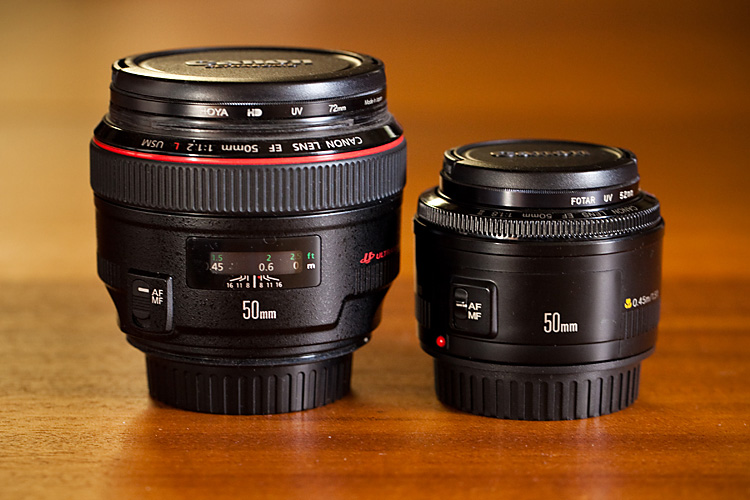
50mm apertures
The images above were shot with two different 50mm lenses, using their largest apertures. Do you think you would notice the difference in your own shots? Is it worth the price difference? Flickr can also be a great way to see examples of images taken using specific equipment.

There are so many opinions and reviews posted online that it is easier than ever to do your research. Read personal opinions, website reviews, as well as manufacturers’ specifications, to give you a well rounded opinion and compare them to what you are looking at purchasing. YouTube is a great resource for tutorials, reviews, and box openings. Flickr is also be a good place to find images that have been tagged as being shot with a specific lens or camera – it is a great way to see real-life results.

Your local camera store should not be overlooked either. Go in for a browse, play with the items, listen to advice, and go back a few times if you’re unsure and want to become more familiar with the item before buying it. You want to ensure you are comfortable with the gear you are purchasing, and that it does exactly what you want it to.

50mm lenses

Here are two different Canon 50mm lenses – one with a maximum aperture of f/1.2 on the left, and the other f/1.8 on the right. Both offer a shallow depth of field, but the prices are vastly different.

Editor’s note: Canon has three 50mm lenses: The f/1.8 version at $ 125 (shown above right), the f/1.4 version at about $ 349 (not pictured), and the f/1.2 monster (above left) which will run you a whopping $ 1349.

If you’re trying out new lenses or a flash, take your camera into the store with a fresh battery and memory card, attach the lens/flash and take a few photos. Test it out in store, see how it works, then go home and review the images. If you’re looking at a new camera body, take your favourite lens and a memory card and do the same. All gear has an adjustment period for becoming familiar with settings and button locations, so this will give you a head start, and an idea of the weight and shape of the item, something you can’t experience by online shopping.

Helpful and knowledgeable salespeople are also invaluable. Many camera store staff on a commission-based pay structure can often be motivated to make a higher-priced sale, so may push you toward the more expensive option. There are those, however, who will provide good advice and non-pushy service, with the hope you will come back to them when you’re ready to buy. If the price is right, it is always good to support your friendly local camera store, as they can be an invaluable resource, especially if something goes wrong.

4. Consider renting

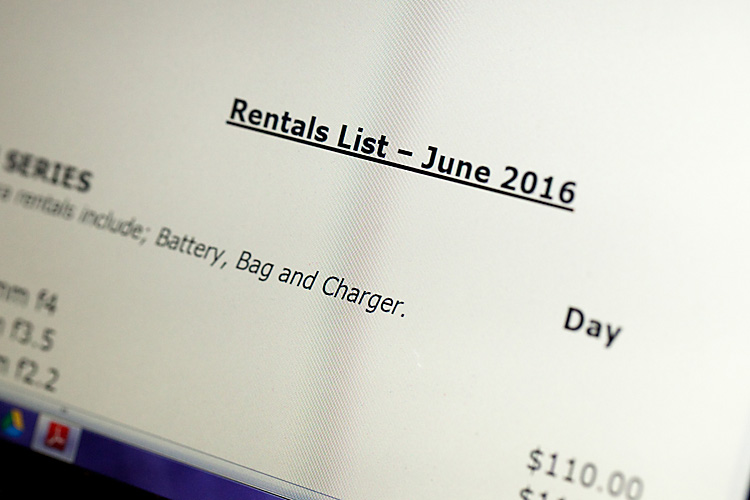
Rental List

Many camera stores and online services offer the opportunity to rent higher priced and specialist equipment. This can be a great way to try before you buy, or to hire gear for one-off assignments.

Did you know you can rent equipment such as lenses and camera bodies, as well as studio flash kits? Many professional photography stores offer this service, and there are several online camera rental services as well.

This option is great for when you are considering professional level gear, or something for a special technical application. You have the opportunity to rent the gear for a day, weekend, or a week, which is a great way to try before you buy.

It is not only a good option for researching a new purchase, but you can hire specialist equipment needed for one-off jobs (like a macro or tilt-shift lens for example), without the cost of purchasing it outright, and with the added advantage of claiming the hire expense as a business expense. A security bond is usually charged, so be sure to read the fine print for the rental terms and conditions.

5. Look for the less expensive option

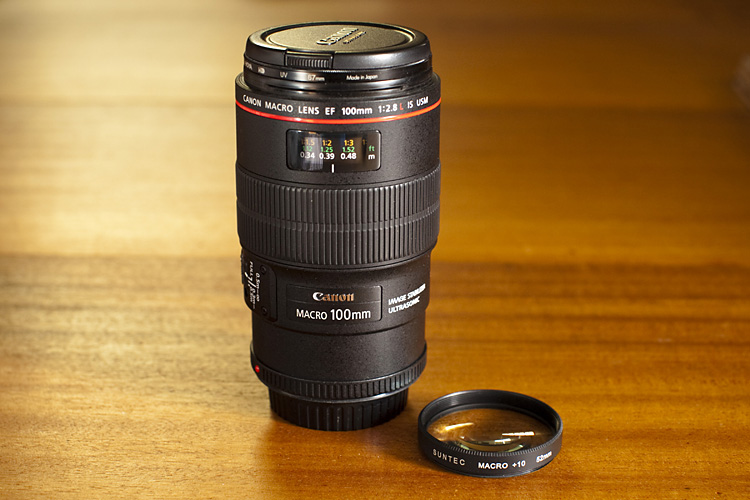
MacroLens Filter

The price difference between a close-up filter set and a dedicated macro lens is over $ 1,000. Each has its own effects, but both are capable of producing quality, and interesting photographs.

If you cannot afford your preferred brand or wish-list item, try searching for a less expensive option. This could mean waiting for a camera sale, purchasing second-hand, a lesser-known brand, or even an alternative method to achieve the same result. These options can be a great way to expand the gear in your camera bag and try new techniques, without spending quite as much money.

For example, we all agree that an f/1.2 lens is drool-worthy, but would the f/1.4 version do almost as good a job? Or instead of purchasing a special macro lens, would close-up filters work instead? Generic, or lesser known brands, are another less expensive option, although they may not have the same quality or life expectancy as the branded versions.

Purchasing second hand equipment may be risky, but with some research, and by asking the right questions, you can often find a bargain. Always consider how much wear and tear the item has had, who has owned it before, and how much life is still left in it. A wedding photographer, for example, will often upgrade their gear and sell off their old cameras. While it might look like a great deal, it’s worth keeping in mind that their gear may have been subject to a lot of wear and tear.

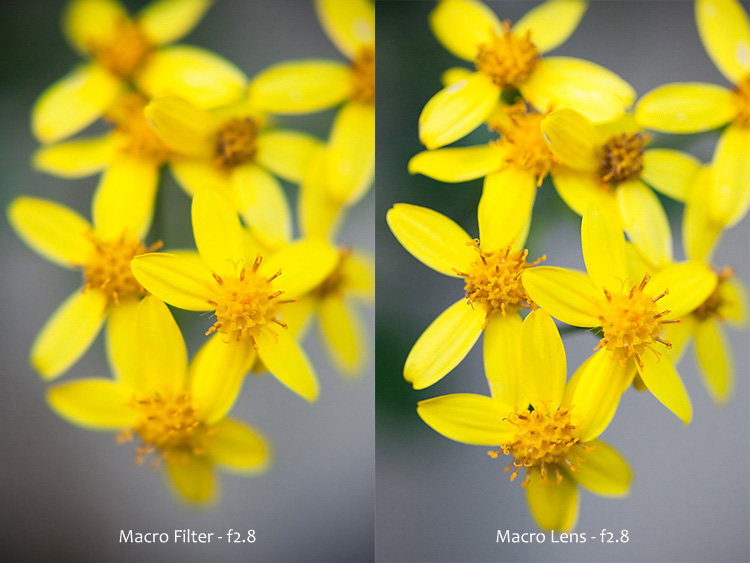
MacroOptions

The same subject, photographed using two different systems – a close-up filter, and a macro lens. Both images were photographed at f/2.8. Filters often create softer images, but are an inexpensive way to enter the world of macro photography.

Scratches and marks can be forgiven, provided they do not affect proper function, while some items have a limited lifetime. When considering a second-hand camera, ask about its shutter actuation, or shutter count, and then compare it to the camera’s life expectancy. This will give you an idea of how many more photos the camera can capture, before the shutter may fail. If photography is your hobby it may take you years to reach this limit, whereas if you’re shooting weddings every week you will reach this number sooner. Shutters are replaceable but it can be expensive, and often camera replacement is more cost effective.

Many of these alternative options are available to purchase in your local camera store, or online. In regards purchasing of second hand equipment, it is worth being cautious: ask lots of questions, request photographs, ask about any return policy, and if you do go ahead, purchasing insurance on postage.

Summary

Hopefully these tips will assist you in choosing your next purchase wisely, one that suits your needs perfectly, and may even help you save a little bit of money too – who knows, maybe just enough to afford that other item you want?

The most important thing, however, is that you use your new gear and enjoy your continuing journey in photography.

googletag.cmd.push(function() {
tablet_slots.push( googletag.defineSlot( “/1005424/_dPSv4_tab-all-article-bottom_(300×250)”, [300, 250], “pb-ad-78623” ).addService( googletag.pubads() ) ); } );

googletag.cmd.push(function() {
mobile_slots.push( googletag.defineSlot( “/1005424/_dPSv4_mob-all-article-bottom_(300×250)”, [300, 250], “pb-ad-78158” ).addService( googletag.pubads() ) ); } );

The post How to Buy Camera Gear Wisely and Save Money by Erinna Ford appeared first on Digital Photography School.


Digital Photography School

 
Comments Off on How to Buy Camera Gear Wisely and Save Money

Posted in Photography


Sony a7R II versus a7 II: Eight key differences

07 Aug

Sony a7R II versus a7 II: Eight key differences

Sony’s a7-series marked the debut of full-frame mirrorless, and Sony still dominates this market with its a7S II, a7 II and a7R II. Sony has developed a reputation for rapid development cycles, and since they all look basically the same, it can be hard to figure out the differences between its current a7-series offerings.

The higher resolution a7R II costs almost twice as much as the a7 II, and in this article we’ll be explaining why. So join us, as we take a detailed look at the major differences between the Sony a7 II and the a7R II.

Resolution

The a7R II was the first camera to offer a BSI-CMOS full-frame sensor, when it was released last year. The additional resolution compared to the a7 II makes it possible to print significantly larger images, and of course there’s lots of scope for cropping.


Like all of the cameras in Sony’s a7-series, the a7 II and a7R II are both built around full-frame CMOS sensors, and the a7 II uses the same 24MP as its predecessor, the first-generation a7. The a7 II’s sensor is perfectly capable, and can deliver excellent image quality, but it’s not a patch on the 42MP sensor in the a7R II.

The increase in resolution isn’t the only reason we say that. The flagship a7R II features a back side illuminated (BSI) CMOS sensor, which offers significantly greater dynamic range, far better low light performance, and features 399 phase detection autofocus points (more on that later).

Dynamic range

The Sony a7R II boasts a significantly higher base ISO dynamic range than the a7 II, and this relationship is maintained until the two camera’s highest ISO settings. Both are superior to Canon’s EOS 5D III. Source: Bill Claff


The a7 II’s older 24MP sensor lags behind the newer a7R II in terms of dynamic range at all ISO sensitivity settings. At the all-important base ISO (ISO 100 in both cameras) the difference is a little under one stop. The gap closes a touch from ISO 200-400 but widens again thereafter.

Very few things ignite (or should that be ignorate…?) quite as much argument on DPReview forums and comment sections as dynamic range, but the basic fact is this: greater dynamic range, especially at base ISO, means greater latitude for exposure adjustment in Raw mode. In cameras that offer very good dynamic range, like the a7R II and Nikon D810 (just to take two examples) this effectively negates the requirement for graduated neutral density filters, and greatly expands a photographer’s ability to capture a full tonal range in a single exposure.

The a7R II is better than the a7 II in this regard, but both are better than full-frame DSLRs in this class (we’ve plotted the EOS 5D III in this graph, from Bill Claff), which are also limited by relatively high levels of noise in shadow areas. This can become problematic when Raw files are manipulated too heavily.

ISO sensitivity / low light

Even at ISO 12,800, the a7R II’s Raw files contain bags of detail, and more dynamic range than the a7 II. When normalised at 24MP, the higher-resolution a7R II also offers superior perceptual detail and lower noise levels than the a7 II. As well as image quality, the a7R II scores over the older camera again in terms of low-light AF performance.


In the good old days, it was generally believed that the more pixels you packed onto a sensor, the noisier the images you’d get out the other end. These days of course we’re much more enlightened, and as we all know, the idea that more pixels = more noise isn’t necessarily true. And everybody is happy now because we all understand that pixel-level noise isn’t the whole story, and the time we used to spend arguing about such things on the Internet we now spend with our families, when we’re not out in the sunshine taking photographs.

Only some of that last sentence is true, but what is true is that despite having almost twice as many photo-sites as the a7 II, the 42MP a7R II offers superior high ISO image quality. When files are normalized to 24MP and viewed side-by-side, the a7R II offers at least one stop better perceptual image quality in terms of Raw noise levels, and in terms of detail retention it’s more like two stops better than its 24MP cousin.

Part of the reason for this performance gap is simply the fact that the a7R II’s sensor is a couple of years newer than a7 II’s, and sensor technology (especially at Sony) moves quickly. But fundamentally, the sensor in the a7R II is of a very different design. BSI-CMOS sensors move a lot of per-pixel electronics to the back of the sensors, out of the way, so they’re more efficient when it comes to converting photons into usable signal. As such, the a7R II isn’t just better than the a7 II, it’s better than almost every other full-frame camera we’ve ever tested. Up to around ISO 25,600 it even holds its own (when files are normalized at 20MP) against the Nikon D5.
Shutter

Another benefit of BSI-CMOS sensors is the extra room afforded for more sophisticated circuitry – in the case of the a7R II that means faster readout circuitry. This allows the camera to record high frame-rate video (more on this shortly), autofocus faster than any comparable full-frame mirrorless camera (again, more shortly), and also to offer a fully electronic shutter.

Shutter-induced vibrations plagued our experience of using the original a7R, and have proved a serious headache in several other high-resolution cameras, including the Nikon D800-series. The a7 II and a7R II mitigate these issues with an electronic first-curtain shutter feature, but the a7R II also offers a totally electronic shutter option that comes with an almost negligible penalty in terms of additional noise (a traditional side-effect of electronic shutters).

We don’t recommend shooting with the fully electronic shutter option all the time, because there is the risk of some rolling-shutter distortion (i.e. if you’re panning to follow a fast-moving subject). But it is extremely handy for situations where you want to be discreet, like a performance space or a wedding ceremony.

Video

The a7R II is a 4K-capable camera with a raft of high-end features, intended to appeal to professional videographers just as much as stills shooters. 


The a7 II is increasingly looking like the odd one out in Sony’s current a7-series lineup, due to its lack of a 4K video capture. Of the two cameras, the a7R II is significantly more capable for shooting video, thanks not only to the addition of 4K, but numerous other features aimed specifically at the needs of professional filmmakers.

These include an oversampled Super 35mm (~APS-C) crop mode for 4K, internal recording in both HD and 4K modes and the super flat S-Log2 profile, for additional flexibility when it comes to grading footage.

The quality of the a7R II’s footage blows away the a7 II. Not only can the older camera not record 4K video, but its HD footage is softer and less detailed than the full-frame 1080 output of the a7R II. Interestingly, while the a7R II delivers superior quality 4K footage in its oversampled Super 35mm crop mode (notwithstanding a higher risk of rolling shutter), it gives much more detailed 1080 video when using its entire sensor. But the basic takeaway here is that regardless of the resolution or crop mode, the a7R II delivers better-looking video than the a7 II.

Autofocus

When combined with continuous focus, Eye-AF is a great feature for capturing portraits – especially of kids that won’t stay still.


The a7 II uses the same AF hardware as its predecessor the first-generation a7, but Sony claims that autofocus performance has been improved by around 30%. In our testing we have no reason to dispute this figure, and in everyday use the a7 II’s AF is more than capable of keeping up in most situations.

The a7 II’s autofocus might be perfectly acceptable, but the a7R II is in another league. Both cameras use a ‘hybrid’ system which combines on-sensor phase-detection pixels with conventional contrast-detection but with more than twice as many phase-detection AF points as the a7 II, and the ability to focus third-party lenses (later added to a more limited extent to the a7 II via firmware) the a7R II’s AF specification impressed us greatly when it was first announced.

While it can’t keep up with the action as well as the market-leading 3D AF Tracking system found in Nikon’s current DSLRs, the a7R II’s ability to find and track an eye in Eye-AF mode for example is incredibly useful for wide-aperture portraits, and low-light AF reliability with fast lenses is almost a match for the best DSLRs.

That’s the good news – the bad news is that there’s still no way to position AF point by touch on either camera, and the a7RII and a7 II’s control and menu ergonomics make it annoyingly tricky to find, set and master their extensive autofocus settings.

Performance

In terms of autofocus, the a7R II roundly outperforms the a7 II but when it comes to general operational speed it is markedly more sluggish in some ways. Image review especially can be very frustrating, as the a7R II’s huge files (made even larger if you select uncompressed Raw) can take several seconds to become available to review and zoom to check focus after they’ve been shot. When capturing sequences of images, the a7R II gives the kind of buffer-clearing times that we’ve not been used to since the early days of digital DSLRs. And we don’t say that in a nostalgic way.

The a7 II isn’t exactly a speed champion when it comes to processing speed, but it’s a little more nimble than its 42MP cousin.

Battery life

Although both the a7 II and a7R II have relatively poor rated battery life, it is possible to charge the cameras over USB, and you can continue shooting while they’re charging.


With a CIPA-rated battery life of 350 shots, the a7 II offers greater endurance than the a7R II, which clocks in at a mere 290 shots per charge. But it’s a bit of a stretch to call 60 hypothetical exposures a ‘key difference’ in battery life. Honestly, they’re about in the same ballpark, and both are pretty poor. Both the a7 II and a7R II offer significantly less endurance than equivalently-priced DSLRs at 350 shots and 290 shots per charge, respectively (CIPA standard in both cases).

The a7 II has a better CIPA-rated battery life than the a7R II, but endurance in heavy real-world from either camera varies from just ok-ish to downright terrible, depending on things like the ambient temperature and the amount of video you end up shooting. We’d strongly recommend taking at least one spare battery out with you when working with either camera, but if possible, take a couple. Ideally, take several. Pop round and borrow a couple of ours. We trust you.

The somewhat lower quoted battery life of the a7R II can be explained by its more power-intensive 4K capture mode, but even if you’re mostly shooting stills and keeping image review to a minimum, don’t expect to get through a busy day’s shooting with either camera without changing your battery at least once. The good news is that both cameras feature in-camera USB charging and can still be used while charging. This might not help much if you find yourself in the middle of nowhere, but could be a life-saver when shooting at an event or in a studio.

In summary

It should be obvious if you’ve read this far that the Sony a7R II is a significantly more capable camera than its stablemate the a7 II. They might look identical, but a quick run-down of just the major feature differences makes the distinction obvious enough: more pixels, 4K video, a vastly more capable autofocus system, fully electronic shutter, and more complete support for third-party lenses.

Whether these differences justify the enormous increase in price over the more basic a7 II is of course something that you have to decide for yourself. If you’re primarily or exclusively a stills shooter and you don’t have much need for continuous autofocus, the a7 II might suit you just fine. Its 24MP sensor isn’t the best around, but it’s not bad, and its 5-axis image stabilization system is very useful when shooting hand-held in poor light or at long focal lengths.

All this being said, if you’re new to the Sony a7 system, the a7 II doesn’t bring much to the table that you can’t find duplicated or outmatched in other, competitive DSLR models. The a7R II, on the other hand, offers some unique features that we suspect will make it distinct from competitive DSLRs for some time yet.

  • Read our full Sony a7 II review
  • Read our full Sony a7R II review

Did we miss anything? Let us know in the comments.

Articles: Digital Photography Review (dpreview.com)

 
Comments Off on Sony a7R II versus a7 II: Eight key differences

Posted in Uncategorized