RSS
 

Archive for June, 2016

Please Touch the Art: Tactile 3D Portraits Let the Blind See Themselves

11 Jun

[ By SA Rogers in Art & Sculpture & Craft. ]

andrew myers screw art 13

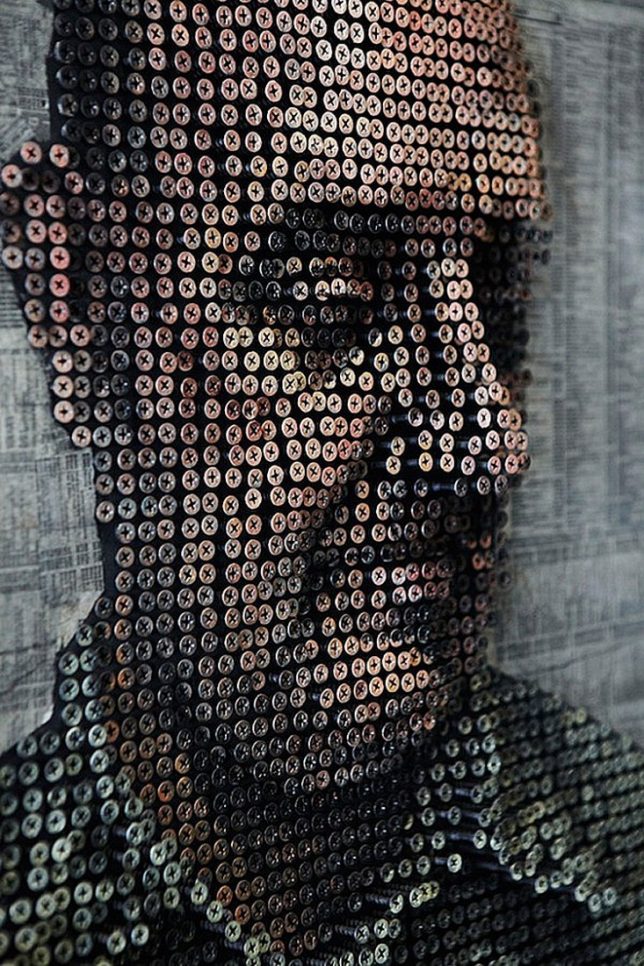
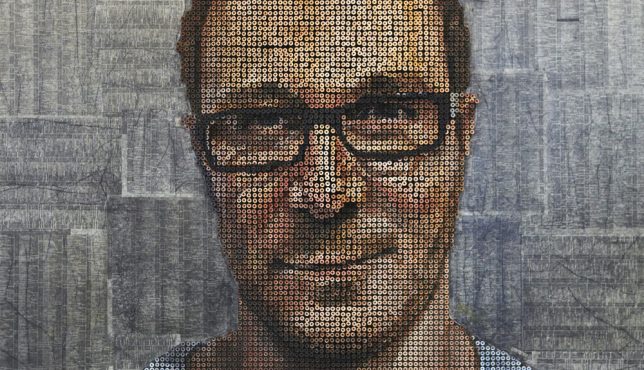
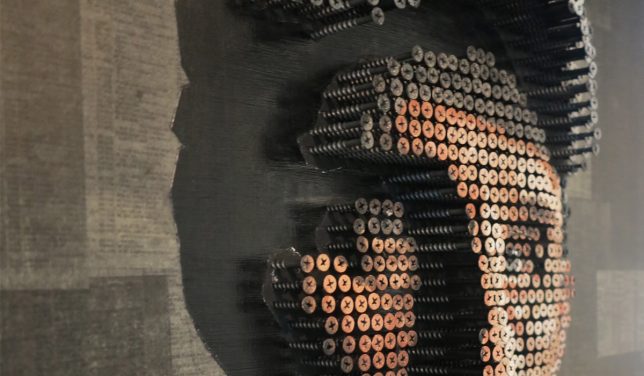
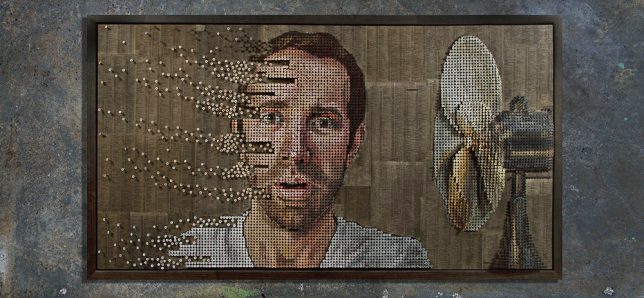
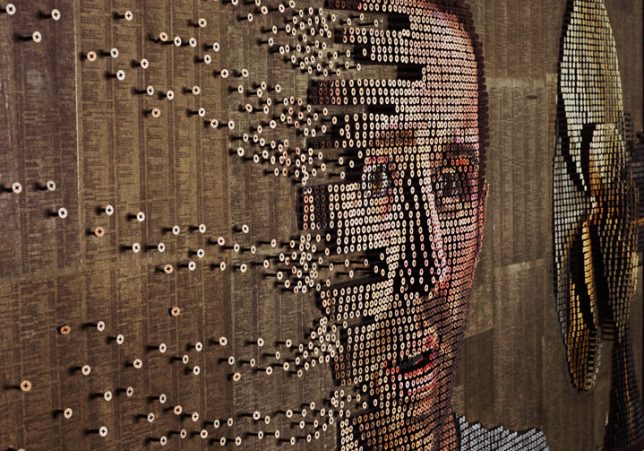
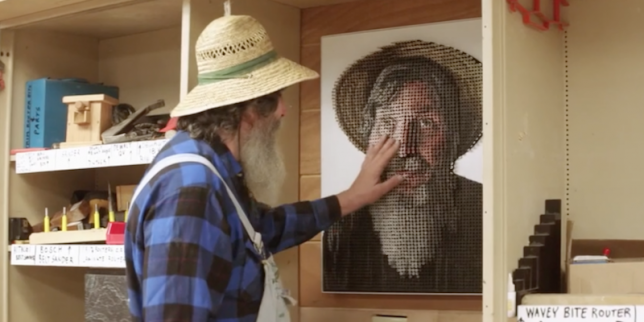
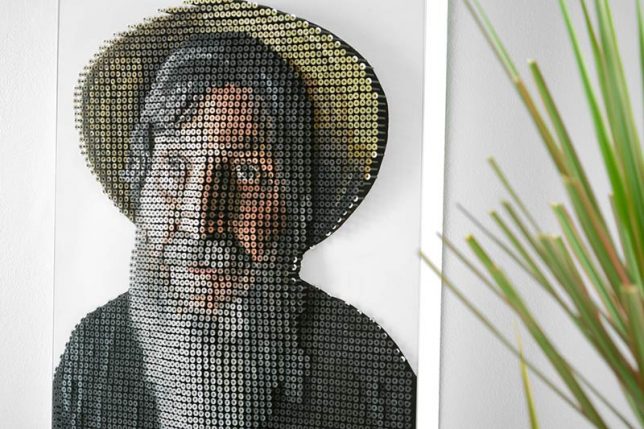
“My nose isn’t that big!” protests portrait subject George Wurtzel as he runs his hands over his own image, rendered in paint on thousands of screws raised from a wooden board in a relief pattern. He might not be able to see the colors, or the play of light and shadow that gives the portrait much of its nuance and realism, but he can still experience it in a way that wouldn’t be possible if it were merely painted onto a canvas. For artist Andrew Myers, who specializes in these unusual sculptural paintings, this moment marks a concept that has come full circle since he first watched another blind man eagerly explore his art with his fingertips, six years ago.

andrew myers screw art 12

Myers doesn’t just allow people viewing his artwork to touch it, he actively encourages it, noting that it’s an important part of the experience of taking it in. Realizing that this could potentially allow a blind person to see their own portrait, he set out to create a custom work with artisan and teacher George Wurtzel as his subject. George teaches at a 300-acre summer camp for the visually impaired in California’s Redwood Forest, and has also been tasked with renovating a barn into a new Tactile Art Center full of accessible art, where blind artisans can both sell their own work and feel the 3D works of others.

andrew myers screw art 1

andrew myers screw art 5

andrew myers screw art 7

andrew myers screw art 8

“We snuck into George’s future gallery and  hung the portrait for him to discover,” says Andrew. “As he experienced this for the first time (and between bursts of laughter) he kept repeating the phrase, ‘mind boggling.’ Not every piece of art needs to or should be touched… but perhaps it’s time we took a look at how pervasive and mandatory our ‘no touching’ rules really are – it might help everyone see artwork a little differently.”

andrew myers screw art 15

andrew myers screw art 2

andrew myers screw art 3

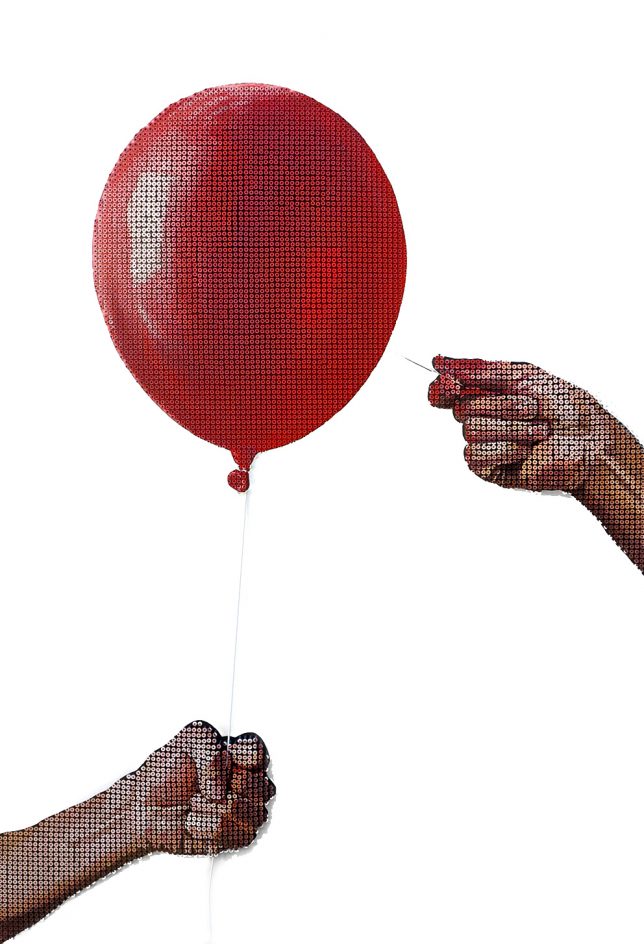
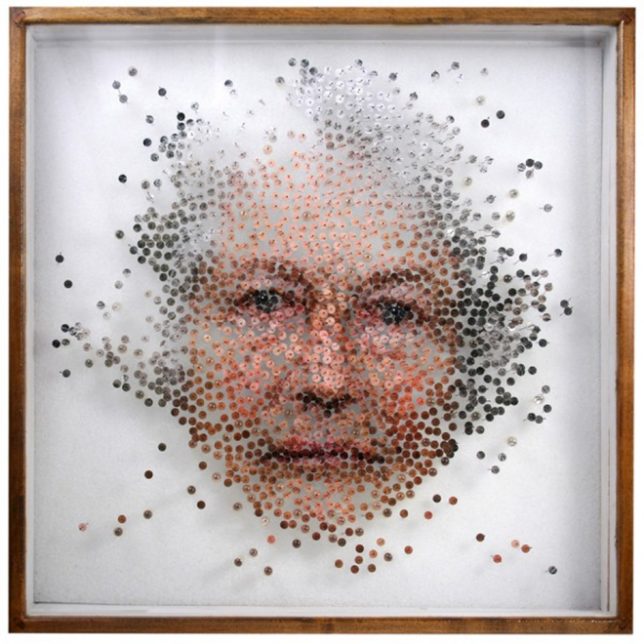
While Andrew’s portrait of George is comprised of about 4,000 screws, other works require upwards of 20,000. One portrait, ‘Fading Thoughts,’ takes his work a step further by infusing a scene with a sense of motion, with screws seemingly being blown off the canvas.

Share on Facebook


[ By SA Rogers in Art & Sculpture & Craft. ]

[ WebUrbanist | Archives | Galleries | Privacy | TOS ]


WebUrbanist

 
Comments Off on Please Touch the Art: Tactile 3D Portraits Let the Blind See Themselves

Posted in Creativity


SUN-SNIPER introduceds new Rotaball ultra-strong camera straps

11 Jun

German company SUN-SNIPER has introduced a new line of camera straps called Rotaball, and each of the seven straps within it feature both the maker’s Rotaball Connector and Blokker hardware. In addition, SUN-SNIPER has improved the shock absorber used with the new camera straps, added an integrated anti-theft steel cable, an underarm ‘Pitt’ strap feature that keeps the shoulder pad from sliding, and an anti-camera swing feature called ‘Limiter.’

The Rotaball connector allows the camera to swing around its bearing, reducing stress on the tripod socket attachment point.

The Rotaball Connector (see exploded view, above) is a stainless steel mono-multiball bearing featuring a single large ball that turns within an array of 32 smaller balls. The Blokker, meanwhile, is a pin developed to prevent the camera from being unscrewed and stolen. For added security, SUN-SNIPER has also included a steel cable in five of the seven models, each of which includes a 1,000 Euro insurance against camera theft, should someone succeed in cutting through the strap and stealing your camera.

Rotaball Pro features

1: ‘Rotaball’ Connector
2: ‘Blokker’ to prevent tampering
3: Shock-absorber
4: Steel-reinforced strap
5: Shoulder pad
7: Swing limiter
8: ‘Pitt’ underarm strap

The Rotaball camera strap lineup is composed of the Rotaball Pro (89 EUR), Rotaball One (59 EUR), Rotaball Traveler (79 EUR), Rotaball DPH (149 EUR), Rotaball TPH (229 EUR), Rotaball Surf (59 EUR), and Rotaball BPS (49 EUR). All seven models are available now through SUN-SNIPER’s website.

Press Release:

RELAUNCH THE NEXT GENERATION: THE NEW SUN-SNIPER ROTABALL CAMERA STRAPS

Egestorf, June 7, 2016. SUN-SNIPER revolutionizes the camera strap and introduces new features. SUN-SNIPER is already well know for its innovative product design, providing the greatest professionalism, comfort and safety, and being ready to shoot in a flash. And now the company is enhancing its SNIPER-STRAP system with new developments. Each of the seven ROTABALL models now has a ROTABALL CONNECTOR and a BLOKKER. The stainless steel mono-multi ball bearing (a large ball turning in 32 small balls) allows the camera to pivot freely and without obstruction. The rubber washer with its SNAKESKIN structure provides the safest connection to the strap. And even more security is ensured by the BLOKKER: a newly developed pin that blocks the connector at the camera to prevent the camera from being unscrewed by anyone not authorized to do so.

“As an innovative leader in the industry, we place great emphasis on ensuring that our products are state-of-the-art, utilizing all the new technology available. This is why we continue to develop new features and improve the existing functions of our straps, providing photographers with the most comfortable and secure straps for carrying their cameras,” explains Peter Geller, owner and CEO of SUN-SNIPER.

SEVEN MODELS, FIVE NEW FEATURES?

The seven ROTABALL straps are designed to meet the most varied needs of professional and amateur photographers. In addition to the new ROTABALL CONNECTOR and the BLOKKER, the integrated SHOCK ABSORBER has also been improved. And the LIMITER feature prevents the camera from swinging back, while PITT ensures that the shoulder pad fits snugly and does not slide around.

WORLDWIDE INNOVATION – INTEGRATED STEEL CABLE INCLUDING UNIQUE INSURANCE

The steel cable is invisibly woven into five of the ROTABALL models (PRO, TRAVELER, DPH, TPH and BPS). New: The steel cable runs completely through the rubbery SHOCK ABSORBER as well. This safety tool protects from theft caused by cutting, burning or melting the straps. But if despite these precautions a thief should still prove successful, the SUN-SNIPER insurance will cover up to 1000.00 EURO of the loss. (Additional information on the insurance can be found under http://www.sun-sniper.com)

“I have ridden at least 2500 km on horseback through Africa, Australia and Europe, with my M + SL + S Leicas on the SUN-SNIPER strap, ready to shoot the next picture,” says Florian Wagner, wildlife and outdoor sports photographer. He always has the camera close by, hanging safely by his body and ready for the next shot. The adventurer has been using SUN-SNIPER straps for his reports as seen from atop a horse. “The reliability, strain relief and especially the security of the SUN-SNIPER straps are essential to my survival.”

STRESS TEST PASSED WITH FLYING COLORS

?ROTABALL straps can bear loads of up to five kilos in camera and lens weight. “Our camera straps of course also pass tougher tests, e.g. applying loads up to 80 kg. But then we cannot guarantee the stability of the camera bodies,” adds Peter Geller. “When performing the stress test, we focused particularly on the fact that the weight of the camera multiplies significantly due to the up-and-down motion caused by running, even with the SHOCK ABSORBER providing compensation.”

ABOUT SUN-SNIPER

?After founding SUNBOUNCE, a company specializing exclusively in reflector systems for photography and film, over 20 years ago, Peter Geller in 2009 started SUN-SNIPER, producing revolutionary camera straps for photographers. Peter Geller’s aim is to make photographers’ work easier with his products. After all, he knows all about what the pros need: He was the last German photographer to win the “World Press Photo Award,” and that was 45 years ago. And he won it twice.

Via: PhotographyBlog

Articles: Digital Photography Review (dpreview.com)

 
Comments Off on SUN-SNIPER introduceds new Rotaball ultra-strong camera straps

Posted in Uncategorized


28 Ethereal Images of a Transparent Subject – Glass

10 Jun

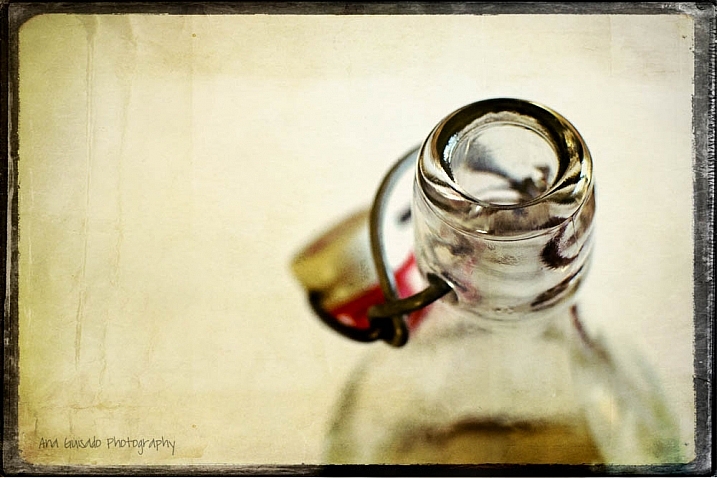
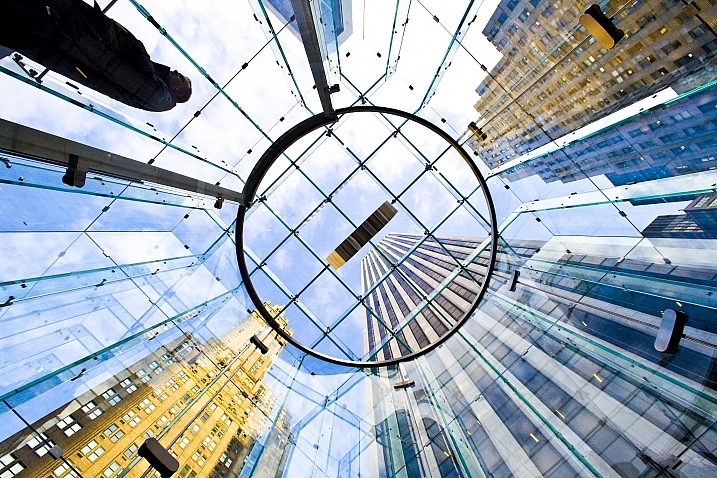
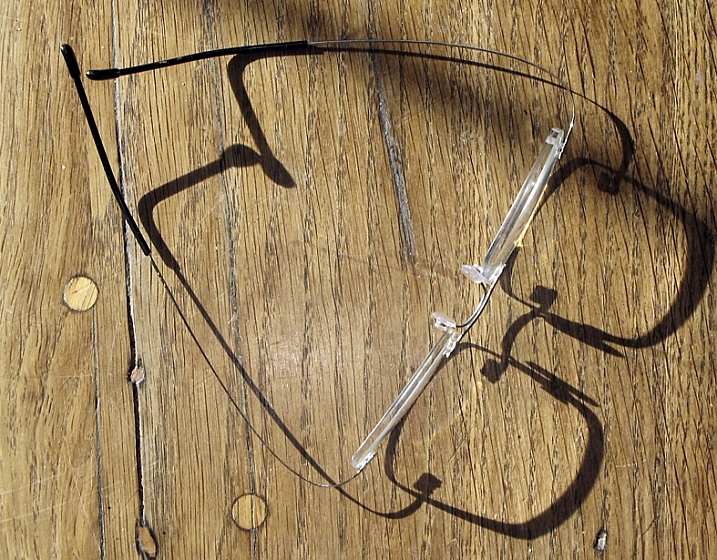
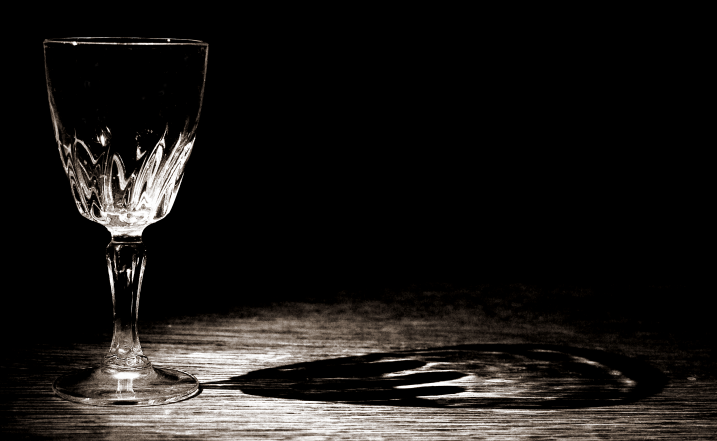
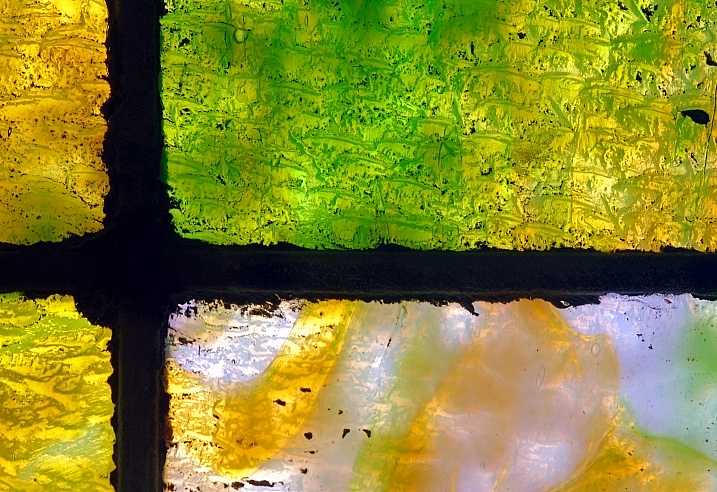
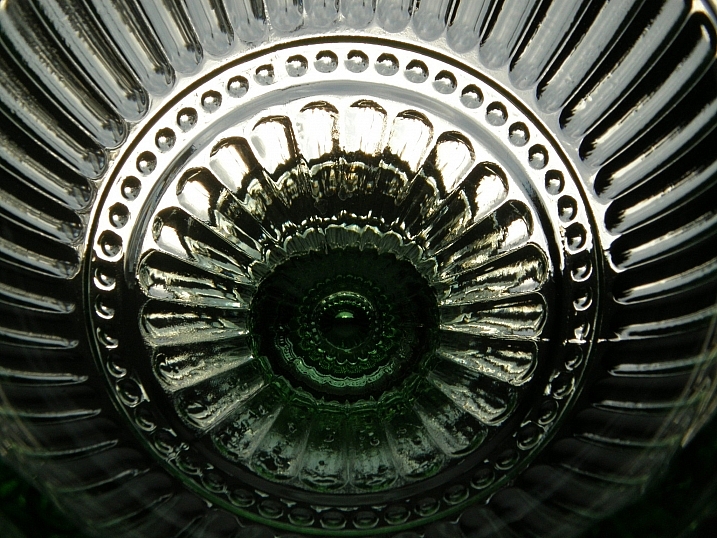
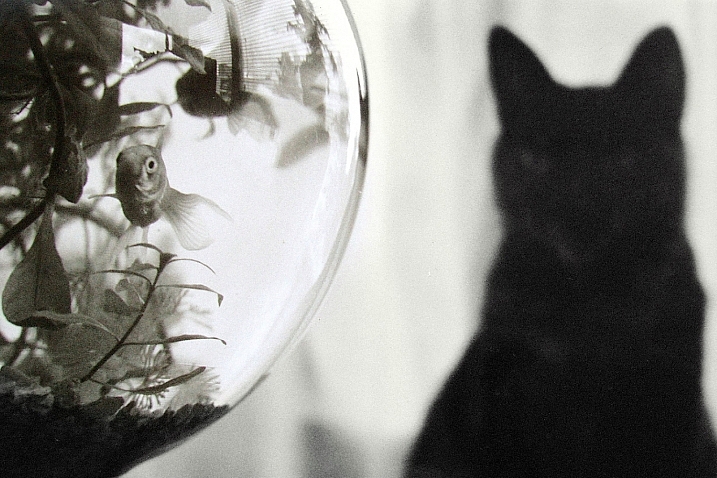
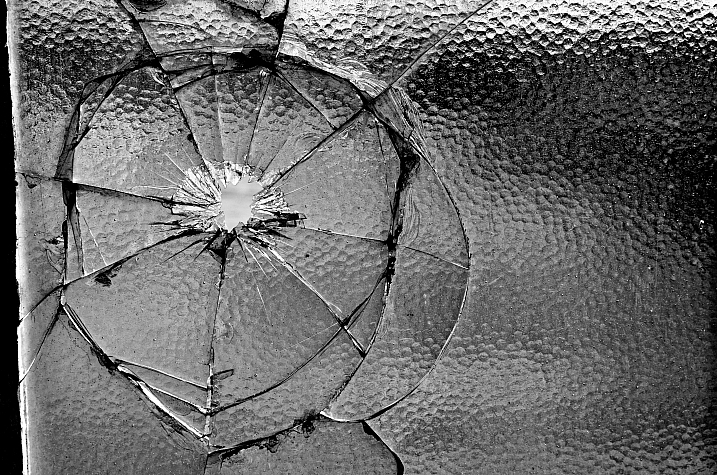
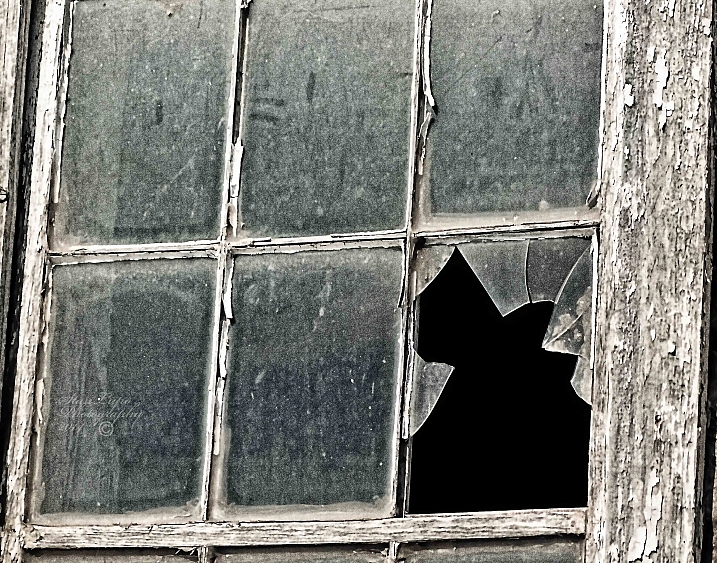
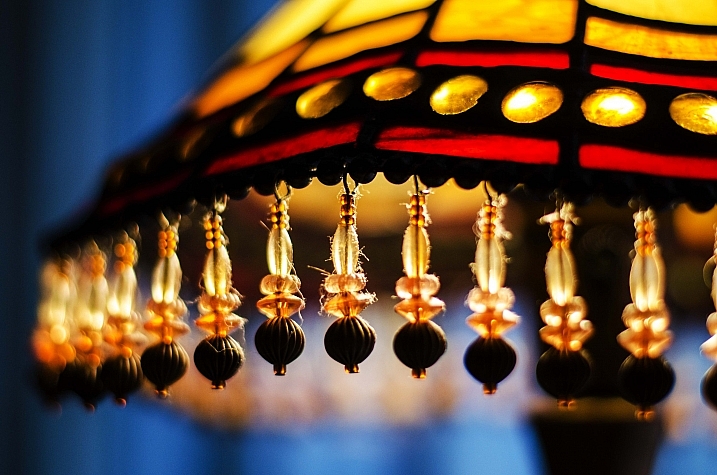
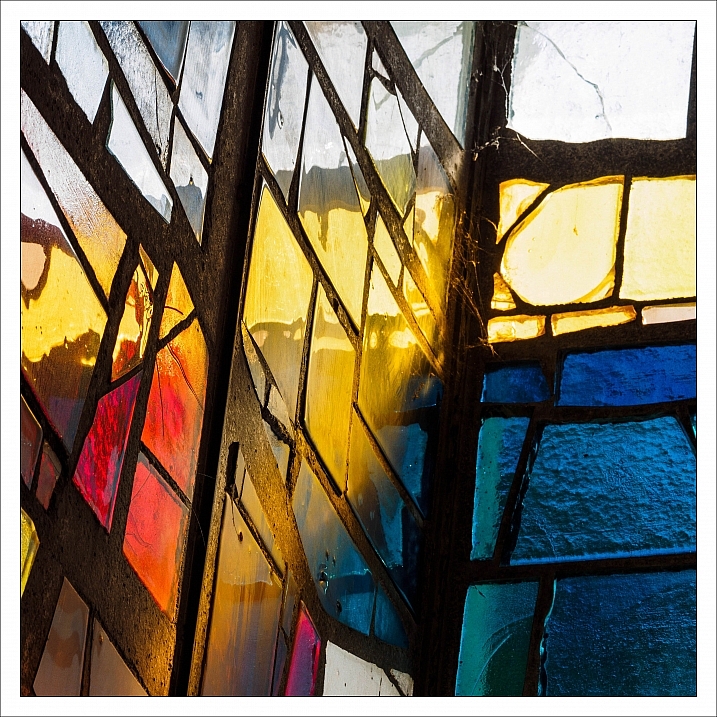
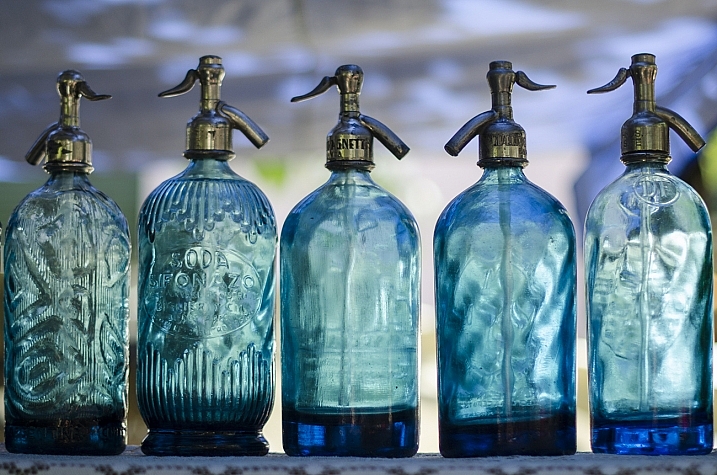
Glass is one of the trickiest subjects to photograph. Trying to avoid reflections, seeing through it, and distortion it causes. It can also help create some dramatic and stunning images.

In this image collection we see how several photographers have handled different kinds of glass subjects:

Ana

By Ana

?aura Tou

By ?aura Tou

Thomas Hawk

By Thomas Hawk

Maurits Verbiest

By Maurits Verbiest

Hellsgeriatric ?

By Hellsgeriatric ?

Martin Brigden

By Martin Brigden

Dean Hochman

By Dean Hochman

Tim

By Tim

Sparkleice

By sparkleice

Jurek D.

By jurek d.

Heike Giesler

By Heike Giesler

Broterham

By broterham

Michael

By michael

Sandy/Chuck Harris

By Sandy/Chuck Harris

Hehaden

By hehaden

Stan Lupo

By Stan Lupo

Chechi Peinado

By Chechi Peinado

Carl R Jr.

By Carl R Jr.

Iahan 13:20

By Iahan 13:20

Andreas Manessinger

By Andreas Manessinger

Neil Tackaberry

By Neil Tackaberry

Chechi Peinado

By Chechi Peinado

Justin Kern

By Justin Kern

R.e. Kittson

By r.e. Kittson

Mister G.C.

By Mister G.C.

Tim

By Tim

Billy Wilson

By Billy Wilson

Jonathan Cohen

By Jonathan Cohen

googletag.cmd.push(function() {
tablet_slots.push( googletag.defineSlot( “/1005424/_dPSv4_tab-all-article-bottom_(300×250)”, [300, 250], “pb-ad-78623” ).addService( googletag.pubads() ) ); } );

googletag.cmd.push(function() {
mobile_slots.push( googletag.defineSlot( “/1005424/_dPSv4_mob-all-article-bottom_(300×250)”, [300, 250], “pb-ad-78158” ).addService( googletag.pubads() ) ); } );

The post 28 Ethereal Images of a Transparent Subject – Glass by Darlene Hildebrandt appeared first on Digital Photography School.


Digital Photography School

 
Comments Off on 28 Ethereal Images of a Transparent Subject – Glass

Posted in Photography


Lenovo Phab2 Pro is the first Project Tango phone

10 Jun

At its TechWorld conference Lenovo has not only announced the modular Moto Z and Moto Z Force smartphones but also the first Google Project Tango enabled device, the Lenovo Phab 2 Pro. The phone provides an Augmented Reality (AR) experience, thanks to its ability to sense 3D-motion and geometry. It can capture 3D-scans of its surroundings and use the data to create 3D-maps, recognize places or track objects. The technology can project virtual effects in real-world spaces, help navigate indoor areas or provide information about objects it has recognized. 

To achieve this the Phab2 Pro has a total of four cameras. In addition to the 8MP front module and the 16MP rear camera there are a depth and a motion tracking camera, both also located on the back. Underneath the 6.4″ Quad-HD IPS display there is a Qualcomm’s Snapdragon 652 chipset running Android 6.0. 4GB RAM and 64GB of microSD-expandable storage are on board as well, along with a fingerprint reader and Dolby Atmos surround sound technology. Energy is provided by a 4,050 mAh battery. All the high-end technology is nicely wrapped up in metal unibody that is available in gold or silver. 

The Lenovo Phab2 Pro will be available to purchase online in August and one month later in stores globally. In the US it will cost $ 499. Lenovo promises that by the time of shipping a special Tango App Store will contain around 25 apps and is planning to expand this number to 100 by the end of the year. The new technology certainly looks promising, and it will be interesting to see how it catches on with consumers and developers. Additional information on how Tango works on the Phab2 Pro can be found in the Lenovo promotional video below.

Articles: Digital Photography Review (dpreview.com)

 
Comments Off on Lenovo Phab2 Pro is the first Project Tango phone

Posted in Uncategorized


Brian “Babs” Babineau: Boston’s Premier Pro Sports Photographer

10 Jun

In 2008, just moments before the Boston Celtics defeated the Lakers to win the NBA Championship, Brian Babineau spotted Celtics All-Star Paul Pierce approaching Coach Doc Rivers with a cooler full of Gatorade.

Instinctively, he got up, backed off, lifted his camera and pressed the shutter.

The iconic shot of Rivers under a deluge of orange electrolytes is one that basketball fans will look back on years from now and treasure.

But today is just a regular day for the Celtics team photographer more commonly known as “Babs.” Read along as we follow Babineau for the day at a Celtics home game against the Utah Jazz and learn what it takes to be Boston’s go-to pro-sports photographer.

(…)
Read the rest of Brian “Babs” Babineau: Boston’s Premier Pro Sports Photographer (991 words)


© laurel for Photojojo, 2016. |
Permalink |
No comment |
Add to
del.icio.us

Post tags:


Photojojo

 
Comments Off on Brian “Babs” Babineau: Boston’s Premier Pro Sports Photographer

Posted in Equipment


Fast telezoom: Sigma 50-100mm F1.8 sample images

10 Jun

The Sigma 50-100mm F1.8 DC HSM Art is a fast telezoom lens designed for APS-C format cameras, on which it provides an equivalant focal length range of approximately 75-150mm. Its fast F1.8 maximum aperture makes it the brightest lens of its type on the market. But is it any good? Take a look at our sample images to find out.

Articles: Digital Photography Review (dpreview.com)

 
Comments Off on Fast telezoom: Sigma 50-100mm F1.8 sample images

Posted in Uncategorized


mini Plaster Hand is a camera mount on a belt

10 Jun

Hong Kong-based company miniorenji has introduced a new camera mounting product called ‘mini Plaster Hand.’ Unlike tripods, mini Plaster Hand is a camera mount on a belt designed to strap around rails and poles for steady shots in areas where tripods are inconvenient or banned. The mount can be used with or without a ball head.

Mini Plaster Hand is designed for use with all camera types, according to miniorenji, including point-and-shoot, mirrorless and DSLR cameras. The model is equipped with a flat plate and 1/4-inch screw; the plate can be placed on flat surfaces or strapped onto rails using the belt. When strapped onto a rail, a camera bag or other weighty item can be attached to the belt strap as a counterbalance weight. Mini Plaster Hand weighs 103g / 3.6oz and measures 60mm wide x 82mm high x 12mm deep (2.4 x 3.2 x 0.5-inches).

Minioreji is seeking funding for production on Indiegogo, where you can pledge $ 40 for a mini Plaster Hand unit and 1.2kg ball head.

Via: Indiegogo

Articles: Digital Photography Review (dpreview.com)

 
Comments Off on mini Plaster Hand is a camera mount on a belt

Posted in Uncategorized


4 Easy and Unique Ways to Light and Photograph Wedding Rings

10 Jun

Snapdeals Sale: If you’d like to learn more about how David and Patrick photograph weddings you may want to check out their 14 hour tutorial on all things wedding photography. It’s currently $ 100 off at SnapnDeals.

Wedding photographers are expected to capture every aspect of a wedding day and in many cases we only have a couple minutes to work. The wedding rings are an important detail that many photographers either overlook completely or over think. Over the years I’ve taught some practical ways to improve your wedding business and shooting skills. Let me show you four quick and unique ways to photograph the wedding rings.
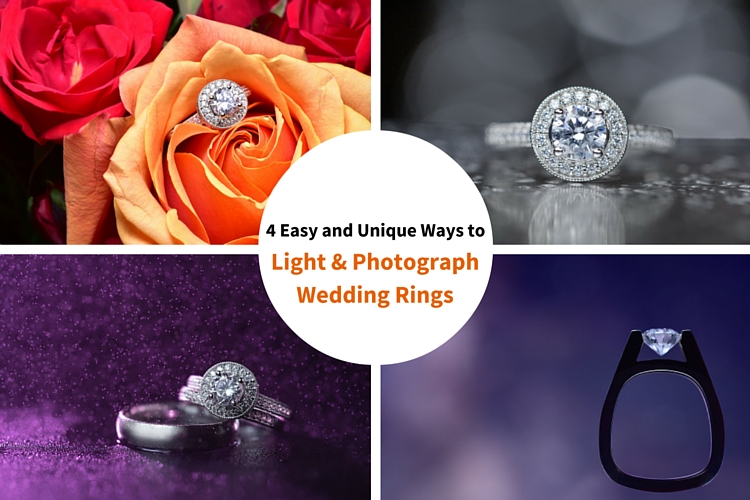
4 Easy and Unique Ways to Lightand Photograph Wedding Rings

You’ll Need a Macro Lens

04.jpg

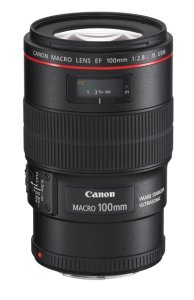
To capture wedding rings properly you’re going to need a macro lens. Without one, you simply won’t be able to zoom in and focus close enough. Yes, you could shoot wider and crop in but you will be losing tons of resolution. Luckily basic macro lenses are not that expensive.

If you’re shooting Nikon I would suggest the Nikon Micro 55mm f/2.8 or the Micro 60mm f/2.8. These lenses are very small and will easily fit in your bag. If you’re shooting Canon I would suggest the 100mm f/2.8L IS USM Macro. This one actually does have auto focus.

If you’re anything like me, you’re not going to use a macro lens very often, so you won’t want to spend a ton of money on extra features like vibration reduction (image stabilization). If you want to save even more money, buy the lens used. Amazon is actually great for used lenses. Simply click used at the bottom of any description on Amazon. You can get them cheap and they will hold their value for years to come.

Technique #1 Wedding Rings in Flowers

The absolute easiest shot to capture, and one that I’m sure to get at every single wedding I photograph, is one or more of the wedding rings placed inside, or on top of flowers. I don’t think I’ve been to a single wedding where flowers weren’t easily available. This shot is overdone and boring to a lot of photographers, but keep in mind that your clients will (hopefully) only get married once. So, to them, this shot is unique. It shows off the wedding rings, and it also captures the flowers, which they spent a lot of time and money picking out.

Sometimes I will use the bouquet of flowers and lay them down on the table, but I usually find it easier to work with flowers that are standing up. For this I will often use a vase of flowers, usually found in center of the tables at the reception.

For lighting this first shot I’m going to use a speedlight, any type will work. If you don’t have enough money to buy a name brand-name speedlight, then I would highly suggest checking out Yongnuo flashes, the base version is only 70 bucks. If you shoot Canon, you may want to spend a bit more, and buy the YN600EX-RT, that will communicate with radio signals for $ 129.
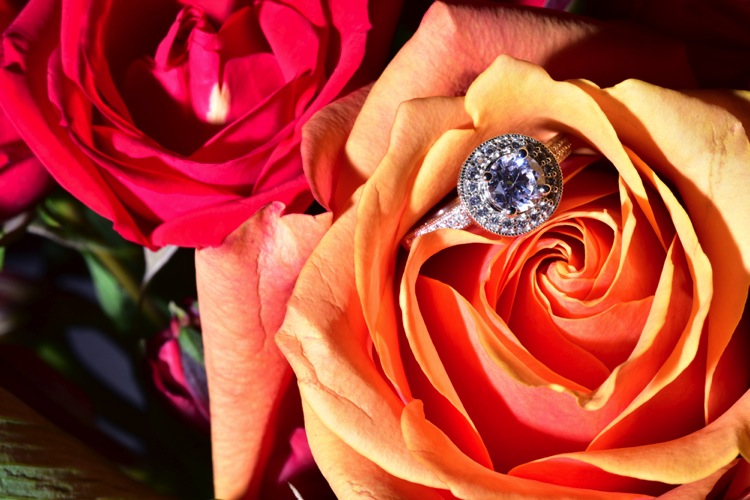
1 flowers direct flash

Holding the camera in one hand and the flash in the other, you can see that we can get a decent result (image above), but it would be much better if we could soften the light.

If you didn’t bring a modifier with you, you can use anything nearby that’s white. I’ve used a white plate, paper napkin, white t-shirt, and a tablecloth in the past. For this shot we will use a white paper towel. By bouncing the light off of, or through the paper towel, we can get much larger, softer light.

Having my assistant move the flash with each picture I take, ensures that we will get a lot of variety, without wasting time looking at each shot individually. Remember, this is all taking place during a wedding, so I really don’t want to spend more than a minute or two on these shots. After taking 10-20 shots in rapid succession, I can quickly review them and confirm that I have a keeper.
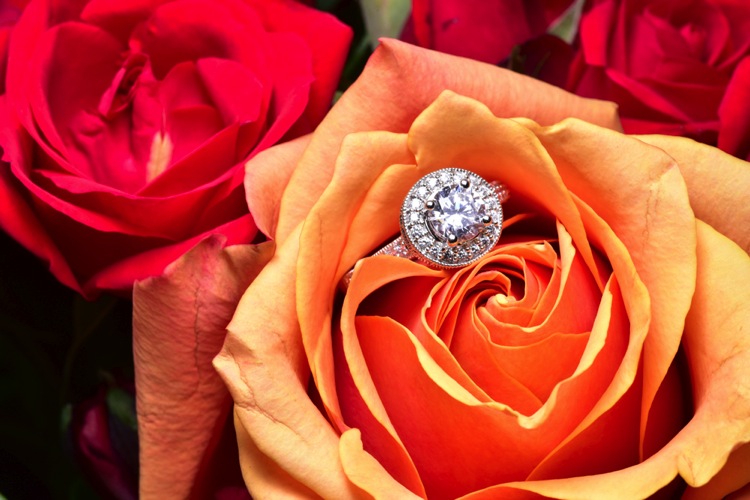
2 moving soft light

I consider this to be my safety shot because I can get it in under two minutes at every wedding I do, and the client always loves it. After I knock it out, if I have time, I’ll try some more complicated and creative shots.

Adding Multiple Lights and Water

For this next shot we are going to complicate things a bit in terms of gear, but we are also going to be able to do it without the help of an assistant.

First, find an interesting surface to place the rings. It could be a tablecloth, wood grain, granite, or anything you find around the reception site. We took our picture on a black, glass-top table.

First I setup the camera up on a tripod so that I could keep my hands free. From behind the ring, I added the first speedlight, to create a rim light on the back of the subject. To add a bit of interest I used a purple gel, and to confine the light, the Magmod grid.
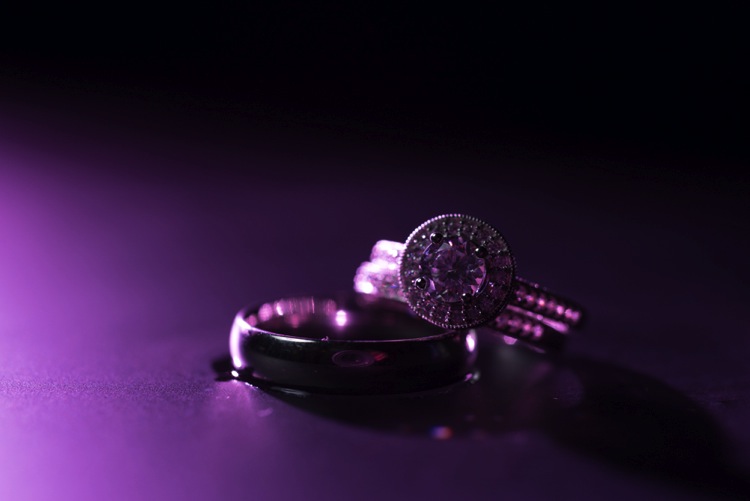
3 Final Back Light Only

Now it’s time to light the rings from the front. Instead of using a paper towel, I decided to use the Fstoppers FlashDisc. It’s basically a collapsible softbox that can used with just one hand. When it’s collapsed down, it’s small enough to fit in your pocket, which makes it extremely convenient at weddings.

Read: Review: Flash Disc Lighting Modifier by Fstoppers for more information on this product.
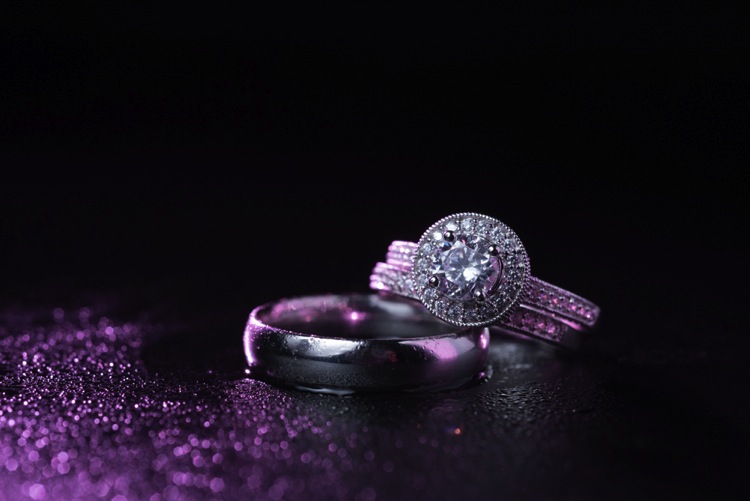
4 Final backlight and flashdisc

To add one more interesting aspect to this shot, I used a miniature spray bottle to add mist behind the rings. The purple light coming from the back, lights up the water, and takes this shot to the next level.
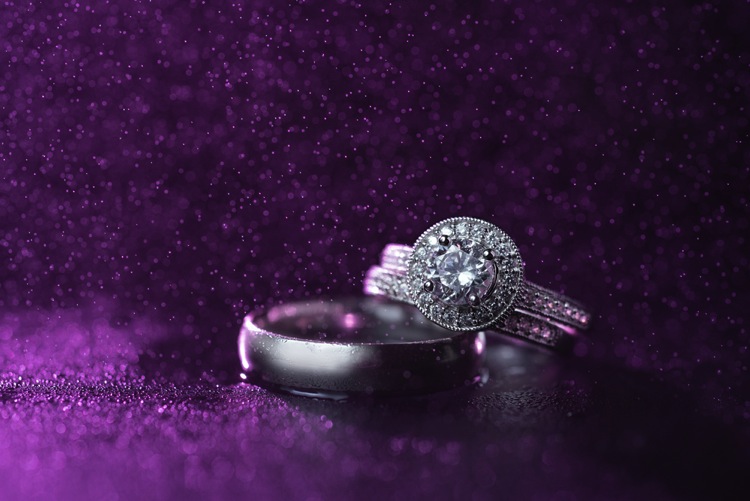
5 Final best 1 retouched

Building Your Own Set and Using Continuous Lighting

If you like to be prepared for any situation, you’re going to want to travel with a few props that you know you can work with, if the items around a wedding aren’t cutting it as a background. I travel with a pack of metallic foils that can be used to place the rings on. I also brings along cheap reflective jewelry that I can use to create bokeh effects.

Instead of using a strobe for this shot, a cheap LED panel was used as a continuous light source. These panels can be extremely handy, but keep in mind that you will probably want to use a tripod if you are going to use them to light the rings so that you can keep everything sharp (the shutter speed may be slow). If you want extremely blurry bokeh, you’re also going to want to shoot at a wider aperture than you normally might.
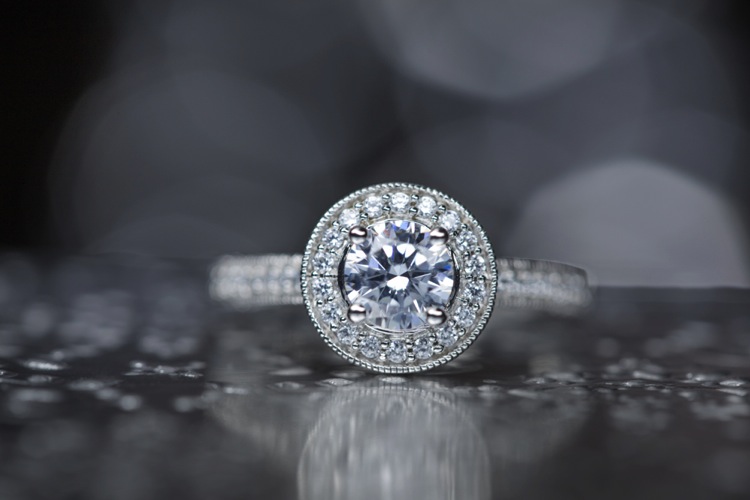
6 Final Image 2

Using a Screen to Create Your Own Background

For this final shot, we are going to use a computer screen to create our own background. If you don’t travel with a laptop, you could use an iPad, or maybe even a smartphone screen instead.

I would suggest practicing this shot at home before you ever get to a wedding. You don’t want to be fiddling around with your setup, or searching for different backgrounds while the wedding is going on. If you are prepared though, this shot can be extremely easy to pull off.

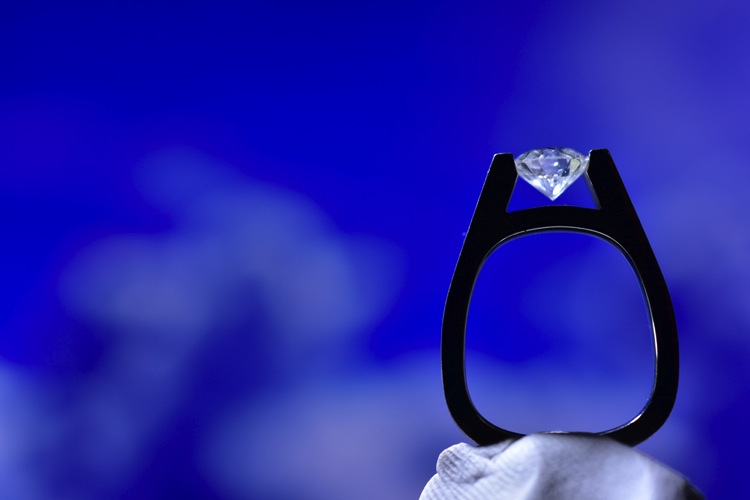
First I placed the ring on bit of putty to get it to stand up. I then set my computer screen to its brightest setting, and exposed for the screen itself. At this point the shot is a silhouette of the ring.
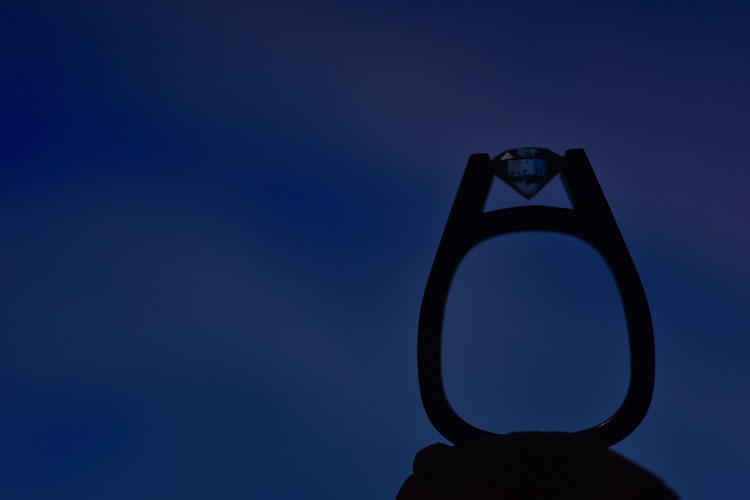
7 Screen backlit

To light the ring itself you could use your smartphone’s flashlight, or you could use any cheap LED flashlight. If your flashlight doesn’t dim, you can simply move it closer or farther away from the ring to get a correct balance of light, with the screen in the background.

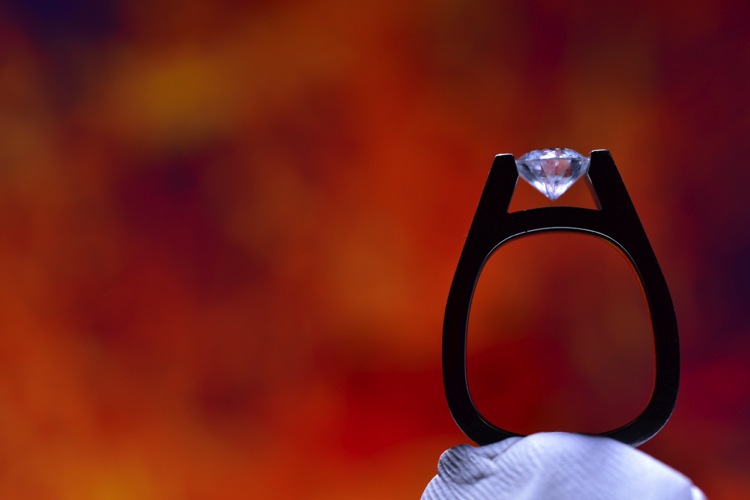
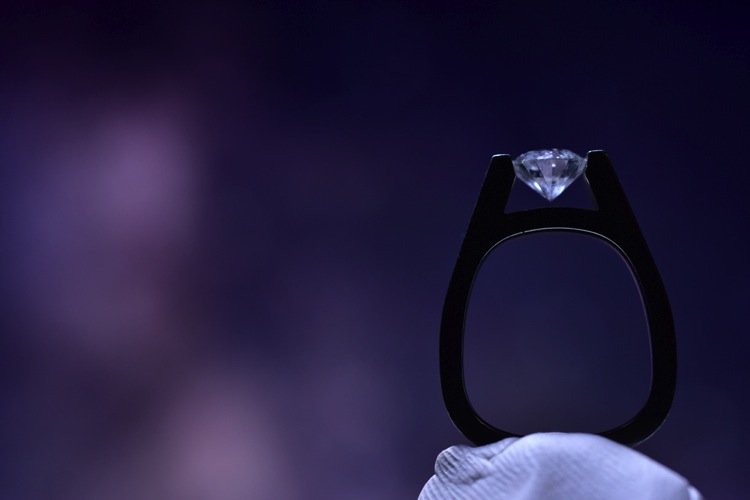
Because your background will be so blurry, it really doesn’t matter what is on the screen in the background, you are basically looking for certain colors, and large shapes that will create an interesting mood.
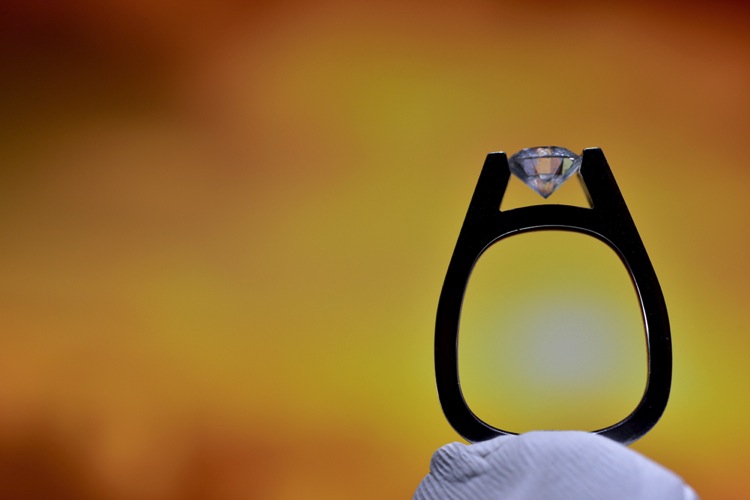
8 screen shot 1

9 screen shot 2

10 screen shot 3

11 screen shot 4

In the post-production you can either zoom-in past the putty (crop it out) or you can Photoshop the putty out and have a floating ring effect.
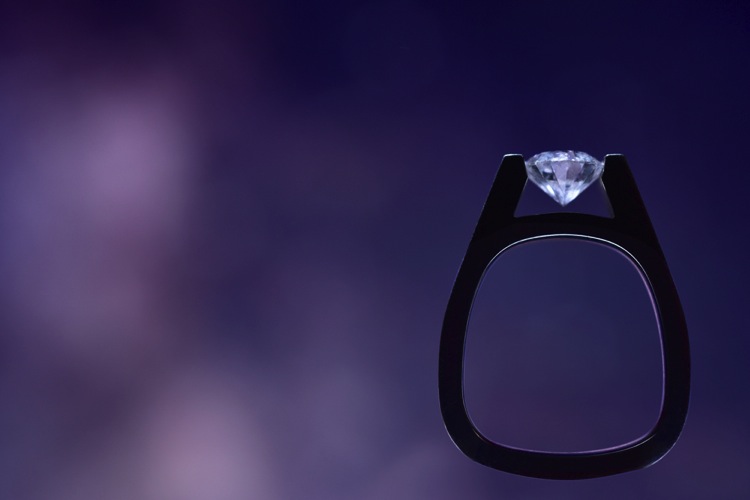
12 Final Edit 4

You can also watch us go through these techniques in the following video:

Snapdeals Sale: If you’d like to learn more about how David and Patrick photograph weddings you may want to check out their 14 hour tutorial on all things wedding photography. It’s currently $ 100 off at SnapnDeals.

googletag.cmd.push(function() {
tablet_slots.push( googletag.defineSlot( “/1005424/_dPSv4_tab-all-article-bottom_(300×250)”, [300, 250], “pb-ad-78623” ).addService( googletag.pubads() ) ); } );

googletag.cmd.push(function() {
mobile_slots.push( googletag.defineSlot( “/1005424/_dPSv4_mob-all-article-bottom_(300×250)”, [300, 250], “pb-ad-78158” ).addService( googletag.pubads() ) ); } );

The post 4 Easy and Unique Ways to Light and Photograph Wedding Rings by Lee Morris appeared first on Digital Photography School.


Digital Photography School
 
Comments Off on 4 Easy and Unique Ways to Light and Photograph Wedding Rings

Posted in Photography


The Uncomfortable Truth About Street Photography

10 Jun

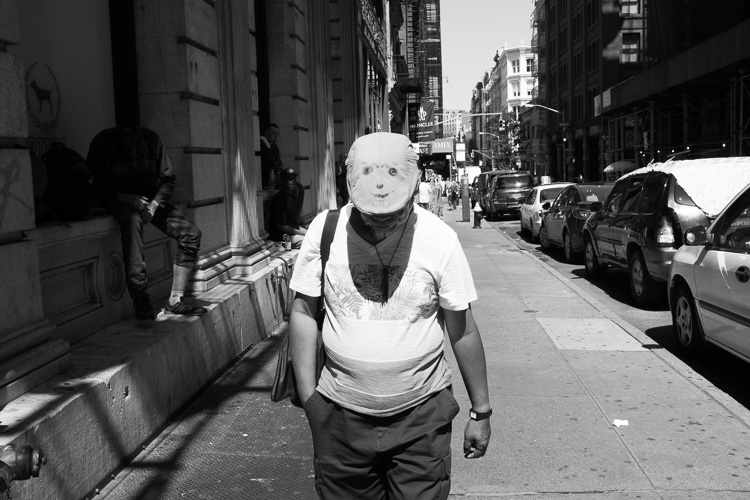
Smiley Face, SoHo, NYC.

As someone who has photographed people candidly since I first picked up a camera over 15 years ago, there is something that needs to be said to everyone that is interested in street photography.

Yes, what we’re doing has importance, whether through the angle of documenting history, noticing interesting moments, fostering ideas, or creating art. These photographs will have cultural value to them in the future, and most of us capture culture and humanity because we like them. We like people. We like to people watch.

Many photographers have been drawn to this genre before even realizing that it has a name, and this helps us realize that this way of viewing the world is instinctive to some people. It comes naturally. I remember picking up my first camera in New York. I could have easily looked up at the tall skyscrapers and epic architecture, and I did and still do, but the people walking around seemed just as fascinating.

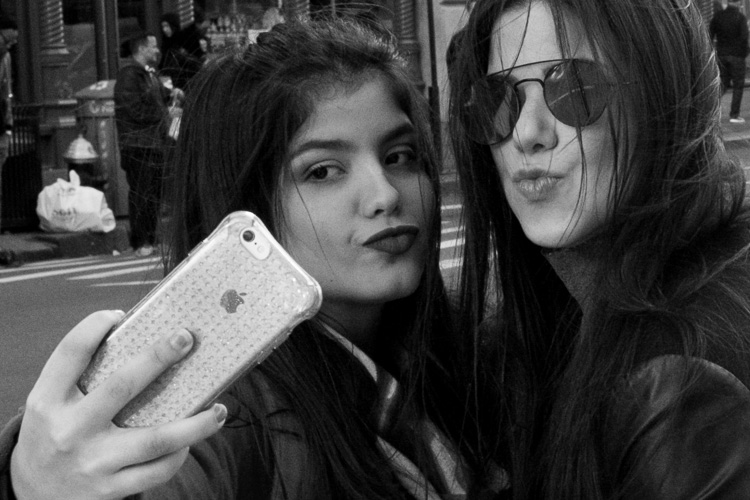
Duck Face, SoHo, NYC.

Yes, it’s legal, at least if you’re in the United State and Britain. Yes, it’s within our rights to do this in public, and to share these images as art and for cultural purposes. No, it doesn’t make us bad people.

Street photography will make some people uncomfortable

But no, everything that I just mentioned does not completely free us from culpability out there. We have to consider that the practice of street photography can be inherently uncomfortable to our subjects. Some will understand what we are doing, but others will be weirded out by a stranger capturing a photo of them suddenly in public, whether it is in an obvious or a more candid way. Morality, cultural importance, and the good things that we are trying to create should all be put aside here, so that you realize there is a tradeoff going on. We are creating uncomfortable situations for others.

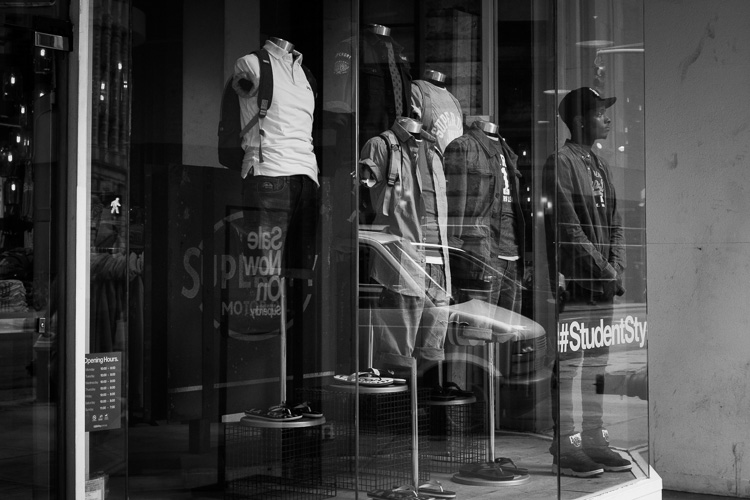
Student, Broadway

Some would even argue that it is a virtue to create a little uncomfort out there, and that we all need to be thrown off balance every once in awhile. I agree with this statement, but I still realize that there is a negative side to what I am doing.

Some people do not like that we are taking their photograph. Some would not be happy seeing the photograph afterwards. No matter how hard you try, you cannot avoid those people through your daily shooting.

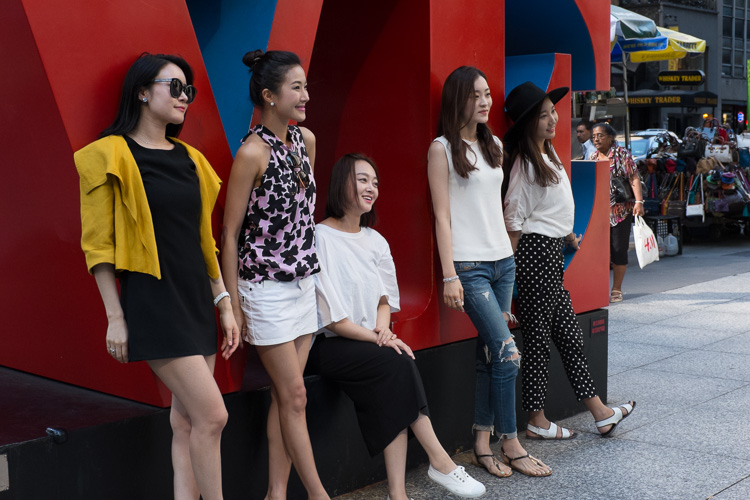
Love, Midtown

This is something that you will have to come to terms with if you practice street photography. You can have a smile on your face and talk to anyone who seems uncomfortable with your presence with a camera. You can tell them that you did not mean to make them uncomfortable, and you can even offer to delete a photo if the person really doesn’t like it. You can do all of those things, but still you need to know that you are making people uncomfortable.

Yes, you.

I’m not saying that this should stop you from doing it, or slow you down, but it should be in the back of your head. It’s a privilege that we are allowed to do this, and we need to respect our subjects in the way that we shoot, even if there is no choice but to occasionally make someone uncomfortable. You can choose who it is you photograph, and the way and situations in which you photograph, but you will never be able to completely get rid of this.

Broadway Joe, SoHo, NYC.

Learn to live with it and accept it as you photograph people, but don’t ignore it.

Do you do street photography? How do you handle this uncomfortable aspect of this kind of photography? Please share your experiences in the comments below.

googletag.cmd.push(function() {
tablet_slots.push( googletag.defineSlot( “/1005424/_dPSv4_tab-all-article-bottom_(300×250)”, [300, 250], “pb-ad-78623” ).addService( googletag.pubads() ) ); } );

googletag.cmd.push(function() {
mobile_slots.push( googletag.defineSlot( “/1005424/_dPSv4_mob-all-article-bottom_(300×250)”, [300, 250], “pb-ad-78158” ).addService( googletag.pubads() ) ); } );

The post The Uncomfortable Truth About Street Photography by James Maher appeared first on Digital Photography School.


Digital Photography School
 
Comments Off on The Uncomfortable Truth About Street Photography

Posted in Photography


Lenovo unveils Moto Z, Moto Z Force and Moto Mods attachments

10 Jun

$ (document).ready(function() { SampleGalleryV2({“containerId”:”embeddedSampleGallery_3418740421″,”galleryId”:”3418740421″,”isEmbeddedWidget”:true,”standalone”:false,”selectedImageIndex”:0,”startInCommentsView”:false,”isMobile”:false}) });

At its annual TechWorld conference today, Lenovo announced two new Motorola smartphones, the Moto Z and Moto Z Force. The two models are very similar but differ in some key ways – including the camera specifications. The Moto Z is only 5.2mm thin and comes with a 2,600 mAh battery and a 13MP rear camera with fast F1.8 aperture, optical image stabilization, laser-AF and a dual-tone LED flash. The 5MP wide-angle front camera has an F2.2 aperture. 

At 6.99mm the Force is a little thicker and can fit a 21MP camera with F1.8 aperture, on-sensor phase detection, laser-AF and OIS into its body. It also comes with a shatterproof display and a larger 3,500 mAh battery. 

The remaining device specifications are pretty much identical. Android 6.0.1 Marshmallow is powered by a Qualcomm Snapdragon 820 chipset and 4GB of RAM. 32 or 64GB of storage are expandable via microSD card. The 5.5″ AMOLED displays offer a Quad-HD resolution and both devices come with fingerprint scanner and water-repellent coating. There is no 3.5mm headset jack but a USB Type-C to 3.5mm adapter is included.

While the devices look very sleek and elegant, their unique selling proposition are the Moto Mods attachable accessory modules. They connect to the back of the phones via 16 connection points on the rear plate. So far there are the InstaShare projector which can project a 480p image up to size of 70″, the JBL Soundboost 6 Watt speaker and a 2220 mAh battery pack. Unfortunately the rumored camera grip has not materialized yet, but hopefully that is something to look forward to in the future. 

The Moto Z Force will, at least initially, be exclusive to Verizon in the US and be marketed as the Moto Z Force Droid edition. Verizon will also sell the Moto Z Droid Edition but consumers can buy an unlocked version directly from Motorola. Both models will be available in the US this summer; in other regions the Moto Z will become available in September.

Articles: Digital Photography Review (dpreview.com)

 
Comments Off on Lenovo unveils Moto Z, Moto Z Force and Moto Mods attachments

Posted in Uncategorized