RSS
 

Archive for March, 2016

Venus Optics launches Loawa 105mm F2 with apodization element

12 Mar

$ (document).ready(function() { SampleGalleryV2({“containerId”:”embeddedSampleGallery_2207710493″,”galleryId”:”2207710493″,”isEmbeddedWidget”:true,”standalone”:false,”selectedImageIndex”:0,”startInCommentsView”:false,”isMobile”:false}) });

Chinese lens manufacturer Venus Optics has announced a portrait lens that uses an apodization element and dual diaphragms to produce better looking out-of-focus highlights. The company says that the apodization element in the new Laowa 105mm F2 STF acts as a radial gradient filter that becomes darker towards its outer edge. This graduation of tone is said to help produce smooth tonal transitions in out-of-focus discs. The element works in conjunction with a 14-bladed diaphragm that Venus Optics says forms a constantly circular aperture directly before the light meets the main second aperture, which still determines the f-number and the depth of field.

This approach is very similar to the one used in the Minolta (and, more recently, Sony) 135mm STF F2.8 [T4.5] lens.

The lens uses 11 elements arranged in eight groups and includes a single forward element that has a high refractive index and three made from low dispersion glass. The company claims that this design is ‘proven to deliver images with extreme sharpness and limit the chromatic aberrations at its lowest.’

The all-metal lens will be available in mounts for Canon EF, Nikon F, Sony FE, Pentax K and Sony A cameras. The Loawa 105mm F2 STF will cost $ 699. For more information visit the Venus Optics website.


Press release:

Anhui China, Mar 10, 2016 – Venus Optics, the Chinese camera lenses manufacturer who had launched the world’s Widest 1:1 Macro lens last June, has just released another extraordinary lens, Laowa 105mm f/2 (t/3.2) Smooth Trans Focus Lens for DSLR cameras.

The new Laowa 105mm f/2 Smooth Trans Focus Lens incorporates an unique optical design with an apodization (APD) element next to the aperture. The APD element resembles the function of an ND filter which becomes thicker towards the perimeter, gradually reducing the amount of light transmission towards the periphery to produce a soft, natural and beautifully diffused out-of-focus rendition (or called bokeh).
The new Laowa 105mm f/2 Smooth Trans Focus Lens offers two separate diaphragms. The stepless 14-bladed perfectly circular aperture, in conjunction with the apodization element gives this lens the ability to produce smooth and pleasing bokeh. It is also useful for videographers to control the amount of light passes through the lens. The 8-bladed aperture is to determine the effective aperture opening (f-number) and the depth-of-field formed.

The lens houses with 11 elements in 8 groups with 1 piece of High Refractive elements, 3 pieces of Low Dispersion elements and 1pc of Apodisation element. This optical design is proven to deliver images with extreme sharpness and limit the chromatic abberations at its lowest. The enclosure of the lens is made of metal to strengthen its durability. Canon EF, Nikon F, Sony FE, Sony Alpha and Pentax K mounts are available.

Pricing and Availability
The Laowa 105mm f/2 Smooth Trans Focus lens will be available at authorized resellers and at the English official website (http://www.venuslens.net). The recommended retail price without tax is USD 699. Free shipping will be provided during the promotion period.

Pre-order starts from today and shipping for Canon EF / Nikon AI / Sony FE mounts will start from April. Delivery for Sony A / Pentax K mounts will start from May.

Articles: Digital Photography Review (dpreview.com)

 
Comments Off on Venus Optics launches Loawa 105mm F2 with apodization element

Posted in Uncategorized


Kodak Alaris launches revamped Moments app

12 Mar

Kodak Alaris has announced a major update to its Moments image sharing app, which allows for direct printing to Kodak Picture Kiosks and online ordering of print products. The company has added to the app what it calls visual storytelling capabilities. Read more

Articles: Digital Photography Review (dpreview.com)

 
Comments Off on Kodak Alaris launches revamped Moments app

Posted in Uncategorized


Weekly Photography Challenge – Round and Round

12 Mar

Each week here on dPS we give you a new challenge, something to sink your teeth into and go out and photograph. Last week it was Modes of Transportation and I see many of you have participated in that one.

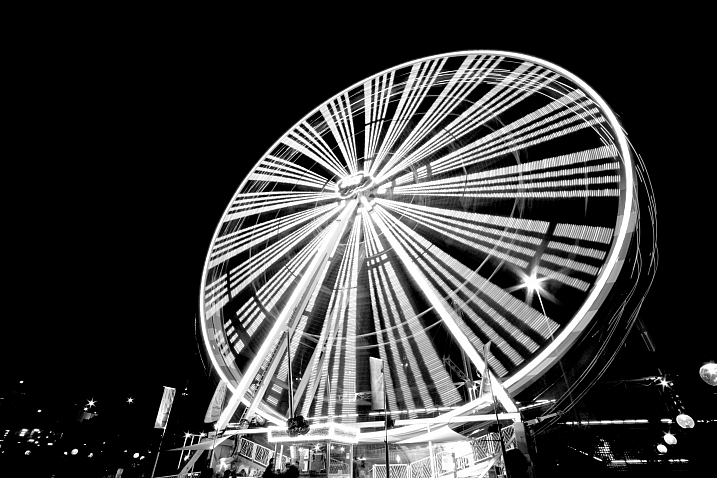
If you’re following along, this week we have a new one, and I shared some examples to wet your appetite already for shooting circles.

Lotus Carroll

By Lotus Carroll

Weekly Photography Challenge – Round and Round

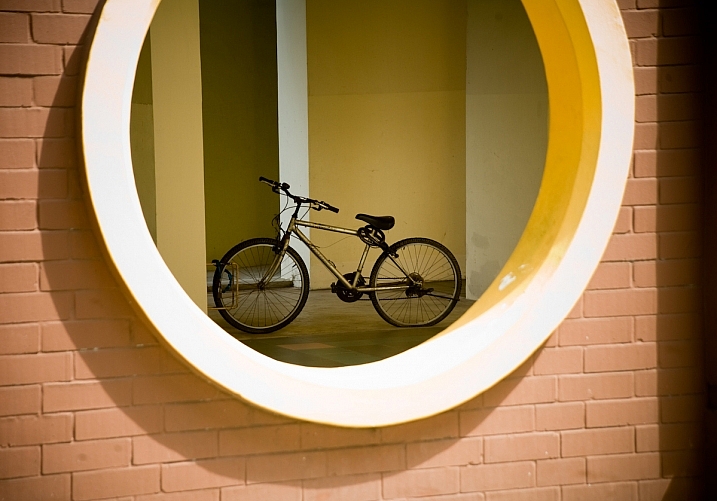
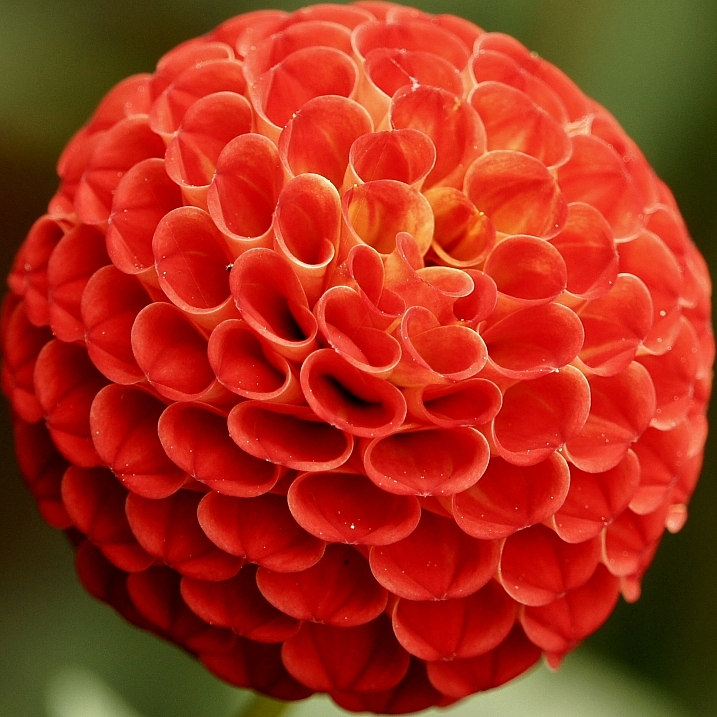
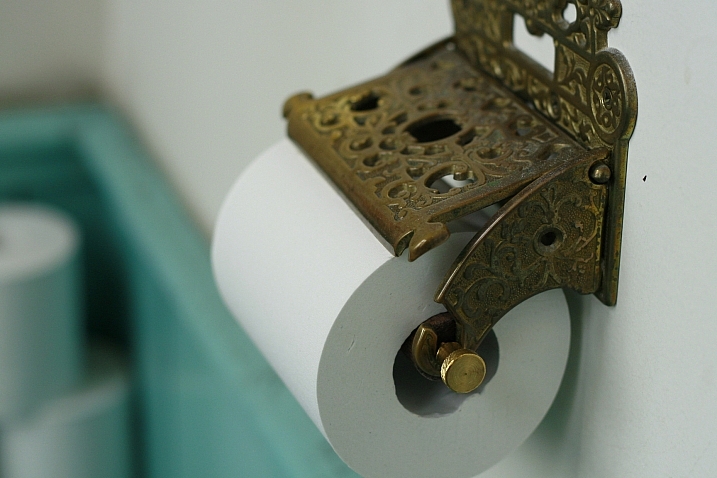
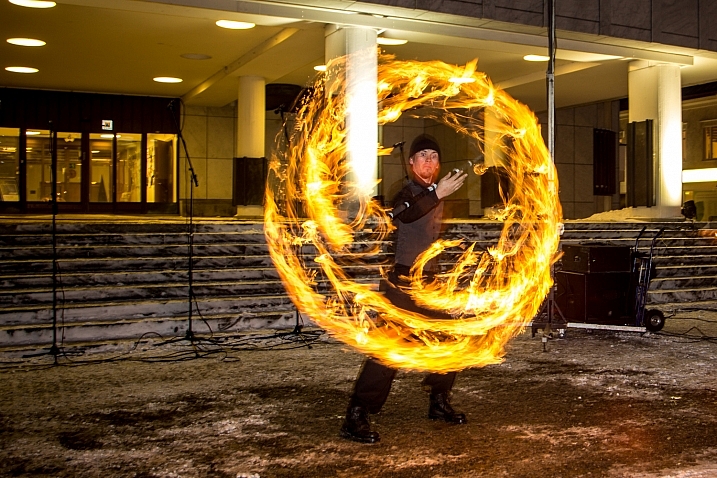
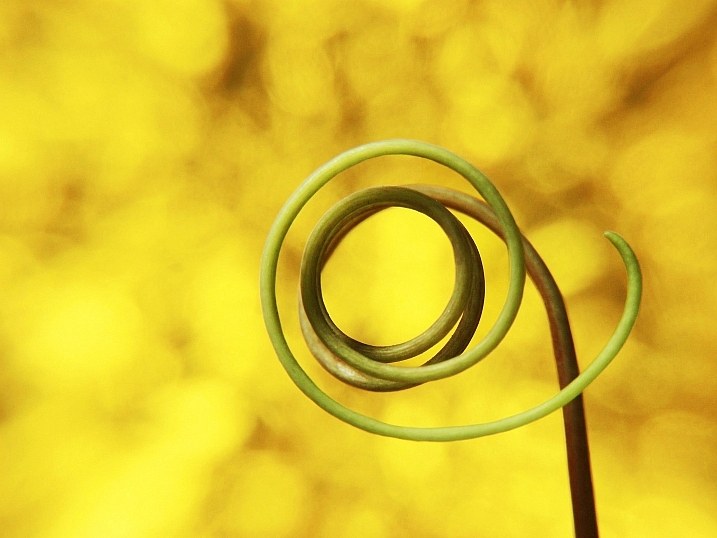
Circles come in many forms, both natural and man-made. Look for them everywhere. Also think outside the box and photograph partial circles, curves, orbs, balls, and spirals. If you need some tips, read for inspiration:

  • How to Capture Beauty in Ugly and Mundane Subjects
  • Composing with Curves
  • How to Build an LED Light and Make an Orb
  • Playing With Fire: Steel Wool Spinning in the Landscape
  • How to Make a Little Planet Using Photoshop
Kenneth Lu

By Kenneth Lu

Frahman Photography

By Frahman Photography

~ Lzee ~

By ~ lzee ~

Antti T. Nissinen

By Antti T. Nissinen

R'lyeh Imaging

By R’lyeh Imaging

Jack.chih

By jack.chih

Share your images below:

Simply upload your shot into the comment field (look for the little camera icon in the Disqus comments section) and they’ll get embedded for us all to see or if you’d prefer upload them to your favourite photo sharing site and leave the link to them. Show me your best images in this week’s challenge. Sometimes it takes a while for an image to appear so be patient and try not to post the same image twice.

Alex

By Alex

Commander, U.S. Naval Forces Europe-Africa/U.S. 6th Fleet

By Commander, U.S. Naval Forces Europe-Africa/U.S. 6th Fleet

Ian Muttoo

By Ian Muttoo

Papieren Geluk

By Papieren Geluk

Lucapost

By lucapost

googletag.cmd.push(function() {
tablet_slots.push( googletag.defineSlot( “/1005424/_dPSv4_tab-all-article-bottom_(300×250)”, [300, 250], “pb-ad-78623” ).addService( googletag.pubads() ) ); } );

googletag.cmd.push(function() {
mobile_slots.push( googletag.defineSlot( “/1005424/_dPSv4_mob-all-article-bottom_(300×250)”, [300, 250], “pb-ad-78158” ).addService( googletag.pubads() ) ); } );

The post Weekly Photography Challenge – Round and Round by Darlene Hildebrandt appeared first on Digital Photography School.


Digital Photography School

 
Comments Off on Weekly Photography Challenge – Round and Round

Posted in Photography


Secrets Beneath Cities: Sculptures Inspired by Nintendo Games

12 Mar

[ By Steph in Art & Sculpture & Craft. ]

secrets beneath cities 1

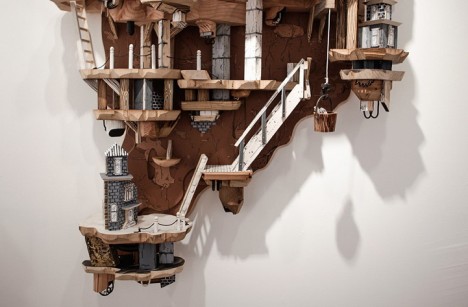
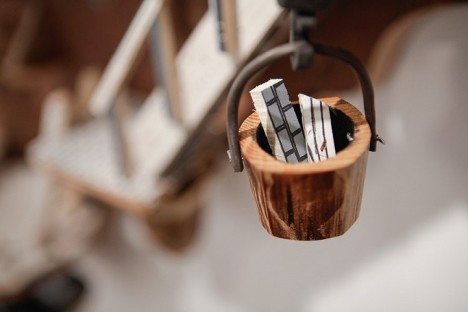
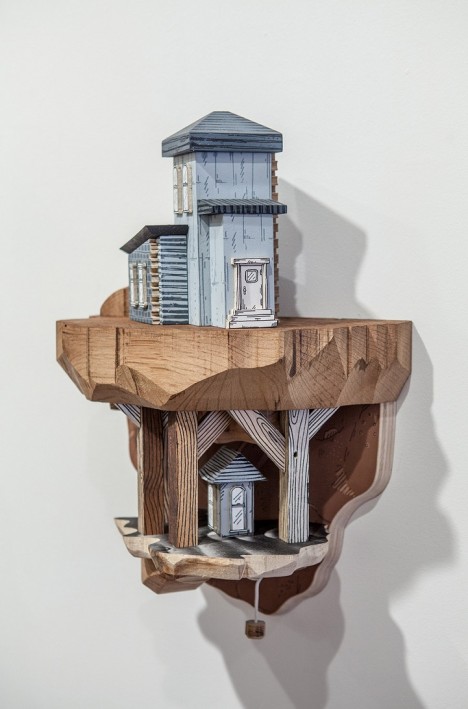
“The underworld is more fun,” says Luke O’Sullivan, the artist who painstakingly crafts stunning cityscape sculptures with intricate subterranean sections inspired by the seemingly never-ending underground worlds in early Nintendo games like Super Mario Bros. Working primarily in wood and salvaged materials, O’Sullivan creates surreal multi-level spaces with platforms , trapdoors, buckets and ladders. It’s easy to imagine Mario jumping from one area to the next inside, popping out of tunnels, racking up mushrooms and avoiding goombas.

secrets beneath cities 15

secrets beneath cities 13

secrets beneath cities 8

secrets beneath cities 9

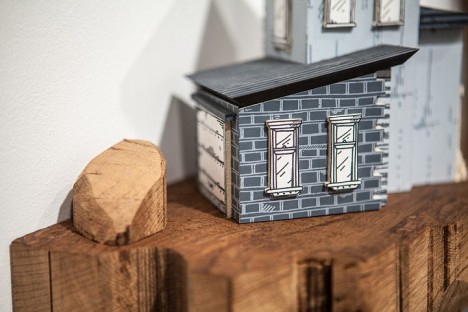
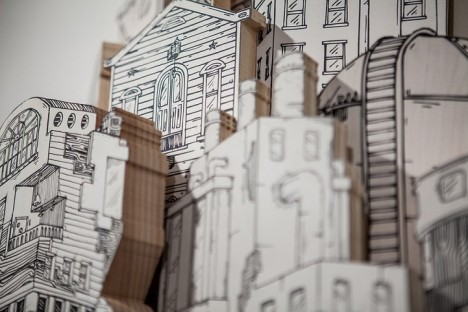
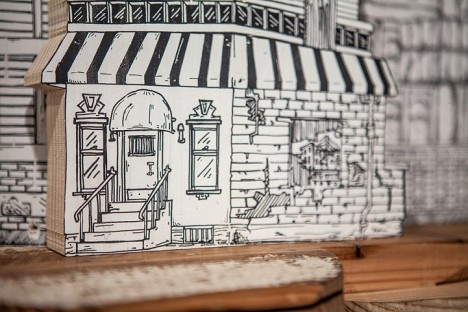
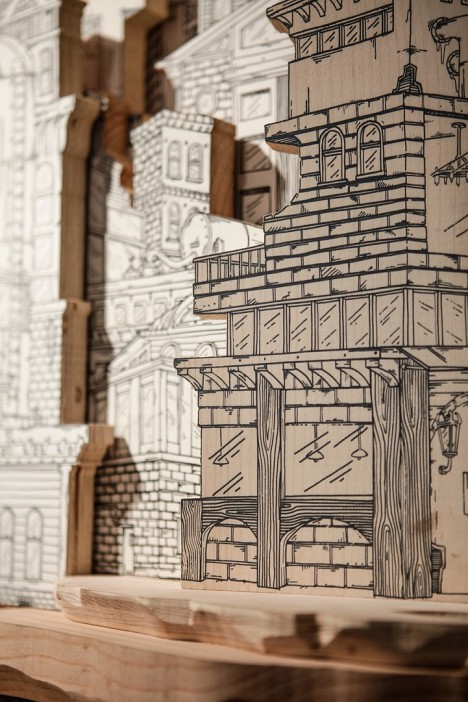
“My work is about the intersection of built environments and subterranean systems,” says O’Sullivan in his artist statement. “Through the application of screen-printed drawings on wood, metal and other flat surfaces, I create architecturally based sculptures. Often inspired by dystopian and science fiction films, I combine recognizable architectural forms and impossible buildings to create diorama-esque works.”

secrets beneath cities 2

secrets beneath cities 3

secrets beneath cities 4

secrets beneath cities 5

secrets beneath cities 6

The largest piece he’s completed, “Industry, Entropy,” measures ten feet long and took over three years to complete. The artist describes it as a “milestone piece.” This one is wider than it is tall, but others are like individual islands of towering structures that rise high above the surface and plunge deep below it.

secrets beneath cities 10

secrets beneath cities 11

secrets beneath cities 12

secrets beneath cities 17

Working in a restrained color palette, O’Sullivan keeps the above-ground sections of the cities relatively two-dimensional, hinting that the more detailed and literally well-rounded world beneath it is what’s really important. These subterranean areas seem full of secret functions, each one brimming with mysteries and begging to be explored. If only we could shrink ourselves down to climb around in them ourselves. See more on Instagram.

Share on Facebook


[ By Steph in Art & Sculpture & Craft. ]

[ WebUrbanist | Archives | Galleries | Privacy | TOS ]


WebUrbanist

 
Comments Off on Secrets Beneath Cities: Sculptures Inspired by Nintendo Games

Posted in Creativity


Accessory Review: Tenba Cooper Messenger bag

11 Mar

Tenba Cooper 13 Slim and Cooper 15
$ 229/299 | www.tenba.com | Buy Now

Over the past few years, Tenba has built a reputation for its solid line of messenger style shoulder bags. I have regularly used one of their Mini Messenger bags for my mirrorless or small DSLR kits. It has been a surprisingly solid performer that has traveled thousands of miles with me. For the price, it is near or at the top of my camera bag ‘bargains’ list. But if I’m being honest, it has always been a bit light on features, ungraceful to use/carry and looks very much like a padded camera bag. So when Tenba asked me if I would like to check out their new Cooper line of premium messenger-style bags, I jumped at the opportunity. 

Tenba released the Cooper line in late 2015 as unobtrusive photojournalist styled bags with luxury materials. Premium features include peach-cotton wax canvas, full grain leather accents, brushed tricot interior and hand riveted zipper pulls. There are four bags in the Cooper line, each designed to carry a specific camera kit. 

  • Cooper 8: A mirrorless camera with 2 to 3 lenses, accessories + a small tablet 
  • Cooper 13 Slim: A mirrorless camera with 3-5 lenses or a small DSLR with 2-3 prime lenses, accessories + a 13″ or smaller laptop
  • Cooper 13 DSLR: A DSLR with 2 or 3 lenses or a mirrorless camera with 4 to 5 lenses, accessories + a 13″ or smaller laptop
  • Cooper 15: Up to a pro-size DSLR with grip, 3 to 4 lenses, accessories + a 15″ or smaller laptop.

This review focuses on the Cooper 13 Slim and the Cooper 15. They are, in my opinion, the standouts of this line. The Cooper 8 is nice, but is really suited for the smallest of mirrorless kits. The Cooper 13 DSLR is a great bag, but is just slightly bigger than the Cooper 13 Slim, with two inches of interior depth (5.5 in vs 3.5 in) being the only difference. So virtually all comments about the Cooper 13 Slim will apply to the 13 DSLR. If the 13 Slim sounds just a little tight for you, then the 13 DSLR is probably your bag.

Specifications 

All dimensions (W x H x D) 

Cooper 13 Slim:

  • Exterior: 37 x 27 x 14 cm / 14.5 x 10.5 x 5.5 in 
  • Interior: 34 x 24 x 9 cm / 13.5 x 9.5 x 3.5 in
  • Laptop Compartment: 33 x 23 x 3 cm / 13 x 9 x 1 in 
  • Weight: 1.2 kg / 2.6 lbs

Cooper 15:

  • Exterior: 41 x 29 x 20 cm / 16 x 11.5 x 8 in
  • Interior: 38 x 28 x 17 cm / 15 x 11 x 6.5 in
  • Laptop Compartment: 38 x 27 x 3 cm / 15 x 10.5 x 1 in
  • Weight: 1.6 kg / 3.6 lbs

Design/Construction

I’m not sure how peach-wax cotton canvas differs from standard waxed canvas, but the peach-wax-cotton canvas on the Cooper bags looks sleek and understated, as well as being quite soft to the touch. Some of that softness comes from the fact that the bags have water repellent applied to the backside of the fabric, rather than the front. This allows water to bead up, but keeps the front of the fabric soft and flexible.

I was wary of the leather accents, as they seem like they could be useless affectations on a camera bag that is meant to be used out in the field. Much to my surprise, they not only gave the bag a professional look well above its price tag, but felt good in the hands. My only concern about the fabric and general construction is, what will these bags look like in 5 years? Mundane as it may be, my Mini Messenger looks much the same as it did when I got it. Waxed canvas and leather can age beautifully (think about your grandfather’s Filson coat), so I’m going to be cautiously optimistic.

Overall, Tenba succeeded in making the Cooper line feel like a step up from the average bag. Comparing them to my Mini Messenger bag makes the old bag look pretty boring and shabby indeed. Perhaps more to the point, these bags don’t scream ‘camera inside!’.

In fact, despite the higher end design and materials, one of the best parts about the Cooper bags is how quickly they fade into the background. I’ve had many bags over the years and I have no trouble saying that these bags are at or near the top of my list as far as stylishness. It may be a minor thing when we’re talking about something that is essentially a tool. But given the choice between a well designed bag that looks good and one that doesn’t, most of us will take the looks as long as functionality is equal. 

$ (document).ready(function() { SampleGalleryV2({“containerId”:”embeddedSampleGallery_7574697011″,”galleryId”:”7574697011″,”isEmbeddedWidget”:true,”standalone”:false,”selectedImageIndex”:0,”startInCommentsView”:false,”isMobile”:false}) });

I’ll say this right now, the ‘quiet’ velcro on the Cooper bags is nothing short of amazing. It works just like regular velcro, but if you pull the flap down (as opposed to ‘out’), the hooks release with 98% less noise. Instead of a huge RIIIIIPPPPPPPPPP, you might just hear 2-3 little loops pulling away. Not totally silent, but quiet enough for church, which is impressive. What’s more, by choosing velcro for the flap closure instead of buckles, there is no risk of a metal buckle dinging a piece of gear as the flap is opened. And because the Cooper bags have a handy top-access zipper, I didn’t find myself opening the flap as much as you might think. Particularly with the Cooper 13 Slim, I was able to quickly access bodies and lenses easily through the top-access zipper. 

While the leather bottom and other luxury touches get all the attention (and understandably so) there are any number of small features that are worth mentioning. Using YKK instead of generic zippers may seem like a small thing, but anyone who has been frustrated by a cheap zipper will appreciate the quality.

Speaking of zippers, I love the fact that the zippers to expand the side pockets don’t unzip all the way. There’s no fiddling when you want to zip it back up again. There are also a ton of pockets and slots to organize all the extras you carry in a camera bag. There are even nylon backed leather MOLLE compatible attachment loops. Not all is perfect, but the complaints are pretty darn minor.

One that comes to mind involves the rain cover. As nice as it is to have the raincover included, the fact that it is not built-in and takes up space in the bag is kind of a hassle. Particularly in the smaller bags, I’d opt to carry an extra prime lens than the cover. Another minor complaint? The side pockets on the smaller bags are also pretty, well, small. I’m glad they exist, but even expanded, you aren’t going to be sticking telephoto zooms or big water bottles in there. 

A final item worth mentioning can be considered both a feature and a drawback, depending on your point of view. These bags are not designed as bombproof protective cocoons for your gear, they are designed to be unobtrusive and functional. To that end, the padding inside is not as thick or heavy as in many other shoulder bags. I measure the padding and dividers in the Cooper bags to be around 1/4 inch. By way of comparison, the padding in my old Mini Messenger ranges from 3/8 to 1/2 inch. This cuts down significantly on the bulk and stiffness of the bags. In exchange, your gear is going to be less cushioned from bumps and bonks. This is a trade that I’m personally happy to make, but others may not feel the same.

In Use

Cooper 13 Slim 

While all four Cooper bags are solid, the 13 Slim might be the standout of the line. It is perfectly sized for a mirrorless kit. An Olympus OM-D E-M1 with a mix of 3-5 zoom/primes lenses fits beautifully. The gear comes in and out with ease and there is a place for everything.

If you are looking for a bag to carry a decent sized mirrorless kit, the Cooper 13 Slim deserves your attention. That said, perhaps what was more surprising to me is that my standard full-frame ‘prime’ kit (Canon 6D, 24mm F1.8, 35mm F2, 50mm F1.8 & 85mm F1.8) also fits. And it didn’t just fit; I found that I love using the bag for that kit. There’s not a lot of extra room and the 24 & 85 are a bit less accessible, but even so the 6D hasn’t left the Cooper 13 for weeks. Now, I’m not sure that this would be practical for a DSLR with zoom lenses of any length or girth. If you want a small bag for your DSLR and plan to carry anything bigger than prime lenses, I’d encourage looking at the Cooper 13 DSLR. 

The 13 Slim is big enough to hold a substantial amount of gear, but is also so slim that it hardly sticks out from your body and doesn’t hinder your ability to move through a crowd. This is something that is huge for me. To be honest, I’m rarely concerned that someone knows I have a camera bag, after all, I typically have a camera in my hand. But if I’m banging into people or knocking drinks off tables in a crowded bar concert, well, that’s going to get people’s attention, and not in a good way.

Not only is the Cooper 13 Slim only 5.5 inches deep, but its lack of rigidity allows it to conform slightly to the shape of your body, allowing it to protrude even less. There is one drawback to the Cooper 13 Slim’s ‘slim’ nature, it doesn’t tend to stand upright when set down. It will balance, but I wouldn’t leave the flap open and rely on it staying that way. 

Cooper 15

The Cooper 15 fits a full size DSLR with multiple F2.8 zoom lenses. I used a Canon 6D, 17-35mm F2.8, 24-70mm F2.8 and a 70-200/2.8 and had room for a speedlight and accessories without using any of the outside pockets. I will say that even a large mirrorless kit is absolutely swallowed in this bag. Unless you were using it as more of a briefcase that also happened to carry your mirrorless kit (not a bad idea actually), I might encourage you to look at one of smaller Cooper bags. 

Overall, the Cooper 15 performed the same as the its Slim/DSLR counterparts with a few small caveats. Due to the larger size of my F2.8 zooms, it wasn’t quite as easy to get them out/in through the top-access zipper. This isn’t something exclusive to the Cooper 15, some of it just comes with pro bodies and lenses.

This brings me to another small concern worth mentioning: the Cooper 15 is a pretty darn big bag. It’s sized to carry these big zooms and bodies. I tend to encourage photographers to look at a backpack or sling if they are carrying big gear. The only time I use a shoulder bag for my pro kit is when I’m on a job where I’ll be in and out of the bag a ton – setting it down, picking it up, rushing across the reception hall and grabbing a new lens so I don’t miss the first dance, that kind of thing. Otherwise, that’s a lot of weight on my shoulder just for a street photography session through town. If you are carrying a smaller DSLR kit, you should probably look into the Cooper 13 DSLR, as the Cooper 15 is going to be overkill. 

But I fully admit that some of that is my own personal preference as far as how I carry by gear. If you know that you like a shoulder bag for your big DSLR kit, the Cooper 15 is an outstanding choice as far as I’m concerned. While I was partially joking before, I do think there is a strong case to be made for using the Cooper 15 as a briefcase/schoolbag. It’s sized perfectly for that task, looks cooler than most anything else you’ll see at a powerpoint presentation and could still hold your ‘everyday’ camera kit. 

What’s the bottom line?

The Tenba Cooper bags are well designed, good looking and extremely functional. They are not particularly cheap, but I would consider them on the affordable end of the spectrum as far as high end bags are concerned. If sheer economics are your main concern, there are other cheaper bags out there. But the Cooper bags are an impressive mix of style, functionality and features. For what it’s worth, the Cooper 13 Slim/DSLR has made my list of bags that I love to use and recommend to just about anyone.

Articles: Digital Photography Review (dpreview.com)

 
Comments Off on Accessory Review: Tenba Cooper Messenger bag

Posted in Uncategorized


On assignment: the Leica Q at a Portland wedding

11 Mar

Introduction

The fixed 28mm focal length you get with the Leica Q can be versatile and creative, but it can also allow for basic images like this to help set the scene. Photo by Carey Rose, processed to taste from Raw. F8 | 1/125 | ISO 320

Between the timber industry and a reputation for organized crime and racketeering, early Portland, OR is a town that, like a number of other Pacific Northwest settlements, started off a little rough. But today, Portland has grown into and is known for being one of the most progressive cities in the country. This rise from rags to prominence is at least vaguely reminiscent of the rise of mirrorless technology in cameras, though the latter has happened much more rapidly. What were once laggy, poor-focusing and incredibly power-hungry devices have evolved into technological powerhouses, playing host to some of the latest and greatest innovations in camera technology. The Leica Q is, unarguably, one such mirrorless camera.

Portland has also been nicknamed ‘Bridgetown,’ for its many crisscrossing bridges slicing through the urban landscape. Rather appropriately, then, the Leica Q is a bridge of sorts for me. It is the first mirrorless camera I’ve brought with me to shoot a wedding alongside my usual full-frame DSLRs, and the first mirrorless camera I’ve used that performs very nearly at a level I expect from my well-worn and bulky workhorses.

Keep in mind: the Leica Q was used in conjunction with two additional cameras for this wedding, but all images in this post are from the Q. The 28mm focal length it offers can be versatile, but definitely has a ‘look’ and it can’t replace a good normal or telephoto lens for some variety in the full final take.

Fitting in the kit

I will normally shoot an entire wedding on two full-frame DSLRs, and trade between 35mm, 50mm and 85mm lenses (with an 80-200mm F2.8 coming out for the ceremony only). Adding the Leica Q to the mix added a little extra bulk, sure, as I was now carrying three cameras instead of two. But it meant almost no lens swapping, as I could have the 35mm focal length covered more or less by the Q’s excellent 28mm F1.7 Summilux lens, and keep the 50mm and 85mm glued to the other cameras. The result was that I probably looked a little ridiculous to most of the guests, but having three F1.7-and-wider lenses at my disposal allowed me to make the most of any situation I found myself in.

The Q managed to nail focus on the subject’s head despite dim backlighting and fairly low contrast. Why can’t all CDAF systems work this well? Photo by Carey Rose, processed to taste from Raw. F1.7 | 1/125 | ISO 2500

I set up the Q to shoot in aperture priority with auto ISO, and a minimum shutter speed varying from 1/60 to 1/250 depending on the situation. I kept it in Single-AF and recorded RAW+JPEG for the whole shebang.

What worked, what didn’t

The Q’s autofocus system is not only accurate, but it is close to phase-detect fast (even though it’s a contrast-detect system). I kept it in Single-AF for the day because it just worked so well. The four-way controller on the rear made it a breeze to quickly change the focus point position, and with the 28mm focal length, focus-and-recompose shooting didn’t make too much of a difference in critical sharpness. The few times I wanted to use Face Detection (such as handing the camera off to somebody else to take a shot), I found it was a bit of a pain to dive into the menus to change it. This could be mitigated if you could assign something autofocus-related to either of the customizable function buttons on the rear, but you can’t. At least the menus are fairly well-sorted.

Though its DNG files may have less post-processing latitude than other camera systems, the Q can hold its own in low light as long as you pay careful attention to your exposure. F1.7 | 1/125 | ISO 5000

Speaking of buttons, the buttons, controls and dials are all easy to feel with your eye to the finder, and with enough positive action that there’s never any question of whether or not you hit something. So that’s a good start. However, for a camera focused so heavily on stills, it would be nice to at least have the option to reassign the ‘Movie Record’ button to something else. Also, when you are shooting in Auto-ISO, you can twiddle the shutter speed dial to override the minimum shutter speed you’ve selected, but then the rear control dial switches from controlling exposure compensation to controlling the shutter speed in 1/3 stops. You can mitigate this by assigning the ‘FN’ button on the back to ‘exposure compensation,’ but it would be nice if the control dial operation was more consistent or customizable. Also, the LCD and EVF will give you an accurate preview if you skew to under-exposure, but in low light, dialing in some intentional over-exposure would not adjust the preview at all, which was more a minor irritation than an impactful problem.

Skin tones (and color in general) are great on the Q in Raw mode, and the 28mm lens is well corrected to avoid tons of distortion at the edges. Even if it wasn’t, these two gents would be too distracted by their matching suit jackets to notice wide angle distortion anyway. Photo by Carey Rose, processed to taste in Raw. F1.7 | 1/125 | ISO 2000

If you prefer not to use buttons, you can use the touchscreen for a good number of functions, including swiping and zooming in playback, and touch-to-focus and shoot options. However, touch-to-focus only focuses once, where you touched. Half-pressing the shutter does not refocus, and you can’t now use the four-way controller to move the point around if you then want to shoot from the EVF. You’ll have to go back into the menus and enable another focus mode. And if you just don’t want to mess with the touchscreen (I had more than a few accidental swipes trying to enter playback mode to show images to people), there is no menu option to completely disable it.

The lens may be fairly wide-angle, but the macro functionality allows you to get up close and personal with some detail shots and still get rid of most of a distracting background. Photo by Carey Rose, processed to taste from Raw. F2.8 | 1/500 | ISO 640

Now, it may sound like I’m being hard on the camera, but in the real world, these were fairly small problems (and all could conceivably be fixed with a firmware update – hint hint, Leica). In fact, there was only one real issue that seriously plagued my experience with the Q. Although the Q’s battery life is great for a mirrorless camera, it’s not so good that I felt like I could just leave the camera on constantly. But that wasn’t the real problem because the start-up time is so fast. No, the problem was that, after shooting a burst and moving on, I would instinctively twiddle the power dial to ‘Off.’ The camera screen and live view stays on until the buffer is cleared, and only then will the camera fully shut off.

Would AF tracking have worked better than Single-AF for this shot? Maybe, but I didn’t want to dig into the menus to change it. Photo by Carey Rose, processed and cropped to taste from Raw. F2 | 1/125 | ISO 2500

However, if I wanted to resume taking photos, I would turn the switch back on, but the camera would be locked and ignore any and all inputs until it had finished the previous burst to the card. Then it would turn off, then turn itself back on. This process, despite using the fastest SD card money can buy, would take as long as 20-30 seconds.

None of this happens if you leave the camera on after you take a burst – you can resume taking photos or explore the menu system as the camera does its writing (but you can’t immediately enter playback mode when the buffer fills, as you can on many DSLRs). In the end, it’s a strange behavior that can be avoided, but was still upsetting since I’d developed this ‘switch off between shots’ habit based on the battery life of other mirrorless cameras.

The results

Despite all the little issues I discovered above, the Leica Q is a fantastic camera. The only reason I experienced all those little issues to begin with is that I gave this camera no leeway. I used it just like an established full-frame DSLR system, and expected it to perform like one. For the most part, it did. Hell, if Leica made another Q with a fixed 50mm or 85mm lens, I’d have a hard time not selling off most of my DSLR gear and switching over. If only my DSLRs were worth their weight in gold. Or maybe little red dots.

It may not be an ‘action camera’ per se, but the burst modes on the Q give it some caught-moment chops. Photo by Carey Rose, processed and cropped to taste from Raw. F2.8 | 1/500 | ISO 500

There are numerous reports to the contrary, but I found the camera quite comfortable to hold (even without the optional grip). My hands didn’t get sweaty, and the camera didn’t get too slippery. The lens is stunningly sharp, and the out-of-focus renderings are gorgeous. The sensor may not be up to Sony standards of dynamic range, but noise performance is great if you don’t mind a little grain (I don’t) and you nail your exposure. I managed almost 900 shots on the equivalent of just over one battery (I did one battery swap after a bar disappeared, out of old habits). The camera is built incredibly well, and is dense but light enough that I didn’t have a neck cramp after hours of shooting. It may not be weather-sealed, but it feels like it can take a beating.

I should also call your attention to the fact that every single image in this write-up is processed from Raw. Of course, I always shoot Raw for paying gigs, but out of curiosity, I shot Raw + JPEG (and there’s no option to shoot Raw only anyway) on the Q. I found the JPEG engine, particularly the colors and skin tones that resulted from it, to be pretty unpleasant (especially next to an adjusted Raw file). So if you’re a JPEG shooter, be prepared to start a new Raw habit. Also, using the ’embedded’ DNG profile versus the Adobe Standard profile in Adobe Camera Raw does something weird to your white balance settings – I had to boost mine about 1500-kelvin over normal when using the embedded profile.

Out-of-camera JPEG Processed to taste from Adobe Camera Raw

For the out-of-camera JPEG image above, the Q was set to sRGB color space, with contrast, saturation and sharpness all set to standard. That’s the extent of JPEG adjustment parameters in-camera. For the processed image, I used Adobe Camera Raw with the Adobe Standard color profile, making fairly controlled adjustments to the white balance, highlights, shadows, whites, blacks, clarity and vibrance. The exposure was F1.7, 1/250, ISO 320.

As far as performance, with the exception of the strange buffer / power switch issue I highlighted above, I never found myself waiting for the camera. Whether I’m shooting weddings, events, street or environmental portraits, that responsiveness in and of itself is an absolutely paramount requirement. And if you consider the cost of a pro-level (not enthusiast) full-frame DSLR and accompanying fast-wide lens of a similar caliber to this 28mm F1.7 Summilux, the Q isn’t too terrible a value proposition, either.

Party on: if you like the focal length, the Q can handle just about anything you throw at it. Except maybe a bucket of water, or a beer. Photo by Carey Rose, processed and cropped to taste from Raw. F1.7 | 1/250 | ISO 400

In short, the Q is the fixed-lens digital camera I’ve been waiting for. If you work with this focal length and can look past some of its smaller issues, you owe it to yourself to give the Q a try. 

Articles: Digital Photography Review (dpreview.com)

 
Comments Off on On assignment: the Leica Q at a Portland wedding

Posted in Uncategorized


23 Ellipical Photos that Come Full Circle

11 Mar

Shapes are a something that occur naturally in the world, and we reproduce in man-made objects. Squares, triangles, rectangles, and circles.

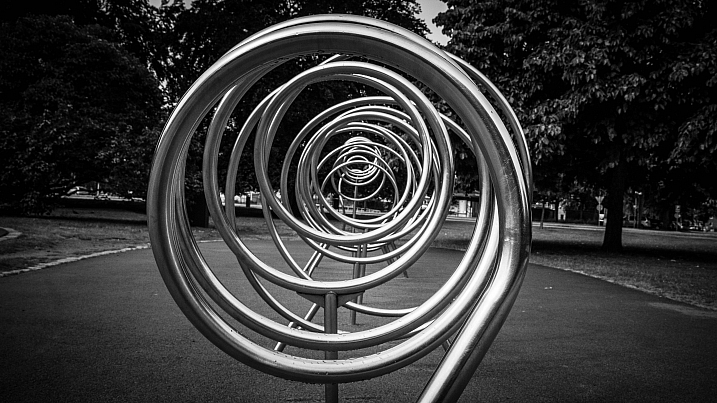
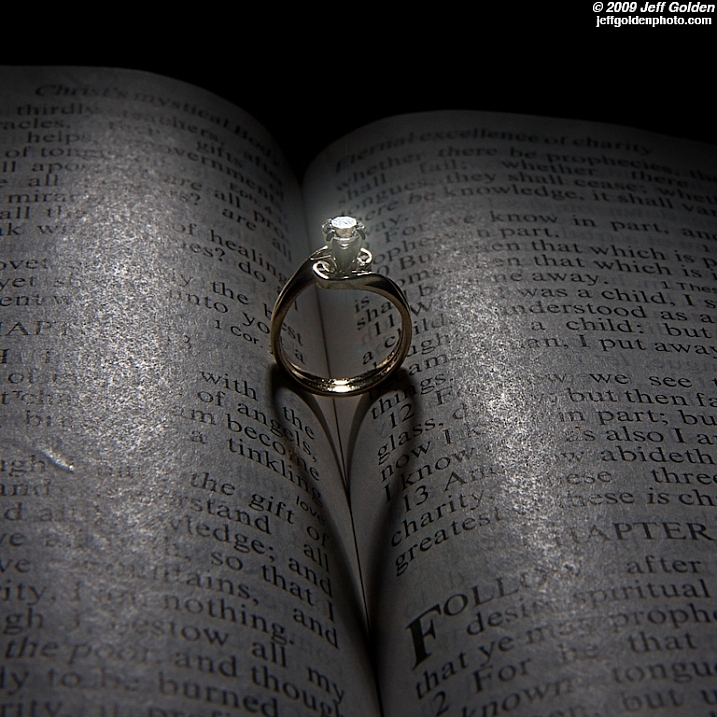
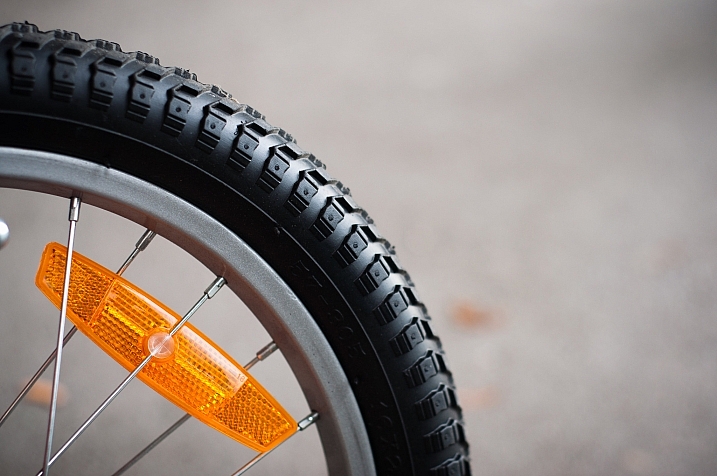
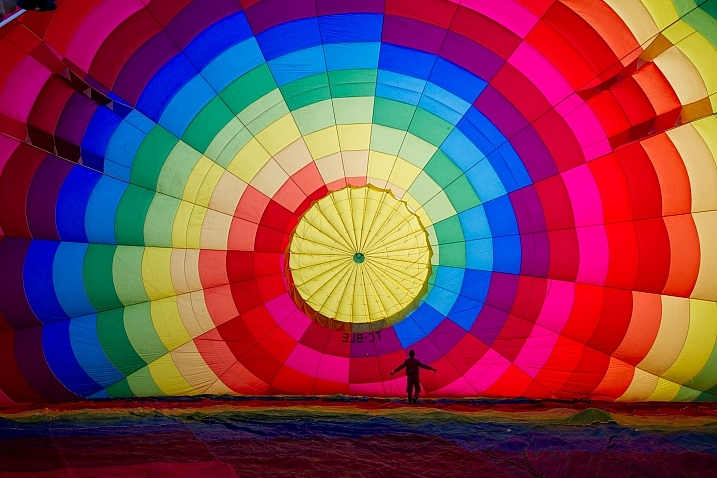
In this image set let’s look at the never ending shape – the circle. Curves lines are feminine in nature, they have no beginning and no end. Here are 23 images showing the circle:

Darlene Hildebrandt

By Darlene Hildebrandt

Stardex

By stardex

Kirsten Pauli

By Kirsten Pauli

Sea Turtle

By sea turtle

Tracy Ducasse

By tracy ducasse

Macaron*macaron(Est Bleu2007)

By macaron*macaron(Est Bleu2007)

Joakim Berndes

By Joakim Berndes

TheGiantVermin

By TheGiantVermin

Tanakawho

By tanakawho

Andrew

By Andrew

Susanne Nilsson

By Susanne Nilsson

Mette1977

By Mette1977

Jeff_golden

By jeff_golden

Daniel Novta

By Daniel Novta

Benh LIEU SONG

By Benh LIEU SONG

Howard Ignatius

By Howard Ignatius

Sam Ili?

By Sam Ili?

Kkmarais

By kkmarais

David Goehring

By David Goehring

Anh Dinh

By Anh Dinh

Renate Dodell

By Renate Dodell

Nicholas Erwin

By Nicholas Erwin

FabQuote.co

By fabQuote.co

googletag.cmd.push(function() {
tablet_slots.push( googletag.defineSlot( “/1005424/_dPSv4_tab-all-article-bottom_(300×250)”, [300, 250], “pb-ad-78623” ).addService( googletag.pubads() ) ); } );

googletag.cmd.push(function() {
mobile_slots.push( googletag.defineSlot( “/1005424/_dPSv4_mob-all-article-bottom_(300×250)”, [300, 250], “pb-ad-78158” ).addService( googletag.pubads() ) ); } );

The post 23 Ellipical Photos that Come Full Circle by Darlene Hildebrandt appeared first on Digital Photography School.


Digital Photography School

 
Comments Off on 23 Ellipical Photos that Come Full Circle

Posted in Photography


Crowd pleaser: Sony FE 24-70mm F2.8 GM real world images

11 Mar

Sony’s new FE 24-70mm F2.8 G Master is as pro-level as pro-level lenses come. Dust and moisture-sealed, it offers impressively fast AF speeds due to Direct Drive SSM, especially when paired with the Sony a7R II (which we used to shoot this gallery). Though we only spent about 24 waking hours with it, images shot throughout the focal range show the lens is sharp, even wide open. Note that chromatic aberration was turned on in-camera and is therefore applied even to the Raws. Please note, we’ve included Raw files for download for a selection of the images, and you can look at CA performance in a non-profile aware Raw converter (like RawDigger).

Note: This sample gallery was shot while on a Sony-sponsored shooting event in Miami. Part of the excursion included photographing models in scenes that call back to famous Miami-based TV shows and movies including Scarface, Miami Vice and CSI Miami. No actual gangsters or cops were photographed during the making of this gallery.

Articles: Digital Photography Review (dpreview.com)

 
Comments Off on Crowd pleaser: Sony FE 24-70mm F2.8 GM real world images

Posted in Uncategorized


Like Fine Wine – Creativity Gets Better With Age

11 Mar

As a culture we are constantly encouraged to believe that youth is a magical time – that everything is at our fingertips, easily captured, and that age will only bring a withering of possibilities and opportunities.

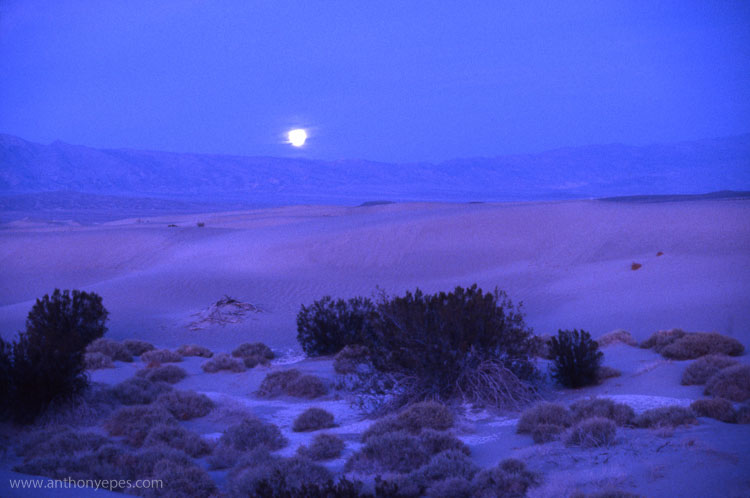
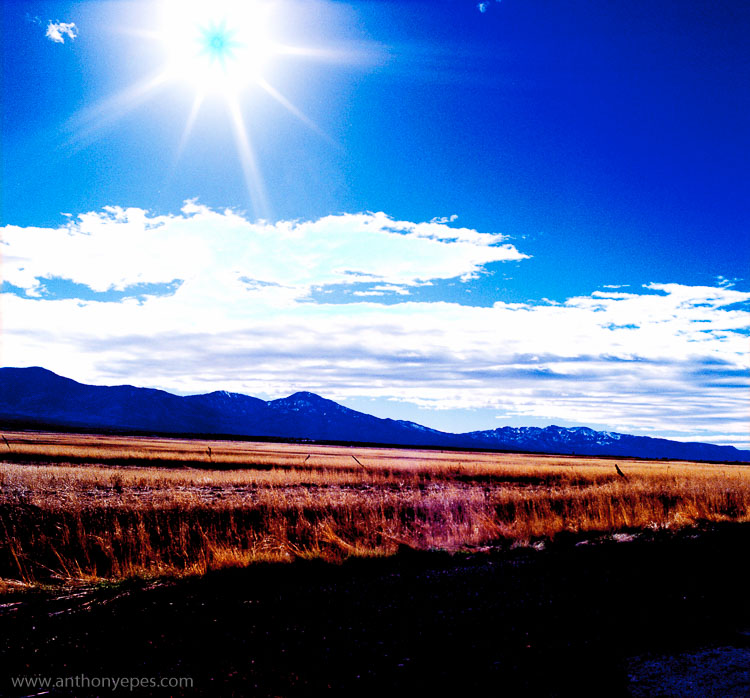
DPS creativityAnthonyEpes01

“Aging seems to be the only available way to live a long time.” – composer, Daniel-Francois-Esprit Auber

Creativity is a huge victim of this idea – that aging destroys it rather, than helping us to flourish. Well, I don’t believe that at all. Creativity can wither with age – but it doesn’t have to. What about our huge amount of experience that we gather throughout life? Isn’t that pretty useful for creating?

Here are some ideas on the benefits of keeping creative with your photography as you age, and why you can get more creative, not less, as you get older.

Very few of us can tap the creative genius at a young age

When you are taking photos and being creative, you want to aim to access that wild creative place deep inside you, where pure inspiration flows. Some people call it the creative flow state. For some it’s a zone, but it could be thought of as a well of inspiration. But, that can be a hard place to get to – you’re encouraged in so many ways in life to prioritize your practical skills (getting a job, buying a house, raising children, etc.) over your creative skills. Some people can access their inspirational, creative space when they are young, but for many it takes years. But what’s great about that, is that it’s only a question of getting there, not whether or not you have it.

“Every day we slaughter our finest impulses. That is why we get a heartache when we read those lines written by the hand of a master and recognize them as our own, as the tender shoots which we stifled because we lacked the faith to believe in our own powers, our own criterion of truth and beauty. Every man, when he gets quiet, when he becomes desperately honest with himself, is capable of uttering profound truths. We all derive from the same source. there is no mystery about the origin of things. We are all part of creation, all kings, all poets, all musicians; we have only to open up, only to discover what is already there.” – author, Henry Miller

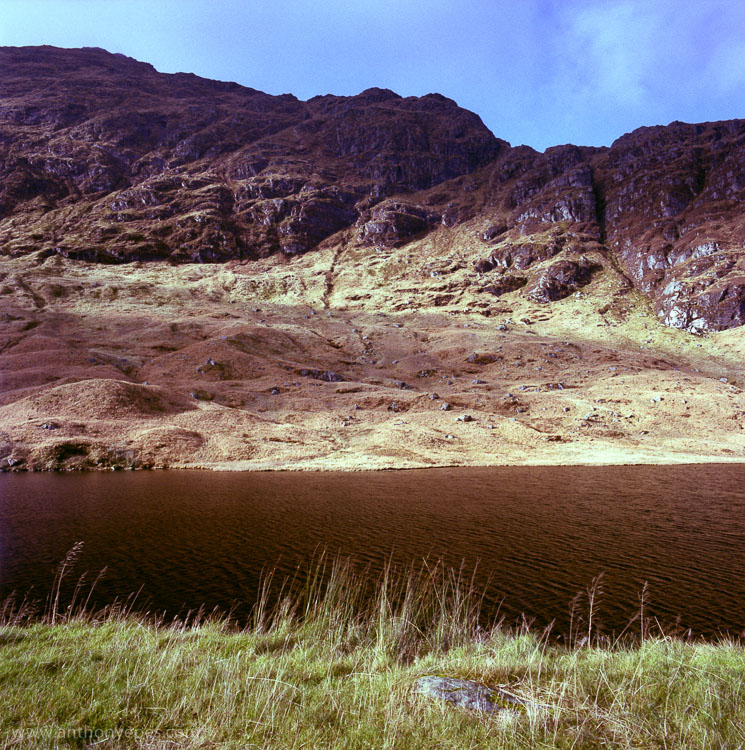
DPS creativityAnthonyEpes02

I don’t remember my youth being a place of unfettered, wild creativity. I was a pretty good photographer, but I wasn’t one of those types of artists who excelled in their twenties (think Rankin, Bob Marley, or JD Salinger). So unless you’re one of those young creative geniuses, I reckon that you could be on the same path as me – my creativity is building, and improving over the years.

Let it give you permission for freedom

But becoming more creative as you age isn’t a given, it’s a choice. As a culture we are more likely to give into the idea that we can’t be as creative with age, as when we were young.

“No, that is a great fallacy; the wisdom of old men. They do not grow wise. They grow careful.” – author, Ernest Hemingway.

But it doesn’t have to be that way. You can use what you’ve learned, and seen throughout life to make you more cautious, or you can allow it to give you permission to ignore your fears, ignore what others tell you about aging, and just choose freedom.

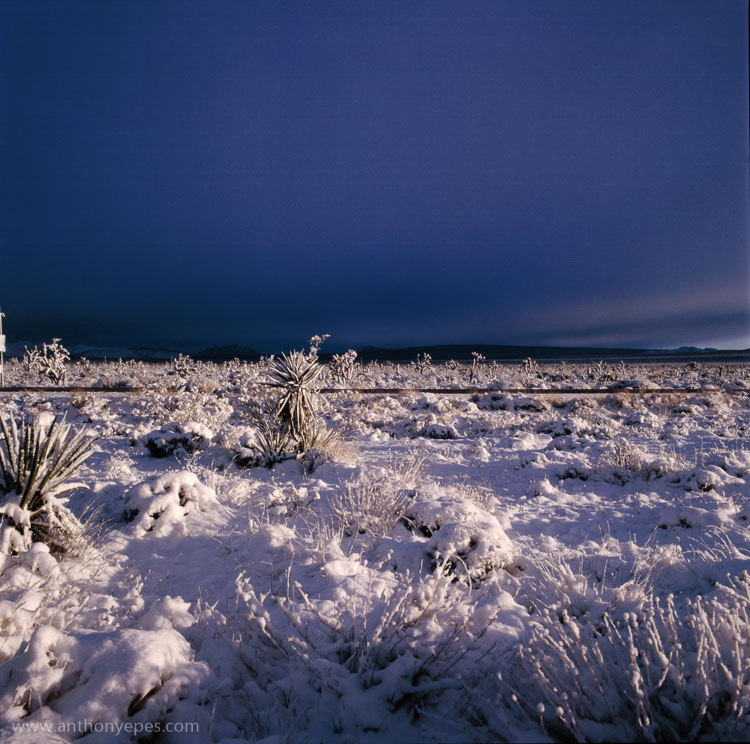
DPS creativityAnthonyEpes03

You are not who you think you are (unless you want to be)

Our brains are amazing at creating stability and continuity, so that we can live day-to-day, almost on auto-pilot. Neuroscientists now say that 95% of who you are (habits, behaviours, beliefs) is set by the age of 35. And 70% of the thoughts you will have today, you also had yesterday! So if you aren’t in the habit of being creative, it might seem a little hopeless.

But – and this is an awesome but – neuroscientists are now also saying that we can change our brains any time we like. So even if you haven’t lived a creative life, and are only turning to it at 40, 60 or 85 – you can quite easily change your brain’s habits. Becoming super creative is completely possible at any age. You don’t have to be stuck in the same place, doing the same things, and being the same way forever.

Creativity keeps your mind young

“There is a fountain of youth: it is your mind, your talents, the creativity you bring to your life and the lives of people you love. When you learn to tap this source, you will truly have defeated age.” – actress, Sophia Loren

Some kind of creative thinking, is an amazing way to keep your mind young. Because as Edward de Bono says, in order to be creative you have to use your mind in a different way than before. Anything you do that is new to your brain, creates new neural pathways, and engages those dusty grey parts that maybe you hadn’t used before.

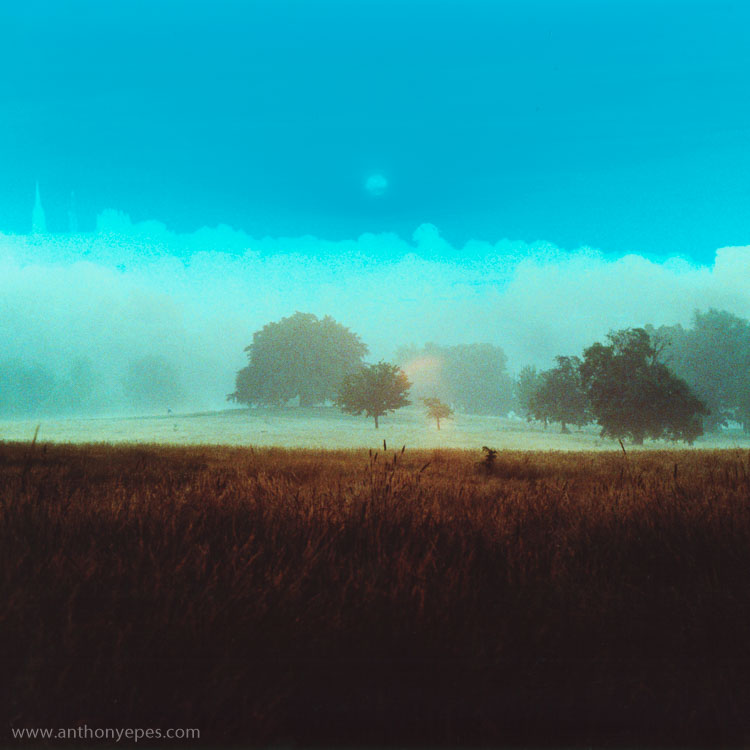
DPS creativityAnthonyEpes04

Photography is about communicating feelings and experiences

“Photography for me is not looking, it’s feeling. If you can’t feel what you’re looking at, then you’re never going to get others to feel anything when they look at your pictures.” – photojournalist, Don McCullin

What more do we have as humans as we age, than experiences, and a rich storehouse of memories and feelings? Let’s draw from that to inject our photos with more meaning and feeling. Let’s use that experience to connect with our subjects, to go deeper into the myriad of experiences happening all around us every day.

“Photography is a way of feeling, of touching, of loving. What you have caught on film is captured forever… it remembers little things, long after you have forgotten everything.” – photographer, Aaron Siskind

Unshackled from expectation – “The man who views the world at 50, the same as he did at 20, has wasted 30 years of his life.” – boxer, Muhammad Ali

I love that now I am in my forties, I care a lot less about what other people expect of me, and my photography. I can go on my own way, and do the things that really inspire me. And you know what, the more inspired I am, the better my photography turns out – so that’s a double win!

DPS creativityAnthonyEpes05

Age can bring freedom from expectation. Many people mind less about what people think as they get older. Use that. Create not for some specific goal, but just for the sheer joy of it, the wonder of discovering new subjects, the beauty of light, the amazing feeling of walking not to get somewhere, but to just see new things.

“We move what we’re learning from our heads to our hearts through our hands. We are born makers, and creativity is the ultimate act of integration – it is how we fold our experiences into our being.” – professor, PhD, author, Brené Brown

Taking photos energizes your mind

Creativity is an amazingly powerful way to smash through lethargy, and that beautiful French word, ennui (a feeling of listlessness and dissatisfaction arising from a lack of occupation or excitement). Maybe your job is boring, maybe your life is a lot of endless tasks that make you feel a bit sludgy, maybe you’ve retired and are thinking – now what?! Well, what better way to greet lethargy, than to meet it with the scintillating excitement of creating something. We are all born to be creative, it’s in our bones, the very fabric of our being. Maybe we hide it under deep layers of other stuff – but it’s still there, burning like a small ember of inspiration.

DPS creativityAnthonyEpes06

Creativity is a journey, not a destination

Creativity is a liberating experience. It will help you discover new parts of yourself, but also help you see the world in a new and refreshing way. Let it liberate you. Let it fill your life with awe at the beauty, craziness, and amazingness of what lies around us in this world.

You are never too old, too set in your ways, too full of habit to embrace the creative journey. Photography has brought amazing, interesting, challenging and awe-inspiring experiences into my life, which make me feel good to be alive.

“Putting things off is the biggest waste of life: it snatches away each day as it comes, and denies us the present by promising the future.” – Seneca

Whatever you do, don’t let age stop you.

Carpe diem! Because if not now, then when?


googletag.cmd.push(function() {
tablet_slots.push( googletag.defineSlot( “/1005424/_dPSv4_tab-all-article-bottom_(300×250)”, [300, 250], “pb-ad-78623” ).addService( googletag.pubads() ) ); } );

googletag.cmd.push(function() {
mobile_slots.push( googletag.defineSlot( “/1005424/_dPSv4_mob-all-article-bottom_(300×250)”, [300, 250], “pb-ad-78158” ).addService( googletag.pubads() ) ); } );

The post Like Fine Wine – Creativity Gets Better With Age by Anthony Epes appeared first on Digital Photography School.


Digital Photography School

 
Comments Off on Like Fine Wine – Creativity Gets Better With Age

Posted in Photography


DxO ONE update enables framing assist via the camera’s OLED monitor

11 Mar

A recent update for the DxO ONE has introduced framing assistance via the camera’s built-in OLED when the device is used in standalone shooting mode. A monochrome live image preview is displayed on the camera’s small, rear screen to improve the experience of using the camera without connection to an iPhone. The camera is also offered at a lower $ 499 price point, without software bundled. 

Firmware 1.3 also introduces a motion blur alert feature, as well as a modified interface for selecting white balance, metering and focus mode. When sharing photos, you’ll now see a visual confirmation of a successful upload, and JPEG compression level can be specified. 

The app update is available now for free through the App Store, and camera firmware can be updated through the camera itself. The DxO ONE is available now for $ 499.


Press release:

DxO ONE now features a dramatically enhanced stand-alone experience

DxO unbundles desktop software to make the camera available at a new low price of just $ 499

Press release:

PARIS, March 2, 2016 /PRNewswire/ — DxO announced today the immediate availability of yet another ground-breaking update to the award-winning DxO ONE professional quality connected camera for iPhone® and iPad®. The version 1.3 update, available for free via the iTunes App Store, introduces several new features that further extend the use of the DxO ONE, including the ability to use the OLED display as a novel framing assistant to help quickly compose while operating the camera with one hand. Additionally, DxO has unbundled their desktop software from the package (DxO FilmPack and DxO OpticsPro now sold separately), enabling even more photographers to get their hands on the revolutionary DxO ONE camera at a new low price of just $ 499.

“That is one trippy amazing viewfinder — love it!” said award-winning photographer, John Stanmeyer. “Even more wonderful, in very low light, the ONE handled all the complexities of ISO, focus, etc., instantly. Amazing. Perfectly fine for those rapid moments when you want to make an image, a RAW high res file, in any lighting conditions we’re placed in.”

Version 1.3, the second major upgrade to date, enables the DxO ONE to be used as a miniaturized pro-quality camera that is smaller, easier, and faster to shoot than any other camera on the market. To quickly capture life’s fleeting moments, simply pull the DxO ONE out of your pocket or purse, and in one movement, slide the lens cover open, compose the scene using the OLED display as a framing assistant, then depress the two-stage physical shutter button to lock focus and grab the shot. In stand-alone mode, the DxO ONE provides a fun, retro-style of photographing without “chimping,” and makes browsing newly captured images a surprising and delightful experience.

Best of all, when using the DxO ONE in stand-alone mode, all of your preferred camera settings for aperture, shutter speed, ISO, metering, white balance, etc. are preserved, exactly as you set them in the iOS app. For example, if you prefer to capture portraits at f/1.8, the camera will always be ready at f/1.8 when you pull it out of your pocket. And because the DxO ONE has a physical shutter button, it works even if you’re wearing gloves. So when you’re on the slopes, set the camera to 1/4000s (or higher), then when you pull the camera out of your ski jacket the DxO ONE is immediately ready to freeze fast action.

“During an assignment for Rolls-Royce Motor Cars I had the misfortune of seriously injuring myself during a biking accident,” said Robert Leslie, professional photographer and amateur cyclist. “Much to my client’s surprise I was able to complete the studio session and capture some incredible images while using the DxO ONE in the new stand-alone mode. Now what other camera in the world lets you do a professional shoot whilst your arm is in a sling with a broken collar bone?”

Version 1.3 also introduces a host of other features including motion blur alert, and an elegant new way to dial in white balance, metering and focus modes, which can also be viewed as overlays in the viewfinder along with your iPhone battery level. Browsing photos is faster than ever, with the gallery now sorted in the same order as in iOS Photos. You can be sure your images were successfully shared thanks to a new visual confirmation message, and you can set a preferred JPEG compression level for photos, and bitrate for videos. Of note, an innovative Message Center now provides a direct connection to DxO, with in-app access to current information designed to help you get the most out of your DxO ONE.

DxO ONE owners are invited to download and install version 1.3, which is available as a free update via the iTunes App Store. New firmware, also immediately available, can be downloaded to the iPhone and installed on the DxO ONE with a simple tap.

Pricing & Availability

The DxO ONE Miniaturized Pro Quality Camera™ for iPhone® and iPad® is available for purchase at dxo.com, Amazon, Apple online and select Apple stores in the US, B&H and other respected photo retailers for the new low price of $ 499.

The DxO ONE iOS app and companion Apple Watch app are both available for free via the iTunes App Store. Every purchase of a DxO ONE camera also includes free access to simple, but powerful desktop processing software — DxO Connect for Mac and PC, and the new DxO OpticsPro for OS X Photos. DxO FilmPack and DxO OpticsPro are available for purchase separately.

Articles: Digital Photography Review (dpreview.com)

 
Comments Off on DxO ONE update enables framing assist via the camera’s OLED monitor

Posted in Uncategorized