RSS
 

Archive for June, 2015

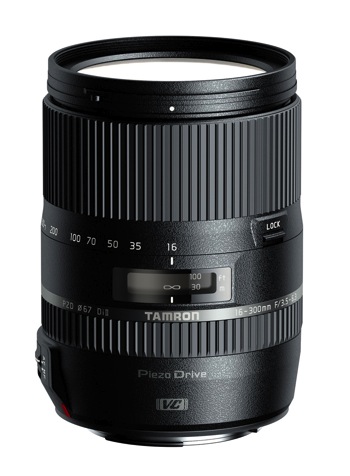
The Winner of the 16-300mm Di II VC PZD Tamron Lens is . . .

18 Jun
Tamron 16 300mm Di II VC PZD Macro 750

Tamron 16-300mm Di II VC PZD Macro

A HUGE Thank You to everyone who entered our recent contest to win a 16-300mm Di II VC PZD Macro Lens from our friends at Tamron. This was not actually a photography competition, but so many of you shared your beautiful photographs, we encourage you all to go back and scroll the comments section for some wonderful photos and links to reader pages/sites.

Yet again, the response was absolutely AMAZING with over 930 entries! But now, on to the winner! Drum roll – and the winner is:

The Tamron 16-300mm Di II VC PZD Macro goes to – Hasan! Congratulations!

His comment:

I like landscape and street photography… I spent a long time trying to decide which I like more… but my wife told me I am good in both 😀 so my website has both www.hasanodeh.com

I see this lens as a dream for my street photography… speed and discretion is the key to street photography… you have to be versatile. able to switch focal lengths instantly without changing lenses is an amazing way to make sure you get the best street images…. starting from environmental portraits all the way to close ups of a face of a 92 years old lady selling roses to young couples. The PZD will allow me to focus faster when the moment presents itself and the quite focusing system (along with the silencer mode on my camera) will make sure I do not disturb that magical moment as it happens. Also the vibration compensation would be amazing as shooting from a tripod is almost never an option for street photography… so a lens with a good VC is a god send.

To anyone reading this… Look at my website and get this…. I am self taught… and this is where it all happened… on DPS… just keep shooting and keep reading… It’ll be amazing if DPS gives a lens that let me take what I learned here to another level. thanks guys whether you chose me or not for your efforts on DPS.

We were all thrilled with the entries – you tugged at our heartstrings, made us laugh, made us smile, but most importantly, you made us keep wanting to do more of what we are doing; providing you quality information and guidance to become a better photographer. We were so pleased to see that you came from every part of the world, young adults to grandparents, and everyone in between. Thank you all for your entries!

Here is a special post from the winner of the Tamron 16-300mm Di II VC PCD Macro from our December, 2014 Contest:

I am not entering!!! I won one of these in December (THANKS DPS!!!!!) and I love love love the lens!!! For me, it takes so much stress out of getting the picture just the way I want to without a need to switch between lenses. It really freed me up as a photographer to think about things like composition and camera settings instead of handling the lenses. Wonderful feeling, and a wonderful lens. Thanks again! This picture was taken with it too, from a moving car – and I was READY!!!!

Vera Irwin Photo

Tamron Road Trip ImageFor those of you that didn’t win, Tamron has invited ALL dPS readers download their 2015 eBook Series!

You can find those HERE!

Tamron Rebates

For all of you residing in the USA, when you do purchase your 16-300mm Di II VC PZD Macro Tamron Lens, make sure to take advantage of the $ 100 Total Rebate, through June 21, 2015. If you’d prefer one of the other award winning Tamron Lenses, please make sure to take check out these additional Tamron Rebates*. Find additional information HERE.

728x90 Tamron Rebate Banner for Use

*Current rebate offers end June 30, 2015. US RESIDENTS ONLY.

The Winner will be emailed with details of how to collect their prize. Please make sure to look for our email. Thanks you again for all the wonderful submissions and to Tamron for sponsoring this competition.

Tamron logo

About Tamron

googletag.cmd.push(function() {
tablet_slots.push( googletag.defineSlot( “/1005424/_dPSv4_tab-all-article-bottom_(300×250)”, [300, 250], “pb-ad-78623” ).addService( googletag.pubads() ) ); } );

googletag.cmd.push(function() {
mobile_slots.push( googletag.defineSlot( “/1005424/_dPSv4_mob-all-article-bottom_(300×250)”, [300, 250], “pb-ad-78158” ).addService( googletag.pubads() ) ); } );

The post The Winner of the 16-300mm Di II VC PZD Tamron Lens is . . . by Darlene Hildebrandt appeared first on Digital Photography School.

Digital Photography School

 
Comments Off on The Winner of the 16-300mm Di II VC PZD Tamron Lens is . . .

Posted in Photography


Q&A With Our Fave Instagrammers!

18 Jun

Most of us are totally in love with Instagram.

And why wouldn’t we be? Instagram is awesome. And so are the talented people who use it!

We’ve put together a list of some of our fave Instagrammers that you should totally follow. We even asked ‘em for their photo tips, tricks, and lil’ secrets.

They’ve replied (see how great they are?) and now we’re gonna share their advice with you (’cause you’re super great, too).

Instagrammers Share Their Photo Secrets

(…)
Read the rest of Q&A With Our
Fave Instagrammers! (934 words)


© Taylor for Photojojo, 2015. |
Permalink |
No comment |
Add to
Fave Instagrammers!”>del.icio.us

Post tags:


Photojojo

 
Comments Off on Q&A With Our Fave Instagrammers!

Posted in Equipment


#1 in France: Hands-on with DxO ONE

18 Jun

The DxO ONE is a 20MP camera with a 32mm equivalent F1.8 lens, which is designed to be used in combination with an Apple iPhone. As well as being DxO’s first foray into photographic hardware, it’s also – arguably – the first truly ‘connected’ camera, being designed to physically connect with a smartphone, rather than relying on a wireless connection. When we first heard about it, we almost fell into the apples. Click through for pictures, more information, and a smattering of poorly-researched French idioms.

Articles: Digital Photography Review (dpreview.com)

 
Comments Off on #1 in France: Hands-on with DxO ONE

Posted in Uncategorized


Analysis: DxO ONE – the World’s ‘First Truly Connected Camera’

18 Jun

DxO’s new camera, the ONE, offers an appealing combination of features and some highly impressive technology. Designed to be used in combination with Apple smartphones, the ONE is built around a capable 1 inch type sensor and bright 32mm equivalent lens. DPReview’s technical editor has been digging into the specifications, and talking to DxO’s resident scientists to find out what makes the ONE tick. Click through for his analysis

Articles: Digital Photography Review (dpreview.com)

 
Comments Off on Analysis: DxO ONE – the World’s ‘First Truly Connected Camera’

Posted in Uncategorized


Camera Bag Review – Miggo Agua

18 Jun
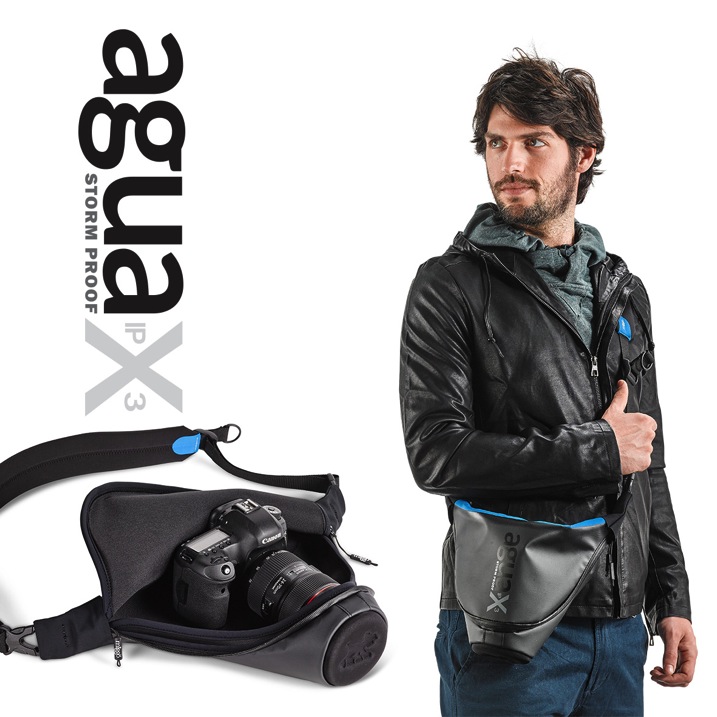
Miggo Agua Stormproof Holster SLR 45 MAIN

Image courtesy Miggo

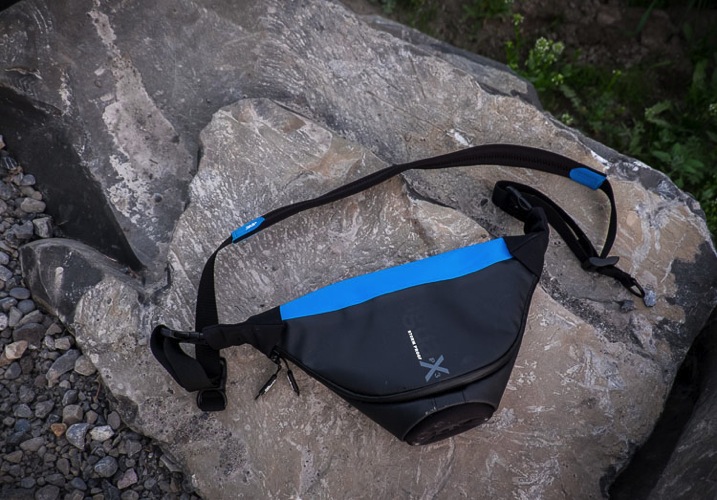
As the Editor here at dPS I don’t usually do gear reviews here any more, but Miggo sent me a beta version of their new Agua bag to try out so here are my thoughts.

Miggo Agua Features

Directly from their product brochure, here are some of the main features of this bag:

  • Comes in three sizes from large SLR down to small for mirrorless cameras.
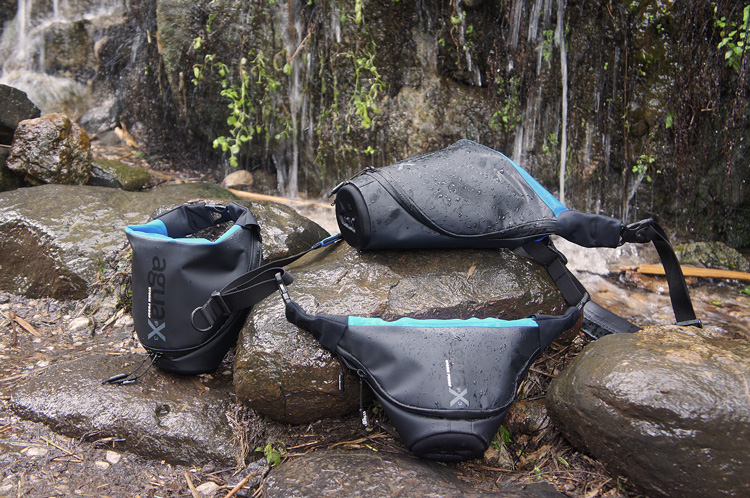
  • Storm-proof: water, sand, wind, snow, it keeps it all out and your camera safe from the elements.
  • Quick-draw ability (more on my thoughts about that later)
  • QUick-adjusting padded strap
  • Dual-use strap: connect to the bag or to your camera
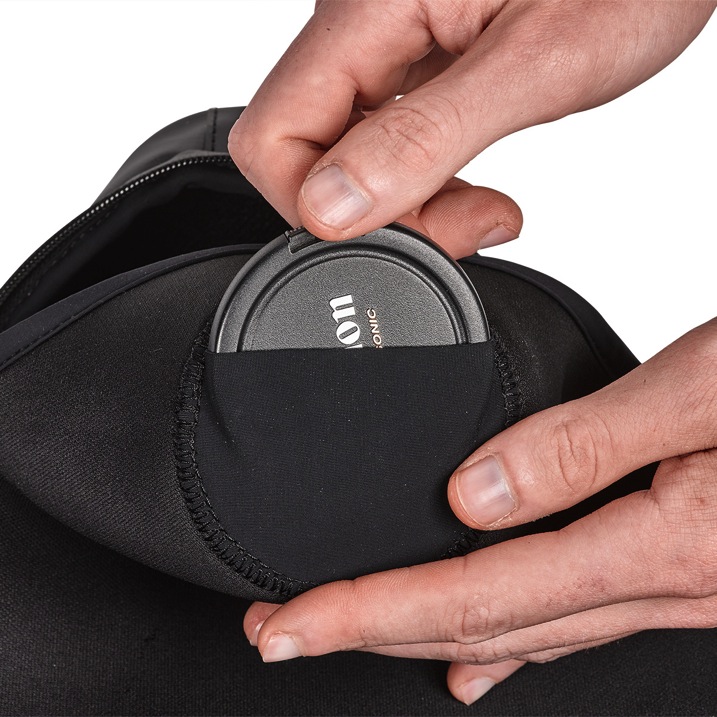
  • Lens cap inner pocket (never lose your cap again)
  • Thermo-forming front lens protector – put your camera in the bag without the cap on and it it still protected
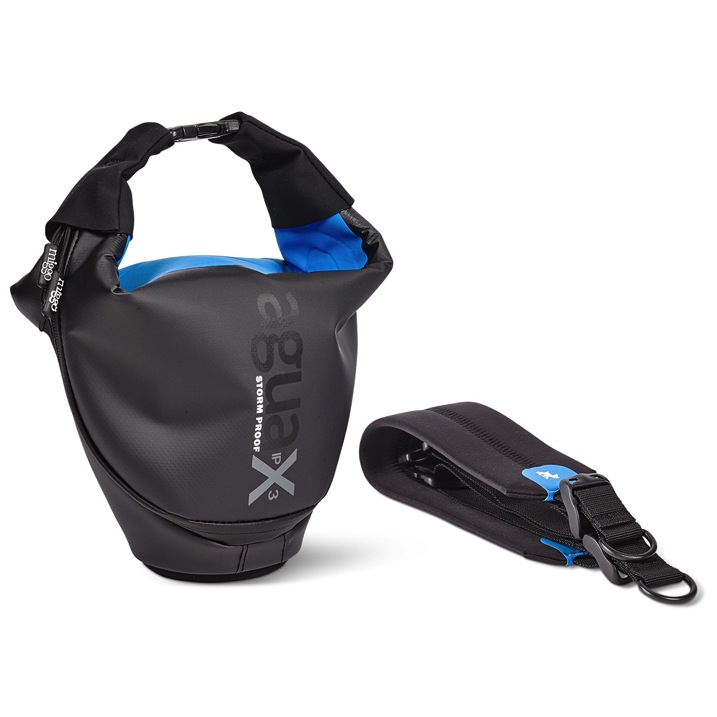
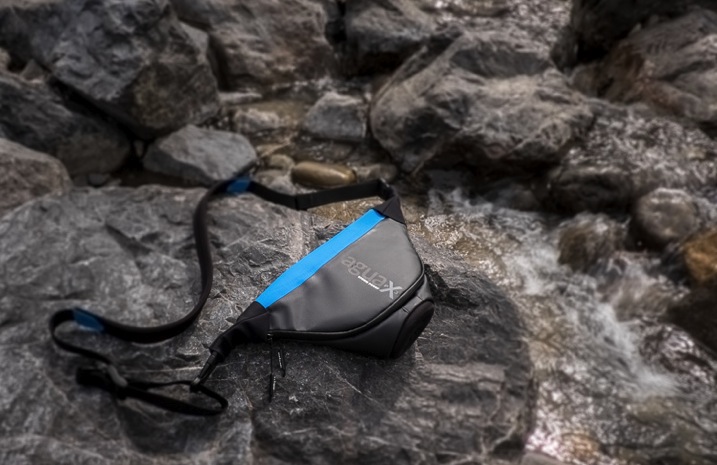
Miggo agua bag and strap

Image courtesy Miggo

Miggo agua lens cover pocket

Image courtesy Miggo

Is it really waterproof?

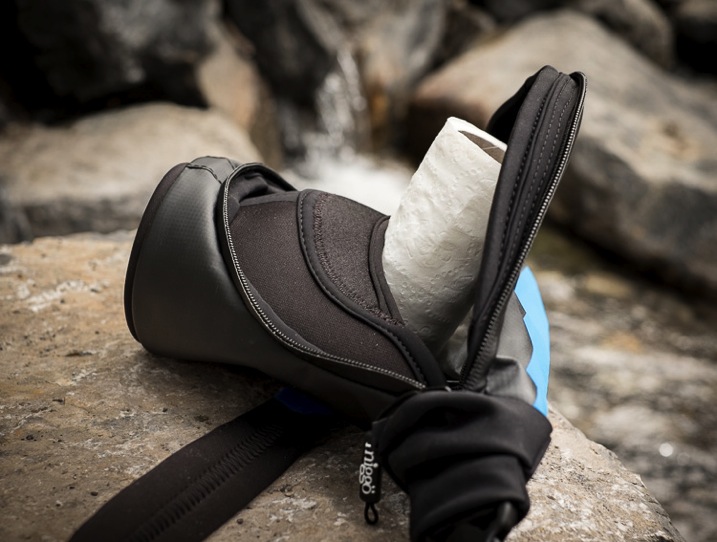
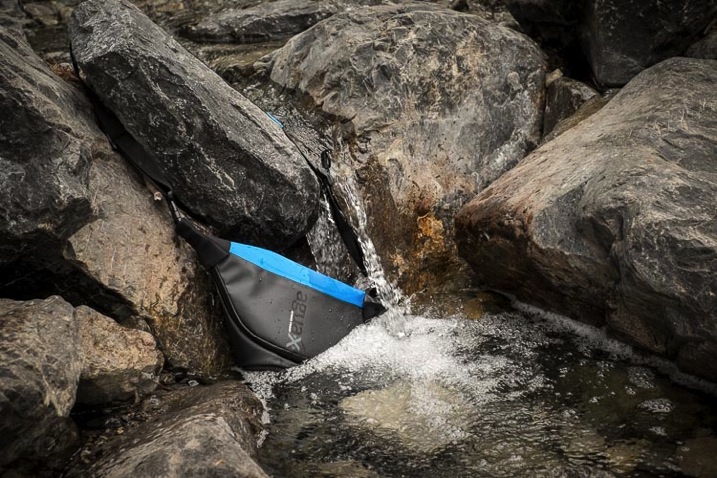
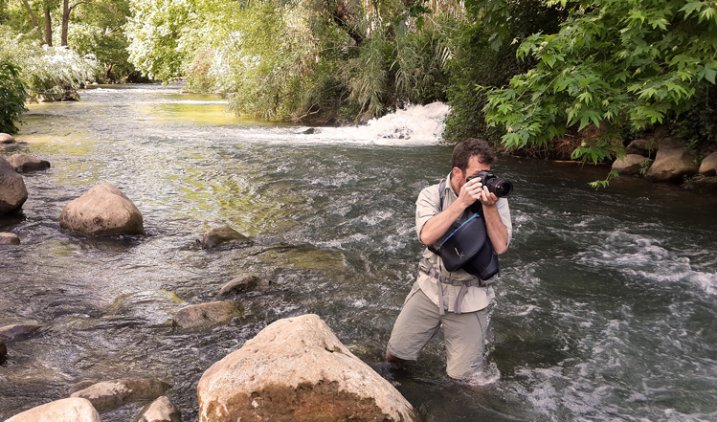
I wanted to challenge their claims that it is storm and waterproof but not risk my camera just in case. So I decided to use a roll of toilet paper, tucked inside the bag to test its ability to stay watertight. As I was relaxing in the Canadian Rocky mountains last week I took it with me and went off in search of a stream. I decided this one would do nicely – it had nobody around to watch me and think I was a complete weirdo.

Miggo Agua review 750px 03

Stream I found to test the waterproof claims for this bag.

So I borrowed the tissue from my hotel bathroom and stuffed it inside the bag.

Miggo Agua review 750px 15

Test subject – hotel toilet tissue.

Zipped it up and plunged it fully into the stream. First thing I noticed is that the zippers are a bit stiff and sticky. Could be a symptom of being a beta version, perhaps something they are working on for the final release.

Miggo Agua review 750px 16

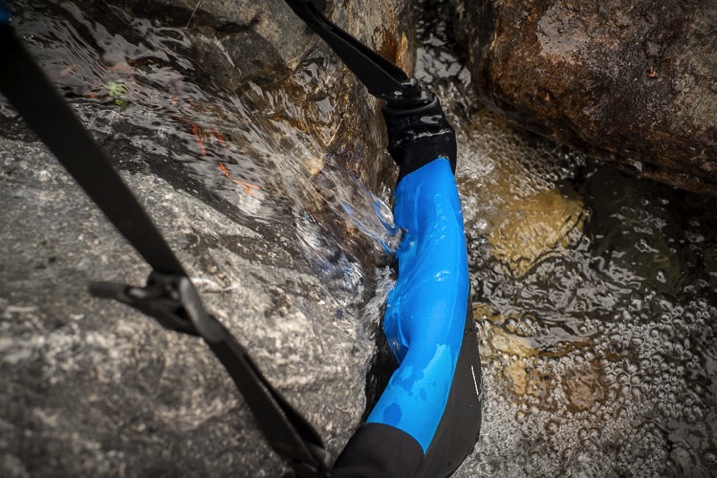
I put the bag right into the running water.

Miggo Agua review 750px 17

I moved it around to cover all areas of the bag, and left it there for a couple minutes.

So did it hold true to its claims? Did the little Miggo Agua bag keep the paper dry? Watch this little video I made and find out!

How did the bag handle?

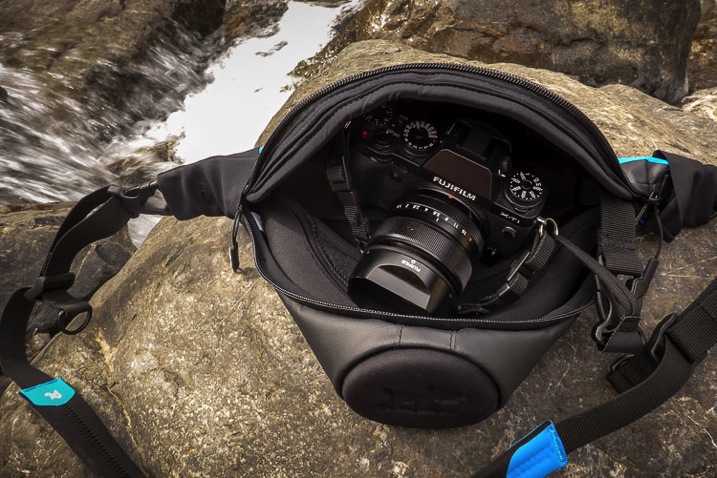
Okay the next thing I tested was how comfortable and usable is the bag. They had sent me the mirrorless size so I put my Fuji X-T1 inside with the standard 18-135mm lens that comes with that rig. It did not fit! I removed the lens hood, and took my tripod insert off the bottom of the camera and still it did not fit. Hmmm . . .

Miggo Agua review 750px 08

The bag would not close with my Fuji X-T1 with 18-135mm lens attached (no lens hood).

I had to switch lenses to my 35mm f/1.4 which is much more compact and finally it fit inside the bag.

Miggo Agua review 750px 09

Had to resort to the smaller 35mm lens to give this a go.

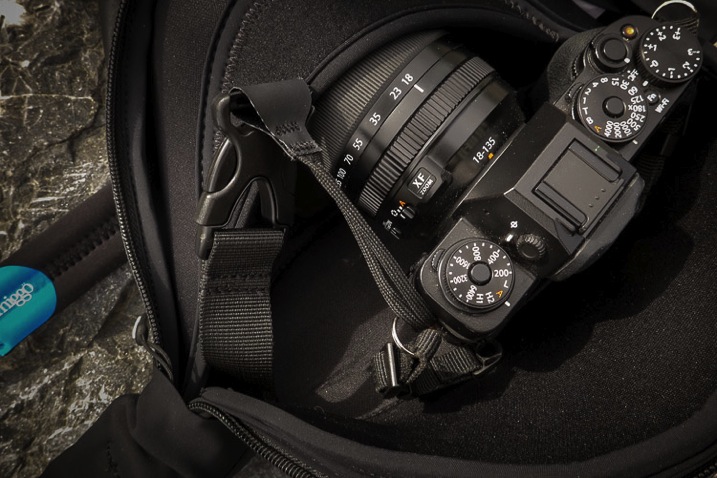
Attaching the camera to the little quick-draw thing was a bit finicky and a bit annoying. I already have my regular camera strap in the o-rings attached to the camera. To get it to work with the Miggo I had to also add one of their straps as well. You can see how it goes on and clips inside the bag in the image below.

Miggo Agua review 750px 06

The camera attaches only to the left side of the bag via this strap and buckle.

It only attaches on one side of the camera (left), then tucks inside the bag. I found using it in this manner was a bit cumbersome actually. I couldn’t leave the bag undone or the camera would pop out (not good), so I was forced to zip it up after each shot. Once again the sticky zipper was a bit annoying as it took two hands to do it up and undo it each time.

I found the little cloth strap that attaches to the camera bit thin too. I find that with most camera straps there is wear and tear and the straps start to get frayed and worn through by rubbing on the o-ring and the camera itself. I could see this one getting worn through fairly quickly, but then again maybe not because it’s always inside the bag.

Miggo Agua review 750px 12

Notice how the bag doesn’t really bend? It’s very stiff.

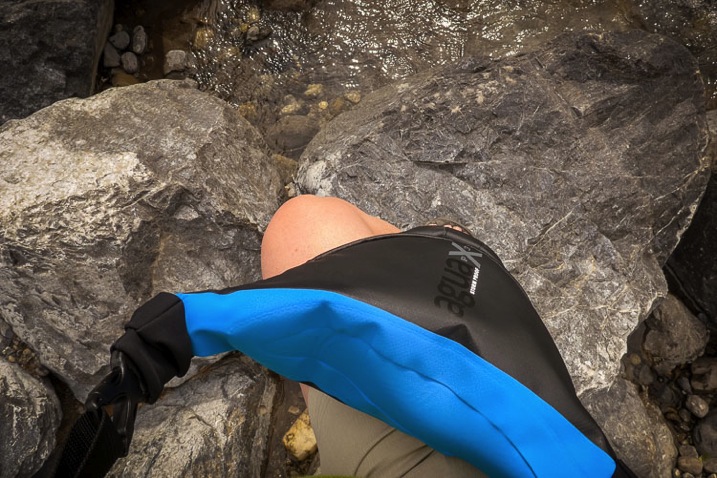
Overall I found the bag a bit crunchy. The fabric is very sturdy but a bit inflexible, it doesn’t mould to the body or bend much at all. I didn’t hike around with it all day but could see it rubbing if one were wearing shorts.

Size

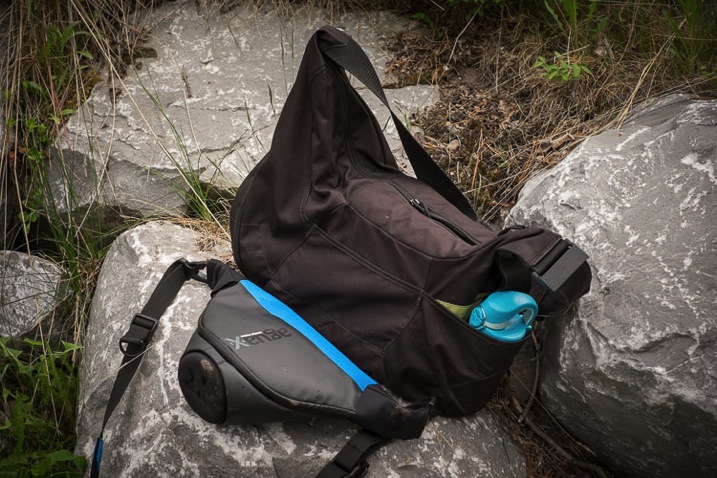
I already mentioned that my Fuji didn’t fit inside the size designed for mirrorless cameras – perhaps I’d need to go a size up, but that would be good to know before you buy it. I also found that I had to carry a second bag with me because there is no room inside the Miggo Agua for anything other than one camera and lens attached. Nothing!

Miggo Agua review 750px 19

Bag size comparison for reference.

Above you see the size comparison to my LowePro Passport Sling bag, which I often use as a small day bag. It holds two lenses, batteries, a water bottle (as you can see in the photo), and personal items like a jacket, book, etc.

I would have loved to see an extra pocket for a spare battery or memory card, maybe even one small lens. As it is it’s pretty limiting.

Construction and build

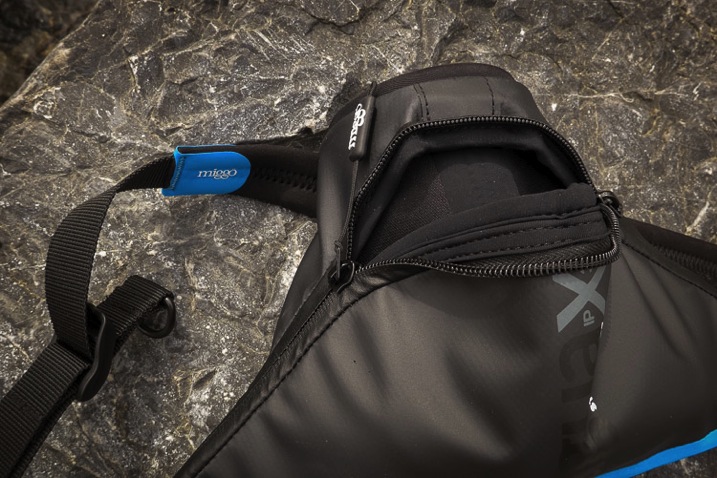
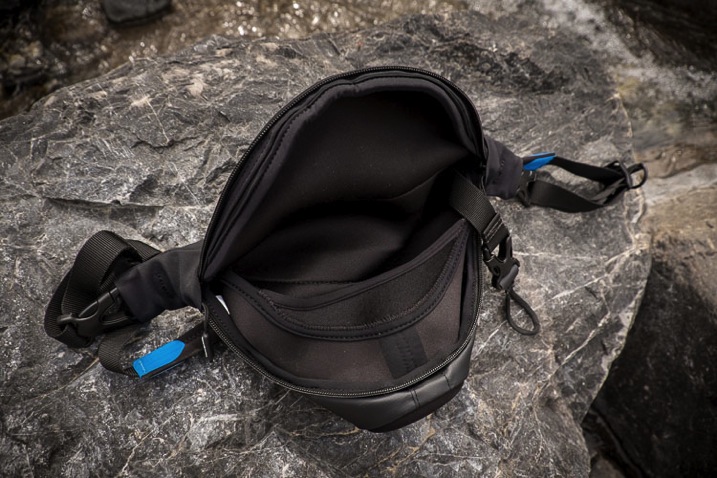
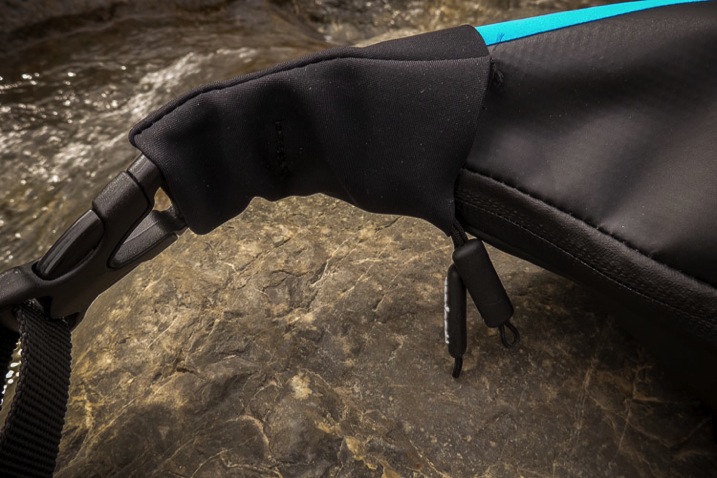
No beefs here with construction and build, it is solidly made. The inside is double padded, the zippers tuck up under little flaps to keep the bag waterproof and the bottom is extra protected so you can put your lens inside without a cap and not worry.

Miggo Agua review 750px 01

Miggo Agua review 750px 04

Miggo Agua review 750px 11

Pros and Cons

Pros of the Miggo Agua

  • It certainly does what it claims and keeps the water out.
  • It is compact.
  • The strap is comfortable and adjustable.
  • Great for adventurers that want to have their camera handy when hiking.
SONY DSC

Image courtesy of Miggo

miggo-river-man-shooting-wide-750px

Image courtesy of Miggo

Cons of the Agua

  • It isn’t big enough to fit all mirrorless cameras. Size description needs to be more clear or a list of which cameras fit into which size nicely available before you purchase a bag.
  • There is no room for anything else – just one camera and lens attached – so it’s application is limited.
  • The attachment of the camera inside the bag just feels “off”. The strap is thin and having it only attached to one side makes it feel unbalanced somehow.
  • The zipper is a bit stiff and sticky.
  • It’s nearly impossible to leave the camera out, it has to be tucked away and zipped up after every use or shot.

Who is this bag good for?

SONY DSC

Image courtesy of Miggo

I’m giving this bag 3.5 out of 5 stars, mostly because there are a few things that could use improvement and I’m guessing that because this is a prototype some of those bugs will be worked out before the final version is released.

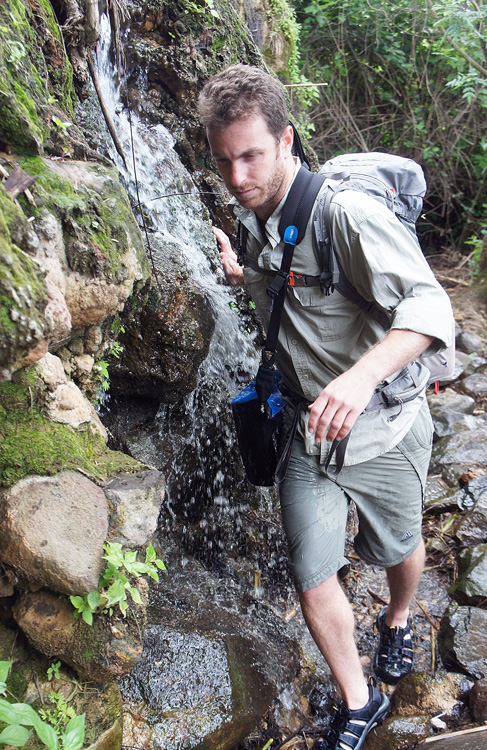
I would recommend this bag if you are a backcountry hiker, like to kayak, do extreme sports, or spend a lot of time on the beach. This little bag will allow you to take your camera along and keep it safe in conditions you might otherwise leave it behind.

This bag is likely not for you if you just do mostly city shooting and tend not to push the boundaries of where you take your camera. Also if you like to drag around all your lenses and extra stuff you may find its size limits too much for you and another option like a rain cover on your existing bag may be all you need.

Learn more – get it early

You can find out more about the bag in this video from the manufacturer or check out their Kickstarter campaign (already funded!) and get in on getting one of these bags early.

googletag.cmd.push(function() {
tablet_slots.push( googletag.defineSlot( “/1005424/_dPSv4_tab-all-article-bottom_(300×250)”, [300, 250], “pb-ad-78623” ).addService( googletag.pubads() ) ); } );

googletag.cmd.push(function() {
mobile_slots.push( googletag.defineSlot( “/1005424/_dPSv4_mob-all-article-bottom_(300×250)”, [300, 250], “pb-ad-78158” ).addService( googletag.pubads() ) ); } );

The post Camera Bag Review – Miggo Agua by Darlene Hildebrandt appeared first on Digital Photography School.

Digital Photography School

 
Comments Off on Camera Bag Review – Miggo Agua

Posted in Photography


Canon PowerShot G3 X gets official introduction

18 Jun

We got a sneak peek at Canon’s PowerShot G3 X at this year’s CP+ tradeshow in Japan, and now that camera is making its official debut. As anticipated, it offers a 1″-type 20.2MP CMOS sensor and F2.8-5.6 24-600mm equivalent lens, giving it the most zoom power in the large-sensor superzoom class. Read more

Articles: Digital Photography Review (dpreview.com)

 
Comments Off on Canon PowerShot G3 X gets official introduction

Posted in Uncategorized


Tips for Posing Muscular Female Body Types

18 Jun

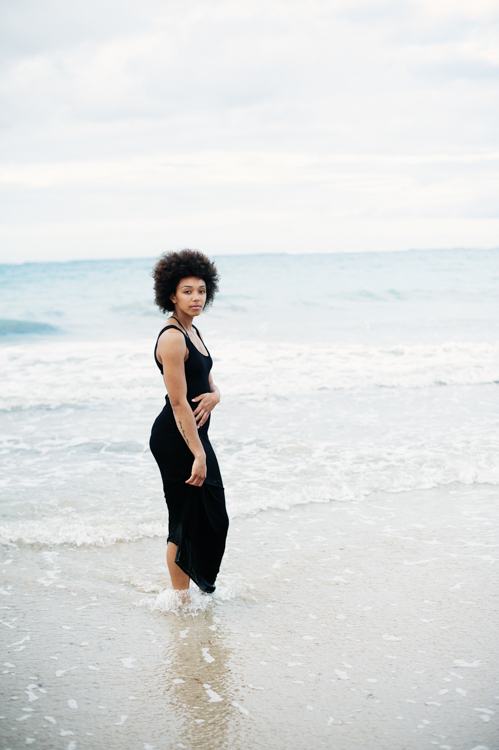
You’ve found a model. You’re excited. She’s in AMAZING shape. I mean amazing as in 8% body fat and abs that you can wash your clothes on. This might not be quite what you were expecting so here are some tips for posing your muscular, super fit model in more feminine poses.

Muscular Posing 1

This athletic model has a muscular physique. The tips in this article will help you pose her in a softer way.

Don’t flex

Tell your model to avoid flexing. It might sound counterintuitive but these are not sports or fitness competition photos. You do not want the flex, you want the form. Make sure you encourage your model to relax. Relax her shoulders and her arms. Her shoulders are broad so you want to help her relax them as much as possible.

Accentuate the curves

Unless you’re shooting an athletic or an androgynous story, you will most likely want your model to have some curves. Your muscular model will most likely not have curvy hips. You can create the illusion by posing. The key here is to watch as your model moves, see what her body does.

Muscular Posing 2

Have her hug her body and play around with her arms. You can also have her bend her knee just a little to add a bit of a curve.

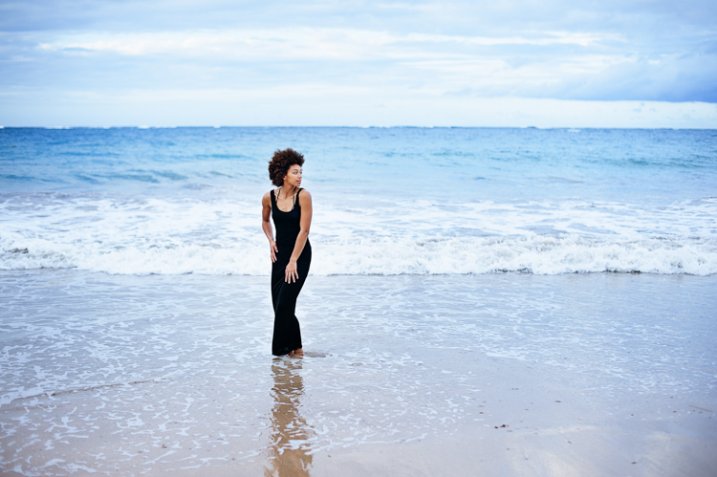
Have her push her hips to one side, as she drops her shoulders and arms to hug her body. Another trick is to have her hug her body. This can create curves where there are none. As she’s hugging, have your model bend forward a little. Shoot from various angles to find the most flattering look. Thirdly, have her bend a knee – just a little. This knee will add yet another angle for you to work with. The knee should be moved as you’re shooting. Try having her cross her knee in front of the other leg. Use all of these tricks together to achieve the look you want.

Muscular Posing 3

Have your model embrace her hips. Encourage her to push one side out and have her hands and different lengths along her body as she leans forward just a bit.

Frame it

You can do a lot with a photo with your framing. Your muscular model will most likely have broad shoulders and you can bring those in a bit with your framing. Have your model pose with her shoulder facing you. Have her turn her head towards you, and you’ve now softened her shoulders. Encourage her to drop her shoulders as much as she can. She might not be able to go far so pay close attention, you don’t want to hurt her.

You can have her tilt a bit if you need to. You can also have her face straight on towards you. Have her put her hands on her sides slightly above her hips, one hand should be just a bit higher than the other. Have her roll her hips towards the camera just a bit. One hip should be slightly to the side. This pose gives her a bit of movement in her shape and helps to soften her form. From this point, you can vary your shooting angle and framing to get the look your going for.

Muscular Posing 4

Have your model turn her shoulder directly towards the camera. Shoot at different angles to get the look you’re going for.

These tips are the starting point for posing your muscular model. If you’re shooting athletic or competition photos then you’ll want to tweak these poses to accentuate the muscles. Remember that what you see is what you photograph. If something doesn’t look quite right, change it to look better. Use these tips to create the look you and your model want.

googletag.cmd.push(function() {
tablet_slots.push( googletag.defineSlot( “/1005424/_dPSv4_tab-all-article-bottom_(300×250)”, [300, 250], “pb-ad-78623” ).addService( googletag.pubads() ) ); } );

googletag.cmd.push(function() {
mobile_slots.push( googletag.defineSlot( “/1005424/_dPSv4_mob-all-article-bottom_(300×250)”, [300, 250], “pb-ad-78158” ).addService( googletag.pubads() ) ); } );

The post Tips for Posing Muscular Female Body Types by Monica Day appeared first on Digital Photography School.

Digital Photography School

 
Comments Off on Tips for Posing Muscular Female Body Types

Posted in Photography


Get it While It’s Hot! Ello Launches iOS App!

18 Jun

Teaser:  Ello's iOS app is Launching Tomorrow :)

A lot of you who follow my photography and blog know that I’ve been super excited about Ello, my favorite new social network on the web. Today Ello gets even a little bit better with the official launch of their iOS app. They just launched the iOS app about 10 minutes ago, but it may take a little bit of time to propagate in the app store before you will be able to download it.

I’ve been testing a beta version of the app for the past few weeks and absolutely love it.

If you are a photographer and are not using Ello, I’d encourage you to give it a spin. Put simply, your photos will look better on Ello than on any other social sharing site on the web today. Looking at my photos on a 5k iMac in extra large, full, high res glory just can’t be compared with any other photo network out there. Ello shows your photos huge, as they are meant to be seen.

I love that Ello was designed for the web first and foremost, but one is not always at one’s computer and so having a mobile app these days is really important. Ello’s initial release is for iOS and the iPhone, but they have plans to ship an Android version later on in the future.

Like the web version of Ello, what I love about the iOS app is the elegance of its design and its simplicity.

Basically the app does six things for you really well.

1. Ello’s iOS app allows you to browse content by the people you follow. You get two buckets for your contacts at Ello, friends and noise. You can browse either stream and easily love and comment on content that you find interesting and engaging directly from your iOS device.

2. Ello’s iOs app allows you to look at your own content stream. You can go to your own stream and expand comments as well as scroll through your entire stream of posts from most recent to oldest.

3. Ello’s iOs app allows you to look at your notifications page. Here you can see when someone adds you, or when someone specifically mentions you in a post by name, or when someone loves or comments on a photo of yours. This is a great tool to stay on top of the interaction on your content.

4. Ello’s iOS app allows you to discover new content on Ello’s discover page. I’m not sure how content is selected for Ello’s discover page, but there is some super cool stuff. If you run out of photos to look at by your friends, check out discover too.

5. Ello’s iOS app allows you to post your own content with or without a photo. Like Instagram, Twitter, Facebook and other sites, you can post messages, status updates, and photos directly from the app. Unlike Instagram, Twitter, Facebook and others, Ello does not mix advertisements or promoted posts in with your content or sell your data to advertisers.

6. Ello’s iOs app allows you to easily search content on Ello. You can search for posts or for specific users.

Overall I’ve found the beta version of Ello’s iOs app to be super smooth. I love the animations that come with the app. When you first load the app up, you get this cool spinning Ello logo while it loads content for you. As content streams in you get a sort of pulsating gray ball letting you know that an individual post is loading. It’s obvious that a lot of thought went into how to make Ello’s app simple, elegant and intuitive.

I’ve been using the beta version of the Ello iOS app every single day since I’ve installed it and even though it’s beta it has not crashed or locked up on me once. The app is super stable.

For those of you who are unfamiliar with Ello, Ello is structured as a public benefit corporation. There will never be any advertisements on Ello and they will never sell your data. Ello takes your privacy very seriously and in my opinion is the most user centered social network on the web/iOS today.

The people that run Ello are very solid. They are community focused and driven. One of the big reasons why I’m so high on Ello is because I’ve spent some time familiarizing myself with the founders and I think they represent some of the most sincere integrity in the social networking space today. They can definitely be trusted with your content and my content and they deserve our support.

In addition to a great team running Ello, the community itself is one of the most creative communities on the web. I’m continuously blown away at the talent and artistic vision of the artists, designers, photographers and thinkers that are part of the early Ello community. Not only will you find some of the most awe inspiring visual work on the web today, you will find that behind that work is one of the most inclusive, friendly and welcoming communities to date. While you can block people on Ello, fortunately there has been very little abuse thus far and people seem to get along really well.

For those of my friends who are already there, I’m really digging your work. For those of my friends who are not there yet, I hope you take a few seconds out today to download Ello’s new iOS app and I’d love to know what you think about it and see more of your work there in the future. If you want to connect on Ello you can find me here.

If you want to learn a little bit more about Ello, check out this great video below by Lucian and Todd where they talk a little more about what Ello is all about.

More from: The Verge, TechCrunch, readwrite, Los Angeles Times, Engadget.


Thomas Hawk Digital Connection

 
Comments Off on Get it While It’s Hot! Ello Launches iOS App!

Posted in Photography


Die Redaktion stellt sich vor: Tilman Haerdle

18 Jun

TilmanHaerdle009

Mein Name ist Tilman Haerdle, ich bin 47 Jahre alt, Vater von drei Kindern, von Beruf Informatiker und lebe mit meiner Familie in München. Ich fotografiere gern.
kwerfeldein – Fotografie Magazin | Fotocommunity

 
Comments Off on Die Redaktion stellt sich vor: Tilman Haerdle

Posted in Equipment


Canon PowerShot G3 X: What you need to know

18 Jun

The PowerShot G3 X sits above the G7 X in Canon’s lineup of compact cameras, offering a much longer zoom range, tilting LCD screen and a hot shoe. We’ve been poring over the specification sheet for a while, and have prepared a quick run-down of its key features. Take a look and learn about the new camera. Read more

Articles: Digital Photography Review (dpreview.com)

 
Comments Off on Canon PowerShot G3 X: What you need to know

Posted in Uncategorized