LaCie has introduced a new Rugged Thunderbolt external drive, updating its lineup with a 1TB SSD. This is double the previous Rugged drive’s 500GB capacity, and is coupled with a rugged external housing able to withstand water exposure, shock, and dust. The inclusion of a Thunderbolt connection, meanwhile, enables fast transfer speeds compared to typical external hard drive speeds. Read more
Month: April 2015
-
Exploring Minimalist Photography: History, Philosophy, Inspiration
Minimalism as an artistic philosophy is difficult to precisely define. There are certain elements that are largely agreed upon, the foremost being that minimalism is all about simplicity. Different photographers may have varying definitions of simple. If you were to give 10 photographers the same subject and ask them to shoot it within their own idea if minimalism, you’d likely Continue Reading
The post Exploring Minimalist Photography: History, Philosophy, Inspiration appeared first on Photodoto.
-
Gamer Geek Wearables: 12 8-Bit Fashion & Decor Designs
[ By Steph in Gaming & Computing & Technology. ]

If you’ve always wished you could step inside an old 8-bit game or computer, outfitting yourself and your home in these pixelated designs is about as close as you’re likely to get. Make your own post-it mural, throw on a pair of extra-geeky glasses, strap a clock icon watch to your wrist and even assemble a real-life replica of an early Microsoft Windows trash can.
8-Bit Fashion by Kunihilo Morinage
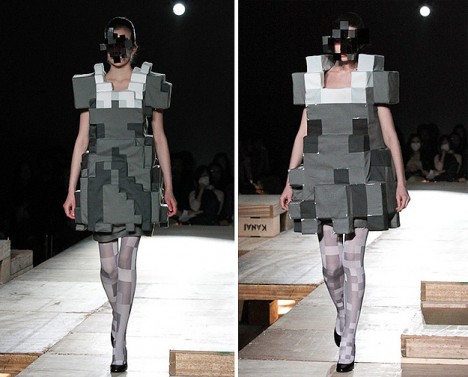
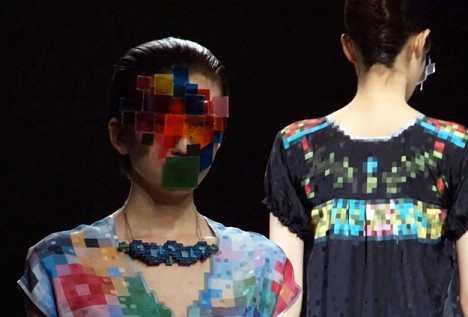
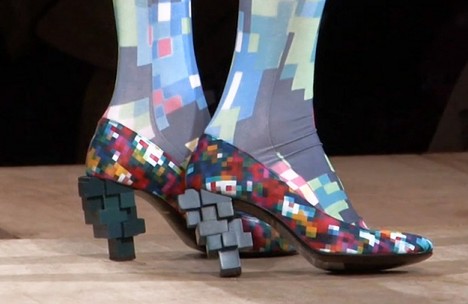
Designer Kunihilo Morinage of Anrealage unveiled a collection of 8-bit fashions at Tokyo’s Japan Fashion Week in 2012, featuring pixelated dresses, tights, shoes, masks, jackets and more. As the models walked at the show, a pianist played music reminiscent of ‘80s video games.
Key Holder and Hanger
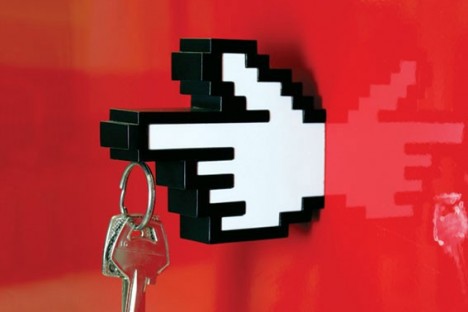
Meninos Design offers a hand-shaped 8-bit hanger and magnetic key holder for under $ 20.
Superhero Mural Made of Sticky Notes
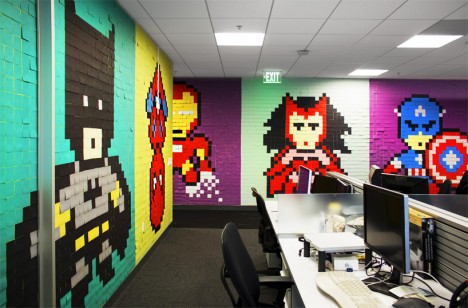
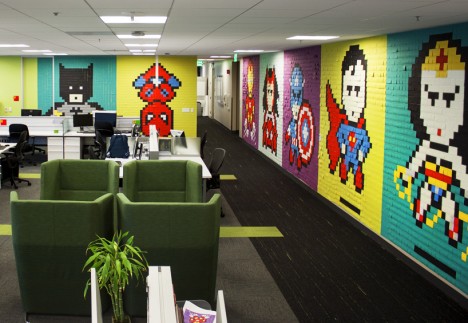
A group of employees at an office used 8,024 colorful post-it notes to create a series of 8-bit portraits of superheroes and comic book characters including Batman, Captain America and Wonder Woman. The use of sticky notes makes it look as if the murals are made of tiles from afar, but get close up and you’ll see that they’re actually paper. This idea would be easy to reproduce at home, if you’e so inclined.
‘Gary’ Costume by Toshiba
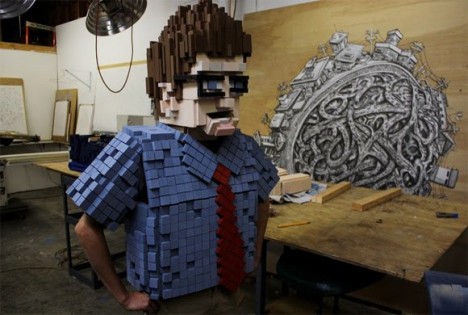
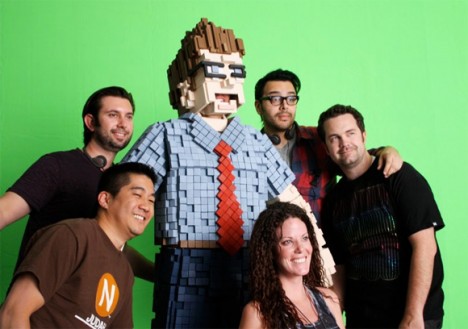
Artists Kiel Johnson and Klai Brown created this relatively creepy wearable 8-bit sculpture for a Toshiba commercial. ‘Gary’ is made of thousands of pieces of high-density foam glued to an articulated cardboard suit structure.
Pixelated Glasses Concept by Dzmitry Samal
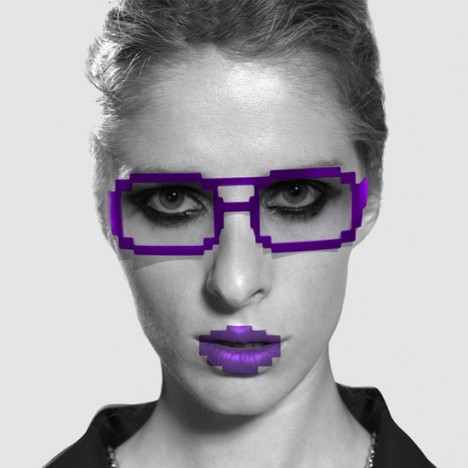
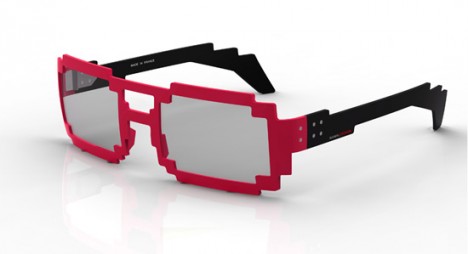
Parisian designer Dzmitry Samal created ‘6 DPI,’ a series of 8-bit-style eyewear made of acetate, available in a range of colors. According to Samal, the design is an homage to ‘our age of informational esthetic.’
8-Bit Sleeves by Big Big Pixel
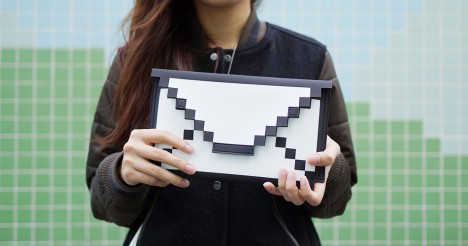
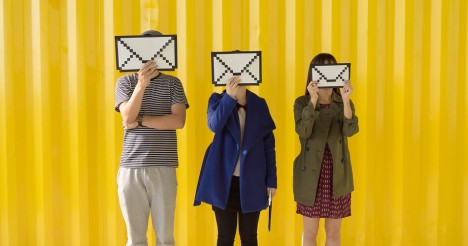
“Is retina display too much for you? Go backwards! You define your resolution!” says Big Big Pixel, the designer of this 8-bit sleeve made from waterproof kraft material and a soft microfiber material. It’s available in a range of sizes for MacBooks, iPads and iPad Minis.
Secret Video Game Stairway Sticker
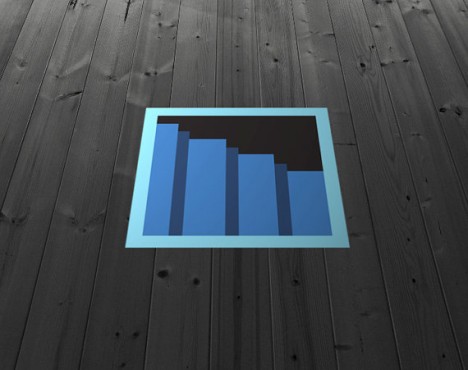
Pretend like you’ve got a secret portal to another game level with this fun vinyl floor decal by JamesBit, available on Easy for $ 30.
Geek Wear: Matching Watch & Tie

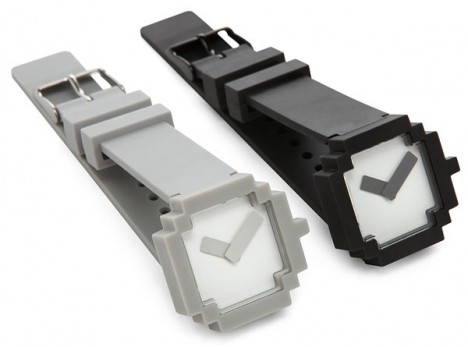
Go into full-on gamer geek mode with this matching 8-bit watch and tie set. The ‘Icon Watch’ by Japanese firm &design is made of ABS and stainless steel, and comes in black and white, while the tie is available in red or blue at ThinkGeek.
Pixelated Bed by Cristian Zuzunaga
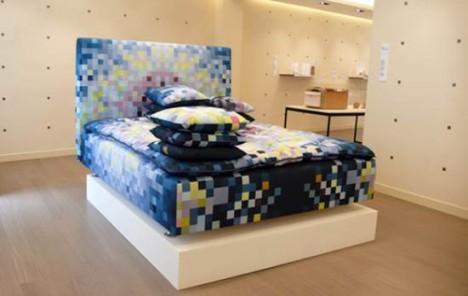
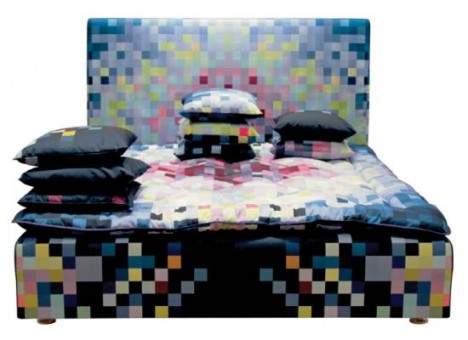
Sleep in a pixelated dreamscape with this bed set by Spanish designer Cristian Zuzunaga, created for Swedish bed manufacturer Hastens. The limited edition upholstered bed frame, headboard and bedding set is pretty cool but comes with a steep price tag of $ 58,430.
Real-Life Microsoft Windows Trash Can
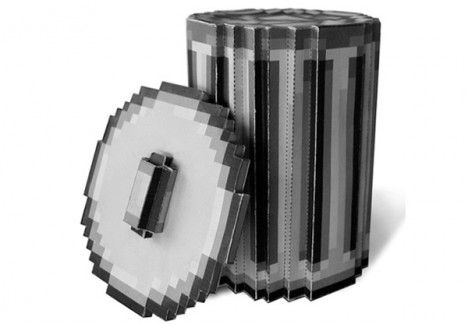
Just what you’ve always wanted: a three-dimensional replica of the trash can icon from early versions of MS Windows. Codeco offers a PDF so you can print sections onto pieces of paper and assemble them into your very own can.
8-Bit Sculptures by Shawn Smith
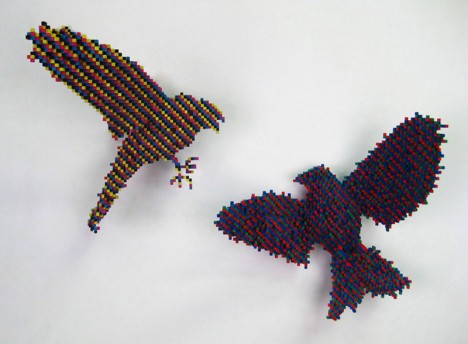
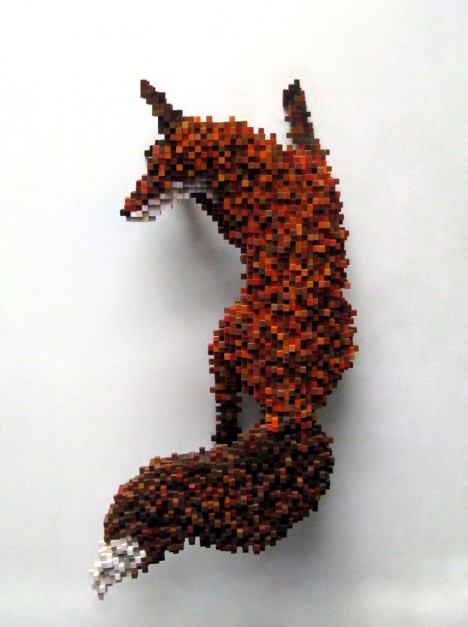
Made of tiny plywood cubes, Shawn Smith’s pixelated creatures look like they climbed right out of a video game screen. “My work investigates the intersection between the digital world and reality,” says Smith. “Specifically, I am interested in how we experience nature through technology. When we see images of nature on TV or on a computer screen, we feel that we are seeing nature but we are really only seeing patterns of pixelated light.”
Want More? Click for Great Related Content on WebUrbanist:
Digital Decor: 12 Geeky Computer-Inspired Home Designs
From the moment guests arrive at your doorstep, they’ll know just how geeky you are with these 12 fun computer-inspired home decor designs.
Click Here to Read More »»

Geek Tattoo Designs: Wish Your Social Life Goodbye
There’s geek, and then there’s hardcore, plaster your favorite operating system’s logo on your right forearm geek. The latter tends to be more interesting:
Click Here to Read More »»

Geek Evolution: Histories of 10 Essential Gaming Systems
Game systems have come a long, long way since the first video gaming arcades put pinball out to pasture. This loving look at geek game systems charts their …
Click Here to Read More »»


[ By Steph in Gaming & Computing & Technology. ]
[ WebUrbanist | Archives | Galleries | Privacy | TOS ]
-
8. April 2015
Das Bild des Tages von: brokenview

Im Ausblick: Die besten Brennweiten für Straßenfotografie, analog in Island und eine Bushaltestelle.
kwerfeldein – Fotografie Magazin | Fotocommunity -
A Guide to Photographing Dance Performances in a Theatre
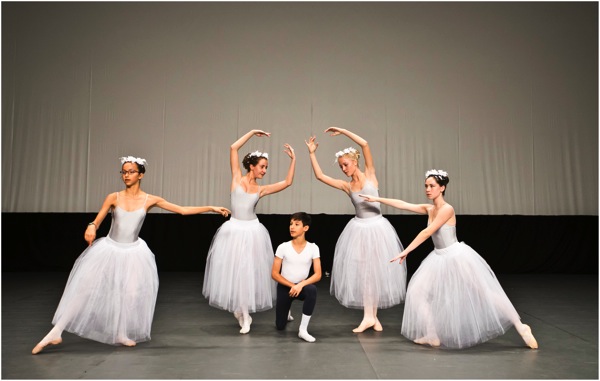
One of the biggest challenges as photographer is shooting inside a theatre, simply because the only thing that you can control is the camera. You may be faced with very dim lighting conditions, dancers moving around at great speed, different lighting settings during the show, no use of flash, and your movement in the theatre during the show may be limited.
I am writing this guide based on an assignment you have with the organizer, as photographer of the event. Some of the points might not be relevant or accessible for you if you are attending a performance as a member of the public.
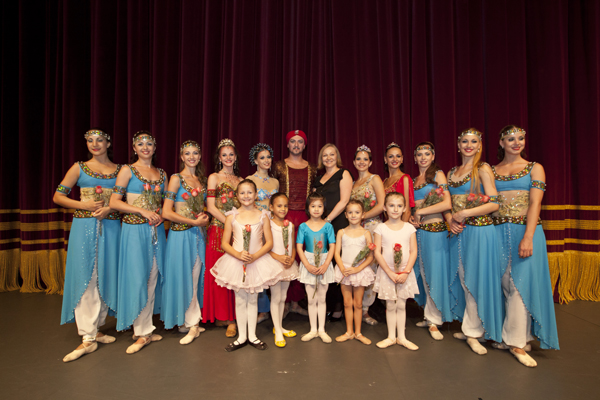
Preparation for the shoot
Know the ground
A protocol for all professional photographers is to understand the grounds and what to expect. This can be done through an early visit (if allowed), or a search online for other’s work in the same location, to understand the layout and surroundings.
Request to attend a rehearsal prior to the performance (usual this is done free of charge) if possible, but to me this is mandatory if the opportunity exist. This not only gives you a chance to enter the theatre but also to understand what is to be performed and its sequence. You can then be better prepared to know the photos you will wish to take, and at which location you’ll need to be so you’ll be ready for the shot. Take this opportunity to talk to the organizer on which seats you will be allocated or which seat you prefer. I will cover location of seat for shooting in the technique part later.
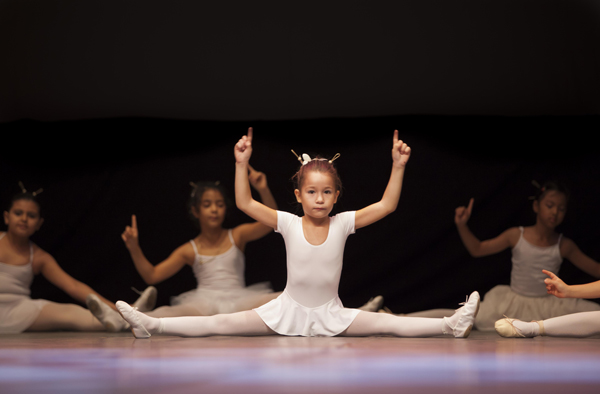
Settings: f/2.8, 1/125th, ISO 1600
Choosing your seat (if you have a choice)
I am very particular in my location of shoot as it reflect the quality if work I will produce from the assignment.
Most theatres can accommodate hundreds, to thousands of spectators at various elevations. My personal recommendation is to locate yourself on the ground level, a few rows behind the front, right in the middle. Below are some explanations of some problem you may encounter at different locations.Up in the balcony
Cons: Too far from the stage, shooting angle not directly perpendicular to the dancers.
First row seats
Cons: Too near to the stage.
Side Seat
Cons: shooting angle not directly perpendicular to the dancers, too many distractions in photos (sometimes you can see dancers at the side before entry to the stage.
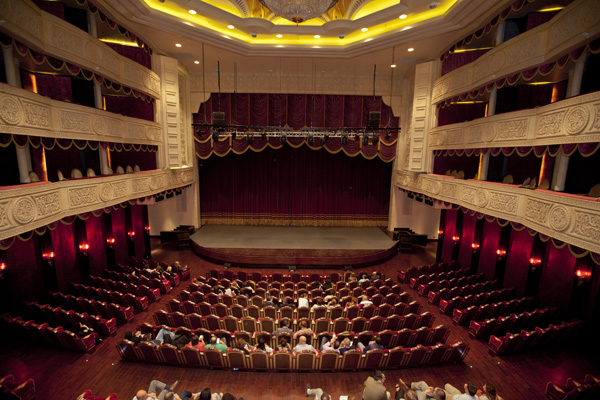
Ideal seat
On the ground level, a few rows behind the front, right in the middle is the ideal seat. Personally if I can only sit at one location throughout the show, I will prefer this seat as it provide me a comfortable direction to the stage and most of my shots will be facing the dancers.
Type of Equipment needed
With the above, you can know decide what equipment you need for the shoot.
Flash Gun
As most performances prohibit use of flash during show, you can omit having one on your camera during the performance but do still carry one with you (I use it for group photo at the end of the show). The use of LED light is good as well for after the show shots.
Camera
In such challenging conditions, a camera with capability to handle high ISO settings without producing too much noise is preferred. I usually have my Canon 5D Mark II, and also my Sony 7R for such assignments.
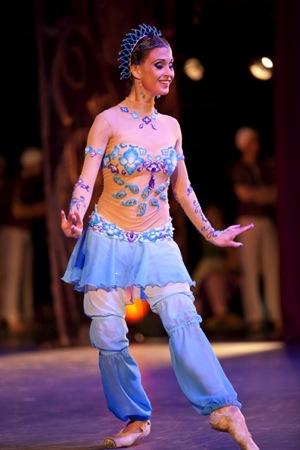
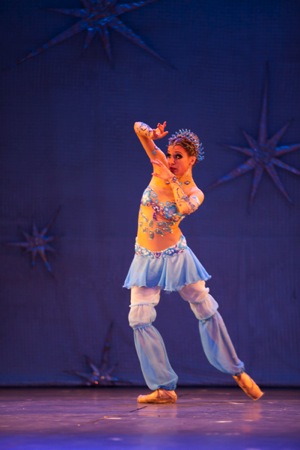
Lenses
The most important piece of equipment you need after understanding the grounds and location is the right lens. A zoom lens is mandatory for me to enable me to reach out to the stage and get close-ups of the dancers. Lenses with large apertures are preferred in such low light conditions. I will touch on that more at the later section on why. I usually have my 70-200mm f/2.8 on my Canon, and the 16-35mm f/2.8 on my Sony 7R for wide-angle shooting.
Tripod/Monopod
This is a interesting topic as most theatres prohibit you from setting up a tripod, subject to organizer approval. If you are given a seat for shooting, a tripod will be difficult to manage with limited legroom space. I always use a monopod for such assignments in order to conserve energy.
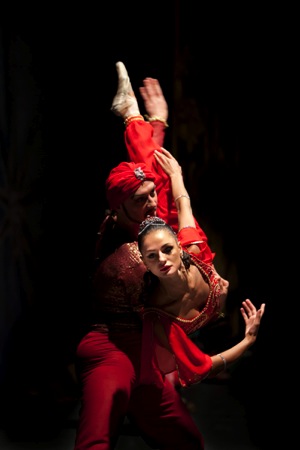
Camera settings: f/2.8, 1/30th, ISO 1000
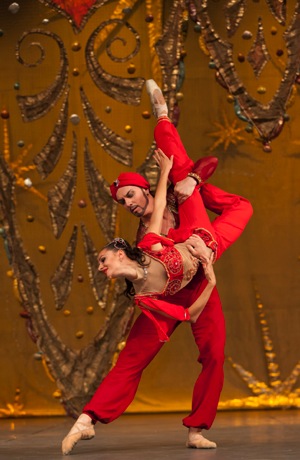
Camera settings: f/3.2, 1/500th, ISO 2500
Know your gear inside out
I am often on site photographing events and someone will come and ask for help as they can’t tune back to certain setting or something is not functioning correctly on their camera.
Shooting in a theatre is like sports photography. If you missed a moment it will be gone, and you will not have a second chance. Always be ready, and anticipate what is coming up. Study your camera inside out for all the functions that you wish to use and manipulate during the shoot. Know all the commonly used functions like setting ISO, aperture, shutter speed, etc. I usually use AV (Aperture priority) and control the ISO if I need more shutter speed.
On ISO, every camera has its own capability to handle ISO and minimize noise. Know the limit of your camera, like my 5D MarkII, I will not push it to more than 5000 ISO.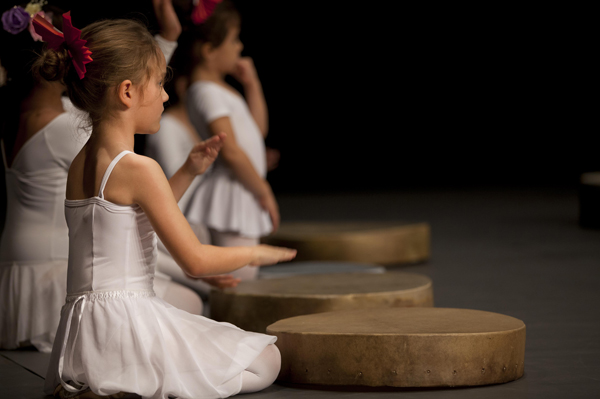
Camera settings: f/2.8, 1/200th, ISO 800
Techniques to adopt
Basic technique for shooting such scenes is to select the right ISO for the shot with the right shutter speed, depending on the movement speed of the dancer. Things moves very fast in a performance and you have to make your camera adapt to what is happening on the stage, so you capture what you need.
A common trick I use something is to pre-focus on an stationary object on the stage prior to the dancers coming into position. This only works if you attend the rehearsal and know the staging of the show.
Lastly always shoot RAW for such events so that back at your desk the white balance can still be adjusted. Color balance can be off due to some lighting differences during the show.
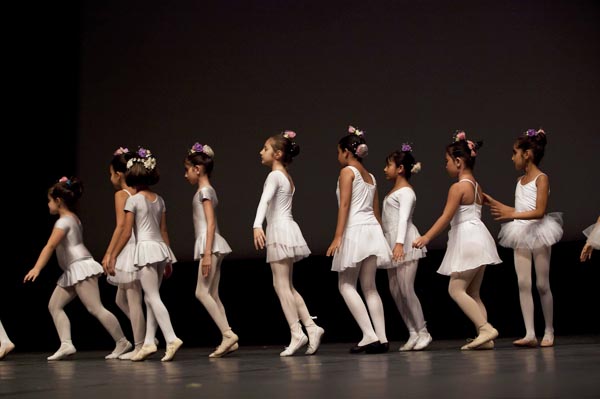
Camera settings: f/4, 1/250th, ISO 1600
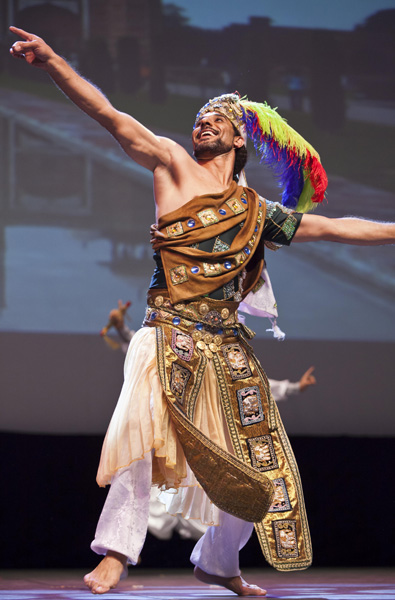
Camera settings: f/2.8, 1/320th, ISO 1600
Photos taken during Enana Production and Academy performances.
googletag.cmd.push(function() {
tablet_slots.push( googletag.defineSlot( “/1005424/_dPSv4_tab-all-article-bottom_(300×250)”, [300, 250], “pb-ad-78623” ).addService( googletag.pubads() ) ); } );googletag.cmd.push(function() {
mobile_slots.push( googletag.defineSlot( “/1005424/_dPSv4_mob-all-article-bottom_(300×250)”, [300, 250], “pb-ad-78158” ).addService( googletag.pubads() ) ); } );The post A Guide to Photographing Dance Performances in a Theatre by Ray Toh appeared first on Digital Photography School.
-
Venus Optics offers hotshoe Macro Twin Flash KX-800 with guide number of 190ft/58m
Chinese flash manufacturer Venus Optics has launched a double headed macro flash unit, claiming that it has the highest guide number in the world for such a device. The Kuangren Macro Twin Flash KX-800 uses a pair of flash heads on extending flexible arms that can be positioned in front of the lens for extreme close-up work. Another arm houses an LED light to help with focusing. Read more
-
Opinion: Why the Canon XC10 is a big deal
Today Canon released the XC10, a camera that for all practical purposes is equal part a stills and a video camera. It promises to deliver not only both types of media, but an appropriate user experience for either type of shooting. It may be the first true ‘convergence’ camera. Learn more about this camera and why it’s a significant milestone of technology. Read more
-
Canon XC10 digital camcorder brings 4K video and stills together
Canon has released its XC10 digital camcorder which combines advanced 4K video recording with capable still shooting features. The core features are a 12MP 1″ CMOS sensor and a fixed F2.8-5.6 image stabilized lens equivalent to 27-270mm for videos and 24-240mm for stills. 4K UHD video is captured using the XF-AVC Intra codec (which offers bit rates up to 305MBps) and 8MP stills can be grabbed from 4K video. Other notable features include a rotating grip, tilting LCD, and built-in Wi-Fi. Read more.
-
6 of the Most Essential but Underused Camera Features
If you are just getting started in photography, you’ll be pleasantly surprised to find these six often overlooked features in the menu of your DSLR. While each one can be used to create professional quality results, extensive experience is not required to leverage their usefulness. Best of all, there’s no need to upgrade to a high end model. These settings are now found on even the most entry-level camera bodies. With the ability to take full control of your camera, you’re more likely to get the shot right at the time of the exposure.

1) Flash Exposure Compensation
The pop-up flash gets a bad rap, and this is unfortunate as it’s actually a very useful tool when set properly. Out of the box, it simply provides too much light, resulting in a bright, washed-out appearance. The trick is to adjust the flash exposure compensation to a reduced output. As a starting point, bring it down to negative two (-2). This creates a soft quality of fill flash that’s immediately more pleasing. Should you need even less light, you can further reduce the flash to negative three. While it’s rarely necessary, you could even add intensity to the flash by raising it towards the positive. Just remember, effective use of flash is meant to soften, not eliminate shadows.

2) Two Second Timer
This rarely used setting can open up a whole new world of creative possibility for you. It’s typically found in the “drive” menu, along with single shot, multi-shot burst mode, etc. If you’re in a place that doesn’t allow tripods, it’s still possible to take sharp photos, even with long exposure times.
Select the two second timer and rest the camera on a chair, or the ground. You can use the folded camera strap to angle the camera upwards if necessary. When you press the shutter, the camera will move initially. Don’t worry, you have two seconds for it to settle down before the camera actually fires. This is also helpful for tripods that are not as stable as they should be. If you don’t have a cable release, the timer is a terrific wireless alternative.

3) Histogram
Think of the histogram as a visual cheat-sheet for photographing bright tones. To render a subject as true white, you want the data on the right hand side to be as close to the edge of the graph (histogram) as possible. This will indicate a crisp exposure rather than a muddy, grey appearance. As you change the exposure to let in more light, the histogram will inch towards the right. Keep adjusting your settings until it’s literally just a hair from the outer wall. You are now maximizing all of the wonderful dynamic range of which your camera is capable.
Once the data actually collides with the right hand wall of the histogram, you’ve technically overexposed part of your scene. This means there is no detail in the highlights, but rather a hotspot that is impossible to recover, even with sophisticated software. While this data is valuable, it doesn’t tell you exactly where the trouble spot is in your scene. This is where the “highlight alert” becomes a helpful aid.

4) Highlight Alert
By default, many camera models have the highlight alert turned off so you’ll need to enable it in the menu. Commonly referred to as “the blinkies”, this feature alerts you to the precise location that’s overexposed. With this knowledge, you can make a quick adjustment to the exposure, or even change your composition to eliminate the unwanted area. That translates to more consistent exposures with no washed-out areas. You’ll also be rewarded with less time in the digital darkroom, trying to fix problems that could have been prevented in the field.
5) Live View
If you’ve ever struggled to achieve autofocus at night, or desire more accuracy for macro work, Live View will be your new favorite mode. With it, you can zoom in on a tiny portion of a subject at 5x and 10x magnification. This extreme close-up gives you the ability to carefully micro-focus on whatever is most important in your scene. Just note, the enlarged view on your LCD is not representative of your lens’ effective focal length. Upon pressing the shutter, the entire scene will still be captured in sharp detail. You’ll be amazed at the level of precision possible. For the ultimate in control, use this with manual focus and a sturdy tripod.

Live View is not only useful for focus, but composition as well. For example, if your DSLR lacks a tilt or swivel screen, shooting from ground level can be a real challenge. With a live image on the LCD however, there’s no need to crane your neck for viewfinder access. The same idea can be applied to those crowded situations when you must raise the camera over your head. Instead of shooting blind, you can use Live View to better compose the shot.
6) Single AF Point

Allowing the camera to automatically choose your focus point is one of the biggest causes of blurry photos. Don’t get me wrong, you can still use autofocus, but it works most consistently when you manually set the autofocus point. Otherwise, the camera will choose incorrectly, leaving the fence post sharp and your subject out of focus. While some cameras offer clusters of focus points, a simpler approach will often work to your advantage. By placing a single active AF point on what you want sharpest, you eliminate the guess work, and your percentage of keepers will soar.
Do you have any other hidden gems on your camera you’d like to share? What have you discovered in the menu of your camera?
googletag.cmd.push(function() {
tablet_slots.push( googletag.defineSlot( “/1005424/_dPSv4_tab-all-article-bottom_(300×250)”, [300, 250], “pb-ad-78623” ).addService( googletag.pubads() ) ); } );googletag.cmd.push(function() {
mobile_slots.push( googletag.defineSlot( “/1005424/_dPSv4_mob-all-article-bottom_(300×250)”, [300, 250], “pb-ad-78158” ).addService( googletag.pubads() ) ); } );The post 6 of the Most Essential but Underused Camera Features by Chris Corradino appeared first on Digital Photography School.
-
Canon XC10: What you need to know
Canon’s new XC10 is the first product we’ve seen which is neither a stills camera with a video feature or a video camera that can capture stills. In terms of both specification and ergonomics it is a true ‘convergence’ product with the potential to shake up more than one market segment. We’ve been poring over the specifications for a while now – here’s what you need to know