We recently returned from the CP+ show in Yokohama, Japan, where we sat down with Kazunobu Saiki – General Manager of the Marketing Communication Department, in the Global Marketing Division of Ricoh Imaging. We spoke to Mr Saiki about Ricoh’s forthcoming full-frame DSLR, the success of the 645Z and about his desire to improve AF performance in Pentax’s DSLRs and lenses. Click through to read the interview
Month: March 2015
-
Nur ein Portrait
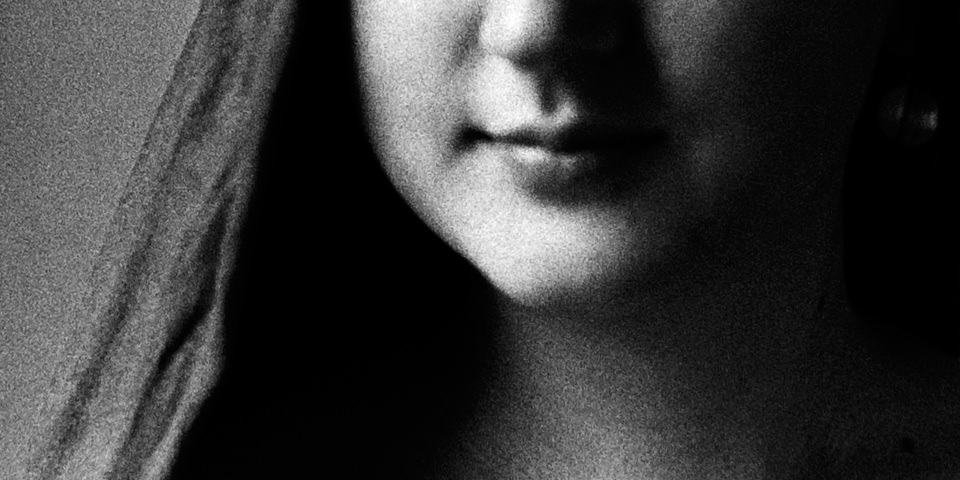
Vor sechs Jahren war es ziemlich undenkbar, dass ich einmal Menschen fotografieren würde. Ich fand Gespräche mit Menschen eher anstrengend, klammerte mich an meine Kamera und klebte mit jener am Asphalt, um nach Dingen Ausschau zu halten, die sonst keiner sah.
kwerfeldein – Fotografie Magazin | Fotocommunity -
Die 5 Fotowettbewerbe des Monats
Auch im März haben wir wieder viele neue Wettbewerbe für Euch angesehen, um die fünf interessantesten hier vorzustellen. Von sehr speziellen Ausschreibungen wie etwa für Mikroskopfotografie über einen Wettbewerb, der Literatur mit Fotografie verbindet bis hin zu großen internationalen Wettbewerben mit sehr breit ausgelegten Kategorien sollte für jeden von Euch etwas dabei sein.
kwerfeldein – Fotografie Magazin | Fotocommunity -
Brutal but Beautiful: Book of 88 WWII Coastal Military Ruins
[ By WebUrbanist in Abandoned Places & Architecture. ]

Traveling 23,000 miles over 4 years, photographer Marc Wilson has amassed an amazing collection of images spanning bunkers, gun emplacements, observation posts, command centres and other wartime infrastructure around Europe.


In his book, The Last Stand, 86 of the resulting images are arrayed to tell a complex story of different times and places. More than merely photographing these haunting remnants of war, however, Wilson also provides highly articulate reflections on everything from their site-specific purposes and aesthetics to their broader places in military and architectural histories.


“Composed of copious quantities of poured concrete,” many of these structures “defy and eschew any established aesthetic sensibilities: no hint of the classical, the gothic or the baroque here. Their geometries, purely contingent, were designed to resist the effects of the latest developments in projectile technology, their profiles shaped to deflect such missiles and avoid any direct percussive explosions on their structures.”


His shots are carefully composed and timed, often taking place in the early hours of the morning when eerie mists and dim lights grant the subjects a surrealistic atmosphere. There is a dreaminess and dreariness to his work that manages to make the objects captured seem both ordinary and otherworldly. Prints of many of the pieces featured in the book can be purchased as well.


Unlike even the most pragmatic warehouse of the time, “there was nothing speculative or arbitrary about the bulwarks of their sometimes bizarre and often ungainly forms: they were purely functional. While far from being graceful or classically proportioned, there is something visually appealing about the alien (and sometimes sinister) forms of those bunkers. Novelty does not quite describe this appeal: more surprise perhaps – a surprise that courts the sublime.”
Want More? Click for Great Related Content on WebUrbanist:

Ruins Of War: 15 Places Abandoned Due to Military Turmoil
Wars show through the physical devastation they leave behind. In many cases the effects can be seen decades later.
Click Here to Read More »»
Empty Spaces: Photo Book Documents Eerie Urban Ruins
Crumbling cathedrals, decaying theaters and half-destroyed camping cabins: urban explorer Johnny Joo has seen it all, and he doesn’t just document these …
Click Here to Read More »»

Documenting Decay: Urban Atrophy’s Breathtaking New Book
The creator of the website Urban Atrophy has published an incredible picture book complete with the histories of the buildings he explores and documents.
Click Here to Read More »»


[ By WebUrbanist in Abandoned Places & Architecture. ]
[ WebUrbanist | Archives | Galleries | Privacy | TOS ]
-
7. März 2015
Das Bild des Tages von: Timeless Seeker

Heute erfreuen wir uns an diesem Anblick einer Moschee in Abu Dhabi.
kwerfeldein – Fotografie Magazin | Fotocommunity -
National Media Museum to display three of the world’s oldest photos
Three photographs taken by Joseph Nicephore Niépce, a Frenchman born in 1765, will soon be exhibited by the National Media Museum. These particular images, which their creator called ‘heliographs’, were taken during the 1820s, and are part of a set of 16 image located throughout the world. All three images are said to be amongst the earliest of photographs ever taken. Read more
-
Opening 2015 Paddling Season on the South Platte River
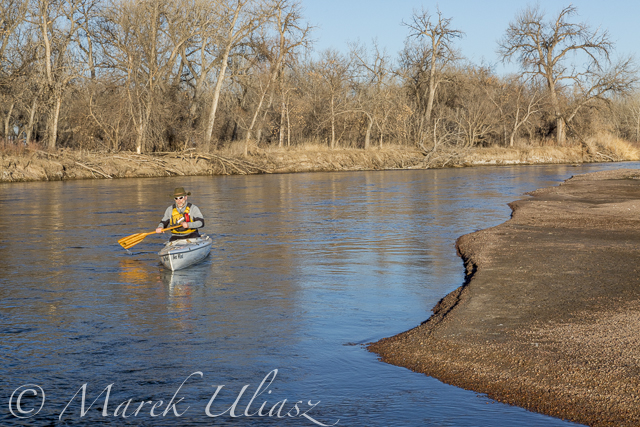
Paddling Sea Wind canoe upstream of the South Platte River above Masters
March 6, 2015. Finally, I started my 2015 paddling season on the South Platte River. I took Sea Wind canoe to Masters (about 28 miles east of Greeley on highway 34) and paddled 2.5 miles upstream and back: easy workout, a short photo session, watching bald eagles and deer.
Masters offers a typical bridge access to the river with a barbed wire fence and wide shoulder parking. It is similar to Kuner access, perhaps a little easier and shorter. There is a diversion dam just above the bridge. It was open and easy to paddle in both directions. Several diversion dams below Kuner can be open and runnable, at least in winter. River flow was much lower (~650cfs) than at Kersey (~1000cfs), but I still had plenty of water to paddle.
Riverside Park at Evans.The main park access from 37th Street remains closed, but the park was partially open in September 2014. Here is information from City of Evans webpage:
On September 13, 2013, Colorado experienced widespread flood destruction from what the media referred to as “biblical” rains. Riverside Park was completely destroyed in that flood.
One year after the flood, on September 13, 2014, the City was able to proudly open a section of the park accessible from 42nd Street. The 7-acre Riverside Lake was opened for fishing and a portion of the trail around the lake was opened as well.It would be worth to check if there is an easy access to the river from the reopened part of the park. Last year, I was looking for an alternative river access at Evans. There is a possibility to launch boats under the highway 85 bridge (the end of the frontage road on left shore where a bike trail starts).
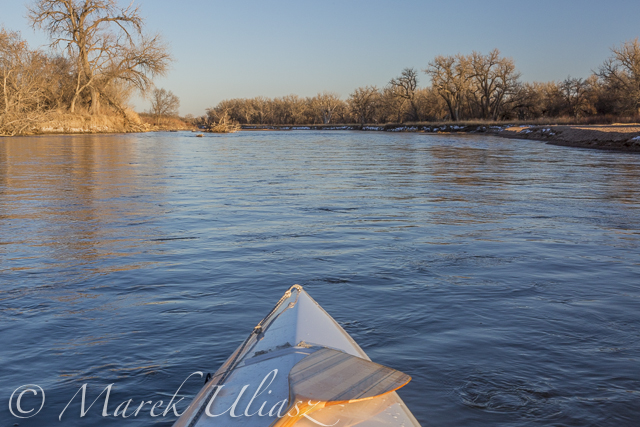
South Platte River 2 miles above Masters
Related posts:
Scouting and Paddling the South Platte River after 2013 Flooding
Opening 2014 Paddling Season on the South Platte River
South Platte River below Denver – GPS/photo river guide
-
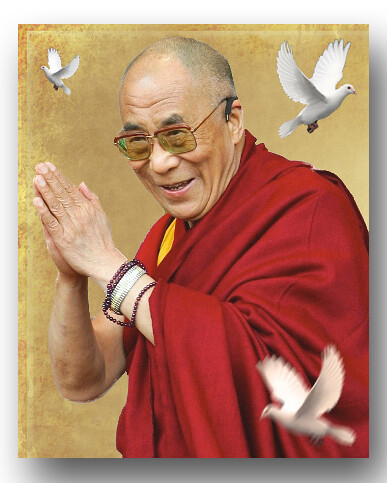
11 Rules of Living by Dalai Lama to Help You Bring Zen to Your Photography
Note from the Editor: this article is a little different than our usual dPS how to tutorials, more in line with personal growth. But see if there aren’t some things you can use and apply to you photography to help you take better photos.
“Happiness is not something ready made. It comes from your own actions.” – Dalai Lama
Often times we feel a desire to start from scratch and achieve something remarkable. As spring is approaching, use this time of increased motivation to think about your goals as a photographer.
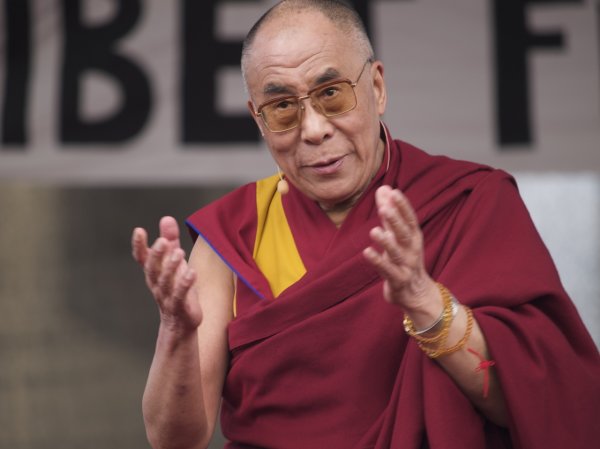
By Jan Michael Ihl
Over a decade ago, The Dalai Lama shared with the world a set of simple guidelines to help you live a complete and meaningful life. In this article we look at 11 of those rules of living from a photographer’s perspective. Whenever you decide to take your time and set your priorities, read the advice of the world’s greatest wise man and project it on your own career and life activities.
1. Take into account that great love and great achievements involve great risk.
Quitting your day job to start a photography business is a risky step accompanied by doubts and fear of failure. But if you’re firm about becoming a successful photographer, you just need to step out of your comfort zone. The ride to success will probably be harsh, but on the other hand, it will be fun! Just listen to your inner superhero and try to enjoy the very process of taking risk.
2. Share your knowledge. It’s a way to achieve immortality.
This advice isn’t as difficult to follow as you may think. These days blogging is a great way for people to spread their knowledge and exchange ideas. Being an active member on a photography forum, or supporting a photography related project (for instance, Defrozo calls all photographers to help them build the ultimate photography marketing platform) are also good opportunities for any photographer to do good for the community. After all, what goes around comes around.
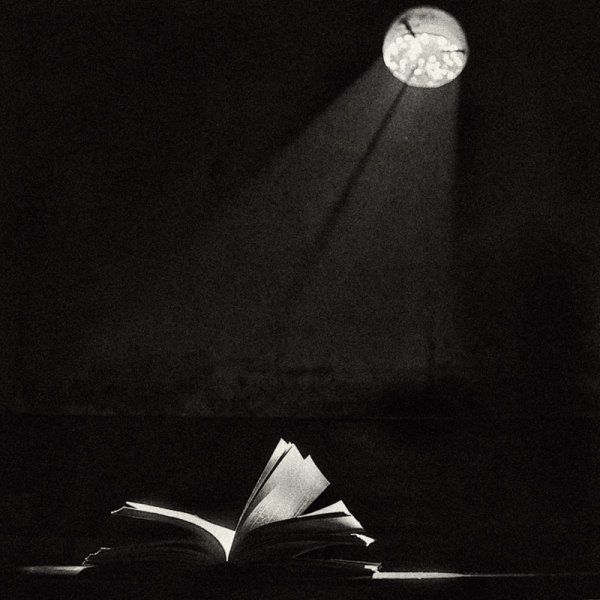
By MD. Hasibul Haque Sakib
3. When you lose, don’t lose the lesson.
Screwed up a photo shoot? That’s not a reason for giving up, as failing can teach you so much more than success. Analyze your missteps, do your best to fix them, and prepare more carefully next time. Yes, that mistake can leave a bitter aftertaste for a long time, but after all, you would never feel good without feeling bad.
4. Follow the three Rs: Respect for self, Respect for others, Responsibility for all your actions.
Respect for self ensures determination, which is crucial to success. For instance, if you set your prices too low, people may think you’re not confident about your professionalism and thus, would not commit capturing their memories to you.
Even if you’re not sharing the values and interests of people you work with, there must be something they can teach you, respect that.
Even if you’re a solopreneur, being responsible and respectful is essential for running a successful photography business.
5. Remember that not getting what you want is sometimes a wonderful stroke of luck.
I have a friend who couldn’t afford a Canon 5D MarkII a few years ago, which pushed him to seek other ways to reach the image he envisioned. As a result, he improved his skills drastically and even won a prestigious photography contest. He now owns a studio now and his business is growing fast. My friend is pretty sure he wouldn’t have reached this point if he had bought that camera and let it do the job for him. The moral of this story is that something you consider a lost opportunity may in reality be a chance to win. Just stay positive and keep your eyes wide open.
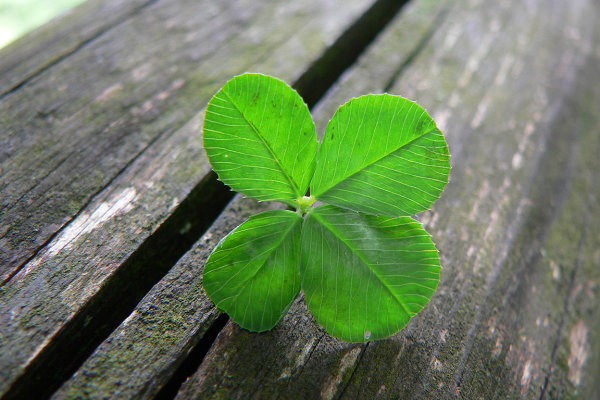
By Umberto Salvagnin
6. Learn the rules so you know how to break them properly.
Did you know that Picasso mastered the illusion of volume just to learn how to flatten it in his paintings? Like with any art, in photography any rule can be broken – as long as it’s broken intentionally. If you’re looking for an innovative approach and want to go out of the box with your composition and lighting, you have to know where the box’s limits are.
7. When you realize you’ve made a mistake, take immediate steps to correct it.
Everyone could make a mistake, but not anyone could immediately react and correct it. It’s all about taking responsibility for your own actions. If the final photos don’t meet the expectations of your customer and you know it’s your fault, do something to fix it and do it fast. A free compensatory session or a small sorry gift can help you own the situation. Quick reaction will speak of your integrity – it won’t be left unnoticed.
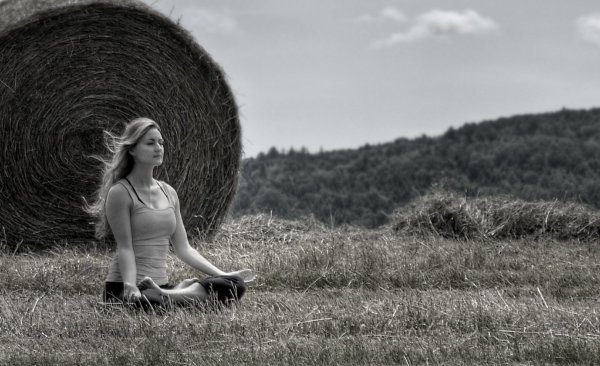
8. Spend some time alone every day.
I’m sure you know how it feels when creative ideas flow out of you like a stream. I think you can also remember the tough periods of creative block when it seems you’re unable to produce anything new or interesting. Every creative experiences these ebbs and flows of inspiration. Some solitude during your day can be a great practice to help you stay balanced and productive.
By jhoc
9. Once a year, go someplace you’ve never been before.
Seeing new places and faces, discovering new cultures and atmospheres is extremely important for any photographer. So do your best to not get stuck in the routine, and go to a new destination at least once a year, even if it’s a small village not far from your habitat.
10. Judge your success by what you had to give up in order to get it.
Success is always about making sacrifices and compromises. However, it’s up to you to decide how much to give up on the way to it. Your own photography business will require you to be a wearer of many hats, it will also soak up tons of your time and energy. But if it pushes you to compromise your loved ones or life values, stop and think whether it will be a success at all if it’s achieved this way.
11. Open your arms to change, but don’t let go of your values.
Change is an essential part of any business, especially when you work in the creative field. Embrace new technologies and don’t miss an opportunity to boost up your marketing, but don’t betray your values as they are the first to speak of your personality and brand.
By Nick Kenrick
The Dalai Lama’s rules of living are not novelties, it’s something we’ve all heard at least once during a lifetime. However, we often forget or fail to apply these laws in our daily routine. So having these simple truths listed in one place which you can get back to once in a while may help you be a better person and achieve more in life. Do you agree? Share your own life lessons and favorite quotes in the comments!
googletag.cmd.push(function() {
tablet_slots.push( googletag.defineSlot( “/1005424/_dPSv4_tab-all-article-bottom_(300×250)”, [300, 250], “pb-ad-78623” ).addService( googletag.pubads() ) ); } );googletag.cmd.push(function() {
mobile_slots.push( googletag.defineSlot( “/1005424/_dPSv4_mob-all-article-bottom_(300×250)”, [300, 250], “pb-ad-78158” ).addService( googletag.pubads() ) ); } );The post 11 Rules of Living by Dalai Lama to Help You Bring Zen to Your Photography by Darlene Hildebrandt appeared first on Digital Photography School.
-
Post-processing RAW Files – ACR Compared to Some Free Software Options
What is RAW?
 A RAW file is really the digital negative, which means that all the data is stored waiting to be unleashed via a RAW Editor. Unlike a jpeg file which has been edited in-camera (or in post-processing) and is a compressed 8-bit file.
Why shoot RAW?
The main benefit to shooting RAW is simply to have as much information as possible in the file. When you upload a RAW file onto your computer the white balance, and tonal corrections have to be set manually. More detail can be retrieved from the highlights and shadows. It is then saved as a jpeg or some other format. The RAW file always remains in its original state.
Shooting RAW has become more commonplace as cameras have the option, built-in and RAW editing software is more widely available on both Mac and PC. In this article, I will be testing out two RAW editors which are free to download. Yes, no purchase necessary. The main RAW editor that I will go into more detail on is Adobe Camera Raw (ACR), which comes with Photoshop and is my primary go-to RAW editing software.
As a side note, this article is by no means a complete in-depth review of the pros and cons of each of the the three RAW editors. I merely wanted to test Photoshop’s ACR against some of the RAW editors that are available to download for free, such as GIMP and RawTherapee.
A few years back, I was using ViewNX (now ViewNX2), which is Nikon’s RAW free editing software. Canon (DPP) and other major camera manufacturers have their own RAW proprietary software. But I found ACR just got better with each new release. I usually bring my images into Photoshop when I’ve done the initial edits in ACR. It means my workflow is quite efficient as I’m using ACR and Photoshop side-by-side.
The Basics
When you open ACR or any RAW editor, the user interface can be a bit daunting for the uninitiated. The range of adjustments and all the features of ACR would require several articles alone.
So, let’s look at the basic adjustments where I begin the editing process of my RAW files. These adjustments are fundamental to any RAW editor. Similar adjustments can also be found in the Develop module of Lightroom and in Photoshop Elements 12 and 13. Let’s begin with Adobe Camera Raw, otherwise known as ACR.
Adobe Camera Raw (ACR)
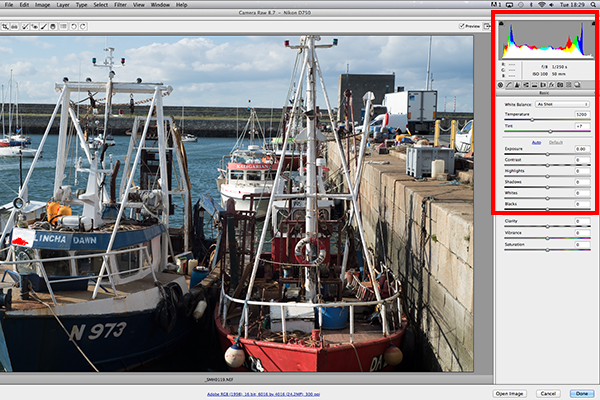
The interface when a RAW file is opened in ACR
When I open a RAW file in ACR, White Balance is my first port of call. This is about the color temperature of the image depending on the light source. If the white balance is incorrect, then a color cast will occur on your image. It may look slightly blue, orange or green.
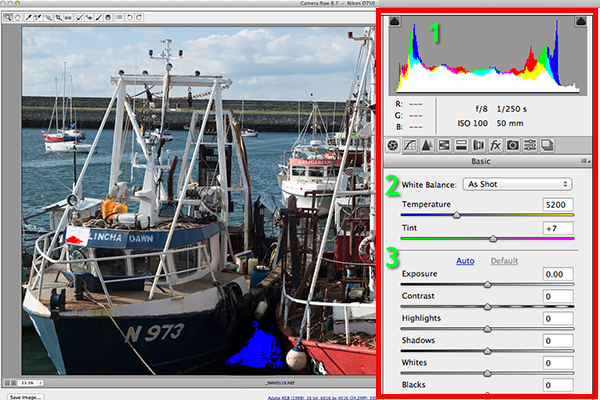
The three important focus points in the Basic panel in ACR
In ACR, there are three ways to adjust White Balance.
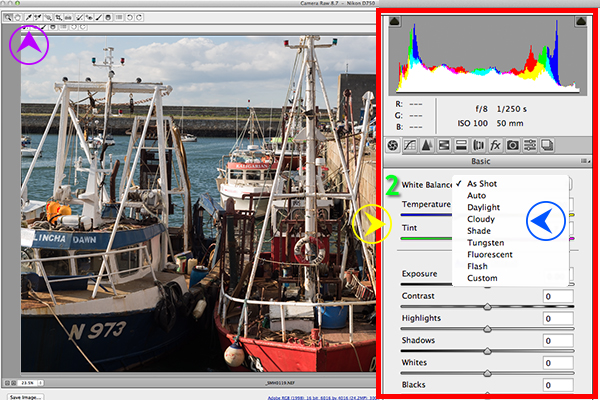
Three ways to edit White Balance in ACR:
1. White Balance Tool
2. Presets
3. Temperature and Tint Sliders- The White Balance Tool is my least favourite. The idea being that you click anywhere on the image that is suppose to be gray. I find this tool hit and miss.
- There are number of presets that are worth experimenting with, if you are new to RAW editing. Try Auto which is a good place to start.
- You can then adjust the Temperature and Tint sliders for finer tweaking and control. I favour these two sliders the most in my workflow.
Just above the Temperature and Tint sliders, you have the histogram panel. Click on the the two black triangles. These indicate the highlight (left) and shadow (right) areas that have been clipped (see photo below). As you can see in this image, the areas highlighted in red indicate where the clipping has taken place in the whites. Similar to the shadows, blue indicates where the shadow areas have been clipped.
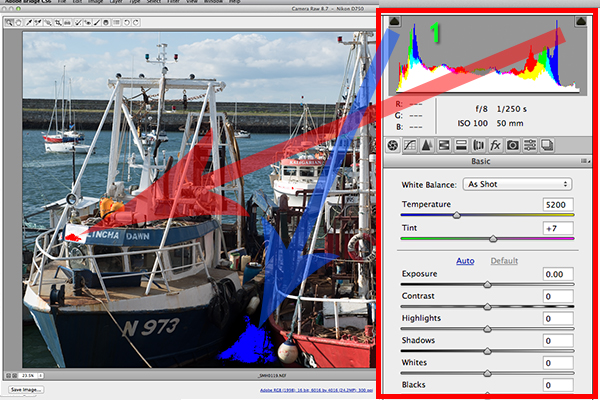
Highlights-shadows-clipping in the Histogram.
When adjusting the White and Black sliders keep an eye on the black triangles in the Histogram chart. These triangles turn green when clipping occurs. Alternatively, you can hold down the Alt key while dragging the Blacks slider across to the left until the darkest area of the image starts to appear. Similar for the Whites slider, hold down the Alt key and drag the slider to the right until the brightest part of the image begins to show.
I tend to leave the Exposure slider until after I have adjusted the Highlights and Shadow sliders.
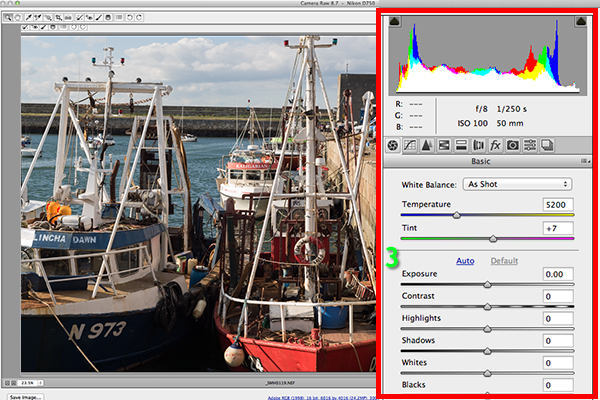
Exposure and Contrast sliders.
The Contrast slider gives your image that final punch but go lightly.
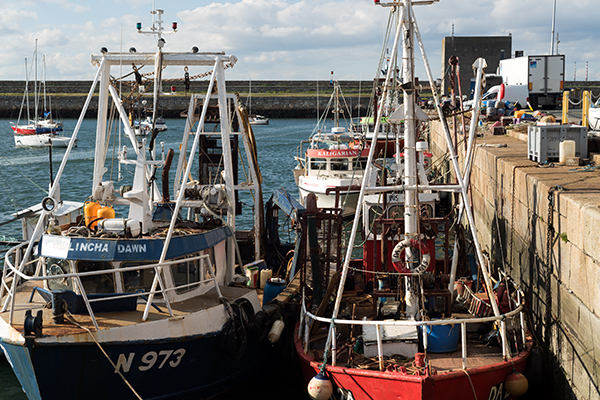
Final edited image from the basic adjustments in ACR
All edits done in ACR are non-destructive. Editing RAW files can be easily done in one pass, especially if you have captured the image that you want in-camera. However, there are no layers in ACR or Lightroom, so if you need further editing where layers are required you will need to use Photoshop or GIMP.
GIMP
So this brings us to the next RAW editor, UFRaw. This comes pre-installed in GIMP, version 2.8. I’ve never used GIMP before now and I was really curious and enthusiastic to try it out. It has the reputation of being as powerful as Photoshop for editing – and the fact that it is free, is a bonus.
I presumed that by opening a RAW file that the UFRaw editor would launch automatically. It didn’t. After a quick research online. I found a solution. I had to go to File>Open>Select file. I then had to Select File Type and scroll down to the bottom of a list and click on ‘raw image’. Once I opened the image in question. It did not resemble anything like the image I had taken on the day. Normally when I launch a RAW file in ACR, it would be similar to the jpeg version.
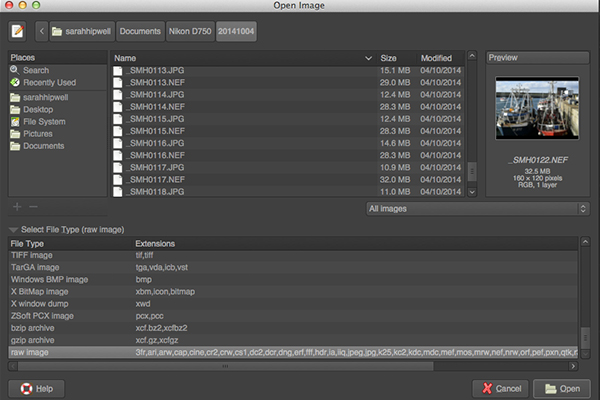
The UFRaw editor does not launch automatically. A few clicks gets you there.
The interface was completely alien to me, and I didn’t find it particularly user friendly. I played around with the sliders for awhile but I couldn’t get the image to look right at all. I tried adjusting the White Balance but I couldn’t get rid of a green/grey color cast on the image. By not having the familiar sliders in ACR, I was a bit lost to be honest. I really wanted to like UFRaw, as it is a free software for Mac and PC. To be fair, this was my first attempt at using the software, so I’ll put the mea culpa (blame) on me as opposed to the software.
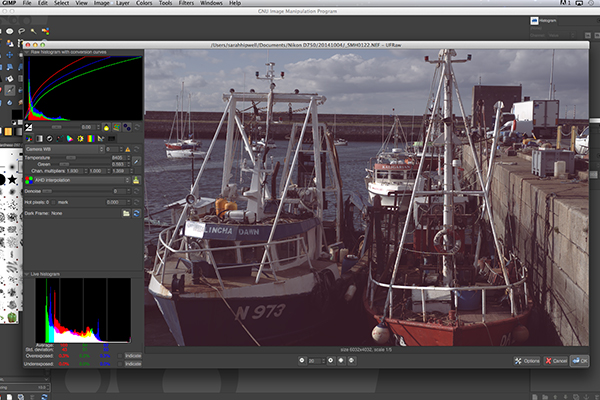
The UFRaw editor UI in GIMP
RawTherapee
Now onto RawTherapee. I love the name. I wasn’t expecting much after trying out GIMP’s UFRaw but I was completely surprised and impressed. RawTherapee is available in 64 and 32 bit forms for Mac OS X and Windows. It also supports a huge range of supported cameras and manufacturer filetypes.
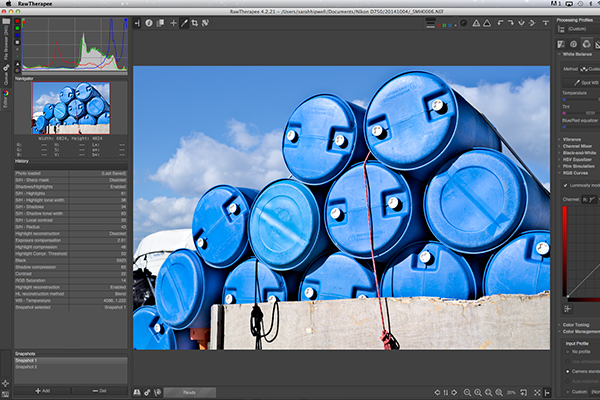
RawTherapee interface
This RAW editor is quite rich in features. Even so I found the user interface very intuitive, and after a few minutes I felt right at home. I quickly adapted to the menu system and found it very easy to navigate around. The editing panels are on the right.
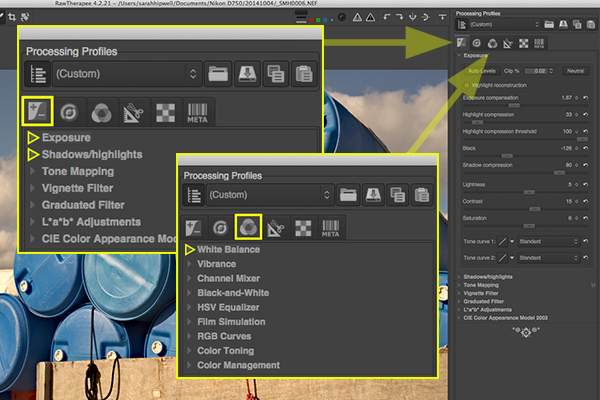
Highlighted adjustment sliders that are similar to the ones in ACR.
Summary
If you haven’t edited a RAW file before, I would highly recommend that you try it out. The options are varied whether you decide to purchase Lightroom, or choose to pick from the many RAW editors that are free to download. The choice is really up to you. Another free RAW editor that has just been launched is Affinity Photo and it looks really promising (currently in beta for Mac only).
googletag.cmd.push(function() {
tablet_slots.push( googletag.defineSlot( “/1005424/_dPSv4_tab-all-article-bottom_(300×250)”, [300, 250], “pb-ad-78623” ).addService( googletag.pubads() ) ); } );googletag.cmd.push(function() {
mobile_slots.push( googletag.defineSlot( “/1005424/_dPSv4_mob-all-article-bottom_(300×250)”, [300, 250], “pb-ad-78158” ).addService( googletag.pubads() ) ); } );The post Post-processing RAW Files – ACR Compared to Some Free Software Options by Sarah Hipwell appeared first on Digital Photography School.
-
Jenseits der Sprache
Ein Beitrag von: Patrick Joust
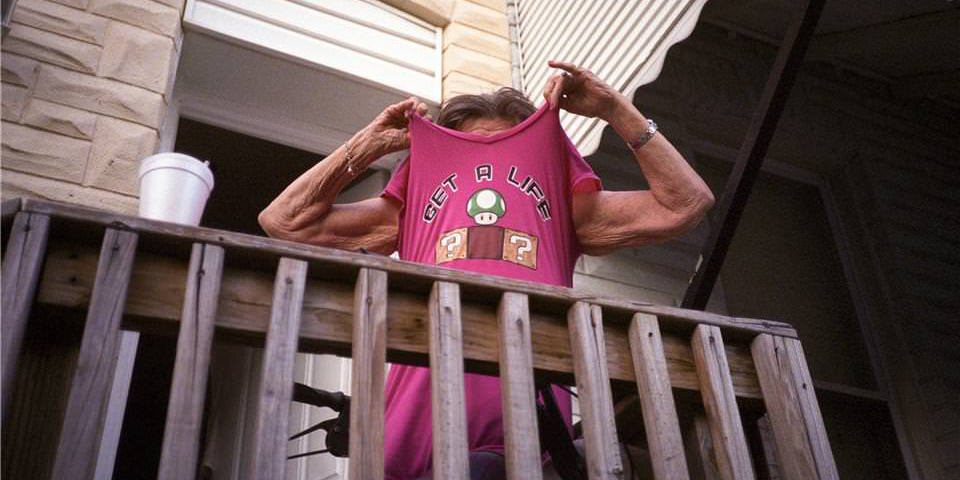
Auch wenn die Fotografie in meinem Leben einen großen Raum einnimmt, finde ich es nicht einfach, darüber zu schreiben. Oberflächlich ist es noch ganz einfach: Welche Ausrüstung nutze ich, wo fotografiere ich, welche Geschichten kann ich zu einem bestimmten Foto erzählen? Aber es wird schwierig, wenn ich versuche zu beschreiben, warum ich fotografiere.
kwerfeldein – Fotografie Magazin | Fotocommunity