RSS
 

Archive for August, 2014

Review of The Promote Control for Time Lapse and Focus Stacking

20 Aug

Want to take super sharp “focus stacked” photographs that boast corner to corner sharpness with perfect focus? Want to shoot spectacular ‘holy grail’ time lapse sequences that capture the change from day to night? How about advanced bracketing for HDR shooting? Do you fancy getting shots like this?
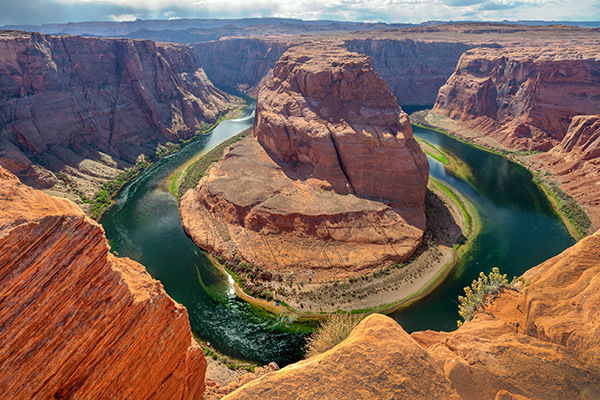
Horseshoe Bend Focus Stacked Gavin Hardcastle

The Promote Control from Promote Systems delivers very precise control over DSLR cameras to open up new creative possibilities. Here’s a list of things that the Promote Control can do:
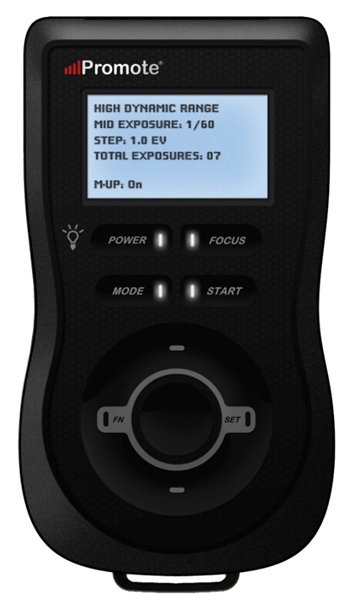
  • Promote Control ReviewHyperfocal Distance Calculator
  • Remote Shutter (One Shot)
  • Time Lapse Intervalometer
  • HDR Bracketing
  • BulB HDR Bracketing
  • Bulb Ramping for Time Lapse
  • Focus Stacking
  • Video Control
  • Manual Shutter for long Bulb Exposures

This device is like a Swiss Army Knife for photographers who want to get the most out of their DSLR cameras. Currently priced at $ 299, it’s an accessory that will appeal to the more hardcore shooters, but for those photographers that regularly need advanced HDR bracketing, focus stacking or bulb ramping, the Promote Control is worth every penny.

Rather than go into every single function of the Promote Control, I’m going to highlight its three most powerful features, which I believe merit the asking price themselves.

Focus Stacking

As a landscape shooter, I mostly want corner to corner sharpness in my images and sometimes I’ll use focus stacking to achieve maximum sharpness throughout the frame. This really only works when your static subjects are perfectly still, with little to no breeze. If you’ve ever tried focus stacking the manual way, you’ll know that there is some margin for error and it can take practice to do it well. The Promote Control takes all the guess work out of focus stacking by incrementally adjusting your focus from start and end points that you specify.

Once you’ve done this a couple of times you’ll never be able to go back to doing it manually. When you see the results of your focus stacked image and the lack of weird looking artifacts that can sometimes result from inaccurate focus adjustments done manually, you’ll be hooked.

Macro and small product photographers will love this feature.

Here’s an example of a focus stacked shot with corner to corner focus using a mid range aperture.
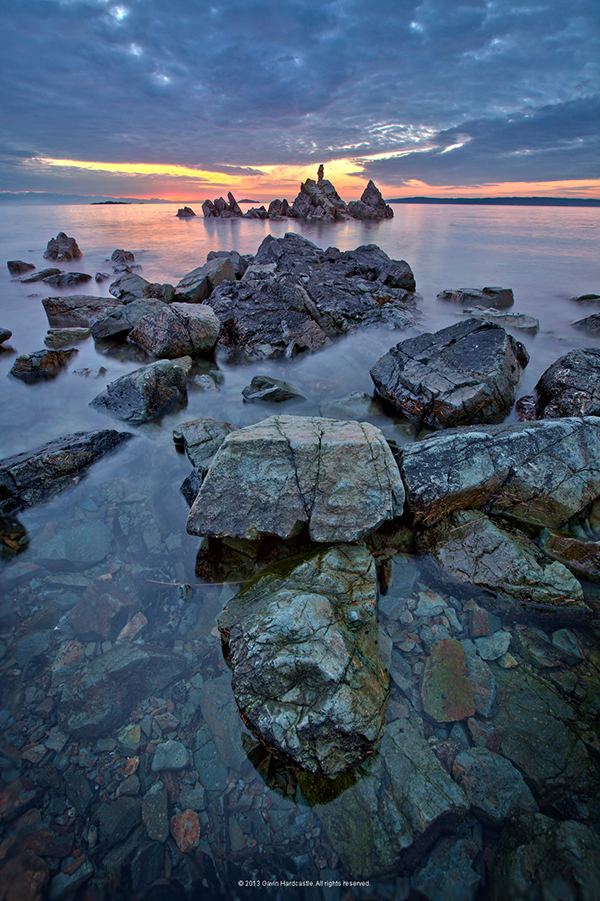
Focus Stacking with the Promote Control

Here’s a video demonstrating how this works with the Promote Control.

Bulb Ramping for day to night Time Lapse

If you’ve ever tried to shoot a time lapse sequence of the setting sun, you’ll know that there are only two ways to capture the correct exposures as the light changes. You either adjust the shutter speed manually while shooting (which introduces terrible flicker) or you use a bulb ramping device that can gradually and smoothly alter your shutter speed over time.

This technique is known as Bulb Ramping, and there really aren’t that many devices out there that do a good job. The Promote Control has become something of a “go to” bulb ramping solution for quite some time now, because it simply does such an excellent job of adjusting your DSLR camera’s shutter speed in tiny increments, over a set period of time. You tell the Promote Control how long you’d like to shoot, and when you’d like it to begin increasing or decreasing the exposure time.

Of course, it can’t know exactly when the changes in light occur, you have to know in advance by casing your location the night before, and making a note of the sunset time. The Promote  Control simply does what you tell it to do, and it does it well. Here’s a video of Joel Schat explaining how to achieve bulb ramping with the Promote Control.

HDR Bracketing

If three or five bracketed exposures simply aren’t enough to capture the dynamic range of your scene, how does 45 exposures sound? Simply tell the Promote Control what shutter speed to use for the middle (or correct) exposure, then tell it how many EV steps to use and the number of total exposures. The Promote Control will do the grunt work while you look around for the next shot.

A jack of all trades

Everything that the Promote Control does, it does well. I expect that most users will only use two to three of this device’s powerful features but at $ 299 it’s worth every penny.

Build quality
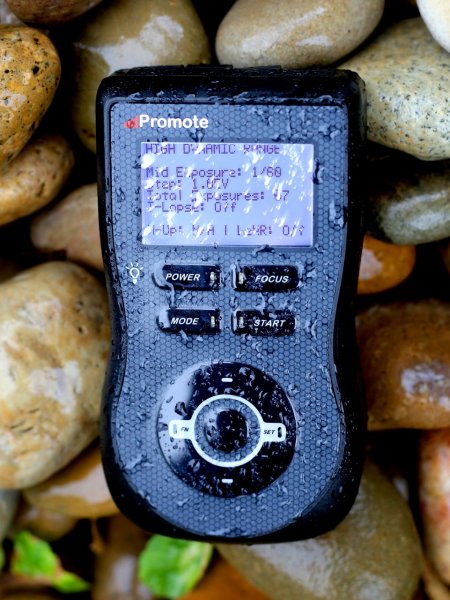
weather sealed promote control

The Promote Control is very well built. It’s a solid little unit that’s about the same size as a Smartphone, but is just under an inch thick. The backlit LCD screen is easy to read and there are only eight buttons on the entire unit. It’s small enough to pack into any mid-sized camera bag, and comes with a tidy little carry case. It even comes with a lifetime warranty for manufacturing and workmanship defects. How often do you see that?

The device is powered by two AA batteries which last a long time. You can also power the Promote Control with an external DC power jack for taking super long exposures, or lengthy time lapse shoots.

What I’d like to see in the next update

To me, there is one glaringly obvious function that is missing from this device. HDR Focus Stacking. Why not combine the advanced HDR bracketing feature and the focus stacking feature? When I focus stack manually, I often have to bracket in order to capture the dynamic range. I can’t imagine why this feature is not available with this device.

My only two complaints

The Promote Control is such a simple little device that there’s not much to complain about, it either works or it doesn’t. My only gripe isn’t with the unit itself, but with the hotshoe attachment, required for bulb ramping when shooting time lapse sequences. I found that the cable fell out of the hotshoe attachment at the slightest nudge, not something I would trust out in the field when shooting a lengthy time lapse.
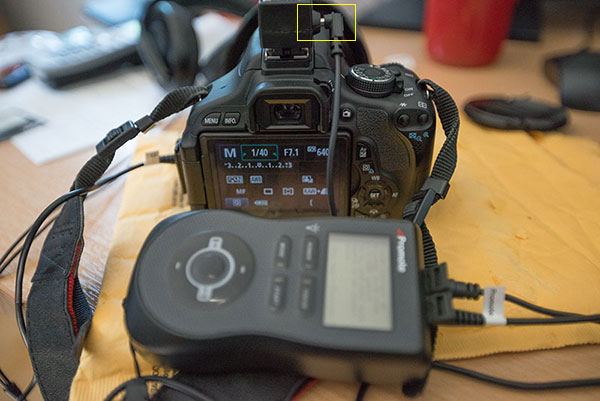
Hot Shoe Cable

I had problems with the cable that attaches to the hotshoe accessory.

My other complaint is that the Promote Control is not compatible with mirrorless cameras like my Sony A7R. Full compatibility only extends to Nikon and Canon, with limited compatibility for Sony and Sigma cameras. This is the only reason I decided not to buy the Promote Control. But if Promote Systems manages to catch up with the mirrorless movement, I’ll be unleashing the credit card.

I asked Promote Systems about it and this was their response:

We get a lot of requests for compatibility with the A7/A7R and we would love to support the cameras, but unfortunately Sony doesn’t make that possible. They implemented a tethering protocol on A7 cameras, but just as with earlier cameras, it refuses to save images on the card – you MUST pick them up and save them elsewhere, or all subsequent USB image acquisition commands will fail. Until Sony resolves the issues with not saving images on to the in-camera card when tethered, we can’t do much about it, unfortunately.

Why can’t my camera do all this?

When you look at what the Promote Control does and the results that it achieves, there’s obviously a demand for this level of functionality. There’s no reason why digital cameras can’t have all of this functionality built in, and with cameras like the Sony A7R able to run Apps that users install, it’s only a matter of time until all of this can be done in camera. Until then, Promote Systems are filling a gap in the market and they are doing it very well. I’m going to award the Promote Control 4 stars.

Would you buy this clever little device?

The post Review of The Promote Control for Time Lapse and Focus Stacking by Gavin Hardcastle appeared first on Digital Photography School.


Digital Photography School

 
Comments Off on Review of The Promote Control for Time Lapse and Focus Stacking

Posted in Photography


Helsinki verhüllt

20 Aug

Dass Arnd Dewald nicht nur in Shanghai fotografische Themen zu finden weiß, wie er schon einmal in einem Gastbeitrag bewies, sondern auch in seiner neuen Wahlheimat, Helsinki, veranschaulicht uns seine Bildserie „Helsinki wrapped“.

In Bauplanen gehüllte Gebäude, die gerade einer Sanierung unterzogen werden, erinnern zunächst an Installationskunst à la Christo. Doch haben die Hüllen einen rein funktionalen Zweck – die Bauwerke für die Zeit des Umbaus vor Witterung zu schützen.

Die Bilder der Serie sind allesamt streng komponiert, das verhüllte Objekt steht stets im Zentrum der Aufnahme. Die Serie erhält zudem eine Stringenz durch die skulpturale Wirkung der Sanierungsobjekte. Die Andeutung der baulichen Nachbarschaft verortet die verhüllten Gemäuer in ihrem städtischen Kontext und lässt sie zugleich im Kontrast zu ihrer Umgebung stehen.

Verhülltes Haus in Helsinki

Verhülltes Haus in Helsinki

Verhülltes Haus in Helsinki

Verhülltes Haus in Helsinki

Verhülltes Bauwerk in Helsinki

Verhülltes Haus in Helsinki

Teilweise verhülltes Haus in Helsinki

Verhülltes Haus in Helsinki

Verhülltes Haus in Helsinki

Verhülltes Haus in Helsinki

Verhülltes Haus in Helsinki

Die Bewohner Helsinkis, so der Fotograf, betrachten diese „Installationen“ überhaupt nicht als etwas Besonderes. Er hingegen sieht in ihnen etwas Überraschendes außerhalb der Normalität, das zugleich Erwartungen und Neugier über das Verhüllte weckt.

Mehr von Arnd Dewalds Arbeiten könnt Ihr Euch auf seiner Webseite anschauen.


kwerfeldein – Fotografie Magazin | Fotocommunity

 
Comments Off on Helsinki verhüllt

Posted in Equipment


Weekly Photography Challenge – Flowers

20 Aug

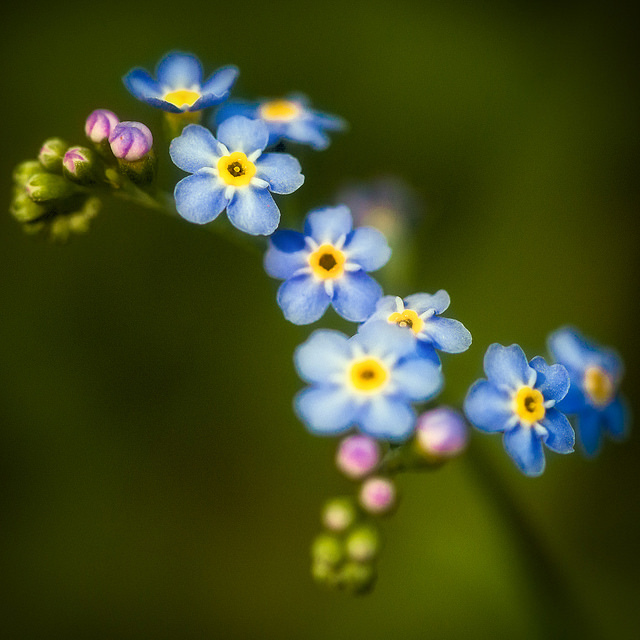
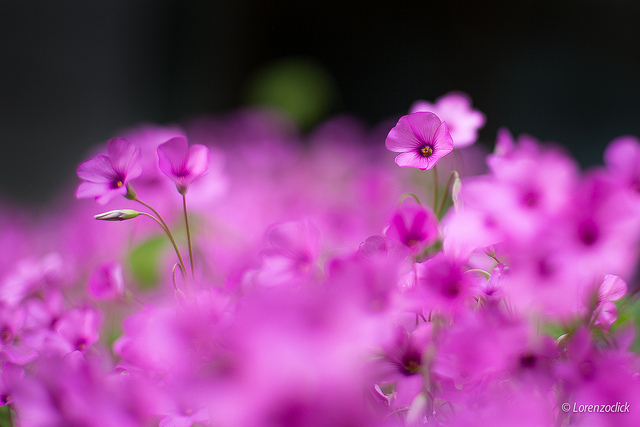
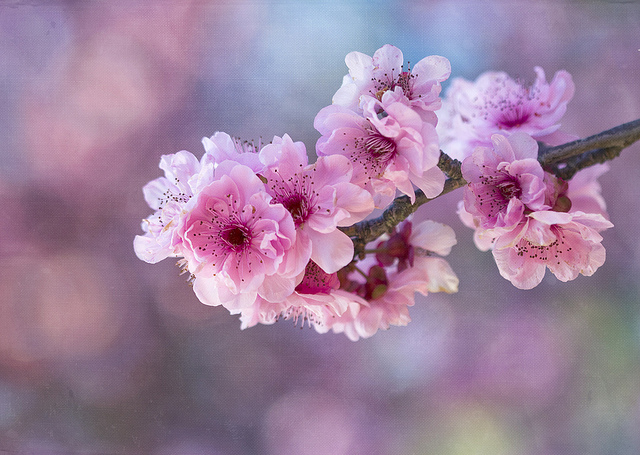
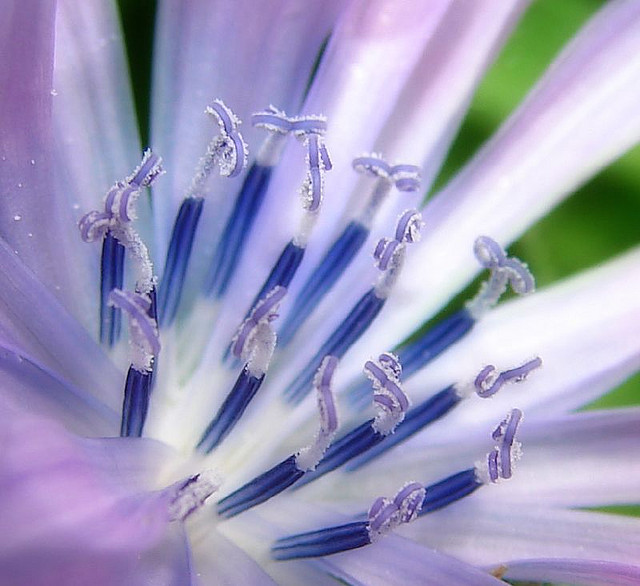
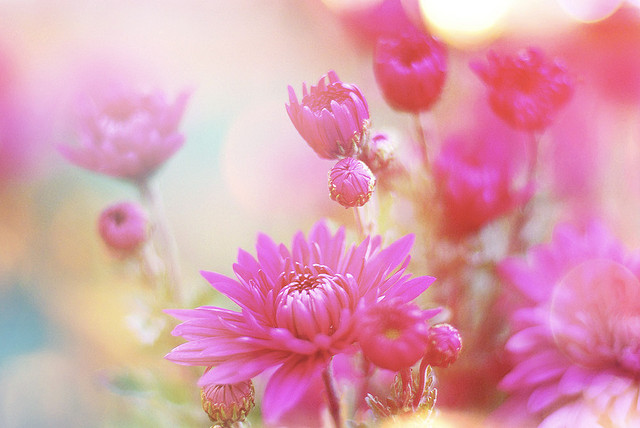
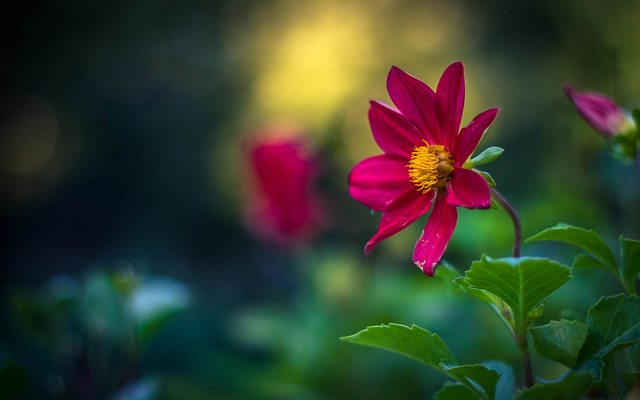
Earlier today I shared a bunch of flower photos to brighten your day. I can’t think of anyone who doesn’t like flowers, even the roughest toughest guys can appreciate nature’s beauty and splendour.

By Michael J. Moeller

The weekly photography challenge is flowers.

Now of course it’s your turn. Go find some flowers and photograph them. Go for a walk, find some wild flowers, or visit a garden. You could even think outside the box and make paper flowers or draw some on the sidewalk in chalk. Perhaps you could set up your tripod and do some macro shots and wait for a bee or bug to come along. Try some creative depth of field using a large aperture, or some multiple exposures.

The key of course is using light to your advantage. Show the flower off by backlighting it with gentle evening light. Or use side lighting to pick up extra texture. You’re only limited by your imagination.

Here are a few flowers to get you started:

By Lorenzoclick

By aussiegall

By @Doug88888

By aussiegall

By Theophilos Papadopoulos

By @Doug88888

By Alex Dram

By Sorin Mutu

By Richard Taylor

By Louise Leclerc

Now it’s your turn!

Share your flower photos

Simply upload your shot into the comment field (look for the little camera icon in the Disqus comments section as pictured below) and they’ll get embedded for us all to see or if you’d prefer upload them to your favourite photo sharing site and leave the link to them. Show me your leading lines using pathways and roads in this week’s challenge.

The post Weekly Photography Challenge – Flowers by Darlene Hildebrandt appeared first on Digital Photography School.


Digital Photography School

 
Comments Off on Weekly Photography Challenge – Flowers

Posted in Photography


19 August, 2014 – Tribute To Uwe Steinmueller & Digital Zone System

20 Aug

Today Alain Briot shares a tribute to recently departed friend and fellow website master that many of have known for years Uwe Steinmueller.  We are deeply saddened by Uwe passing and thank Alain for helping us remember the good times and contributions made by Uwe.

We also share today and article by Christopher Schneiter – The Digital Zone System.  Christopher writes on the concept of how the analog idea of a zone system can be equated to digital photography today.

Rockhopper Workshops, the exclusive provider of photography workshops for Luminous-Landscape is presently running a workshop in the Palouse.  This is beautiful area of southeast Washington state.  The harvest is happening right now.  Check the Rockhopper Site’s blog over the next few days for updates.  The workshop officially kicked off Monday afternoon.


The Luminous Landscape – What’s New

 
Comments Off on 19 August, 2014 – Tribute To Uwe Steinmueller & Digital Zone System

Posted in News


Cargo Home Videos: 10 Films on How to Build Container Houses

20 Aug

[ By WebUrbanist in Architecture & Houses & Residential. ]

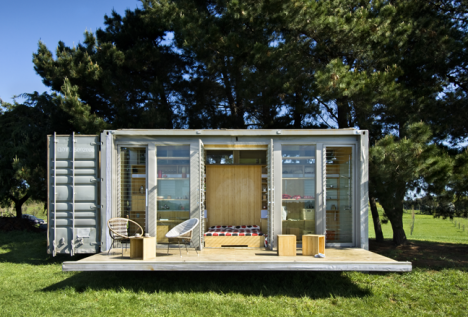
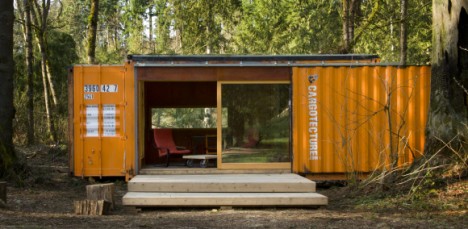
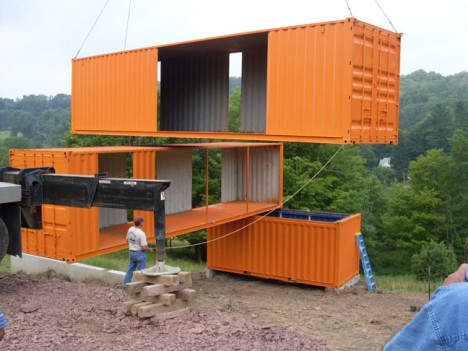
cargo shipping container home

You see them all the time as polished finished products, but for those looking to try the ultimate do-it-yourself home-building project, these videos will help show you how various ISO container houses were really built in different environments and at various budgets and scales. From timelapses and diagrams to interviews and walkthroughs, they will help introduce you to what someone attempting a similar endeavor could or should expect along the way.

cargotecture home finished design

In this HGTV segment, you can get an overall sense of how the Seattle architects of Cargotecture shifted two containers to create a livable container retreat of their own. The result is as much an experiment and demonstration model as a working residence, and a good introduction to what is possible and what can be problematic.

modulus shipping container home

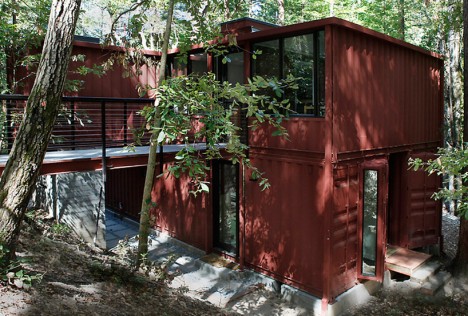
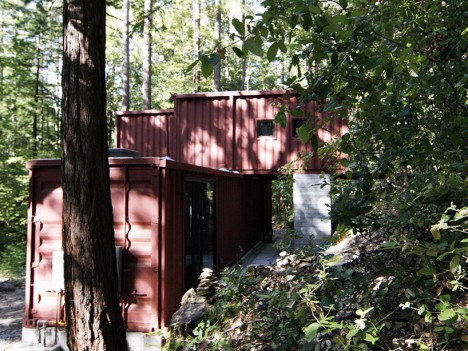
In this timelapse footage and subsequent tour, you can see a whole multistory house, designed by David Fenster (filmed by FairCompanies) for the Redwoods in the Santa Cruz mountains, coming together in a single day. The structure celebrates the industrial aesthetic of its containerized components, but also reflects the difficult reality of moving building materials out to such a remote location.

cargo home exterior build

shipping container home build

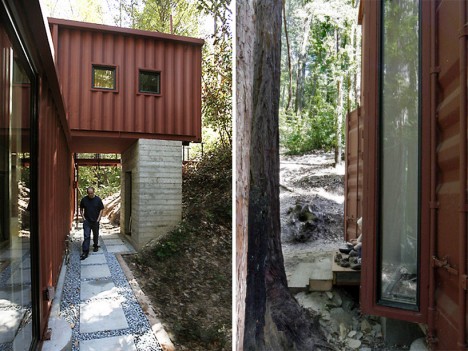
Part of the building is cantilevered over one side, supported by a hollow concrete column below (that in turn also contains an outdoor shower). The layout uses the space between shipping containers to let in light and widen spaces beyond containers while also framing views. The steel shells also make the building more robust, resistant to natural disasters like falling trees and forest fires.

The Kuziel Residence consists of a series of shipping containers set around a central space on concrete foundations, taking a half-year in total to build – the video above shows photos throughout the process. On the builder’s website, you can “read about the idea, all required prep-work, creation of the foundation, six months long endeavour of making of a chassis, build of the timber roof structure and pouring of lots of concrete for floor slab, work on the house exterior and interior and [all the other] things happening along the way.”

Perhaps one of the most audacious shipping container structures ever attempted, this dream ‘Sea Can’ home of Bill Glennon will have 31 total containers when it is completed, using solar for heat and electricity and boasting a windmill as well. Amazingly, some containers are turned vertically, creating turret-style protrusions making the whole thing look like a modern-day castle in its early stages. In the first film, Bill introduces the project. In the second, he gives a brief tour of the interior and explains some of the passive and other sustainable strategies going into the design. In the third, you can see how massive the almost-finished project turns out to be.

Meanwhile, a series of videos from ContainerHomes.net shows the step-by-step process of constructing a small-sized, single-shipping-container abode DIY-style in Costa Rica, highlighting the actual tools and time required for such an undertaking. After all, a container is made of metal and can require a great deal of additional work, particularly when it comes to adding doors and windows, even if it is in a location that does not require a foundation or insulation. Unlike some of the other video series shown here, this is a start-to-finish look at a low-budget cargo home solution, including a walk-through of the modest final product.

Not sure where to look next for inspiration on what or how to build your own cargo container home? Here are 30 additional cargo container homes, 30 container offices, 20 cargo city and container shelter concepts, and some additional cargotecture. Whatever you do, keep in mind that building codes vary between cities, states and countries, and climactic demands also impact what degree of finish your shelter may require.

Share on Facebook


[ By WebUrbanist in Architecture & Houses & Residential. ]

[ WebUrbanist | Archives | Galleries | Privacy | TOS ]


WebUrbanist

 
Comments Off on Cargo Home Videos: 10 Films on How to Build Container Houses

Posted in Creativity


Nikon announces service advisory for D810 ‘bright spots’

19 Aug

Nikon has announced a service advisory for the Nikon D810, in response to reports of ‘bright spots’ in images taken at long shutter speeds and in 1.2X crop mode. According to an announcement on Nikon’s website, affected cameras will be serviced free of charge. Apparently, the issue only effects cameras within a certain serial number range, and if you’re lucky enough to have got hold of a D810 already, you can check the serial number of your camera against Nikon’s database via the company’s service and support pages. Click through for a link. 

Articles: Digital Photography Review (dpreview.com)

 
Comments Off on Nikon announces service advisory for D810 ‘bright spots’

Posted in Uncategorized


Shooting Details to Tell a Visual Story

19 Aug
Cross

The bride’s most prized possession for the wedding day

A visual story, although no longer used as frequently in magazines or media, is a powerful way to give your viewer a taste of a

situation without having to be there. It’s also a great way to challenge yourself to produce a coherent body of work. A collection of images, or picture story, can be engrossing and tell a story far beyond what a single image could do.

Think back to a recent trip you took, a night out with your significant other, a favourite book or film. Try to describe it to an audience using only overarching themes. Thailand is hot and the people friendly. We went to see a movie. Lord of the Rings is about good and evil. These give your audience an idea of the content, but no clear idea of the details. The power of a story does not lie only in the bigger themes, or the “include-all” wide shot. In order to clearly convey your message, you often need small details that give your audience a glimpse into the building blocks of your story. The devil is in the details, as they say.

If your pictures aren’t good enough, you’re not close enough. – Robert Capa

Capa meant this in a couple of different ways: physically of course, but also emotionally. Both of these will help you shoot clear details to aid your viewer’s understanding.

Go Wide

In order to get closer, you don’t always need to zoom in. This will cut out distractions, but also give your viewer a sense that you’re not really close to your subject. Longer focal lengths necessitate being further from your subject. There is an intimacy that comes about by using wide-angle lenses and physically moving in very close. Just be careful of distortion.

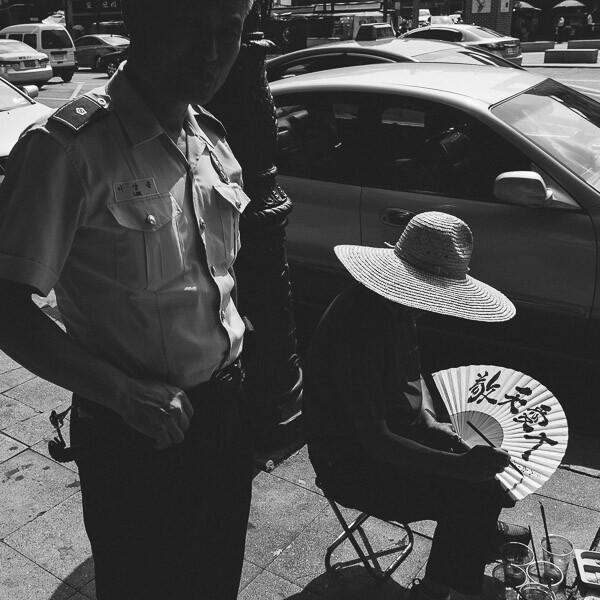
The street surrounding this man was littered with his creations, but by getting in close with a wide lens, I was able to just show his current work.

Street Calligrapher in Seoul

Street Calligrapher in Seoul

Feel

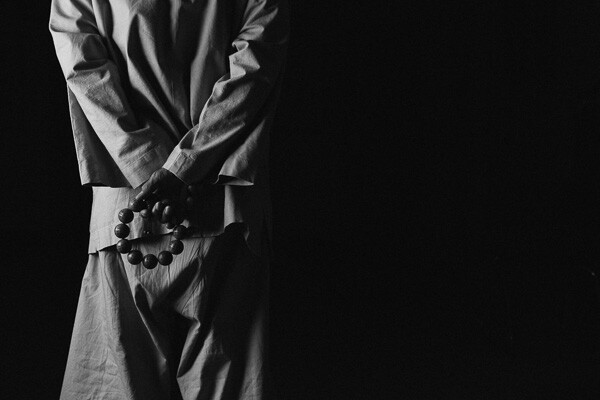
Being emotionally close can help you not only with being able to get physically close, but also give you a deeper understanding of your subject, and thus photograph details that are meaningful. If you are working with people, it will also help you gain trust. In the photograph below, it was important to gain the monk’s trust before asking him to take time out of his schedule to pose for a while. By watching and understanding him, the decision for which detail to shoot was obvious.

Prayerbeads

A Buddhist Monk with prayer beads

John Loengard, the picture editor at Life Magazine, always used to tell me, “If you want something to look interesting, don’t light all of it.” – Joe McNally

Loengard’s quote, by way of Joe McNally, gives us a very important concept that essentially tells us to shoot details. If, by not showing all of something we are making it more interesting, then details by their very nature are a strong starting point for interesting photographs.

Light

Light is a wonderful tool for showing only the details you want your viewer to see. Although our eyes are able to see a wide range of tones from light to dark, our cameras do not have that luxury, so you have to make creative decisions.

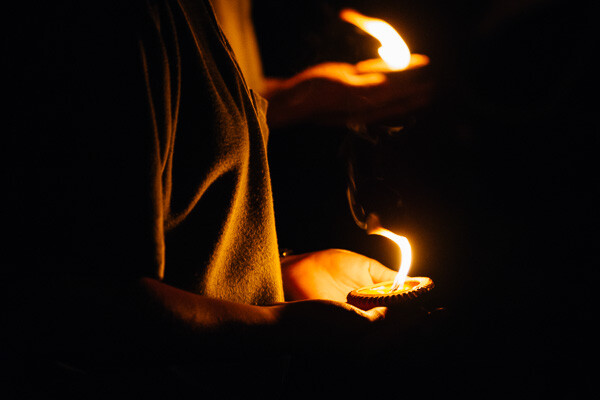
In the scene below there were multiple interpretations that could have been made. The exposure could have been based on the faces of the candle bearers, blowing out (photographically speaking) the candles to pure white. But the story I chose to tell was about the prayer-candles themselves, and knowing that the scene would fade to black very quickly around the candles made for a great detail shot of a very chaotic scene.

Candles

Choosing to expose for the brightest parts of the scene to show only the necessary details

This applies to lighting, and also to composition. The strongest stories we read are the ones that leave us with guess-work and hints to pique our interest. The same goes for photographs. If you show the entire subject, or the entire scene, you are giving your viewer the answers. If you want them to linger on your photo, fill it with hints, but not complete answers.

Focus

Depth of Field, or selective focus, is a great way to shoot important details. Your eyes are drawn to areas of sharp contrast (which could be light, or focus) before areas of low contrast. This means that you can use depth of field to very effectively direct your viewer’s eye to what you want them to look at.

While shooting this portrait of a young girl, I noticed that she was playing with her ribbon quite intently. This details speaks volumes about her that her mother will remember forever. Her hands will never be that small again, and that is an important reason to highlight them with a detail shot.

Hanbok

A young child’s hands holding the ribbon on her Hanbok

You can use light, subject distance, lens choice, emotion, depth of field, and so many other technical aspects to show details and give extra depth to a story, or at the very least provide you with another interesting way to look at your subject.

Set aside a few hours over the next couple of weeks to practice this. Choose a subject. That could be a person, a craft, a street in your town, a time of day, or whatever else you choose. The task here is to explore that subject. Shoot it from as many angles, and in as many ways as you can, with each and every frame trying to tell the story of your subject. Be sure to shoot as many details as you can using the techniques above. When you finish, take the time to look over these images and make a selection based on the ones that speak the most about your subject. The details will shine here, giving another dimension to the collection of images you have shot.

Tools

Tools at a Thai umbrella factory

Do you have any other tips for capturing details to tell a story? Please share in the comments below.

The post Shooting Details to Tell a Visual Story by Dylan Goldby appeared first on Digital Photography School.


Digital Photography School

 
Comments Off on Shooting Details to Tell a Visual Story

Posted in Photography


19. August 2014
19 Aug

Ein Beitrag von: hwd_atam

Vier Schwäne schwimmen in Reihe hintereinander.


kwerfeldein – Fotografie Magazin | Fotocommunity

 
Comments Off on 19. August 2014

Posted in Equipment


New Sweet Spot Phone Lens from Lensbaby!

19 Aug

Extra photos for bloggers: 1, 2, 3

The “Sweet Spot” is more than an excellent name for a tiny pie shop or puppy massage spa … it’s exactly what you need to make your photos really stand out.

Meet the LM-10 Sweet Spot Phone Lens! With it, our pals at Lensbaby are bringing they’re years of creative lens making expertise to the phoneography game.

Stick a removable metal ring to your phone then attach the LM-10 via magnet to add brilliant blur and extra artsiness to your photos and videos.

The LM-10 sports on extra magnet on its end so you can snap on a second lens! Add a Photojojo Phone Lens for a bit of extra drama.

…and if you’re still thinking about those pies and puppies, the Lensbaby LM-10 will help you take more creative photos and videos of those too.

Find Your Sweet Spot
$ 70 at the Photojojo Shop


© Britta for Photojojo, 2014. |
Permalink |
No comment |
Add to
del.icio.us

Post tags:


Photojojo

 
Comments Off on New Sweet Spot Phone Lens from Lensbaby!

Posted in Equipment


Sony Xperia Z2 camera review

19 Aug

The Xperia Z2 is Sony’s latest flagship Android smartphone and a solid upgrade to its predecessor, the Xperia Z1. Though the Z2 offers nearly identical camera specs to its predecessor, its 20.7MP 1/2.3-inch CMOS sensor is capable of recording 4K video, unlike the Z1. We’ve put the Sony Xperia Z2 through our usual testing routine to find how image quality compares to the preceding model, and how the new features perform in real-life shooting. Read more

Articles: Digital Photography Review (dpreview.com)

 
Comments Off on Sony Xperia Z2 camera review

Posted in Uncategorized