Ricoh has announced a new ‘Prestige’ version of its Pentax K-3 DSLR. This special edition camera, which ‘commemorates the many awards bestowed upon the K-3’ (including from this website), comes in a special gunmetal gray color. The Prestige edition includes a matching battery grip, two batteries, and an ‘exclusive’ camera strap. If you want your K-3 to stand out from the crowd you’d better hurry, as only 2,000 kits will be sold worldwide.
Month: July 2014
-
Lauras Equipment
Oh,oh, Equipmentartikel. Da muss ich direkt an „Deine Kamera macht so tolle Bilder“ denken. Ich erwische mich zwar auch ab und zu dabei, wie ich mich frage, mit welchem Objektiv wohl dieses besonders tolle Foto gemacht wurde, aber viel öfter frage ich mich, wie der Fotograf auf diese tolle Idee gekommen ist. Da kann es auch ein Handyfoto sein.
Aber viele interessieren sich da sicher mehr als ich für die Technik, daher werde ich trotzdem mal erzählen, was ich so nutze. Ist ja auch nicht so, als wäre ich der Technik nicht dankbar. Mein Fernauslöser zum Beispiel. Was würde ich ohne ihn tun? Er sitzt immer griffbereit in einem kleinen Täschchen an meinem Kameraband und kommt bei fast jeder Session zum Einsatz.
Mein Rosen-Kameraband liebe ich übrigens auch sehr. Es ist einfach doch eine andere Aussage, als das immer gleiche Nikonband. Es ist so was von ein Mädchenkameraband und das ist sehr gut so. Außerdem ist es herrlich weich. Man merkt schon, ich bin ein bisschen verliebt.

Meine aktuelle Kamera ist die Nikon D600. Ich habe sie mir geleistet, als sie neu rauskam, weil es die gerade noch erschwingliche Vollformatkamera von Nikon war. Ich mag sie ziemlich, aber ich habe zum Vergleichen auch nur meine beiden alten Kameras: Die Nikon D70 und die Nikon D5100.
Ich finde ja, dass man zwischen den Bildern der beiden anderen Kameras und der D600 auf den ersten Blick keinen Unterschied erkennt. Natürlich ist da die Auflösung und der Unterschied, wenn man weit reinzoomt, aber im Allgemeinen hat sich für mich vor allem das Handling mit der Kamera sehr verbessert. Wenn ich heute zum Beispiel die winzigen Displays der beiden anderen Kameras anschaue, frage ich mich, wie ich das damals gemacht habe.
Mein geliebtes Immerdrauf-Objektiv ist das Nikkor 50 mm f/1.8. Ich nutze es für 95 % meiner Fotos. Klar, wenn Architektur aufs Foto soll, kommt eher das Tamron 28-75 mm f/2.8 drauf. Allein für die Portraits meiner „1001 Stranger“-Serie nehme ich meistens das Sigma 85 mm f/1.4, weil ich die größere Tiefenunschärfe für die Ganzkörperaufnahmen mag.

Nicht zu vergessen sind auch meine beiden Stative. Mein kleines, praktisches Gorillastativ, das immer dabei ist, wenn das große keinen Platz hat oder ich weiß, dass die Kamera an einem schwer zugänglichen Ort platziert werden muss. Gerade, weil ich immer das kurze, leichte 50-mm-Objektiv verwende, funktioniert dieses Stativ sehr gut für mich.
Das große Stativ ist ein wenig alt und ein wenig klapperig, aber bisher hat es mir immer gute Dienste geleistet. Es wiegt fast nichts und schläft in einem tragbaren Beutel, was will man mehr?
Dann liegen da noch zwei Spielereien im Regal: Eine kleiner Reflektor mit gebrochenem Faltring und drei Makroringe. Beide kommen aber selten zum Einsatz, weil ich meist eh keine Hand für den Reflektor frei habe und sehr wenig Makro fotografiere. Trotzdem bin ich froh, dass ich weiß, sie sind da, wenn ich sie brauche.

Und schließlich gibt es noch die kleine analoge Abteilung: Die heißgeliebte Rolleicord (Rolleicord Va – Model K3E Type 1) und die schon fast zu moderne Nikon F65. Beide kommen immer öfter zum Einsatz, gerade wenn es um Erinnerungsbilder von kleinen Abenteuern geht.
Alles in allem bin ich sehr zufrieden mit meinem Equipment. Wir kommen alle gut miteinander aus und haben sehr viel Spaß. Klar gibt es immer etwas Neueres und Besseres, aber ich werde nicht müde zu sagen, dass immer noch nicht die Kamera oder das Objekt das Foto macht. Sondern der Fernauslöser. Selbstverständlich.
-
Gefangener des Datenschutzes
Ein Beitrag von: Umberto Verdoliva
Diese Serie soll auf ein Problem aufmerksam machen, das für die Straßenfotografie sehr wichtig und ernst geworden ist. Viele Fotografen hören auf, in diesem Genre zu fotografieren wegen der Unsicherheit und Angst vor juristischem Gezänk. Fotografieren und dabei mit Fantasie und Spontanität die Gesicher der Menschen zu verstecken, ist einfach nur eine große Provokation.
Mein Projekt, das ich ab 2009 entwickelt habe, möchte die Konditionierung zeigen, der Straßenfotografen durch die Normen und Stereotypen, von Datenschutzgesetzen in die Köpfe der Menschen gepflanzt, ausgesetzt sind. Sie suchen nach Posen, die verhindern, dass Gesichter erkennbar sind, unnatürliche Posen, mit versteckten Augen, die doch immer noch versuchen, trotz der großen Schwierigkeiten, das einfache Leben um uns herum zu zeigen: Das war meine Leitlinie für das Projekt.
Henry Cartier-Bresson sprach über Momente, die eine Welt zeigen. Ist das noch möglich und kompatibel, wenn nach einer fotografischen Einverständniserklärung verlangt wird? Meine Arbeit ist also ein Versuch, zu sagen: „Schaut, was ich zeigen kann, wenn ich die Gesetze befolge, sogar mit aller möglichen Originalität und Fantasie.“ Was kann Fotografie erzählen, wenn ihr die Möglichkeit genommen wird, den Alltag mit Gesichtern der gewöhnlichen Leute zu erzählen? Das ist mein Hilfeschrei.


Die Hauptschwierigkeit bei der Umsetzung der Serie bestand darin, aussagekräftige Szenen festzuhalten. Auf den ersten Blick könnte man denken, dass es sich um schief gegangene Aufnahmen handelt, die ich zu dieser Serie zusammengestellt habe, aber so ist es nicht. Den Moment zu finden, in dem die Augen oder das Gesicht verdeckt sind, war eine große Herausforderung.
Die Arbeit an dieser Serie dauerte drei Jahre. Ich versuchte immer, mit der Spontanität des Moments zu arbeiten und gleichzeitig die grundlegende Idee zu verfolgen. Die Schnelligkeit der Bewegung und die Szene vorauszusagen, waren die Grundelemente der Technik. Die Bilder sind also nicht das Ergebnis eines Windstoßes, sondern je eine einzelne Aufnahme, wohl abgewogen.
Das Projekt zeigt tatsächlich meine Art, auf der Straße zu fotografieren und zusammen mit anderen Projekten meine Sicht auf meine Umgebung. Ich hoffe, damit denen, die die Regeln ändern können, ein wesentliches Problem sichtbar zu machen, das diejenigen haben, die die Straßenfotografie betreiben.
Dieser Artikel wurde für Euch von Aileen Wessely aus dem Englischen ins Deutsche übersetzt.
-
Cactus Launches $55 Radio Trigger For Multiple TTL Flash Systems
Hong Kong-based manufacturer Cactus has launched a wireless flash trigger that it claims will work with any hotshoe or PC sync socket-equipped camera and can control the power output from Canon, Nikon and Pentax-compatible flash units all at the same time. According to the manufacturer, even photographers working with multiple flashguns designed for different TTL systems will be able to link them via the wireless trigger. Click through for more information.
-
DIY Camera Cookies
 Extra photos for bloggers: 1, 2, 3
Here at Photojojo we take the photography lifestyle very seriously. We live it, we breathe it, we even eat it.
Specifically, we eat these camera shaped cookies and we think you should too.
Grab yourself a set of these insanely awesome cookie cutters and make a batch of cute and delicious camera shaped cookies for all your friends.
Then make another batch just for yourself. We won’t tell if you won’t.
Learn How to Bake Camera Cookies!
(…)
Read the rest of DIY Camera Cookies (330 words)
© Erika for Photojojo, 2014. |
Permalink |
No comment |
Add to
del.icio.us
Post tags:
-
Fujifilm updates X-mount lens roadmap through end of 2015
Fujifilm has updated the roadmap for its X-mount lenses up to the end of 2015. One extra lens has been added, while a second lens previously included has been formally named. The release order of three others has changed. The new models are the XF 90mm F2 R and XF 16mm F1.4 R, both of which are due by mid-2015. Read on to see the full roadmap and see the new release dates for the other upcoming lenses.
-
Earin: World’s Smallest Wireless Earbuds Raise $1,500,000+
[ By WebUrbanist in Design & Products & Packaging. ]

Stripping away all non-essential functionality, these sleek audio accessories are tiny enough to be effectively invisible and entirely wire-free. No need to worry about charging, either – their small carrying case lets you power them back up on the go.
Earin just finished raising £972,594 on Kickstarter, over 5 times its original funding goal, reflecting how much so many of us wish to get rid of those pesky wires when listening to music on the move.


Beyond long battery life, ergonomic comfort, snug sport-friendly casing other essential considerations, stretch goals for the project include waterproofing, phone adapters and battery monitors.

From its creators: “No unnecessary functionality has been added. No sensors, no lights and no microphone, that’s right – no microphone! Not because we couldn’t but because we wouldn’t! We use balanced armature speakers, used in professional in-ear-monitors and hearing-aids to deliver the best possible sound and to keep power-consumption at its minimal. High-density rechargeable batteries are used to keep playback time up and size down.”

Much of the technical specs on their Kickstarter page will be of interest to audiophiles (and show just how much these makers have thought about their project), but in summary: “The architecture of the earbud is based on two main covers which are ultrasonically welded to create a water-tight seal, protecting the electrical components. The materials are carefully selected to withstand both climate and impact testing. As all project members have extensive experience of creating similar consumer products, we know what works and what does [not].”
Want More? Click for Great Related Content on WebUrbanist:
Smallest & Smaller: 22 Miniatures, Because Big Gets Boring
Everyone always says bigger is getter, but when big gets boring, these are the awesome miniature inventions you need to see.
Click Here to Read More »»

Hidden Worlds: What Goes on Behind Your Favorite Webpages
It is not often that we get a peek into the behind-the-scenes world of our favorite websites. These pictures give us a peek into what happens on the other side.
Click Here to Read More »»
NeoLucida: Optical Drawing Tool Lets You Trace Real Life
An update on a 19th century optical drawing tool lets artists trace the real world around them. The NeoLucida will soon be available for just $ 40.
Click Here to Read More »»


[ By WebUrbanist in Design & Products & Packaging. ]
[ WebUrbanist | Archives | Galleries | Privacy | TOS ]
-
How to use Lightroom Develop Presets to Learn Processing Tips

In my previous article you learned how to create a vintage effect using Lightroom. I started by showing you some Lightroom Develop Presets you can use as a shortcut, and finished by demonstrating some techniques you can use yourself. The hidden message in the article was that one way to learn how to use Lightroom is to buy some Develop Presets (or download some free ones) and analyze them to see how they work. You can then apply the same techniques to your own photos, and even create your own Develop Presets.
Today I’m going to give you some tips on analyzing other people’s Develop Presets. I’m going to do it using some presets I downloaded from onOne Software. These are free presets that anyone can download and use themselves (just follow the link), so it is easy for you to follow along.
Preset: onOne Instantastic – Daisy
The Daisy preset, part of the onOne Signature Collection Presets (Vol. 2), gives an Instagram filter effect. There is a slight matte effect and a blue colour cast.

A. Original photo B. Daisy preset
Vibrance and saturation adjustments
This preset uses two techniques to create the colours. The first is applied in the Basic panel. The preset increases Vibrance to +20, and reduces Saturation to -20.

To understand the effect of these tweaks you need to know the difference between Saturation and Vibrance. Saturation affects all colours in the photo evenly. Reducing Saturation to -20 has a uniform effect on all the colours within the frame.
Vibrance, on the other hand, affects the least saturated colours in the photo the most. The net effect of decreasing Saturation and increasing Vibrance is that the strongest colours in the frame are desaturated while other colours are not desaturated nearly so much.

A. Vibrance 0, Saturation 0 B. Vibrance +20, Saturation -20
Tone Curve adjustments
The rest of the colour adjustment is carried out in the Tone Curve panel, with two adjustments to the blue and red Tone Curves. Here’s what the adjustments look like.

Raising the blue curve on the left creates a matte effect and a blue colour cast. Pulling the right hand side of the curve down adds yellow (the opposite of blue) to the highlights. This comparison shows the difference.

A. Blue curve lifted on left. B. Blue curve lifted on left and pulled down on right.
The red curve adjustments are also a subtle colour and tonal adjustment. Moving the bottom left corner to the right adds cyan and makes the shadows a little darker.
Moving the top right corner to the left adds magenta and makes the highlights a little brighter.
This comparison shows the difference the red Tone Curve adjustment makes. The difference is subtle, so you may have to look closely.

A. Blue Tone Curve adjustment only. B. Blue and red Tone Curve adjustments combined.
Preset: Nicolesy Matte 3
The Matte 3 preset, part of the Nicolesy Matte Presets for Adobe Lightroom 5 set, creates a subtle matte effect and a red colour cast.

A. Original photo. B. Matte 3 preset.
The Develop Preset does its work in the Tone Curve and Split Toning panels. Let’s take a look at each.
Tone Curve adjustment
The Tone Curve adjustment combines two adjustments in one to the RGB curve (the colour curves haven’t been touched). First, the bottom left corner has been moved upwards to create a matte effect. Second, the center of the RGB curve has been pushed gently upwards, making the mid-tones brighter. The net effect of this Tone Curve adjustment is to add a matte effect and make the mid-tones brighter at the same time. This comparison shows the difference it makes.

A. Linear Tone Curve. B. Adjusted Tone Curve.
Split Toning
The colour has been added to the photo using the Split Toning panel. The preset adds hot pink to the Shadows, and a luminescent green to the Highlights, with the Balance slider pushed to the right to give prominence to the green tone. This comparison shows the difference the split tone makes:

A. No Split Tone. B. With Split Tone.
Putting it all together
In my last article I wrote that buying Lightroom Develop Presets made by other people (or downloading free ones) is a shortcut to creating effects like these. One benefit of using other people’s presets is that you can take advantage of their knowledge and hard work and use the presets for yourself.
But the main advantage is that other people’s presets can introduce you to new and creative ways of processing your photos, using techniques that you may never have thought of by yourself. The real benefit comes when you take a close look at the settings altered by the preset and take the time to understand how they work. Your understanding of Lightroom will become deeper as you do, so that you can use these techniques in your own photos.
For example, in this article you have learned how to use the Tone Curve panel to create a matte effect and change the colours in your photos. You have also learned how to use the Split Tone panel in combination with a Tone Curve adjustment to create another type of matte effect. The rest is up to you.
Can you come up with ways to use these techniques creatively on your own photos? What Tone Curve adjustments can you make? What Split Tone combinations can you apply? Have fun, experiment and good things will surely follow.
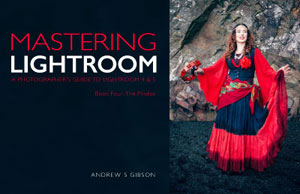 Mastering Lightroom: Book Four – The Photos
My new ebook Mastering Lightroom: Book Four – The Photos takes you through ten beautiful examples of photography and shows you how I processed them step-by-step in Lightroom. It explores some of my favourite Develop Presets and plug-ins as well as the techniques I use in Lightroom itself. Click the link to learn more.
The post How to use Lightroom Develop Presets to Learn Processing Tips by Andrew S. Gibson appeared first on Digital Photography School.
-
Dispelling the Myth of Good Light and Bad Light
There is no such thing as bad light, there is just light. Take advantage of every situation.
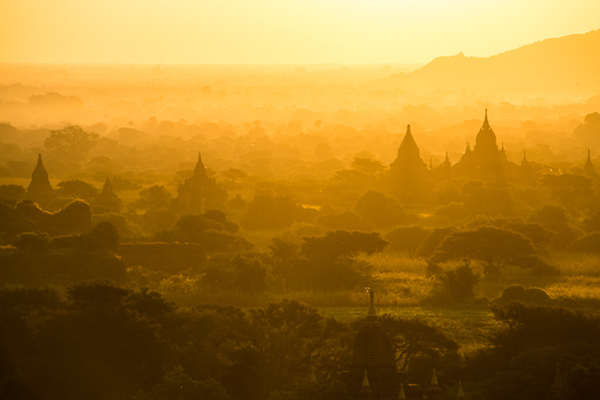
Photography is all about the light. In fact, if there is no light hitting the sensor, there is no photo. Different times of the day, or weather conditions, can create different moods and situations. As you probably know, you can achieve amazing and compelling results by shooting in the early morning, or from late afternoon well into twilight. This is known as the golden hour and the blue hour, respectively.
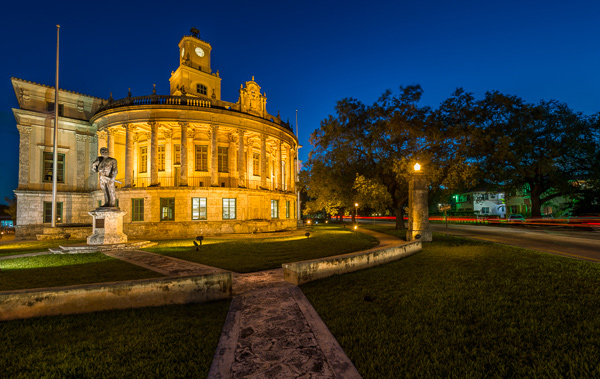
However, there is no such thing as good light or bad light, there is just light. It is not always possible to shoot under ideal conditions, especially when traveling. Yes, you can wake up early; yes, you can skip dinner or eat it later. But what are you going to do the rest of the day or if there is bad weather? If anything, when you are on tour, chances are you’ll be wandering around at midday, in overcast conditions or even in the rain. Here are some tips and examples you can follow to make the most of the situation under any kind of weather or light conditions.
Tips for using any kind of light to make great photos
High sun, midday light
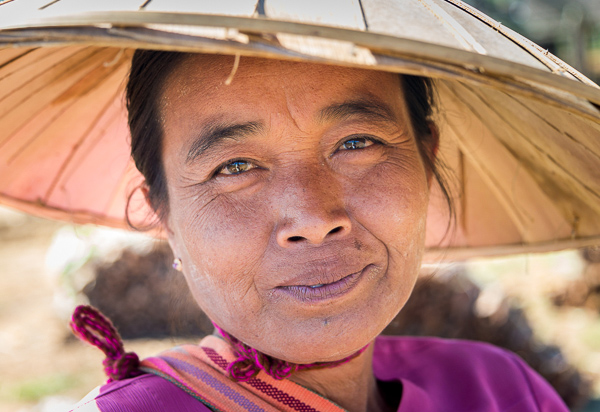
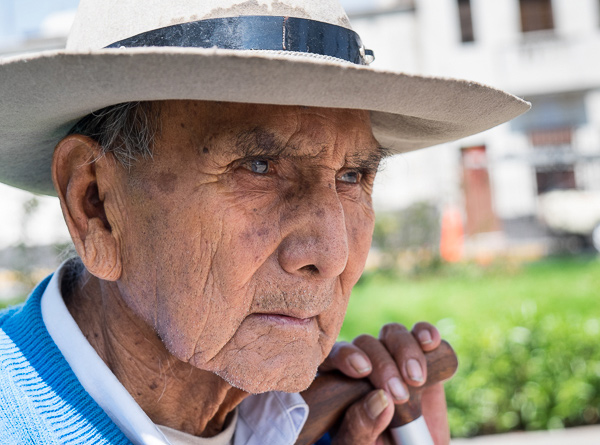
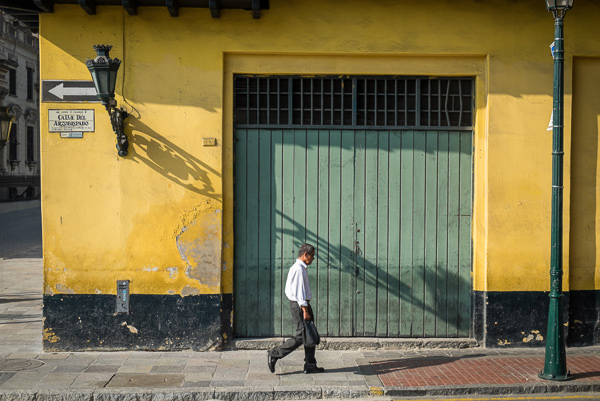
In most cases you’ll be out exploring places during the daytime under midday light. This is not an ideal situation. Direct, harsh sunlight creates hard shadows that are not very flattering. Taking portraits of locals is one of the best ways to capture the essence of places; if you’re going after this, you can try to move your subject into the shade. If they are wearing a hat, you can also position them in a way where their face is under the brim. The key for this is to come close enough to the person and compose your shot right into them. Alternatively, use an off-camera flash to fill the shadows and compensate for the brightness in your background.
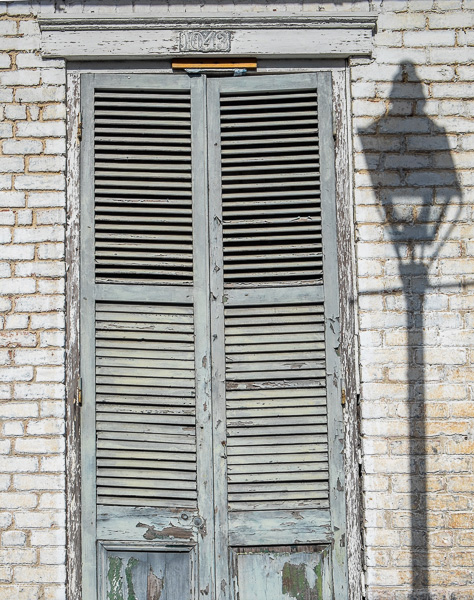
If you are looking for street scenes or iconic locations, you can always use the hard shadows created by the direct sunlight to your benefit and arrange the image in a way that helps to create a compelling composition. You may have to wait for the right moment, waiting for someone to walk into your scene or simply using the shadow element intentionally as part of your photograph.
Clouds in the sky, overcast light
Granted, this is not an ideal situation either; however, there is much you can do. In this case, contrary to the high sun, you have a very soft light. This is great for shooting portraits. The light will be even and very soft; throw in some stormy clouds and the effect could be very dramatic. Again, get close to your subject.
Another technique is to avoid the sky. Look for locations and activities for which the sky is not an important element and simply avoid shooting it. A good example for this is local markets or similar indoor activities. By the way, local markets are fun to shoot, and moreover, they’re an excellent way to connect to and experience local culture.
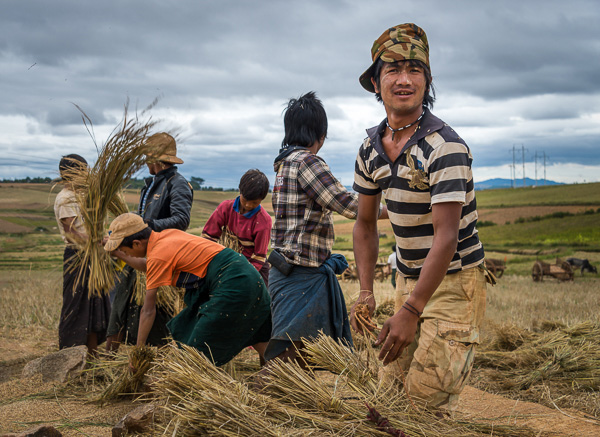
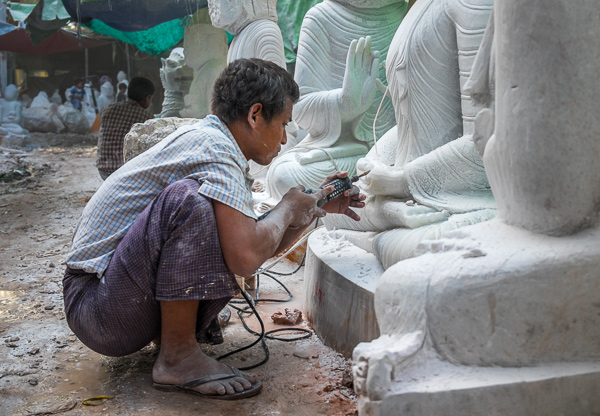
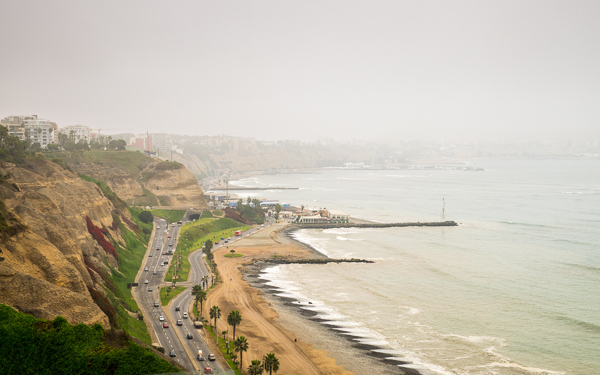
Nevertheless, you can also work with landscape and exterior photos during these conditions. In fact, there are some places where it’s almost impossible to avoid. Due to local weather characteristics you may find that during certain seasonal periods you’ll encounter misty mornings, stormy afternoons, and so on. Go ahead and shoot it. What better way to capture a region the way you see it, the way you feel it?
Rainy days
This is the time when most photographers stay inside, but I’d strongly suggest you get out there. It can seem a little bit scary, we tend to overprotect our gear, but with some preparation there is nothing to fear and you’ll get fantastic results. When it starts to rain, good photographers head outside. Downpours bring life, a different look; in certain cases, some areas are just magical in the rain. Think about shooting reflections, ponds, and playing with water drops. The possibilities are endless and you’ll definitely love it.
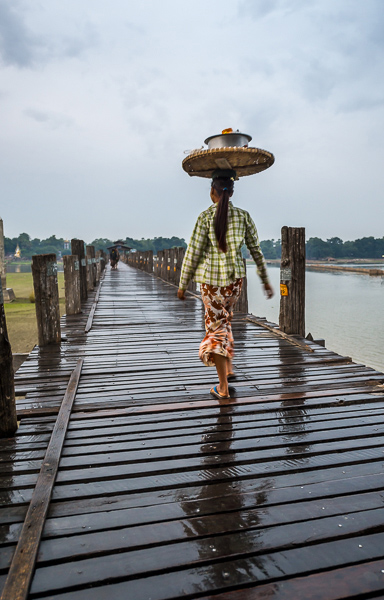
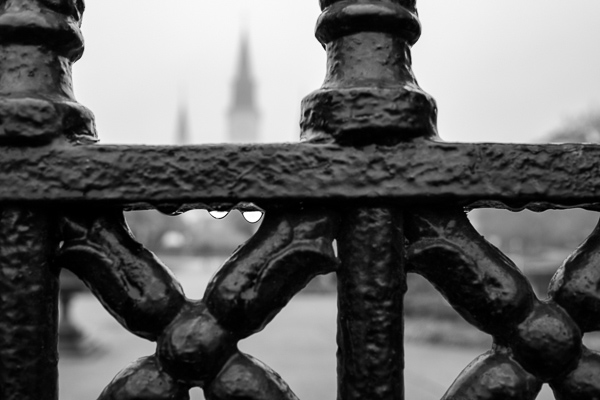
As you can see, good light, bad light, is just a myth. There are certainly ideal situations where you can achieve exceptional photos, but it is not always possible to be out during perfect circumstances. So go ahead and take advantage of every condition, try to think how you can leverage and play it to your convenience. In the end, photography is fun, and great images can be obtained under almost any condition.
The post Dispelling the Myth of Good Light and Bad Light by Daniel Korzeniewski appeared first on Digital Photography School.
-
24 July, 2014 – Hiking For Photographers
Want to take better landscape photographs? Get out there and find them. In this new article by Skip Spitzer, this experienced hiker explains how photographers can make the most of the hiking experience.
Available Photographic Workshops
We have a number of new workshops on offer, and a very few places in some exciting upcoming ones. Visit our Workshop page to find out more.