Ein Beitrag von: Barbara Loisch


We’ve been fans of Aaron Johnson’s comic strip ‘What the Duck’ for years. ‘WTD’ is one of the best satirical comic strips in the world, and it’s published here every week, as well as being included in our weekly newsletter. Barbed, topical and always amusing, we hope you enjoy WTD as much as we do.
[ By Steve in Art & Drawing & Digital & Street Art & Graffiti. ]
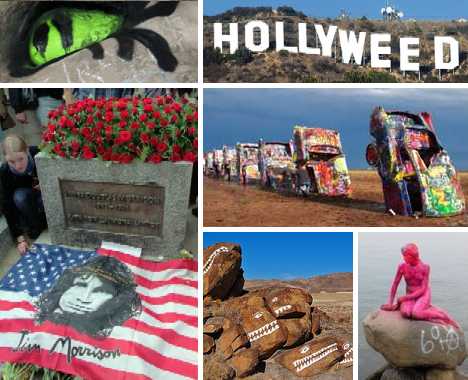
These 9 famous international public landmarks, artworks and tourist attractions attract vandalism and graffiti that’s usually (but not always) unwanted.
 (images via: Ultimate Classic Rock/Mark Bowman and Arayatours)
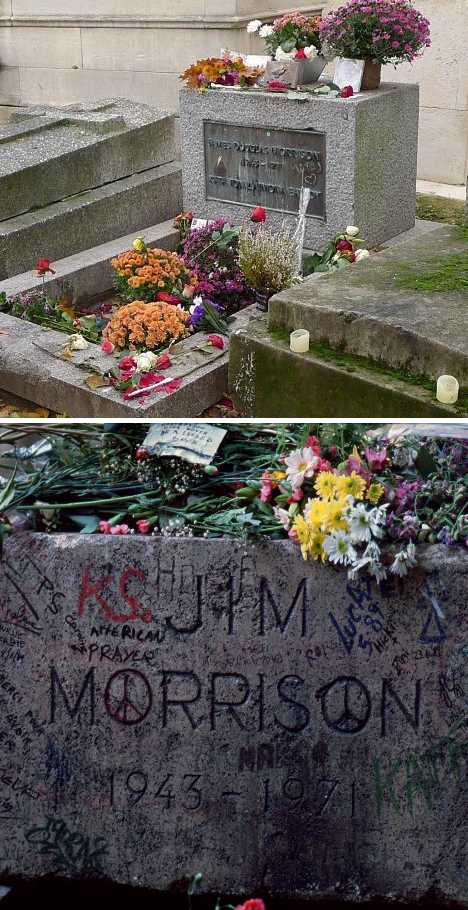
One of the founding member’s of rock music’s “27 club“, Jim Morrison of The Doors was buried in Père Lachaise Cemetery in Paris after his untimely death due to a drug overdose on July 3rd, 1971.
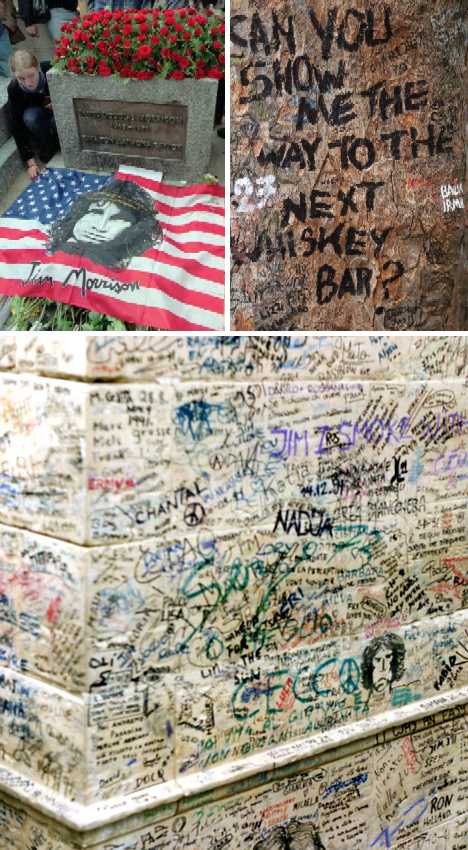 (images via: David Estrada, Paris On Demand and Jim Morrison: The Lizard King)
The gravesite, though unmarked until 1973, rapidly became a place of pilgrimage for Morrison’s fans who left flowers, letters and mementos on the grave. They also left an abundance of graffiti – at first on Morrison’s grave but spreading to adjoining graves, trees and cemetery infrastructure due to the sheer volume of visitors over the years.
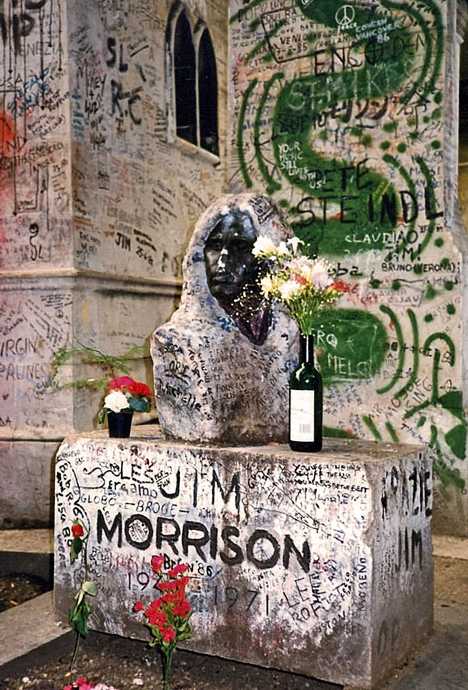 (image via: TrekEarth/Kevin KL)
One of the iconic symbols of Jim Morrison’s gravesite was a plaster bust of Morrison sculpted by Croatian artist Mladen Mikulin. In 1981 the bust, along with a new gravestone engraved with Morrison’s name, was added to the grave to mark the 10th anniversary of Morrison’s death. As with any other solid infrastructure at or near the actual grave, the the bust was extensively decorated (some prefer the term “defaced”) in colorful graffiti until 1988, when it was stolen. Kudos to Kevin KL of Winnipeg, Manitoba, Canada who snapped, processed and posted the remarkable image above showing Jim Morrison’s grave as it was in 1987.
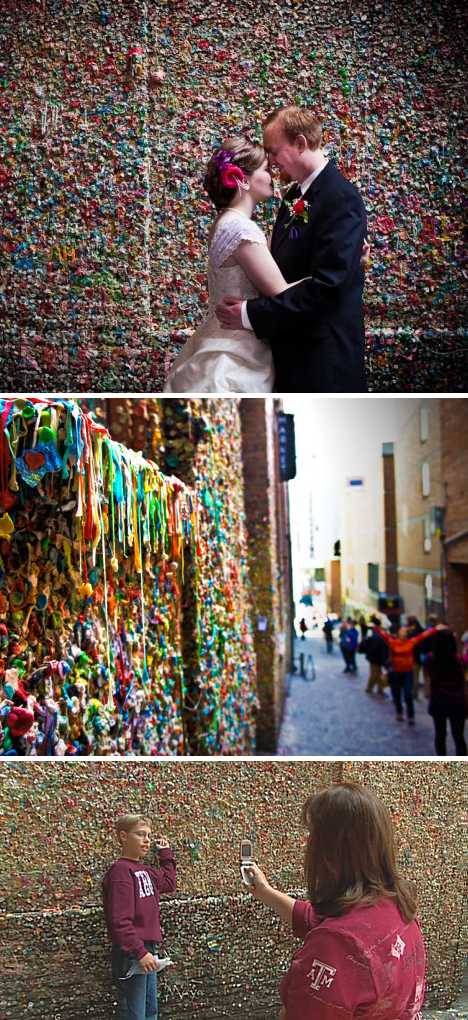 (images via: Seattle Wedding Photographers | Red Box Pictures, Huffington Post/Matt Ambrey and KOMO News)
Seattle’s Gum Wall rose from the humblest of beginnings: theater patrons annoyed by having to wait in long lineups began sticking their worn-out chewing gum on the nearest wall. What began as simple, messy vandalism evolved into a bonafide artwork, especially after 1999 when theater attendants gave up scraping away the gum. It’s one of the few art exhibits where vandalism is, if not exactly encouraged, required to maintain the piece’s status.
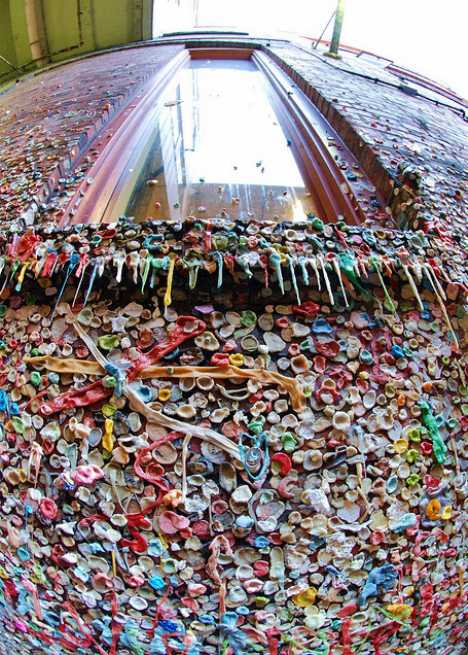 (image via: photosbyjerry)
Located in Post Alley under the Park Place Market, the Seattle Gum Wall continues to grow as the theater remains popular enough to cause long lineups outside. As for the gum-chewing patrons, they can hardly complain about the sickly sweet aroma of gum cooking away in the summer sun, though they might want to hold their breath while they wait: Trip Advisor ranks the Gum Wall as the second-germiest tourist attraction on Earth, just after Ireland’s Blarney Stone. A tip of the hat to Flickr user photosbyjerry for the vertigo-inducing image above.
 (images via: Sacred Sites, Above Top Secret and Smithsonian)
The Great Sphinx of Giza is one of the world’s oldest monuments, and as such is also one of the most mutilated by vandalism and marred by graffiti. Legend has it the Sphinx’s notably missing nose was shot off by a French cannon during Napoleon’s 1798 invasion of Egypt but this is not the case; sketches made decades before clearly show the noseless aspect of the ancient statue.
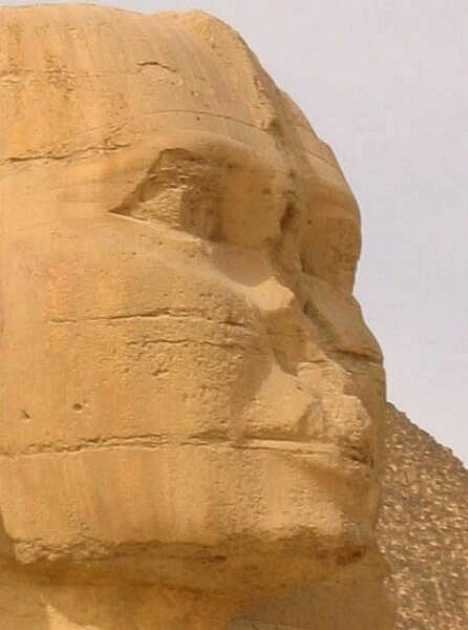 (image via: Travel.hat.net)
The actual act of vandalism occurred in AD 1378 when Muhammad Sa’im al-Dahr, an iconoclastic Sufi Muslim, chiseled off the nose after noticing that area farmers worshiped the monument in hopes of reaping a good harvest. For his troubles, al-Dahr was lynched by the angry locals.


[ WebUrbanist | Archives | Galleries | Privacy | TOS ]

     |
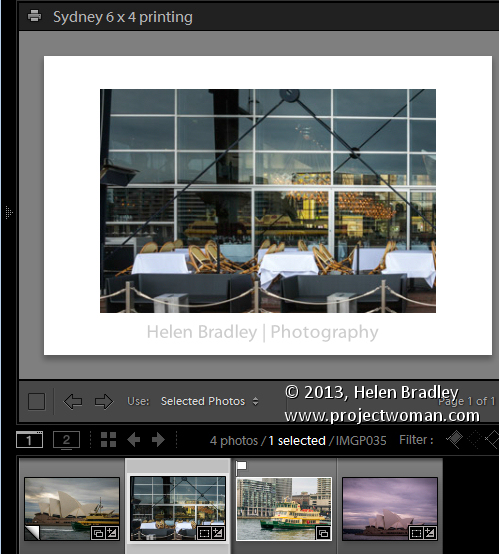
In a post last year I explained a process for exporting images from Lightroom (http://digital-photography-school.com/output-from-lightroom-to-your-blog) sized and all ready for posting to a blog. Since then I discovered a more robust solution to the problem of outputting images using a custom print layout from Lightroom. This can be used when printing images or saving them as jpeg files.
The process of preparing and outputting images can be simplified by taking advantage of the Single Image/Contact Sheet Layout in Photoshop and combining this with a print collection. The result is that printing to a specific layout is as easy as dropping the image into a collection and switching to the Print module and clicking to print – it’s a simple process once it is all setup.
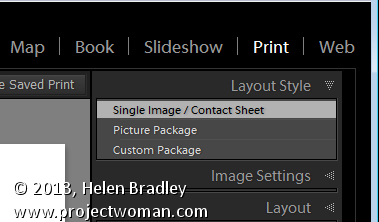
To do so, start out by selecting an image to use to configure your print layout and click to launch the Print module. In the top right panel select Layout Style: Single Image/Contact Sheet. The image which appears on the page is the one selected in the filmstrip.
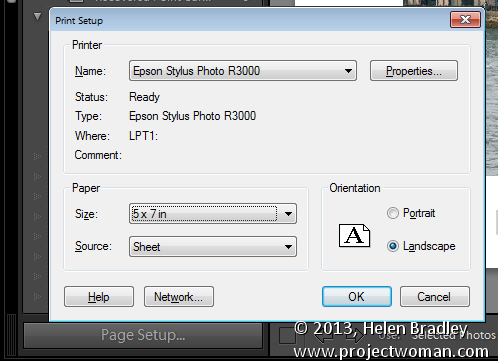
Set up this image so that it looks the way you want to print all images of this type. If you plan to print the image to paper, click Page Setup and select your printer and the page size and orientation.
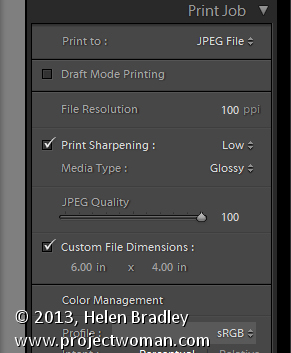
To print to a file, open the Print Job panel and from the Print to dropdown list select JPEG file. Deselect the Draft Mode Printing checkbox, select Custom File Dimension and set the output dimensions and file resolution.
Adjust the image size and placement on the page using the Image Settings and Layout panel options. You can also add an Identity Plate and/or Watermark as desired.
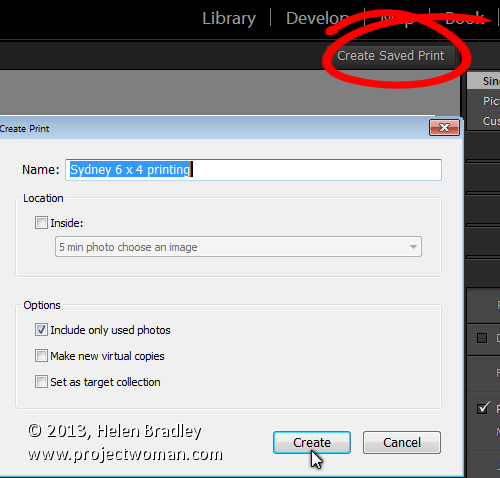
Once you are done, click the Create Saved Print button at the top right of the screen above the print layout and type a name for your new collection. This saves the image and the layout as a special Print collection in the Collections panel.
In future to set up images ready to print them, add them to this collection in the Library module, double click the collection in the Collections panel and it will automatically launch the Print module.
Click on any image in the filmstrip and the image will be assembled ready to print or save to a jpeg file.
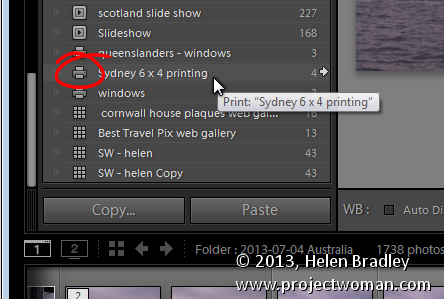
A number of readers have asked me for solutions to outputting images with watermarks in different positions and using different text colors from Lightroom. If you’re outputting to jpeg files or printing images you can do this using this process. Set up a print collection for each of the watermark options. You can then drop the images into the appropriate collection and they’ll be automatically laid out ready for printing. The layouts are saved in the collection so simply selecting the collection automatically recreates your layout.
Post originally from: Digital Photography Tips.
Check out our more Photography Tips at Photography Tips for Beginners, Portrait Photography Tips and Wedding Photography Tips.
How to Harness the Power of Lightroom Print Collections
The post How to Harness the Power of Lightroom Print Collections by Helen Bradley appeared first on Digital Photography School.

Gypsies are not just a thing of the past. Photographer Iain McKell followed a group of modern-day travelers in the English countryside for more than 10 years. His images are an intimate and insightful look at people who seek simplicity in living in horse-drawn caravans, yet still use modern technology such as Facebook. His photographs make real and raw the often-romanticized lifestyle of these modern nomads. Click through for a look at his images.

What is ‘hipster photography’? Photographer Marco Bohr has written a blog post in which he attempts to define ‘a new genre of photography which is apparently produced, promoted and disseminated by trend conscious people who are in contemporary visual culture referred to as hipsters’. In his post, Bohr argues there is a distinction between a photograph of hipsters and a photograph by hipsters. He aims to deconstruct these images, and see beyond the thick black-framed glasses, quirky haircuts, and geeky watches. Click through for more details.
Over on our Facebook page this week we shared our recent ‘Small World‘ post featuring some of our readers shots of miniature figurines shot in larger scenes. On Facebook one of our readers – Dave Flynn – commented that he used to take these types of photos but now does something different. He shared a link to his Mini Worlds Gallery where he showed his different take on it. It includes this photo!
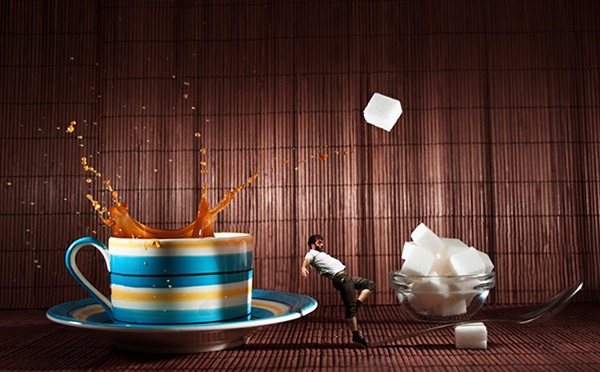
I immediately shot Dave a message asking if he’d write up how he took it. Here’s what he sent in.
My name is Dave Flynn, I’m 45 years old and got into photography 3 years ago when I was made redundant from my career in retail. I’m completely self taught through reading magazines and watching online videos. I don’t have a particular field of interest and have a varied portfolio which can be seen at www.dflynnphotography.com and www.facebook.com/daveflynnphotography
For most of my creations I use the 50mm, 90mm and 18-70mm.
I will always try to use natural light where possible and have a roof terrace which is perfect for getting shots of the posed models and backgrounds.
On wet days, I use my bedside table which is next to a large window. I don’t have expensive equipment or studio lights, my editing is all done on my laptop so I am proof that you don’t need every photography related gadget or the latest kit to create amazing images. They key to all photography is the light. It’s the first thing you should think about when creating any image.
Inspiration just comes to me, I might see an item/person/scene and imagine a final image in my head then set out to create it. Photography for me is a great way to share what goes on in my brain and I hope you can get some inspiration from my thoughts.
I’d been to a festival in London and got some shots of the various performances. The bearded man in the shot below is jumping on a trampoline for his act. Shot using my 70-300mm at f/5.6 @200mm, ISO 400 with a fast shutter. When I reviewed the images; this one stood out so I tried to think how to use him in a mini world. It was a few days later when I was making coffee and I got the idea. This is how I created it.
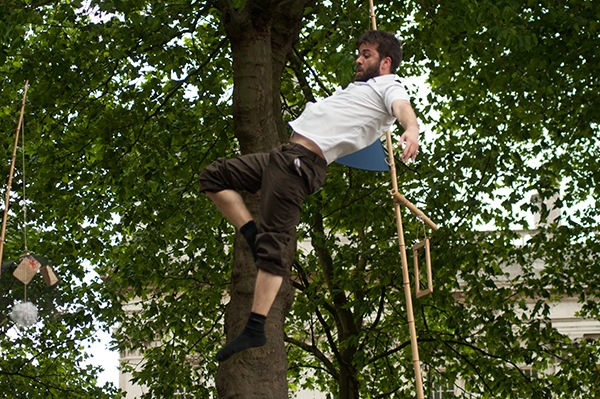
In photoshop I use layer masks to remove the model from the background. There are other methods like using the pen tool or quick selection tool but masks are my preferred method.
There are very good tutorials on youtube about using layer masks in photoshop.
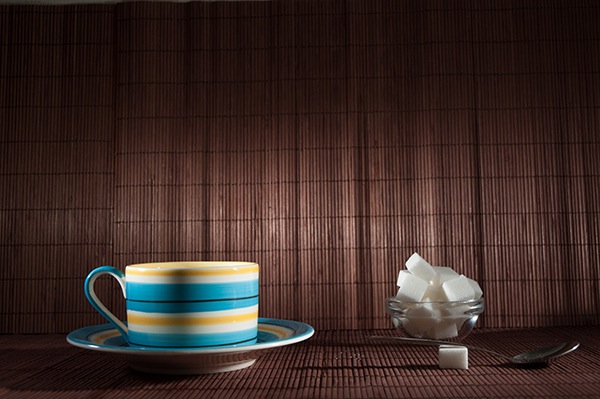
The scene is set for the background. I used 2 speedlights to balance the light. I think they were both set to 1/128 sec because I had natural light coming in the window too. I used my wide angle lens at 18mm with a shutter speed of 1/160 and an aperture of f/8.
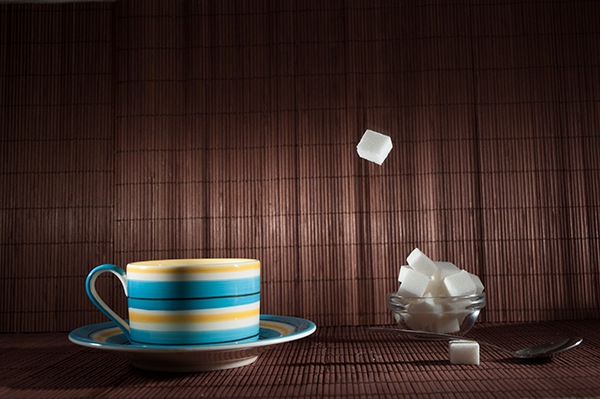
Next it was time to drop a sugar lump into the scene, remember the speedlights are set to freeze any motion in the image. It took a few attempts for me to get this shot to catch sugar cube where I wanted. Exactly the same settings were used.

The same technique was used to catch the splash at just the right moment. This again took a few attempts ( and a lot of cleaning) to get the splash how I wanted.
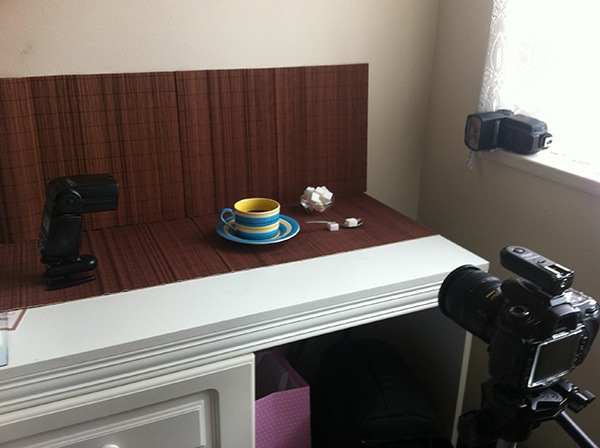
The ‘studio’ in my bedroom and the scene setup.
The final edit with some curve and level adjustments in photoshop.
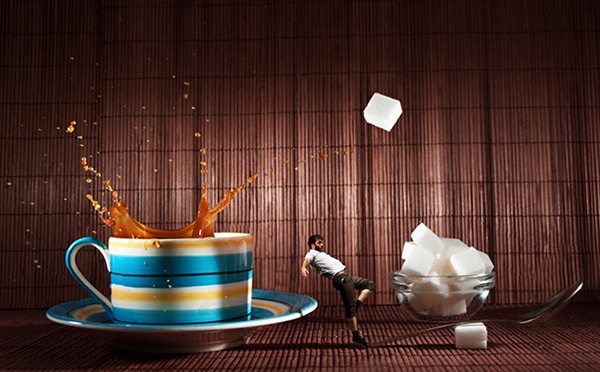
Thanks to Dave for sharing this behind the scenes look at his shot. Check out more of his Mini Worlds here.
Post originally from: Digital Photography Tips.
Check out our more Photography Tips at Photography Tips for Beginners, Portrait Photography Tips and Wedding Photography Tips.
How I Shot My ‘Mini World’ Image
The post How I Shot My ‘Mini World’ Image by Darren Rowse appeared first on Digital Photography School.
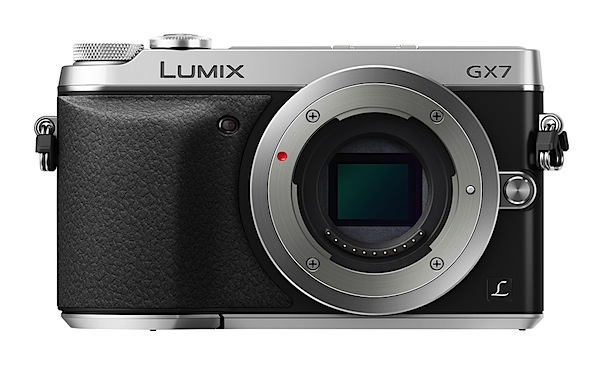
The MILC models keep rolling out Panasonic’s door. Mirrorless Interchangeable Lens Cameras still appear to have flavour of the month gloss, so Panasonic as well as Olympus are keen to milk every drop from the technology.
This one is especially attractive, although it does appear you will have to pay for the ‘smarts’ in the camera as it leads the G Series in imaging capability.
The review camera was fitted with the G Vario f3.5/14-42mm kit lens. The body is made from magnesium alloy and the camera is available in silver+black or black.

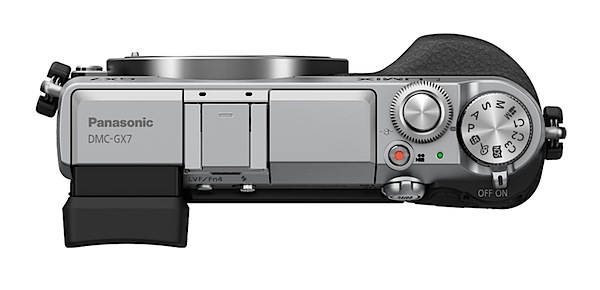
There’s a whole heap of attractive features on the Panasonic Lumix GX7.
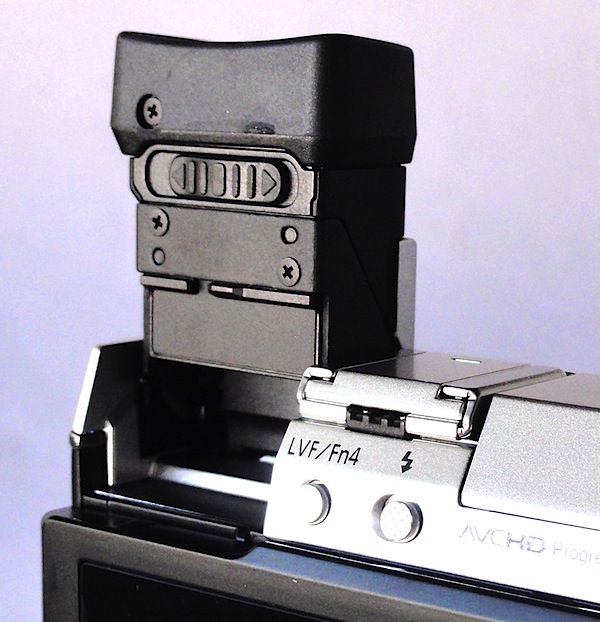
Video? It can shoot in AVCHD or MPEG4 format, recording Full HD 1920×1080 pixels. I was able to record video and shoot stills mid recording.
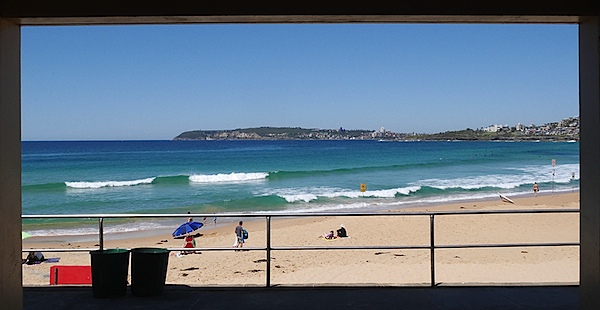
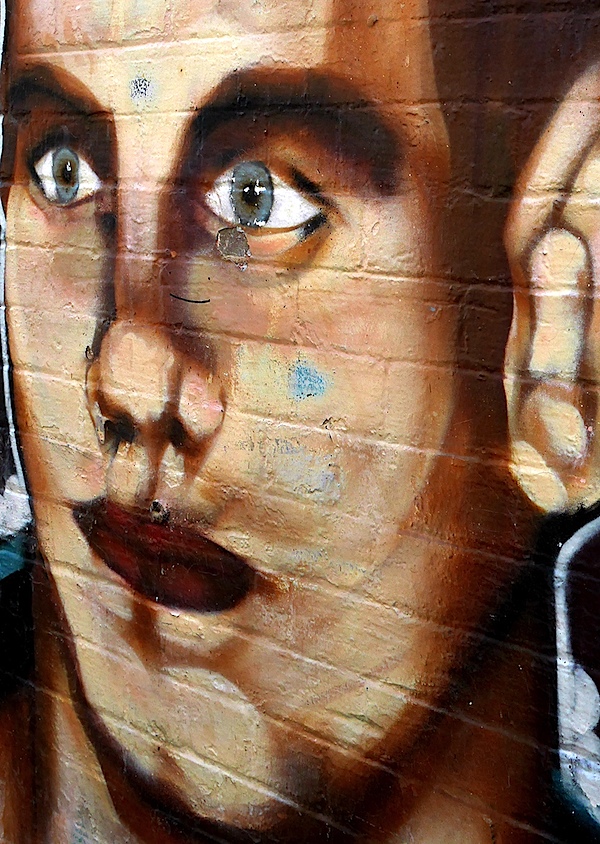
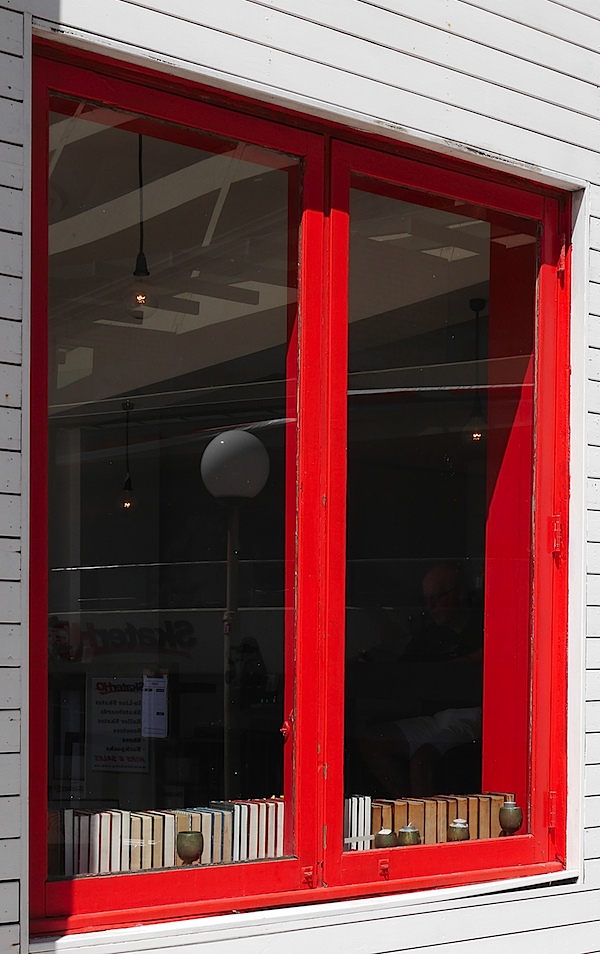
But the big news for those who may have been tossing up between Olympus and Panasonic in the quest for a MILC camera is that the GX7 now has an internal stabiliser. Up to now only Olympus offered an internal stabiliser, while Panasonic’s G series had to rely on specific lenses to keep the camera image steady.
In Panasonic’s own words: ‘The DMC-GX7 is Panasonic’s first G Series camera to offer an in-body optical image stabilisation system. Now blur-free photography can be enjoyed with classic non-digital lenses and digital interchangeable lenses without image stabilisation.’
Mind you, there always was a degree of noise from some Olympus owners that ‘Image stabilisers in Olympus cameras are mostly useless, claiming only the OM-D E-M5 as being acceptable.’
Wasn’t me that said it!
The camera is comfortable in the hand, thanks to a well-defined speed grip, nobbly surface texture and good balance. The lensless camera body is pocketable.
No surprises as we find the top deck relatively uncluttered. Rightwards we find the on/off lever; nearby is the red video record button.
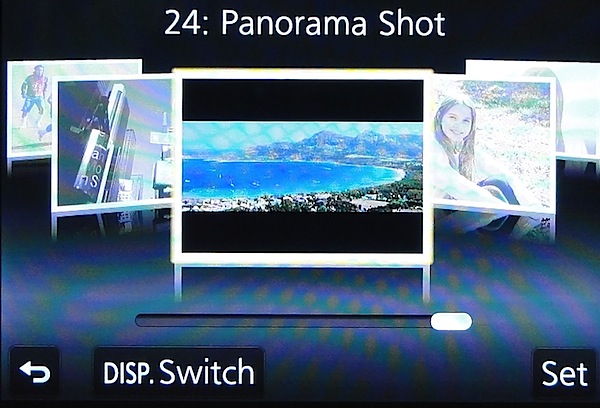
The mode dial has positions for auto, PASM, creative video (you can manually set aperture and shutter speed), three custom modes, scene guide mode (24 settings from clear portrait to sunset glow to panorama) and creative control mode (eight settings, from expressive to retro, high and low key etc).
The shutter button is encircled by the front command dial. A second command dial is placed just behind the on/off switch. Nearby is the AF/MF lever.
Rear panel: three function buttons, replay and trash, display options plus the four way jog dial offering access to ISO, white balance, continuous shooting, self timer and AF mode options.
Overall, the control geography is well designed, with no devious buttons or mysterious options.
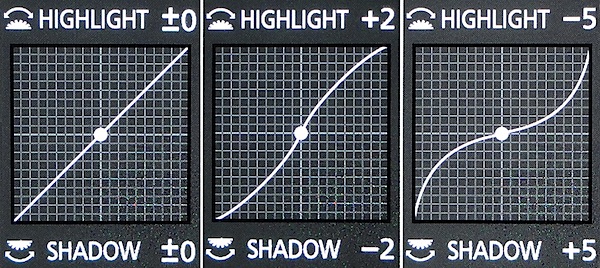
And then I fell upon a neat scheme where you can adjust the highlight and shadow curves of an image pre-shoot. Simply tap the function 2 button and you sight a series of preset curves. Alternatively, you can adjust the highlight and/or shadow section of the curves by rolling the forward or rear command dial.
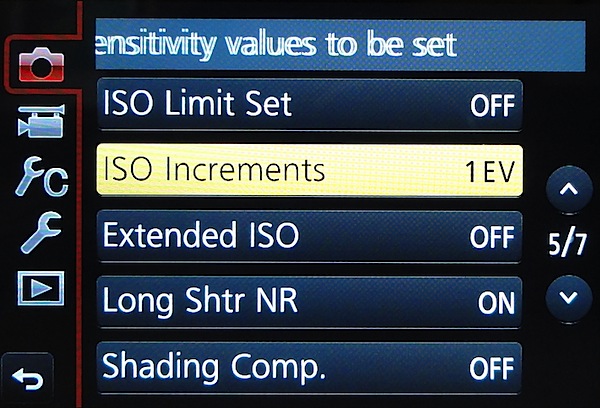
The menu setup is well-designed and not overpowering.
One feature that should tug the heart strings of video shooters is the option to completely suppress camera sounds, you know those bumps and clicks from operating the camera, rolling the lens’ zoom etc. The camera also switches the shutter from mechanical to electronic, turning off any operating sounds, and suppresses the AF assist lamp and flash. Good news.
The sad news is that there is no input for an external mic for video work.
Good quality all the way up to ISO 6400. Only at ISO 12800 is a slight appearance of noise visible. At ISO 25600 noise is up further but images are useable.
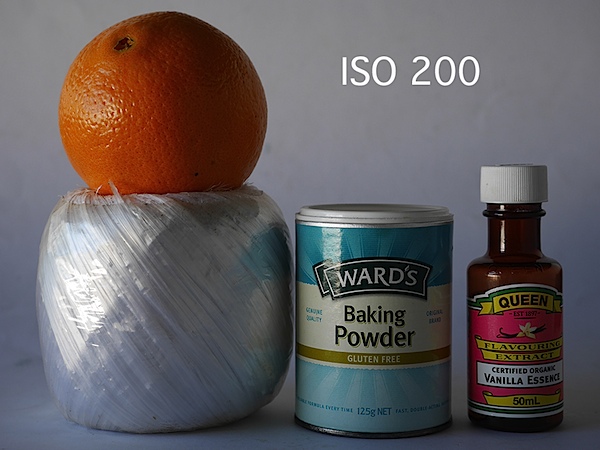
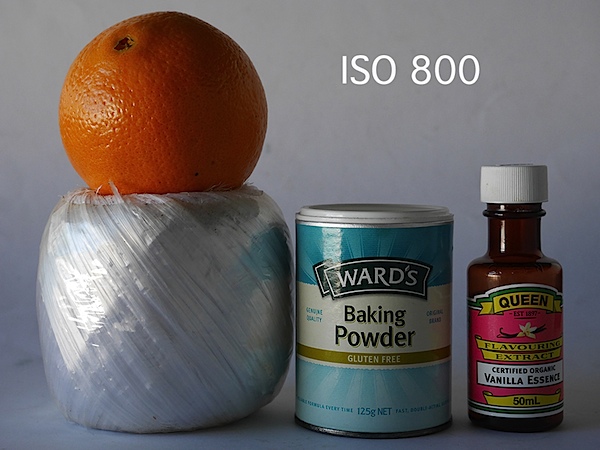
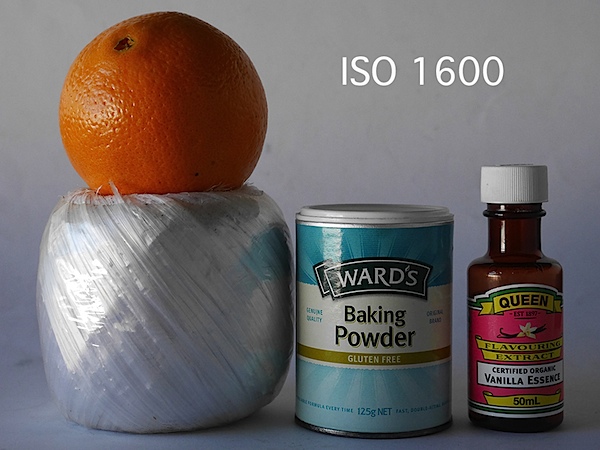
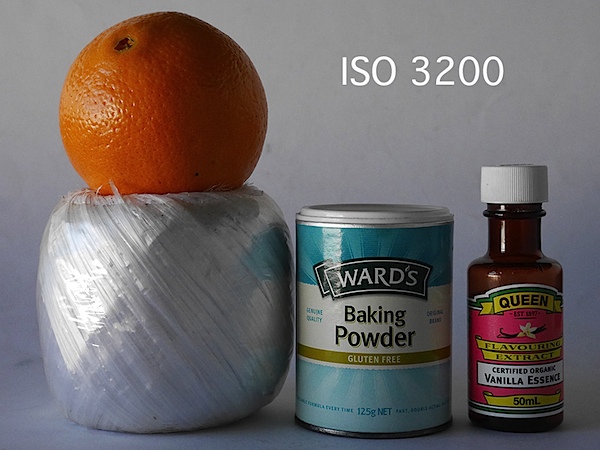
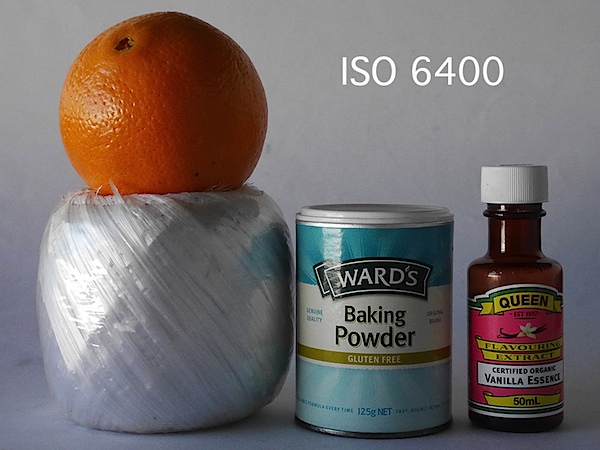
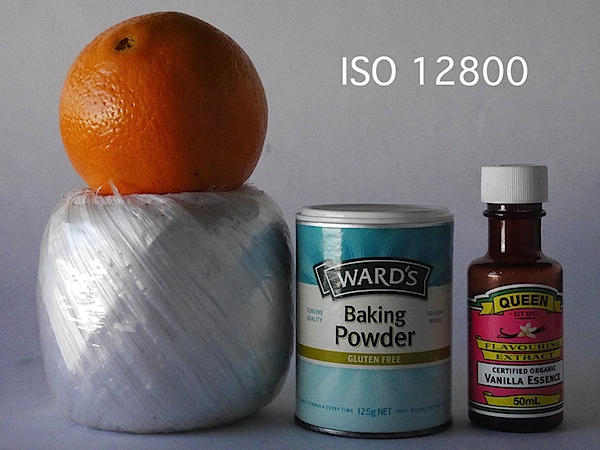
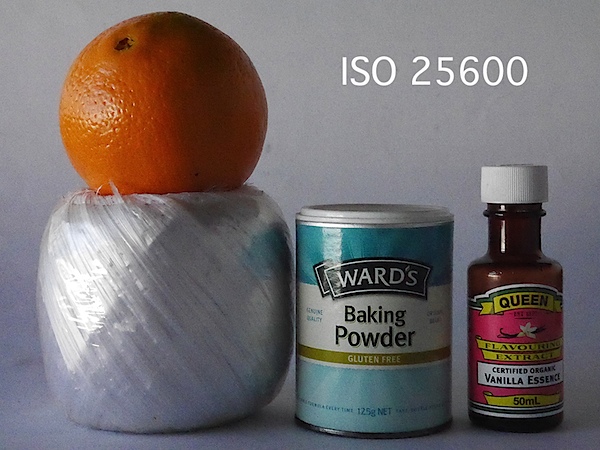
Quality: above average.
Why buy the Panasonic Lumix DMC-GX7: enthusiast features; compact size.
Why not buy the Panasonic Lumix DMC-GX7: no reason.
An ideal camera for the enthusiast who wants the benefits of an internal stabiliser and ability to use a wide range of lenses.
Panasonic Lumix DMC-GX7 Review Rating: 4 Stars out of 5.
Image Sensor: 16 million effective pixels.
Metering: Multiple, centre-weighted and spot.
Effective Sensor Size: Four Thirds 17.3×13.0mm CMOS.
Lens Factor: 2x.
Compatible lenses: Micro Four Thirds.
Exposure Modes: Auto, Program AE, shutter and aperture priority, manual.
Shutter Speed: Bulb, 60 to 1/8000 second; flash sync 1/320 sec.
Burst Speed: 5 fps.
Memory: SD/SDHC/SDXC cards.
Image Sizes (pixels): 4592×3448 to 1712×1712. Movies: 1920×1080, 1280x720p, 640×480.
Viewfinders: Turret finder: 2,764,800 pixels. 7.6cm LCD screen: 1,040,000 pixels.
File Formats: JPEG, RAW, JPEG+RAW, AVCHD/MPEG4, MPO (3D).
ISO Sensitivity: Auto, 125 to 25600 (25,600 with boost).
Interface: USB 2.0, AV, HDMI mini, WiFi, DC input.
Power: Rechargeable lithium ion battery, AC adaptor.
Dimensions: 123x71x55 WHDmm.
Weight: Approx. 402 (inc card and battery).
Panasonic Lumix DMC-GX7 Price: Get a price on the Panasonic LUMIX GX7 Body Only or Panasonic LUMIX GX7 with LUMIX G VARIO 14-42mm II Lens or Panasonic LUMIX GX7 with LUMIX G 20mm F1.7 II ASPH Lens.
Post originally from: Digital Photography Tips.
Check out our more Photography Tips at Photography Tips for Beginners, Portrait Photography Tips and Wedding Photography Tips.
Panasonic Lumix DMC-GX7 Review
The post Panasonic Lumix DMC-GX7 Review by Barrie Smith appeared first on Digital Photography School.

$ 2 micro Brew beers tonight at Kitchener in Oakland for A Taste of Oakland.
Earlier tonight mrsth and I enjoyed a night out on the town in Oakland at A Taste of Oakland’s Uptown Block Party. The food/cocktail event included 24 participating Uptown Oakland restaurants and bars.
A Taste of Oakland was founded by two Oakland natives, Helen Wyman (of Oakland Events) and Lamont Dawson. Their mission is to promote local businesses, highlight Oakland’s assets, change perceptions of Oakland, build a sense of community between the residents and the business community and showcase the culinary revolution that has become prominent in the food industry, establishing Oakland as a culinary destination.
I’d say based on tonight’s successful event, they did just that.
Participating restaurants/bars included: Kitchener, Sweet Bar Bakery, Hawker Fare, Pican, Ozumo, Luka’s Taproom & Lounge, Plum Bar, Donut Savant, Era Art Bar & Lounge, Torpedo Sushi, Farley’s East, Anfilo Coffee, Vo’s Restaurant, Telegraph, The Legionnaire Saloon, Kingston 11 Cuisine (although they weren’t open yet), Hutch Bar & Kitchen, Rudy’s Can’t Fail Cafe, Make Westing, Somar Bar, Camber, Bench & Bar, Dogwood and Mockingbird.
The evening gave Oakland food and restaurant aficionados a great opportunity to sample a ton of different restaurants and bars over the course of the three hour event in stylish Uptown. It was a great opportunity to check out new places and plan for further dinners and reservations down the road.
My favorite restaurant of the event was the newcomer Mockingbird. They served a duck pate that was delicious! I’ve been wanting to try Mockingbird and that will probably be the next dinner I have out.
I also really enjoyed the North Carolina pull pork that Rudy’s Can’t Fail Cafe served, the pull pork sandwich served by Telegraph, the Thai food at Camber and the Four Roses Bourbon cocktail served by Hutch. The pork meatball at Ozumo was pretty tasty too. The restaurants were all within walking distance and it was priced at a very affordable $ 20 per ticket.
With 24 venues, the event had a lot of local community support, it felt like most of the restaurants in Uptown participated — although the woman at Catered to You was outside offering samples of her decadent buffalo french fries complaining that this was the second time she’d asked to be included and wasn’t. Hopefully she gets in on the next one. 
Thanks for a great night out A Taste of Oakland. Looking forward to more of your great events in the future! #taseteuptown #tasteofoakland
To see more photos from tonight’s event, check out this set on Flickr here.

maitre d’ at Pican.
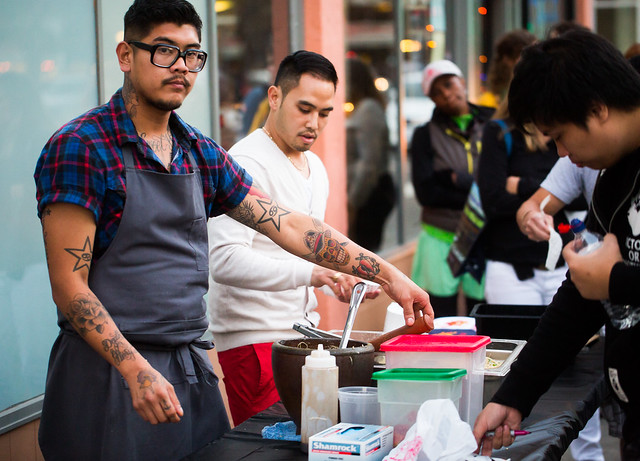
Serving at the Pop Up Outside Hawker Fare.
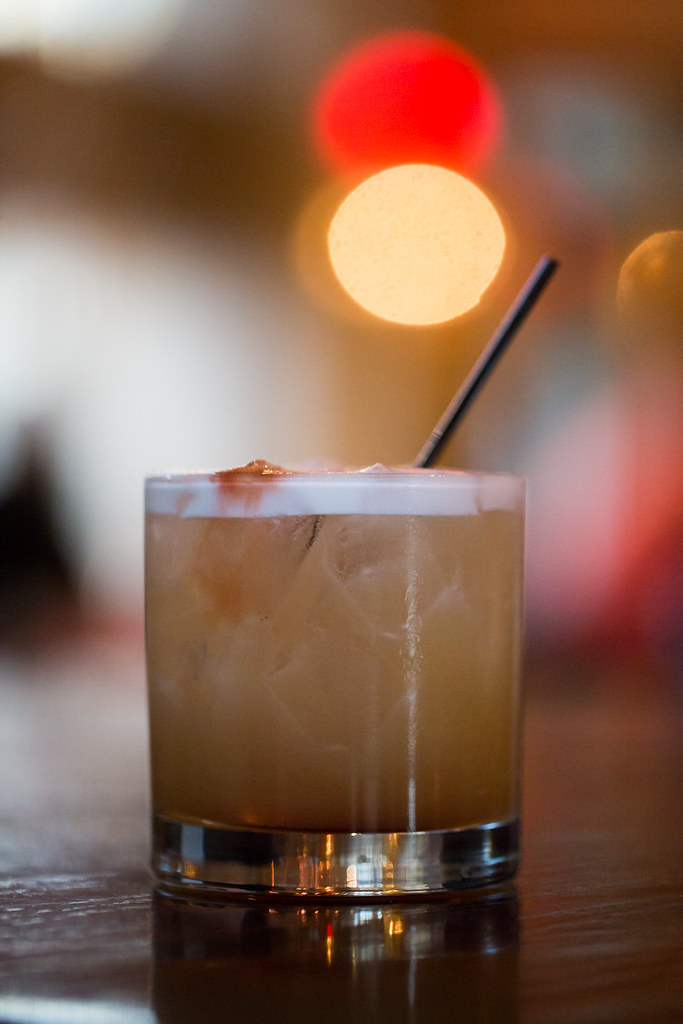
$ 5 specialty cocktails at a Taste of Oakland restaurants and bars. This one at Pican.
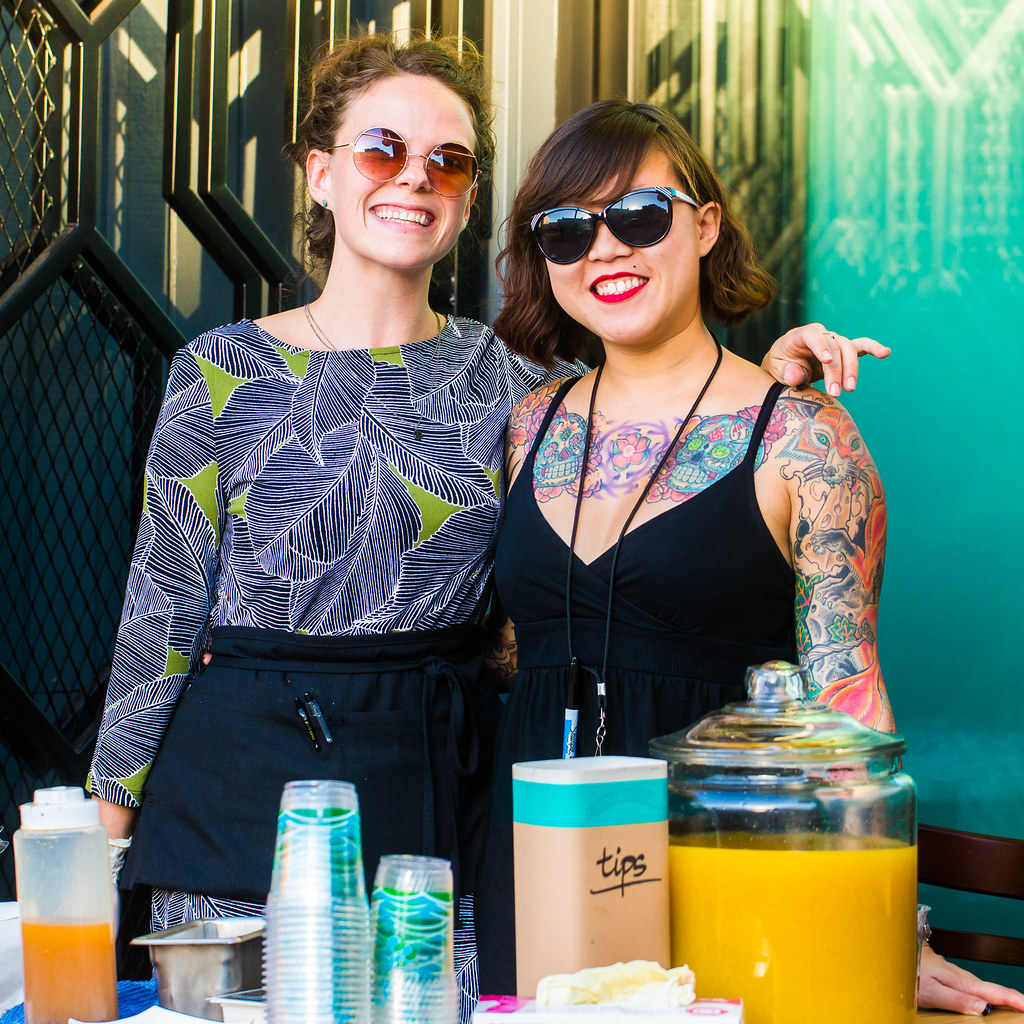
Hutch served an excellent Four Roses Bourbon cocktail along with popcorn popped in bacon fat.
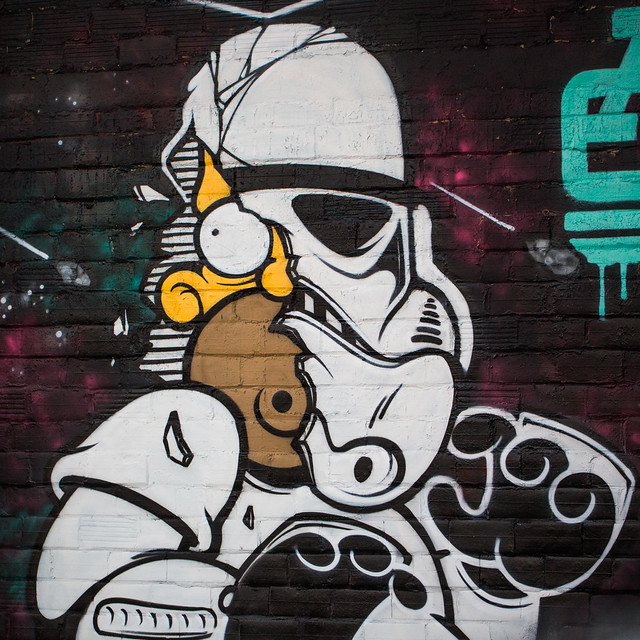
A little Oakland street art between restaurants — a Homer Simpson / Stormtrooper mashup outside Hawker Fare.

Serving Thai food at Camber.

Torpedo Sushi was serving up their California roll on a potato chip.
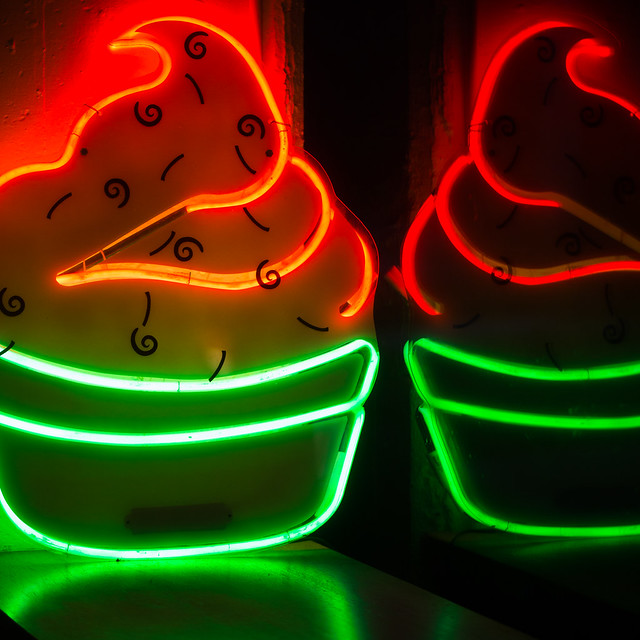
The dreamland of neon cupcakes at Sweet Bar Bakery who were serving a taste of chocolate or ginger cookies.
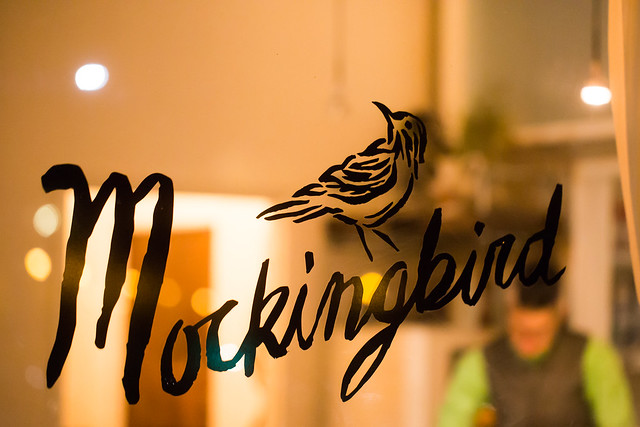
Newcomer Mockingbird, my favorite restaurant of the evening.
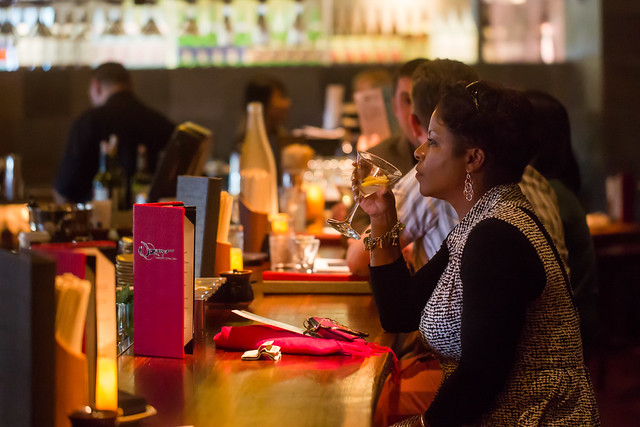
Enjoying a cocktail at the bar at Ozumo.

Making Jameson and tea cocktails at Plum Bar.

That pork meatball at Ozumo was pretty damn good.
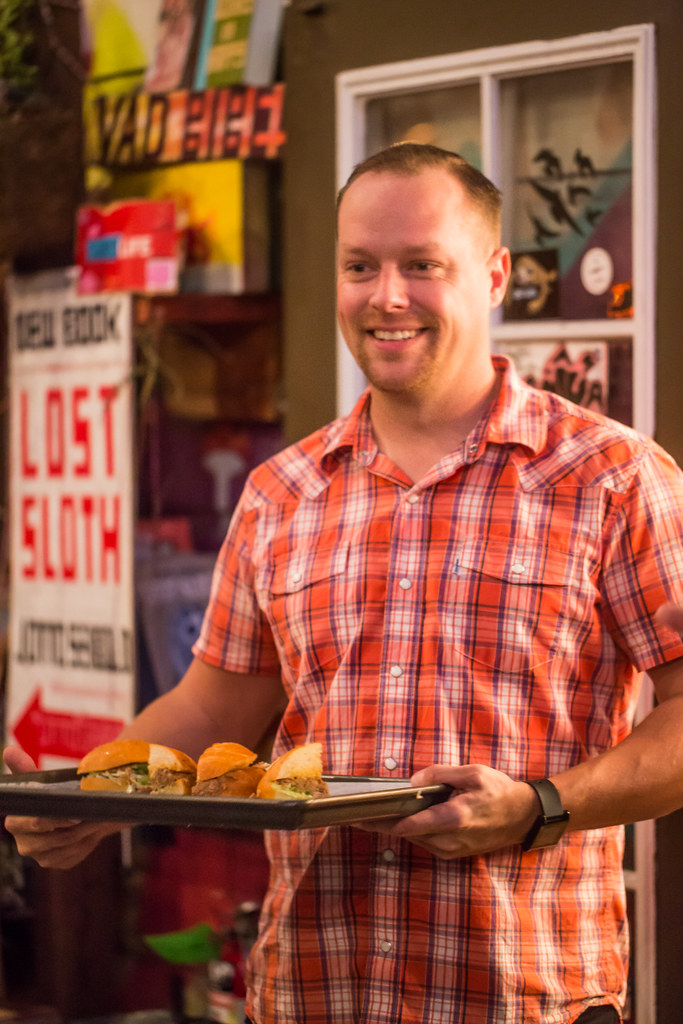
Serving pull pork sandwiches at Telegraph.

Last nights Hunter’s Moon was quite beautiful. I ducked the fog of San Francisco by heading slightly south to watch a big purple and later orange moon rise above the East Bay hills. Air conditions weren’t as good as I had hoped for clarity, but the particulates in the air sure helped accentuate the color. If you missed the full moon last night look again tonight, you won’t be disappointed.
Photo Details
Canon 5D Mark II, Canon 800mm f5.6 IS USM + 2X teleconverter (1600mm), f/18, ISO 1600 at 1/50 sec.
Lens via BorrowLenses.com
Behind the Scenes
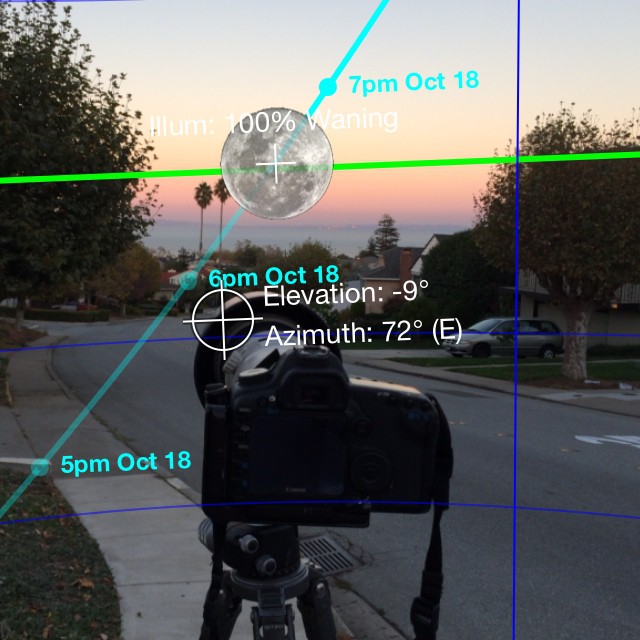
Checking my position with the Moonseeker App
In a mad rush (I’d like to say it was planned and orderly) I found an opening before moonrise and confirmed the moon would rise in that spot.
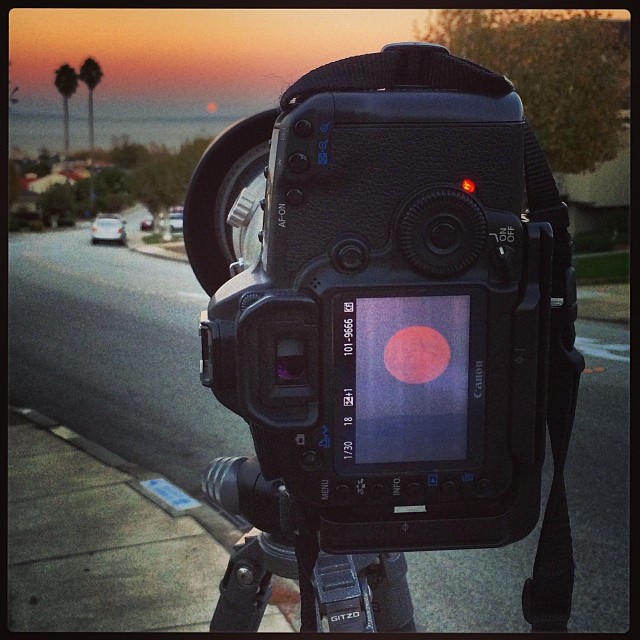
Hunter’s Moon On Camera
The earth rotates 1 degree every 4 minutes so the moon will move equal its diameter in 2 minutes. That sounds like a good amount of time, but in actuality its incredibly fast. I took numerous pictures and reframed both for photos with the horizon in the frame and for clearer images of the moon higher in the sky.
Recommended Reading
Five Useful Numbers for Sun and Moon Photographers
Copyright Jim M. Goldstein, All Rights Reserved
Hunter’s Moon Rising
The post Hunter’s Moon Rising appeared first on JMG-Galleries – Landscape, Nature & Travel Photography.


