RSS
 

Archive for July, 2013

Blogger Olivier Duong continues look at ‘Gear Acquisition Syndrome’

11 Jul

ricoh-grd-iv-miami-street-photography-11.jpg

Florida-based photographer Olivier Duong has expanded his ongoing examination of so-called ‘Gear Acquisition Syndrome’ with a description of how he overcame his own personal addiction to buying photographic equipment. Categorizing G.A.S. as a ‘habit’, Duong identifies three components – trigger, routine, and reward, and describes how he went about overcoming his addition by ‘changing the routine [but] keeping the trigger, and the reward’. Click through for more details. 

News: Digital Photography Review (dpreview.com)

 
Comments Off on Blogger Olivier Duong continues look at ‘Gear Acquisition Syndrome’

Posted in Uncategorized


Colour Composition: Using Subtle Colour

11 Jul

A photo with subtle colour

In my last article I wrote about using colour boldly. Today I’m going to look at ways you can use colour in a much subtler, gentler fashion.

Bold colours are most often found in man-made objects. If someone paints a wall bright red, for example, and you take a photo of it against a deep blue sky, then you are using colours that are just about as strong and deep as it is possible to get.

In nature though, colours are often much more subtle. And there are ways that you can use the subtlety of colour found in nature to create photos that capture the mood of the scene.

Let’s look at some examples to explain what I mean:

A photo with subtle colour

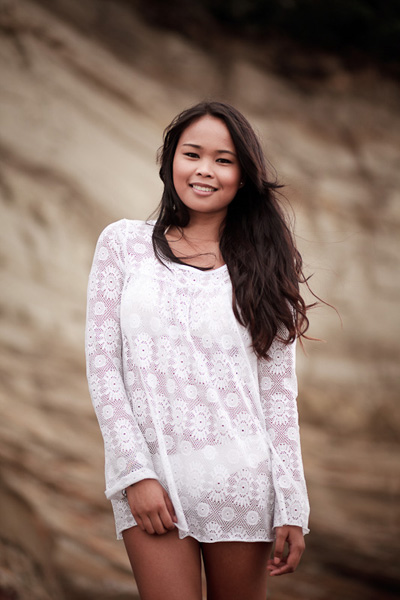
For this portrait I photographed my model against a cliff and use the cloudy white balance setting to warm it up. The background and the model’s skin and hair are all shades of brown. Apart from white, I don’t think there’s another colour in the image.

A photo with subtle colour

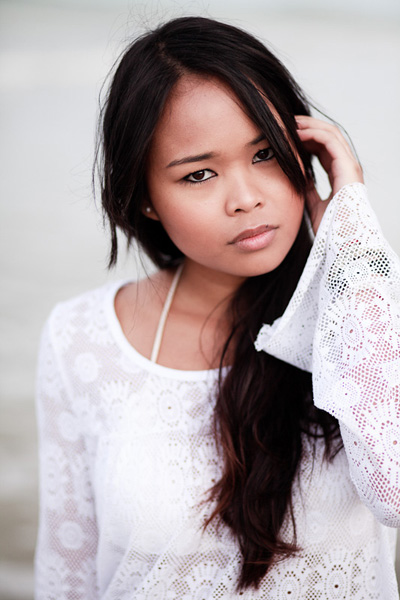
Here’s another portrait taken the same afternoon. The background in this photo is the sea, although it’s difficult to recognise as it’s out of focus. It was overcast, so the sea has come out grey rather than blue. But it suits the image. Just like the previous portrait, the colour palette is limited.

A photo with subtle colour

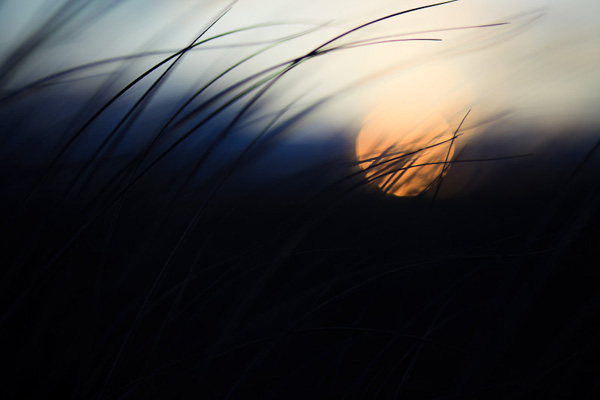
I created this photo by focusing on the grass in the foreground and using a wide aperture to defocus the setting the sun. I applied a low colour temperature in post-processing to give the scene a cool feel. Even though it is sunset, the colours are subtle.

A photo with subtle colour

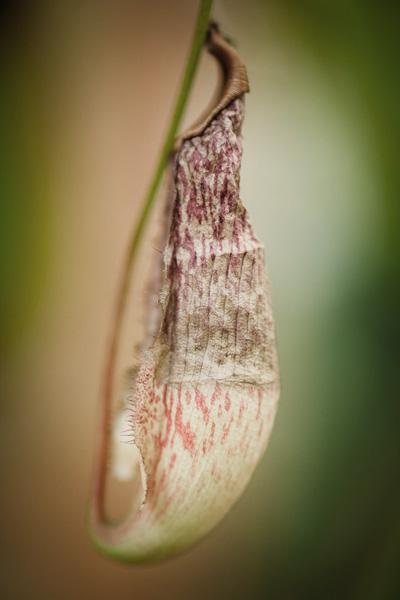
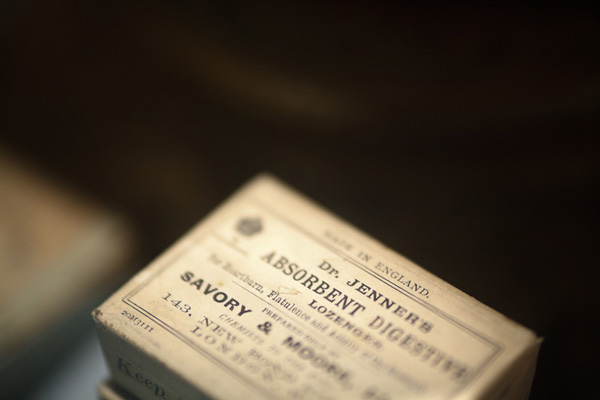
Here is a close-up photo I took in a local museum. The colour palette is very subtle. The box is cream, and the background is green. There is some nice tonal contrast going on in this image.

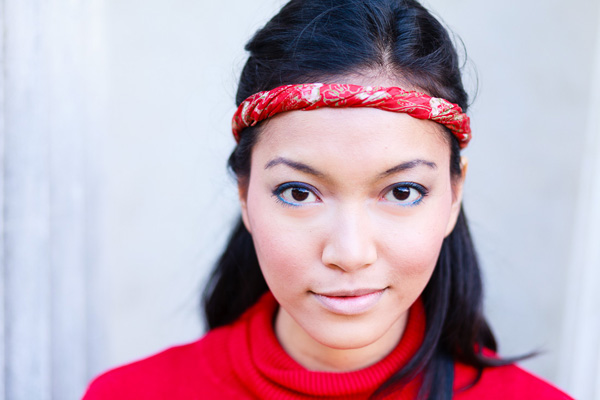
So far, the examples I’ve given have all used soft or pastel colours. But you can still use bright colours such as red in a subtle way. Here’s an example:

A photo with subtle colour

My model was wearing a bright red jumper and headband, so I positioned her against a white coloured building to provide a neutral background. The neutrality of the background colours emphasise the strength of the red.

I hope the photos in this article and the last have given you some ideas about using colour in your photos. It’s a little more difficult to use colour with subtlety that it is to fill the frame with bright colours. But it does give you an extra tool for expressing yourself with. And don’t forget, you don’t have to settle for the colour palette that nature provides. Feel free to make the colours in your images more subtle by desaturating them in post-processing.

Mastering Photography

A photo with subtle colour

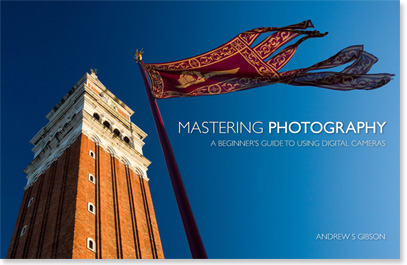
My latest ebook, Mastering Photography: A Beginner’s Guide to Using Digital Cameras introduces you to digital photography and helps you make the most out of your digital camera. It covers concepts such as lighting and composition as well as the camera settings you need to master to take creative photos like the ones in this article.

Post originally from: Digital Photography Tips.

Check out our more Photography Tips at Photography Tips for Beginners, Portrait Photography Tips and Wedding Photography Tips.

Colour Composition: Using Subtle Colour


Digital Photography School

 
Comments Off on Colour Composition: Using Subtle Colour

Posted in Photography


11. Juli 2013

11 Jul

Ein Beitrag von: Anh Tu Nguyen

[1000 Strangers] #53 (64) Roland © Anh Tu Nguyen


kwerfeldein – Fotografie Magazin

 
Comments Off on 11. Juli 2013

Posted in Equipment


App Review: Mextures

11 Jul

Es vergeht kaum ein Monat, in dem nicht mehrere neue Fotoapps für das iPhone erscheinen. Der Großteil ähnelt sich dabei in Aufbau und Konzept. Aber manchmal tauchen doch welche auf, die es schaffen, sich durch Besonderheiten von der Masse abzuheben: Die Texturen-App „Mextures“ ist so ein Fall.

Konzept

Unter den Tausenden von Fotoapps sticht die App Mextures (entwickelt vom amerikanischen Fotografen Merek Davis) durch einen sehr eleganten Ansatz heraus: Man bearbeitet in der App nicht direkt Fotos, sondern fügt mitgelieferte Texturen zu den Bildern hinzu.

Das klingt auf den ersten Blick nicht sonderlich originell, sondern eher nach einer Instagram-Kopie, die Besonderheit liegt bei Mextures aber in den Details der Umsetzung: So sind die mitgelieferten Texturen nicht nur sehr hochauflösend, sondern auch hochwertig.

Der Prozess der Anwendung der Texturen ist für eine mobile Applikation erstaunlich komplex gestaltet und arbeitet mit unterschiedlichen nicht-destruktiven Ebenen, wie man sie von Photoshop und anderen professionellen Bildbearbeitungsprogrammen kennt.

Das Kombinieren von mehreren Texturen in jeweils einem der zwölf verschiedenen Blendmodi und stufenlosen Opazitätsgraden in Kombination mit der Speicherung dieser sogenannten „Formulas“ ist der Kern von Mextures.

Im Gegensatz zu anderen Bildbearbeitungsapps, die Ähnliches anbieten, erzeugt der Nutzer also hier tatsächlich individuelle Effekte und packt nicht nur Vorgefertigtes auf seine Bilder, das die Ergebnisse bei allen Nutzern gleich aussehen lässt.

Allein mit den 70 enthaltenen Texturen in zwölf Modi und der Transparenzeinstellung auf einer Ebene könnte man schon sehr viele Variation produzieren, die multiplen Ebenen vervielfachen die Möglichkeiten.

Mextures Design

User Experience und Design

Mextures kommt durchweg in einem hochwertigen Look and Feel daher, das konsistent durchgehalten wird: Auf schwarzem Hintergrund mit minimalistisch-stilvollen Icons bearbeitet man seine Bilder und wird dabei nicht sonderlich von den Menüs abgelenkt.

Auch der Workflow in dem extra für die App entwickelten User Inferace ist nach kurzer Eingewöhnungsphase ziemlich intuitiv. Nach der Auswahl des zu bearbeitenden Bildes, das man wahlweise vorab quadratisch beschneiden kann, entscheidet man sich für ein Texture-Pack (die Texturen sind in verschiedene Themen-Packs unterteilt) oder eine Formula (mitgeliefert werden auch „Guest Formulas“ von anderen Fotografen) und kann direkt loslegen.

Die oberen zwei Drittel des Bildschirms sind dabei für das aktuelle Bild reserviert, unten werden ja nach Bearbeitungsschritt die Textures, die Ebenen oder die Blendmodi angezeigt, zwischen denen man mittels der Menüleiste in der Mitte hin- und herwechseln kann.

Schließlich werden auf den Ecken des Bilds selbst per Klick weniger häufige Werkzeuge und Optionen eingeblendet, allen voran ein Schieberegler zum Einstellen der Transparenz der aktuellen Ebene.

Mextures ist insgeamt sehr einfach zu bedienen und wirkt gut durchdacht, die Macher haben sich im positiven Sinne bis hin zur Benennung der Blendmodi sehr stark vom Aufbau der Ebenenpalette in Photoshop inspireren lassen.

Mextures Bearbeitung

Einzig ein paar Kleinigkeiten nerven den Nutzer im Workflow ab und zu: So wird etwa beim Abbruch einer Bearbeitung und beim Speichern mit den veralteten, blauen Notifications gearbeitet, die auf Dauer eher irritieren und die dauereingeblendeten, großen Favoritenicons auf den Texturen wären auch nicht unbedingt notwendig gewesen.

Exportier- und Ladevorgänge der fertigen Arbeiten dauern darüber hinaus relativ lange und man bekommt keinerlei Fortschrittsbalken oder ähnliches Feedback über den Stand des Prozesses angezeigt.

Fazit

Mextures ist eine rundum gelungene Fotoapp mit einem originellen Konzept, die als Ergänzung (nicht Ersatz) zu diversen anderen Bildbearbeitungsapps auf das Smartphone jedes Fotografen gehört, der Ambitionen hat, unterwegs Bilder zu bearbeiten.

Die Ergebnisse und Effekte von Mextures sind dabei bewusst subtiler als bei anderen Fotoapps und applizieren eben nicht heftige Effekte auf die Fotos, bis jedes Foto wie das von jedem anderen User aussieht.

Falls man in der App irgendwann noch die Möglichkeit bekommt, eigene Texturen zu laden und der Workflow ein bisschen schneller werden sollte, dann kann man Mextures uneingeschränkt weiterempfehlen. Und jetzt bitte auch noch eine Version für Android.


kwerfeldein – Fotografie Magazin

 
Comments Off on App Review: Mextures

Posted in Equipment


Explore the Funnier Side of Mobile Photography with these Photo Apps for iPhone

11 Jul

The huge strength of the Apple iTunes store is that it features a vast array of apps in virtually any category. Photography is one of the most popular iTunes categories, and with good reason. We’ve already done a very comprehensive post about some of the hottest photography apps on iTunes, but they were all mostly of a serious nature. That Continue Reading

The post Explore the Funnier Side of Mobile Photography with these Photo Apps for iPhone appeared first on Photodoto.


Photodoto

 
Comments Off on Explore the Funnier Side of Mobile Photography with these Photo Apps for iPhone

Posted in Photography


Just posted: Olympus Body Cap Lens 15mm F8 review

11 Jul

bcl-review-news.png

Just posted: Our review of the Olympus Body Cap Lens 15mm F8. In essence this is a tiny three element optic hidden inside a body cap, and probably the cheapest lens of any description made by any camera manufacturer. But is it any good? In the latest of our lens reviews in collaboration with DxOMark, we take a look both at how well it performs in studio testing, and in real-world use. Does it have any place in the Micro Four Thirds user’s camera bag? Click through to find out.

News: Digital Photography Review (dpreview.com)

 
Comments Off on Just posted: Olympus Body Cap Lens 15mm F8 review

Posted in Uncategorized


Gates of the Valley By Moonlight, Yosemite

11 Jul
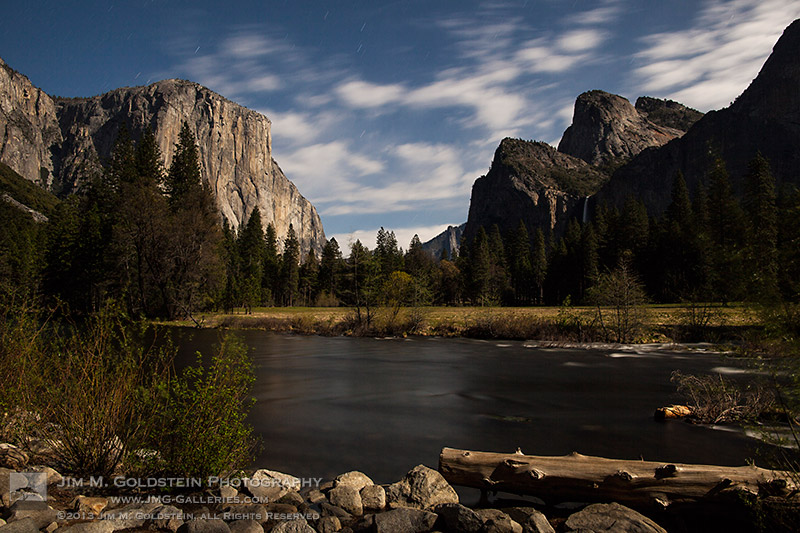
Gates of the Valley By Moonlight, Yosemite

Yosemite Valley seen under moonlight during a long exposure

“Dwell on the beauty of life. Watch the stars, and see yourself running with them.”
? Marcus Aurelius

Copyright Jim M. Goldstein, All Rights Reserved

Gates of the Valley By Moonlight, Yosemite

The post Gates of the Valley By Moonlight, Yosemite appeared first on JMG-Galleries – Landscape, Nature & Travel Photography.


JMG-Galleries – Landscape, Nature & Travel Photography

 
Comments Off on Gates of the Valley By Moonlight, Yosemite

Posted in Equipment


11 July, 2013 – Beyond Calibration 2.0

11 Jul

Today Christopher Schneiter follows up on his very popular first article on the topic, titled Beyond Calibration, with Beyond Calibration 2.0.

The Luminous Landscape has just announced two spectacular new 
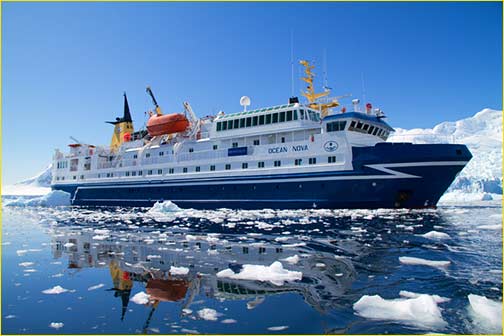
Antarctic Photographic Expeditions for January and February 2015

Find Out More Now
These Expeditions Will Sell Out Quickly. They Always Do.


The Luminous Landscape – What’s New

 
Comments Off on 11 July, 2013 – Beyond Calibration 2.0

Posted in News


Stair Rover Goes Where Other Skateboards Can’t

11 Jul

[ By Steph in Design & Products & Packaging. ]

Stair Rover Skateboard Design 1

An eight-wheel mechanism allows the unusual Stair-Rover skateboard to descend flights of steps the way conventional skateboards never could. Designed by Po-Chih Lai, the wheel system mounts to a longboard and flexes to follow the contours of stairs and ride up curbs.

Stair Rover Skateboard 3

In addition to the original design, which fits wood boards, Lai offers an upgraded Pro version with a fiberglass deck and black components. The chassis goes to work on rough surfaces like cobblestones or uneven paving to reduce impact and prevent falls.

Stair Rover Skateboard 2

Stair Rover Skateboard 5

“Reach the top of a flight of stairs and simply keep going – let gravity and the patent-pending V-frame design do the rest. The wheels bounce up and down independently and conform to the shape of each step. It’s a balancing act that gives the board its crab-like scuttle and gives you a butter-smooth ride to the bottom.”

Stair Rover Skateboard 4

A new video of the board in action shows it navigating London landmarks like the Royal Albert Hall, Emirates Stadium and the Millennium Bridge. Currently up on Kickstarter, the project is seeking £50,000 in funding to bring the board into production. Backers donating at a certain level are pre-ordering a board before it’s available to the general public.

Share on Facebook


[ By Steph in Design & Products & Packaging. ]

[ WebUrbanist | Archives | Galleries | Privacy | TOS ]


WebUrbanist

 
Comments Off on Stair Rover Goes Where Other Skateboards Can’t

Posted in Creativity


Pentax Q7 added to our studio comparison database

11 Jul

Pentax_Q7.png

We’ve added the Pentax Q7 to our database of studio comparison images. The Q7 is the first Pentax Q-mount camera featuring a 1/1.7″ sensor to match its enthusiast compact peers. We’ll be adding a comprehensive review in the coming weeks but, in the meantime, click through to see how the Q7 stacks against the competition. 

News: Digital Photography Review (dpreview.com)

 
Comments Off on Pentax Q7 added to our studio comparison database

Posted in Uncategorized