A guest post by Music Photographer Rick Bennett.
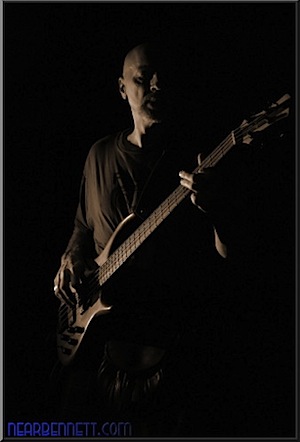
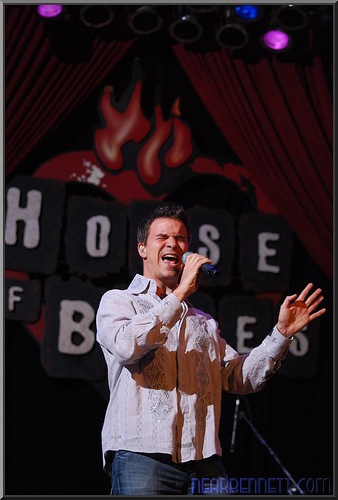
Some of my favorite photography subjects are musicians while they are performing. They tend to be having fun, they like the attention, and they’re challenging to capture well because of their environments. Capturing musicians in the wild can be tough and very rewarding.
Digital Photography School recently published 6 Tips for Budding Live Concert Photographers. One of the tips was to start out shooting friends’ bands in small clubs. I’m going to expand on that suggestion by writing a three part series on photographing bands in bars. In the first part, I’ll deal with equipment choices. In the second part, I’ll deal with set-up just prior to the performance. In the last, I’ll discuss shooting techniques.
The most obvious part of the equipment you’ll need is a camera, and your choice of camera can really make or break your final images. It should probably go without saying that a dSLR is almost certainly required, but there are some high end compacts that could fit the bill. At a minimum, the camera should either have a hot shoe or replaceable lenses. If the lenses aren’t replaceable, look for very fast built-in glass. It also needs the ability save images in RAW format since the color balance will likely be completely crazy from any stage lights. If you’re not familiar with RAW processing, its easy enough to convert your images to black and white, and those look cool too. Finally, your camera needs to give you the ability to choose your focus point and easily manually focus. Like I said, most standard dSLRs fit all of these requirements.
One consideration that’s more difficult to determine is low noise at high ISO. Don’t be fooled by the specs on the box: 1600 ISO on a Nikon D5000 is not the same as 1600 ISO on an Olympus E-620. For example, in one review the noise in a D5000 JPG at 3200 ISO is about the same as the noise in an E-620 JPG at 800 ISO. That’s a two stop difference that can change a 1/30s blurry shot into a usable 1/120s. Check the available reviews to make sure you’re getting a camera with the best high ISO performance in your price range. High quality at high ISO means you’ll be able to boost the ISO close to the max, meaning faster shutter speeds to help stop motion when using ambient light.
Next, you have a choice when starting out: either use off-camera flash or use fast (f/2.8 or better) lenses. At the low end the price is about the same: a decent manual flash + triggers + mounts can be just under 0 while a “Nifty Fifty” or the Jive Thirty Five are also under 0. As with everything photography, the prices only go up. The choice of off-camera flash vs. fast glass is a tough one. Flash can work in most situations but there are some venues where placement of a remote flash can be very challenging or even prohibited. Conversely, an f/1.8 50mm or 35mm lens captures a lot of light but the short focal length means you’ll be right in the performers’ faces, and some bars (at least in my town) don’t even bother to light the performance area. I started with off-camera flash, then acquired the Jive Thirty Five, and I’ve used them both during performances to capture different moods.
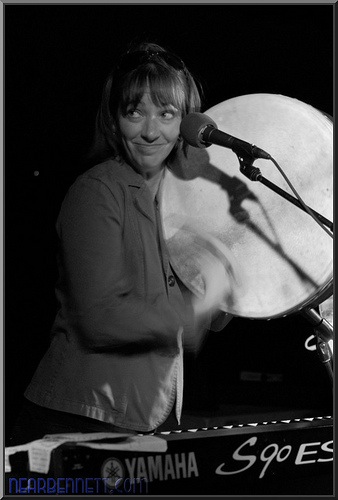
The ideal lens is a bigger zoom: 70-200mm f/2.8. Its almost as fast as an f/1.8 but it allows you to back away from the performers a bit (or shoot a stage that you can’t access). But even that lens doesn’t solve all the lighting problems in a bar and I’ve found I still like to use off-camera flash for many bar stages. If you can’t afford an f/2.8 zoom, then any other zoom will do if you’re willing to use off camera flash. In most bars a 5.6 300mm lens won’t be able to shoot at less than 3200 ISO at 1/30s. That means a lot of motion blur and camera shake if you don’t use flash.
To go with flash, you probably will start with a lower cost full manual flash like the workhorse classic Vivitar 285HV. It gives you decent range of manual power settings, and a tilt-zoom head. My one complaint about the 285HV is that it doesn’t have a swivel head. In a bar with awkward mounting conditions, a swivel head can go a long way. So look for a flash that has manual power settings down to 1/32 and a zoom-tilt-swivel head. Some in this class have a built in optical slave, which might seem like a good way to save some money on the triggers, but it will likely just kill your batteries-the slaved flash will go off every time some other fan of the band takes a picture. Manual triggers (i.e. those that don’t support TTL metering) can be had for less than .
If you want to take it up a notch, you can go TTL (through the lens metering) with your off-camera flash. That is beyond the scope of this article, but it will allow you a better level of creative control from the camera, and it will cost significantly more as well.
When I’ve done off-camera flash in a bar, my preferred light stand is a VAL-voice activated light stand. They range in price, but frequently can be had for the price of a pint or two when you enlist a friend or relative to help you. With a VAL, you can have very focused light on a single performer without blasting the whole stage with light. And it is easy for a VAL to adapt to performers moving around a lot-a clamped flash can’t do that. My preferred VAL is my wife, and we quickly worked out elaborate hand signals so that I could tell her who to point the flash toward: one finger meant the first performer from the left, two fingers meant the second one, and so on. I know its complex, but you can probably figure out your own method of signaling the VAL. If you add a snoot to the flash, which keeps the beam narrowly focused, you can create dramatic lighting on a performer that looks a lot like a spot light.
If a VAL isn’t an option for you, you’ll need a way to secure the flash to something in the bar. You’ll likely need an umbrella swivel, or some other method of converting a hot shoe to a 1/4-20 bolt. Then you can clamp the flash pretty much anywhere. I’ve clamped flashes to pictures, light bars, chair backs, shelves, posts, and drop ceilings (the drop-ceiling scissor clamp is a must here!). If you can, scouting the location will help you know what kind of clamp you’ll need for ideal placement. In some venues, if the crowds are light, I’ve even used standard light stands. A super clamp or modified A-clamp will serve you well here.
In part two, I’ll discuss setting up your gear at the venue.
Rick Bennett has been shooting bands in bars, at festivals, and on big stages for about a year. You can see more of his work on his blog, portfolio, or Flickr stream.
Post from: Digital Photography School – Photography Tips.

How to Photograph Bands in Bars – Equipment


Digital Photography School