The post Weekly Photography Challenge – Shallow Depth of Field appeared first on Digital Photography School. It was authored by Sime.
Our dPS Weekly Challenge this week is ‘Shallow Depth of Field’ #dPSShallowDOF
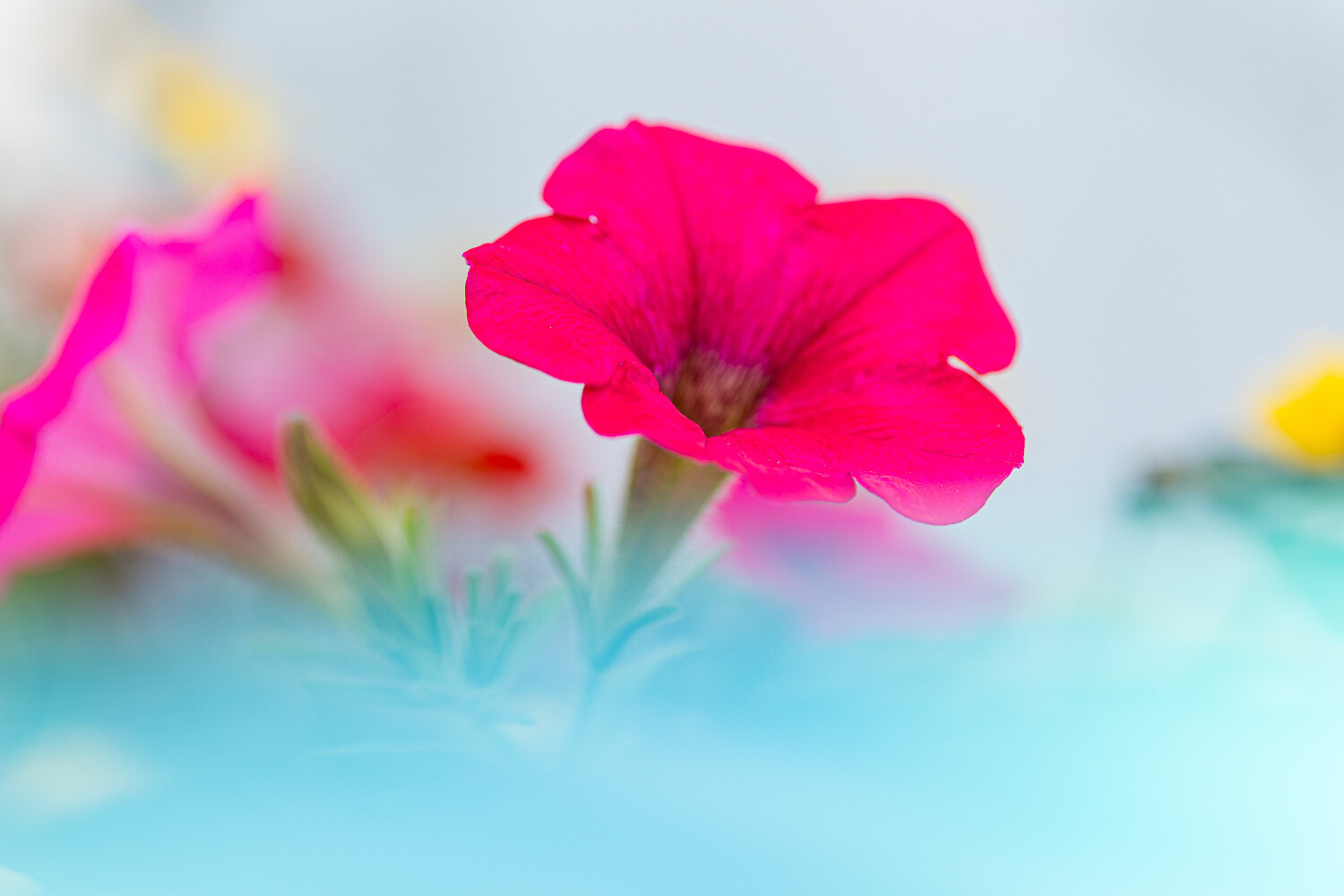
After our challenge last week, ‘Mistakes‘ it reminded me of when I first purchased my EF 50mm f/1.4 lens and pretty much had it at f/1.4 or ‘wide open’ the whole time! The shallow depth of field (Where you have your subject nice and sharp, and everything else out of focus, the quality of the ‘out of focus’ area sometimes referred to as ‘Bokeh‘) look was something I loved at the start, and as I learned to use it more effectively, became another ‘tool’ in my photography toolbox.
Shallow depth of field lets you isolate a subject or highlight an area in your frame, my first example below, highlighting the lens details on my new Sony 12-24mm, you see everything else nice and blurry – This was shot with another Sony lens, the FE 35mm f/1.4 (Maybe my favourite ever) it’s great for shallow depth of field!
You might not have a lens with a wide aperture (f/1.4 / 1.8 / 2 / 2.8, etc) but you can use whatever you have to go for the most shallow depth of field that you can.
Check out Kevin’s article here for some good tips on ‘depth of field’
A Sony photographs a Sony ‘Wide open’
We look forward to seeing what you come up with this week!
Congratulations to all of you that Tweeted, Instagrammed, Facebooked or posted a photo in the comments below our blog post! There were some great ‘mistakes’ in there! Well done to Elena, on this photo! Doesn’t look like a mistake to us! Congratulations on your recent awards, too! It’s great to see members of our dPS community progress in their photography!
Congrats to our dPS Group Member, Elena
Great! Where do I upload my photos?
Simply upload your shot into the comments field (look for the little camera icon in the Disqus comments section) and they’ll get embedded for us all to see. Or, if you’d prefer, upload them to your favourite photo-sharing site and leave the link to them.
Share in the dPS Facebook Group
You can also share your images in the dPS Facebook group as the challenge is posted there each week as well.
If you tag your photos on Flickr, Instagram, Twitter or other sites – tag them as #DPSShallowDOF to help others find them. Linking back to this page might also help others know what you’re doing so that they can share in the fun.
Follow us on Instagram?
The post Weekly Photography Challenge – Shallow Depth of Field appeared first on Digital Photography School. It was authored by Sime.
The post 10 Cheap Photo Tricks for Creative Images appeared first on Digital Photography School. It was authored by Rick Ohnsman.
As the coronavirus crisis drags on, you may find that you’re getting out less to make photos. You could probably use some fresh and fun photo ideas as a pleasant diversion from the gloomy news. Whether you call these photo tricks, techniques, projects, or whatever, I suggest you give them a try and see what new and interesting photos you can make.
I think you’ll eat up these photo tricks with a fork and spoon! This is the last one in the collection, but be patient. Read the rest first, as there are some good ones; we’ll save this technique for dessert.
For a deeper dive
My intent here is not to get into great detail or give much “how-to” for these tricks. For some, I’ve already written complete articles and, where that is the case, I have linked to those articles so you can do a deeper dive into the subject.
For a few other tricks, I may not have written about them in-depth, but others have. The idea is that while these tricks may not be unheard of, this is a collection of photo tricks all in one place; it’s a jumping-off point for your photo exploration.
1. Bag a vignette
You may have heard of accessories called Lensbabies, a collection of adjustable and specialized lenses designed to give artistic, soft, blurred, and other looks to your image.
Now, I won’t pretend this trick will do for a few cents what specialized gear costing a few hundred dollars can do. But here’s a way to bag some interesting, Lensbaby-style images for dirt cheap.
This photo accessory costs a few pennies and easily fits in your pocket: the “Baggie Vignette.”
Here’s what you do:
Get a plastic sandwich bag and tear a ragged hole in the bottom of it. Pull the bag over your lens so that portions of the bag intrude into the edges of the image. Focus on your subject.
Viola, you have “Baggie FX.”
Play with the positioning, the size of the hole, various apertures, and lighting. Photo accessories don’t get any cheaper than this.
2. Bokeh with flair
Pronounce it how you like; bokeh refers to the look and quality of out-of-focus elements in a photo. Bokeh becomes especially noticeable when the out-of-focus elements are specular highlights.
Different lenses with different optics, different aperture blade shapes, and different numbers of blades will produce different kinds of bokeh, as will the photographer’s choice of aperture.
A wide aperture combined with out-of-focus highlights will give some nice bokeh effects. The pattern of the bokeh shape will depend on the lens. The Canon 50mm f/1.8 gives this kind of look.
Here’s a way to go a step further and make patterned bokeh. Lay a filter the size of lens you intend to use on a piece of cardboard, trace around it, and cut out the cardboard. Now cut a shape, such as a small star, into the center of the cardboard disc you made. Place the disc over the lens and tape it there, or sandwich it between the lens and a filter.
Here, a star pattern was cut in a “bokeh filter,” and the specular highlights in a piece of aluminum foil produced the star effect. Then the image was layered with another shot to create the final result.
With a wide aperture (a 50mm f/1.8 prime, the “nifty fifty,” works great), shoot something with some specular highlights and ensure those highlights are out-of-focus. The highlights will now be the shape of your “bokeh filter.”
Rather than make your own bokeh filter, you can also buy patterned bokeh filter kits with more elaborate shapes than you could probably cut yourself. For folks into 3D printing, this could also be a good project.
3. Reflect on this
You can take a still-life or product photo up another notch by shooting it on a reflective surface. You might think a mirror would be a natural choice for this, but because both the glass surface of a mirror, as well as its silvered backing, are each reflective, you will get two sets of slightly separated reflections if you shoot objects on a mirror.
A polished dark table proved just right for getting a reflection of the wedding rings. The jar of marbles was shot on a piece of black acrylic sheet and the bokeh effects were added with a string of Christmas lights in the background.
A better choice is a piece of acrylic plastic sheet, also known as plexiglass. You can get this in many colors, but I find a very dark black plastic sheet creates a look I like. (A piece of black tile would work well too, but I’ve not been able to find larger tiles.) Shoot with a black backdrop and you can isolate your subject nicely.
4. Big results with little lights
When we used film or less-sensitive digital cameras, big and often hot lights were needed for indoor photography. With the advent of LED lighting coupled with cameras offering low noise capabilities, we can now make images with very little light.
Also, when doing still-life photos, shutter speed can be anything you like: full seconds, or even minutes, if necessary. Now almost any lighting instrument can be used with some ingenuity. Small LED flashlights can also be used for light painting.
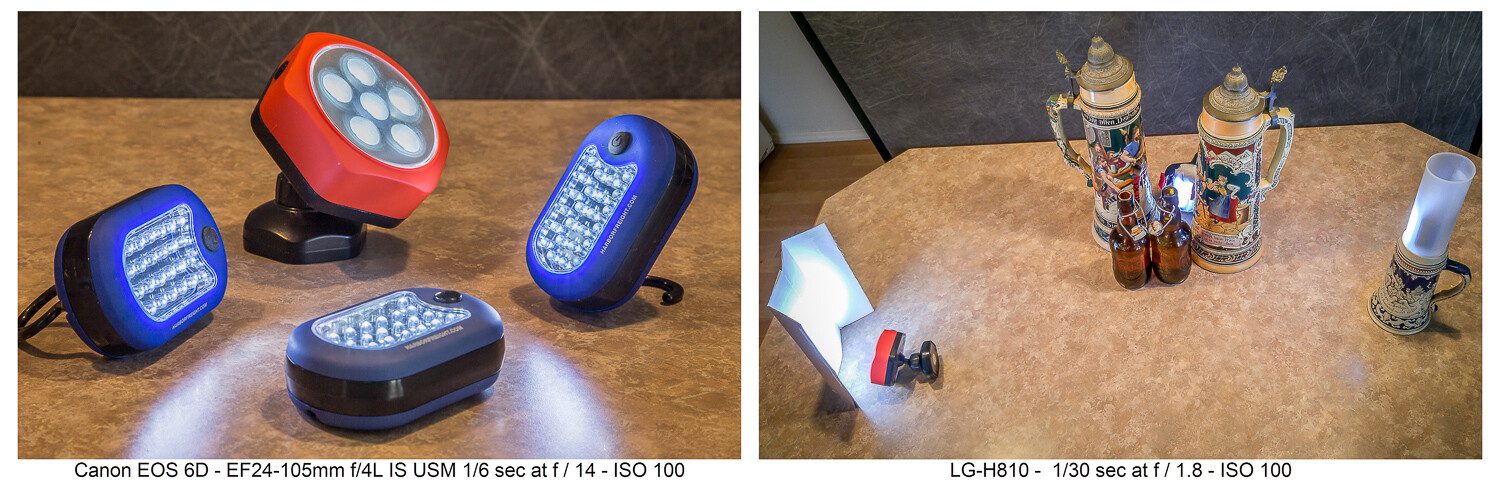
LED flashlights like these can be found cheap at the hardware store. The second image shows how they were used……to produce this image. Having limited light isn’t a problem when shooting still life where long exposures are fine. Canon 6D | Canon EF 24-105 f/4 | 3.2 sec | f/3.2 | ISO 100.
I have a collection of various flashlights (aka “torches”) and other LED lighting gear, which I’ve typically bought for just a few dollars online or at the local hardware store. Finding new ways to creatively use these little lights has allowed me to make some creative images. Take a look at this article which explores this topic further.
5. CD rainbow macros
Before you toss that scratched CD, add it to your bag of photo tricks. Mount a macro lens on your camera, or use whatever means you have to get close to your subject. Put the CD down with the reflective, non-printed side up. Then, with an eyedropper or other tool, place small water droplets all over the surface of the disc.
Waterdrops on a CD shot with a macro lens and lit in various ways can produce some colorful abstract images.
Focus your shot and get creative. The lighting is purely up to you. Perhaps try some shots in direct sunlight where the intense light will really pop the rainbow spectrum. Maybe try a small flashlight. Try a long exposure and light-paint the droplets. Anything goes when you’re making abstract images.
6. Oil and water abstracts
I wrote a complete article on this technique, which is another way to get some interesting and colorful abstract images. With minimal equipment and whatever lighting you like (even shooting outdoors with natural light), you can have a whole afternoon of fun.
Oil and water don’t mix, and that’s a good thing for this technique. A glass dish shot from above and through the mixture with some colorful objects in the background is the technique here.
7. Up in smoke
Add this to your collection of photo tricks to make some smokin’ hot images. An incense stick and some care with your lighting will get you going. Then take your shots to the computer where you can add additional effects. Have a look at my article here on DPS, “How to Make Interesting Abstract Smoke Photos,” for a full write-up on this technique.
This is a straight, side-lit shot of the smoke pattern rising from an incense stick.Take the straight shot on the left, mirror it in editing, and colorize it. Then you have a firebird! (At least that’s what I see. What do you see in this abstract?)The original smoke photo mirrored both horizontally and vertically and colorized in editing. Is this what they mean by “smoke and mirrors?”
8. Interaction with reflection and refraction
Find historic images of early photographers, and you might see them standing behind their cameras with black capes thrown over their heads. They did not have DSLRs, where the image entering the lens is reflected onto a mirror, through a prism, and then into the viewfinder right-side up. Instead, early photographers used the first “mirrorless” cameras, and the image came through the lens and displayed upside down on a ground glass at the back of the camera. The image was quite dim, which explains the need for the cape to better see the projected image.
The water-filled glasses refract the light while the black acrylic plastic sheet below reflects it. There’s a lot of light physics going on in these shots.
We won’t require you to take a course in optical physics so you can understand the behavior of lenses, light, reflection, refraction, or the differences in light transmission through various mediums. Just break out some glassware, pour in a little water, maybe use that piece of black plexiglass we mentioned earlier, find an interesting background, and go for it.
You are getting sleeeepy… The water in the glass refracts the light and flips the image, much like a lens.
If you do want to dive deeper into understanding light behavior, take a look at my article “How to Understand Light and Color to Improve Your Photography.” Maybe take a look at this one as well: “Just Dew It – Fun with Macro Dewdrop Photography.”
These tiny glycerin drops act as little lenses, focusing, refracting, and reversing the image behind them.
9. Zooming around
In our collection of photo tricks, this one is hardly a secret. You probably have done it before. No? Well, if not, and you have a zoom lens, it’s high time you tried the zoom blur effect.
The technique is simple enough. Set your exposure so you can get at least a one-second shutter speed, if not longer. This ought to be easy enough at night if you set the ISO to its lowest setting (such as ISO 100) and stop down the aperture to a small size (such as f/16 or f/22). If you’re shooting in the daytime and these settings alone don’t get you down to a second or more of exposure time, try adding a polarizing filter or a neutral density (ND) filter to reduce the light still further.
Lights at night make great subjects for the zoom blur technique. You’ll definitely need to work on a tripod.
You can do this technique handheld, but a tripod helps. Set your camera so you get the 2-second shutter delay, then with one hand on the zoom ring, trip the shutter. When you hear it click, zoom in (or out) during the exposure. Play with starting zoomed tight and then pulling out during the exposure, or starting wide and then zooming in. Lights at night can make for great looks. Try only zooming during the first or second half of the exposure. There’s no single way to do this, so play and discover what you can create.
Both these shots were zoomed during the exposure. See my fireworks article for the “Boom, Zoom, Bloom” technique.
10. Create a computer screen background
An interesting background can add to the story of your photo. If you have a good-sized computer monitor and are shooting a smaller object, being able to create a background on your computer screen opens all kinds of possibilities.
Create a unique background to go along with the theme of your photo by putting up something appropriate on a computer screen in the background of your shot.
Photographing screens would seem a simple process, but can be more tricky than you think. If you plan to do much of this, reading up on the best camera techniques for shooting screens would be time well spent.
Cheaper by the dozen
The title said 10 photo tricks, but I’m going to throw in two more for free and make it an even dozen. I really like the looks I can get with these last two.
11. Action sequences with Microsoft ICE
I wrote the article “Make Easy Panoramic Images with Microsoft ICE,” which focused primarily on how to use this free and very powerful tool from Microsoft to make panoramic images. That is good fun in itself and a very useful technique.
Toward the end of that article, I touched on something else you could do with ICE: sequential action images. These are great for showing the progressive steps of action, and ICE makes the technique quite easy. Follow the link, read through the article, and see how you can make images like this:
Pan with the action while shooting multiple images in continuous mode, then use the free Microsoft ICE software to assemble them. Quite easy, actually!
Here’s an alternative way to make sequential action photos with a completely different technique, one that’s more well-suited to capturing very fast action: “How to Use Multi-flash to Capture Compelling Action Photos.”
12. Phun photos with photoelasticity
Combine physics with fun and you get Phun, right? With this technique, you will be exploring what is called photoelasticity or, more specifically, birefringence.
Clear plastic tableware goes cosmic with this technique. Learn about birefringence.
You don’t have to understand what’s going on, and this isn’t hard to do. It just works and looks cool. Here’s what you’ll need to do:
Your light source will need to be an LCD computer monitor, TV or, for smaller subjects, a tablet, or even a cellphone. LCD screens emit polarized light, and using polarized light to backlight your subject is part of what’s needed to make this work.
Try to limit any other ambient light. The effect will be stronger if the LCD light is dominant in your shot.
Use subjects made of hard, clear plastic. Polystyrene is what is used for most clear plastic cutlery and drinkware, so these make good subjects. Often the plastic in cheap picture frames is made from similar materials. Glass objects will not work for this.
You will need a polarizing filter on your lens. Standard circular polarizing (CPL) filters work well.
Polarized light plus a polarized lens reveals the “mechanical stress patterns” within certain types of plastics. Clear styrene plastic usually works well.
Now, get ready to say “Wow!” Place your subject in front of the LCD light source. Bring up an image that will create a totally blank, white, bright screen so that light backlights your subject. You won’t see anything until you look through the camera viewfinder and through the attached polarized filter. Cool, huh?
Now rotate the filter. The computer screen will be white, black, or intermediate shades, while the plastic subject will show the rainbow birefringence effect. The patterns will be showing the mechanical stress within the plastic, with tighter patterns where the curves of the object are tighter.
Is it okay to still say “Groovy, man?” A second sheet of plastic was held in front of the lens, producing the colored background. Aside from some exposure and saturation adjustments, this effect is what you see through the lens while making the shot, not added later on the computer.
Just a tip when you are seeking potential subjects for this kind of photography:
Your LCD cellphone screen is a polarized light source. If you have a pair of polarized sunglasses, objects held in front of a blank white screen on the phone and viewed while wearing the glasses will show the effect if they are the right kind of material. You may have to tilt your head to get the same effect as rotating a circular polarizing filter.
Now go play
So there’s a dozen new things to try with your camera. You will also find that these kinds of photography will force you to use different exposure, focusing, camera control, lens selection, and editing skills than perhaps you normally might use.
Remember, even failed experiments can be lessons when you seek to determine what went wrong and then try again to get it right. Now go try some of these photo tricks, have fun, and post some of your images in the comments section. If you have any questions, feel free to post those, too.
The post 10 Cheap Photo Tricks for Creative Images appeared first on Digital Photography School. It was authored by Rick Ohnsman.
The post Is There a Right and a Wrong Way To Expose Your Photos? appeared first on Digital Photography School. It was authored by Kevin Landwer-Johan.
I have never liked the term ‘correct exposure.’ I don’t believe there’s often a single right way to expose your photos. There’s always room for artistic interpretation depending on:
Light
Subject
Camera
Lens
Exposure setting choices
Composition choices
Intent
All these will have some influence on the way a photograph will appear. One of the most important aspects of achieving a pleasing exposure is your intent. This cannot be measured by an exposure meter.
How you expose your photos is a key choice when working with your camera. Most photos you take will display variation in tone from the brightest point to the darkest. You won’t often photograph subjects that are the same tone throughout.
The quality of light and how it reflects off the surfaces in your composition will help determine the exposure value for each tone. Sometimes the range of tones in a composition means your camera will not be able to render them all with visible detail.
When the level of contrast is beyond what your camera’s sensor can capture in a single exposure, you have to choose how to expose your photos. What is the most important part of the composition you want to expose correctly? Often this will be the middle tones. Other times it will be either the highlights or the darkest parts of your composition.
Particularly with high contrast lighting, you must choose how you want to expose your photograph. This is where the intent you have for how the photo will look comes into play. Do you want a bright, energetic image, or a more somber and moody one? What look will best suit your subject?
With a more monotone subject, the tonal range will not be large, especially when what you are photographing is not highly reflective. It was very easy to make a nice, even exposure of this dusty little dog lying in the dirt. This was because of the limited tonal range, low-contrast light, and overall beige color.
The dynamic range of film is far narrower than that of modern camera sensors. Our digital cameras are far more capable of recording a broader tonal range in a single image than any film. When you take photos with film, you need to be more precise about how you expose your photos. This is more vital in high contrast situations.
Because the tonal range of film is much narrower, you’re more likely to lose detail in the shadows and/or highlights than when you work with a digital camera. Imagining that you are using film can help you be more aware of what part of your composition you want to expose well.
For example, when I photographed this novice monk (above), he was in a dark space with light coming through a window. The contrast was significant. I knew that if I let my camera decide the exposure, it would mean the light area of the boy’s face would be overexposed. This is because most of the composition was in shadow.
I used my spot meter to take an exposure reading from the light reflecting off the monk’s face and set my exposure accordingly. In my original file, there is some detail visible in the shadows. I have boosted the contrast during post-processing to eliminate it.
The bell-shaped histogram myth
The notion that a correctly exposed image will produce a bell-shaped histogram is nonsense. You can’t rely on a histogram to provide useful information about exposure.
Histograms are a graphical representation of the tones present in a photo. When the photo is mostly middle tones, you’ll see the histogram as a bell shape: high in the middle section and low toward the left and the right.
The tonal range of the scene you are photographing has an influence on what the histogram will look like. This is why you cannot gauge exposure by looking at the histogram. Some people may find it helpful, but it’s not good practice to rely on it to help you choose your exposure settings. Don’t aim to make your histogram a bell shape.
For example, portraits made against a black background will never display a bell-shaped histogram. The graph will always spike on the left because there are more dark tones in the image than midtones or light tones. Depending on what a person is wearing, such a histogram may be very flat.
For the image above, the grandma’s face is where I wanted the correct exposure. It would not be possible, even if I wanted it, to set my exposure so that detail in both the background and the headscarf was visible.
Expose your photos with intent
Know what you want before you press the shutter release.
Often, you have chosen your subject. You’ve composed carefully. Then you take a photo with no real regard for the lighting or your exposure setting.
Letting the camera take care of the exposure using averaged metering and an automatic setting is the way many people take pictures. The results of such exposures are relatively predictable. This is because of how cameras are designed and calibrated. To obtain the best exposure each time you take a photograph, you must match it to your intent.
How do you want the light on your subject to look? What is the mood you want your photo to convey? Are you capable of achieving this with the current lighting? These things must be considered before you press the shutter release.
Be in control of your exposure settings. Read your meter as a guide. Rather than ensuring that your meter is reading zero for every photo, adjust your settings to where you can capture the photo that matches your intent.
I do not believe there is a right or wrong exposure choice for any photo. You can take into account all the technical aspects, but while this approach may produce technically correct images, they will often lack expression and feeling of any kind.
Not being intentional when you expose your photos often produces bland results.
The post Is There a Right and a Wrong Way To Expose Your Photos? appeared first on Digital Photography School. It was authored by Kevin Landwer-Johan.
The post Tips for Managing Digital Noise in Lightroom and Photoshop appeared first on Digital Photography School. It was authored by Kevin Landwer-Johan.
If you’ve ever set your ISO toward the higher end of your camera’s range, you will find that your photos don’t always turn out so great. Digital noise is generally noticeable in photos that have been taken with a high ISO setting. Managing digital noise is important when you move toward the limits of your camera’s ISO range.
In this article, we’ll take a look at various techniques, both in-camera and during post-processing, for managing digital noise.
Digital noise appears like colored sand scattered through your photos. It’s particularly noticeable in darker and lighter areas of your compositions when you’ve used a high ISO setting.
Noise varies from camera to camera depending on the quality of the sensor. You’ll have noticed it in photos made with your smartphone at night. When the light is low and the ISO is high, a phone or camera with a very small sensor is prone to producing a lot of digital noise. On higher-end full-frame cameras there’s not so much of an issue with digital noise until your ISO reaches the highest settings it’s capable of.
At first glance, digital noise may not be so noticeable. But when you enlarge an image made using a high ISO, it is easy to see noise speckles. These speckles are discolored pixels and pixels with an incorrect luminance value. They contrast with the surroundings in an unnatural way.
Digital noise in photos is not the same as grain. Grain is associated with film and has a different appearance than digital noise. Different types of film have different grain structures. Grain can be used to creatively enhance photos, whereas digital noise degrades an image.
Detail showing digital noise. Nikon D700 | 70mm | 1/100 sec | f/2.8 | ISO 6400.
Two types of digital noise
There are two types of digital noise that affect your photos when you use a high ISO setting. These are color noise and luminance noise.
Color noise, or chromatic noise, appears as discolored pixels that contrast with how the colors in a photo should look. It’s most apparent in the very light or very dark areas of photos taken at high ISO settings. Sometimes this type of noise is difficult to eradicate. The best approach can be to simply convert your photo to black and white.
Luminance noise shows up as pixels that are brighter than they should be. When you raise the ISO setting on your camera, the pixels on the sensor become amplified and distort. Think of it as like turning the volume on your stereo up too high to the point that the sound distorts.
How can you avoid digital noise in photos?
The most surefire way to avoid digital noise is to keep your ISO setting low. This is not always possible, especially when photographing in low light conditions.
Raising your ISO increases the risk of adding unsightly noise, but it also allows you to choose a narrower aperture and faster shutter speed.
Getting sharp photos of action at night requires a fast shutter speed. And an easy way to achieve this is by raising your ISO setting. So it’s not always possible to avoid noise. Managing digital noise when you post-process your photos then becomes necessary. There are various tricks and tools you can use to do this.
Try this exercise to discover the highest ISO setting you are comfortable using on your camera:
Find a reasonably dark place to take photos of a static subject, such as a room with the drapes drawn or outside at night. Set your camera on a tripod, or on a firm surface where it won’t move.
You can set your camera to any exposure mode you’re comfortable with, but you must set your ISO to manual. And if you use your camera’s manual exposure setting, balance your aperture or shutter speed before each shot (so your meter is always reading zero).
Start with the lowest ISO setting. This is usually ISO 100. Take a photo of your subject. Then change your ISO setting to 200. Take another photo.
Repeat this process, doubling the ISO, until you have taken a series of images throughout the ISO range.
Study the photos on your computer. Zoom in to 100% and look at the digital noise. At what ISO setting does the digital noise appear to degrade image quality? The ISO setting below that point should be the maximum you use.
Post-processing programs and apps have functions that can reduce digital noise in photos.
The less noise apparent in a photo, the more successfully you can remove it. If you’re too aggressive with managing digital noise, your photos will appear soft and blurry.
Detail showing digital noise.
Reducing digital noise using Lightroom
In the Develop module in Lightroom, click on the Details Panel on the right side of the screen. Here you’ll see a number of sliders. The ones you want to use are the Luminance and Color sliders.
Start with Luminance slider and drag it to the right. Then slide the Color slider if you still see some noise. Watch what’s happening to your image as you do this. You don’t want to slide it further than you need to. The further to the right you move these controls, the softer your image becomes.
The amount you need to adjust the sliders will vary from image to image.
Detail with noise reduced. Note the position of the Color and Luminance sliders.
Reducing digital noise using Photoshop
If you prefer using Photoshop, you’ll still find good controls for managing digital noise.
In the top menu select Filter>Camera Raw Filter. In the new window that opens, select the Details icon (it’s the two triangles). Here you have the same two sliders as in Lightroom: Luminance and Color. Slide them to the right only enough to get a satisfactory result.
Detail of unprocessed image showing noise reduction tools in Photoshop.
You can further reduce noise by selecting Filter>Noise>Reduce Noise from the top menu.
Applying the noise reduction filter in Photoshop.
Photoshop allows you more flexibility in reducing noise. You can isolate the problem areas with masks or multiple layers. This can help retain detail in important areas of your compositions.
Try this noise reduction technique
When you are photographing a static subject and have your camera on a tripod, take two or more photos.
Open two of the photos in separate layers of the same file in Photoshop. Once you’ve done this, the easiest way to reduce the noise and retain clarity is by changing the blend mode of the top layer. The Multiply blend mode usually works well. You can also experiment with Overlay and Soft Light blend modes.
Conclusion
Whenever I’m taking photos, I try to maintain the lowest ISO setting possible to avoid digital noise. In many low light situations, using a higher ISO setting is necessary to take photos without extra lights.
Each camera model manages digital noise differently. Use the experiment I outlined in this article to ascertain the highest ISO setting at which you are comfortable shooting.
Managing digital noise is now easier than ever. Cameras have more advanced sensors than early digital cameras had. And imaging software has also evolved to be better at managing digital noise.
The post Tips for Managing Digital Noise in Lightroom and Photoshop appeared first on Digital Photography School. It was authored by Kevin Landwer-Johan.
The breathtaking landscape before you is just begging to be photographed. The only problem is that you don’t know how to do it. You try taking a few images, but upon reviewing them your disappointment sinks in. They don’t hold a candle to the real thing — and they certainly don’t look like those gorgeous landscape images that show up Continue Reading
The post Landscape Photography: Complete Guide for Beginners; Equipment, Settings, and Tricks appeared first on Photodoto.
The post Anthropics Portrait Pro Editing Software Review appeared first on Digital Photography School. It was authored by Carl Spring.
Anthropics Portrait Pro 19 is the latest version of its incredibly popular retouching software. This piece of software allows users to create professional retouches without needing to spend hours learning several techniques. Instead, Portrait Pro uses a simple, user-friendly interface that allows advanced retouching in a simple to understand and time-saving manner.
What’s New in Portrait Pro 19
Anthropics Portrait Pro 19 brings a host of improvements that make this software better than ever before.
Clearskin 5
There is a big improvement in the skin detail over previous versions of Portrait Pro.
The first I must mention is the Clearskin 5 technology. Based on state-of-the-art A.I., Clearskin 5 intelligently maps the contours and features of the face and retouches skin accordingly. It also replicates the face’s natural skin texture, allowing users to subtly remove blemishes while maintaining the subject’s natural appearance. When combined with the improved Fix Lighting tool, this new technology makes it even easier for photographers to achieve amazing results.
When compared to previous versions (which themselves were very good) this is a subtle but noticeable difference. For me, this alone is enough to recommend this version, but there is a lot more under the hood.
Let’s look at what’s new in Portrait Pro 19.
Advance Hair Retouching
Hair detection has been improved and gives users more options than ever before. After choosing a base shade for the hair, you can tweak this to create a variety of styles, from a subtle improvement of natural color all the way through to more extremes of pink and blue hair.
A subtle tweak or a radical change? Both are possible in Portrait Pro.
Expression Sliders
This tool offers a variety of ways to subtly change the expression of your model, letting you get the perfect smile every time.
It’s easy to get your subjects smile just right when using this software.
Accurate Lens Correction
Utilizing 3D modeling, the software accurately corrects for lens distortions created by wide-angle lenses such as mobile phone cameras.
Optimized Plugin (Studio exclusive)
This plugin allows you to harness the power of Portrait Pro directly from Photoshop and start editing right away. By updating the technology, the plugin returns to Photoshop up to five times faster than previous versions, which means less time processing and more time creating great portraits.
Improved Automatic Batch Processing (Studio Max exclusive)
PortraitPro Studio Max 19 allows photographers to automatically process batches of images simultaneously. The software detects faces and features in the image, applies your chosen presets and automatically saves the result. Again, thanks to PortraitPro 19, the software handles images 2x faster than before, allowing you to retouch a batch of images quickly and easily yet achieving amazing, tailored results.
This tool (exclusive to the Studio Max edition of the software) is something that I can see being amazing for sending proofs from a headshot session. Imagine the ability to send all of the client images to select from, all retouched to your specific style. Not only will it wow your clients, but it is effortless for you to do this.
You do not need your subject to be looking directly at the camera. In this example, which was part of a batch, it still picked up the features quickly and easily saving me time.
Interactive Tutorials
These tutorials are some of the best I have seen for any software – allowing you to follow along and improve images with a guide to hold your hand.
The tutorials allow users to get to grips with the features of the software quickly and easily. By the time you get through the first couple of tutorials, you will be itching to use the software on your own images, but when you want to push your skills a little more (or just can’t quite figure something), there are more advanced tutorials to help you upgrade your skills.
There are various tutorials, from retouching skin and face shaping (which are the two tools you will probably use the most) through to a series of advanced tutorials that go into detail on things like applying makeup, hair, eyes, and many more. Thus, allowing you to take advantage of the massive feature set on offer with this software.
The built-in tutorials make it really easy to get started in Portrait Pro 19.
In Use
After going through the first two tutorials, I wanted to put some of my own images through the software. The feature detection on the tutorials was quick, simple, and incredibly accurate. I wanted to see if this was as good in real life as it was in the tutorials. I was amazed that my own images imported quickly and found the models’ features perfectly the first time.
Putting in my first image, I was surprised how quickly it found all the features of the face.
Presets
I thought I’d start by trying the built-in presets. I clicked the Standard Preset and almost instantly the image was good enough to give to a client. After trying the other presets, I found the Maximum Lighting worked really well for the shot below.
Within two clicks, I had an image that was retouched to a high standard. As someone who has spent hours learning retouching techniques in Photoshop, it was impressive. To those who are new to retouching, it will give you a set of tools that would normally take hours to master individually at the click of a button.
I’ll be honest, some of the presets were a little too much for me. However, I tend to go for a more natural look in my retouching. Yet, I can see that for some, they will be perfect. I think the presets have been created to give every style of photographer a great starting point that can be tweaked until they get their own style.
With a few clicks, you can get results like these. From L-R: Original image, Standard Preset and Max Light Preset
Starting From Scratch
It would have been easy for me to leave the review here, as the presets do a great job, but I wanted to dive deeper and see how the tools would work individually. I started over with the same image and worked my way through the panels.
The panels are laid out in a very logical order, starting with Sculpting the Face, which allows you to tweak everything from eye size to the length of the model’s neck. Everything is simple and uses a slider-based system.
I then worked through the skin smoothing (which looks a lot more natural than previous versions of the software) before continuing to work my way down the menu system.
I created my own preset for this shoot. Once I had it how I liked it, I could then save my style as a preset and apply it to more images from the shoot.
A small word of caution, though. Portrait Pro allows you to push the retouching levels to the extreme. You can get caught up in pushing all sliders to the max. This will not give you a great result and like adding salt to a meal, a sprinkle is always better than a handful.
Make use of the before and after function to check you have not pushed your image too far. I have heard complaints that Portrait Pro makes everything “Doll Like” or “Just Not Natural.” That is not true. Just like Photoshop, users can get carried away and push things too far in their edits.
It was amazing that only 30-minutes into using a brand new piece of software, I was able to fully retouch a portrait to this level without needing a YouTube tutorial. What’s even better is that with a couple of clicks, I now had my own preset that I could apply to other images. This is something that really does create a massive time-saving option.
I put my newly created preset to the test with another image from the same shoot. It literally took me 10-seconds to import and apply the preset and it was ready to export. If you are working with large amounts of images per shoot, this might just be a game-changer.
Within 10 seconds, I had created this edit, in my own style without needing to press more than one button.
By the time I had finished, I had added makeup, added lighting, and changed both hair and eye color quickly and easily. The feature that stood out for me was the advanced lighting tool.
For those who are new to working with light or those who don’t currently have a lighting system, you can add lighting effects that really enhance the image and make it pop.
Who’s it for?
Anthropics Portrait Pro is an amazing tool for those who are new to retouching portraits. It is simple, yet incredibly powerful and gives you pleasing results within seconds. However, it offers much more and encourages you to go back to the software and personalize your retouching.
For those who are more advanced photographers, it allows you to really speed up your workflow and create signature styles. The Photoshop Plugin (Studio Exclusive) means you can use Portrait Pro as part of a larger project.
For Pro’s, there is a real benefit from the batch processing options found in the Studio Max Edition. If you are shooting several images and want to send clients a selection, by using a preset (either one in-built or your own signature style), you can retouch all images with a few clicks. This saves you a lot of time and allows you to focus on your business.
If you retouch portraits, you really need to try this software out. Also, DPS has managed to get a special offer just for you.
How Do You Get Portrait Pro?
You can download your free trial at https://www.anthropics.com/portraitpro/download/
Currently there is a 50% OFF sale everything + DPS readers get an EXTRA 15% OFF when you use the coupon JW9682
I look forward to seeing what you create in the comments below.
The post Anthropics Portrait Pro Editing Software Review appeared first on Digital Photography School. It was authored by Carl Spring.
The post A Beginner’s Guide to Focus Stacking appeared first on Digital Photography School. It was authored by Bruce Wunderlich.
Other than for special effect, photographers generally do not want out-of-focus images. But sometimes, regardless of which camera settings are used, not every detail of an image can be captured tack sharp.
The depth of field (DOF) can be so shallow that interesting aspects of the photos are without sharpness. A smaller aperture may be used to increase DOF, but moving the aperture farther from a lens’s sweet spot introduces lens diffraction into the image, again resulting in some fuzziness. Also, if stopping down the camera’s aperture, the shutter speed will need to be increased and blurry images may result. Increasing ISO to help with the exposure will introduce digital noise to the image.
So how do you shoot with the best aperture and shutter speed combination and get sharp images from the front to the back of an image? A technique that can help resolve this problem is called focus stacking.
Here’s some helpful info about this technique.
A 13 image focus stack.
What You Need
A tripod.
A DSLR camera capable of shooting in manual mode. It is possible to use a point and shoot camera, but it must have a manual mode and manual focus capabilities.
A depth of field app (which is helpful but not required).
Photoshop or another focus stacking software.
How to Shoot for Focus Stacking
Focus stacking is similar in principle to HDR photography. However, with focus stacking, images are captured with different focus points and later combined in Photoshop; this is in order to create an image with more DOF than would be possible with a single exposure. Landscape and macro photography are two genres of photography that benefit most from using this procedure.
But be warned: Calm winds and reasonably stationary objects are a must!
Before beginning to shoot, it is always helpful to know a lens’s sweet spot, defined as the aperture at which the lens produces its sharpest image. (It is usually found about two to three stops from wide open.) Experiment until this important setting is determined.
Landscape
There are two basic scenarios when shooting landscapes that may benefit from focus stacking.
The first is when the subject is a close foreground object with an interesting background, and you want both these elements to be in sharp focus.
The second is when using a telephoto lens (which typically has a shallow depth of field) and the subject covers multiple distances that may be brought into sharper focus.
(FYI: If shooting a landscape with a wide-angle lens, the DOF may be deep enough to capture a sharp image that doesn’t require focus stacking.)
Here is a little trick to find out if focus stacking will benefit an image when photographing a scene or subject:
After composing the image, set the focus point about one third into the image. Then, using Live View, enlarge the image and check to see if the foreground and background are sharp or blurry. If either image isn’t in focus as sharply as desired, the image could benefit from focus stacking.
Steps for Shooting Landscapes for Focus Stacking
Place the camera on a sturdy tripod; this is a must!
Frame the subject and compose the shot.
Determine exposure for the scene and set the camera to manual mode to ensure that the exposure is constant for every image.
Set the camera to Live View and aim the focus point at the nearest object you want in focus. Use the camera’s zoom (the plus button, not zoom on the lens) to preview the focus through Live View. Then switch to manual focus and use the focus ring to fine-tune for sharpness if necessary.
Take the first exposure.
Without moving the camera or adjusting any settings, move the focus point to an object mid-way in the image and refocus.
Take the second exposure.
Again, without changing anything, refocus on an object at the farthest point of the intended image.
Take the third exposure. To capture landscapes, three images are generally all that is necessary to create sharp focus stacking images, but it’s completely fine to take extra images to make sure that the entire scene is covered. A rule of thumb would be to add more images for longer focal lengths. Be aware that extra images will take longer to process in post-production. If available, check the DOF with a Smartphone app in order to figure out how many images will be necessary to get every aspect of the photo in focus.
The first image was focused on the fence, the second was focused midway into the image, and the third was focused on the front of the house.
Macro Photography
Macro photography can benefit from focus stacking more than any other type of photography, because a macro lens has an extremely shallow depth of field.
So here’s what you do:
Place the camera on a sturdy tripod – a must!
Frame the subject and compose the shot.
Determine the exposure for the subject, and set the camera to manual mode to ensure that the exposure remains constant for each and every image.
Set the camera to Live View and aim the focus point on the nearest object you want to be in focus. Use the camera’s zoom (the plus button, not a zoom on the lens) to preview the focus through Live View. Then switch to manual focus and use the focus ring to fine-tune for sharpness, if necessary.
Take the first exposure.
Without moving the camera or adjusting any settings, move the focus point to a distance slightly farther away from the lens. Remember that DOF in macro photography will be measured in fractions of an inch, instead of in feet (as in landscape photography).
Repeat step 6 as many times as needed to cover every aspect of the subject’s DOF. This could range from as few as six images to 30+ images. Make sure the entire subject is covered or the results may be unusable. If available, check a DOF app on your smartphone to figure out how many images will be necessary to get every aspect of the photo in focus.
Focus stacking the flowers only makes the flowers stand out from the background.
The image on left is a single image capture at 85mm focal length. The image on right is a 12-image focus stack. Each image had a DOF of less than one inch. Note the additional detail in the image on the right compared to the single image.
Tip: Take a shot with your hand in front of the camera before and after each series of images. When working with the images later, this will make it easier to tell where each series starts and ends.
Use your hand to mark the beginning of each series of images. This will make processing your images easier.
Processing the Final Images
Processing the files to achieve the final image may seem like the most difficult part of creating a focus-stacked image, but it’s really very simple to do in Photoshop. Here’s how:
Open Photoshop
Get each image on a separate layer. Under File, choose Scripts and Load Files into Stack. Click Browse and select all the images.
Check the Attempt toAutomatically Align Source Images box.
Click OK and each of the images will open into a new layer in Photoshop.
Open the Layer palette and select all layers.
Under Edit, select Auto-Blend Layers.
Check the box for Stack Images and Seamless Tones and Colors. Optionally, select Content-Aware Fill Transparent Areas, which will fill any transparent areas generated by aligning images in step 3. (Be aware that this will increase processing time. Generally, I do not choose this option; rather, I just crop the image slightly later, if necessary.)
Click OK
Flatten the image by selecting Layer>Flatten Image and save.
Note: If you are using a Lightroom and Photoshop workflow, after importing your images into Lightroom, instead of following steps two through five, you can simply add all your images into Photoshop as layers. Just select all your images, then go to Photo>Edit In>Open as Layer In Photoshop.
This will open all the selected images as layers. You will then have to align your images by selecting all the layers in the layer palette, then go to Edit>Auto Align Layers. Finally, continue at step six above.
Summary
It is nearly every photographer’s intention to capture the sharpest images possible, and focus stacking can be another tool to help you achieve that goal. The trick to this whole process is to take enough focused images to create a final photo that is in focus from foreground to background.
The results can be amazing once you get the hang of it; make sure to give it a try!
The post A Beginner’s Guide to Focus Stacking appeared first on Digital Photography School. It was authored by Bruce Wunderlich.
The post A New Adobe Lightroom Update Just Deleted Customers’ Photos and Presets appeared first on Digital Photography School. It was authored by Jaymes Dempsey.
Last week, Adobe released Lightroom 5.4.0, a routine update meant for the iPad and iPhone Lightroom app.
But it soon became clear that the update was far more than users bargained for when customers who installed Lightroom 5.4.0 found that their photos and presets had disappeared.
Lightroom users immediately reported their situation on forums, explaining the data loss and asking Adobe for help.
One user wrote, “After the automatic update to Lightroom mobile 5.4…my whole library is lost.” Another wrote, “I can’t believe I lost 2+ years of edits due to the Lightroom mobile update.”
Note that presets were also affected; a Redditor explained how, upon launching Lightroom, “Not only were most of my photos gone, but also hundreds of my presets, some of which I worked on for the past couple of years.”
Adobe soon issued Lightroom 5.4.1, as well as an official response:
“Some customers who updated to Lightroom 5.4.0 on iPhone and iPad may be missing photos and/or presets. This affected customers using Lightroom mobile without a subscription to the Adobe cloud. It also affected Lightroom cloud customers with photos and presets that had not yet synced to the Adobe cloud.
A new version of Lightroom mobile (5.4.1) for iOS and iPadOS has now been released that prevents this issue from affecting additional customers.
Installing version 5.4.1 will not restore missing photos or presets for customers affected by the problem introduced in 5.4.0.
We know that some customers have photos and presets that are not recoverable. We know how frustrating and upsetting this will be to people affected and we sincerely apologize.
Some customers affected by this issue might be able to use iPhone and iPad backups to recover photos and presets.“
Many users were understandably upset upon learning that their photos and presets were unrecoverable. It seems that much of the data is gone forever, though a few users did manage to regain some or all of their missing data via device backups.
While it’s deeply frustrating that Adobe would make such a mistake, this error hammers home the importance of having multiple backups of your photos at all times. I recommend having at least three, including at least one physical backup (e.g., an external hard drive), as well as a cloud-based backup. And, once you have the backups, you must update them regularly; it’s the only way to ensure that your precious images stay safe!
Now over to you:
Were any of you affected by this Lightroom update? If so, were you able to recover your images? And for those who weren’t affected, do you plan to change your image backup practices? Share your thoughts in the comments!
The post A New Adobe Lightroom Update Just Deleted Customers’ Photos and Presets appeared first on Digital Photography School. It was authored by Jaymes Dempsey.
The post A Non-Techie User Guide to Installing GIMP Plugins appeared first on Digital Photography School. It was authored by Ana Mireles.
Have you heard all about how GIMP is free and open-source, but you’ve struggled to embrace the program? Well, I was like that at first; that’s why I decided to make this guide on installing GIMP plugins from one non-techie to another.
My first few attempts to use GIMP were quite off-putting, and when I tried to install a plugin I ended up completely frustrated. But now I actually prefer GIMP to Photoshop for certain edits. Hopefully, this article can save you some time and turn you into an avid GIMP user, as well.
What is open-source software?
When a developer builds software, they write lines of text in a specific programming language. This forms the software’s source code.
In commercial software, this code is protected by copyright. You have to pay a license to use such a program, and you can’t change it in any way.
Instead, an open-source program can be used, modified, and distributed by anyone. Also, most of the time it is free. Sounds great, right?
Well, it is. That’s why everybody keeps telling you GIMP is amazing because it’s “open source.” On the other hand, GIMP is not as user-friendly as other programs. So you might need some time to get used to it. Here’s an introductory guide to get you started.
What are plugins?
A plugin is an add-on that gives more functions to a program. It can be a filter, a tool, or a library that isn’t included in the original source code. As a result, the software gets more powerful and gains more capabilities.
Commercial software has plugins, too (Photoshop, for example).
Since we are already talking about expanding the capabilities of software, scripts are another essential add-on to be aware of. You’ve probably heard of Photoshop actions and Lightroom presets, both of which are scripts.
Well, GIMP has scripts to automate processes and save you time and effort. So while you might find GIMP to be somewhat basic at first, once you start adding plugins and scripts you’ll see that it really has a lot to offer.
Where can you find GIMP plugins?
This is where it starts to get more tricky. Because neither GIMP nor the plugins are made by one developer, there isn’t a website that you can go to find a list with links.
There used to be one registry that held all the plugins, scripts, images, and files, but it’s not active anymore. Fortunately, in this day and age, you can find anything just by Googling.
As you know, search engines like Google will show you a lot of results; some of it can be outdated, other results can even be a virus, so be careful with what you download. Here are some tips to make your search more efficient:
Look for tutorials
Start by searching for guides or tutorials on what you want to do, for example: “How to do Content Aware Resizing in GIMP?”
These results will give you suggestions for different plugins that have this functionality, and often they’ll even share the link so you can download it. Since you know that the recommendation comes from a plugin user, you know it’s safe and you can also see if it’s what you’re looking for.
Always look at the date the recommendation was published and click on the most recent suggestions. If you find an article that’s too old, you might not find the plugin anymore, or the plugin may not be compatible with your GIMP version.
Look for reviews on blogs
There are tons of websites that make lists and reviews about these kinds of things. You can search for “The best plugins of this year for GIMP.”
This way, you’ll also find safe downloads and you don’t have to worry about the plugins being useful. If they weren’t, they wouldn’t be on such a list, right?
Installing GIMP plugins
Download your file
Once you find the plugin you want, download it to your computer. I’ll use the Resynthesizer plugin as an example, which you can download here. Please keep in mind that you need to find the right file for your operating system. Everything you see here is done on a Mac.
Resynthesizer downloads in a zip file, so double-click on it to extract the files. Leave this Finder window open. You’ll need it again in a moment.
Find GIMP’s plugin folder
Now open GIMP. Click on the GIMP menu and choose Preferences. This will open a pop-up window.
In the left column, find the Folders menu and click on it. This will display all the folders that hold GIMP’s information, so just look in there for the one called Plugins.
Find the folder with the plugin resources. It should be called something like this: GIMP-2.10.app/Contents/Resources/lib/gimp/2.0/plug-ins.
Of course, the GIMP version may be different for you; mine is 2.10.
Now click on the square button in the top right of the window. If you hover on top of the button, it should say Show file location in the file manager. This will open the folder that contains the plugin files.
Copy the plugin to GIMP
Now you should have the two folders open:
On one side, the Finder window with the folder of the plugin you downloaded.
On the other side, the window you just opened from GIMP with the folder that contains the plugins.
Select the files from the new plugin and drag them into GIMP’s plugin folder.
Restart GIMP
That’s it. Now you only have to restart GIMP to find the new tools ready for use.
In the case of the Resynthesizer plugin, it adds the filters Enlarge & Sharpen, Heal Selection, Heal Transparency, Sharpen by Synthesis, and Uncrop.
Conclusion
That’s it. As you can see, installing GIMP plugins is basically a copy-paste operation, so it’s really not as complicated as you might think.
The only hassle is finding the right files and locations. With the tricks I showed you in this article, it will hopefully get easier.
In the end, it’s worth the effort.
Now over to you:
Share in the comments your experiences with GIMP plugins, as well as any plugins or scripts you recommend.
The post A Non-Techie User Guide to Installing GIMP Plugins appeared first on Digital Photography School. It was authored by Ana Mireles.
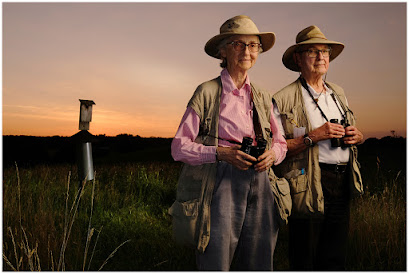
Whenever you have control over the time of day in which you'll be shooting a location portrait, always remember that the hour that wraps around sunset will offer you at least five different lighting environments in which to work.
And for today's portrait of birders Jo (left) and Bob Solem, we're going to use three of them.

 Congratulations on your recent awards, too! It’s great to see members of our dPS community progress in their photography!