The post Nikon to Announce the 14-24mm f/2.8 and 50mm f/1.2 for Z Mount appeared first on Digital Photography School. It was authored by Jaymes Dempsey.
Nikon hasn’t managed to capture much airtime over the past few months, what with the Canon EOS R5 and R6 launch as well as the Sony a7S III announcement.
But Nikon continues to produce top-notch kit, and we’ll see the fruits of the company’s labor later this week, with the official announcement for two new lenses:
The Nikkor Z 14-24mm f/2.8 S.
And the Nikkor Z 50mm f/1.2 S.
Both lenses are designed for Nikon’s Z mount cameras, which means that they’ll be compatible with Nikon’s mirrorless bodies: the Nikon Z5, Nikon Z6, Nikon Z7, and Nikon Z50.
Let’s take a closer look at what you can expect from these two lenses.
The Nikkor Z 14-24mm f/2.8 S
This lens will be a Z mount remake of a popular F-mount (DSLR) lens, the Nikkor 14-24mm f/2.8G.
And, if the original lens is anything to go by, the Nikkor Z 14-24mm f/2.8 S will be an absolute powerhouse.
At the very least, the Z mount 14-24mm will give Nikon users an ultra-wide zoom with an f/2.8 maximum aperture, which will be appreciated by many photographers, including astrophotographers and other low-light shooters. At present, Z mount f/2.8 zooms are limited to the 24-70mm f/2.8 and the 70-200mm f/2.8; while both of these are excellent lenses, they just don’t offer the perspective that you can get from a 14-24mm lens.
According to Nikon Rumors, the Nikkor 14-24mm f/2.8 will work with front filters (which is always a concern with ultra-wide lenses), but will also take rear filters. The 14-24mm will be relatively compact, and will feature “smooth and silent autofocus.”
In other words:
The Nikkor Z 14-24mm f/2.8 will likely be a lens that does a lot of things well, from landscapes and astrophotography to those ultra-wide travel and event shots that draw the viewer straight into the scene.
The Nikkor Z 50mm f/1.2 S
Nikon already offers a Z mount 50mm lens: the Nikkor Z 50mm f/1.8 S.
But the new 50mm f/1.2 S will go beyond the 50mm f/1.8 S; that extra maximum aperture may not seem like much, but it’s critical for low-light shooters of all types, as well as anyone who’s after the best possible bokeh.
That’s why, if you’re a portrait photographer or an event photographer, the Nikkor Z 50mm f/1.2 S should be at the top of your wish-list.
While the 50mm f/1.2 S is likely to offer stellar image quality, such a wide maximum aperture comes with a serious price:
The lens is going to be big and hefty. This certainly won’t be your easy-to-carry nifty fifty, so if that’s what you’re after, look elsewhere. But it will be a high-quality, well-built, weather-sealed lens that many professionals are after.
Conclusion
The Nikkor Z 14-24mm f/2.8 S and the Nikkor Z 50mm f/1.2 S lenses are bound to be impressive (even if they have a price tag to match!).
So if either lens seemed appealing, I recommend you keep an eye out for Nikon announcements over the next few days.
You won’t regret it!
Now over to you:
Are you excited for these two new lenses? And if you could pick one of them, which would you take?Share your thoughts in the comments!
The post Nikon to Announce the 14-24mm f/2.8 and 50mm f/1.2 for Z Mount appeared first on Digital Photography School. It was authored by Jaymes Dempsey.
The post 5 Tips for Setting the Focus in Your Landscape Photography appeared first on Digital Photography School. It was authored by Jim Hamel.
For many types of photography, the question of where you should set your focus is pretty simple. For example, in portrait photography, there is one simple rule: focus on the eyes. When the eyes aren’t on the same plane of focus, focus on the near eye. End of story.
It is pretty simple with other types of photography, as well. In wildlife photography, you focus on the animal. In fact, in any type of photography where there is a clear subject, you always focus on that subject. That’s not to say it is always easy, but at least it isn’t difficult to figure out.
Foreground sharpness is paramount in many landscape photos.
But what about landscape photography, where you are generally capturing more of a scene than a solitary subject? Where do you focus to ensure that everything in the scene is as sharp as possible? The answer isn’t always so clear.
Therefore, in this article, we’ll cover some tips for helping you know where to set the focus.
Tip 1: Don’t just set the focus at infinity
Again, oftentimes in landscape photography, you are trying to capture a scene rather than a solitary thing. Many times, the scene you are trying to capture is far away from you.
Most lenses have a range of focus values, and once you get beyond a certain distance (often 20-30 feet, or 8-10 meters) the focus is set at infinity. Everything beyond that point will just be infinity. Therefore, if you are taking a picture where most things in the frame are far away, it might seem that you should just set the focus at infinity. If you are using autofocus (and most of us are), you might be inclined to set the focus using something that is very far away from you.
If everything in the frame is truly at infinity, then setting the focus at its maximum distance is not a horrible idea. If there is nothing close to you, then there is just no need to do anything else; you don’t need to overly complicate things. But more commonly there are aspects of the scene that are closer to you than infinity. Where do you set the focus then?
You can get into hyperfocal distance (we’ll talk more about that in a minute) and make this as technical as you want. But often your time is precious when you’re out shooting. The light is changing and things are moving. You can get a pretty good sense of things without resorting to calculations.
As a result, consider this rule of thumb: Set the focus at infinity and then just turn it back a little bit. But there’s an obvious question: How do you define a little bit?
I’m afraid I don’t have a good answer for you. It will vary from lens to lens, but will usually be about a 5-10° turn or just to the highest distance number printed on the lens (if your lens has these numbers).
Why would you want to do that?
Because of the depth of field that will be in your picture (more on depth of field below). Since you are taking an outdoor photo, you will probably not be shooting wide open, or even with a large aperture. So there will likely be some depth depth of field involved. It doesn’t necessarily have to be a large depth of field, but the point is that it gives you some leeway. By pulling the focus forward, that leeway will still get everything out to infinity in focus. It will also get things a little closer in focus, as well.
Tip 2: Try focusing a third of the way into the picture
Many pictures are ruined because the foreground is not sharp. It happens all the time. Therefore, if you have something in your scene that is close to the camera, focus on it. If the ground is prominent in your picture, set your focus close to you. Make sure that foreground is in focus. Often you will set the focus only a few feet in front of you.
But wait a second, you might ask, what about my background? Won’t it be out of focus or blurry?
Probably not. If you’re using your wide-angle lens (and if you are taking an outdoor photo that has a discrete foreground, then you probably are) you will have a wide depth of field, even at moderate to large apertures.
A sharp foregound focus furthers the viewer’s sense that they can walk into the picture.
Tip 3: Focus on the subject matter
Let’s not lose sight of the obvious, though. When you have a definite subject or center of interest in your photo, just focus on that. It is the most important part of your picture, and you absolutely need it in focus.
Don’t worry about your foreground, and don’t worry about your background. Just make sure the subject is in focus. Frankly, if there is a little fall-off in sharpness from your subject, that will probably not be such a bad thing.
Sometimes you just want a definite subject in focus, and having the background start to blur out is just fine, as in this image of a sheep.
Tip 4: Watch the aperture
There are no free lunches in photography. You probably already know that by using a smaller aperture to get a larger depth of field, it will cost you light. The smaller aperture lets in less light, so you will have to use a longer shutter speed (risking blur if you aren’t using a tripod) or raise the ISO (risking digital noise in your picture).
But the smaller aperture will also lead to something called diffraction, particularly in cameras with smaller digital sensors. Therefore, just using the smallest aperture possible isn’t always the answer. You cannot just set your focus anywhere and rely on a super-wide depth of field to save you.
There are two ways around this issue though, which we’ll talk about next.
With everything in the shot at a distance of infinity (30 feet or more), I did not need a wide depth of field to keep everything in focus.
Tip 5: Know Your hyperfocal distance
Hyperfocal distance is just a fancy name for determining how close you can set your focus and still keep your background acceptably sharp. There are apps and calculators that will tell you this distance depending on your aperture, sensor size, and focal length.
For a full explanation of hyperfocal distance along with some charts and links to apps that will calculate it for you, check out this article: How to Find and Use Hyperfocal Distance for Sharp Backgrounds .
An example will illustrate the point made above about backgrounds tending to remain sharp when you are using wide-angle lenses. If you’re using a 16mm lens on a full frame camera and shooting at f/11, your hyperfocal distance is only 2.5 feet. That means you can set the focus on a point just in front of you, and keep everything behind that point sharp.
Knowing the hyperfocal distance will often liberate you to set the focus point quite close, in order to maintain sharp foregrounds in your picture. It also means you often don’t need to use the smallest aperture your lens offers, so you can avoid the effects of diffraction.
Tip 6: Consider focus stacking
When the methods above won’t work for you, or you just need to make sure absolutely everything in the photo from front to back is tack-sharp, you may want to consider focus stacking. Here you take multiple pictures of the same scene using different focus points.
Start by setting the aperture of your lens where it is sharpest (also called the sweet spot; if you don’t know, that is usually in the range of f/5.6 – f/8). Take a shot with the focus set close to you, then repeat the process, gradually setting the focus point farther and farther away with each shot. Later you blend your pictures in Photoshop (for more about how to do that check out this article: Maximizing Depth of Field Without Diffraction).
This method is not a cure-all. It obviously won’t work with moving subject matter. In addition, it can be tedious, and you risk slightly moving the camera since you have to twist the focus ring between shots. Still it can be a powerful tool for maintaining focus and sharpness throughout your entire picture.
Setting the focus in landscape photography: Summary
No rule is going to cover every situation when it comes to focus. As with many aspects of photography, you’ll just have to use your own judgment in the field. Hopefully, as you do so, these tips will help you nail the focus and keep the picture tack sharp where it matters.
This week we are doing a series of articles to help you do better nature photography. See previous articles here:
3 Habits Every Outdoor Photographer Should Develop to Avoid Missing Shots
5 Tips for Better Nature Photography
27 Serene Images of the Natural World
Weekly Photography Challenge – Nature
10 Ideas for Photographing Nature in your Backyard
6 Tips for Capturing Character and Personality in Wildlife Photography
The post 5 Tips for Setting the Focus in Your Landscape Photography appeared first on Digital Photography School. It was authored by Jim Hamel.
The post Weekly Photography Challenge – Self Portrait appeared first on Digital Photography School. It was authored by Sime.
It’s been a long time since we pushed a ‘Self Portrait’ challenge in your general direction! These can be very confronting for many reasons, how we see ourselves, confidence, or something as simple as the lack of a tripod (You can put your tripod on a bench, or the floor, or in a tree!) but it’d be great to get as many of us to try this out as possible – it’s not about anything other than learning to photograph people, and who is your most readily available subject? YOU.
One of our resources on self portraiture
I’m one of those crazy (or not?) people that have participated in a 365, got the t-shirt, made a small book, it was fun! But it really goes a long way to showing you a lot about portrait photography, lighting (I used a desk lamp for the longest time!) and how your gear works… But we don’t want to see 365 of these, just one.
A self-portrait doesn’t need to JUST be of you, you can disguise yourself behind a coffee machine, or across a workbench. But set your scene and think about your lighting, and see what you come up with! Here are a couple of helpful resources on portraits for you to have a look at, grab a cup of tea and your camera and get started! Self Portrait Tips & Examples and A Mirror Self-Portrait challenge from a few years back!
A little shout out to ‘Moncat‘ who submitted this photograph to last week’s ‘Spring’ challenge!
Great! Where do I upload my photos?
Simply upload your shot into the comments field (look for the little camera icon in the Disqus comments section) and they’ll get embedded for us all to see. Or, if you’d prefer, upload them to your favourite photo-sharing site and leave the link to them.
Share in the dPS Facebook Group
You can also share your images in the dPS Facebook group as the challenge is posted there each week as well.
If you tag your photos on Flickr, Instagram, Twitter or other sites – tag them as #DPSSelfPortrait to help others find them. Linking back to this page might also help others know what you’re doing so that they can share in the fun.
Follow us on Instagram?
The post Weekly Photography Challenge – Self Portrait appeared first on Digital Photography School. It was authored by Sime.
The post Sony to Announce New Line of Compact Cameras Next Week appeared first on Digital Photography School. It was authored by Jaymes Dempsey.
Sony’s is famous for its full-frame mirrorless lineup, which offers stellar image quality, lightning-fast autofocus, and more.
Sony is also famous for its APS-C mirrorless lineup, which offers similarly fast autofocus but in a compact package.
Yet Sony is about to take their mirrorless system a step further.
Earlier this week, Sony unveiled this graphic on their Sony Japan website:
And while the announcement hasn’t officially been followed by additional details, Sony Alpha Rumors has reported that Sony will be announcing a brand-new type of mirrorless camera, one that combines the compactness of the Sony a6000 series with the image quality of the a7 and a9 series.
According to Sony Alpha Rumors, the first of these cameras will be labeled the Sony a7C, where the ‘C’ will likely stand for either Concept or Compact.
So what can we expect from this new mirrorless body?
The a7 III’s 24 MP sensor
A fully-articulating screen in the style of the a7S III
Autofocus from the a7S III
A design close to that of the Sony a6600 (though a hair larger)
4K/30p video recording capabilities
In-body image stabilization
One SD card slot
A headphone jack as well as a mic input
A higher price tag than the a7 III (which currently sits around $ 2000 USD)
Sony Alpha Rumors also reports that the a7C “will be marketed for vloggers and YouTubers,” and will debut alongside a new set of compact lenses.
If all this information is accurate (and I suspect that it is!), we’re going to be in for quite a treat. The a7C will offer some of Sony’s best goods, and future a7C cameras should be similarly impressive.
Really, this camera seems like a powerful hybrid; while it may be aimed at YouTubers and vloggers, it should also appeal to travel photographers, street photographers, and even more casual, walkaround photographers.
Plus, the new compact lens lineup will hopefully address a common frustration among Sony mirrorless photographers: that the cameras are compact, but the lenses aren’t.
So if you’re looking to grab a compact camera that can handle video and stills on the go, keep an eye out for the announcement!
Now over to you:
Are you excited about the upcoming Sony a7C announcement? Is it a camera you’ll be interested in purchasing? Share your thoughts in the comments!
The post Sony to Announce New Line of Compact Cameras Next Week appeared first on Digital Photography School. It was authored by Jaymes Dempsey.
Action cameras have become more common in the past few years, and for a good reason. Originally created by GoPro, many big brands have also jumped in the action camera space. As the action camera space grew, there came along a lot of cheap copycats. With multiple brands and tens of models to choose from, it has become difficult to Continue Reading
The post Best Action Cameras for Every Budget: Are Cheap Action Cameras Any Good? appeared first on Photodoto.
The post Shooting Stock Photography: Getting the Most Out of a Single Subject appeared first on Digital Photography School. It was authored by Charlie Moss.
Most photographers who experiment with shooting stock photography quickly become disillusioned. They struggle to see a return on their time and financial investment. Even worse, they turn to fellow photographers for advice and are often told that the stock photography market is dead.
But that isn’t the case. There is still a market for stock photography.
However, to create a revenue stream from shooting stock photography, you need to work smarter. That way, you’ll have a more significant library of images with less investment, and you’ll be able to build a revenue stream from your images much quicker.
What is stock photography?
Stock photography is where a photographer takes images that they’ve already shot and makes them available to businesses for licensing.
In return for a fee, the client can use the pictures in their book or on their website. It usually works out cheaper for the client to use a stock photograph than to commission a photographer to go out and shoot a similar image.
The images are usually managed by an agency, who handles all of the marketing and administration.
Is stock photography dead?
This is the first question that photographers often ask me when they find out I’ve been shooting stock photography for over a decade. I am a relative beginner in the world of stock photography, but I can tell you that, in my experience, it is very worth exploring the stock photography market.
This old photograph was one of the first I submitted to stock libraries. Back then I used to focus on photographing everything on white backgrounds. It still sells, but if I’d shot more variety ten years ago then I’d be seeing more revenue now!
Canon 350D | Canon EF 55-200mm f/4.5-5.6 | 50mm | 1/125 sec | f/8.0 | ISO 200 | Strobe Lighting
Anyone thinking about shooting stock photography needs to understand that it is a long game to play. You shouldn’t expect instantaneous results. It may take a couple of years to start seeing regular sales that you can predict in your business plan.
But don’t let that put you off. Time spent on photographing and submitting images to stock libraries is an investment in your future income.
Where do stock images come from?
There have always been photographers dedicated to shooting stock photographs. However, many photographers have made a good side income by submitting images that came from other shoots or jobs.
An image shot for a DPS article that has since earned me money through a stock library. I used the same subject as the previous shot, but a very different approach.
In doing this, photographers have made their images work harder for them by pulling double-duty. The photographer has been paid for their time to shoot the initial photographs. But then they may also get paid for the images again when they are licensed from the photographer’s stock agency.
If you are shooting images specifically for your stock library, then you need to make sure you optimize the way you shoot. Getting a wide variety of photographs from a single subject is the key to quickly seeing regular payments with minimal investment.
Getting more from a single subject
If you have purchased a prop to photograph for your stock photography library, then it makes sense to get maximum return on your investment.
This advice will also work for hiring models or visiting particular locations; just take the general principles and apply them to your subject.
I often shoot stock photography images alongside fine art images. By using the same subject with different props and compositions, you can shoot a wide variety of pictures in a short space of time.
Understand what each stock photography agency that you submit to is looking for. If you shoot a variety of images in different styles, you can then send them to various agencies.
In a food photography shoot, it is quite possible to shoot for a wide range of stock photography agencies during the same session. You could shoot a shot for a cafe to market themselves with on social media. You could also shoot an image for a food magazine or recipe book. You could perhaps shoot a fiction book cover, an educational textbook image, and some creative images for bloggers to use.
Above are some of the images from a shoot I did with a single subject. I made sure to shoot with both light and dark backgrounds, as well as both modern and more rustic backgrounds. Image buyers want to purchase photographs that will fit with the feel of their brand. The more options that you can give them, the better.
Think about where your images could be used
Don’t forget to shoot in both landscape and portrait format for your stock images. You never know where your image will end up. While a fiction book cover will almost always need a vertical image, a magazine or a blog could use either vertical or horizontal images depending on the page layout.
Another tip is to shoot images that have space for text to be added later. Think about a magazine front cover. It has room at the top to put the name of the magazine. But it also has plain or out-of-focus areas on the side to write the headlines. Browse through magazines and books to understand more about the kinds of images that get purchased and published.
Where to start with shooting stock photography for profit?
As I often say: Just start somewhere.
Research the kinds of images that different stock photography libraries are interested in. Agencies will usually have blog posts on their sites listing the pictures that they’re looking for. And then get shooting.
Make sure you capture a wide range of different angles and compositions while thinking about the different ways that your images could be used.
If you’re shooting stock images of small objects, then try creating some different backgrounds so that you can easily change them out while shooting.
That way, you can create multiple styles of photographs in the same session. If you’re shooting models, then scout out locations that have a number of different backdrop styles within a few minutes of each other.
But what you really need to do is shoot images and get them placed with stock photography agencies. If your images aren’t out there and in front of the eyes of potential clients, then you won’t sell any at all! You can refine your workflow later.
Have you had much success with shooting stock photography? Let us know how you’ve got on in the comments!
The post Shooting Stock Photography: Getting the Most Out of a Single Subject appeared first on Digital Photography School. It was authored by Charlie Moss.
The post How to Use a Split Tone Style in Lightroom Mobile for a Consistent Instagram Feed appeared first on Digital Photography School. It was authored by Ana Mireles.
Have you ever seen an image and immediately known who took it? That’s because the photographer has a unique style.
If you want to make your own images recognizable for your clients and followers, you might want to try a split tone style.
Keep reading to learn how this works.
Snapshot taken with the default camera app on a Redmi Note 8.
Style
You can create your own style through many different elements, from lighting and composition to a particular way of post-processing.
Using this technique, you can keep your images consistent. That way, the viewer feels like all your images belong together and associates the images with you and your brand. This works for your portfolio, your website, and your Instagram feed.
Split tone
When you assign a certain tone to the shadows and a different tone to the highlights, it’s known as a split tone. The full white and full black will always remain untouched. But the highlights will be cool while the shadows will be warm.
Let me show you what I mean with this gradient:
You can also change the ratio between highlights and shadows. On these next gradients, see how the same split tone colors give a different effect when you adjust the split tone balance:
This is just an example, but you can use any combination of colors that suits your style and brand. For that, you can create a color palette.
Choose a color palette
A color palette is a range of colors used in a particular context. These colors need to work well together and reinforce your style.
There are different theories you can use to create your color palette. You can go for a monochromatic scheme or a complementary one. If you’re not sure, there are some great tools to help you. You can check out Adobe Color or Color Hexa.
Just like a filter, different split tones may look better on some images than others. Having a color scheme gives you the flexibility to apply different split tone combinations while maintaining your style.
Split tone style
Almost every program has a feature or a way to do split toning: ACR, Capture One, Photoshop, Luminar, Lightroom, etc. Also, many apps allow you to do split toning on your phone: Photoshop Express, Lightroom Mobile, and VSCO Cam. Choose whichever fits best into your workflow.
In most cases, the split toning interface is similar from program to program. You’ll have two gradients: one for the highlights and one for the shadows. You’ll also have a balance slider.
I’m going to show you how to split tone in Lightroom Mobile, because it’s the program I find most comfortable. Also, because Lightroom Mobile allows you to save your split tone effect as a preset.
Both split toning and preset functionality are included in the free version of Lightroom Mobile, so you can follow along without getting a subscription.
Split toning in Lightroom Mobile
When you have your image open in Lightroom Mobile, you can see the menu at the bottom. Scroll to the right until you find Effects.
Once you open the Effects tab, on the top right you can find Split Tone. This will open the gradients for the highlights and shadows. Below these gradients, you’ll find a slider to control the split tone balance.
Move the highlights, shadows, and balance values until you’re satisfied.
In the color palette section of this article, I was telling you that there are different ways to split tone. Here you can see an example of split toning using a monochromatic scheme (the center photo), and another that uses complementary colors (the right photo).
Make it a preset
To keep your split tone style consistent without having to remember the specific values every time, you can create a split tone preset. That way it becomes a one-touch edit you can apply to every photo.
To do this, click on the three dots in the top right. This will open a menu; from there choose Create Preset. Make sure that only the Split Toning option that you find inside Effects is checked. Otherwise, the preset will save additional edits that you might not want to replicate in other photos.
Then name the preset and tap on the check icon (in the top right) to save.
Next time you want to apply the split tone effect to a photo, just open it in Lightroom Mobile, go to Presets, then User Presets, and find the split tone preset you want.
You can also create different split tone presets that use variations from your color palette. That way, you can use the preset that fits each image best while maintaining the overall aesthetic.
Conclusion
Using a split tone style will help you maintain a consistent look in your images. This will make your account recognizable to your followers and let your clients know what they can expect from your brand.
It doesn’t matter which app or program you use; the important thing is that it’s easy to incorporate into your workflow.
Share your recommendations and experiences in the comments section.
The post How to Use a Split Tone Style in Lightroom Mobile for a Consistent Instagram Feed appeared first on Digital Photography School. It was authored by Ana Mireles.
The post Nature and Wildlife Photography Tips for Beginners appeared first on Digital Photography School. It was authored by Adam Welch.
If you have an interest in wildlife or nature photography, then there is a good chance you have seen an image at some point that has completely taken your breath away. Maybe it was a photograph of a sweeping landscape washed in the golden light of the dying afternoon sun, or a close-up of some small natural miracle that you had never noticed before that moment.
You might even have asked yourself, “How did they do that?”
Well, the majority of those incredible photographs came about through a good deal of physical hardship, practiced patience, and a healthy amount of self-made luck.
Here are some tips to help you become stronger at wildlife photography and better at recording the natural world.
Do your homework before heading out
Be as educated as possible before you ever make a photo. Doing your homework is one of the most important, yet loathed, parts of wildlife photography. It never pays to walk into a situation and be completely clueless.
Though you can never be totally prepared for every challenge you will face (that’s part of the fun), you can educate yourself so that you safely make the most of your outing.
What gear to pack
Advanced gear is not a requirement. However, patience and perseverance are essential. You don’t need the latest and greatest zoom lens or space-age gadgetry in order to produce outstanding nature and wildlife photos.
At the same, you must also understand any limitations of your kit, so that you will have realistic expectations and avoid disappointment.
This photograph was made using the 28-135mm kit lens that came with my camera after I slowly and quietly crawled into range.
Gear up for what you’ll most likely be shooting. Packing for a photographic outing can cause a lot of anxiety. It’s easy to overpack due to fear of lacking a piece of gear.
Overpacking, though, can be even worse than underpacking. You become weighed down and uncomfortable. You find yourself not enjoying what you’re doing, which is one of the most preventable of all mistakes made by photographers.
Research the animals and scenes you are likely to encounter. Decide what gear most and least important to you. Make choices, commit to them, and then let it go. It will make packing a lot less stressful.
If you plan on photographing wildlife, such as birds and animals that scare easily, then pack your best zoom lens so you can keep distance between you and your subject.
Are you shooting landscapes or scenes where stealth is not a concern? You might consider taking along a wider angle lens to better capture your scene.
Ultimately, there is no secret formula and no true all-in-one lens to cover every situation. Be informed before you leave so that you can make the best use of whatever lens you have.
A good bag is worth its weight in gold
All the planning in the world isn’t worth much unless you can comfortably carry your essential tools with you. Find a camera bag that can carry the gear you need easily and is equally comfortable on your body.
Bags range greatly in price and quality, but you usually get what you pay for. For added peace of mind, you might consider a bag that is semi-weatherproof or water-resistant.
Here’s my go-to lightweight bag for wildlife photography, shown with and without the handy rain cover deployed:
Read reviews and find a bag that fits your body, your gear, and your planned outing. You will have a much more comfortable and enjoyable experience.
Speaking of comfort:
Comfort items
Shoes: A good pair of hiking shoes or boots is one of the most important pieces of gear for any wildlife photographer. Grit, dirt, mud, water, insects, rocks, and creepy-crawlies; you need a pair of shoes or boots that can handle all of these elements.
Your shoes should be well-fitting and suitable for walking long distances. If your feet become uncomfortable, it won’t be long before you start thinking about cutting your trip short.
Prepare a checklist
It’s always a good idea to have a mental checklist before beginning any shoot. Before your outing, ask yourself the following questions:
Are any special permits or permissions required? Some national parks, state parks, and wildlife sanctuaries require special permits for access to certain areas, especially backcountry environments.
Where will I park my vehicle? This is very important. Believe me, if you park your vehicle in an unauthorized area, then you will be stuck with a sizeable fine. Or worse, you’ll return to find your vehicle has been towed.
Are there time restraints of any kind? Most natural areas and parks have hours of operation just like a business. You might arrive expecting to shoot a great sunrise, only to find out the location you chose isn’t accessible until after daybreak. Also remember that wild creatures and critters are usually most active in the early morning or late evening.
What are the expected weather conditions? This is a biggie. Know what to expect as far as the weather is concerned. Check the forecast the day of departure and keep tabs on it throughout the day if possible. Never risk endangering yourself or your equipment by venturing out unprepared for bad weather.
What are the times for sunrise and sunset? Again, be sure the places you want to capture a sunrise or sunset are accessible during those times. You need to also be aware of the sunrise-sunset schedule so that you can allow enough time to reach your location and set up your gear before it’s go time.
Are there any commonly photographed animals, landmarks, or structures? Research what is usually photographed around the area you plan to visit. Find a park ranger or staff member and ask about lesser-known spots that are less traveled by tourists. Knowing what’s popular will save you time and help you avoid shooting a scene the same way it has been done time and time again. Look for ways to be creative and set your work apart!
So, you’ve researched your location and have a good idea of what to expect. Here are a few basic tips that can help you after you’ve reached your destination.
Shoot RAW
If possible, set your camera to capture images in RAW format. RAW image files are basically unprocessed (one might say uncooked), straight from your camera’s image sensor. They contain a massive amount of pixel information when compared to JPEGs and take up a lot more memory card space. However, this additional information allows more latitude for adjustments in post-processing.
Use the lowest practical ISO
The ISO number of photographic film and image-sensors relates to their sensitivity to light. The boiled-down explanation is that, everything else being equal, the higher the ISO number, the less light that is required to make an image.
Unfortunately, with higher light sensitivity comes increased image noise. In most (but not all) situations, you will want to use the lowest ISO possible. That is not to say you should be afraid of bumping up the ISO. A fast shutter speed is often needed to capture the quick movements of wildlife, and increased noise is far less noticeable than a blurred image.
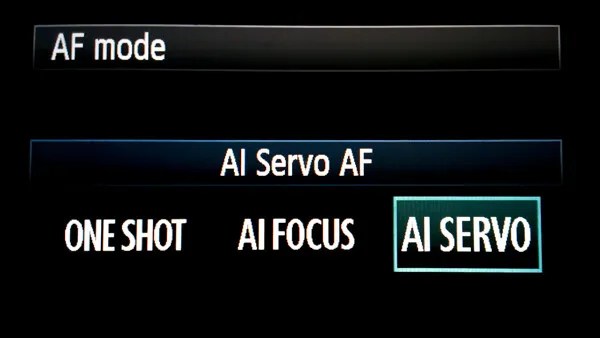
Use AF continuous (AI Servo) mode when photographing wildlife
Autofocus (AF) can be your best friend or your worst enemy. When it comes to photographing most wildlife, however, autofocus is a great tool!
Animals and birds, especially the wild variety, are almost constantly on the move. They shift positions and move closer or farther away selfishly, with little regard for the photo you are so carefully trying to compose. This is when AF-Continuous and AF-Servo modes come in handy.
Though called different names depending on your camera’s make, these settings both accomplish the same objective: They keep a moving subject constantly in focus.
Place your selected focus point over your subject and half-press the shutter button to engage the AF. Focus will be tracked for as long as you follow your subject while maintaining pressure on the shutter button. Read your camera’s manual (you’ve done that already, right?) for detailed information concerning specific autofocus capabilities for your model, and how each mode can be selected.
Don’t forget the tripod
“I really didn’t think I would need my tripod” are words that usually begin a sad story about how a potentially great shot was missed. In most wildlife and nature photography situations, a tripod is always a good idea. It’s better to have access to a tripod and not need it than to need it and not have one available. Find the lightest and most compact tripod that is sturdy enough to handle your camera setup.
Learn so you can prepare. Prepare so you can photograph. Photograph so you can grow.
Photographing wildlife can be difficult, but it can also yield huge artistic, personal, and even spiritual rewards. So go out and have fun doing what you do, but don’t forget to put the camera down every now and then to enjoy the world around you.
“Nature never goes out of style.” – Unknown
The post Nature and Wildlife Photography Tips for Beginners appeared first on Digital Photography School. It was authored by Adam Welch.
The post Canon EOS R Mirrorless Camera: A Hands-On Review appeared first on Digital Photography School. It was authored by Jaymes Dempsey.
The Canon EOS R isn’t the newest Canon camera on the block, but it’s one of Canon’s four full-frame mirrorless offerings.
Which means that, if you’re an advanced Canon photographer looking to move to mirrorless, you don’t have many options.
But what does the Canon EOS R offer advanced and professional photographers? And how does is hold up in the field?
That’s what this review is all about.
I’ve now had the Canon EOS R for nine months, which has given me plenty of time to test it. I’ve worked with the EOS R in rain, in snow, through blowing sand, at night, in the studio, and much more. So I know what this camera can do; I also know its limitations.
Canon EOS R | Canon EF 70-200mm f/4L | 1/160s | f/4 | ISO 400
And I’ve used the EOS R with an EF to EOS R adapter, so I can confidently say whether Canon EF/EF-S lenses work well with the EOS R, or whether you need to purchase a whole new set of (expensive) Canon RF glass.
Are you ready to discover everything you need to know about the Canon EOS R?
Let’s get started.
Canon EOS R: Overview
Canon EOS R | Canon EF 24-70 f/4L | 5s | f/7.1 | ISO 200
The Canon EOS R debuted back in 2018 as Canon’s first full-frame mirrorless camera, featuring:
A 30.3 MP sensor
A native ISO range of 100-40000
Dual Pixel Autofocus with 5655 AF points
5 fps shooting with continuous autofocus; 8 fps shooting with One-Shot AF
A fully-articulating rear LCD with touch functionality
A 3.69M-dot electronic viewfinder
One SD card slot
4K/30p video (with a 1.7x crop)
A 370-shot battery life
A brand new (RF) lens mount
Weather sealing
1.46 lb (660 g)
5.35 x 3.86 x 3.31 in (136 x 98 x 84 mm)
Current price: $ 1799 USD
While there are plenty of worthy capabilities on that spec list, at the time the EOS R was seen as something of a letdown.
Why?
For two key reasons.
First, the EOS R only offered a single SD card slot. This meant professional photographers who require redundancy in their work (e.g., wedding photographers, sports photographers) didn’t feel comfortable working with an EOS R.
Second, the EOS R didn’t include any innovative features, and certainly not any features on the same level as Sony’s groundbreaking autofocus, huge megapixel counts, blazing-fast continuous shooting speeds, and in-body image stabilization (admittedly, Sony doesn’t offer all these in the same camera, but still!).
That said, the EOS R did, and does, offer some compelling attributes.
And after testing the EOS R for nearly a year, I can say, without a doubt, that it is a great camera…
…for the right person.
Absolutely, the EOS R has some drawbacks, and it fails to really break out in most areas. But it’s also reasonably priced and gives you access to additional mirrorless capabilities that you just can’t get on a DSLR, without needing a brand new bag of lenses (not to mention its relatively fast autofocus and strong image quality that we’ve come to expect from Canon’s higher-end cameras).
Plus, no two photographers are alike, and one photographer’s trash is another photographer’s treasure.
Bottom line:
While the EOS R just doesn’t work for some photographers, there are others for whom it’ll be an absolute dream to use.
So let’s take a closer look at the Canon EOS R!
Canon EOS R | Canon EF 24-70mm f/4L | 1/80s | f/6.3 | ISO 400
Canon EOS R: Build
The Canon EOS R is medium-level compact, with a relatively lightweight (but solid) build. It’s easily smaller than the full-frame Canon 5D Mark IV, which is longer, taller, and around 1.5x heavier; the same is true of the Canon 6D Mark II.
That said, the EOS R hardly feels slim, and it doesn’t really scream travel-ready to me. Personally, I don’t mind the weight of the EOS R, but if you’re coming from a smaller APS-C mirrorless body then the difference may take a little getting used to.
The EOS R packs a top LCD, as well as a shooting mode dial, a video button, a standard top command dial, and more.
Moving on to the back, you have a 3.2-inch fully-articulating touchscreen, which tilts in pretty much any direction and flips out to the side. You also get several buttons that are almost completely programmable, along with an (also programmable) multi-selector wheel.
Then there’s the electronic viewfinder and, to its right, a programmable touch bar (which I’ll discuss more thoroughly in a moment).
Now, the Canon EOS R is listed as weather-sealed, and it can clearly withstand some difficult conditions. I’ve used it (carefully) in snow and rain, and I’ve had no problems whatsoever. At the same time, the weather sealing just isn’t on the same level as some of the true professional bodies on the camera market, which is why I don’t think the EOS R is the right choice for shooters that regularly subject their gear to intense beatings.
Canon EOS R: Handling
I think I’m in the minority here, but I absolutely love the feel of the EOS R and its in-built capabilities. I’d even go so far to say that it’s the best camera I’ve ever handled, thanks to a few key features.
First, I’m a huge fan of the fully-articulating screen, which is fantastic for getting into odd angles when shooting macro photos, architectural photos, landscape photos, or even street photos when shooting unobtrusively from the hip. Plus, you get touchscreen-based autofocus, so you can easily tap your desired AF point and lock focus in milliseconds.
Second, the electronic viewfinder is clear, bright, and crisp. Thanks to its 3.69M-dot resolution, I rarely miss my optical viewfinder (which was a huge concern for me when I first added mirrorless technology to my camera lineup).
What’s also great about the EVF is how you can use it to “see” in black and white. You can literally look at a black and white world, which is ultra-helpful when it comes to composing compelling black and white images using the viewfinder.
Third, the camera fits perfectly into my hand and I can easily use it without checking where I’m pressing, due to a deep front grip and well-positioned buttons.
Fourth, the EOS R offers the programmable touch bar. This has been a point of contention among EOS R users, because some find it finicky to the point of being unusable, but I’m firmly in the opposite camp. I love the touchbar, which I immediately programmed to adjust my ISO and I haven’t changed since. It’s saved me from missing countless images, because instead of fiddling with buttons and dials, I can boost the ISO with a roll of my thumb.
Have I had occasional issues with the touchbar?
Yes. It’s very sensitive, which means that I’ve accidentally boosted the ISO without meaning to. But while this was frustrating, it was absolutely worth the trade-off discussed above.
And fifth:
I love the silent shooting mode. Unlike silent modes offered on other cameras, the EOS R’s silent shooting is truly silent or, at least, so quiet that you can’t hear the shot unless you listen very, very closely. This is one of those features that just can’t be done on DSLRs, and when it is present in mirrorless cameras, it can be inhibited in some annoying way (e.g., as a separate mode that doesn’t allow you to adjust all your other camera settings).
But on the EOS R, silent shooting is unrestricted, which is one of the reasons I love using the R for street photography. It’s a discrete option in the menu that can be toggled on and off at will. And it allows you to fire off shot after shot without being heard (which is also useful for photographing quiet events, such as weddings and concerts).
That said, there are two key usability issues with the EOS R.
First, the single SD card slot, which I mentioned above, but bears repeating. For me, it’s not a big deal, because I’m not a professional wedding photographer, sports photographer, or portrait shooter. But I can absolutely understand why certain photographers require the second card slot, and in those situations I’d simply refuse to use the EOS R; having a backup is just too important.
Second, battery life is mediocre for a mirrorless camera, which is to say very poor compared to DSLRs. Canon rates the EOS R at 370 shots, and I’ve been able to get far more than that out of it (maybe 600 shots or so), but you’re definitely going to need at least two batteries in the best of situations, and if you’re doing long photoshoots then three is probably better.
It’s also worth mentioning the lack of in-body image stabilization in the EOS R. This is disappointing, and if you’ve ever used cameras like the Olympus OM-D E-M1 Mark II, you’ll know how powerful good IBIS can be for low-light shooting. But Canon does offer a lot of image-stabilized lenses, so it’s certainly not a dealbreaker.
Canon EOS R: Autofocus and speed
The EOS R uses Canon’s much-loved Dual Pixel AF technology, which was confined to Live View modes on Canon DSLRs. In practice, the autofocus feels fast, but doesn’t really give Sony a run for its money. I spent a few hours shooting ducklings in a river, and my hit rate wasn’t as high as I’d like, especially when the ducks were backlit.
Canon EOS R | Canon EF 400mm f/5.6L | 1/2000s| f/7.1 | ISO 500
AF coverage is very good, though, and spans pretty much the entire sensor (thanks to the mindblowing 5600+ AF points).
Another bonus here is that autofocusing works all the way down to -6 EV. I’ve used the EOS R in almost complete darkness, and I’ve found that autofocus does indeed work, though it hunts as you approach that -6 EV territory.
Canon EOS R | Irix 11mm f/4 | 2s | f/13 | ISO 200
That said, the EOS R does offer Eye AF, which allows you to nail focus on your subject’s eyes when capturing portraits. Note that this is generally used instead of Face Detection AF, though the two are designed to work together to get you the best focus depending on whether the eyes or only the face are in view.
You have two options on the EOS R regarding autofocus selection:
You can select AF points using the touchscreen, or you can select AF points using the multi-selector wheel on the rear of the camera. I use the touchscreen almost exclusively, and there’s a nice implementation that allows you to make only a corner of the screen touch-sensitive for AF use, so you don’t have to worry about repeatedly selecting AF points with your nose.
In terms of shooting speeds, I do wish the EOS R were faster.
You can work at 8 fps if you’re using One-Shot AF, but this drops to 5 fps when autofocusing continuously. I consider that 7-8 fps a minimum for action photography, and 5 fps just can’t compete in sports or wildlife or other action scenarios.
The upshot of this is that the buffer is relatively deep; you can capture 65 RAW images without pause, or 126 high-quality JPEGs, which is always nice for situations where you need to keep on shooting during once-in-a-lifetime moments.
So while the EOS R clearly isn’t well-equipped for dedicated action photography, it won’t completely fail you in fast-paced situations.
Canon EOS R: Image quality
The EOS R offers reliable image quality without being particularly groundbreaking.
First, in terms of resolution, you get 30.3 MP, which offers a middle ground between the 45+ megapixel sensors offered by Sony’s A7R series and the Nikon Z7 (as well as the Canon 5DS/5DS R), and the standard 24 MP sensor. Personally, I think this is a nice place to be, because you get good detail and significant cropping capabilities without producing huge file sizes or a lot of high-ISO noise.
Canon EOS R | Canon 24-70mm f/4L | 1/1600s | f/8 | ISO 200
Canon cameras aren’t usually known for their high ISO performance, and here the EOS R is a good performer without being great.
The Canon EOS R offers an ISO range of 100-40,000, with the ability to expand to ISO 50 on the low end and ISO 102,400 on the high end. I feel comfortable pushing the ISO to 800 or 1600 when aiming for a clean image, and I’ll often go to ISO 6400 when shooting street images at night, but this is a step down from the truly impressive low-light capabilities of the Nikon Z6 or the Sony a7 III.
The same is true of dynamic range, where images are good without being breathtaking. You don’t get the 15 stops of a Sony a7R IV, but the results are perfectly usable for, say, serious landscape photographers.
Canon EOS R | Canon EF 24-70 f/4L | 1/200s | f/10 | ISO 200
All in all, I’m pleased by the Canon EOS R’s image quality without being floored. If you’re coming from an APS-C camera or an older full-frame DSLR, you’ll notice a big difference, but the EOS R doesn’t offer much of an image quality boost compared to a camera such as the Canon 6D Mark II and is pretty on par with the 5D Mark IV.
Canon EOS R | Canon EF 100mm f/2.8L Macro | 1/3200s | f/2.8 | ISO 250
Canon EOS R: Using the adapter
There are three Canon EF to RF adapters on the market:
The basic EF-EOS R adapter, which simply allows you to connect your EF/EF-S lenses to an EOS R body.
The midrange EF-EOS R adapter, which gives you a dedicated aperture ring when using EF/EF-S lenses.
And the high-end EF-EOS R adapter, which allows you to drop in filters (such as a circular polarizer or an ND filter).
I have only used the first of these, which you can grab for $ 99 USD. I’ve tested it on the EOS R with a handful of lenses in quite a few situations, and it works flawlessly. I’ve noticed zero autofocus lag, which means that you can comfortably use your EF and EF-S lenses without worry.
However, the adapter comes with two minor drawbacks:
First, it does take up space, either in your bag or on your camera. If you’re aiming for the smallest, lightest kit possible, then it’s probably not your best option.
And second:
It’s inconvenient to work with a group of lenses, some of which are EF-mount and some of which are RF-mount, because you have to keep moving the adapter on and off the camera.
To me, these drawbacks aren’t a big deal, and I plan to keep my EF lenses for a long time. But it’s certainly worth thinking about.
Canon EOS R | Canon EF 24-70mm f/4L | 1/100s | f/9 | ISO 100
Who should purchase the Canon EOS R?
If you’re looking for an advanced or pro-level camera that’s easy to use, relatively inexpensive, and can do a lot of things well without really specializing in one area, then the EOS R is a great option. It’s especially compelling if you’re already a Canon shooter and have a slew of Canon lenses that can be attached via the EF-EOS R adapter.
Canon EOS R | Canon EF 24-70mm f/4L | 1/320s| f/9 | ISO 200
You can use the EOS R for great results if you’re a:
Portrait photographer
Street photographer
Landscape photographer
Travel photographer
Macro photographer
Architectural photographer
But it’s not an action camera, which means that you shouldn’t grab the EOS R if you’re looking to shoot sports or wildlife exclusively. Instead, I’d recommend the newly released EOS R5 or the EOS R6, which both offer a whopping 20 fps shooting via the electronic shutter. The same is true when it comes to wedding photography: Both the EOS R5 and the EOS R6 offer dual card slots, which make them much better choices for the redundancy-conscious photographer.
In fact, given the release of the EOS R5 and EOS R6, which are pretty much all-around powerhouses, it’s worth asking:
Is the Canon EOS R obsolete?
In most ways, the EOS R5 and the EOS R6 are objectively better than the EOS R.
But in the end, it comes down to price; the EOS R5 costs over twice that of the EOS R, and the “cheaper” EOS R6 is also relatively expensive ($ 2500 USD) while only offering a 20 MP sensor.
So if you’re looking for a high-quality camera but you can’t afford the EOS R5 or R6, then the EOS R is a great choice.
Rating: 3.5 out of 5.
The post Canon EOS R Mirrorless Camera: A Hands-On Review appeared first on Digital Photography School. It was authored by Jaymes Dempsey.
The post Getting Started With Affinity Photo Editing Software appeared first on Digital Photography School. It was authored by Kevin Landwer-Johan.
Affinity Photo is a powerful image editing software. It’s both affordable and enjoyable to use.
But, as with any program for custom manipulation of photos, there is a reasonably steep learning curve involved. If you’re used to editing your images with Adobe Photoshop, you’ll find the interface is different. This will take only a little getting used to.
I haven’t been using Affinity Photo for very long and have found it to be well designed, allowing for intuitive use. Switching image editing programs is not something I choose to do lightly. When you’ve been used to a particular workflow within a computer program, there must be a reasonable motivation to change.
My motivation was partly price. Affinity Photo is a product you can purchase outright without any monthly subscription fees. It’s also discounted from time to time, making it even more affordable. Even still, at full price, it is very reasonable for the quality of the product you receive.
The Tone Mapping Persona interface in Affinity Photo
Opening files in Affinity Photo
The first step is to open a photo file you want to edit. This is pretty straightforward and there are a few options for making it happen.
For Windows users, you can right-click an image file in your file manager and choose Affinity Photo from the list. If Affinity Photo is not listed (and it probably won’t be the first time you use it), click Choose Another App. You’ll then need to locate Affinity Photo on your C:/ drive and select it. Here you can also check the box at the bottom of the panel to always use Affinity Photo to open the type of image file you have chosen.
Using a Mac, you can simply open Affinity Photo, navigate to File in the top menu, and click Open. This also works on a PC.
You can also drag and drop photos from your file manager onto Affinity Photo when it’s running.
Affinity Photo opens all standard image types, including RAW files. There is no need for two separate programs to open and edit RAW files. Affinity Photo combines functions that require both Lightroom and Photoshop. I am finding this makes for a great image editing workflow.
Opening a RAW file in Affinity Photo
Becoming familiar with the interface
Once you’ve opened your first photo, you have a massive number of options available to work with. Let’s walk through some of the most important features and where to locate them in the user interface.
Under the main menu at the top you have the Persona and Context toolbars. Here you’ll find buttons for various Personas such as:
Photo Persona (for photo editing)
Liquify Persona (for manipulating distortion)
Develop Persona (for developing RAW images)
Tone Mapping Persona (for mapping image tones)
Export Persona (for when you’re ready to export your image)
As you select a Persona, the Context toolbar changes to include only the tools you’ll need with that Persona.
With the Develop Persona selected, the Context menu shows a different set of tools.
These tools allow you to control how you see your photo as you’re working on it. You can view a single instance of your image. There’s also a split-screen and a mirrored option. The mirrored option is shown below.
Within this Persona, you have a set of adjustment tools in the right-hand panel. These allow you to make similar adjustments to your RAW files as you can in Lightroom.
Once you’ve finished making the adjustments to your RAW image, click the blue Develop button in the top left corner. The interface changes to the Photo Persona, where you can continue to refine the edits on your image.
Here is how the Context toolbar looks when you have the Photo Persona selected while you’re editing your photos:
You have buttons for making auto adjustments to levels, contrast, color, and white balance.
When editing photos in the Photo Persona, you also have a specific set of relevant panels open. These panel sets make up your Studio of editing tools. They are also highly customizable. To show or hide various panels, go to View in the top menu, then select Studio.
Here I have the panels for Layers and Adjustments open:
Getting a feel for Affinity Photo
As you can see, there are many similarities between Affinity Photo and other image editing software. I’ve found that working in the Photo Persona is very similar to my workflow in Photoshop.
The Develop Persona took a little more getting used to. But it offers a very well-designed interface and makes working on RAW images straightforward once you get used to how it functions.
Like anything new, getting used to Affinity Photo takes some commitment and practice. This is true whether you’re new to photo editing or have been using other software to manipulate your images.
Having everything you need to edit RAW images from start to finish, including the option to use multiple layers, has been very satisfying.
Not having an image organizer included means you need to work with your operating system’s file manager or use an additional program. There are many free and cheap digital asset management programs that you can use to organize your photos.
Conclusion
For any photographer with years of experience using a particular brand of editing software, changing is a big step. If you’re new to photo editing, learning to use any photo imaging software manually is a big step, too.
Affinity Photo provides an impressive set of photo editing tools all within one application. I find it to be well laid out and intuitive to use after using Adobe products for many years.
For people new to photo editing, take the time to learn Affinity Photo. You’ll be able to use it to edit your photos just as well as any other available software.
The post Getting Started With Affinity Photo Editing Software appeared first on Digital Photography School. It was authored by Kevin Landwer-Johan.