RSS
 

Archive for the ‘Photography’ Category

How to Photograph Hummingbirds

16 Apr

NOTE: Get Jim’s e-book Fundamentals of Photography Made Easy now 30% OFF at Snapndeals, only until April 25th AUS time.


Birds have captivated wildlife photographers from the beginning of photography, and no group of birds is more intriguing than hummingbirds. It’s not difficult at all to photograph a hummingbird when you see one in a garden hovering above a flower. But unless you do it right your efforts will only result in mediocre pictures.

Photograph hummingbirds 02

The challenge with hummingbirds

The challenge itwo-foldld: First, you want the tiny birds to fill a significant part of the frame, and second, you want the birds to be sharp. Blurred wings are fine for snapshooters, but for serious photographers nothing less than tack sharp wings will do.

The wings of hummingbirds beat about 80 times per second. The range of shutter speeds that we normally use for fast moving subjects is between 1/250th and 1/1000th of a second. This is too slow to freeze the wings. 1/2000th and 1/4000th of a second are not even fast enough to get sharp pictures and to reveal the detail in individual feathers. Some cameras go up to 1/8000th, but even if this were fast enough to get tack pictures of hummers, the light would be so reduced that you would be forced to shoot with a large lens aperture and a high ISO – neither of which are ideal solutions.

Add flash

The technique that works is to use flash. However, it’s not very straightforward at all. The typical flash duration (the length of time that the flash tube is actually illuminated during an exposure) is typically about 1/1000th of a second when used on manual. However, when the power output of the flash unit is reduced to 1/16th power, the flash duration becomes much shorter, about 1/16,000th of a second. This is definitely fast enough to freeze the wings of hummingbirds as you can see in these photos.

The setup

The setup I use consists of four elements:

Photograph hummingbirds 03

  1. Four flash units (I use Canon 430EX Speedlites). Two flashes are placed in front of the setup, one on either side. One flash is used as a backlight to give a little separation between the subject and the background, and one flash is placed to illuminate the background. Metal stands support the flash units.
  2. A 24×36″ photographic print of out of focus foliage is placed in the background. I have several different prints that can be easily changed. The large prints are simply clamped to a piece of foam core.
  3. A wireless transmitter sits on top of the camera to trigger the strobes. Units that work well for are the Canon ST-E2 or the Pocket Wizard. For Nikons, the built-in commander mode works.
  4. A flower that can hold the nectar is clamped to a support like a metal stand, the back of a chair, or anything that is sturdy. The same sugar water that is used in hummingbird feeders (the nectar) is placed in the flower using a syringe so the birds hover above the flower to drink.

Shoot in burst mode

At 1/16th power (all the flash units are set to the same power output), the recycle time is very fast – it’s almost instantaneous, in fact. That means I could shoot as rapidly as I can press the shutter. I fire in rapid succession each time a bird comes to feed. It’s impossible to ascertain whether or not the wings are in an attractive position when I snap the shutter, so I have to take a lot of pictures to get a winner.

Photograph hummingbirds 06

Refinements

To vary the exposure for each flash unit, I simply move the flash closer or farther away. Three or four inches makes a significant change in exposure. In this way, I could adjust the lighting ratio based on what I se on the LCD monitor. A handheld light meter is not needed at all.

With two flash units in front of the hummingbirds, you will get two catchlights in their eyes. This is unnatural looking because in nature, there is only one light source, the sun. Therefore, in post-processing, I clone out one of the dots of light using the clone tool or the spot healing brush.

Photograph hummingbirds 04

Note: These photos were taken during a photo tour I led to Costa Rica.


NOTE: Get Jim’s e-book Fundamentals of Photography Made Easy now 30% OFF at Snapndeals, only until April 25th AUS time.

The post How to Photograph Hummingbirds by Jim Zuckerman appeared first on Digital Photography School.

Digital Photography School

 
Comments Off on How to Photograph Hummingbirds

Posted in Photography


How to Create a Retro Faded Look Using Lightroom or Photoshop

15 Apr

You’ve probably seen images floating around because it’s popular these days, you know, the ones with the retro faded look. It’s pretty popular with the instagram and wedding photography crowd. It’s not my fancy but I am all about empowering photographers to shoot what they have in mind. If that happens to be retro-faded here’s how to achieve that look in Lightroom and Photoshop.

How to Create a Retro Faded Look in Lightroom and Photoshop

Why this look is so popular

Here’s why I believe this look is very popular, it’s a quick and easy way to de-digitalize digital images. When you click that shutter release button, you get a straight, clinical, boring representation of reality. The faded retro look makes the images seem dreamy and ethereal because the colors are muted. Since it’s easy to do and already built into apps like Instagram, you have a recipe for popularity.

How to Create a Retro Faded Look in Lightroom and Photoshop

How to get this look using Lightroom

In Lightroom go ahead and process the image the way you want first. Once you are done, go to the Develop Module and scroll down until you reach the Tone Curves panel. Click the button on the bottom right.

How to Create a Retro Faded Look in Lightroom and Photoshop

First, click the button on the bottom right. Next, click on the little circle on the bottom left of the graph and drag it up. The higher you put it, the more faded the look. Adjust to your tastes and you’re done!

What you are essentially doing is putting a cap on how dark the black pixels will be. Imagine you had 3 groups of students with black, gray, and white shirts. The darkest shirt is black. But if you tell the group of students in black to become grey, the darkest shirt will be grey. It’s the same principle here, you are taking pixels that would normally be black to become dark gray.

How to get this look using Photoshop

In Photoshop the principle is the same. After you have processed the image, go in Image>Adjustments>Levels. You could also alternatively make an adjustment layer to do non-destructive edits by going to Layer>Adjustment Layer>Levels.

How to Create a Retro Faded Look in Lightroom and Photoshop

Drag the black output adjustment to the right to taste and you are done!

Examples

So to recap, take your straight image:

How to Create a Retro Faded Look in Lightroom and Photoshop

Straight original image.

Post-process to taste:

How to Create a Retro Faded Look in Lightroom and Photoshop

Post-processed with basic adjustments.

Then edit the blacks using Levels/Curves:

How to Create a Retro Faded Look in Lightroom and Photoshop

Black level lowered using Levels or Curves.

Further customization

Just like for any new technique, the trick is in experimenting, mixing, and finding your own favorite style. You can add some grain in Lightroom (My favorite, de-facto settings are 50-50-50 for Amount, size, and roughness) but you can also play around with the colors of the photograph for an added effect.

Under the Develop Module, you will find Split Toning in the right-side panel.

How to Create a Retro Faded Look in Lightroom and Photoshop

Split-toning adjustment panel.

The top is where you color the highlights of your image, the saturation controls how strong that color will be. The bottom is where you select the color for your shadows and saturation does the same as above. The Balance slider adjusts which direction you want the colors to lean more toward. If you push that slider to the right, the image will lean more towards the color you have chosen for highlights. If you push the slider left, the overall image will lean more towards the colors selected for the shadows. It’s usually best to keep it at 0 (in the middle) and play around with it after selecting the colors.

Starting points and examples

I personally keep my saturation levels around 10 for Highlights and Shadows because too much saturation will make the image go completely one color. Color images, I find 35 maximum saturation fit my tastes. Here are some results:

How to Create a Retro Faded Look in Lightroom and Photoshop

Playing with split-toning to add to the retro look. Top left is the original faded image.
Top right: Highlights color 299, Saturation at 25, Shadows at 99 and Saturation 31 (Balance at 0)
Bottom right: Highlights color 101, Saturation at 25, Shadows at 47 and Saturation 31 (Balance at 0)
Bottom left: Highlights color 30, Saturation at 25, Shadows at 253 and Saturation 31 (Balance at 0)

Yes, that is indeed how you get a cross-processed look in Lightroom. It fits in well with the overall retro faded look.

Conclusion

That’s it. It’s pretty easy to do if you ask me. It probably takes a bit more time (and you have more control) than using Instagram filters but it’s worth the time to learn if the look resonates with you. You will quickly learn “the numbers” that you like most and be able to be consistent throughout your images. Be yourself, stay focused and keep on shooting.

Please sure your faded retro look images in the comments below and tell us how you achieved it.

The post How to Create a Retro Faded Look Using Lightroom or Photoshop by Olivier Duong appeared first on Digital Photography School.


Digital Photography School

 
Comments Off on How to Create a Retro Faded Look Using Lightroom or Photoshop

Posted in Photography


How to Build a Travel Photography Portfolio

15 Apr

Building a photography portfolio can be a scary proposition, as it forces you to choose images that best represent you as an artist and creator, whilst also demonstrating your technical skill and storytelling ability. Developing a travel photography portfolio is no different.

Travel Photography Portfolio 025

Travel Photography Portfolio 052

However, developing a portfolio is an exercise that has many benefits, both from a personal growth as well as professional perspective.

Unlike many areas of photography, there are some extra considerations for a travel specific portfolio. The main difference with travel photography, as opposed to specializing in weddings, events, or commercial, for example, is that there is a far greater need for you to be flexible in your approach to image making while allowing for the huge variety of subject matter one would normally encounter.

Travel Photography Portfolio 013

Travel Photography Portfolio 017

Start planning your portfolio before you travel

This, of course, comes down to why you want to develop a portfolio of work and who you are aiming to show it to. I have always found this can shift depending on whether I am planning an exhibition, developing a book, building a stock library, showing work to an editor, planning a photography tour and marketing to potential attendees, or simply showing friends and family a new place I have been fortunate enough to visit and photograph. All are valid reasons to develop a travel photography portfolio. If you keep these options in mind before you travel, you are more likely to return with images that can be used across multiple platforms and for different reasons.

The consideration here is you may need to have multiple portfolios depending on to whom and where you are marketing. This is a key factor to consider before traveling as it will shape your approach to image making while on your trip. Having said this, it is also great to stay open to potential opportunities that may present themselves in the future by having covered a subject or place well.

Travel Photography Portfolio 026

Travel Photography Portfolio 022

Travel Photography Portfolio 024

One of the biggest lessons I have learned is to stay completely open to any possibility. This is especially true when visiting destinations that are expensive or difficult to get to, which ultimately means it may be a while before I return, or perhaps not at all. This means that when you are shooting in this situation, make the absolute most of your time. Be open to possible image usage across multiple platforms and for many reasons. This is best done with thorough research for all possible uses of images from the location you are visiting.

What if you aren’t traveling soon?

So how do you start in building your portfolio if you are not planning to travel? Your local area is an excellent place to create content, and for many reasons, some of which I have listed below:

  • You build your skills working in different and changing lighting conditions.
  • Learn how to deal with bad weather while still coming home with images that describe a place well.
  • You learn how to show a destination through images. The goal being to give people who have not been there an understanding of this destination.
  • You are able to visit during different seasons, times, and weather conditions with ease.
  • Research the most common images available for that area. This is handy if your aim is to build a stock library for editorial or commercial use. Then push yourself to photograph this area in a new creative way.
  • You develop your ability to work with local organizations and businesses to help you get the images you need.
  • Build your understanding of the process of storytelling with your images from a destination.
  • You will further your understanding and knowledge of your camera gear and the photographic process before you are looking at an unrepeatable moment. There is nothing worse than a once in a lifetime image opportunity and not having the confidence or ability to capture it well with a camera.

Travel Photography Portfolio 050

Travel Photography Portfolio 056

Now do the same at a destination

Transferring this process to travel destinations is no different. However, the importance of thorough research before you leave is far more critical as you will not know a travel destination as well as your local area. While it is important to have a plan of attack before you land, remain open to opportunities that may arise during your travels.

It is also important to travel to different destinations that have a variety of cultural backgrounds, landscapes, architectural styles, and ultimately photography opportunities. This will further help diversify your images which can then be presented in your travel photography portfolio.

Travel Photography Portfolio 049

Travel Photography Portfolio 039

Travel Photography Portfolio 038

Your first trip

Your initial trip can be considered the most important as it will be your first opportunity to build a library of images. I always recommend making your journey as long as possible, across different destinations, to help you get a wide variety of images.

While traveling I look for eight main areas of subject matter:

  1. Landscape
  2. Portrait
  3. Wildlife
  4. Food
  5. Architecture
  6. Culture
  7. Transport
  8. Local events, festivals and activities

Travel Photography Portfolio 037

Travel Photography Portfolio 044

Travel Photography Portfolio 062

Not every destination will give you the opportunity to photograph all of the above options. However, I have found over the years these will give you the best chance of showing that destination and what it would be like to be there.

If you were to make a list of potential images of your local area or any destination based on the list above, you can easily build a large library that shows it in a comprehensive way. As well, taking into account different demographics of people will further build your portfolio of images to show any destination in a more comprehensive fashion. For example, budget accommodation through to more expensive options.

Travel Photography Portfolio 042

Travel Photography Portfolio 020

Travel Photography Portfolio 021

Diversify

Diversity is also of key importance for your work, especially if you are visiting a location that receives a lot of tourist traffic, all with cameras in hand. Here are some key points to consider to build diversity into your work, regardless of where it will end up.

  • Visit during different times of the day than the norm.
  • If the weather goes bad, keep taking photographs.
  • Use a full range of focal lengths for each subject.
  • Try to shoot from an elevated position as well as crouch down low to help give different perspectives.
  • Be completely proficient in all lighting conditions so you are able to deal with them no matter what scenario.
  • Experiment with filming as well as stills. There is a huge demand for footage and video content.
  • Document the process of traveling.
  • Put people into your photographs, whether it be yourself, your friends and family, or people you meet along the way.
  • Be sure to always photograph the less exciting, day to day elements of travel as well. You never know where these could be used in the future.

Travel Photography Portfolio 019

Travel Photography Portfolio 059

Travel Photography Portfolio 027

Hone your skills

It is important to have developed your ability before you go traveling to not feel a lack of confidence should a fantastic photographic opportunity arise. Practice, practice and more practice is critical for any area of photography. However, the extra cost and competitiveness of the travel photography industry mean you need to be highly proficient before you go traveling in order to make the most of the opportunities that will arise.

Travel is far from cheap and easy. Your time away should best be used creating content. So again, it is important to feel confident in your gear and process before you go to maximize this time away. While there are cheaper destinations to visit, it is still a resource hungry activity. Learning how to shoot efficiently when opportunities arise means you will further add to your diversity of images as well as your versatility and ability for future opportunities.

Travel Photography Portfolio 055

Travel Photography Portfolio 046

Travel Photography Portfolio 047

Culling

Once home, the process of selecting images can begin. Again, look for a variety of images and subject matter that best show your ability, both technical and artistic. Try to avoid images that look similar or show the same subject more than once. Pick only your strongest work and focus your selection based on use. Images for an art instillation are going to be very different to images for stock of local transport or architecture. Having someone review your work with fresh eyes is also an option to consider.

Printing your images, even at smaller sizes can be a great way to finalize a selection of work. It allows you to interact with the images differently as well as being able to view them under different lighting sources to ensure your edits are the best possible. You are able to lay the images out offline to see how well they work as a series or collection, something that is very difficult to do on a computer screen.

Travel Photography Portfolio 030

Travel Photography Portfolio 036

Travel Photography Portfolio 058

Conclusion

Remember, the more you get outside taking images, the more you can develop an understanding and skill level in working in all weather and lighting situations as well as working with people from different places and cultures. Practice, practice, practice.

Travel Photography Portfolio 053 Travel Photography Portfolio 060

Travel Photography Portfolio 063

Travel Photography Portfolio 051

Travel Photography Portfolio 029

The post How to Build a Travel Photography Portfolio by Damian Caniglia appeared first on Digital Photography School.

Digital Photography School

 
Comments Off on How to Build a Travel Photography Portfolio

Posted in Photography


5 Non-Portrait Ideas For Photographing Kids

15 Apr

When it comes to photographing kids, we spend a lot of time discussing how to capture images of them smiling naturally and looking at the camera. Of course, every parent wants that sort of image of their child or children, and learning how to cultivate those genuine reactions is an important skill for any photographer to have.

photographing kids

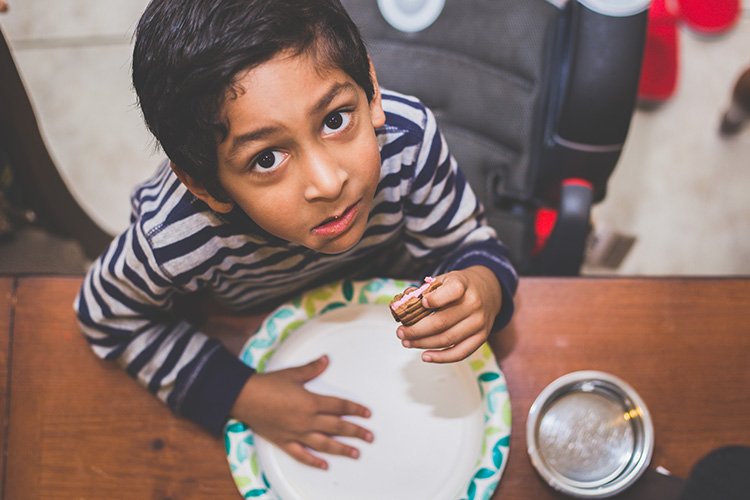
That said, full-face portraits are just one small type of people photography. When it comes to photographing kids in particular, if you only capture that style of image, you’re missing out on a whole lot! Here are five things not to miss when it comes to photographing your children!

1. Little Details

photographing kids - details

Fingers. Toes. Eyelashes. When it comes to photographing kids, don’t forget to capture the little details! Years later, a photo of dirty feet will bring to memory hours spent playing in the backyard. Mismatched fingernails will remind parents of the “I’ll do it myself!” years of budding independence. These aren’t (typically) the photos that make it onto Christmas cards or Facebook profile images, but they are images that parents will be thankful for down the road.

photographing kids - details

2. Silhouettes

photographing kids

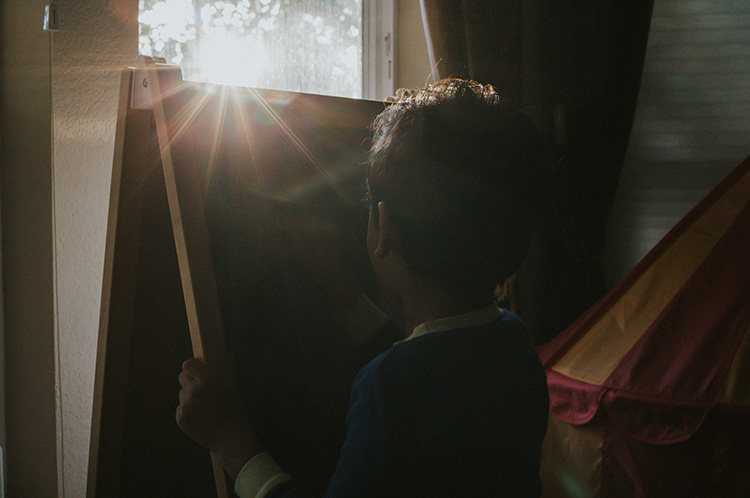
It’s amazing how much body language can convey in a photo, and that’s never more evident than in the case of a silhouette. I love capturing silhouettes of kids because they highlight body language and details in a different way than a full-face portrait does.

In a standard portrait, the wisps of hair take a backseat to adorable toothless smiles. I love a good toothless grin, but I want to remember the cowlicks and hair wisps as well. I want to remember the way that the kiddos sat on top of a fence so close to each other that not a single ray of light was able to sneak through.

photographing kids - silhouette

Don’t forget to try silhouettes from a number of different facial views. Try them with the kid facing away from your camera. Try them with the kiddo facing the camera head-on. Definitely, try them in profile! Again, it draws attention to the little details like the shape of their nose and their facial features.

3. Their Little Quirks

photographing kids - quirks

This category is one instance where you’ll be at a huge advantage if you’re photographing your own children (or close relatives) because you know your kids best.

You know the silly way they sit on their feet while they’re eating. You know the way they press their hands into their face while they’re making up a “once upon a time” story. Only you know the goofy faces that they make and you also know the way that one kiddo always tries to photo-bomb the other. You already know the funny little quirks that your own kids have, so make sure to photograph them!

Take it from me, you won’t remember them as well as you think you will, and someday you’ll be grateful for the reminder.

photographing kids

4. Sleeping

photographing kids

This is a category of images that is easy to forget about, but I really try to make an effort to occasionally photograph my kids while they’re sleeping. The other day, my first grader fell asleep unexpectedly. She has the tendency to act older than she really is in a lot of different ways, so my expectations for her tend to be pretty high.

I grabbed my camera and snapped a few photos because I was struck by how young she looked while she was sleeping. Nearly every time that I make the concerted effort to photograph my kids while they’re sleeping, I find myself thankful for the reminder that even though they may act older than their ages, the truth is that they’re still little.

5. Different Angles and Facial Views

photographing kids

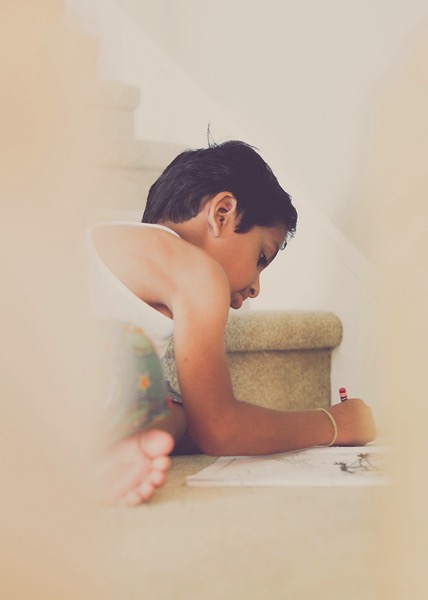
As I look through the many, many photographs that I’ve taken of my children, there are very few images that are shot from unusual angles and different facial views. Anytime I find an image that’s shot in silhouette, I’m always pleasantly surprised! There aren’t many of them, but I’m always pleased to come across them because they capture a different sort of expression than full-face images. In my experience, kids aren’t typically photographed in profile very often, and I think it’s such an important aspect in capturing their personalities!

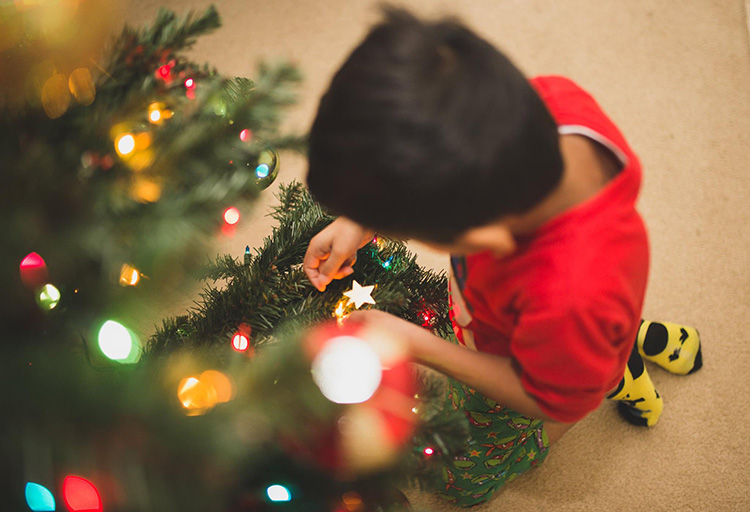
Similarly, I always try to get down to their level when I’m photographing kids. That’s usually a good thing, but on occasion, it’s nice to have an image that’s shot from above, below, or other non-traditional angles. Make an intentional effort to photograph your children from a variety of different perspectives – you won’t regret it!

Over to you

Please share your tips for photography kids below as well as your images. I’d love to see them.

The post 5 Non-Portrait Ideas For Photographing Kids by Meredith Clark appeared first on Digital Photography School.

Digital Photography School

 
Comments Off on 5 Non-Portrait Ideas For Photographing Kids

Posted in Photography


How to Photograph Northern Lights (The Aurora Borealis)

15 Apr

A trip to photograph Northern Lights (also called The Aurora Borealis) often tops the wish list for many photographers. For good reason too; the aurora is a natural phenomenon unlike any other. Lights dancing over the frozen winter landscape is ethereal, beautiful, and at times, jaw-dropping. Living in Alaska has provided me the opportunity to shoot the lights more often than most, and yet more than once, I’ve had to stop clicking and just watch the curtains shift and dance. In fact, let that be my first tip if you are planning an aurora

In fact, let that be my first tip if you are planning an aurora photo shoot – occasionally just stop and watch. Seriously, put that camera down for a moment and relish the sight. Okay, now let’s figure out how to photograph the Northern Lights.

How to Photograph Northern Lights (The Aurora Borealis)

Gear

Tripod

You need one. There is no faking this one, get one and use it. If it’s brutally cold (which, let’s face it, it probably will be) you’ll appreciate carbon over cold-channelling aluminum, but either will work. Bring it, use it, no excuses.

Camera

I’ve seen beautiful images of the Northern Lights made with everything from good point and shoot cameras to high-end mirrorless and DSLRs. So don’t feel too restricted by your choice of camera. That said, a camera with low noise at high ISO is definitely preferable. Though not absolutely necessary, the ability to change lenses, too, is a major asset.

Lenses

As a general rule, you want a lens that is wide and fast (has a large maximum aperture). The faster the better. My primary aurora lens is a 14mm f/2.8, but I’m eyeing a 20mm f/1.8 for the extra speed. All lenses will need to be manually focused, so make sure that is straight-forward. A variety of focal lengths, either in the form of a zoom, or a choice of lenses is also helpful. I’ve used everything from a 70-200mm to my fixed 14mm to photograph Northern Lights.

How to Photograph Northern Lights (The Aurora Borealis)

I’ve got to admit, living in the far north has its advantages. I merely needed to step out my front door to make this image. (If you are wondering what that strange U-shaped white form in the sky is, it’s the exhaust trail from an aurora research rocket fired off by the University of Alaska Fairbanks).

Remote Release

Though not absolutely necessary, a cable or wireless release for your camera will help reduce camera shake when you click the shutter. A jiggly blur in the stars can ruin an otherwise good shot. If you don’t have a release, use the camera’s self-timer, many have a 2-second setting which is useful. Keep in mind that using a timer rather than a release will slow you down.

Clothing

Maybe I should have put this one at the top of the gear list, because it is probably the most important thing for a successful winter shoot of any kind. Right now, as I’m writing this article, I’m sitting in a cabin 70 miles north of the Arctic Circle in the Brooks Range of northern Alaska. I’m leading an aurora photo tour, and the warmest night-time temperature we’ve seen so far was -35F (-37c). Good clothing has not just been important, but vital.

How to Photograph Northern Lights (The Aurora Borealis)

Right now, as I’m writing this article, I’m sitting in a cabin 70 miles north of the Arctic Circle in the Brooks Range of northern Alaska. I’m leading an aurora photo tour, and the warmest night-time temperature we’ve seen so far was -35F (-37c). Good clothing has not just been important, but vital. I don’t want to go into too much detail here, but a thick down coat with a hood, down or synthetic fill pants, mittens, liner gloves, face masks, and warm hats should all be on your list.

That said, I do want to take just a second to talk about footwear. Trips like the one I’m currently leading are not the time to toy around with light winter boots. This is not the time for fashion. Pack boots, god-ugly bunny boots, mukluks, and other extreme-cold footwear, a couple sizes too big (to account for thick socks and toe warmers) are what you are looking for. Nothing will wreck a night of photography more quickly than painfully cold, or (please no) frost-bitten toes. Enough said.

How to Photograph Northern Lights (The Aurora Borealis)

Interesting foregrounds are an important part of any image, and aurora shots are no different. In this case, I climbed a rock outcrop and used a wireless trigger to make this image.

The Day Before

Prefocus – autofocus rarely works in the dark, so you’ll need to manually set your focus. The first thing I do when I’m leading a photo workshop or tour is to take my clients out in the daylight, before our first night chasing the lights, and have them set their focus to some distant mountaintop. After making sure it is tack sharp, I hand out small pieces of electrical tape and have everyone tape the focus in place so it won’t shift around accidentally.

With the excitement of the first aurora show, no one has to worry about messing with their focus points, or worse, find their shots heartbreakingly soft. A caveat: You still need to check your focus periodically. I’ve found that some lenses will shift their focus point slightly when there are extreme temperatures. Pixel-peep occasionally and adjust as necessary.

How to Photograph Northern Lights (The Aurora Borealis)

When the lights are directly overhead, sometimes pointing your camera straight up can be the best option.

In the Field

Have patience. The aurora is a fickle lover, and she only appears when she wants. Even when the forecasts are coming together and everything seems set for success, the lights may take awhile to appear, they may erupt when you don’t expect it, or clouds may obscure the sky. Plan several nights to account for bad weather or uncooperative conditions. Be prepared to stay up late, and again, be patient.

Exposure

How to Photograph Northern Lights (The Aurora Borealis)

This is one of my first images of the aurora. The lights were bright, and while I managed to capture some color, the 20-second exposure blurred the details into an indistinct curtain. I know better now.

In the days of film and early days of digital, long exposures of 15 or 30 seconds for the aurora were the name of the game. This allowed the lights to appear bright and colorful, but details within the aurora, the pillars, and beams blurred away leaving behind an indistinct curtain. Technology has moved beyond this.

You want the shortest shutter speed possible that allows sufficient brightness and low noise. ISOs in the 1600-6400 range are typical. I start with a setting of f/2.8, ISO 1600 or 3200, for 5 seconds. From there, depending on what the lights are doing, the amount of moonlight, and other factors, I’ll adjust up and down.

Last night, for example, for about 10 minutes the lights brightened and started moving VERY fast. Sacrificing some noise, I went to ISO 6400, f/2.8, and a 1-second exposure. The shots needed a bit of noise reduction in post-processing, but I was able to capture the details of the curtains, and that sharpness in the aurora makes the images successful. A shutter speed just a second or two longer would have blurred the lights.

How to Photograph Northern Lights (The Aurora Borealis)

In contrast to the previous image, for this shot of a very fast moving display, I used a shutter speed of just one second at ISO 6400, f/2.8. As a result, the pillars of light and details in the curtains are sharp.

Composition

When the aurora is hopping, your attention will shift to the sky and away from the foreground. This is natural, but try to pay attention to your composition, just as you would with any landscape image. In the dark, a poorly framed image may not stand out the way it does in daylight. But, I’ll guarantee that you’ll notice when the photos appear on your computer the next morning, and you’ll kick yourself.

Consider where you are, provide some context, avoid distractions, and compose carefully.

How to Photograph Northern Lights (The Aurora Borealis)

A red aurora is a very rare thing indeed. Of the hundreds of nights I’ve spent shooting the Northern Lights, this one had the deepest, brightest reds I’ve ever seen. (FYI, I used my headlamp to light paint the trees in this image.)

Where and When to Photograph the Northern Lights

Choosing the right location for an aurora trip is a big decision. The Aurora Borealis can be seen around the planet’s northern regions. Scandinavian countries, Iceland, northern Canada, and of course Alaska, are popular destinations. While your budget and available time may limit you, it is important to consider the likely weather conditions, local tours, lodging and transportation options, and seasons.

The aurora is primarily a winter phenomenon. In the far north, nights don’t get dark enough in the summer for the lights to appear. Here in Alaska, you can see the lights from late August or early September through mid-April, but prime time is late September through early April.

How to Photograph Northern Lights (The Aurora Borealis)

The nearly full moon in this image was not enough to blow out the bright display of lights, but it takes strong aurora to overcome a full moon. Moonlight is great for foregrounds but can cause issues with visibility of the Northern Lights. If you are shooting the aurora for the first time, I recommend making your trip around the new moon.

Research weather patterns. Some months are more likely than others to have clear skies. In Alaska, March is the driest month with the best chance for clear skies, but other locations will differ.

Moonlight is another thing to consider. While great lights can occur regardless of how bright the moon is, during the dark nights of a new moon, even low-grade aurora displays will appear more distinct against the darker sky.

Getting Help

How to Photograph Northern Lights (The Aurora Borealis)

One of my clients on an aurora photo workshop photographs the northern lights in the Brooks Range of northern Alaska.

Like any discipline of photography, learning to shoot the aurora takes practice. This can make aurora photography a frustrating pursuit for people new to it or with limited time. Organized workshops or tours, or private photo-guide services are a great way to assure some success. Even if you prefer to shoot independently, hiring a local expert for a night to get you started may help you dodge the usual pitfalls and find the best locations to shoot.

How to Photograph Northern Lights (The Aurora Borealis)

Patience Pays Off

Last night it was bitterly cold here in the Brooks Range. We started the night about 9:00 p.m. by driving 50 miles north to a spot high above tree line, a stone’s throw from the continental divide. There, we waited in the moonlight for the Northern Lights to appear. They didn’t, not for the three hours we sat patiently watching the sky. I had a sinking feeling that we were about to get skunked.

Half past midnight we gave up, turned around, and headed back to our rented cabin. Another hour later we pulled in and started unloading the gear. I glanced toward the sky, and there, sure enough, was a single, pale band of northern lights. It was nearly 2:00 a.m., and I’ll admit, my warm bed was sounding really good. But stubbornly, we reloaded our camera bags and tripods and drove a few miles back up the road where the mountains loomed close. When the lights exploded 20 minutes later, we were ready. Our cameras popped in the frigid air as the aurora swirled. We made some of the best images of the trip there.

How to Photograph Northern Lights (The Aurora Borealis)

Be Ready

We were patient, had the right clothing to handle the -40 temperatures, and had our cameras and settings ready. That’s really the core lesson here: be ready. The lights sometimes don’t last long and if you are fiddling with camera focus, or clothed improperly, you’ll miss it. However, preparation and research will greatly increase your chances of success. A chance to photograph Northern Lights, or simply observe them, is not an opportunity to squander.

The post How to Photograph Northern Lights (The Aurora Borealis) by David Shaw appeared first on Digital Photography School.

Digital Photography School

 
Comments Off on How to Photograph Northern Lights (The Aurora Borealis)

Posted in Photography


Five Ways to Improve Your Composition Skills

15 Apr

Composition is one of the most important skills you can learn as a photographer. The interesting thing about composition is that it’s all to do with observation and learning to see. You may need to invest in a book or two to help you understand the basic principles, but nothing more. It’s a much more cost-effective way of becoming a better photographer than buying a new camera or lens!

There are five things you can do right away to improve your composition skills.

Composition and photography

1. Learn how to use your camera properly

The aim is to know your camera so well that you can photograph without thinking about it. This comes through familiarity and practice.

Try this exercise. Close your eyes and pick up your camera. Which buttons and dials do you need to use to adjust aperture, shutter speed, and autofocus? How do you select the active AF (autofocus) point? How do you apply exposure compensation? If you don’t know the answers without looking, then read your manual. You should be so familiar with these settings that you can adjust them automatically, with no more than a glance at your camera.

Learn this simple approach

Digital cameras have lots of menu options and it’s easy to get caught up in adjusting settings. I suggest you ignore most of them and keep your approach simple. Here’s how:

  • Always shoot RAW format and set White Balance to Daylight or Auto and keep it there. Pick one camera profile and stick with it. You can adjust all of these settings afterward in Lightroom.
  • Don’t touch any settings such as lens corrections, contrast, dynamic range, noise reduction, sharpness or highlight preservation. These are all irrelevant if you shoot RAW.
  • Don’t switch between metering modes. Stick to one and learn how it works.
  • Understand your camera’s focus modes and when to use each one.
  • Learn how to select the active AF point so you can make the camera focus where you want.
  • Make sure you know how to switch to Manual shooting mode and when you should do so.
  • Learn how to apply exposure compensation, preferably without taking your camera away from your eye.

For most forms of photography, you don’t need to know anything more than that. The main exception is anything that involves fast action, as you may need to adjust your camera’s autofocus settings to suit. The idea is to know your camera so well that you can concentrate on observing the subject and finding the best possible composition.

Composition and photography

Some photographers say that the dials on cameras like the Fujifilm X-T1 (shown above) and old style film cameras help them adjust settings quickly.

Fiddling with your camera’s settings is a distraction. The more attention you pay to your settings, the less you’ll pay to the composition of your images.

2. Look beyond the obvious

The first viewpoint you find when you take a photo of something may not be the best or most interesting.

When you find a worthwhile subject spend some time with it. Try and look beyond what first attracted you to it. This is called working the subject.

  • What happens if you photograph it from another angle?
  • With another lens?
  • Or if you get closer or further away?
  • Is there anything interesting about the subject that you have overlooked?

For example, if you are taking someone’s portrait it might be because they have a captivating or beautiful face. But what else is interesting about them? Their clothes? Jewelry? Tattoos? Look beyond the face and see what you can find.

Composition and photography

I made some portraits of a friend of mine. But he also has interesting hands. After I made the portraits I asked him to hold his hands out and made this photo.

3. Educate your eye

You can learn a lot about composition by studying the work of master photographers. It’s time to pick some photographers whose work you like and get analytical. I like looking at photos taken decades ago. Photographers back then worked with much simpler equipment and didn’t have our technological advantages. Yet the best still created beautifully composed images.

So, how did they do it? When looking at somebody else’s work ask yourself these questions:

  • Are they working in black and white or color? How would switching from one to the other affect the composition?
  • What is the focal point of the image? Is it positioned in the frame according to the rule of thirds or could there be other principles at work?
  • What shapes and patterns do you see?
  • Is there any negative space in the photo? How much room does the subject have to breathe?
  • Is the photo balanced or unbalanced? What is the visual relationship between the various elements in the scene? Which are dominant and which are secondary in importance?
  • Can you tell what lens focal length the photographer may have used? How would using a different focal length affect the composition?
  • How did the photography create a sense of depth?

Questions like these deepen your understanding of the work of other photographers. The answers inform your work as you evolve as a photographer.

Composition and photography

This landscape scene was lit by the light reflected from the clouds and sky after the sun disappeared below the horizon. I first became aware of the beauty of this type of light when looking at the work of Galen Rowell, a famous adventure and landscape photographer.

4. Work with geometry and symmetry

Learn to look for shapes in your photos. A good place to start is with anything man-made, as we tend to build things with recognizable shapes like triangles, squares, and circles.

Repeating shapes create patterns and symmetry that can also form the basis of an interesting composition.

For example, when you look at this photo, what do you see?

At first glance, it’s a photo of an outdoor cinema screen in a Chinese village. But look closely and you start to see shapes. The rectangle of the screen is an obvious one. But did you notice the diamonds made by the pattern in the flooring? Or the organic shapes of the Chinese characters on the wall?

5. Use punctuation and gesture

Jay Maisel talks a lot about gesture and Bob Holmes talks about punctuation. Look up the work of these two photographers to learn more about these concepts.

Punctuation is the addition of something interesting, often a human figure, that completes a scene. The photo needs that little something extra to lift it above the ordinary. Punctuation is an important part of street and travel photography.

For example, this photo is completed and made stronger by the presence of the woman in the doorway.

Composition and photography

In his book “Light, Gesture & Color” Jay Maisel defines gesture as the thing that reveals the essence of the subject. Everything has it. Gesture takes us beyond the superficial to the essence of the subject and reveals itself through observation.

Imagine you are photographing a mountain. What do you see? Maybe it’s the shape of the mountain against the sky. The textures of the rocks scattered over the surface, the steepness of its cliffs, or the way that clouds wrap themselves around the summit. All these things are part of the gesture of the mountain, the things that make it what it is.

With people, gesture is a mixture of body language and attitude. If you are making a street photo it may be in the body language or appearance of somebody in the photo. If you are making a more formal portrait it is something in the model’s expression or body language that helps create mood or communicate character.

In this photo the pose and expression of the dancer are gesture.

Composition and photography - gesture

Punctuation and gesture are advanced concepts. But it’s worth thinking about how you can apply them to your photos, as they help make the composition of your images stronger.

Conclusion

Composition is an important skill. It takes time to master, but it’s worth the effort as the quality of your photos will improve immensely.

Do you have any other suggestions for ways to improve your composition skills? Please let us know in the comments. I’m looking forward to seeing what ideas you come up with.


Andrew is the author of the ebook Mastering Composition.

The post Five Ways to Improve Your Composition Skills by Andrew S. Gibson appeared first on Digital Photography School.


Digital Photography School

 
Comments Off on Five Ways to Improve Your Composition Skills

Posted in Photography


Pros And Cons Of Working As A Wedding Photographer

12 Apr

If you love taking pictures of people in extraordinary social situations, wedding photography might be for you. Being part of such an important event in your clients’ lives is both an honor and a huge responsibility. But before you jump in with both feet, there are some things you should know to make sure that you’re choosing the right profession. Continue Reading

The post Pros And Cons Of Working As A Wedding Photographer appeared first on Photodoto.


Photodoto

 
Comments Off on Pros And Cons Of Working As A Wedding Photographer

Posted in Photography


How to Get the Most Out of Photographing at Golden Hour

09 Apr

The infamous golden hour is a photographer’s dream. That one key period of time that could make even the most stringent artist swoon with inspiration. The sun will dance across your viewfinder, and an endless array of possibilities will present themselves. Regardless of whether your photographic style is vibrant, monochrome, gentle, or contrasted, the golden hour will grant you the ultimate canvas upon which to paint your vision.

So, what is golden hour exactly?

golden hour

The golden hours include the first hour after sunrise and the last hour of light before sunset. Predicting this short window of time depends upon your geographical location and the current season. What makes this lighting situation so ideal for photography is the sun’s positioning relative to what you are photographing.

Due to the sun beginning its speedy rise or setting in the sky, the light source is now closer in relation to your subject. It is also going through more of the earth’s atmosphere at this low angle. When this occurs, soft diffused light is produced.

Generally speaking, soft light is considered the best canvas for a photographer. It does not create harsh shadows and tends to be very dynamic-range-friendly, as your images will not feature harsh shadows or blown-out highlights. The golden hour casts a warm color temperature as well, which can be enhanced upon or corrected via post-processing. This warm color cast lends itself to being a flattering illumination upon any subject of your choosing.

golden hour portrait

Five key lighting situations at golden hour

Any type of photography, from portraits to landscapes to action, can benefit from the use of the golden hour. There are five key lighting situations you can create during this time:

Front-Lighting

This is when your subject faces the sun directly. During the golden hour, this lighting gives a very warm feel to images. Because the sun is not directly above them, in many cases, your subject will not have to suffer the intensely bright light and need to squint. This lighting situation is very easy to photograph in and will make a lasting impression.

golden hour front-lighting

An example of front-lighting at golden hour.

Back-Lighting

Back-lighting occurs when the sun is behind your subject. During the golden hour, this lighting situation creates a soft, warm, hazy, glowing effect. Be sure to expose for your subject’s proper tones, and enjoy the masterpiece that you create.

Golden hour back lighting.

An example of back-lighting.

Rim Lighting:

Rim lighting is when the sun is positioned in such a way to create a halo around your subject. This halo is especially prevalent when placed against a dark background. The sun doesn’t need to be directly behind your subject to achieve this effect, though, as long as the background is dark. You will have to move around to find the sweet spot to achieve this effect, but a good way to start is by shooting from a lower camera angle.

golden hour - rim lighting

Sun Flare

A sun flare occurs when light hits your lens. Different lenses render different types of flares, so this effect is very fun to try with different types of equipment. To achieve a flare, just move your lens around until you see the light hit it through the viewfinder.

During the golden hour, the sun is at its optimal height for this exact outcome. A simple way to achieve a flare is to move your camera and lens so that your subject is only partially covering the sun. Move around (sometimes you only need to move an inch or two left or right) to find the angle that best creates a sun flare. Another way to achieve a flare is to position your lens and camera so the sun is just out of the frame.

Read more on sun flares: How to Photograph Sun Flares: 14 Tips for Beginners

Golden hour sun flare

An example of a sun flare.

golden hour

A different type of sun flare.

Silhouette

A silhouette is created when your subject is completely black without detail, against a bright background. When the sun is near the end of the golden hour, it becomes fairly easy to achieve a silhouette. Photograph your subject directly against the light, and add some contrast in post-processing.

Golden hour silhouette.

An example of a silhouette at golden hour.

There are several tips to truly take advantage of the golden hour. Here are a few to help you:

1. Observe the sky the day before

The best way to figure out when the golden hour will be at its peak is by observation! Peek out of the window the day before your photo session, and see how the sun moves and how the light changes. This will allow you to get a better idea of what the lighting situation will be like on the day of your shoot.

golden hour

2. Plan your photo session around golden hour

No one wants to feel stressed, anxious or rushed when doing photography, so be sure to plan well ahead of time! It is a good idea to begin setting up for your photo session an hour before the golden hour. That way you have plenty of time to ensure that your subject and equipment are ready for that perfect moment.

Golden hour portrait

Anani Inaru with Trinket photographed at golden hour.

3. Watch out for clouds!

Depending on the level of cloud coverage in the sky, your golden hour can change (or not appear at all!). Clouds can enhance the brilliant sunrise or sunset, or they can block your view.

golden hour

4. Set your White Balance to Cloudy

By changing your White Balance setting, you ensure that the images you produce hold true to the colors you want to appear. This allows you to get the warm look the golden hour is famous for – choose Cloudy or Shade to add even more warmth and golden hues to your images.

golden hour

5. Shoot with a wide aperture

How the light dances during this brilliant hour can make for an incredible bokeh (the aesthetic quality of the out-of-focus parts of a photograph). The dazzling yellows, reds, oranges, and golds make a rather exceptional backdrop.

Golden hour

Golden hour bokeh.

6. Keep photographing, because the light will change every couple of minutes!

The sun moves faster than you may expect, so keep shooting and don’t stop! Every position of the sun will create a brand new image for you to take.

golden hour

7. Try different angles and positions.

The sun flares, colors, and intensity of the light in your image are all affected by how you angle your lens. Experiment and try as many different positions as humanly possible! The best way to get the absolute most out of the golden hour is to take advantage of how easy it is to manipulate this unique lighting situation.

golden hour

8. Underexpose a bit to add more vibrancy

You can always lighten up your subject(s) in post-processing, but it is harder to darken an overexposed image. Underexpose just a bit to bring out the beautiful vibrancy of the sunset or sunrise.

Golden hour

9. Explore the use of HDR

Photograph multiple exposures and then layer them on top of one another in post-processing, and see how many incredible lighting details you can achieve. Read more on HDR: Step by Step How to Use HDR Merge in Lightroom

HDR golden hour

10. Play with post-processing

What colors can you bring out in your image? Use post-processing to really enhance the colors that you capture. You will be surprised at what colors you can see when the sky has a few clouds in it.

Conclusion

The golden hour is full of limitless possibilities, and no two photographs will look the same. Experimentation is key, explore the light. How do you use golden hour for your photography? Share your thoughts and images below.

The post How to Get the Most Out of Photographing at Golden Hour by Anabel DFlux appeared first on Digital Photography School.

Digital Photography School

 
Comments Off on How to Get the Most Out of Photographing at Golden Hour

Posted in Photography


MagMod and MagBeam Speedlight Modifiers – Thoughts and Field Test

07 Apr

MagMod made their debut on the photography scene in 2013 with their original speedlight flash modifiers. Recently, they debuted their latest lighting product for photographers, the MagBeam. Functioning as a fresnel lens for your flash, the MagBeam provides a creative boost by easily adding a blast of color or patterns to your images. This article will highlight some of MagMod’s newest products with a special emphasis on the new MagBeam.

What is MagMod?

MagMod (short for MagnetMod) is a company which offers a series of compact, super durable flash modifiers that easily attach to your speedlight flash via ultra strong magnets. The magnets make it super simple to switch out modifiers, or even add color gels without having to pause and interrupt your photo shoot for too long. We first introduced this unique speedlight modifier in a MagMod review awhile back (read it to learn more about the MagGrip, MagGrid, and MagGels).

Since that initial review, MagMod has expanded its product line to include the products below (the MagSphere, MagSnoot, MagBouce, and MagGrip). All of them have a built-in slot for easily adding color-correcting gels.

MagMod and MagBeam Speedlight Modifiers - Thoughts and Field Test

Basic MagMod kit with MagSphere, MagSnoot, MagBouce, MagGrip, and color gels.

MagSphere

MagSphere is an omnidirectional modifier that transforms your speedlight’s harsh flash into a bare-bulb light source by increasing the size of your flash over 250%. Use it like a small bounce card or on-camera diffuser.

The MagSphere

MagMod and MagBeam Speedlight Modifiers - Thoughts and Field Test

Food photo, taken with the MagSphere.

MagBounce

Made from a large piece of silicone, the MagBounce increases the size of your flash by 300%. It delivers incredibly soft light and is akin to having a small softbox that is super easy to setup.

MagMod and MagBeam Speedlight Modifiers - Thoughts and Field Test

A portrait, taken with the MagBounce.

MagSnoot

This unique, collapsible snoot can easily be expanded or contracted to deliver a focused beam of light. MagSnoot is perfect for using as a hair light or highlight in product or portrait photography.

MagMod and MagBeam Speedlight Modifiers - Thoughts and Field Test

Left to right: MagSnoot (collapsed), MagBounce, MagSphere.

MagBeam

If you’ve ever wanted to project a variable spotlight pattern as a photography supplement or background, MagBeam has you covered. This compact system gives you a portable Fresnel spotlight that produces an even light with soft edges and a soft shadow. Since this product is a little more complex that the above-mentioned modifiers, we’ll be doing a deeper dive into its features.

Two main uses of the MagBeam

MagBeam can be paired with one of two different lenses that produce very distinct effects. The MagBeam Tele Lens is used to project a focused beam of light, similar to a spotlight. It also gives you two to three extra stops of usable light. This is handy for wildlife photographers to light subjects in the distance. You might also use this Tele Lens to get a tight, concentrated, beam of light for creative portrait or product photography.

The other option is a MagBeam Wide Lens. Use it in conjunction with custom-made metal disks known as MagMasks and you can create projected light patterns for creative backgrounds or lighting effects. You can also stick MagMod color gels into the MagBeam to add a blast of color.

MagMod and MagBeam Speedlight Modifiers - Thoughts and Field Test

MagMod and MagBeam Speedlight Modifiers - Thoughts and Field Test

Taken with MagBeam, wide fresnel lens, MagMask, and creative color gels.

What’s in the MagBeam Kit box?

The MagBeam can be purchased in several different ways, but the most comprehensive way is to order the whole MagBeam Kit. It comes with the MagBeam itself, a tele lens, wide lens, and MagMask Standard Set. You can add on extra MagMasks as accessories, and load up on colored artistic and creative gels as optional accessories.

MagMod and MagBeam Speedlight Modifiers - Thoughts and Field Test

What’s in the box of the MagBeam kit.

MagBeam in Practice

The MagBeam itself is like a bigger, wider version of the MagSnoot. It’s made of black silicone and can be easily collapsed or extended. When collapsed, the MagBeam is super compact and easy to stick in your camera bag. Using the MagBeam is simple. All you have to do is attach the magnetic end to your speedlight flash via a MagGrip (NOTE: this is not included with the MagBeam you need to buy it separately), then stick a plastic fresnel lens on the wide end.

MagMod and MagBeam Speedlight Modifiers - Thoughts and Field Test

Collapsed MagBeam with a patterned MagMask and red color gel attached on one end. The wide fresnel lens is on the other end.

Speaking of the two Fresnel lenses, they look identical but are actually quite technical, so you must use them correctly to get the right effect. As an example, the wide fresnel lens must be used when the MagBeam is fully collapsed in order to use the included MagMasks (described in detail below) to create a light pattern. It’s not complicated, but you might have to do some experimenting and read some manuals before jumping right in.

Pratt_MagMod MagBeam Review_001

Things to Consider

There is only one possible thing to consider about the MagMod before investing in this system. MagMod magnets that attach to your flash are impressively strong. Once you attach the modifier, it certainly isn’t going to fall off by accident. But sometimes the magnets are a little too strong. I often have to use two hands to carefully pull the MagMod modifiers off to avoid accidentally breaking my flash. I also have to make sure the MagMod units aren’t too close to other magnetic items in my camera bag otherwise, they’ll stick together.

NOTE: If you have any concerns about using magnets next to your electronic equipment this video should answer your concerns. Items they do say to keep away from magnets include: 

  • Older spinning hard drives
  • Credit cards and bank cards
  • Older televisions
  • Speakers
  • Most importantly, pacemakers!

In Conclusion

Overall, I love the MagMod system and always have it in my on-the-go photography kit. In particular, I’ve been using the MagSphere for event photography and the MagBounce as a replacement to my Westcott Rapidbox softbox for food and portrait photography. In both cases, I appreciate how compact the modifiers are. They’re so convenient that I can stash them in my camera bag and simply pull them out whenever I need them.

While the MagBeam took a little more trial and error to figure out, I’ve also been using the wide fresnel lens and gobos to add a splash of color and creativity to my product and food shots.

If you shoot a lot with speedlights and are looking for compact and flexible lighting modifiers to add to your kit, I highly recommend the MagMod system!

The post MagMod and MagBeam Speedlight Modifiers – Thoughts and Field Test by Suzi Pratt appeared first on Digital Photography School.

Digital Photography School

 
Comments Off on MagMod and MagBeam Speedlight Modifiers – Thoughts and Field Test

Posted in Photography


10 Things to Photograph Indoors When There’s Bad Weather Outside

07 Apr

No matter where in the world you live, there are some seasons that are more conducive to outdoor photography than others. That said, bad weather is no excuse to stop learning about photography! Here are 10 beginning photography exercises to try the next time you’re cooped up indoors due to bad weather. Each exercise includes a subject theme, discussion about the type of skills you’ll practice with that particular subject, as well as some questions and/or ideas to walk through in order for you to really take your understanding to the next level.

1. Flowers

bad weather

Pick up an inexpensive bouquet of flowers the next time you’re at the grocery store and bring it home. Pop the flowers in a vase, and start shooting!

If you choose a bouquet with a range of colors (including white flowers if possible), you’ll be able to practice properly exposing your images across the dynamic range. Photographing flowers is also a great opportunity to play around with different apertures. If you’re currently shooting in Auto, pop your camera over into Aperture Priority mode, and give things a try. How does changing from f/2.0 to f/5.6 affect the image? Which look do you prefer?

2. Candles and/or a Fireplace

bad weather

There are a few different benefits to spending some time photographing a flame. Whether you’re photographing a collection of candles or a fireplace, try experimenting with different exposure lengths in Shutter Priority mode. Try both long and short exposure times, and also be sure to note how the shutter speed affects the overall exposure of your image. Does a longer shutter time translate to a lighter or a darker overall image? How could you balance out a longer shutter opening without overexposing the entire image?

Another benefit to photographing flames is that it also makes you consider composition in a way that many subjects do not, especially in terms of reflections. Try putting a mirror or other shiny surface underneath a candle and photographing it. How does the reflection of the flame affect the overall image? Do you want to include the reflection in your image, or do you prefer to crop it out?

3. Oil and Water

This simple project packs a big punch!

bad weather

Equipment and supplies

A macro lens will help you out tremendously here, but if you don’t have one, extension tubes are also a great option. This image was taken with a $ 15 set of extension tubes and a 50mm lens. Basically, all you need is a clear glass dish, two cups, colorful paper, water, and olive oil.

Setup

First, take your colorful paper, and set it on a table or counter. Then take your two cups and set them on top of the paper, several inches away from each other. Next, take your glass dish and set it on top of the cups, so that it’s elevated off of the colorful paper. Add a little water, then a little olive oil, and be ready to photograph the bubbles that appear. You may want to spend some time experimenting with photographing the glass dish at differing heights above the paper underneath. Experiment with different types of colorful paper; scrapbook paper is a great resource for this. Try differing amounts of oil and water, and see how those small changes affect your image.

This is a great opportunity to experiment with macro-like photography in a way that has a pretty big impact. If you are using extension tubes rather than a macro lens, keep in mind that your extension tubes may or may not work with your camera’s autofocus. If you’re having trouble getting the bubbles to come into focus, you may need to focus manually (try the LiveView focus technique).

4. Food

bad weather

Photographing food is a great opportunity to play around with styling, as well as post-processing. It’s my humble opinion that much of your direction in terms of styling and processing will come from the food itself. In this case, I had a rustic loaf of bread that was covered in different seeds. It reminded me of rustic, communal dinners, and so I wrapped it in a tea-towel and stuck it directly on my table (something that happens with fair frequency to loaves that have just come out of the oven around here). I also knew from the get-go that I’d apply a more matte post-processing technique than I usually use in portraits in order to echo the rustic feel of the bread.

On the other hand, what approach would you take to styling and photographing a sleek cheesecake? Or a classic fruit salad? This short little exercise allows you to push yourself in terms of styling and post-processing, trying out skills and techniques that you may not typically use, as well as spending some time thinking about what types of styling and post-processing would best represent the subject.

5. Window Silhouettes

bad weather

I don’t know about where you live, but around here it can often be rainy and sunny at the same time. If you find yourself faced with similar weather, it’s a great opportunity to try doing a window silhouette.

Window silhouettes are a great exercise if you are learning photography because it will help you understand how your camera sees light. If your camera is on auto, and you focus directly on your subject, what does your camera try to do? If you move your focal point off of your subject, what does your camera “see” then? Does it affect the focus of your image? What happens if you try out the different metering modes? Does one seem to be more effective than the others in creating a silhouette?

6. Food Coloring and Water

bad weather

Grab a tall glass or vase, fill it with water, and then drop a couple of drops of food coloring into it.

This is a simple and colorful way to examine both shutter speed and light. Try using a short shutter speed. What does the image look like? Try using a long shutter speed. How is that image different?

In addition, try shooting with all different types of light. The transparency of the water is a great opportunity to practice capturing backlit images.

7. Interiors

bad weather

You don’t need to have perfectly clean or perfectly decorated rooms in order to gain valuable experience and knowledge from photographing them. Just a pick a room and go for it.

Experiment with light sources. How does the final image look when you use only natural light? What happens when you use only overhead and/or floor lights with the curtains closed? How does the image look when you use a combination of natural light and accent lighting? Think both in terms of exposure, and also the color balance of the image. Which look do you personally prefer?

8. Books

bad weather

I’m a huge bookworm, so it’s no surprise that I really enjoy photographing books in all sorts of scenarios. I love the texture of the pages, I love the different colored spines. I love basically everything about books!

Photographing books is also a great way to learn about aperture. Pick any book, and crack it open. Look for a short passage that you enjoy. Set your camera to Aperture Priority mode, and start with the lowest number you’re able to select (f/4 or f/2.8 for example). Set your focal point to your desired passage, and shoot. How much of the image is in focus?

Now set your aperture to one or two numbers higher than your first setting. How much of the image is in focus this time? Continue shooting up and down your available aperture range, noticing how the image changes as you do so. When might you want to use an image with only a sentence or two in focus? When might you want an image that included more of the book in focus?

9. Pets

bad weather pets

Photographing a pet can often present many of the same challenges that you might experience when photographing children. Certainly, this will depend greatly on the type of animal you have as well as their temperament, but it holds true for our cat.

She moves quickly and is often not super interested or cooperative when I’m attempting to photograph her. So, trying to photograph our cat is a good opportunity to practice shooting candidly, as well as waiting patiently for just the right moment. Our cat is obviously never going to walk right in front of me, sit, and smile for a photo. Instead, it’s my responsibility to sit on the couch with my camera, waiting patiently. When she decides to come over and investigate, I’ll be waiting and ready. (Read: 9 Tips for Taking Better Photos of Cats) 

10. Craft Supplies

bad weather

Craft supplies are a great tool for photographic exercises because they’re usually a good source of color. Play around with color and group items randomly. Then group similar colors together.

Next, pick one single item or color to focus on. Photograph it alone, as well as grouped with the others. Is the image stronger with only one color or with many? Do you prefer the colors to be randomized, or grouped together?

Conclusion

Have you tried any of these approaches? What other ideas do you have for bad weather, indoor photography exercises that would help beginners understand an element of photography better?

The post 10 Things to Photograph Indoors When There’s Bad Weather Outside by Meredith Clark appeared first on Digital Photography School.

Digital Photography School

 
Comments Off on 10 Things to Photograph Indoors When There’s Bad Weather Outside

Posted in Photography